Your new calendar starts here.
14-day free trial · No credit card · 35% off for Clockwise users
Top performers from leading companies rely on Morgen


Everything you relied on. Still here.
35% off your first year
Switching from Clockwise? We've got you. Connect your calendar in under 5 minutes and get 35% off your first year of Morgen. Use code "ClockwiseMatch".
Up and running in 5 minutes
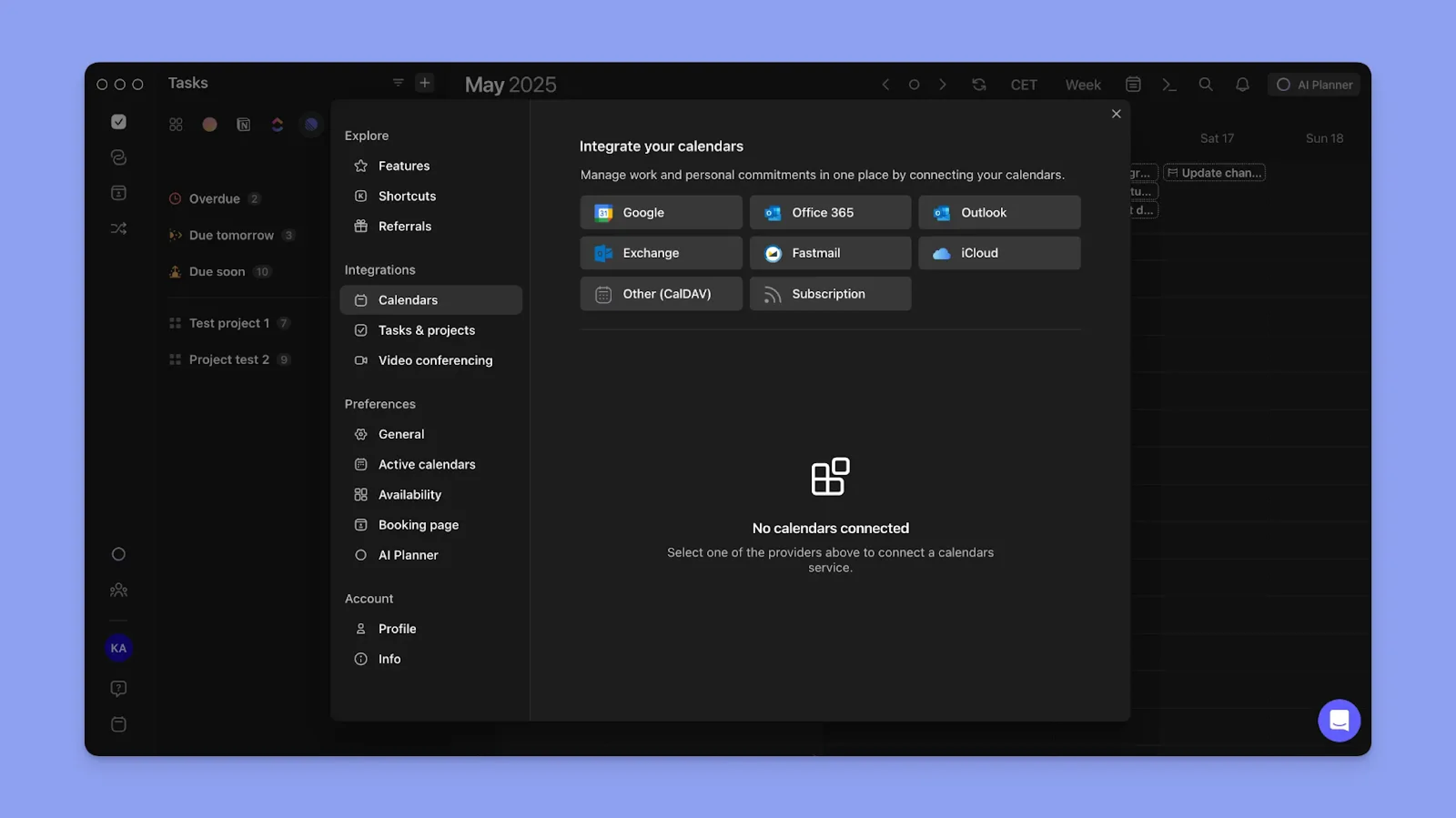
Connect your calendar
Link your Google or Outlook account. All events sync instantly. Morgen supports Google, Outlook, iCloud, Fastmail, Zoho, and CalDAV — more providers than Clockwise ever did.
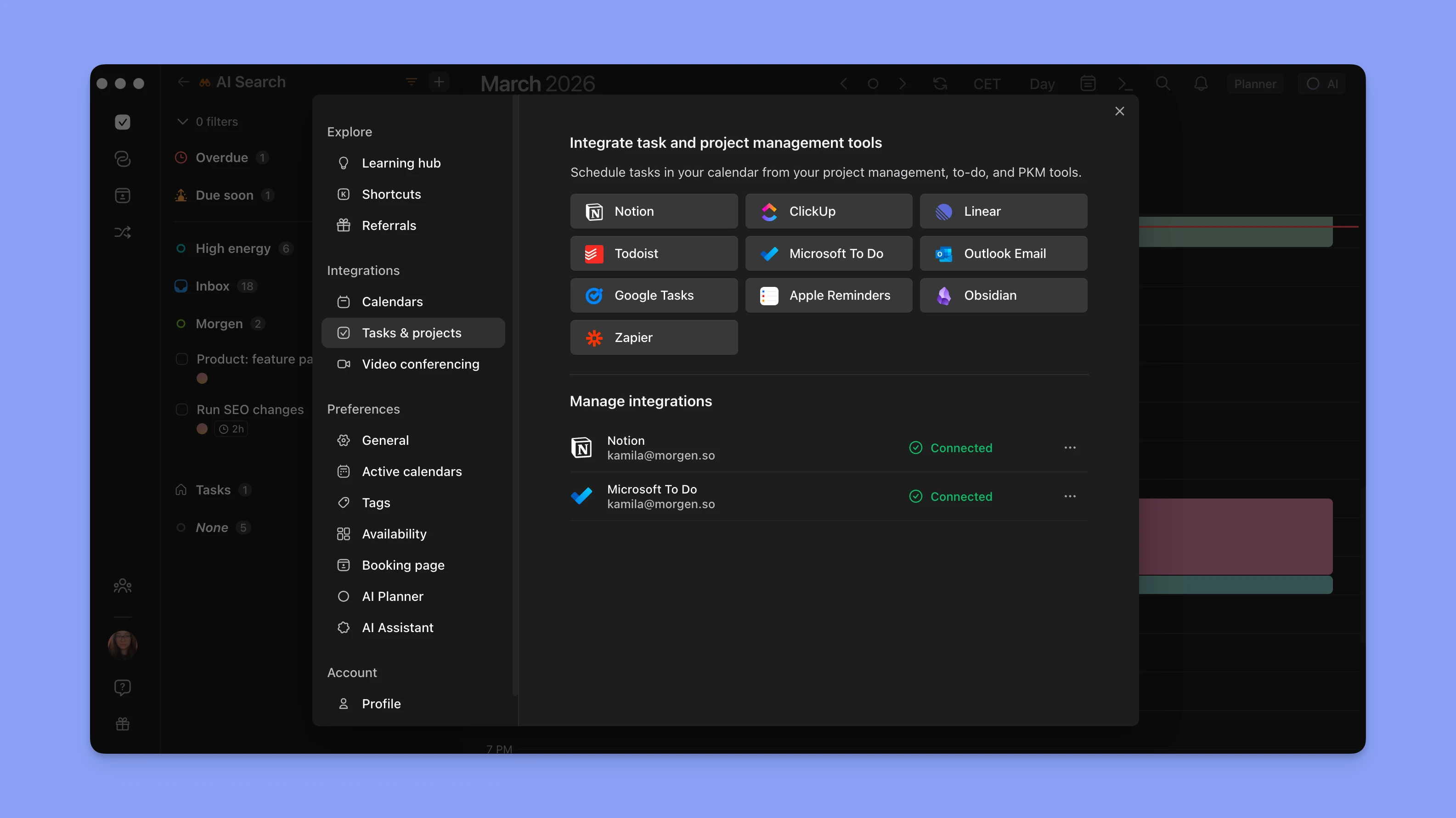
Add your tools
Connect Todoist, Notion, ClickUp, Linear, Google Tasks, Microsoft To Do, Apple Reminders, or Obsidian. Your tasks appear in your calendar and can be time-blocked instantly.
Plan your day
Use Morgen's AI Planner, voice assistant, or manually drag and drop your commitments to build a time-blocked schedule around your meetings, priorities, and energy.
.png)
Now imagine what's possible
Clockwise optimized for meetings. Morgen optimizes meetings for your daily plan.
AI Daily Planner
Tell Morgen your priorities. It builds a time-blocked plan across tasks, meetings, and focus time. You preview and approve before anything moves.
Learn more →8 Task Integrations
Connect Todoist, Notion, ClickUp, Linear, Google Tasks, Microsoft To Do, Apple Reminders, or Obsidian. Your tasks appear in your calendar instantly.
Learn more →Native Apps Everywhere
Desktop apps for macOS, Windows, and Linux. Mobile on iOS and Android. Web app too. Clockwise was browser-only.
Learn more →Morgen vs Clockwise
| Feature | Morgen | Clockwise |
|---|---|---|
| Focus Time | ||
| AI Daily Planning | ||
| Calendar providers | ||
| Task integrations | ||
| Scheduling links | ||
| Native desktop apps | ||
| Mobile apps | ||
| Team features | ||
| Routines & Habits | ||
| Active product |
"Honestly, I LOVE Morgen. Instead of flipping between 10 different tabs, browsers and apps, I now open just one. Managing all of my time in one place, in a nice interface, definitely makes my life so much easier."

Don't wait for March 27
Your workflow shouldn't have an expiration date. Start your free trial today.