.svg)
→ Morgen: per la prioritizzazione assistita da IA + blocco in tempo reale. Ideale per soloimprenditori, marketer e builder che hanno bisogno che le attività si sincronizzino con il loro calendario tra lavoro e impegni personali.
→ Todoist o Superlist: per una lista di cose da fare veloce e affidabile. Todoist è ideale per gli utenti singoli che amano la semplicità e le attività ricorrenti, mentre Superlist è migliore se desideri un design pulito e una collaborazione leggera.
→ Sunsama o Reclaim: per la pianificazione basata sul calendario. Sunsama si adatta ai pianificatori riflessivi che apprezzano un rituale di pianificazione quotidiana, e Reclaim è la scelta migliore se desideri una pianificazione automatica e senza interventi nel tuo calendario.
→ Saner.AI o Amie: per gestire l'eccesso di input. Saner aiuta a trasformare note e email sparse in attività (con alcuni compromessi in fase iniziale), mentre Amie eccelle per ruoli ricchi di riunioni che hanno bisogno di trasformare le note in azioni.
TickTick è solido, finché i tuoi compiti non iniziano a moltiplicarsi come conigli, il tuo calendario vive da qualche altra parte, e "ricordamelo dopo" diventa la tua strategia di produttività predefinita. Se stai cercando alternative a TickTick, ecco le migliori opzioni nel 2026: Morgen, Saner, Todoist, Sunsama, Superlist, Amie e Reclaim. Di seguito, analizzerò funzionalità, prezzi, pro e contro reali, e per chi è adatto ogni strumento.
Le 7 migliori alternative a TickTick: A colpo d'occhio
Se vuoi il riassunto senza scorrere, questa tabella è il tuo foglio di aiuto.
| Nome | Migliore per | Funzione distintiva | Prezzo a partire da | Valutazione |
|---|---|---|---|---|
| Morgen | Pianificazione assistita da IA + time blocking | AI Planner + pianificazione attività incentrata sul calendario | €15/mese fatturato annualmente | 4.8/5 (G2) |
| Saner | Acquisizione ADHD-friendly + auto-organizzazione | Inbox universale + prioritizzazione IA | Gratuito; a pagamento da $8/mese | 4.8/5 (Product Hunt) |
| Todoist | Elenchi di cose da fare veloci e tradizionali | Linguaggio naturale migliore della categoria + attività ricorrenti | Gratuito; a pagamento da $5/mese | 4.5/5 (G2) |
| Sunsama | Pianificazione giornaliera calma e guidata | Rituale di pianificazione giornaliera + flusso attività-calendario | $20/mese | 3.8/5 (Trustpilot) |
| Superlist | Elenchi di attività collaborativi moderni | Sincronizzazione in tempo reale + design minimalista | Gratuito; a pagamento da $5/mese | 4.5/5 (Product Hunt) |
| Amie | Produttività personale all-in-one | Calendario + attività + email in un'app | $20/mese | 4.8/5 (Product Hunt) |
| Reclaim | Ottimizzazione automatica del calendario | Pianificazione IA di abitudini + tempo di concentrazione | Gratuito; a pagamento da $10/utente/mese | 4.8/5 (G2) |
Morgen: Migliore per pianificazione e prioritizzazione assistite da IA

Morgen è un pianificatore giornaliero incentrato sul calendario, costruito per persone che non vogliono solo tracciare le attività, ma portarle al traguardo. Il suo AI Planner ti aiuta a prioritizzare le attività più importanti e le blocca nel tuo calendario.
Funzioni principali
AI Planner che consiglia cosa fare dopo

Puoi bloccare manualmente le attività trascinandole e rilasciandole in Morgen oppure utilizzare l'AI planner che tiene conto delle tue scadenze, dell'importanza dell'attività, delle stime di tempo e di altri fattori (consulta il fattore di priorità Morgen), e suggerisce l'ordine delle attività in base a questo.
Tag attività e visualizzazione a colori

Puoi aggiungere tag alle attività e riutilizzarli nei tuoi elenchi di attività. I tag possono essere rinominati, ricolorati, filtrati, raggruppati e utilizzati all'interno dei frame del planner, mentre le attività e le routine possono essere assegnate a qualsiasi colore utilizzando il selettore di colore in modo che siano visivamente distinguibili nel calendario.
Integrazioni profonde + sincronizzazione multi-calendario
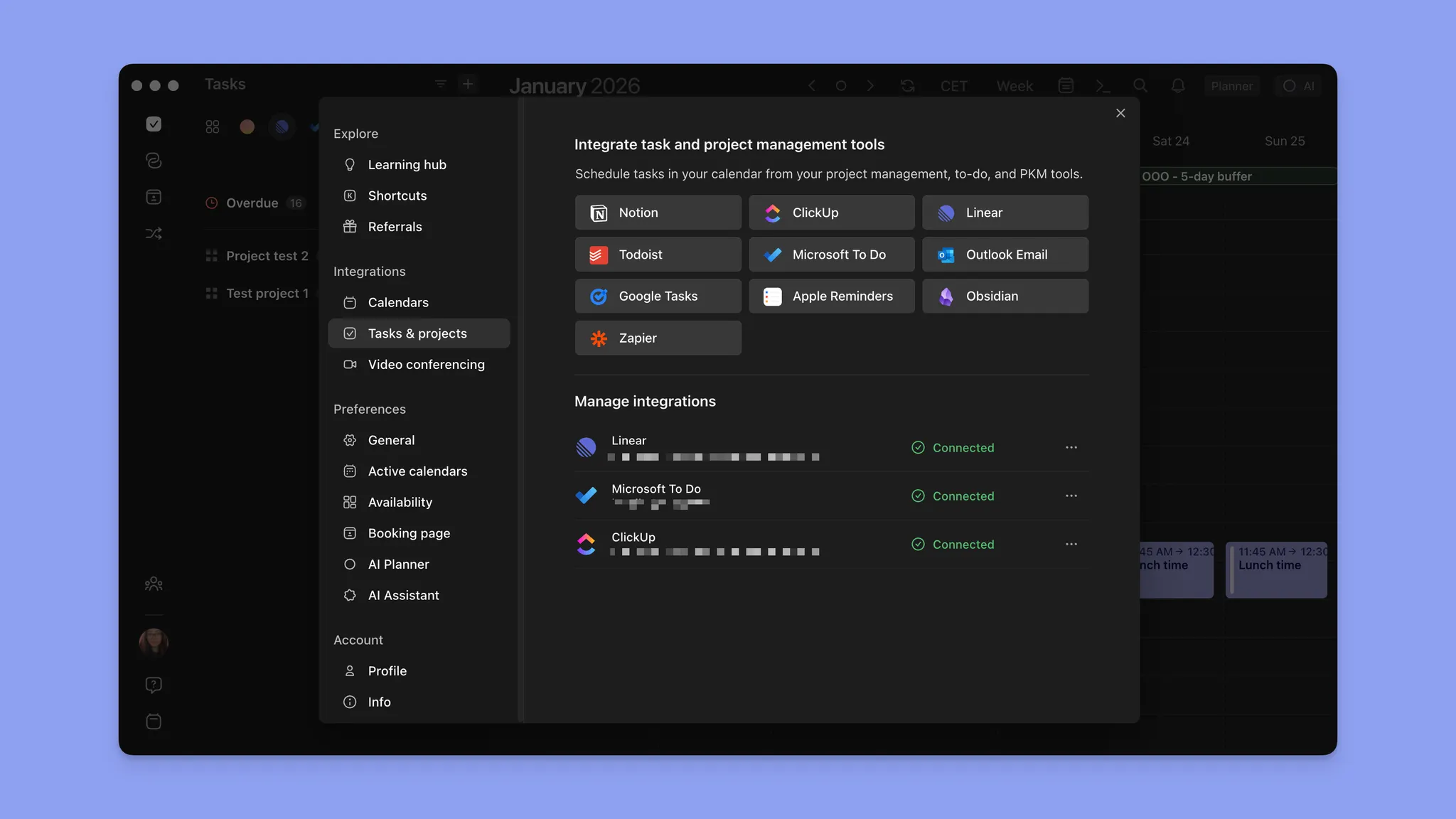
Pianifica attività da strumenti come Todoist, Linear, Notion e altri insieme a più calendari come Google, Microsoft Calendar o iCloud, e riduci il lavoro disallineato.
Prezzi
| Piano | Prezzo a partire da |
|---|---|
| Individuale mensile | $30/mese |
| Individuale annuale | $15/mese |
| Team mensile | $25/mese |
| Team annuale | $10/mese |
Dove Morgen brilla
- Tag e routine: Raggruppa attività e progetti con tag, crea e traccia routine personali separate dalle tue attività
- IA con controllo dell'utente: Usa l'IA quando necessario, i suggerimenti si adattano a te e vengono applicati solo quando li approvi
- Chiarezza multi-calendario: Ideale se gestisci programmi di lavoro e personali su più calendari e gestori di attività
Dove Morgen è carente
- Non è una suite PM completa: Abbina con uno strumento di progetto se hai bisogno di dipendenze pesanti
Recensioni dei clienti
Gli utenti di G2 vedono Morgen come un pianificatore moderno e incentrato sul calendario che riunisce attività sparse, strumenti e più calendari in un unico sistema chiaro e flessibile. Apprezzano particolarmente la facilità d'uso, le potenti integrazioni (Obsidian, Fastmail, Airtable), l'affidabilità tra i calendari e la sensazione che "si adatti perfettamente" al modo in cui pensano e lavorano. Mentre alcuni utenti di Reddit lo confrontano con altri strumenti e decidono di passare a Morgen.


Per chi è migliore Morgen
- Imprenditori, marketer e sviluppatori: Connetti i programmi di vita privata e lavorativa in un'unica interfaccia
Saner.AI: Migliore per l'acquisizione di attività
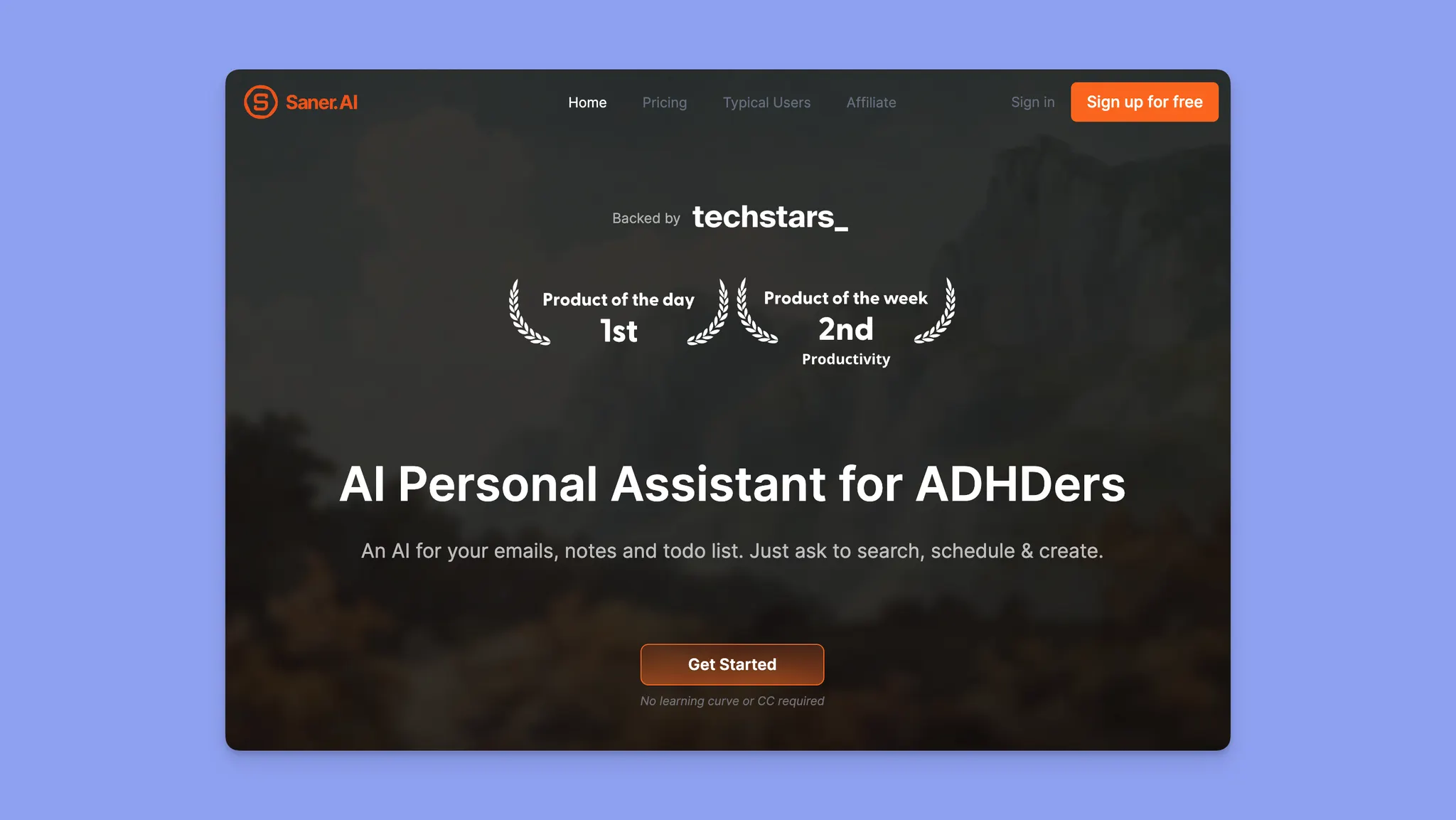
Saner.AI è costruito per il problema "tutto è sparso", trasformando note, email e scarichi cerebrali disordinati in attività prioritizzate con un flusso di lavoro incentrato sull'IA rivolto a persone con ADHD.
Funzioni principali
- Assistente personale IA per note/email/calendario: Usa la chat per cercare note, gestire email e pianificare attività
- Inbox come hub centrale: Progettato per acquisire e organizzare rapidamente nuovi elementi
- Flussi di lavoro incentrati su email + estrazione di attività: Documenti di funzionalità di esempio per flussi di lavoro email IA
Prezzi
| Piano | Prezzo a partire da |
|---|---|
| Gratuito | $0/mese |
| Starter mensile | $12/mese |
| Starter annuale | $8/mese |
| Standard mensile | $20/mese |
| Standard annuale | $16/mese |
Dove Saner.AI brilla
- Prioritizzazione guidata da IA: Utile per gli utenti che faticano a decidere cosa fare dopo.
- Modello di spazio di lavoro singolo: Riduce il cambio di contesto tra note e attività
Dove Saner.AI è carente
- Problemi di stabilità e affidabilità: Gli utenti segnalano arresti anomali, perdita di dati e comportamenti imprevedibili
- Complessità cognitiva e del prodotto: Nonostante il posizionamento ADHD, alcuni trovano l'UX opprimente piuttosto che calmante
Recensioni dei clienti
Gli utenti di Reddit dicono che Saner mostra forti promesse, specialmente per il supporto ADHD, mentre il revisore di Product Hunt è rimasto impressionato dalla sua capacità di fare Q&A di conoscenza personale, ma è attualmente ostacolato da una curva di apprendimento ripida, funzioni di attività principali mancanti, limiti poco chiari, problemi di sincronizzazione, input restrittivi, limiti di file piccoli e supporto giapponese limitato.


Per chi è migliore Saner.AI
- Utenti sommersi da input sparsi: Migliore se il tuo dolore principale è acquisire e organizzare idee, email e note in attività, e sei tollerante con la finitura in fase iniziale
Todoist: Migliore per un elenco di cose da fare pulito, veloce e tradizionale

Todoist è il "coltello da chef affilato" delle app di attività: semplice, veloce e affidabile, specialmente per attività ricorrenti e flussi di lavoro basati su elenchi.
Funzioni principali
- Acquisizione in linguaggio naturale + date di scadenza ricorrenti: Aggiungi attività parlando o con aggiunta rapida
- Filtri + etichette: Per organizzare i tuoi progetti e raggruppare le attività insieme
- Dettagli attività: Aggiungi dettagli come una data, un'ora, un'etichetta o una priorità
Prezzi
| Piano | Prezzo a partire da |
|---|---|
| Principiante | $0/mese |
| Pro mensile | $7/utente al mese |
| Pro annuale | $5/utente al mese |
| Business mensile | $10/utente al mese |
| Business annuale | $8/utente al mese |
Dove Todoist brilla
- Velocità e affidabilità: Inserimento rapido di attività con attrito minimo su tutte le piattaforme
- Ecosistema maturo: App stabili e ampio supporto di integrazione di terze parti
Dove Todoist è carente
- Nessuna pianificazione nativa incentrata sul calendario
- I flag di priorità non tengono conto della capacità reale del calendario, il che frustra gli utenti esperti
Recensioni dei clienti
Le persone rimangono fedeli a Todoist per l'interfaccia utente e la velocità, ma trovano la sua pianificazione/time-blocking come motivo frequente per passare a TickTick/Motion/Morgen (la pianificazione incentrata sul calendario non è il nucleo di Todoist).


Per chi è migliore Todoist
- Persone che vogliono semplicità: Ideale se preferisci un sistema leggero basato su elenchi con eccellenti attività ricorrenti e configurazione minima
Sunsama: Migliore per una pianificazione giornaliera calma e guidata

Sunsama è "pianificazione intenzionale con guardrail". È progettato attorno a un rituale giornaliero: estrai attività, stima il tempo, bloccale nel tempo e termina la giornata.
Funzioni principali
- Rituale di pianificazione giornaliera guidato: routine passo dopo passo pianificata manualmente
- Una varietà di integrazioni: Estrai attività da strumenti (Asana/Trello/Jira + altri)
- Aggiungi tempo per le email: Trascina email specifiche nel tuo calendario come attività
Prezzi
| Piano | Prezzo a partire da |
|---|---|
| Abbonamento mensile | $20/mese |
| Abbonamento annuale | $15/mese |
Dove Sunsama brilla
- Pianificazione intenzionale: Forza decisioni di carico di lavoro realistico ogni mattina
- Rituali di riflessione e spegnimento: Attrae gli utenti che apprezzano i confini tra lavoro e vita privata
Dove Sunsama è carente
- Prezzo elevato per gli utenti singoli
- La pianificazione manuale è richiesta ogni giorno: Gli utenti che cercano automazione o IA spesso trovano il rituale ripetitivo
Recensioni dei clienti
Gli utenti generalmente trovano che Sunsama migliori la loro gestione delle attività, tuttavia la mancanza di integrazioni emerge abbastanza spesso.


Per chi è migliore Sunsama
- Pianificatori riflessivi: Migliore se apprezzi la pianificazione intenzionale giornaliera e sei disposto a investire tempo ogni mattina per pianificare manualmente una giornata realistica
Superlist: Migliore per elenchi di attività collaborativi
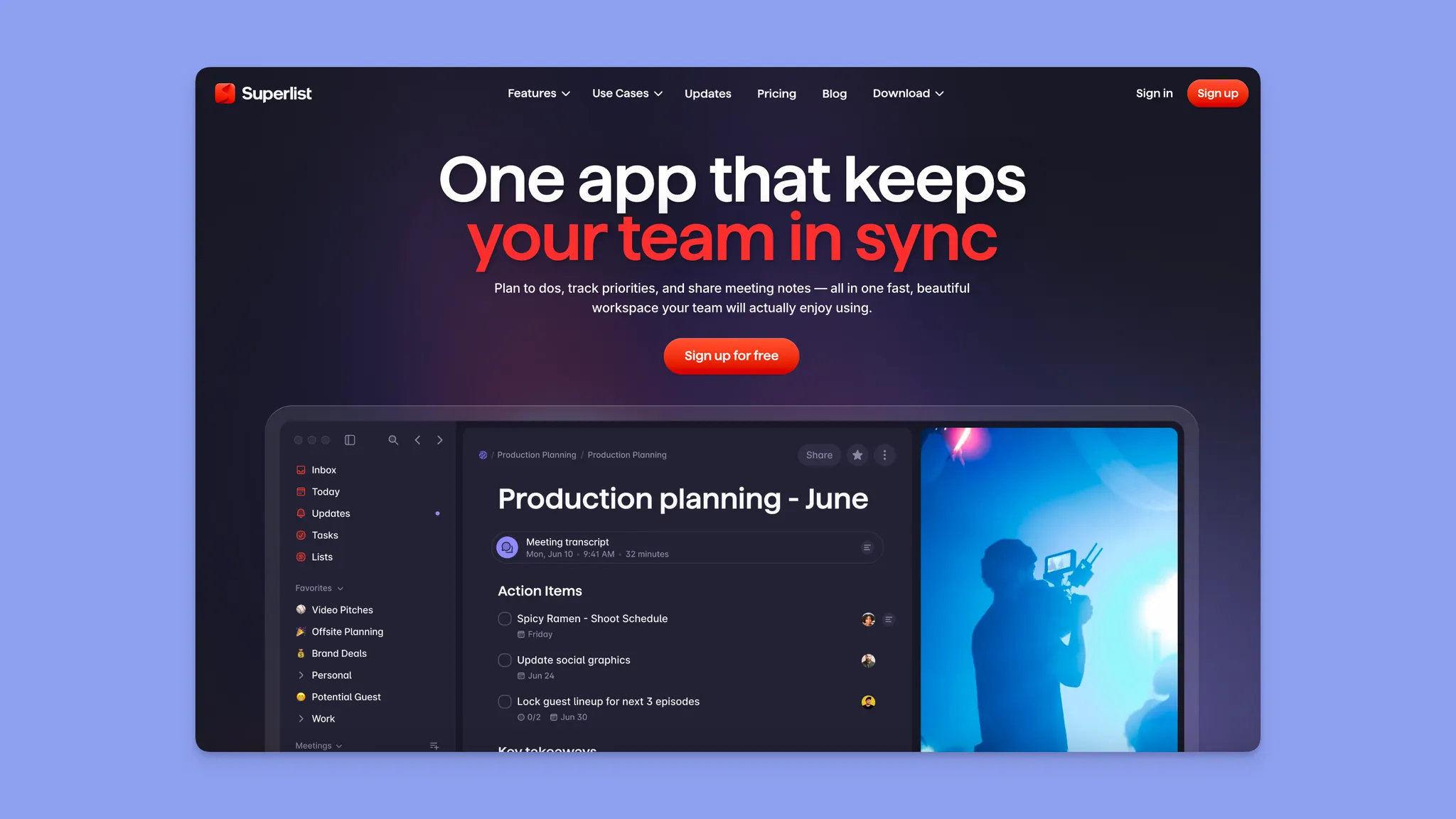
Superlist è un gestore di attività (costruito dal team originale di Wunderlist) focalizzato su velocità, design pulito e collaborazione leggera.
Funzioni principali
- Aggiunta rapida di attività: Digita o parla per aggiungere un'attività.
- Widget: Aggiungi attività dalla schermata di blocco senza aprire l'app**.**
- Assistente IA ("Make"): Puoi creare elenchi, generare brief di progetto, fare ricerche al volo o espandere un piano di progetto
Prezzi
| Piano | Prezzo a partire da |
|---|---|
| Gratuito | $0/mese |
| Basic mensile | $6/utente al mese |
| Basic annuale | $5/utente al mese |
| Super mensile | $25/utente al mese |
| Super annuale | $21/utente al mese |
Dove Superlist brilla
- Interfaccia pulita e moderna: Frequentemente elogiata per velocità e semplicità visiva
- Collaborazione leggera: Condivisione e assegnazione facili senza sovraccarico di progetto pesante
Dove Superlist è carente
- Funzioni mancanti per utenti esperti: Filtri, visualizzazioni avanzate e integrazioni profonde rimangono indietro rispetto agli strumenti maturi
Recensioni dei clienti
I Redditor elogiano Superlist per semplicità + UX moderna, con solide nozioni di base come date di scadenza, promemoria e ricorrenza. Mentre altri utenti dicono che ha ancora bisogno di lavoro (come le integrazioni che non si comportano come previsto o problemi di sincronizzazione).


Per chi è migliore Superlist
- Team e individui che apprezzano l'UX pulita: Ideale se vuoi un elenco di attività veloce e collaborativo
Amie: Migliore per gli appunti delle riunioni

Amie è un assistente alle riunioni alimentato da IA per trasformare le conversazioni in attività. Comprende il contesto in tutte le riunioni, le attività, il calendario e gli strumenti, e poi agisce per tuo conto.
Funzioni principali
- Taker di note IA: registra riunioni, genera riepiloghi IA e fai domande
- Connetti calendario, email e app di attività: Connette le riunioni al tuo calendario, alle attività, all'email e al CRM
- Knowledge base: Crea una knowledge base ricercabile da tutte le tue riunioni nel tempo
Prezzi
| Piano | Prezzo a partire da |
|---|---|
| Pro mensile | $25/mese |
| Pro annuale | $20/mese |
| Business mensile | $50/mese |
| Business annuale | $40/mese |
Dove Amie brilla
- Qualità del design: Frequentemente elogiata per l'estetica e l'uso quotidiano piacevole
- Note assistite da IA: Per riepiloghi di riunioni e acquisizione leggera
Dove Amie è carente
- Manca di integrazioni di calendario
Recensioni dei clienti
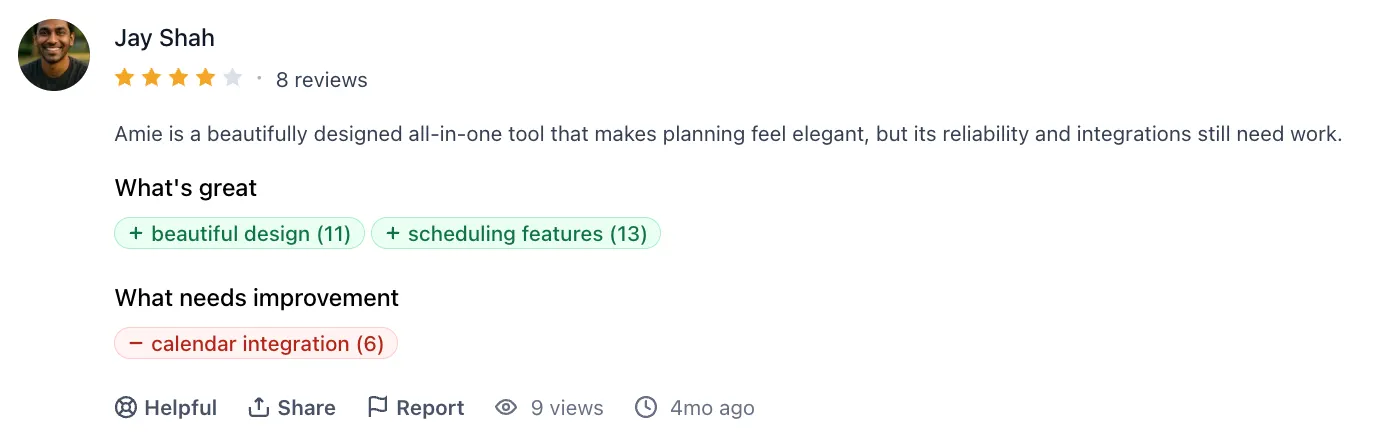
Agli utenti piace l'interfaccia utente e l'esperienza collaborativa che porta ai team. L'unico aspetto negativo che gli utenti di PH sottolineano sono le integrazioni.

Per chi è migliore Amie
- Partecipanti alle riunioni: Migliore se vuoi uno strumento per massimizzare il tuo tempo di riunione e mantenere le riunioni attuabili
Reclaim: Migliore per l'ottimizzazione automatica del calendario

Reclaim è un assistente di pianificazione IA che ottimizza il tuo calendario con auto-pianificazione di attività/abitudini e posizionamento di riunioni in base alla tua disponibilità.
Funzioni principali
- Auto-pianificazione: Per attività, abitudini, riunioni, pause e ripianificazione automatica attorno ai conflitti
- Abitudini: pianifica routine con finestre e preferenze
- Integrazione Slack: Crea attività, ripianifica eventi e aggiorna automaticamente il tuo stato
Prezzi
Gratuito$0/meseStarter mensile$12/utente al meseStarter annuale$10/utente al meseBusiness mensile$18/utente al meseBusiness annuale$15/utente al mese
Dove Reclaim brilla
- Pianificazione senza mani: Protegge automaticamente il tempo di concentrazione e le abitudini
- Automazione team-friendly: Utile per calendari condivisi e ruoli con molte riunioni
Dove Reclaim è carente
- Profondità limitata della gestione delle attività: Spesso abbinato a un'altra app di attività perché non può sostituirne completamente una
- Controllo manuale ridotto: Alcuni utenti) non apprezzano la ripianificazione automatica aggressiva
Recensioni dei clienti
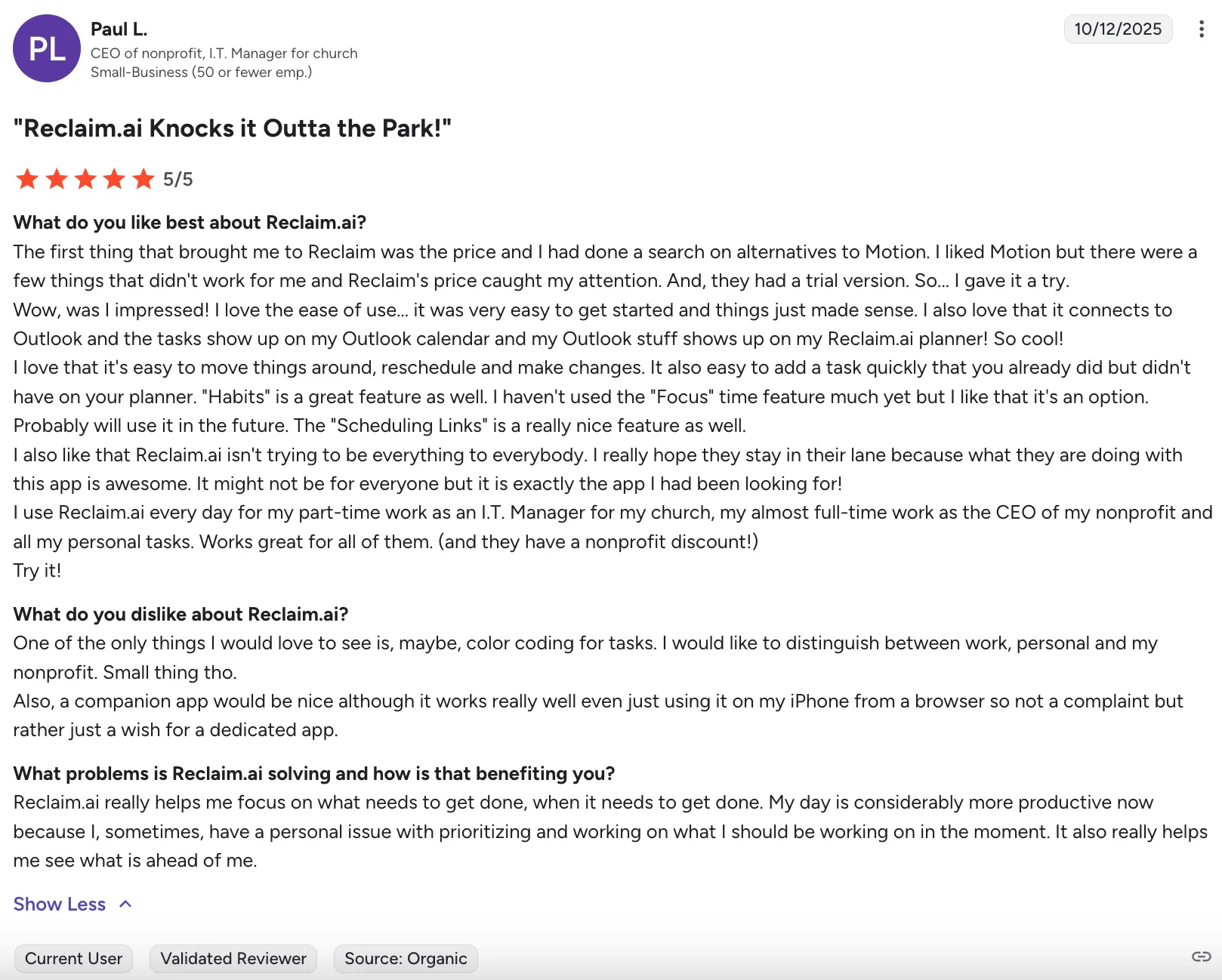
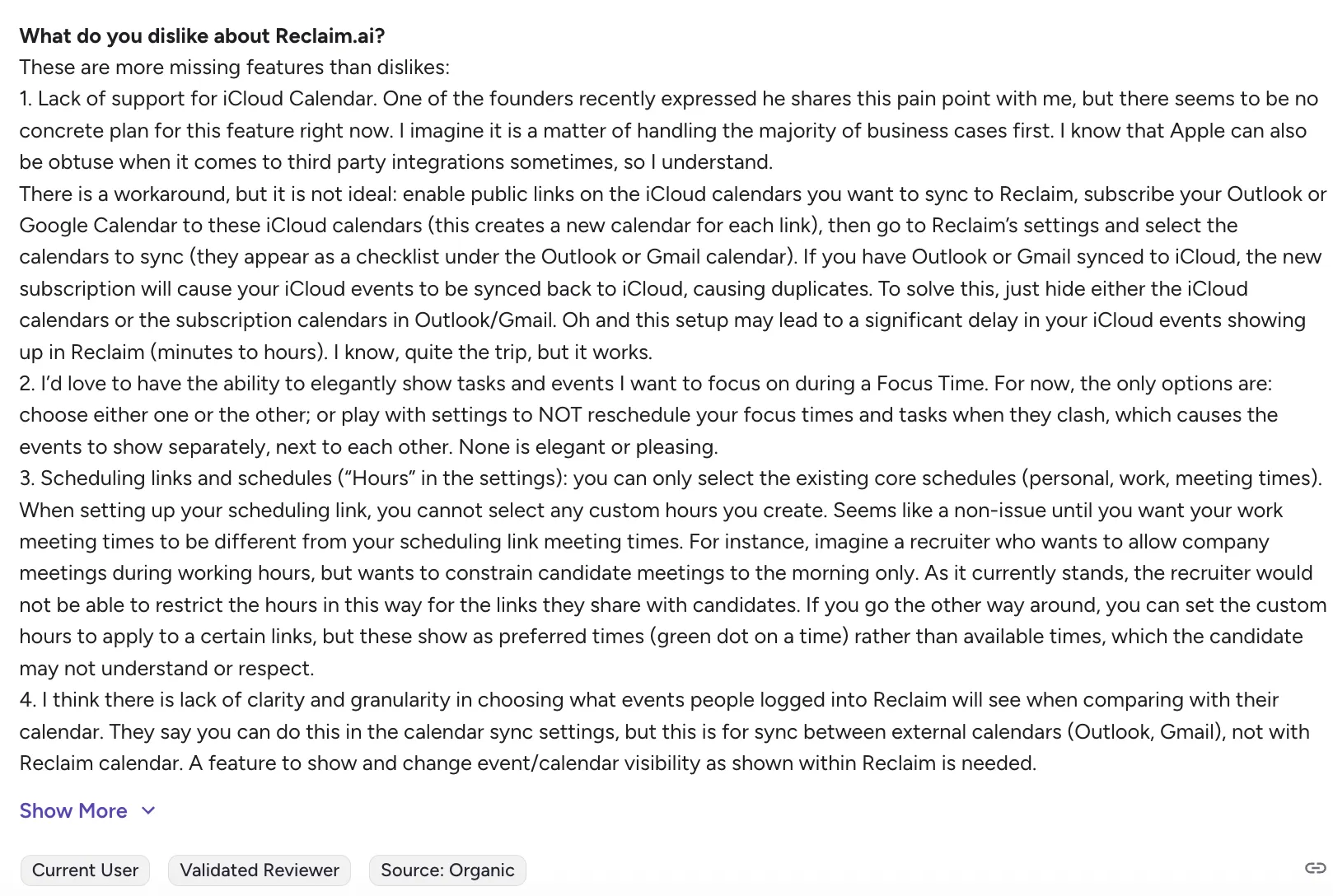
I revisori di G2 dicono che Reclaim offre valore e un'esperienza intuitiva e incentrata sul calendario con funzionalità di pianificazione e integrazione, ma è ancora ostacolato da funzioni mancanti come il supporto iCloud, una personalizzazione più profonda, una gestione del tempo di concentrazione più chiara, link di pianificazione più flessibili e un'app mobile dedicata.
Per chi è migliore Reclaim
- Persone che vogliono una pianificazione senza mani: Buono se vuoi che il tempo di concentrazione e le riunioni siano ottimizzati automaticamente all'interno di Google Calendar
Semplifica la pianificazione e la prioritizzazione giornaliera con Morgen
Se il tuo sistema di attività non si traduce in un vero progresso, la soluzione di solito non è "più funzioni". È trasformare le priorità in lavoro programmato. Morgen è costruito per questo: prioritizzazione assistita da IA più time blocking incentrato sul calendario su più calendari e fonti di attività.
Inizia con Morgen: https://www.morgen.so/

.svg)
.webp)