
Panoramica
Questa guida spiega come funzionano le Routine in Morgen e quando usarle. Imparerai come le routine differiscono dalle attività, come creare time block ricorrenti per abitudini e struttura quotidiana, e come usarle come ancore affidabili nel tuo calendario per ridurre lo sforzo di pianificazione e proteggere il tempo importante.
Cosa sono le Routine in Morgen?

Le routine sono attività con time blocking che si ripetono regolarmente a un'ora specifica, come colazione, pranzo, allenamenti o chiusure serali.
A differenza delle attività, le routine:
- Hanno sempre un orario nel calendario
- Si ripetono secondo una pianificazione
- Non compaiono nella barra laterale delle attività
Perché Usare le Routine?
Le routine possono aiutarti a:
- Proteggere il tempo per attività non negoziabili
- Ridurre il sovraccarico di pianificazione per la struttura quotidiana ricorrente
- Mantenere la tua lista di attività focalizzata su cose che richiedono decisioni
Come Creare una Routine
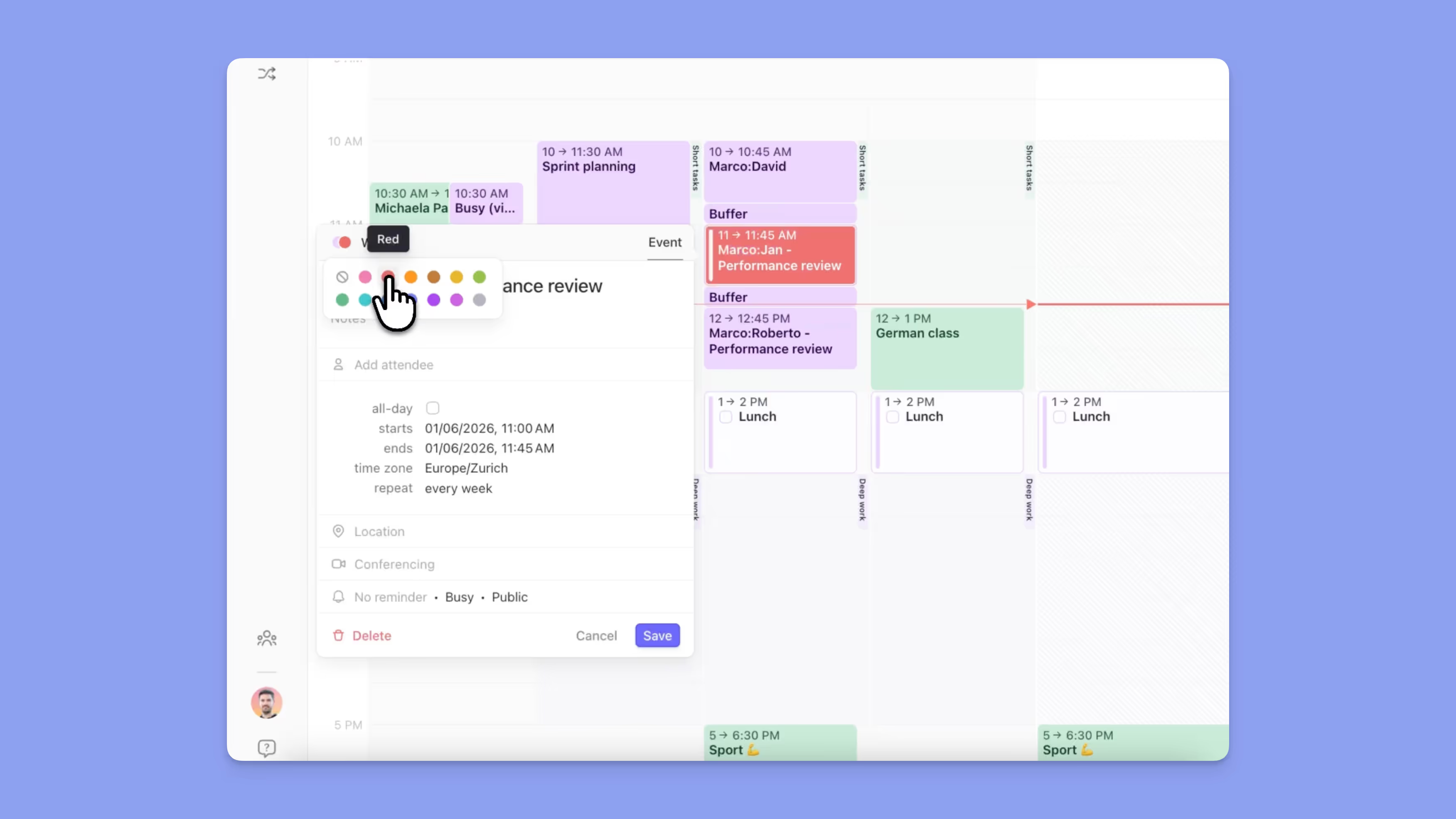
- Fai clic e trascina sul calendario
- Seleziona Routine
- Modifica l'ora di inizio e fine se necessario
- Scegli una regola di ripetizione (giornaliera, settimanale, personalizzata)
- Facoltativamente assegna un colore (vedi Guida ai Colori)
- Salva
La routine apparirà ora nel tuo calendario per tutte le occorrenze future.
Completamento delle Routine

- Le routine possono essere spuntate direttamente nel calendario
- Completare una routine non l'archivia—l'occorrenza successiva rimane
Suggerimenti Morgen
💡 Colora le Tue Routine: Dai alle routine un colore coerente in modo che risaltino da riunioni e attività.
💡 Usa le Routine come Ancore: Costruisci la tua pianificazione intorno a routine come pasti, allenamenti e rituali di chiusura.
Hai Bisogno di Aiuto?
📖 Guida alla codifica dei colori
💬 Hai ancora domande? Contattaci, siamo felici di aiutarti!
.avif)