
Why Integrations Are Morgen's Superpower
Morgen turns your calendar into a unified command center by consolidating calendars, to-do apps, and project managers into one view.
- Centralize everything – Personal and work calendars, tasks from any app, all in one place
- Time block from any source – Drag tasks from Todoist, Notion, Linear, or Obsidian directly onto the calendar
- Stay in sync – Bidirectional sync means completing a task in Morgen updates the original app
Top Revenue-Driving Integrations
These four integrations have the highest affiliate conversion potential. Each targets users actively searching for ways to connect their favorite tools with a calendar.
Notion Integration Most Popular
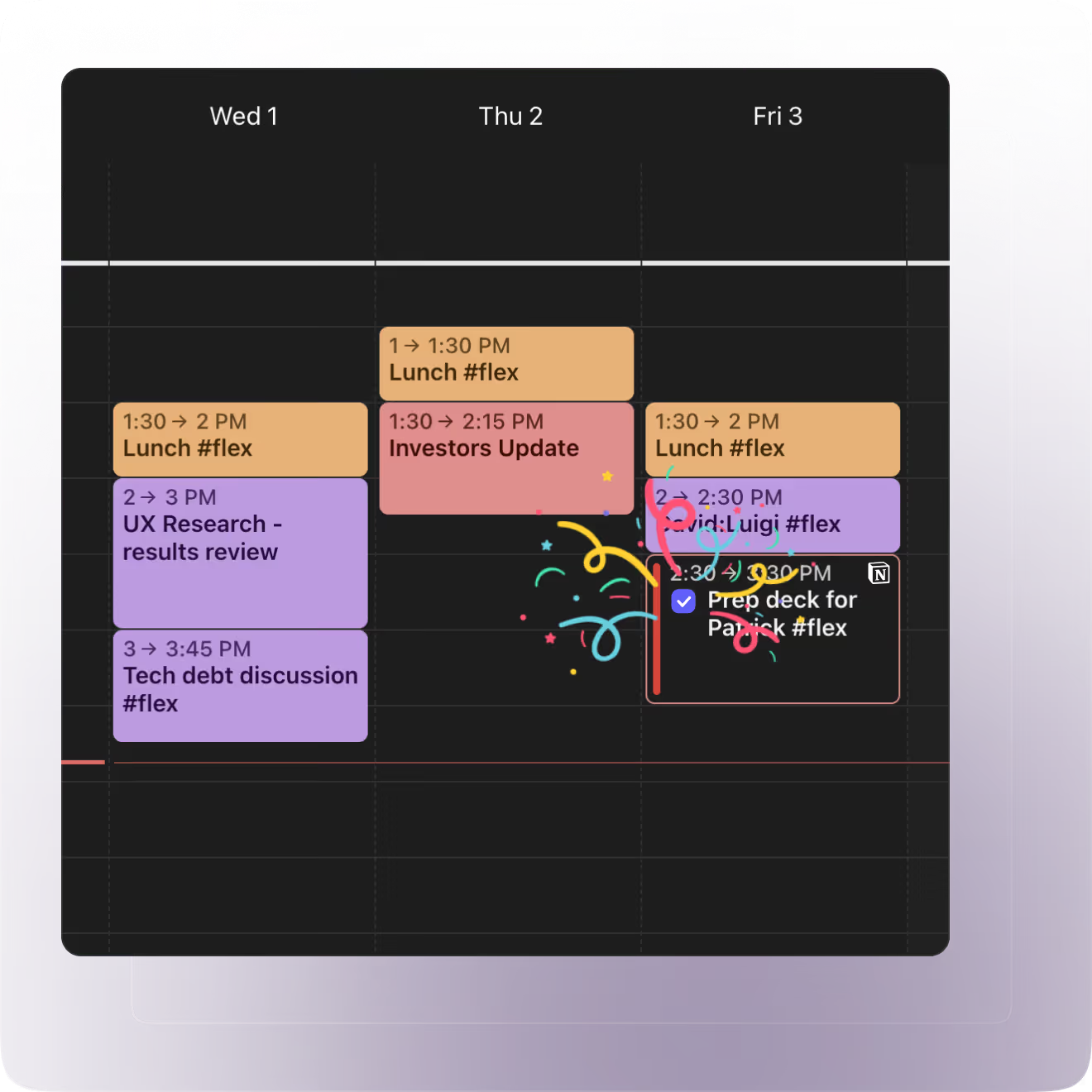
Stop treating Notion databases as wish lists—schedule tasks on your calendar and actually complete them.
Demo Video
Problem → Solution
| Problem | Solution |
|---|---|
| Notion tasks stay unplanned | Time block tasks directly on calendar |
| No visibility into when work happens | Calendar shows committed time slots |
| Updates require switching between apps | Bidirectional sync keeps both platforms current |
Key Features
- Multi-calendar support – Works with Google, Outlook, Apple, Fastmail
- Bidirectional sync – Status and due dates update automatically
- Flexible import – Choose which databases and properties to sync
Limits
Up to 600 tasks per database · Status and due dates editable; other properties require Notion
Assets
Landing Page & FAQ
Official Notion integration page with feature overview, setup instructions, and answers to common questions about syncing Notion databases.
Todoist Integration
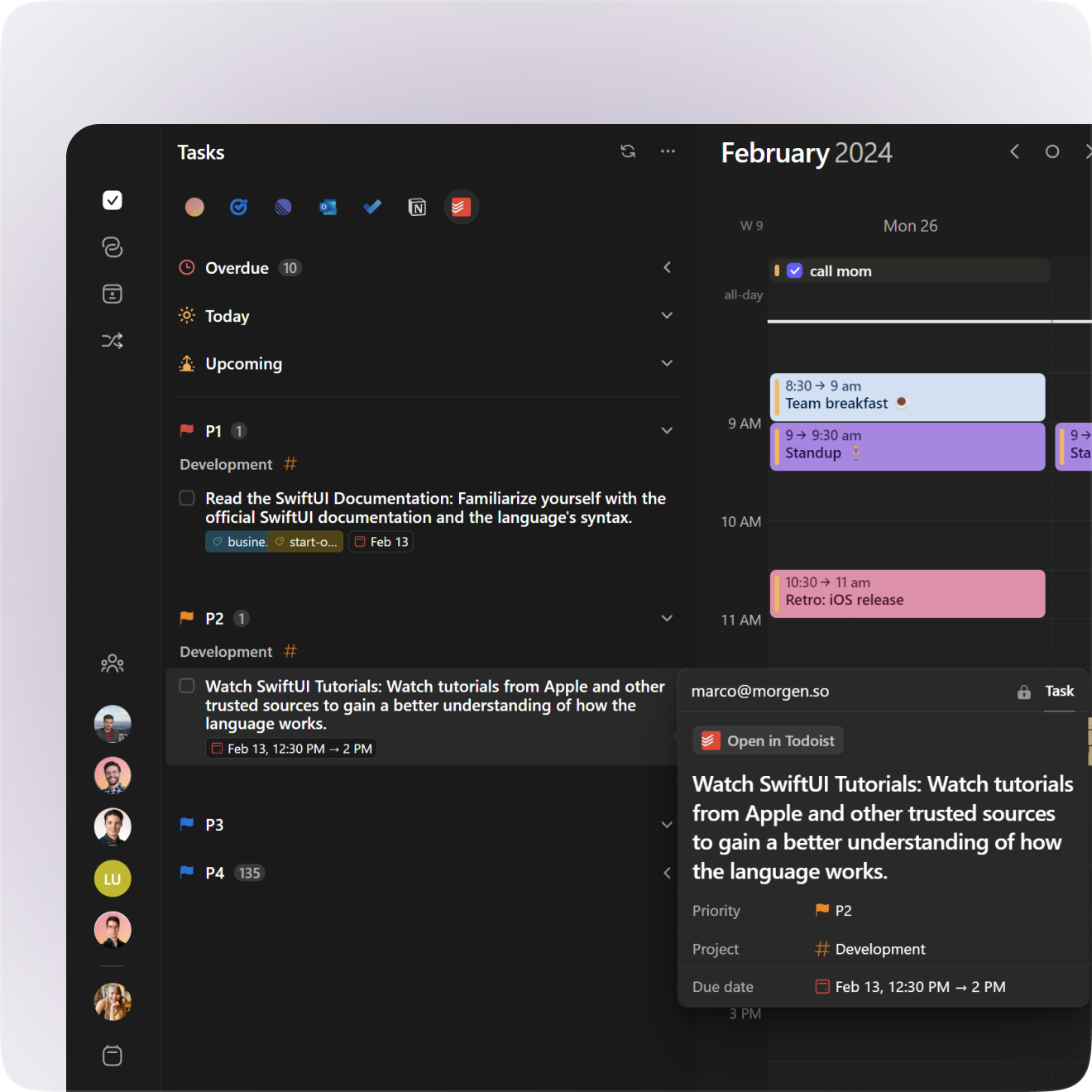
Turn Todoist tasks into protected calendar time—stop managing lists, start executing work.
Demo Video
Interactive Demo
Problem → Solution
| Problem | Solution |
|---|---|
| Tasks pile up without time to complete them | Time block tasks directly on calendar |
| Meetings squeeze out important work | Protected time blocks prevent double-booking |
| Manual copy-paste between tools | Real-time sync keeps everything updated |
Key Features
- Automatic sync – Todoist tasks appear instantly in Morgen
- Bidirectional updates – Due dates and completion sync back
- AI Planner – Auto-schedule tasks based on availability
Assets
Setup Guide
Step-by-step instructions for connecting Todoist to Morgen, configuring sync settings, and time blocking your tasks.
Landing Page
Marketing page highlighting the Todoist + Morgen integration—great for understanding positioning and key benefits.

Linear Integration
Developers can time-block Linear issues directly in their calendar—no more guessing when work will get done.
Demo Video
Problem → Solution
| Problem | Solution |
|---|---|
| Linear issues pile up without protected work time | Drag-and-drop scheduling into calendar |
| Switching between tools breaks focus | Issues visible alongside calendar events |
| Team lacks visibility on who's doing what when | Scheduled blocks show on scheduling links |
Key Features
- Drag-and-drop scheduling – Move issues into calendar to block time
- Multi-workspace support – Connect up to 3 Linear teams
- Auto-duration import – Issues schedule for their estimated time
Assets
Setup Guide
How to connect Linear workspaces, import issues into your calendar, and schedule sprints with drag-and-drop time blocking.

Landing Page
Official Linear integration page—explains the value prop for dev teams who want to schedule issues directly in their calendars.

Obsidian Integration
Plan Obsidian tasks on your calendar without leaving your local vault—fully private, no cloud sync required.
Demo Video
Problem → Solution
| Problem | Solution |
|---|---|
| Tasks sit in notes without execution plan | Drag tasks into calendar for time blocking |
| Privacy concerns with cloud-based tools | Local-only integration, no data leaves device |
| Completed tasks don't sync back | Completion status syncs automatically |
Key Features
- Local integration – Works offline, no cloud dependency
- Bidirectional sync – Task completion updates in Obsidian automatically
- Recurring task support – Completed recurring tasks regenerate
Requirements
Obsidian Tasks plugin · Morgen desktop app · Pro plan
Assets
Setup Guide
How to install the Obsidian Tasks plugin, connect to Morgen, and time block tasks from your local vault with bidirectional sync.

Landing Page
Official Obsidian integration page—highlights the privacy-first, local-only approach for users who prefer offline-capable tools.
