







Top performers from leading companies rely on Morgen

How to create a Scheduling poll

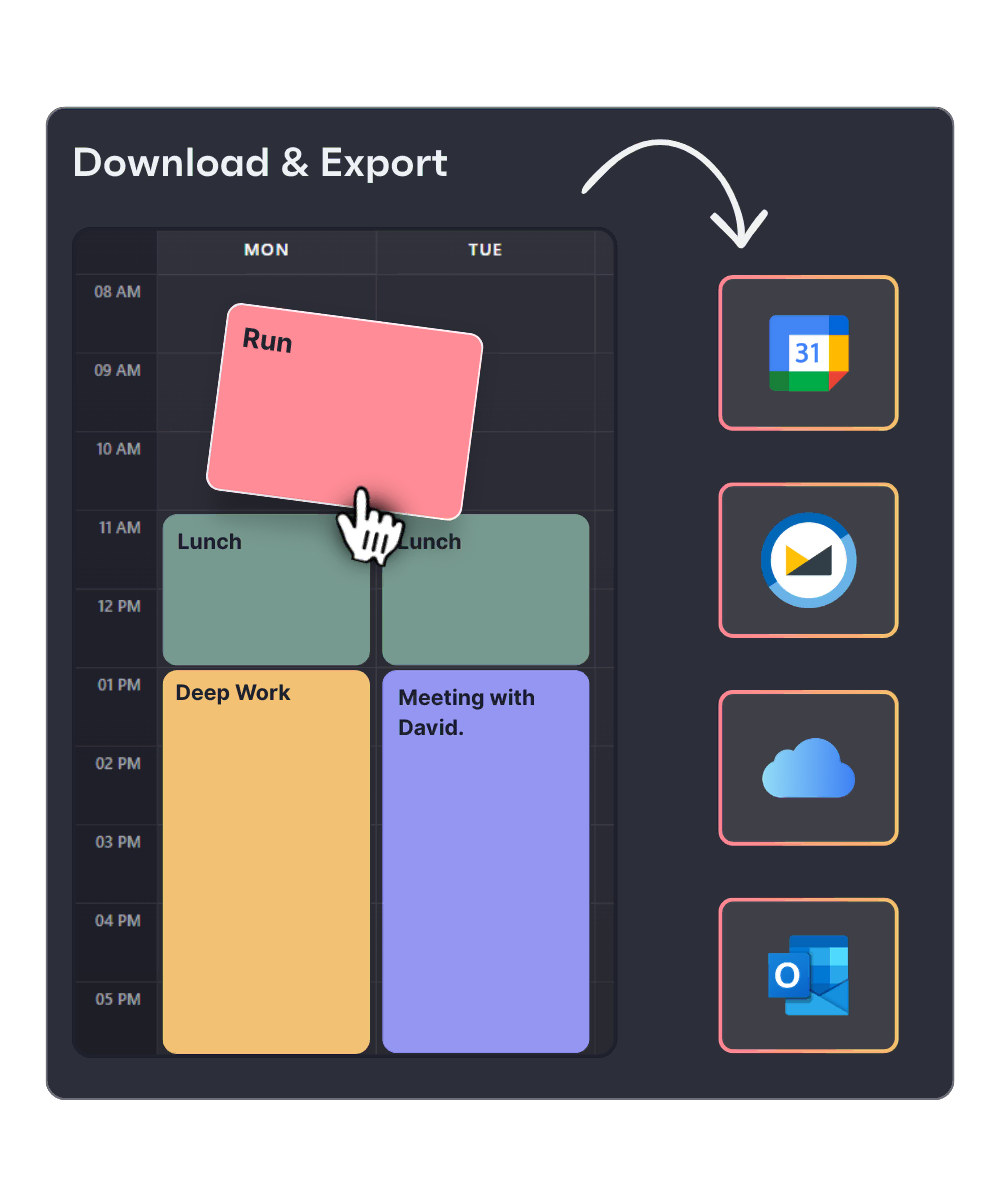
Create a visual weekly schedule in minutes. Drag and drop time blocks, organize your tasks and meetings, then export to any calendar appm, or sync directly with Morgen*

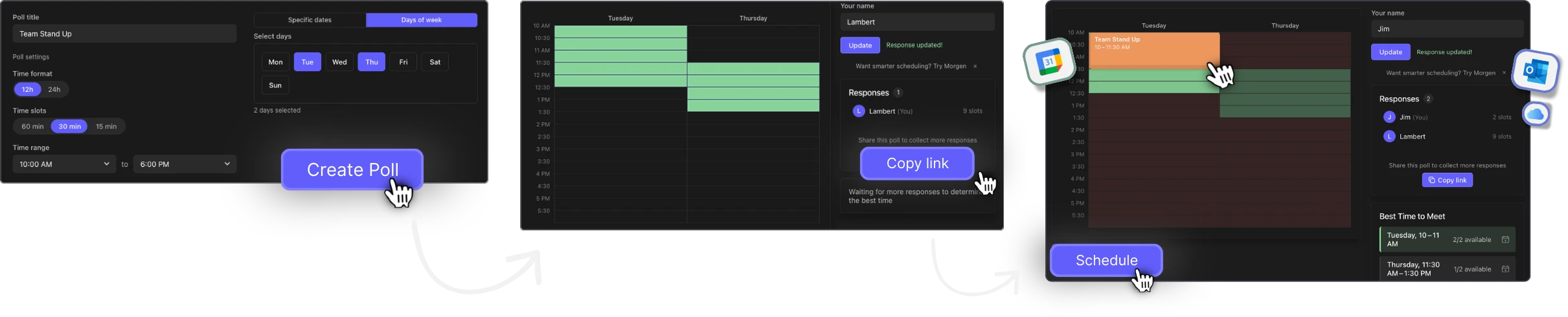
Scheduling poll flow
Creator Side

Create and share your poll

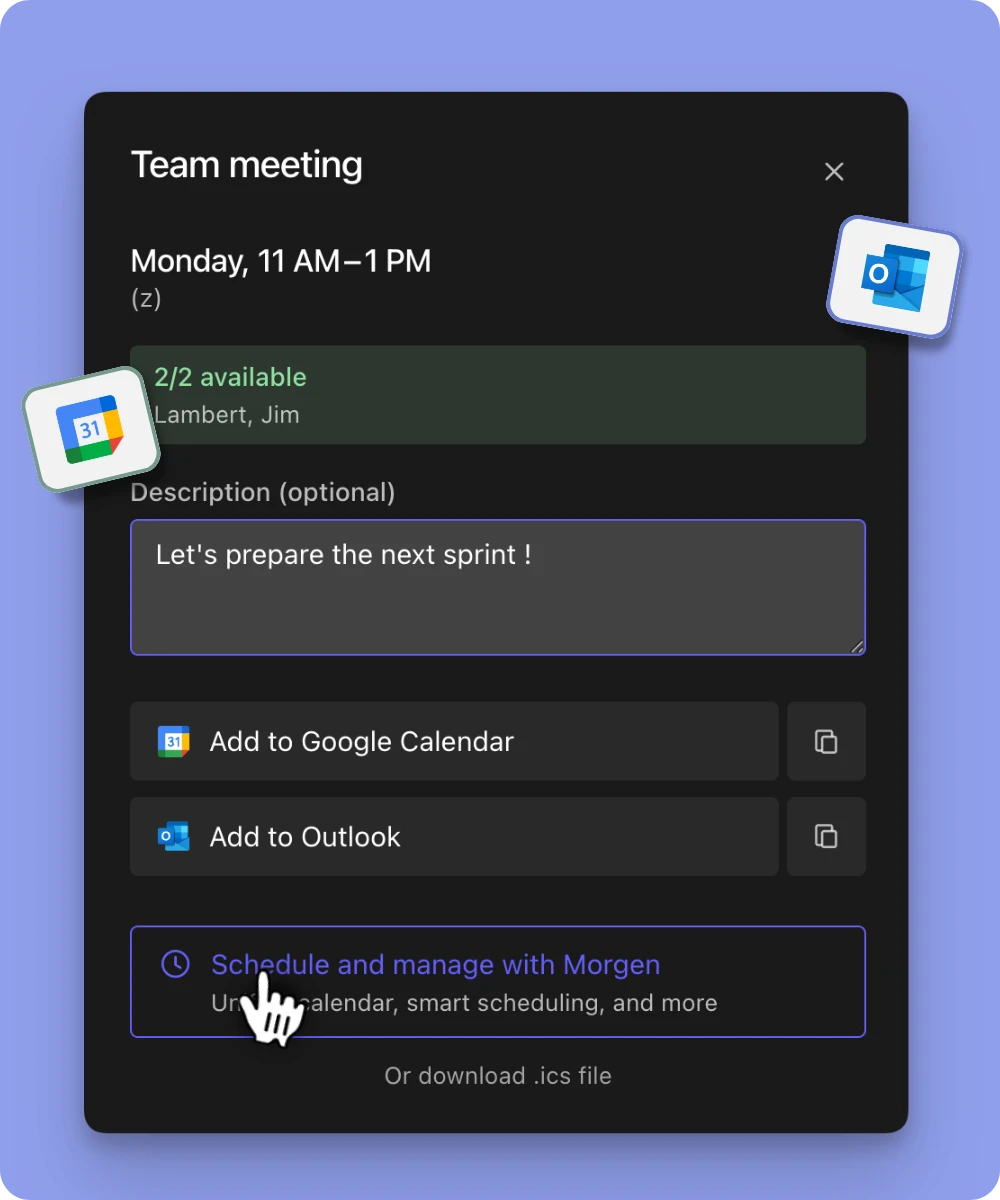
When someone clicks your link, they see a complete calendar invite, no manual entry, no missing details. They just hit "Yes" and it's saved. That's how you turn a link into a confirmed attendee.
Your tasks time blocked by the AI Planner.
Participant Side

Add your availability and schedule the meeting

Open the link, type your name, and drag across the grid to mark when you're free. Submit in one click. A live heatmap shows where the group overlaps — and the best meeting time surfaces automatically. Schedule it to Google Calendar, Outlook, or .ics in one click.

Your tasks time blocked by the AI Planner.

A modern alternative to outdated scheduling tools

If you've ever used When2Meet, Doodle, or a shared spreadsheet to coordinate availability, you know the pain. Here's how Scheduling Poll compares.

Feature Scheduling Poll by Morgen When2Meet Doodle
No login required Yes — for everyone Yes No — requires account
Mobile-optimized Full touch support Limited Yes
Timezone handling Auto-detect + manual override Manual only Auto-detect
Visual heatmap Real-time green heatmap Basic overlap grid No heatmap
Best-time ranking Automatic with confidence score None Basic suggestion
Calendar export Google, Outlook, .ics None Limited
Modern UI Clean, responsive design 2008-era interface Modern but cluttered
Price Free Free Free (limited) / Paid

Everything you need to find the perfect meeting time

Your tasks time blocked by the AI Planner.
  • No sign-ups for anyone, not the organizer, not the participants. Open the link, pick your times, done. Works on any device.
  • Mark availability by dragging across a time grid — not by checking tiny boxes. Designed for speed on both desktop and mobile.
  • After two responses, a smart card ranks the top meeting windows by overlap. No manual counting. No guessing.
  • Times are stored in UTC and displayed in each participant's local timezone. Auto-detected, manually overridable. Remote teams don't need to do timezone math.
  • See group availability as a color-coded heatmap. Darker green means more people are free. Hover any slot to see exactly who's available.
Scheduling poll, plan a meeting

When should you use a scheduling poll?

Team meetings with multiple schedules

Finding a 1-hour slot that works for six people across three departments shouldn't take a Slack thread with 47 messages. Create a poll, share the link, and let the heatmap do the work.

Recurring meeting planning

Setting up a weekly sync? Use the generic weekday mode to poll availability across Monday through Friday — no specific dates needed. Find the slot that works every week.

Social events and group meetups

Planning a dinner, study group, or weekend hike? Share a poll link in the group chat. Everyone picks their times in 30 seconds. No app installs, no accounts.

Cross-timezone coordination

Working with teammates or clients in different time zones? Every participant sees the grid in their local time. No conversion errors, no "wait, did you mean EST or ET?"

What is Morgen

Morgen is your all-in-one hub for unifying calendars, tasks, and scheduling.

It syncs with leading task management tools (Notion, ClickUp, Linear, and Todoist) to time block tasks directly into your calendar. Either time block manually or with the AI Planner to suggest a schedule based on Morgen’s Priority Factor (prioritizes tasks based on importance, due dates, capacity, and more).

The AI Planner creates realistic, energy-aware schedules by splitting long tasks in multiple work sessions, scheduling breaks, adjusting for conflicts, and keeping your day balanced and on track.

By using Frames, you can template your week based on task categories, sources, tags, or projects. You can guide the AI Planner to theme your days (work, personal, side hustle, etc.), schedule tasks in the blocks of time devoted to deep work, and ensure nothing slips through the cracks.
Join the Community

Top founders and operators join the Morgen community

Builders, founders, and engineers who take their time seriously use Morgen daily to stay focused and in control.

Sarah Jordi SJ
Sarah Jordi
@ Angle Audio

"Honestly, I LOVE Morgen. Instead of flipping between 10 different tabs, browsers and apps, I now open just one. Managing all of my time in one place, in a nice interface, definitely makes my life so much easier."

Product Hunt
Leo Wendler LW
Leo Wendler
Co-Founder @ Jamie

"I am a daily Morgen user and love it. It combines my task management with my calendar and I love it! I can only recommend."

Product Hunt
Natella Nuralieva NN
Natella Nuralieva
12 reviews on Product Hunt

"This tool and its user experience (UX) are awesome. Can't wait for new features and integrations! Overall, the tool is fantastic!"

Product Hunt
Luigi Pederzani LP
Luigi Pederzani
Co-Founder @ Manufact

"Morgen is the best calendar tool to handle your meetings, tasks, and life."

Product Hunt
Sarag Hovsepian SH
Sarag Hovsepian
Marketing Lead @ Pixcap

"Morgen is one of the best Calendar tools ever! I cannot live without it"

Product Hunt
Ondrej Zak OZ
Ondrej Zak
Head of Operations @ AirConsole

"The platform is really simple and easy to use – much better than using Outlook on Mac. Keep up the hard work, guys!"

Product Hunt
Mary Rumyantzeva MR
Mary Rumyantzeva, PhD
@ Pythia World

"Love this app! My life became much easier when I started to use it. Thank you! I would love to test the version for the teams."

Product Hunt

Kevin Kariappa KK
Kevin Kariappa
Founding Member @ Early.Partners

"Have really enjoyed testing the product out and am looking forward to effective productive days with Morgen"

Product Hunt
Rafal Muszynski RM
Rafał Muszyński
Founder @ BetterFeedback.ai

"Great team and the product. Congrats!"

Product Hunt
4.8/5
Product Hunt Rating
1,100+
Upvotes
#1
Product of the Day

Frequently asked questions

Is the scheduling poll free?

Yes, completely free, for both the poll creator and all participants. No account, no credit card, no hidden limits. Create unlimited polls with unlimited participants.

Do participants need to create an account?

No. That's the whole point. Participants open the poll link, enter their name, mark their availability, and submit. No sign-up, no email, no password. It works in any browser on any device.

How does timezone support work?

When a participant opens the poll, their timezone is automatically detected using their browser settings. All time slots are displayed in their local time. If the auto-detection is wrong, they can manually select a different timezone. Behind the scenes, all times are stored in UTC so everyone stays in sync.

Can I edit my response after submitting?

Yes. If you return to the poll from the same browser, your previous response will be loaded automatically and you can update your availability. This works via a token stored in your browser's local storage.

How long do polls stay active?

Polls remain accessible for 90 days after creation. After that, they display an expiration notice and become read-only. Data is not immediately deleted, but expired polls should not be relied on for long-term storage.

Can I export the chosen time to my calendar?

Yes. Once you've identified the best time, you can export it directly to Google Calendar, Outlook, or download a standard .ics file that works with any calendar app. You can also open it in Morgen with one click.

What's the difference between this and Morgen?

Scheduling Poll is a standalone free tool for finding the best meeting time among a group. Morgen is a full calendar and scheduling platform with AI-powered planning, multi-calendar sync, task management, and team scheduling. You can use Scheduling Poll entirely on its own, or use it as a starting point and schedule the result directly into Morgen.