Time Blocking App with Focus Frames
Top performers from leading companies rely on Morgen


How Morgen Time Blocking APp Works with Time Frames
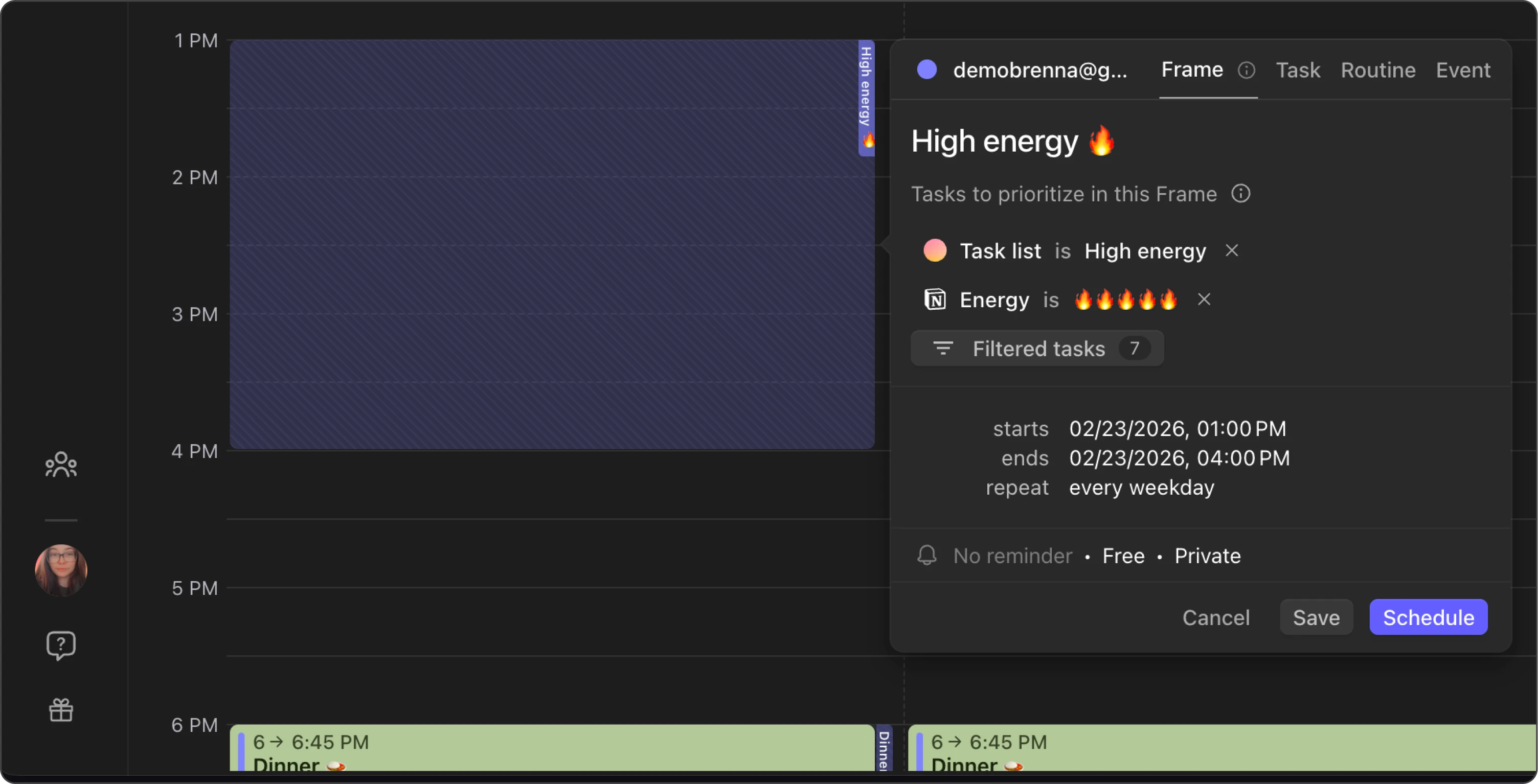
Frames are reusable time frames (time blocks) devoted to specific types of work. Build a block schedule once, apply smart filters, and let the AI Planner place tasks into the right time blocks automatically or use them as visual cues to drag-and-drop tasks manually.
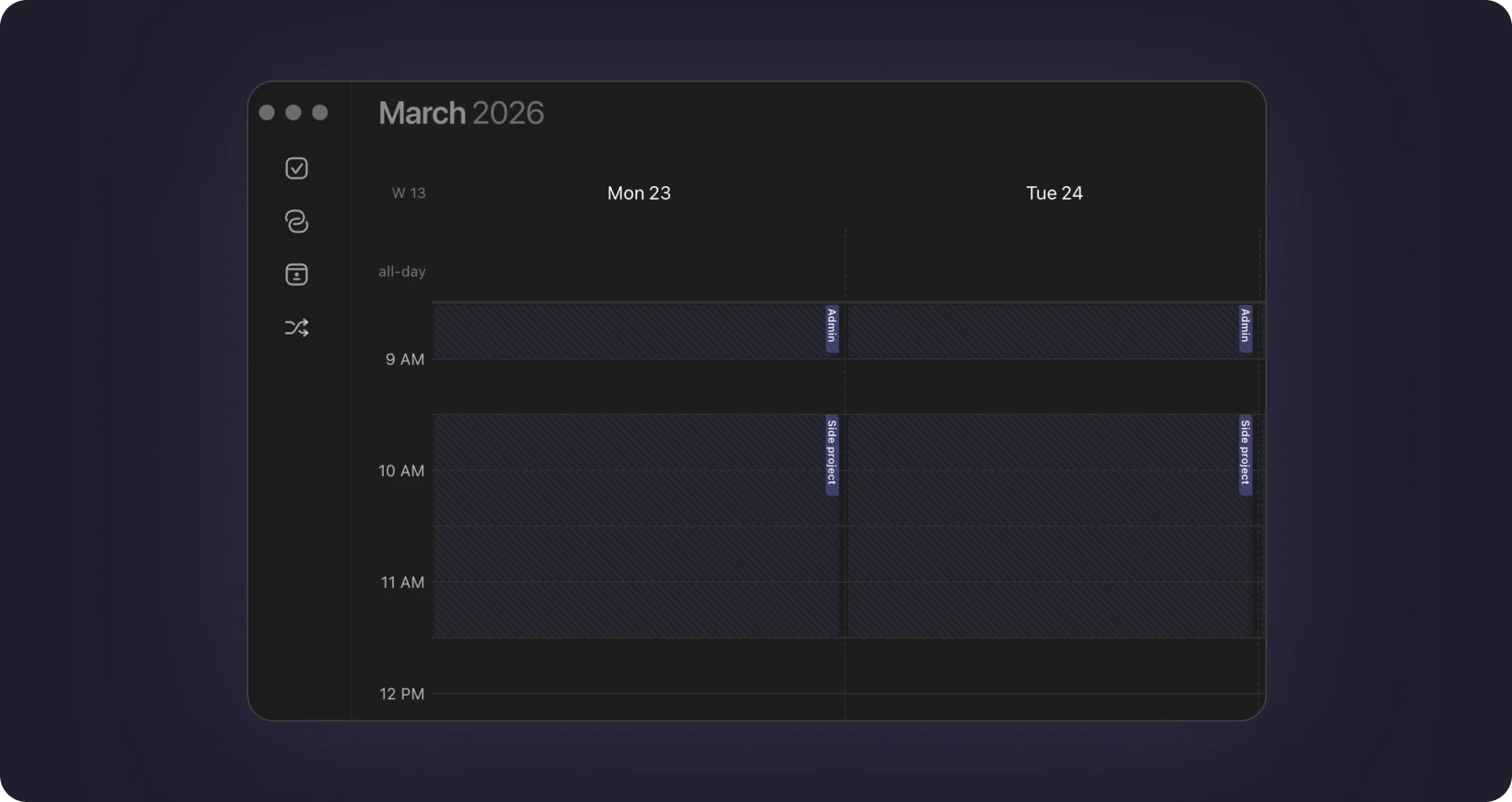
Design your schedule template
Create reusable time frames (time blocks) for deep work, meetings, quick wins, and personal time.
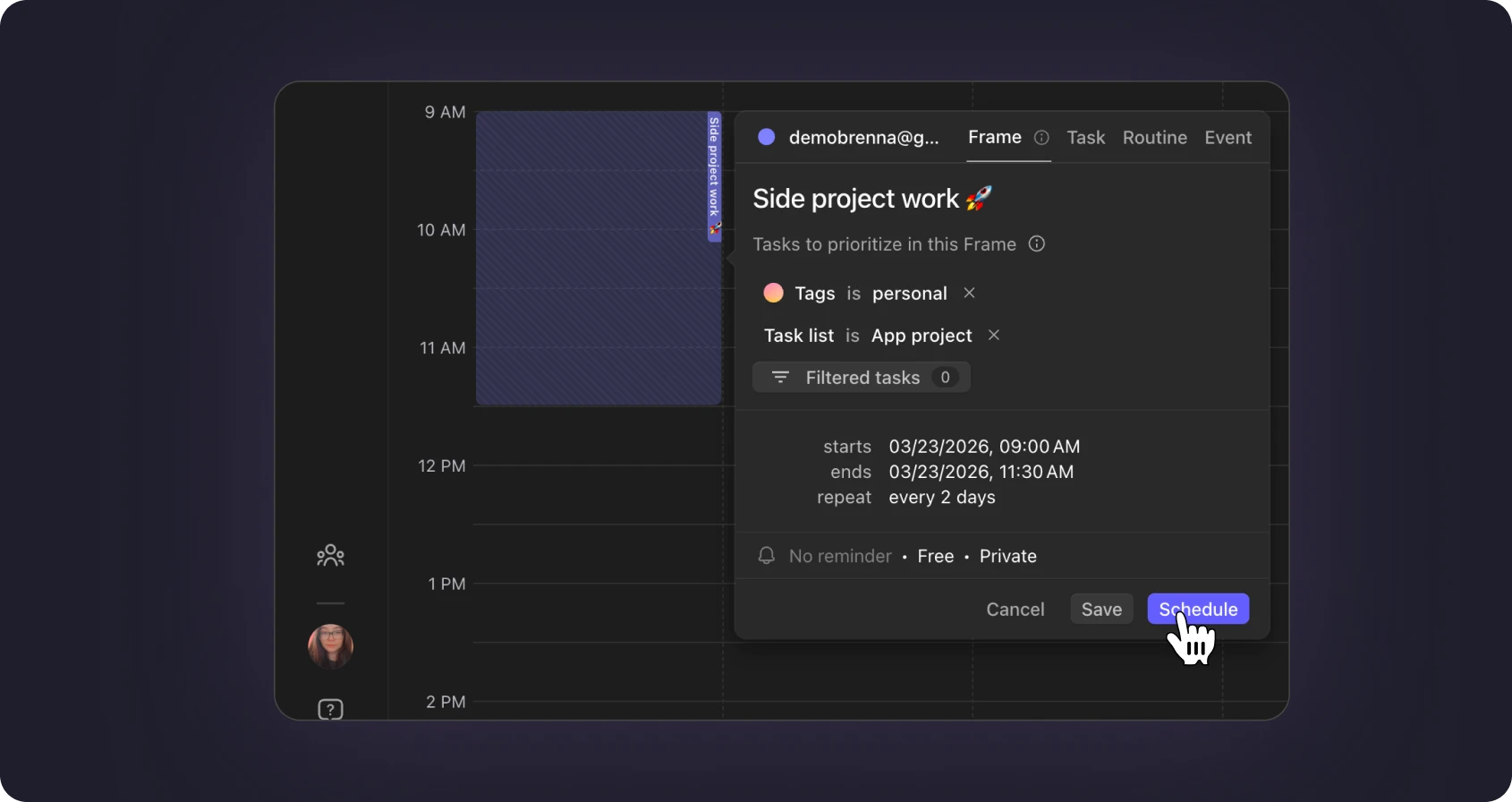
Match tasks to the right time block
Apply filters so your AI Planner knows which tasks belong in which time frames.
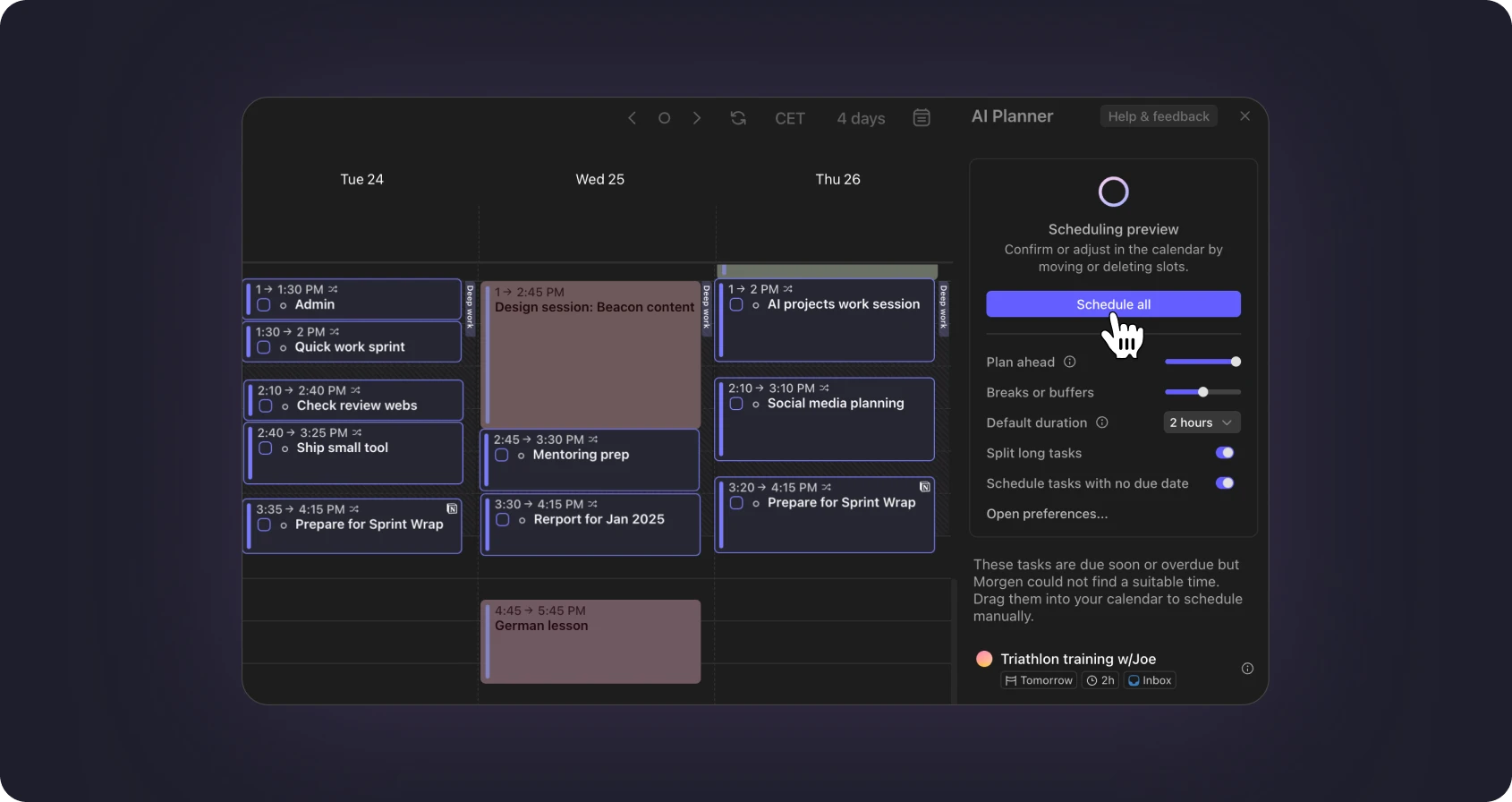
Use AI Planner
Tasks flow into the correct time blocks based on Morgen Priority Factor maintaining your time blocking structure without manual juggling.
Everything you need to master a time blocking app
Frames give you complete control over your block schedule. Build the perfect time blocking template once, and Morgen handles the rest.
- Deep work time blocks for your most important tasks when focus is at its peak.
- Personal time blocks to protect life outside work—family, exercise, hobbies.
- A repeatable weekly block schedule you can reuse as your time blocking template.
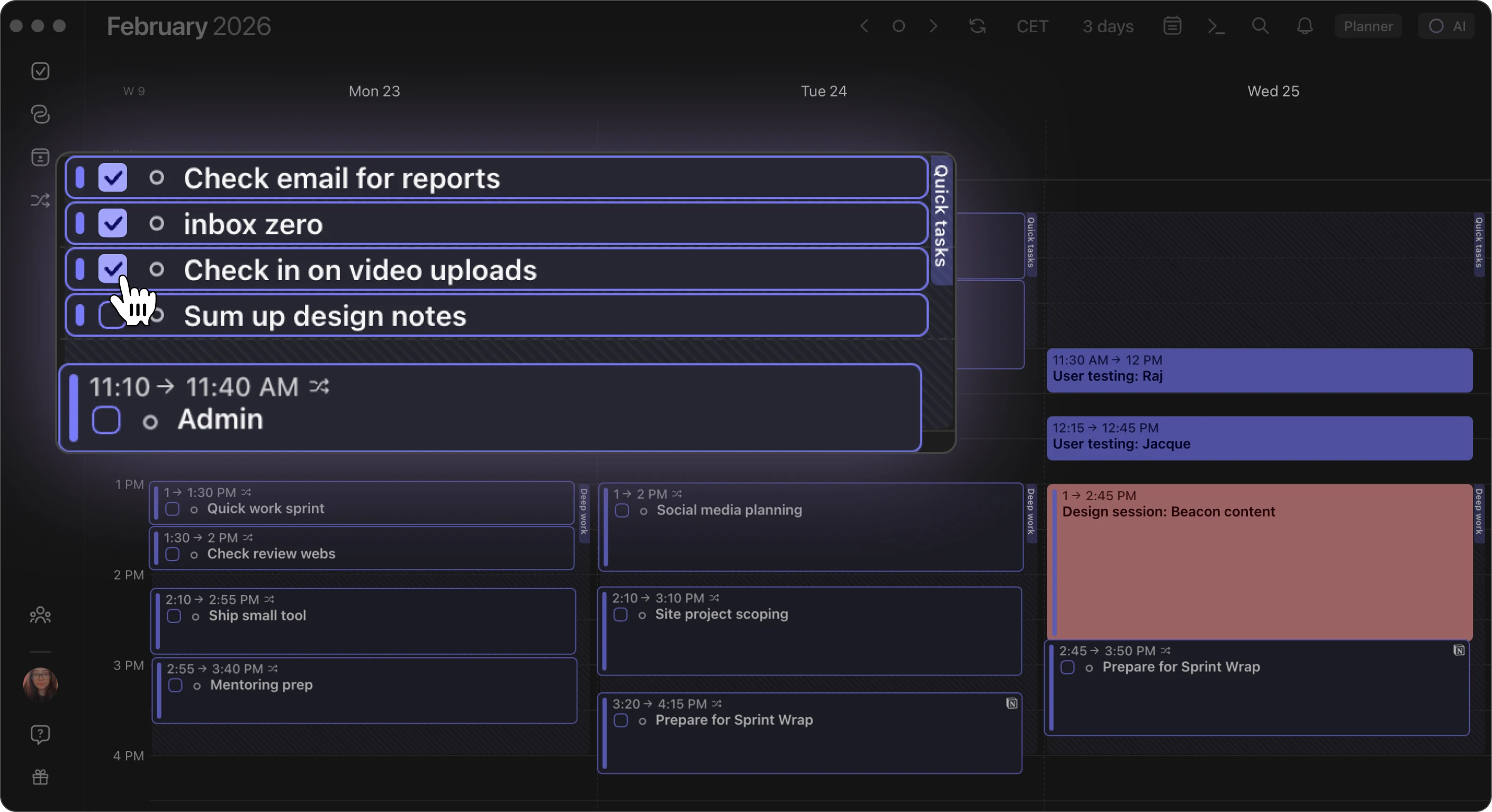
Filters to match tasks to the right time block
Frame filters tell the AI Planner exactly which tasks belong in each time block. Combine multiple filters to create precise rules for automatic scheduling.
- Task source filters by integration like Todoist, Linear, Notion, or any connected task manager.
- Project or space route tasks from specific projects to dedicated time blocks.
- Task size—match quick wins (XS), small (S), medium (M), or large (L) tasks to appropriate time blocks.
- Labels and tags—use your existing labels from connected apps or Morgen's task tags to control task placement.
When should you use a time blocking app?
Time blocking works for anyone who wants more control over their block schedule.
Structure your week with time blocks
Stop letting your calendar happen to you. Use time blocking to design each week with dedicated blocks for different work types.
Protect your focus time
Create deep work time blocks that the AI Planner respects. No more scheduling calls during your best creative hours.
Batch similar tasks together
Group meetings, admin work, or creative tasks into dedicated time blocks. Context-switching drops and productivity rises.
Balance work and personal life
Create personal time blocks that are off-limits to work tasks. Your evening routine and family time stay protected.
Time blocking with Frames and AI Planner turns your ideal week into reality. Set your block schedule once, and Morgen handles the rest.
"Honestly, I LOVE Morgen. Instead of flipping between 10 different tabs, browsers and apps, I now open just one. Managing all of my time in one place, in a nice interface, definitely makes my life so much easier."

FAQ
What is time blocking?
How do I create a time block?
What filters can I apply to my time blocks?
Is time blocking good for ADHD?
Can I use time blocking without the AI Planner?
Does Morgen have free plan?
Start time blocking today
Stop letting your calendar control you. Build your block schedule with Frames and let the AI Planner handle the rest.
