Visão Geral
Este guia explica como a data de início mais cedo no Morgen funciona e por que é importante. Você aprenderá a controlar quando as tarefas se tornam acionáveis, reduzir ruído no planeador e orientar o Planeador de IA a agendar trabalho no momento certo, especialmente para tarefas recorrentes e responsabilidades de longo prazo.
O que é a data de início mais cedo no Morgen?
A data de início mais cedo define quando uma tarefa fica disponível para trabalhar. Funciona juntamente com a data de vencimento para orientar o planeador.
Por Que Usar Início Mais Cedo?
O início mais cedo ajuda você a:
- Evitar trabalhar em tarefas muito cedo
- Reduzir ruído no planeador
- Focar no que é acionável agora
Como o Início Mais Cedo Funciona
- O planeador de IA só sugerirá tarefas após o início mais cedo
- Tentará agendá-las antes da data de vencimento
- Para tarefas recorrentes, o início mais cedo atualiza automaticamente a cada ciclo
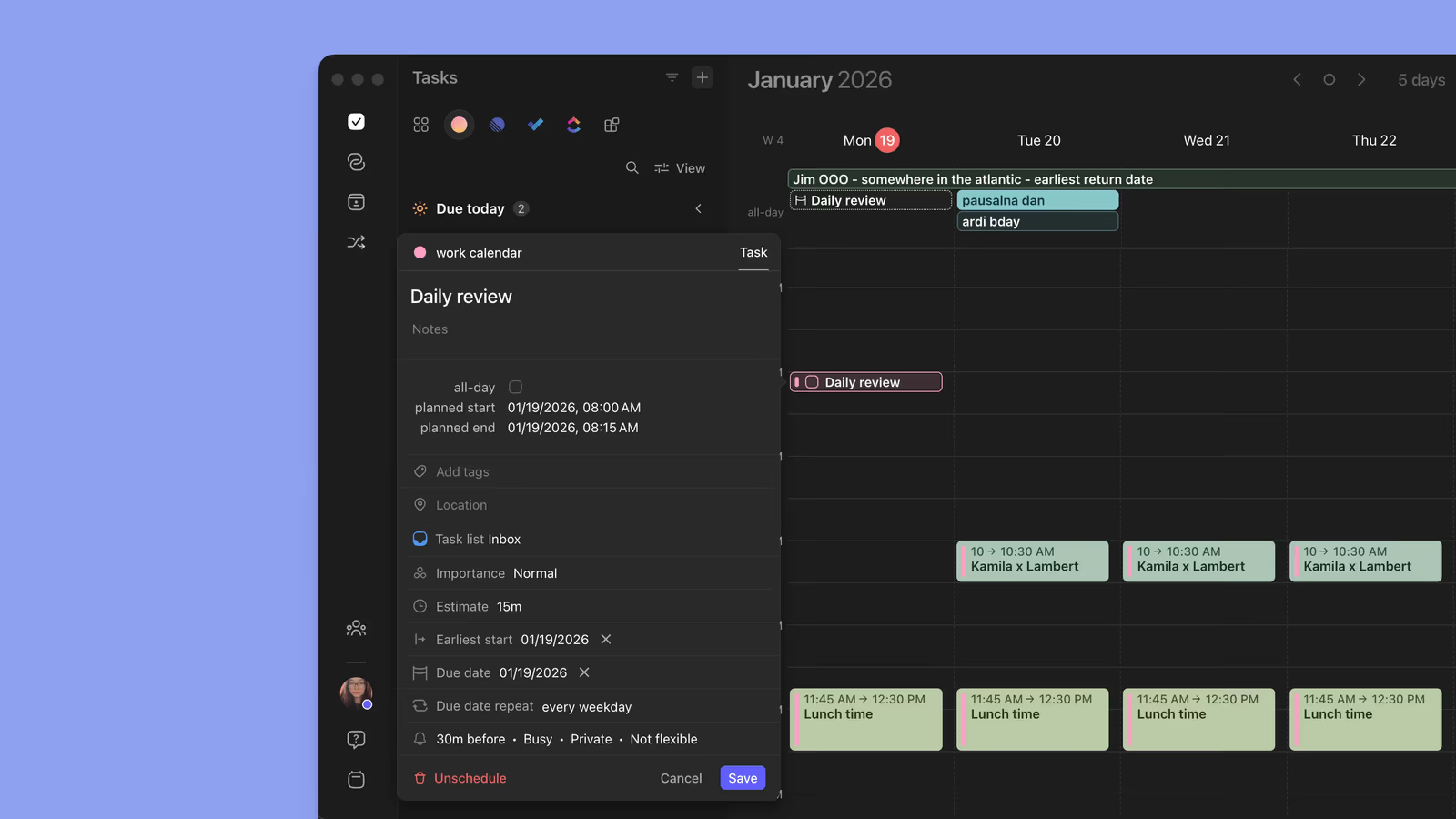
Como Definir o Início Mais Cedo

- Abra uma tarefa
- Defina uma data de início mais cedo
- (Opcional) Defina uma data de vencimento
- Guarde
Exemplos de Casos de Uso
- Trabalho de preparação que não deve começar até uma certa data
- Hábitos diários ou semanais que se reiniciam após conclusão
- Impedir que tarefas recorrentes já concluídas sejam reagendadas muito cedo
Dicas do Morgen
💡 Combine com Datas de Vencimento: Início mais cedo + data de vencimento dá ao planeador a orientação mais clara.
💡 Use para Gestão de Energia: Adie tarefas de baixa energia até dias apropriados.
Precisa de Ajuda?
💬 Ainda tem dúvidas? Contacte-nos, temos prazer em ajudar!