Aperçu
Ce guide explique comment fonctionne la date de début au plus tôt dans Morgen et pourquoi c'est important. Vous apprendrez à contrôler quand les tâches deviennent réalisables, à réduire le bruit de votre planificateur et à guider le Planificateur IA pour programmer le travail au bon moment, notamment pour les tâches récurrentes et les responsabilités à long terme.
Qu'est-ce que la date de début au plus tôt dans Morgen ?
La date de début au plus tôt définit quand une tâche devient disponible pour être exécutée. Elle fonctionne aux côtés de la date d'échéance pour guider le planificateur.
Pourquoi utiliser la date de début au plus tôt ?
La date de début au plus tôt vous aide à :
- Éviter de travailler sur les tâches trop tôt
- Réduire le bruit de votre planificateur
- Vous concentrer sur ce qui est réalisable maintenant
Comment fonctionne la date de début au plus tôt
- Le planificateur IA ne suggérera les tâches que après la date de début au plus tôt
- Il visera à les programmer avant la date d'échéance
- Pour les tâches récurrentes, la date de début au plus tôt se met à jour automatiquement à chaque cycle
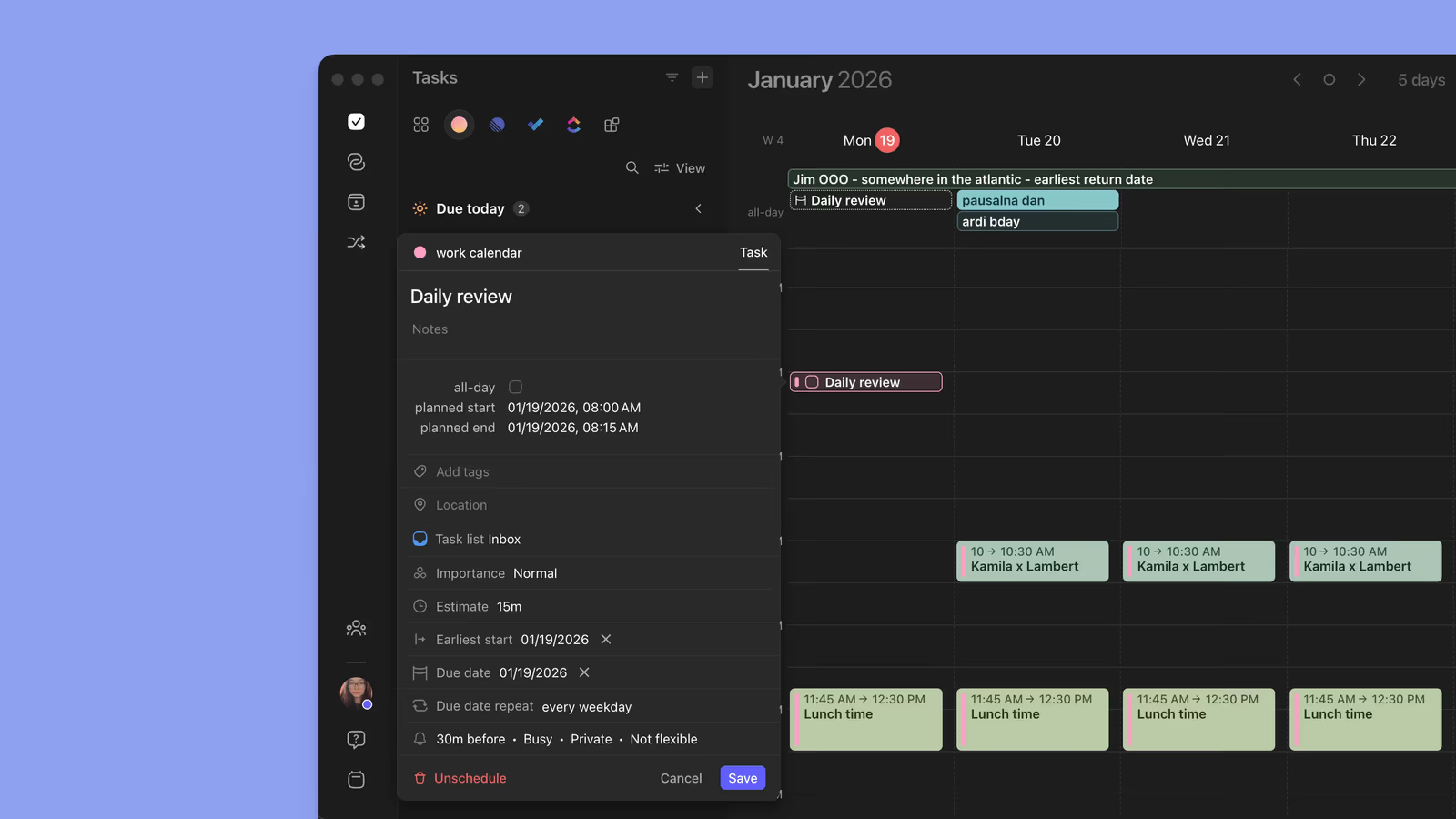
Comment définir la date de début au plus tôt

- Ouvrez une tâche
- Définissez une date de début au plus tôt
- (Facultatif) Définissez une date d'échéance
- Enregistrez
Exemples de cas d'usage
- Travail préparatoire qui ne doit pas commencer avant une certaine date
- Habitudes quotidiennes ou hebdomadaires qui se réinitialisent après accomplissement
- Empêcher les tâches récurrentes déjà complétées d'être reprogrammées trop tôt
Conseils Morgen
💡 Associez avec les dates d'échéance : La date de début au plus tôt + la date d'échéance donne au planificateur les directives les plus claires.
💡 Utilisez pour la gestion de l'énergie : Reportez les tâches à faible énergie jusqu'aux jours appropriés.
Besoin d'aide ?
📖 Comment utiliser le Planificateur IA
📖 Comment utiliser Morgen Frames
💬 Vous avez encore des questions ? Contactez-nous, nous serions heureux de vous aider !