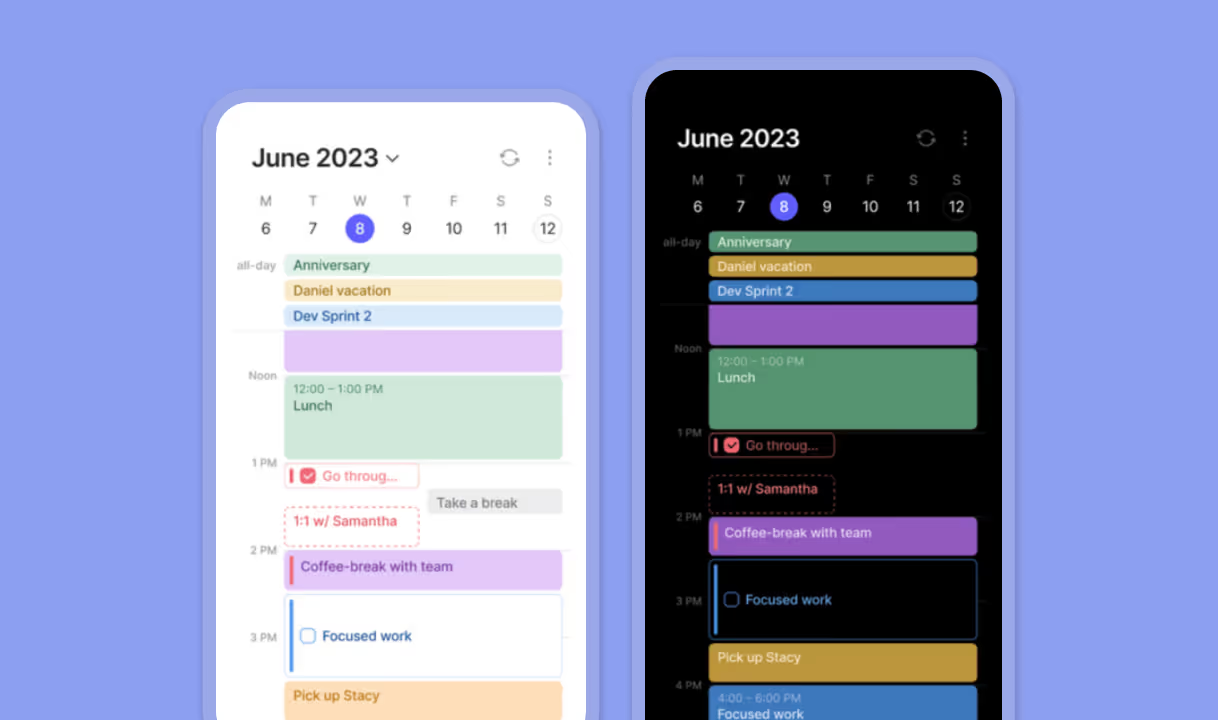
.avif)
Morgen v4 introduce mejoras importantes de rendimiento, una aplicación web basada en navegador y una experiencia de usuario simplificada. Pero no todos los usuarios deberían actualizar de inmediato.
Esta guía te ayuda a:
✅ Entender las diferencias clave entre v3 y v4
🔍 Decidir si deberías quedarte en v3
🛠️ Aprender cómo mantenerte en v3 o volver a él
📊 Comparar fácilmente v3 vs v4
¿Qué está cambiando en Morgen v4?
Morgen v4 es una actualización importante de arquitectura y características, que incluye:
- Aplicación web: Accede a Morgen desde cualquier navegador moderno
- Configuración más simple: Conecta integraciones una vez, disponibles en todos tus dispositivos
- Rendimiento más rápido: Especialmente para sincronización e interacciones de calendario
- Motor de sincronización moderno: Mejor soporte a largo plazo para proveedores estándar
- Sistema de tareas mejorado: Etiquetas de tareas, fechas de vencimiento recurrentes (no horas fijas), fechas de inicio más tempranas
- Rutinas: Bloques recurrentes específicos de tiempo que viven directamente en el calendario
- Acceso más fácil a disponibilidad: Comprobaciones de disponibilidad del equipo más rápidas desde la barra lateral
- Actualizaciones visuales: Etiquetas de eventos eliminadas, los colores ahora se pueden asignar directamente a eventos, tareas y rutinas
¿Deberías quedarte en v3?
Deberías quedarte en Morgen v3 si alguno de los siguientes puntos se aplica a ti:
- Usas Exchange On-Premises
- Usas un proveedor CalDAV no compatible
- Usas CalDAV en servidores locales/solo VPN
Morgen v3 vs v4
Compatibilidad de plataforma y características
| Característica | Morgen v3 | Morgen v4 |
|---|---|---|
| Bloqueo de tiempo impulsado por IA | ✓ | ✓ |
| Asistente personal de IA | — | Próximamente |
| Integraciones de calendario | ✓ | Sí (no Exchange On-Prem ni CalDAVs heredados) |
| Etiquetas en eventos | ✓ | — (reemplazado por una paleta de colores) |
| Integraciones de tareas | ✓ | ✓ (integración mejorada de Obsidian con Obsidian Bases) |
| Nuevas características de tareas de Morgen | — | ✓ Etiquetas, fechas de vencimiento recurrentes, inicio más temprano |
| Rutinas | — | ✓ |
| Flujos de trabajo de calendario | ✓ | ✓ |
| Página de reserva y enlaces de programación | ✓ | ✓ |
| Aplicaciones (Windows, macOS, Linux, móvil) | ✓ | ✓ |
| Aplicación web (acceso desde navegador) | — | ✓ |
| Notificaciones | ✓ | ✓ |
| Comprobación de disponibilidad del equipo | Limitada (solo durante la creación de eventos) | ✓ Acceso más rápido desde la barra lateral |
| Sincronización de integración simplificada | — (configuración local + nube) | ✓ (conectar una vez) |
| Videoconferencia virtual | ✓ | ✓ (Teams en calendarios Microsoft) |
| Actualizaciones futuras | Solo actualizaciones menores (hasta verano de 2026) | ✓ Desarrollo activo |
Aplicación de escritorio vs aplicación web
Una vez en v4, puedes usar Morgen tanto en aplicaciones de escritorio como web. Sin embargo, se recomienda usar Morgen de escritorio para poder acceder a todas las características de Morgen.
| Característica | Aplicación de escritorio | Aplicación web |
|---|---|---|
| Bloqueo de tiempo con IA | ✓ | ✓ |
| Integraciones de calendario | ✓ | ✓ |
| Integraciones de tareas | ✓ | Parcial (sin Obsidian local ni Recordatorios de Apple) |
| Página de reserva y enlaces de programación | ✓ | ✓ |
| Flujos de trabajo de calendario | ✓ | ✓ |
| Notificaciones | Notificaciones nativas del SO | Basadas en permisos del navegador |
| Colaboración en equipo | ✓ | ✓ |
| Atajos en todo el sistema | ✓ | — |
| Lanzamiento rápido (dock) | ✓ | — |
| Integración de barra de menú | Solo macOS | — |
| Rutinas | ✓ | ✓ |
| Etiquetas de tareas | ✓ | ✓ |
| Colores de eventos y tareas | ✓ | ✓ |
Cómo probar Morgen v4
Tienes dos opciones fáciles:
Prueba v4 en tu navegador
Inicia sesión en:
Esto te permite probar v4 sin desinstalar v3.
Prueba v4 como aplicación de escritorio
Descarga desde:
Cómo quedarse en Morgen v3
Si necesitas permanecer en v3:
- Asegúrate de que estés ejecutando Morgen v3.6.18 o posterior
- 👉 https://platform.morgen.so/download/v3
- Abre Preferencias → General → Actualizar aplicación automáticamente
- Selecciona No actualizar automáticamente a v4
- La interfaz de Morgen permanecerá en v3

Cómo volver de v4 a v3
Si ya has actualizado pero necesitas volver a v3:
- Descarga v3 desde:
- 👉 https://platform.morgen.so/download/v3
- Instala la aplicación
- Dentro de 10 minutos, ve a:
- Preferencias → General → Desactivar actualización automática a v4

RESUMEN
- v4 es lo mejor para la mayoría de usuarios: mejor rendimiento, sincronización moderna y acceso a Morgen desde tu navegador
- Cambiar a v3 es necesario para usuarios con:
- Exchange On-Premises
- Servidores CalDAV heredados
- Configuraciones CalDAV locales/solo VPN
- v3 será compatible hasta el verano de 2026.
¿Necesitas ayuda?
Si no estás seguro de qué versión es la adecuada para ti, o necesitas ayuda para migrar, ponte en contacto con nosotros, nuestro equipo siempre está feliz de ayudarte 🙏
.avif)
.avif)