.svg)
→ TeuxDeux pioneered the weekly-column to-do layout in 2009; Tweek polished the same idea with calendar sync, subtasks, and a polished mobile app.
→ TeuxDeux is cheaper ($3/mo annual vs Tweek Premium's $4.17/mo) but has no Google or Apple Calendar integration on either plan.
→ Tweek has a free tier and a 14-day Premium trial; TeuxDeux only offers a 7-day trial with no permanent free option.
→ Neither tool offers hourly time blocking, AI planning, or external task integrations. Morgen covers all three on top of a real calendar grid.
TeuxDeux launched in 2009. Tweek launched in 2020. Both look like graph paper. Both let you drag tasks across days. Both auto-roll unfinished tasks to tomorrow. The deeper you go, the more they diverge.
Pricing was re-verified in April 2026. Here's where each tool earns its keep, and where both run out of room.
Tweek vs TeuxDeux: A Brief Overview
Who Is Tweek Best For?
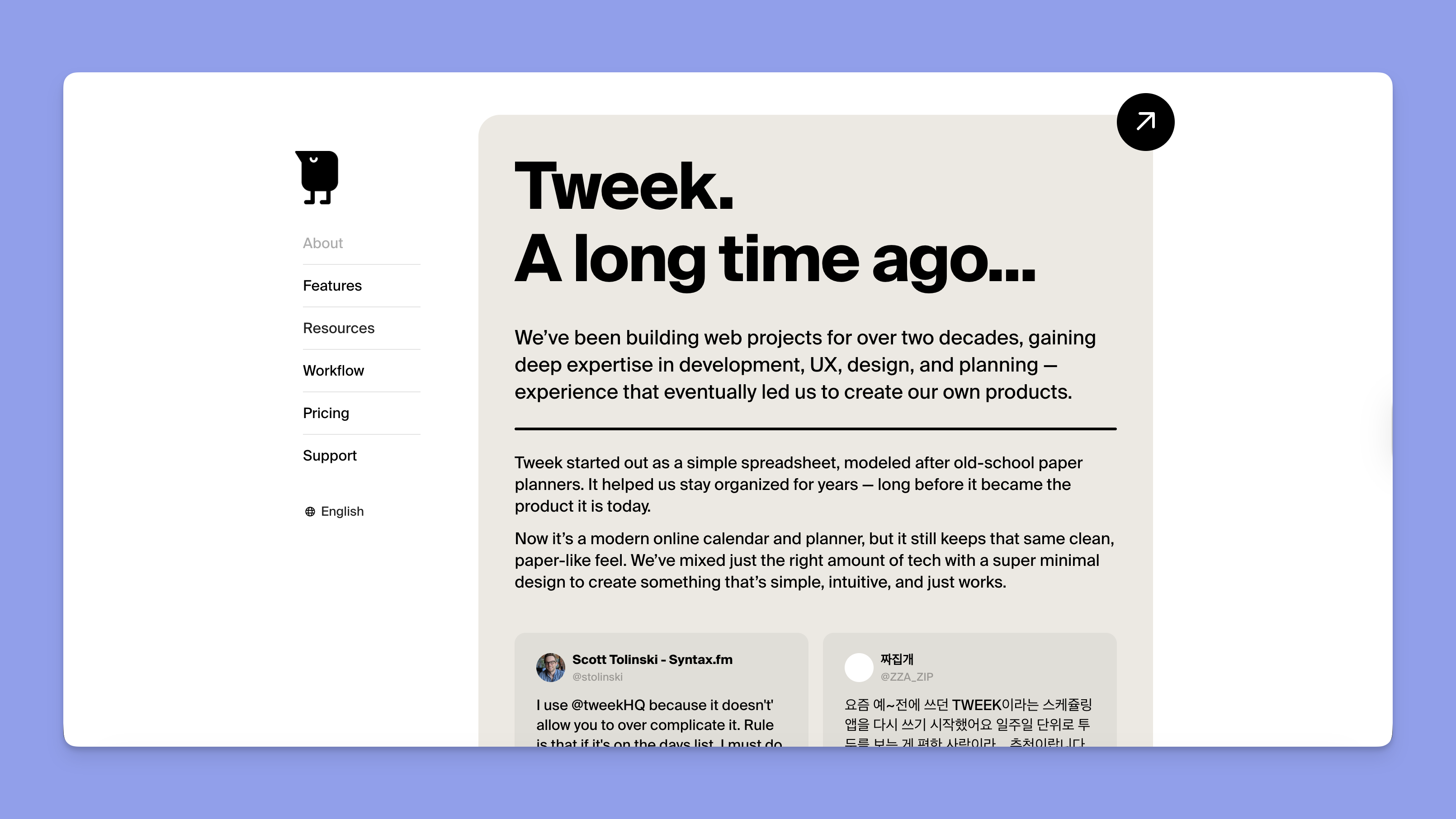
Tweek works best for people who want the paper-planner aesthetic with a real mobile app and calendar sync waiting on Premium. The free tier is generous enough to live in long-term, and Premium adds the things you'll eventually want.
- Apple Calendar users who want their meetings to appear next to their daily checklist without copying anything by hand.
- iPad-first planners who liked the recent horizontal layout update.
- Visual planners with ADHD who use weekly views to fight time blindness. As u/Current_Meaning_8211 in r/ADHD put it: "being able to see the whole week on one page really helps with time blindness."
Who should look elsewhere: Linux users (no native client), people who need hourly slots for back-to-back meetings, and anyone whose tasks already live in Notion, Todoist, or ClickUp.
Who Is TeuxDeux Best For?
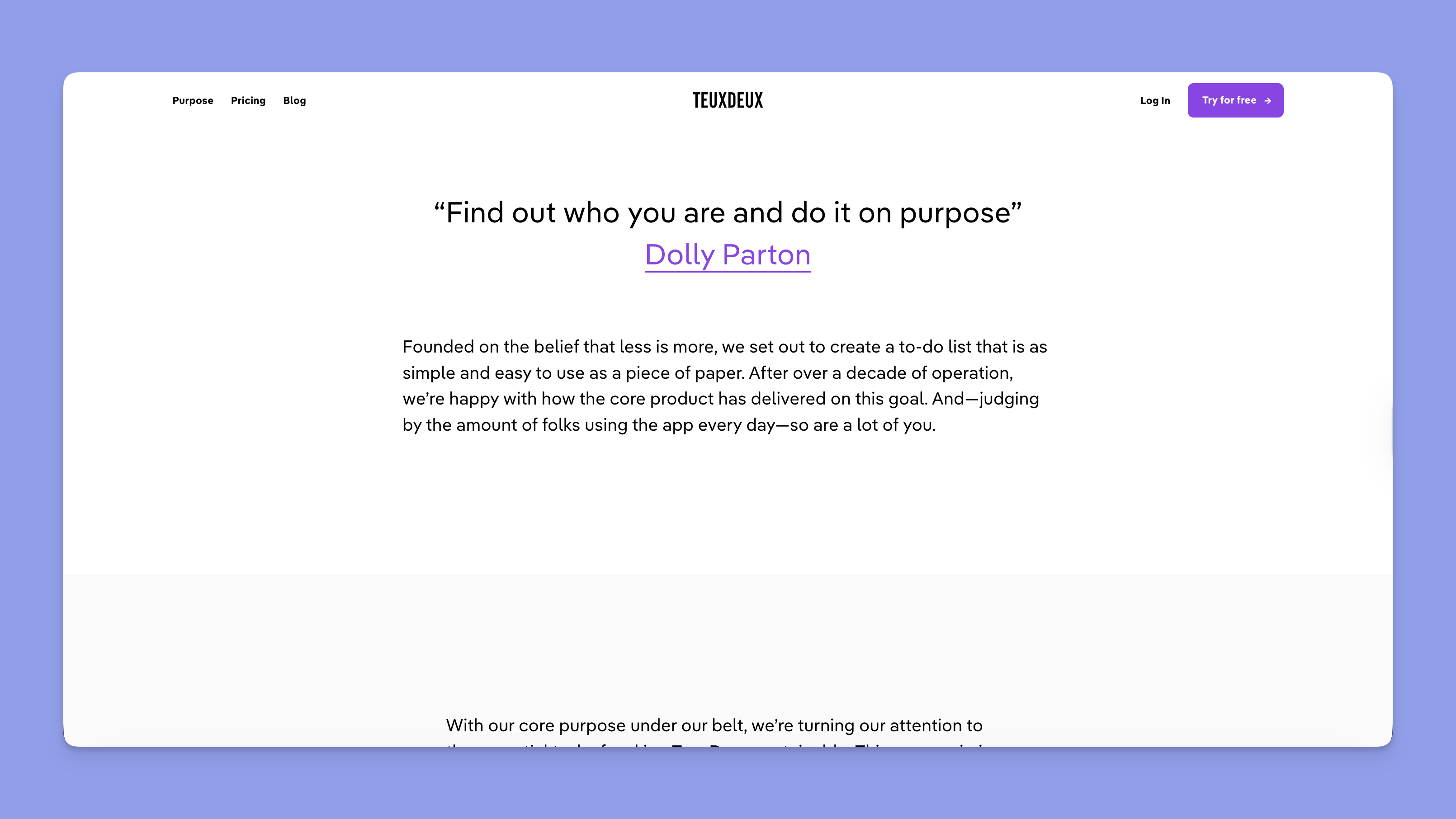
TeuxDeux is for people who want to write tasks in a column, drag them around, and stop thinking about productivity software. Same features on both plans, no Premium upgrade dangling overhead, no calendar integration to configure.
- Long-time fans who picked it up in the early 2010s and like that the app hasn't changed underneath them.
- Mobile-only users who plan on iOS or Android and don't need a desktop app.
- Minimalists who actively don't want subtasks, attachments, or reminders cluttering the interface.
Who should look elsewhere: Anyone who needs Google or Apple Calendar sync (TeuxDeux has none), anyone who works on Windows or Linux desktop full-time (browser-only), and power users who want subtasks or recurring tasks beyond the basics.
Pricing
Tweek

The free tier is the differentiator. Two active calendars, three "Someday" columns, and two custom colors are plenty for most personal use. Premium unlocks Google Calendar sync, Apple Calendar sync, Apple Reminders integration, subtasks, attachments, recurring tasks, reminders, and unlimited themes. Annual billing saves about 30% over monthly.
TeuxDeux

There is no free tier. After the 7-day trial expires, the app stops working without a paid plan. Both plans have identical features (the difference is only billing cadence), so you never feel like you're missing a Premium upgrade.
Verdict
TeuxDeux is cheaper on paper ($36/yr vs $50/yr) but more expensive in practice if you'd otherwise live on Tweek's free tier. The 7-day trial vs 14-day trial gap also matters: a week is barely enough to learn a planner before the credit-card decision arrives.
UI and Weekly Layout
Tweek
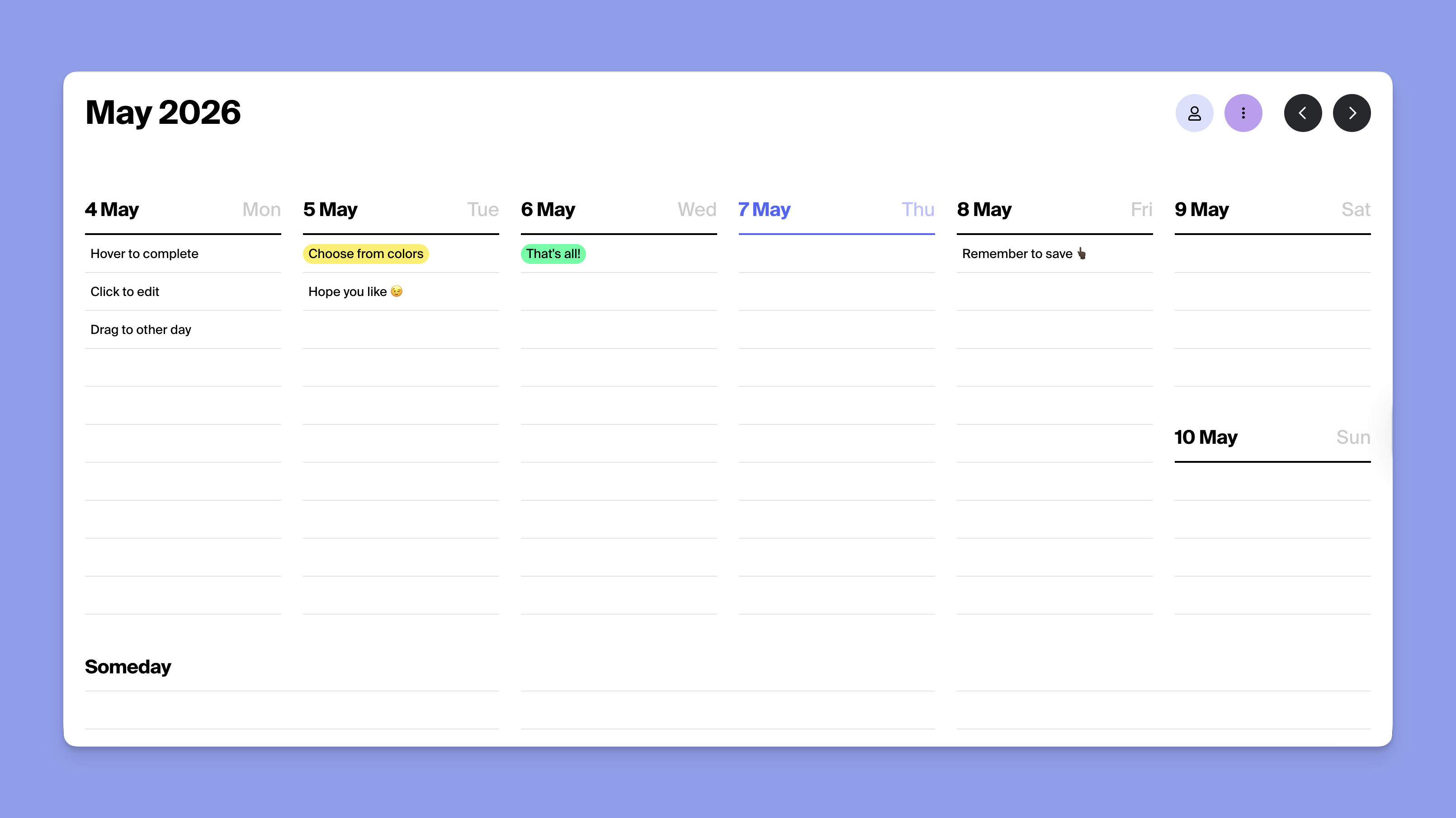
Default view is the current week with five working days plus weekend, displayed as columns. Drag-and-drop works in any direction, including across weeks via the navigation arrows. Month and Day views are available. The 2026 mobile redesign put a horizontal layout on iPad that mirrors the desktop feel. Custom themes let you match the paper-planner vibe or switch to a darker scheme.
TeuxDeux
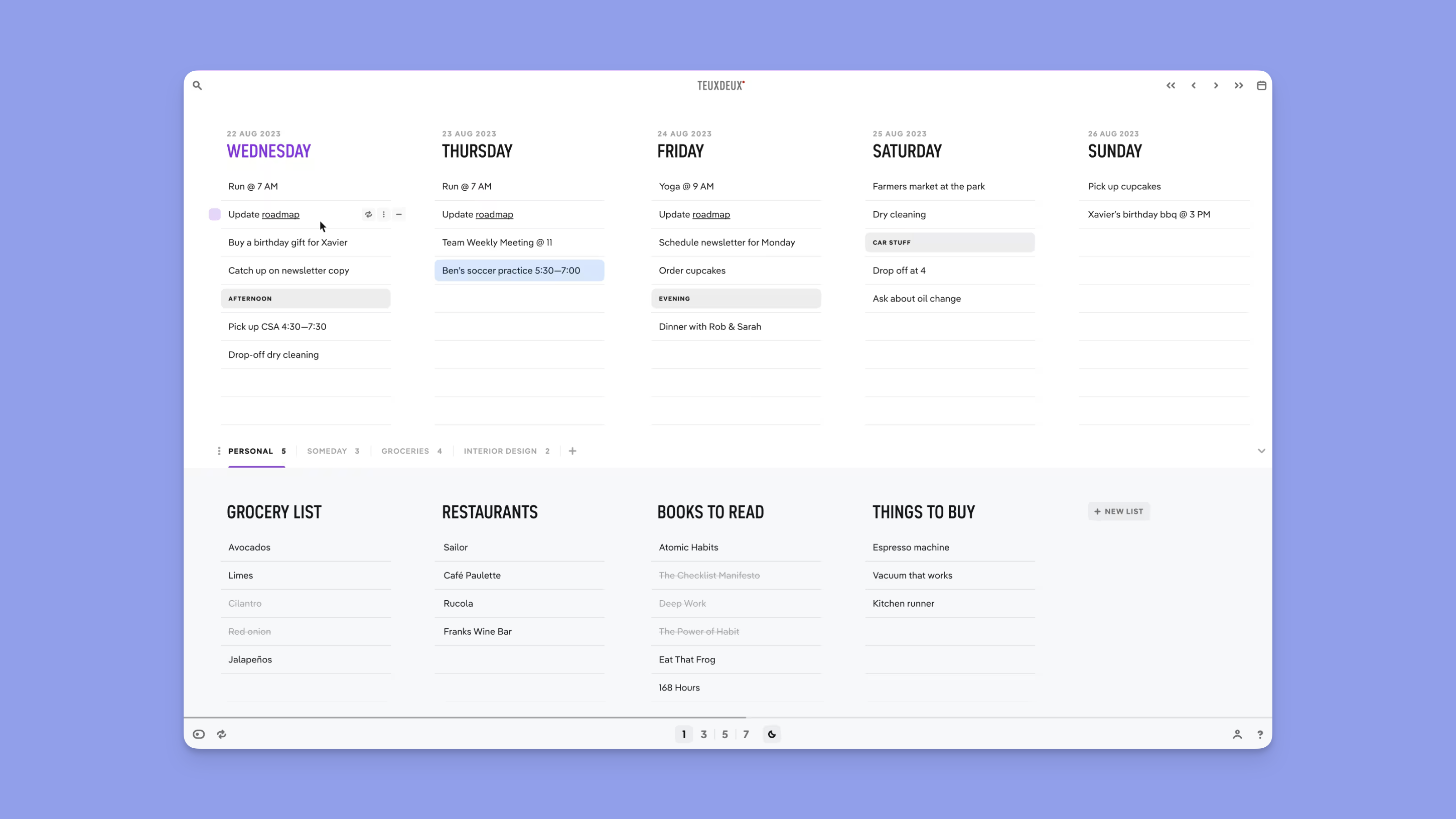
Five weekday columns plus a "Someday" list. Tasks are bullet items with optional highlight colors. There's a "focus mode" that zooms one day at a time on mobile. The aesthetic hasn't shifted much since launch, which fans see as a feature. Search and undo-delete are present.
Verdict
Both apps are visually similar by design, but Tweek's recent UI work is more polished. Tweek's mobile apps feel current; TeuxDeux's feel like a 2015 product that aged gracefully. If you'll spend most of your planning time on a phone or iPad, Tweek wins. If you only open it on a laptop browser, the difference is small.
Calendar Sync
Tweek
Two-way Google Calendar and Apple Calendar sync ships in Premium. Events you add in Google appear in Tweek; events you create in Tweek push back to Google. Apple Reminders integration uses Siri voice capture to add tasks to Tweek hands-free. There's no Outlook sync.
TeuxDeux
No calendar sync at all. There is no Google Calendar integration, no Apple Calendar sync, no Outlook hook, no iCal feed. TeuxDeux is a pure to-do columns app. If you want your meetings on the same screen as your task list, you'll need a separate calendar app open beside it.
Verdict
This is the single biggest split between the two. For anyone whose week is shaped by meetings or events on a calendar, Tweek Premium is the only honest answer. TeuxDeux's purity is real, but the cost is having to maintain two mental models of your day at once.
Power-User Features
Tweek (Premium)
Subtasks let you break a top-level item into nested steps. File and image attachments stick to a task. Recurring tasks support daily, weekly, monthly, yearly, or custom schedules. Push and email reminders hit your phone before something is due. Multiple calendars (work, personal, shared) live side by side. Public read-only sharing publishes a calendar via link without requiring viewers to sign up.
TeuxDeux
Recurring tasks (daily, weekly, monthly, yearly), highlight colors for tagging, focus mode for single-day view, and search. That's the feature list. No subtasks, no attachments, no reminders, no shared calendars, no public links.
Verdict
Tweek Premium is meaningfully richer once you need any of those features. If you've ever wanted to attach a file to a task or get a notification before a deadline, TeuxDeux can't do it. If you actively don't want those features and like enforcing minimalism through tool choice, TeuxDeux's restraint is the point.
Platform Availability
Tweek
Web (browser, no account required for free use), macOS, iOS, iPad, Android. No native Windows app and no Linux client; Windows and Linux users live in the browser version. Browser extension is not listed.
TeuxDeux
Web (browser), iOS, Android. No native macOS app, no Windows app, no Linux client, no iPad-optimized layout. Desktop is browser-only on every platform.
Verdict
Tweek's macOS app and iPad layout are real wins for Apple desktop users. For browser-only workflows, the platform difference is negligible. Neither tool reaches Windows desktop or Linux natively, so power users on those operating systems don't get a clean answer from either.
What Both Tools Miss
Tweek and TeuxDeux share the same core ceiling: no hourly time blocking, no AI planning, no integrations with task tools you might already use.
- Hourly slots. Both tools reject the clock by design. Once your day has back-to-back meetings, neither can represent the schedule. Calendar apps and time-blocking tools fill this gap.
- AI planning. Neither suggests a realistic week from your existing tasks. You decide what fits where, every week, by hand.
- External task integrations. Neither pulls from Notion, Todoist, ClickUp, Linear, or any other source. If your tasks live elsewhere, you'll be retyping them.
- Team plans. Both are single-user products. Public read-only sharing exists in Tweek; there is no shared workspace in either.
.png)
Morgen was built to cover those gaps. It pulls tasks from Notion, Todoist, ClickUp, Linear, Google Tasks, Microsoft To Do, Apple Reminders, and Obsidian onto a real calendar grid, syncs with Google, Outlook, iCloud, Fastmail, and Zoho, and the AI Planner drafts your week as preview events you approve before anything lands on your real calendar. The full integrations list covers eight task tools and six calendar providers.
How to Choose Between Tweek and TeuxDeux
You want the paper-planner feel and might use Apple Calendar
Pick Tweek. The free tier covers everything TeuxDeux's paid plan does, and Premium adds Apple Calendar sync, subtasks, and reminders for $50/yr.
You want pure minimalism and don't trust paywalled features
Pick TeuxDeux. Identical features on both billing cadences, no Premium upsell to ignore, $36/yr is the only number you'll see.
You need hourly time blocking, AI planning, or external task sync
.png)
Neither Tweek nor TeuxDeux fits. Morgen gives you the visual weekly planning Tweek and TeuxDeux do well, plus calendar sync across six providers, task management and monotasking, auto-scheduled buffer and travel time, and AI weekly planning that respects your approval. Pricing starts at $15/mo annually with a 14-day free trial; full breakdown on the pricing page.
Try Morgen free for 14 days. No credit card required.
Tweek vs TeuxDeux vs Morgen: Which One Should You Choose?
Pick TeuxDeux if you want the cheapest, most stripped-down weekly to-do columns, you're fine with no calendar sync, and you do most of your planning on mobile.
Pick Tweek if you want the same paper-planner feel as TeuxDeux but with calendar sync, a real macOS app, and a free tier you can stay on indefinitely.
Pick Morgen if you've outgrown the "no clock" model, your tasks live in Notion or Todoist, or you want AI to draft your week before you commit to it.
Tweek vs TeuxDeux FAQs
Is Tweek a TeuxDeux clone?
No, but the layout debt is real. TeuxDeux pioneered the weekly-column to-do format in 2009. Tweek launched in 2020 with the same column structure, drag-and-drop, and auto-rollover, then added calendar sync, subtasks, attachments, and reminders that TeuxDeux never built.
Which is cheaper, Tweek or TeuxDeux?
TeuxDeux is cheaper at $3/mo annual ($36/yr) vs Tweek Premium at $4.17/mo annual ($50/yr). But Tweek's free tier covers more features than TeuxDeux's 7-day trial, so for many users the practical price gap is larger than $14/yr.
Does TeuxDeux sync with Google Calendar?
No. TeuxDeux has no calendar sync of any kind. Tweek Premium offers two-way Google Calendar and Apple Calendar sync.
Is Tweek free?
Yes. The free tier includes two active calendars, three "Someday" columns, two custom colors, drag-and-drop, auto-rollover, and basic recurring tasks. Premium ($4.17/mo annual) adds calendar sync, subtasks, attachments, reminders, and unlimited themes.
Can I use Tweek or TeuxDeux for time blocking?
Neither tool supports hourly time blocking. Both treat each day as a vertical column without time slots. For time blocking, look at Morgen, Sunsama, or Akiflow.
Is TeuxDeux still actively developed?
Yes. TeuxDeux ships occasional iOS, Android, and web updates and remains in active maintenance. The core feature set has been stable since the early 2010s, which is intentional. There is no native macOS or Windows desktop app.
What's the best alternative if neither Tweek nor TeuxDeux fits?
If you need calendar sync plus a weekly view that handles meetings and time blocks, Morgen pulls Notion, Todoist, ClickUp, and Linear tasks onto a real calendar grid and uses AI to draft your week. Sunsama is the closest match for a deliberate, ritual-based daily planner.

.svg)
.webp)