.svg)
→ TeuxDeux's weekly columns and "Someday" list were ahead of their time in 2009, but the lack of calendar sync, native desktop apps, and integrations is a real ceiling for anyone planning around meetings or external tasks.
→ The seven alternatives below cover four jobs: paper-planner aesthetic (Tweek), task-first with calendar (TickTick, Todoist), calendar-first (Notion Calendar, Akiflow, Sunsama), and AI-assisted weekly planning (Morgen).
→ Free options: Notion Calendar, Todoist (5 projects), TickTick free tier. Paid options run $3/mo to $19/mo.
→ Morgen is the only option that combines hourly time blocking, two-way sync with eight external task tools, and an AI Planner that proposes a weekly schedule for your approval.
TeuxDeux pioneered the weekly to-do-column layout in 2009 and built a small, devoted following around its paper-feel aesthetic. The trade-off has always been deliberate minimalism: no Google Calendar sync, no Notion or Todoist hooks, no subtasks or attachments, no native macOS or Windows app. That's fine until your work changes.
Pricing below was re-verified in April 2026.
The 7 Best TeuxDeux Alternatives at a Glance
1. Morgen: Best for AI Weekly Planning Across Every Calendar
.png)
Morgen consolidates Google, Outlook, iCloud, Fastmail, and Zoho calendars in one app, then uses AI to draft a daily schedule you approve before anything lands on your real calendar. Hourly slots, native time blocking, two-way sync with eight task tools.
Key Features
AI Planner
.png)
In TeuxDeux you decide what fits in each day's column by hand, every week. Morgen's AI Planner reads your tasks, meetings, working hours, and Frames, then proposes a realistic week as preview events. You review every block before anything is committed, so the planning is automated but the approval stays with you.
Frames
.png)
TeuxDeux has one rolling column per day. Morgen has Frames: reusable weekly slots reserved for a kind of work (deep work, client calls, errands, personal). Build your ideal week once and the AI Planner drops new tasks into the matching Frame rather than the next free space on the calendar.
Eight task integrations

TeuxDeux has zero external integrations. Morgen pulls tasks from Notion, Todoist, ClickUp, Linear, Google Tasks, Microsoft To Do, Apple Reminders, and Obsidian directly onto a calendar grid with two-way sync, so a task you complete in Morgen is checked off in the source tool. Setup walkthroughs live on the dedicated Notion integration and Todoist integration pages.
Pricing
30-day money-back guarantee. Full breakdown on the pricing page.
Where Morgen Shines
- Real calendar grid with hourly slots, paired with a weekly view that respects the visual TeuxDeux fans actually want. Motion and Reclaim auto-shuffle; Morgen drafts and waits.
- Six calendar providers (Google, Outlook, iCloud, Fastmail, Zoho, generic CalDAV). TeuxDeux syncs with none.
- Native desktop apps for macOS, Windows, and Linux, plus iOS and Android. TeuxDeux has no native macOS or Windows client at all.
Where Morgen Falls Short
- No free forever tier. The 14-day trial converts to paid, while TeuxDeux's $3/mo annual plan undercuts every Morgen tier.
- The first-week setup is heavier. Frames, Routines, and at least one task integration take 10-20 minutes to configure before the AI Planner becomes useful.
Customer Reviews
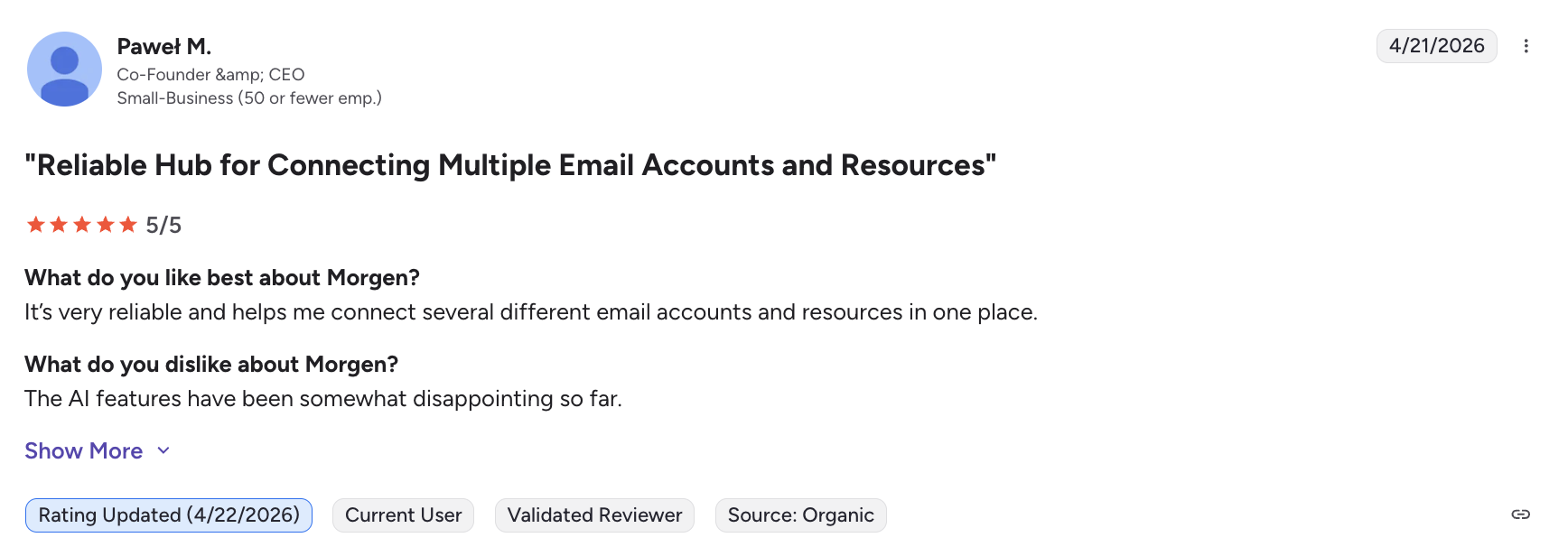
"It’s very reliable and helps me connect several different email accounts and resources in one place." - Paweł via G2
Who Morgen Is Best For
Anyone leaving TeuxDeux who needs hourly time blocks, real calendar sync, or task pull-in from Notion, Todoist, ClickUp, or Linear. Cross-platform users not locked to a browser tab.
2. Tweek: Best Modern Paper-Planner Aesthetic
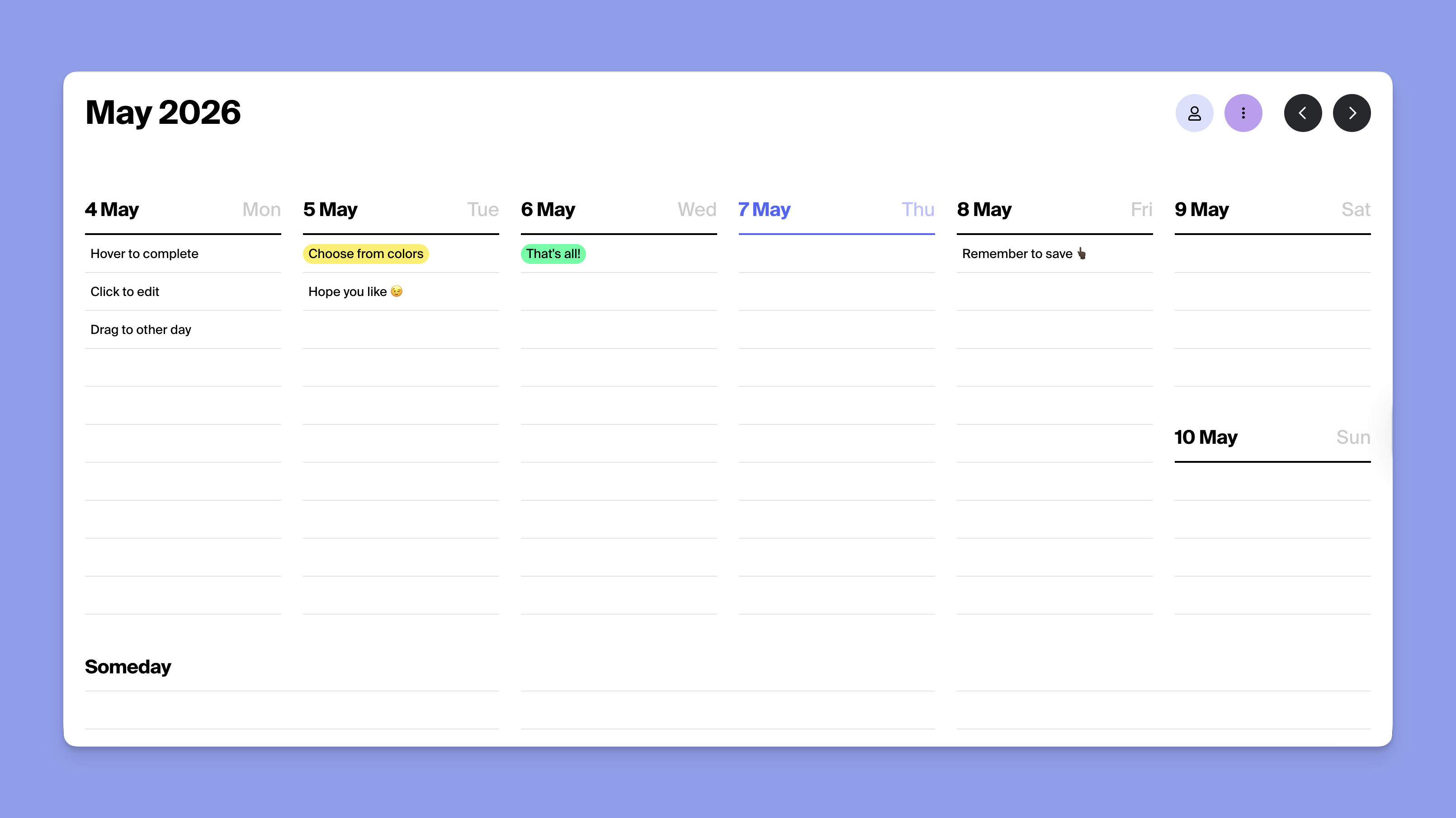
Tweek is the closest direct successor to TeuxDeux. Same weekly-column layout, same drag-and-drop, same auto-rollover, same "no clock" philosophy. The difference is what's behind it: Premium adds Google Calendar sync, Apple Calendar sync, Apple Reminders, subtasks, attachments, recurring tasks, and reminders. The free tier keeps two active calendars and three "Someday" columns, which is more than TeuxDeux's free trial offers.
Key features
- Weekly view with no hourly time slots
- Drag-and-drop tasks across days
- Auto-rollover to tomorrow
- Recurring tasks (daily, weekly, monthly, yearly, custom)
- Two-way Google and Apple Calendar sync (Premium)
- Apple Reminders and Siri voice capture (Premium)
- Public read-only sharing without sign-up
Pricing
(verified 2026-04-30)
Where Tweek shines
- Real calendar sync
- Native macOS and iPad apps
- A more generous free tier, and a 14-day trial instead of 7.
- As one Redditor in r/ProductivityApps summed up: "Tweek is looking like the winner. I do love the layout."
Where Tweek falls short
- Premium costs roughly 40% more than TeuxDeux annual
- No team plan
- No Notion or Todoist integration, and no Linux app.
- The "no hourly slots" rule is identical to TeuxDeux, so users wanting time blocking still need a different tool.
Tweek customer reviews
"Love the new approach that takes out the stress of viewing the task that are timestamped but rather as a checklist to complete within the day. The auto-shift to next day is a helpful feature as well" - velen via ProductHunt

Who Tweek is best for
TeuxDeux users who want the same weekly-column feel with calendar sync and a polished mobile app.
3. Sunsama: Best for Mindful Daily Planning Rituals
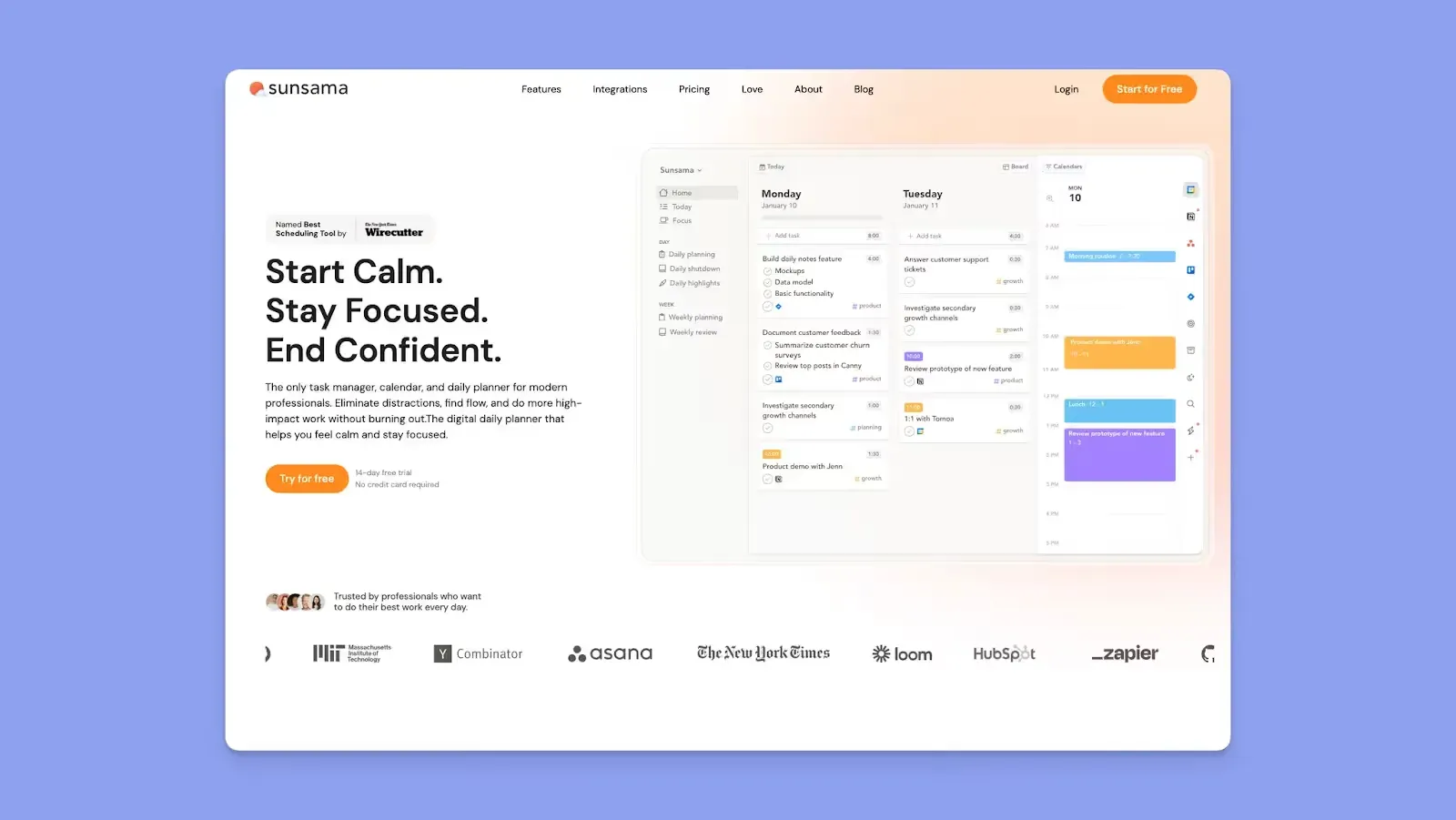
If TeuxDeux's appeal was the calm, single-screen mindset rather than the column layout itself, Sunsama is the most natural step up. The product is built around two opinionated rituals: a guided morning planning session that asks what you'll actually finish today, and an evening shutdown that reflects on what landed. Hourly time blocks and two-way Google, Outlook, and Apple Calendar sync sit underneath.
Key features
- Morning planning ritual with goal-setting prompts
- Evening shutdown with rollover and reflection
- Manual hourly time blocking on top of two-way calendar sync
- Twelve PM and task integrations (Asana, ClickUp, Linear, Jira, Trello, Todoist, Notion, Apple Reminders, and more)
- Pomodoro and "mute apps" focus mode
Pricing
Full breakdown in Morgen's Sunsama pricing analysis, verified 2026-04-30)
Where Sunsama shines
- The daily ritual format keeps planning intentional
- Pro bundles AI, MCP, and Zapier
- Real calendar sync is the upgrade TeuxDeux can't match.
Where Sunsama falls short
- $17/mo annual is roughly six times TeuxDeux's $3/mo
- No scheduling links, no Linux app.
- The morning ritual takes ~10 minutes a day, more than TeuxDeux ever asked for.
Sunsama customer reviews
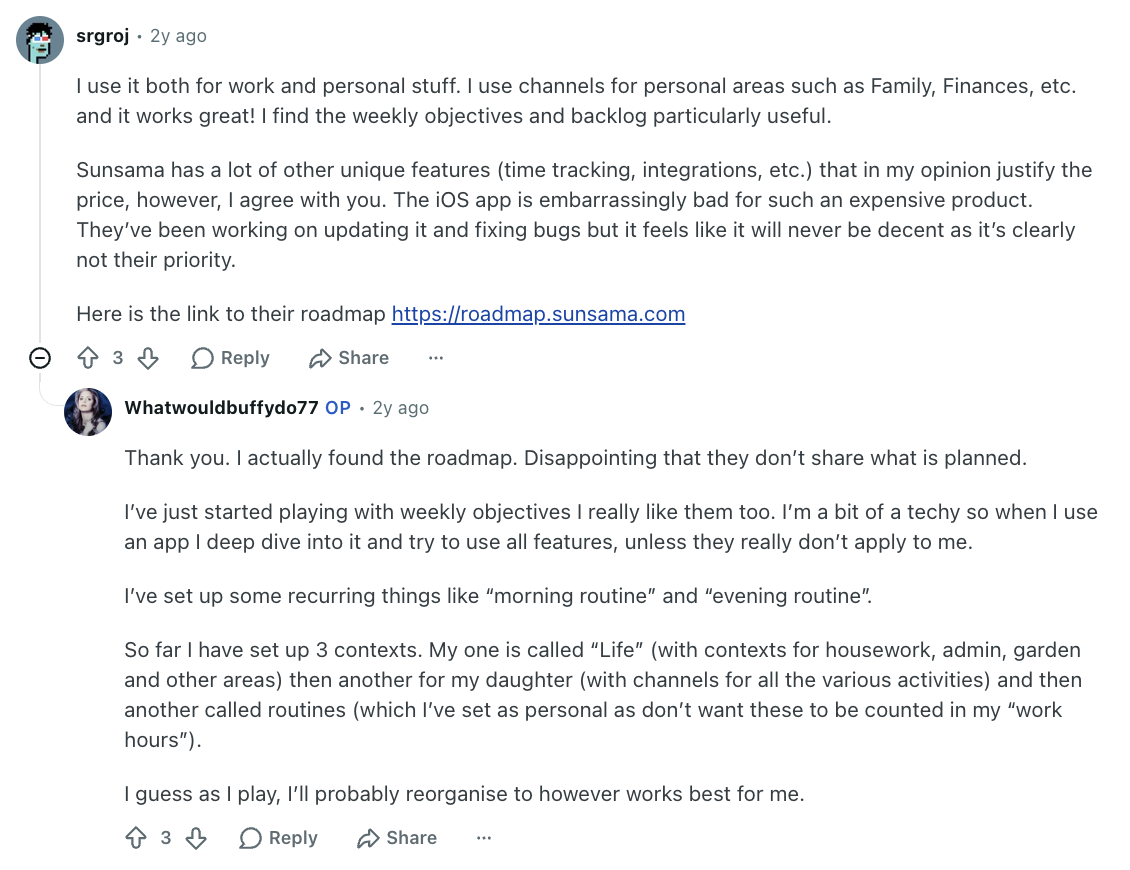
"Sunsama has a lot of other unique features (time tracking, integrations, etc.) that in my opinion justify the price, however, I agree with you. The iOS app is embarrassingly bad for such an expensive product. They’ve been working on updating it and fixing bugs but it feels like it will never be decent as it’s clearly not their priority." Reddit user via Reddit
Who is Sunsama best for
Users who liked the deliberate, single-focus tone but now need real calendar slots and external task integrations.
4. TickTick: Best for Cross-Platform Task Management with a Calendar View
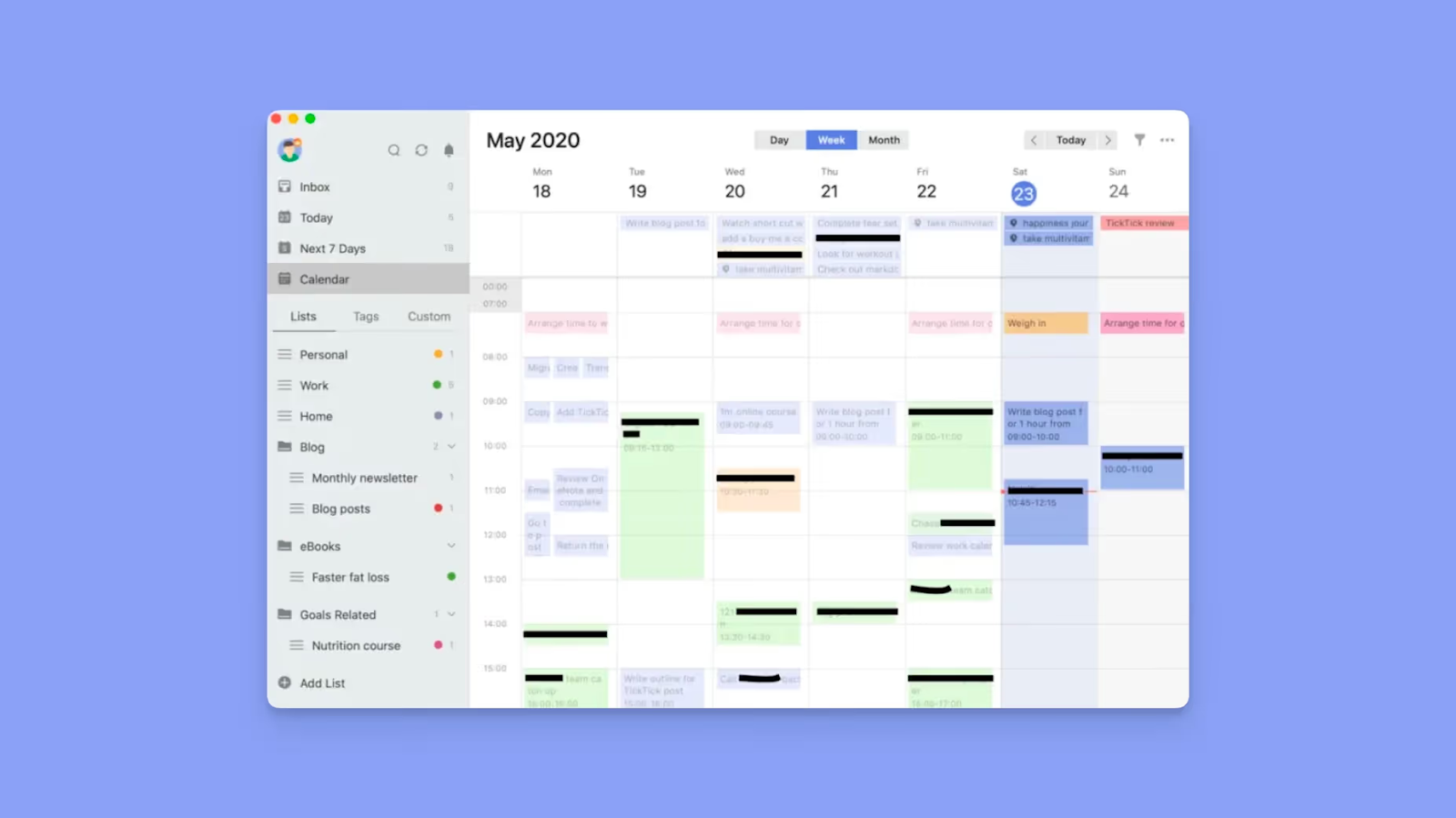
If TeuxDeux's "browser only" desktop story is the deal-breaker, TickTick is the obvious counter. It ships native apps on macOS, Windows, Linux, iOS, Android, Apple Watch, and Wear OS, plus the web. The free tier handles task lists, reminders, and basic recurrences; the calendar view itself is a Premium feature.
Key features
- Five calendar views (List, Day, 3-Day, Week, Month) on Premium
- Built-in habit tracker
- Built-in Pomodoro timer
- Eisenhower matrix view
- Third-party calendar subscription on Premium
Pricing
Verified 2026-04-30.
Where TickTick shines
- Native apps on every desktop and mobile platform, including Linux.
- Habit tracking and Pomodoro are baked in, which TeuxDeux deliberately avoids.
Where TickTick falls short
- No calendar layout, the most useful view for ex-TeuxDeux readers, is paywalled to Premium.
- The wider UI is also denser by design, so the paper-planner calm that drew people to TeuxDeux isn't really preserved.
TickTick customer reviews
"I experienced some limitations when I wanted to use it in a more collaborative way. My direct team is small, and when we tried sharing some lists for followup, it worked, but at times the updates and shared lists ended up becoming a bit messy when several of us added things. But I understand this situation because TickTick's focus is on personal professional productivity." - Megan via G2

Who is TickTick best for
Users who care less about the paper-feel and more about having their task system available on every device, with habit tracking and Pomodoro thrown in.
5. Todoist: Best for Natural-Language Task Capture
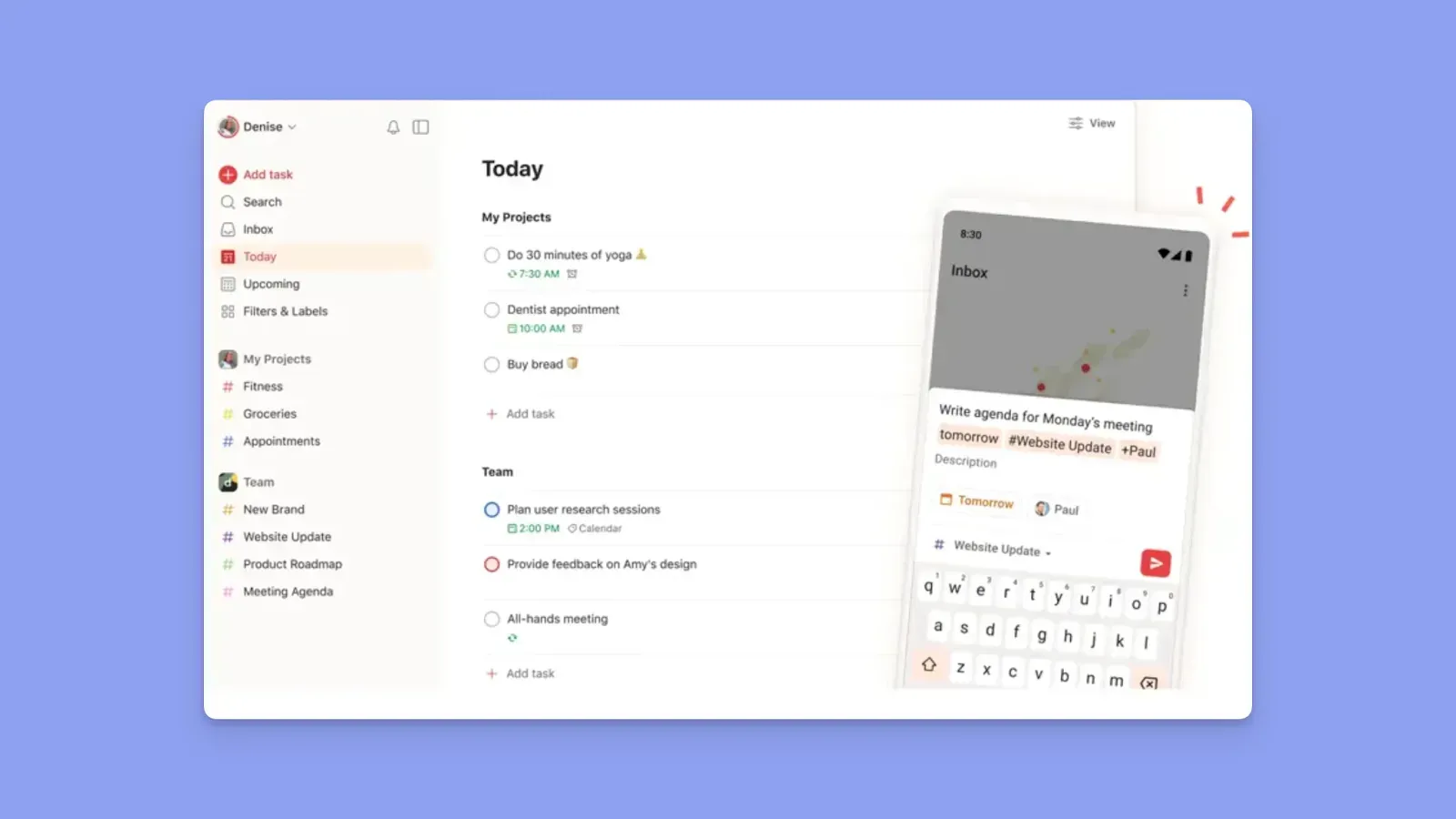
TeuxDeux is fast to type into but can't parse dates or recurrence. Todoist treats input as the central feature: write "Pay rent every 1st 9am", and the date, time, and rolling recurrence are all set in a single line. A 2024 update added a visual calendar layout for Pro users.
Key features
- Natural-language Quick Add
- Calendar layout (Pro)
- 300 personal projects on Pro vs 5 on Free
- 150 saved filter views on Pro
- Capture from Apple Watch, Siri, Alexa, and Slack
Pricing
Full breakdown in Morgen's Todoist pricing analysis, verified 2026-04-30.
Pro raised from $4 to $5/mo (yearly) in December 2025.
Where Todoist shines
- Free tier is a real daily planner, not a 7-day teaser.
- Natural-language input is faster for recurring tasks than typing them into a TeuxDeux column.
Where Todoist falls short
- Calendar layout is Pro-only, which puts the most-comparable view behind a $5/mo paywall.
- Google Calendar sync runs one-way only, with no native Outlook or iCloud connection at all.
- The December 2025 price increase from $4 to $5/mo annual got a frosty reception, picked apart on r/ProductivityApps.
Todoist customer reviews
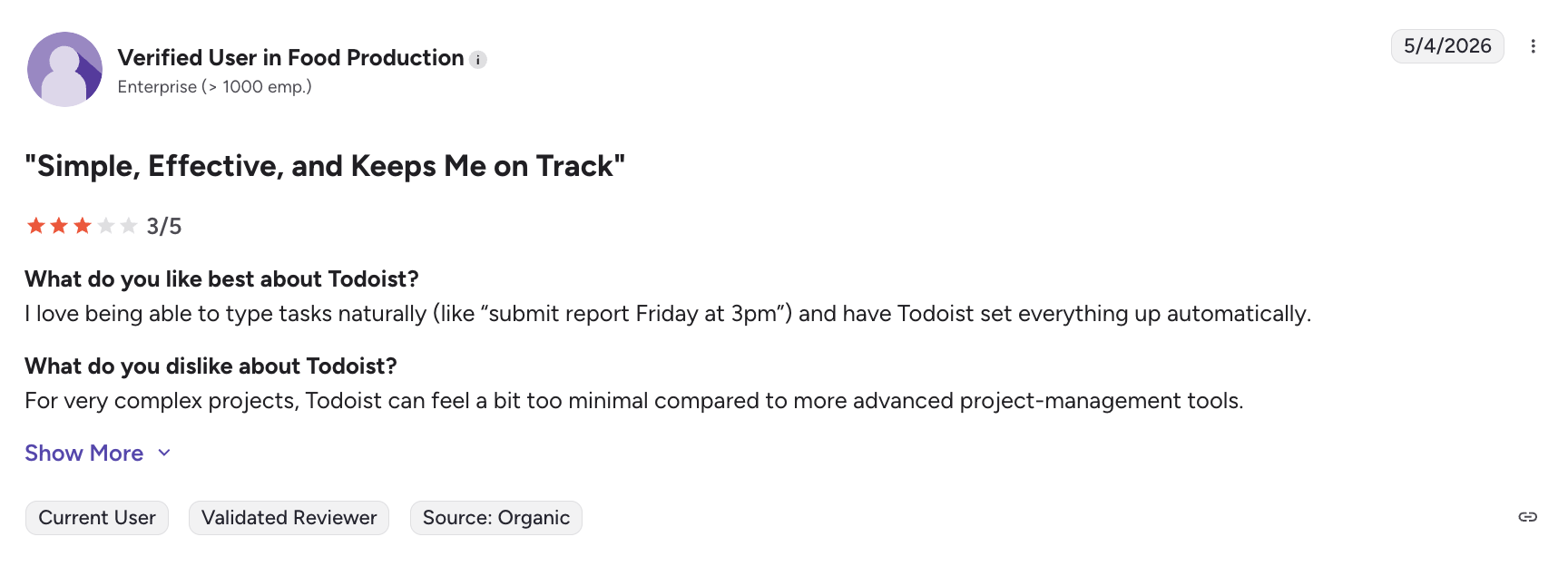
"For very complex projects, Todoist can feel a bit too minimal compared to more advanced project‑management tools." - Enterprise customer via G2
Who is Todoist best for
Keyboard-first people who want to type tasks instead of point-and-click them, on whatever device is closest. Sits well alongside Morgen if you like Todoist's input speed but want a calendar to time-block them onto.
6. Notion Calendar: Best Free Calendar for Notion-First Workflows

Notion Calendar (originally Cron, acquired by Notion in 2022) is the only tool on this list with calendar sync at zero cost. The Notion database integration is what sets it apart: any Notion database row with a date property surfaces as a real calendar event, editable in either direction. iCloud support shipped in early 2026 alongside the existing Google and Outlook hooks.
The trade-off is the inversion of TeuxDeux's premise: there are no day-by-day to-do columns, no auto-rollover, no "Someday" list. If your tasks already live inside Notion databases this is the cleanest free upgrade. If they don't, the app never feels like a planner.
Key features
- Two-way sync with Google Calendar, Outlook, and iCloud
- Two-way sync with any Notion database that has a date property
- macOS menu-bar quick view + iOS and Android home-screen widgets
- Built-in scheduling links for sharing availability
- Time-zone collaboration view for distributed teams
- Auto-linked Notion pages on events for meeting notes and agendas
- Keyboard-shortcut-driven UI throughout
Where Notion Calendar shines
- Every part of the calendar story TeuxDeux skipped is here at $0.
- Three-way calendar sync, scheduling links
- Native apps on macOS, Windows, iOS, and Android
- A menu-bar quick view that's genuinely faster than opening TeuxDeux in a browser tab
Where Notion Calendar falls short
- There are no day-by-day to-do columns
- No auto-rollover, no "Someday" list
- No habit tracker or focus mode
- If your tasks don't already live in Notion databases, the app behaves like a regular calendar rather than a planner
Notion Calendar reviews
"I think Notion could improve by better integrating its calendar and mail functionalities. Right now, they seem kind of separate. I would love if from Notion Mail or Notion Calendar, I could access and make changes to the Notion databases or information within Notion directly, without switching between apps. It would be great if I could easily create contacts or tasks from emails, add meeting notes from calendar and these type of integrations." - Triz via G2

Who is Notion Calendar best for
Notion-heavy users who want a clean, free calendar that respects the database structure they already maintain.
Pricing
Verified 2026-04-30
7. Akiflow: Best for Power-User Time Blocking
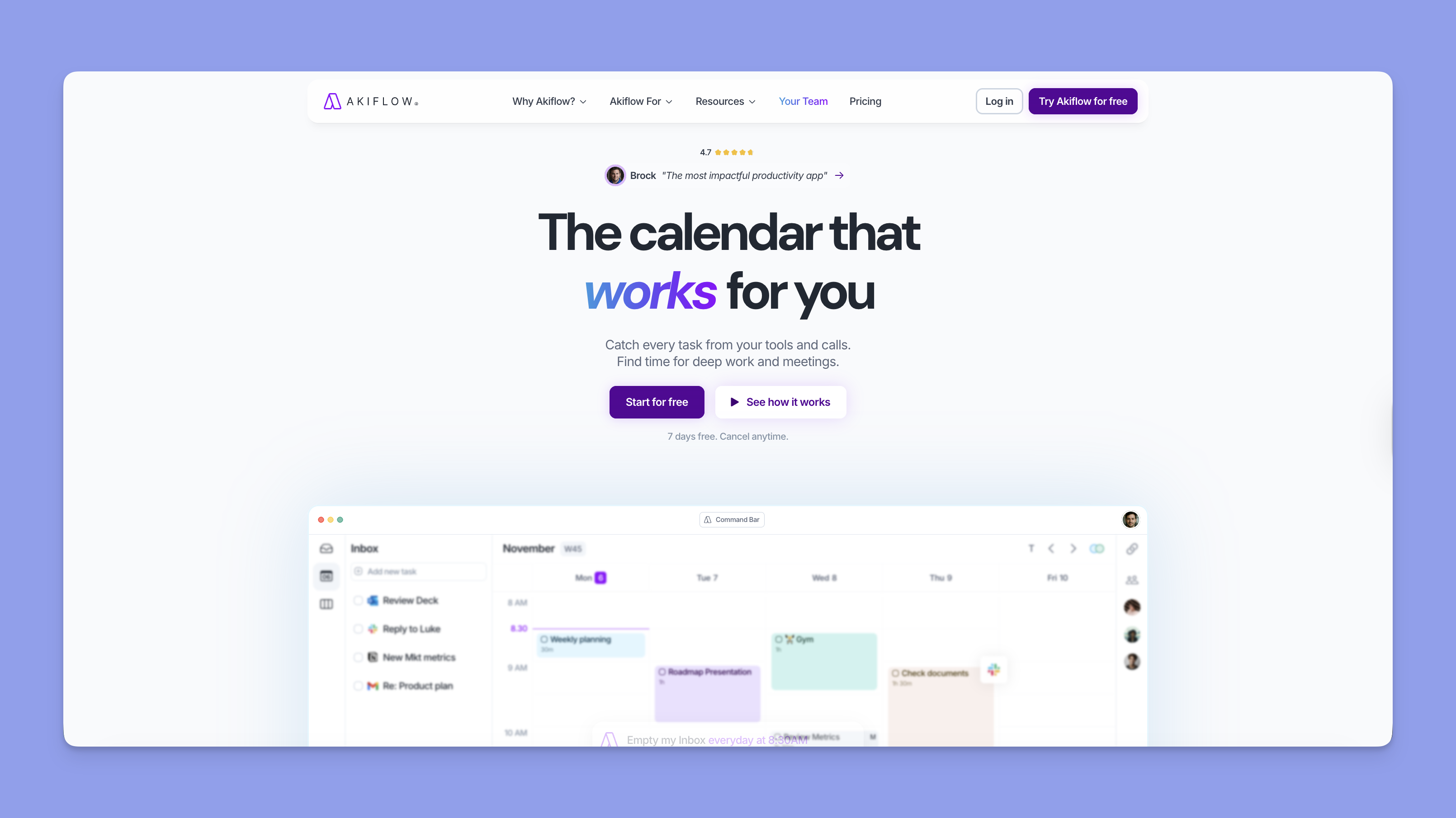
Akiflow is the maximalist response to TeuxDeux's deliberate minimalism. Built around a universal command bar and aggressive time blocking, it sucks in tasks from 18+ sources (Slack, Gmail, Notion, Asana, ClickUp, Jira, Linear, Outlook, Todoist, Zoom, Zapier and more) and includes an AI assistant called Aki with 12 prebuilt workflow templates.
Key features
- Universal command-bar capture
- Drag-to-calendar time blocks
- Aki AI for schedule overviews and conflict alerts
- 18+ integrations (Slack, Gmail, Notion, Asana, ClickUp, Zoom, Todoist, Jira, Linear, Outlook, Zapier)
Pricing
Verified 2026-04-30.
Where Akiflow shines
- Universal capture and command-bar time blocking are the keyboard-first opposite of TeuxDeux's paper-feel UI.
- Eighteen integrations is the longest list on this page.
Where Akiflow falls short
- $19/mo annual is six times TeuxDeux Pro, the 7-day trial matches TeuxDeux but is shorter than Morgen's 14
- There's no iCloud or Fastmail sync
Akiflow reviews
"The AI assistant is a nice feature but feels more rudimentary. I wish there was one that could assess my working rhythms and project priorities and help me build momentum in my workday and manage my task energy more efficiently." - Frankie via G2

Who is Akiflow best for
Demanding professionals whose week is fragmented across Slack, email, multiple PM tools and a calendar, and who'd happily pay $19/mo to consolidate it.
Reasons to Look Beyond TeuxDeux
TeuxDeux's constraints (no calendar sync, no integrations, no native desktop apps) work until your job changes. Three patterns push people to alternatives.
#1: Your week is shaped by meetings and events, not just tasks
TeuxDeux has no Google, Apple, or Outlook integration on either plan. The moment your day is half meetings and half tasks, a column-only layout makes you context-switch between two apps to plan. A real calendar grid, like the one in Morgen's task management and monotasking workflow, drops tasks into specific time slots with buffer and travel time auto-applied when you do.
#2: Your real source of truth for tasks is somewhere else
TeuxDeux is a closed system. If your team works in Notion or your personal projects live in Todoist, every TeuxDeux entry is a duplicate of something already tracked elsewhere. Morgen reads from eight task sources natively, including ClickUp and Linear, so the to-do you see in your weekly view is the same record as the ticket your team is updating. Full list on the integrations page.
#3: You want a planner that suggests the week, not just hosts it
TeuxDeux gives you the empty columns. You decide what fits where, every Sunday. Morgen's AI Planner reads through your unscheduled tasks and existing events and proposes a draft week as preview blocks, which you accept, edit, or regenerate. u/Current_Meaning_8211 in r/ADHD described why a weekly view helps in the first place: "being able to see the whole week on one page really helps with time blindness." Add realistic time estimates and a starting draft on top of that view, and you're past what TeuxDeux is built to do.
Use Morgen to Plan Your Week the Way TeuxDeux Couldn't
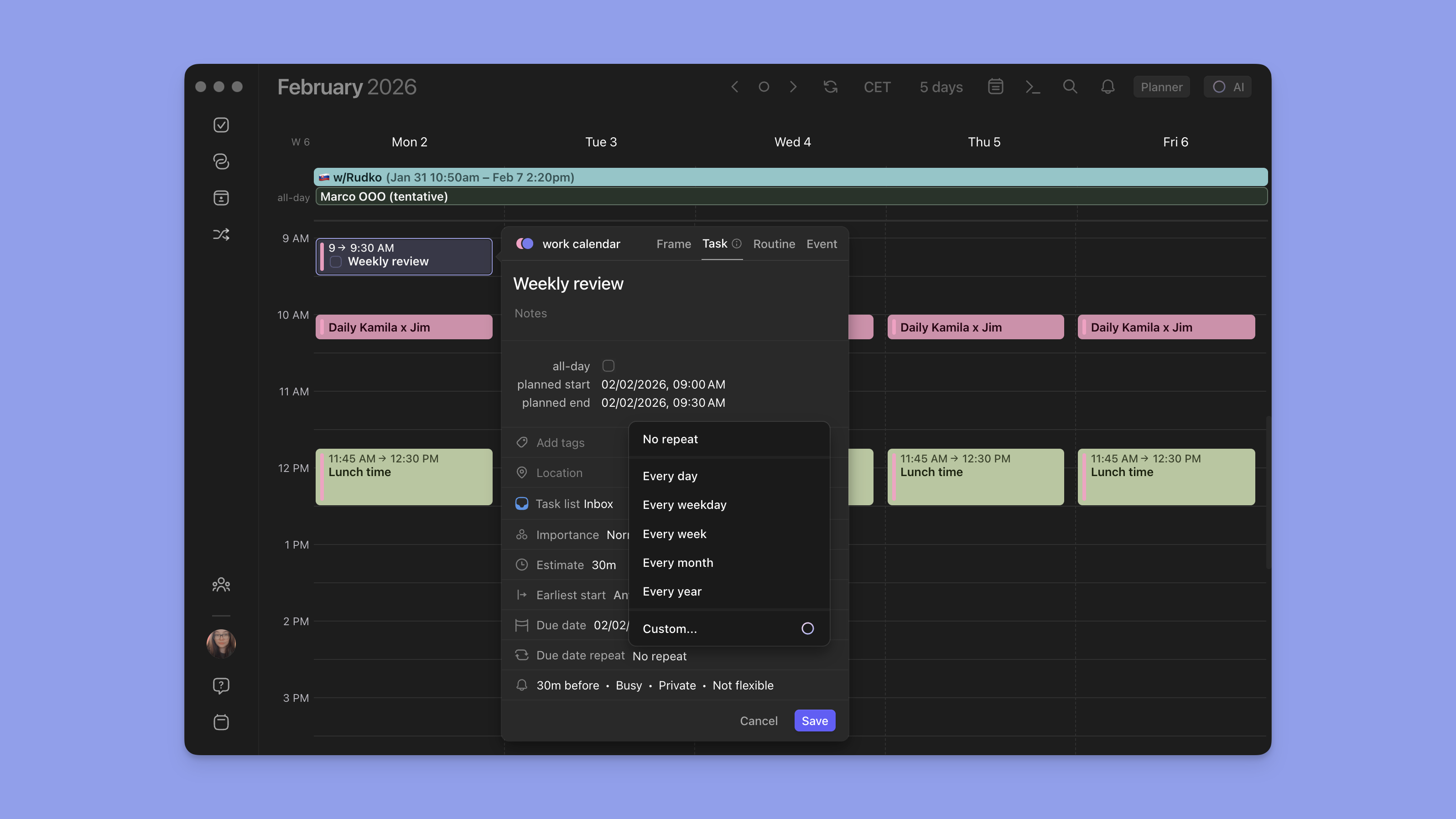
TeuxDeux taught a generation of planners that a clean weekly view, drag-and-drop, and auto-rollover are non-negotiable. Morgen keeps those defaults and adds the parts TeuxDeux skipped: hourly time blocks, calendar sync across six providers, two-way integrations with eight task tools, and AI planning that proposes a week instead of leaving it blank. Pricing starts at $15/mo on the annual plan, with a 14-day free trial and no card required.
FAQs
Is TeuxDeux still active in 2026?
Yes. TeuxDeux has been continuously developed since 2009 and remains in active maintenance with iOS, Android, and web apps. There's no native macOS or Windows desktop app, which is a common reason users look elsewhere.
What is the closest alternative to TeuxDeux?
Tweek is the closest direct successor. It uses the same weekly-column layout, the same drag-and-drop, the same auto-rollover behavior, and adds Google and Apple Calendar sync on Premium. The free tier covers two calendars.
What's a good free alternative to TeuxDeux?
Notion Calendar is fully free and syncs Google, Outlook, and iCloud. Tweek's free tier covers two active calendars and three "Someday" columns. Todoist's free tier supports five projects and natural-language task entry.
Does TeuxDeux sync with Google Calendar?
No. TeuxDeux has no calendar sync of any kind on either plan. Tweek Premium, Sunsama, Akiflow, and Morgen all offer two-way Google Calendar sync.
Is TeuxDeux better than Tweek?
TeuxDeux is cheaper ($3/mo annual vs $4.17/mo annual) and has identical features on both plans. Tweek's Premium tier adds calendar sync, subtasks, recurring tasks, attachments, reminders, and a longer 14-day free trial. For pure paper-feel minimalism, TeuxDeux is the originator. For the same aesthetic with sync and richer features, Tweek wins.

.svg)
.webp)