
.svg)
→ Currently, Todoist has three plans. Beginner (free), Pro ($5/month), and Business ($8/user/month)
→ The free plan caps you at 5 projects: For freelancers with multiple clients and workloads, that runs out quickly
→ The calendar view is paywalled, no scheduling links on any plan: If you need to see your tasks on a calendar or book meetings, you're either upgrading or paying separately for another tool on top of your subscription
→ To add Todoist tasks into your daily plan alongside your routines and meetings, Morgen offers the integration at $15/month: It pulls your Todoist tasks, lets you time-block them, and uses an AI Planner that schedules around calendar commitments
Are you using Todoist and wondering whether the free plan is still enough, or if a paid plan is actually worth it?
Let’s walk through every Todoist pricing plan, what's behind each paywall, extra costs you may not see coming, and what real customers think about the app.
And if your workload has outgrown a basic task list, we'll also show you how Morgen sits on top of Todoist to consolidate your tasks and calendars in one view.
How Much Does Todoist Cost?
Todoist raised prices in December 2025, with the Pro monthly plan increasing 40% and the annual plan up 25%. Here's what each plan costs today:
Morgen: An Alternative to Todoist
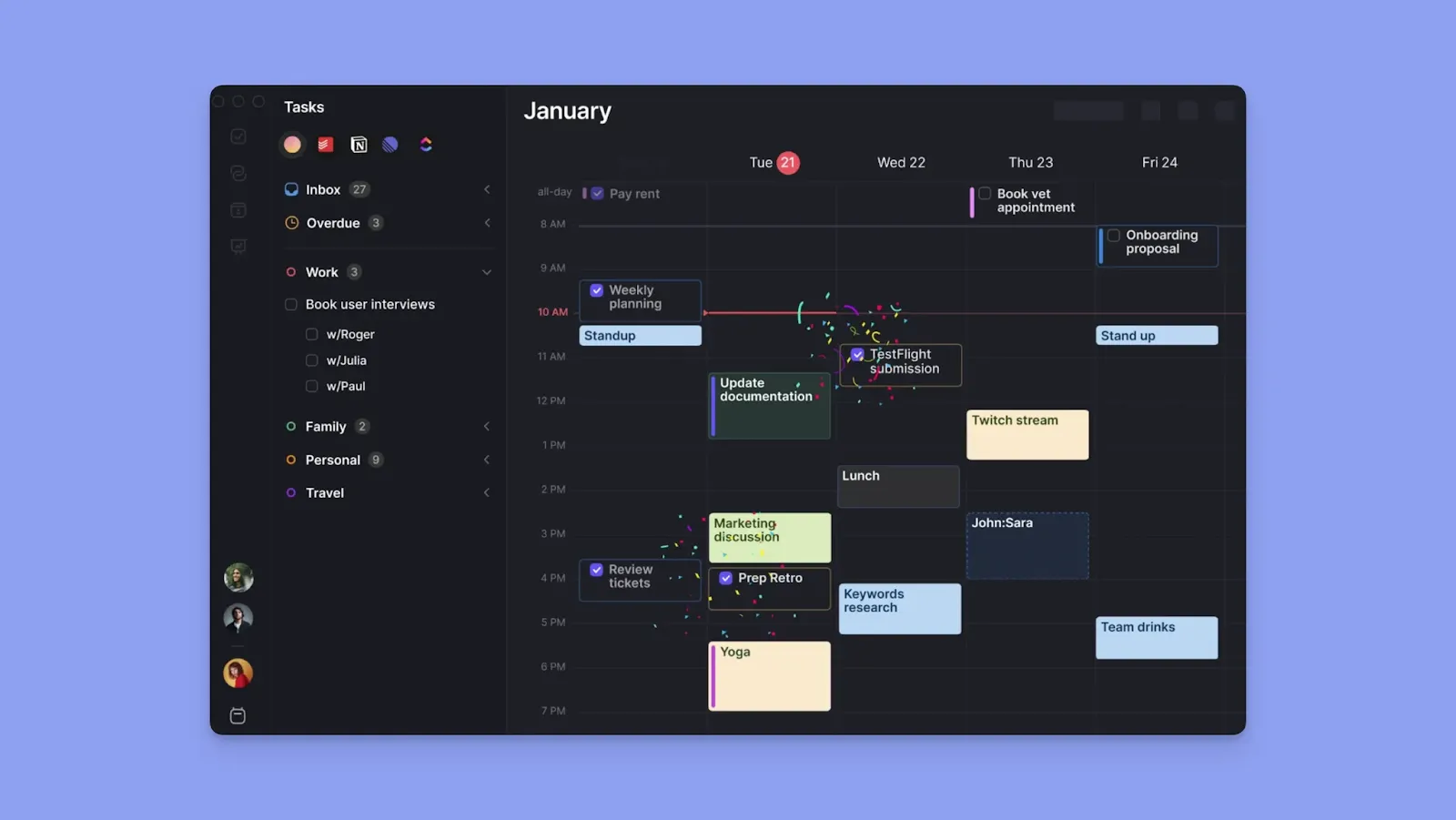
Morgen is a calendar-first planning tool that works as an alternative or a calendar management layer on top of Todoist. You can:
- Create new tasks in Morgen (or pull them in from Todoist) to time-block, schedule, and plan your day alongside your actual calendar commitments
- Sync different calendars, including Google, Outlook, Fastmail, and iCloud, and plan tasks around commitments
- Use Morgen integrations to consolidate tasks from Notion, ClickUp, Linear, Obsidian, Google Tasks, Microsoft To Do, and Apple Reminders
- Leverage AI Planning to suggest when to complete tasks; you approve every suggestion
- Enjoy no feature tiers, no paywalled calendar views, no per-feature upgrades
- Invite teammates to Morgen, view their availability, and schedule meetings without the back and forth
Here’s how the Todoist + Morgen integration works.
Todoist Pricing Plans: A Breakdown
Here's what each Todoist tier delivers, where it earns its price, and where it starts to feel limiting:
Beginner (Free Plan)
.webp)
The free plan works if you're just getting started with task management. You get five projects, three filter views, Smart Quick Add, basic reminders, and Ramble for voice capture.
However, the upgrade prompts appear frequently, which can feel distracting if you're using the app daily.
Pro Plan
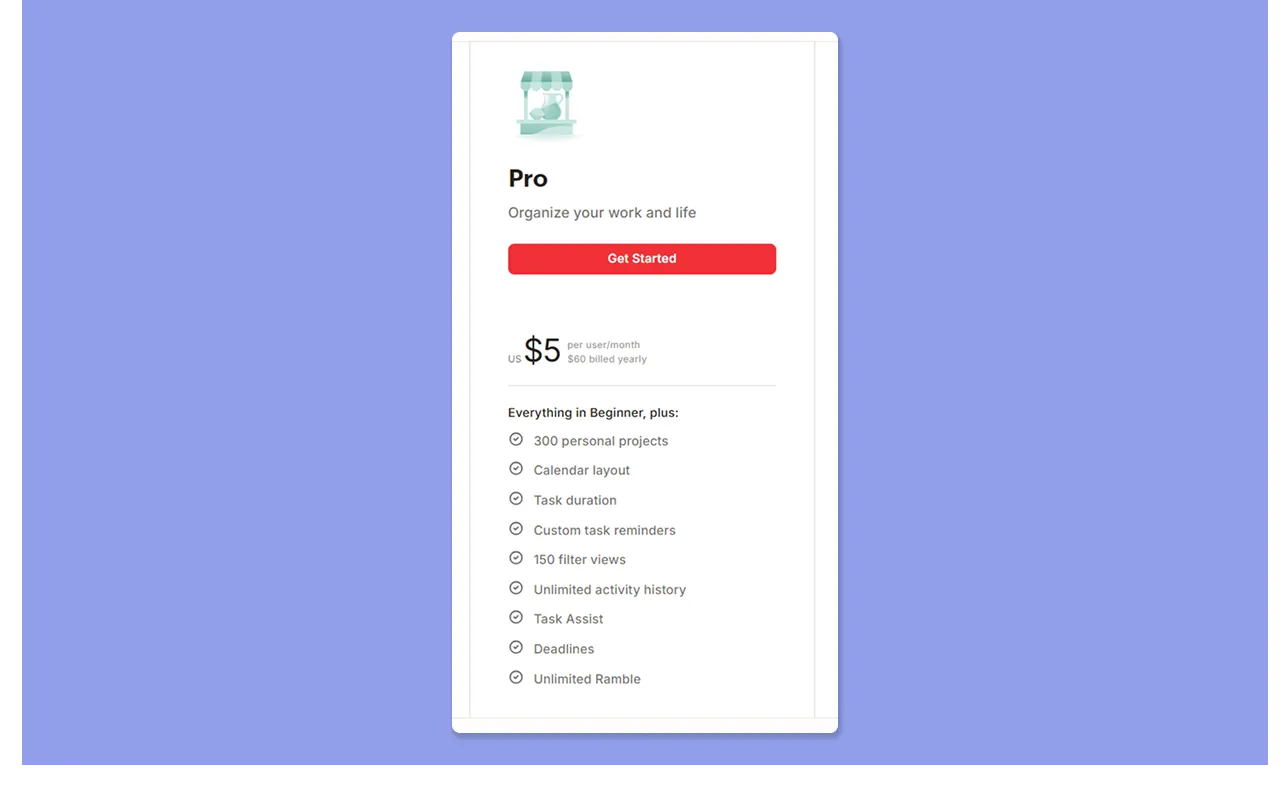
The Pro unlocks 300 projects, the calendar layout, task durations, custom reminders, 150 filter views, unlimited activity history, and full Task Assist AI.
Ramble also becomes unlimited, letting you dictate tasks and have them parsed into structured items with due dates and priorities.
Business Plan
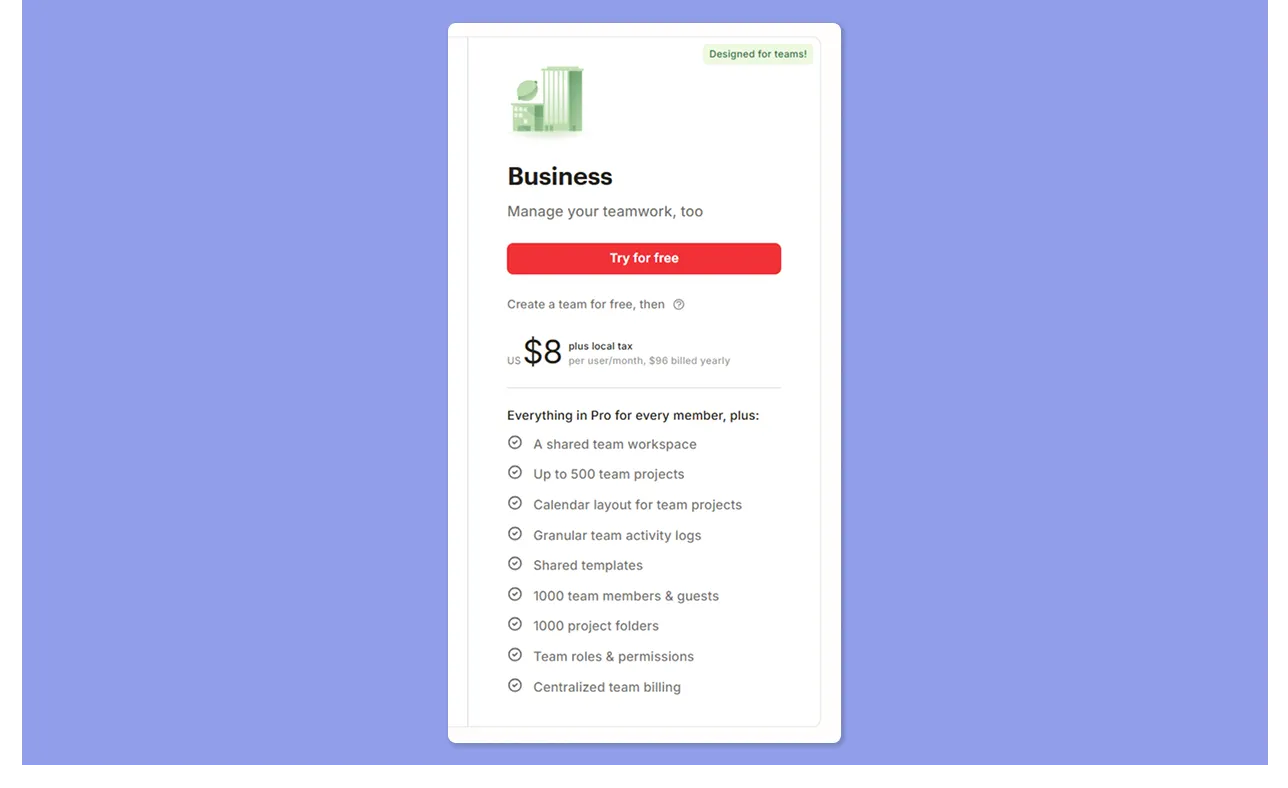
Business adds team structure on top of everything in Pro. You get a shared workspace, up to 500 team projects, a calendar layout for team projects, granular activity logs, shared templates, roles and permissions, and centralized billing.
Todoist Pro Legacy Plan
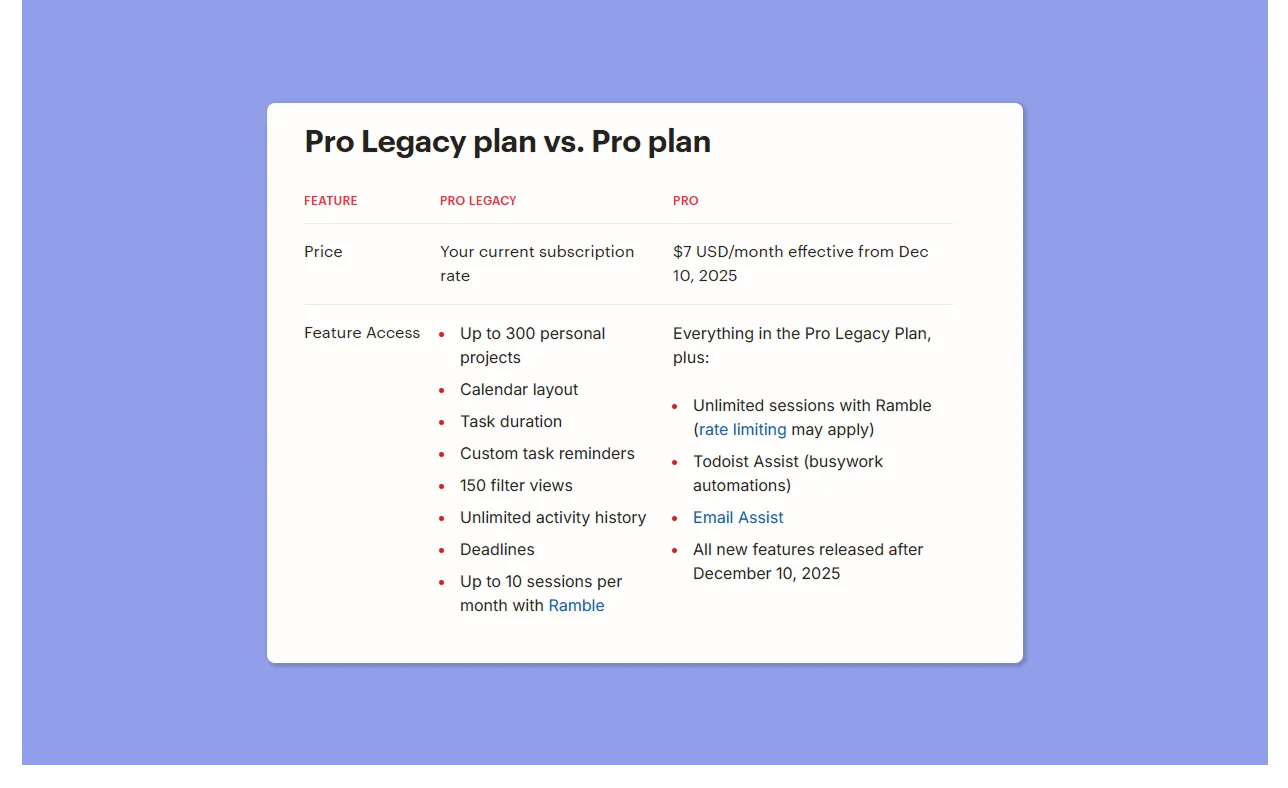
If you subscribed to Todoist Pro before June 2022 and never cancelled, you're on Pro Legacy pricing.
Your rate stays locked, but you stopped receiving new paid features after December 10, 2025. You can upgrade to the current Pro plan and get everything added since then, including Ramble and expanded Task Assist, at the new rate.
Todoist Hidden Costs
- The free plan's 5-project cap forces early upgrades. The limit was 80 projects before 2021, making the current cap feel restrictive to users who've been on the platform for a while
- Business pricing scales per seat with no ceiling. At $8/user/month billed annually, a 10-person team costs $960/year for task lists and basic collaboration. There's no flat-rate option, so costs grow linearly with your headcount
Todoist Pros & Cons
Todoist does some things really well. It also has limits that matter depending on how you work. Here's more:
Pros
- Users find the natural language parsing is genuinely fast: Type "Submit report every second Thursday," and Todoist sets the date, time, and recurrence automatically
- Clean interface with reliable cross-device sync: Ramy A shares how Todoist transforms workflow and productivity with an intuitive interface and task management features
- Low learning curve: Most users are up and running within minutes, and the help documentation covers advanced setups well
- Competitive pricing for individuals: At $5/month billed annually, Pro delivers solid task management without a steep commitment.
Cons
- Core features like reminders and calendar views are locked behind paid plans
- No task dependencies. Todoist works as a task manager, not a project management tool, so complex workflows with dependent tasks require workarounds
Link your Todoist account to different calendars in your stack. With Morgen, you can pair Todoist to Fastmail, GCal, iCloud, Outlook, Zoho Calendar, and more subscription options.
Who Is Todoist Best For?
Todoist works best when your priority is fast, clean task capture. It’s a great app for:
Small Teams with Simple Workflows
Todoist works well for entrepreneurs and small teams who need task coordination without too much overhead.
The Business plan's shared workspace, templates, and role permissions cover basic collaboration without overcomplicating things.
Professionals Who Need Fast Task Capture
Todoist's natural language processing and Ramble voice notes are best-in-class for capturing tasks fast, on mobile or desktop, without interrupting your workflow.
Students and Casual Users
The free plan covers more than most students and casual users need.
Track subjects and coursework across five projects, build quick to-do lists for shopping or errands, and set basic reminders without paying anything.
Freelance and Solo Professionals
You juggle multiple client projects, need recurring tasks, and want integrations with Slack and Google Calendar without a steep learning curve.
Pro gives you 300 projects, custom reminders, and Task Assist AI to break down complex workloads quickly.
Todoist Customer Reviews
What works and what doesn’t on Todoist? Here’s what users have to say:
Positives
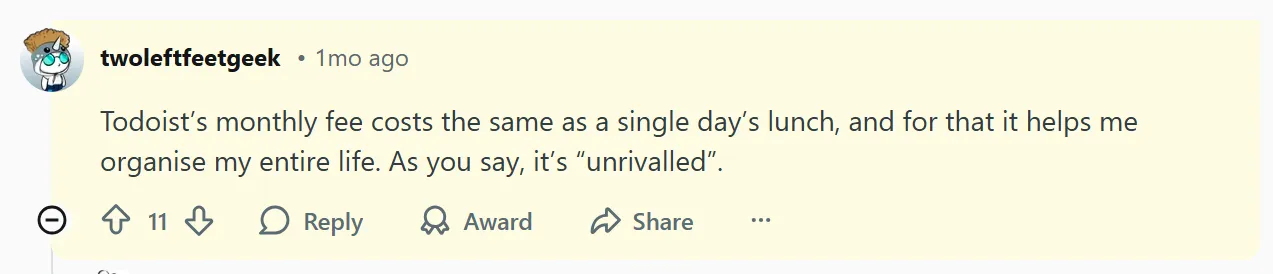
Most users find Todoist’s monthly pricing fair. For example, Twoleftfeetgeek on Reddit says, “Todoist’s monthly fee costs the same as a single day’s lunch.”
Complaints
Some complaints center on plan limits and pricing. Ashish P says Todoist’s “pricing structure becomes steep when scaling across a larger team.”

Alternative To Todoist: Morgen
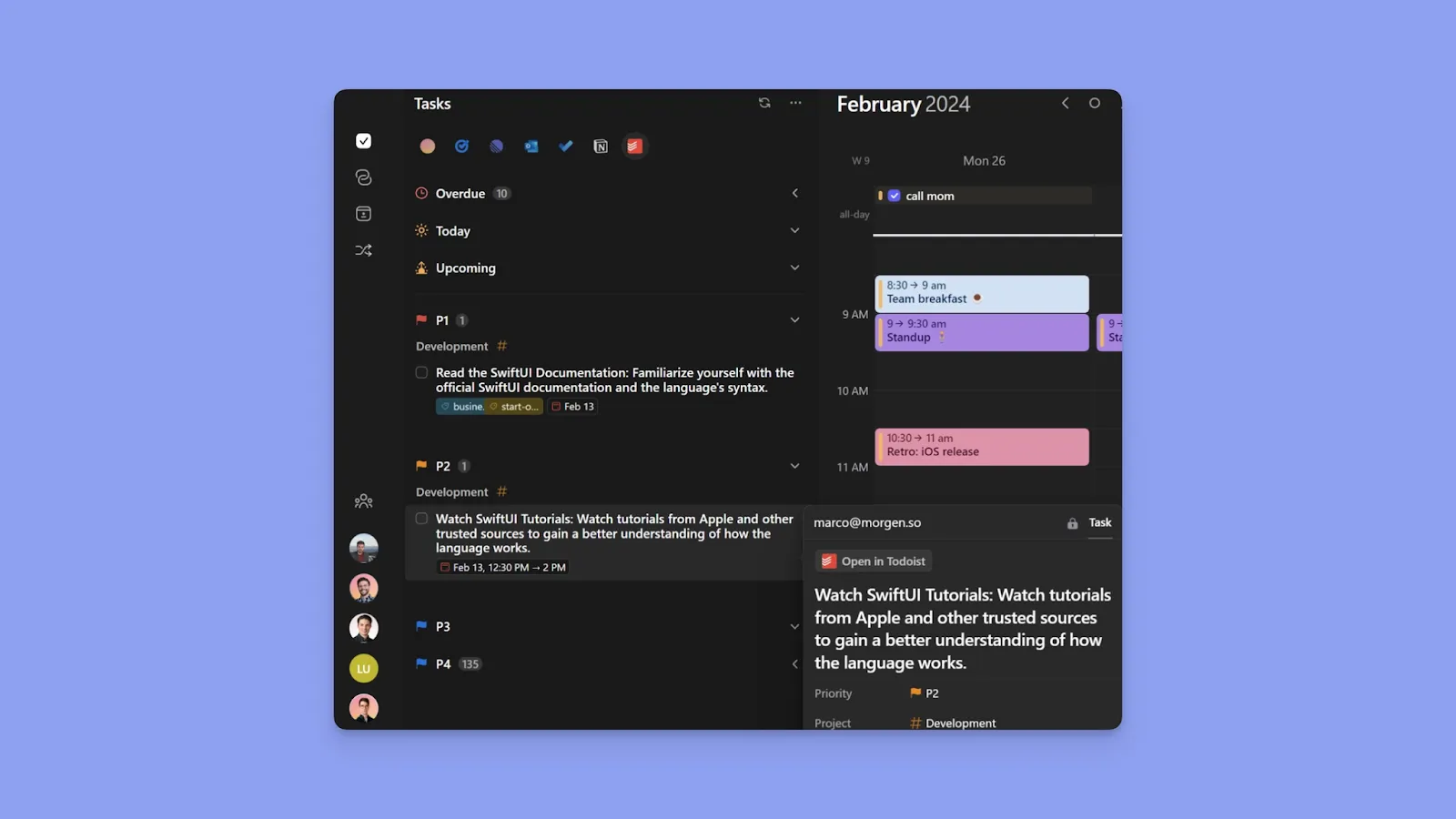
Morgen helps you decide "when" to complete Todoist tasks.
When you connect your Todoist account to Morgen and pull tasks, you can see where to schedule them on your calendar and protect that time across all connected calendars.
Time Blocking
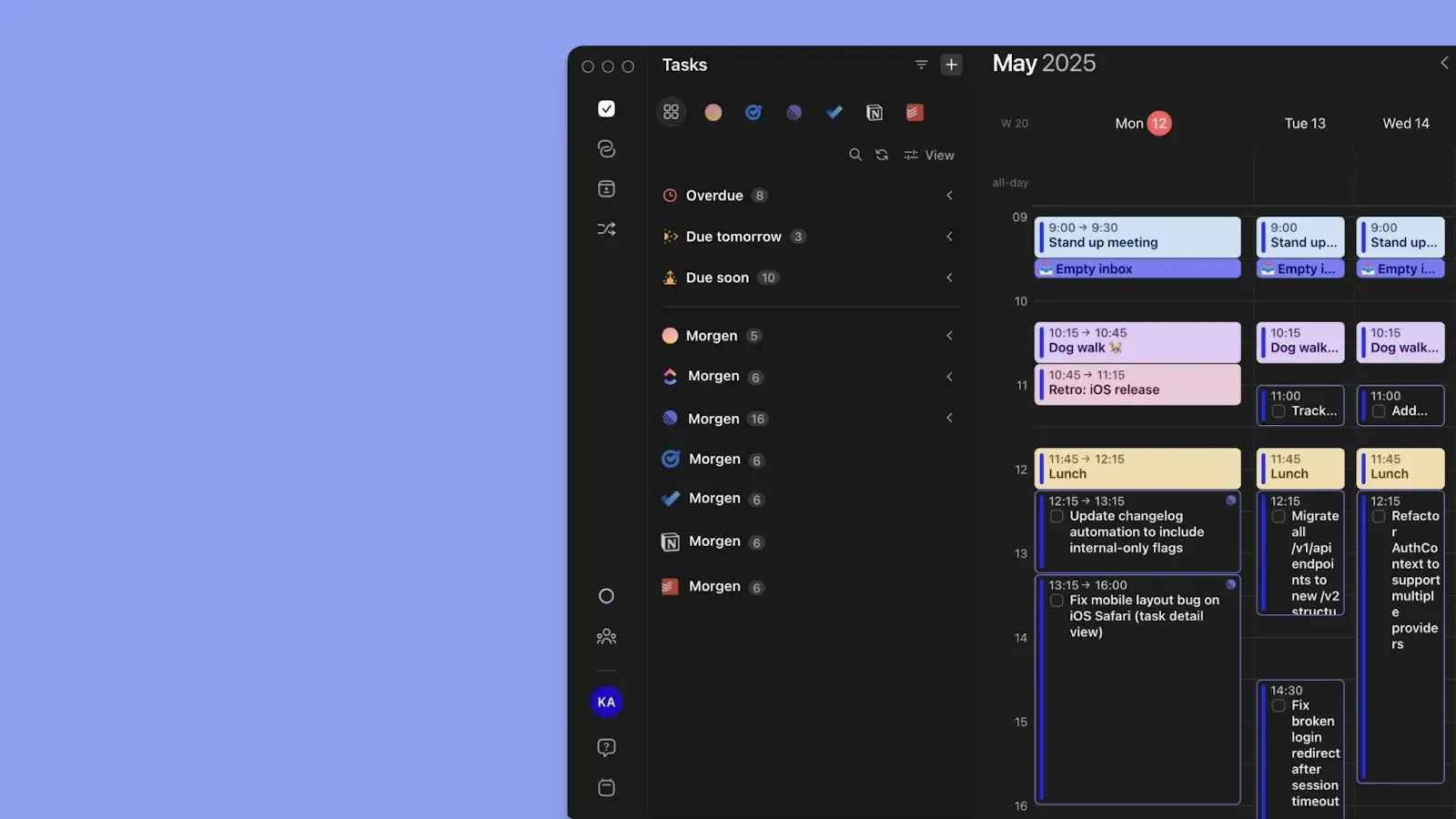
Every Todoist task you drag onto Morgen's calendar becomes a time block that propagates across all your connected calendars as busy time. You can also set up Frames for specific types of work or specific Todoist projects, so the right tasks land in the right part of your day automatically.
AI Planning
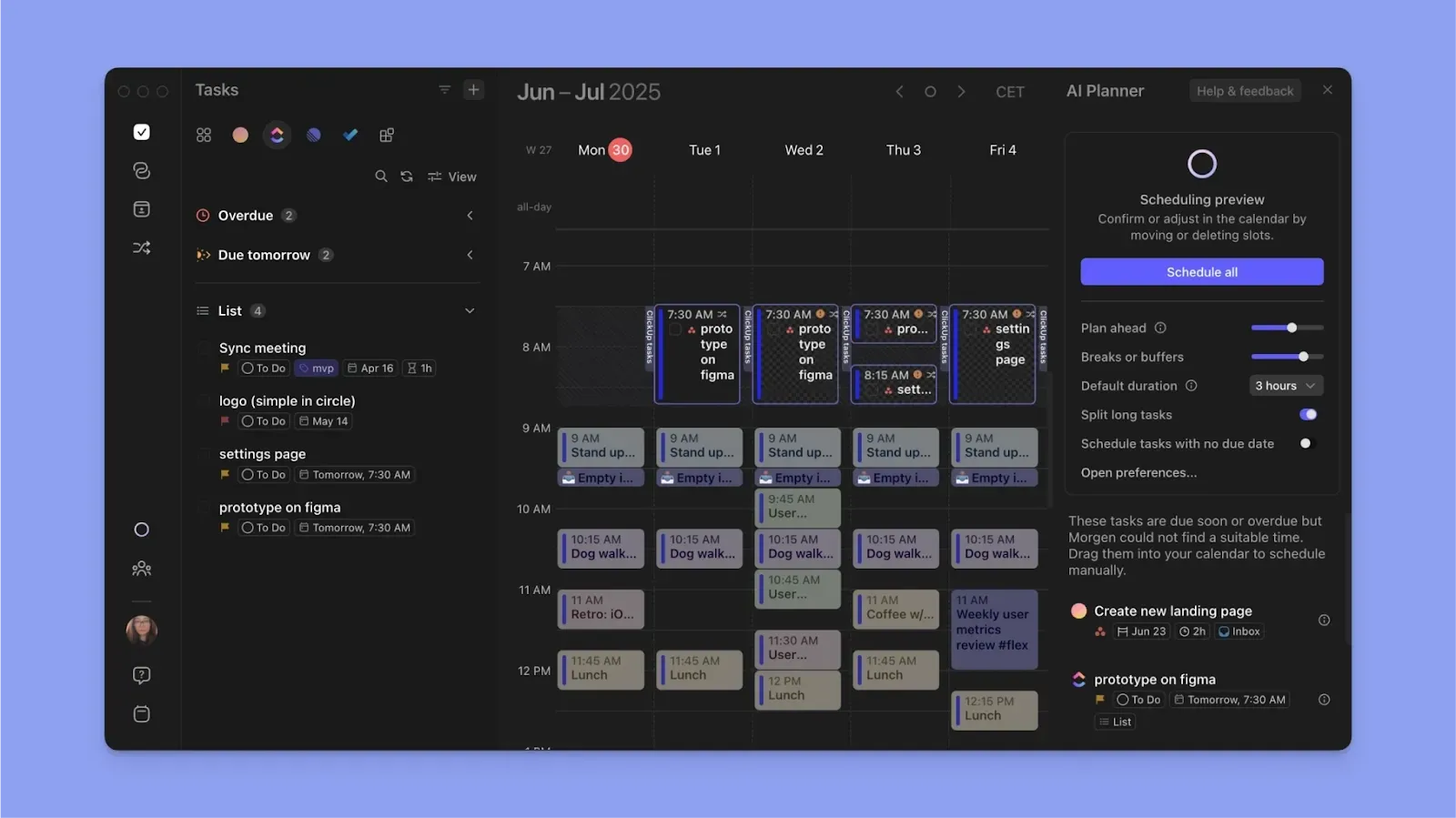
The AI Planner studies your full task list, estimated durations, priorities, and available time around meetings and routines, then suggests a daily plan.
Instead of manually rescheduling each task when conflicts arise, you can get suggestions, confirm the plan, and click “Schedule All.”
Download Morgen on Mac, Linux, Windows, and mobile, or start using it on the web first.
Is Todoist Worth the Price - or Is There Better Value?
Todoist is a good tool for task capture, and at $5/month, Pro is fair for what it does. But if you need more than a list, paying up still won't give you real calendar integration or AI-assisted daily planning.
The better setup is to use Todoist for capture, and layer Morgen on top for everything else. You get true time blocking, unlimited calendar integrations, and an AI Planner that makes scheduling around calendar commitments effortless.
Start your 14-day free Morgen trial and bring your Todoist tasks into a plan that fits your day.
FAQs
Does Todoist offer discounts for students or educators?
No, Todoist does not currently offer student or educator discounts.
Can I switch between monthly and yearly billing at any time?
Yes. You’ll complete your current plan on Apple Store, but pay the new subscription on Google Play.
What happens to my tasks if I downgrade my Todoist plan?
Your task data stays intact, but projects over the free plan limit become view-only and can't be edited until you resubscribe.
Is the Todoist free plan enough for personal task management?
For simple to-do lists and light reminders, yes. If you need a calendar layout and more than five projects, you'll hit the ceiling fast.
Does Todoist Business charge per user or per workspace?
Per user. Each team member is billed individually, and if you add members mid-cycle, charges are prorated based on the date they joined the team.

.svg)
.webp)


