→ Morgen is our #1 for ADHD adults whose day is spread across apps: one view for every calendar and task list, and an AI plan you approve.
→ Tiimo is the most ADHD-specific planner, with a visual timeline and countdowns. Apple named it iPhone App of the Year 2025.
→ Single-problem tools fill gaps: Goblin Tools for getting started, FLOWN for body doubling.
→ Choose by the problem that costs you most days, and add a second app once the first one sticks.
Of the ADHD productivity apps here, Morgen is the best fit for adults who juggle a work calendar, a personal calendar and a task app or two. If losing track of time is your main struggle, Tiimo is the stronger specialist. Here are 8 apps, matched to the problem each one helps with.
ADHD Productivity Apps Compared
The short version, with the problem each app helps most. Prices are US list prices checked on 17 November 2026; ratings name their platform.
| App | Helps most with | Platforms | Free option | Paid from | Rating |
|---|---|---|---|---|---|
| 1. Morgen | Calendars and tasks spread across apps | Mac, Windows, Linux, web, iOS, Android | 14-day trial | $15/mo yearly | 4.5 Trustpilot (72) |
| 2. Tiimo | Time blindness, routines | iOS, Android, Mac, Apple Watch, web | Free tier (phone only) | $54/yr | 4.6 App Store (21,699) |
| 3. Sunsama | Planning more than fits in a day | Mac, Windows, Linux, web, iOS, Android | 14-day trial | $17/mo yearly | 4.5 App Store (527) |
| 4. Todoist | Thoughts that vanish before you write them down | Every major platform | Free tier | $5/mo yearly | 4.8 App Store (130,833) |
| 5. Motion | Deciding what to do next | Mac, Windows, web, iOS, Android | Trial | $29/mo yearly | 3.7 Trustpilot (579) |
| 6. Floviu (new) | Phone distraction | iOS, Android | Free tier | $69.99/yr | 12 App Store ratings so far |
| 7. FLOWN | Staying on task when working alone | Browser | Limited free tier | $19/mo yearly | 4.7 Trustpilot (427) |
| 8. Goblin Tools | Not knowing the first step | Web, iOS, Android | Free website | $0.99 app | 4.8 App Store (3,071) |
Pick by the problem, not the app. Lose track of time: Tiimo. Tasks in four apps: Morgen. Can't find the first step: Goblin Tools. Drift when working alone: FLOWN. Phone eats your focus: Floviu. Ideas vanish: Todoist. Apps help you work around ADHD symptoms; they don't treat ADHD.
How we built this list. On 17 November 2026 we read each app's own pages and its reviews from the last 12 months. Competitor screenshots come from their product pages that day (Floviu's is from September 2026). We make Morgen, so its limits get the same plain treatment.
1. Morgen: Best for ADHD Adults Whose Day Lives in Several Apps
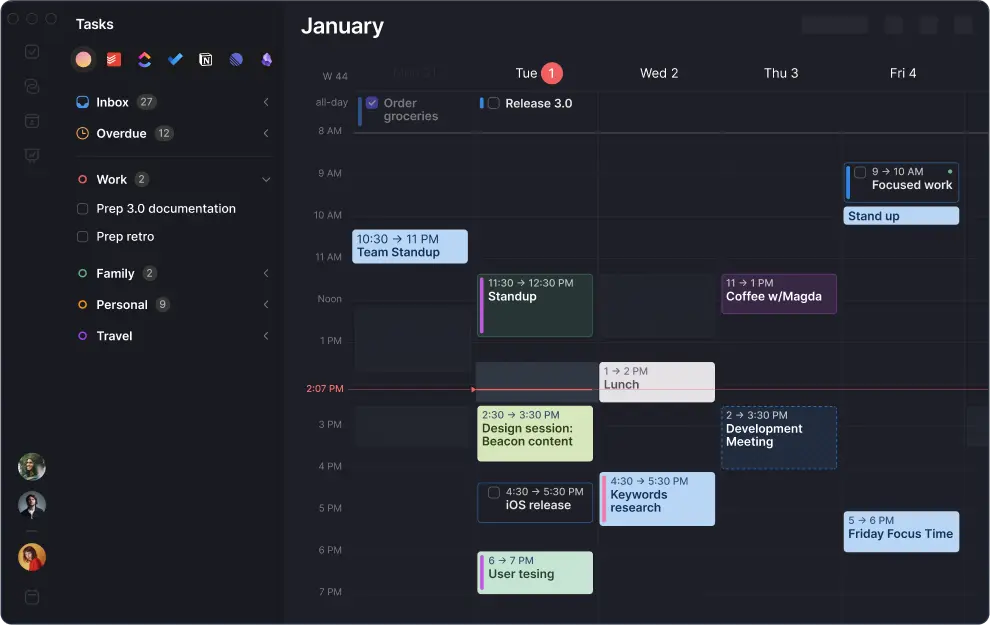
Morgen pulls every calendar and task list you use into one week view, then helps you fit tasks into the hours you have free. For an ADHD brain that means one screen to check instead of five, and a clear picture of how full the week is before you say yes to more.
Key Features
Frames
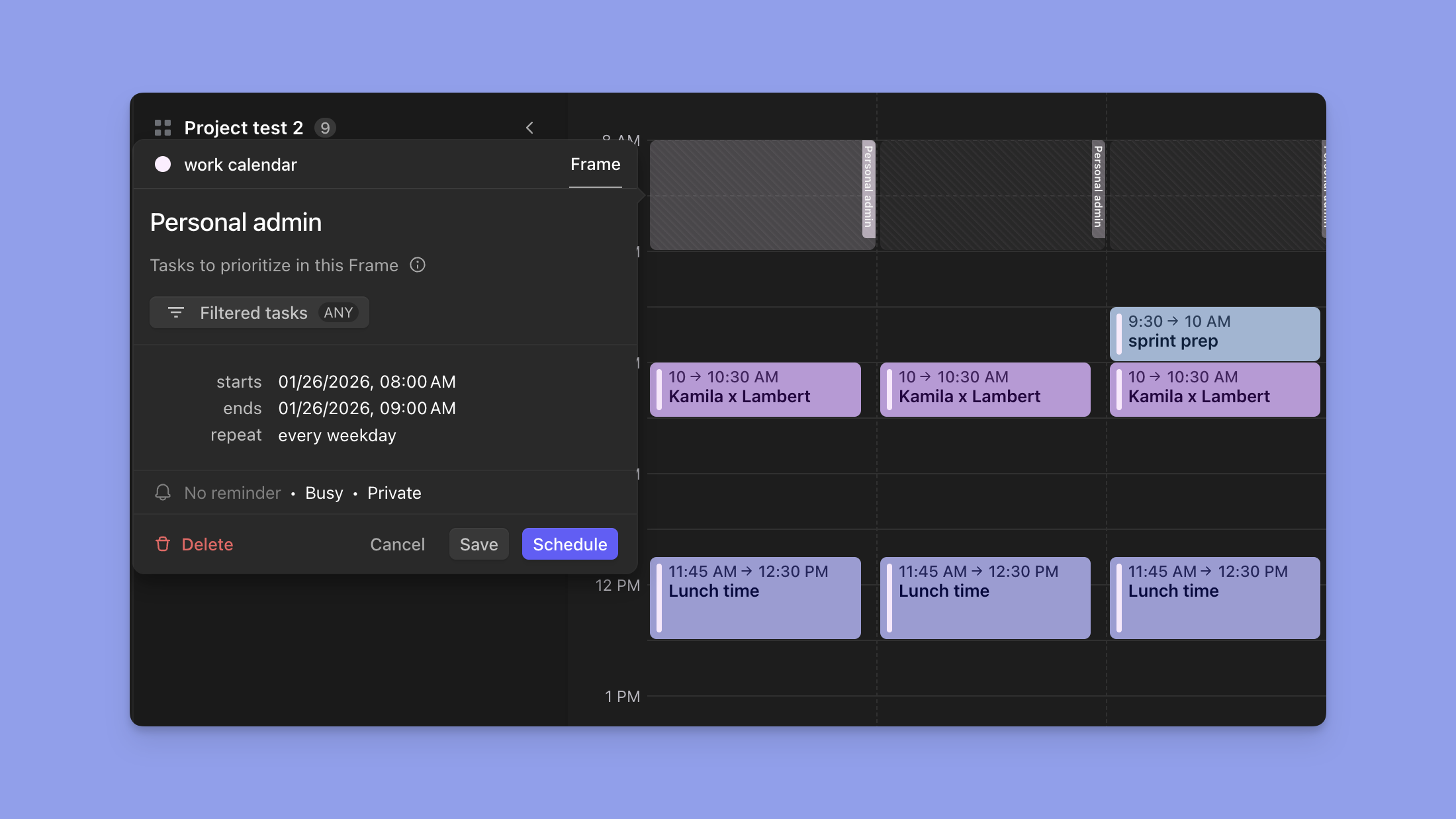
Frames are recurring blocks for one kind of work, like "Deep work, 9 to 11". You choose which tasks may land in each one, so the hour is decided before you have to decide it.
Pro tip: Give a "Deep work" Frame a task filter for one project only. The Planner then can't fill your best hours with admin.
The Planner With a Preview
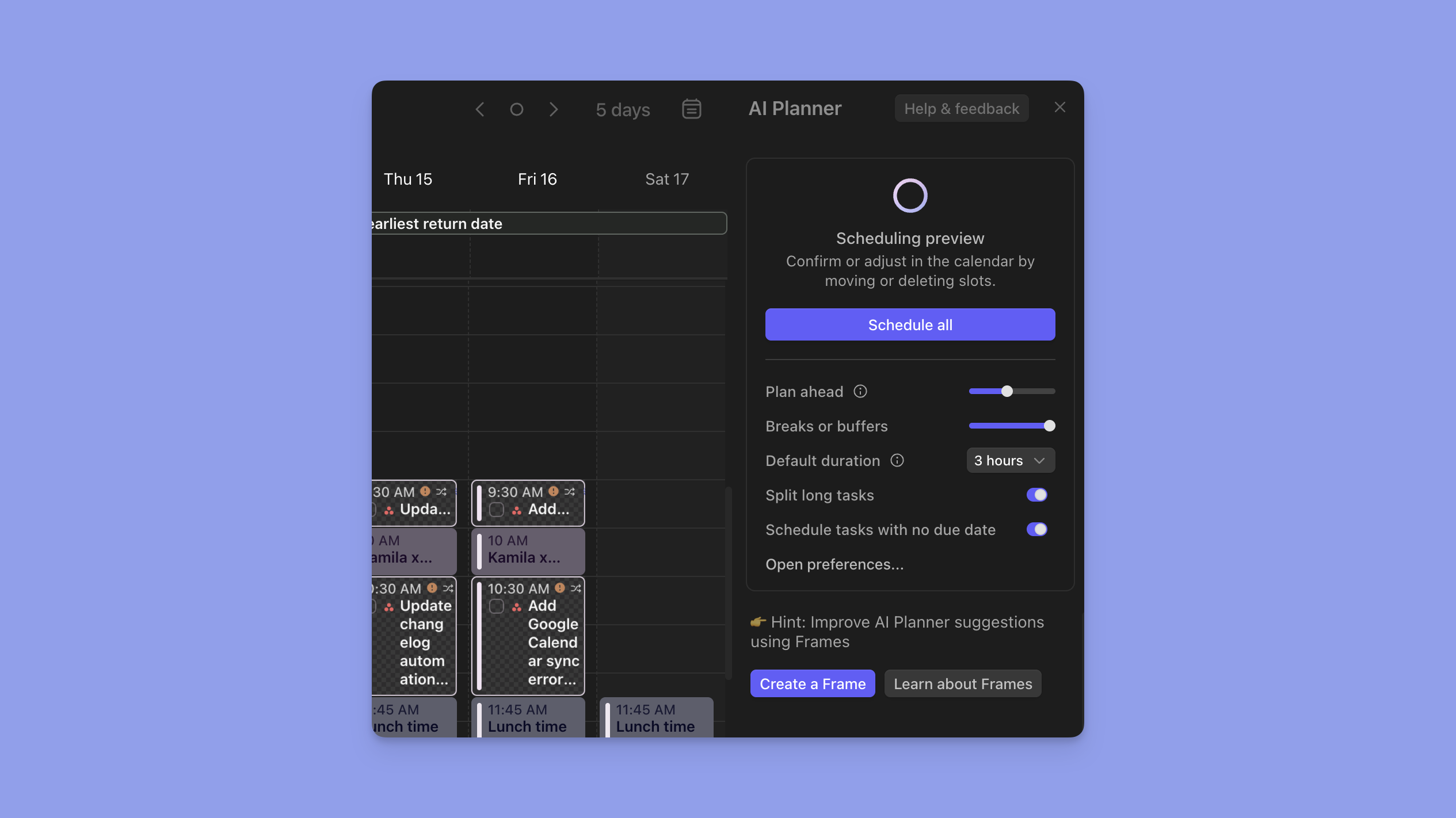
The Planner places unscheduled tasks into free time by priority, due date and Frames, and shows the result as a preview. Nothing moves until you click Schedule all.
Tasks From the Tools You Already Use
Tasks from Todoist, Notion, ClickUp, Linear, Google Tasks, Microsoft To Do, Apple Reminders and Obsidian sit in one sidebar. Drag one onto the calendar to time-block it; completing it syncs back.
Every Calendar in One View
Google, Outlook, iCloud, Fastmail and CalDAV calendars show side by side, color-coded, with Calendar Sets to hide the ones you don't need right now.
Pricing
Morgen is paid only. Every plan starts with a 14-day free trial with full access and no credit card (Morgen pricing, checked 17 November 2026). Students, academics and nonprofits get 25% off.
| Plan | Price |
|---|---|
| Pro (yearly / monthly) | $15/mo / $30/mo |
| Team, 2+ seats (yearly / monthly) | $10 / $25 per seat per month |
Where Morgen Shines
- One place to look. Calendars and tasks from eight task apps share a single screen, so nothing hides in an app you forgot to open.
- A plan you approve. The Planner proposes and you decide. If an app rearranging your day makes you anxious, this matters.
- Time you can see. Frames show how much of the week is already spoken for before you add another task.
Where Morgen Falls Short
- Paid only. After the trial it's $15 a month billed yearly, more than any free calendar.
- The Planner doesn't run on the phone app. You plan on desktop or the web, where first setup happens too.
Customer Reviews
Marie Poulin, creator of Notion Mastery and a Morgen creator partner, put it this way in her case study: "I finally found something that works the way my brain works." A Trustpilot reviewer wrote that it "has been wonderful for time blocking and helping me keep on track" (Dee Turman, 5 stars, August 2026).
Who Morgen Is Best For
ADHD adults with a work calendar, a personal calendar and tasks in a tool like Todoist or Notion, who want structure they approve.
Get Started with Morgen on Mac, Windows, Linux, web and mobile: open Morgen in your browser. No credit card required.
2. Tiimo: Best for Time Blindness and Visual Routines
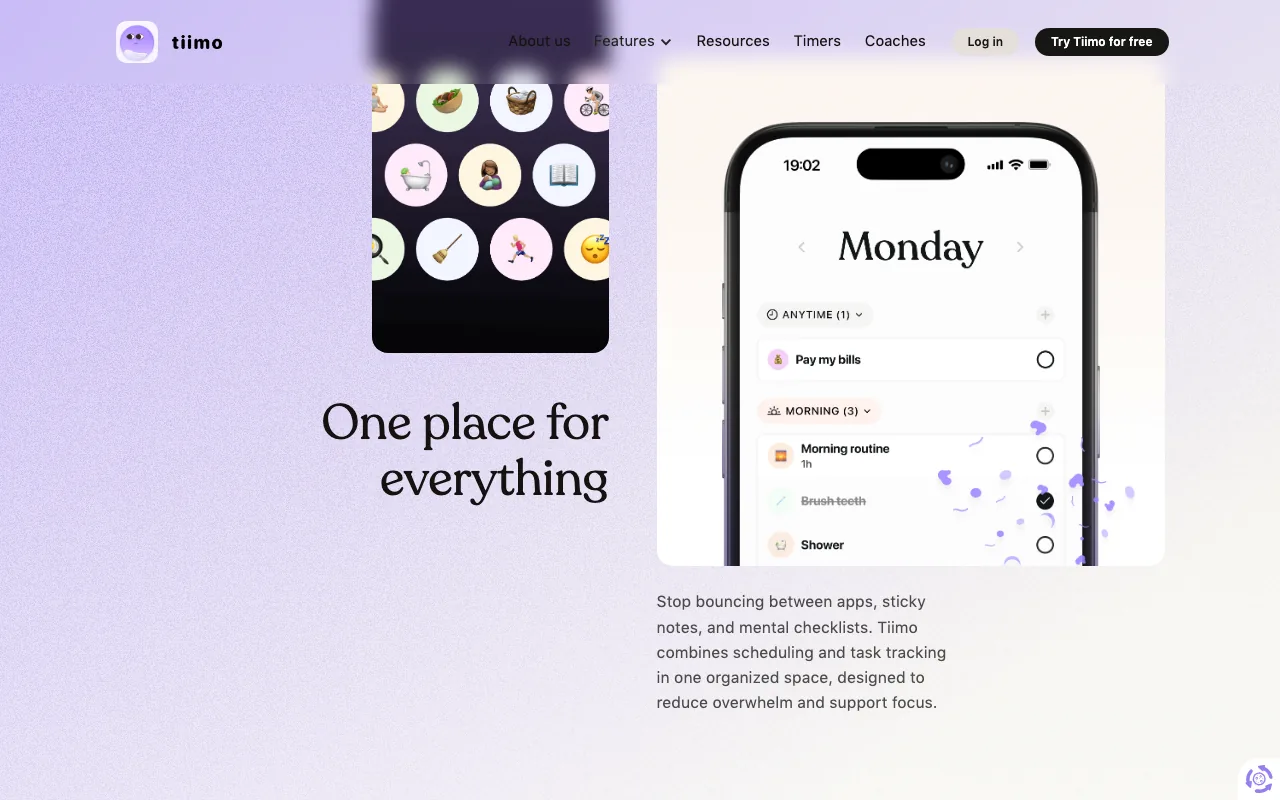
Tiimo is the most ADHD-specific app on this list. It turns your day into a timeline of icons and colors, runs a countdown on the current task and breaks big jobs into steps with AI. Apple named it iPhone App of the Year 2025, and it has been back on Android since May 2026.
Key Features
- Visual timeline. Each activity gets an icon and a color, so the day reads at a glance.
- Countdown timers. A timer runs on the current task, on widgets and on Apple Watch.
- AI co-planner. Dump everything in and it suggests steps and time estimates.
- Calendar import. Google, iCloud and Outlook events appear in the timeline.
Pricing
Tiimo's site lists no prices. The US App Store listing shows Tiimo Pro at $14 a month or $54 a year. The free tier covers the phone apps only, and the 7-day trial applies to the yearly plan.
| Plan | Price |
|---|---|
| Free (iOS and Android) | $0 |
| Pro (yearly / monthly) | $54/yr / $14/mo |
Where Tiimo Shines
It was built around time blindness: you see the day as shapes and watch a countdown shrink, instead of reading a list. Routines and widgets keep the next step on your lock screen, which Tiimo says eases transitions between tasks.
Where Tiimo Falls Short
- Trial billing surprises. Several November 2026 App Store reviewers say they were charged for a year after the trial, and a Trustpilot reviewer objected to entering a card for it (Dave, 1 star, May 2026).
- The AI has limits. In the same App Store reviews, one user said it couldn't plan a week from a time-blocked list (November 2026).
Customer Reviews
Tiimo holds 4.6 on the US App Store from 21,699 ratings. A reviewer in October 2026 wrote: "The reminders and visual timers help me see time passing, so I don't get lost and forget where I need to show up."
Before the trial: Tiimo's 7-day trial comes with the yearly plan and bills the full year when it ends. Set a reminder for day 6.
Who Tiimo Is Best For
ADHD adults whose biggest problem is losing track of time, and who plan mostly on their phone.
3. Sunsama: Best for a Calm Daily Planning Routine
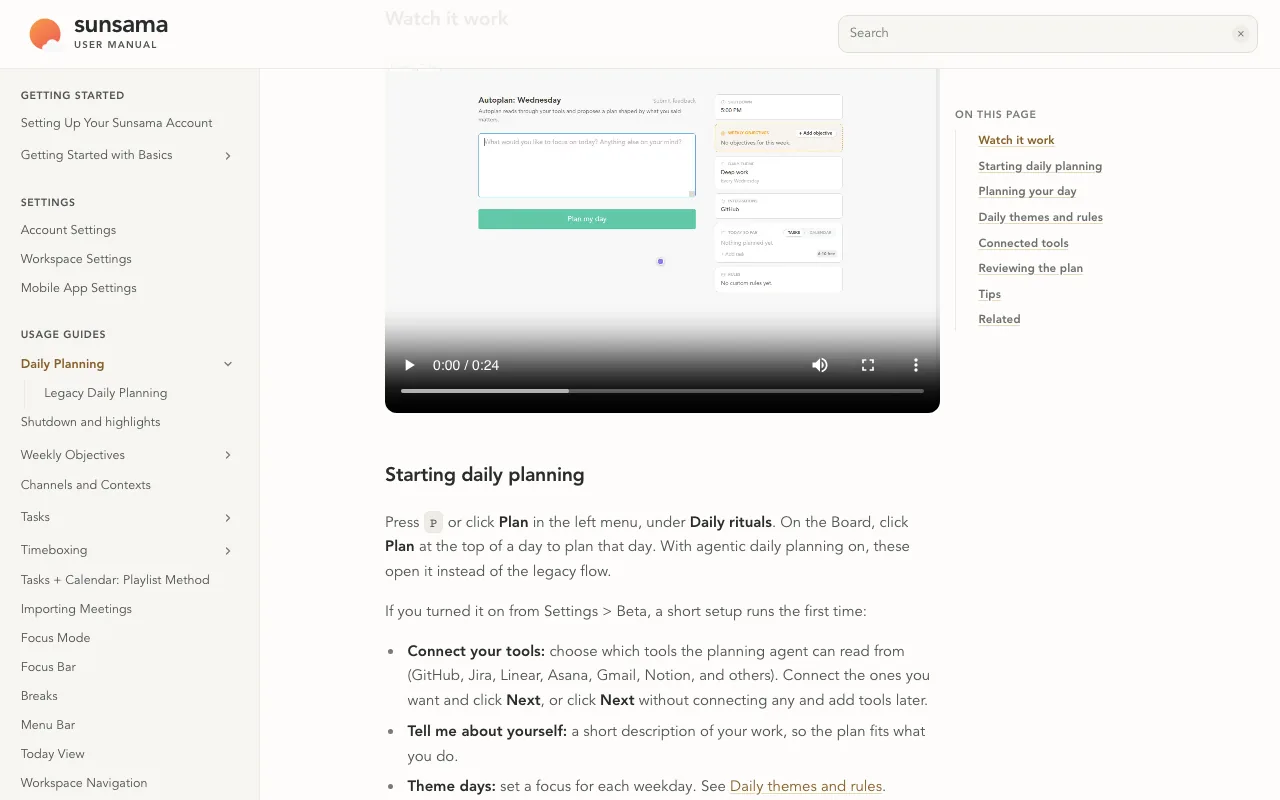
Sunsama turns planning into a short morning routine: pull in tasks, estimate them and fit them around your meetings. Its newer Autoplan (beta) drafts the day for you to keep, adjust or undo, and the app offers options when a day is overcommitted (Sunsama's auto-scheduling help).
Key Features
- Guided daily planning. A step-by-step morning ritual that ends with a timeboxed day.
- Autoplan (beta). Drafts the plan from your connected tools for you to review.
- Daily shutdown. A wrap-up step that helps you stop work on time.
- Task imports. Pulls in tasks from tools like Asana, Linear, Notion and Todoist, and syncs edits back.
Pricing
Sunsama is paid only. Its 14-day trial needs no card (Sunsama pricing, checked 17 November 2026).
| Plan | Price |
|---|---|
| Pro (yearly / monthly) | $17/mo / $22/mo |
Where Sunsama Shines
The ritual does the remembering. You plan the same way every morning, and the app checks your plan against the hours you have. For people who overcommit, that daily reality check is the main feature.
Where Sunsama Falls Short
- Setup needs a computer. One reviewer titled their review "Getting setup NOT ADHD Friendly" because setup only works on a computer (App Store reviews, March 2026).
- The phone app lags. In the same reviews, another called input latency on mobile "really bad" (March 2026).
Customer Reviews
Sunsama rates 4.5 on the US App Store from 527 ratings. One reviewer wrote in January 2026 that "Sunsama has changed my life" and that their "ADHD feels manageable."
Who Sunsama Is Best For
ADHD adults who need a fixed routine to plan, and who plan at a desk.
Side by side
Sunsama or Morgen?
Prices, planning style and what each one leaves out, on one page.
4. Todoist: Best for Capturing Every Thought Fast
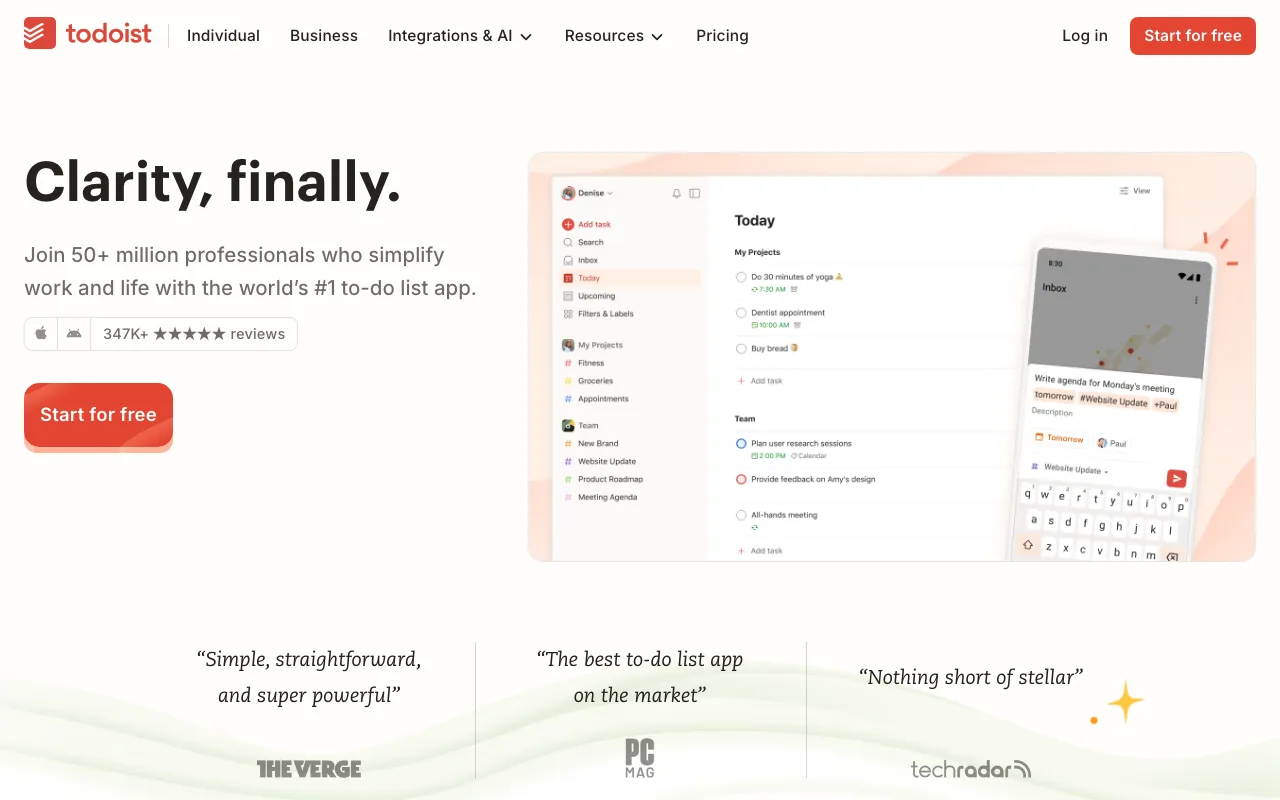
Todoist is the quickest way to get a thought out of your head. In January 2026 it added Ramble, which turns a spoken brain dump into tasks, on every plan.
| Plan | Price |
|---|---|
| Beginner | Free (5 projects) |
| Pro (yearly / monthly) | $5/mo / $7/mo |
Pro went up in December 2025 (Todoist pricing, checked 17 November 2026); our Todoist pricing breakdown covers Business. One reviewer with ADHD uses it to "brain dump at night before bed" (App Store, October 2026). The catch: a Pro user who found it through an ADHD group says reminders sometimes arrive hours late (App Store reviews, August 2026), and the calendar integration covers Google and Outlook, not Apple Calendar. Through the Todoist integration, you can capture in Todoist and plan in Morgen.
5. Motion: Best for Handing Scheduling Decisions to AI
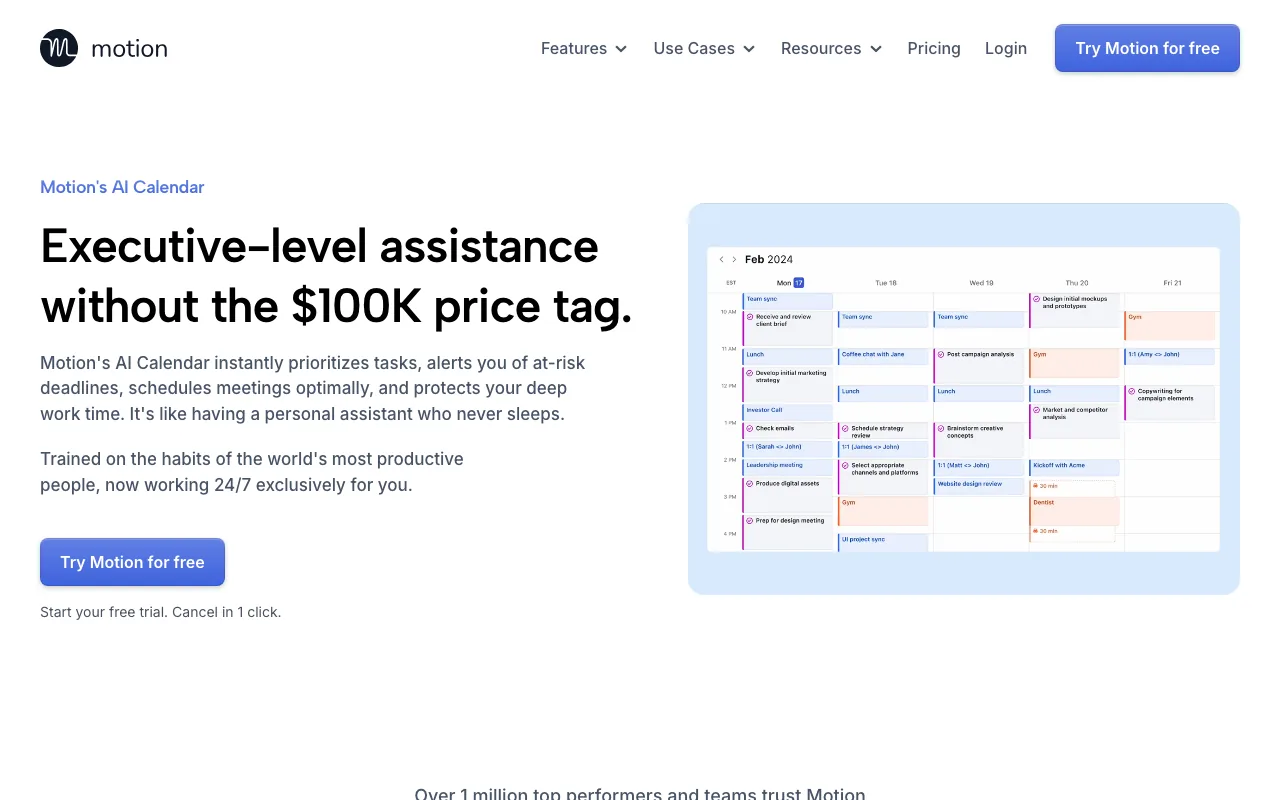
Motion schedules for you. Add tasks with deadlines and priorities, and its AI places them on your calendar and reshuffles when plans change, with no approval step (Motion's auto-scheduling docs).
| Plan | Price |
|---|---|
| Pro AI, individual (yearly / monthly) | $29/mo / $49/mo |
| Pro AI, teams (yearly) | $19 per seat per month |
Motion is paid only (Motion pricing, checked 17 November 2026). If choosing what to do next is what stalls you, handing that over can help: one reviewer called its AI time blocking the thing "where every other manager has fallen short" (App Store, January 2026). Another saw tasks placed on top of events already marked busy (App Store reviews, June 2026), and billing is a frequent Trustpilot complaint (2 stars, August 2026).
Side by side
Motion or Morgen?
Prices, planning style and what each one leaves out, on one page.
6. Floviu: Best for Phone-First Focus (Newly Launched)
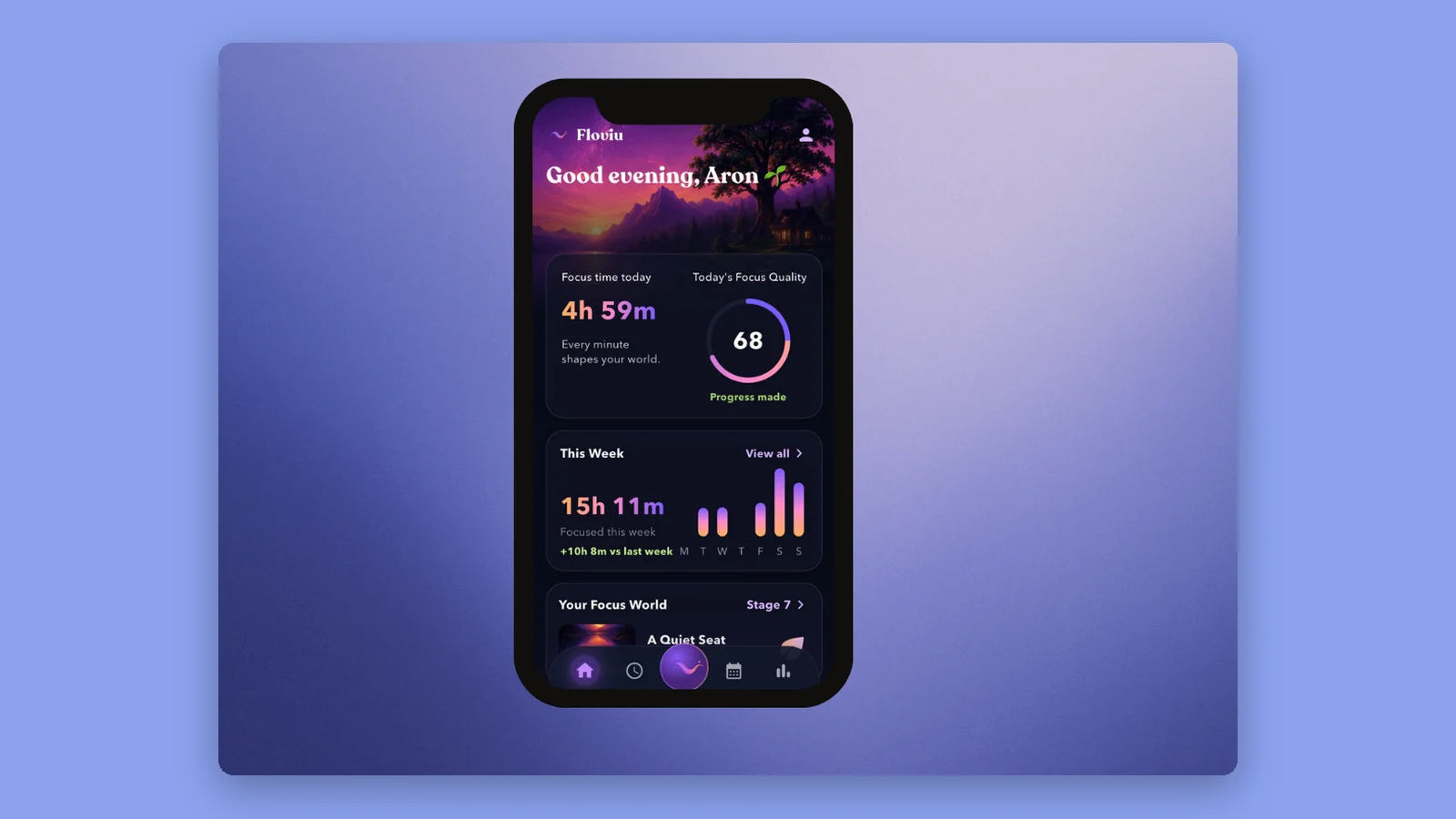
Floviu first shipped on the App Store in September 2026, so treat it as one to watch. It's a focus app for iPhone and Android that pairs a focus timer with an app blocker and a small world that grows with each session.
The free tier covers the timer and blocking during sessions; Pro ($9.99 a month or $69.99 a year, per Floviu) adds AI insights and Google and Outlook calendar sync. It has 12 App Store ratings so far, 11 on the Hungarian store where its makers are based; one reviewer with ADHD wrote that it "actually helps" (App Store reviews, October 2026). On iOS, blocking is all-or-nothing; the gentler pause mode is Android-only, per Floviu's FAQ.
7. FLOWN: Best for Body Doubling
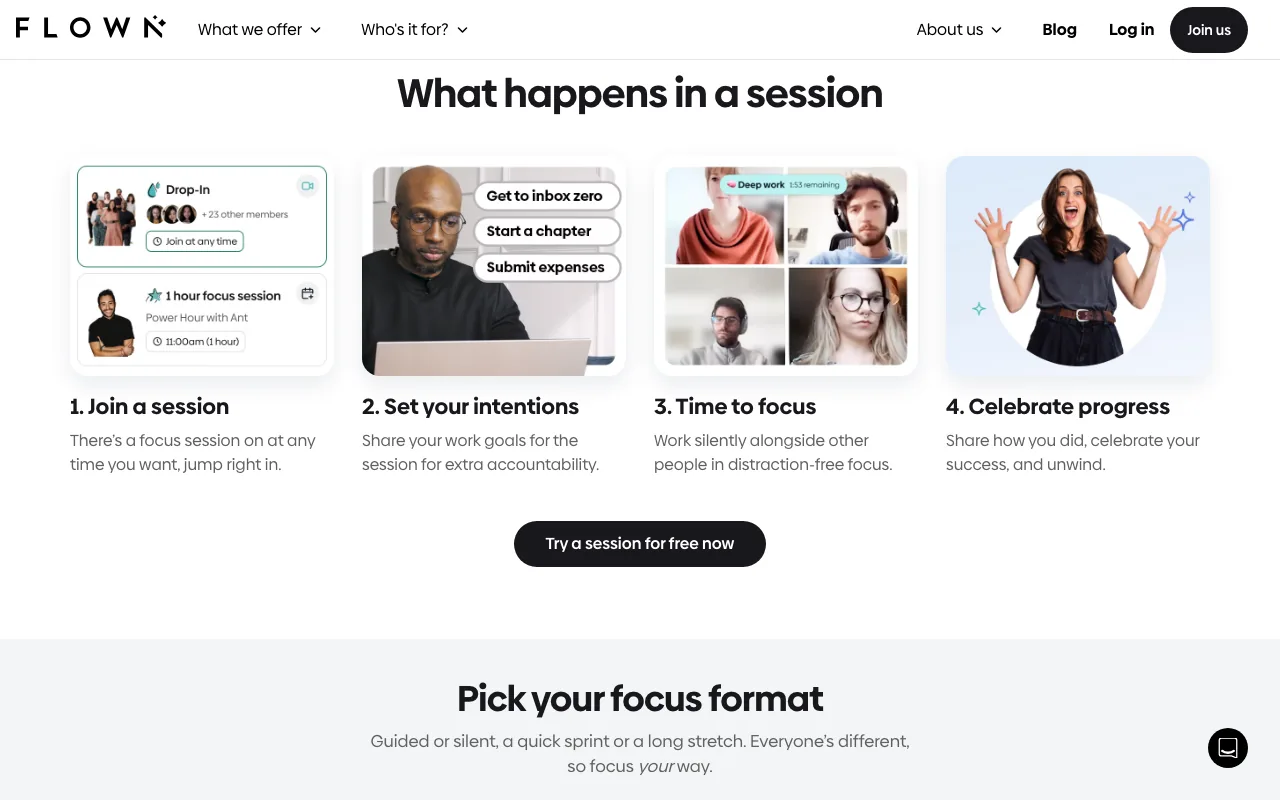
FLOWN runs live body doubling sessions: you join a video room, say what you'll work on and work quietly alongside others, from 24/7 drop-ins to two-hour sessions. It runs in the browser.
Membership is $25 a month or $225 a year, with a 30-day trial and no card needed (FLOWN pricing). One member said they had never been able to "lock into my work like I do when I log in" (Trustpilot, November 2026); another lost "about 10 minutes of every hour" to goal setting and check-ins (Trustpilot, May 2026). FLOWN's page on virtual body doubling for ADHD explains the formats.
8. Goblin Tools: Best for Breaking a Task Into Steps
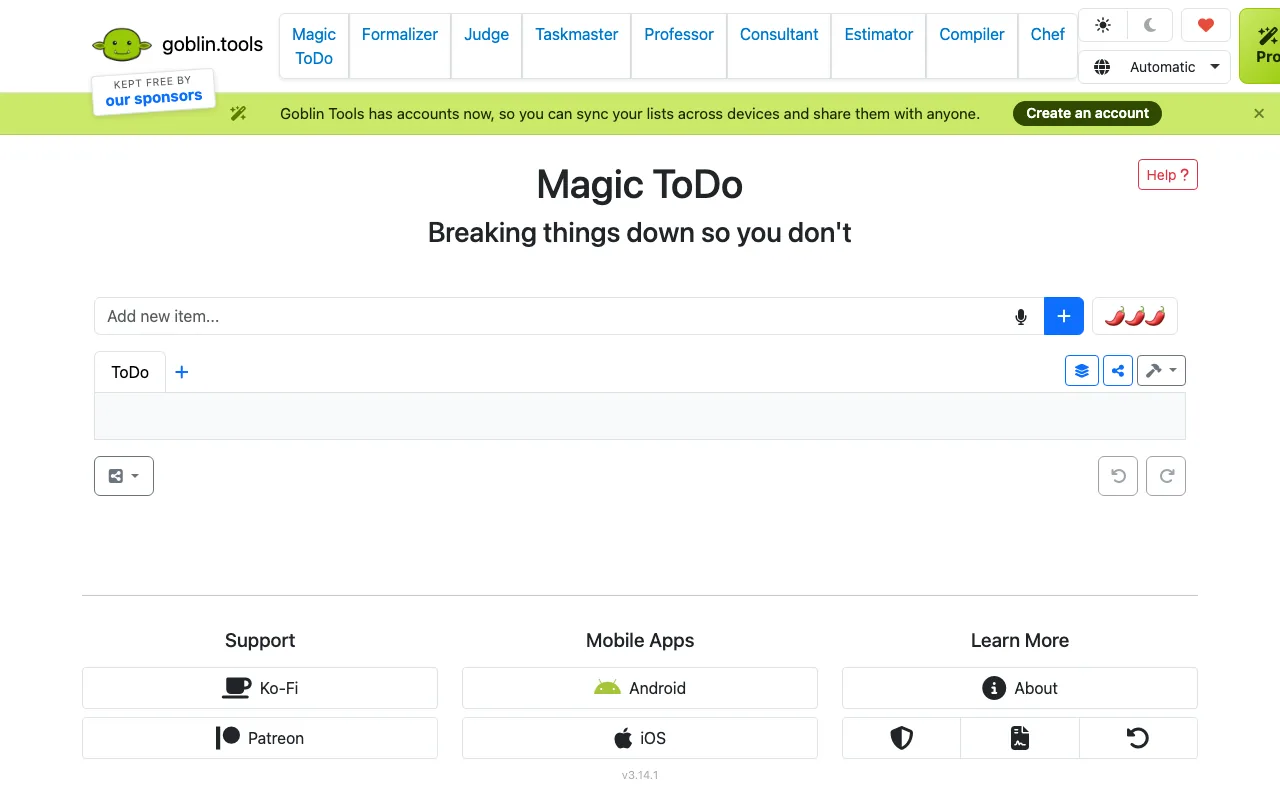
Goblin Tools' Magic ToDo takes a task like "clean the kitchen" and breaks it into small steps; a chili-pepper setting controls how small. The website is free with no account, the apps cost $0.99, and a $3.99-a-month Pro plan added sync in August 2026. One reviewer: "As an adult with ADHD, I cannot recommend this enough" (August 2026). Other App Store reviews resent a subscription on a paid app or report crashes in 2026; the free website avoids both.
How to Choose an ADHD Productivity App
If you've downloaded five of these and kept none, start here. Three questions narrow it to the one worth setting up this week.
Which Problem Costs You the Most?
Pick the one that bites most days: losing time, not starting, losing focus or forgetting. One app that fixes it beats three that each half-fix something. Our guide to the best daily planners for ADHD goes deeper on planning.
How Much Should the AI Move?
Some apps rearrange your day on their own; others propose a plan and let you approve AI recommendations before scheduling. If losing control of your calendar spikes your anxiety, choose an app that asks first.
Does It Live Where You Already Look?
A planner you have to remember to open fails on exactly the days you need it. Choose the one that shows your real calendar, sends more than one alert per event, and sits on the screen you already keep open.
Our Pick: Start With the App That Shows Your Whole Day
If your calendars and tasks are scattered, start with Morgen: everything in one view, with a plan you approve. If time blindness is the main problem, Tiimo is built for exactly that. Add a single-problem tool later, once the first habit holds.
Start your free trial: try Morgen for 14 days. Full access, no credit card required.
FAQs
Do ADHD apps actually work?
They help when they remove a step you'd otherwise skip, like checking a list or noticing the time. They don't fix motivation on their own, and an app with little setup has a better chance of sticking.
Can an app replace ADHD medication or therapy?
No. Apps are tools for working around symptoms day to day. Diagnosis and treatment decisions belong with a clinician.
Why do I keep abandoning productivity apps?
Usually the setup is too heavy, or the app lives somewhere you don't look. Start with one problem and keep setup under an hour. Then pick an app that shows your existing calendar.
What's the best free app for ADHD?
Goblin Tools' website is free with no account. Tiimo and Floviu have free tiers on the phone, and Todoist's Beginner plan is free. Morgen is paid, after a 14-day free trial.
Which ADHD apps work on Android?
Morgen, Tiimo, Sunsama, Todoist, Motion, Floviu and Goblin Tools all have Android apps. FLOWN runs in a browser.
Is Morgen good for ADHD?
Morgen suits ADHD adults whose day spans several calendars and task apps. Everything sits in one view, and Frames you set up once decide where each kind of work goes. Visual countdowns aren't its strength; Tiimo does those better.
One calm home for your tasks, calendars and AI planning.