.svg)
→ Morgen: Idéal pour les cerveaux ADHD qui ont besoin d'une structure basée sur les Frames pour éviter de vous surcharger tout en consolidant les tâches de Notion, Linear, Obsidian, ClickUp et Todoist dans une vue calendrier
→ Motion: Pour les individus et les équipes qui peuvent confier le contrôle de leur emploi du temps à un pilote automatique IA pour éliminer complètement la fatigue décisionnelle
→ Tiimo: Pour les cerveaux ADHD avec une cécité temporelle sévère qui ont besoin de comptes à rebours visuels et d'une planification basée sur des icônes
→ Sunsama: Idéal pour les individus qui recherchent une planification consciente et basée sur des rituels qui encourage la réflexion plutôt que la rapidité
Si vous naviguez dans les défis quotidiens de la cécité temporelle, de la paralysie décisionnelle et du dysfonctionnement exécutif, vous savez comment ces symptômes du TDAH drainent votre productivité et vous laissent submergé.
Avec les applications de productivité TDAH, vous pouvez externaliser les fonctions exécutives avec lesquelles vous avez du mal et réduire la fatigue décisionnelle en visualisant votre emploi du temps.
Nous avons analysé sept planificateurs conçus pour les cerveaux TDAH, comparé leurs avantages, inconvénients et avis, et déterminé les fonctionnalités dont vous avez besoin pour améliorer votre productivité au travail.
| Outil | Meilleur pour | Fonctionnalité remarquable | Prix | Note G2 (/5) | Note Capterra (/5) |
|---|---|---|---|---|---|
| Morgen | Professionnels TDAH ayant besoin de structure sans perdre le contrôle | Time blocking basé sur les cadres avec suggestions IA pour éviter la surcharge | 15 $/mois | 4,9 | 5,0 |
| Motion | Professionnels faisant confiance au pilotage automatique complet par IA | La reprogrammation automatique gère les conflits sans intervention manuelle | 19 $/mois | 4,2 | 4,3 |
| Tiimo | Penseurs visuels souffrant de cécité temporelle | Planification basée sur les icônes avec minuteurs de compte à rebours | Gratuit | - | - |
| Sunsama | Professionnels conscients évitant l'épuisement professionnel | Rituels de réflexion quotidiens et suivi de l'énergie | 16 $/mois | - | 4,7 |
| Todoist | Cerveaux TDAH ayant besoin d'une capture sans friction | Gestionnaire de tâches avec analyse du langage naturel | 5 $/mois | 4,5 | 4,6 |
| Forest | Gestionnaires d'hyperfocus luttant contre la distraction téléphonique | Sessions de concentration ludifiées cultivant des arbres virtuels | 3,99 $ une seule fois | - | - |
| Goblin Tools | Professionnels paralysés par les tâches | L'IA décompose les projets accablants en micro-étapes | Gratuit | - | - |
1. Morgen : Meilleure application de productivité TDAH pour la planification structurée
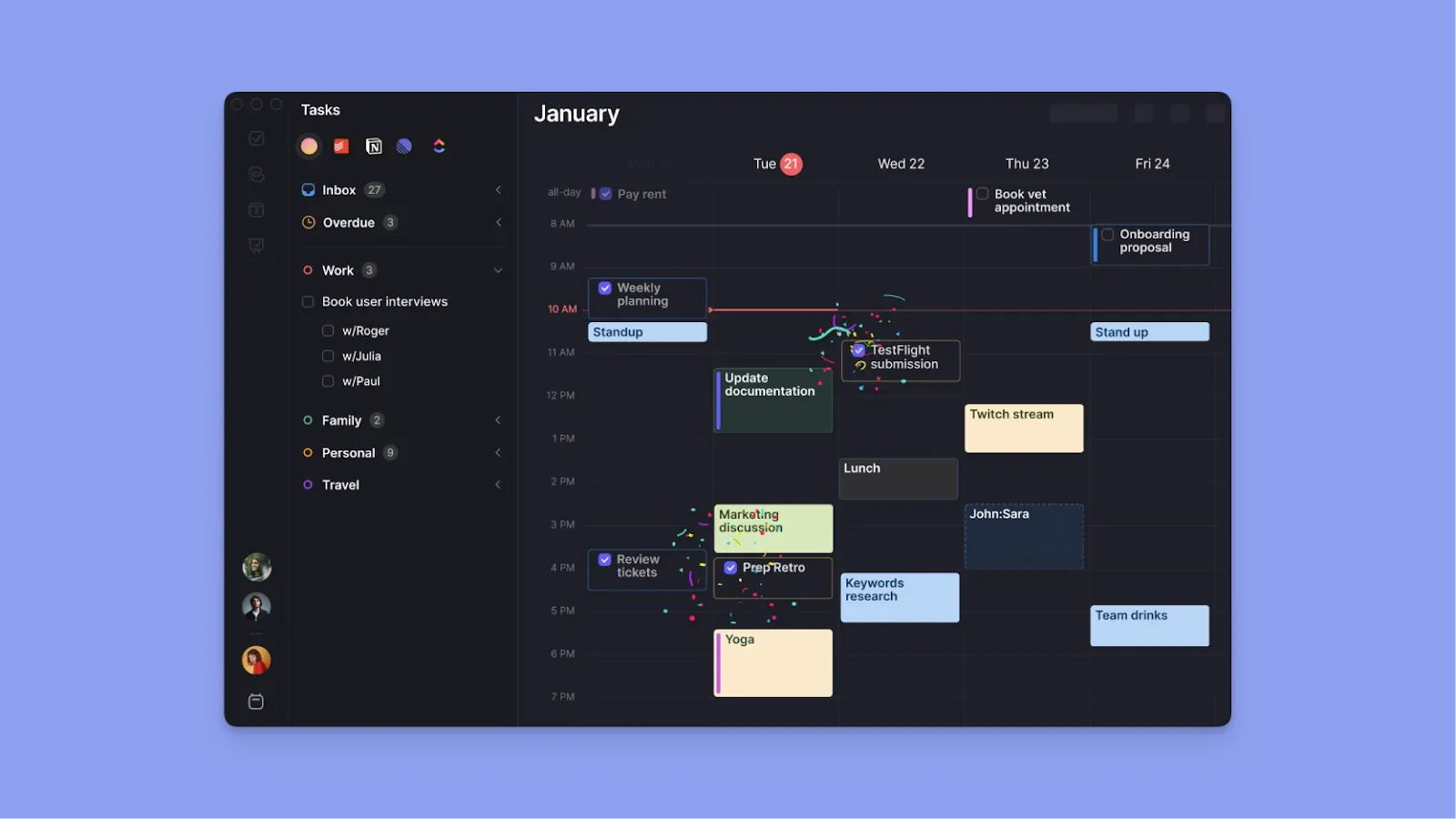
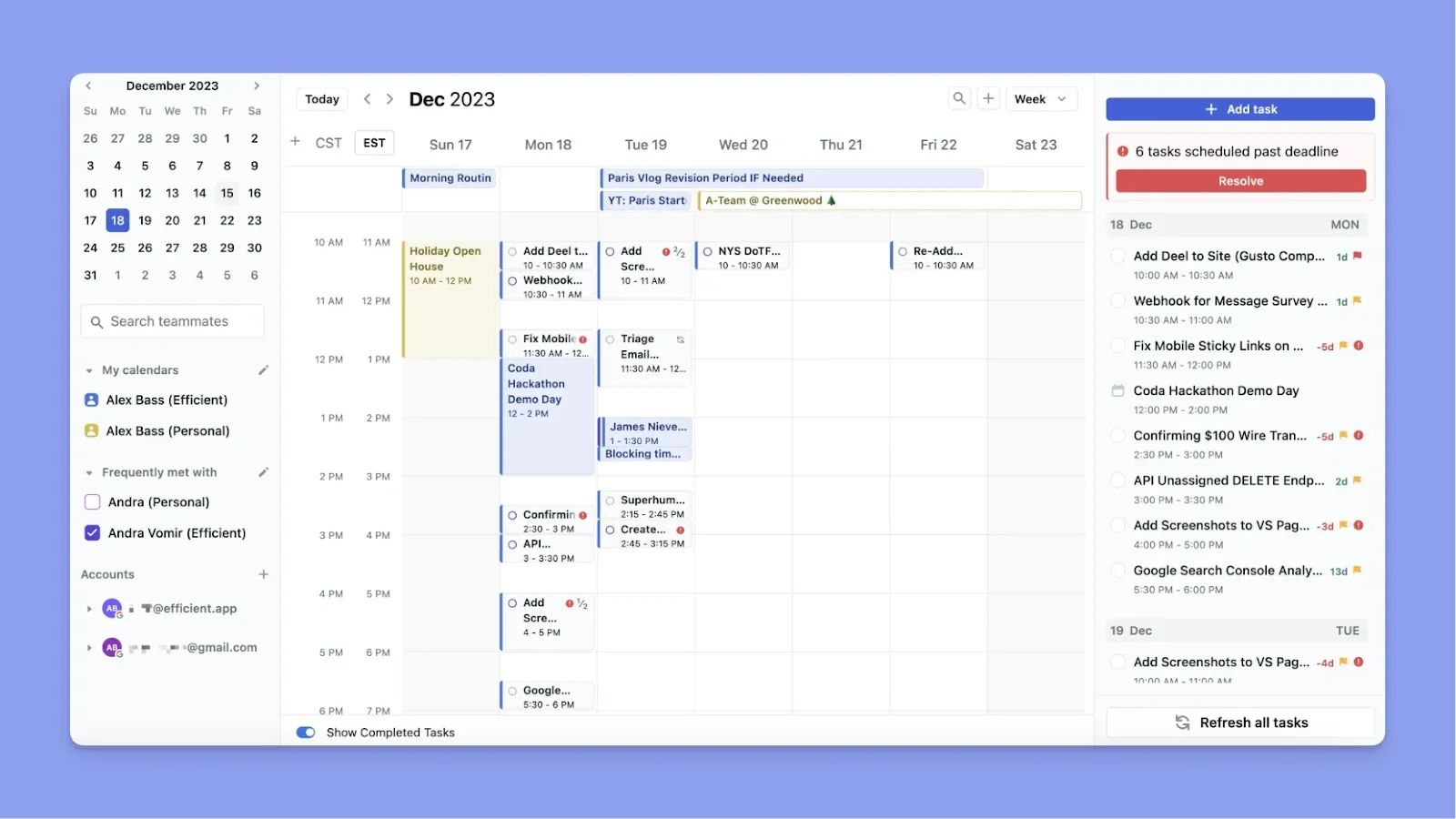
Morgen est un gestionnaire de tâches qui vous permet d'importer des tâches, des calendriers et des événements dans une vue unique avec time blocking. Découvrez comment nous connectons Apple Reminders avec votre calendrier Outlook.
Vous obtenez un système de cadres qui affiche votre capacité disponible, un planificateur IA qui suggère (et vous permet d'approuver) des emplois du temps basés sur ces cadres, plus d'autres fonctionnalités de personnalisation pour aider vos tâches importantes à se démarquer dans votre interface de productivité unifiée.
Fonctionnalités clés
Avec un adulte moyen perdant environ 22 à 27 jours de productivité chaque année en raison des symptômes du TDAH, vous pouvez utiliser ces fonctionnalités Morgen pour battre les probabilités à l'avenir :
Time Blocking basé sur les cadres

La cécité temporelle est un symptôme courant du TDAH. À cause de cela, vous vous perdez dans certaines tâches, ou vous ne pouvez pas vous concentrer sur une seule tâche, ou vous ne pouvez pas estimer le temps dont vous avez besoin pour terminer une tâche.
Les cadres de Morgen sont des modèles pour les time blocks récurrents qui visualisent votre emploi du temps idéal quotidien, hebdomadaire, mensuel, annuel ou personnalisé. Par exemple, vous pouvez créer un cadre « Travail approfondi » pour 8-11 h chaque jour, puis filtrer les tâches qui peuvent apparaître dans le cadre.
Conseil professionnel : Utilisez les filtres de cadre pour contrôler les suggestions IA, par exemple, définissez votre cadre « Travail approfondi » pour afficher uniquement les tâches Notion, et l'IA ne suggérera pas de tâches différentes pendant ce cadre.
Intégrations de tâches approfondies
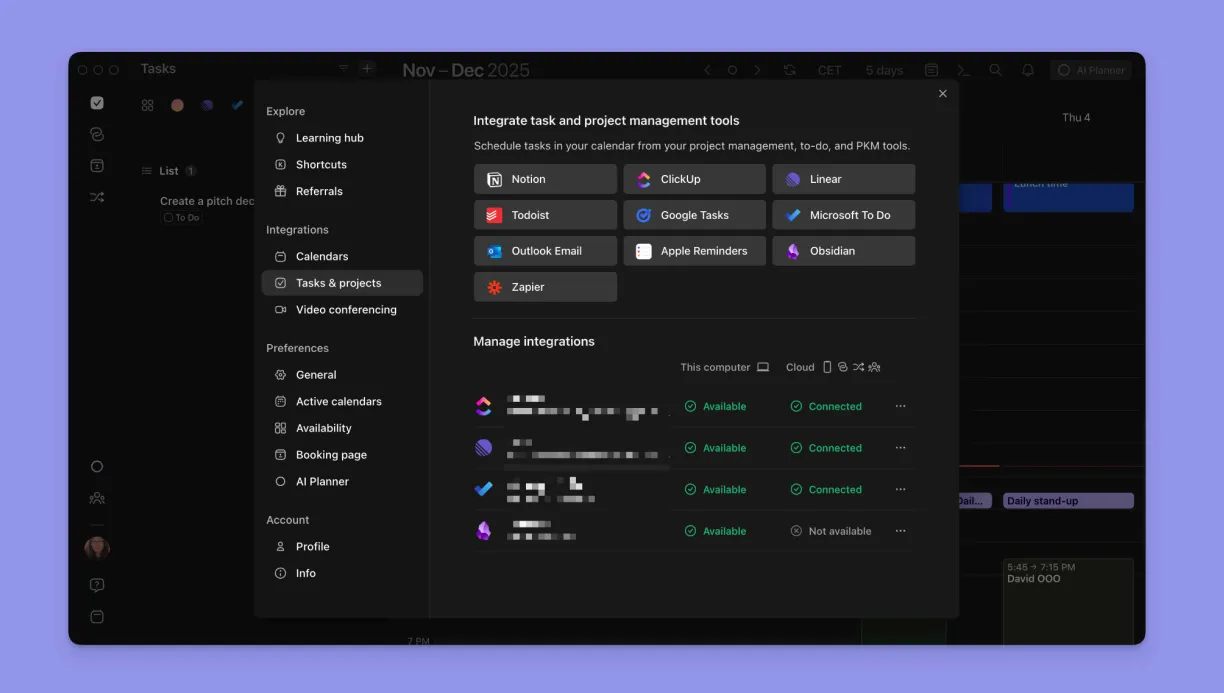
Gérer les projets Notion, les tickets Linear, les rappels Todoist et Google Calendar simultanément signifie suivre quatre modèles mentaux distincts. Chaque changement laisse des résidus d'attention, et au moment où vous avez tout vérifié, vous avez oublié pourquoi vous avez ouvert la première application. Avec Morgen, vous consoliderez ces outils dans une seule interface et préserverez leurs propriétés natives.
Organisation visuelle en code couleur
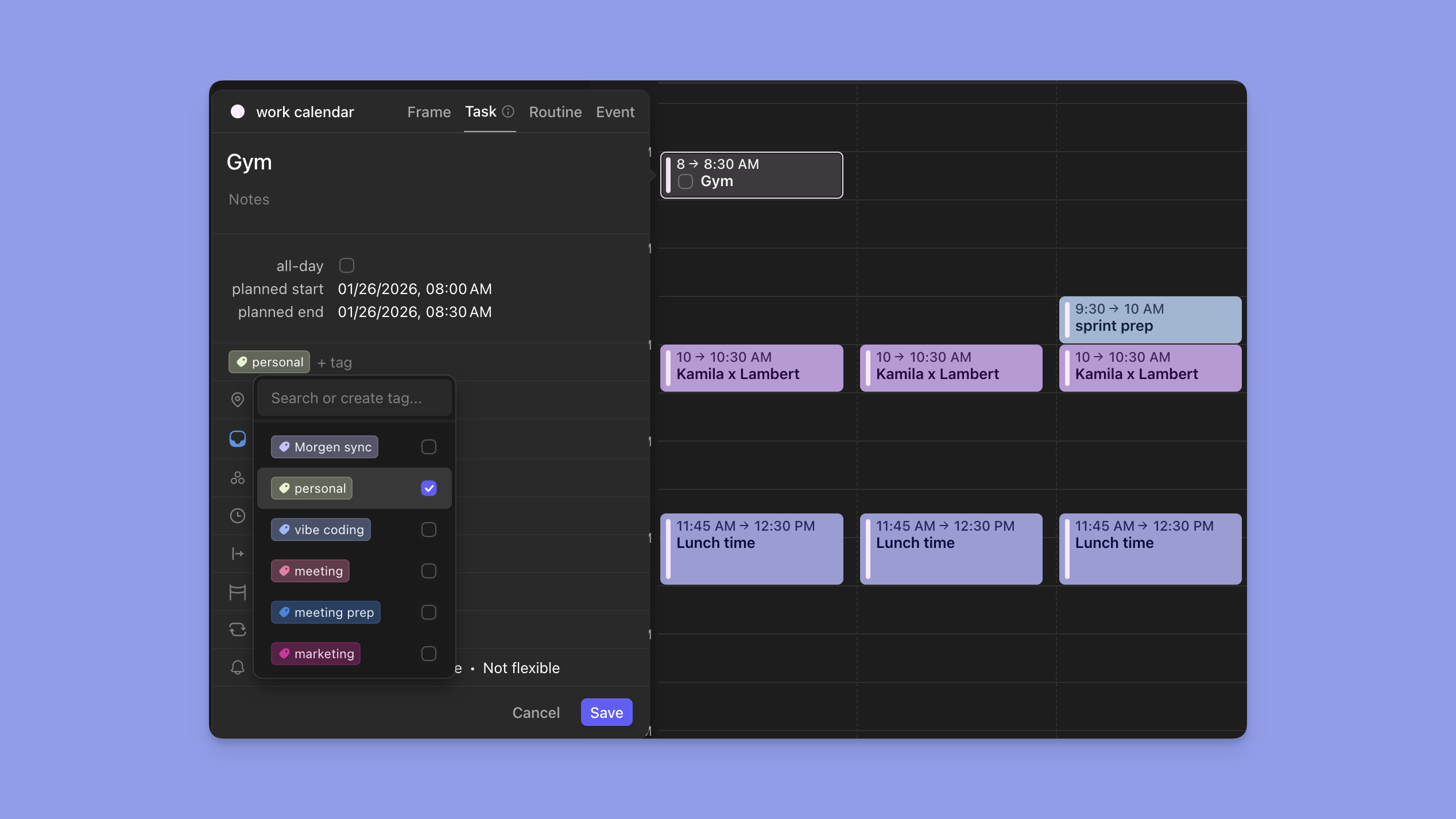
Quand vous avez le TDAH, votre calendrier doit vous parler avant même que vous le lisiez, ce qui rend le code couleur assez important.
Avec Morgen, vous pouvez attribuer des couleurs différentes à chaque calendrier et liste de tâches (par exemple, Google Calendar en vert, projets professionnels en bleu, tâches personnelles en violet).
Conseil professionnel : Utilisez les ensembles de calendriers (raccourcis clavier 0-9) pour basculer instantanément entre différentes vues de calendrier.
Planificateur IA avec approbation
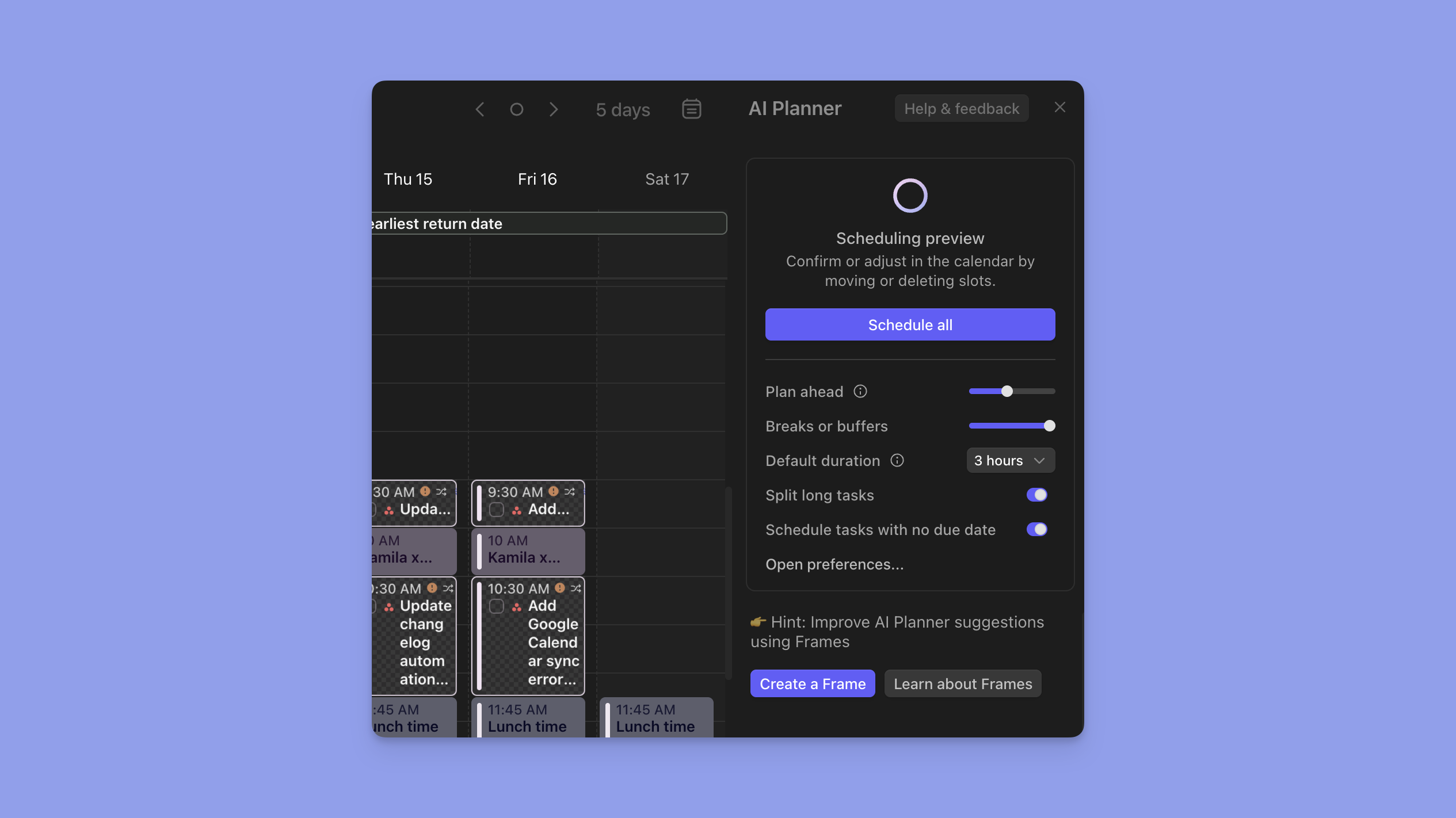
Le planificateur IA de Morgen analyse les tâches non planifiées, considère la disponibilité des cadres, les dates d'échéance et la priorité, puis suggère quand faire tout, et vous approuvez les modifications si tout semble bon.
Tarification
Morgen propose des plans individuels et d'équipe, tous deux avec une période d'essai gratuit de 14 jours :
| Plan | Annuel | Mensuel |
|---|---|---|
| Individuel | 15 $/mois | 30 $/mois |
| Équipes | 10 $/siège/mois | 25 $/siège/mois |
Remarque : Les étudiants et les organisations à but non lucratif bénéficient d'une réduction permanente de 25 %. Séparément, les personnes passant d'autres gestionnaires de tâches comme Motion, Sunsama, Fantastical et Reclaim.ai bénéficient également d'une réduction de 15 % pendant un an.
Où Morgen brille
- Filtrage visuel des tâches : Basculez les listes de tâches ouvertes, planifiez les niveaux de priorité et filtrez les tâches à venir du calendrier pour éviter la paralysie décisionnelle et la surcharge d'informations
- Liens de planification : Les pages de réservation intégrées éliminent la charge de fonction exécutive de la coordination des réunions pour les professionnels TDAH qui ont du mal avec l'administration par e-mail
- Personnalisations fiables : Marquez les tâches comme « flexibles » ou « non flexibles ». Les tâches flexibles se reprogramment en cas de conflit, tandis que les tâches non flexibles restent verrouillées, ce qui vous donne un contrôle granulaire bon pour le TDAH
Où Morgen fait défaut
- Nécessite Zapier pour certaines intégrations : Bien que vous obteniez de nombreuses connexions natives approfondies avec des outils de productivité comme Notion ou Linear, vous aurez besoin de Zapier pour connecter d'autres applications comme Asana
- Design orienté vers le bureau : Les applications mobiles de Morgen affichent vos emplois du temps et sonnent des notifications pour les engagements, mais vous aurez besoin de la version de bureau pour ajouter des événements, des tâches et créer des cadres
Avis des clients
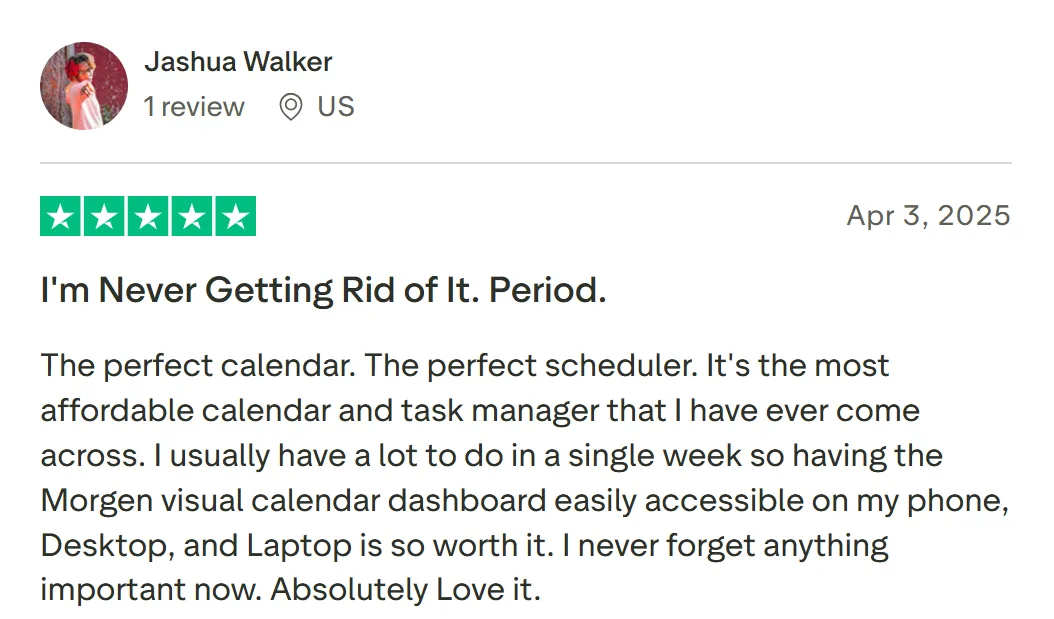
« Le calendrier parfait. Le planificateur parfait. C'est le calendrier et le gestionnaire de tâches le plus abordable que j'aie jamais rencontrés », partage Jashua Walker.
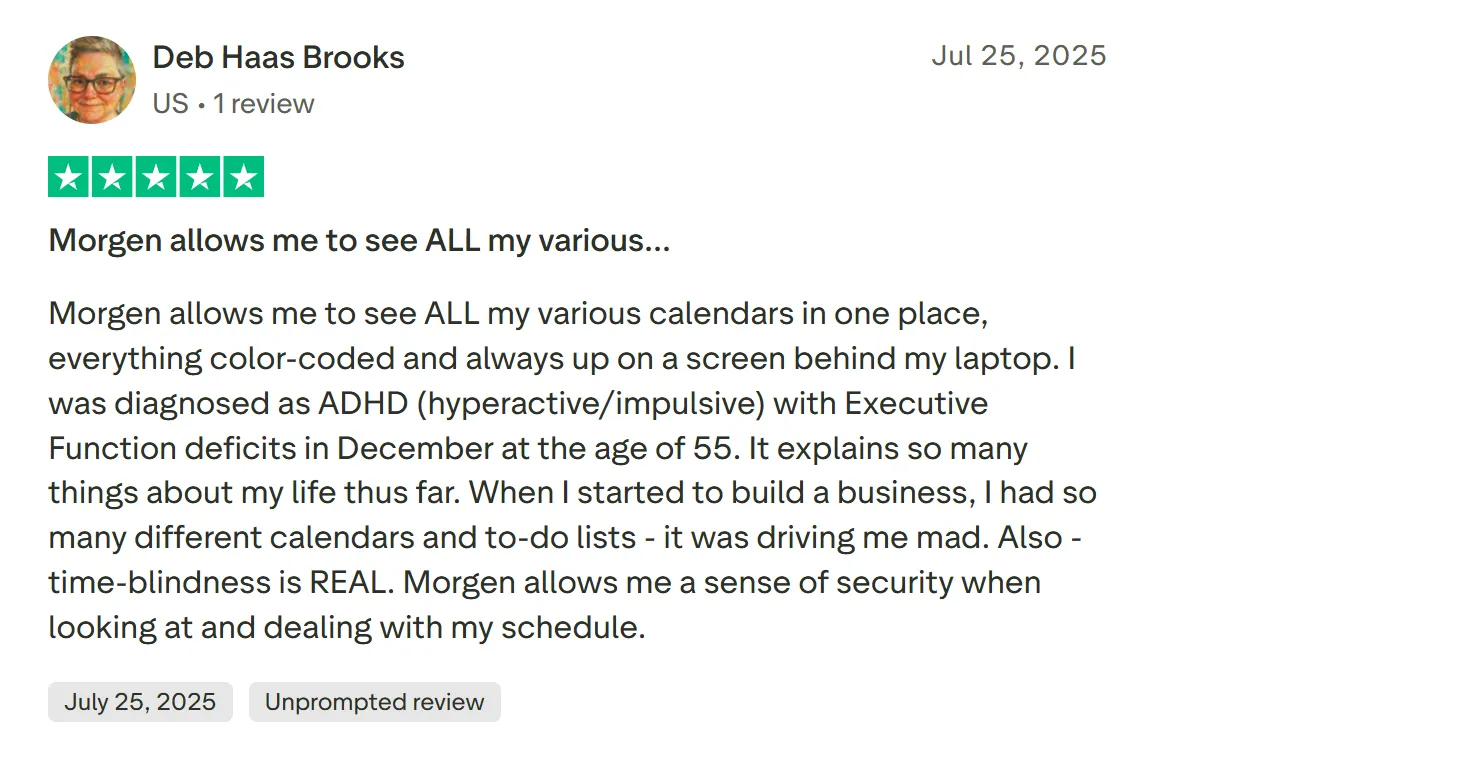
« Morgen me permet de voir TOUS mes différents calendriers au même endroit, tout en code couleur et toujours affiché sur un écran derrière mon ordinateur portable », partage Deb Haas Brooks.
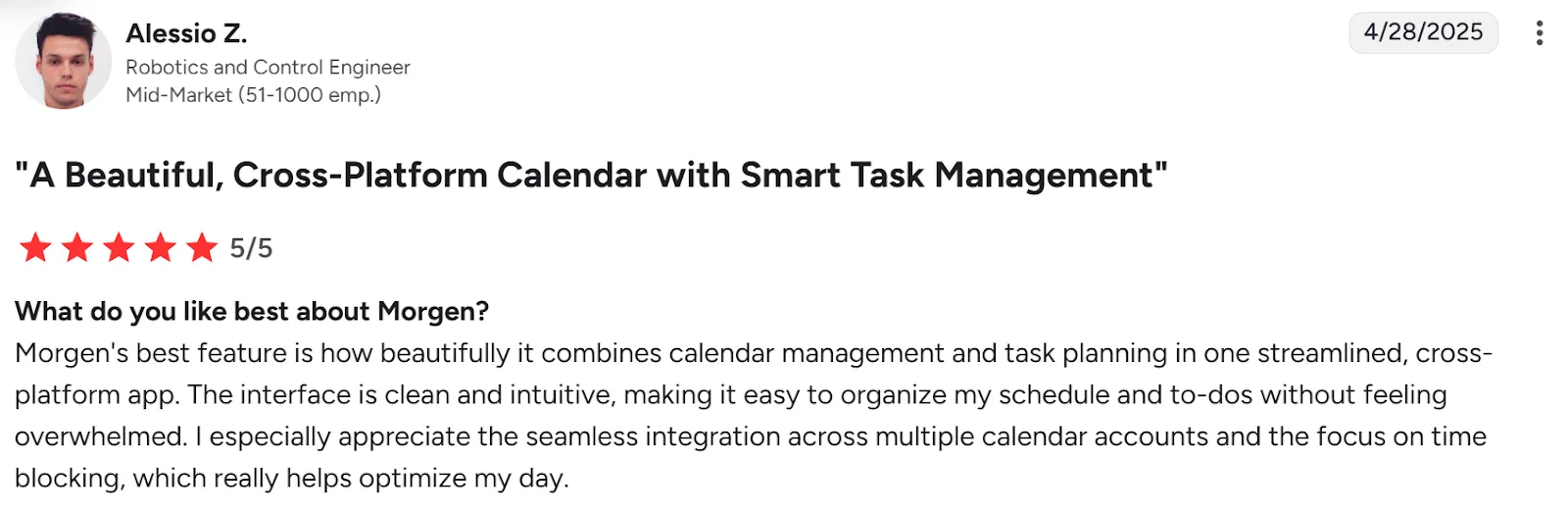
« L'interface est propre et intuitive, ce qui facilite l'organisation de mon emploi du temps et de mes tâches sans me sentir submergé », dit Alessio Z.
Pour qui Morgen est le meilleur
- Travailleurs indépendants, pigistes et spécialistes du marketing gérant plusieurs responsabilités : Morgen consolide les calendriers et les tâches dans une seule interface afin que vous puissiez planifier de manière réaliste sans changement de contexte constant
- Professionnels TDAH : Le système basé sur les cadres de Morgen rend le temps visible, le planificateur IA élimine la paralysie décisionnelle, et le code couleur offre une clarté visuelle instantanée
Téléchargez Morgen pour Mac, Windows, Linux, iOS, Android, ou utilisez-le sur le web.
2. Motion
Avec le pilotage automatique IA de Motion, vous ajoutez des tâches avec des dates d'échéance et des priorités, et il programme automatiquement tout sur votre calendrier, puis reprogramme en temps réel en cas de conflit.
Cela fonctionne brillamment si vous faites confiance à la planification algorithmique, mais cela peut surcharger votre calendrier jusqu'à l'épuisement sans l'approche humaine dans la boucle de Morgen.
Fonctionnalités clés
- Planification automatique des tâches : L'IA de Motion place chaque tâche sur votre calendrier en fonction de la priorité et de la date d'échéance sans time blocking manuel
- Reprogrammation en temps réel : Quand vous marquez une tâche comme terminée ou qu'une réunion se déplace, Motion réorganise instantanément votre emploi du temps restant
- Dépendances de projet : Les tableaux de projet incluent les dépendances de tâches et l'équilibrage de la charge de travail pour éviter que les tâches n'apparaissent hors séquence
Tarification
| Plan | Prix |
|---|---|
| Individuel | 29 $ |
| Équipes | 19 $/siège/mois |
Où Motion brille
- Élimine les décisions de planification : Motion supprime complètement la charge décisionnelle. Vous lui dites ce qui doit être fait, et il détermine quand
- Fonctionne bien pour les modèles de travail prévisibles : Les projets récurrents avec des structures similaires bénéficient des modèles et de la programmation automatique
Où Motion fait défaut
- Coûteux à 29 $/mois pour les particuliers. Presque le double de ce que d'autres outils de gestion de calendrier comme Morgen facturent
- Configuration initiale complexe : La configuration initiale extensive peut submerger les cerveaux TDAH qui luttent avec la fonction exécutive
- Peut créer des calendriers surchargés : Sans visualisation de la capacité, Motion peut remplir votre journée si densément que l'épuisement devient inévitable
Avis des clients
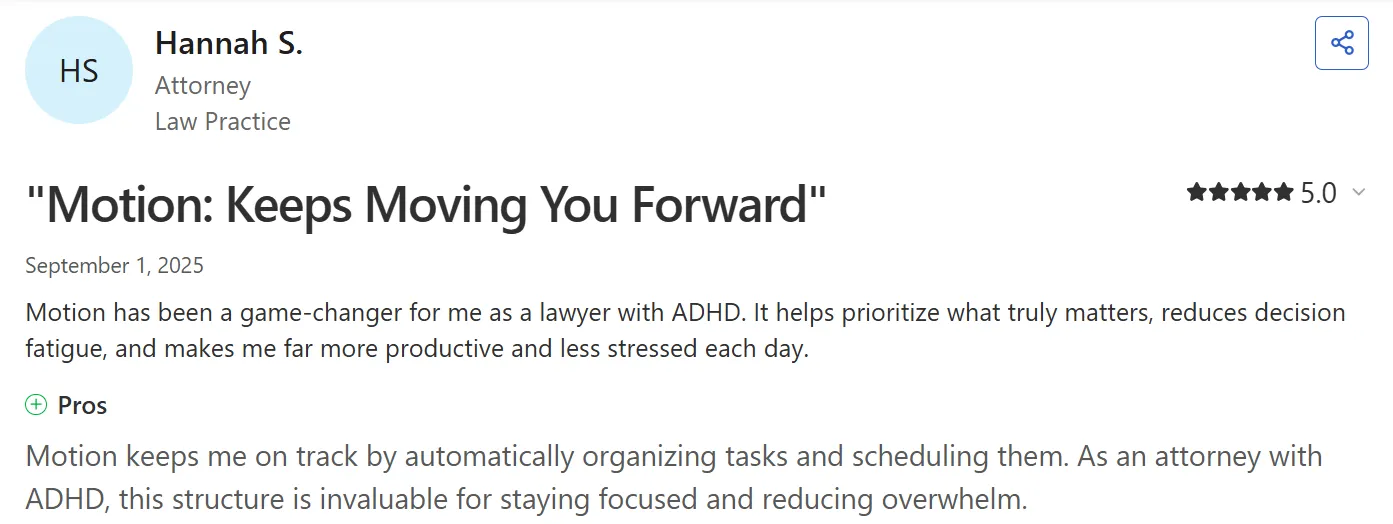
« Motion a été un changement de jeu pour moi en tant qu'avocate atteinte du TDAH », partage Hannah S.
« Assez cher, comparé à d'autres plateformes », note un utilisateur vérifié de G2.

Pour qui Motion est le meilleur
- Professionnels TDAH faisant confiance au pilotage automatique plutôt qu'au jugement humain : Motion fonctionne si vous voulez que l'IA prenne les décisions de planification sans apport
- Équipes gérant des dépendances de projet complexes : Motion est moins cher pour les équipes que pour les particuliers, et est livré avec d'excellentes fonctionnalités comme l'équilibrage de la charge de travail
3. Tiimo
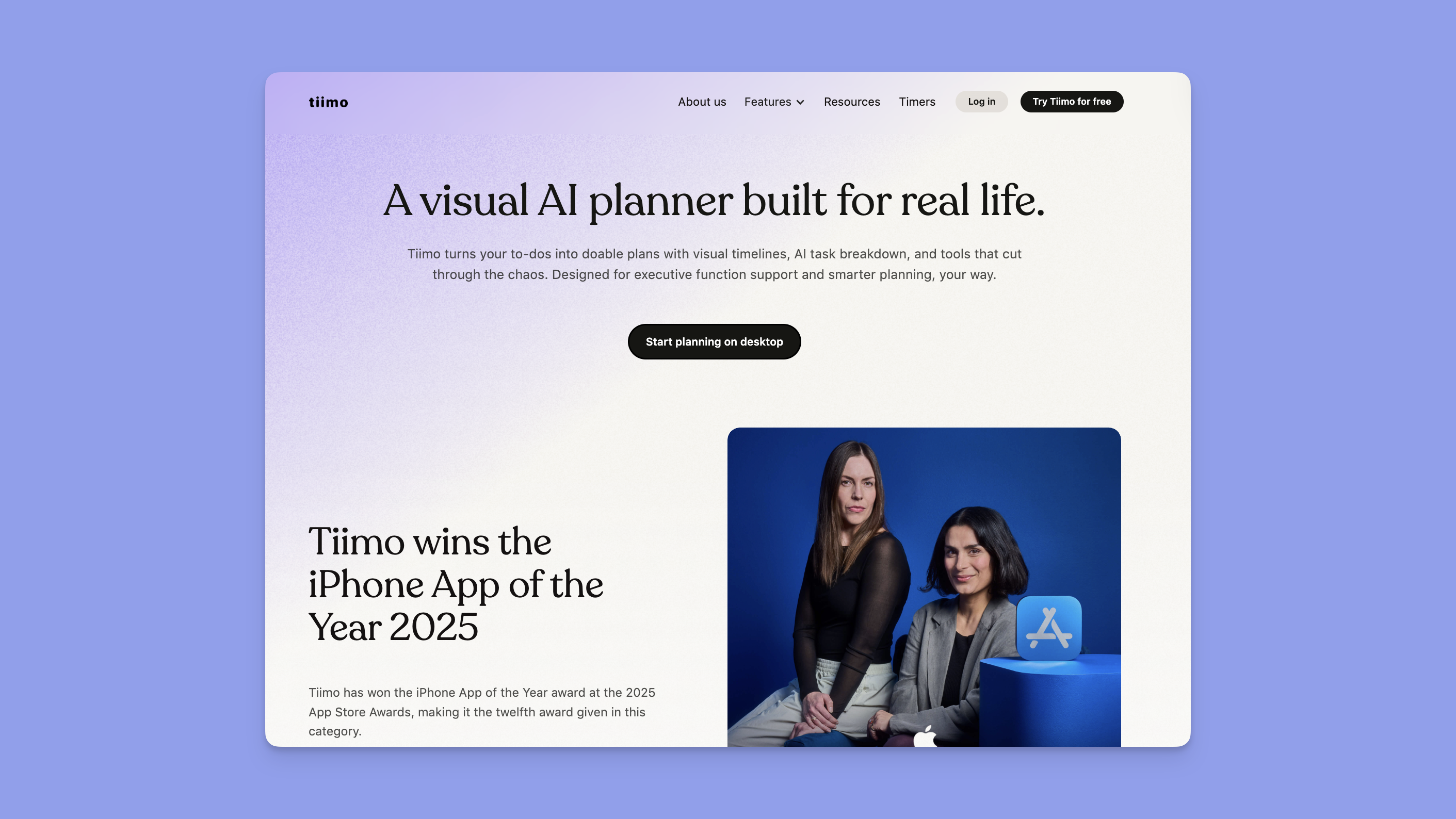
Tiimo est une application de planification visuelle conçue spécifiquement pour les cerveaux TDAH et neurodivergents. Elle rend le temps, les tâches et les routines plus faciles à voir et à suivre avec des calendriers basés sur les icônes et des minuteurs de compte à rebours.
Fonctionnalités clés
- Calendriers visuels basés sur les icônes : Attribuez des couleurs et des icônes aux activités afin que votre journée devienne une chronologie visuelle instantanément analysable
- Minuteurs de compte à rebours qui vous ancrent : Les comptes à rebours vous gardent ancré dans le moment présent, aidant à la transition des tâches et à la sensibilisation au temps
- Décomposition des tâches par IA : Parlez ou tapez ce qui vous submerge, et l'IA de Tiimo le décompose en étapes concrètes avec des estimations de temps
Tarification
| Plan | Prix |
|---|---|
| Tiimo Pro | 42 $/an |
Remarque : La tarification Tiimo Pro varie selon la plateforme et la région. Vous obtenez un essai gratuit de 7 jours avant un abonnement annuel, mais vous devez partager les détails de votre carte lors de l'inscription.
Où Tiimo brille
- Fonctionnalités TDAH dédiées : Les chronologies visuelles en code couleur avec minuteurs de compte à rebours aident les cerveaux TDAH à comprendre le passage du temps
- Conçu par des fondateurs neurodivergents : Conçu spécifiquement pour le TDAH et l'autisme dès le départ
Où Tiimo fait défaut
- Pas de support Android : Actuellement indisponible sur les appareils Android
- Intégrations limitées : Pourrait mieux s'intégrer avec Apple Reminders, Calendar et Siri
Avis des clients
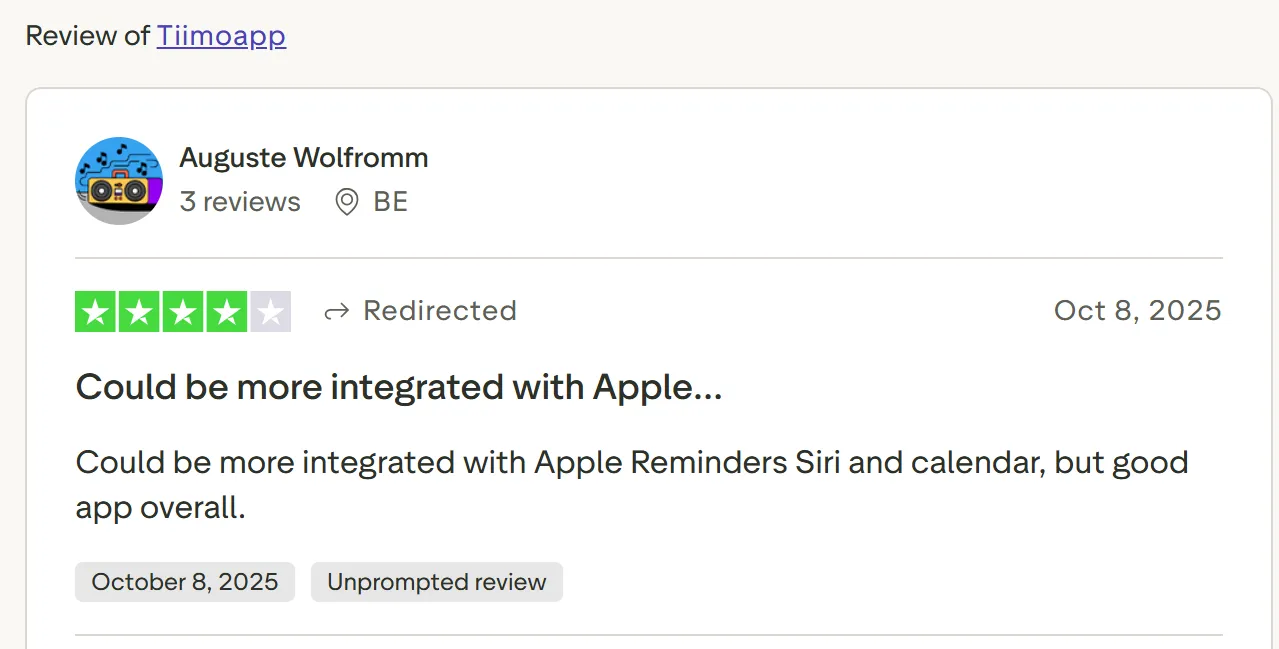
« Pourrait être mieux intégré avec Apple Reminders, Siri et le calendrier, mais bonne application dans l'ensemble », dit Auguste Wolfromm.
Pour qui Tiimo est le meilleur
- Penseurs visuels et cerveaux TDAH : Fonctionne pour les professionnels qui ont besoin d'ancres visuelles concrètes pour comprendre où ils en sont dans leur journée
4. Sunsama
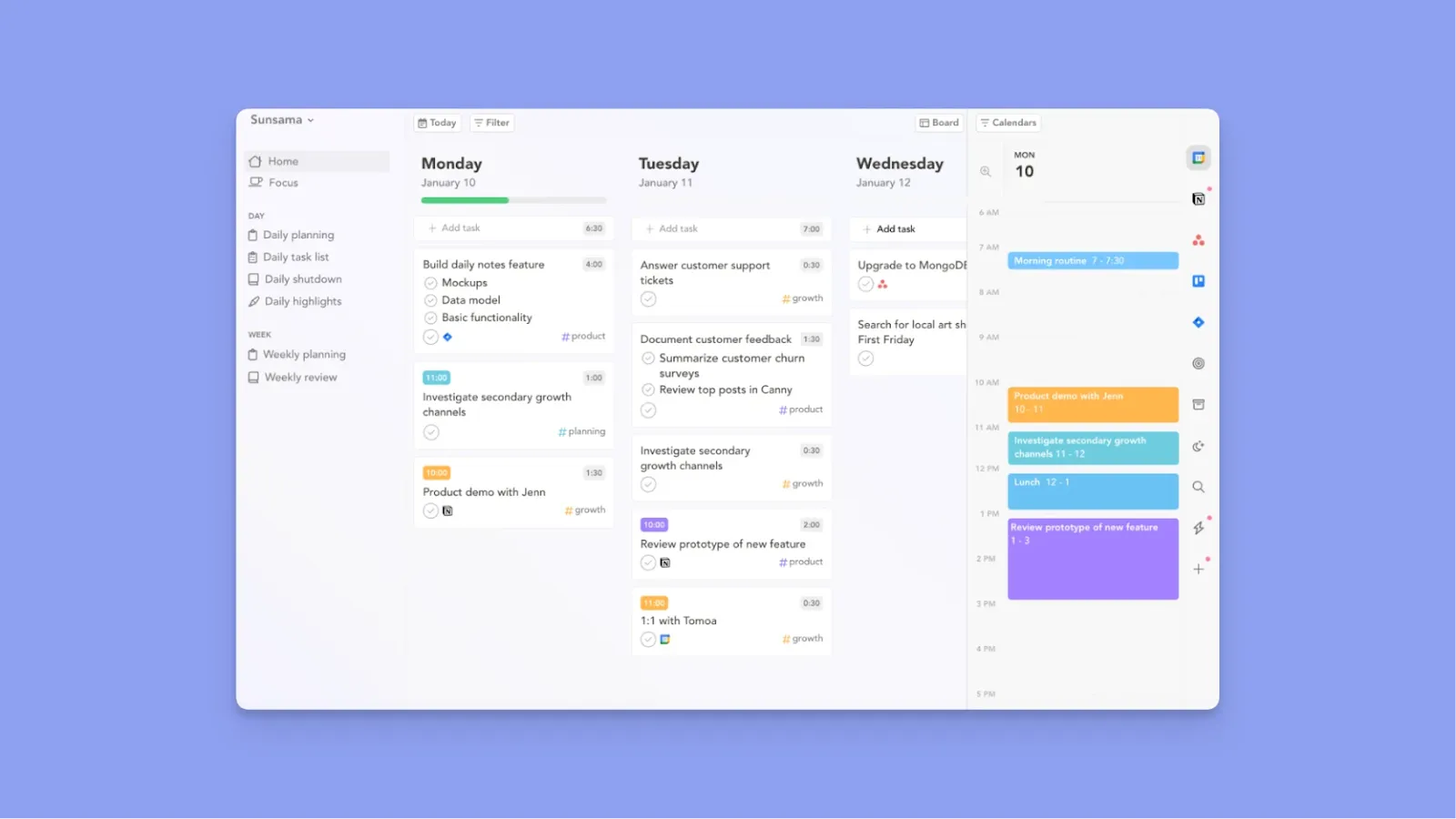
Sunsama vous guide à travers des rituels quotidiens qui forcent une planification réaliste : examinez hier, fixez les intentions d'aujourd'hui, estimez le temps nécessaire et bloquez les tâches dans des emplois du temps réalistes. Si vous essayez de faire trop en une journée, Sunsama vous avertit.
Fonctionnalités clés
- Rituels de planification quotidiens guidés : Vous guide à travers l'examen d'hier, la fixation des intentions d'aujourd'hui et la planification des tâches dans des emplois du temps réalistes
- Intégrations approfondies : Extrait les tâches et les événements de plusieurs calendriers et gestionnaires de tâches dans une seule vue pour éviter le changement de contexte
- Analyse et suivi du temps : Fournit une preuve visuelle de la productivité pour combattre la perception déformée du TDAH de l'accomplissement
Tarification
| Plan | Prix |
|---|---|
| Mensuel | 20 $/mois |
| Annuel | 16 $/mois |
Où Sunsama brille
- Planification quotidienne guidée : Sunsama prévient la surcharge en recommandant des créneaux horaires en fonction de vos paramètres de journée de travail et des engagements existants
- L'interface apaisante réduit l'anxiété : La conception délibérément lente et consciente crée une sécurité psychologique pour les cerveaux TDAH
Où Sunsama fait défaut
- Limite l'automatisation à « Aujourd'hui » : Sunsama vous permet uniquement de planifier pour aujourd'hui, et toute tâche inachevée avant la fin de la journée n'est pas reprogrammée ou redistribuée le jour suivant
- Dates d'échéance cachées : Vous devez vérifier manuellement les dates d'échéance puisqu'elles n'apparaissent pas directement sur le calendrier, ce qui ne fait qu'ajouter du travail pour les utilisateurs TDAH
- L'application mobile manque des fonctionnalités clés du bureau : Les utilisateurs signalent que l'expérience mobile est « médiocre »
Avis des clients
« J'ai souffert de surcharge depuis un certain temps maintenant, et ce logiciel est parfait pour cela », dit Gareth H.
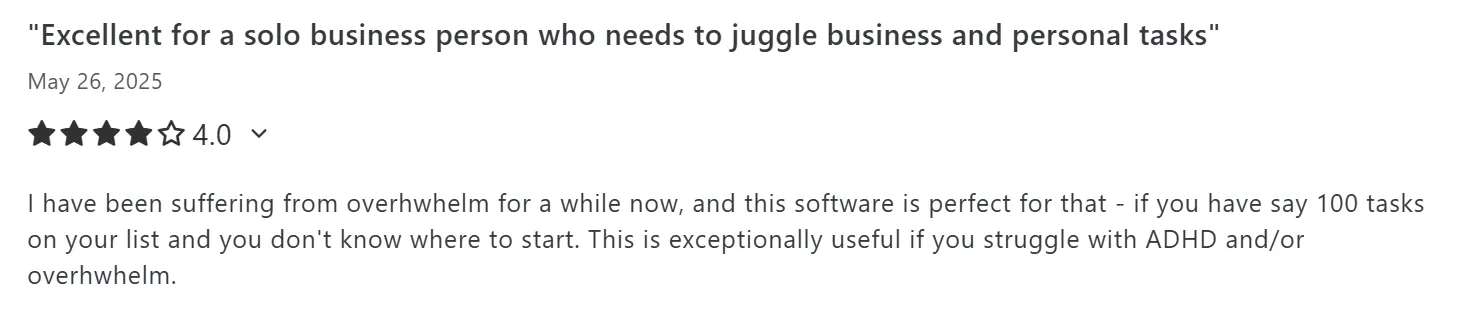
« L'application mobile Sunsama est décevante », partage AccomplishedGrade442 sur r/Productivity :
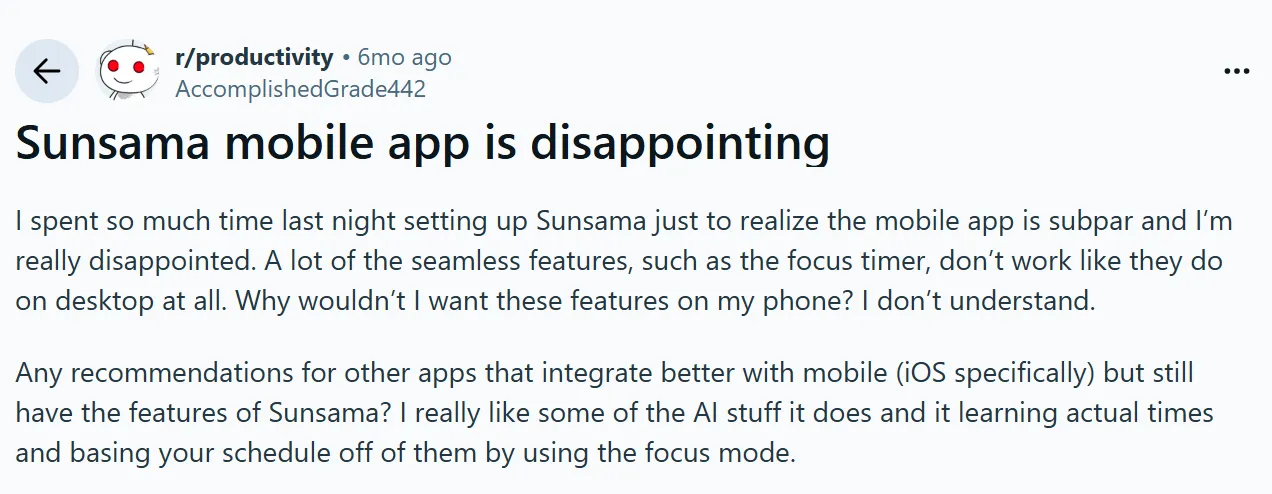
Pour qui Sunsama est le meilleur
- Professionnels TDAH sujets à l'épuisement : Qui ont besoin de rituels forcés pour construire des modèles de travail durables
5. Todoist
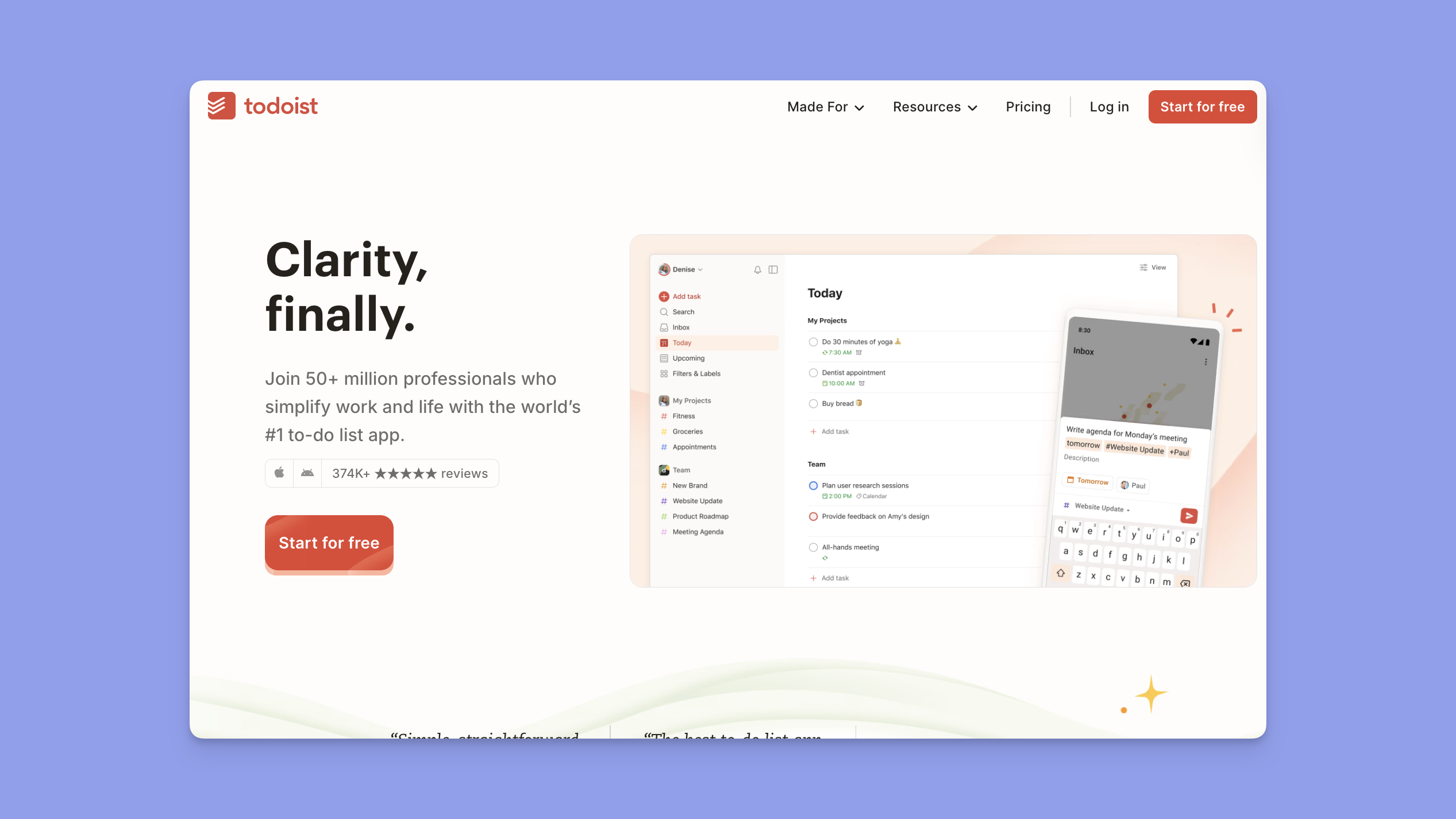
Todoist n'offre pas beaucoup de fonctionnalités avancées, mais il est bon pour la vitesse de capture et la simplicité, et la capture de tâches sans friction pour les cerveaux TDAH qui oublient les tâches en quelques secondes.
Remarque : Todoist s'intègre dans Morgen, afin que vous puissiez importer des tâches pour un meilleur time blocking et des fonctionnalités de personnalisation avancées.
Fonctionnalités clés
- Capture de tâches en langage naturel : Convertit les pensées en tâches structurées instantanément sans cliquer sur les menus
- Filtres personnalisés pour la concentration : Crée des vues qui éliminent la paralysie décisionnelle et affichent uniquement ce qui compte aujourd'hui
- Gamification Karma pour la motivation : Utilise des séries et des points pour fournir des récompenses de dopamine pour la progression
Tarification
| Plan | Prix |
|---|---|
| Gratuit | 0 $ (Jusqu'à 5 projets) |
| Pro (Annuel) | 5 $/mois |
| Business (Annuel) | 8 $/mois |
Où Todoist brille
- Interface cohérente sur les plateformes : Réduit la friction et garde votre flux de travail identique partout
- Support de capture de tâches hors ligne : Vous permet de décharger les tâches à tout moment sans dépendre d'Internet
- Étiquettes et projets en code couleur : Donne aux utilisateurs TDAH une analyse visuelle rapide et réduit la charge cognitive
Où Todoist fait défaut
- Rappels verrouillés derrière le plan Pro : Les alertes de base nécessitent une mise à niveau, limitant l'utilité pour les utilisateurs TDAH sur le niveau gratuit
- Pas de thèmes personnalisés ou de personnalisation : La personnalisation visuelle minimale réduit les options pour les mises en page conviviales pour le TDAH
Avis des clients
« Todoist a complètement transformé mon flux de travail et ma productivité », partage Rami A.

« Il n'y a pas de thèmes personnalisés et d'options de personnalisation complète de l'interface utilisateur », dit Arun Vasudev N.

Pour qui Todoist est le meilleur
- Professionnels TDAH qui oublient facilement les tâches : Todoist capture tout instantanément, donc rien ne glisse à travers les lacunes de la mémoire de travail
6. Forest

Forest ludifie la concentration en transformant la résistance téléphonique en un jeu de culture d'arbres. Vous plantez une graine en travaillant, et elle pousse pendant votre session de concentration. Quittez l'application à mi-chemin, et votre arbre meurt, créant une responsabilité immédiate dont les cerveaux TDAH ont besoin.
7. Goblin Tools
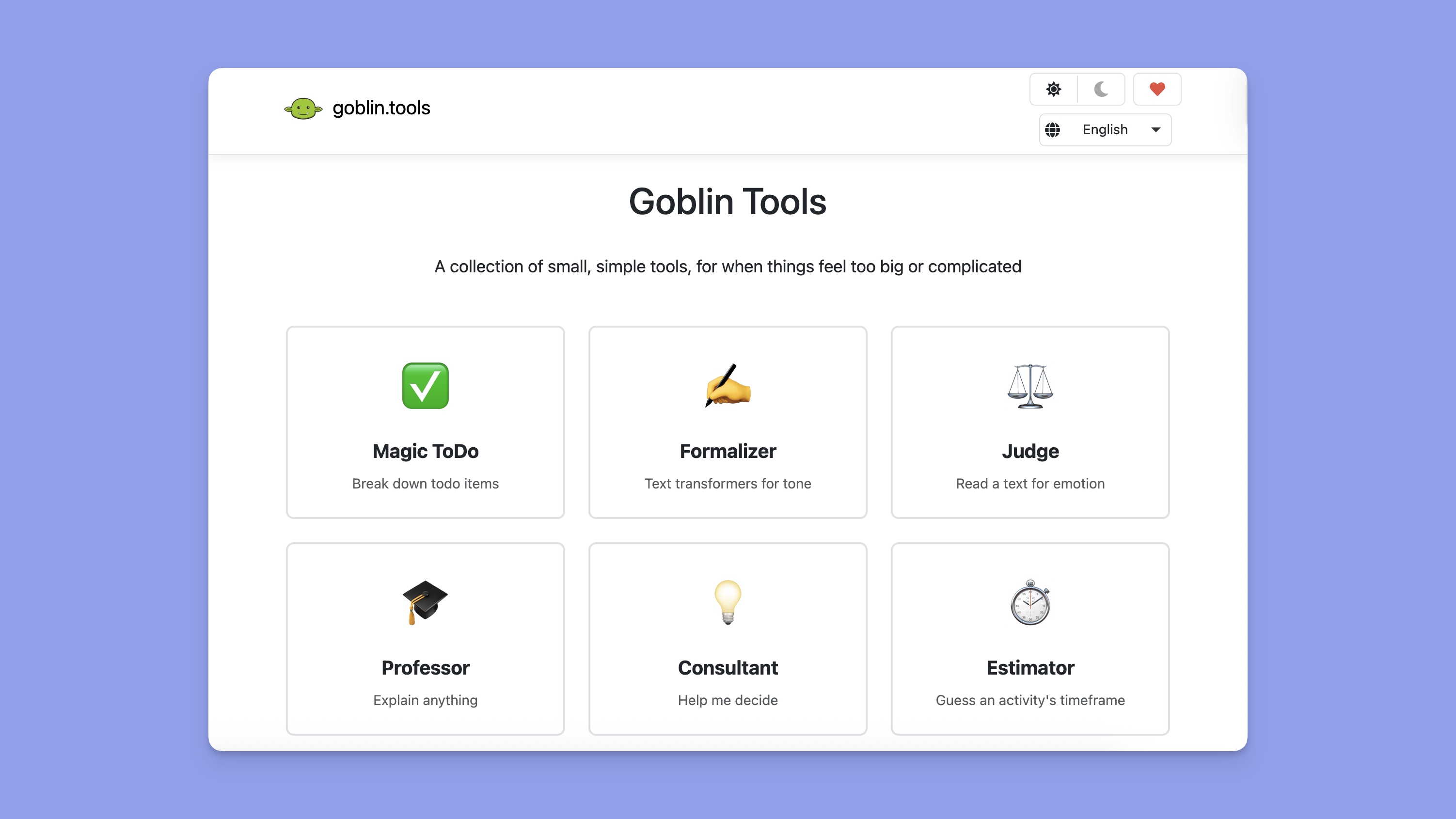
Goblin Tools s'attaque à la paralysie des tâches avec une IA qui décompose les tâches abstraites en micro-étapes déclenchant la dopamine. Tapez « Répondre à l'e-mail du client », et Goblin Tools génère une liste de contrôle de 10 étapes allant de « Ouvrir votre client de messagerie » à « Cliquer sur le bouton Envoyer ».
Comment choisir la meilleure application de productivité TDAH
Pour trouver votre meilleure application de gestion des tâches TDAH, commencez par identifier quel défi de fonction exécutive vous cause la plus grande douleur professionnelle. Considérez :
Représentation visuelle du temps pour la cécité temporelle
Recherchez des outils qui structurent votre semaine avant de planifier les tâches. Le système de cadres de Morgen crée des time blocks récurrents pour différents besoins (Travail approfondi, Admin, Déjeuner, Apprentissage) avec des filtres qui contrôlent les tâches qui apparaissent pendant ces heures.
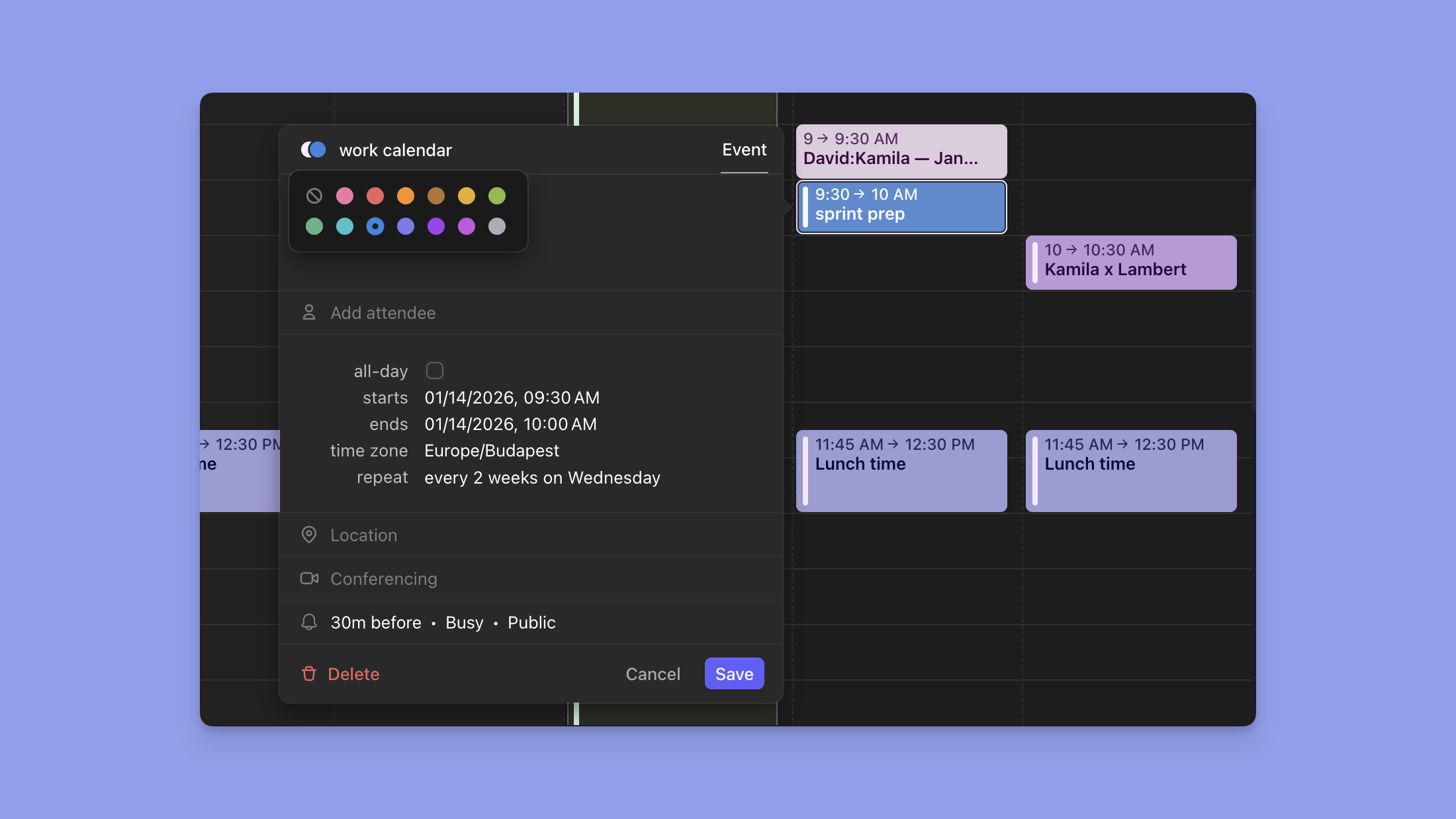
Essayez le minuteur de travail approfondi de Morgen pour planifier des sessions sans distraction qui protègent vos heures les plus productives des réunions et des interruptions.
Intégrations approfondies pour réduire le changement de contexte
La recherche montre que les travailleurs du savoir changent d'applications 1 200 fois par jour, ce qui, pour les cerveaux TDAH, aggrave l'épuisement.
Morgen extrait les tâches de Notion, Linear, ClickUp, Obsidian, Todoist, Google Tasks et Microsoft To Do directement dans votre barre latérale de calendrier avec des propriétés natives pour réduire le changement de contexte.
Niveau d'assistance IA : Pilotage automatique vs Copilote
Réfléchissez à la question de savoir si vous voulez que l'IA prenne toutes les décisions de planification (pilotage automatique) ou si vous voulez approuver les recommandations IA avant la planification (copilote). Si perdre le contrôle déclenche l'anxiété, évitez les systèmes entièrement automatisés.

Le planificateur IA de Morgen suggère des emplois du temps optimaux en fonction de vos cadres et de vos priorités, mais vous approuvez chaque modification avant qu'elle ne se produise.
Remarque : Vous pouvez utiliser « Reprioriser avec le planificateur IA », « Reprogrammer ASAP » ou « Déprogrammer la tâche » en cas de conflit.
Systèmes de priorisation pour la fatigue décisionnelle
Les meilleures applications pour le TDAH vous permettront d'attribuer des niveaux de priorité (P1, P2, P3) et de filtrer les vues pour afficher uniquement ce qui compte.
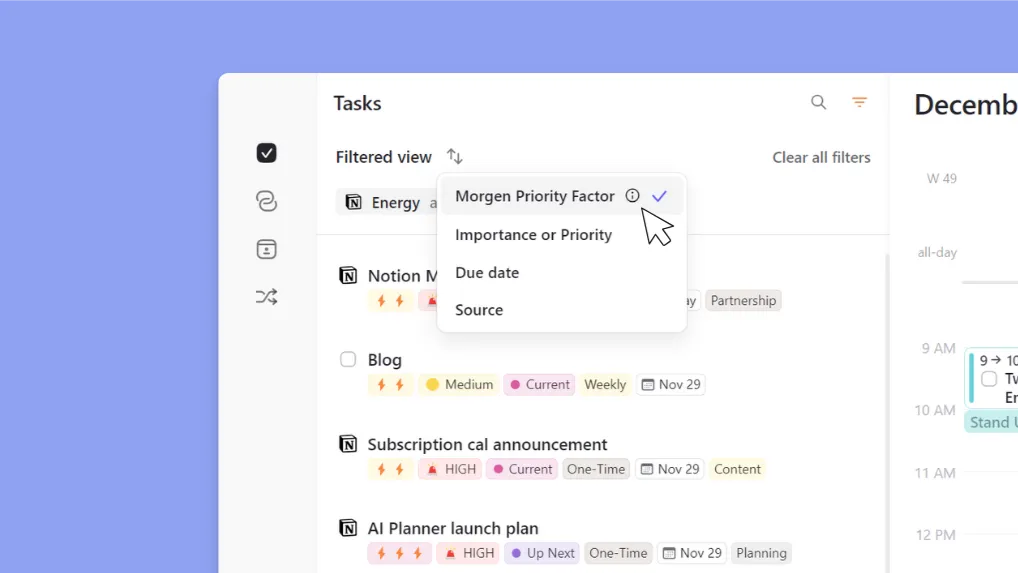
Morgen préserve les balises de priorité des outils intégrés comme Notion et Linear, puis met en avant les tâches hautement prioritaires dans vos suggestions du planificateur numérique en ligne pour vous aider à rester concentré.
Installez l'extension Chrome de Morgen (Easy Tasks) pour créer des tâches sans quitter votre onglet actuel.
Rappels et alarmes pour le time blocking
Les professionnels TDAH aveugles au temps ont besoin d'alertes externes pour les sortir de l'hyperfocus et les faire passer d'une tâche à l'autre.
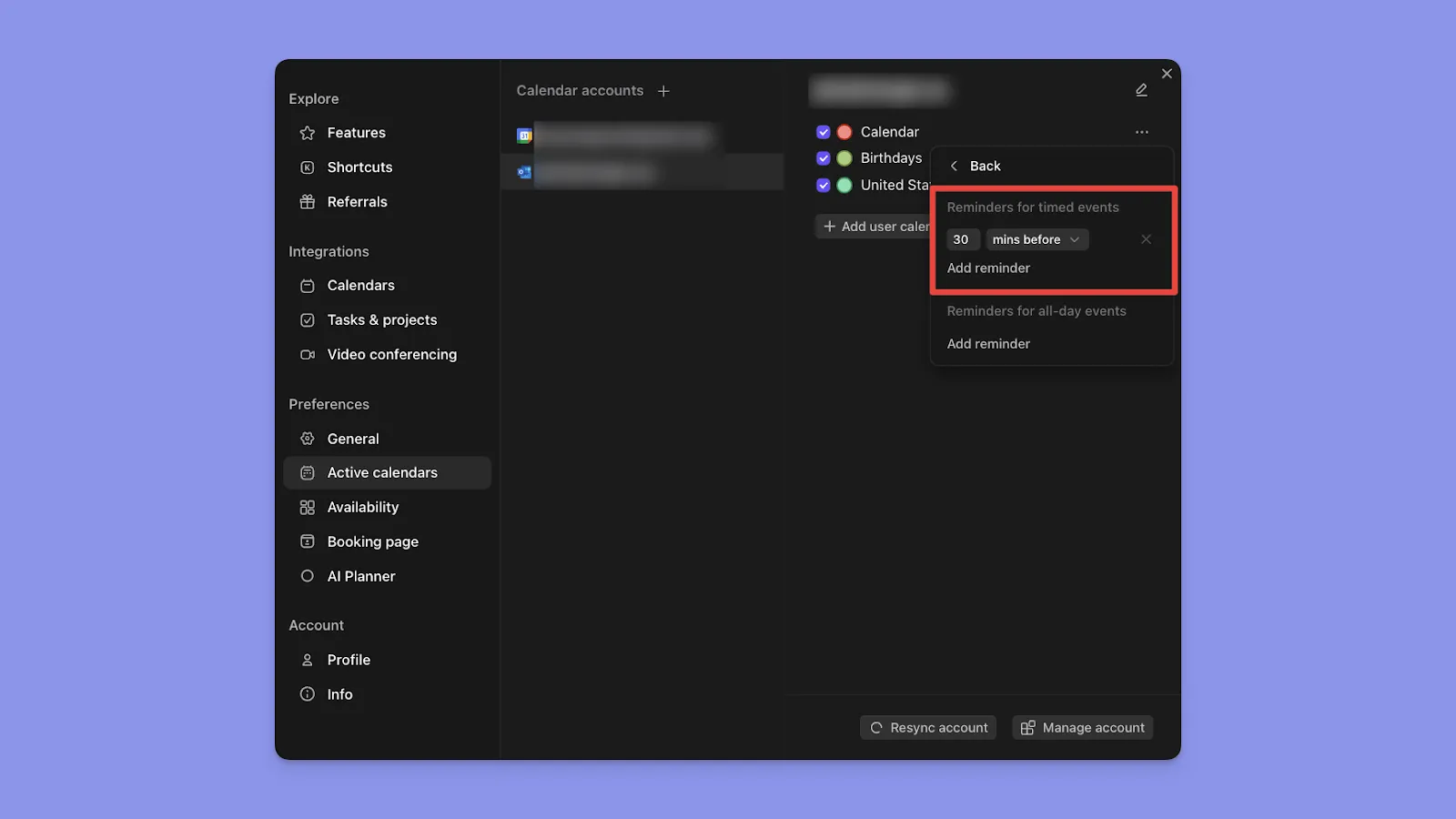
Morgen se synchronise avec les paramètres de calendrier actifs, héritant de leurs systèmes de notification tout en ajoutant des alertes délimitées dans le temps pour quand il est temps de commencer vos blocs de travail planifiés.
Créer de meilleures routines quotidiennes avec Morgen
Au lieu de combattre votre cerveau TDAH, commencez à utiliser des outils conçus pour les esprits neurotypiques, comme Morgen.
Avec notre système basé sur les cadres, le planificateur IA, les intégrations et d'autres fonctionnalités de concentration dédiées, vous créerez un emploi du temps quotidien personnalisé qui vous aide à vous concentrer sur les tâches importantes sans surcharge mentale.
Commencez votre essai gratuit, ou contactez-nous, et nous vous aiderons à créer votre flux de travail TDAH dès aujourd'hui.

.svg)
.webp)