.svg)
→ Morgen: Ideal para cérebros com ADHD que precisam de uma estrutura baseada em Frames que evita o excesso de compromissos enquanto consolida tarefas do Notion, Linear, Obsidian, ClickUp e Todoist numa vista de calendário
→ Motion: Para indivíduos e equipas que conseguem entregar o controlo do calendário a um piloto automático de IA para eliminar completamente a fadiga de decisão
→ Tiimo: Para cérebros com ADHD com cegueira temporal severa que precisam de contadores visuais e planeamento baseado em ícones
→ Sunsama: Ideal para indivíduos que procuram planeamento consciente e baseado em rituais que encoraja reflexão em vez de velocidade
Se está a lidar com os desafios diários da cegueira temporal, paralisia de tarefas e disfunção executiva, sabe como estes sintomas de ADHD drenam a sua produtividade e o deixam sobrecarregado.
Com aplicações de produtividade para ADHD, pode externalizar as funções executivas com as quais tem dificuldade e reduzir a fadiga de decisão visualizando o seu calendário.
Analisámos sete planeadores construídos para cérebros com ADHD, comparámos os seus prós, contras e avaliações, e determinámos as funcionalidades de que precisa para melhorar a produtividade no trabalho.
| Ferramenta | Melhor Para | Funcionalidade Destaque | Preço | Classificação G2 (/5) | Classificação Capterra (/5) |
|---|---|---|---|---|---|
| Morgen | Profissionais com ADHD que precisam de estrutura sem perder o controlo | Bloqueio de tempo baseado em frames com sugestões de IA para evitar sobrecarga | $15/mês | 4.9 | 5.0 |
| Motion | Profissionais que confiam no piloto automático completo de IA | Reagendamento automático resolve conflitos sem intervenção manual | $19/mês | 4.2 | 4.3 |
| Tiimo | Pensadores visuais com cegueira temporal | Planeamento baseado em ícones com contadores regressivos | Gratuito | - | - |
| Sunsama | Profissionais conscientes evitando burnout | Rituais de reflexão diária e rastreamento de energia | $16/mês | - | 4.7 |
| Todoist | Cérebros com ADHD que precisam de captura sem atrito | Gestor de tarefas com análise de linguagem natural | $5/mês | 4.5 | 4.6 |
| Forest | Gestores de hiperfoco combatendo distração do telemóvel | Sessões de foco gamificadas que cultivam árvores virtuais | $3.99 único | - | - |
| Goblin Tools | Profissionais paralisados por tarefas | IA divide projetos avassaladores em micro-passos | Gratuito | - | - |
1. Morgen: Melhor Aplicação de Produtividade para ADHD para Planeamento Estruturado

Morgen é um gestor de tarefas que lhe permite importar tarefas, calendários e eventos para uma única vista com bloqueio de tempo. Veja como conectamos Apple Reminders com o seu calendário Outlook.
Obtém um sistema Frame que mostra a sua capacidade disponível, um Planeador de IA que sugere (e permite aprovar) agendas baseadas nesses Frames, mais funcionalidades de personalização para ajudar as suas tarefas importantes a destacarem-se na sua interface de produtividade unificada.
Funcionalidades Principais
Com o adulto médio a perder cerca de 22 a 27 dias de produtividade por ano devido a sintomas de ADHD, pode usar estas funcionalidades de Morgen para vencer as probabilidades:
Bloqueio de Tempo Baseado em Frames

A cegueira temporal é um sintoma comum de ADHD. Por causa disso, fica perdido em algumas tarefas, ou não consegue focar-se numa única tarefa, ou não consegue estimar quanto tempo precisa para terminar uma tarefa.
Os Frames de Morgen são modelos para bloqueios de tempo recorrentes que visualizam o seu agendamento ideal diário, semanal, mensal, anual ou personalizado. Por exemplo, pode criar um Frame "Trabalho Profundo" para as 8-11 da manhã diariamente, depois filtrar quais as tarefas que podem aparecer dentro do Frame.
Dica profissional: Use filtros de Frame para controlar sugestões de IA, por exemplo, defina o seu Frame "Trabalho Profundo" para mostrar apenas tarefas de Notion, e a IA não sugerirá tarefas diferentes durante esse frame.
Integrações Profundas de Tarefas
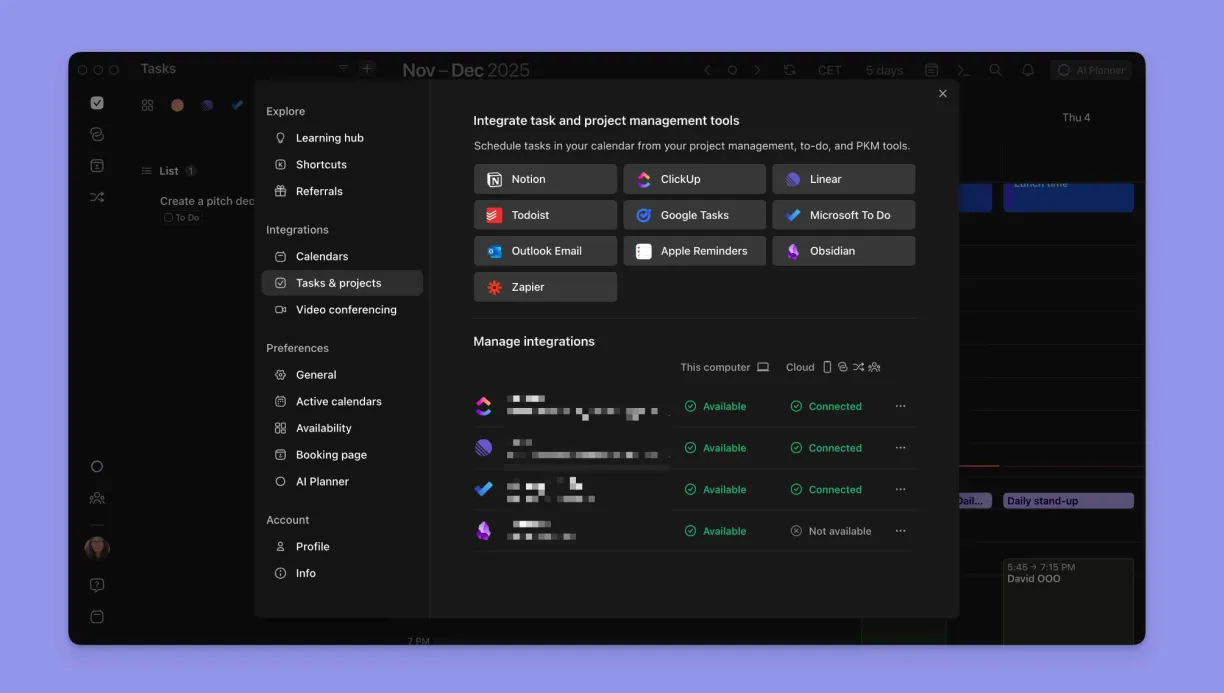
Gerir projetos Notion, bilhetes Linear, lembretes Todoist, e Google Calendar simultaneamente significa rastrear quatro modelos mentais separados. Cada mudança deixa resíduo de atenção, e quando terminou de verificar tudo, esqueceu por que abriu a primeira aplicação. Com Morgen, consolidará estas ferramentas numa única interface e preservará as suas propriedades nativas.
Organização Visual Codificada por Cores

Quando tem ADHD, o seu calendário precisa de falar consigo antes de o ler, o que torna a codificação por cores bastante importante.
Com Morgen, pode atribuir cores diferentes a cada calendário e lista de tarefas (por exemplo, Google Calendar em verde, projetos de trabalho em azul, tarefas pessoais em roxo).
Dica profissional: Use Conjuntos de Calendário (atalhos de teclado 0-9) para alternar entre diferentes vistas de calendário instantaneamente.
Planeador de IA com Aprovação
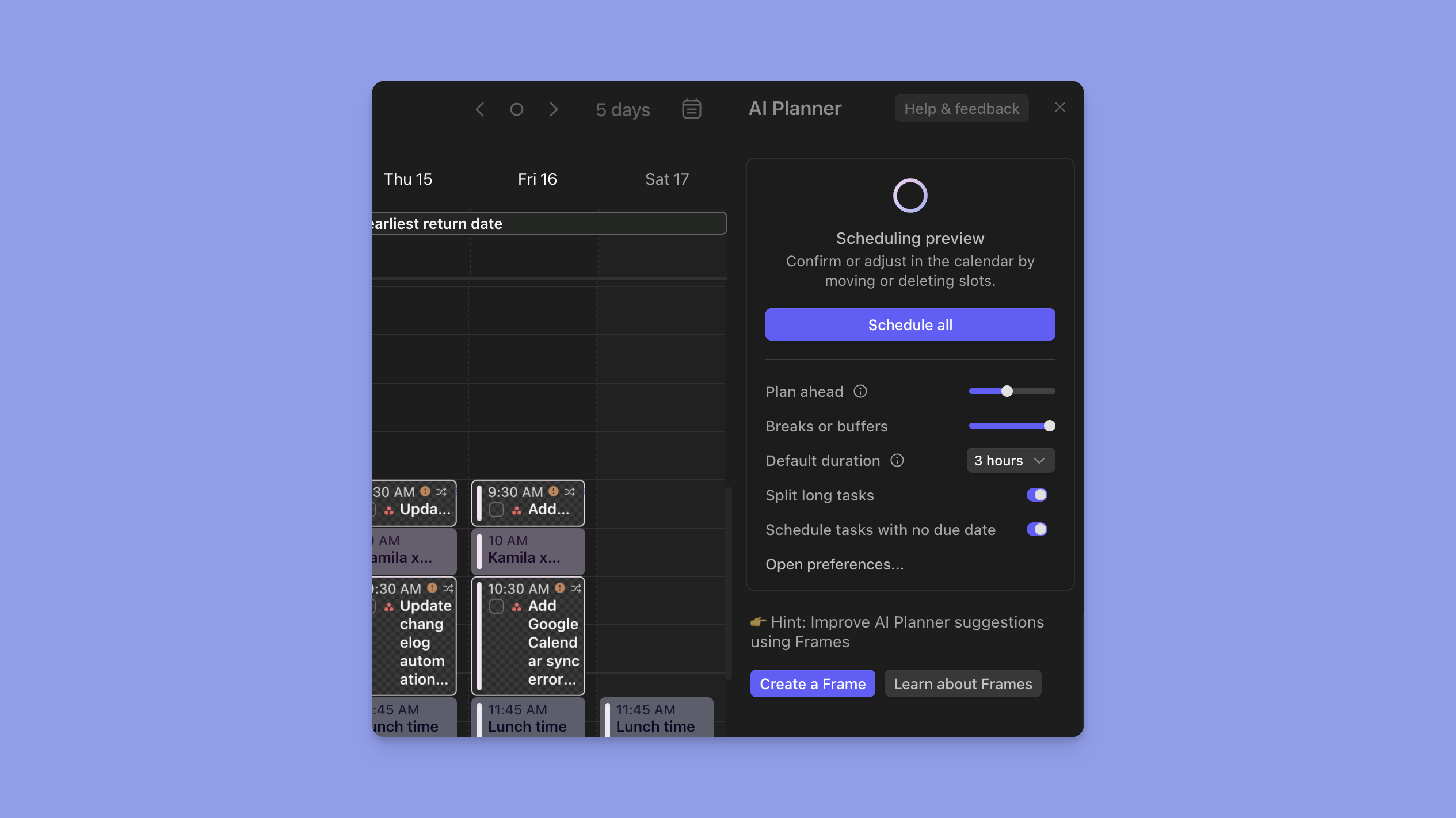
O Planeador de IA de Morgen analisa tarefas não agendadas, considera disponibilidade de Frames, datas de vencimento e prioridade, depois sugere quando fazer tudo, e aprova as mudanças se tudo parecer bem.
Preços
Morgen oferece planos individuais e de equipa, ambos com um período de teste gratuito de 14 dias:
| Plano | Anual | Mensal |
|---|---|---|
| Individual | $15/mês | $30/mês |
| Equipas | $10/utilizador/mês | $25/utilizador/mês |
Nota: Estudantes e organizações sem fins lucrativos qualificam-se para um desconto permanente de 25%. Separadamente, indivíduos que mudam de outros gestores de tarefas como Motion, Sunsama, Fantastical, e Reclaim.ai também recebem 15% de desconto durante um ano.
Onde Morgen Brilha
- Filtragem visual de tarefas: Alterne listas de tarefas abertas, planeie níveis de prioridade, e filtre tarefas futuras do calendário para evitar paralisia de decisão e sobrecarga de informação
- Links de agendamento: Páginas de reserva integradas removem o custo de função executiva de coordenar reuniões para profissionais com ADHD que têm dificuldade com administração de email
- Personalizações fiáveis: Marque tarefas como "flexível" ou "não-flexível". Tarefas flexíveis reagendam durante conflitos, enquanto tarefas não-flexíveis ficam bloqueadas, dando-lhe controlo granular que é bom para ADHD
Onde Morgen Fica Aquém
- Precisa de Zapier para algumas integrações: Embora obtenha numerosas conexões nativas profundas com ferramentas de produtividade como Notion ou Linear, precisará de Zapier para conectar outras aplicações como Asana
- Design focado no desktop: As aplicações móveis de Morgen mostram os seus agendamentos e tocam notificações para compromissos, mas precisará da versão desktop para adicionar eventos, tarefas e criar frames
Avaliações de Clientes
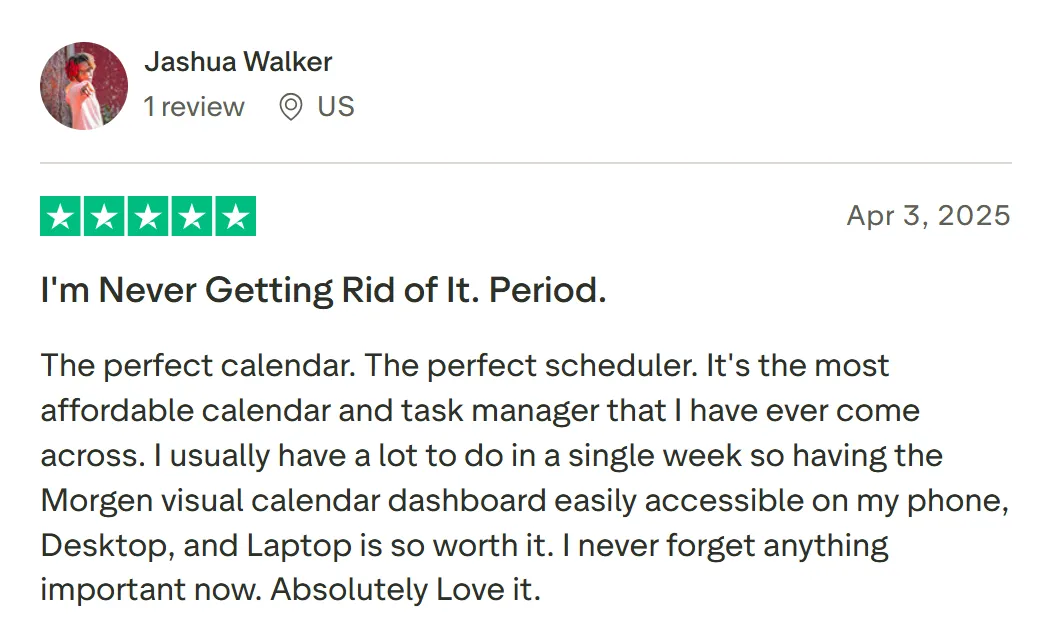
"O calendário perfeito. O agendador perfeito. É o calendário e gestor de tarefas mais acessível que já encontrei," partilha Jashua Walker.
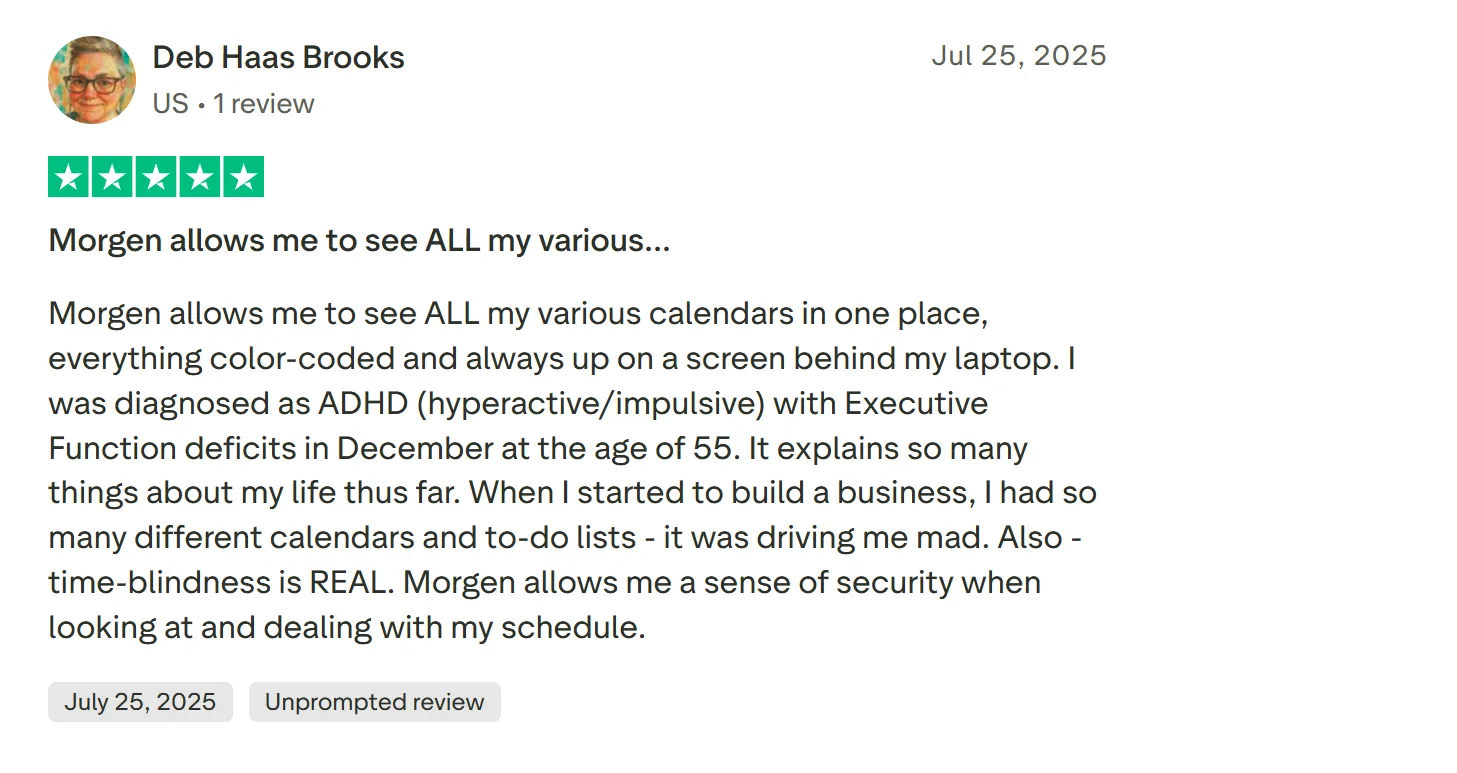
"Morgen permite-me ver TODOS os meus vários calendários num único local, tudo codificado por cores e sempre visível num ecrã atrás do meu portátil," partilha Deb Haas Brooks.
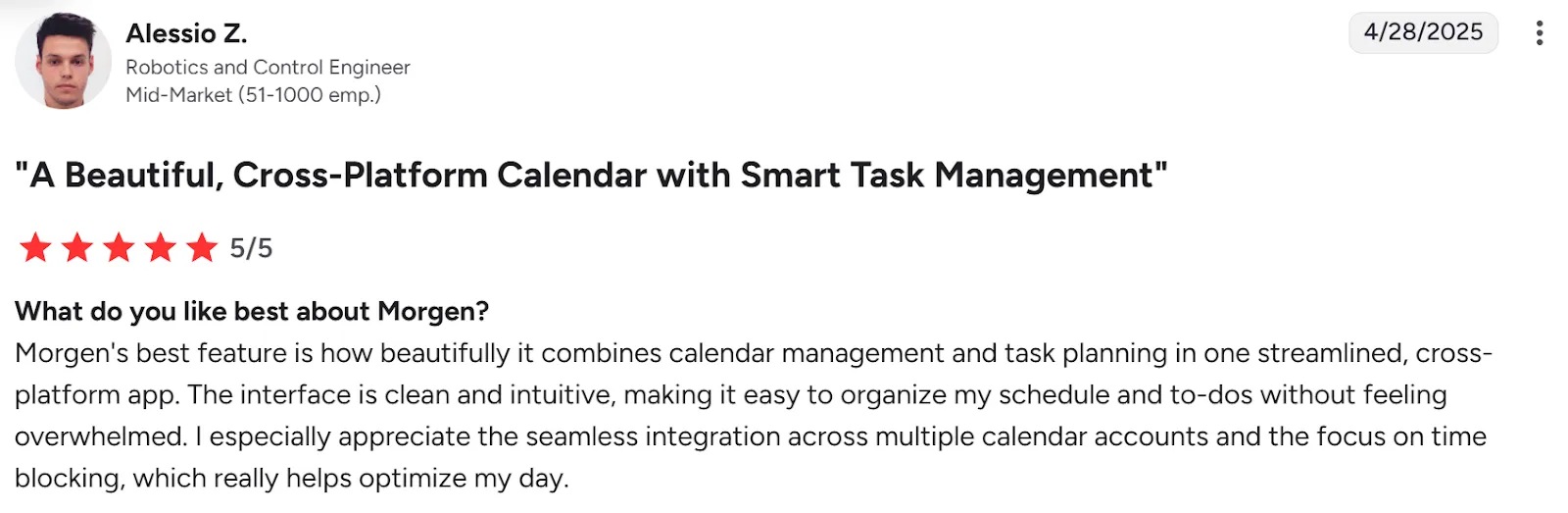
"A interface é limpa e intuitiva, tornando fácil organizar o meu agendamento e tarefas sem me sentir sobrecarregado," diz Alessio Z.
Para Quem Morgen É Melhor
- Empresários em nome individual, freelancers e profissionais de marketing que gerem múltiplas responsabilidades: Morgen consolida calendários e tarefas numa única interface para que possa planear realisticamente sem mudança de contexto constante
- Profissionais com ADHD: O sistema baseado em Frames de Morgen torna o tempo visível, o Planeador de IA elimina paralisia de decisão, e a codificação por cores fornece clareza visual instantânea
Descarregue Morgen para Mac, Windows, Linux, iOS, Android, ou use-o na web.
2. Motion
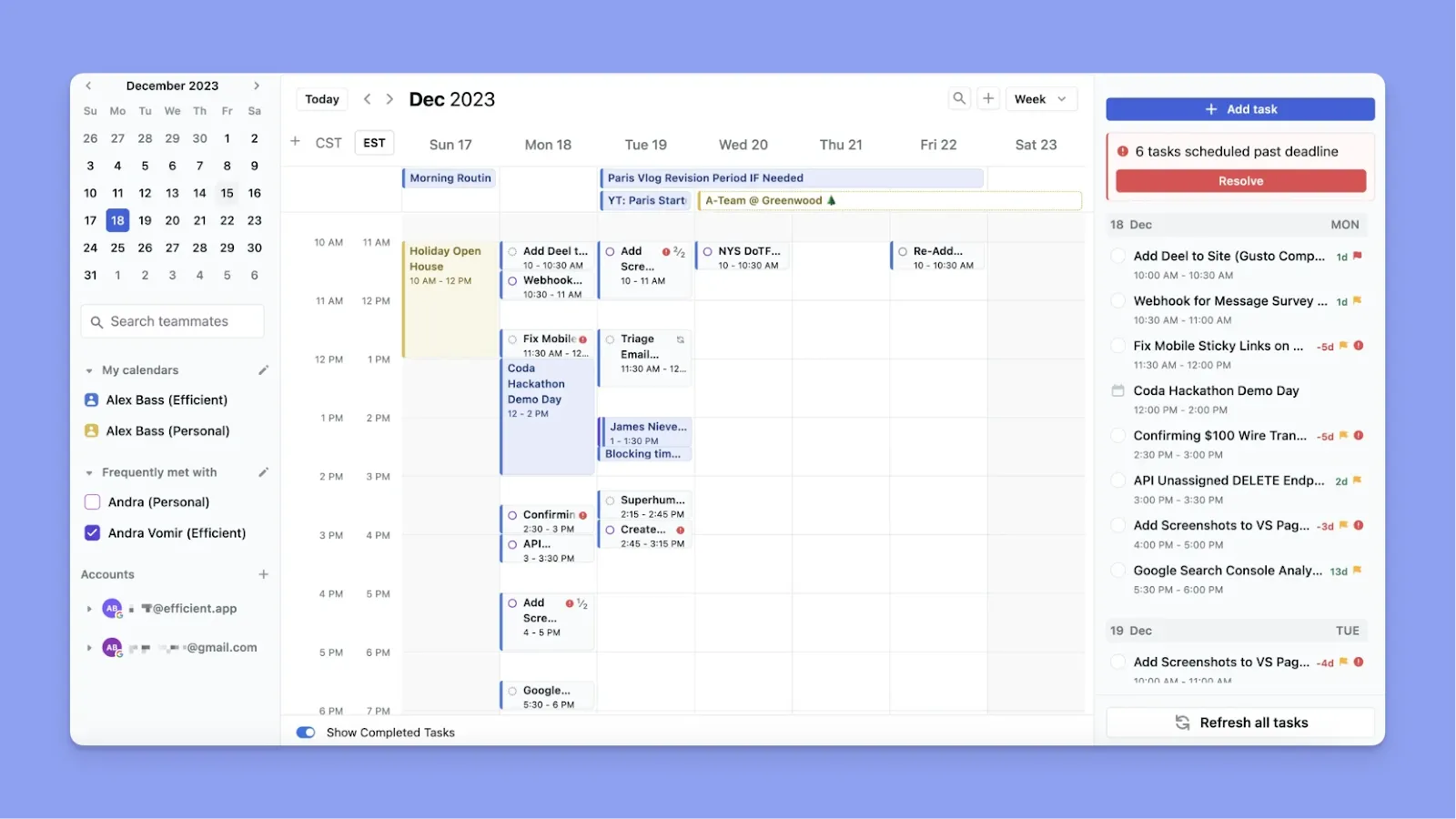
Com o piloto automático de IA de Motion, adiciona tarefas com prazos e prioridades, e agenda automaticamente tudo no seu calendário, depois reagenda em tempo real quando surgem conflitos.
Isto funciona brilhantemente se confia no agendamento algorítmico, mas pode sobrecarregar o seu calendário até ao burnout sem a abordagem com humano no circuito de Morgen.
Funcionalidades Principais
- Agendamento automático de tarefas: A IA de Motion coloca cada tarefa no seu calendário baseado em prioridade e prazo sem bloqueio de tempo manual
- Reagendamento em tempo real: Quando marca uma tarefa como completa ou uma reunião se move, Motion reorganiza instantaneamente o seu agendamento restante
- Dependências de projetos: Os quadros de projetos incluem dependências de tarefas e balanceamento de carga de trabalho para evitar que tarefas apareçam fora de sequência
Preços
| Plano | Preço |
|---|---|
| Individual | $29 |
| Equipas | $19/utilizador/mês |
Onde Motion Brilha
- Elimina decisões de agendamento: Motion remove completamente o fardo de decisão. Diz-lhe o que precisa fazer, e descobre quando
- Funciona bem para padrões de trabalho previsíveis: Projetos recorrentes com estruturas similares beneficiam de modelos e agendamento automático
Onde Motion Fica Aquém
- Caro a $29/mês para indivíduos. Quase o dobro do que outras ferramentas de gestão de calendário como Morgen cobram
- Configuração inicial complexa: Configuração extensiva prévia pode sobrecarregar cérebros com ADHD que lutam com função executiva
- Pode criar calendários sobrecarregados: Sem visualização de capacidade, Motion pode preencher o seu dia tão densamente que o burnout se torna inevitável
Avaliações de Clientes
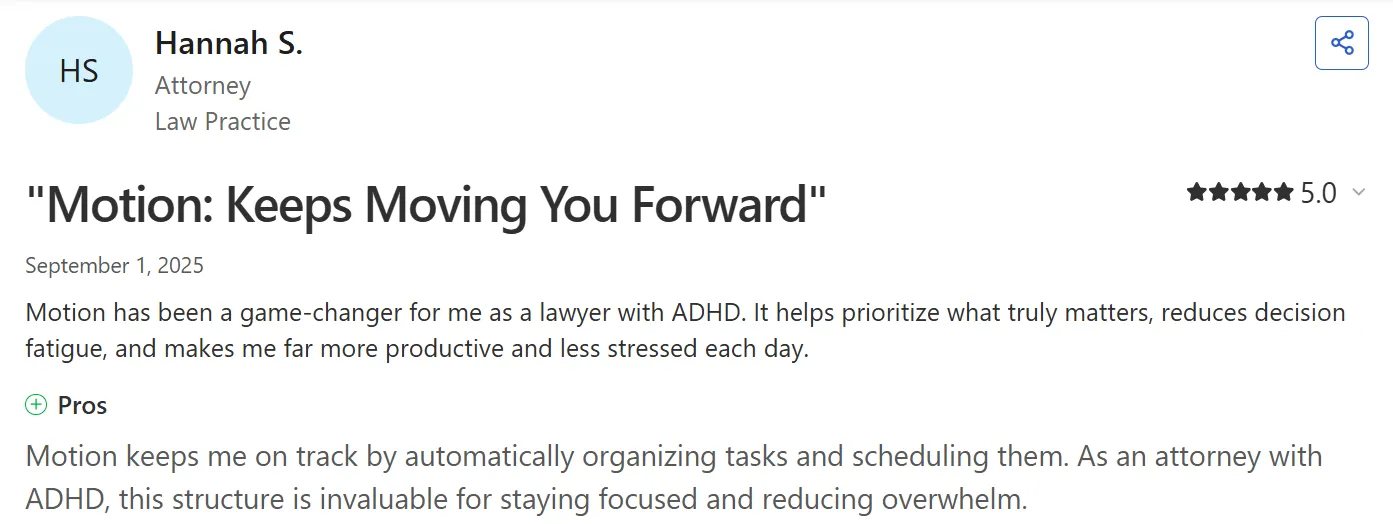
"Motion foi uma mudança de jogo para mim como advogada com ADHD," partilha Hannah S.
"Bastante caro, comparado com outras plataformas," nota um utilizador verificado de G2.

Para Quem Motion É Melhor
- Profissionais com ADHD que confiam no piloto automático sobre julgamento humano: Motion entrega se quer que a IA tome decisões de agendamento sem entrada
- Equipas que gerem dependências complexas de projetos: Motion é mais barato para equipas do que para indivíduos, e vem com ótimas funcionalidades como balanceamento de carga de trabalho
3. Tiimo

Tiimo é uma aplicação de planeamento visual construída especificamente para cérebros com ADHD e neurodivergentes. Torna o tempo, tarefas e rotinas mais fáceis de ver e seguir com agendamentos baseados em ícones e contadores regressivos.
Funcionalidades Principais
- Agendamentos visuais baseados em ícones: Atribua cores e ícones a atividades para que o seu dia se torne uma linha de tempo visual instantaneamente digitalizável
- Contadores regressivos que o ancoram: Os contadores mantêm-no enraizado no momento presente, ajudando com transições de tarefas e consciência de tempo
- Divisão de tarefas por IA: Fale ou escreva o que o está a sobrecarregar, e a IA de Tiimo divide-o em passos concretos com estimativas de tempo
Preços
| Plano | Preço |
|---|---|
| Tiimo Pro | $42/ano |
Nota: Os preços de Tiimo Pro variam por plataforma e região. Obtém um teste gratuito de 7 dias antes de uma subscrição anual, mas precisa de partilhar detalhes de cartão ao inscrever-se.
Onde Tiimo Brilha
- Funcionalidades dedicadas a ADHD: Linhas de tempo visuais codificadas por cores com contadores regressivos ajudam cérebros com ADHD a compreender a passagem de tempo
- Construído por fundadores neurodivergentes: Projetado especificamente para ADHD e autismo desde o início
Onde Tiimo Fica Aquém
- Sem suporte Android: Atualmente indisponível em dispositivos Android
- Integrações limitadas: Poderia integrar melhor com Apple Reminders, Calendar e Siri
Avaliações de Clientes
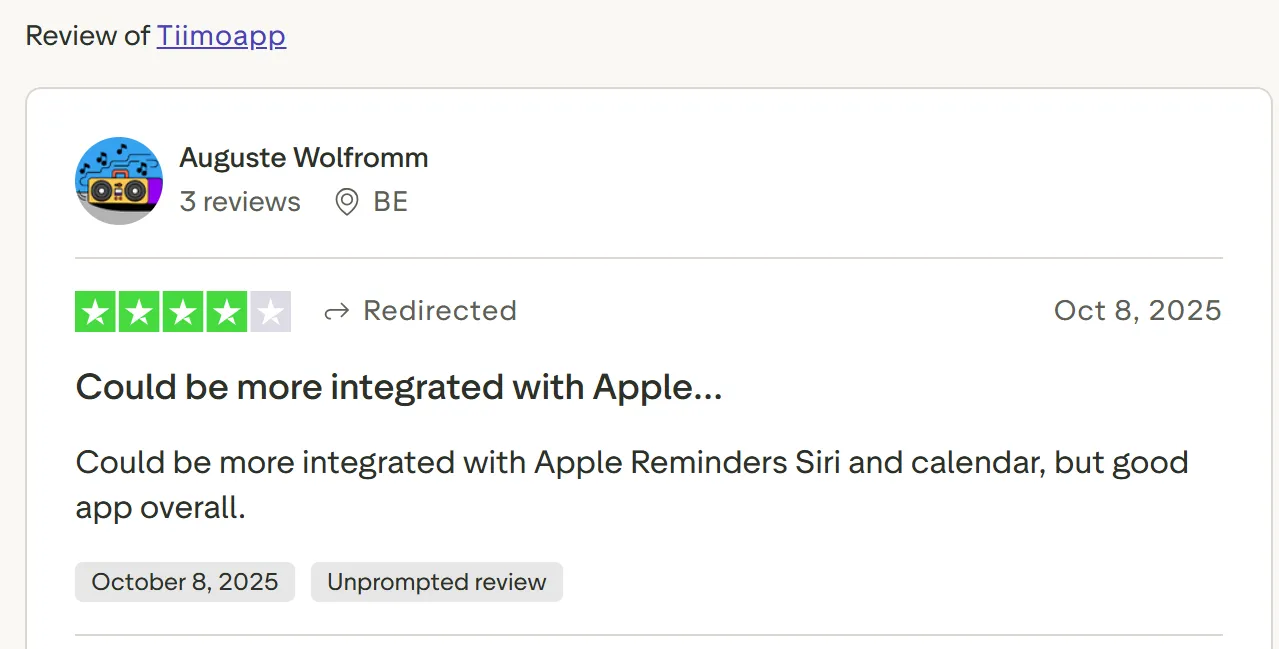
"Poderia estar mais integrado com Apple Reminders, Siri e calendário, mas boa aplicação no geral," diz Auguste Wolfromm.
Para Quem Tiimo É Melhor
- Pensadores visuais e cérebros com ADHD: Funciona para profissionais que precisam de âncoras visuais concretas para compreender onde estão no seu dia
4. Sunsama
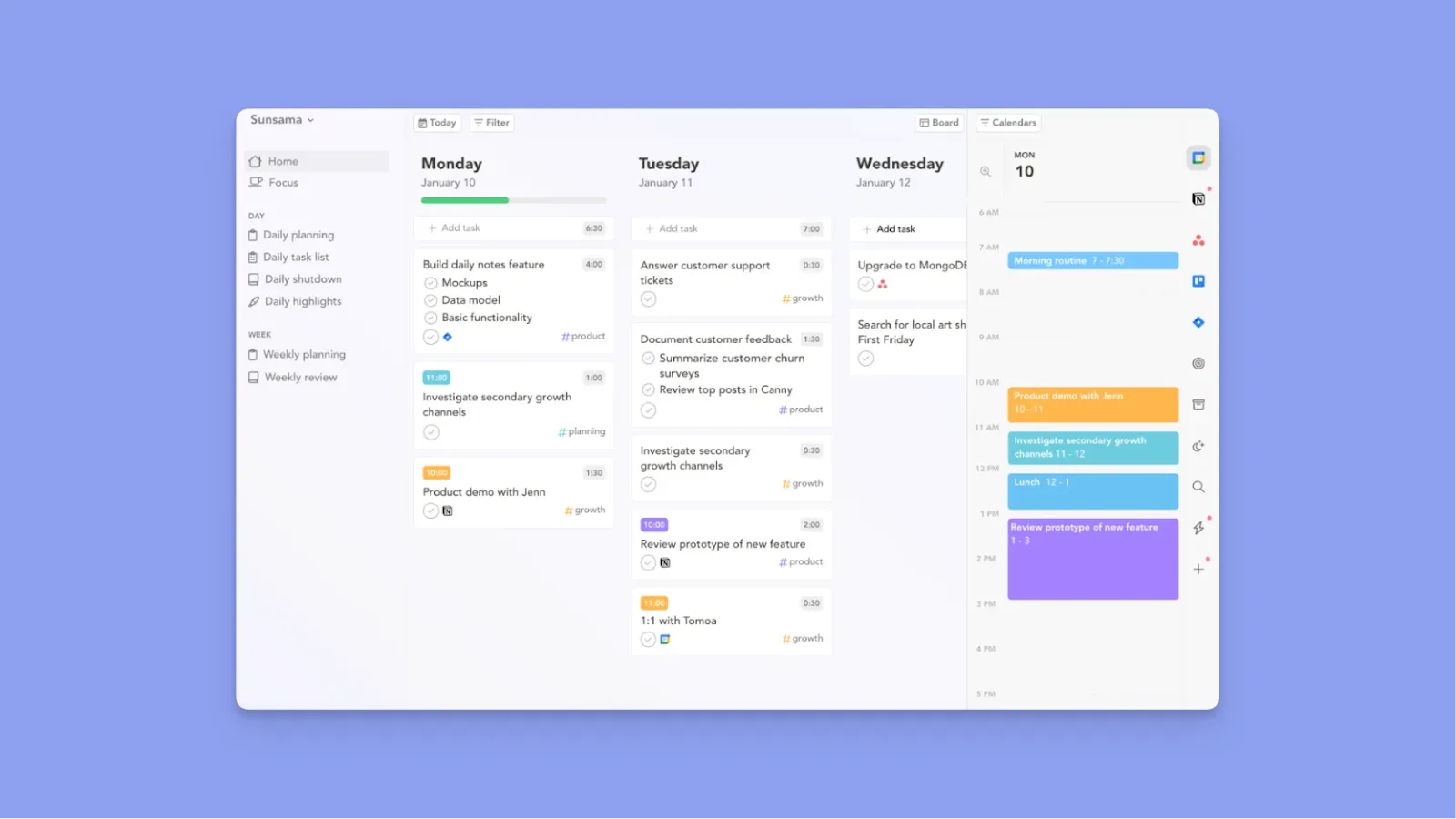
Sunsama guia-o através de rituais diários que forçam planeamento realista: reveja ontem, defina as intenções de hoje, estime o tempo necessário, e bloqueie tarefas por tempo. Se tentar encaixar demasiado num dia, Sunsama avisa-o.
Funcionalidades Principais
- Rituais de planeamento diário guiados: Guia-o através de revisão de ontem, definição de intenções de hoje, e bloqueio de tarefas em agendamentos realistas
- Integrações profundas: Extrai tarefas e eventos de múltiplos calendários e gestores de tarefas para uma única vista para evitar mudança de contexto
- Análise e rastreamento de tempo: Fornece prova visual de produtividade para combater a perceção distorcida de ADHD de realização
Preços
| Plano | Preço |
|---|---|
| Mensal | $20/mês |
| Anual | $16/mês |
Onde Sunsama Brilha
- Planeamento diário guiado: Sunsama evita sobrecarga ao recomendar slots de tempo baseados nas suas definições de dia de trabalho e compromissos existentes
- Interface calmante reduz ansiedade: Design deliberadamente lento e consciente cria segurança psicológica para cérebros com ADHD
Onde Sunsama Fica Aquém
- Limita automação a 'Hoje': Sunsama apenas permite planeamento para hoje, e qualquer tarefa inacabada antes do final do dia não é reagendada ou redistribuída para o dia seguinte
- Prazos ocultos: Precisa de verificar manualmente prazos já que não aparecem diretamente no calendário, o que apenas adiciona trabalho para utilizadores com ADHD
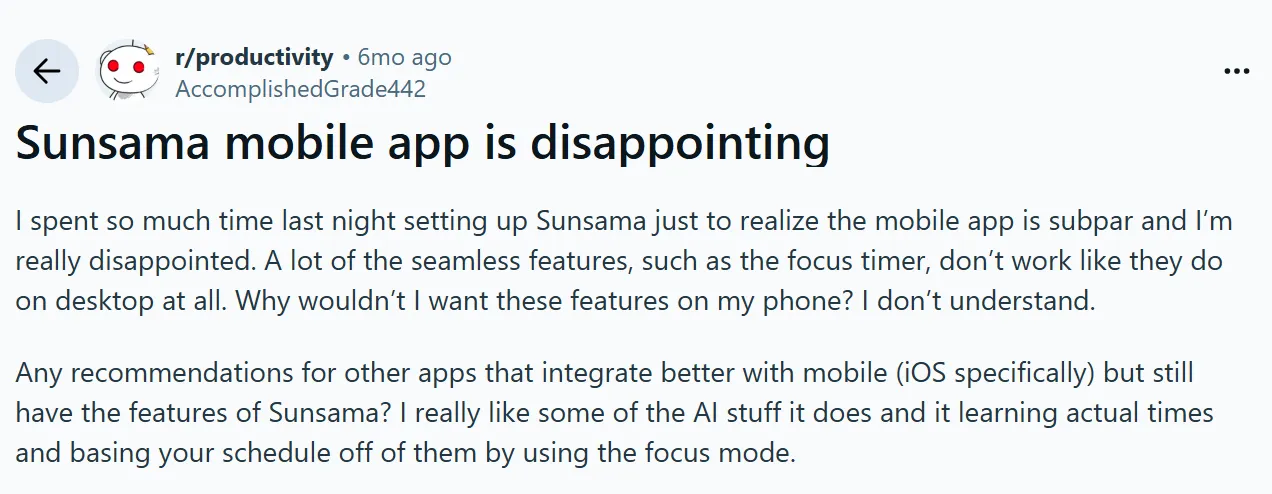
- Aplicação móvel carece de funcionalidades principais do desktop: Utilizadores relatam que a experiência móvel é "inferior"
Avaliações de Clientes
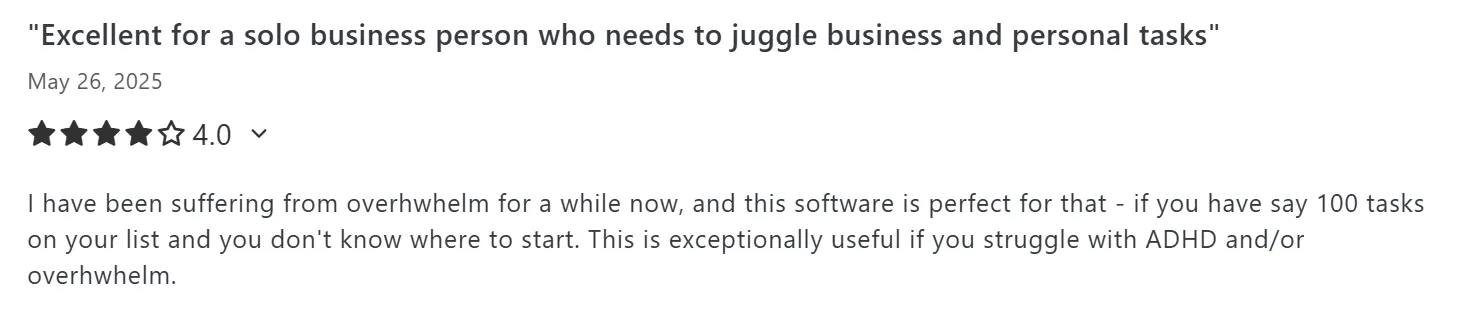
"Tenho estado a sofrer de sobrecarga há algum tempo, e este software é perfeito para isso," diz Gareth H.
"A aplicação móvel de Sunsama é decepcionante," partilha AccomplishedGrade442 em r/Productivity:
Para Quem Sunsama É Melhor
- Profissionais com ADHD propensos a burnout: Que precisam de rituais forçados para construir padrões de trabalho sustentáveis
5. Todoist

Todoist não oferece muitas funcionalidades avançadas, mas é bom para velocidade de captura e simplicidade, e captura de tarefas sem atrito para cérebros com ADHD que esquecem tarefas em segundos.
Nota: Todoist integra-se em Morgen, para que possa importar tarefas para melhor bloqueio de tempo e funcionalidades de personalização avançadas.
Funcionalidades Principais
- Captura de tarefas em linguagem natural: Converte pensamentos em tarefas estruturadas instantaneamente sem clicar em menus
- Filtros personalizados para foco: Cria vistas que eliminam paralisia de decisão e mostram apenas o que importa hoje
- Gamificação de Karma para motivação: Usa séries e pontos para fornecer recompensas de dopamina para progresso
Preços
| Plano | Preço |
|---|---|
| Gratuito | $0 (Até 5 projetos) |
| Pro (Anual) | $5/mês |
| Business (Anual) | $8/mês |
Onde Todoist Brilha
- Interface consistente em plataformas: Reduz atrito e mantém o seu fluxo de trabalho idêntico em todos os lugares
- Suporte de captura de tarefas offline: Permite-lhe descarregar tarefas em qualquer altura sem depender da internet
- Etiquetas e projetos codificados por cores: Dá aos utilizadores com ADHD digitalização visual rápida e reduz carga cognitiva
Onde Todoist Fica Aquém
- Lembretes bloqueados atrás do plano Pro: Alertas básicos requerem atualização, limitando utilidade para utilizadores com ADHD no nível gratuito
- Sem temas personalizados ou personalização: Personalização visual mínima reduz opções para layouts amigos de ADHD
Avaliações de Clientes
"Todoist transformou completamente o meu fluxo de trabalho e produtividade," partilha Rami A.

"Não há temas personalizados e opções completas de personalização de UI," diz Arun Vasudev N.

Para Quem Todoist É Melhor
- Profissionais com ADHD que esquecem tarefas facilmente: Todoist captura tudo instantaneamente, para que nada escorregue através de lacunas de memória de trabalho
6. Forest

Forest gamifica foco transformando resistência ao telemóvel num jogo de cultivo de árvores. Planta uma semente ao trabalhar, e cresce durante a sua sessão de foco. Saia da aplicação a meio, e a sua árvore morre, criando responsabilidade imediata que cérebros com ADHD precisam.
7. Goblin Tools

Goblin Tools ataca paralisia de tarefas com uma IA que divide tarefas abstratas em micro-passos que desencadeiam dopamina. Digite "Responder ao email do cliente," e Goblin Tools gera uma lista de verificação de 10 passos de "Abrir o seu cliente de email" a "Clicar no botão Enviar."
Como Escolher a Melhor Aplicação de Produtividade para ADHD
Para encontrar a sua melhor aplicação de gestão de tarefas para ADHD, comece por identificar qual desafio de função executiva causa-lhe a maior dor profissional. Considere:
Representação Visual de Tempo para Cegueira Temporal
Procure ferramentas que estruturem a sua semana antes de agendar tarefas. O sistema Frame de Morgen cria bloqueios de tempo recorrentes para diferentes necessidades (Trabalho Profundo, Admin, Almoço, Aprendizagem) com filtros que controlam quais as tarefas que aparecem durante essas horas.

Experimente o Temporizador de Trabalho Profundo de Morgen para agendar sessões sem distração que protejam as suas horas mais produtivas de reuniões e interrupções.
Integrações Profundas para Reduzir Mudança de Contexto
A pesquisa mostra que profissionais de conhecimento mudam de aplicações 1.200 vezes diariamente, o que, para cérebros com ADHD, agrava o esgotamento.
Morgen extrai tarefas de Notion, Linear, ClickUp, Obsidian, Todoist, Google Tasks e Microsoft To Do diretamente para a sua barra lateral de calendário com propriedades nativas para reduzir mudança de contexto.
Nível de Assistência de IA: Piloto Automático vs. Copiloto
Pense se quer que a IA tome todas as decisões de agendamento (piloto automático) ou quer aprovar recomendações de IA antes de agendar (copiloto). Se perder controlo desencadeia ansiedade, evite sistemas totalmente automatizados.

O Planeador de IA de Morgen sugere agendamentos ótimos baseados nos seus Frames e prioridades, mas aprova cada mudança antes de acontecer.
Nota: Pode usar "Repriorizar com Planeador de IA," "Reagendar ASAP," ou "Desagendar Tarefa" quando surgem conflitos.
Sistemas de Priorização para Fadiga de Decisão
As melhores aplicações para ADHD permitir-lhe-ão atribuir níveis de prioridade (P1, P2, P3) e filtrar vistas para mostrar apenas o que importa.
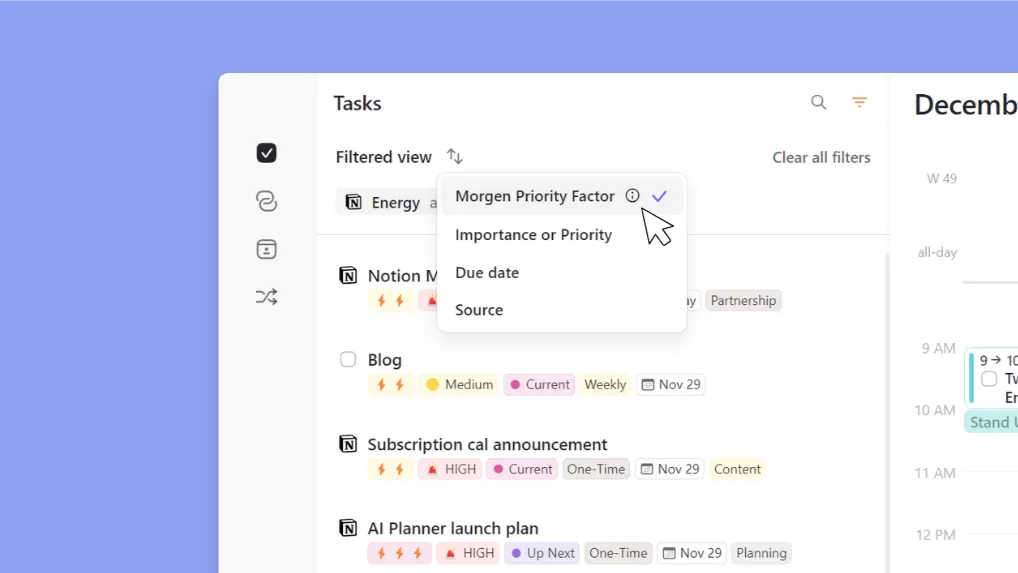
Morgen preserva etiquetas de prioridade de ferramentas integradas como Notion e Linear, depois superficializa tarefas de alta prioridade nas suas sugestões de planeador digital online para ajudá-lo a manter-se focado.
Instale a Extensão Chrome de Morgen (Easy Tasks) para criar tarefas sem sair do seu separador atual.
Lembretes e Alarmes para Bloqueio de Tempo
Profissionais com ADHD cegos para o tempo precisam de alertas externos para os tirar do hiperfoco e fazer transição entre tarefas.

Morgen sincroniza com as suas definições de calendário ativo, herdando os seus sistemas de notificação enquanto adiciona alertas com limite de tempo para quando é hora de começar os seus blocos de trabalho agendados.
Construa Rotinas Diárias Melhores Com Morgen
Em vez de lutar contra o seu cérebro com ADHD, comece a usar ferramentas construídas para mentes neurotípicas, como Morgen.
Com o nosso sistema baseado em Frames, Planeador de IA, integrações e outras funcionalidades de foco dedicadas, criará um agendamento diário personalizado que o ajuda a focar-se em tarefas importantes sem sobrecarga mental.
Comece o seu teste gratuito, ou contacte-nos, e ajudá-lo-emos a criar o seu fluxo de trabalho de ADHD hoje.

.svg)
.webp)