
.svg)
→ Morgen: Stops decision-making paralysis with one view for all your calendars and tasks, color-coding, optional AI for "what should I do next?", and custom routines
→ Sunsama: Creates daily planning habits through guided rituals
→ Akiflow: Captures ideas with command-bar shortcuts before they're forgotten
→ Tiimo: Makes time visible with countdown circles and icon-based schedules
→ Reclaim.ai: Removes planning decisions by auto-scheduling your day
ADHD symptoms make it hard to plan, focus, or get started with any task. However, you can use digital tools like Morgen and other daily planners for ADHD that support how your brain works.
We tested five platforms to explore how they help with ADHD, including their pros and cons and pricing. Here's how they compare, how to choose from the list, and how to build daily schedules for productivity with ADHD.
What is ADHD, and How Does It Affect Daily Planning?
ADHD (Attention Deficit Hyperactivity Disorder) is a neurodevelopmental condition that affects executive functioning, making traditional planning methods often ineffective or overwhelming.
People with ADHD commonly experience:
- Time blindness: Difficulty estimating how long tasks will take or sensing the passage of time
- Executive dysfunction: Challenges with planning, organizing, and task initiation
- Energy fluctuations: Sharp spikes and dips in focus and motivation throughout the day
- Working memory issues: Forgetting tasks, appointments, or important details
- Emotional regulation challenges: Difficulty managing frustration when plans don't work out
- Hyperfocus periods: Intense concentration that can lead to neglecting other responsibilities
- Task paralysis: Becoming overwhelmed by choices and unable to start any task
While these traits make conventional productivity systems feel impossible to maintain, you can use daily planners that make it easier to perform tasks and stay focused.
Top 5 Daily Planners for ADHD: At a Glance
| Tool | Best for | Standout ADHD feature | Starting price | G2 rating | Capterra rating |
|---|---|---|---|---|---|
| Morgen | ADHD brains who need control and deep integrations | Unified calendar + task view for reduced context switching | $15/month | 4.8 | 5.0 |
| Sunsama | Professionals who need calm, mindful planning | Guided daily planning workflows that reduce overwhelm | $16/month | — | 4.7 |
| Akiflow | Professionals in fast-paced environments | Universal inbox consolidating tasks from many tools | $19/month | 4.8 | 4.7 |
| Tiimo | Visual thinkers | Icon-based, visual schedules built for neurodivergent users | $42/year | — | — |
| Reclaim | People who want AI to handle scheduling decisions | Automatic task and habit scheduling in your calendar | $10/month | 4.8 | 4.9 |
1. Morgen: Best Daily Planner for ADHD
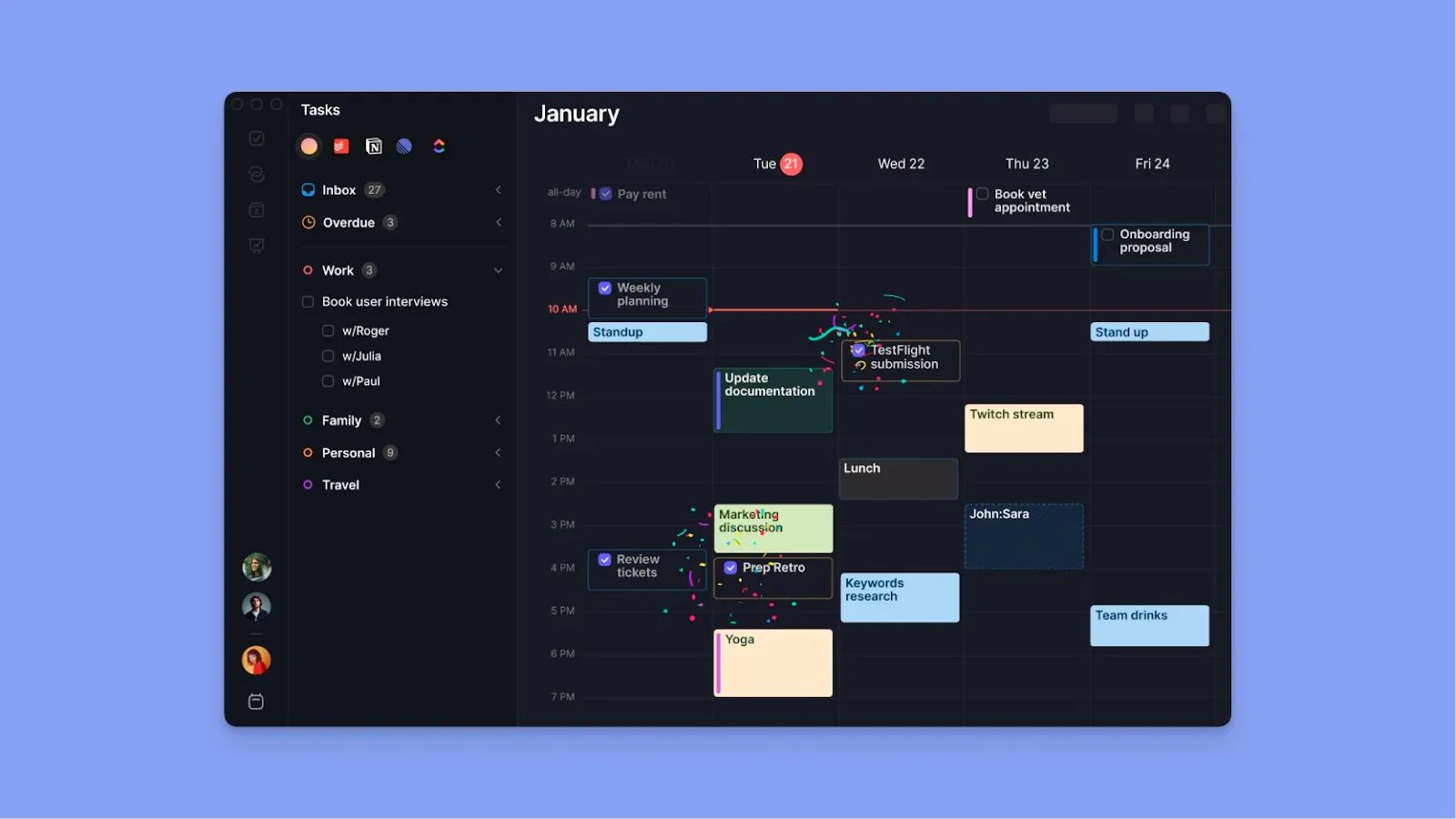
Morgen is a unified productivity interface that consolidates events and tasks from multiple calendars into a single plane.
You get numerous integrations that prevent context switching, automation you can control, color coding to make the interface scannable, and timely reminders that help you focus on important commitments.
Key Features
Morgen offers ADHD brains control and flexibility with features like:
Unified Calendar and Task View

Morgen integrates with Google Calendar, FastMail, and iCloud, and lets you pull tasks from Notion, Linear, ClickUp, Obsidian, and Todoist. With these integrations, you capture events and tasks and time-block them into your calendar view with simple drag-and-drop.
Tip: When you need to focus on planning work, hide personal commitments like meals or routines by toggling individual calendars in the Calendars menu, or quickly switch to a work-only Calendar Set using its associated keyboard shortcut to reduce visual clutter.
AI Planning Assistant
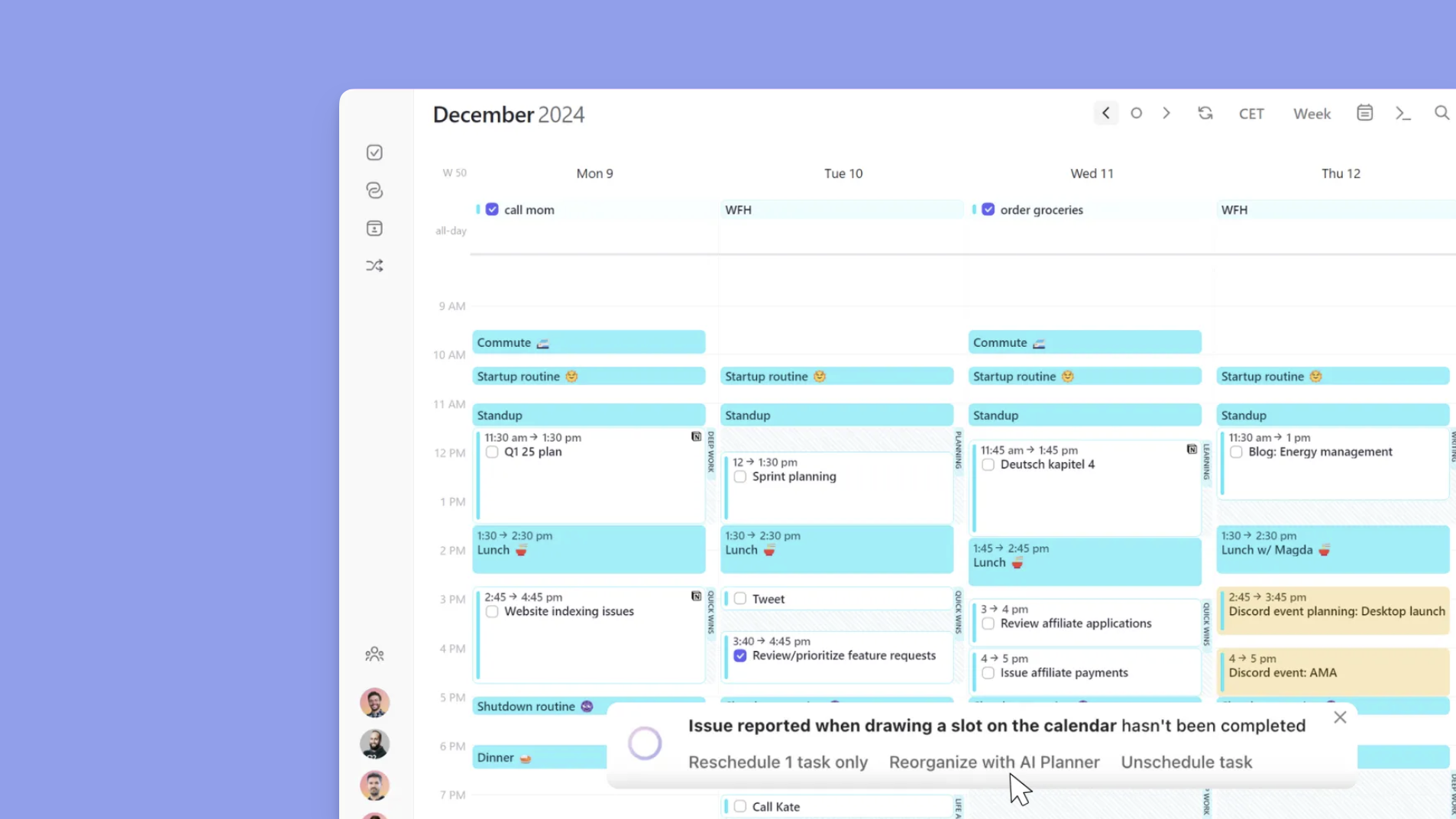
Morgen's AI planner helps answer the ADHD-paralyzing question, "What should I do next?"
It considers your available time and task priorities to suggest when to work on different tasks. It calculates priority based on factors such as importance, task duration, and due date. If commitments overlap, you can reorganize your tasks with the AI Planner's pop-up recommendations: "Reschedule ASAP," "Reprioritize with AI," or "Unschedule."
Note: The AI Planner only makes suggestions; you still need to approve them for Morgen to schedule them.
Frame-Based Planning
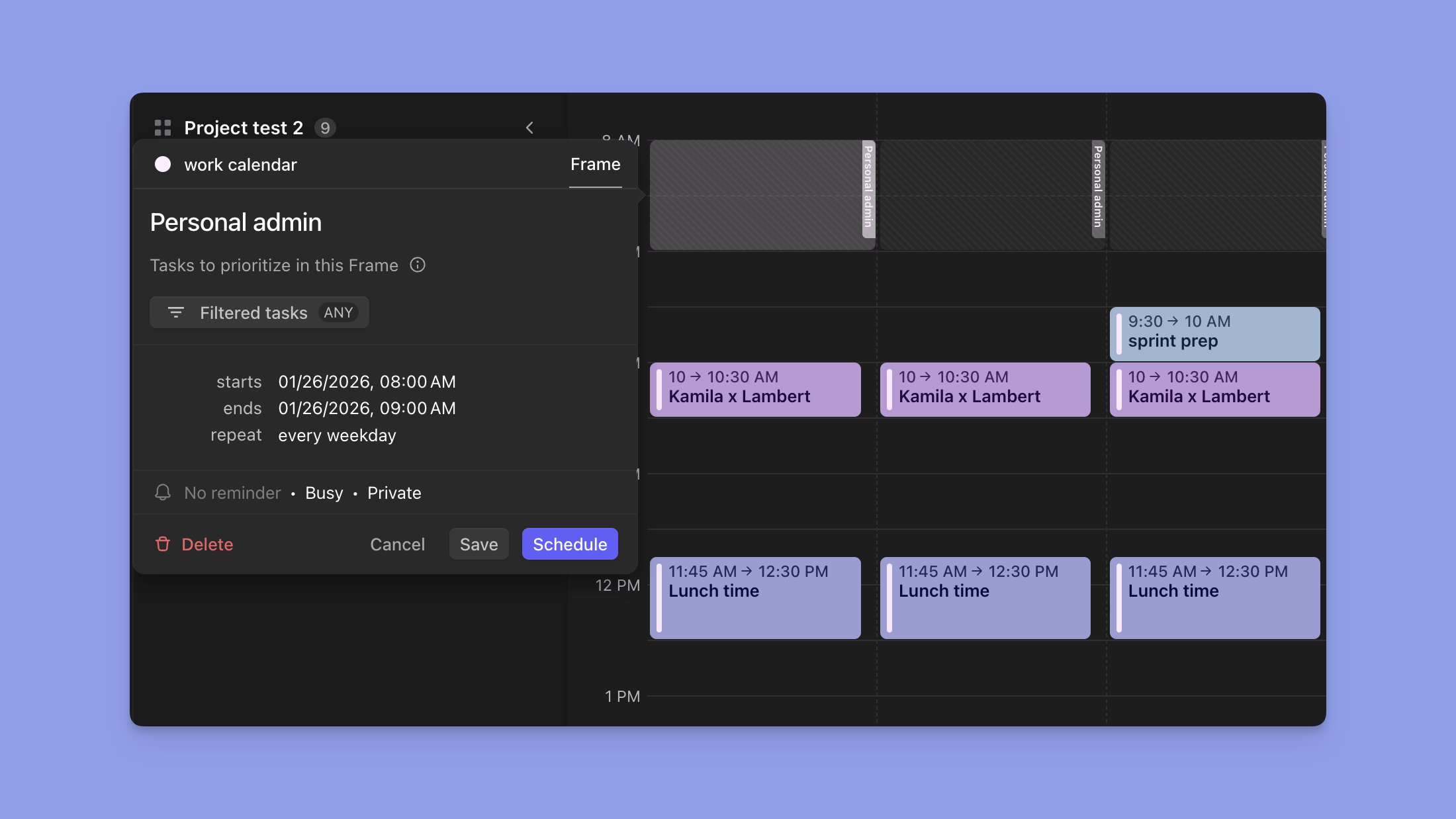
Time blocking helps you prioritize the most important tasks and work on them when you have the most energy.
With Morgen, you’ll do this using "Frames," which let you create recurring daily, weekly, or monthly templates for when you perform tasks like admin work, replying to emails, or going for lunch.
Tip: Click anywhere in your calendar view, select "Frame" in the widget, rename it ( Deep Work or Lunch), then set a recurring schedule (daily, weekly, monthly, yearly, or custom). You can also set your Frame as busy, so others will see you're unavailable when using your scheduling links.
Subtasks
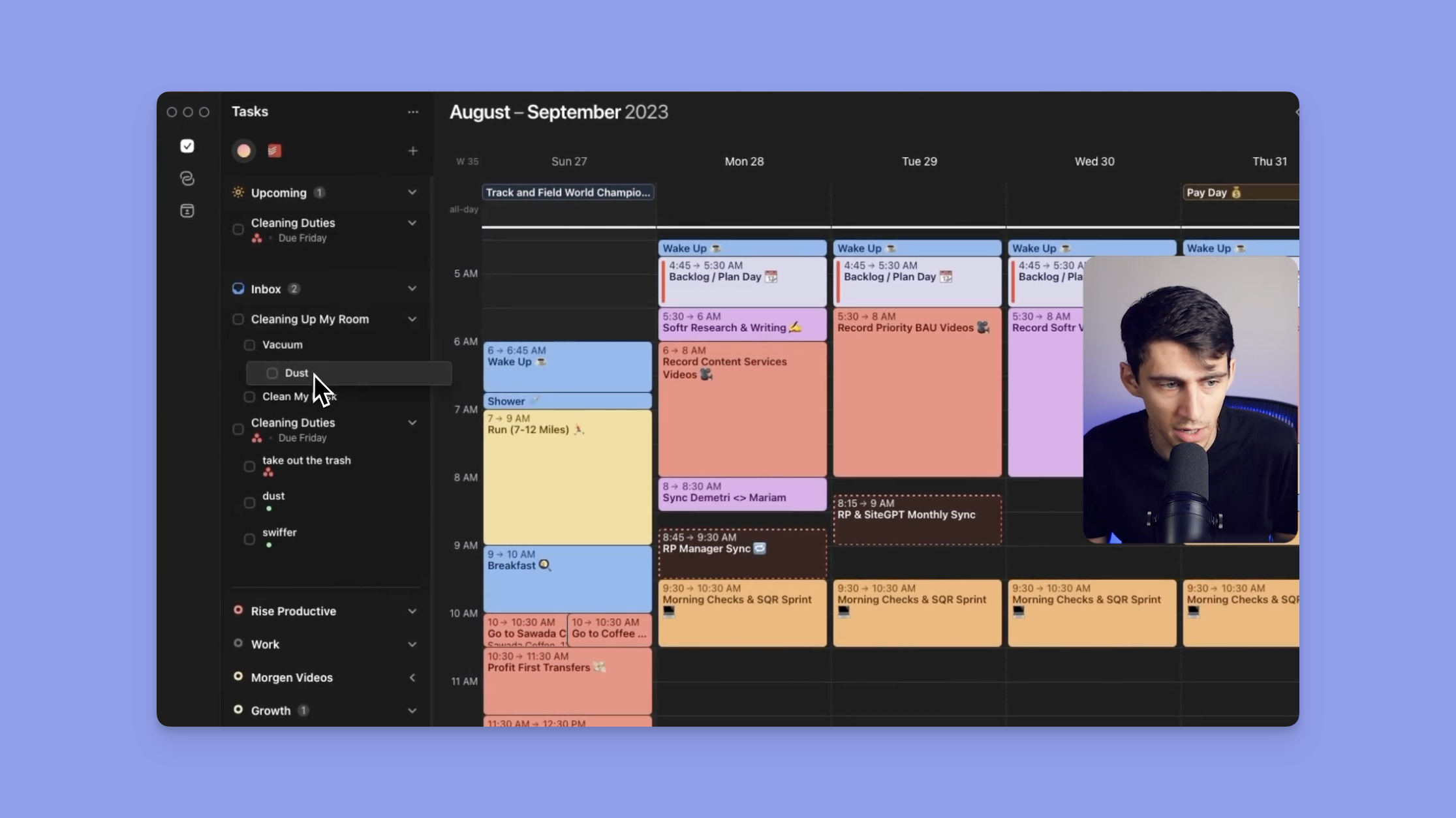
Morgen lets you create subtasks that break complex work into smaller steps. For ADHD brains, this helps reduce procrastination and task paralysis by encouraging you to start with one small action rather than attempting a large project in one go.
When you create a new task, click the plus sign, then the drop-down arrow to the right, add subtasks, and set due and planned dates.
Note: Due dates in Morgen show when tasks must be finished, while planned dates show when you'll actually work on them.
Pricing
Note: All Morgen plans include a 14-day trial and a 30-day money-back guarantee when you subscribe.
| Plan | Monthly | Yearly |
|---|---|---|
| Individual | $30 / month | $15 / month |
| Teams | $25 / seat / month | $10 / seat / month |
Buyer Notes: Get a 15% discount on your first-year subscription after switching from Motion, Fantastical, Reclaim, or Sunsama. Students and non-profit organizations get a 25% discount on Morgen Pro (available after a free trial and through an institutional email address)
Where Morgen Shines
- Combats time blindness through unified visibility: Shows calendars, events, and tasks in one place to tackle time blindness and cut cognitive overhead for ADHD readers. Morgen is one of the top ADHD productivity apps designed to simplify planning and keep your day on track
- Customizable reminders: You can set multiple alerts (10, 30 minutes) for critical commitments, and toggle reminder settings per calendar to prevent notification fatigue from less important events
- Copilot AI respects your autonomy: Morgen's AI makes suggestions you must approve before scheduling
- Visual time-blocking prevents overcommitment: Color-coded frames and scheduled task blocks make conflicts instantly visible on your calendar. Morgan also alerts you when tasks or events overlap, and you can reschedule or reprioritize with AI
- Energy-aware schedule adjustment: Morgen lets you rearrange your day when energy crashes or hyperfocus strikes
- Quick Add command bar: When you are inside the Morgen app or web interface, press the in-app shortcut, Cmd+K (Mac) or Ctrl+K (Windows), to instantly create tasks or events using natural language without opening menus or breaking focus
Tip: Pair Morgen's Frames with the free deep work timer to track when your energy actually peaks.
Where Morgen Falls Short
- Mobile app is a lightweight companion: The mobile version offers essential viewing and quick edits, but heavy planning and configuration work best on a desktop
Customer Reviews
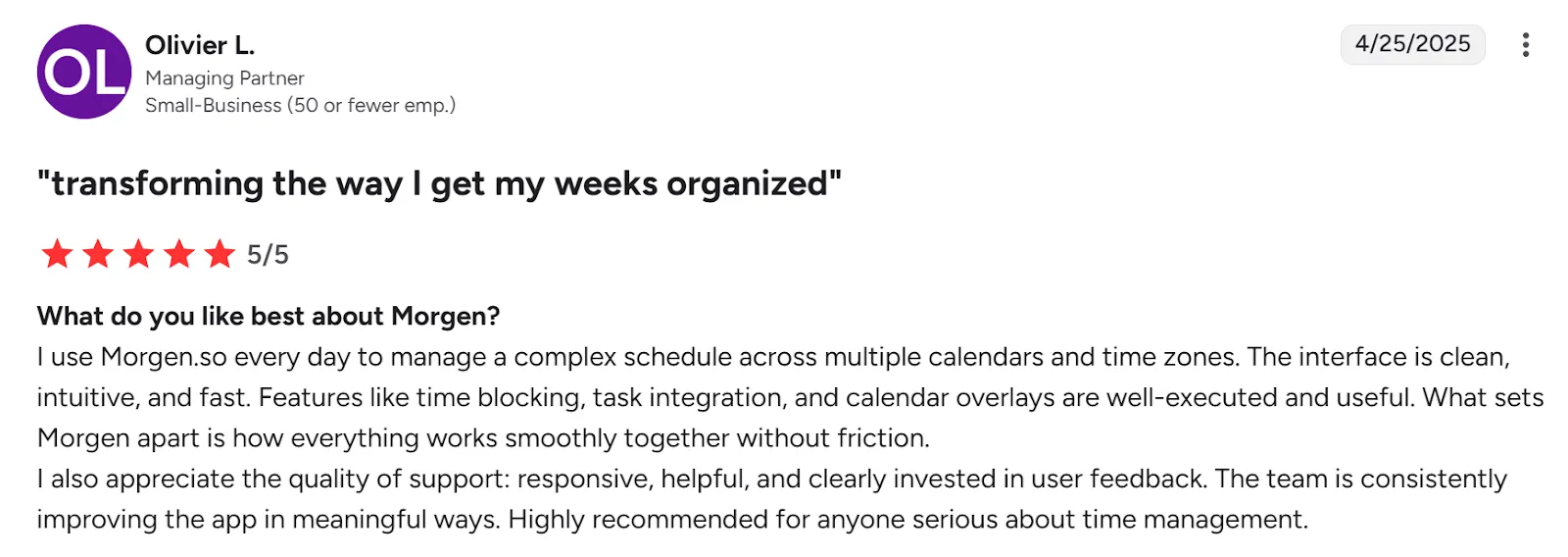
"I use Morgen.so every day to manage a complex schedule across multiple calendars and time zones," says Olivier L:
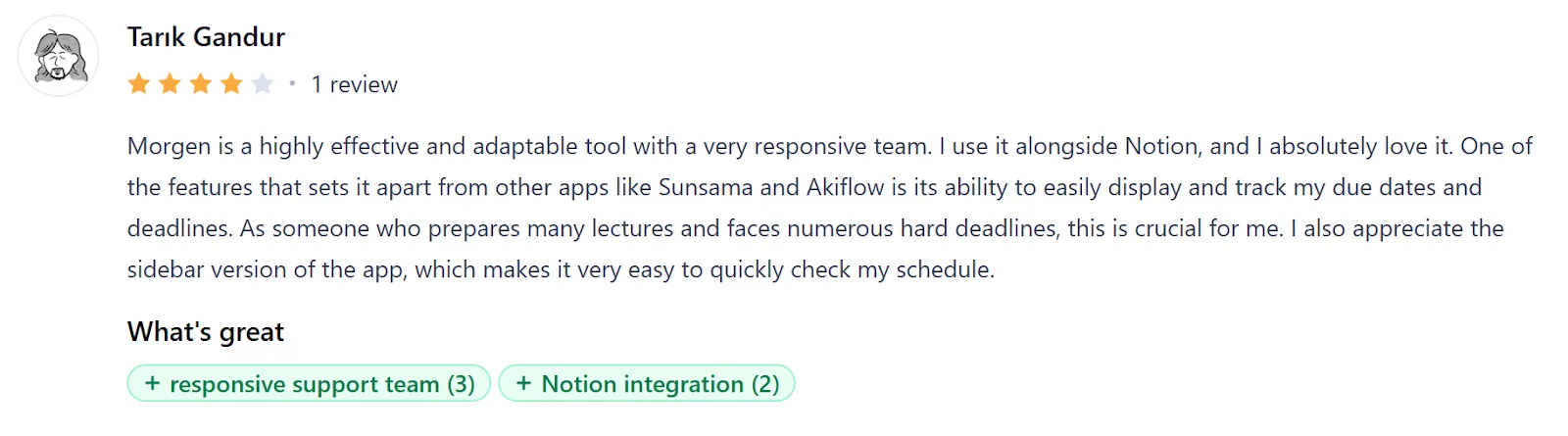
"Morgen is a highly effective and adaptable tool with a very responsive team. I use it alongside Notion, and I absolutely love it," shares Tarık Gandur:
Educator and coach Martine Ellis uses Morgen to combine calendars from all her life zones:
"I need something that can handle all of me. Not just my work self or my personal self. Morgen lets me bring it all together."
Who Morgen Is Best For
- Professionals with ADHD: Solopreneurs, developers, and marketers who need visual time-blocking with deep tool integrations, but want control over their schedule
- Integration-focused professionals: People managing tasks across multiple platforms who need everything consolidated into one unified calendar view
Ready to start planning? Download Morgen now on Mac, Windows, Linux, iOS, Android, or use it on the web!
2. Sunsama
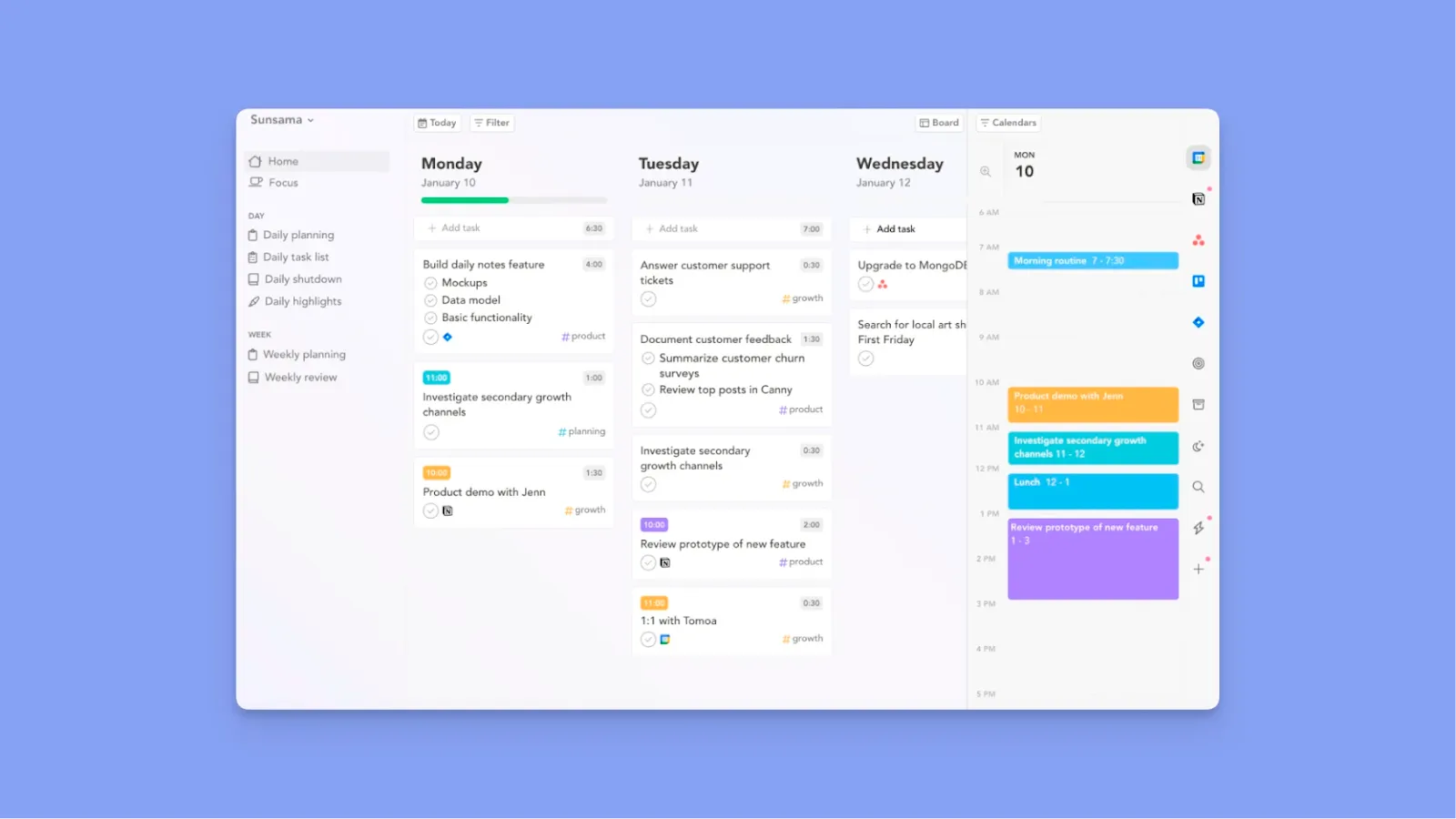
Sunsama is a daily planning and productivity tool built around a guided ritual-based workflow that helps you plan, focus, and reflect on your work each day.
Key Features
- Guided daily planning: Sunsama forces you to make conscious decisions about your time and prompts you to review and reflect on your completed tasks
- Integrations: Sunsama connects with Asana, Trello, Todoist, Gmail, Slack, and other project management tools, letting you choose tasks for your day’s plan
Pricing
| Plan | Pricing |
|---|---|
| Monthly subscription | $20 / user / month |
| Annual subscription | $16 / user / month |
Where Sunsama Shines
- Calendar-centric daily planning: Tasks display in a focused daily board, and dragging them automatically time-blocks your calendar for the day
- Guided scheduling suggestions: Recommends time slots based on your defined workday end time and existing commitments to prevent accidental overcommitment
- Intentional, low-pressure workflow: The ritual-based design encourages deliberate planning and reflection, which appeals to users who want structure without constant rescheduling
Where Sunsama Falls Short
- Automation is limited to the current day: Sunsama only suggests schedules for today. It does not plan across multiple days or redistribute unfinished work automatically
- No automatic task rollover or splitting: If a task exceeds available time, the remaining work does not flow into future days and must be manually duplicated or rescheduled
- Hidden deadlines: Due dates do not appear directly on the calendar, requiring extra clicks to check deadlines, which can be easy to miss for ADHD users
No habit or streak tracking: Recurring behaviors like routines or habits lack visual reinforcement or progress tracking, which many ADHD users rely on for consistency
Customer Reviews
"Sunsama helps me thoughtfully plan out my day and keep myself from getting distracted," shares Kevin Kirkpatrick.

"Sometimes I wish that it would be easier to sync across more tools in our stack so any task I get assigned will appear there. Otherwise, it has been fantastic," says Ben N.

Who is Sunsama Best For?
- Reflective ADHD users: People who need structured rituals to build self-awareness and prevent overcommitment
3. Akiflow
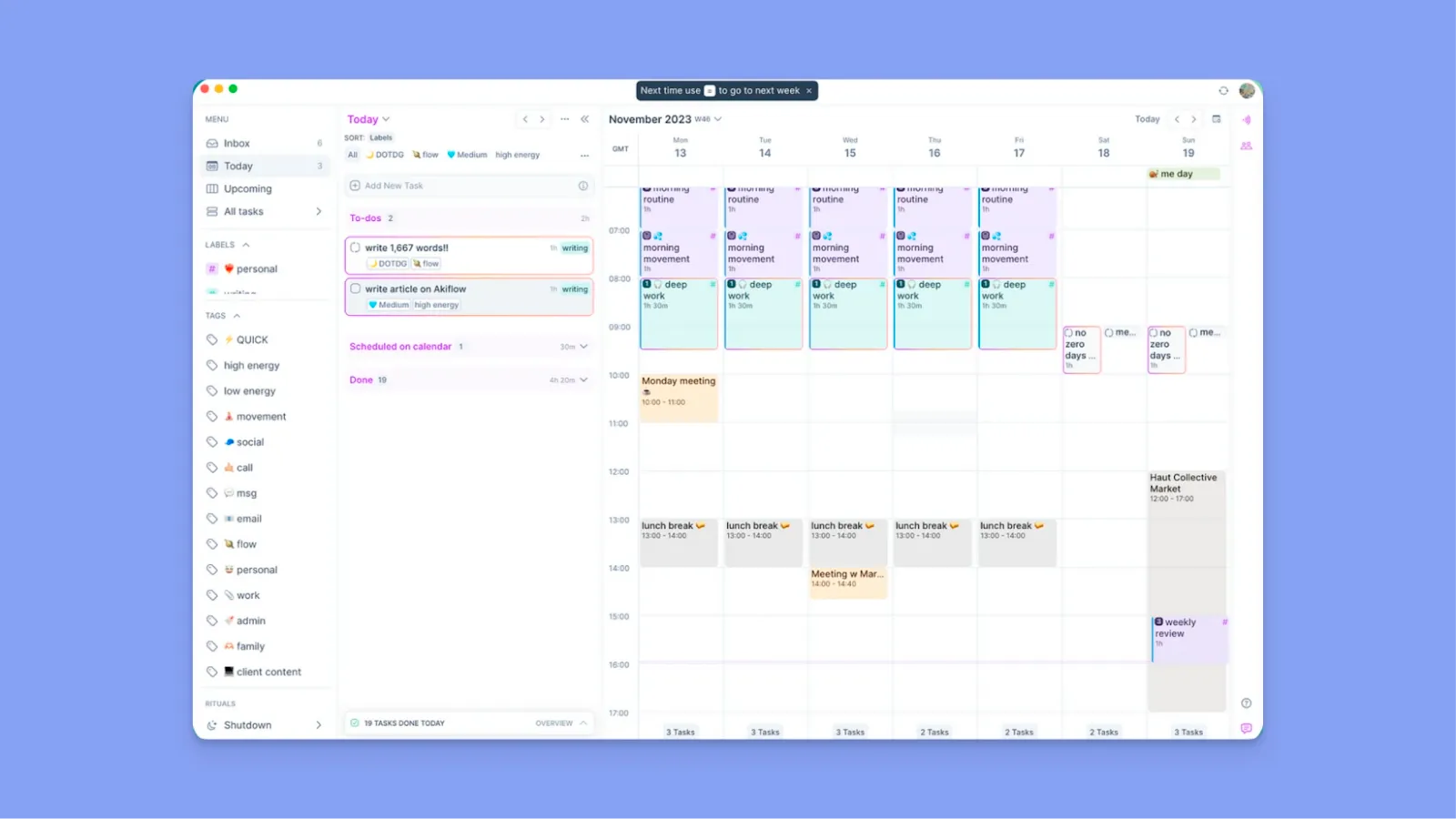
Akiflow can help ADHD brains plan better with keyboard shortcuts, a command bar, and several tool integrations. The daily planner offers time blocking and prevents distractions, perfect for people struggling with focus.
Key Features
- Unified inbox and integrations: Akiflow consolidates tasks from email, Slack, calendars, and project tools, reducing cognitive load for ADHD users managing dispersed inputs
- Time-blocking: It schedules commitments with clear time boundaries to reduce time-blindness
- Command bar and rapid capture: Fast task entry and shortcut-driven navigation to help you action ideas immediately
Pricing
| Plan | Pricing |
|---|---|
| Pro Monthly | $34/month |
| Pro Yearly | $19/month (billed annually) |
Where Akiflow Shines
- Fast command UI: Its quick-capture commands and keyboard-driven interface support rapid action
- Distraction control: Its schedule-first workflow, focus-mode prompts, and intentional planning features help you avoid context switching
Where Akiflow Falls Short
- Learning curve: Its command-style workflow and advanced shortcuts may feel overwhelming for beginners or non-technical users
- Minimal collaboration tools: It focuses on personal productivity and lacks deeper team-oriented features
- Higher-priced tier: Positioned at the upper end of pricing for individual planning tools
Customer Reviews
"Akiflow is my second brain in terms of managing my time. I don't know how to function without it," says Austin M.

"I find the initial setup of Akiflow overwhelming due to its numerous features," shares Lucas H:

Who Is Akiflow Best For?
- Structure-seekers: Professionals who prefer a structured workflow to stay focused and decisive
- ADHD brains in fast-paced environments: People who need to capture tasks rapidly and could use quick command-bar entry with drag-and-drop scheduling
4. Tiimo

Tiimo is a visual task planner for ADHD brains and other neurodivergent people. It ships with various features to enhance executive function, including;
Key Features
- Icon and color-based visual scheduling: Tiimo uses over 3,000 colors and custom icons to create visual timelines
- AI task breakdown assistant: You can type or speak overwhelming tasks, and the AI will break them into concrete steps with time estimates
- Visual focus timer: The countdown circle shows time depleting in real-time to make abstract duration concrete
Pricing
| Plan | Pricing |
|---|---|
| Tiimo Pro (Annual) | $42/year |
Note: You'll share payment details when signing up for the free 7-day trial. Pricing also varies by platform and region.
Where Tiimo Shines
- Neurodivergent-specific design: Tiimo’s visual-first approach respects how neurodivergent brains process information through color and icons
- Calm interface: Its interface feels gentle and calming for ADHD brains
Where Tiimo Falls Short
- Some limited features: No Android support, plus challenges syncing and importing lists
- Shallow tool Integrations: Lacks deep connections with productivity ecosystems like Linear, Notion, or Obsidian
Customer Reviews
"As someone with autism and ADHD, this is an invaluable app," shares Darren Quinn.

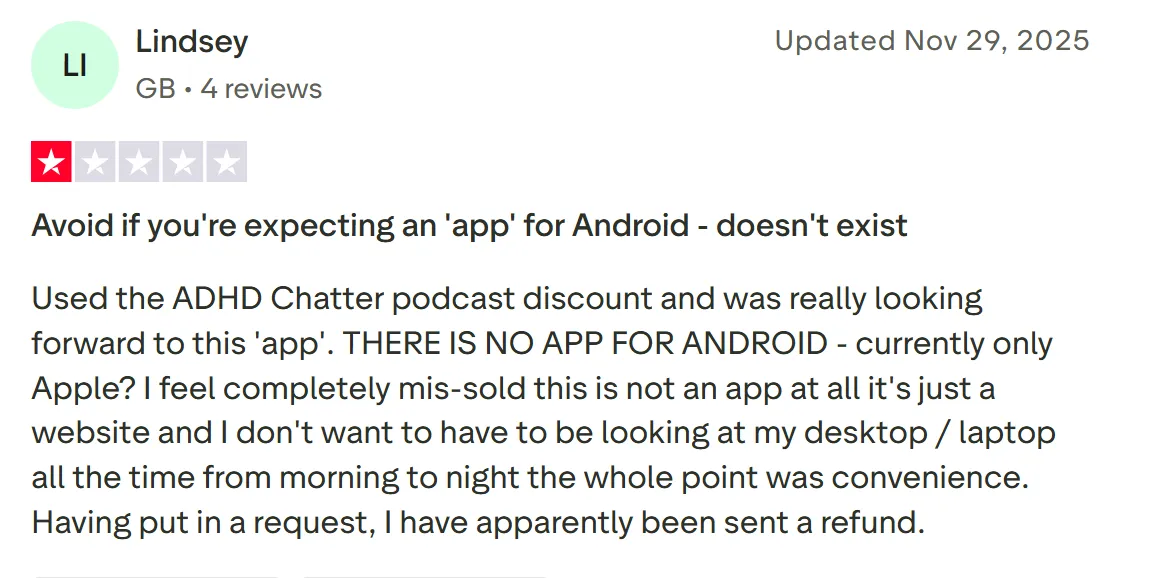
"Used the ADHD Chatter podcast discount and was really looking forward to this 'app'. THERE IS NO APP FOR ANDROID," says Lindsey, on TrustPilot:
Who Is Tiimo Best For?
→ Professionals with time blindness: People who struggle to transition between tasks without external anchors like countdown timers and icon-based schedules
5. Reclaim.ai
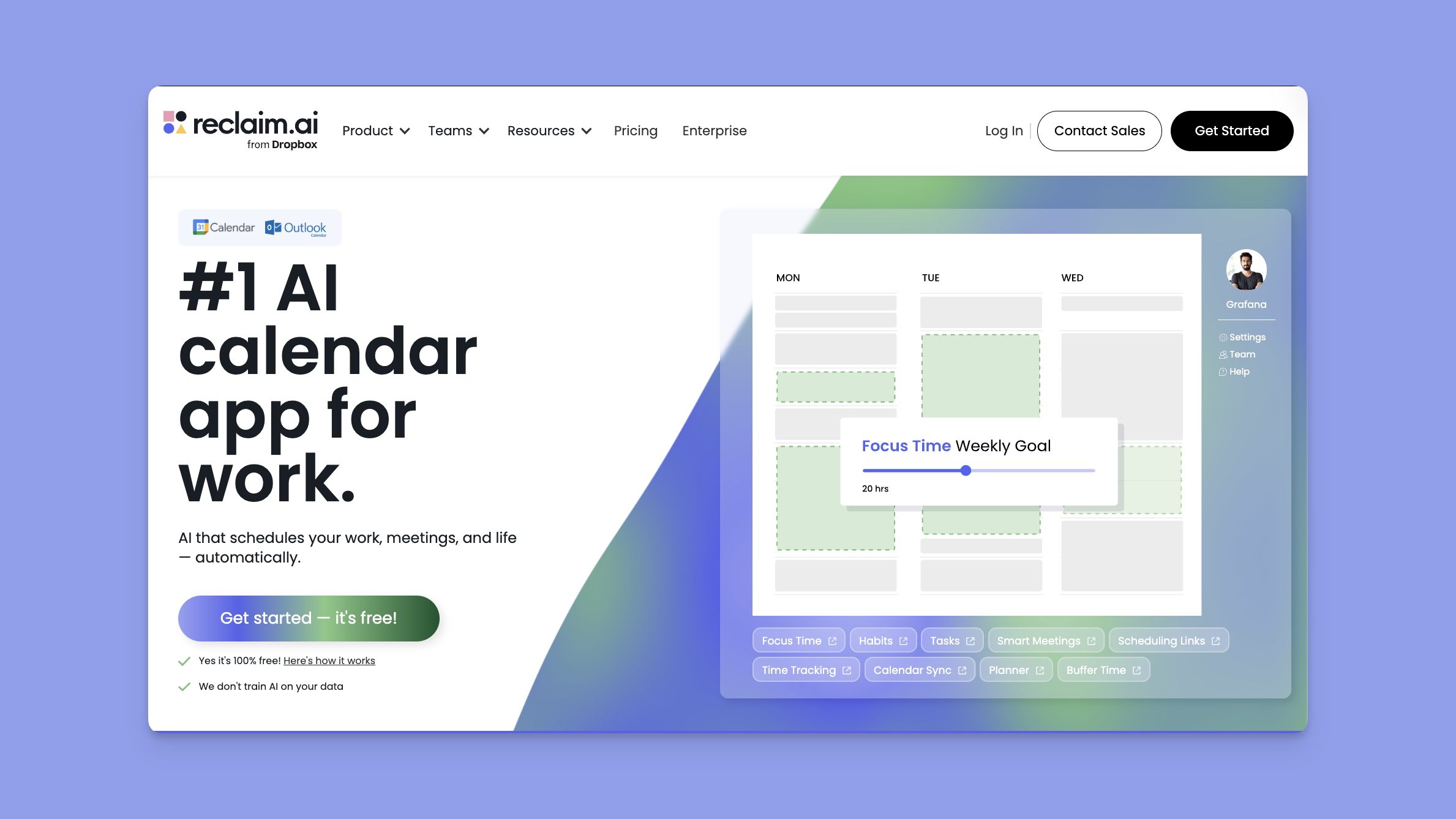
Reclaim.ai uses AI-driven scheduling that automatically organizes tasks, habits, meetings, and breaks, helping ADHD professionals adapt to conflicts like urgent tasks without much manual planning.
Key Features
- Smart automatic time-blocking: Analyzes your calendar to find optimal slots for tasks based on priority, energy patterns, and existing commitments
- Flexible habit scheduling: Protects time for recurring habits like meals and exercise by automatically finding new slots when urgent meetings pop up
- Dynamic real-time rescheduling: Automatically reshuffles your entire day when conflicts arise, preventing the cascade of manual adjustments that trigger planning paralysis in ADHD brains
Pricing
| Plan | Pricing |
|---|---|
| Starter | $10/seat/month |
| Business | $15/seat/month |
| Enterprise | $22/seat/month |
Where Reclaim.ai Shines
- Eliminates planning fatigue: The automation removes the burden of constant planning and decision-making
- Automatic buffer time and burnout prevention: It adds travel time and breaks between events automatically, and includes calendar controls that prevent overtime and back-to-back meeting days
Where Reclaim.ai Falls Short
- No dedicated mobile app: Professional users who need automated scheduling on the go find the absence of native iOS/Android apps limiting
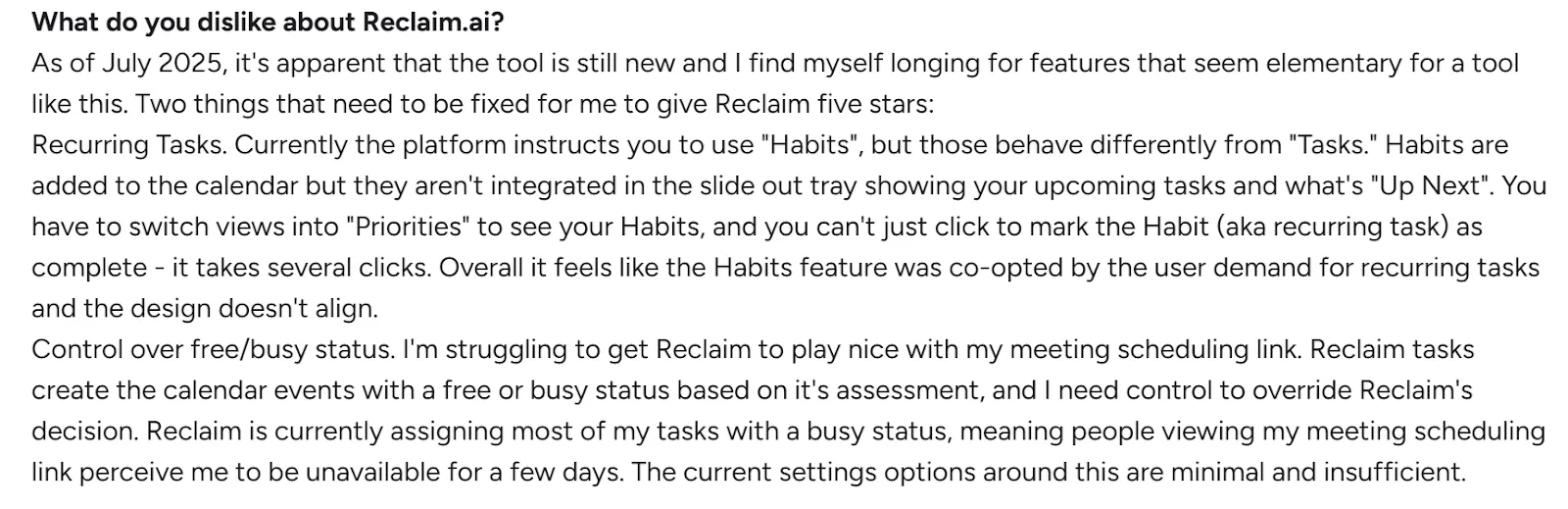
- Disjointed features: Its “Habits” feature doesn’t integrate fluidly with the task tray, requiring extra navigation that can overwhelm an ADHD brain
Customer Reviews
"I find Reclaim.ai a great tool for me because I have some calendars and I had to jump from one to another one just to see what I had to do every day. Now, I can do that all in one place, " says Also C.

"Reclaim is currently assigning most of my tasks with a busy status, meaning people viewing my meeting scheduling link perceive me to be unavailable for a few days," shares Travis R.
Who is Reclaim.ai Best For?
- People ready to surrender scheduling control to AI: Best for ADHD brains who trust algorithms more than their own time management and prefer to "set it and forget it"
What Makes Daily Planners Essential for ADHD
According to the Journal of Clinical Medicine, digital interventions can help ADHD brains improve their executive function.
Daily planners serve as external executive functioning tools, providing the structure and memory support that many neurotypical brains handle internally. Key benefits include:
- Reducing decision fatigue by pre-planning what to do next
- Creating visual time awareness through scheduled blocks
- Preventing task overwhelm by breaking down large projects
- Providing accountability through written commitments
- Building routine without rigid inflexibility
- Tracking patterns in energy, productivity, and mood
As developer and content creator Bryan Jenks explains:
"I don't want little tasks filling up my brain or to spend time worrying I've forgotten something. Trying to keep track of all the tasks I have to do looks like a giant executive dysfunction mountain I'll never be able to surmount."
How to Choose the Best Daily Planner for ADHD
You want a planner that can help you improve productivity and motivation, reduce anxiety, and prevent burnout, which is generally higher in 58% of professionals with ADHD. Look for these features:
Complete Life Visibility
Your planner should handle all aspects of your life, not just work tasks. If you struggle with mental compartmentalization, you know how stress in one area affects everything else.
Morgen consolidates Google Calendar, Outlook, iCloud, and tasks from Notion, Linear, ClickUp, Todoist, and Obsidian into a single interface, so nothing slips through the cracks.
Clear Capacity Visualization
ADHD brains struggle with estimating available time and energy, contributing to overcommitment and subsequent overwhelm. Look for planners with visual time-blocking that shows exactly what's scheduled versus what's available.
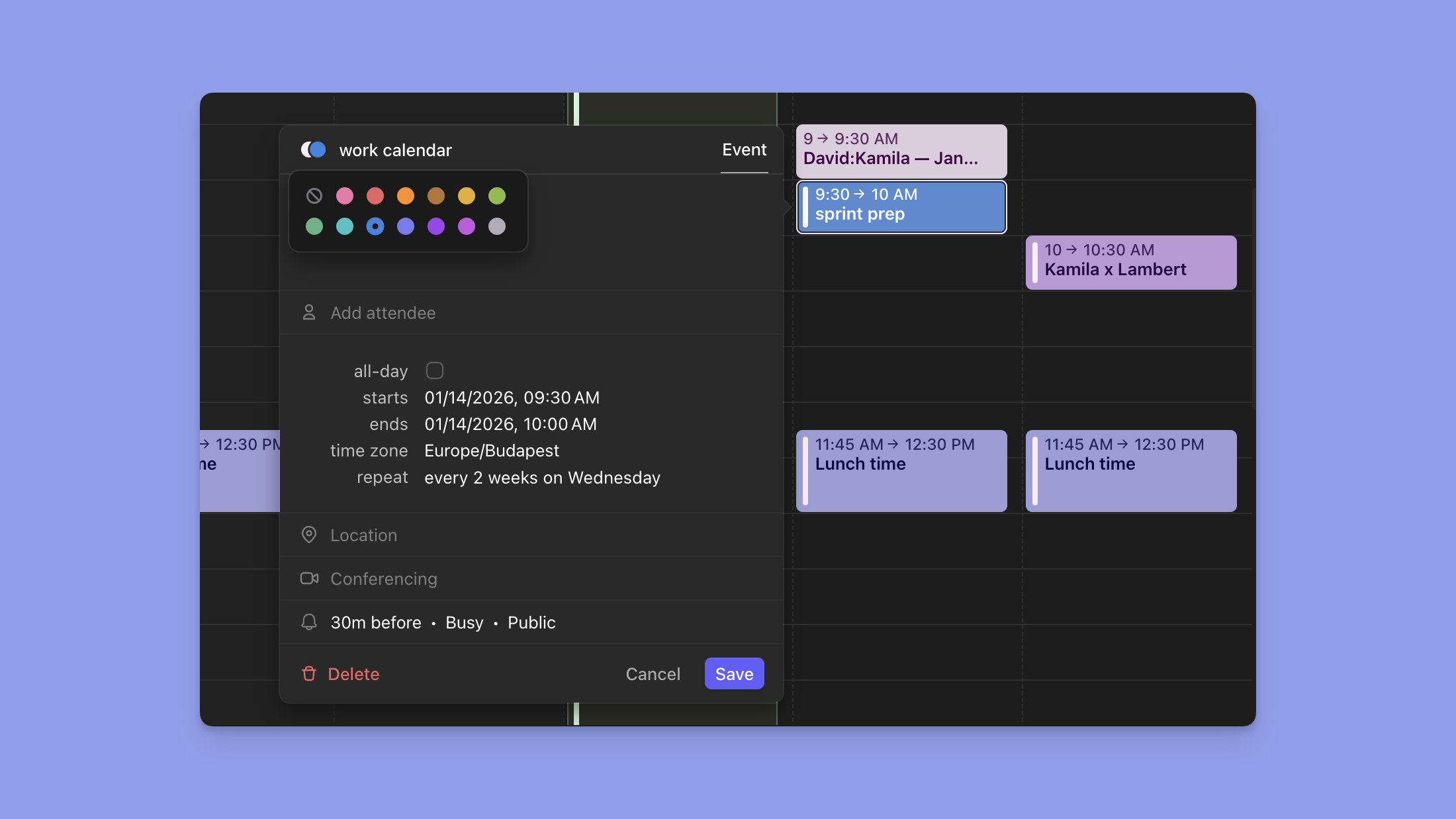
Morgen's frames and calendar view display your entire week's capacity, making abstract time concrete and visible.
Tips: Create color-coded frames for different work types to scan your week at a glance and switch perspectives with keyboard shortcuts such as D for daily, W for weekly, and M for monthly.
Decision-Making Support
The "what should I do next?" question can be paralyzing for people with ADHD. Morgen's AI planner and time blocking help you pre-plan when to complete specific tasks.
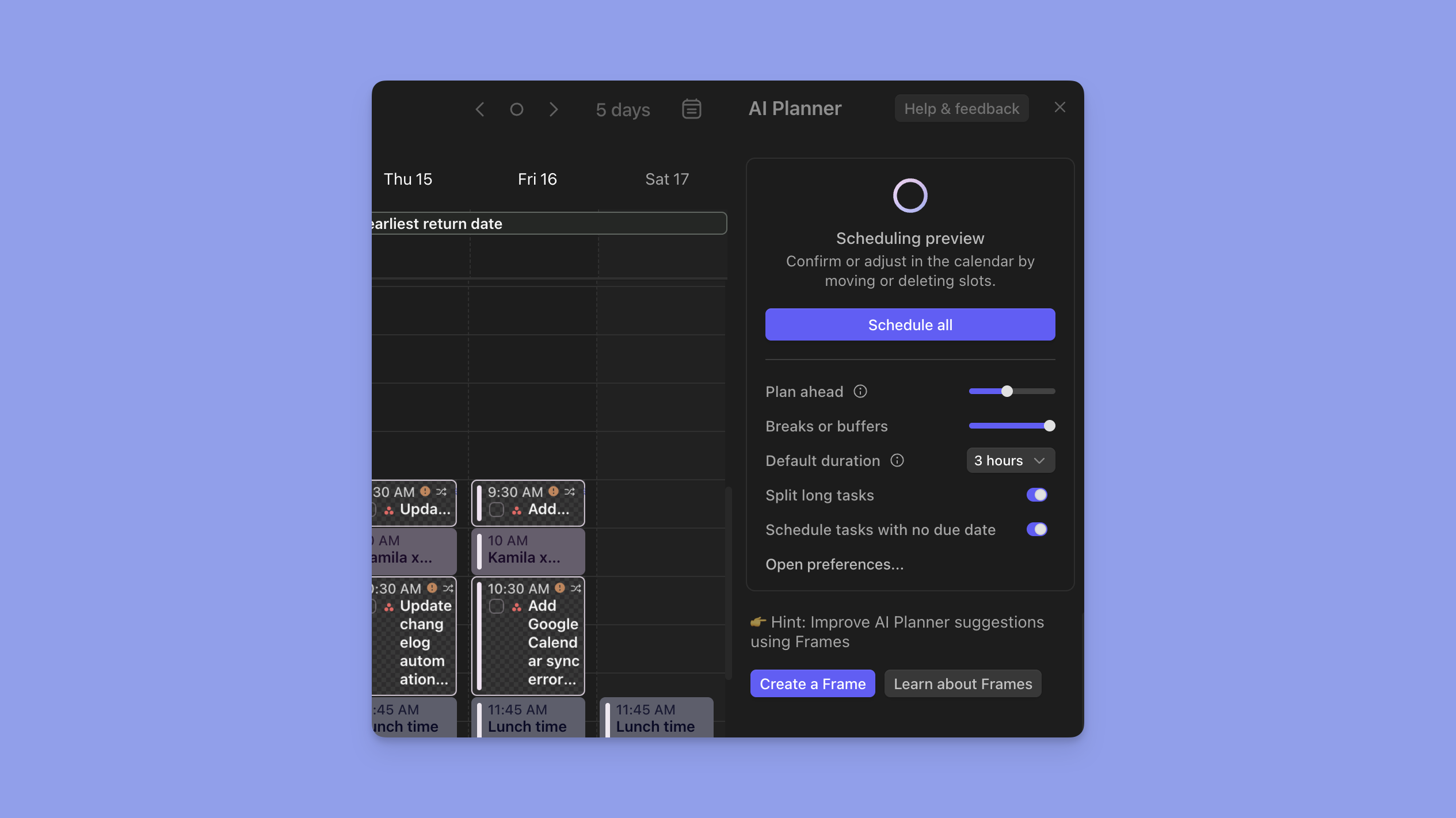
Try Morgen free for 14 days and experience AI-assisted planning that works with your brain.
Flexible Rescheduling Features
Plans will change, and that's normal with ADHD. Your planner should make it easy to adapt without losing track of important tasks.
When scheduled tasks remain incomplete, Morgen automatically asks whether to reschedule them, adjusting before the shame spiral that often happens when ADHD brains see "failed" plans.
Energy-based scheduling
Traditional planners focus on time management, but often those with ADHD benefit from planning based on their energy management.
Your planner should accommodate natural energy fluctuations rather than fighting them.
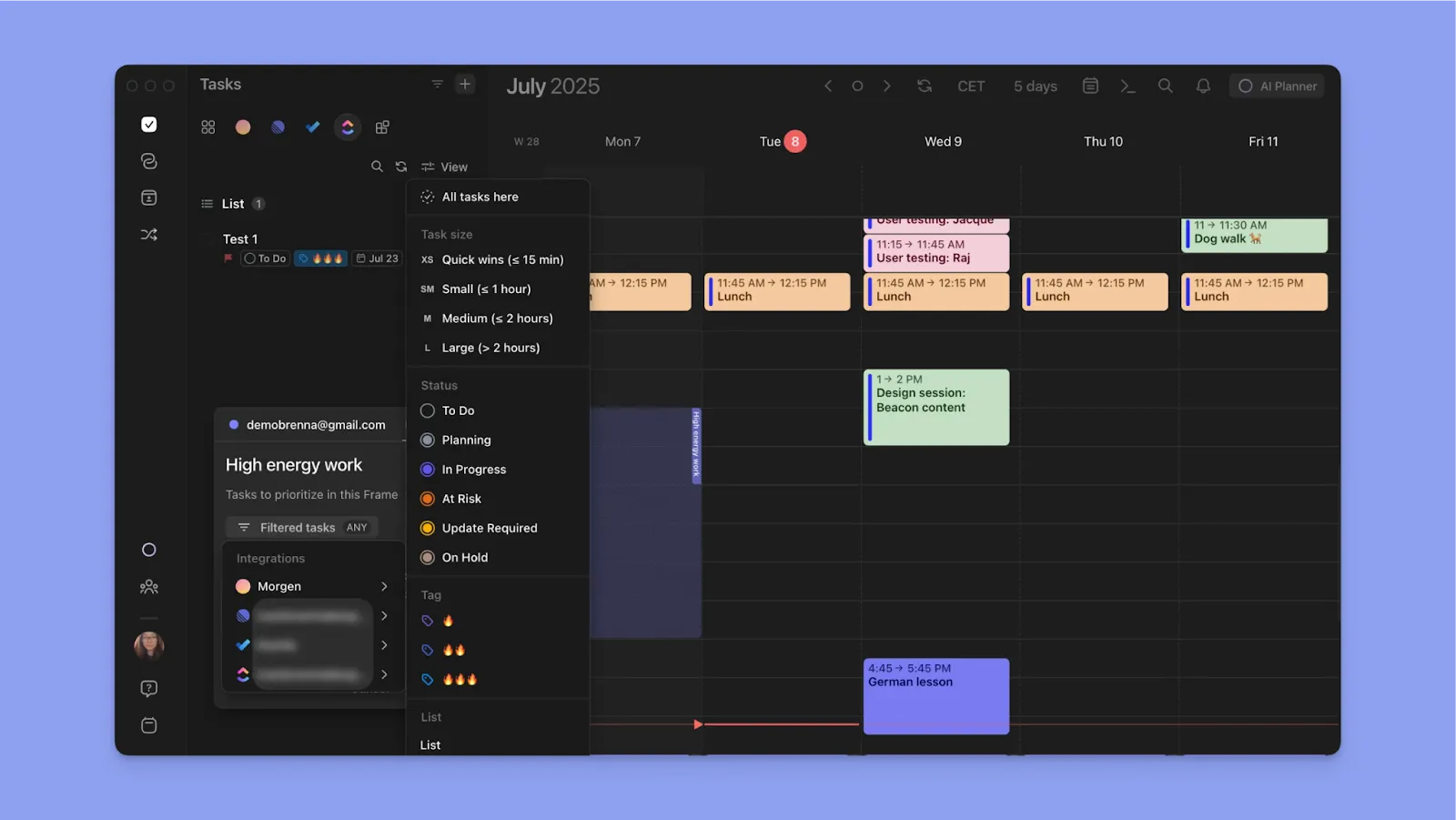
Using features like Frames in Morgen, you can dedicate high-energy periods to challenging work while scheduling quick wins and breaks during natural dips.
Progress Tracking and Celebration
Many people with ADHD tend to focus on what didn't get done rather than celebrating accomplishments. Your planner should help you recognize and celebrate progress.
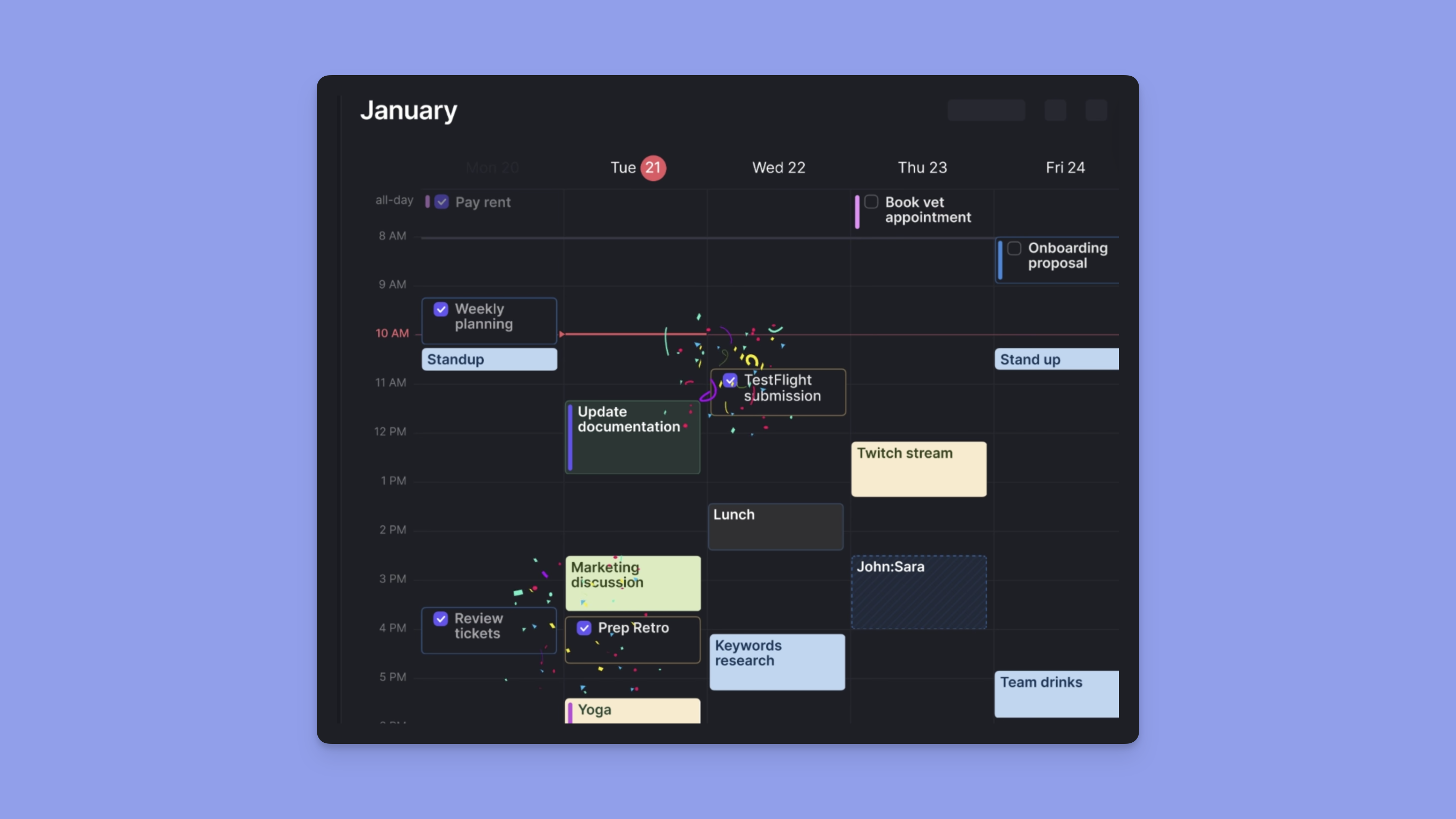
Time-blocked schedules create an automatic record of how you spent your time (and Morgen adds a dash of confetti to emphasize each win).
What are Common Planning Mistakes?
Understanding typical pitfalls can help you choose systems that work from the start.
- Over-scheduling is extremely common. Those with ADHD often underestimate how long and how much energy tasks will take. If you end most days with an incomplete plan, we recommend building in buffer time and limiting daily commitments to an achievable amount
- All-or-nothing thinking leads to abandoning systems entirely when they don't work perfectly. Adopting a new tool or system will take an adaptation period and require a learning curve. Give yourself time to experiment and adjust, rather than scrapping a system right away
- Ignoring energy patterns by planning as if you'll have consistent motivation all day. Try mapping your energy curve for a week or two. Then you can match demanding work during your natural peak periods and protect low-energy times for routine tasks or breaks
- Shame-based motivation creates unsustainable pressure that often backfires. Try to find self-compassion and celebrate progress rather than perfection.
How Can You Build ADHD-friendly Planning Habits?
Successful planning with ADHD isn't about perfect execution. It's about creating sustainable systems that support your brain's natural patterns.
- Start small with just one or two planning elements rather than overhauling your entire system at once. This might mean beginning with time-blocking only your most important ("win the day") task each day
- Use visual cues like color-coding, icons, or physical placement to make important information immediately obvious. Your brain may respond well to visual organization systems
- Create accountability through body doubling, planning sessions with friends, or using apps that send gentle reminders. External accountability often works better than relying on internal motivation alone.
- Build in flexibility by planning only 70-80% of your available time, leaving space for unexpected tasks, longer-than-expected projects, or simply mental breaks.
- Connect to meaning by regularly reminding yourself why specific tasks or goals matter to you personally. ADHD brains work best when they can connect activities to deeper values or interests.
Stay Focused Every Day with Morgen - The All-in-One ADHD Planner
Planning with ADHD means working with your brain, not against it. You need tools that reduce decision fatigue, visualize time clearly, and adapt when plans inevitably change.
Morgen does exactly this. It consolidates scattered calendars and tasks into one view, suggests schedules with AI, and lets you reschedule in seconds when priorities or energy shift.
Ready to build sustainable planning habits with Morgen? Explore mindful productivity strategies designed specifically for ADHD brains like yours.
.avif)
.svg)
.webp)


