
.svg)
→ Morgen: For serious time blocking in a single view where tasks and multiple calendars live together, with an AI copilot that suggests schedules
→ Google Calendar: For basic event scheduling if you don’t need task planning, AI support, or deep integrations beyond Google’s ecosystem
→ Saner.ai: Suits professionals with ADHD or information overload who want AI to extract tasks from notes and emails and auto-plan their day inside Google Calendar
→ Sunsama: Ideal for mindful planners who value daily planning rituals, manual time blocking, and intentional work-life balance over automation
Do you look at your long to-do list, unread emails, and upcoming project deadlines, and go, “When will I actually do all this?”
Many of us struggle with this question, even when using task managers. We know what needs doing. We just don't know when we'll do it.
That's why you need time blocking apps, so you can add tasks to your calendar and set specific action times for each one. Here's our roundup of nine task and calendar management apps you can use right now.
9 Best Time Blocking Apps: A Quick Overview
| App | Best For | Standout Feature | Starting Price | G2 Rating | Capterra Rating |
|---|---|---|---|---|---|
| Morgen | Professionals managing multiple calendars and task sources | AI-assisted time blocking with Frames, and recurring tasks/routines on Google Calendar, Outlook, iCloud, Fastmail | $15/month | 4.8/5 | 5.0/5 |
| Google Calendar | Basic calendar users not needing task management | Simple calendar interface | Free | 4.6/5 | 4.8/5 |
| Saner.ai | Professionals managing notes, tasks, and information overload | AI knowledge management and time blocking on Google Calendar | $8/month | - | - |
| Sunsama | Mindful planners who want intentional daily rituals | Guided time blocking on Google Calendar, iCloud, and Outlook | $16/month | - | 4.7/5 |
| Akiflow | Power users juggling multiple tools and fast workflows | Time blocking and universal inbox on Google Calendar and Outlook | $19/month | 4.8/5 | 4.7/5 |
| Motion | Teams needing full AI automation | AI autopilot that automatically time blocks and reschedules on Google Calendar, Outlook, and iCloud | $29/month | 4.1/5 | 4.3/5 |
| Reclaim | Teams protecting focus time automatically | AI planning that flexibly adapts to changes on Google Calendar and Outlook | Free (paid from $10/month) | 4.8/5 | 4.9/5 |
| Clockwise | Enterprise teams optimizing meeting schedules | Team-focused AI time blocking that optimizes meeting schedules on Google Calendar (Outlook in beta) | Free (paid from $6.75/month) | 4.7/5 | 4.7/5 |
| Skedpal | Users wanting automatic task scheduling | Algorithm-based priority scheduling on Google Calendar, Outlook, and iCloud | $9.95/month | 5/5 | 4.6/5 |
1. Morgen: Best Time Blocking App with Multiple Task and Calendar Integrations

Morgen is a unified productivity interface that consolidates your calendars and task managers in a single view. You can time-block tasks manually using keyboard, drag and dropping, and voice, or by using Morgen’s AI planner to suggest the best placements around calendar events. Check how to connect Outlook Calendar and Apple Reminders.
Key Features
Morgen helps you time block using features such as:
Calendars and Tasks in One Place
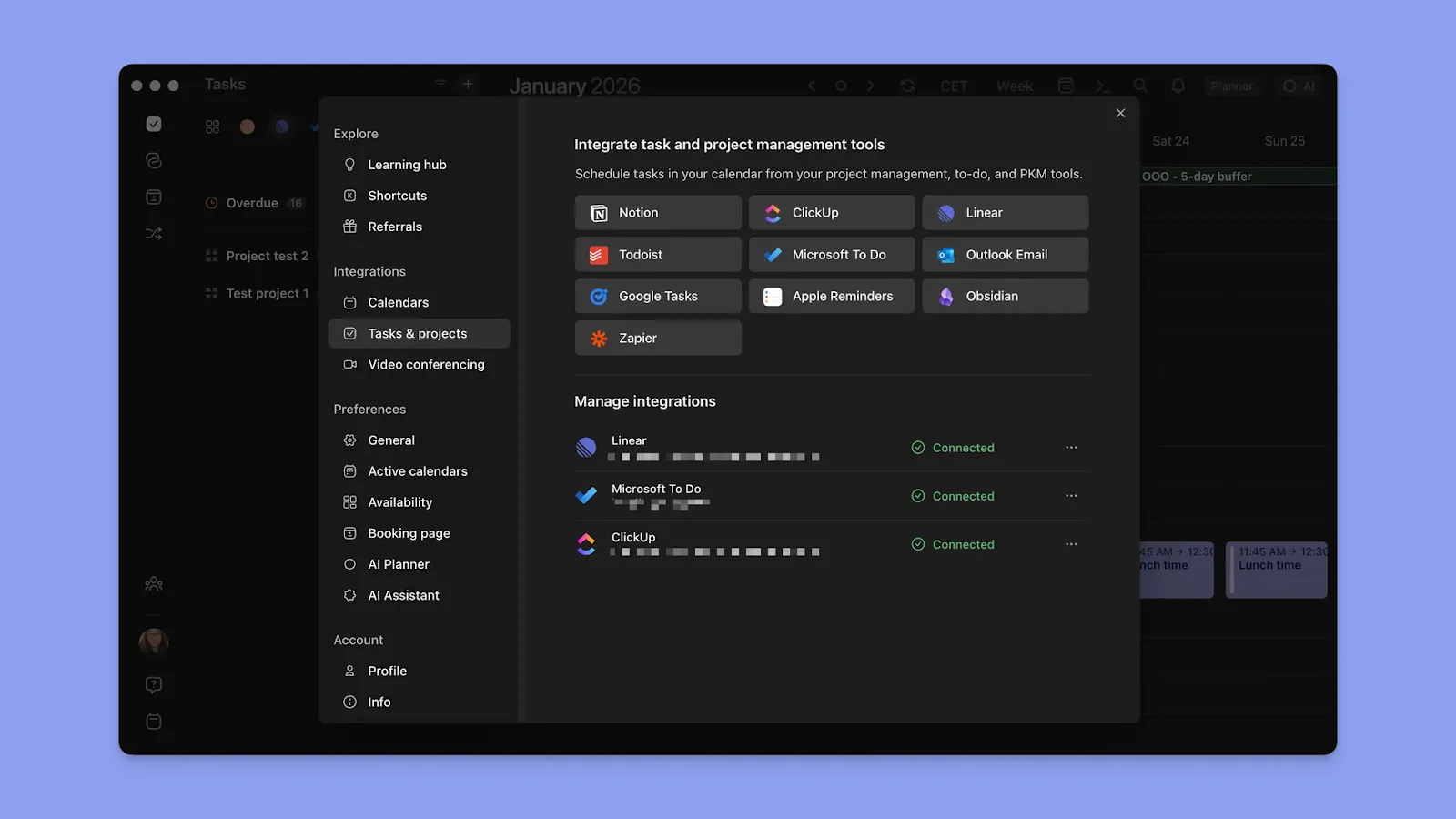
Connect multiple calendars (Google, Outlook, iCloud, Fastmail) and pull in tasks from Notion, ClickUp, Linear, Todoist, Obsidian, Microsoft To-Do, Google Tasks, and other integrations through Zapier.
Drag tasks into your Calendar view in Morgen and create blocks, with the size of the block determined by the duration you set for each task. You can adjust the edges to edit the duration on the calendar view, too.
Tip: You can also create tasks directly in Morgen and schedule them as
Frames for Weekly Templates
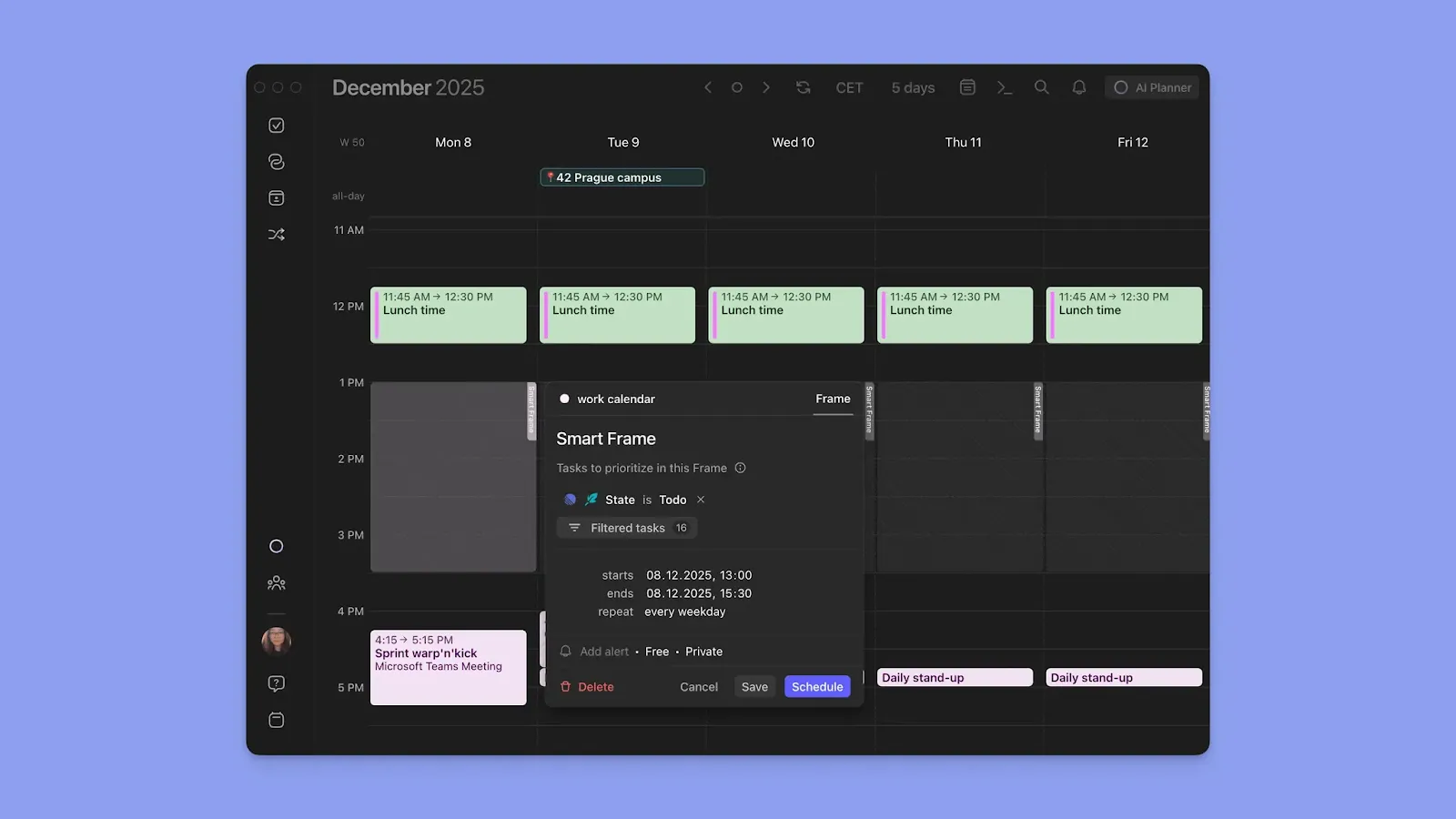
Create a Frame in Morgen and manually populate tasks, or set filters to schedule specific tasks within the time block. Frames are recurring templates based on your parameters (daily, weekly, monthly, yearly, or custom dates).
Human-in-The-Loop AI Planning
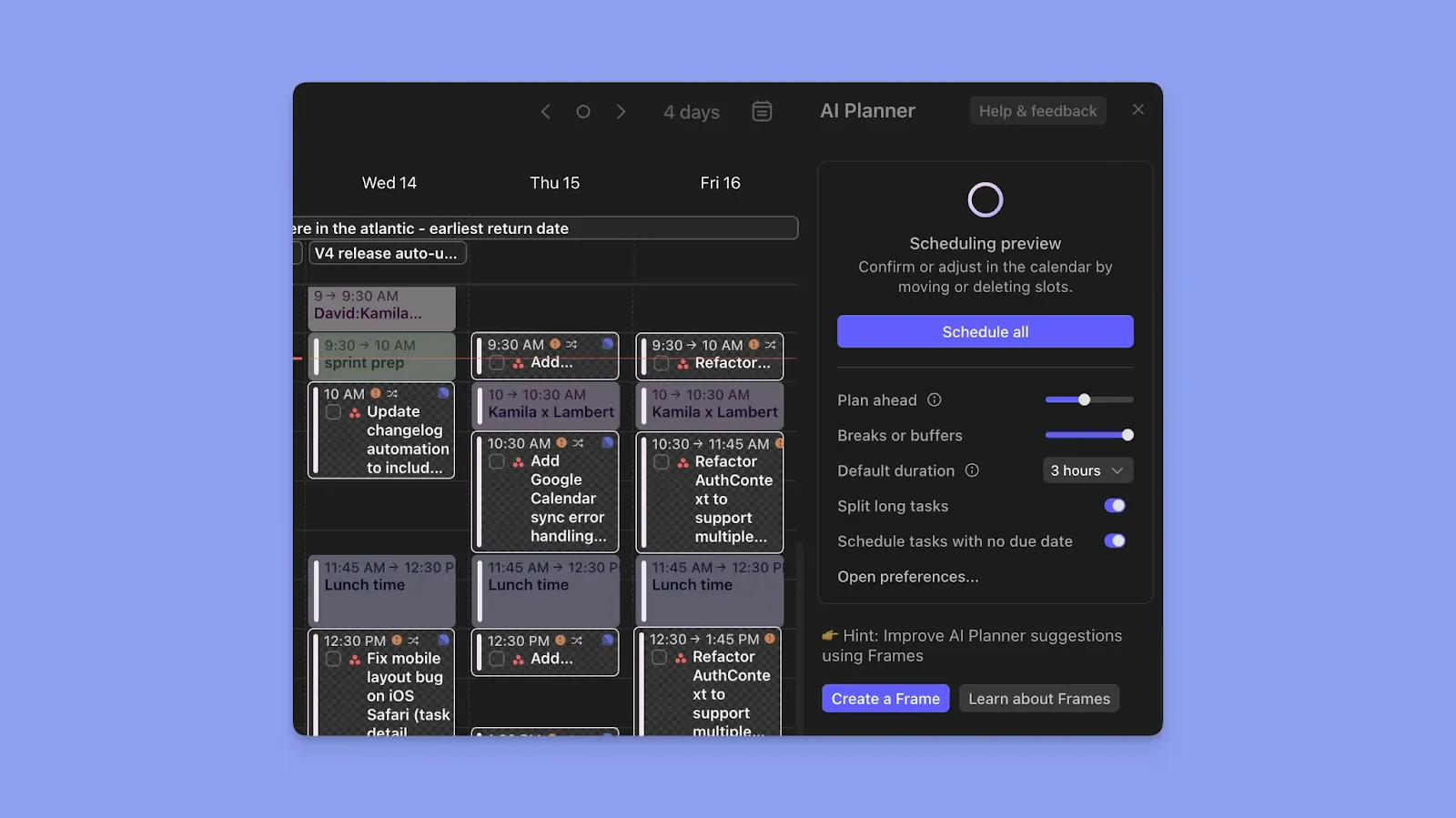
Morgen's AI Planner understands your task priorities, time estimates, due dates, and Frame settings to suggest when to schedule each task.
It considers your meeting schedule, available calendar time, and task importance to build realistic daily plans. You preview and approve the suggested placements before scheduling on your aesthetic calendar app.
Note: We recommend that you sync calendars, add task managers or create tasks, and make use of frames to fully maximize the AI Planner.
Recurring Tasks and Routines
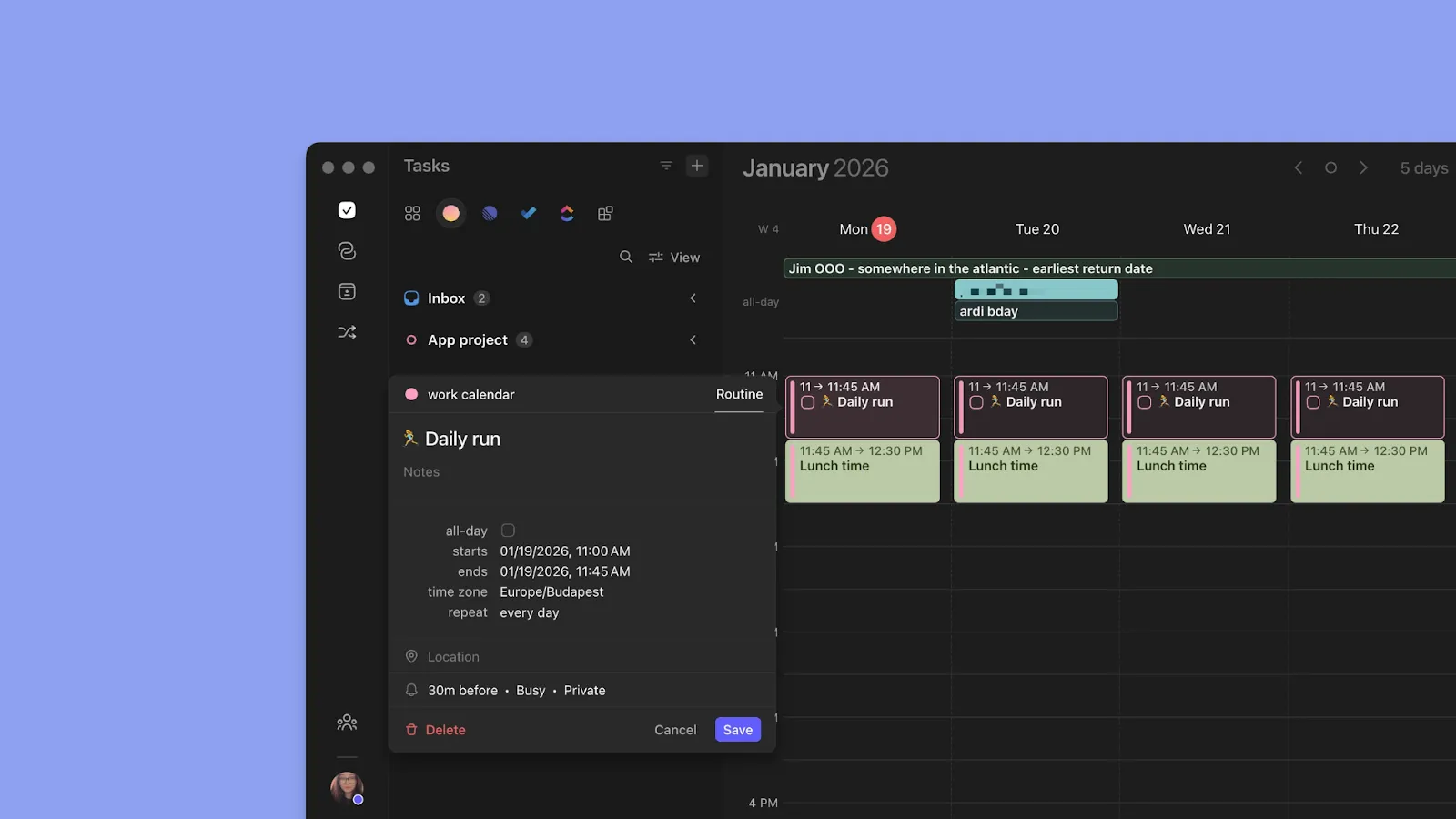
You can create recurring time blocks for recurring tasks (that must be completed by specific due dates, but not at fixed times, e.g., weekly reviews) and Routines (time-blocked activities at specific times, such as breakfast or workouts).
Note: Routines live on your calendar and don't get rescheduled by the AI Planner, creating stability in your schedule.
Pricing
Note: You get a 14-day free trial, then choose from:
| Plan | Monthly Billing | Annual Billing |
|---|---|---|
| Pro (Individual) | $30/month | $15/month |
| Team | $25/seat/month | $10/seat/month |
Tip: 15% off for the first year when you switch from Motion, Reclaim, Fantastical, or Sunsama, and 25% off for students, academics, and nonprofits.
Where Morgen Shines
- Color coding for visual clarity: makes it easy to distinguish between all time blocks at a glance
- Intuitive interface for quick adjustments: Consolidate your task lists, then drag tasks to create time blocks. You can adjust edges to change duration, planned and due dates, earliest start times, and priorities without navigating through multiple menus
- Multiple sessions per task: Schedule a single large task across multiple time blocks throughout your week. Each session tracks separately, but completing any session updates the main task's progress
- Travel and buffer times as dedicated blocks: Automatically add travel time before/after events with locations, and buffer times for breathing room between meetings
Where Morgen Falls Short
- Not a project management tool: Morgen doesn’t replace dedicated PM tools for tracking project progress
Customer Reviews
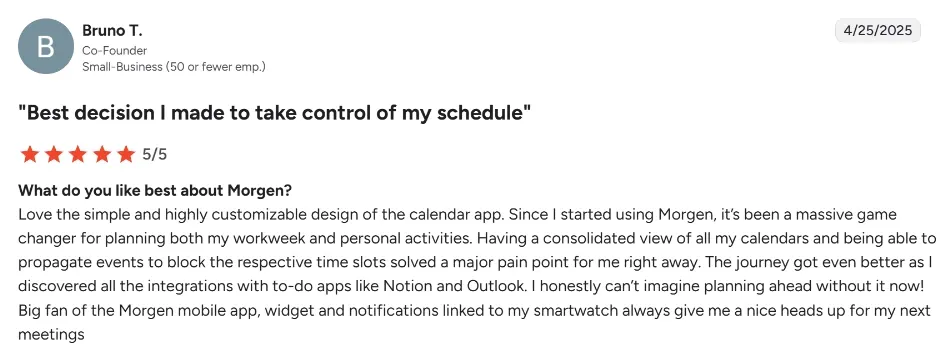
Bruno T shares how Morgen makes it easy to take control of the calendar:
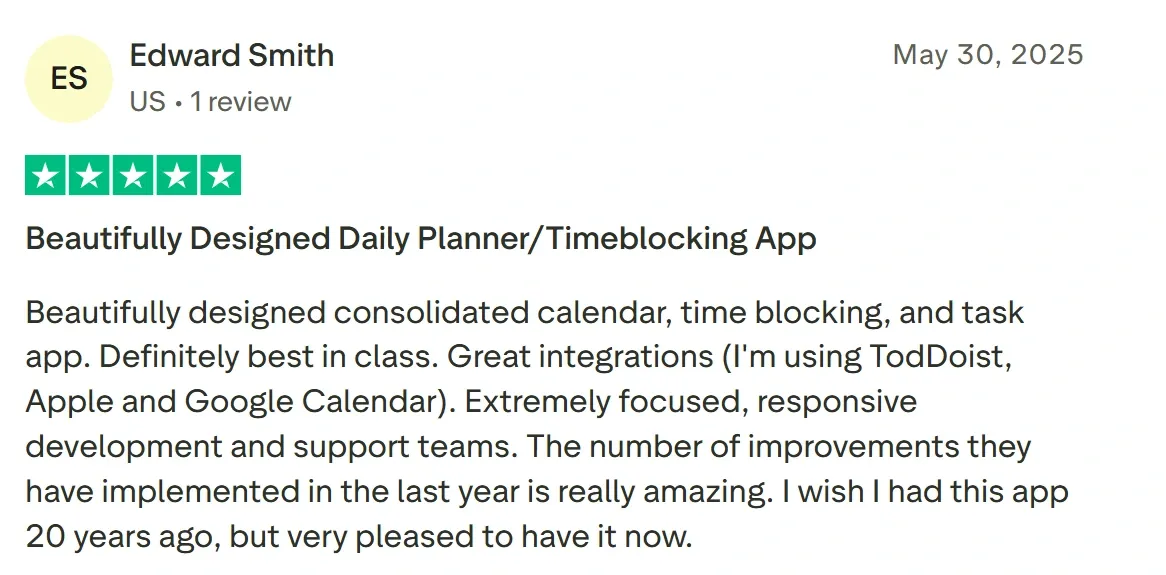
Edward Smith calls Morgen a “Beautifully Designed Daily Planner/Timeblocking App.”
Who Morgen Is Best For
- Solopreneurs and freelancers: Managing multiple client projects across different calendars and task systems without losing track
- People with ADHD: The unified view reduces context switching and externalizes executive function, preventing time blindness and planning overwhelm
You can download Morgen on Linux, Mac, Windows, iOS, and Android, or use it on the web. Here’s how to download and install Morgen now.
2. Google Calendar
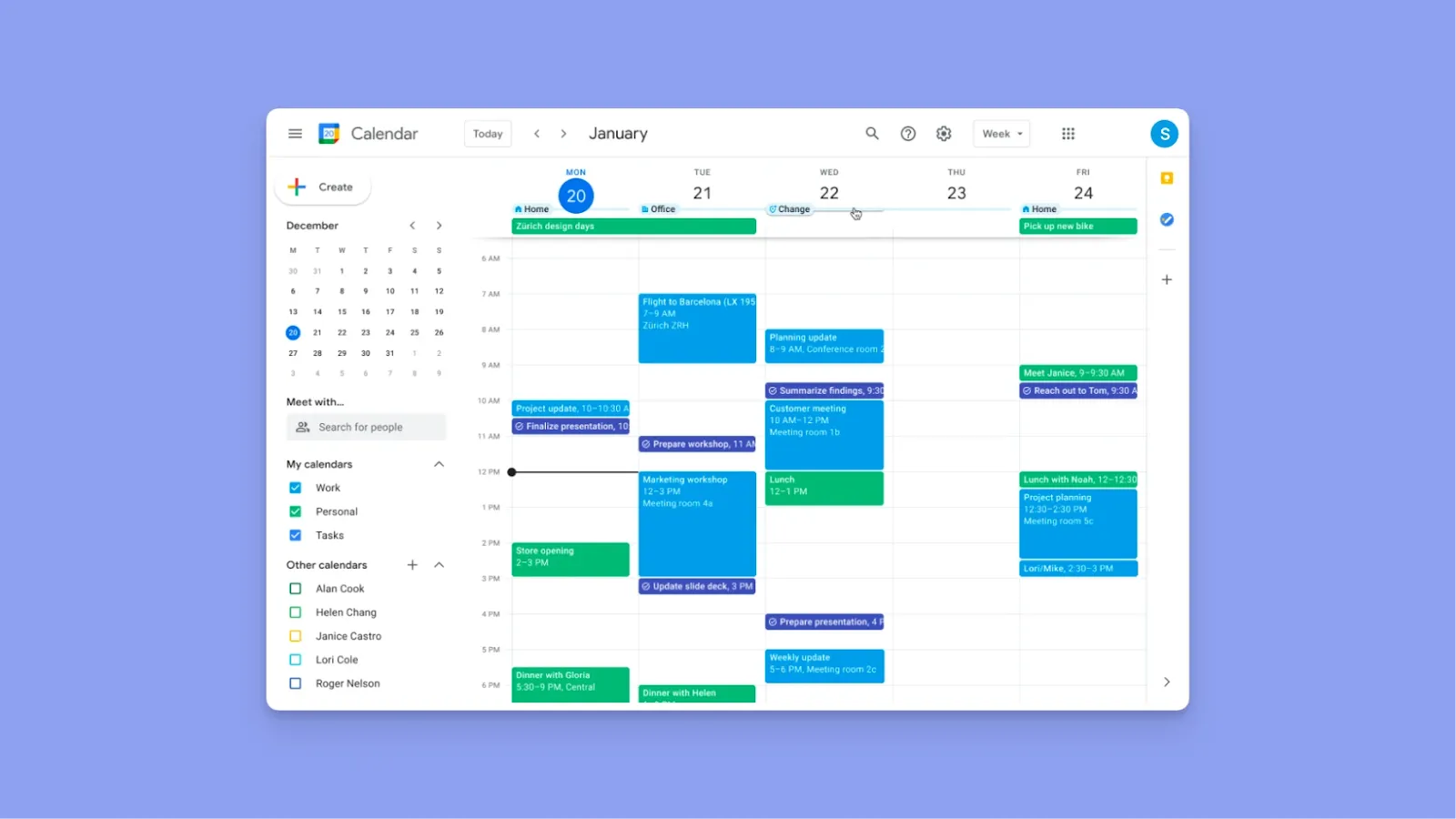
Google Calendar offers a free calendar interface that handles basic event scheduling and personal time management without complexity.
Key Features
- Google Tasks integration: Automatically shows Google Tasks on your calendar as scheduled time blocks
- Multi-calendar management: Create separate calendars for work, personal, family, and projects with color coding to distinguish between them
- Automatic event creation: Gmail automatically detects reservations and appointments in emails to Google Calendar to create the event
Pricing
Google Calendar is free for personal users and part of Google Workspace for business users, with pricing starting at €6.12/user/month.
Where Google Calendar Shines
- Central calendar layer: You can use Google Calendar as the final destination where other tools place confirmed events and scheduled work
- Zero learning curve: The interface is intuitive and familiar to billions of users worldwide
Where Google Calendar Falls Short
- Replanning when your day changes: If meetings move or your day blows up, Google Calendar doesn’t help you rebuild your time blocks. You end up dragging blocks around manually.
- Basic integration capabilities: Can’t connect with dedicated task managers like Todoist, Linear, or Notion from Google Calendar
Note:
Customer Reviews
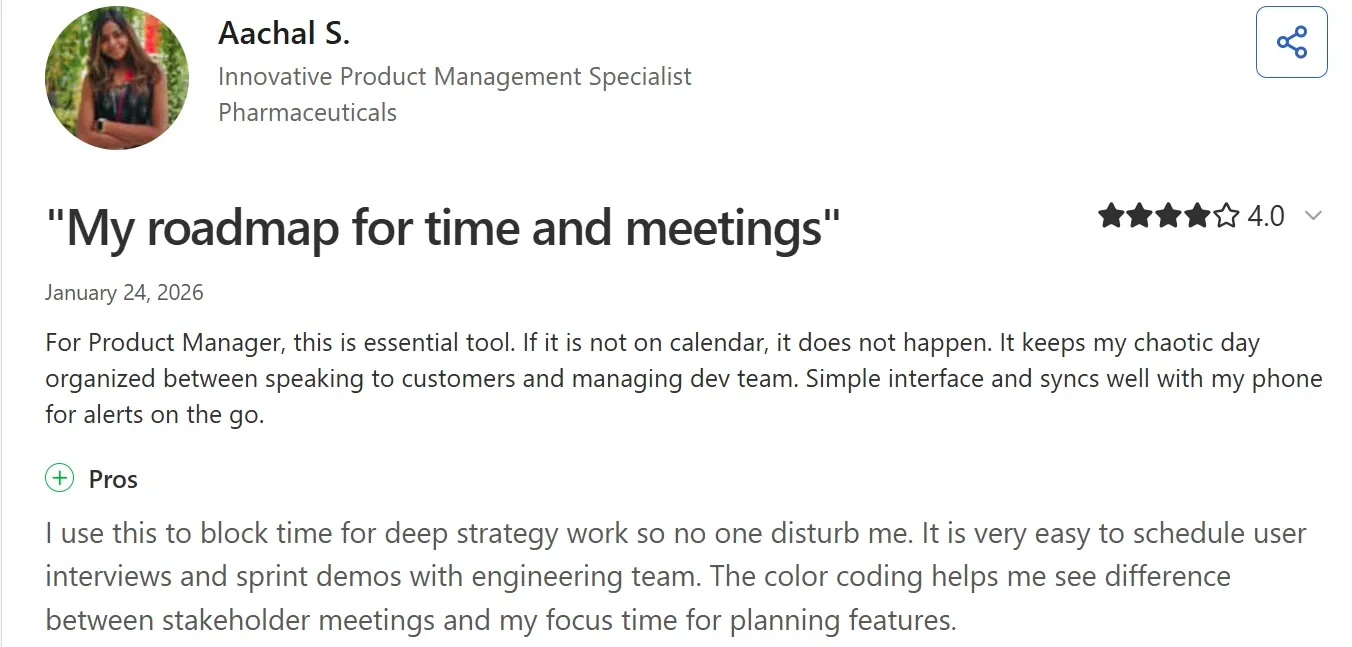
“I use this to block time for deep strategy work so no one disturb me,” shares Aachal S.
Breanna G says they “need more colors for color coding.”

Who Google Calendar Is Best For
- Individuals who need basic calendar functionality: For time blocks for meetings, events, and scheduled tasks
3. Saner.ai
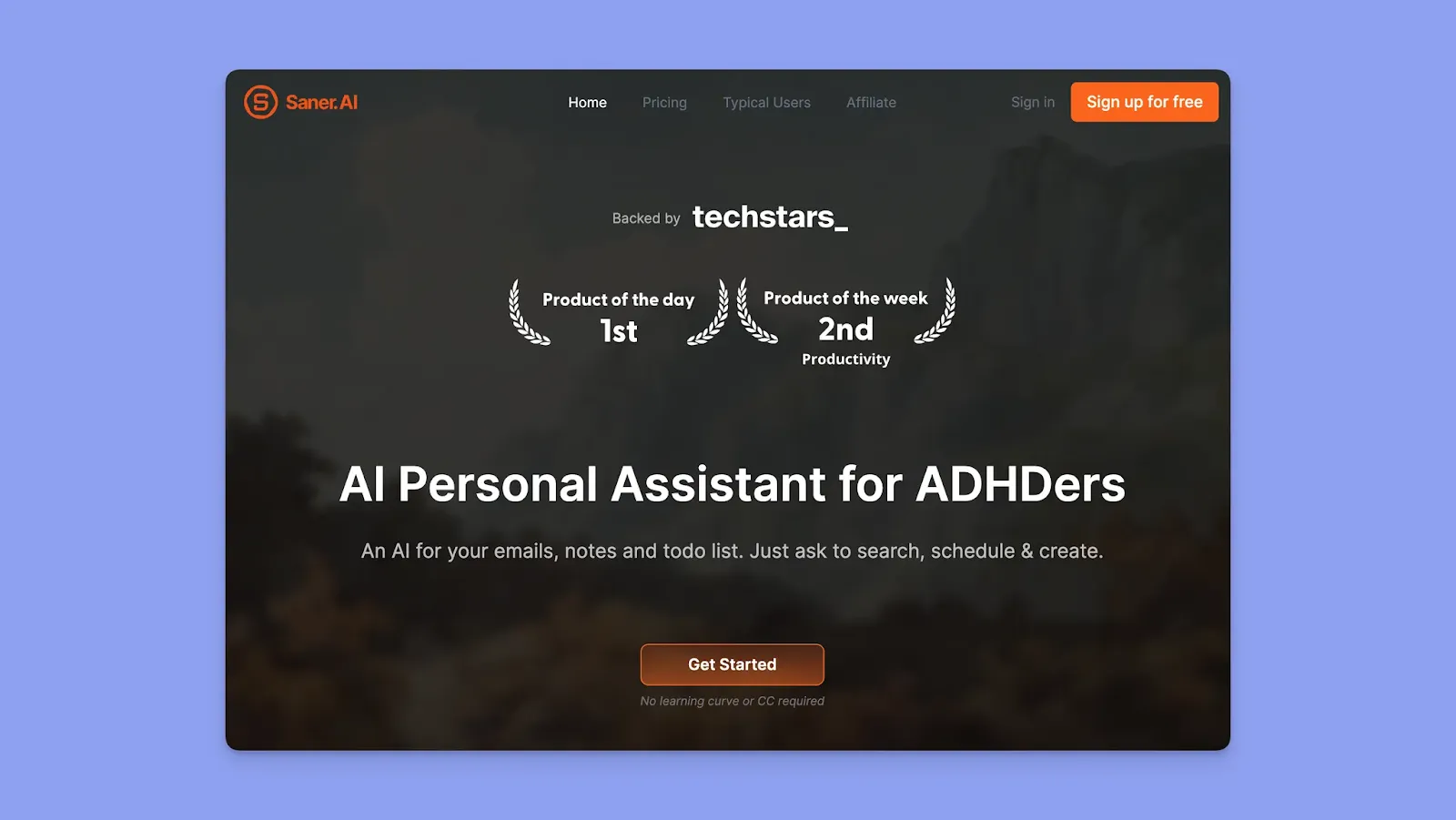
Saner.ai uses AI to automatically extract tasks from your notes, emails, and docs, then schedules them directly into Google Calendar as time blocks.
Key Features
- AI auto-scheduling: Saner's AI scans your emails, notes, tasks, and recent activity to create a personalized day plan in your Google Calendar
- Manual adjustments: If you don't like the AI's suggestions, drag tasks between time slots or chat with the AI to reschedule
Pricing
| Plan | Monthly Billing | Annual Billing |
|---|---|---|
| Free | $0 | $0 |
| Starter | $12 | $8/month |
| Standard | $20 | $16/month |
Where Saner.ai Shines
- Reduces ADHD planning paralysis: When you can't decide what to work on when, Saner decides for you based on deadlines, priorities, and your available time
- Context retention: Tasks extracted from emails or notes carry context, like the original email or note that sparked the task
Where Saner.ai Falls Short
- Capped AI messages: You continually tell the AI what to schedule, which can quickly deplete your AI messages on the free and Starter plans
- Limited task manager integrations: Doesn't pull tasks from Todoist, ClickUp, Linear, or Notion
Customer Reviews
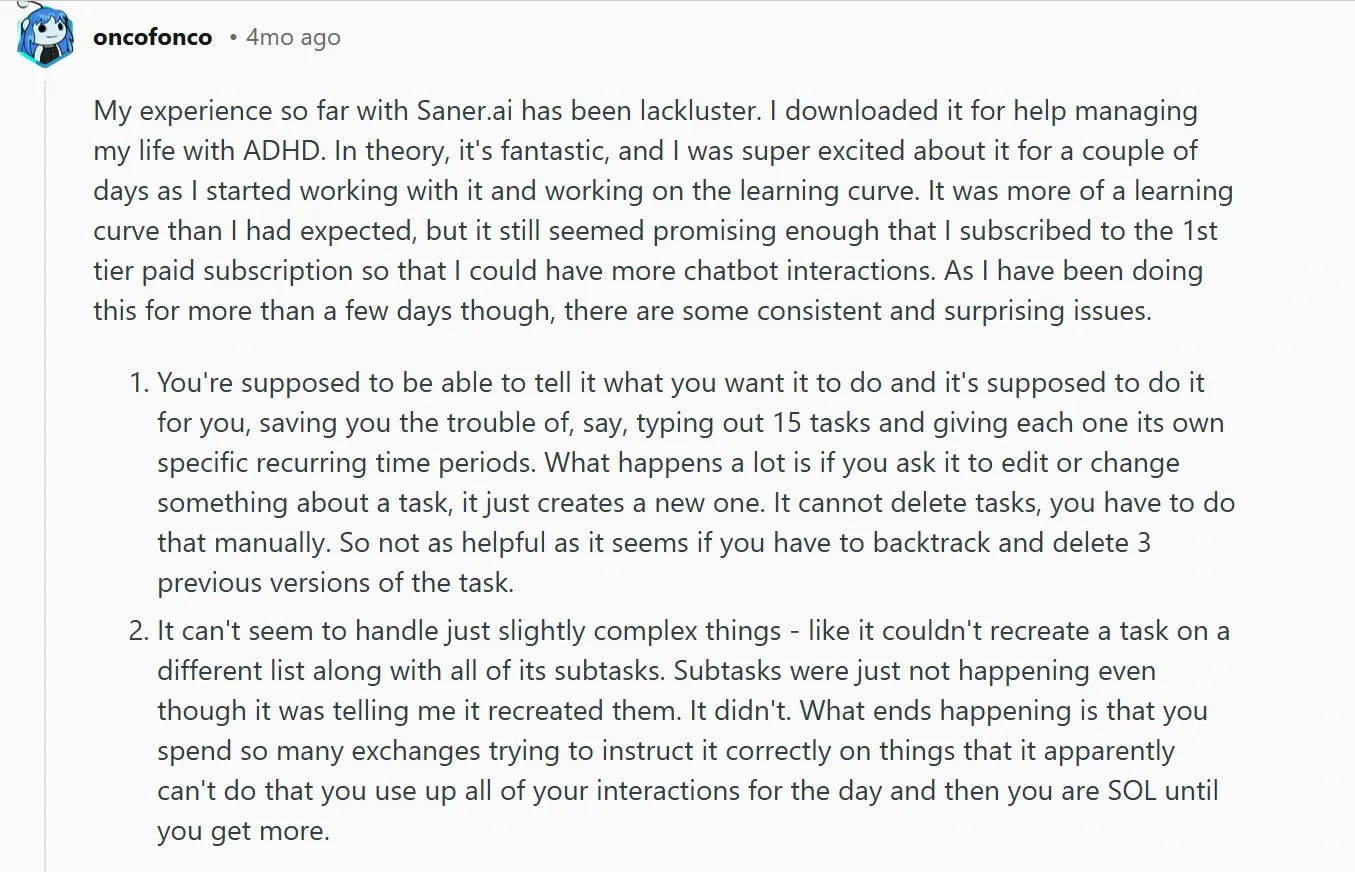
On Reddit, this user notes that there’s a learning curve before you use the app, and that there are many exchanges before you time block properly.
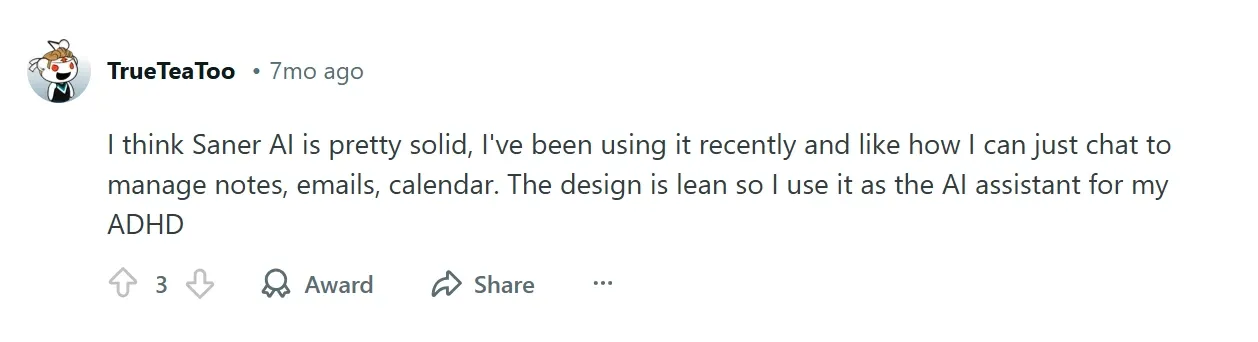
Another Reddit user says Saner.ai’s “ design is lean, so I use it as the AI assistant for my ADHD.”
Who Saner.ai Is Best For
- ADHD professionals, knowledge workers, and solopreneurs who struggle with keeping track of tasks and ideas across multiple apps and notes
4. Sunsama
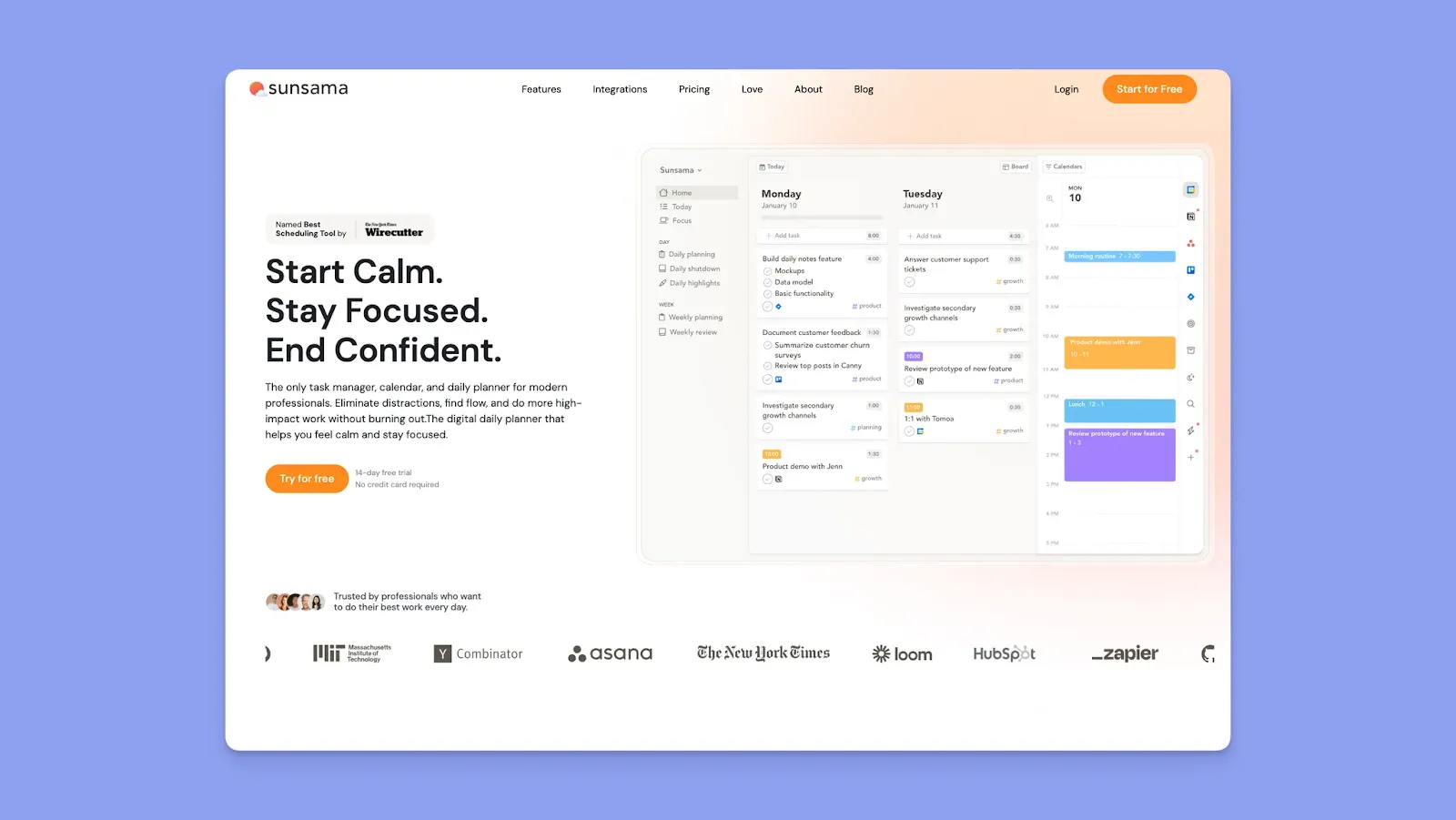
Sunsama offers guided planning sessions that let you pull tasks from various task and project management tools and add them to your calendars as time-blocked sessions.
Key Features
- Add tasks onto the calendar: Import tasks from Todoist, Asana, ClickUp, Jira, Trello, GitHub, Notion, Gmail, Outlook, and Slack into your daily view
- Time estimates determine duration: Set a planned time, say 30 min or 2 hours, on each task and the time block on your calendar shows that
Pricing
| Plan | Monthly Billing | Annual Billing |
|---|---|---|
| Single Plan | $20 | $16/month |
Where Sunsama Shines
- Manual control prevents over-scheduling: The guided ritual forces you to realistically assess your capacity
- Task-first, then calendar: The workflow starts with collecting tasks from all sources, then scheduling them on Google Calendar, Apple Calendar, and Outlook
Where Sunsama Falls Short
- No AI or automation: You schedule each task manually each day
- Desktop-dependent planning: Mobile app lets you check off tasks and start timers, but the full drag-and-drop planning experience requires a desktop
Customer Reviews
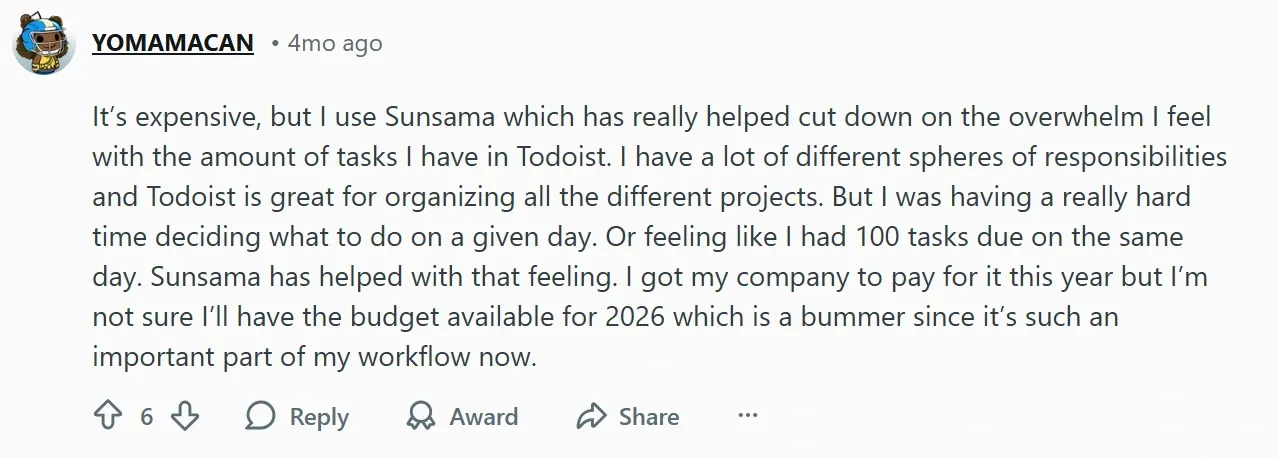
Sunsama helps users prevent planning overwhelm, as this reviewer shares on Reddit:
Shiv S, however, says Sunsama could add note-taking:

Who Sunsama Is Best For
- Professionals valuing work-life balance: The evening shutdown ritual and objectives system encourage intentional time allocation between work and personal priorities
5. Akiflow
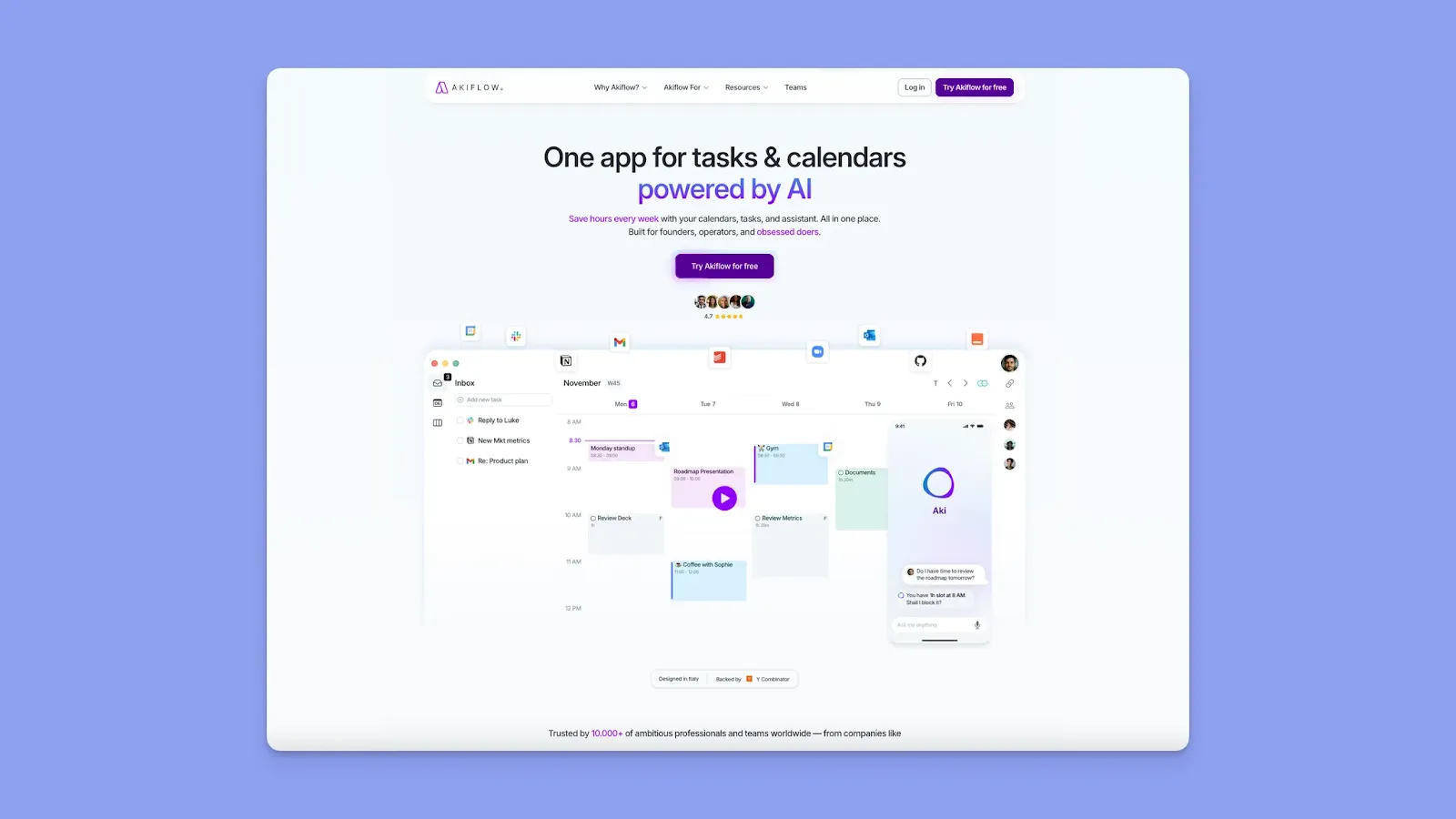
Akiflow pulls tasks from different sources, then lets you schedule them as calendar blocks using drag-and-drop or natural language commands.
Key Features
- Drag tasks onto the calendar: The universal inbox shows all your tasks in one place. Drag any task onto the calendar and create a time block
- Lock tasks to the calendar: Click a task block and hit the lock icon. Akiflow creates an actual calendar event on your Google/Outlook calendar so colleagues see you're busy
Pricing
| Plan | Monthly Billing | Annual Billing |
|---|---|---|
| Premium | $34 | $19/month |
Where Akiflow Shines
- Keyboard-first speed: Command Bar + natural language + keyboard shortcuts make time blocking fast
- Replan Undone Tasks: When your day shifts, hit "Replan Undone Tasks" and Akiflow suggests the next available slots
Where Akiflow Falls Short
- Steep learning curve: The first days using Akiflow feel overwhelming compared to simple drag-and-drop tools
- Limited long-term planning: Less support for multi-day or split sessions
Customer Reviews
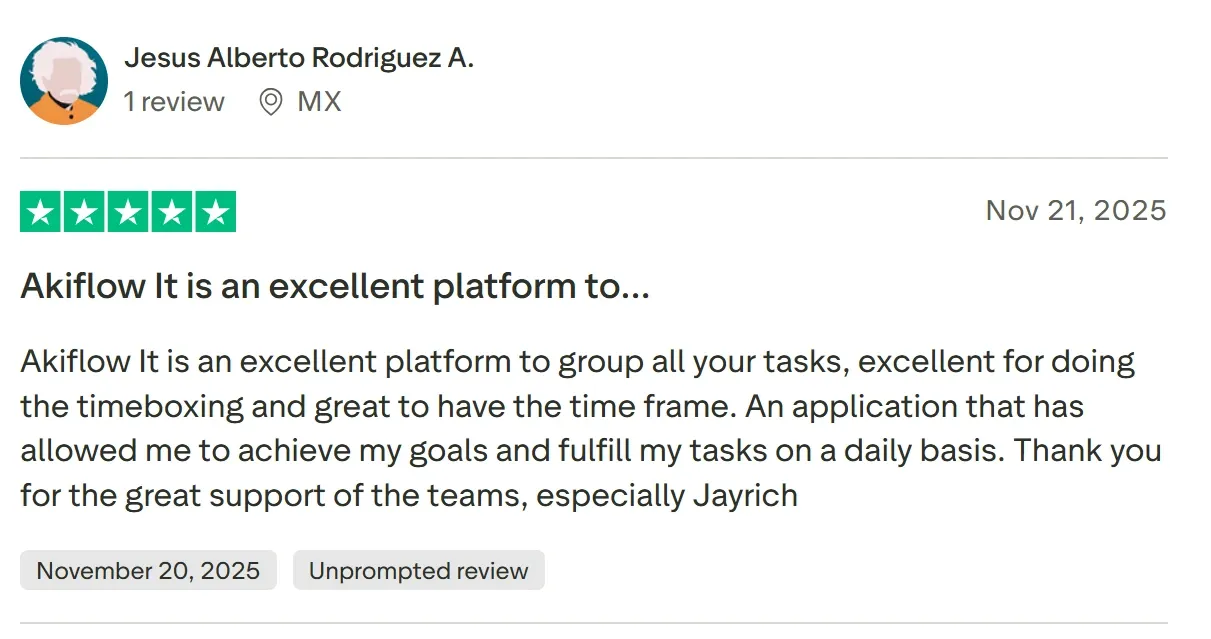
Akiflow is “excellent for doing the timeboxing,” shares Jesus Alberto Rodriguez A.
Claudio C says, “would be nice if you could select tasks and easily move them from one project to another.”

Who Akiflow Is Best For
- Keyboard-first users: who want surgical control over their schedule
6. Motion
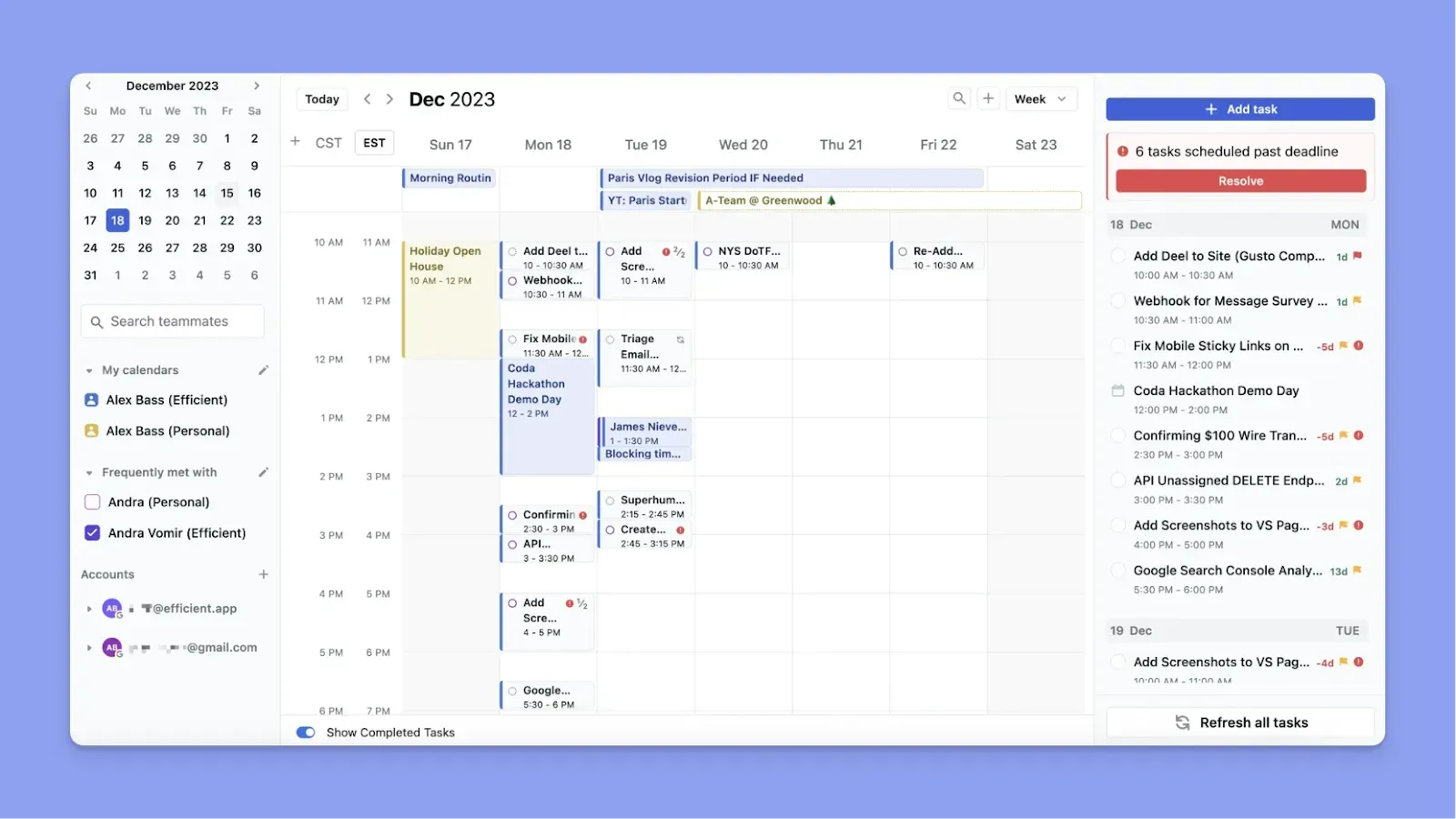
Motion's AI takes full control of scheduling your tasks as calendar blocks. Add tasks with deadlines and priorities, and Motion builds your entire schedule automatically.
- Continuous real-time reshuffling: When priorities change, or meetings run late, Motion automatically moves task blocks on your calendar
- Built-in Project management: Includes Gantt charts, task dependencies, and team workload visualization for managing complex projects
Pricing: Starting at $29/month annual ($49 monthly) for individuals.
7. Reclaim
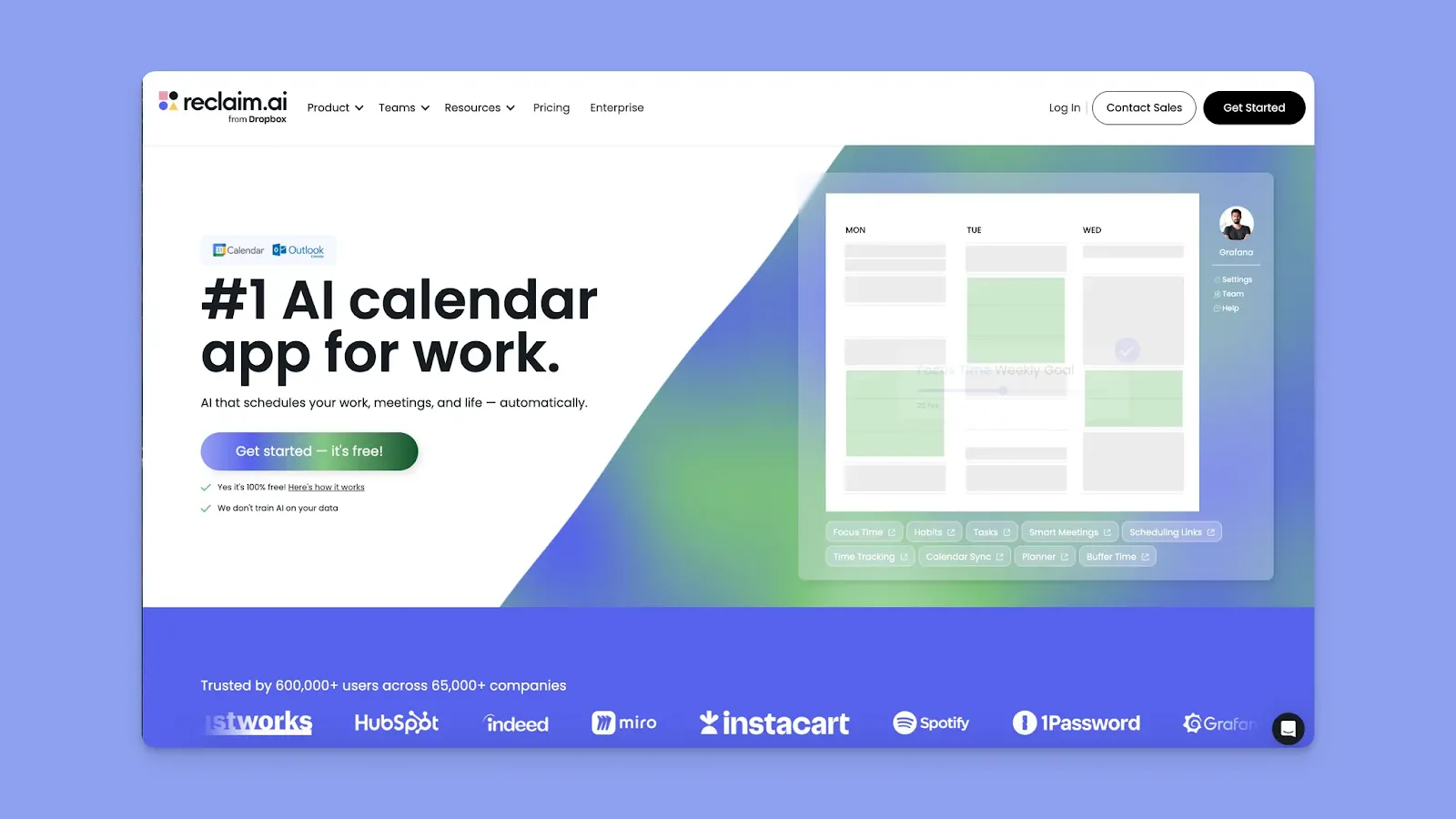
Reclaim creates and protects focus time blocks on your Google Calendar and Outlook, while scheduling tasks and habits that adapt around your meetings.
- Also schedules specific tasks: Pulls tasks from numerous task tools and schedules them as calendar blocks alongside your focus time
- Everything flexes around meetings: When meetings get scheduled, Reclaim automatically moves both focus blocks and task blocks to other available times
Pricing: Free plan available, while paid plans start from $10/month annually.
8. Clockwise
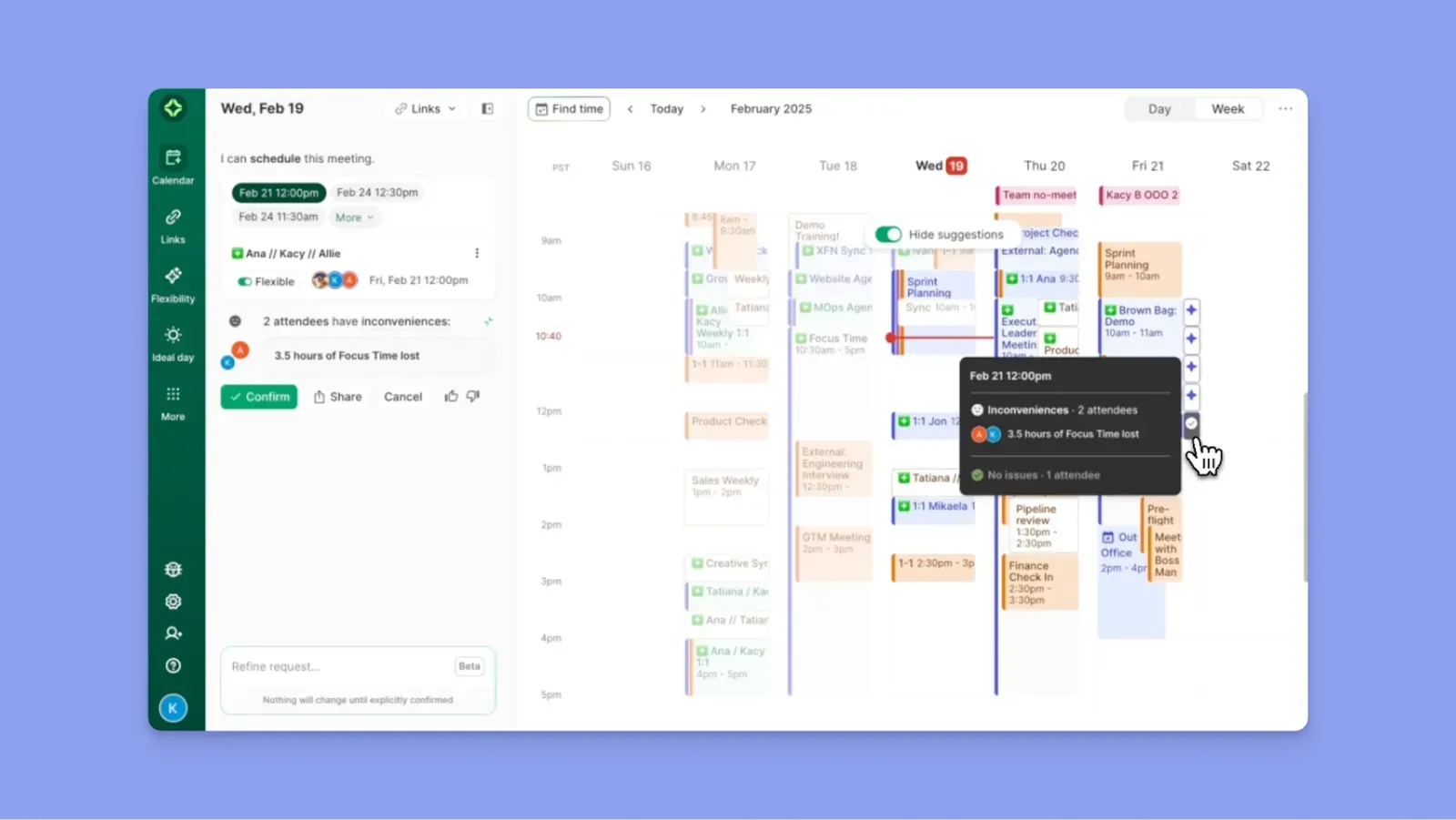
Clockwise protects team focus time and optimizes when meetings happen across your organization.
- Creates empty Focus Time blocks: Automatically adds protected calendar blocks when it finds open space, but doesn't pull tasks from task managers or tell you what to work on
- Moves flexible meetings automatically: Shifts 1-on-1s and flexible meetings to times that give everyone more uninterrupted focus time
- Team-wide analytics: Shows meeting load and focus time distribution across your organization to improve scheduling culture
Pricing: Free plan available; paid plans start at $6.75/user/month, annually.
9. Skedpal
Skedpal uses rule-based algorithms to automatically schedule your tasks as calendar blocks on Google, iCloud, and Office 365.
- Schedules tasks as calendar blocks: Automatically places specific tasks around your meetings based on priorities and Time Maps you configure
- Time Maps define work preferences: Set preferred working hours for different task types (deep work 9 am-12 pm, admin work 3 pm-5 pm), and Skedpal respects them
Pricing: $9.95/month (annual) or $14.95/month.
How to Choose a Time Blocking App
Four in five people do not use a time management system, and one in five workers want smart tools to help with task prioritization. These are the fundamental problems a time blocking app solves. Here’s what's important when choosing one:
Task and Calendar Management
Time blocking requires viewing tasks and calendar events in a single view.
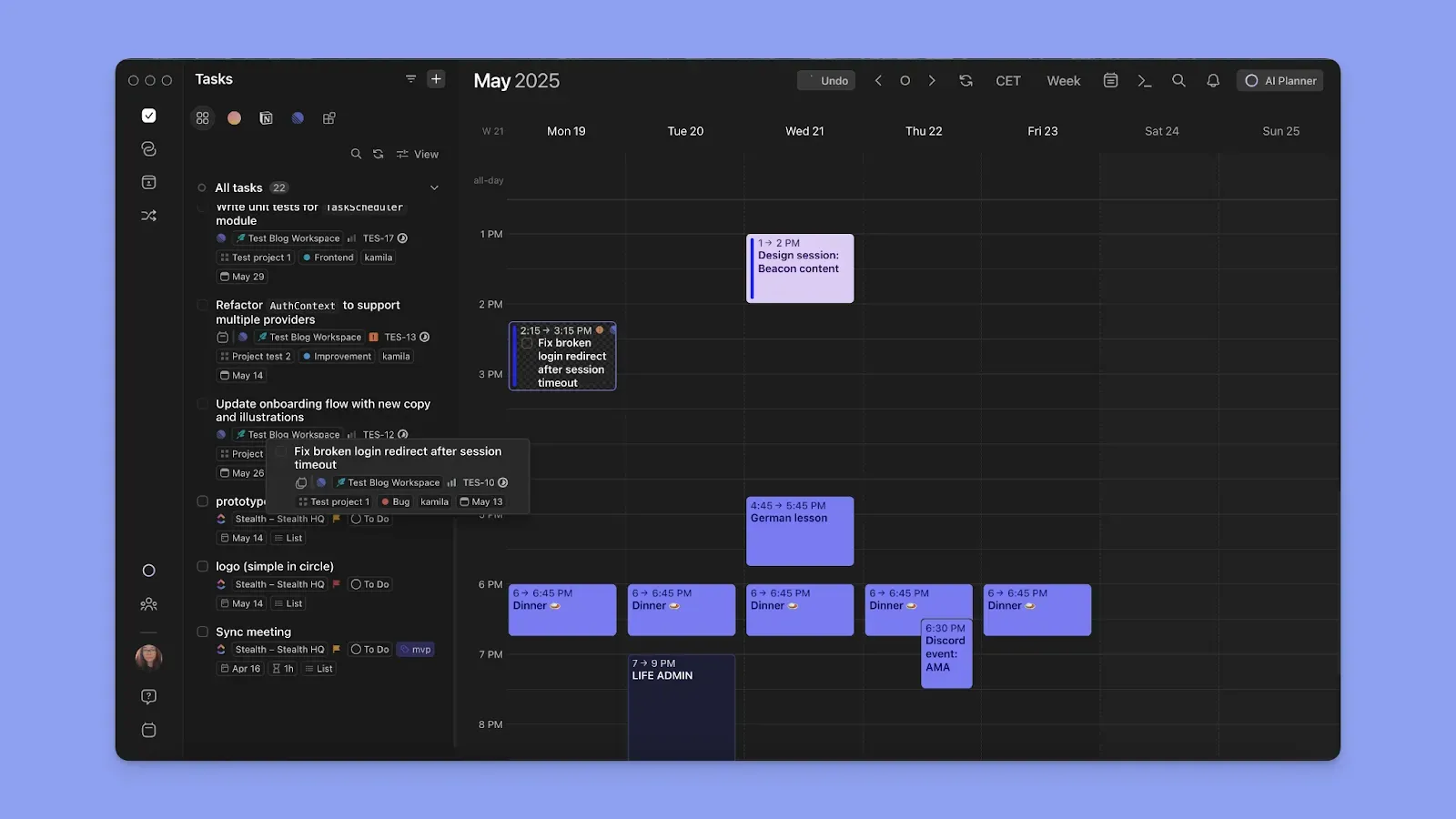
With Morgen, you add tasks to different calendars, scheduling and time-blocking each with parameters to keep your schedule flexible.
Tip: Mark tasks as flexible or non-flexible. Flexible tasks can be moved when rescheduling your day with the AI Planner, while non-flexible task blocks are not moved around.
Here’s how to start scheduling tasks in Morgen right away.
Color Coding
Time blocking is visual, so color-coding helps you instantly see imbalances like too many meetings, not enough focused work, and missing recovery time.
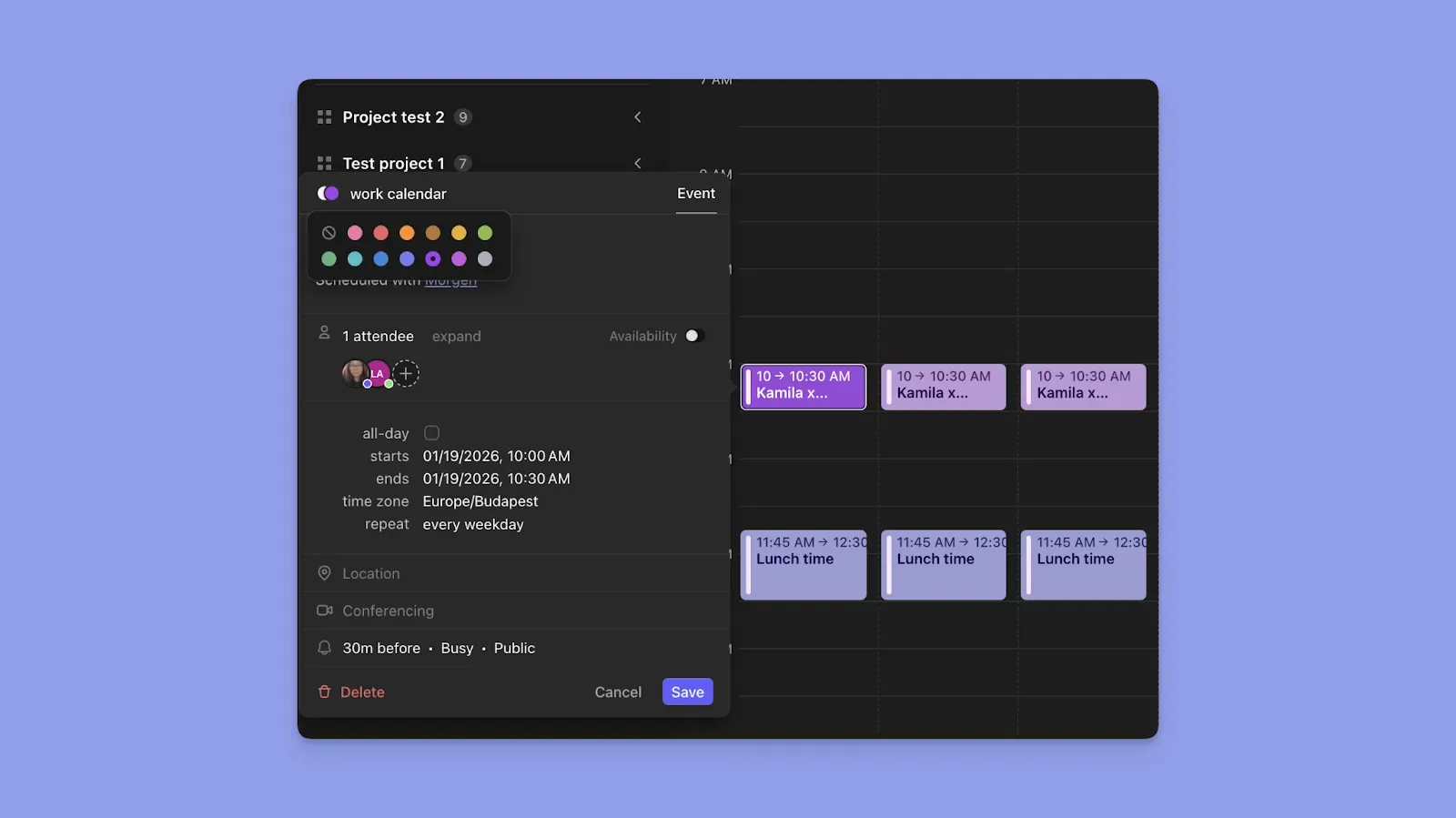
With Morgen, color-code by source calendar, then customize your view with additional base colors for events, tasks, routines, and task tags.
Tip: Set separate colors for different block types on Morgen. Click the color icon on any scheduled task and choose from 13 base colors. Task tags also support custom colors for instant visibility across all lists.
Smart Suggestions
A time blocking app with AI features will simplify your planning. Look for options that let you capture ideas in tasks and then schedule them on your calendar.
The Morgen AI Assistant captures tasks from Slack, emails, and meetings, then surfaces priorities based on deadlines.
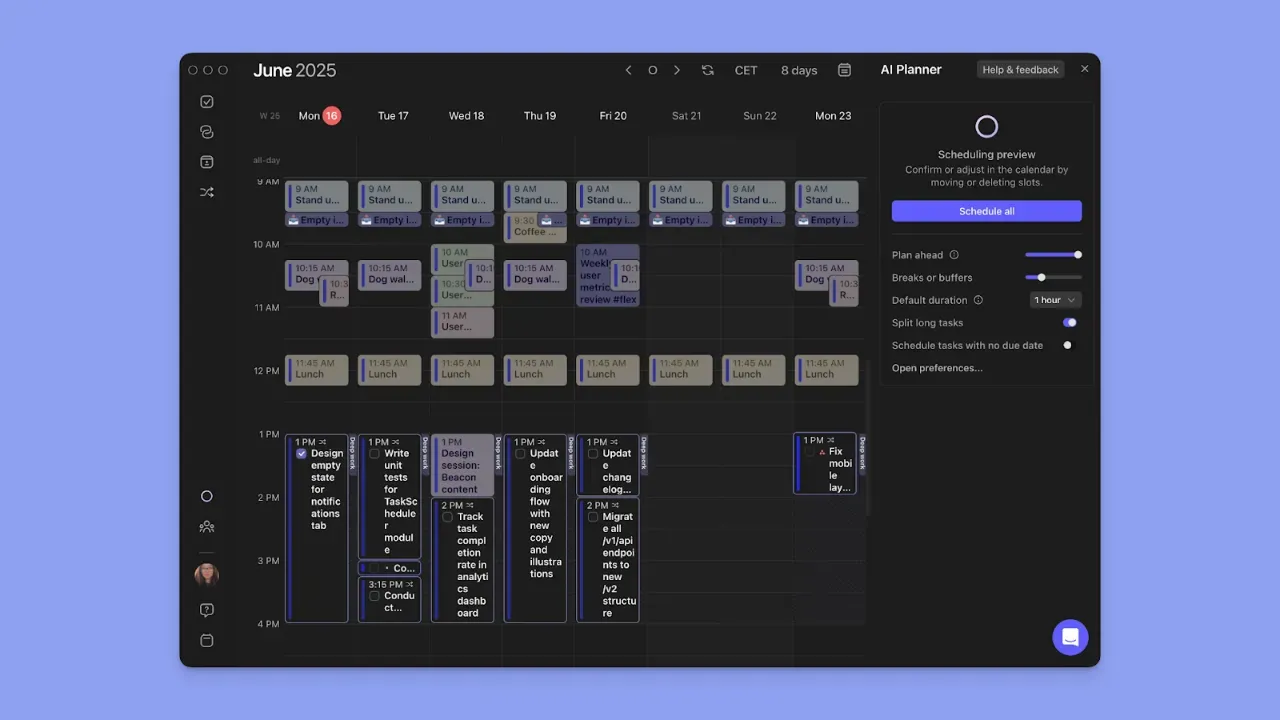
The AI Planner then suggests where to place tasks around calendar events using Frames and Morgen Priority Factor. It spots conflicts and suggests fixes, but never schedules anything without your approval.
Capture and schedule tasks faster with the AI Assistant and command bar on the Morgen desktop version!
Prioritize What's Important With Morgen's AI-Assisted Time Blocking
You shouldn't need to open each calendar every time you want to create focus blocks or time-block a task.
Use Morgen to create a schedule that syncs across all calendars, and add tasks to each time block to get more done.
Plus, it's easy to plan in minutes with the AI Planner, which understands when and where to schedule task blocks alongside fixed calendar events, such as meetings and routines.
Want to see how that works? Grab your free trial now and start time blocking!

.svg)
.webp)


