.svg)
→ Akiflow is priced at $34/month or $19/month billed annually: student and signup discounts may lower the cost slightly
→ The Believer plan costs $14.90/month, billed every two years: best for users comfortable committing upfront for a lower monthly rate
→ Add-ons increase the total monthly cost beyond the base plan: for example, the Meeting Assistant costs an additional $19/month
→ Choose Morgen ($15/month) if you need an AI scheduling app built for solopreneurs, developers, and marketers: best for individuals who want an AI copilot that suggests when to schedule tasks without reshuffling their day
Akiflow is a manual calendar planner that combines a unified task inbox with drag-and-drop scheduling. It runs on a single paid plan, with pricing that varies by billing cycle and add-ons.
In this Akiflow review, we’ll break down the costs, pros and cons, best-fit users, customer feedback, and how Morgen compares as an advanced AI planning assistant.
How Much Does Akiflow Cost?
Akiflow runs on two plans, monthly and annual, plus a Believer option for long-term users.
Morgen: A More Affordable Alternative for Individuals Who Want an AI Calendar Planner
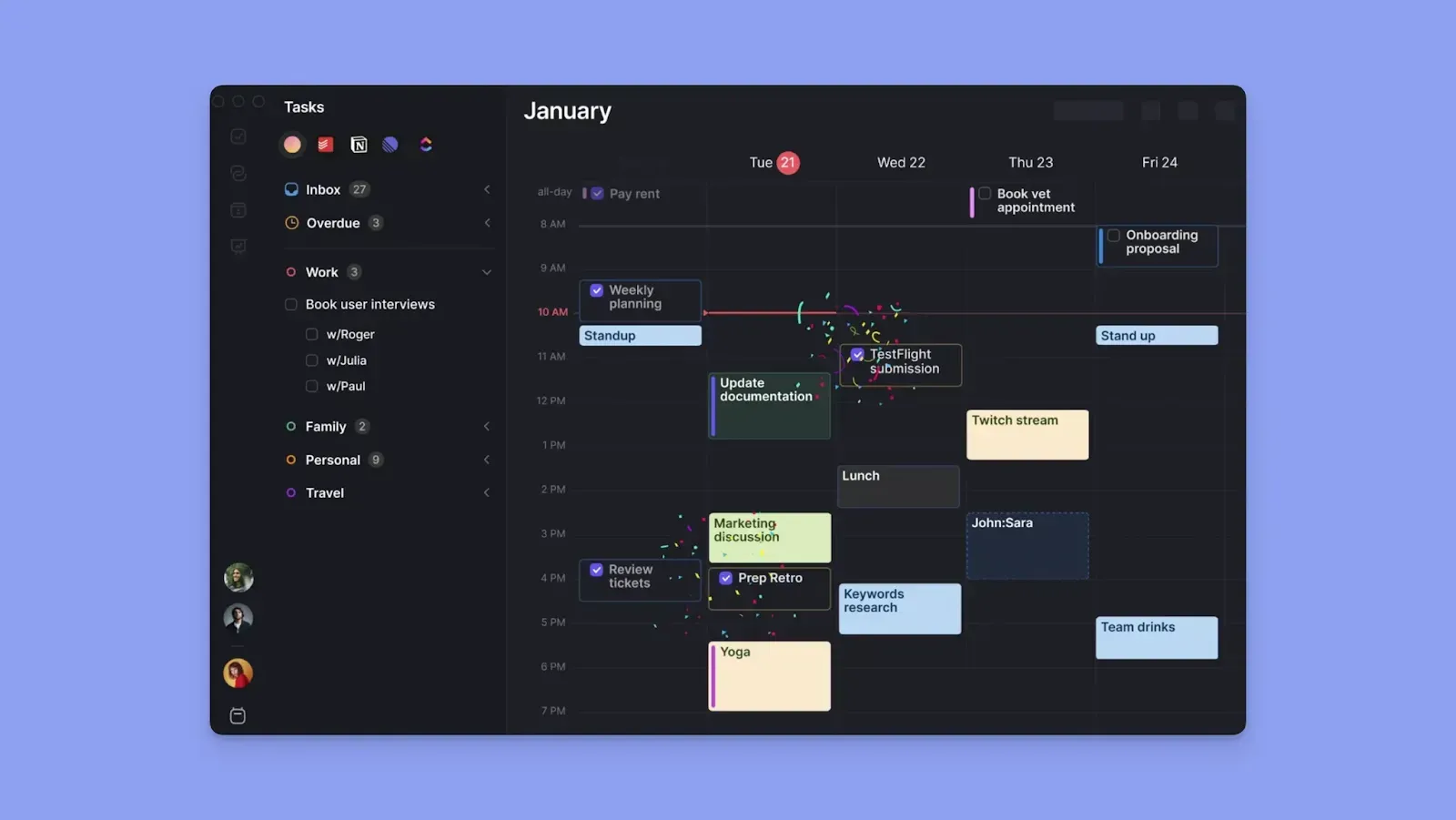
Morgen offers a modern UI, integrations, and timeblocking, then adds an AI Planner that helps you build your daily schedule around real availability.
- Cheaper than Akiflow: Morgen costs $15/month on an annual plan compared to Akiflow's $19/month. The Believer Plan from Akiflow is only marginally cheaper too, while locking you in for 2 years upfront
- More value for the price: Morgen's AI Planner suggests a realistic daily schedule based on your task priorities, durations, and deadlines. You don’t have to manually schedule everything, like on Akiflow
- Faster daily planning: connect your calendars and task tools, and the AI Planner immediately suggests exactly what to work on and when, but you still maintain control by approving or editing the plan
- No add-ons or layered pricing: One flat plan covers task planning, time blocking with Frames, Routine creation, and meeting scheduling
- Team scheduling support: Morgen offers team availability and scheduling features, with extra features to also manage different time zones before scheduling
Read our more detailed comparison of Morgen vs Akiflow.
Akiflow Pricing Plans: A Breakdown
Here's what each Akiflow pricing option unlocks:
Pro Monthly
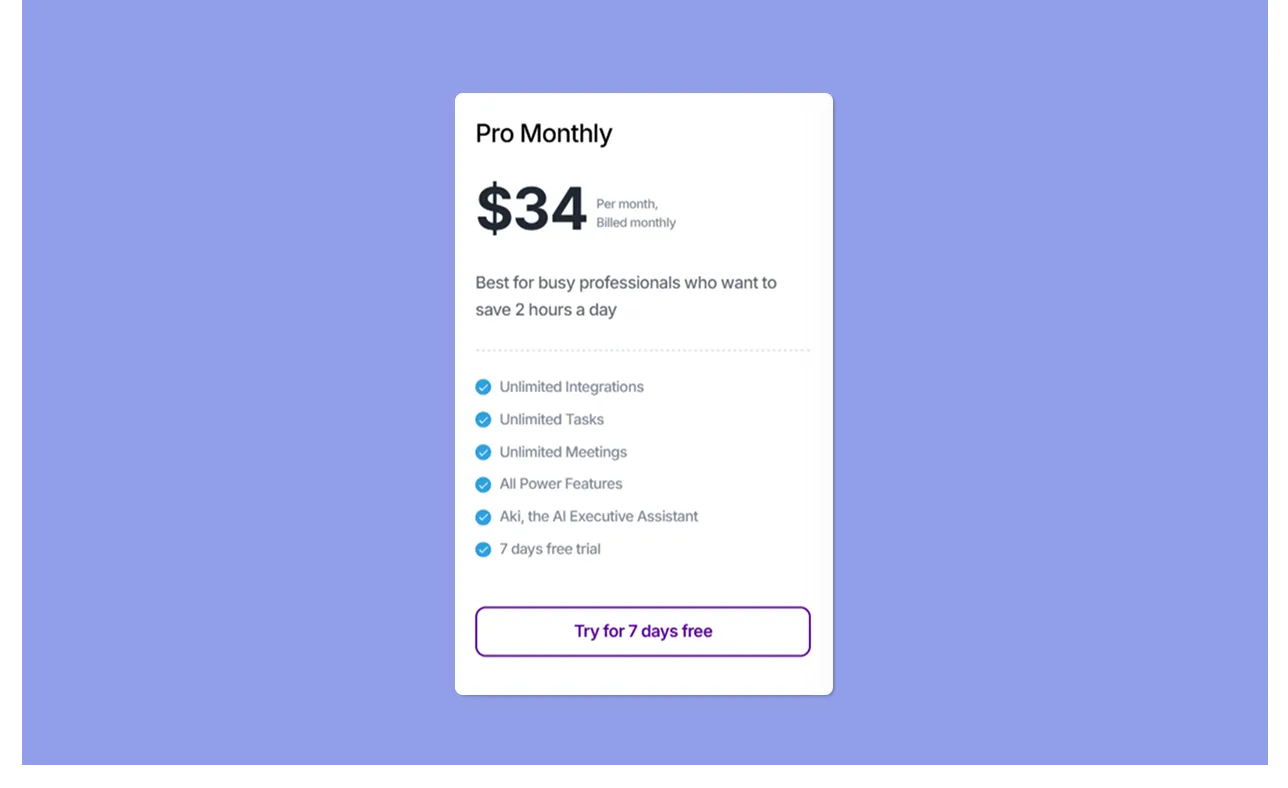
The monthly plan gives busy professionals full access to every Akiflow feature, including unlimited integrations, unlimited tasks, unlimited meetings, all power features, Aki the AI Executive Assistant, and a 7-day free trial.
Pro Plan (Annual)
.webp)
The annual plan includes everything in Pro Monthly, then adds a 1:1 onboarding call. It’s designed for C-levels and professionals who want to save about 44% in costs.
Believer Plan

The Believer plan unlocks the same features as the Pro plan, but you pay for two years upfront. In exchange, you get dedicated customer success support, early access to new features before public launch, and access to the Believer's Lounge community.
Meeting Assistant (Add-on)
.webp)
The Meeting Assistant layers on top of your base plan and adds AI meeting transcription, instant summaries with key takeaways, smart action items, and a follow-up email with next steps after each call.
Akiflow Tool Hidden Costs
- Add-on costs: The Meeting Assistant matches the cost of the base annual plan exactly. Add it on, and you are doubling your monthly spend from $19 to $38.
- Secondary tool costs: Akiflow does not replace your project management tools. If you rely on external tools to manage your actual work, those costs stack on top of your Akiflow subscription
Akiflow Pros & Cons
According to Acuity Training, 82% of people have no dedicated time management system, 33% rely on to-do lists, and 24% use their email inbox to manage tasks.
Akiflow consolidates all of these into one app, but where does it shine and where does it fall short?
Pros
- Personalized Onboarding: Includes a one-on-one setup call to help you get started
- All-in-one planning view: Tasks, calendar events, and scheduling live in one window to eliminate context-switching
- Universal task inbox: Pull in tasks from Gmail, Outlook, Slack, Notion, Linear, and more into a single inbox
- AKI AI assistant: The built-in AI calendar management assistant helps you create daily plans through a conversational interface
- Keyboard-first design: A full library of keyboard shortcuts plus a command bar with natural language processing lets you capture, schedule, and navigate without reaching for the mouse
- Flexible time blocking: Drag tasks directly onto your calendar and adjust durations
- 2-Way Sync: Keeps tasks in external tools updated when time blocks are moved in Akiflow
Cons
- Manual planning by default: Without AKI, scheduling is entirely drag-and-drop with no automatic placement of tasks into available time slots
- Steep price for solo users: At $34/month on the monthly plan, plus add-on costs, it is one of the most expensive individual digital calendar planning tools
- Limited calendar integrations: Lacks native iCloud and Fastmail integrations
- No subtasks: Akiflow does not support advanced subtask management
If Akiflow's cons outweigh the pros for your workflow, try these Akiflow alternatives for smarter planning to find a better fit.
Who Is Akiflow Best For?
Not sure if Akiflow is the daily planner app you need? Here are three users who get the most out of it.
Freelancers and Individuals Managing Work Across Five or More Tools
If you start every morning checking Gmail, Slack, Notion, and Linear just to figure out what needs doing today, Akiflow's universal inbox pulls all of that into one view.
You triage once, schedule from one place, and stop toggling between apps to build a plan.
Keyboard-First Power Users Who Plan Their Day Manually
Are you super fast on the keyboard and used to manually noting down your to-do list?
If so, AKI, the command bar, and shortcut library will help you capture, schedule, and move items at typing speed, without opening menus or dragging anything.
Busy Professionals Who Need to Protect Time Around a Heavy Meeting Schedule
If your calendar fills up with meetings before you have a chance to schedule actual work, Akiflow's time-blocking approach lets you claim those gaps intentionally.
You drag tasks into the remaining slots so your available hours have a plan before the day starts pulling you in different directions.
Akiflow Tool Customer Reviews
Users love how Akiflow makes their daily planning seamless, but there are some complaints about the cost and automatic subscriptions. Here are two reviews:
Positives
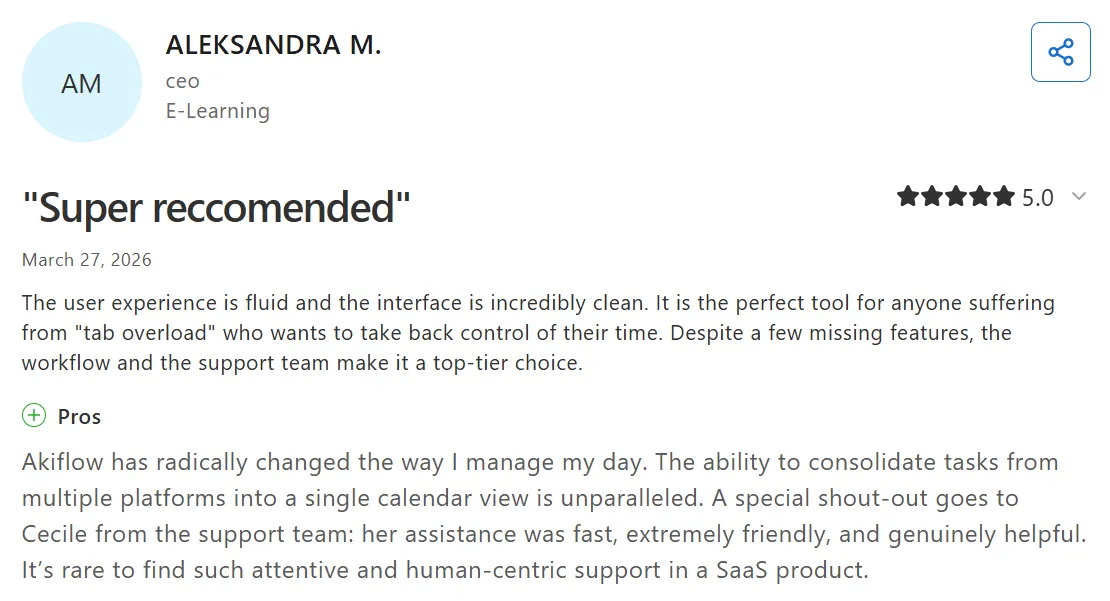
Aleksandra M highly recommends Akiflow on Capterra, saying, “The user experience is fluid and the interface is incredibly clean.”
Complaints
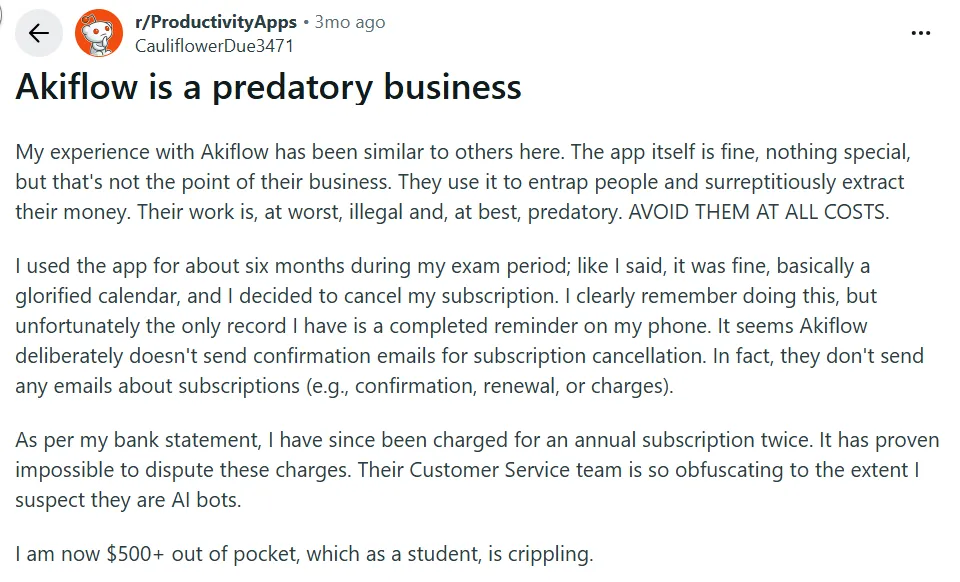
Meanwhile, this Redditor complains about being charged by Akiflow, despite cancelling the subscription:
Alternative to Akiflow: Morgen for Individuals Who Want AI Planning Suggestions and Deep Integrations

Morgen is an AI calendar alternative to Akiflow for users who need faster task scheduling. It surfaces AI suggestions for task placements depending on available time and task settings.
Here are the two main features a solopreneur, developer, marketer, freelancer, or professional with ADHD will love.
Deep Calendar and Task Integrations
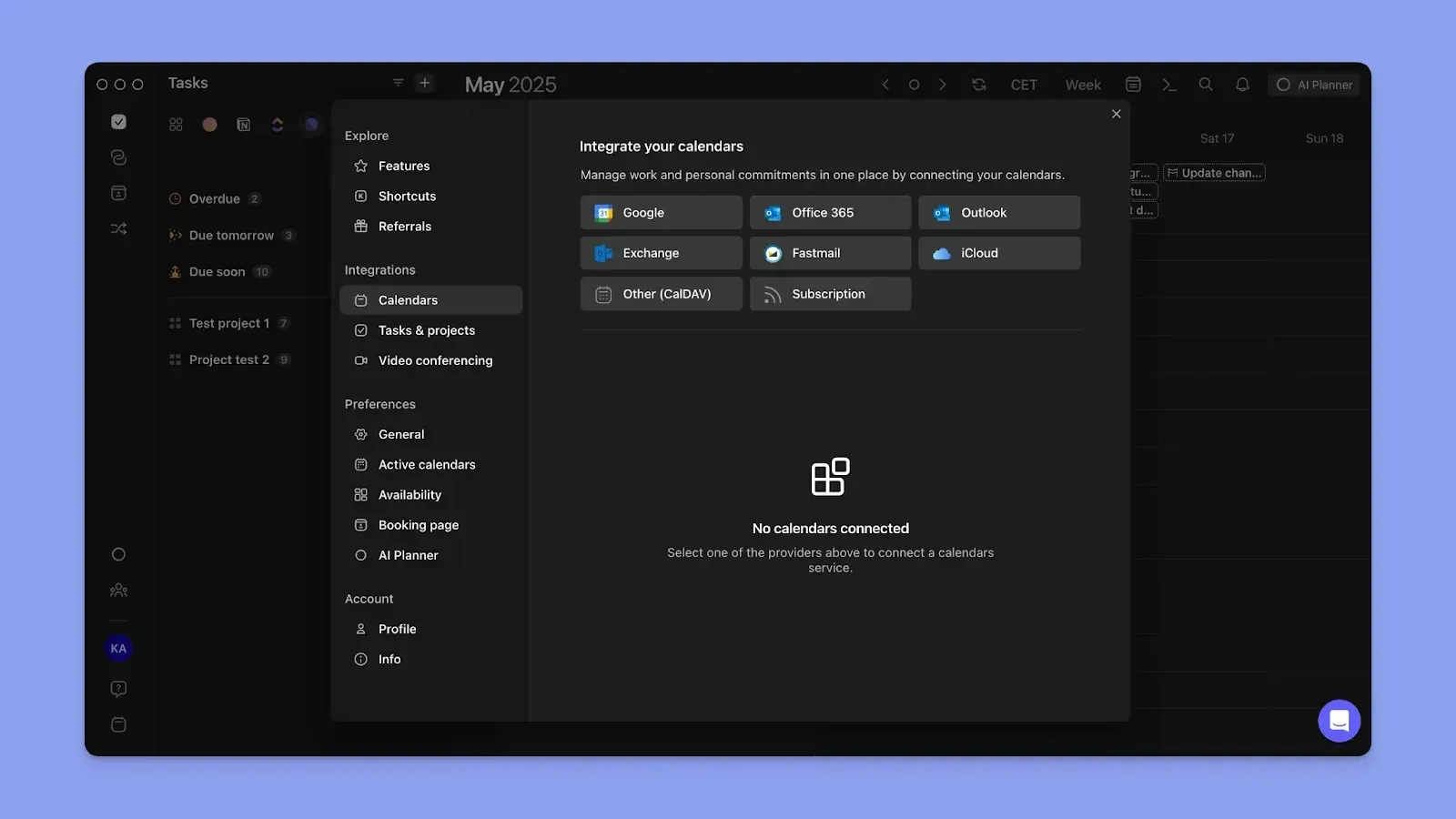
Morgen syncs to Google Calendar, Microsoft Outlook Calendar, iCloud, and Fastmail.
In addition, you can integrate with Notion, Obsidian, Todoist, Linear, ClickUp, Google Tasks, Microsoft To Do, and Apple Reminders to pull in your pending tasks.
Your tasks and calendar events surface in one unified view. You plan, schedule, and time-block from that screen without switching between the apps.
A Human-in-the-Loop AI Planner That Suggests, Not Decides
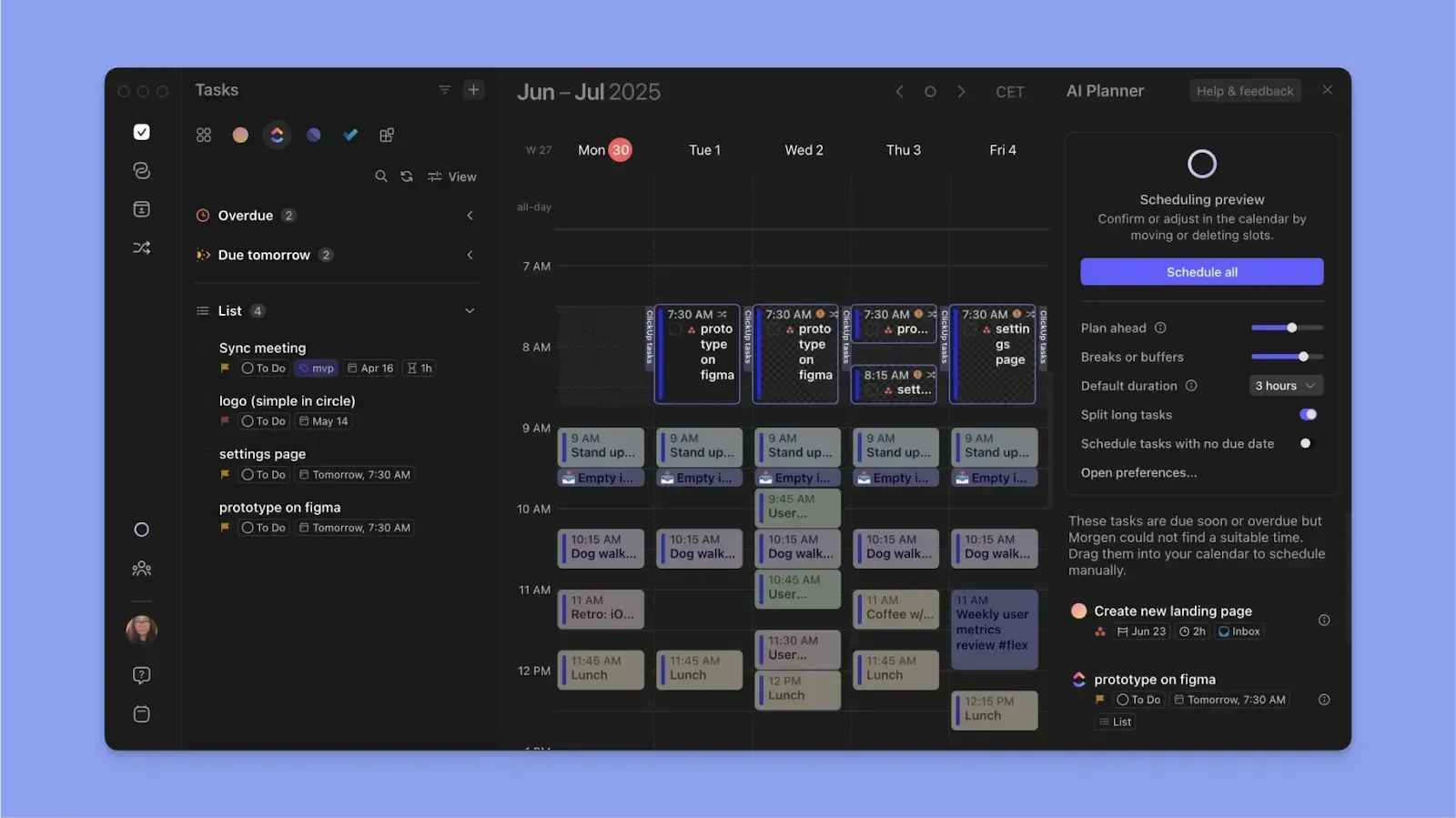
The AI Planner scans your availability and surfaces suggestions for which tasks to place into open time slots, factoring in priorities, durations, and deadlines. You view the proposed plan, approve it, edit individual tasks, or drag and drop manually.
This is the Copilot approach where AI does the heavy lifting of surfacing options, but you stay in control of every decision.
For more structured planning, you can set up Frames with task filters that tell the AI Planner which tasks should populate each focus window.
Download Morgen on Mac, Windows, Linux, and Android to start planning with AI now.
Does Akiflow’s Pricing Fit Your Budget?
Akiflow suits individuals who want a unified inbox and manual control over daily planning. However, it lacks advanced AI scheduling features and can become expensive with add-ons.
Morgen lets you connect your tools and workflows, then the AI suggests a realistic schedule in seconds. Read our latest guide on Morgen V4, then grab your 14-day free trial to start planning now.

.svg)
.webp)