
.svg)
→ Choose Todoist if you need a fast, structured daily task manager: best for individuals and small teams who want to capture, organize, and prioritize tasks quickly, but don’t need to schedule them based on actual calendar availability
→ Pick Asana if you need advanced project management software: best for marketers, sales teams, and agencies who track work across multiple projects and stakeholders, but don’t need to map tasks into daily schedules or manage personal availability in real time
→ Choose Morgen if you need an AI daily planner on top of your task tools: best AI scheduling software for freelancers, developers, solopreneurs, and individuals who want tasks scheduled into real calendar slots without AI taking over their day
→ Recommended setup: Morgen + Todoist and Asana: pull in your projects, tasks, tags, and priorities, then use AI-powered suggestions to slot tasks into focus blocks around your meetings and events for a realistic daily schedule
Choosing between Todoist and Asana comes down to one thing: to-do list organization versus project management. Todoist captures tasks quickly, while Asana tracks work across teams and workflows.
Below, we compare both across projects, tasks, and time management, then show how they fall short for daily planning, and how adding an AI daily planner like Morgen helps busy professionals schedule tasks into real calendar availability.
Todoist Vs Asana Vs Morgen: A Quick Overview
Who Is Todoist Best For?
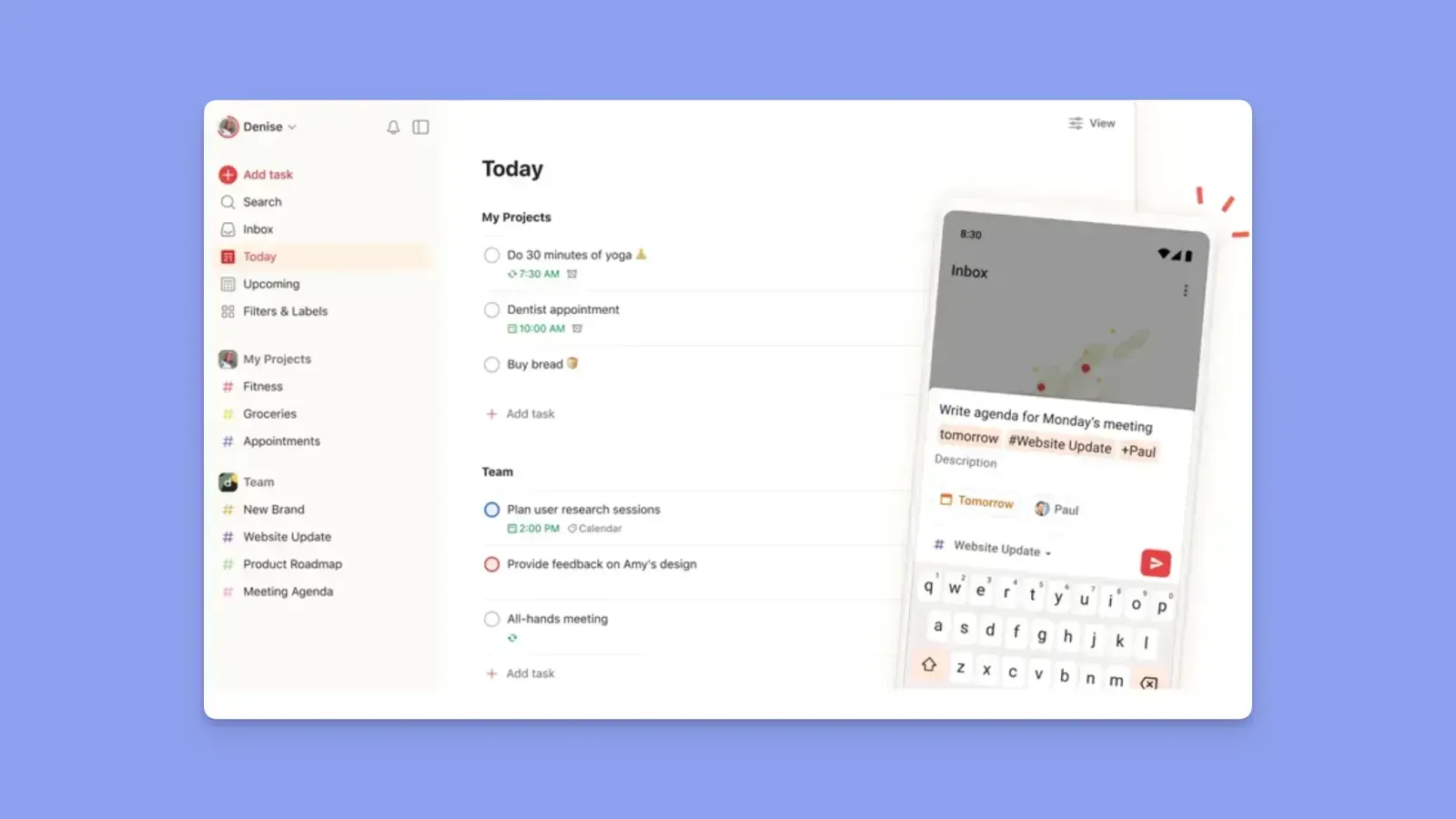
- Individuals and daily planners who want to capture tasks quickly using natural language or voice
- Busy managers who need simple project tracking without the complexity of a full project management tool
- ADHD planners who prefer a clean, distraction-free user interface
- Professionals who want full manual control over when and how tasks get done
- Small teams collaborating on shared tasks without paying for enterprise-level seats
Who Is Asana Best For?
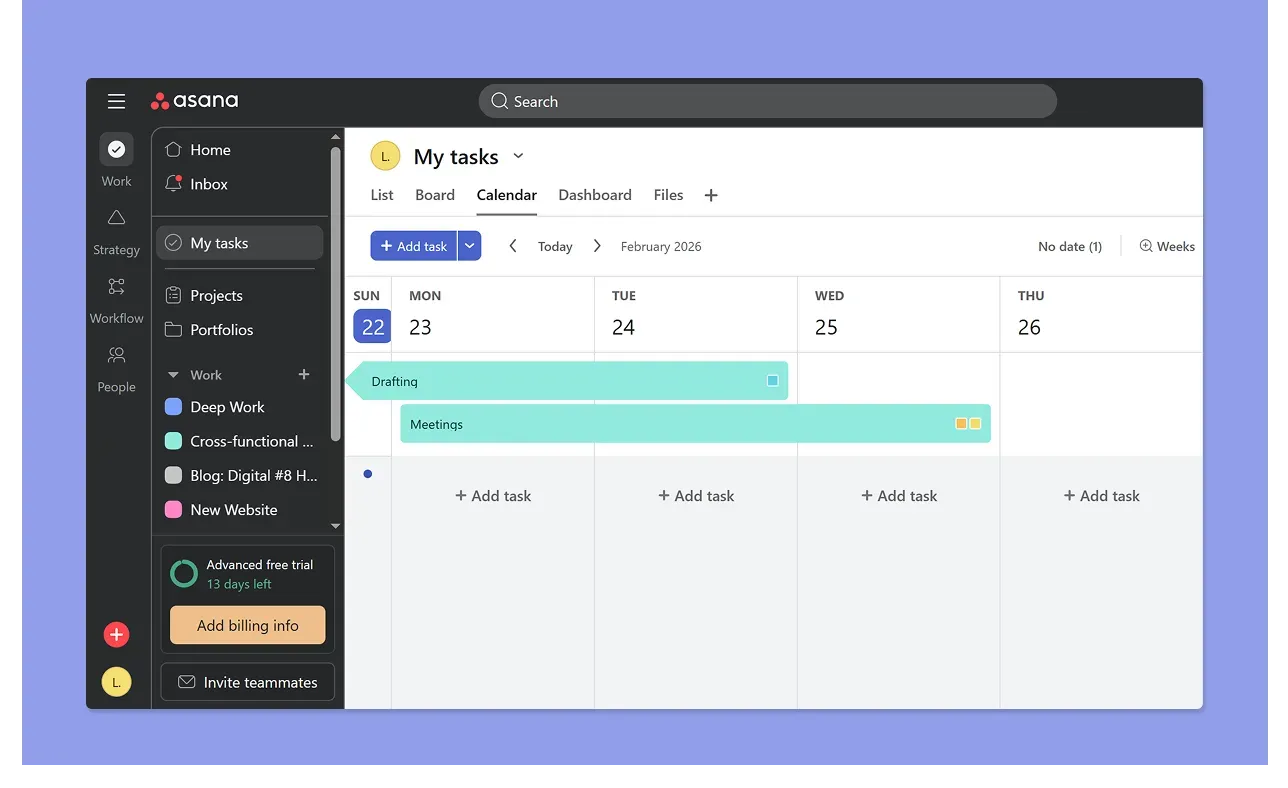
- Project managers coordinating work across multiple people with dependencies, clear ownership, and deadline visibility
- Cross-functional teams running repeatable workflows like campaign launches, client onboarding, or sprint planning
- Growing teams that need shared visibility into progress and blockers
- Organizations that need workload visibility and portfolio-level reporting dashboards for leadership
Morgen: An Alternative for Solo Professionals Who Want AI Features to Plan Tasks Into Calendars
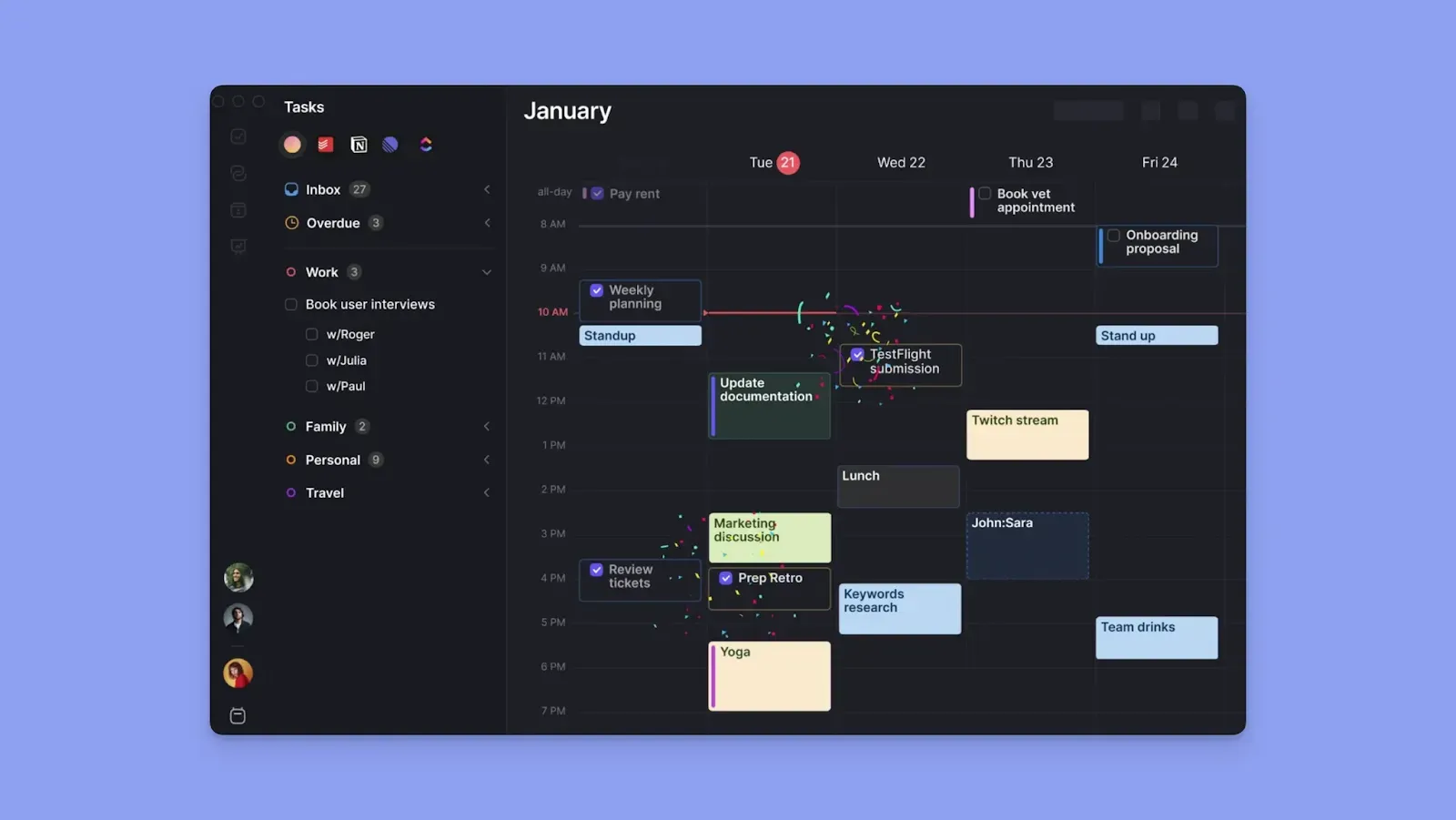
Todoist and Asana track tasks along deadlines, but neither tells you what time to work on tasks before those deadlines.
If your challenge extends to finding the right time blocks for work each day, Morgen adds the AI calendar-planning layer you need. Here's why:
- It layers on top of Todoist and external task tools, pulling your existing tasks into a calendar view so you can schedule them into actual available time
- You can also create tasks directly in Morgen, add filters, priorities, durations, and planned/due dates, then plan for them alongside existing workflows
- Morgen’s AI Planner suggests which tasks to do at what time
- Plan everything from one view: track meetings, schedule tasks around them, create recurring routines , connect work and personal calendars, and see your full availability before committing to anything new
- Morgen shows your Adjust plans easily when conflicts arise; Morgen surfaces suggestions to help you rebalance, and you decide what moves
Try Morgen free for 14 days - no credit card required.
Price
When comparing these two work management platforms, pricing helps you weigh features against cost to find the best value.
Todoist
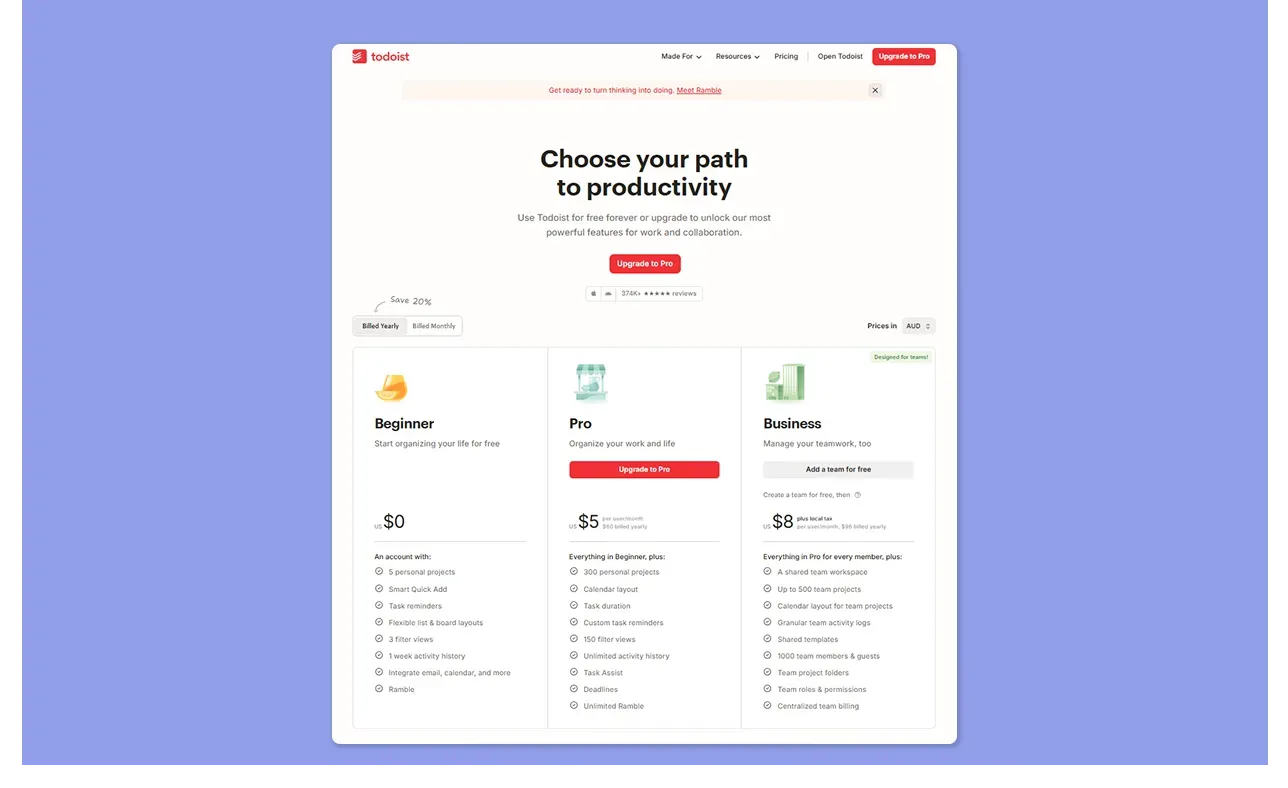
- Todoist offers a free Beginner plan for individuals. Pro costs $5/user/month (annual) or $7/month (monthly), and Business $8/user/month (annual) for teams
- The free plan caps you at 5 active projects with no reminders, calendar layout, or file attachments
- It's affordable at the entry level, but one G2 reviewer notes it gets expensive “if you need multiple people on a professional plan,” while Maik K is frustrated that reminders sit behind a paywall at all
Here’s our detailed Todoist review to help you decide if it’s worth the price in 2026.
Asana
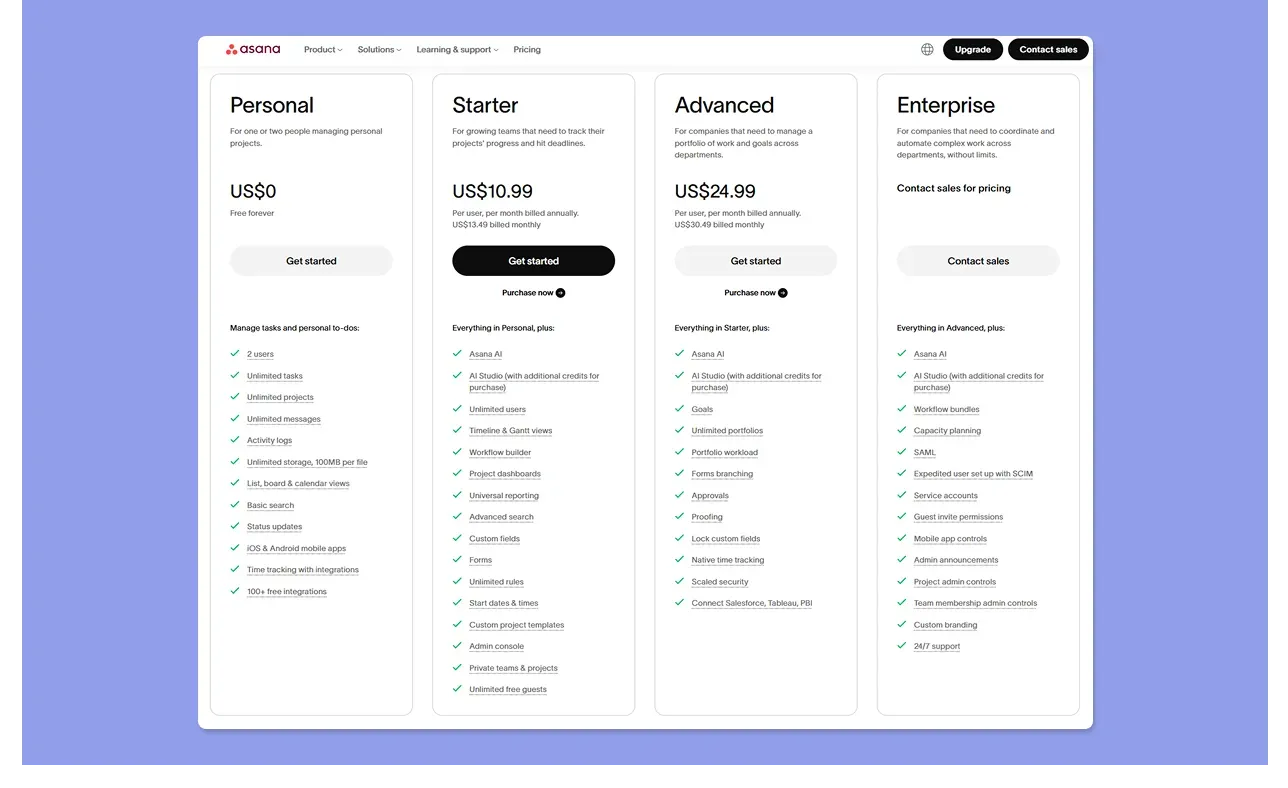
- Asana offers a free Personal plan for up to 10 users, then Starter at $10.99/user/month (annual) and Advanced at $24.99/user/month (annual), with Enterprise pricing on request
- There is no single-seat paid option, so the moment you upgrade, you are billed for a minimum of two seats. Pricing scales with headcount, making it expensive for growing teams
- Salman R notes that you're pushed into buying seats in blocks of five, and Daisy R adds that pricing per seat rather than an all-in flat cost is a recurring frustration
Verdict
Todoist is more affordable, while Asana's free plan is generous for small teams. Still, both tools start to feel expensive as your team grows and you need advanced planning features.
Project Planning
Before picking Asana or Todoist for project planning, consider if it will house your projects long-term or if you'll need extra subscriptions to fill any gaps.
Todoist
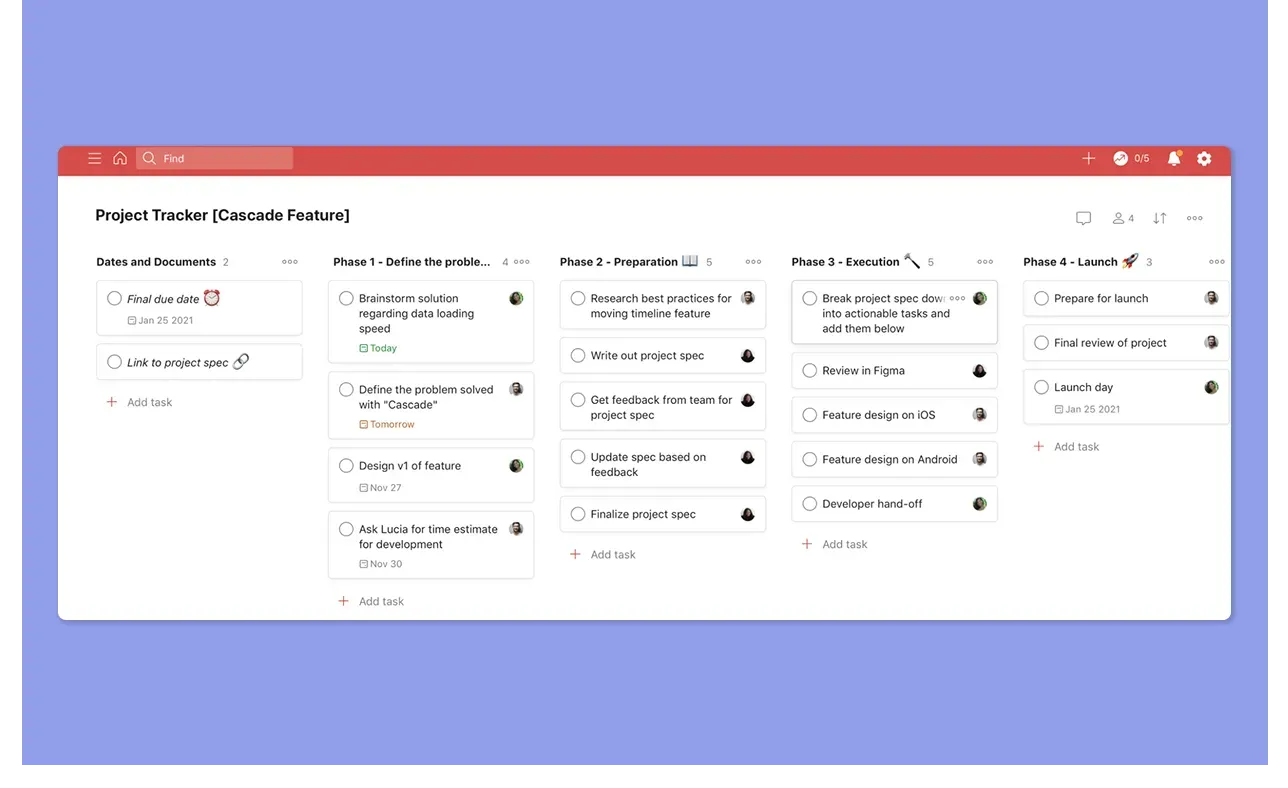
- Create projects, add tasks, and organize work in list or Kanban board views. Switch to a calendar view on Pro to see tasks plotted by date
- However, it lacks dependencies, timelines, and workload visibility, limiting it to simple projects
- Graham S., a Project Manager in construction, notes that Todoist dangles between task and project management and needs to solidify its identity
Want to compare Todoist to another project planning tool? Read Motion vs Todoist for more insights.
Asana
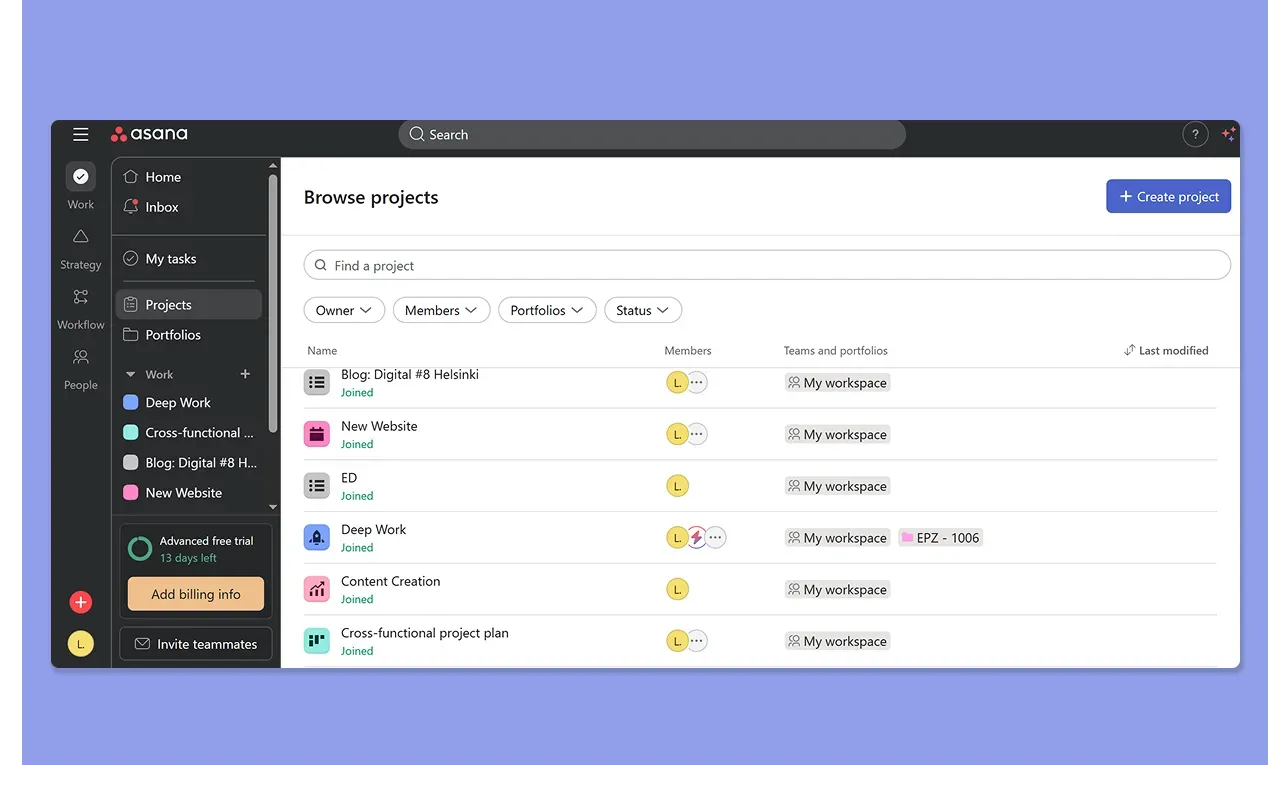
- Start from a blank project or choose from a template library covering common workflows like campaign planning, sprint tracking, or client onboarding
- Add tasks, then switch between list, board, timeline, or Gantt charts
- The Customize panel unlocks fields, rules, forms, and bundles to shape each project around your workflow, though most of these sit behind the Starter plan and above
- Jennifer P praises visibility into priorities, ownership, and timelines across a team, while Cynthia P flags a steep learning curve before you can use Asana effectively
Read our Motion vs Asana comparison for project planning for growing teams.
Verdict
Asana is the advanced team project management platform with structured views, dependencies, automation, and workload tracking that Todoist doesn't offer. Todoist works for small, flat projects with no complex handoffs.
Task Management
Both tools handle task creation well, but differ in speed versus structure.
Todoist
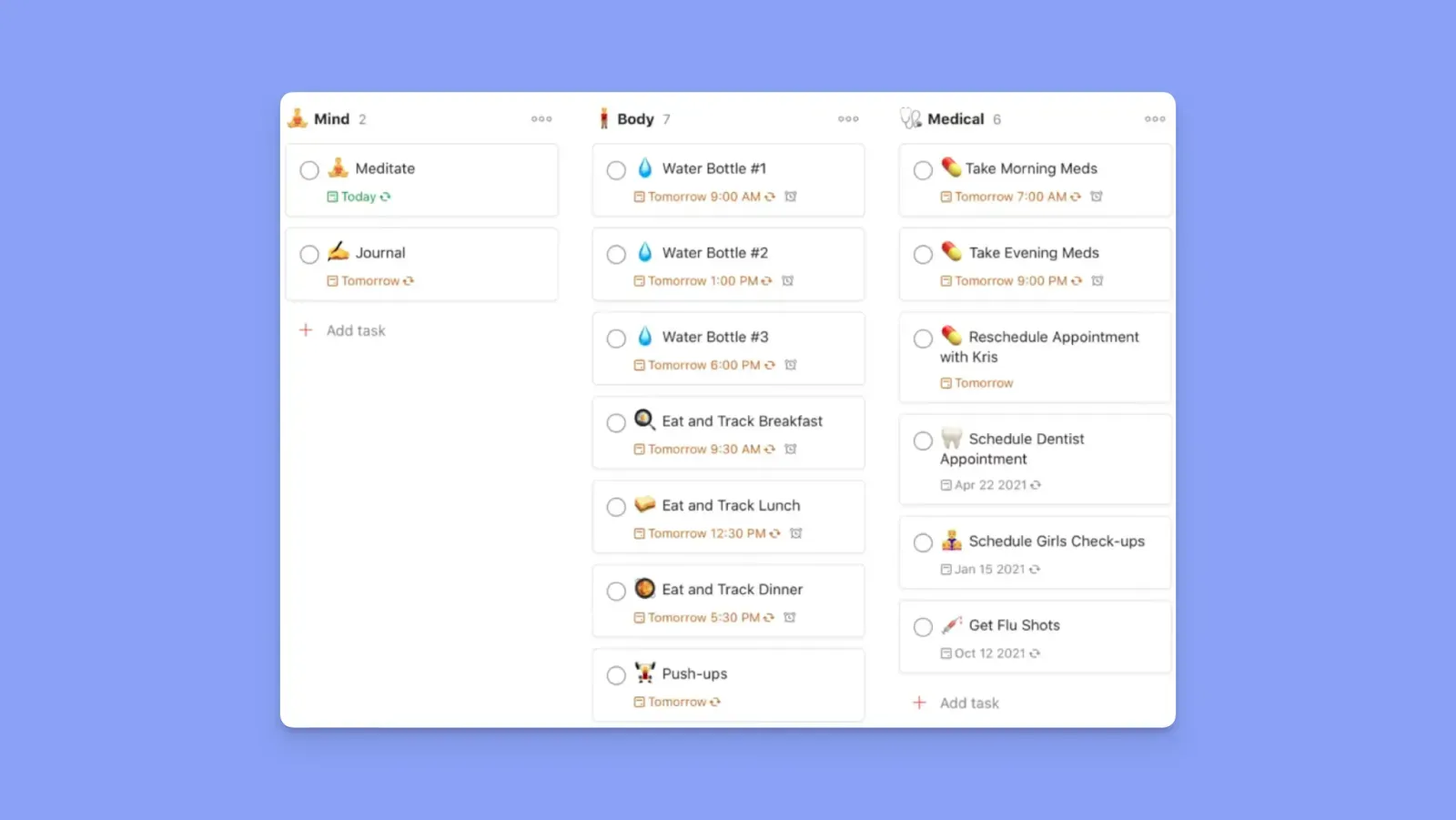
- Create tasks with natural language input: type "Client proposal Friday 3 pm P1" and Todoist parses the date, priority, and project automatically
- Add subtasks, due dates, recurring schedules, labels, P1 to P4 priority levels, reminders, and custom filters to any task
- Ramy A says that Todoist's flexibility to set priorities and automate recurring tasks makes it versatile for any type of user
- However, Evan L adds that managing very complex workflows can require workarounds with labels and filters, and that collaboration features feel limited for larger teams
Check out these Todoist alternatives if you want similar or advanced task management.
Asana
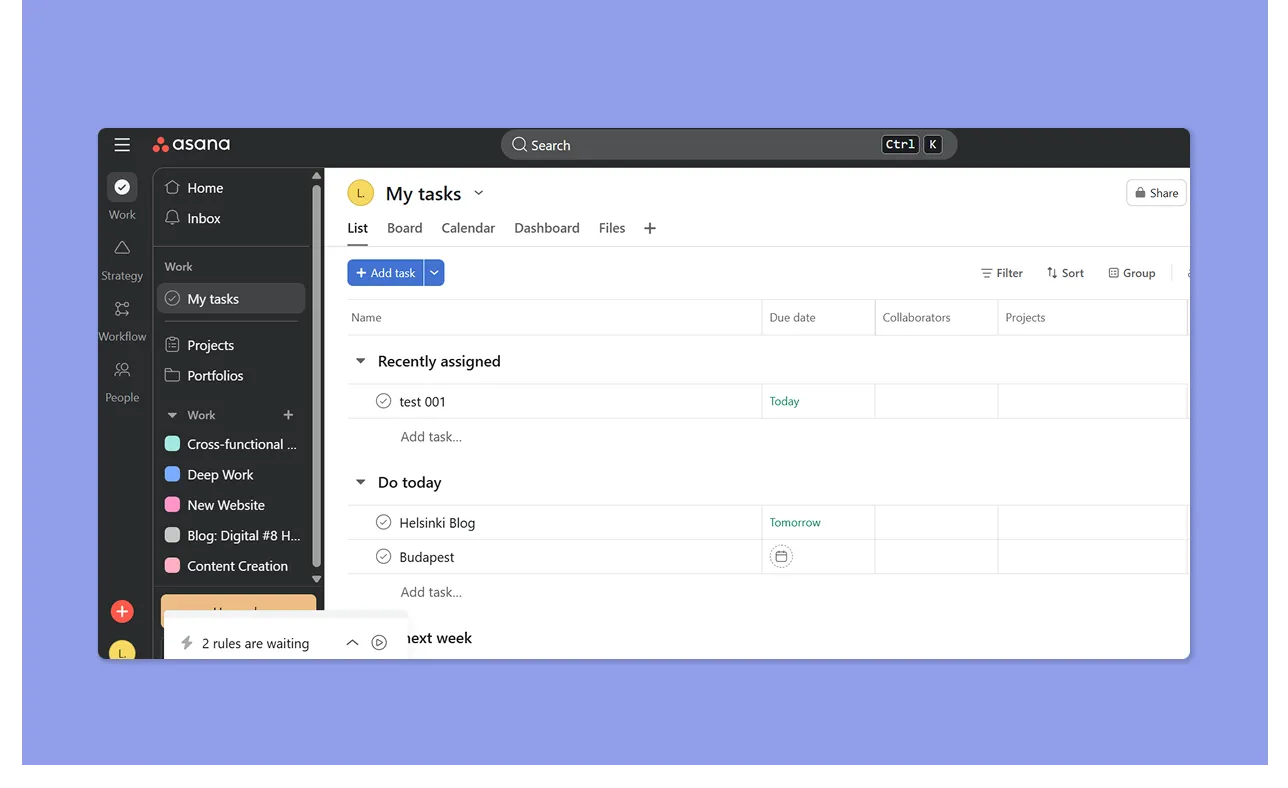
- Create tasks with subtasks, assignees, due dates, dependencies, milestones, custom fields, and attachments
- Automation rules trigger-action logic once a task moves or changes status
- Tasks move through structured project stages in list, board, or timeline views, making it easy to see what's blocked, in progress, or done across a team
- A verified Capterra analyst describes Asana as easy to use, but, on Reddit, when asked whether Asana works for quick mobile task capture, one user's answer was simply: "Nope, only Todoist."
Verdict
Todoist is significantly smoother for capturing tasks quickly, but Asana offers more productivity gains once tasks need to move between people in a defined sequence.
Calendar Management
Todoist and Asana both offer calendar views, but neither is built for time-based planning. Here's what you actually get.
Todoist
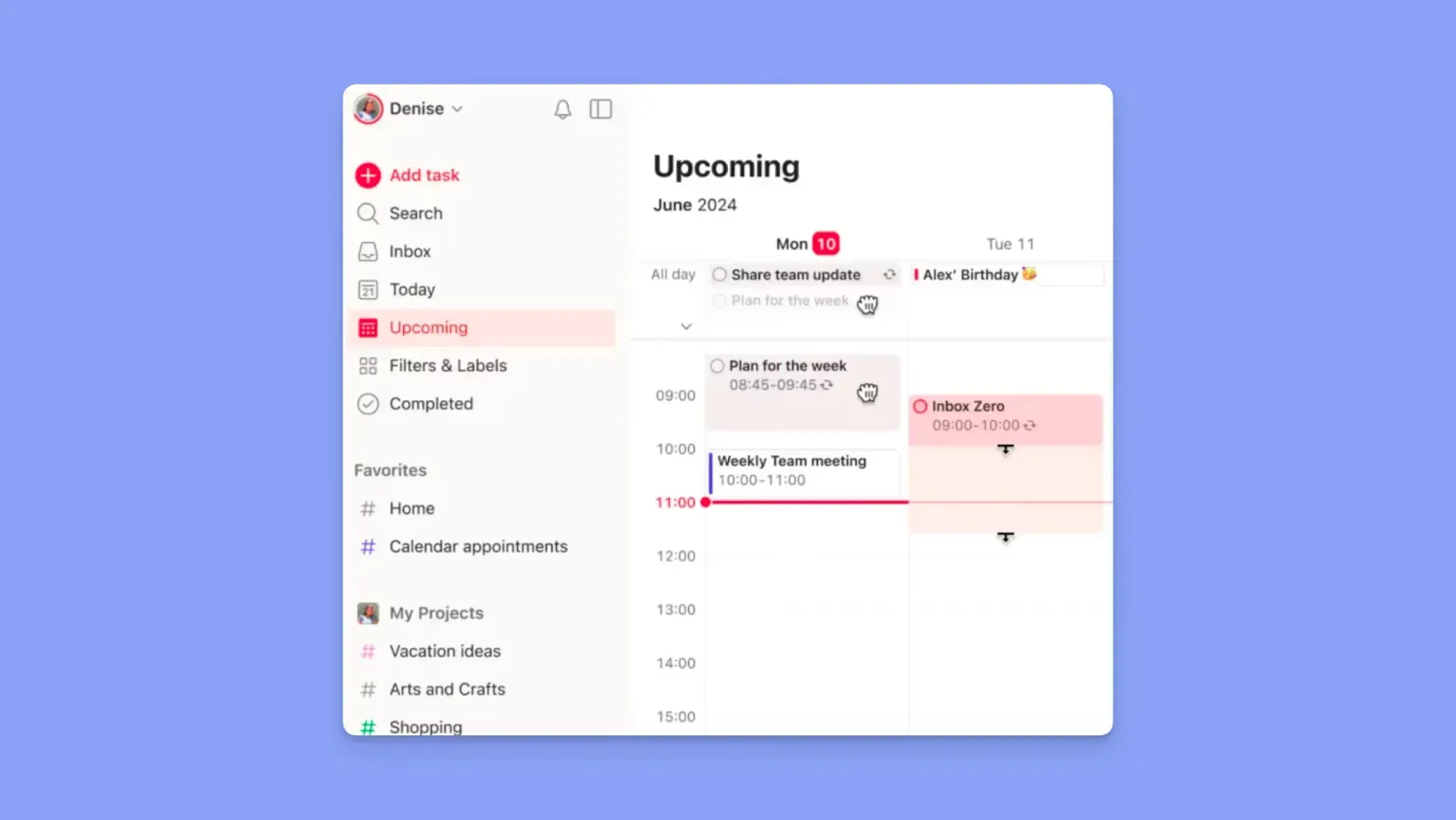
- Calendar layout (Pro only) shows tasks by date and lets you drag them to adjust start times, but pulls in no external calendar events and has no availability awareness
- Syncs with Google Calendar and Outlook by publishing tasks as events, not by reading your schedule
- Ali Murat A flags that the Google Calendar integration sometimes fails to work properly
Asana
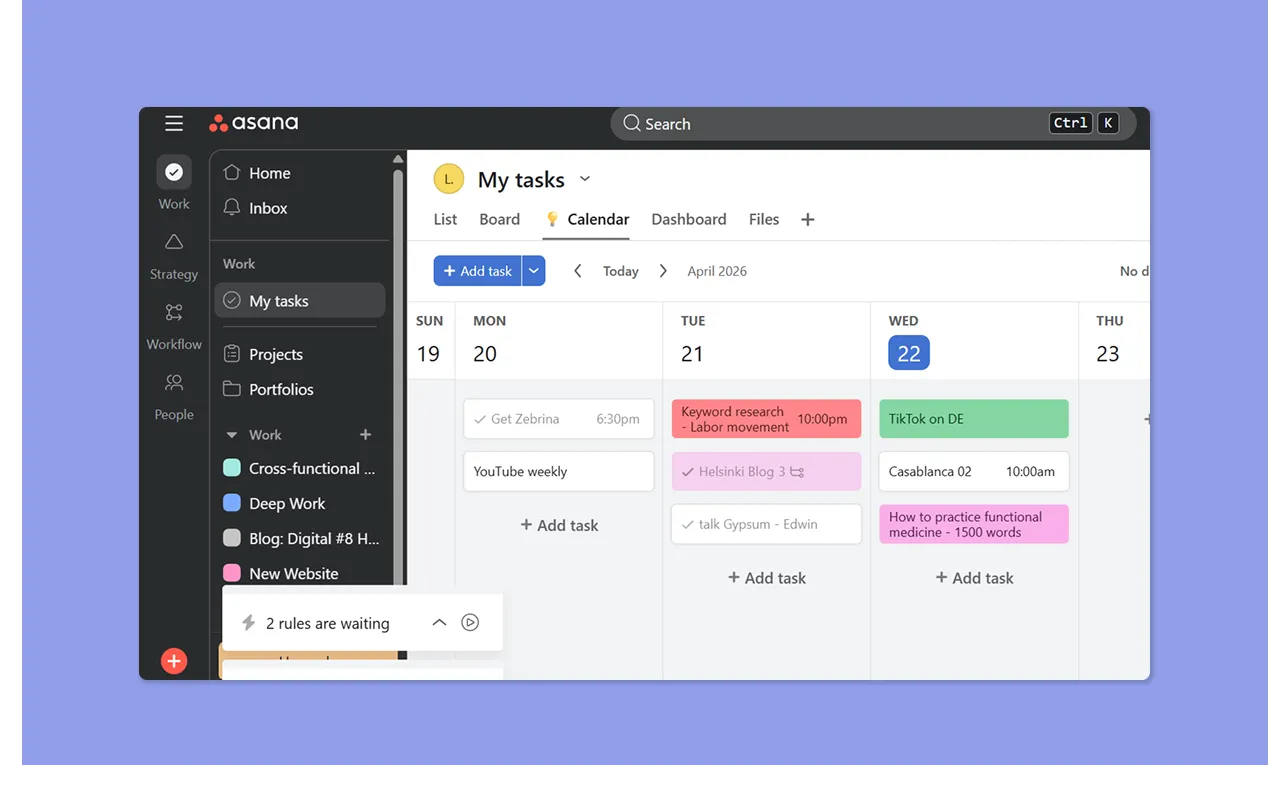
- Calendar view displays tasks by due date with basic drag-and-drop to shift deadlines, primarily useful for project deadline visibility across a team
- Connects with Google Calendar and Outlook, but does not read your availability
- Mark H finds the Google Calendar connection useful for tracking meetings alongside tasks
Verdict
Both tools show tasks on a calendar, mostly for deadline views, not a scheduling surface.
How to Choose the Best Task Management App
Here’s what matters when picking between Todoist, Asana, and alternative task management software:
Task Capture
Todoist parses tasks from natural language instantly. Asana is slower but adds project context from the start.
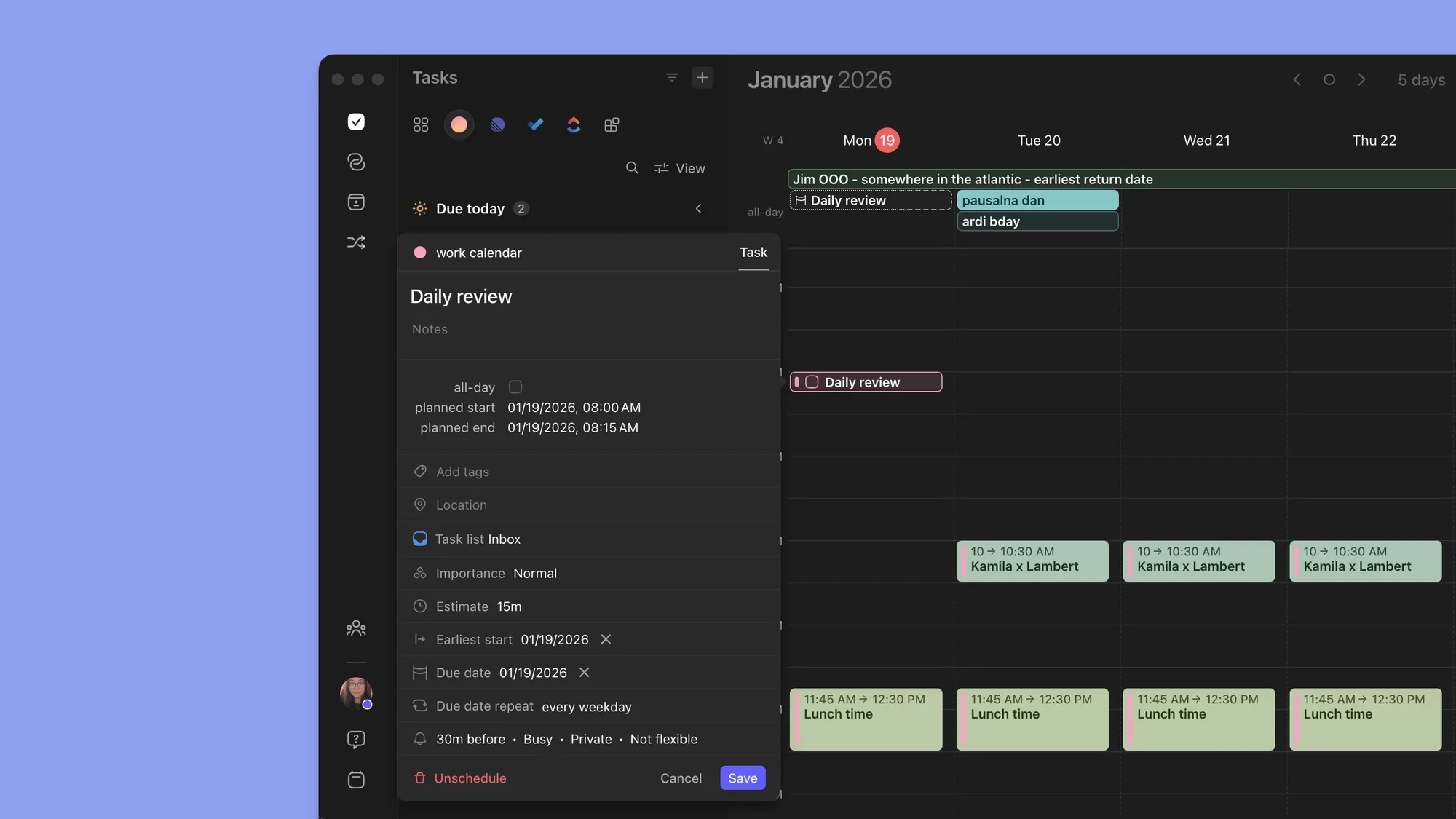
In Morgen, you pull in existing tasks or create new ones, then schedule them based on your calendar availability and task settings.
Here’s how to get started with Morgen Tasks.
Subtasks, Duplicate Sessions, and Dependencies
Todoist and Asana both support subtasks and duplicating tasks. Asana adds dependencies to block downstream tasks until earlier ones are done.
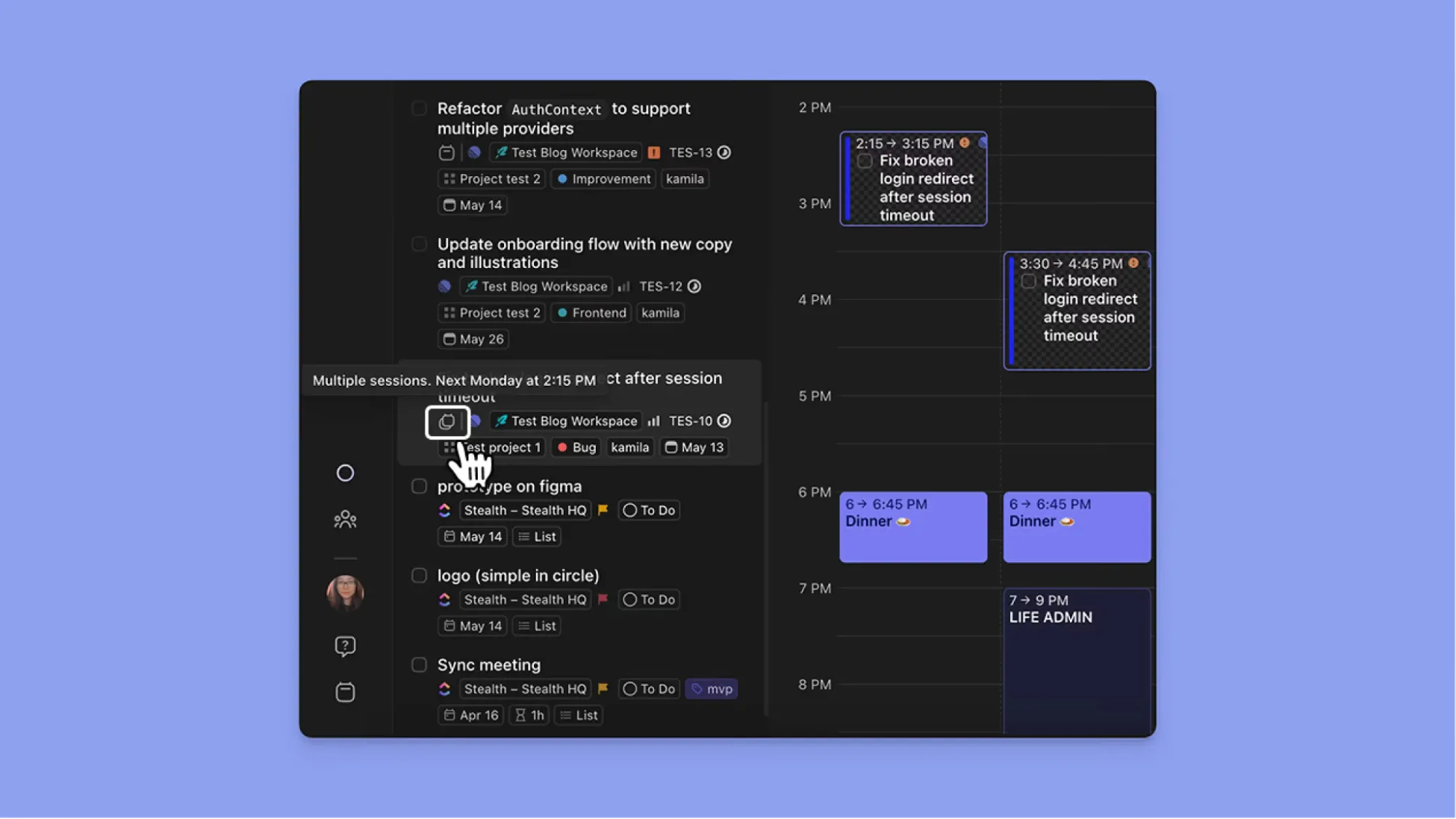
Morgen also supports subtasks and lets you schedule the same task across multiple sessions on different days.
Reminders and Notifications
A good task management platform reminds you of what's upcoming or pending. Asana and Todoist do that well, although Todoist is often accused of spamming users' emails with task reminders.
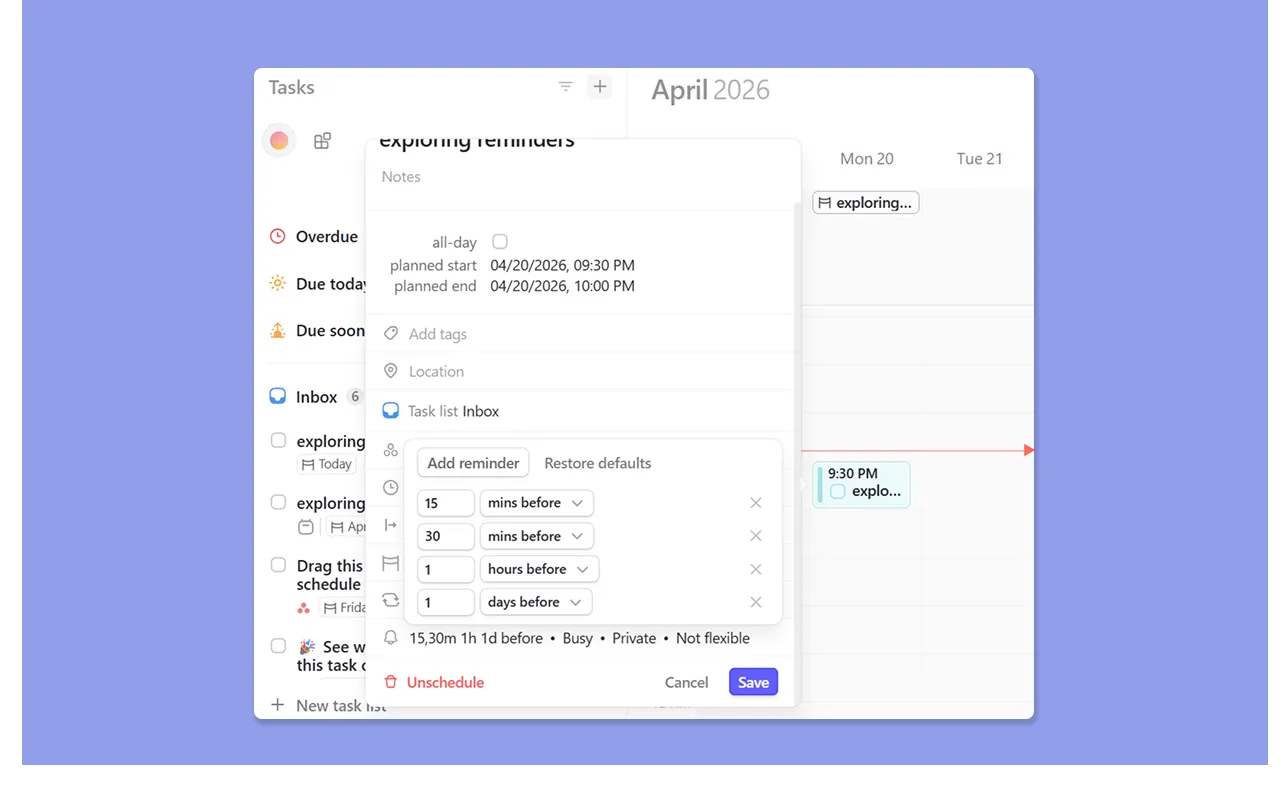
With Morgen, set multiple reminders for tasks: it can be a day before, an hour before, minutes before, and they all get recorded for the one task.
Use the free Pomodoro Timer to focus on your scheduled tasks on Morgen.
Time Anchors for ADHD Planning
Create a long task list without time anchors on Todoist or Asana, and you end up with decision paralysis, like many professionals with ADHD.
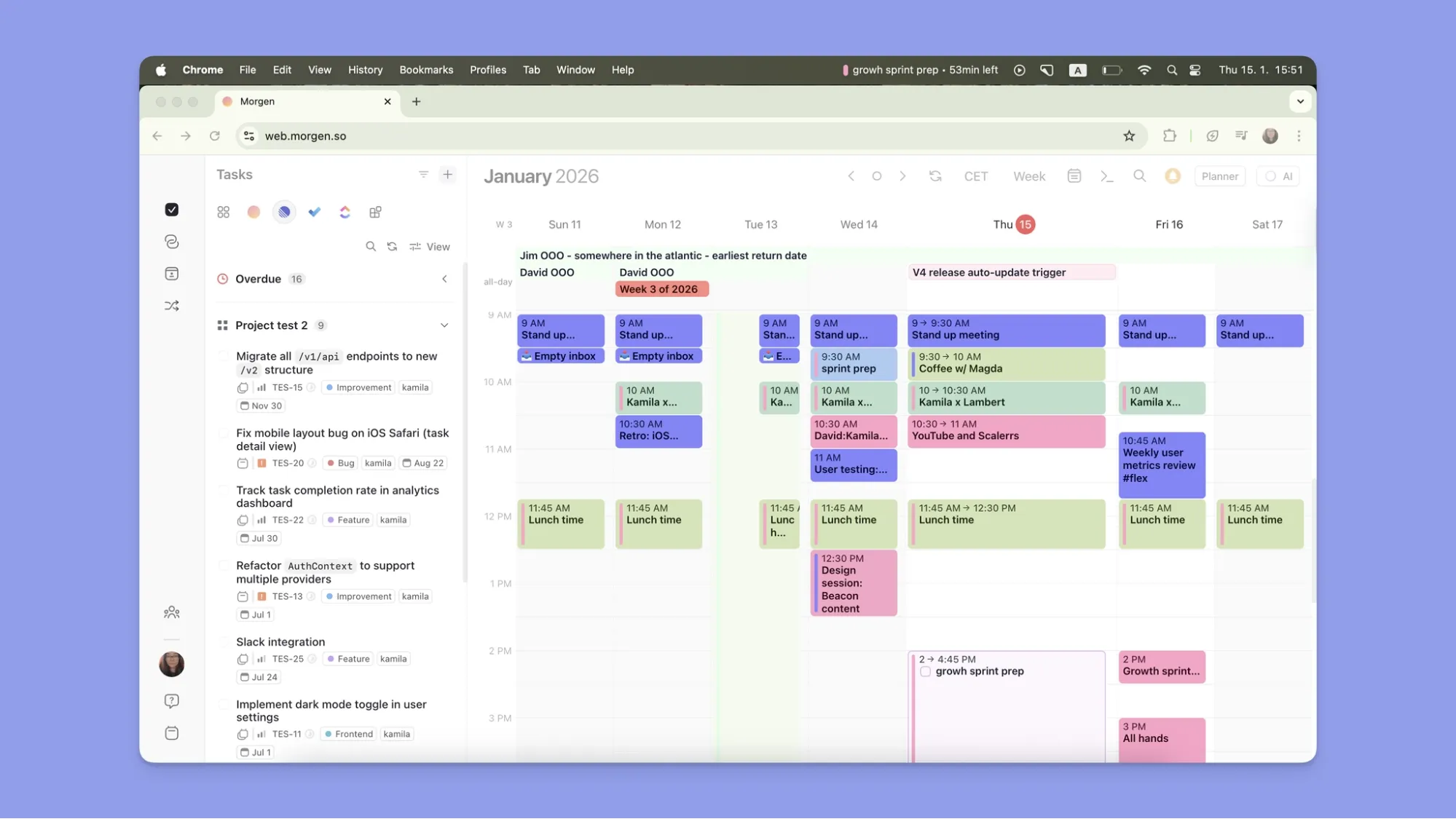
In Morgen, the AI Planner answers, "What do I work on right now?"
It slots tasks into real calendar time around your meetings, then you confirm or adjust a plan that's already laid out, instead of deciding where to start from a backlog.
Alternative to Todoist and Asana: Morgen for Individuals Looking for a Calendar-Aware AI Task Assistant

Morgen offers a daily scheduling platform that lets you decide when to complete tasks, with integrations across different tools to pull existing workflows.
Morgen Key Features
These features make Morgen a more advanced task planning software compared to Asana or Todoist:
AI Task Planner with a Co-Pilot Approach
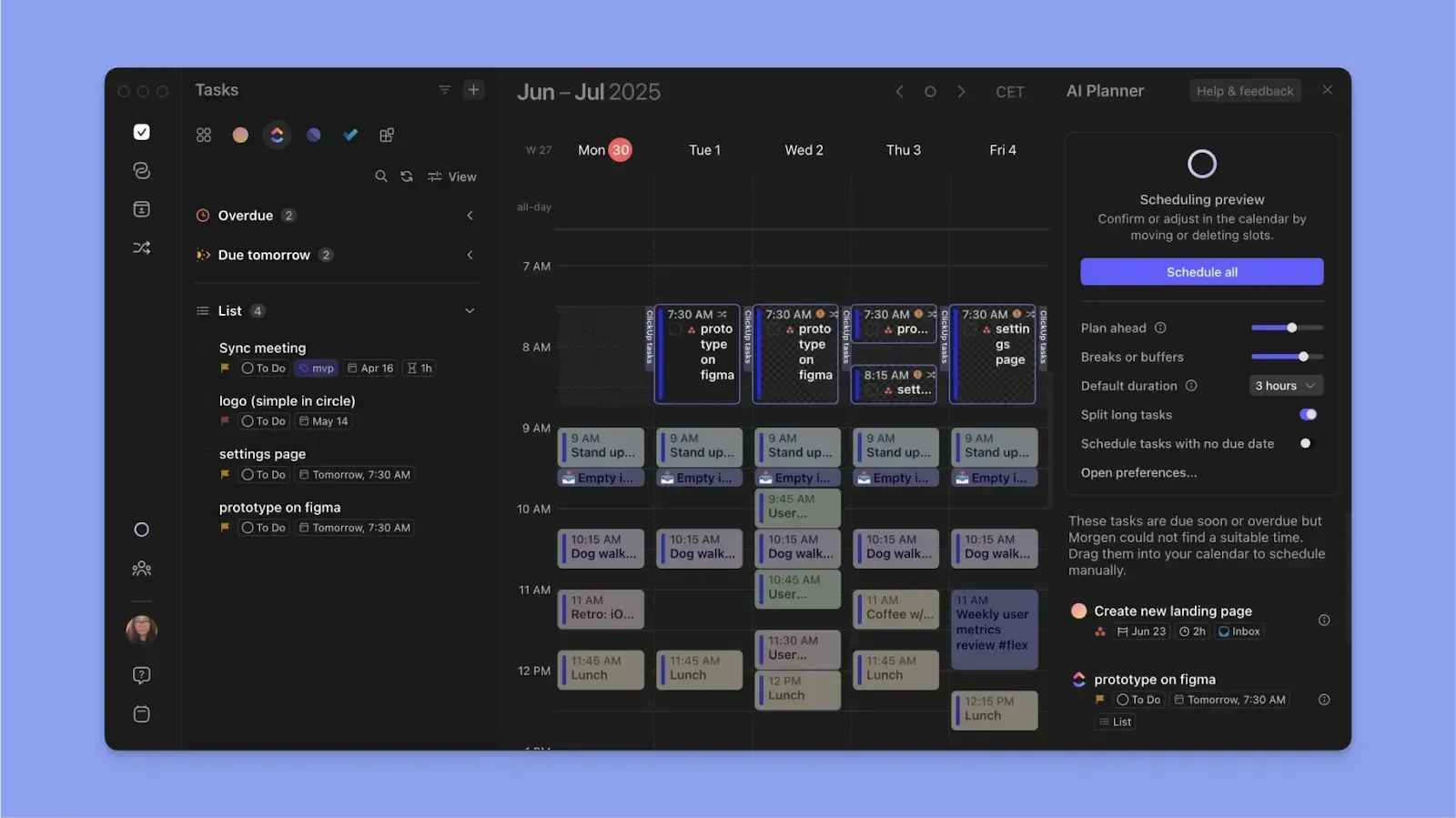
Morgen integrates with 8+ task tools and multiple calendar providers to surface your tasks and calendar commitments.
The AI Planner then suggests where upcoming tasks fit in your day, factoring in priorities, estimated durations, deadlines, and available time slots.
Frames for Task Prioritization and Time Blocking
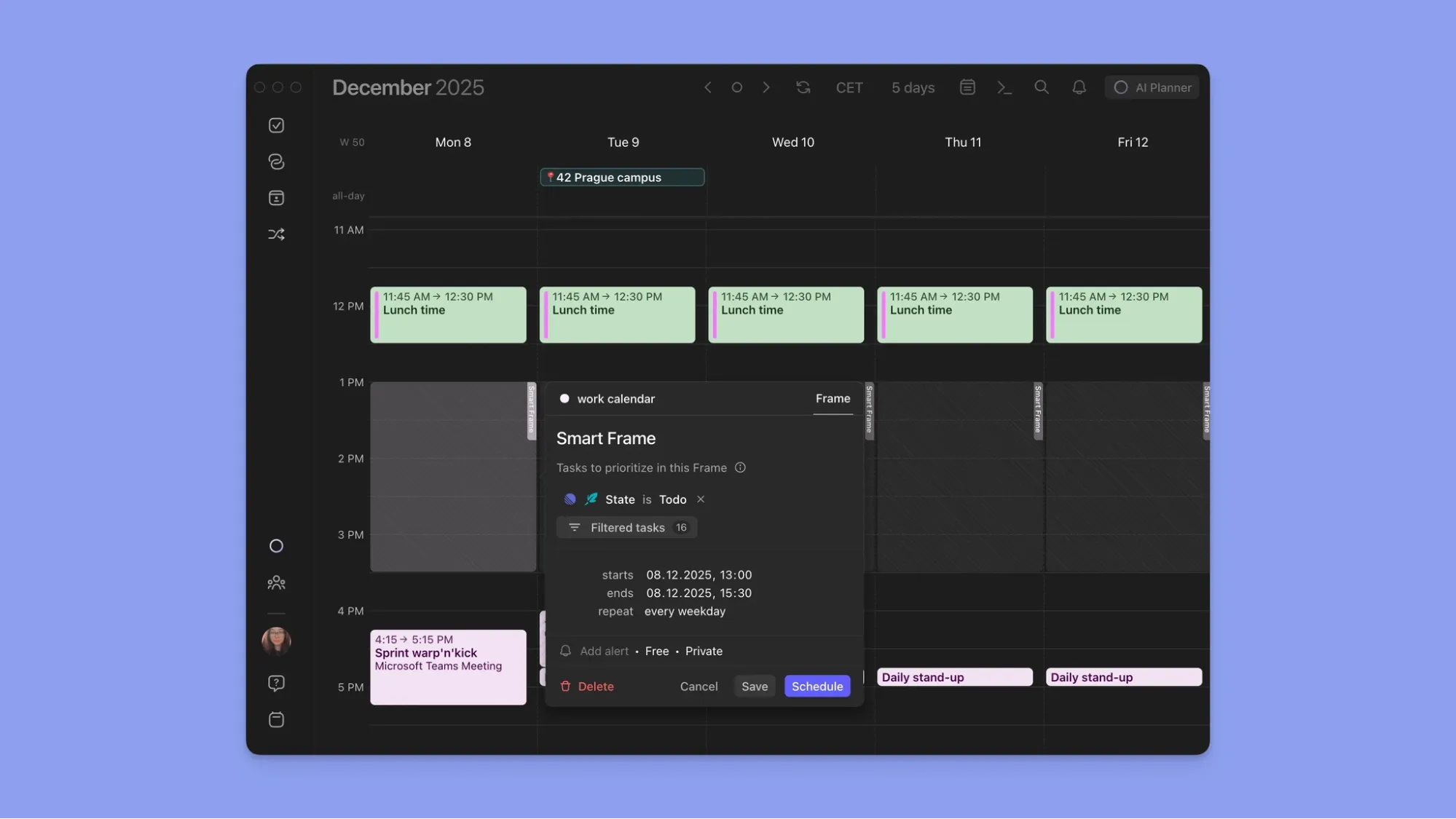
Frames are repeating time-block templates where you assign task filters or tags. The AI Planner then suggests which tasks to populate them with.
Morgen Pricing
Buyer’s Tip: If you switch to Morgen from Motion, Sunsama, Akiflow, or Reclaim? You get a 15% discount on your first year. If you’re coming from Clockwise, you get 35% off.
Where Morgen Shines
- Calendar-first planning: Schedule tasks directly around real availability
- AI-assisted decisions: Get suggestions on when to work without losing controls
- Advanced calendar management: Drag tasks into time slots, toggle calendar views with Calendar Sets, propagate events, and color-code by source
Where Morgen Falls Short
- No project boards: Morgen doesn't offer Kanban or Gantt views for tracking projects by stage
Morgen Customer Reviews
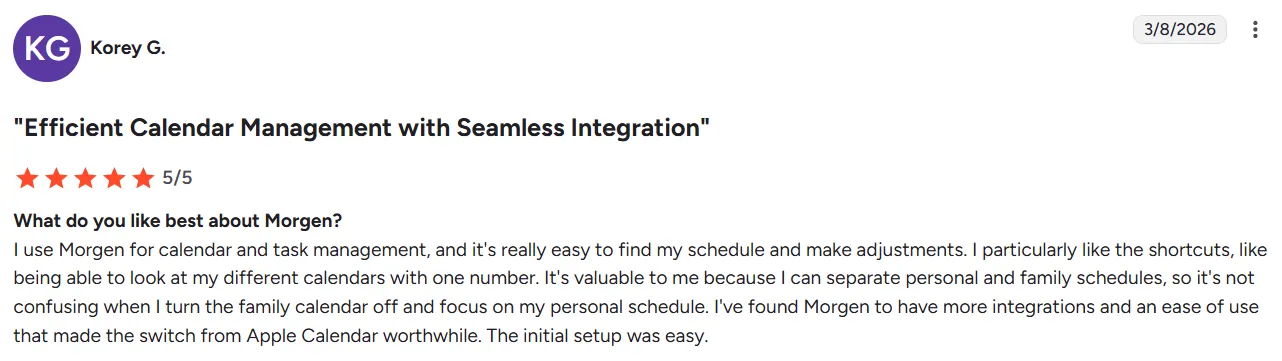
“I use Morgen for calendar and task management, and it's really easy to find my schedule and make adjustments,” shares Korey G.
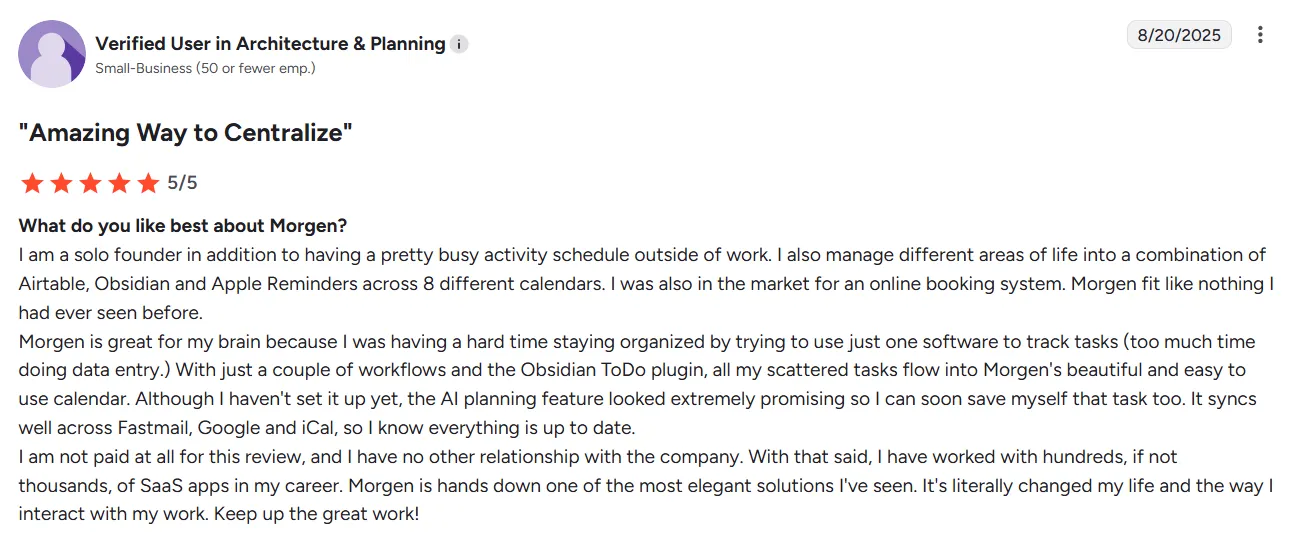
This G2 Reviewer describes using Morgen as “an amazing way to centralize.”
Who Morgen Is Best For
- Freelancers, developers, and solopreneurs: whose tasks and commitments are scattered across different tools and want a consolidated planning view
- Meeting-heavy professionals: who need to plan focused work around a packed calendar without creating conflicts or losing track of tasks
- ADHD brains: who need a clear, structured daily plan without decision fatigue
Who Morgen Is Not a Fit For
- Teams that need advanced project management: Morgen does not track projects with boards, dependencies, or workload views
Want to try Morgen before committing? Build your ideal week with the Schedule Builder and capture tasks instantly with Easy Tasks.
Todoist vs Asana vs Morgen: Which One Should You Choose?
Choose Todoist or Asana to track tasks and shared projects, but still plan your day separately in your calendar.
Morgen brings both into one view, using AI to schedule tasks into real availability and build a realistic daily plan.
See how Morgen V4 works, then download the Windows, Mac, Linux, or mobile app, or get started on the web.

.svg)
.webp)


