
.svg)
→ Morgen: If you want a calendar-first planner that unifies tasks and events, with AI suggestions you control
→ Sunsama: A manual daily planner built around intentional time blocking and routines
→ Routine: If you’re looking for a minimalist planner combining calendar, tasks, notes, and meeting summaries
→TickTick: An affordable task-first planner with habits, Pomodoro, and calendar views
Finding the right online digital planner can be overwhelming: some tools are task-centric, others are calendar-first, and few unify both without complexity.
This article compares the best apps for planning your day, week, month, or project. We’ll review their best features, pros and cons, pricing, user ratings, and specific use cases to help you pick what actually fits your workflow.
Online Planner App Comparison Table
| App | Best For | Standout Feature | Pricing (From) | G2 Rating | Capterra Rating |
|---|---|---|---|---|---|
| Morgen | Unified calendar and tasks planning | AI-assisted frame-based planning with user control | $15/month | 4.8 | 5.0 |
| Sunsama | Intentional daily and weekly objectives planning | Guided daily rituals for task and calendar planning | $16/month | - | 4.7 |
| Routine | AI-assisted planning for individuals and teams | Consolidating calendars, tasks, and notes | Free plan, or $10/month | 3.8 | - |
| TickTick | Scheduling tasks with NLP | Task and calendar management, productivity tools | Free plan or $3/month | 4.5 | 4.7 |
| Todoist | Fast task planning | Natural language task input, and a minimalist, clean interface | Free plan or $5/month | 4.5 | 4.6 |
| Any.do | Simple daily planning | Daily task planning, integrations, and calendar management | Free plan or $4.99/month | 4.2 | 4.7 |
| Notion | Customizable planner system | Flexible workflows, for project and task management, native calendar | Free plan or $10/month | 4.6 | 4.7 |
1. Morgen: Best Overall Online Digital Planner
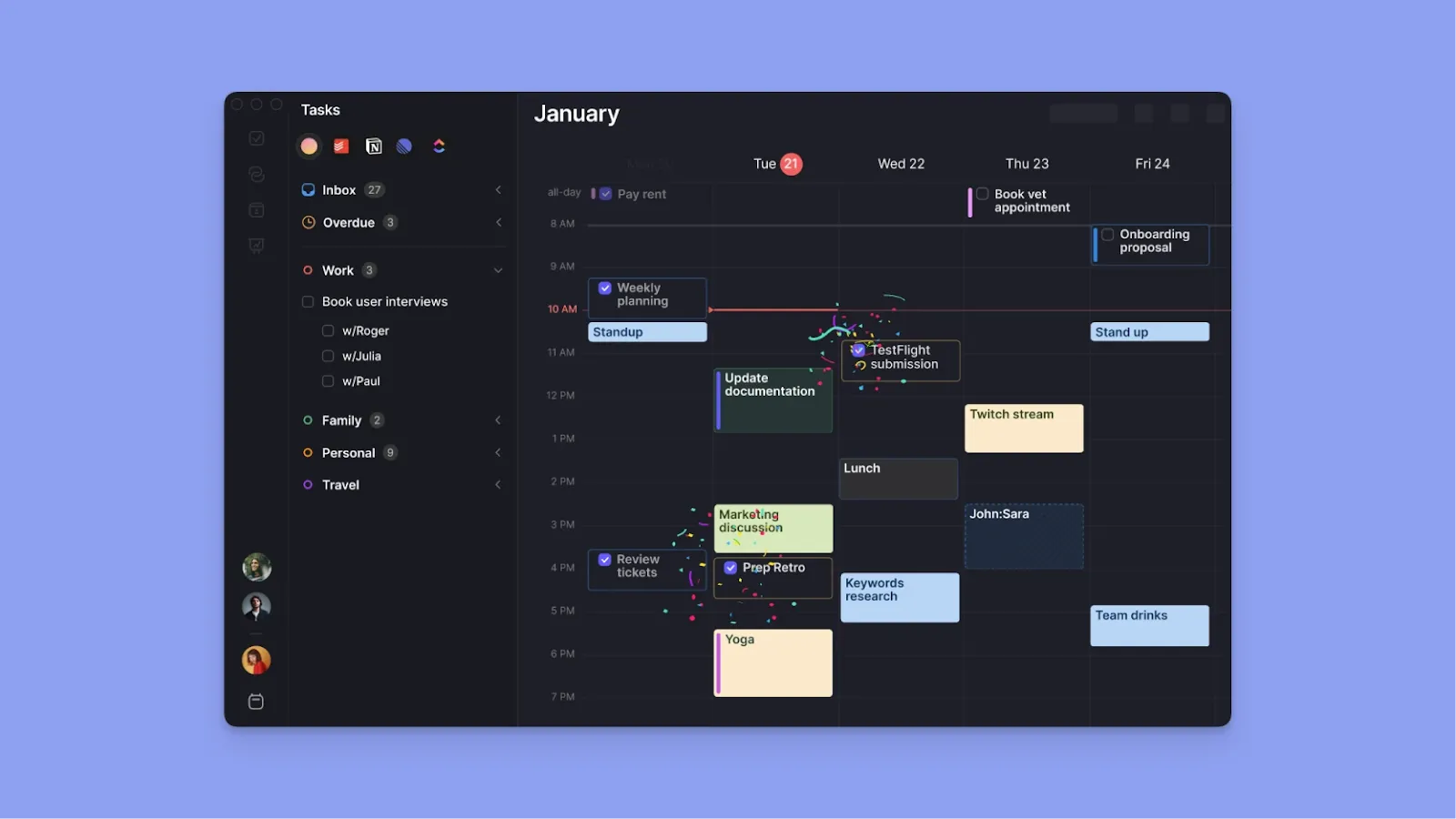
Morgen is a calendar-first digital task planner that lets you time-block tasks directly next to meetings, then use the AI Planner to suggest a realistic plan based on your priorities and availability.
Key Features
Morgen replaces fragmented planning across tools with these features:
Calendar and Task Consolidation
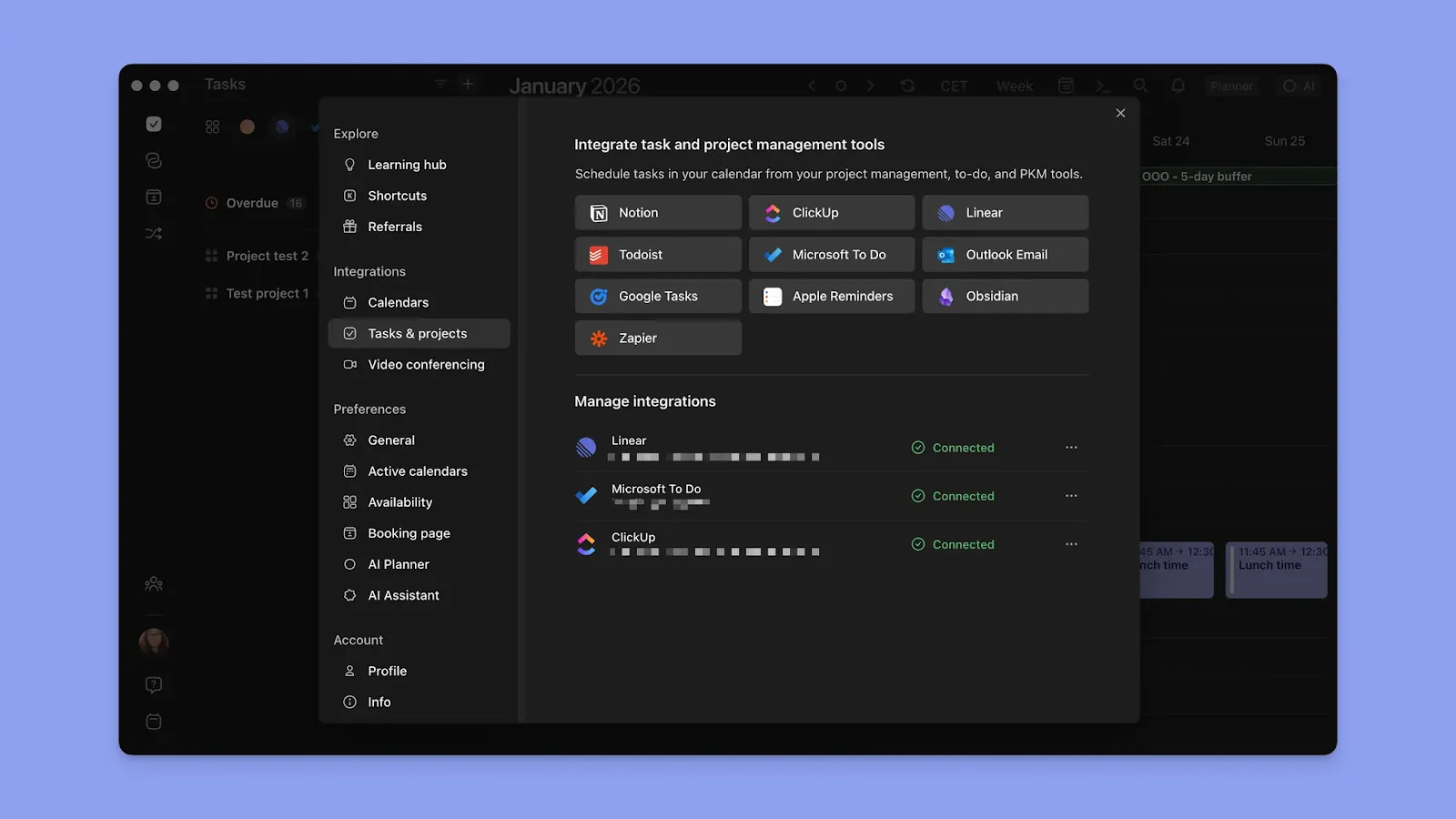
Morgen integrations include multiple calendars (Google, Outlook, Apple Calendar, Fastmail) and task managers (Notion, Linear, ClickUp, Todoist, Obsidian, Microsoft To Do, Google Tasks). You’ll see work meetings, personal appointments, and project tasks on the same canvas without switching apps. Check how to connect Apple Reminders and Outlook Calendar.
Note: Changes sync in real-time, so updating a task deadline in Notion immediately reflects in your Morgen calendar.
AI Planner
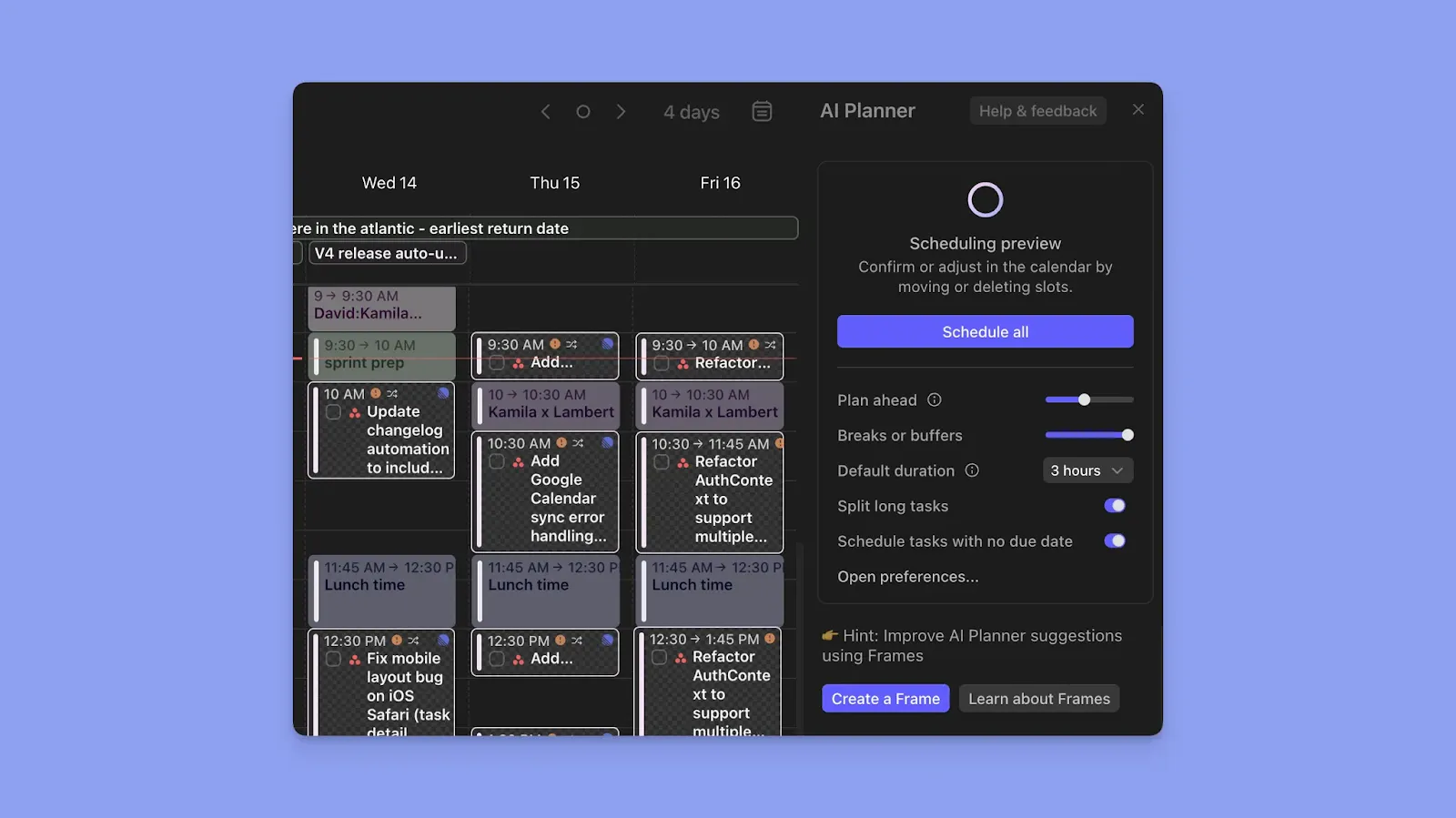
The AI Planner reads your calendar events and available time slots, then suggests which tasks to schedule based on parameters, like Morgen's Priority Factor (which considers due dates, importance levels, time estimates, and task urgency).
You preview the suggested plan, adjust anything that doesn't fit, then approve it with one click. The AI never moves tasks without your permission.
Worth mentioning: the Morgen team is also working on Kai which adds a layer on top of the AI Planner. Where Morgen schedules your tasks, Kai also reads your meetings and email, so if a call generates three follow-ups, those show up in your plan automatically. Same with emails that need action. The goal is that you open your planner in the morning and the day is already mapped out, including things you didn't manually add.
Tip: Soon, you’ll be able to use Morgen's
Frame-Based Time Blocking
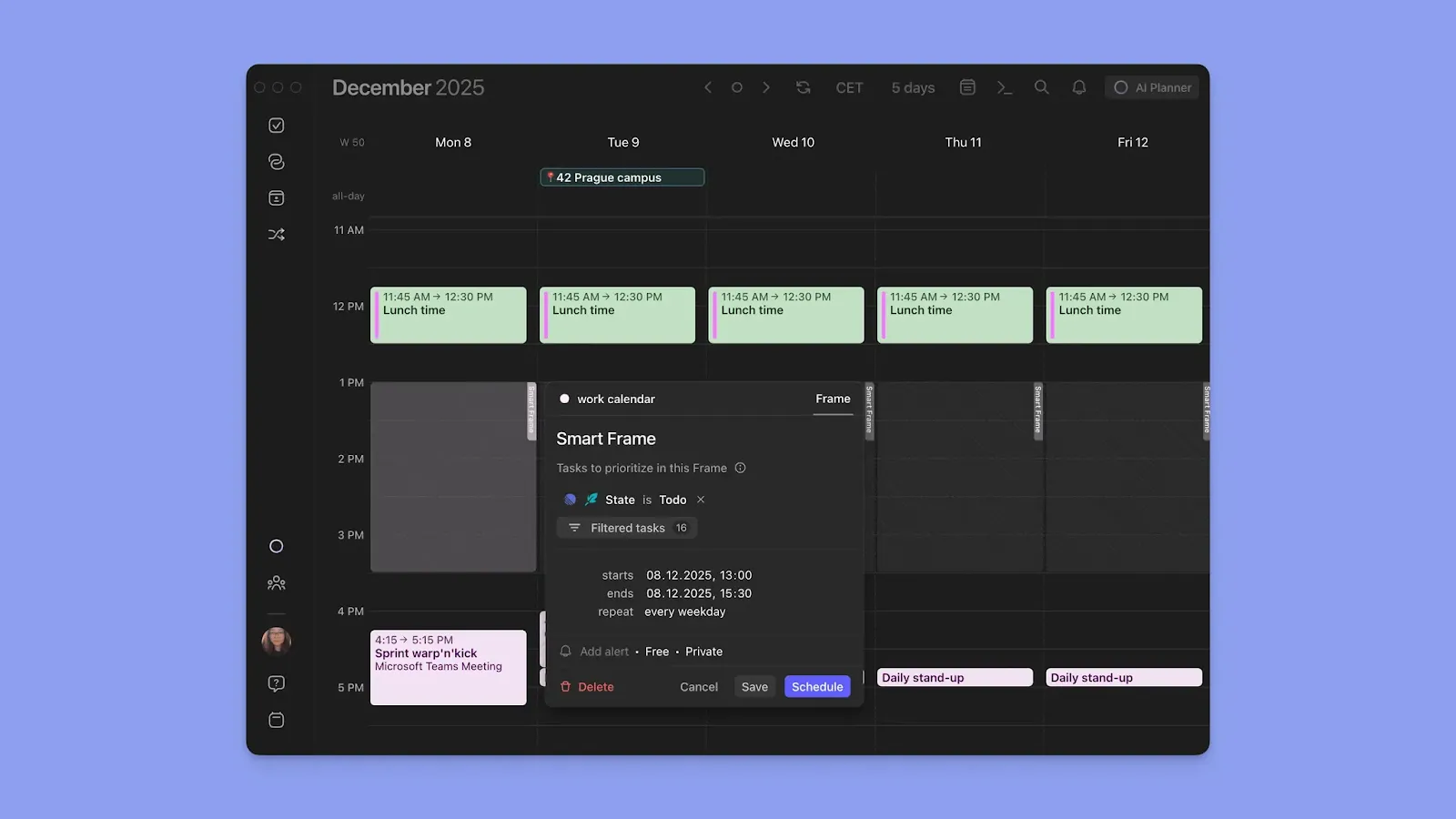
Frames let you define dedicated time ranges for specific types of work, such as deep work, meetings, admin, or personal tasks. You can optimize Frames by task source, task list, task size, or tags so the AI only schedules relevant tasks into the right time windows.
Tip: The AI Planner activates after you create Frames and add tasks to your lists. The AI Planner can be accessed via a button (purple circle in the top right), and Morgen analyzes your tasks, existing calendar events, and Frame filters to suggest a realistic daily plan.
Task Organization and Prioritization
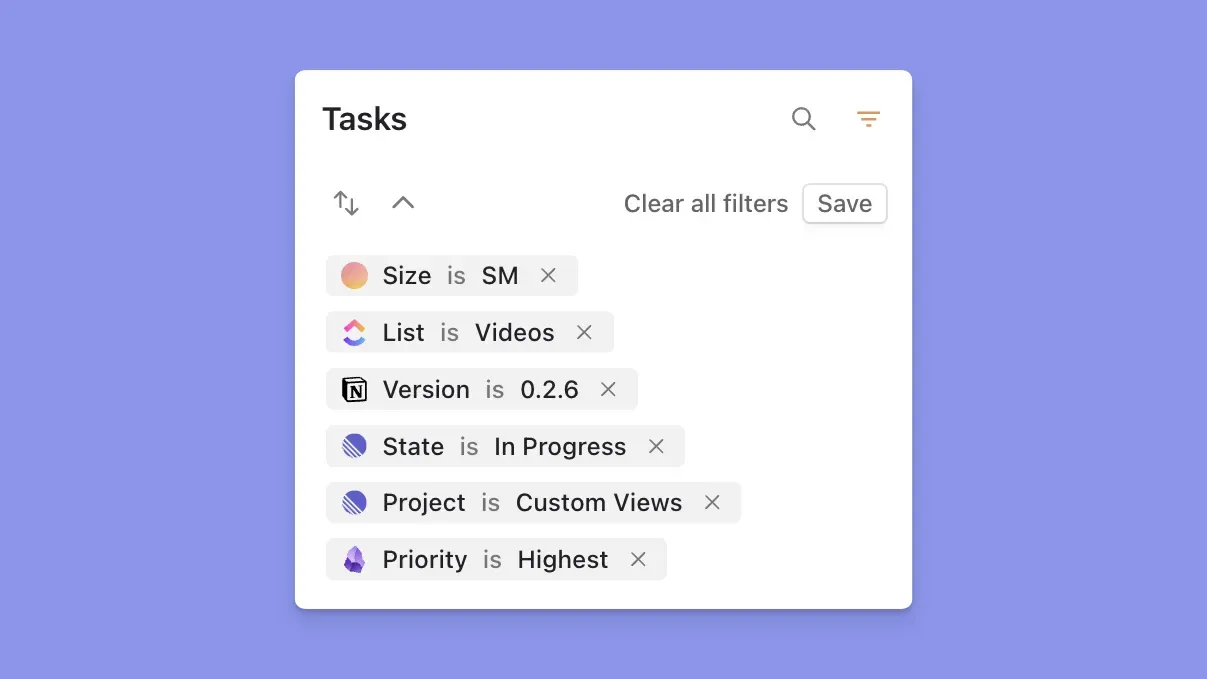
Morgen's task manager supports task lists, subtasks (which can also be scheduled individually), recurring tasks with flexible due and do dates, earliest start dates, and time estimates. Tasks from integrated tools bring their metadata, like project names, Linear cycles, or ClickUp priorities, directly into Morgen.
Tip: Use Task Tags to organize work across all integrations. Create tags like “Deep Work” or energy levels (“High Energy”) to filter and group tasks. Tags work inside Frame filters, so the AI only suggests tagged tasks during appropriate blocks.
Pricing
| Plan | Price | Key Features | Free Trial |
|---|---|---|---|
| Individual | $15/month (billed annually), or $30/month | Unlimited calendars, task integrations, AI Planner, Frames, scheduling links, automations | 14 days |
| Teams | $10/seat/month (billed annually), or $25/seat/month (min 2 seats) | Everything in Individual + shared booking pages, team availability, collaboration tools | Full access to Pro features, no credit card required |
Special Discounts: 15% off the first year when switching from Motion, Reclaim, Fantastical, or Sunsama. 25% lifetime discount for students, academics, and nonprofits.
Where Morgen Shines
- Color-coded calendar view: You can color-code by calendar source and Morgen’s additional outline colors for different calendar blocks. Color coding will help you visualize your schedule and spot imbalances
- Routines: Unlike recurring tasks, Routines sit directly on your calendar for fixed-time activities like breakfast, workouts, or evening shutdowns. Completing them doesn't archive the routine, so future instances remain visible
- Command Bar: Press Cmd+K (Mac) or Ctrl+K (Windows) to type in natural language like "meeting with Sarah tomorrow at 2 pm," and Morgen creates the event or task instantly
- Automated workflows: Travel time buffers automatically add commute time around meetings based on location, transport mode, and time of day. Buffer time between meetings inserts breathing room to prep or recharge. Calendar propagation syncs events between calendars to avoid double-bookings
- Smart reminders and celebrations: Get notified before tasks and events start. When you complete a task, Morgen adds confetti (a surprisingly effective productivity booster for maintaining momentum)
Where Morgen Falls Short
- Not a project management tool: No Kanban, Gantt, or dependency tracking like Jira or Asana, doesn’t replace your PM stack
Customer Reviews
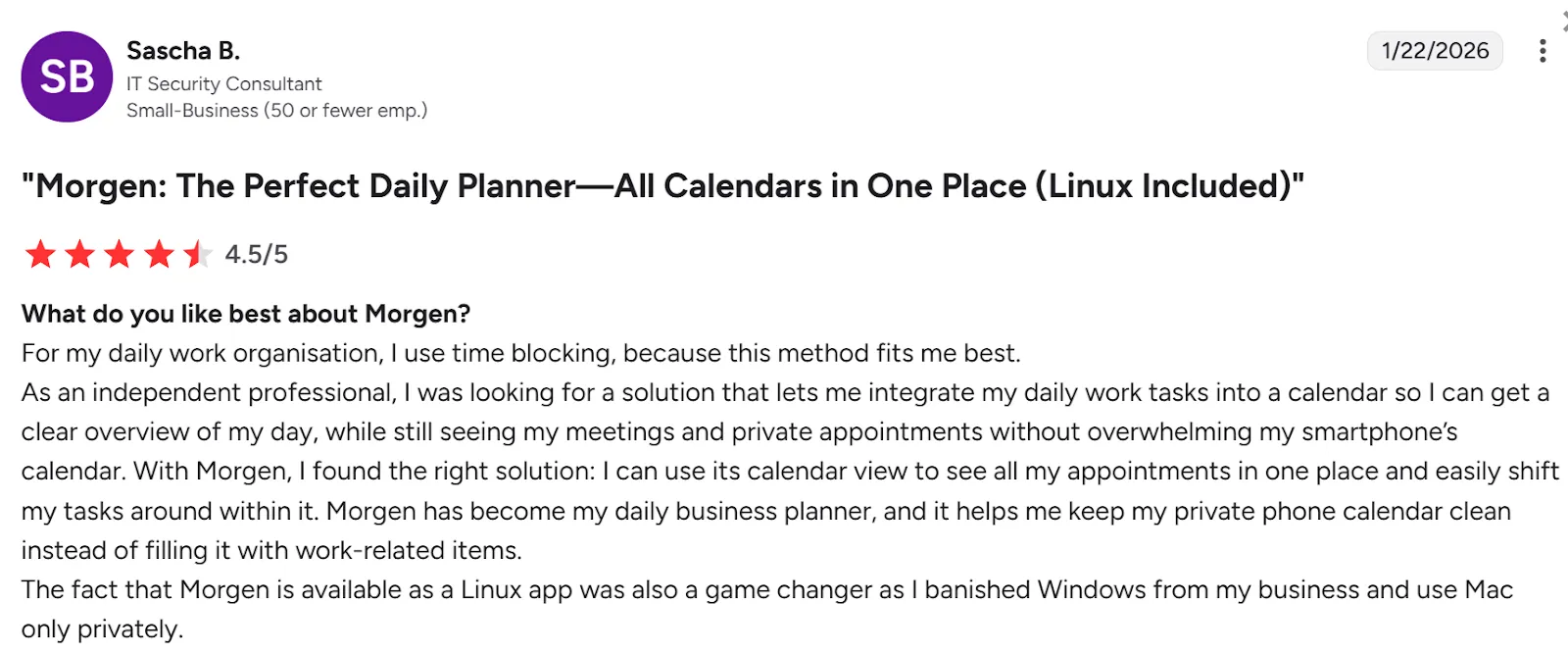
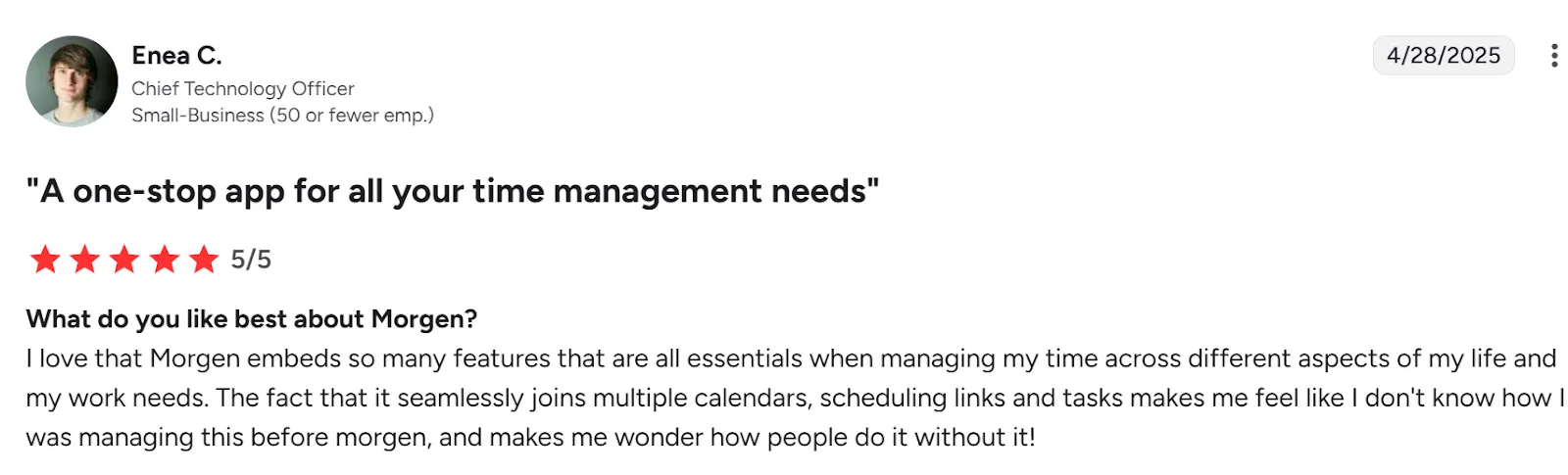
Morgen has strong overall user ratings across major review sites, with approximately 4.8/5 on G2, a 5/5 average on Capterra, and around 4.5/5 on Trustpilot from real customers praising its calendar-task unification and support.
On G2, Sascha B shares:
Enea C shares:
Who Morgen is Best For
- Busy solo professionals: Managing multiple calendars and task sources in one place
- ADHD brains: Color-coded calendars, Frame-based templates, Command Bar quick capture, and AI-suggested planning reduce decision fatigue by externalizing "what should I do next?" into a clear daily map you control
Start your 14-day free trial and turn scattered tasks into a clear, actionable daily plan.
2. Sunsama
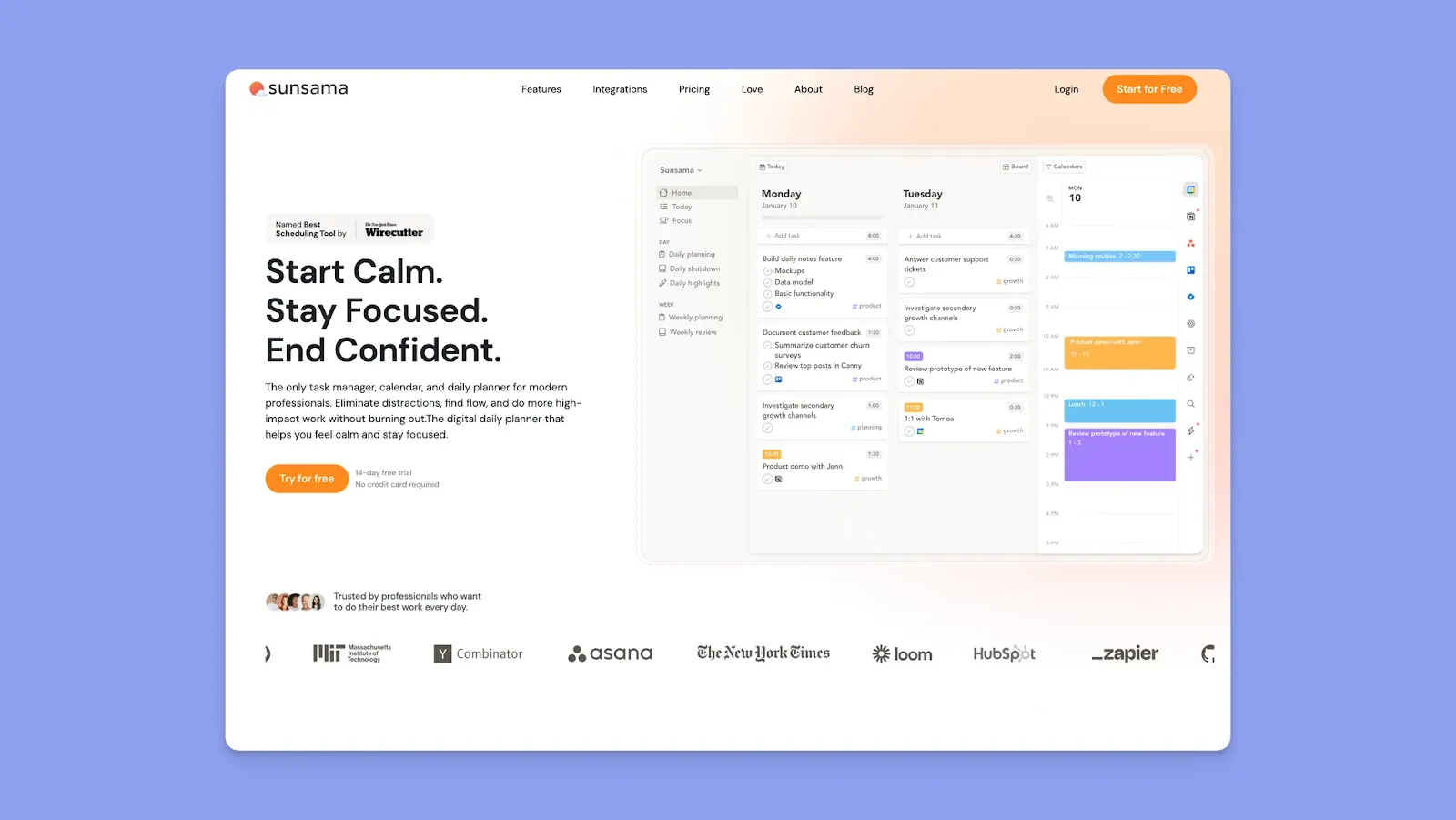
Sunsama is a smart online planner built around manual, intentional time blocking. You pull tasks from connected tools into a daily planning view, drag them onto your digital planner, and complete each day with a shutdown ritual.
Key Features
- Daily and weekly planning rituals: Morning planning, daily shutdown, and weekly review workflows help prevent over-scheduling by showing when your aesthetic calendar is already full
- Channels and weekly objectives: Group tasks by project or work area and keep weekly goals visible while planning each day
Pricing
| Plan | Free Trial | Monthly | Annual |
|---|---|---|---|
| Individual | 14 days, no credit card required | $20 | $16/month |
Where Sunsama Shines
- Calm, focus-first interface: Designed to slow planning and reduce overload
- Effective for ADHD planning: Manual scheduling and daily shutdown reduce decision fatigue and time blindness
Where Sunsama Falls Short
- Limited forward planning: Tasks can only be scheduled up to two weeks ahead
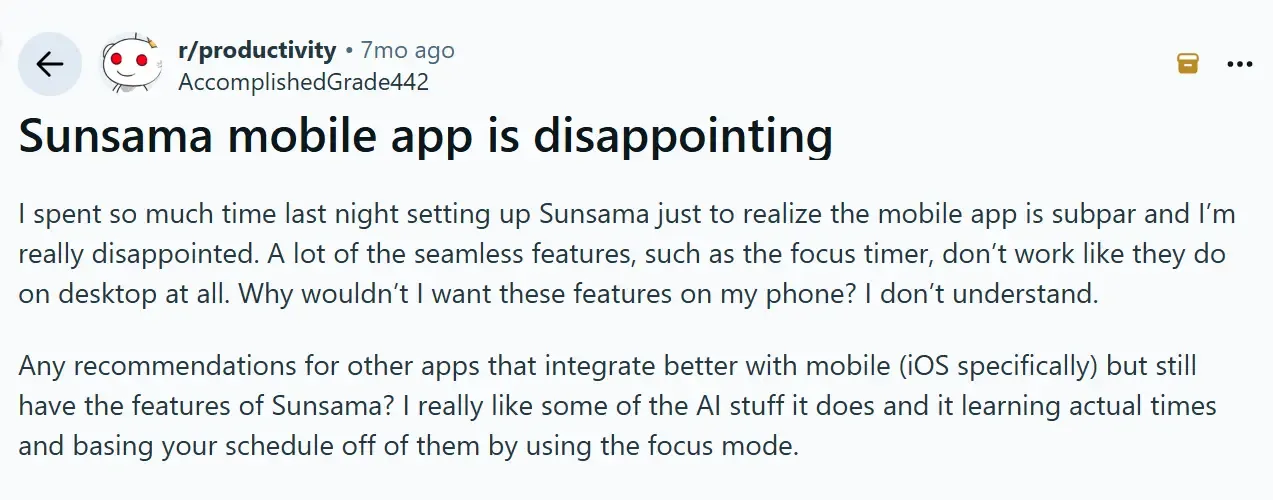
- Mobile apps not as good as desktop: One user says, “The iOS app feels a bit behind.”
Check out our breakdown of Sunsama vs Motion to see how automated vs. manual planning compares for focus.
Customer Reviews
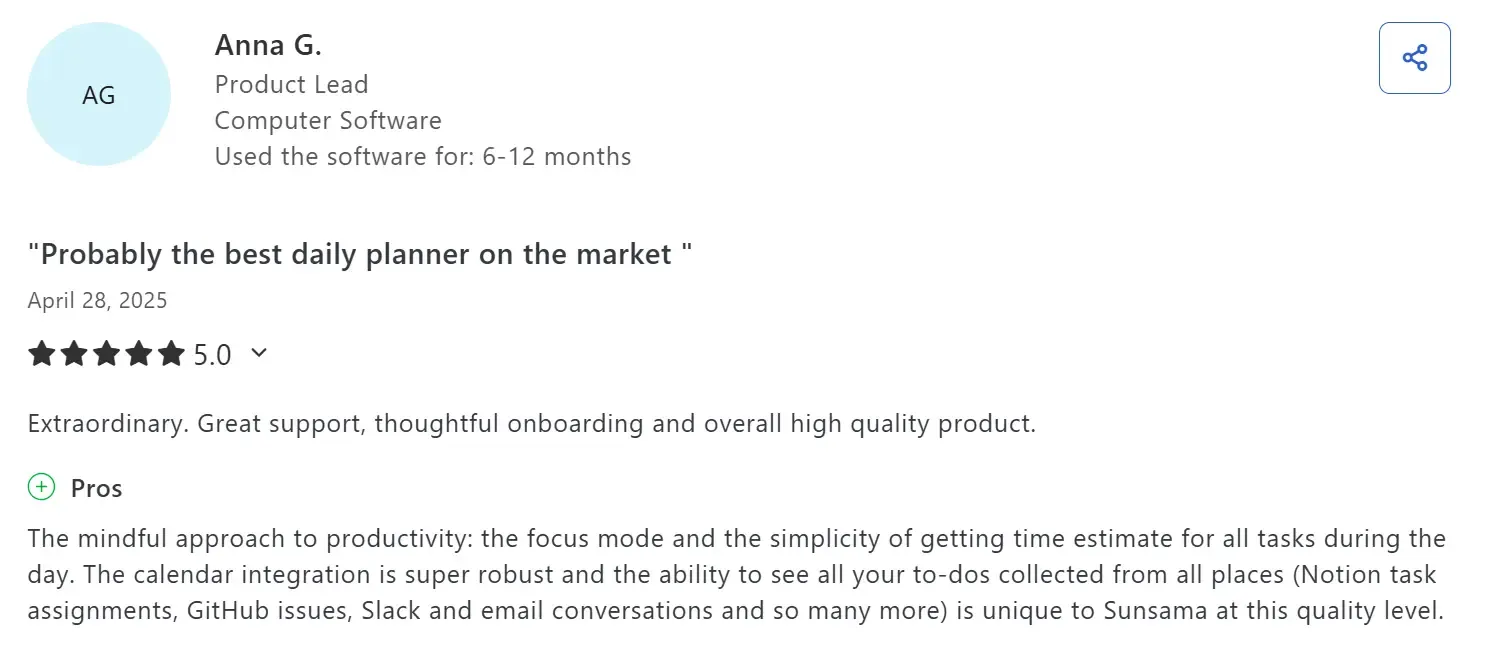
Anna G shares how Sunama is "Probably the best daily planner on the market."
Meanwhile, another reviewer also notes how “subpar” the mobile app is:
Who Sunsama Is Best For
- Solo workers seeking work-life balance: Freelancers, consultants, and solopreneurs who want guardrails against overcommitment
3. Routine
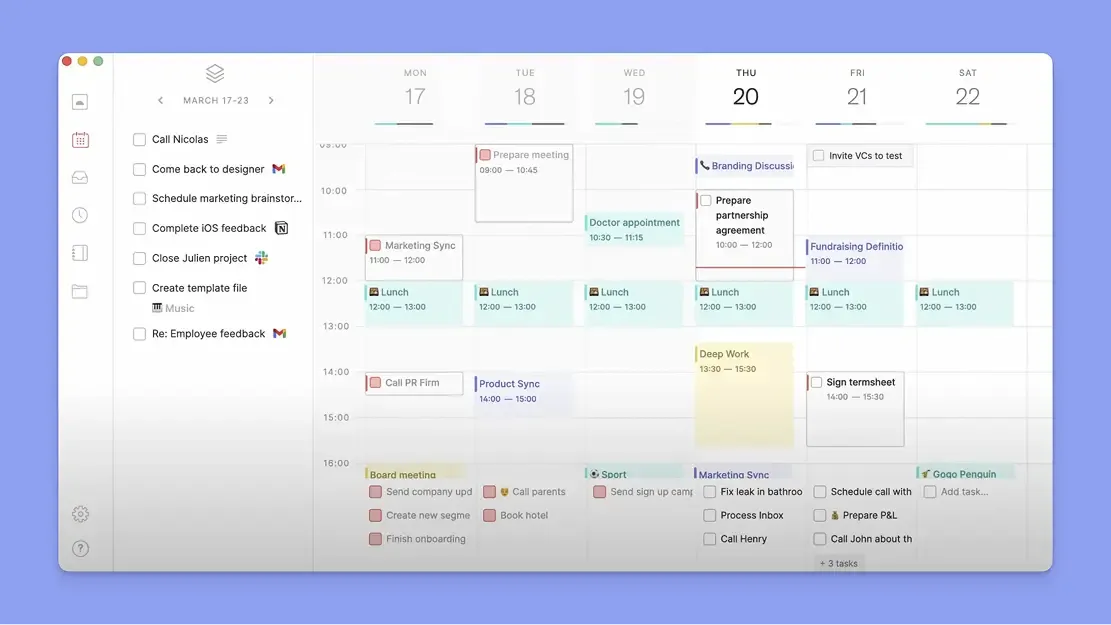
Routine combines calendars, tasks, notes, and contacts into one workspace. You can integrate with Google Calendar for time blocking, and also capture everything fast using shortcuts.
Key Features
- Calendar-centered daily planning: Tasks live directly alongside meetings, so planning happens in real time
- AI meeting notes and summaries: Generate structured notes, decisions, and action items tied to each calendar event
- AI agents for follow-up: On paid plans, agents help surface context, organize notes, and reduce post-meeting cleanup
Pricing
| Plan | Monthly | Yearly |
|---|---|---|
| Free | $0 | $0 |
| Professional | $12 | $10/month |
| Business | $18/seat | $15/seat/month |
| Enterprise | Contact sales | Contact sales |
Where Routine Shines
- Minimalist, calming design: A clean interface that makes daily planning feel lighter and less overwhelming
- Console reduces planning friction: Create tasks, schedule events, and add notes using natural language
Where Routine Falls Short
- No AI schedule planning: AI focuses on notes, not task placement or calendar reshuffling
- Initial learning curve: It can take new users some time to learn how to set up and configure Routine
Customer Reviews
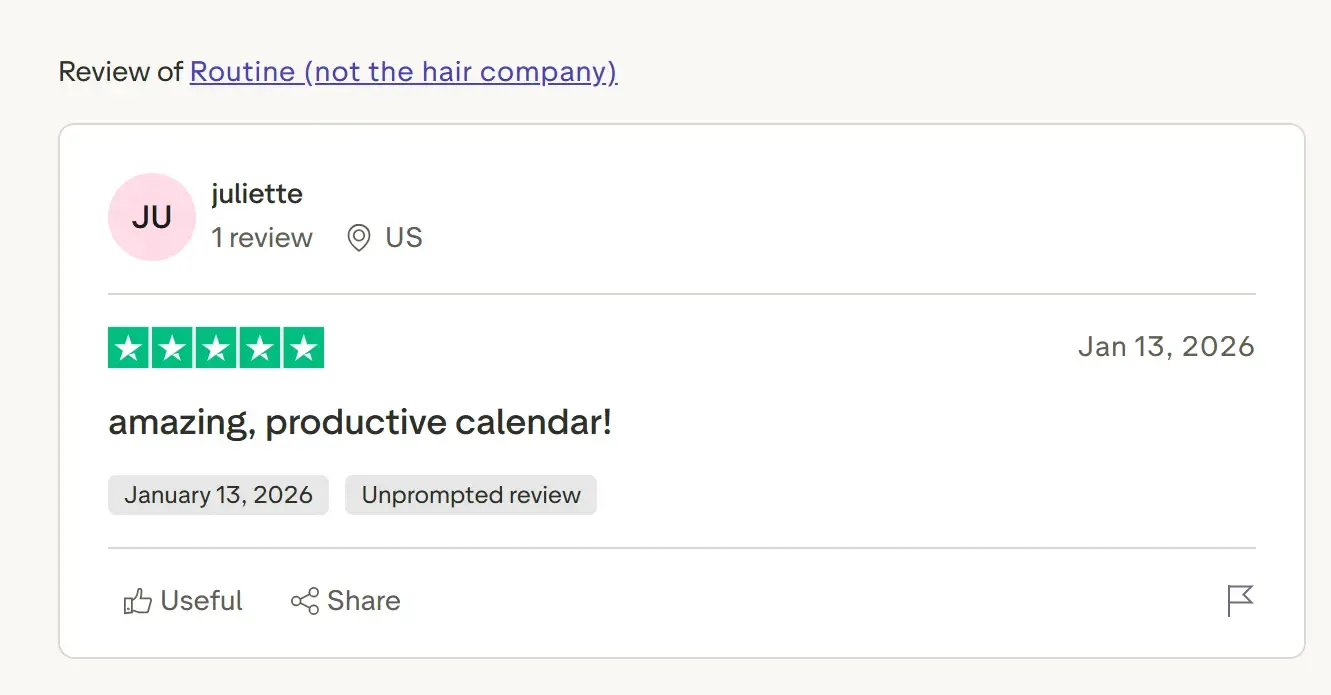
Juliette shares:
On G2, this verified user says:

Who Routine Is Best For
- Solo professionals and small teams: Best for people with meeting-heavy days who want a clean planner that keeps tasks, notes, and follow-ups tied to their calendar
4. TickTick
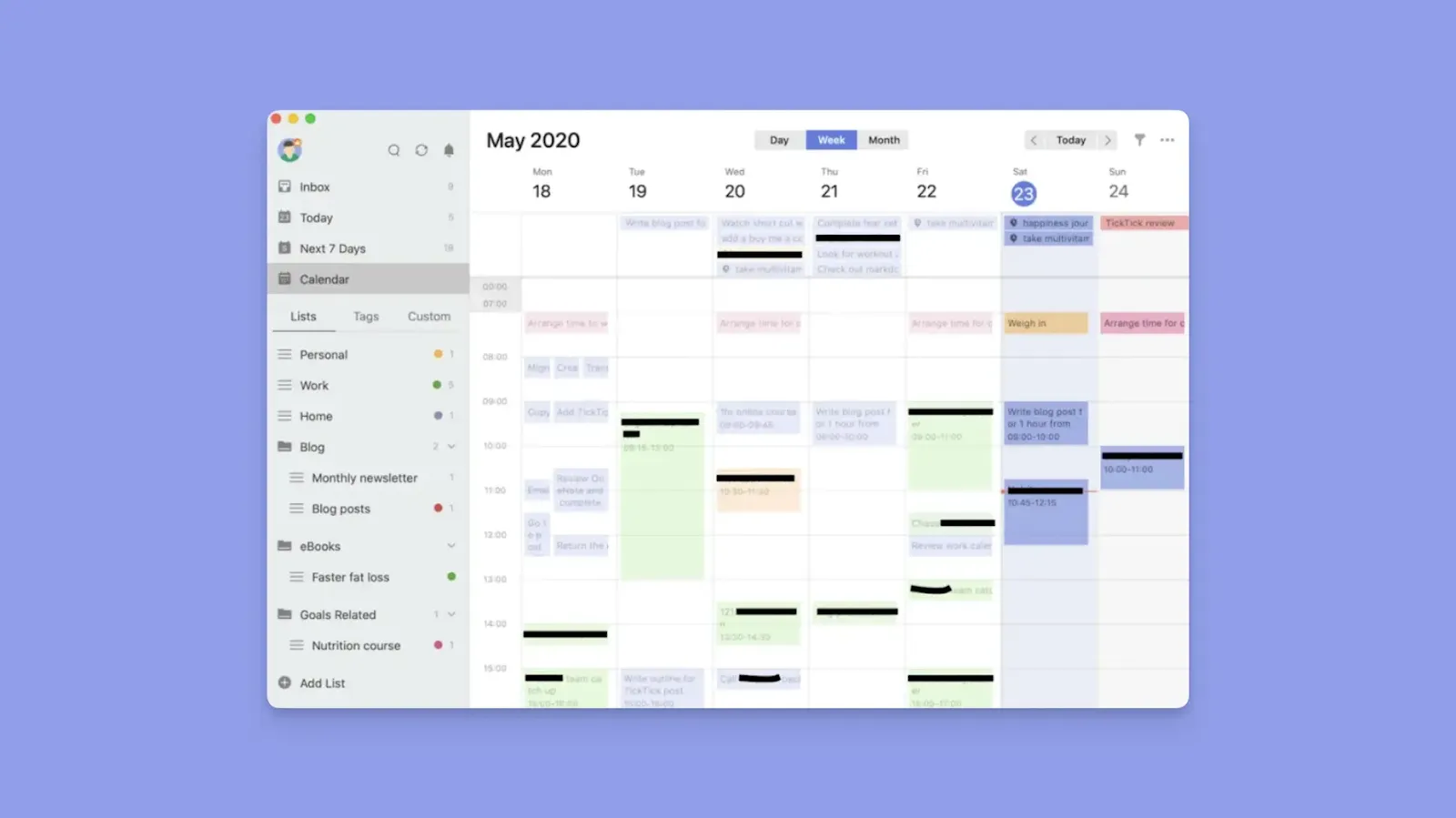
TickTick lets you manage tasks and layer on scheduling through calendar, timeline, or Kanban-style views, making it flexible for both daily planning and longer-term task organization.
Key Features
- Easy task capture: Quickly add tasks with natural language and set recurring rules for long-term planning
- Built-in productivity tools: Includes Pomodoro timers, habit tracking, focus stats, and reminders
Pricing
| Plan | Monthly | Annual |
|---|---|---|
| Free | $0 | $0 |
| Premium | $3.99/month | $35.99/year ($2.99/month) |
Note: Calendar views, habit tracking insights, and integrations require Premium
Where TickTick Shines
- Affordable pricing: Starts at around $3 per month
- Solid calendar integrations: Syncs with Google Calendar and Outlook to show tasks alongside events
- Visual customization: Colors, tags, and views help scan priorities faster
Where TickTick Falls Short
- Task scheduling is still manual: TickTick does not resolve conflicts or suggest realistic schedules when tasks exceed available time
- Limited collaboration: Works best for individuals, not shared team workflows
- Limited integrations: TickTick offers limited connections to external PM and calendar tools, and although you can use Zapier, it generally adds new costs
Customer Reviews
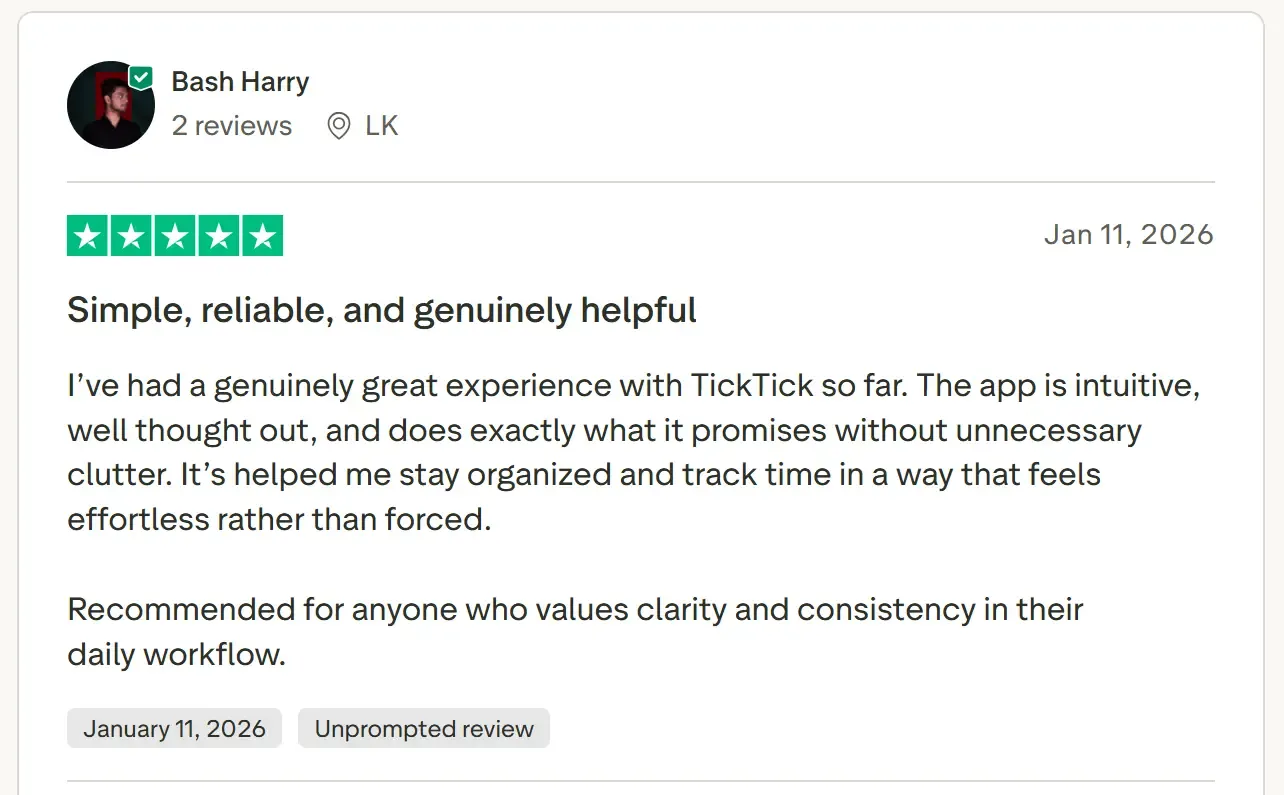
Bash Harry shares:
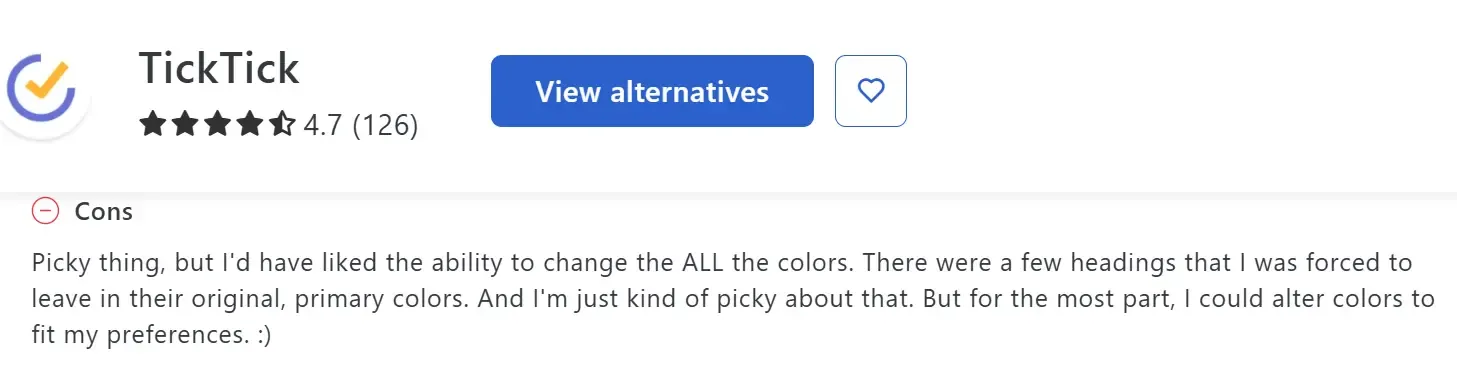
Jessica H says they’d like to customize with more colors:
Who TickTick Is Best For
- Solo professionals: who want an affordable daily planning app with generous free features if work isn't spread across external tools
5. Todoist
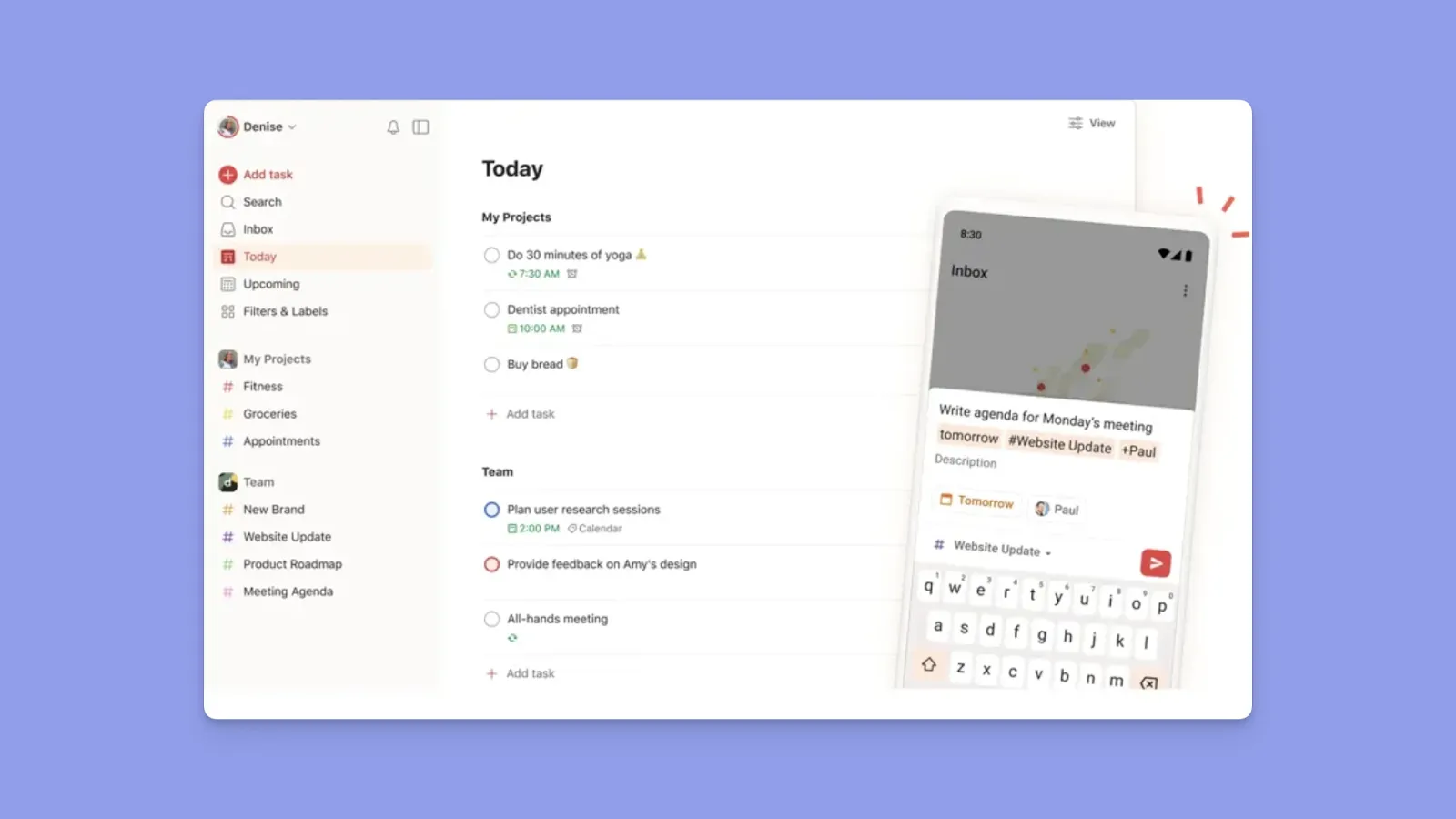
Todoist’s natural language processing lets you add tasks with dates, priorities, and recurring rules in one line.
Tip: Layer Morgen on top of Todoist to pull your tasks into a unified calendar view where you can time-block them alongside other events
Key Features
- Natural language task capture: Add tasks with dates, priorities, and recurring rules in one line
- Lightweight project organization: Projects, labels, filters, subtasks, and recurring rules support ongoing work
Pricing
| Plan | Monthly | Annual |
|---|---|---|
| Free | $0 | $0 |
| Pro | $7 | $5/month |
| Business | $10/user | $8/user/month |
Note: Calendar layout, reminders, and advanced filters require Pro. For a more detailed breakdown of these tiers and recent cost changes, you can read our full analysis of
Where Todoist Shines
- Large integrations ecosystem: Connects with 90+ tools, including Google Calendar and Slack.
- Minimal learning curve: You can add and complete tasks immediately after creating an account
Where Todoist Falls Short
- Restricted free plan: No customizable reminders and filters on the free plan, and you can only add five projects
- No true time-based planning: Tasks are deadline-driven, not time-blocked
If you find these limitations restrictive, you might consider a Todoist alternatives that offers more robust time-management features.
Customer Reviews
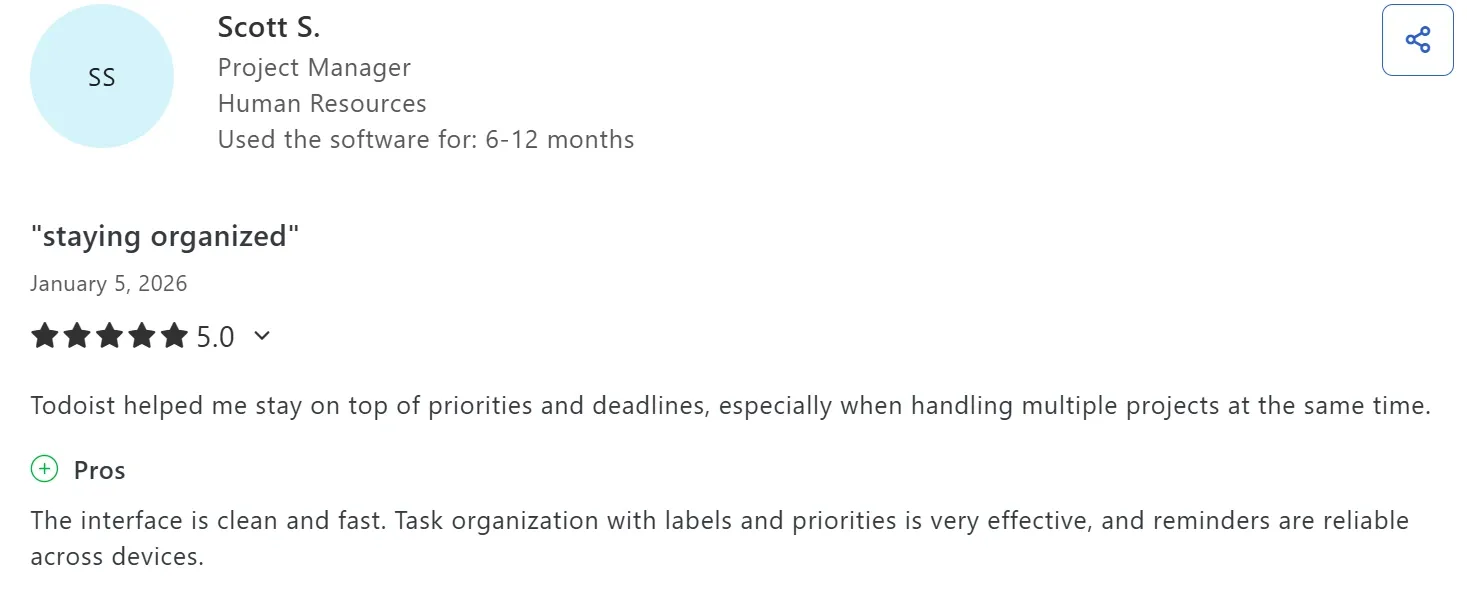
Scott S says Todoist has a “clean and fast” interface:
On G2, Ashish P shares that Todoist can become quite expensive for teams:

Who Todoist Is Best For
- People who want fast, low-friction task capture and prefer lists over calendar-driven daily planning
6. Any.do
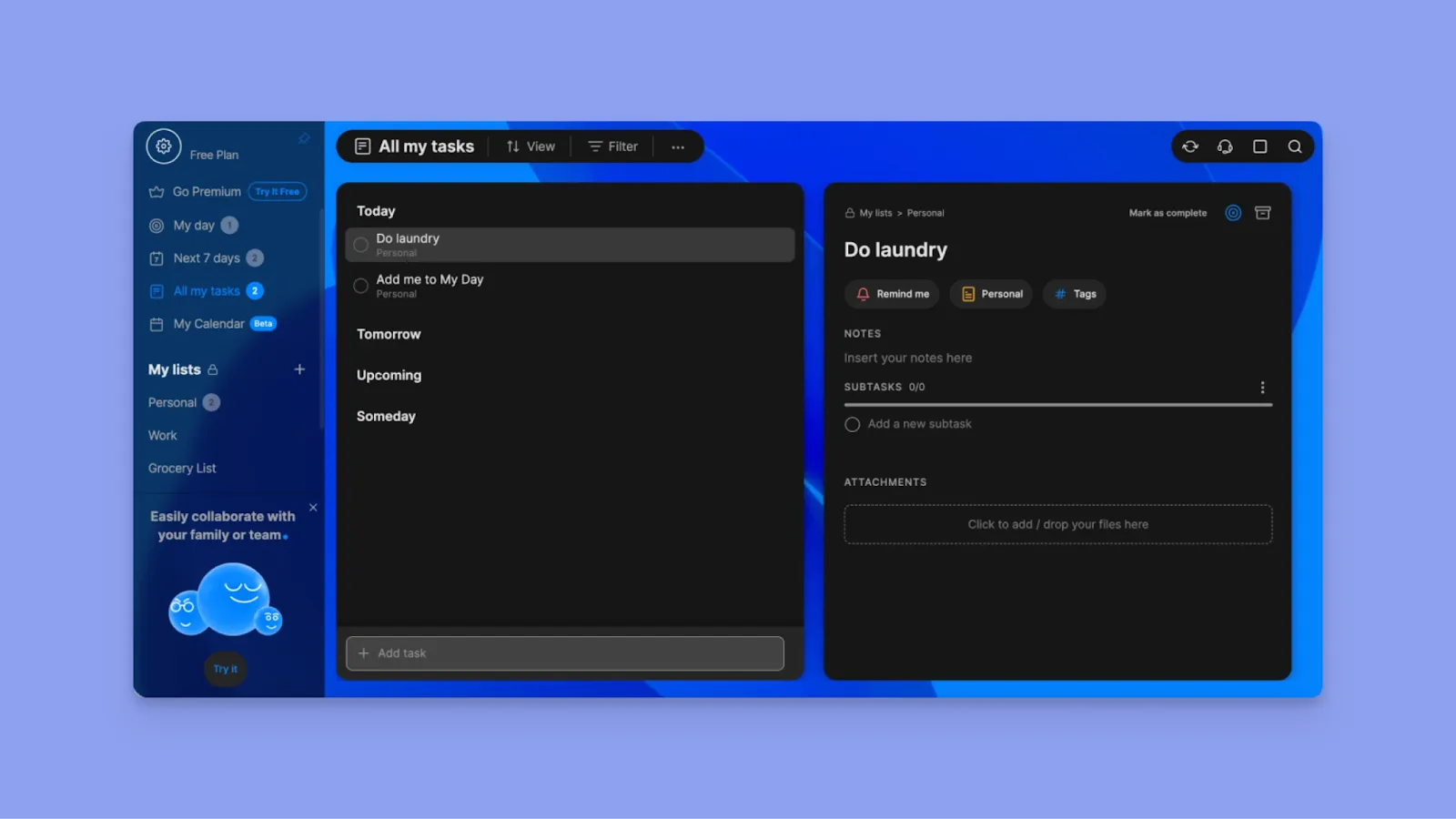
Any.do helps you plan daily tasks, reminders, and calendar events on an online planner app that syncs across devices. You get a free plan, paid tiers starting from $4.99/month, and team and family plans for shared planning.
7. Notion and Notion Calendar
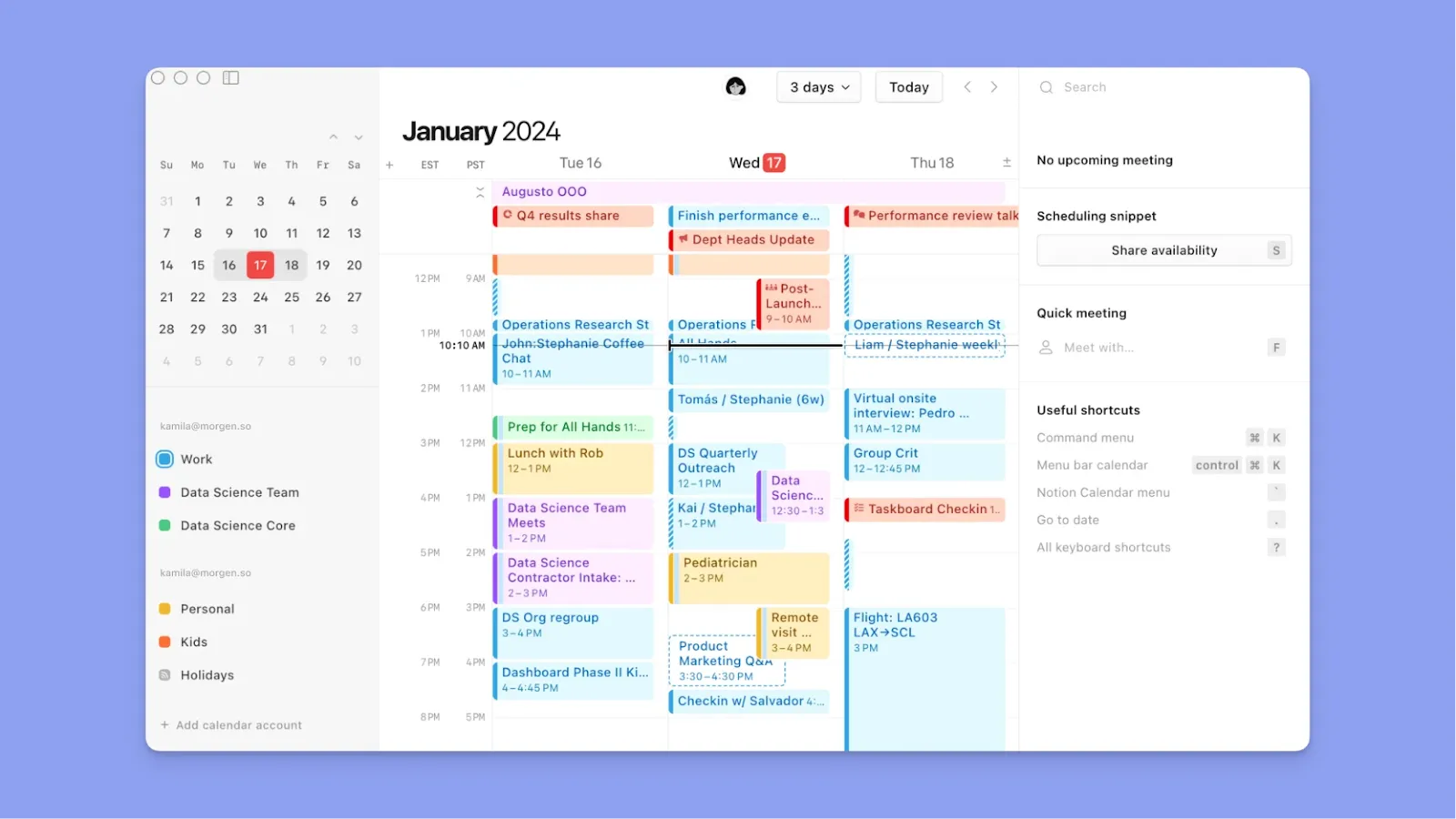
You can use Notion and Notion Calendar for daily planning if you’re already working within the Notion ecosystem.
When you connect to Notion Calendar, your Notion database items with dates automatically appear as calendar blocks. You can also connect Notion Calendar to Google Calendar and iCloud to consolidate calendar planning.
How to Choose the Best Online Digital Planner for You
When evaluating online digital planners, focus on features that reduce friction in your daily workflow rather than adding complexity.
Works Across Multiple Devices
Your planner should be accessible via mobile, desktop, and web, with your schedule syncing automatically across all devices so you can plan anytime, anywhere. The same cross-device thinking applies to planning documents you actually want to browse rather than just check boxes on. A page-flip digital planner works the same way across phone, tablet, and desktop.
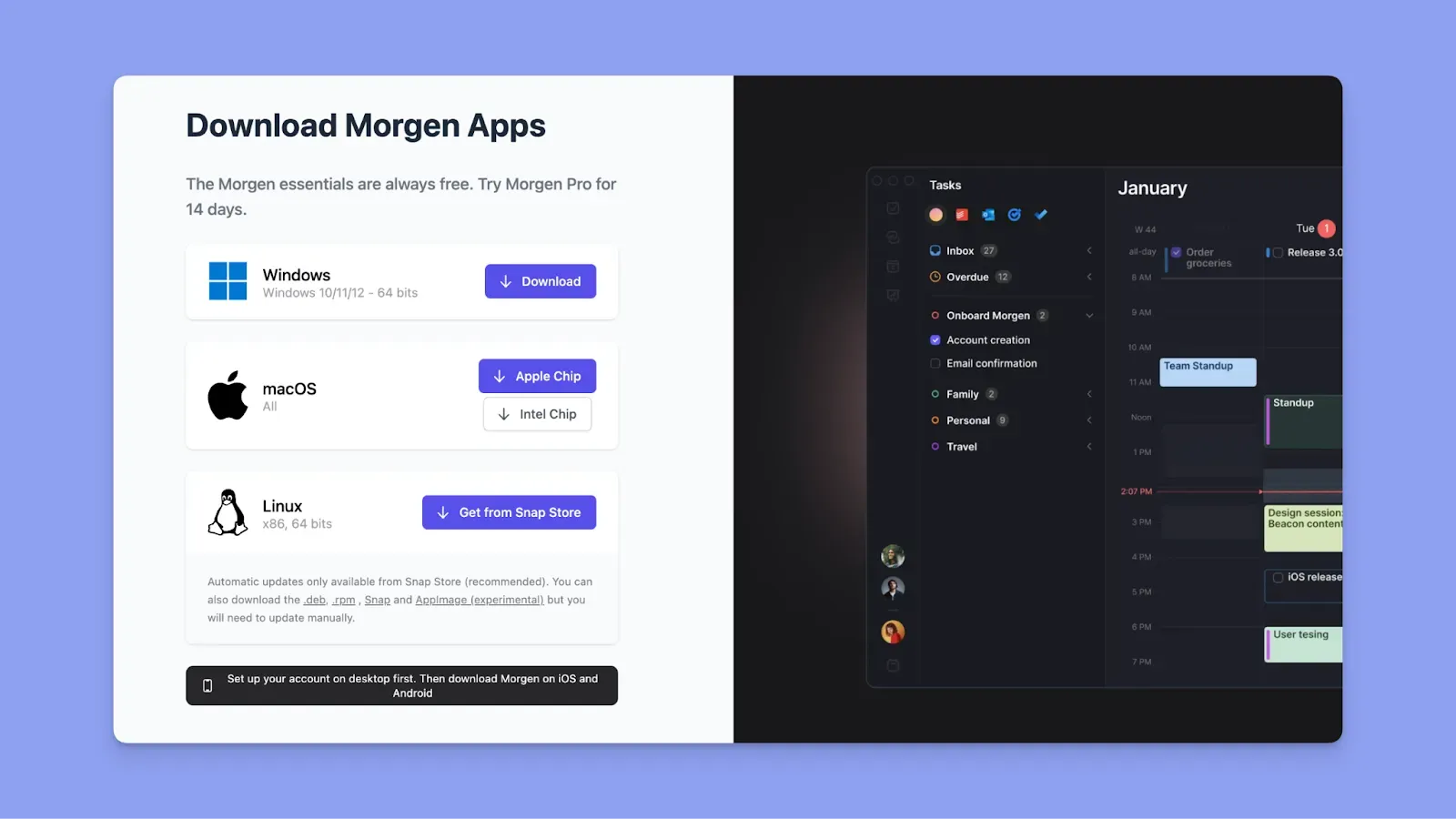
Morgen syncs in real time across Mac, Windows, Linux, iOS, Android, and the web. Download now and start planning.
Priorities, Subtasks, and Tags for Organization
People who organize tasks by priority, context, and energy level complete more meaningful work than those maintaining flat lists.
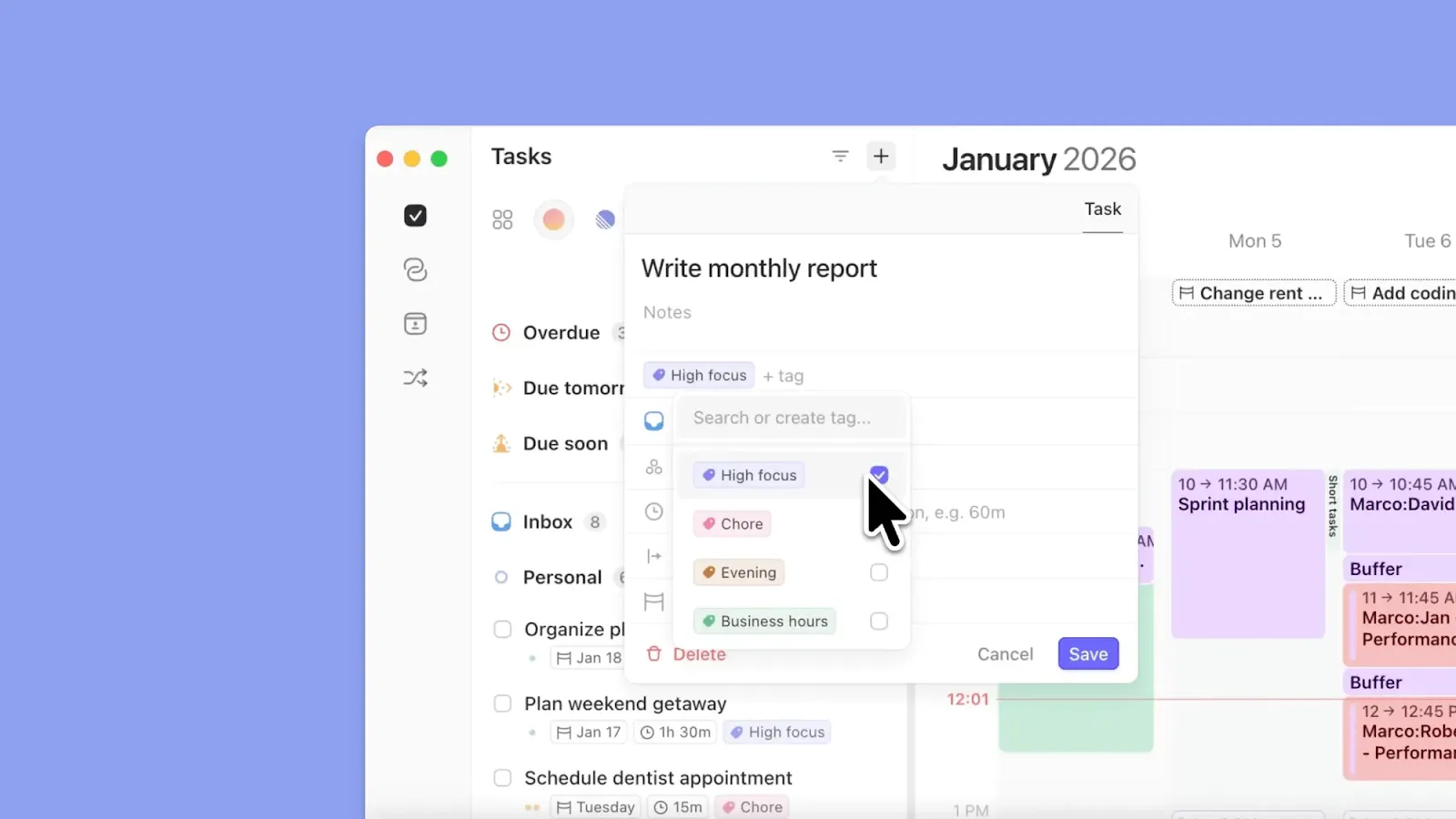
Morgen supports subtasks across all integrated task lists, lets you add tags to group or sort tasks, and calculates priority using the Morgen Priority Factor. You can also schedule multiple sessions for large tasks that need more than one work block.
Free Tools to Test Before Committing
For many people, a free plan makes a tool easy to integrate into daily life, but that often means limited features that still require upgrades if you need essential planning capabilities like calendar management.
Morgen does not offer a free plan, but you can access free online tools without creating an account to start planning on your desktop immediately.
Try the Easy Tasks tool, Deep Work Timer, Timezone Meeting Planner, or the Schedule Builder now.
Stop Tab-Hopping: Plan Your Week in One Online Digital Planner with Morgen
You need the best online planner app to account for your available time and get important work done each day.
So, if you want calendars, task tools, routines, and meetings in one plane, plus the ability to plan with AI and time-block for increased productivity, you can try Morgen now.
Explore pricing, create your account, and start planning now.

.svg)
.webp)


