5 Best Smart Planners to Organize Your Day Better in 2026

Morgen Team
January 20, 2026
8 min read
⚡️
Key Takeways

Morgen: Best task planner with calendar consolidation for busy individuals who want helpful automation while keeping full autonomy over their schedules

Motion: For teams that want a single platform combining scheduling, project management, and task execution with minimal manual involvement

Reclaim AI: A smart planner best suited for teams or advanced individuals who rely on Google Calendar or Outlook and want automatic scheduling around priorities, habits, and meetings

Akiflow: For professionals who prefer manual, keyboard-driven time blocking and want precise control over how tasks are pulled onto their calendar

⚡️
Conclusion

Is your schedule spread across calendars, project management tools, meetings, and endless unscheduled to-dos? You need smart planners to structure your day in minutes and build a time-management system that 82% of professionals lack. 

In this guide, we'll analyze five daily planners, compare their features, share real customer perspectives, and help you choose the right tool for your workflow.

Best Smart Planners At a Glance

Smart Planner Best For Standout Feature Starting Price G2 Rating Capterra Rating
Morgen Individuals managing commitments across multiple calendars and task tools Assistive AI and frame-based scheduling $15/month 4.8 5.0
Motion Fully automated scheduling and built-in project management for teams Aggressive AI auto-scheduling $19/month 4.2 4.3
Reclaim.ai Teams using Google Calendar or Outlook for automatic planning Priority-based, habit-aware calendar automation Free, paid from $10/month 4.8 4.9
Akiflow Professionals who prefer using AI chat for scheduling Fast task capture with drag-and-drop time blocking $19/month 4.8 4.7
Sunsama Individuals and small teams that want mindful planning Guided daily planning and shutdown rituals $16/month (annual) 4.7

1. Morgen: Best Overall Smart Planner for 2026
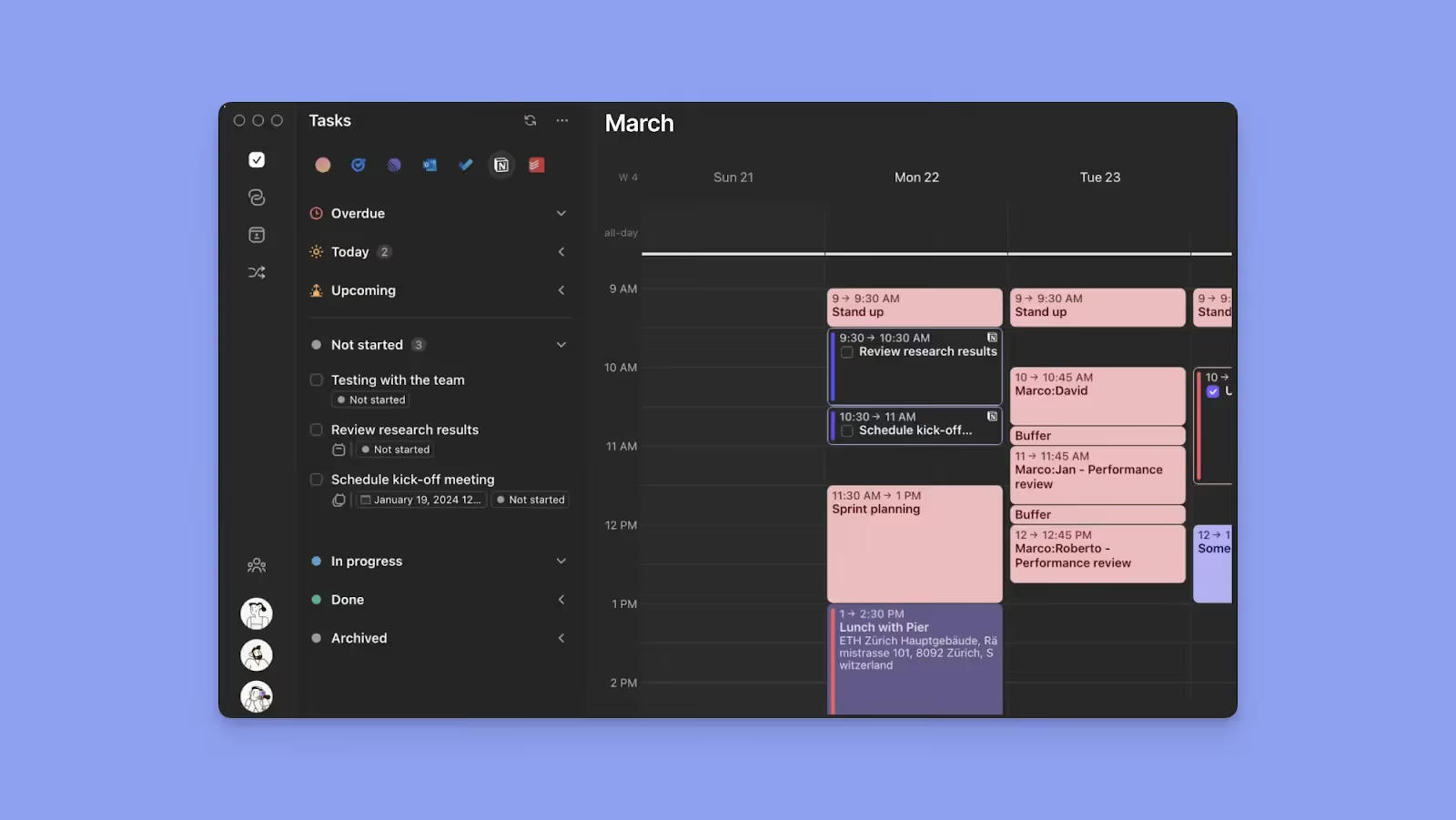
Morgen consolidates multiple calendars, task management tools, and video conferencing platforms into a single calendar view. You plan your day by dragging tasks into open time slots or using AI to schedule more effectively, flag overlaps, and resolve priority conflicts.

💡

Tip: Morgen supports deep integrations with popular task tools. If your stack is not natively supported, you can connect additional apps via Zapier to pull tasks into your planning workflow.

Key Features

Morgen helps you structure routines, adjust plans as priorities change, and use AI-assisted conflict resolution while keeping complete control over your schedule. Here are some features you'll love:

Frames
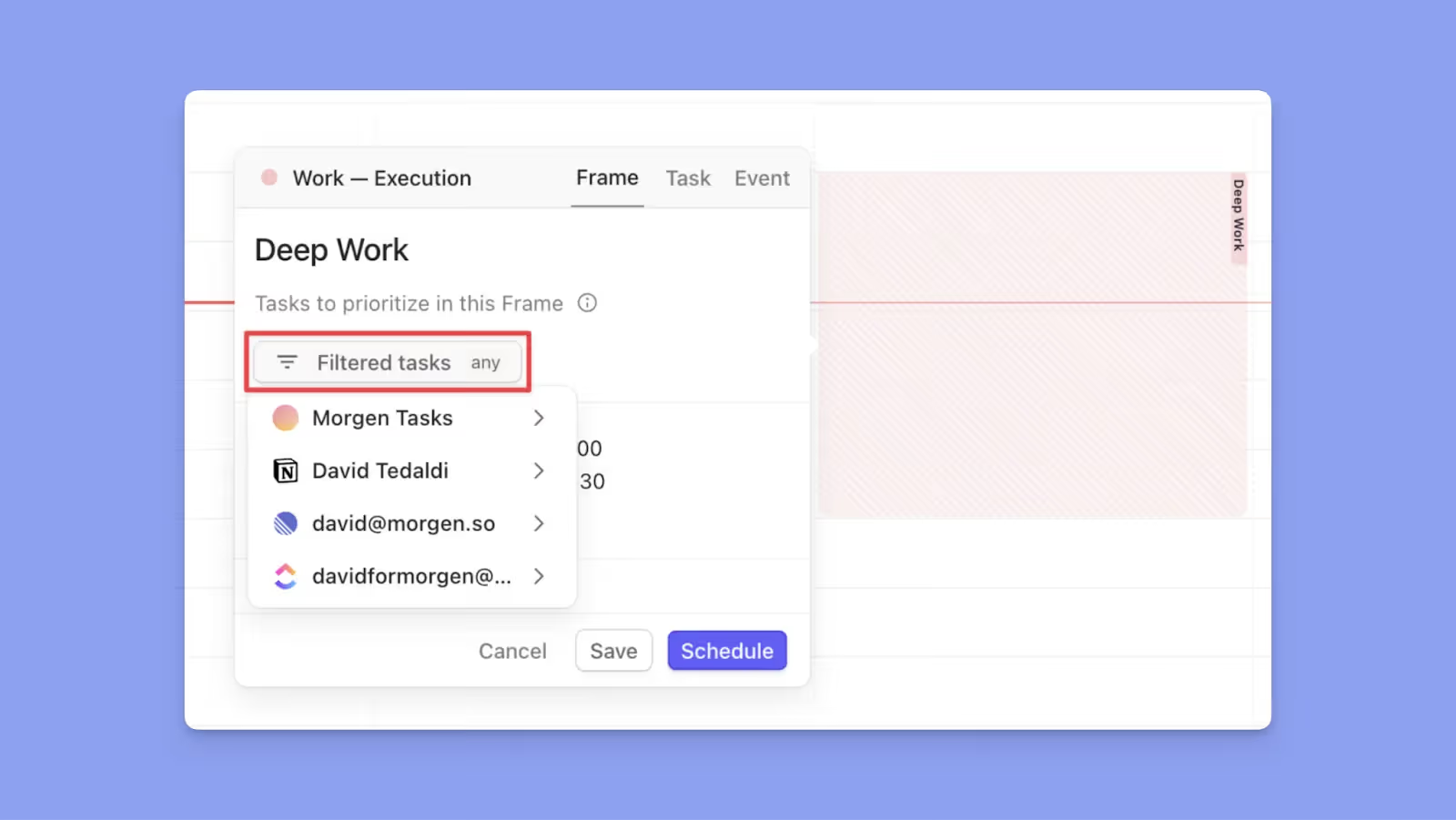
Moregn Frames are recurring or one-off time blocks that define when you focus on specific types of work, such as deep work, meetings, or personal tasks. You can schedule tasks directly into Frames by dragging them in or letting the AI recommend tasks that match the Frame’s purpose, priority, and availability rules.

💡

Tip: Use Frames for high-attention work you cannot skip, and recurring tasks for lighter habits or personal routines that can move without disrupting your core schedule.

AI planner

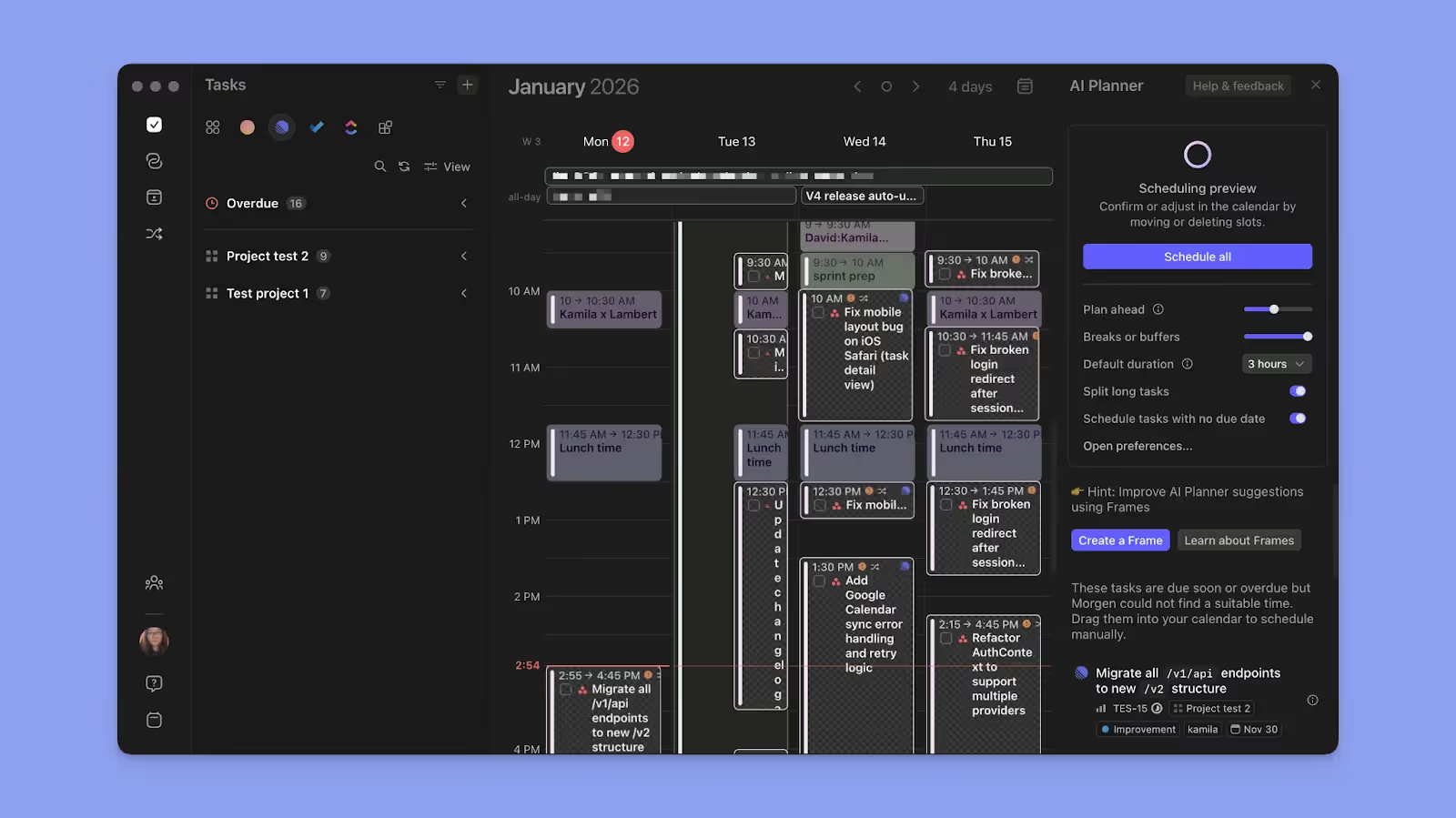
The AI Planner helps you add tasks to your calendar view, reschedule or reprioritize when you have conflicting commitments, and schedule tasks within your frames.

After you add tasks or move meetings, it checks availability, deadlines, and other priority factors, then suggests where work fits best based on your existing Frames. 

When the AI Planner suggests placements, you can preview or edit the plan before approving any changes, so you'll still have granular control of your schedule.

📌

Note: The AI planner works best when you already have tasks and at least one Frame on your calendar view. With Frames, the AI planner will accurately set the best placements because it relies on your overall availability

Unified Calendar and Task View Across Sources

Morgen consolidates calendars from Google and Outlook, Apple, and Fastmail, along with tasks from tools like Notion, Todoist, Linear, ClickUp, and Obsidian, into a single visual timeline. 
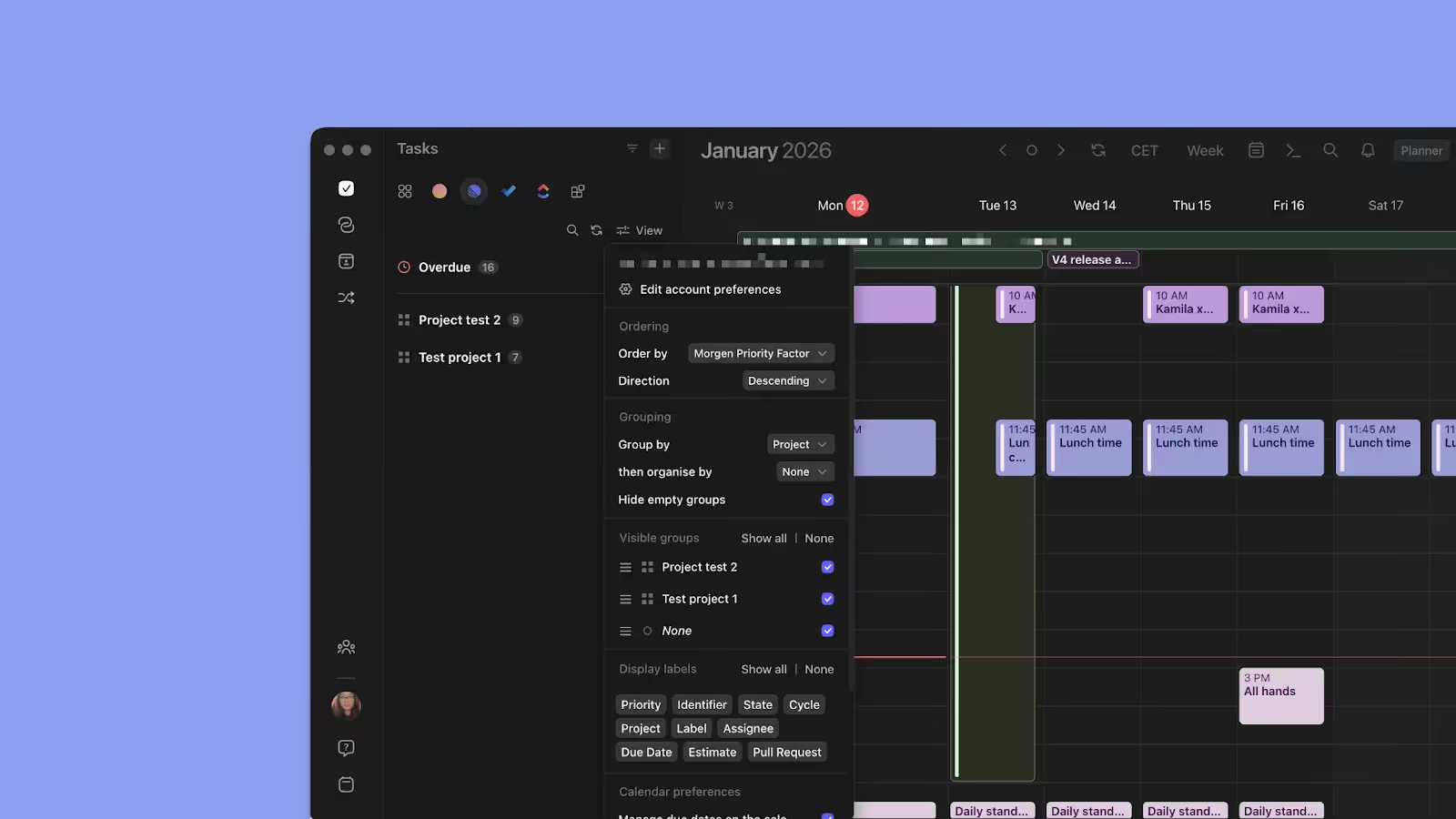
The task sidebar lets you filter and group work using all-tasks filters, such as Morgen Priority Factor, source, space, due date, list/project, priority, created date, and updated date. You can also order tasks from specific tools (like Linear), and you’ll see filters like state, cycle, project, label, etc. 

Drag tasks directly onto your calendar to time-block them and switch between day, week, month, or custom views based on how you plan.

Pricing

Note: Morgen plans include a 14-day free trial and a 30-day money-back guarantee.

Plan Annual Subscription Monthly Subscription
Individual $15/month $30/month
Teams $10/seat/month $25/seat/month

Discounts available: 15% off your first year when switching from Motion, Reclaim, Fantastical, Akiflow, or Sunsama. Students with a valid institutional email are eligible for a 25% discount.

Where Morgen Shines

  • Fast task capture with the command bar: Accessing Morgen on the web or desktop app, Ctrl+K or Cmd+K lets you add tasks or events instantly from anywhere in the app
  • Break down complex work: Use subtasks to split large projects into actionable steps, and schedule steps across multiple work sessions on your calendar
  • Color-coded visual clarity: Set unique colors for calendars, task lists, and events to make work, personal time, and priorities easy to distinguish at a glance
  • Granular availability and flexibility controls: Mark time deep focus work as "Busy," and set tasks as "Not Flexible" to protect focus blocks from meeting requests and AI rescheduling

Where Morgen Falls Short

  • Limited productivity analytics: Morgen doesn't offer insights into how you spend time
  • Desktop-first design: The full feature set works best on desktop, mobile apps handle schedule viewing and task completion only

Customer Reviews

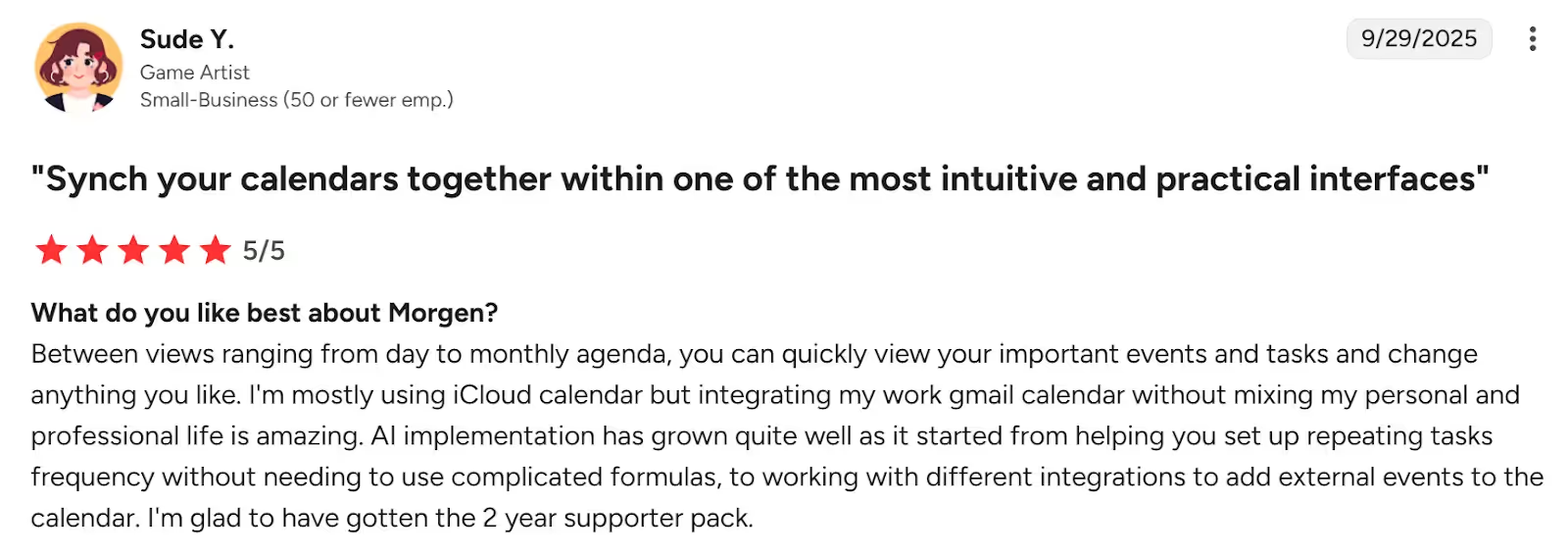
Morgen has a positive 4.8/5 customer rating on G2, with Sude Y calling it "one of the most intuitive and practical interfaces."
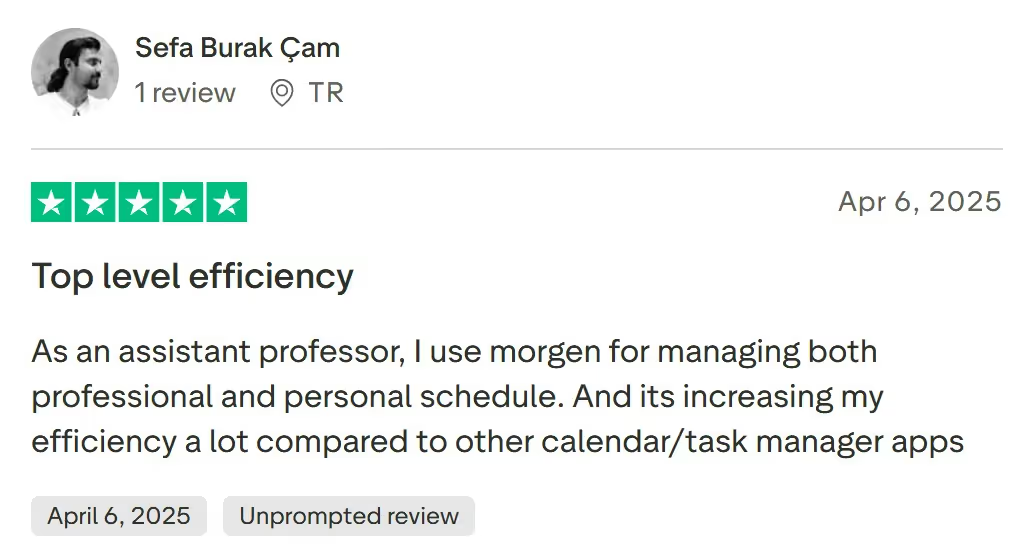
On TrustPilot, Sefa Burak Çam says Morgen has increased his efficiency a lot:
Who Morgen Is Best For

  • Busy professionals managing multiple calendars and task tools across work and personal life: Freelancers, developers, marketers, and solopreneurs who want AI-assisted planning without surrendering control to full automation

Automate smart planning workflows now, with Morgen Assist.

2. Motion
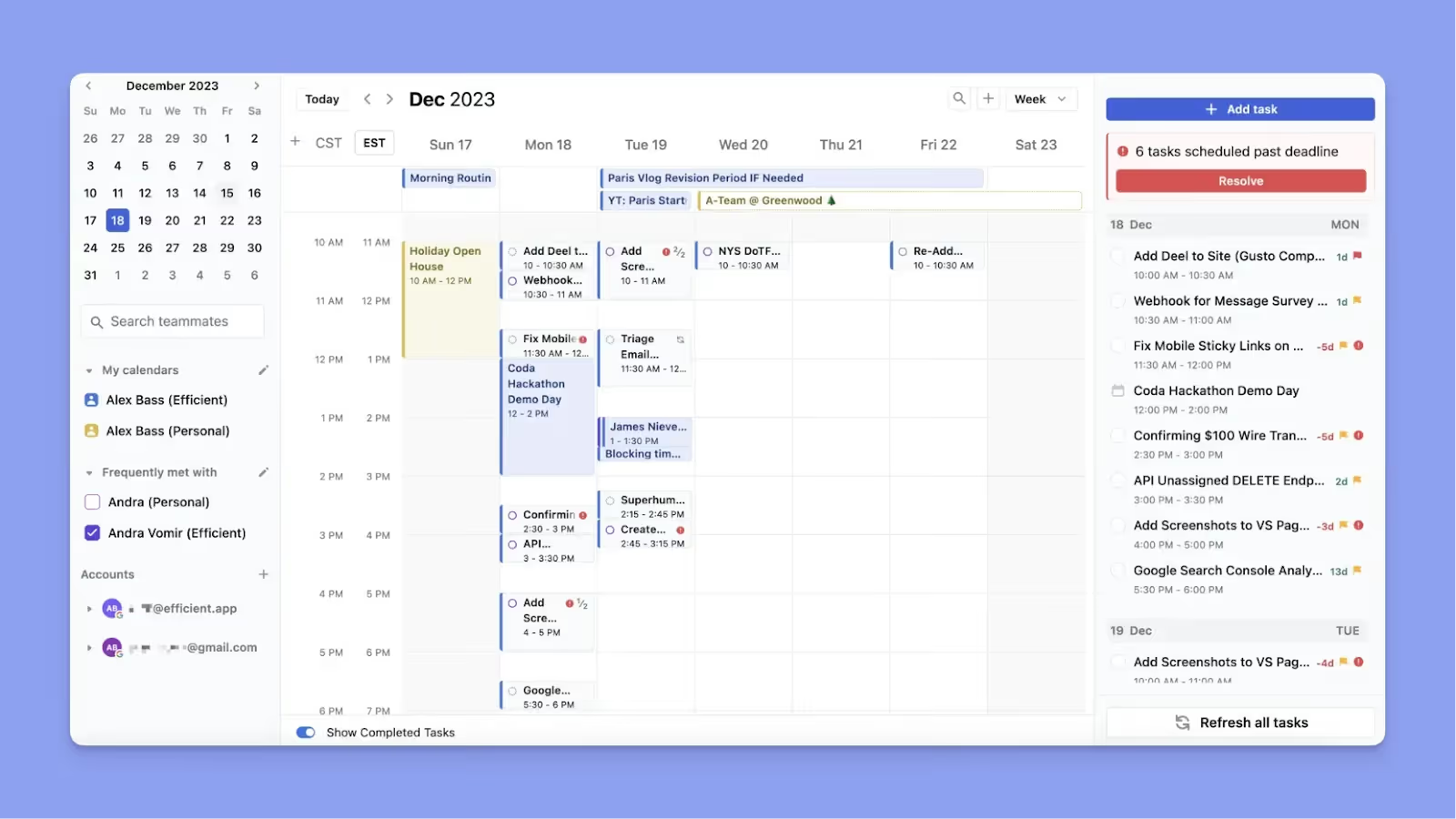
Motion replaces multiple productivity tools with one automated system that combines task management, project planning, scheduling, and AI assistance, and continuously reorganizes work based on deadlines and priorities.

Key Features

  • Comprehensive AI automation: Auto-prioritizes tasks, builds schedules, reshuffles work, and adapts as deadlines or meetings change
  • Replaces task and PM tools: Combines to-do lists, projects, Gantt charts, meeting scheduling, and documentation
  • Team-ready integrations: Works with Google Calendar, Microsoft Outlook, Slack, Zapier, Salesforce, and more

Pricing

Plan Annual Billing Monthly Billing
Individual $29/month $49/month
Teams $19/seat/month $29/seat/month

Where Motion Shines

  • Full-featured project management: Includes projects, dependencies, and workload planning suitable for team-based execution
  • Automatic smart planning: AI prioritizes tasks, flags deadlines, and removes meeting scheduling friction once preferences are learned

Where Motion Falls Short

  • High cost: Comparing Morgen to Motion, the latter is almost twice as expensive on the annual plan
  • Steep learning curve: Dense interface with many buttons and repetitive clicks before workflows feel intuitive

Customer Reviews

"I find entering data in Motion challenging because there are too many buttons on the task list," says Harrison G.

"Motion has completely transformed the way I manage my time and priorities," shares Chadi R.

Who Motion Is Best For

  • Busy teams: Organizations that want aggressive AI automation across projects, tasks, and schedules

3. Reclaim AI
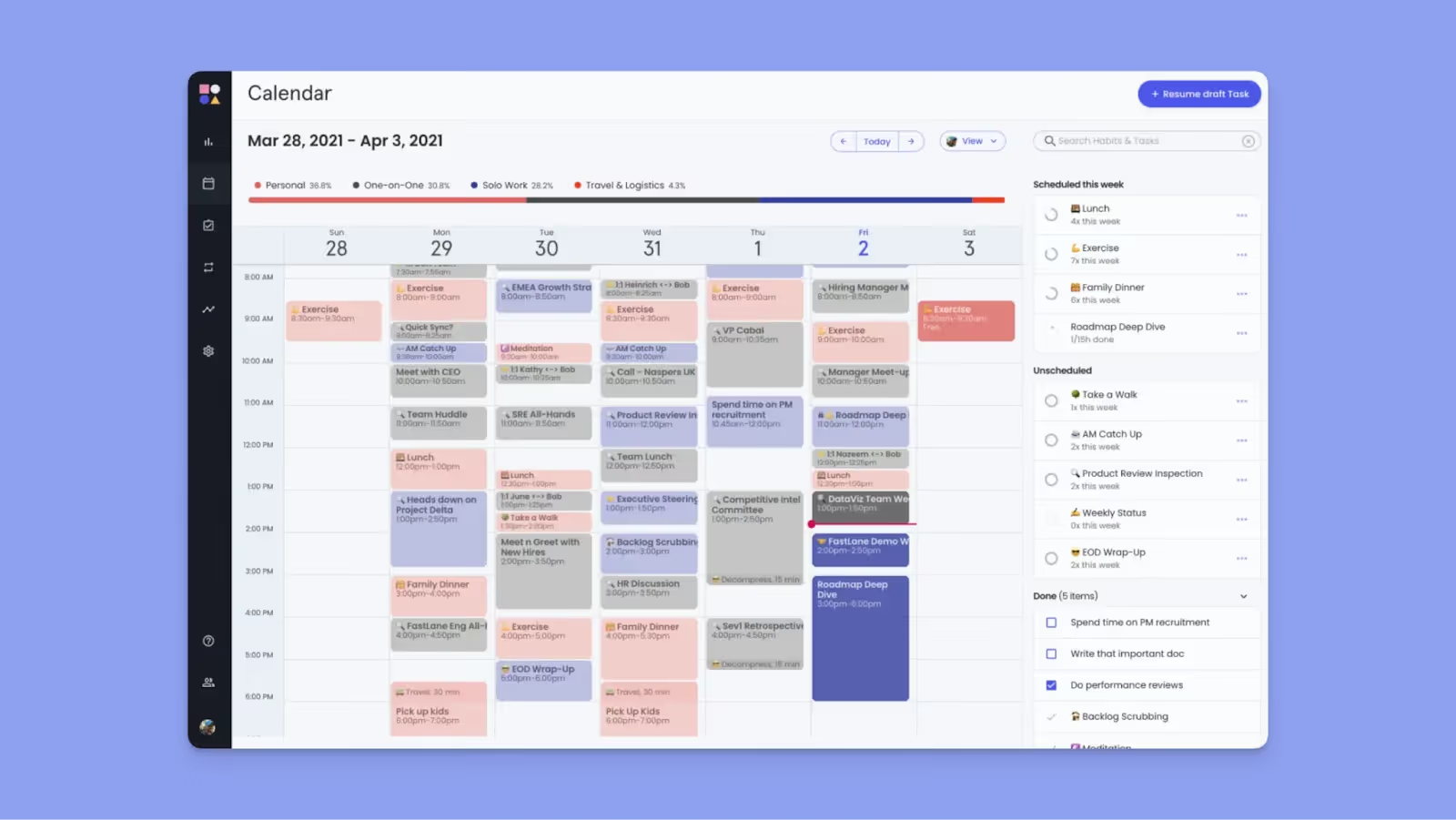
Reclaim.ai is an AI-driven calendar management tool that automatically schedules tasks, habits, meetings, and focus time inside Google Calendar or Outlook. It takes a full automation approach similar to Motion, continuously reshuffling your schedule as priorities change.

Key Features

  • Full automation: Automatically reschedules your tasks and events when meetings or priorities shift
  • Deep calendar integrations: Works natively with Google Calendar and Outlook, plus task tools, Slack, and scheduling links

Pricing

Plan Annual Billing Monthly Billing
Free Forever $0 $0
Starter $10/seat/month $12/seat/month
Business $15/seat/month $18/seat/month

Where Reclaim AI Shines

  • Free forever plan: Rare among the best planners for productivity and ideal for testing AI scheduling long term
  • Hands-off daily planning: AI manages focus time, habits, meeting links, and even syncs availability to Slack

Where Reclaim AI Falls Short

  • No human-in-the-loop control: Limited customization makes it less suitable for ADHD users or planners who want flexibility
  • No mobile app: A desktop-only experience that can feel restrictive, as you can't plan or view schedules on the move

Customer Reviews

"Honestly, I wish there was a mobile app for Reclaim," says Christian A.

"It’s great for balancing work and personal goals without extra effort," shares Andrea F.

Who Reclaim.ai Is Best For

  • Teams and advanced users: People who rely on Google Calendar or Outlook and prefer fully automated scheduling

4. Akiflow
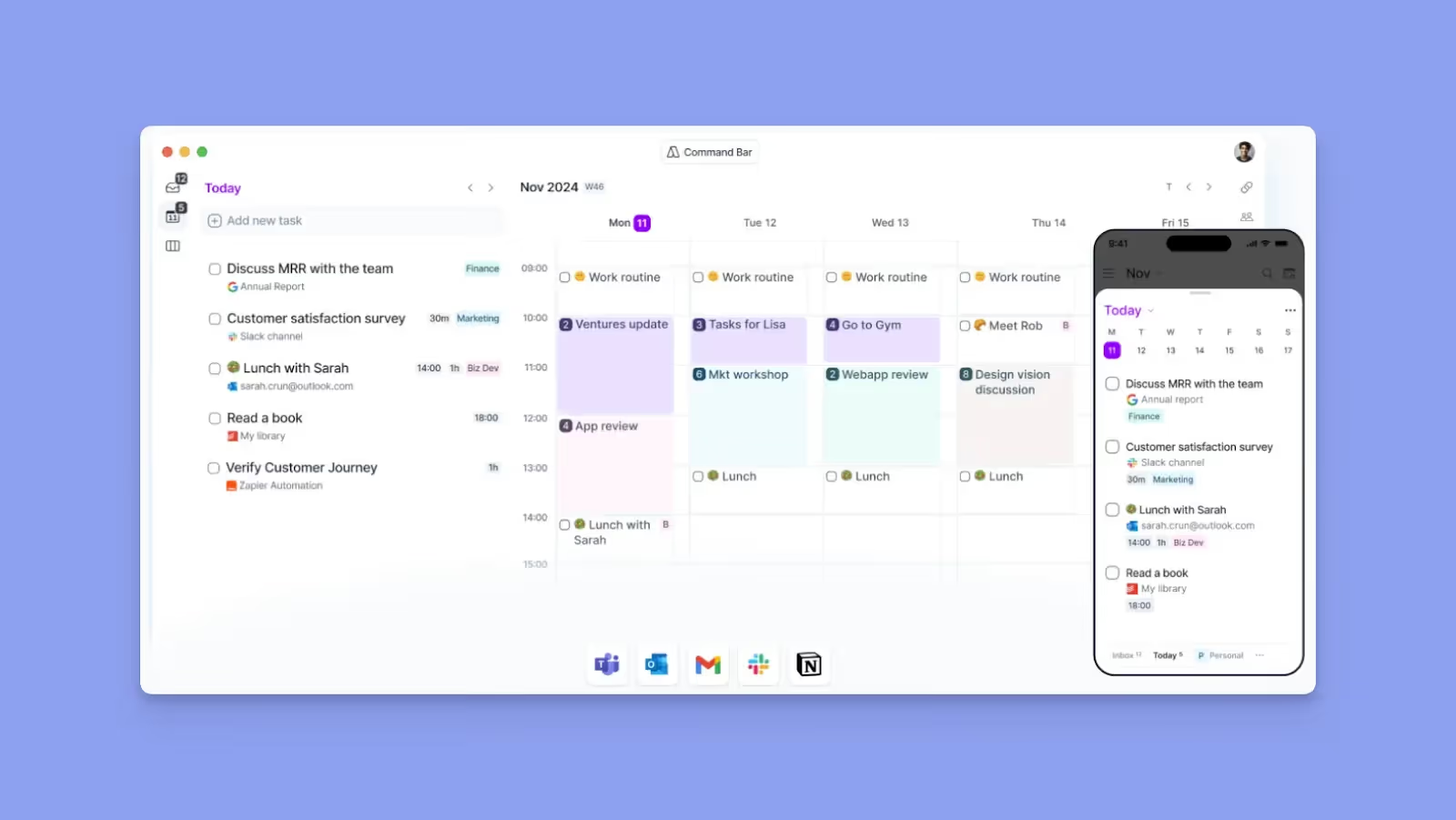
Akiflow gives you full control over daily planning with a human-in-the-loop approach and consolidates calendars, tasks, and inboxes into one workspace, so you decide what gets scheduled and when.

Key Features

  • Bi-directional integrations: Syncs tasks and calendars with tools like Google Calendar, Outlook, Notion, ClickUp, and email
  • Aki AI assistant: Chat with Aki to prioritize tasks, decide what to work on next, and auto-assign tasks to projects

Pricing

Plan Price
Pro (Yearly) $19/month
Pro (Monthly) $34/month

Where Akiflow Shines

  • Offline mode: Plan and manage tasks even without an internet connection
  • Command bar workflows: Fast task capture and scheduling using keyboard shortcuts

Where Akiflow Falls Short

  • Slack syncing limitations: Tasks marked “later” in Slack do not fully sync back when completed
  • No subtasks: Does not let you break complex tasks down into smaller tasks, making it overwhelming

Customer Reviews

"Akiflow is honestly the first productivity tool I’ve been able to stick to," shares Lucie on G2.

"Slack tasks are saved by marking them as 'later', which is neat. But when I'm done with the task in Akiflow, it doesn't automatically sync with Slack," says a user on Capterra.

Who Akiflow Is Best For

  • Power users and consultants: Professionals who prefer manual, keyboard-driven time blocking with minimal automation

5. Sunsama
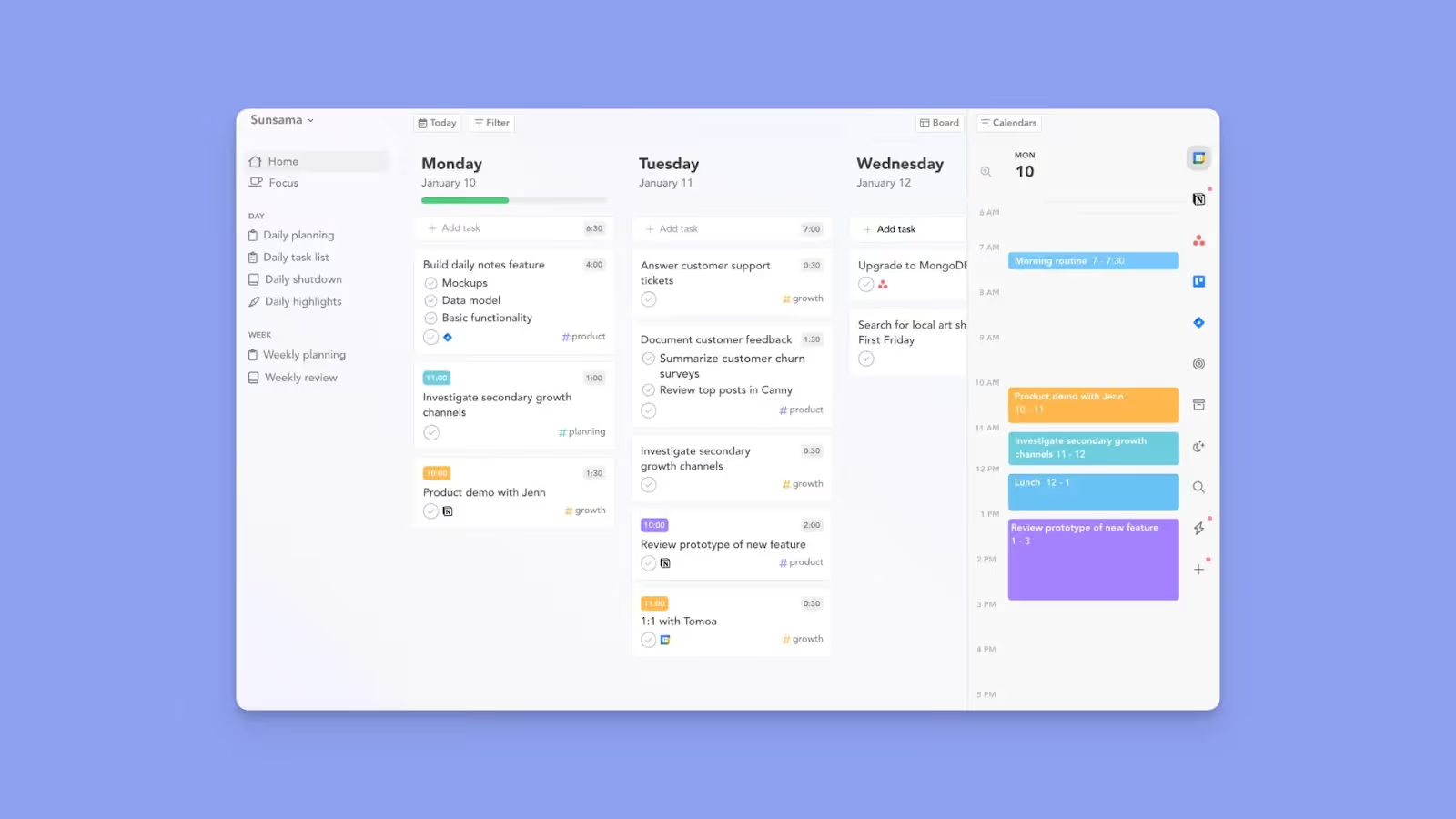
Sunsama is a daily planner focused on intentional planning rather than heavy AI automation. It is designed for professionals and ADHD users who want calm structure, daily rituals, and schedules that adapt to energy and focus levels.

Key Features

  • Pulls tasks from PM tools: Integrates with Trello, Asana, Notion, and email, then syncs tasks into Google Calendar and Outlook
  • Energy-aware scheduling: Drag and drop tasks into your calendar to plan for mindful productivity

Pricing

Plan Price
Annual $16/month
Monthly $20/month

Where Sunsama Shines

  • Mindful, low-overwhelm planning: Combines calendars, tasks, and PM tools into one calm interface for deliberate daily scheduling
  • Focus mode and Pomodoro: Helps you work deeply when energy is high without pushing over-automation

Where Sunsama Falls Short

  • Manual planning overhead: Daily scheduling can be monotonous and consumes a lot of time
  • Schedules 'today-only': Does not offer weekly or monthly scheduling, and unfinished tasks do not get rescheduled for later, so Sunsama is not ideal for managing long-term or complex projects

Customer Reviews

"Sunsama is the best solution that I’ve tried so far in terms of time management, to-dos, calendar, note-taking," says Erin B.

"It's difficult to put together the broad brush strokes for a project within Sunsama," shares Derek S.

Who Sunsama Is Best For

  • Professionals seeking balance: Users who want mindful daily planning and structure without AI automation

How to Choose the Best Smart Planner

You need a daily productivity planner to reclaim time you would have spent planning which tasks to handle, when to eat lunch, or which meetings to attend. So, look for features such as: 

Automation

According to this McKinsey study, AI is now better at reasoning, planning, and adapting to changing variants. But you need to decide whether you want AI suggestions or hands-off automation from your smart planner.
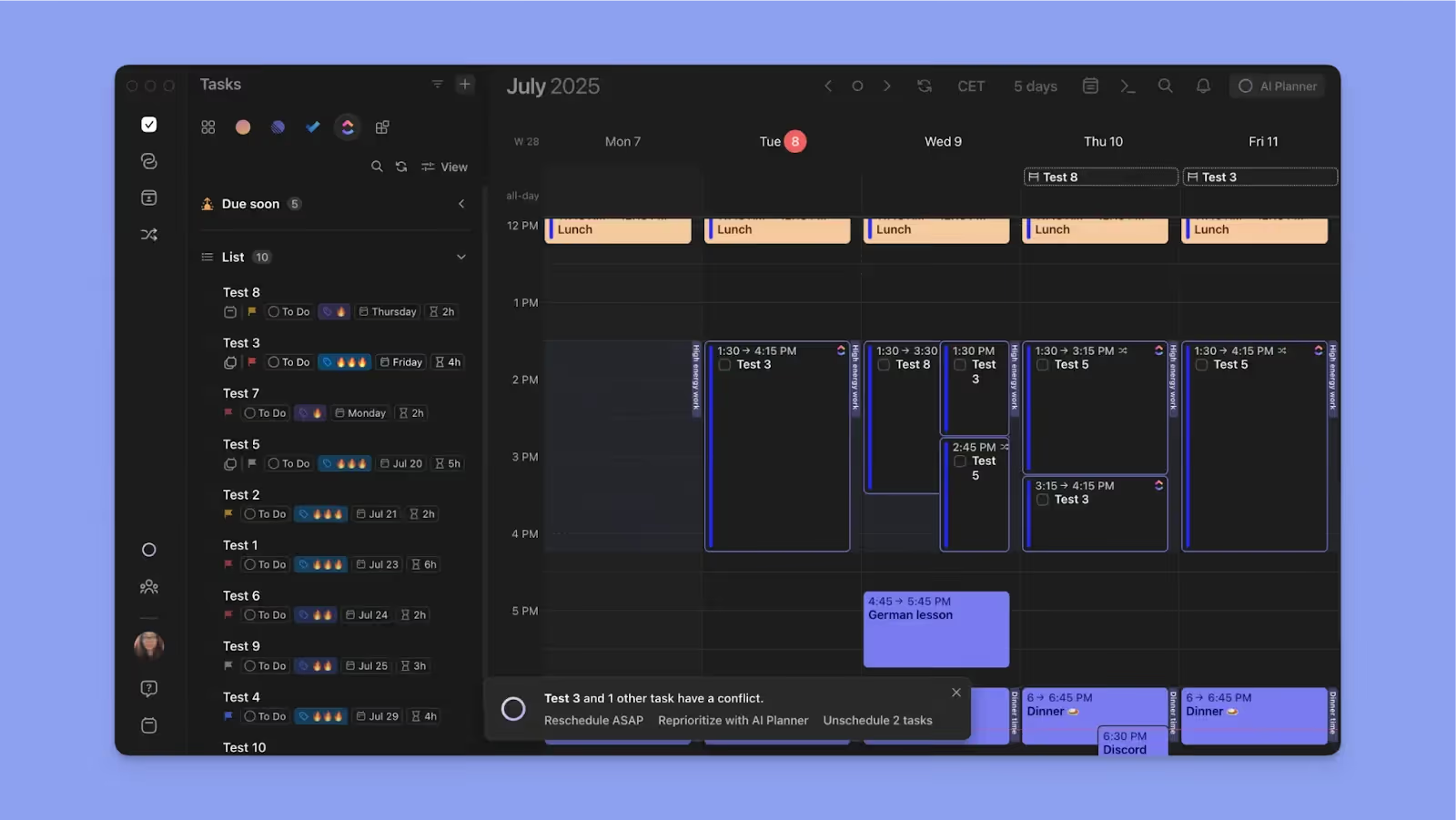
Morgen offers scheduling suggestions for task placement and conflict resolution, and you approve changes before adding them to your calendar view.

Read our guide on what AI planning means, plus more features you need in your stack.

Deep Platform Integrations

Frequent app switching disrupts focus, with 23% of professionals reporting reduced attention when they jump between tools. A smart planner should consolidate your stack into one view.
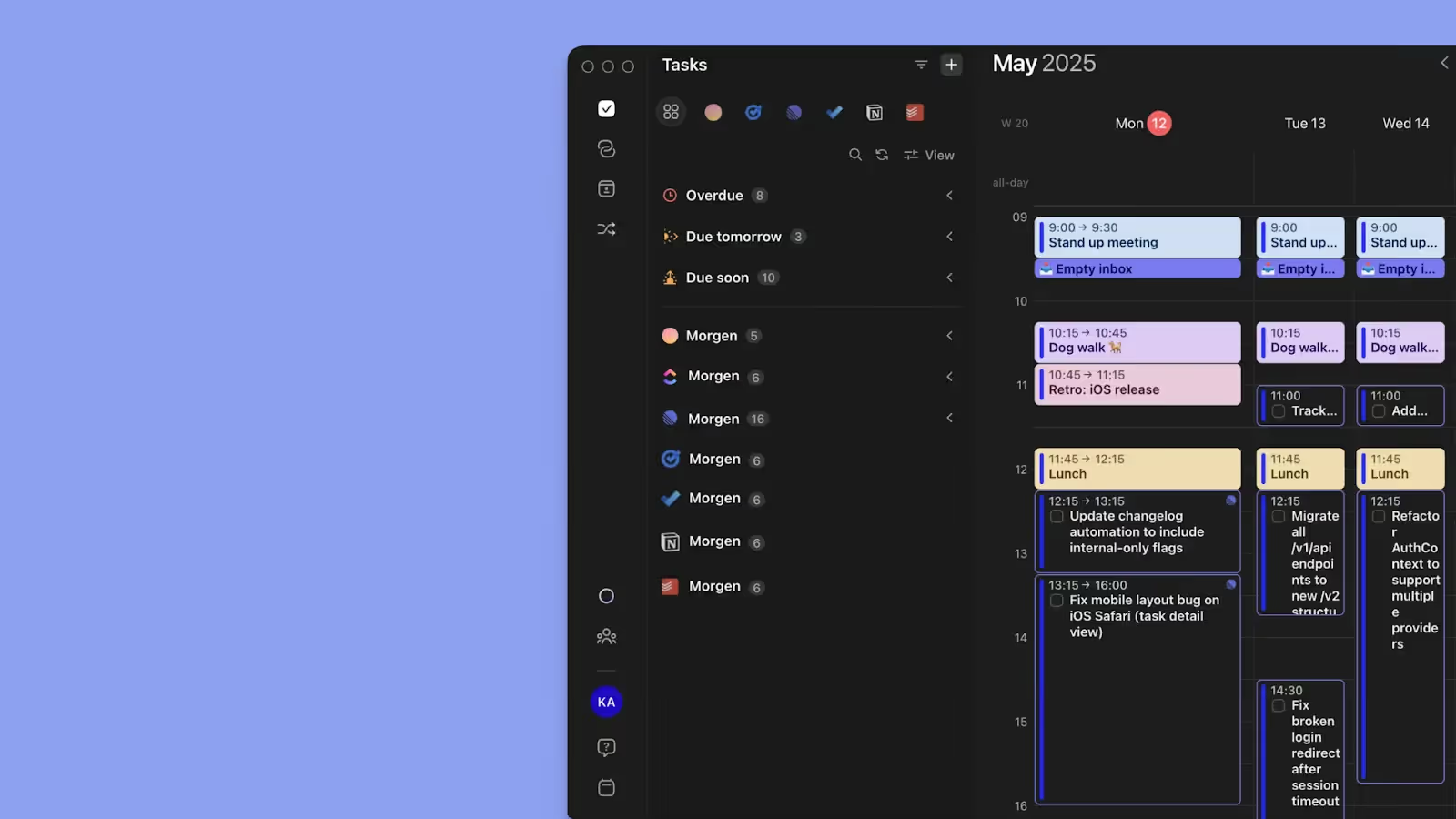
Morgen integrates calendars, task managers, and video conferencing tools into a single planning surface, so you schedule tasks and meetings without leaving the app and sync every change to the source tools. 

Work and Personal Schedule Management

You need the best planner for personal and work calendars. 
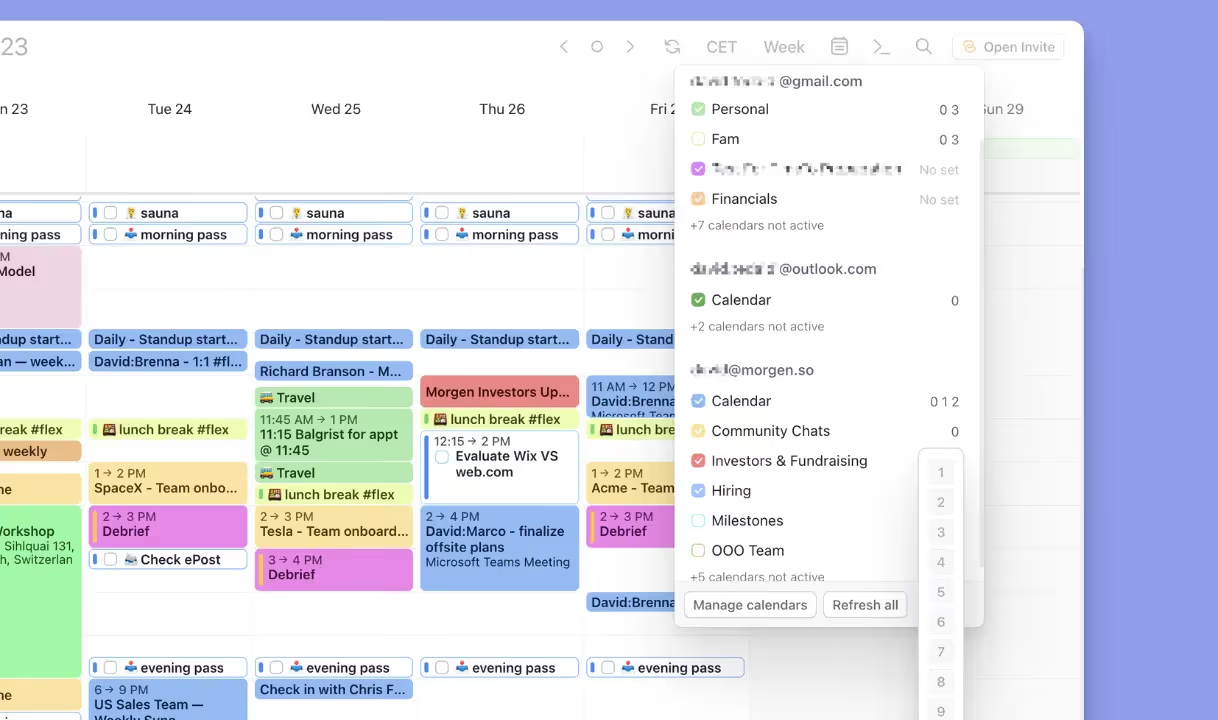
Morgen syncs multiple calendars into one interface, so professional meetings, personal time, and recurring commitments coexist without overlap.

💡

Tip: Use Calendar Sets to access calendars with shortcuts (0-9), and enable multiple time zones to plan travel, remote meetings, or global collaborations accurately.

Ease of Use, Customization, and Cross-Device Access

A daily planner should be intuitive and customizable as your workflow evolves.
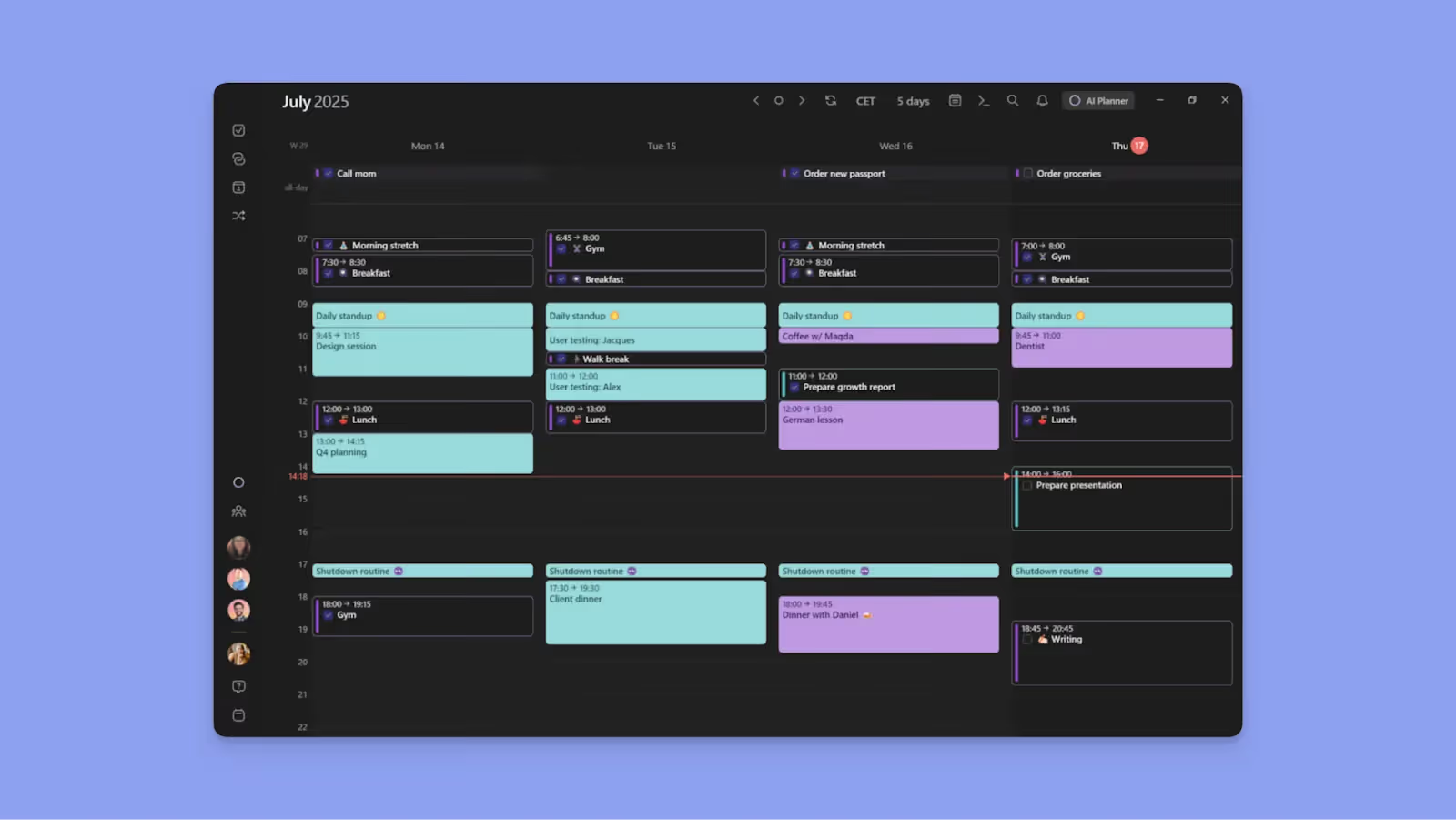
Morgen offers a clean interface with keyboard shortcuts, custom filters, and full support across desktop, mobile, and web, making it suitable for both work and personal planning.

Download Morgen for macOS, Windows, Linux, Android, or iOS, or start on the web. 

Organize Your Day Effortlessly With Morgen

Start smart scheduling with Morgen instead of juggling calendars, tasks, and meetings across scattered tools. 

This task manager gives you a single, time-blocked view of what you need to focus on each day. When plans change, the AI Planner suggests rescheduling or reprioritizing your commitments, and you stay in control by approving only what makes sense.

Start your Morgen free trial today and reclaim your productive time.

About the author
Morgen Team
The Morgen Team is a group of engineers, designers, and growth leaders building a calendar-first productivity platform that helps people plan realistically and focus on what matters most. With backgrounds spanning AI, software engineering, growth, and product design.
January 22, 2026
-
Comparisons

5 Best Smart Planners to Organize Your Day Better in 2026

Morgen Team
5 Best Smart Planners to Organize Your Day Better in 2026

Is your schedule spread across calendars, project management tools, meetings, and endless unscheduled to-dos? You need smart planners to structure your day in minutes and build a time-management system that 82% of professionals lack. 

In this guide, we'll analyze five daily planners, compare their features, share real customer perspectives, and help you choose the right tool for your workflow.

Best Smart Planners At a Glance

Smart Planner Best For Standout Feature Starting Price G2 Rating Capterra Rating
Morgen Individuals managing commitments across multiple calendars and task tools Assistive AI and frame-based scheduling $15/month 4.8 5.0
Motion Fully automated scheduling and built-in project management for teams Aggressive AI auto-scheduling $19/month 4.2 4.3
Reclaim.ai Teams using Google Calendar or Outlook for automatic planning Priority-based, habit-aware calendar automation Free, paid from $10/month 4.8 4.9
Akiflow Professionals who prefer using AI chat for scheduling Fast task capture with drag-and-drop time blocking $19/month 4.8 4.7
Sunsama Individuals and small teams that want mindful planning Guided daily planning and shutdown rituals $16/month (annual) 4.7

1. Morgen: Best Overall Smart Planner for 2026

Morgen consolidates multiple calendars, task management tools, and video conferencing platforms into a single calendar view. You plan your day by dragging tasks into open time slots or using AI to schedule more effectively, flag overlaps, and resolve priority conflicts.

💡

Tip: Morgen supports deep integrations with popular task tools. If your stack is not natively supported, you can connect additional apps via Zapier to pull tasks into your planning workflow.

Key Features

Morgen helps you structure routines, adjust plans as priorities change, and use AI-assisted conflict resolution while keeping complete control over your schedule. Here are some features you'll love:

Frames

Moregn Frames are recurring or one-off time blocks that define when you focus on specific types of work, such as deep work, meetings, or personal tasks. You can schedule tasks directly into Frames by dragging them in or letting the AI recommend tasks that match the Frame’s purpose, priority, and availability rules.

💡

Tip: Use Frames for high-attention work you cannot skip, and recurring tasks for lighter habits or personal routines that can move without disrupting your core schedule.

AI planner

The AI Planner helps you add tasks to your calendar view, reschedule or reprioritize when you have conflicting commitments, and schedule tasks within your frames.

After you add tasks or move meetings, it checks availability, deadlines, and other priority factors, then suggests where work fits best based on your existing Frames. 

When the AI Planner suggests placements, you can preview or edit the plan before approving any changes, so you'll still have granular control of your schedule.

📌

Note: The AI planner works best when you already have tasks and at least one Frame on your calendar view. With Frames, the AI planner will accurately set the best placements because it relies on your overall availability

Unified Calendar and Task View Across Sources

Morgen consolidates calendars from Google and Outlook, Apple, and Fastmail, along with tasks from tools like Notion, Todoist, Linear, ClickUp, and Obsidian, into a single visual timeline. 

The task sidebar lets you filter and group work using all-tasks filters, such as Morgen Priority Factor, source, space, due date, list/project, priority, created date, and updated date. You can also order tasks from specific tools (like Linear), and you’ll see filters like state, cycle, project, label, etc. 

Drag tasks directly onto your calendar to time-block them and switch between day, week, month, or custom views based on how you plan.

Pricing

Note: Morgen plans include a 14-day free trial and a 30-day money-back guarantee.

Plan Annual Subscription Monthly Subscription
Individual $15/month $30/month
Teams $10/seat/month $25/seat/month

Discounts available: 15% off your first year when switching from Motion, Reclaim, Fantastical, Akiflow, or Sunsama. Students with a valid institutional email are eligible for a 25% discount.

Where Morgen Shines

  • Fast task capture with the command bar: Accessing Morgen on the web or desktop app, Ctrl+K or Cmd+K lets you add tasks or events instantly from anywhere in the app
  • Break down complex work: Use subtasks to split large projects into actionable steps, and schedule steps across multiple work sessions on your calendar
  • Color-coded visual clarity: Set unique colors for calendars, task lists, and events to make work, personal time, and priorities easy to distinguish at a glance
  • Granular availability and flexibility controls: Mark time deep focus work as "Busy," and set tasks as "Not Flexible" to protect focus blocks from meeting requests and AI rescheduling

Where Morgen Falls Short

  • Limited productivity analytics: Morgen doesn't offer insights into how you spend time
  • Desktop-first design: The full feature set works best on desktop, mobile apps handle schedule viewing and task completion only

Customer Reviews

Morgen has a positive 4.8/5 customer rating on G2, with Sude Y calling it "one of the most intuitive and practical interfaces."

On TrustPilot, Sefa Burak Çam says Morgen has increased his efficiency a lot:

Who Morgen Is Best For

  • Busy professionals managing multiple calendars and task tools across work and personal life: Freelancers, developers, marketers, and solopreneurs who want AI-assisted planning without surrendering control to full automation

Automate smart planning workflows now, with Morgen Assist.

2. Motion

Motion replaces multiple productivity tools with one automated system that combines task management, project planning, scheduling, and AI assistance, and continuously reorganizes work based on deadlines and priorities.

Key Features

  • Comprehensive AI automation: Auto-prioritizes tasks, builds schedules, reshuffles work, and adapts as deadlines or meetings change
  • Replaces task and PM tools: Combines to-do lists, projects, Gantt charts, meeting scheduling, and documentation
  • Team-ready integrations: Works with Google Calendar, Microsoft Outlook, Slack, Zapier, Salesforce, and more

Pricing

Plan Annual Billing Monthly Billing
Individual $29/month $49/month
Teams $19/seat/month $29/seat/month

Where Motion Shines

  • Full-featured project management: Includes projects, dependencies, and workload planning suitable for team-based execution
  • Automatic smart planning: AI prioritizes tasks, flags deadlines, and removes meeting scheduling friction once preferences are learned

Where Motion Falls Short

  • High cost: Comparing Morgen to Motion, the latter is almost twice as expensive on the annual plan
  • Steep learning curve: Dense interface with many buttons and repetitive clicks before workflows feel intuitive

Customer Reviews

"I find entering data in Motion challenging because there are too many buttons on the task list," says Harrison G.

"Motion has completely transformed the way I manage my time and priorities," shares Chadi R.

Who Motion Is Best For

  • Busy teams: Organizations that want aggressive AI automation across projects, tasks, and schedules

3. Reclaim AI

Reclaim.ai is an AI-driven calendar management tool that automatically schedules tasks, habits, meetings, and focus time inside Google Calendar or Outlook. It takes a full automation approach similar to Motion, continuously reshuffling your schedule as priorities change.

Key Features

  • Full automation: Automatically reschedules your tasks and events when meetings or priorities shift
  • Deep calendar integrations: Works natively with Google Calendar and Outlook, plus task tools, Slack, and scheduling links

Pricing

Plan Annual Billing Monthly Billing
Free Forever $0 $0
Starter $10/seat/month $12/seat/month
Business $15/seat/month $18/seat/month

Where Reclaim AI Shines

  • Free forever plan: Rare among the best planners for productivity and ideal for testing AI scheduling long term
  • Hands-off daily planning: AI manages focus time, habits, meeting links, and even syncs availability to Slack

Where Reclaim AI Falls Short

  • No human-in-the-loop control: Limited customization makes it less suitable for ADHD users or planners who want flexibility
  • No mobile app: A desktop-only experience that can feel restrictive, as you can't plan or view schedules on the move

Customer Reviews

"Honestly, I wish there was a mobile app for Reclaim," says Christian A.

"It’s great for balancing work and personal goals without extra effort," shares Andrea F.

Who Reclaim.ai Is Best For

  • Teams and advanced users: People who rely on Google Calendar or Outlook and prefer fully automated scheduling

4. Akiflow

Akiflow gives you full control over daily planning with a human-in-the-loop approach and consolidates calendars, tasks, and inboxes into one workspace, so you decide what gets scheduled and when.

Key Features

  • Bi-directional integrations: Syncs tasks and calendars with tools like Google Calendar, Outlook, Notion, ClickUp, and email
  • Aki AI assistant: Chat with Aki to prioritize tasks, decide what to work on next, and auto-assign tasks to projects

Pricing

Plan Price
Pro (Yearly) $19/month
Pro (Monthly) $34/month

Where Akiflow Shines

  • Offline mode: Plan and manage tasks even without an internet connection
  • Command bar workflows: Fast task capture and scheduling using keyboard shortcuts

Where Akiflow Falls Short

  • Slack syncing limitations: Tasks marked “later” in Slack do not fully sync back when completed
  • No subtasks: Does not let you break complex tasks down into smaller tasks, making it overwhelming

Customer Reviews

"Akiflow is honestly the first productivity tool I’ve been able to stick to," shares Lucie on G2.

"Slack tasks are saved by marking them as 'later', which is neat. But when I'm done with the task in Akiflow, it doesn't automatically sync with Slack," says a user on Capterra.

Who Akiflow Is Best For

  • Power users and consultants: Professionals who prefer manual, keyboard-driven time blocking with minimal automation

5. Sunsama

Sunsama is a daily planner focused on intentional planning rather than heavy AI automation. It is designed for professionals and ADHD users who want calm structure, daily rituals, and schedules that adapt to energy and focus levels.

Key Features

  • Pulls tasks from PM tools: Integrates with Trello, Asana, Notion, and email, then syncs tasks into Google Calendar and Outlook
  • Energy-aware scheduling: Drag and drop tasks into your calendar to plan for mindful productivity

Pricing

Plan Price
Annual $16/month
Monthly $20/month

Where Sunsama Shines

  • Mindful, low-overwhelm planning: Combines calendars, tasks, and PM tools into one calm interface for deliberate daily scheduling
  • Focus mode and Pomodoro: Helps you work deeply when energy is high without pushing over-automation

Where Sunsama Falls Short

  • Manual planning overhead: Daily scheduling can be monotonous and consumes a lot of time
  • Schedules 'today-only': Does not offer weekly or monthly scheduling, and unfinished tasks do not get rescheduled for later, so Sunsama is not ideal for managing long-term or complex projects

Customer Reviews

"Sunsama is the best solution that I’ve tried so far in terms of time management, to-dos, calendar, note-taking," says Erin B.

"It's difficult to put together the broad brush strokes for a project within Sunsama," shares Derek S.

Who Sunsama Is Best For

  • Professionals seeking balance: Users who want mindful daily planning and structure without AI automation

How to Choose the Best Smart Planner

You need a daily productivity planner to reclaim time you would have spent planning which tasks to handle, when to eat lunch, or which meetings to attend. So, look for features such as: 

Automation

According to this McKinsey study, AI is now better at reasoning, planning, and adapting to changing variants. But you need to decide whether you want AI suggestions or hands-off automation from your smart planner.

Morgen offers scheduling suggestions for task placement and conflict resolution, and you approve changes before adding them to your calendar view.

Read our guide on what AI planning means, plus more features you need in your stack.

Deep Platform Integrations

Frequent app switching disrupts focus, with 23% of professionals reporting reduced attention when they jump between tools. A smart planner should consolidate your stack into one view.

Morgen integrates calendars, task managers, and video conferencing tools into a single planning surface, so you schedule tasks and meetings without leaving the app and sync every change to the source tools. 

Work and Personal Schedule Management

You need the best planner for personal and work calendars. 

Morgen syncs multiple calendars into one interface, so professional meetings, personal time, and recurring commitments coexist without overlap.

💡

Tip: Use Calendar Sets to access calendars with shortcuts (0-9), and enable multiple time zones to plan travel, remote meetings, or global collaborations accurately.

Ease of Use, Customization, and Cross-Device Access

A daily planner should be intuitive and customizable as your workflow evolves.

Morgen offers a clean interface with keyboard shortcuts, custom filters, and full support across desktop, mobile, and web, making it suitable for both work and personal planning.

Download Morgen for macOS, Windows, Linux, Android, or iOS, or start on the web. 

Organize Your Day Effortlessly With Morgen

Start smart scheduling with Morgen instead of juggling calendars, tasks, and meetings across scattered tools. 

This task manager gives you a single, time-blocked view of what you need to focus on each day. When plans change, the AI Planner suggests rescheduling or reprioritizing your commitments, and you stay in control by approving only what makes sense.

Start your Morgen free trial today and reclaim your productive time.