
.svg)
→ Choose Motion: if you want AI to create your schedule can build your workflow inside the platform
→ Choose Asana: if your team needs complex project planning with boards, lists, timelines, and workload balancing, and can migrate the whole workflow into a new tool
→ Choose Morgen if you want AI-assisted time blocking without surrendering control of your schedule or abandoning the task tools you already use
Motion and Asana solve different problems.
Motion is an AI-driven calendar planner with project management features; Asana is a structured project management platform with lightweight calendar views.
This guide breaks down features, pricing, and user sentiment so you can choose the right fit, and know when Morgen is the better option.
Motion vs Asana: A Quick Overview
| Software | Motion | Asana |
|---|---|---|
| Best For | AI-driven calendar planning for individuals and small teams | Teams of all sizes with complex projects |
| Standout Feature | AI auto-scheduling & calendar optimizer | Structured project management with multiple views |
| Pricing | $19/user/month, plans vary | Free plan, $10.99/user/month |
| Pros | Auto-schedules tasks; calendar + tasks in one interface; best for daily planning | Strong project views & structures; tons of integrations; great team collaboration |
| Cons | Expensive; complex setup; less depth for complex projects | Some features are locked behind costlier tiers; notifications can overwhelm some users |
| Project Management | Tasks, subtasks, recurring tasks, project timelines, team workload balancing, Kanban boards | Tasks, subtasks, milestones, dependencies & timelines, portfolios, advanced reporting, custom workflows |
| Calendar Features | Full two-way sync with Google and Outlook | Calendar view, but no time-blocking or AI scheduling |
| Integrations | Calendars, video conferencing, communication tools, and project management via native features | Slack, Salesforce, HubSpot, Microsoft, Google, Zapier plus marketplace apps, CRM, marketing, dev & finance tools |
| AI | Fully automated scheduling, rescheduling, and capacity management | Asana Intelligence, AI Teammates, smart workflows, AI Studio |
| Customer Support | Help center, in-app chat, email support, and tutorial sessions | Help center, Asana Academy, community forum, priority support (higher tiers) |
Who Is Motion Best For?
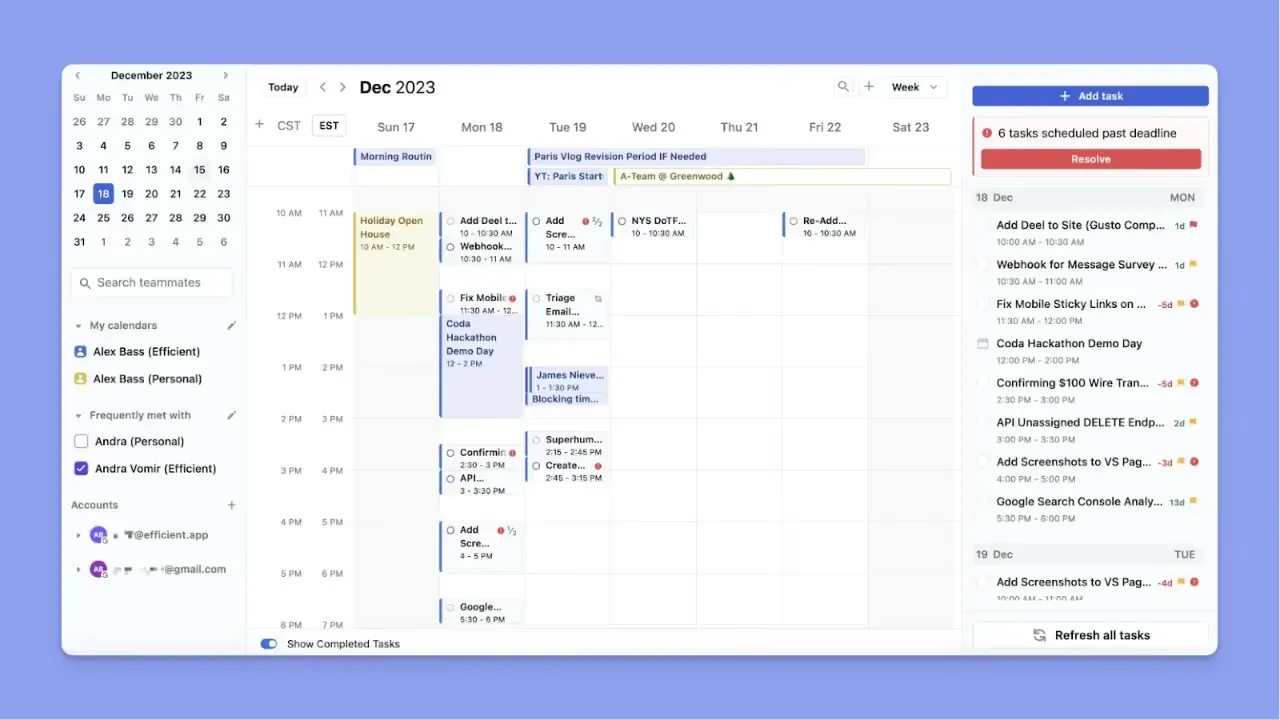
- Professionals who want AI to plan, prioritize, and time-block work inside calendars automatically
- Small teams that need shared scheduling and cross-calendar visibility
- Busy workers juggling meetings, tasks, and deadlines who benefit from adaptive workload balancing
Looking for more calendar planning solutions? Here are 12 Motion alternatives you can consider.
Who Is Asana Best For?

- Mid-sized to enterprise teams that need structured project tracking, task ownership, and clear accountability across departments
- Organizations that require custom workflows, reporting dashboards, and integration with CRM or business systems like Salesforce or HubSpot
Tip: Connect Asana to Morgen via Zapier. Set a trigger for new Asana tasks and push them directly into your Morgen task list for scheduling.
Morgen: An Alternative to Asana and Motion

If you work across different task tools and want to see tasks alongside your calendar, neither Motion nor Asana is really built for you.
As an alternative, Morgen layers on top of your existing calendars and task tools, helping you schedule your work around existing events. It’s best for:
- Individuals who already use different tools like Todoist, Notion, Linear, Obsidian, ClickUp, Microsoft To-Do, and Google Tasks, and don’t want to rebuild their workflows from scratch
- Professionals who need AI to suggest when to do tasks and reschedule conflicts, but with a human-in-the-loop approach
- People with ADHD or those who struggle with time blindness: Morgen externalizes the entire planning process by putting tasks and events on the same visual timeline
- Professionals juggling multiple calendars (personal, work, family) who want to prevent double-booking
| Tool | Team Plan (Annual) | Key Features |
|---|---|---|
| Morgen | $10/user/month | AI Planner and time blocking, unlimited calendar & task integrations, booking pages & scheduling links, desktop and mobile apps |
| Motion | $19/user/month | AI task auto-scheduling and projects & meetings, timeline & workload view, time tracking & dashboards (business) |
| Asana | $10.99/user/month | Tasks, boards, timelines (Gantt), dependencies & portfolios, workflow automation, reporting & dashboards |
Download Morgen 4 now and consolidate tasks and calendars.
Pricing
When choosing between Motion and Asana, the value you get from each will depend heavily on your team size and use case. Here’s how much they cost:
Motion
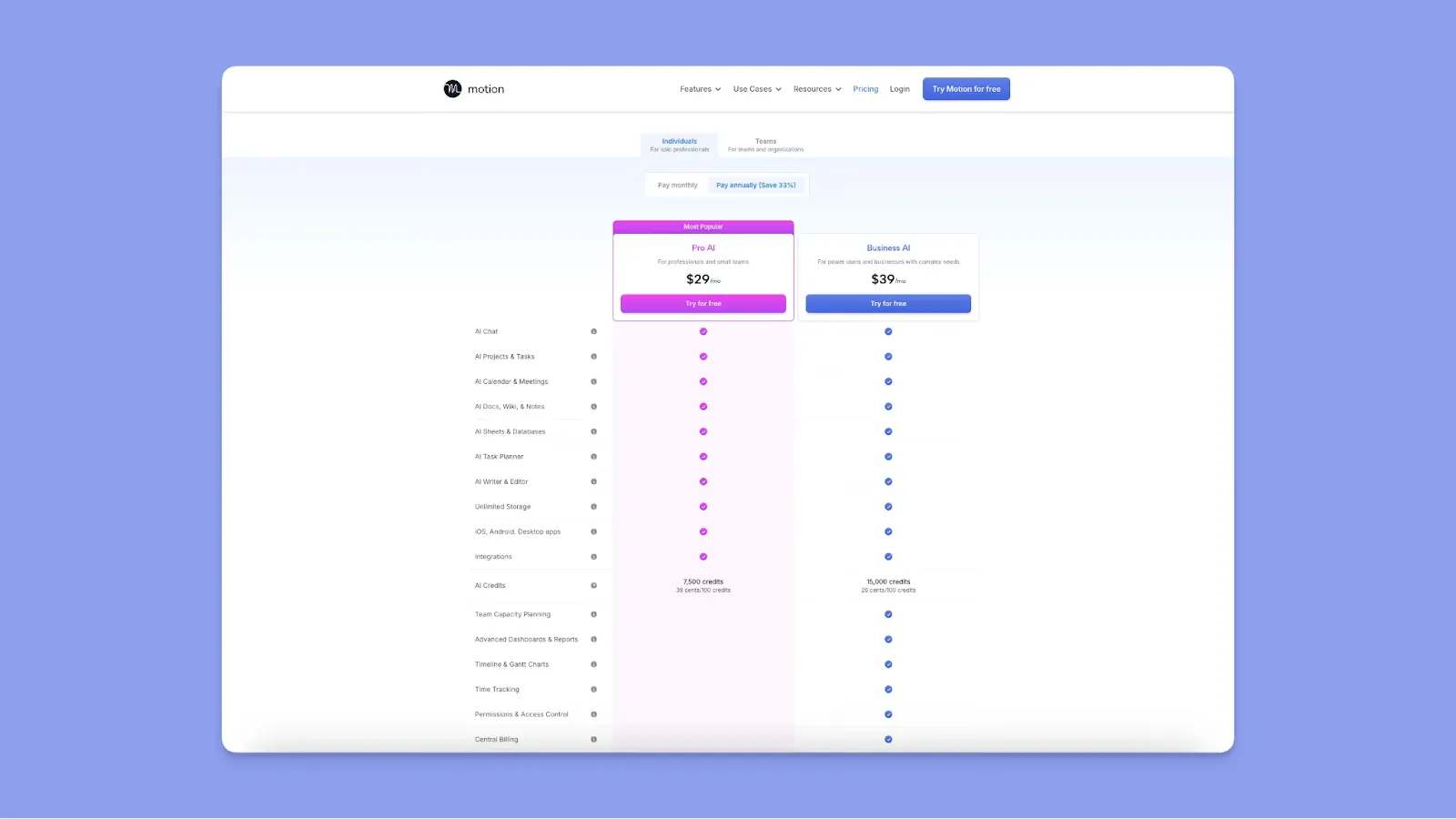
- The individual AI Workplace plan runs $29/user/month (annual), with 7,500 AI credits included
- Motion charges overages automatically when you exceed your monthly credits, around $0.39/100 credits
- Recent pricing changes have led users to pay 30% more. Many users, like this Capterra reviewer, are discouraged by Motion’s pricing: “Cost is too high to bring on for my small business right now.”
For a better look at how these costs compare to other industry leaders, check out our guide on Motion vs Monday.
Asana
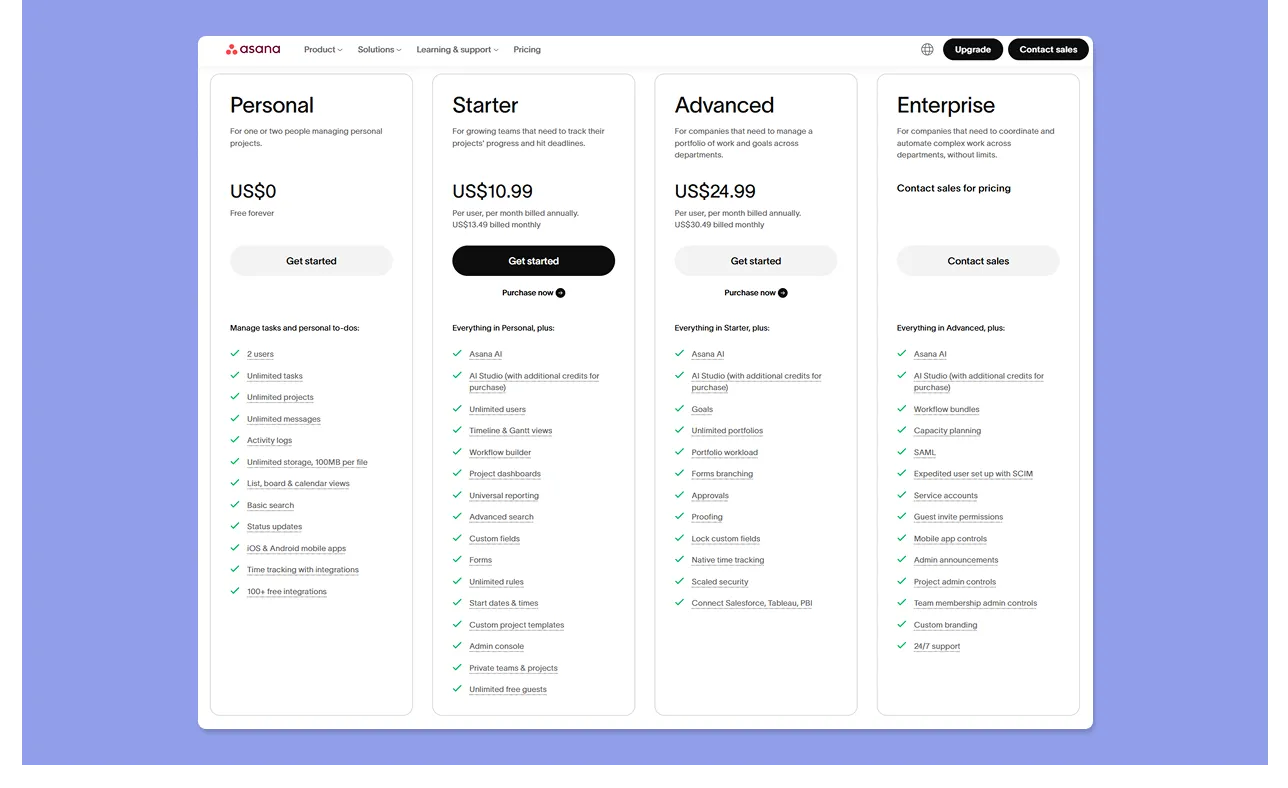
- Free Personal plan for two users. Starter is $10.99/user/month (annual) while Advanced is $24.99/user/month for extra PM features
- AI Studio credits are capped, with additional credits available for purchase at both tiers
- Reviewer Rose W mentions, "They charge for AI as an add-on.”
Verdict
Asana wins on entry price, although, like Motion, it carries hidden costs with AI Studio credits beyond the headline rates.
Project Management
82% of companies use project management software to drive organizational efficiencies. If you’re thinking of Motion and Asana, you’ll get:
Motion
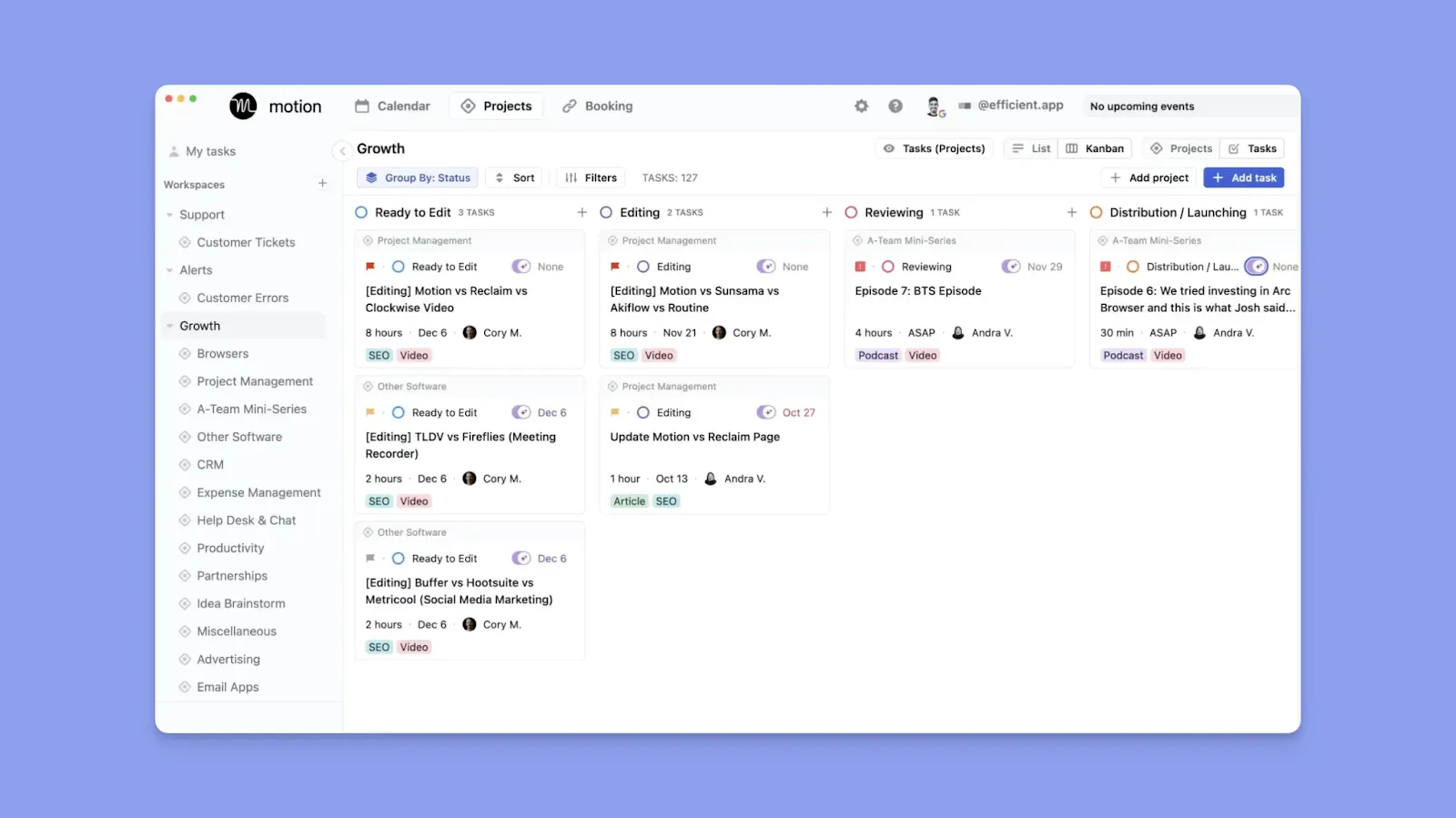
- Motion automatically schedules tasks across projects based on deadlines and capacity
- This user praises the automation, but notes that it becomes harder to manage larger, interdependent projects
- Workload and timeline views on higher tiers to help teams see delivery pacing and resource allocation
Asana
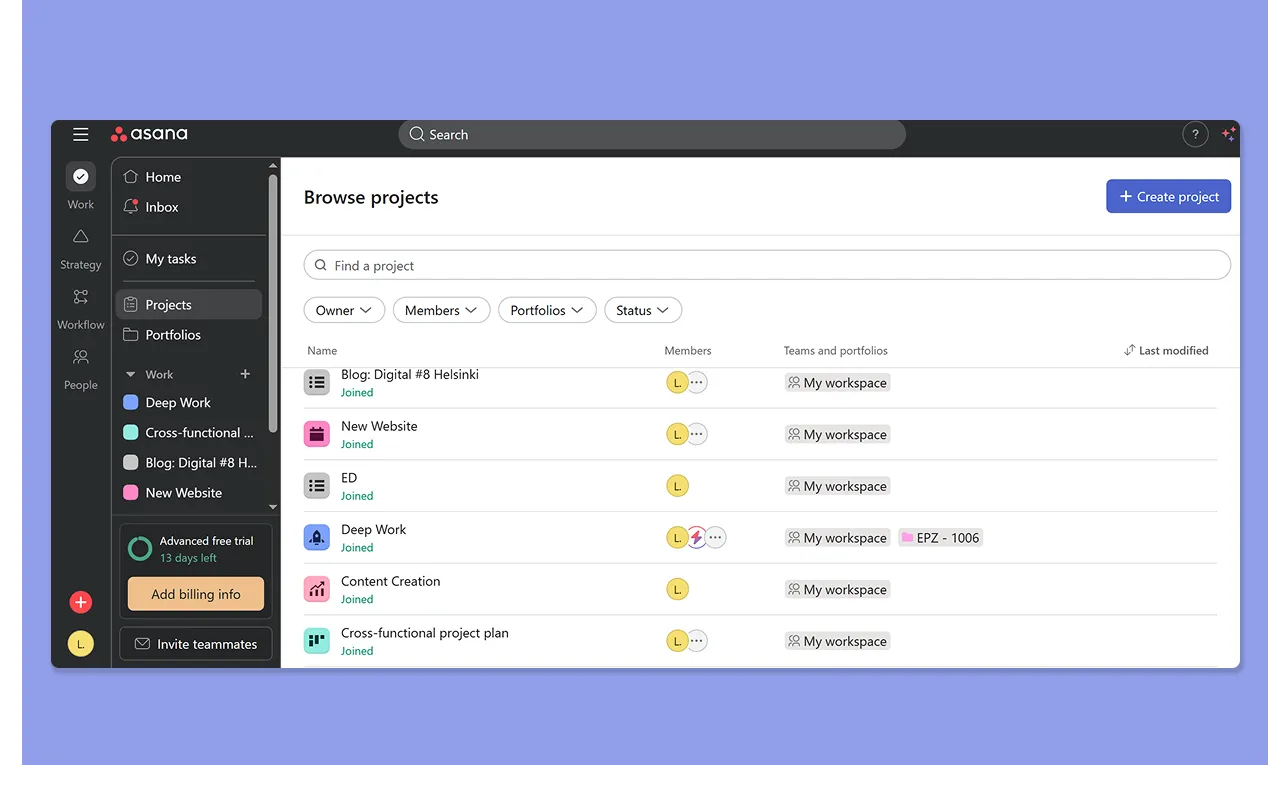
- You can build multi-stage workflows with task dependencies, custom fields, and automated status updates across list, board, and Gantt views
- Reviewers often highlight how Asana keeps projects organized and transparent
- In contrast, Stephanie P also warns you can “spend more time task tracking & recording than actually doing work that will drive outcomes.”
Verdict
Motion delivers helpful AI planning, but Asana provides more flexibility and scalability for complex project environments.
Calendar Features
Do you manage your day around a calendar? Motion is built around it; Asana treats it as a secondary view. Here’s more:
Motion
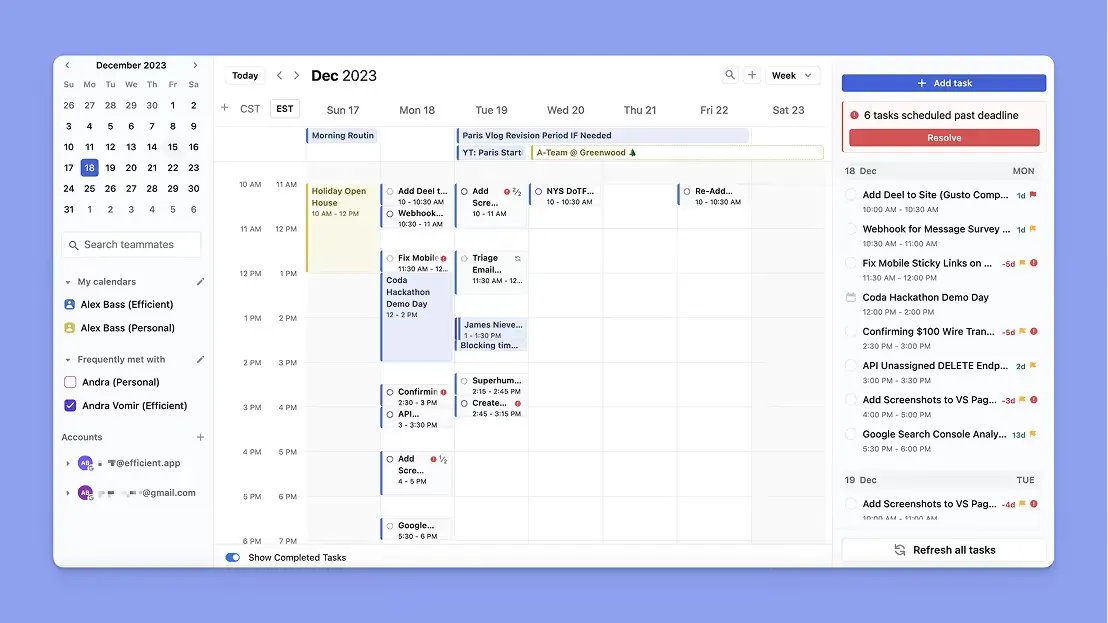
- Two-way sync with Google Calendar, Outlook, and iCal. Meetings block time automatically, and scheduled tasks appear directly on your calendar
- The AI schedules tasks directly onto your calendar as time blocks, adjusting automatically when meetings run long, or new priorities emerge
- However, this Redditor says Motion limits auto-scheduling to 31 days, which can restrict long-term calendar planning and future workload visibility
- Built-in booking pages and scheduling links with availability rules and buffers that write directly to your connected calendar. Morgan D says Motion simplified handling 10 to 30 appointment requests per week
Asana
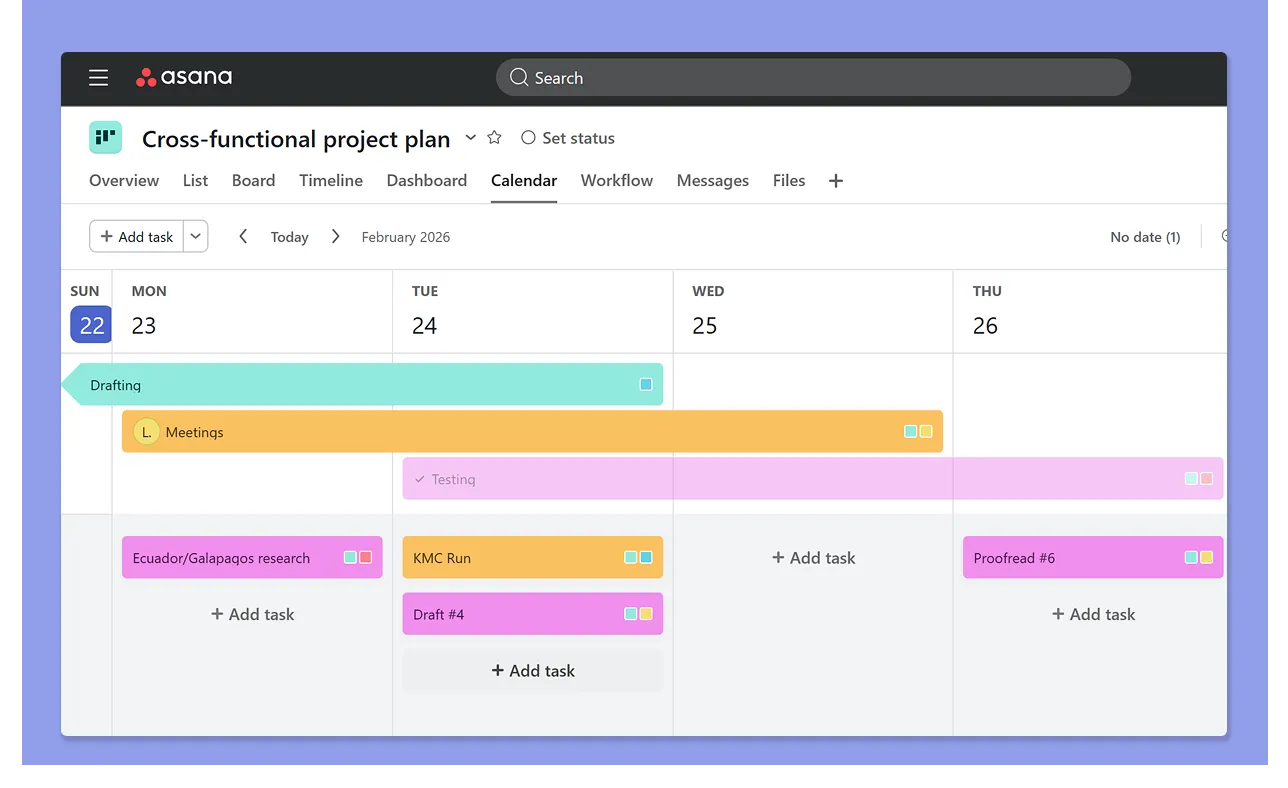
- Asana's built-in calendar view shows tasks with due dates, and you can also create new tasks from the calendar interface
- However, there’s no native AI scheduling on the calendar, no time-blocking, and no drag-and-drop task scheduling features
- You get color coding on the calendar view based on the project’s color, task priority, and status colors
Verdict
Asana offers a calendar view only, so if you want to plan your actual day, Motion is the better fit.
Integrations
For solopreneurs and small teams already using multiple apps, integration depth can dictate which tool suits your workflow best.
Motion
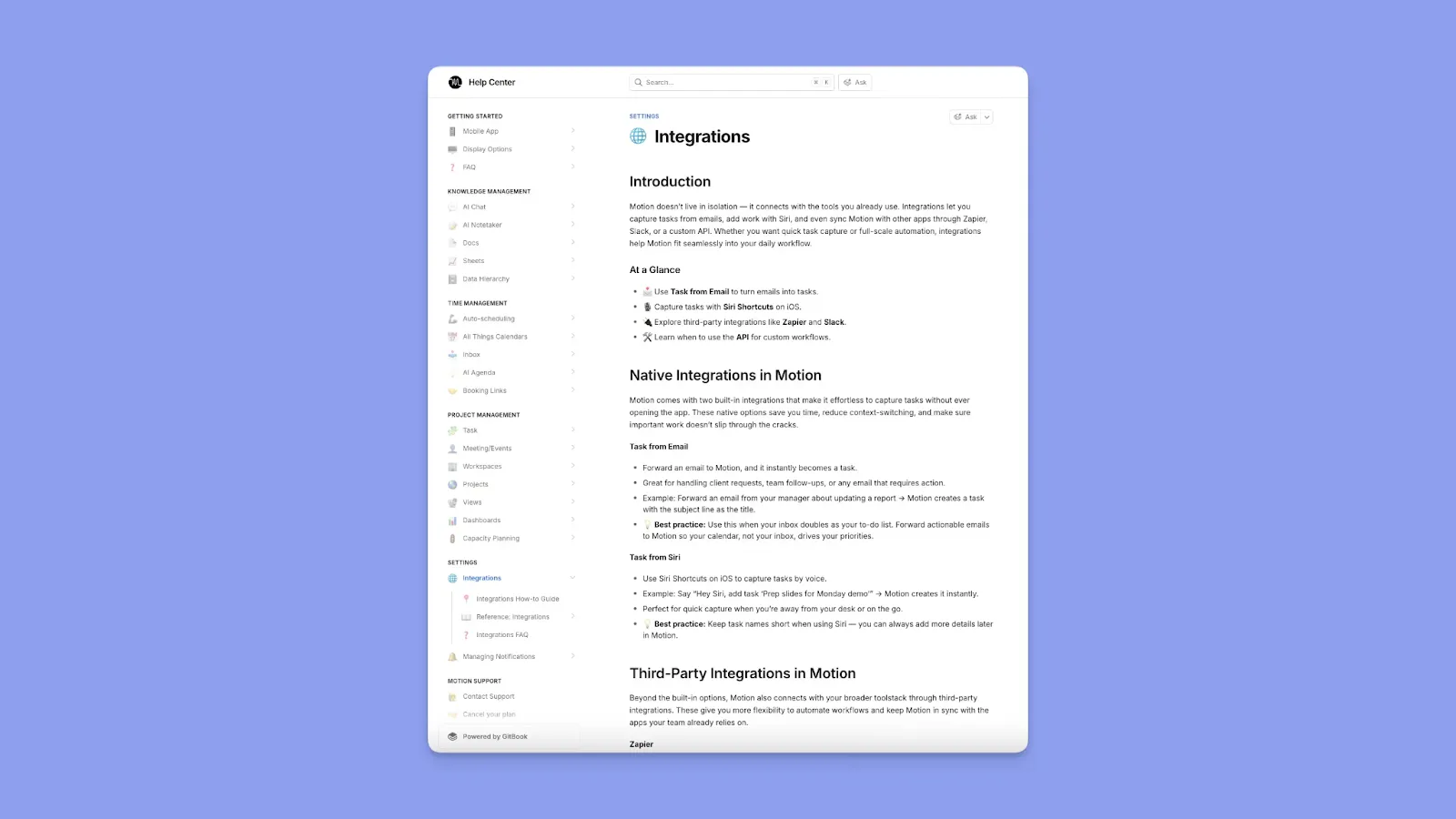
- Native integrations like: Google Calendar, Outlook 365, iCloud, Gmail, Zoom, Google Meet, and Microsoft Teams, with Zapier extending that reach to thousands of additional apps
- No native connection to popular task tools. Motion also offers an open API, which Devon H says helps him build new integrations for his workflows
Asana
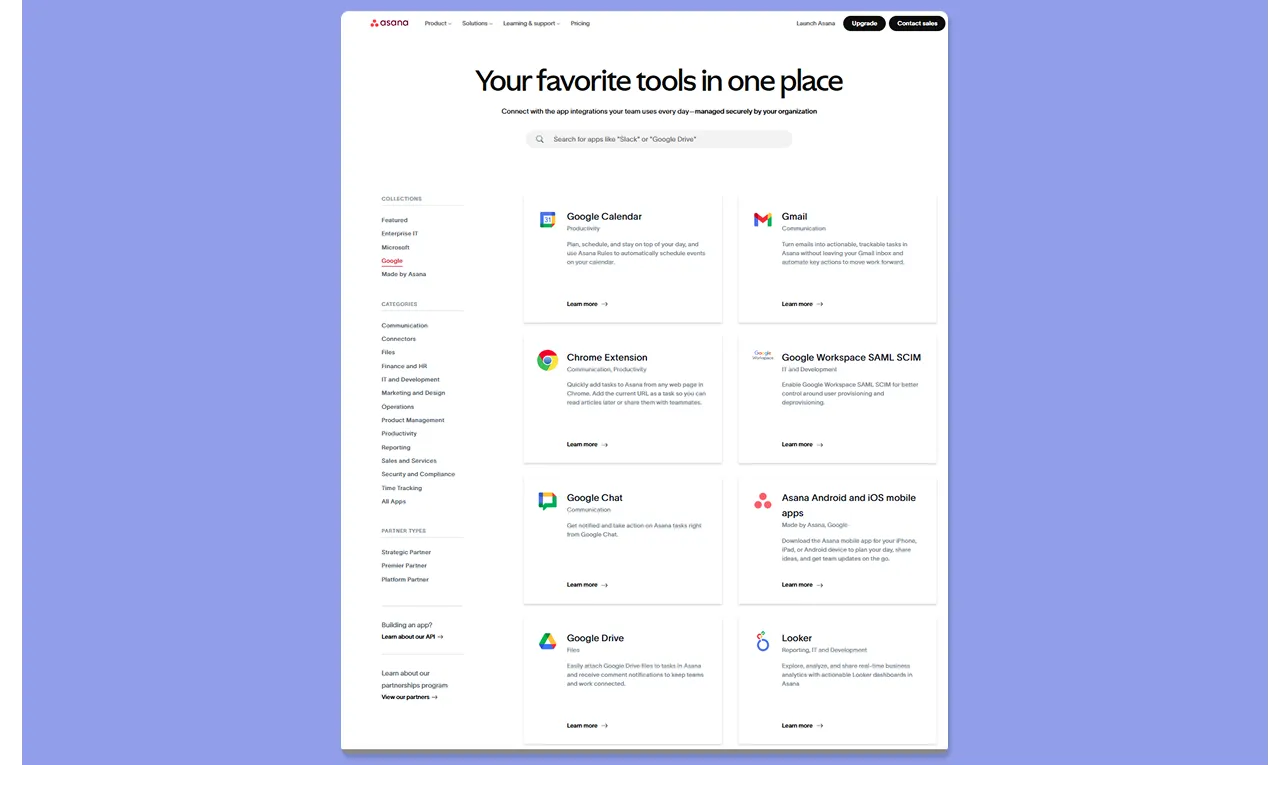
- Dedicated app marketplace organized by function, plus strong API and connector ecosystem for custom automation and enterprise workflows
- Eric T says, “There is an ever-growing list of integrations that help to make Asana relevant.”
Verdict
With apps across 13 categories and no connection caps, Asana fits complex, enterprise-grade stacks without friction. Motion covers the essentials well for calendar-centric workflows.
AI Features
You’ll either get AI managing your time or enhancing your project workflows. Here’s how Asana and Motion compare:
Motion
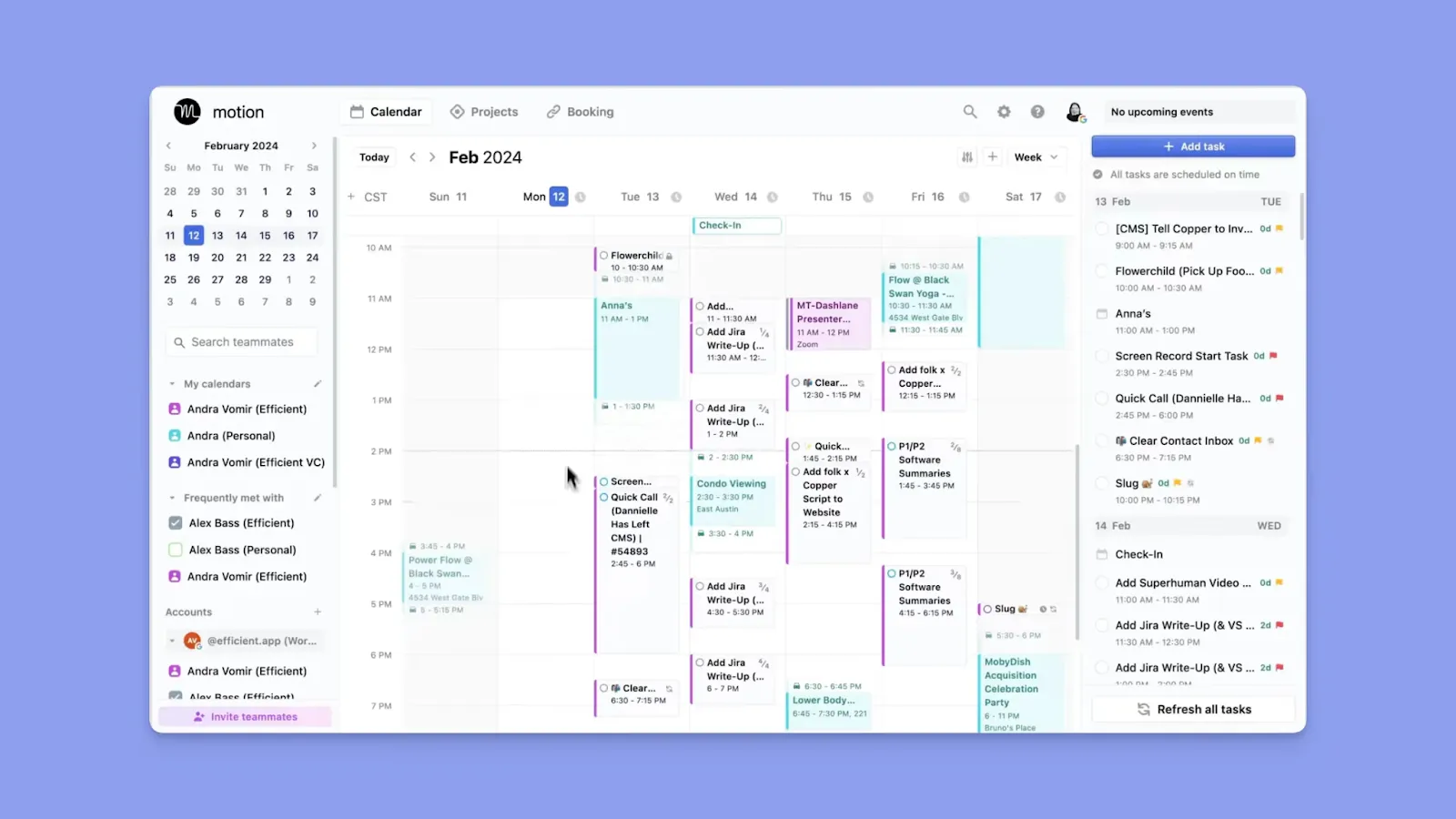
- Motion's AI engine analyzes your deadlines, priority level, estimated duration, existing meetings, and work hours to reshuffle your schedule when your calendar changes
- “The AI functionality is impressive,” shares Justin B, saying that by keeping tasks and calendars aligned, Motion improves productivity
-
Note: Motion requires extensive setup upfront, including defining working hours, priority rules, and project structures, before the AI can make reliable decisions on your behalf.
Asana
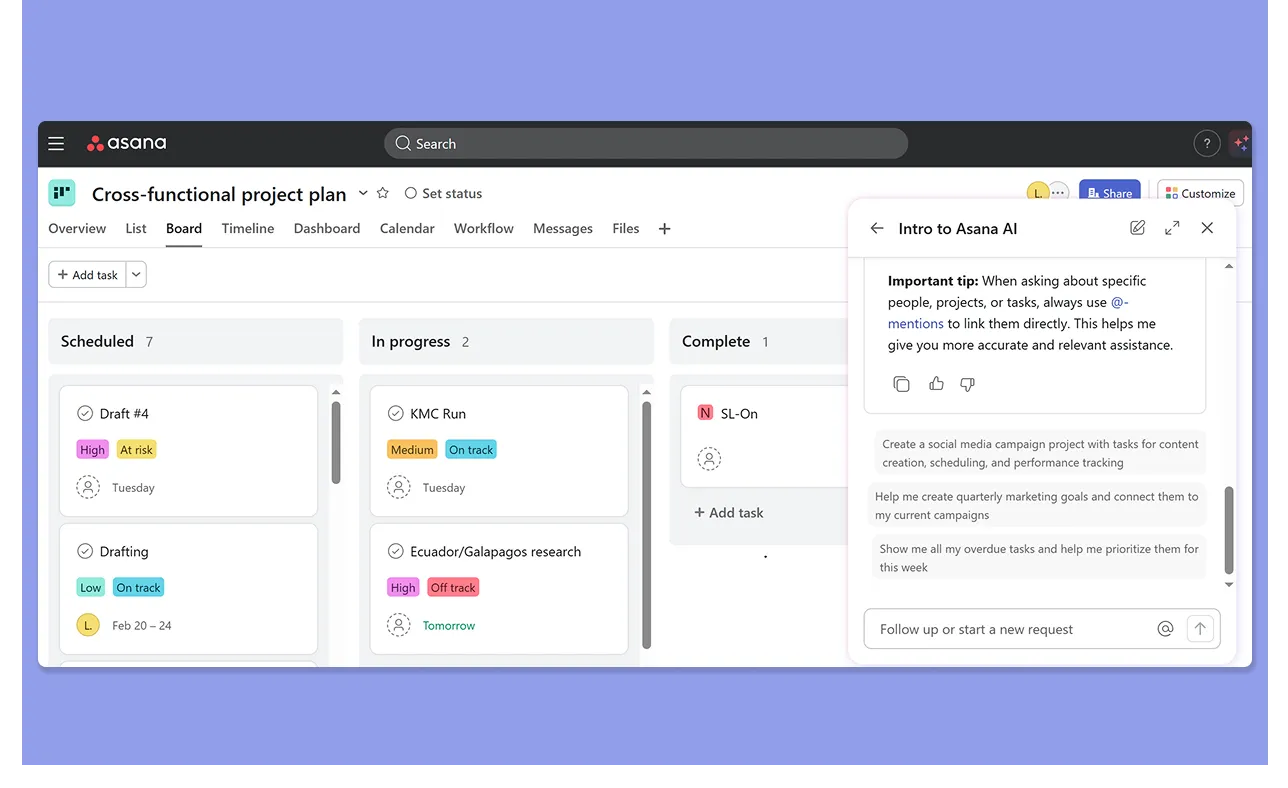
- Smart Assists to handle individual productivity tasks like writing summaries and surfacing blockers
- AI Studio is a no-code builder that lets you inject AI steps directly into repeatable workflows
- AI Teammates carry context across multiple people and teams through a "work graph memory" that builds institutional knowledge over time
- Asana's AI is team-oriented by design, focusing on organizational workflows and cross-functional coordination
Verdict
Motion works if you want AI to plan every day for you. Asana is best for teams that need AI embedded into structured workflows with governance and accountability.
Customer Support
Here’s how both platforms surface information and assistance when users need it:
Motion
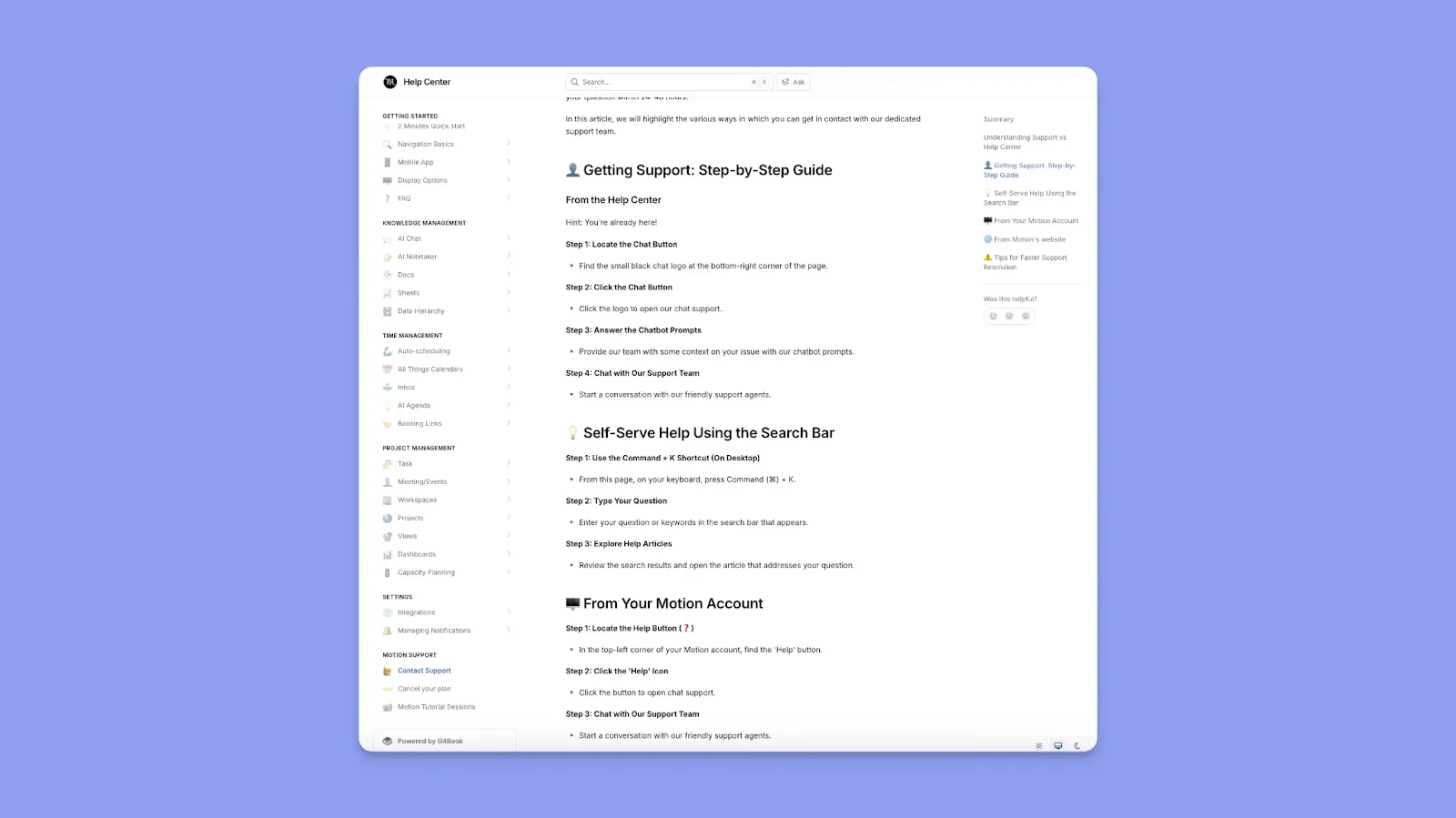
- Help Center knowledge base powered by GitBook with searchable documentation
- In-app support chat, tutorial sessions, knowledge bases, and onboarding resources
- Roby F describes support as “Fantastic.” Meanwhile, Reddit users lament “inadequate change management,” where customer support features change rapidly after UI updates
Asana
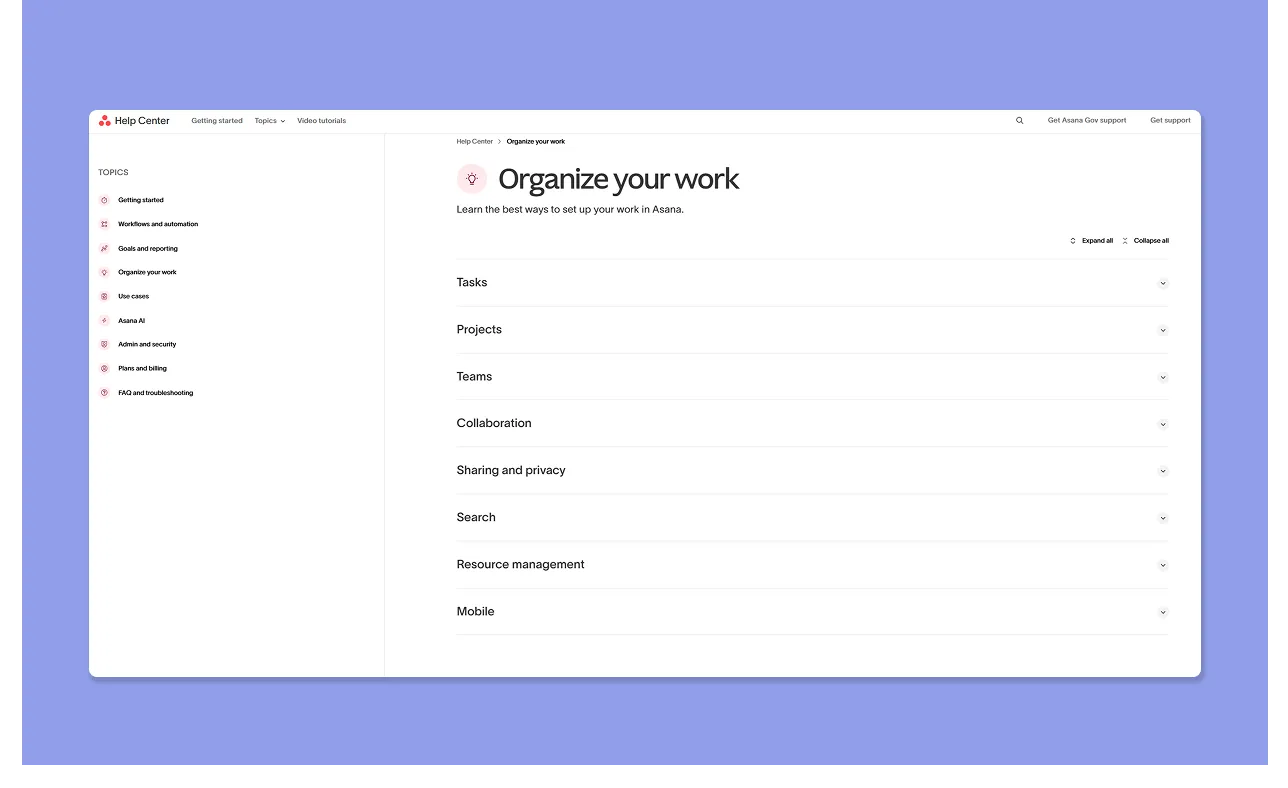
- Comprehensive Help Center with structured documentation
- Asana Academy with webinars, certifications, and guided learning paths, plus a Customer Success Community forum
- Many users find Asana’s customer support reliable, but this user shares that support can be slow, while Jonathan R calls it “awful.”
- On Reddit, users share that you typically get quicker responses on paid plans
Verdict
Asana offers more structured resources, but paid access speeds things up. Motion is more responsive, but less consistent when the product changes fast.
How To Choose A Time and Project Management Software
Knowledge workers toggle between apps over 1,200 times a day, losing up to four hours a week to context switching alone. Pick a tool that handles time and project management with the following features, and eliminate that loss before it compounds.
Work Structuring
Both Motion and Asana let you build projects natively, but you’ll recreate your existing workflow. If you already run tasks across different task tools, that is extra work.
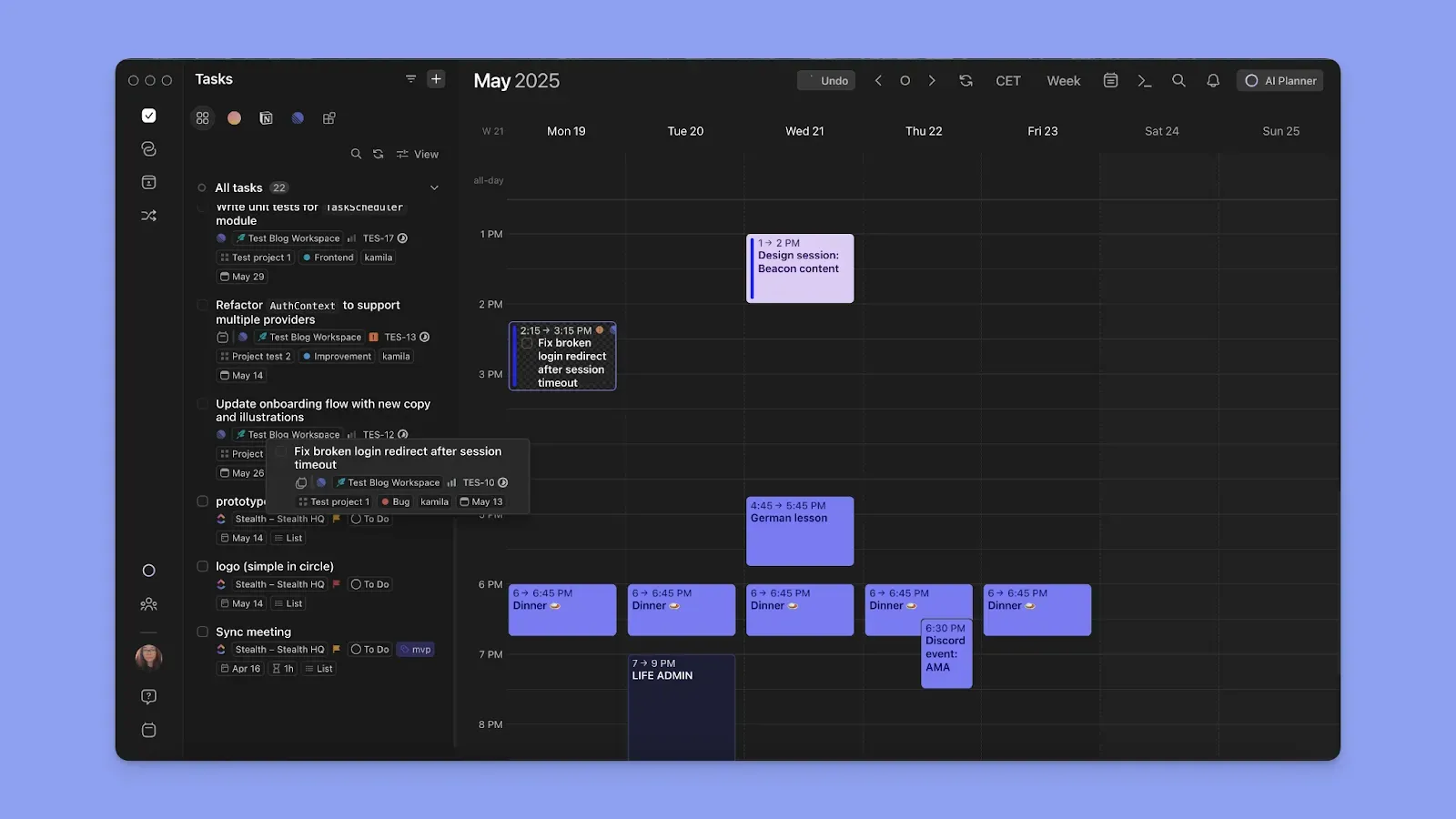
Morgen lets you pull projects from your existing workflows and schedule work directly on your calendar.
Tip: You can also create
Learn how to use Morgen for task scheduling.
Capacity Management
Motion auto-balances your workload across your calendar, and Asana offers workload views on higher tiers.
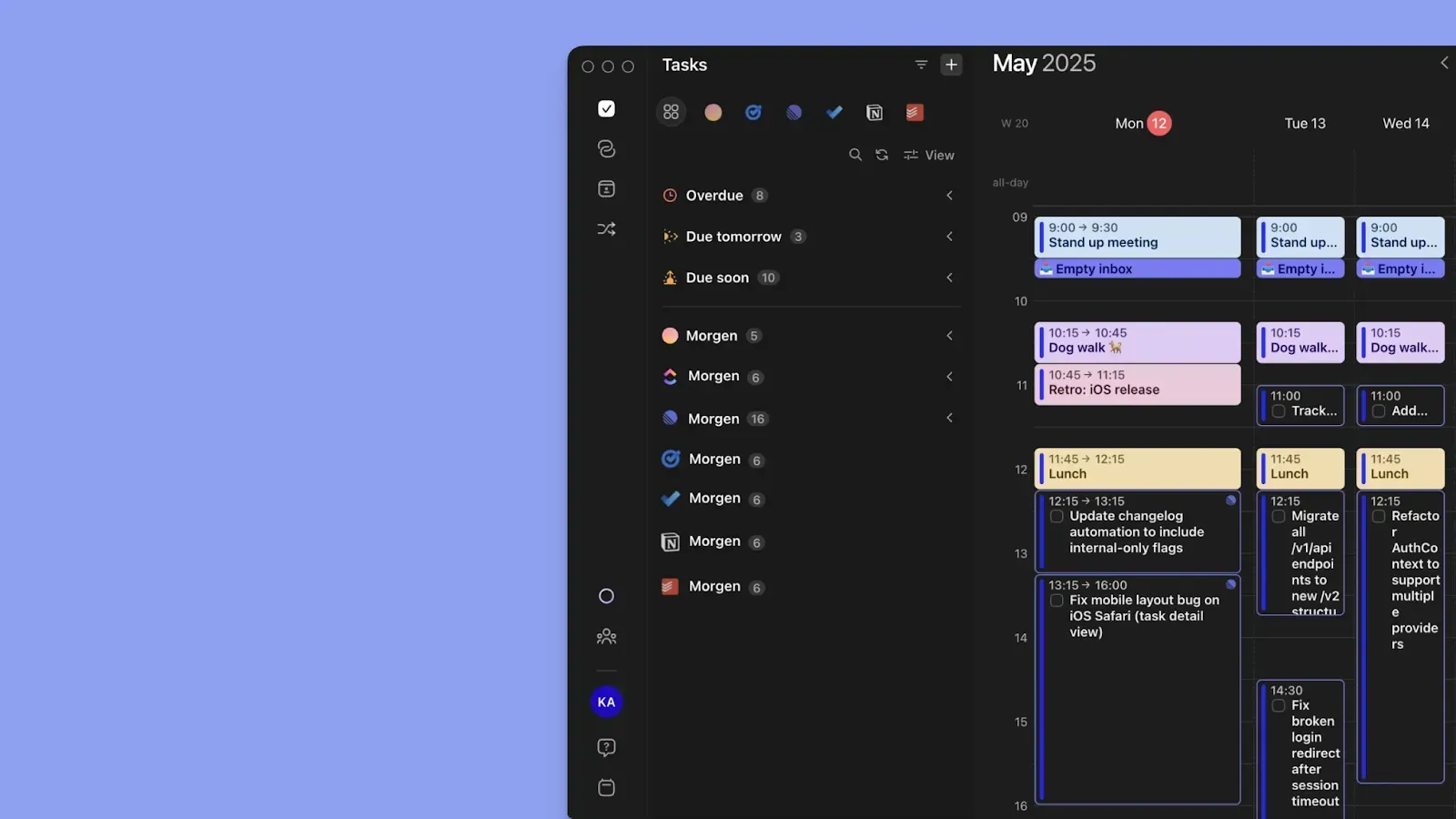
Meanwhile, Morgen surfaces capacity across every connected source. Because your task and calendar events all live in the same view, you can see actual available time before committing to anything new.
Tip:
Smart Scheduling
Motion's AI auto-schedules everything, while Asana does not schedule at all.
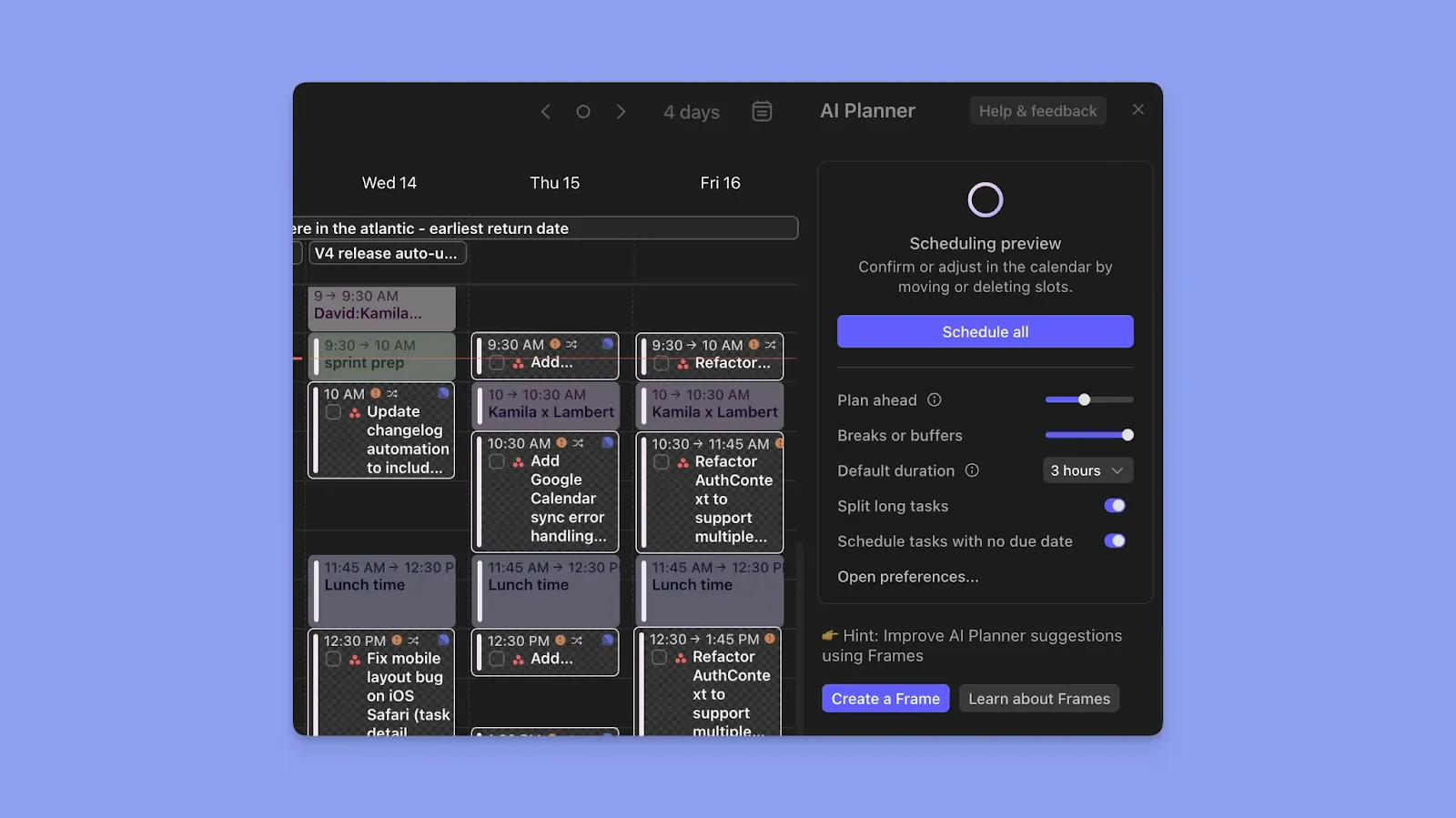
Morgen sits in the middle, with an AI Planner that suggests where to schedule tasks depending on your Frames, priorities, and existing events. You review the suggestions and approve them before anything lands on your calendar.
Tip: Mark individual tasks as "not flexible" so that even if you trigger “Reschedule with AI,” those tasks will not be moved.
Here’s how to plan your day using AI on Morgen.
Alternative To Motion and Asana: Morgen
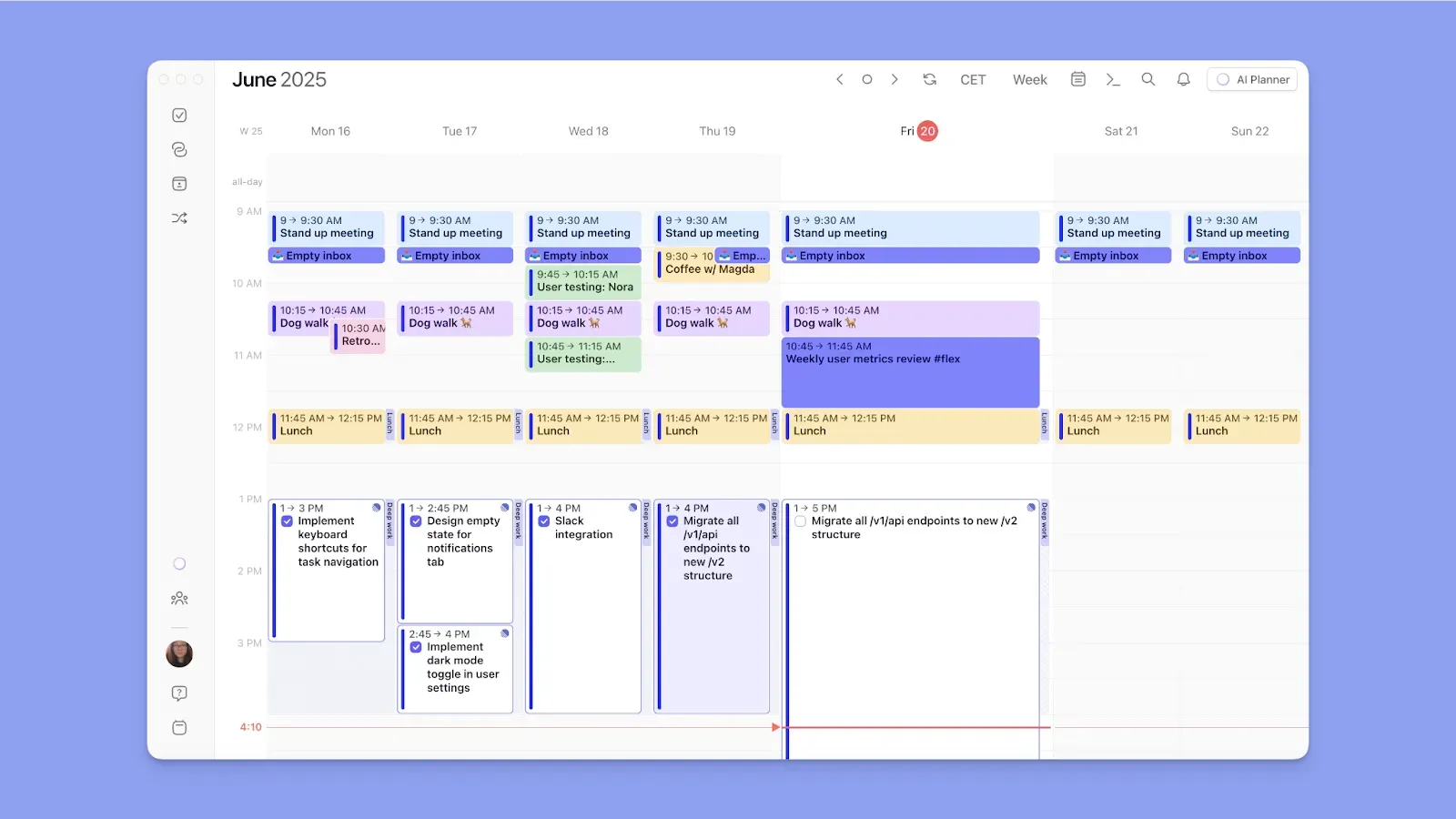
If you want calendar and task scheduling without rebuilding your workflows or handing your schedule to an aggressive AI platform, Morgen is a good alternative to Asana and Motion.
Key Features
Here is what makes Morgen different from both tools in practice.
Calendar and Task Tool Integrations

Morgen syncs to more calendar sources than both Motion and Asana, including Google, Outlook, Apple, and Fastmail.
You can also integrate Morgen with tools like Notion, Linear, ClickUp, Obsidian, and Todoist instead of replacing them. You can also use Morgen to connect these task tools to all your calendars directly. For example, create a direct link from Notion to Google Calendar, Fastmail, iCloud, Zoho Calendar, and Outlook.
Tip:
AI Planner with Human Approval
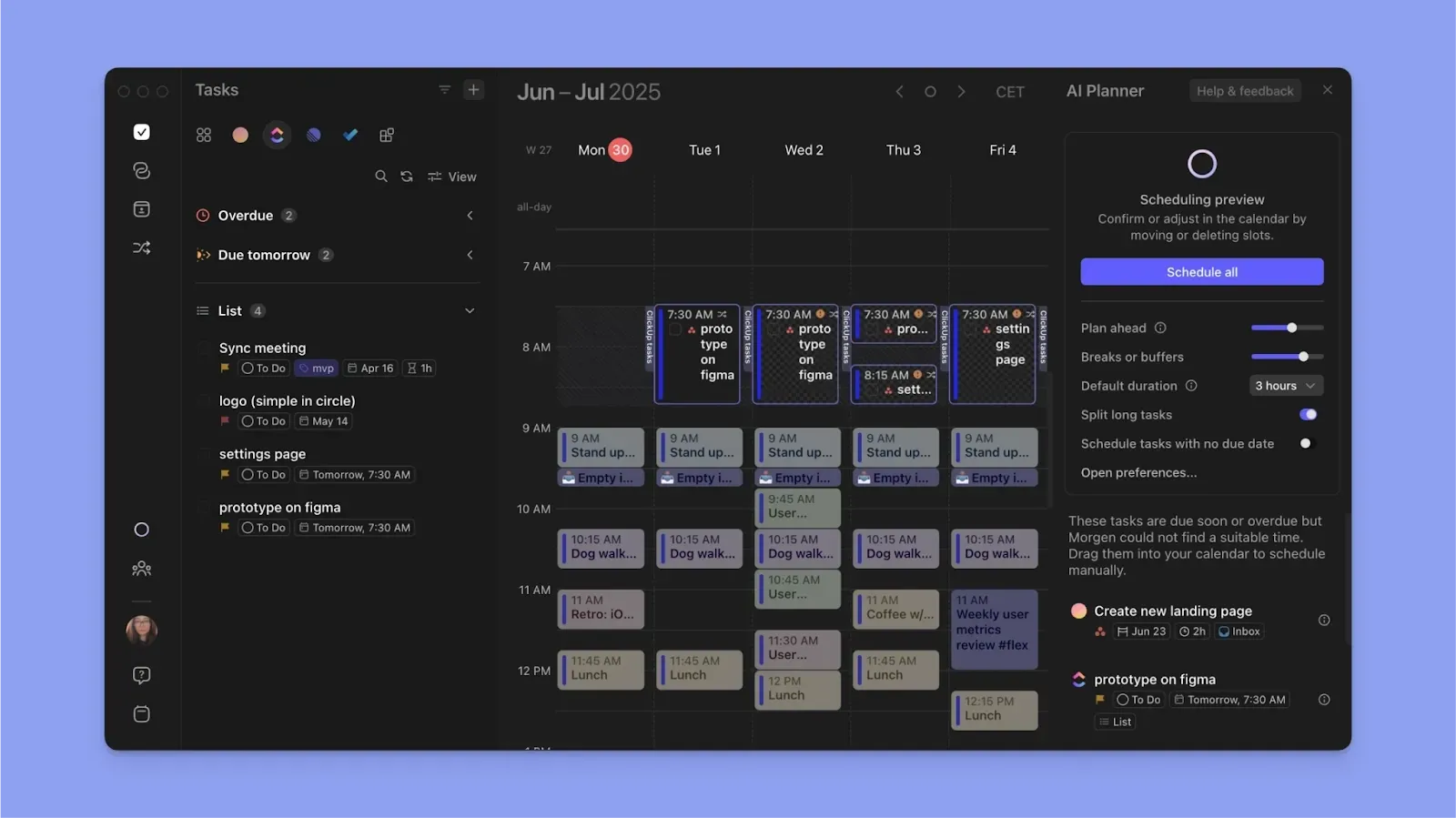
The Morgen AI Planner proposes a daily plan by analyzing calendar events, then prioritizing tasks based on deadlines, duration, and your available capacity. You review the proposed plan before approving.
Note: The AI Planner needs a task list and Frames to start suggesting schedules.
Templating Your Week with Frames
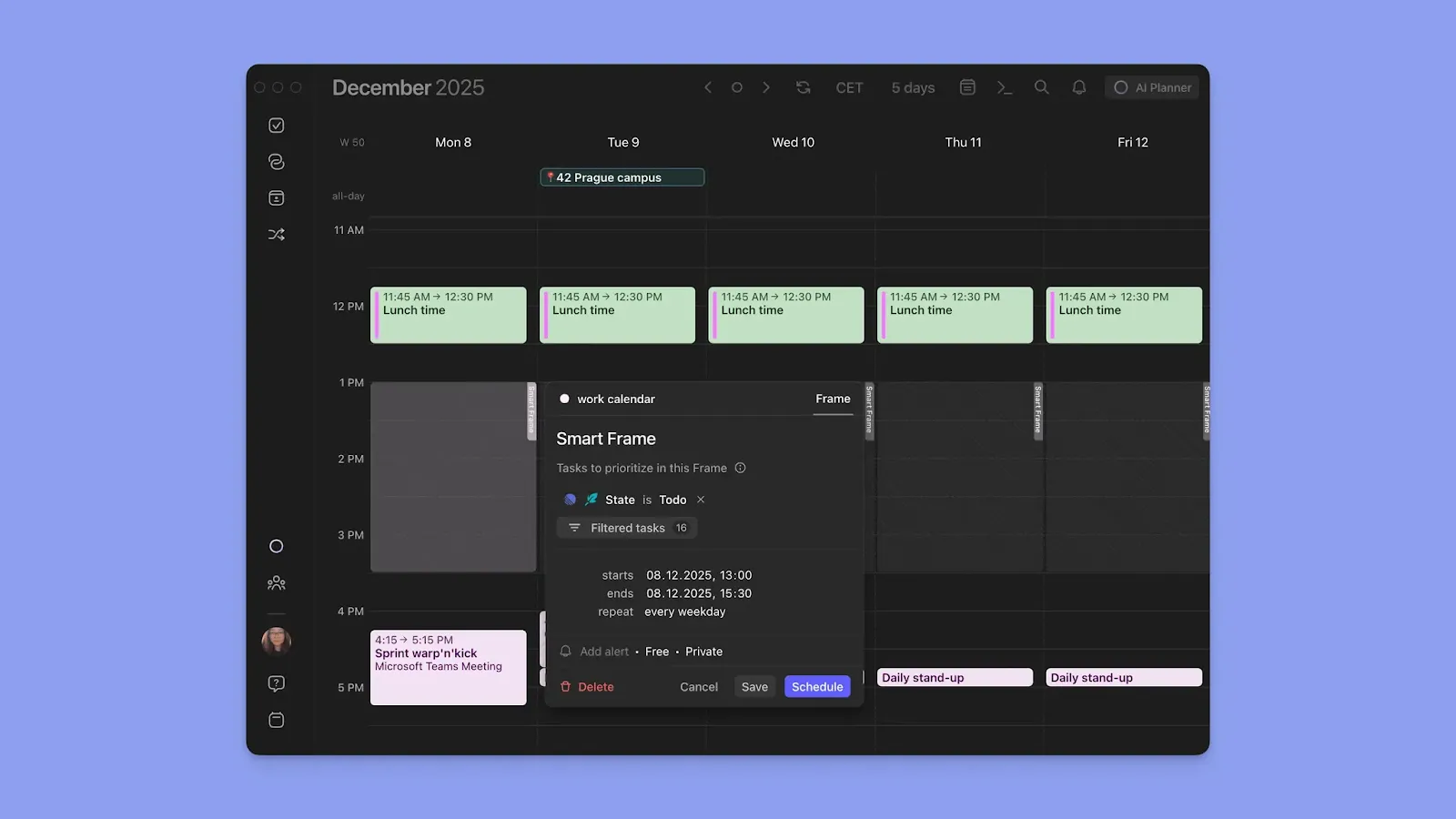
Frames let you carve out repeating focus blocks for specific work types and attach task filters for the tasks to schedule there.
Note: The AI Planner reads your Frame settings before making suggestions. Filter task population by source, list, tag, priority, or energy level, and the planner will only schedule matching tasks into that block.
Meeting Scheduling and Automated Workflows
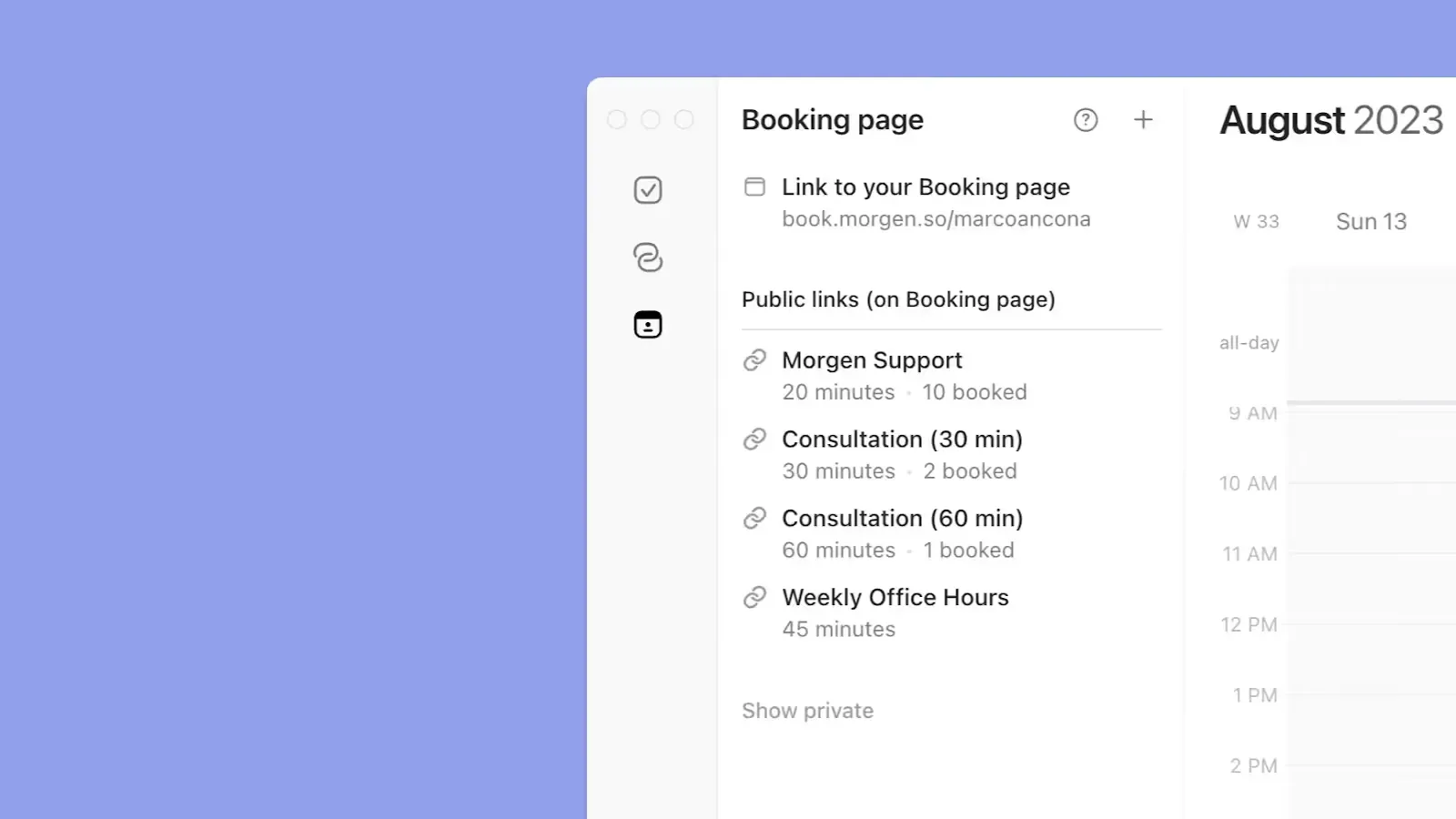
Create booking pages and scheduling links so clients or teammates can book meetings based on your real availability across all connected calendars. You can also auto-schedule travel time and buffer time blocks for your meetings.
Pricing
| Plan | Annual | Monthly |
|---|---|---|
| Individual | $15/month | $30 |
| Teams | $10/seat/month | $25/seat |
Note: Switching from
Where Morgen Shines
- Fast task and event capture: via command bar, on the Morgen outline, or using AI Assistant voice input
- ADHD-friendly: one visual timeline for tasks and events eliminates time blindness
- Recurring scheduling: Recurring tasks, Frames, and routines build a predictable structure into your week
Where Morgen Falls Short
- Not a project management tool. There are no task dependencies, Gantt timelines, or Kanban boards like in Motion or Asana
Customer Reviews
“Beautifully designed consolidated calendar, time blocking, and task app,” shares Edward Smith.

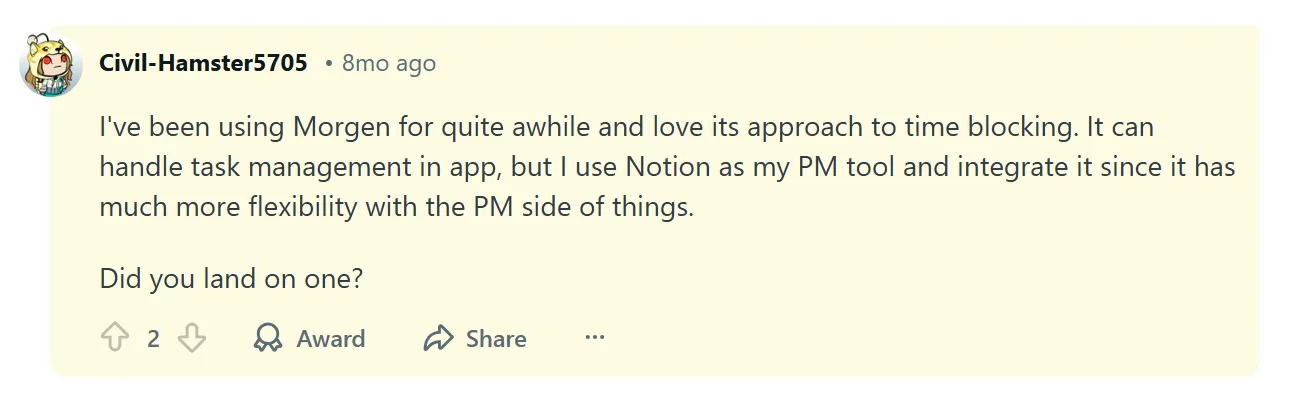
“I've been using Morgen for quite a while and love its approach to time blocking,” shares a Reddit user.
Who Is Morgen Best For?
- Busy professionals: Freelancers, solopreneurs, developers, and marketers who need one place to see calendar commitments, capacity, and tasks without migrating workflows from existing tools
Explore Morgen's Time Zone Finder, Deep Work Timer, Schedule Builder, Scheduling Poll, and Calendar Link Generator.
Motion vs Asana vs Morgen: Which One Should You Choose?
The right tool depends on one question: do you want AI to run your schedule, manage your team’s projects, or plan your day without losing control?
Motion answers the first. Asana answers the second. Morgen answers the third and works alongside whatever calendar sources you already use.
Try Morgen free for 14 days and see how your week looks when everything’s in one place.

.svg)
.webp)


