
.svg)
→ Morgen: For busy parents who need unified planning across work, personal, and shared family calendars. It layers on top of Google, Outlook, Fastmail, and iCloud to help you plan realistically
→ Skylight: For families who want a large, always-on wall display with chores and routines built in
→ Cozi: For families that need a shared calendar, shopping lists, and meal planning in one free mobile app
→ Amazon Echo Show: Suits families who want calendar visibility plus voice control and smart-home features
→ Google Calendar: Free, flexible option for families already using Google accounts
Juggling school events, work meetings, sports practices, dentist appointments, and dinner plans is overwhelming if you're not planning together as a family. That’s why you need to use a digital family calendar that shows everyone’s daily commitments in one place.
For plans that involve people outside your household, like a grandparents' dinner or a family reunion, there's no shared calendar to check. Morgen's free scheduling poll fills that gap: everyone marks when they're free (no account needed), and a heatmap shows the best time.
Let's compare the best options, including wall displays and shared apps. We'll also show you how Morgen works as a planning layer for busy parents who need to see work and family calendars in one place.
Best Digital Family Calendars At a Glance
| Tool | Best For | Standout Feature | Starting Price |
|---|---|---|---|
| Morgen | Busy parents managing work, personal, and family schedules | Layers on top of existing calendars to time-block work and family commitments in one unified view | $15/month, billed annually |
| Skylight Calendar | Families who want an always visible wall calendar | Wall-mounted calendar with built-in chore tracking and reward system | Hardware kit starts at $169, optional Calendar Plus subscription at $79/year |
| Cozi | Families who want a simple shared calendar with lists | Combines calendar, shopping lists, and meal planning in one free app | Free plan available, or Cozi Gold at $39/year |
| Amazon Echo Show | Families who want shared screen plus voice control | Multi-purpose display for calendars, video calls, recipes, and smart home control | Wall-style models start at $299.99 |
| Google Calendar | Families already using Google accounts | Universal compatibility across devices with no subscription | Free |
1. Skylight Calendar
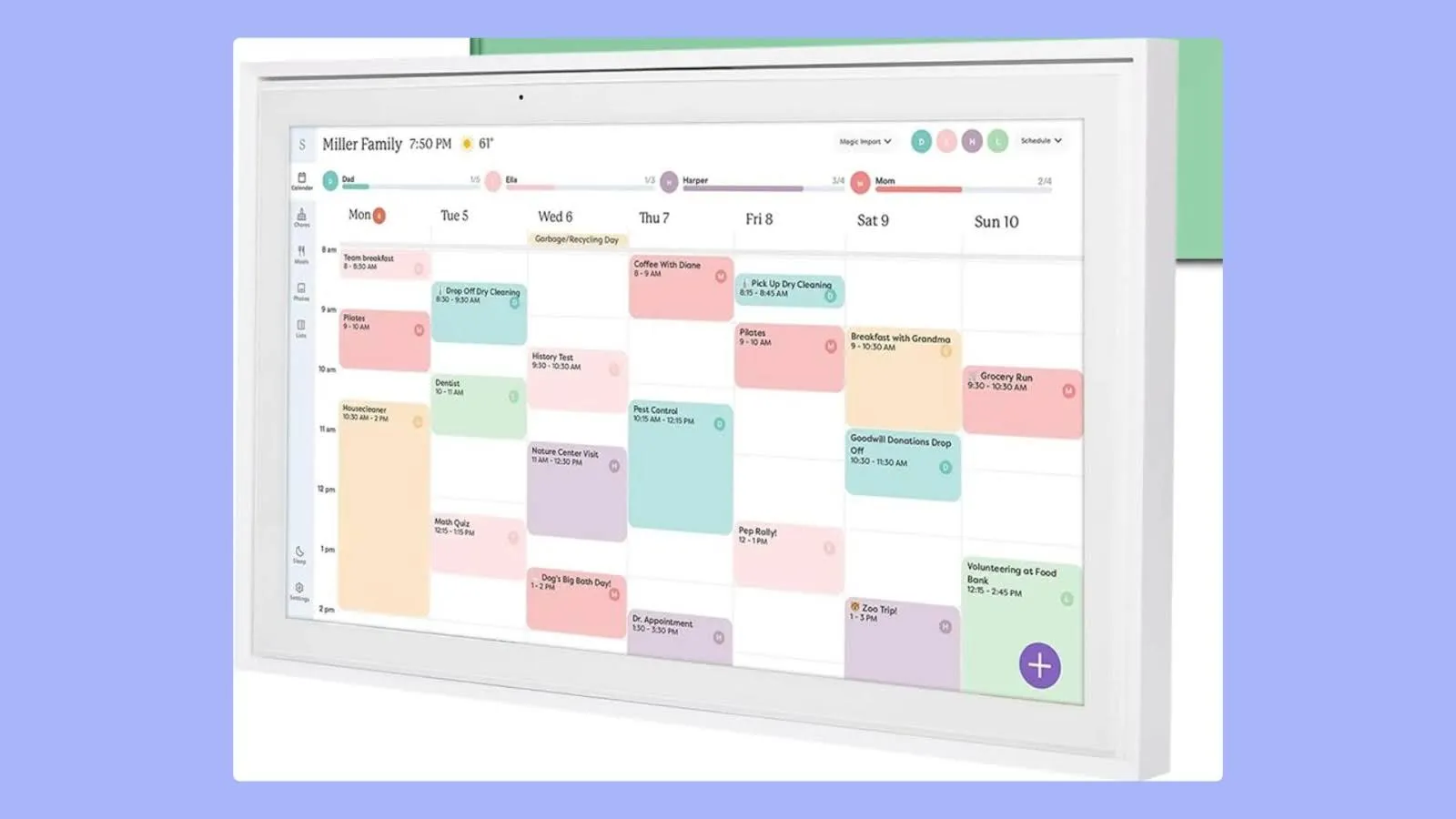
Skylight is a wall-mounted touchscreen display that makes a family command center. It shows shared calendars, manages chores with rewards, and keeps everyone's schedule visible throughout the day.
Key Features
- Calendar syncing and imports: Skylight syncs with Google, Outlook, Cozi, Yahoo, and iCloud calendars to pull in existing schedules
- Chores with parental controls and rewards: Parents can assign tasks to children, control who can mark them complete, and optionally attach rewards
- Color coding by family member: Each person has a clear visual identity, which helps kids quickly recognize their own activities
- Email to calendar and task forwarding: The Plus subscription lets you forward emails directly to Skylight to create events or chores
Pricing
Note: Skylight is a hardware-first product with an optional subscription that costs $79/year.
| Hardware | One-Time Cost |
|---|---|
| Skylight Calendar 10 inch | $169.99 |
| Skylight Calendar 15 inch | $299 |
| Skylight Calendar 27 inch | $569 (plastic frame), or $599 (aluminum frame) |
Where Skylight Shines
- Designed specifically for families: Features like chores, rewards, and parental controls make the experience more intuitive for households with children
- Shared visibility by default: The wall-mounted display keeps the schedule visible throughout the day, reducing reliance on reminders or individual apps
Where Skylight Falls Short
- High total cost: The combination of hardware purchase and optional subscription makes Skylight one of the more expensive family calendar options
- Requires constant WiFi: Skylight needs an internet connection to sync calendars and display updates, limiting its usefulness during outages.
Customer Reviews
"Terrific product that works great, is easy to use and really helps a family stay organized," says Sanford Man on Amazon:

On Reddit, u/l0okingf0rmemes shares:

Who Skylight Is Best For
- Families with young children who need visual routine reinforcement: Families who want a dedicated, always visible household calendar with built-in chore management
2. Cozi
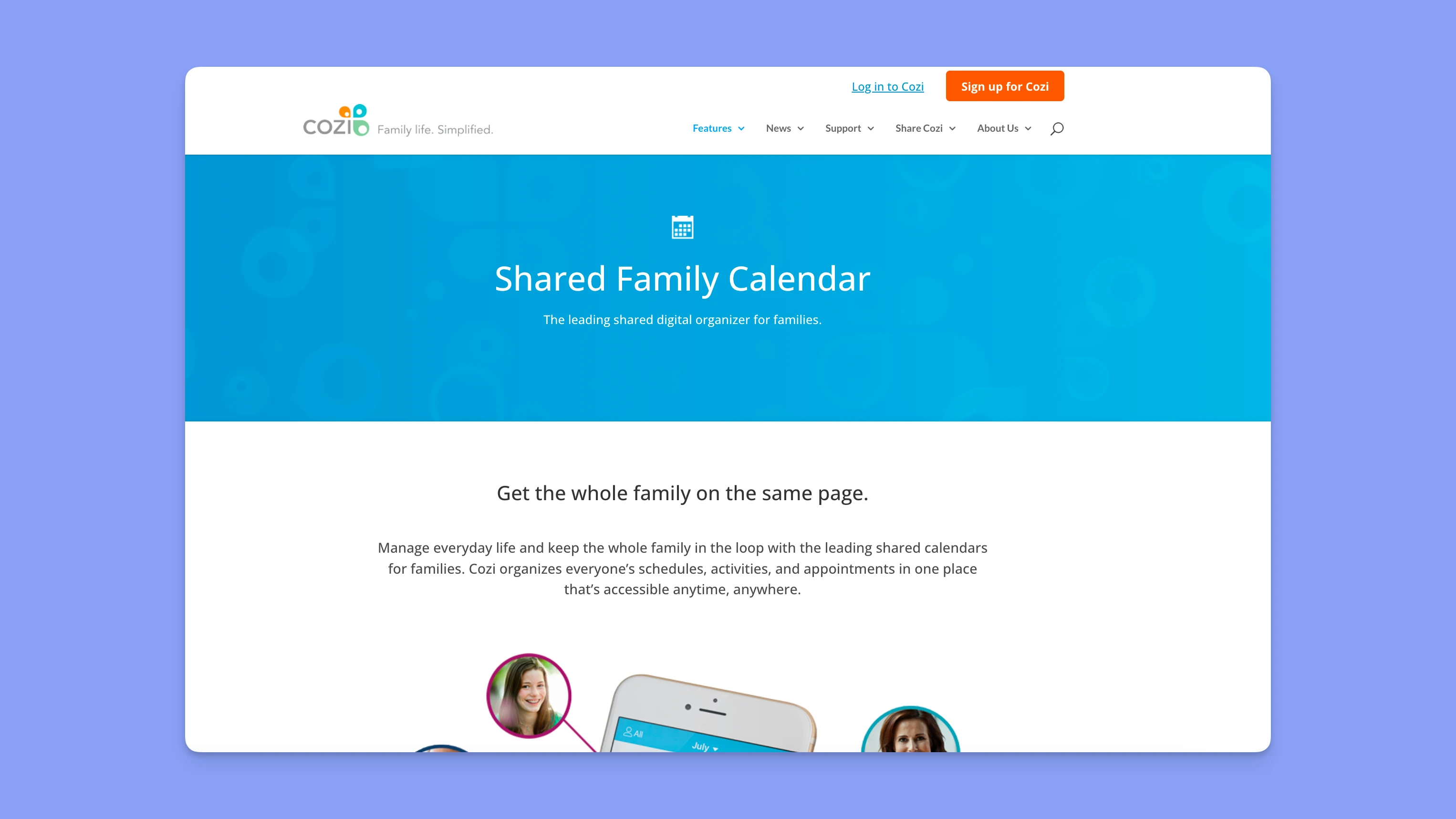
Cozi is a mobile-first organization app combining shared calendars, shopping lists, to-do tracking, and meal planning in one interface. It's available on Android, iOS, and web browsers.
Key Features
- Shared family calendar with color coding: You can assign each family member a unique color and create multi-person events with daily or weekly reminders
- Shopping and to-do lists: Collaborative lists sync in real time across devices. Check off items at the store, and everyone sees updates instantly
- Meal planning calendar: Plan weekly dinners and add recipes with ingredients that automatically populate your shopping list
Pricing
| Plan | Price |
|---|---|
| Free | $0 |
| Cozi Gold | $39 per year |
Where Cozi Shines
- Free tier covers essential features: The free version includes calendar, lists, and meal planning indefinitely
- Email agenda keeps non-app users informed: Cozi sends weekly schedule summaries via email to everyone in the family group, so everyone is informed about upcoming events
Where Cozi Falls Short
- Limited calendar views on free mobile: The Free version restricts mobile users to week and agenda views
- Basic task management: Handles simple to-do lists but lacks task prioritization, time-specific due dates, or subtask assignments
Customer Reviews
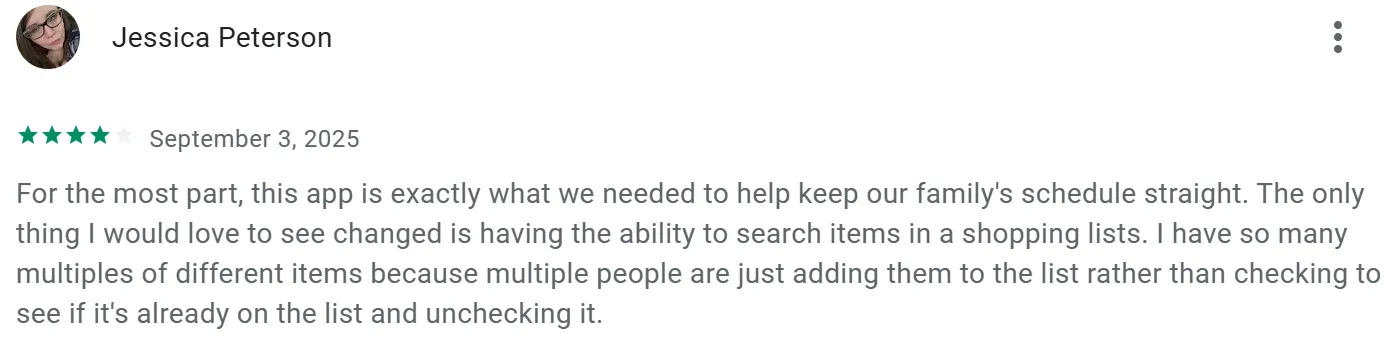
Jessica Peterson says Cozi keeps the family schedule organized, but the lack of search in shopping lists leads to duplicate items when multiple people add things.
Who Cozi Is Best For
- Families that need on-the-go coordination: Households where multiple members need mobile access to shared schedules, shopping lists, and meal plans throughout the day
3. Amazon Echo Show
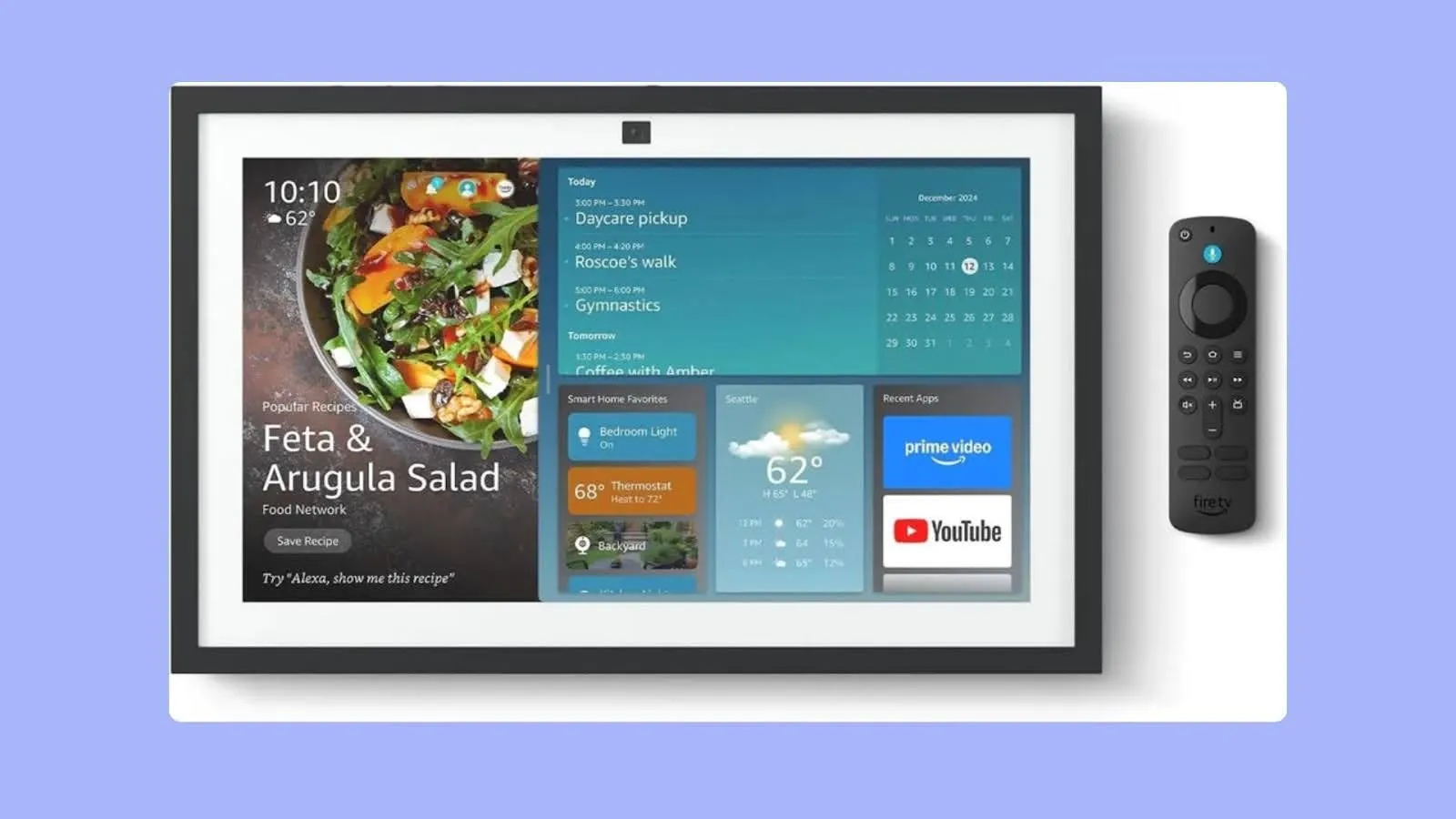
Amazon Echo Show is a voice-controlled smart display you can mount on your wall to show shared calendars, shopping lists, and family photos. The 15-inch and 21-inch models integrate with Alexa for hands-free schedule updates, doubling as a family command center and smart home hub.
Key Features
- Shared calendar display with voice control: Echo Show syncs with Google Calendar, Microsoft Outlook, and Apple iCloud calendars, and you can ask Alexa to add events, check schedules, or read upcoming appointments hands-free
- Visual ID for personalized responses: Echo Show recognizes different family members and shows their individual calendars when they approach
- Smart home integration: Beyond calendars, the Echo Show controls lights, thermostats, and doorbells
Pricing
| Model | Price |
|---|---|
| Echo Show 15 | $299.99 |
| Echo Show 21 | $399.99 |
Where Amazon Echo Show Shines
- Always-visible shared display: The wall-mounted screen keeps the family calendar visible without requiring anyone to open an app
- Multi-purpose family hub beyond calendars: Echo Show combines calendar viewing with photo frames, video calls, kitchen timers, and recipe displays
Where Amazon Echo Show Falls Short
- Requires Amazon ecosystem buy-in: Echo Show works best when family members use the Alexa app on phones, have Amazon accounts, and embrace voice assistants
- Intrusive ads and news feed take over screen space: Recent software updates have increased advertising prominence on the home screen
Customer Reviews
"It can do so much more than the calendar/to-do list capabilities," shares this Amazon reviewer:

u/CasualRon shares frustrations with recent updates on Reddit:

Who Amazon Echo Show Is Best For
- Families using Alexa and smart home devices: Households who want voice-controlled calendar viewing alongside smart home control and kitchen functionality in one wall-mounted display
4. Google Calendar
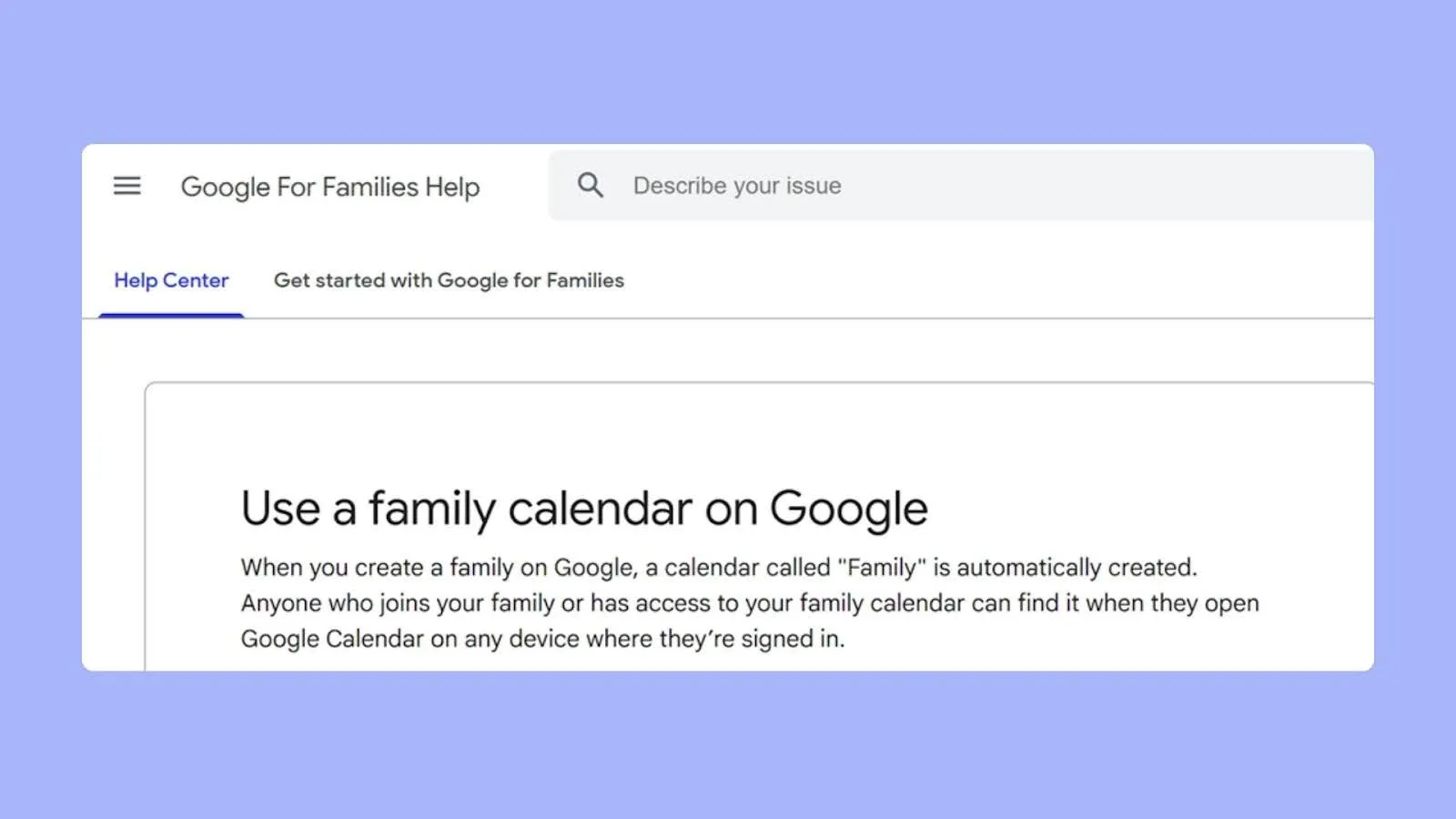
Google Calendar works for families already using Gmail accounts. It handles shared family scheduling, event attachments from Google Drive, and automatic event detection from emails.
Note: Morgen connects to Google Calendar to give you a unified planning view across personal, professional, and family calendars.
Key Features
- Family group calendar integration: Google's Family Group feature automatically creates a shared calendar visible to up to six family members
- Event attachments and Google Meet links: Attach permission slips, medical forms, or documents from Google Drive directly to calendar events
- Gmail event detection: Google automatically detects events in emails and adds them to your calendar
Pricing
| Plan | Price |
|---|---|
| Personal Google account | Free |
Where Google Calendar Shines
- Zero cost with full functionality: Google Calendar provides unlimited calendars, sharing, notifications, and storage completely free
- Device compatibility: Syncs seamlessly across Android, iPhone, iPad, web browsers, and integrates with Apple Calendar, Outlook, and third-party apps
Where Google Calendar Falls Short
- No native task time-blocking: Google Tasks exists separately, but can't be dragged onto the calendar as scheduled blocks
- No built-in chore or meal planning: Google Calendar handles scheduling well, but lacks dedicated features for chores, allowances, or meal planning that purpose-built family apps include
- Family Group limited to 6 people: Google's Family Group calendar restricts sharing to six members maximum, so you’d need a separate calendar to add more family members
Customer Reviews
"I love that I can manage multiple calendars - for different family members and different projects," says Melissa S.

On Reddit, u/ProfessorRealistic86 shares:

Who Google Calendar Is Best For
- Families already embedded in Google's ecosystem: For native integration without additional apps or subscriptions. Also ideal for budget-conscious families wanting reliable shared scheduling
5: Morgen: Bonus Planning Tool for Busy Parents Managing Work and Family Calendars
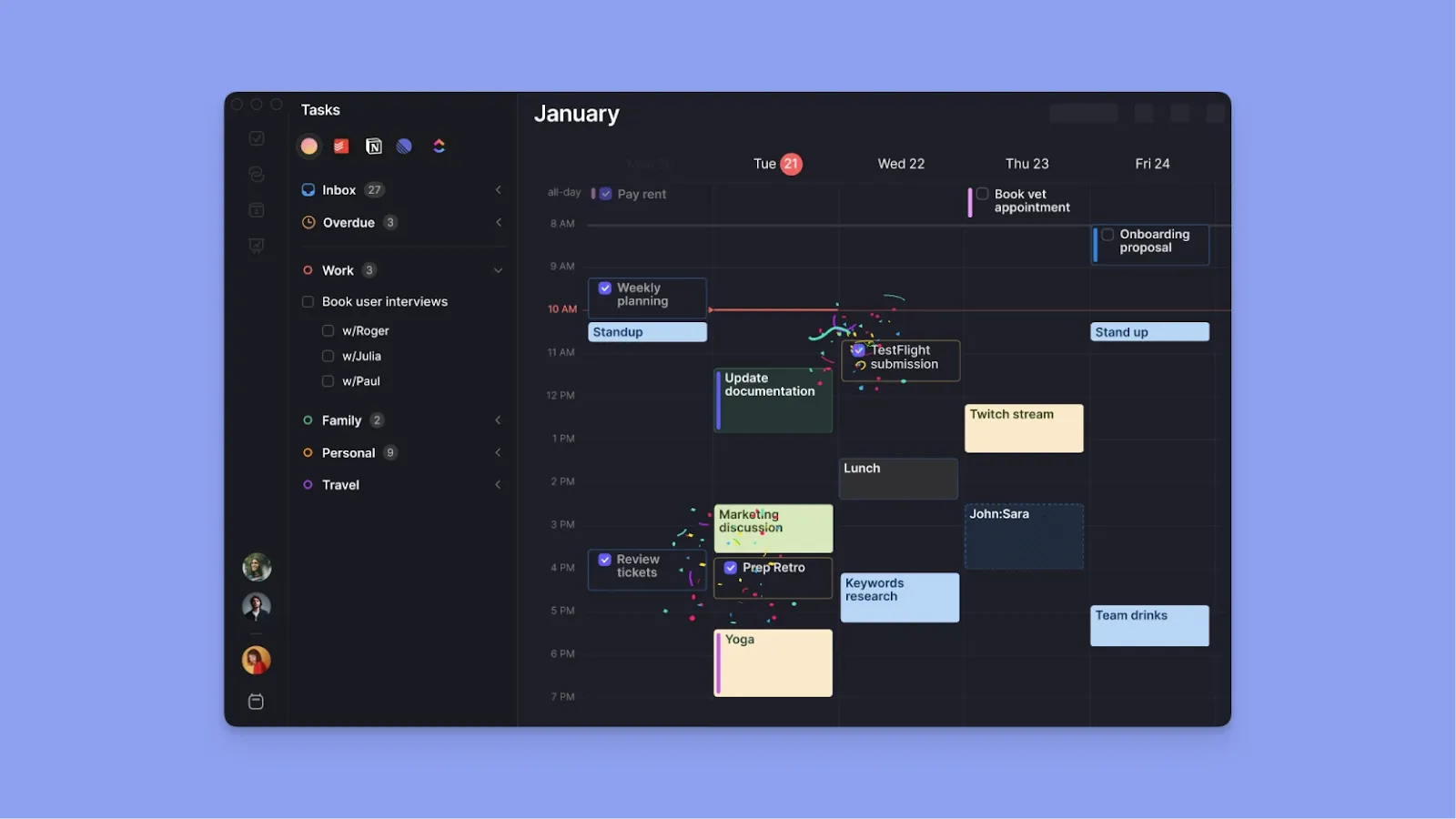
Even when you use a digital family calendar for household coordination, you still have work commitments you can't share on a family calendar.
For that, you need a calendar management tool like Morgen, which lets you add your work and shared family calendars to a single, unified interface and plan your day without switching between apps.
Key Features
Morgen layers on top of your shared digital calendar to show your family and work schedules together for realistic daily planning with advanced features like:
Unified Calendar View Across Family and Work Accounts
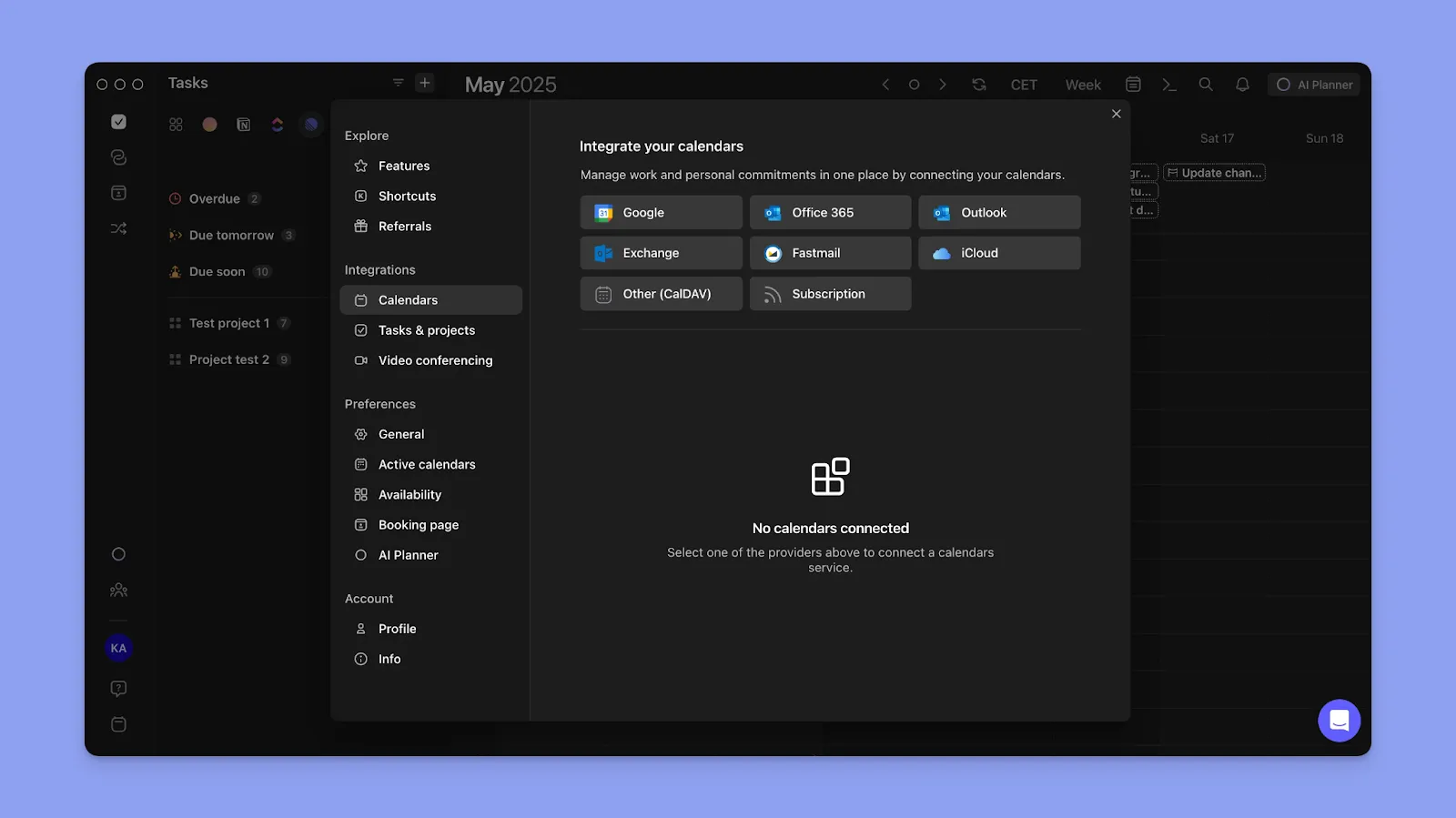
Morgen syncs multiple calendars into a single interface, where you can see work meetings, shared family events, and kids' school activities side by side. You can also color-code each family member's calendar for better visibility.
Pro tip: Connect your family's shared calendar to Morgen by linking Google Calendar, Outlook, or iCloud. If your family uses a different digital calendar app or receives school calendar feeds, add them as subscription calendars to view household events alongside your work schedule (desktop only).
AI Planner for Schedule Conflicts
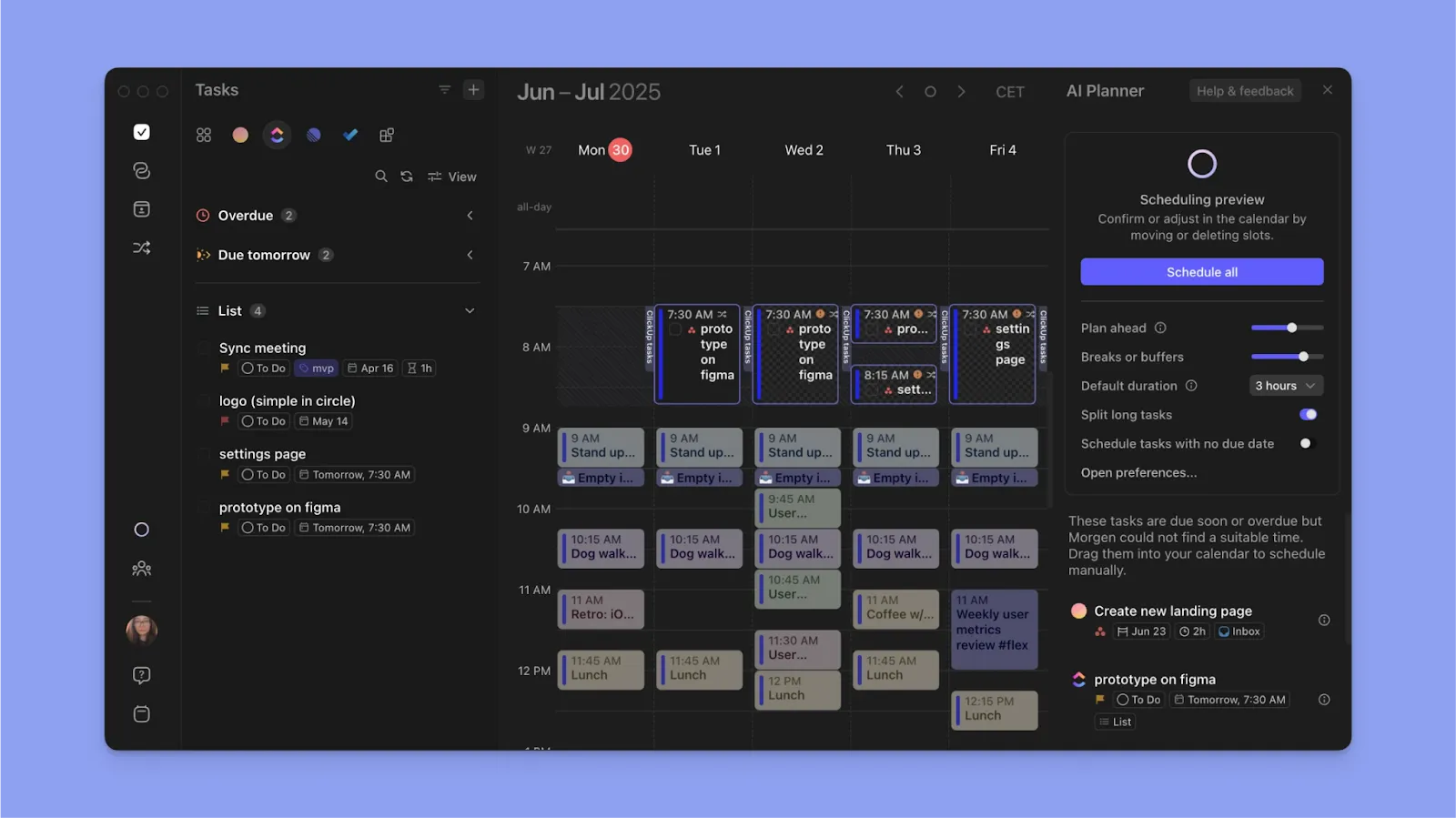
The AI Planner helps when plans change, which happens often in family life. It does not automatically reshuffle your calendar, but suggests where remaining tasks can realistically fit after a disruption, such as a meeting running long or a last-minute school pickup.
Pro tip: Use Morgen's AI assistant to extract commitments from emails and messages. When the school sends permission slip reminders or the pediatrician confirms appointments via email, the AI assistant can automatically capture them as calendar events and add them to your schedule.
Time-Blocking for Family Tasks and Work Projects
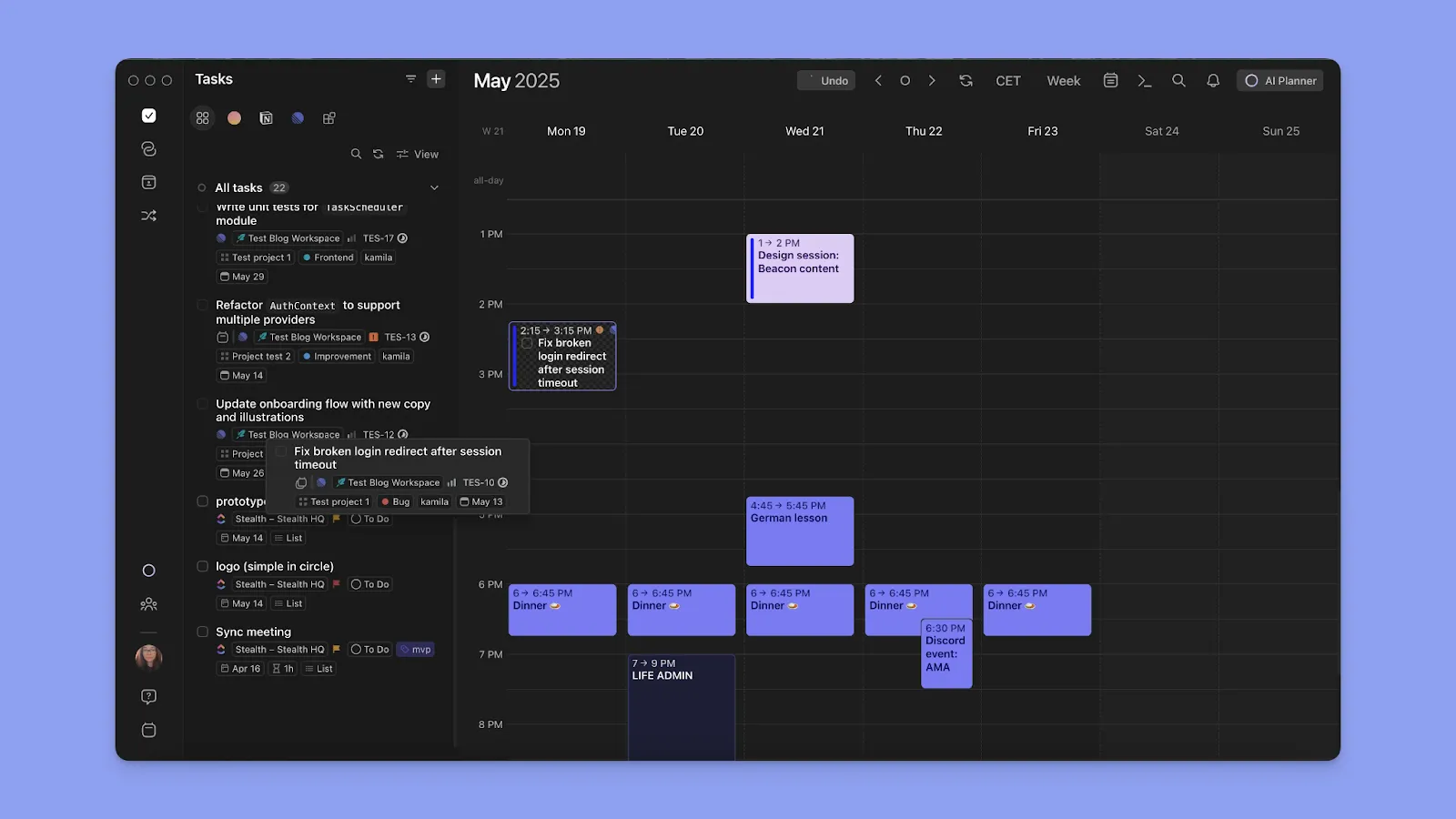
Import tasks from Notion, Todoist, ClickUp, or Google Tasks directly onto your calendar to create time blocks and set up Frames for specific categories like "Deep Work" or "Family Time.
Using Morgen’s AI Planner, you can get suggestions for which tasks fit each frame. For instance, "Grocery shopping" or "meal prep" can be suggested within your "Family Time" frame.
Pro tip: You can use Task Tags to organize across family contexts. For example, tag family tasks as "Home," "Kids," or "Errands," then filter your view to focus on household to-dos or create a "Family Time" Frame that only pulls tasks tagged accordingly.
Routines for Family Non-Negotiables
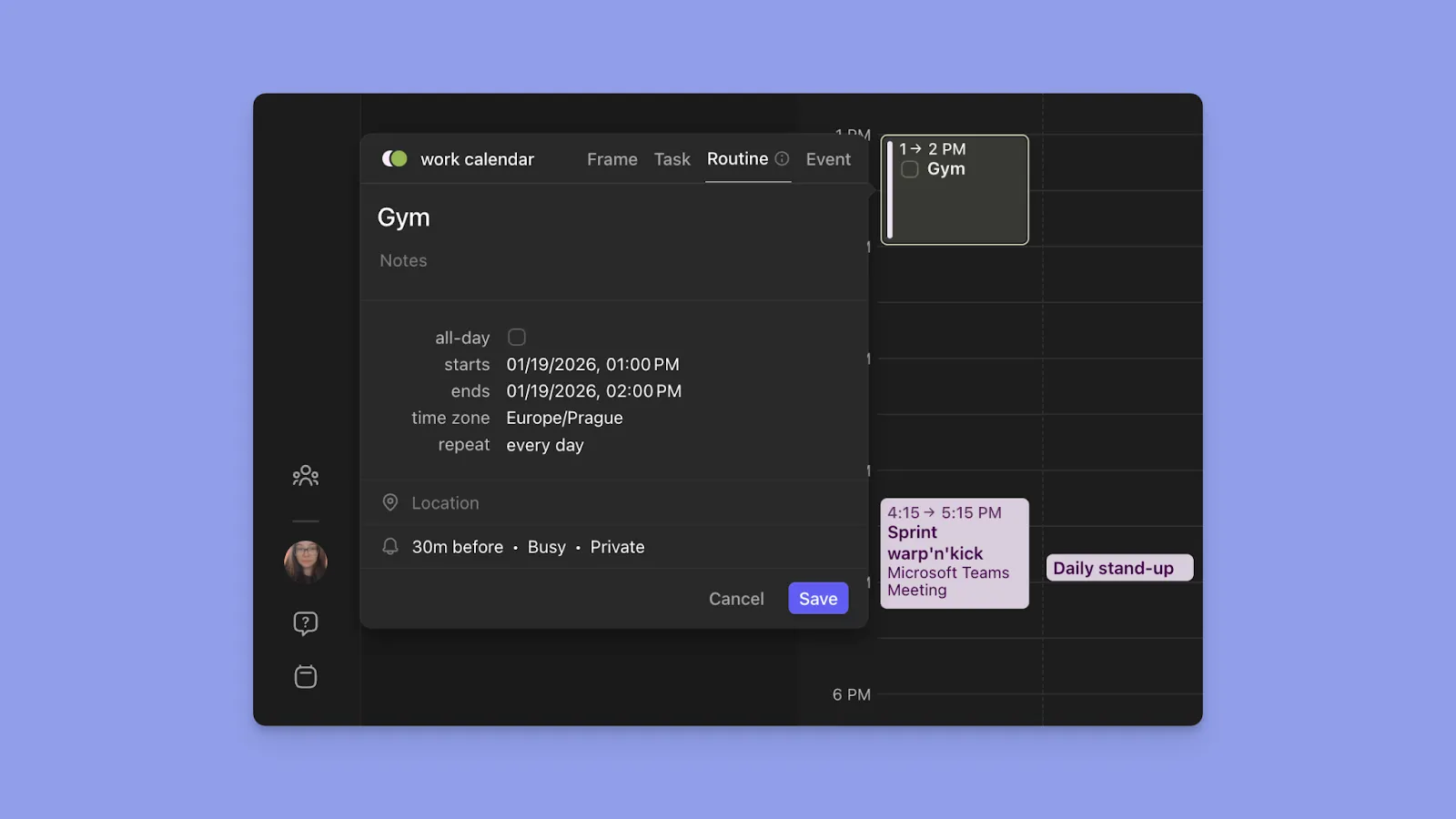
You can also create Routines for fixed-time family commitments, such as school pickup, meal times, bedtime, or family dinner. Recurring tutoring slots behave the same way: a weekly session of pre-algebra help holds its place like any other routine. Since they live in your calendar, Routines won't get rescheduled by the AI Planner when work conflicts arise.
Calendar Sets for Quick Context Switching
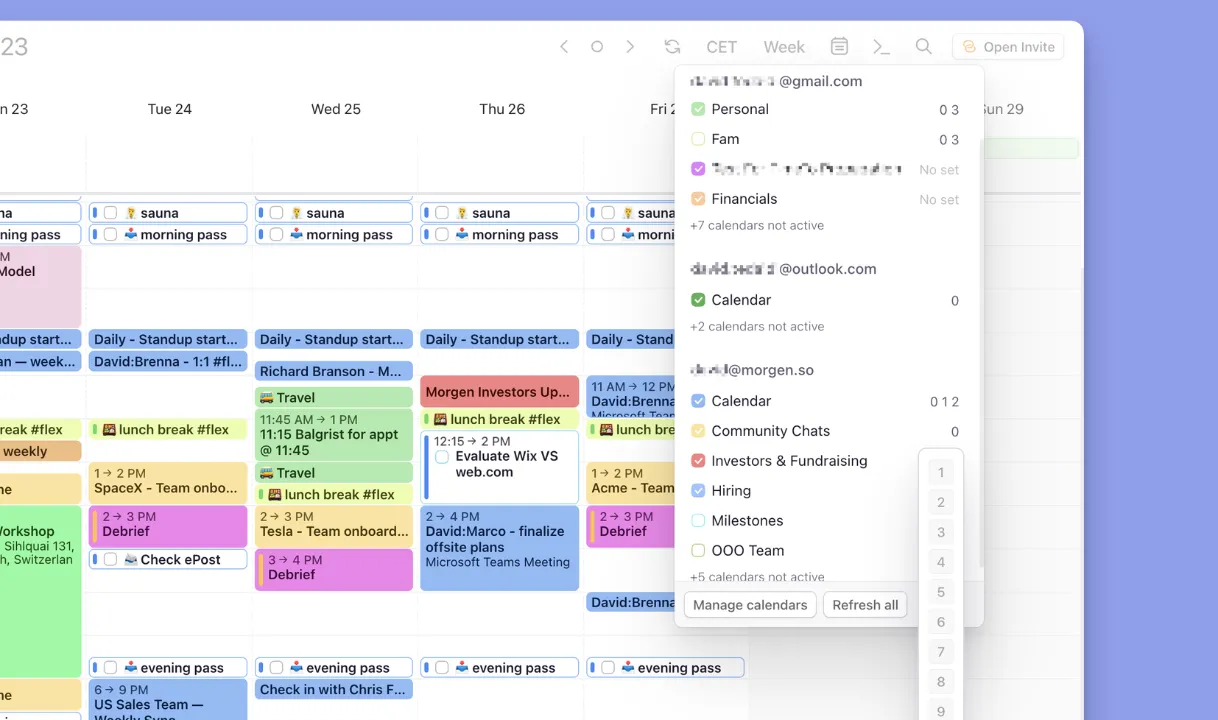
Calendar sets show or hide specific calendars with a single keystroke. You can create "Work" (set 1) for your professional calendar and "Fam" (set 2) for your shared family calendar. Press "1" during work hours to focus on work, or "2" to see only household commitments.
Pro tip: If you have family members far away, enable multiple time zones in Morgen. You can hover over the time on the left sidebar to see what time it is for grandparents across the country before making family video calls.
Pricing
Every Morgen plan comes with a 14-day free trial and a 30-day money-back guarantee.
| Plan | Monthly | Annually |
|---|---|---|
| Individual | $30/month | $15/month |
| Teams | $25/seat/month | $10/seat/month |
Note: You can save on Morgen in two ways: get 15% off the first year when switching from Motion, Fantastical, Reclaim, or Sunsama, or receive 25% off if you are a student or part of a nonprofit organization after verification.
Where Morgen Shines
- Consolidates fragmented family and work scheduling: Time-block around work deadlines and family schedules without switching between multiple calendar apps to check availability
- Notifications keep busy parents on track: Set custom notifications for different calendars, so family commitments don't slip through the cracks during busy workdays
- ADHD-friendly for overwhelmed parents: Morgen's daily planning approach visualizes time and tasks together, preventing time blindness and double-booking from managing family schedules mentally
Where Morgen Falls Short
- Not a dedicated digital family calendar: Morgen doesn't provide shared grocery lists, chore tracking with rewards, or meal planning features. It offers unified planning for the parent managing multiple calendars, rather than collaborative family task management
Customer Reviews
"This calendar is intuitive, and I have been able to link multiple integrations from both work and personal accounts," shares Jamie J.
"I love that Morgen embeds so many features that are all essentials when managing my time across different aspects of my life and my work needs," says Enea C.

Who Morgen Is Best For
- Working parents managing both professional and family calendars: Morgen provides unified planning for parents juggling work commitments, family schedules, and household tasks in one workspace
Get started with Morgen to connect your work, personal, and shared family calendars for unified planning in minutes.
How to Choose the Best Family Digital Calendar
A study of 292 adults confirms that organized family routines improve time management and reduce attention problems. So, when choosing a digital family calendar, look for features such as:
Display Format: Wall-Mounted vs Mobile Apps
Wall-mounted displays keep schedules visible to everyone passing by, while mobile calendars let families coordinate on the go.
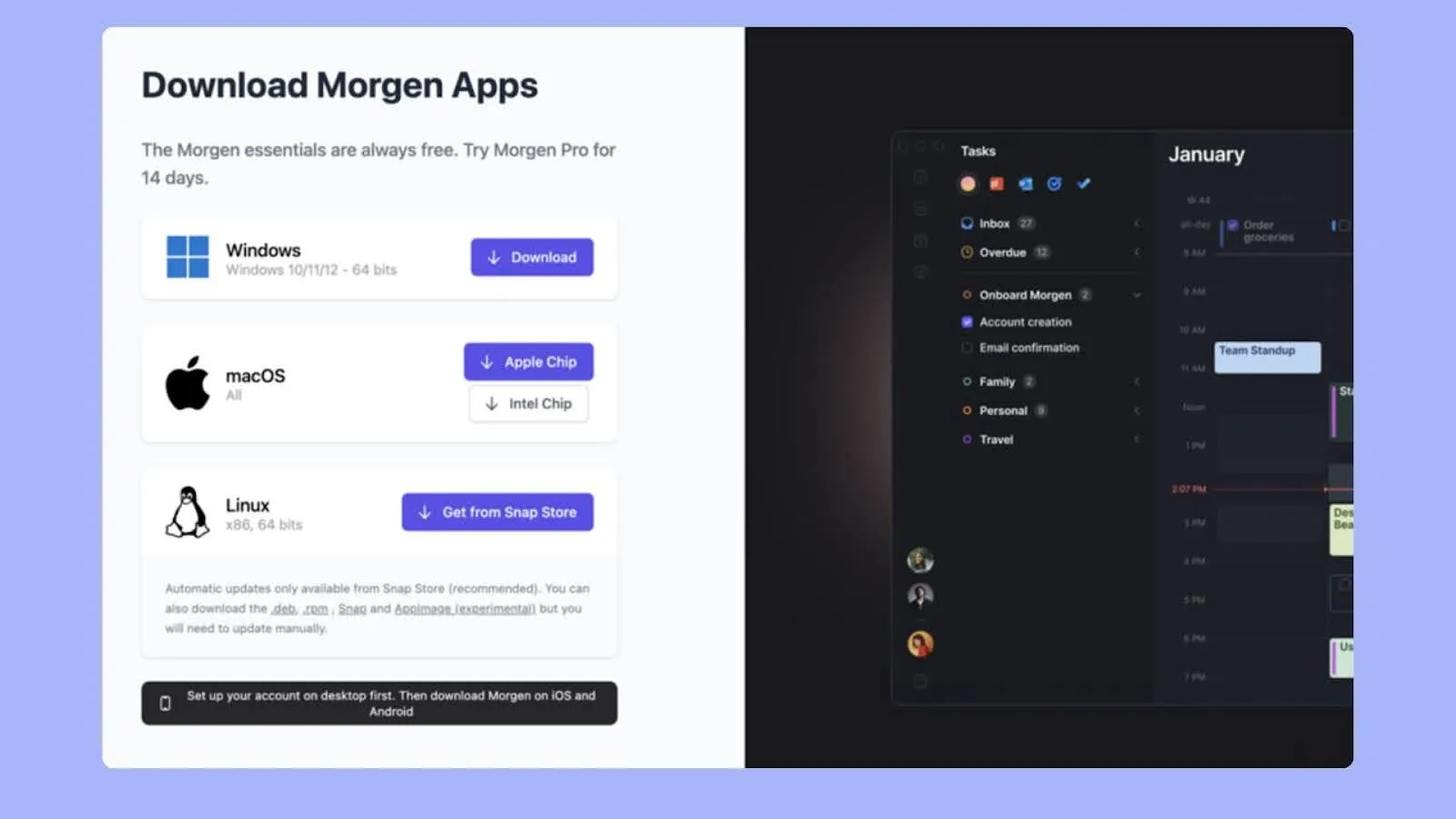
If you want to plan on the go, Morgen offers native apps across Mac, Windows, Linux, iOS, and Android.
Download and install Morgen to consolidate your work and family calendars in one place!
Reminders and Notifications
Look for customizable notifications that alert multiple family members about upcoming events.
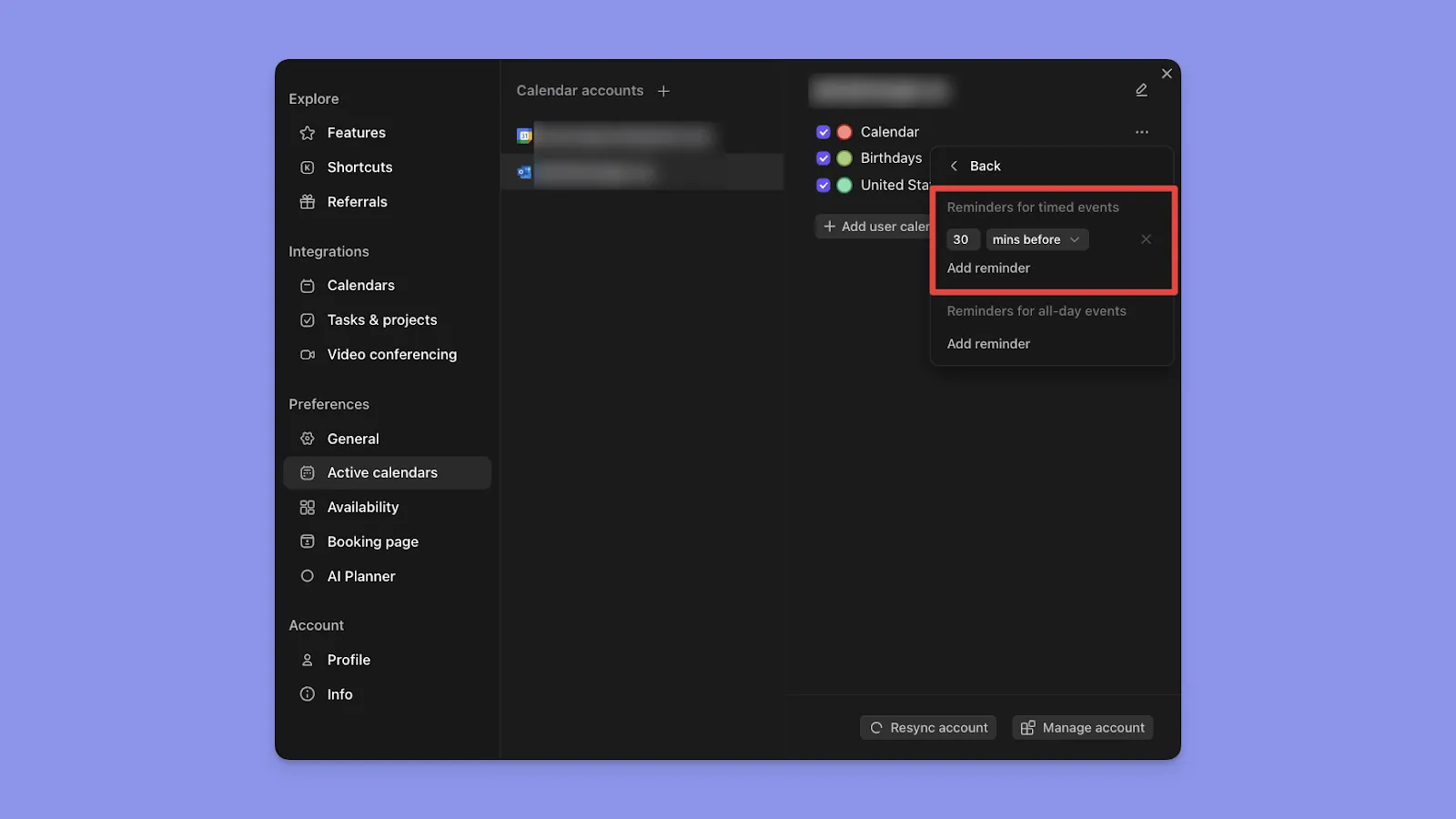
Morgen sends reminders and alerts for scheduled tasks and events, and you can set how far in advance to get them so you don’t miss any family commitments.
Color-Coding for Visual Clarity
Assigning different colors to calendars and sessions helps distinguish between work, personal, and family schedules at a glance.
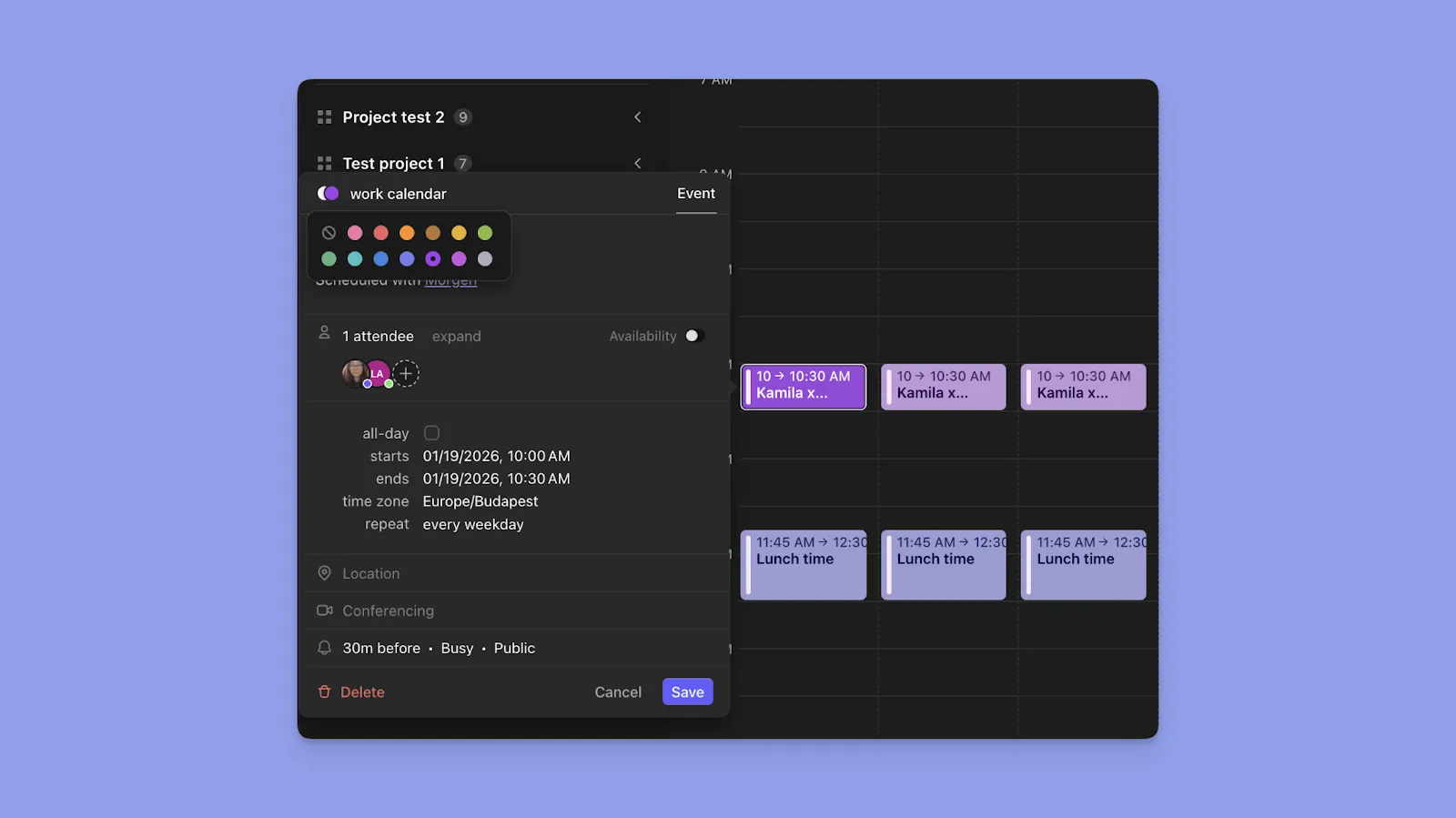
Morgen lets you color-code blocks by source calendar, and further customize task sessions and routines with 13 base colors, making it easy to visually separate professional commitments, family activities, and personal time at a glance
Syncing Capabilities
Choose tools offering bi-directional syncing so changes made in one place update everywhere instantly. Morgen provides two-way sync with integrated calendars and task managers for unified planning.
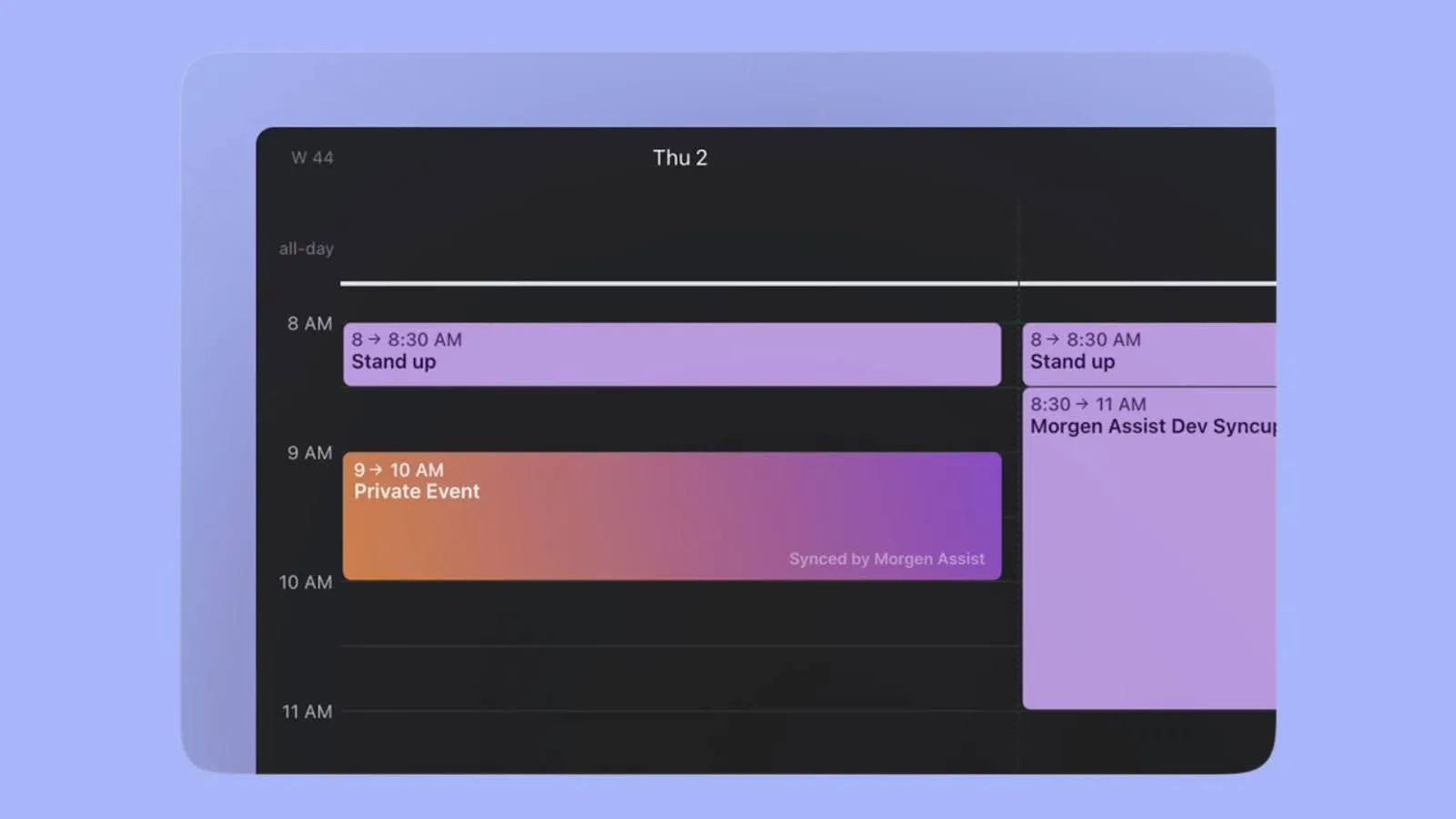
Pro tip: Use Morgen's calendar propagation workflow to copy events from one calendar to another. If you have a doctor’s appointment in the family calendar, propagate it to your work calendar as "blocked time," so colleagues don't schedule meetings during family commitments.
Explore all of Morgen's integrations to connect your family's existing tools without switching platforms.
A Final word on Morgen
You need a digital family calendar that shows everyone's schedule, but you also don't need everyone to see your client meetings alongside soccer practice and doctor appointments.
Connect your work calendars and your family's shared calendar to Morgen for a private planning view where you can time-block around all commitments without exposing professional details to the household.
Your family keeps using their preferred calendar app for coordination, while you get the unified workspace to plan realistically across both contexts. Try Morgen free for 14 days now.

.svg)
.webp)


