
.svg)
→ Morgen: offers Frame-based AI scheduling with approve-first control, ideal for ADHD brains and power users of Linear, ClickUp, Notion, etc
→ Motion: provides full autopilot automation with 1,000+ parameter scheduling, best for startup founders who want hands-off task management
→ Akiflow: for professionals with simple planning needs to consolidate tasks from over 3,000 apps with the Aki assistant
→ Reclaim.ai: defends habits and routines automatically, perfect for professionals who struggle to maintain consistent sessions
→ Trevor AI: bridges task management and time-blocking with one-click scheduling for productivity enthusiasts
Only 53.5% of employees' weekly planned tasks get completed, and the problem isn't always a lack of effort. Sometimes, it's the lack of intelligent planning tools.
An AI task manager will analyze your workload, prioritize tasks, and slot them in your calendar without overwhelming you. So, let's review five AI planning assistants to see where they shine or fall short, what real-world customers say about them, and the features to look for as you shop.
5 Best AI Task Managers in One Look
| Tool | Best For | AI Standout Feature | Starting Price | G2 Rating | Capterra Rating |
|---|---|---|---|---|---|
| Morgen | ADHD-friendly AI planner | Frame-based, approve-first AI scheduling | $15/month | 4.8 | 5.0 |
| Motion | Full AI automation | Predictive auto-scheduler with 1,000+ parameters | $19/month | 4.2 | 4.3 |
| Akiflow | AI task consolidation | Natural language AI assistant (Aki) | $19/month | 4.8 | 4.7 |
| Reclaim.ai | AI habit defense | Constraint optimization | $10/month | 4.8 | 4.9 |
| Trevor AI | Personal AI assistant | One-click scheduling with daily AI coaching | $5/month | - | - |
1. Morgen: Best AI Task Manager for Approve-First Scheduling

Morgen offers an AI Planner that suggests optimized schedules for you to review and approve before they appear on your calendar. This human-in-the-loop approach is ideal for ADHD brains and power users of tools like Linear and Notion who need structure without feeling micromanaged by their software.
Morgen offers an AI Planner that suggests optimized schedules for you to review and approve before they appear on your calendar. This human-in-the-loop approach makes it one of the best ADHD productivity apps, ideal for ADHD brains and power users of tools like Linear and Notion who need structure without feeling micromanaged by their software.
Key Features
Morgen consolidates scattered calendars and task sources into one interface, then uses AI to help you plan smarter when to actually work on everything.
Frame-Based AI Planning

Morgen's Frames lets you template your ideal week by creating recurring blocks for different work types. When you run the AI Planner, it suggests tasks during the appropriate frames. If you define a frame for focused work from 9-11 AM, the AI will only suggest high-priority tasks during those hours.
Tip: Mark tasks as "flexible" or "not flexible" to control what the AI can reschedule. To adjust your schedule manually, hold CTRL while dragging a Frame to move it and all its scheduled tasks (otherwise, tasks stay put while the Frame moves alone).
Multi-Calendar Unified View
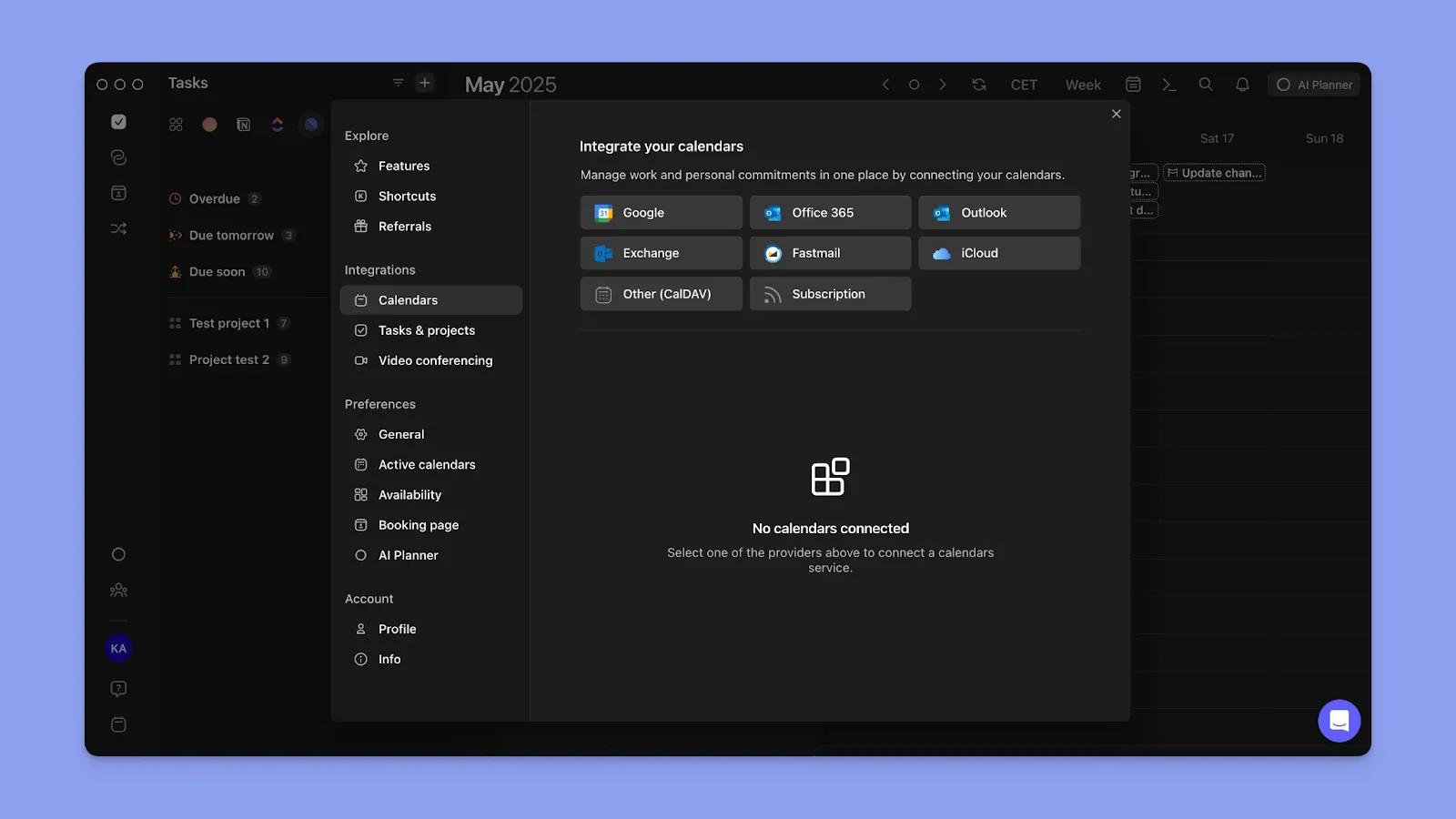
You can connect multiple calendars, like Google Calendar, Outlook, iCloud, Fastmail, and Office 365, to see everything in one place. You can also use Calendar Sets that toggle visibility between preset combinations using keyboard shortcuts, like "1" for work, "2" for personal, "3" for clients. Check how we connect Apple Reminders and Outlook.
Tip: Add up to 10 time zones to manage your calendars on Morgen. Hold 'Z' while hovering over events to see local times across all zones. The Time Zone Assistant also works when creating scheduling links, converting your availability to your invitee's local time zone.
Deep Task Integration
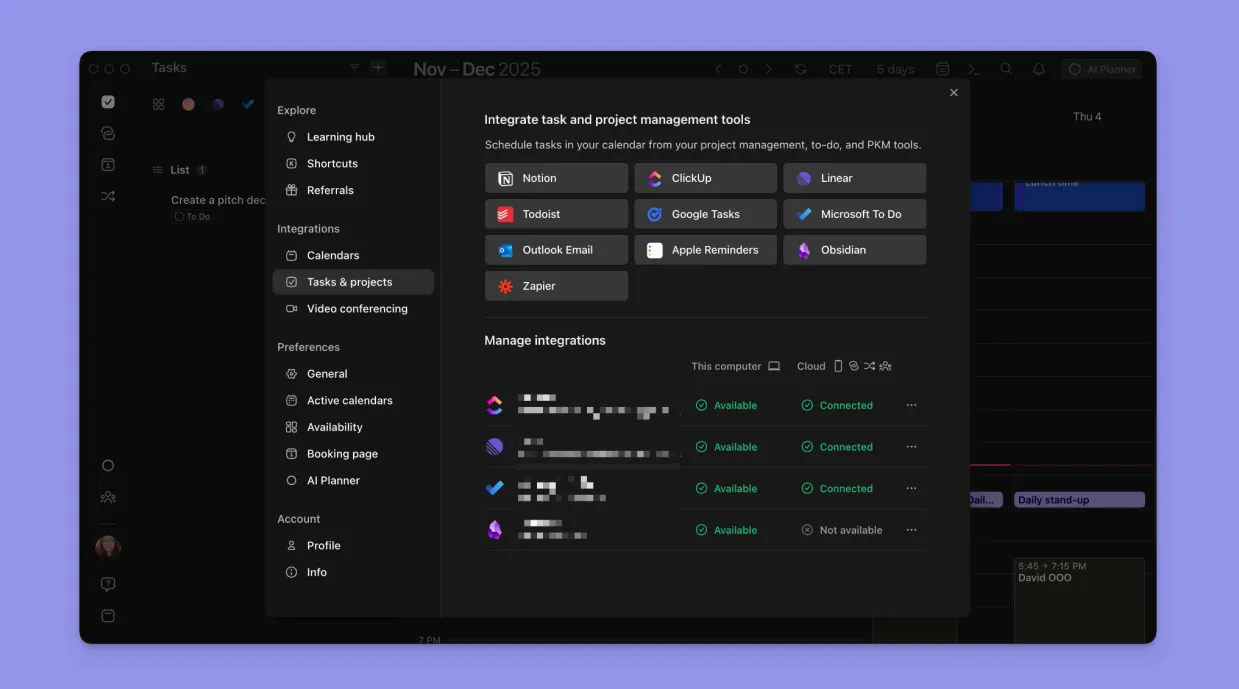
Integrate with Notion, ClickUp, Linear, Todoist, Microsoft To Do, Google Tasks, Obsidian, and Apple Reminders to pull tasks directly into your planning view.
Tip: Create custom recurrence patterns using natural language (e.g., "every second Monday"), and Morgen's LLM will automatically translate them into recurring tasks.
Pricing
Morgen pricing plans come with a 30-day money-back guarantee:
| Plan | Annual Billing | Monthly Billing |
|---|---|---|
| Individual | $15/month | $30/month |
| Teams | $10/seat/month | $25/seat/month |
Note: Morgen offers two discount options: 25% off for students, educators, and nonprofits, or 15% off the first year when switching from Motion, Reclaim, Fantastical, or Sunsama.
Where Morgen Shines
- Cross-platform support: Native apps for Linux, Windows, macOS, iOS, and Android with keyboard shortcuts and offline access that power users expect
- AI-assisted scheduling: The AI Planner analyzes your priorities and energy levels to suggest optimized schedules you approve before they go live
- ADHD-friendly structure: Frames and color coding create visual boundaries for different work types, reducing overwhelm and time blindness
Where Morgen Falls Short
- No built-in AI chat assistant: Morgen's AI isn't conversational for task creation or policy queries yet, but the beta version for this is coming soon
- Desktop-first design: The mobile apps are suitable for viewing and marking tasks or sessions complete, but schedule planning and tweaking are best done on desktop
- Limited team collaboration: Built for solo professionals and small teams, not enterprise-scale project management across large departments
Customer Reviews
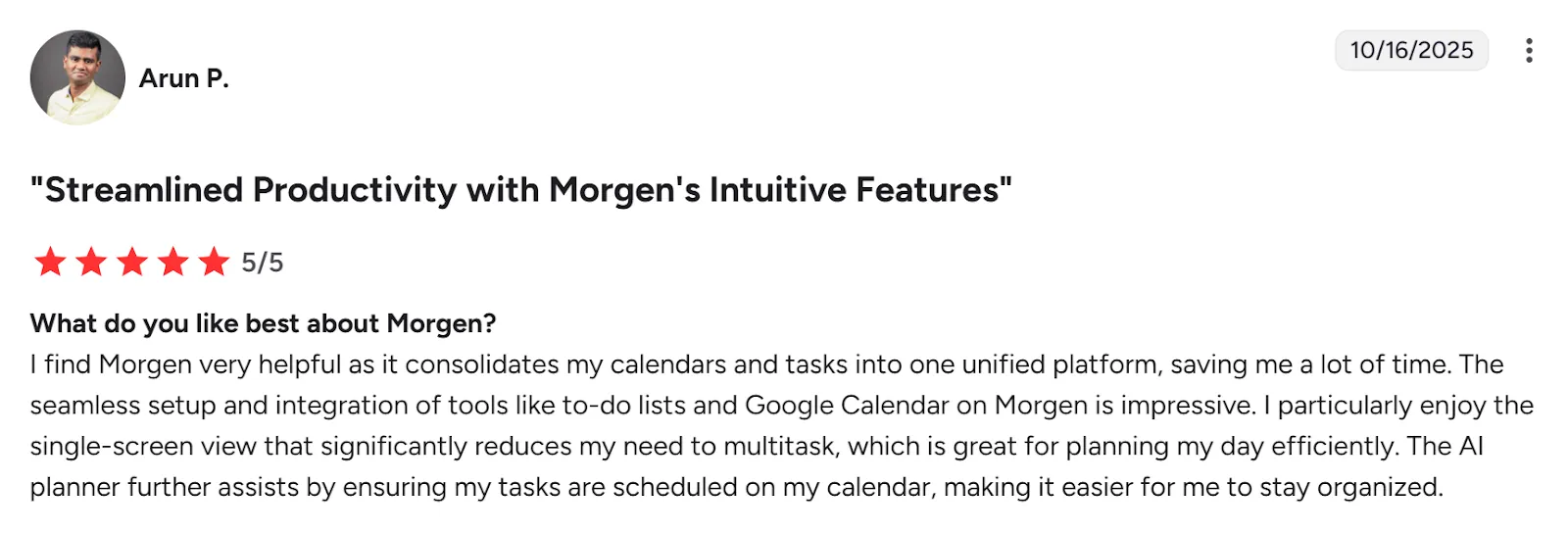
"The ability to create 'frames' – time blocks where either the AI planner or I can place different types of tasks (e.g. a block for deep work, client work, admin, etc.). This is hands down the best feature, and I haven’t seen it done like this in any other app," says Vojtech Mikula on Tool Finder.
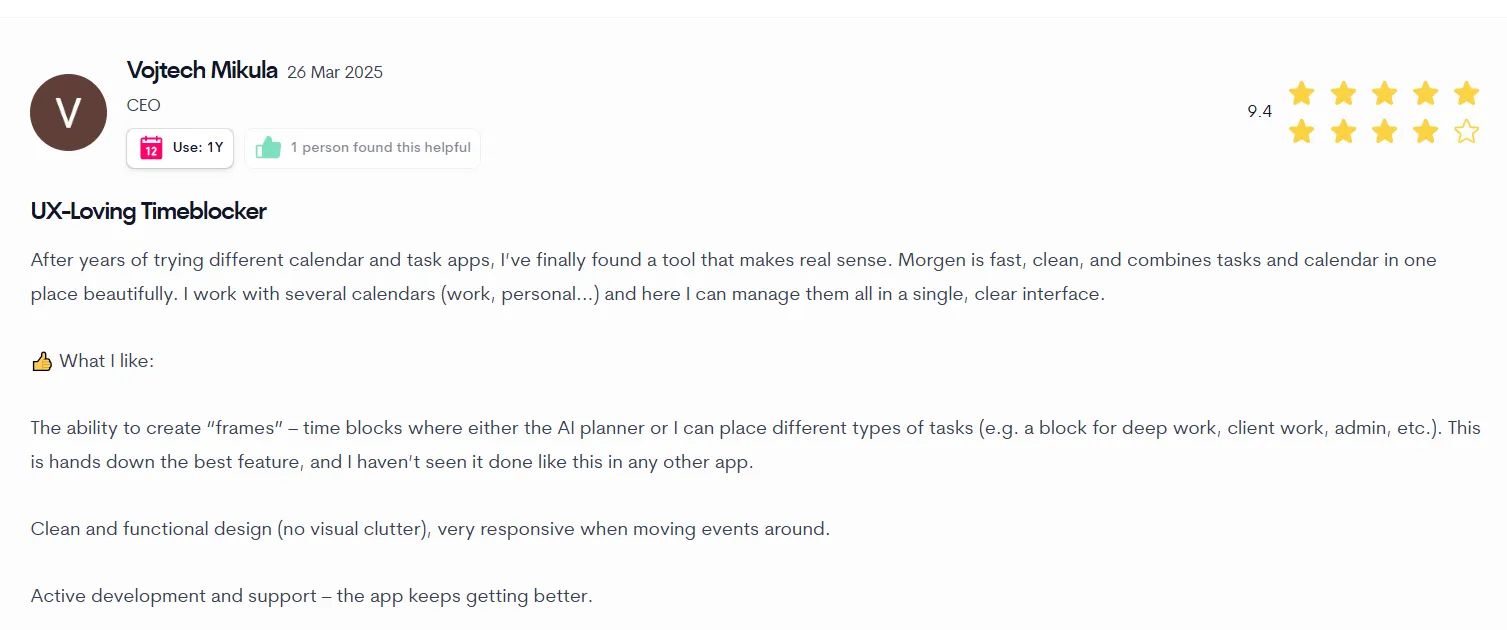
On G2, Arun P shares how the AI Planner schedules his tasks and helps him stay organized:
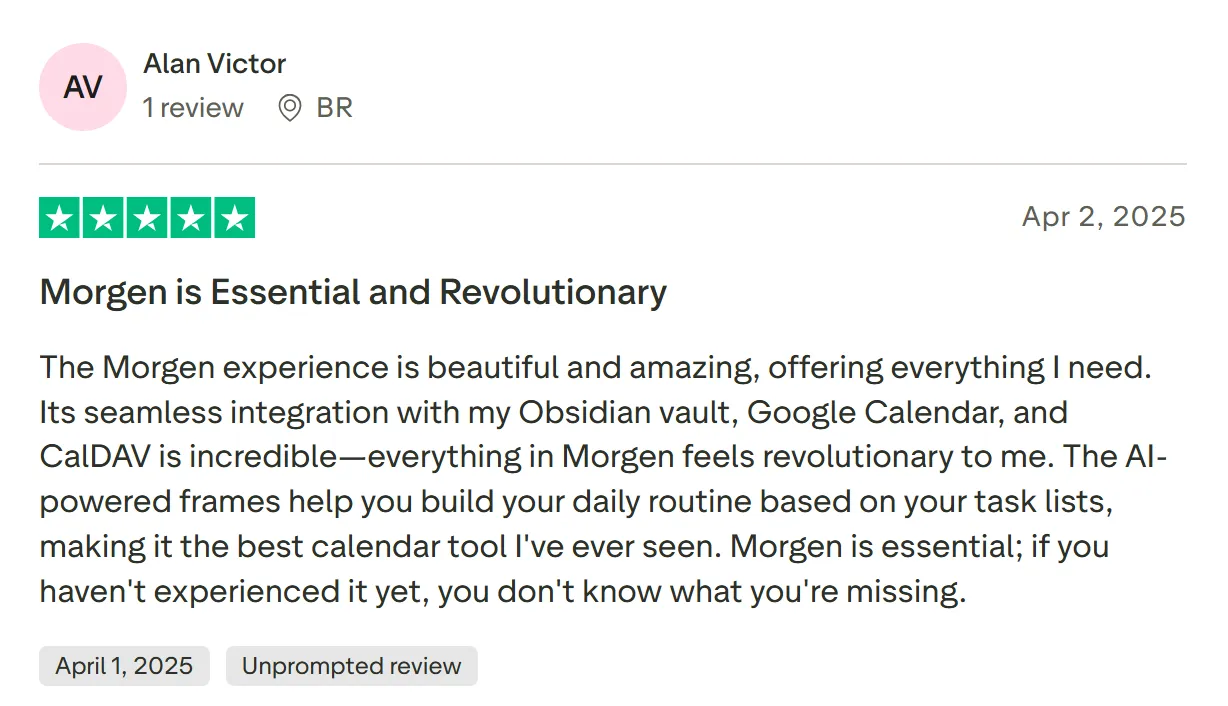
"The AI-powered frames help you build your daily routine based on your task lists, making it the best calendar tool I've ever seen," says Alan Victor.
Who Morgen Is Best For
- Freelancers, consultants, and solopreneurs: Juggling work, personal, and client calendars who need one AI task manager to prevent double-booking
- ADHD brains: Struggling with time blindness and executive function, who want AI suggestions they can approve rather than automatic rescheduling that feels out of control
Download Morgen for Windows, Mac, Linux, iOS, or Android now.
2. Motion
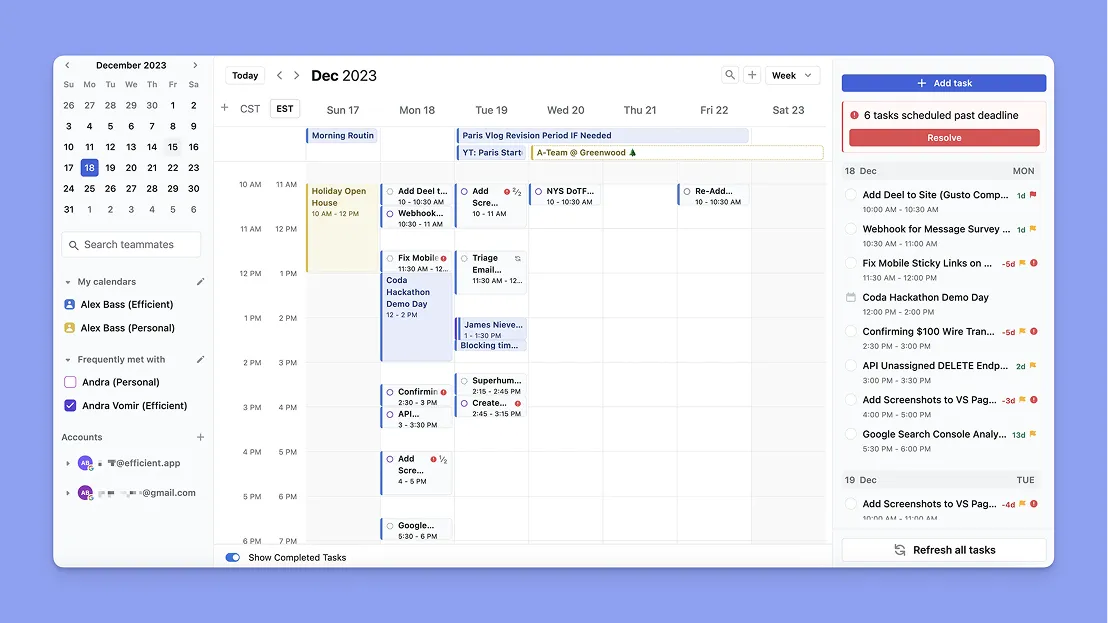
Motion automatically schedules your entire workday by analyzing priorities, deadlines, and available time. Once you add tasks and projects, Motion can schedule and reschedule everything with minimal input from you.
Key Features
- AI employees: Delegate specialized work to AI planning assistants trained for writing, client response management, or scheduling
- Fully automated scheduling: Motion's AI builds your daily calendar by placing tasks, meetings, and breaks based on urgency
- AI task dependency management: The algorithm schedules dependent tasks in order, with buffer times, and alerts you to timeline risks
Pricing
| Plan | Price |
|---|---|
| Individual (Pro AI) | $29/month (annual) |
| Team (Pro AI) | $19/user/month (annual) |
Note: Motion's AI automation requires AI credits, separate from your subscription. The Individual plan includes 7,500 monthly credits at $0.25 per 100 additional credits. As AI-powered tools become central to development workflows, tracking usage is key—Clawdboard helps developer teams monitor AI coding spend, token usage, and model breakdowns in real time.
Where Motion Shines
- Hands-off automation: Add tasks with deadlines, and Motion handles when you'll work on them
- Smart rescheduling: When meetings run long or urgent work appears, Motion automatically moves affected tasks to the next available slot
Where Motion Falls Short
- Learning curve: Initial setup requires defining projects, priorities, and work preferences, which users find overwhelming
- Limited manual control: The AI makes scheduling decisions without much input, sometimes leading to over-scheduling
Customer Reviews
"I find Motion to be very complicated and overwhelming, especially for a single individual user like myself," shares Christian T.

A verified G2 user shares, "I love the fact that Motion takes the thinking out of my day."

Who Motion Is Best For
- Startup founders juggling multiple roles: Automation handles scheduling so you focus on execution rather than planning
3. Akiflow
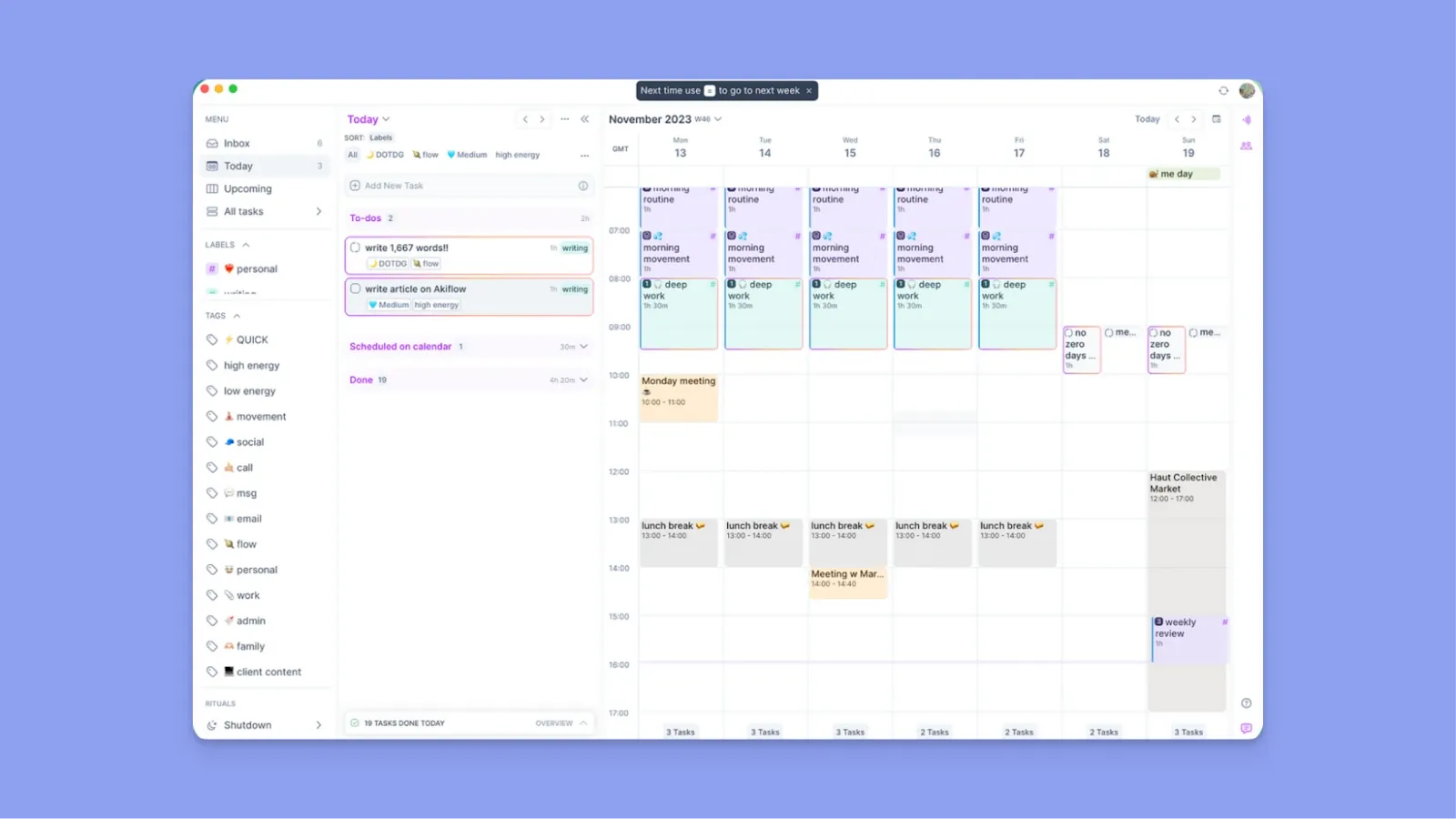
Akiflow pulls tasks from Gmail, Slack, Notion, Todoist, and 3,000+ apps into one unified inbox. The AI assistant "Aki" uses natural language processing to help you schedule tasks rapidly.
Key Features
- Natural Language Processing: Type "Finish report tomorrow at 2 pm" and the AI extracts the task name, due date, and start time
- AI-powered task rescheduling: When your day fills up, Aki suggests alternative time slots based on your availability patterns
- Command bar: The keyboard-driven command bar uses AI to understand shortcuts and interpret date references
Note: Aki learns from your task completion patterns and adjusts future suggestions accordingly.
Pricing
| Plan | Price |
|---|---|
| Pro | $19/month (annual) or $34/month |
Where Akiflow Shines
- Balanced AI assistance without takeover: Aki helps without taking over, speeding up workflow without feeling controlled
- Universal inbox with AI categorization: Tasks from multiple sources automatically categorize based on keywords, with AI-suggested project assignments
Where Akiflow Falls Short
- Aki chat feature could be better: The chat feature isn't always accurate and doesn't consistently follow instructions well
- No support for subtasks: Many users complain about a lack of subtasks for clarity on complex tasks
Customer Reviews
"Akiflow allows me to consolidate all my tasks and events in one place and turn them into an executable calendar through visual time blocking," shares Carlos V.

"I would appreciate it if they could introduce subtasks, as I rely on them quite a bit," Sarah A.

Who Akiflow Is Best For
- Professionals with simple planning needs: Best for those who use the command bar's natural language to manage tasks without clicking through menus
4. Reclaim.ai
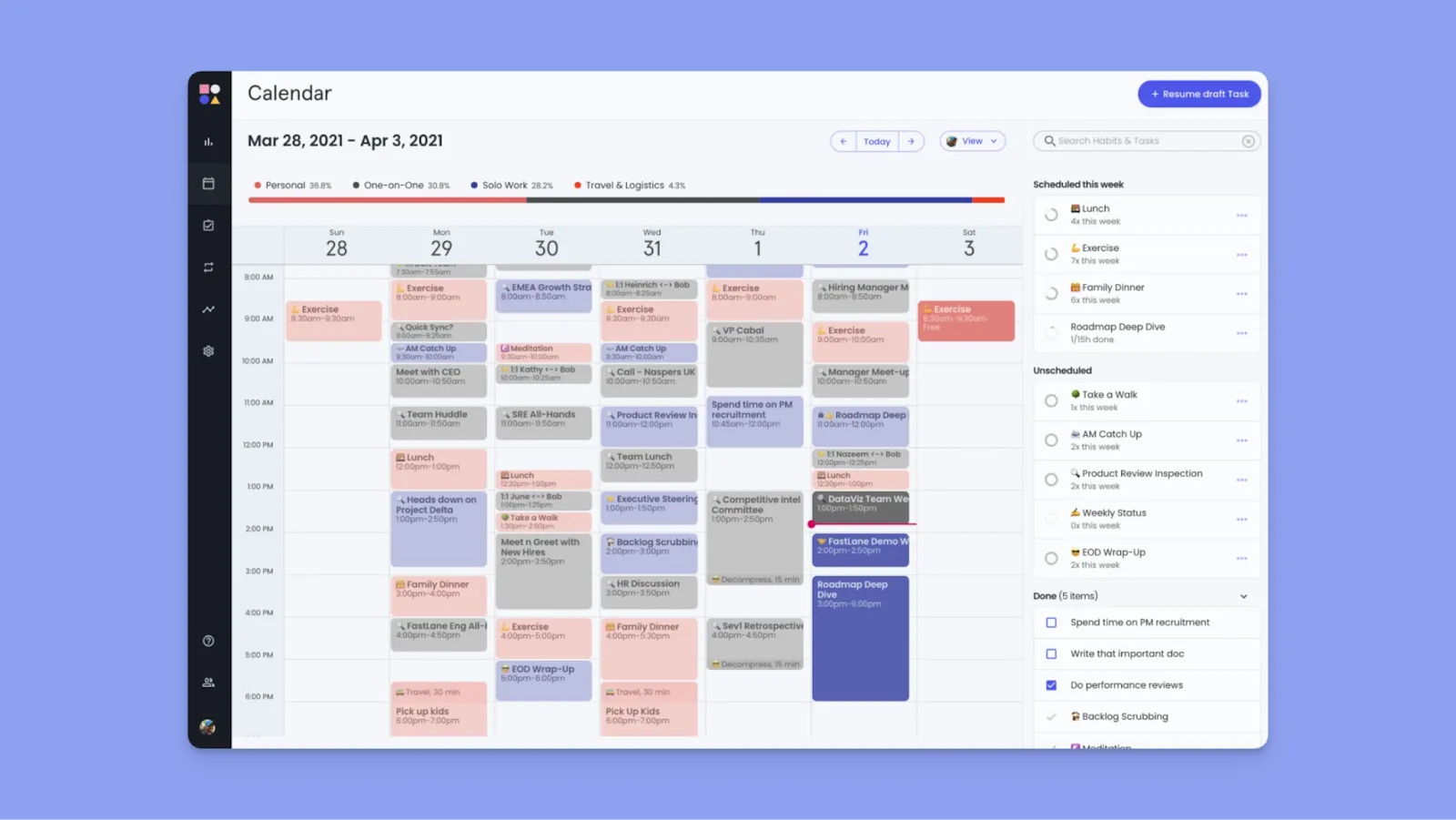
Reclaim focuses on routine protection and habit scheduling. It defends your calendar automatically and ensures rituals like workouts, breaks, or deep work are preserved.
Key Features
- Constraint optimization AI engine: Reclaim's AI analyzes thousands of schedule permutations, considering priority levels, due dates, working hours, and meeting density
- Habit AI scheduling: Create recurring routines (lunch, exercise, reading), and Reclaim's AI automatically finds time for them
Pricing
| Plan | Price |
|---|---|
| Lite | Free |
| Starter | $10/seat/month |
| Business | $12/seat/month |
| Enterprise | $22/seat/month |
Where Reclaim.ai Shines
- Effortless habit building: Users don’t need to manually reserve time for habits
- Sophisticated AI optimization algorithm: The constraint satisfaction approach finds genuinely optimal schedules
- Lightweight team compatibility: Shared working hours and constraints help teams avoid calendar collisions
Where Reclaim.ai Falls Short
- No color coding for tasks: Without color coding, users struggle to distinguish between personal and professional tasks. Here's how you can use Morgen to color-code and organize your calendar
- Difficult mid-task rescheduling: Once a task has started, the AI makes it difficult to reschedule in the moment; you only get snooze options
Customer Reviews
"I enjoy the scheduling feature. It allows me to use different schedule formats for different groups, says David A.

"One of the only things I would love to see is, maybe, color coding for tasks," Paul L.

Who Reclaim.ai Is Best For
Professionals building better habits: If routines constantly fall through, Reclaim's habit AI creates consistency
Find more options in our guide to Reclaim AI alternatives.
5. Trevor AI
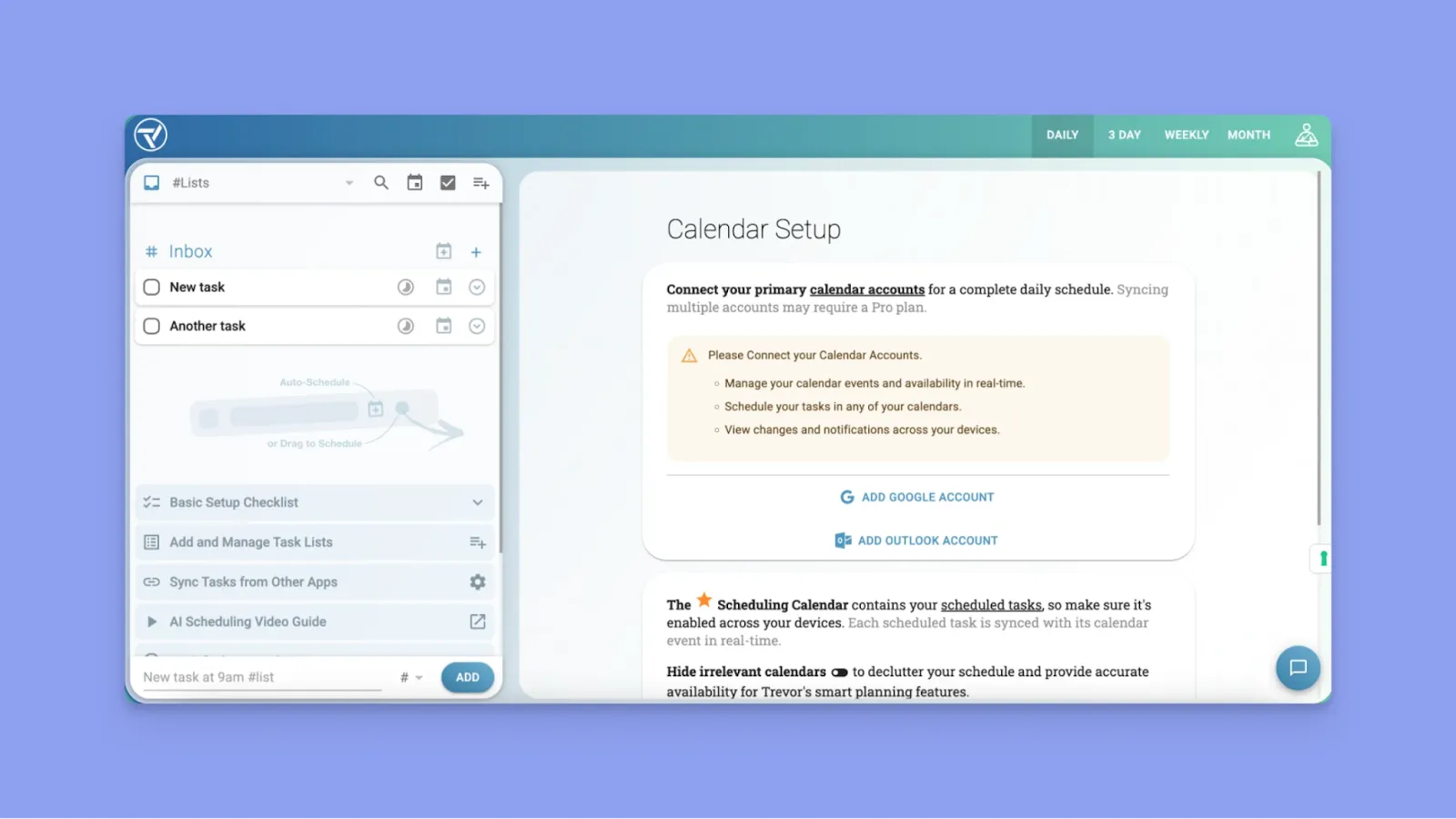
Trevor AI works as an "AI assistant" that bridges the gap between task management and time-blocking through one-click scheduling suggestions.
Key Features
- One-click AI scheduling: Trevor AI analyzes your calendar and task list to suggest optimal time blocks. Click once, and the AI schedules your day
- Focus mode: Focus Mode strips away distractions and shows only a timer, notes field, and an AI-generated 5-step action plan
Pricing
| Plan | Price |
|---|---|
| Free | $0 |
| Monthly | $6/month |
| Annual | $5/month |
Where Trevor AI Shines
- Human-in-the-loop: Trevor AI suggests optimal time slots, but you maintain final control
- Intuitive drag-and-drop experience: The visual time-blocking interface makes scheduling feel tactile and natural
Where Trevor AI Falls Short
- Limited task integrations: Trevor AI does not pull tasks from sources like Notion, ClickUp, Obsidian, or Linear, and only integrates with Todoist, Microsoft To Do, and Google Tasks
- Limited team collaboration: Trevor AI is built exclusively for individuals and lacks workload balancing or team capacity planning
Customer Reviews
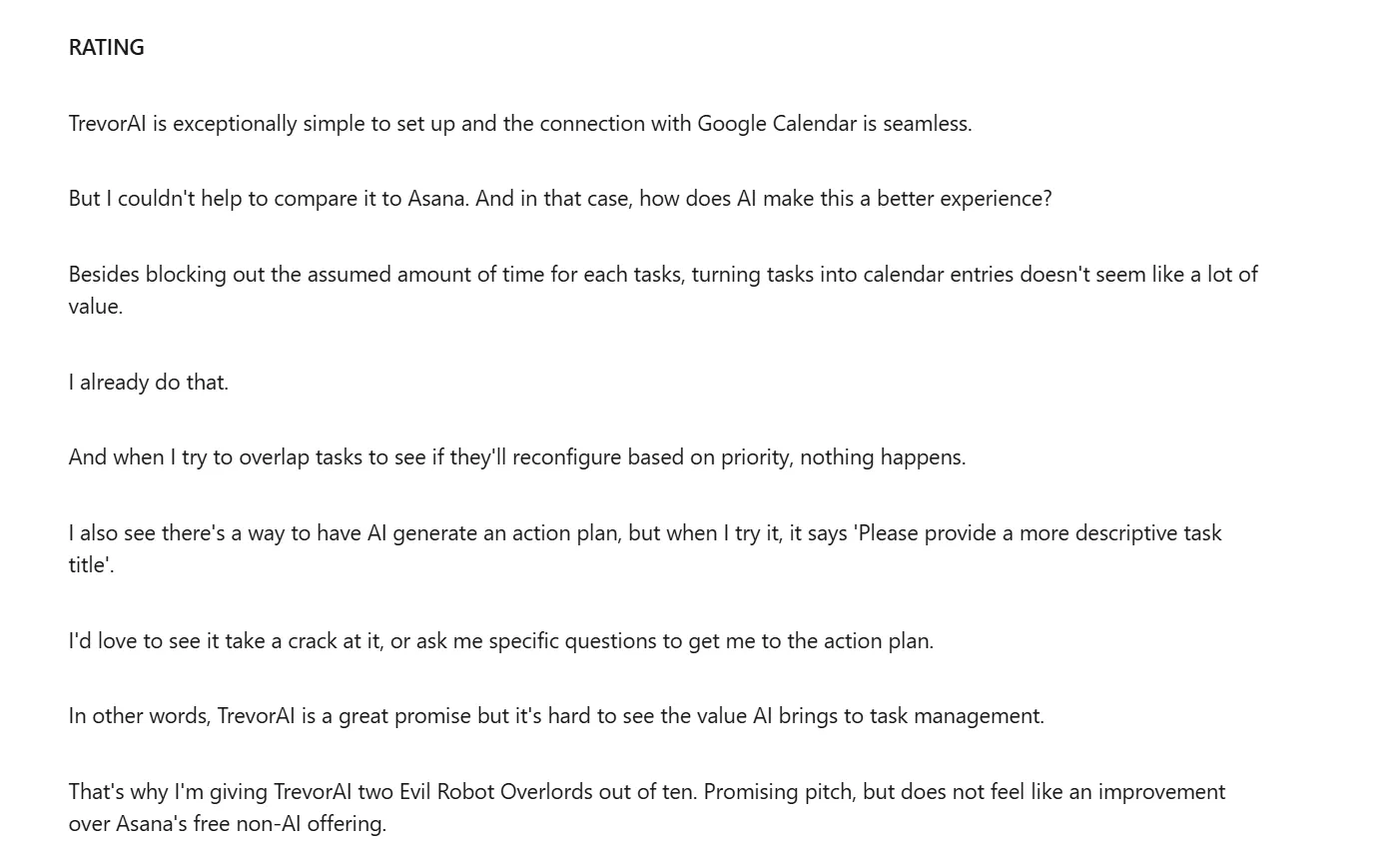
"Besides blocking out the assumed amount of time for each tasks, turning tasks into calendar entries doesn't seem like a lot of value. I already do that," Phil Ranta.
Who Trevor AI Is Best For
- Productivity enthusiasts: People who value Focus Mode deep work sessions and appreciate daily AI coaching emails that help improve planning habits without overwhelming automation
How to Choose the Right AI Task Manager
The best choice depends on how much control you want, which tools you already use, and whether you need team features or solo productivity focus.
Copilot vs. Autopilot
AI task planning tools can either be autopilot or copilot.
Autopilot AI takes full control of your schedule, automatically moving tasks around based on changing priorities, while Copilot AI makes intelligent suggestions but waits for your approval.
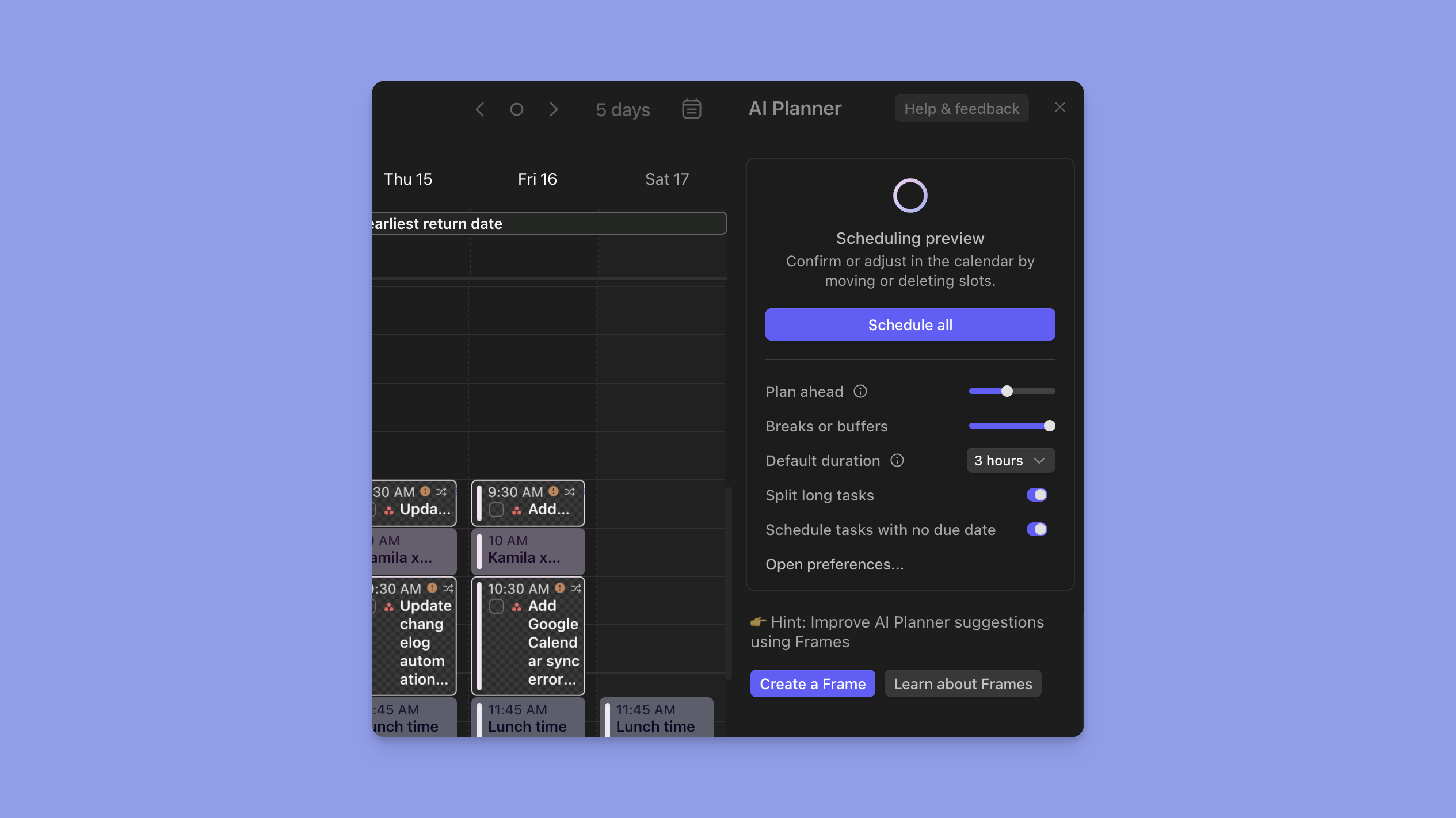
Morgen's AI needs your approval before prioritizing tasks. When conflicts arise, you choose whether to reschedule tasks ASAP (fitting them into the earliest available slots) or reprioritize with AI (which keeps tasks within their designated frames and evaluates your remaining capacity).
Integration Depth

Deep integrations help the platform understand the full context behind each task, including custom properties, project relationships, and metadata.
Morgen integrates with Notion, Linear, ClickUp, Todoist, Google Tasks, Obsidian, and more. You can filter tasks by imported properties (status, priority, custom fields) and organize them into Frames so the AI schedules similar work together.
Calendar Visualization
Managing different calendars and tasks can create visual overwhelm, so you need AI task planners with flexible view options.
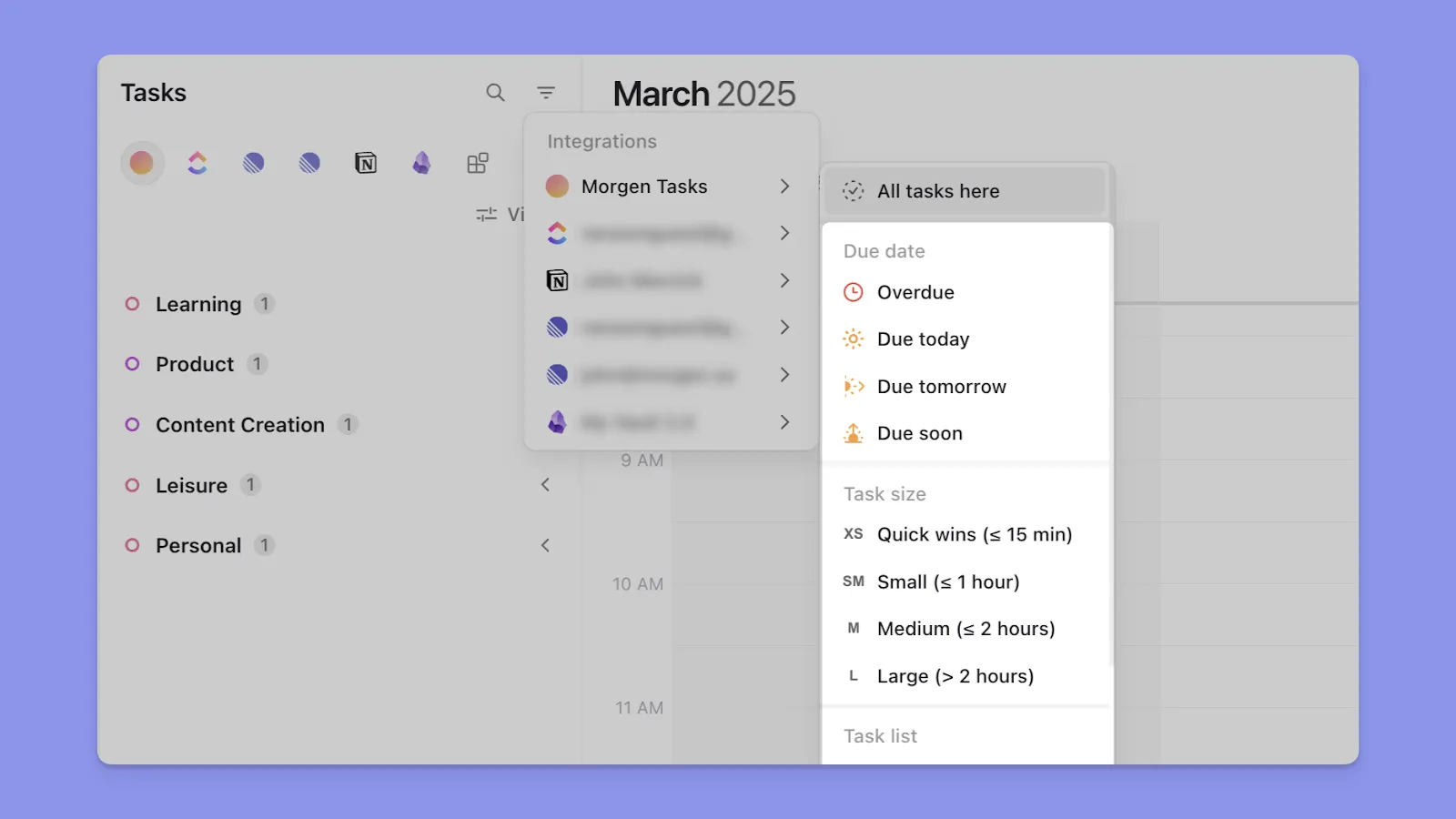
Morgen offers intelligent filtering that lets you create custom views for different contexts and switch between them instantly, keeping your plane clean.
Ready to add AI planning to your schedules? Contact us to discuss how Morgen fits into your stack.
AI vs. Traditional Task Management Software
AI task managers differ from traditional tools like Todoist, Asana, or Microsoft To Do in how they handle scheduling, prioritization, and integrations.
| Feature | AI Task Managers | Traditional Task Managers |
|---|---|---|
| Scheduling | Automatic time-block suggestions | Manual date assignment |
| Calendar Integration | Deep two-way sync with intelligent placement | Basic sync or none |
| Prioritization | AI-analyzed urgency and context | User-defined priority levels |
Automated vs. Manual Scheduling
Traditional task managers let you set due dates, but you decide when to work on tasks, while AI task planners automatically suggest optimal time blocks.
Calendar Integration Depth
Traditional tools can force you to manually maintain a task list and a calendar.
However, AI task planners like Morgen provide two-way calendar integration so that when you complete a task on the planner, it updates in your source tool (like Notion), and when you reschedule a task block on your calendar, the changes sync back automatically.
Context-Aware vs. Label-Based Prioritization
With traditional managers, you use simple priority labels (P1, P2, high, medium, low), and if you have five "high priority" tasks, you still decide which one to tackle first.
AI managers consider task priority, deadline proximity, estimated duration, your working hours, and meeting density, and then suggest optimal task placement based on when you actually have focused time available.
Plan Your Day Easily With Morgen's All-In-One AI Task Manager
Between last-minute meetings, shifting priorities, and the constant "what should I work on now?" question, your carefully planned day falls apart by 10 am.
Want to improve productivity? You can now use Morgen's AI task manager to define your ideal work patterns once, approve AI-suggested schedules in seconds, and reclaim your peak focus hours.
Grab a free 14-day trial to experience planning that adapts with you.

.svg)
.webp)


