
.svg)
→ Choose Sunsama: if you want intentional daily planning with a guided routine, calmer UI, and timeboxing that helps you commit to only what’s important.
→ Choose Motion: to have AI auto-schedule tasks around meetings and re-prioritize your workload when things change.
→ Or, Morgen as an alternative: if Motion's auto-reshuffling feels unpredictable, or Sunsama's manual planning takes too long.
→ Morgen: a calendar-based task planner that consolidates calendars (events, meetings, and routines) and tasks (from different tools) in one view. Use the AI Planner for suggestions on task placements around calendar events, and approve changes before the schedule is set.
The debate around Sunsama vs Motion is always hot on chat forums as people try to decide which to start using. Today, we’ll break it down for you.
Both are calendar management tools; Sunsama offers a guided but mostly manual planning ritual, while Motion uses AI to reschedule your day when priorities shift.
Below, we’ll compare pricing, features, and user sentiment to help you understand each. If you still want an alternative to both, we’ll explain why you can consider Morgen.
Key Takeaways
The debate around Sunsama vs Motion is always hot on chat forums as people try to decide which to start using. Today, we'll break it down for you.
Both are calendar management tools; Sunsama offers a guided but mostly manual planning ritual, while Motion uses AI to reschedule your day when priorities shift.
Below, we'll compare pricing, features, and user sentiment to help you understand each. If you still want an alternative to both, we'll explain why you can consider Morgen.
Sunsama vs Motion: A Brief Overview
Who Is Sunsama Best For?
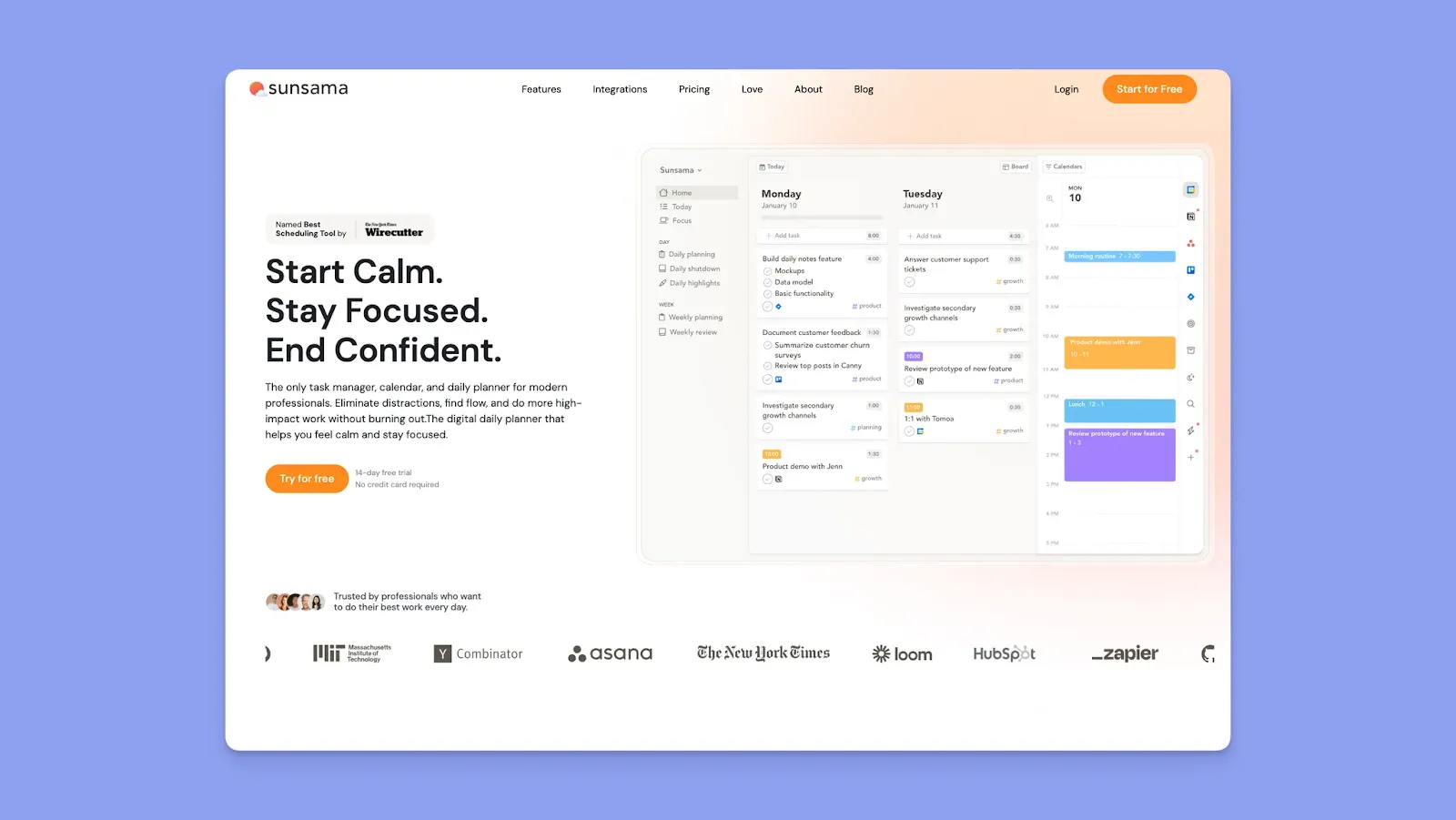
Sunsama takes a slower, more intentional approach to planning that works best for:
- Overwhelmed professionals who need to stop overcommitting and build sustainable work habits
- ADHD users: Verified reviews specifically cite overwhelm and ADHD-friendly planning benefits
- Remote workers who struggle with work-life boundaries and need help with daily shutdowns
- People using multiple task managers who want to consolidate without abandoning existing workflows
We’ve also covered how Morgen's AI-assisted approach compares to Sunsama's manual-only planning in this Sunsama vs Morgen comparison.
Who Is Motion For?
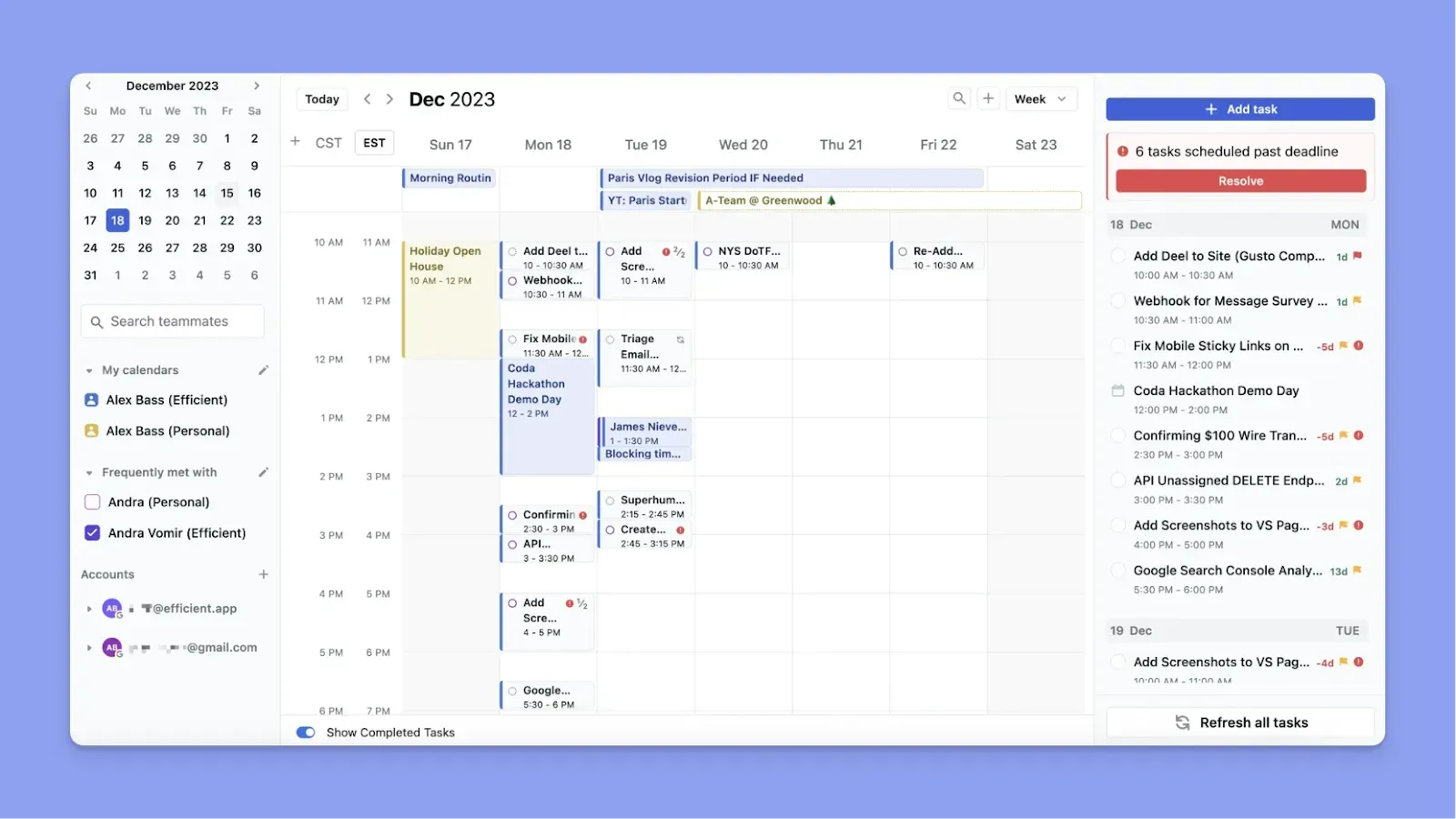
Motion uses AI to automate scheduling decisions, making it ideal for users who want less manual planning:
- Meeting-heavy professionals who need the system to re-plan automatically when meetings and priorities change
- Teams and operators who want tasks, projects, and scheduling in one tool
- People who can handle the setup (task durations, priorities, deadlines), because the automation needs structured inputs to work well
If you're comparing Motion specifically and want to see how Morgen stacks up as an alternative, check out our detailed Motion vs Morgen comparison.
Morgen: An Alternative
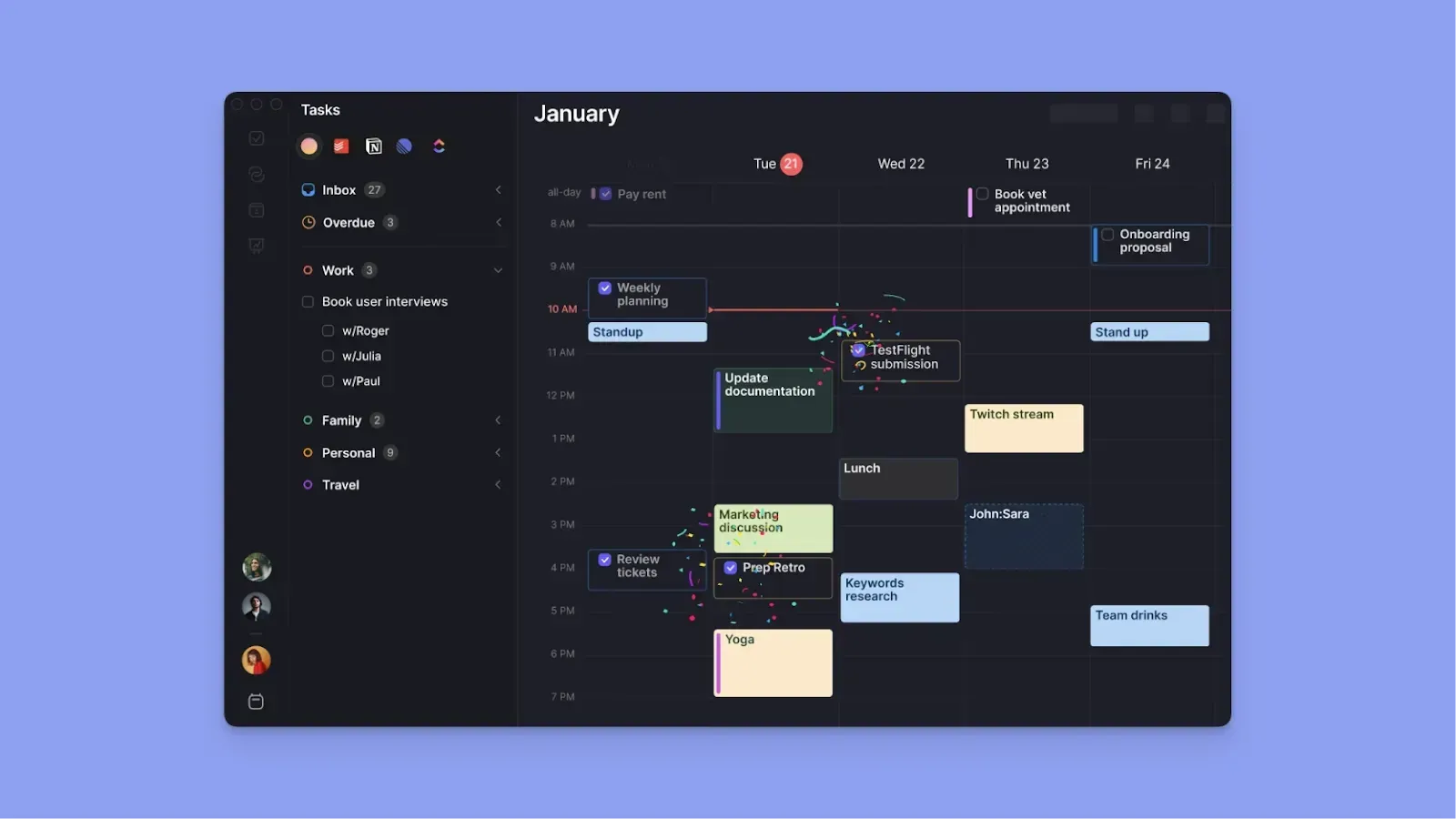
Sunsama doesn't offer AI planning, and Motion uses AI to schedule aggressively. You may need a tool that consolidates multiple calendars and pulls tasks from multiple tools, and still offers a realistic schedule in one place.
Here’s how Morgen, as an AI task planner, is an alternative to Sunsama and Motion:
- AI planning without aggressive reshuffling: Morgen suggests schedules in seconds, but won't move tasks without your approval
- Works with existing task tools, including Obsidian. Sunsama users often complain about the lack of an Obsidian integration with Sunsama, whereas Motion practically replaces your entire stack
- You get a simpler setup. No extensive configuration is needed before you start planning with Morgen
Download Morgen for Linux, Windows, Mac, iOS, and Android.
Price
Are Sunsama and Motion expensive daily planners? Both come with a free two-week trial, but here’s how their paid plans compare:
Sunsama

- Sunsama charges $20/month billed monthly, or $16/month billed annually
- User sentiment is polarizing: a Reddit reviewer says they like Sunsama but do not think it is worth roughly $200/year
Motion
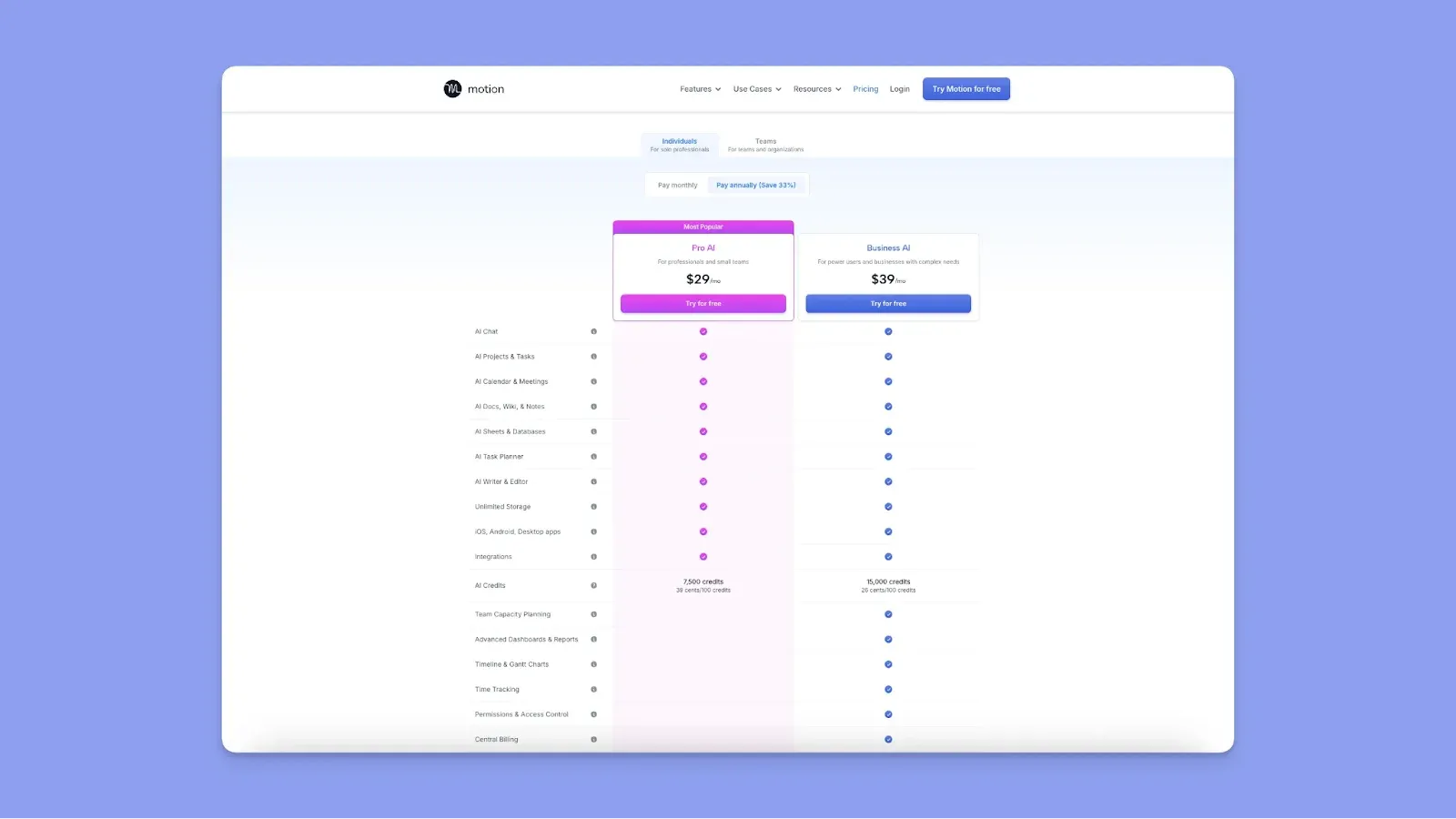
- Motion is relatively more expensive for individuals at $29/month compared to Sunsama's $20/month, though annual plans drop to $19/month
- Recent pricing changes have drawn user complaints about "nickel-and-diming" customers with tiered plans
- If you exceed the 7,500 AI credits on the Pro AI plan, you’d need to buy more at $0.25 per 100 additional credits, which makes Motion even more expensive
Verdict
Sunsama is more affordable than Motion and offers predictable pricing plans. However, if automation saves you meaningful time and prevents missed deadlines, Motion can justify the cost.
Scheduling Automation (AI)
What AI or automation features will you get, and will they make your planning easier?
Sunsama
.webp)
- Sunsama lets you manually plan your day, which users like Anna G say helps with “a mindful approach to productivity”
- They’ve recently added Sunsama AI, which can suggest time estimates and task channels to speed up task creation, but it does not help with calendar management
- Sunsama can auto-reschedule remaining tasks when a task runs longer than expected, but this happens within the context of your manually planned day, not as a continuous AI replanning engine
Motion
.webp)
- When you add a task with a deadline and priority, Motion's AI finds the optimal time slot, taking into account your existing meetings and focus hours. If a new meeting gets added, Motion automatically moves affected tasks to new time slots
- Users review how Motion’s automation helps them stay organized and mentally switch from one project to the next
Verdict
Choose Sunsama if you want control and a calmer daily planning loop, or Motion if you want aggressive automation and a system that will make scheduling decisions on your behalf.
Integrations
Integrations decide whether a tool becomes your system of record or just another layer you have to reconcile. Here’s Sunsama versus Motion:
Sunsama
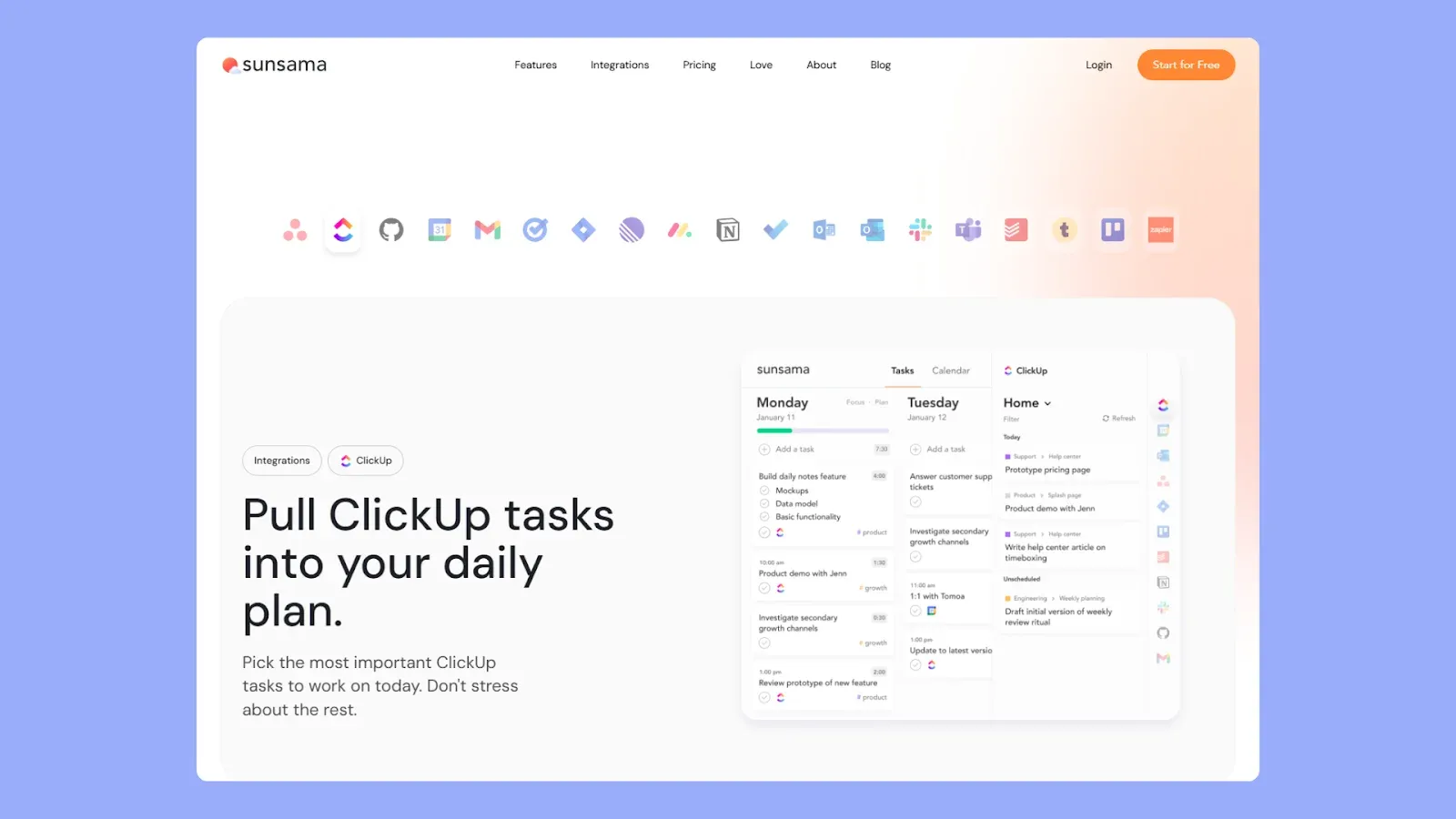
- Sunsama integrates project management tools, emails, communications tools, developer tools, and calendars like Google Calendar and Outlook Calendar
- Most people, like this reviewer, use Sunsama as a daily planning layer on top of existing tools, such as Notion and Todoist
Motion
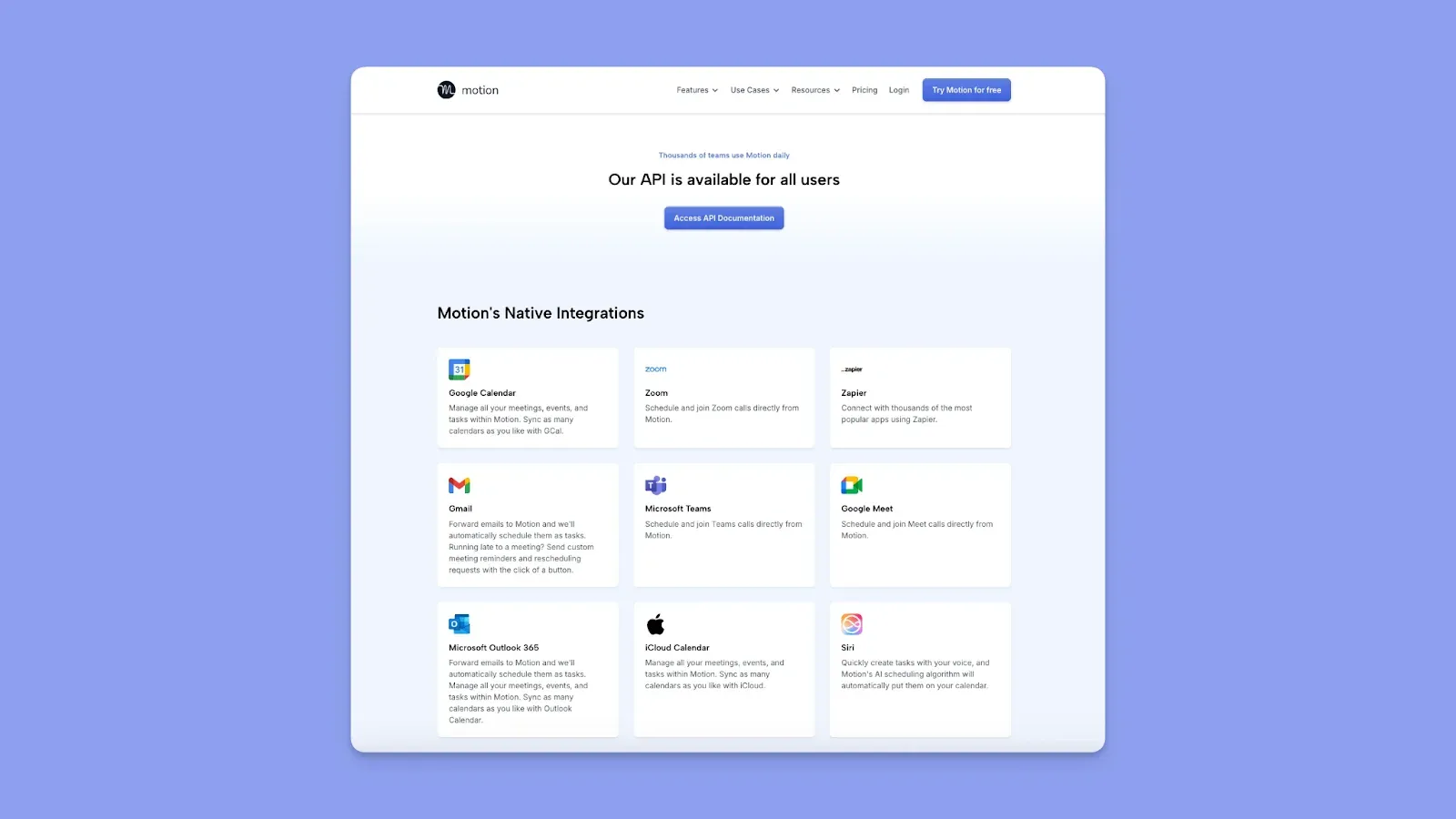
- Motion offers integrations like calendar sync options and workflow inputs like Siri, plus email forwarding for task capture
- However, Motion doesn't pull tasks from external tools like Asana or Todoist. Instead, it wants you to manage everything inside Motion's project management system
For a deeper look at how its project capabilities stack up against industry leaders, check out our breakdown of Motion vs Monday.
Verdict
Sunsama offers more integrations when your workflow depends on pulling tasks from established project and task tools. Motion is better if you want an all-in-one hub, and can use Zapier or API to add native integrations.
if you're looking for a total productivity suite, you may want to see how it performs in a Motion vs ClickUp head-to-head.
Ease of Use
How quickly can you start using Motion or Sunsama, or what's the learning curve?
Sunsama
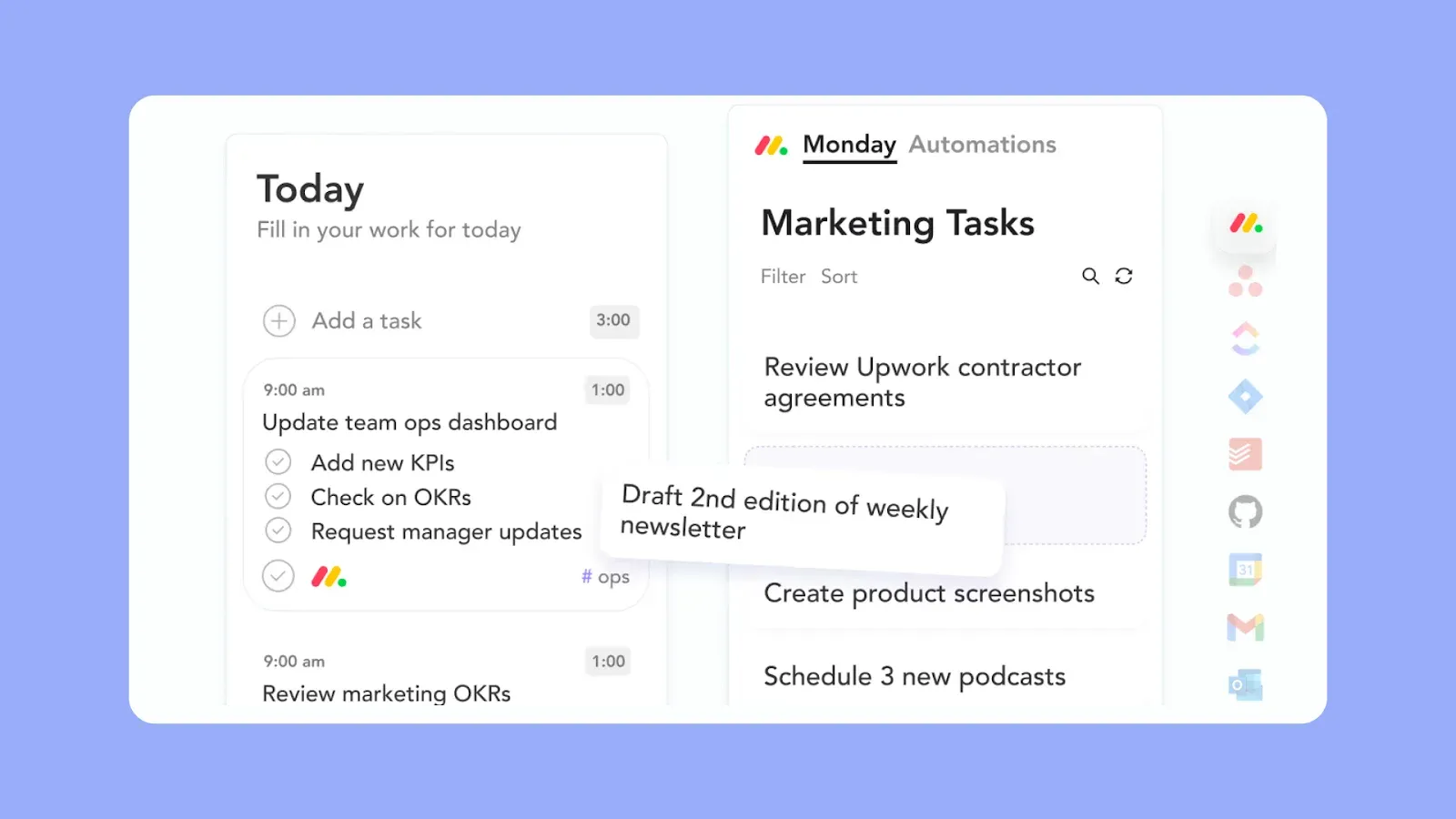
- You can automate and configure Sunsama’s daily shutdown routine in settings, and with that, reinforce its ritual-driven structure
- A recurring theme in Sunsama reviews is that it consolidates everything in one view and helps you answer “What should I do today?”
- Downsides are mostly about the reality that you still have to plan manually, while the Sunsama mobile app is also often reviewed as “disappointing”
Motion
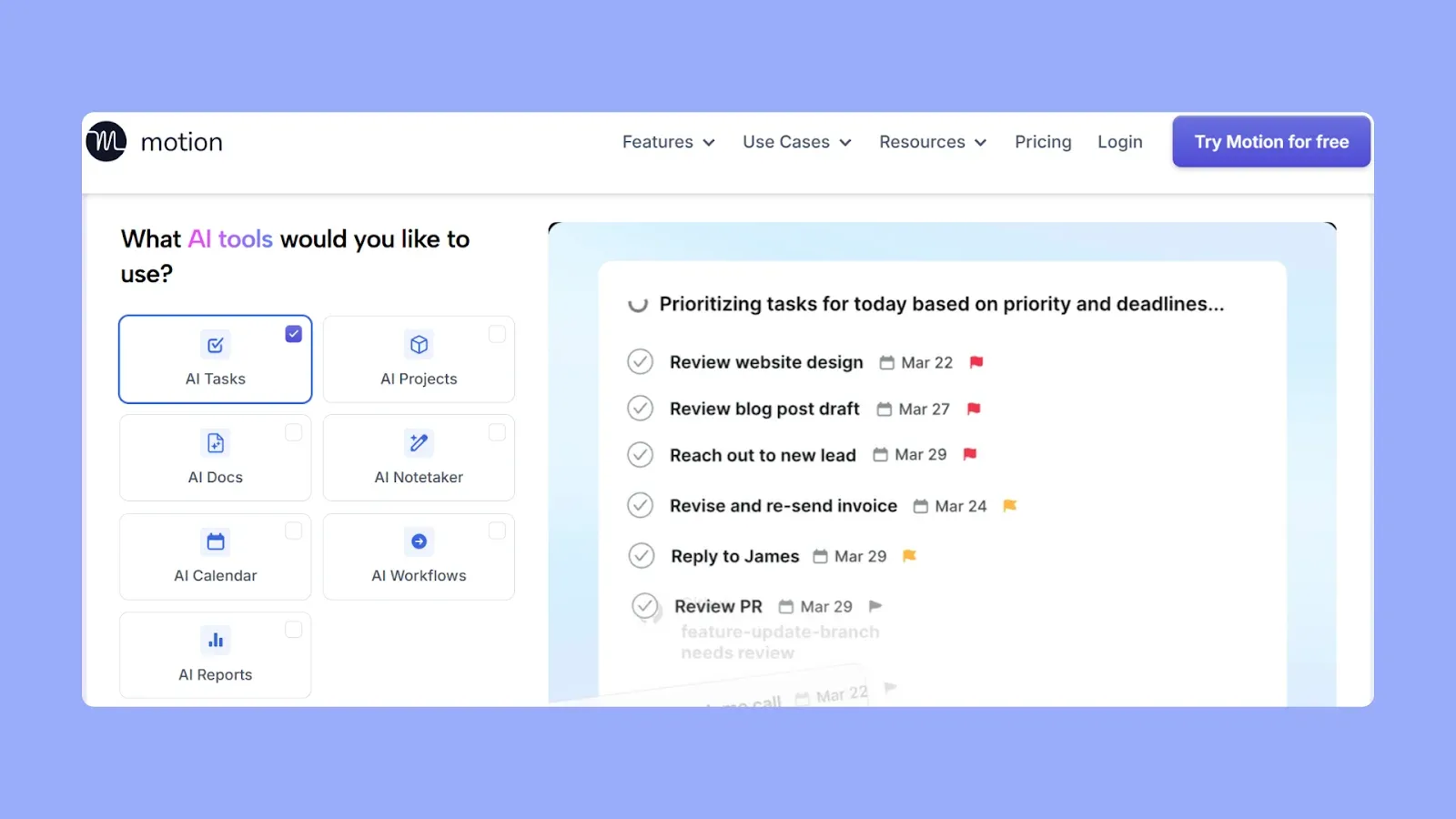
- Compared to Sunsama, Motion comes with a steeper learning curve
- According to Kathelijn H, features are intuitive, but maximizing AI effectiveness requires understanding priorities, deadlines, and task dependencies
- The payoff is that once set up, Motion can remove daily planning effort by continuously scheduling and rescheduling for you
Verdict
Sunsama is easier to start with because the workflow is guided and predictable. Motion can feel harder initially because the automation requires a structured setup, but it can reduce daily planning work significantly once it is dialed in.
User Interface and Daily Experience
The daily feel of each tool matters for long-term adoption, so let’s see how these tools compare.
Sunsama

- Sunsama's design philosophy centers on calmness and intentionality, with a clean, minimalist design with calming colors and a Kanban-style weekly view
- You start with a morning planning ritual to review yesterday, set today's priorities, and schedule tasks
- When you’re busy, you can enter Focus mode to hide everything except your current task
- Users also love that Sunsama prevents overcommitment, especially with the daily rituals, shutdowns that prompt reflection
Motion
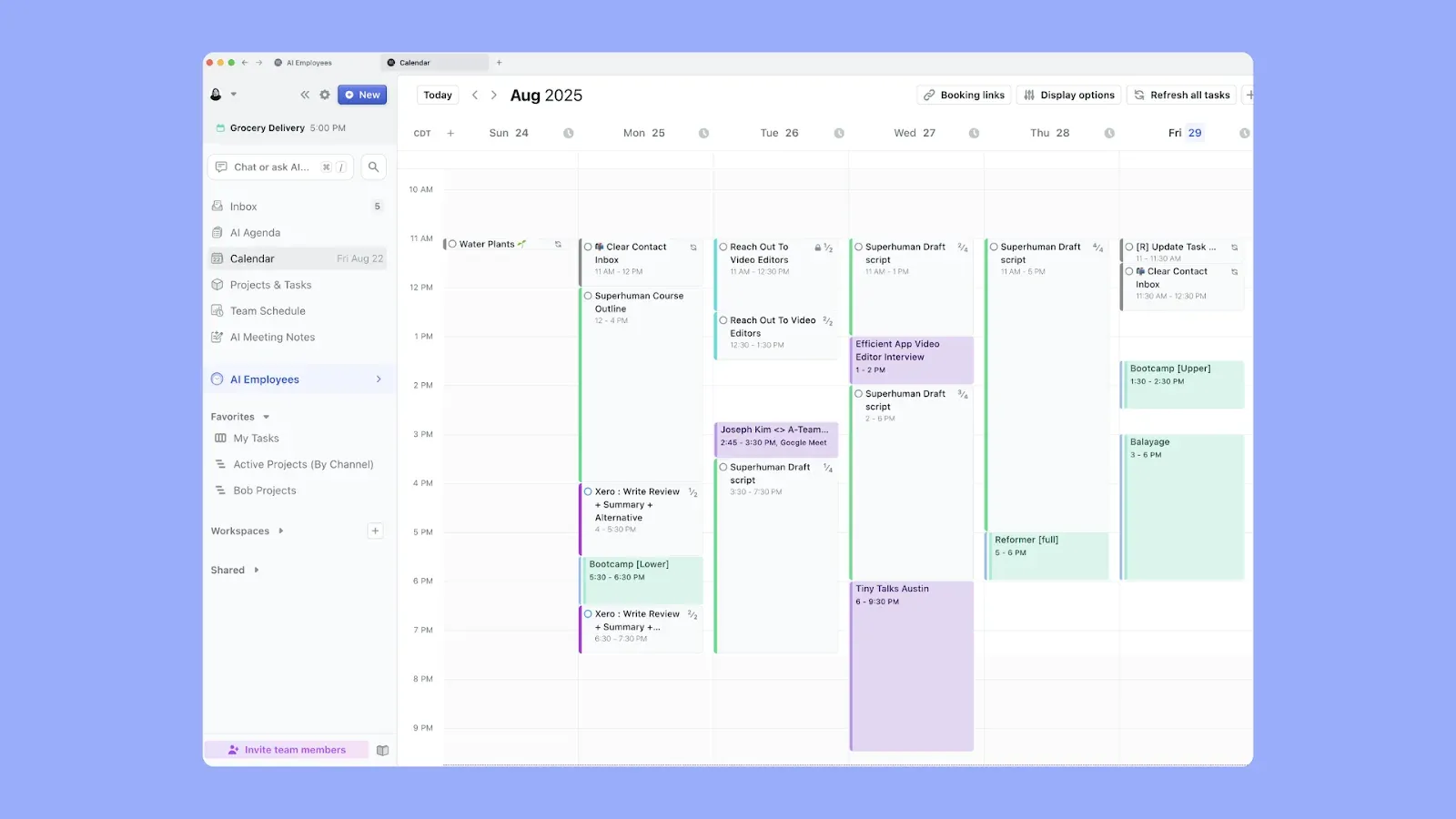
- Motion's interface is dashboard-centric with AI scheduling front and center
- You can check your calendar to see what Motion scheduled for you, and also, to see how AI automatically adjusts when new tasks or meetings are added
- Users love the design, citing that Motion “tells them what to do next”
- Victor B shares that, although motion changed the UI for to-do lists, the platform is still fairly intuitive
Verdict
Sunsama’s interface is slower, more intentional, and designed to prevent burnout. You'll spend time each day actively planning rather than executing, compared to Motion, which is faster-paced, optimization-focused, and designed to maximize productivity.
Customer Support
For tools that touch your calendar, support quality matters because a sync issue can ruin your entire day or week.
Sunsama
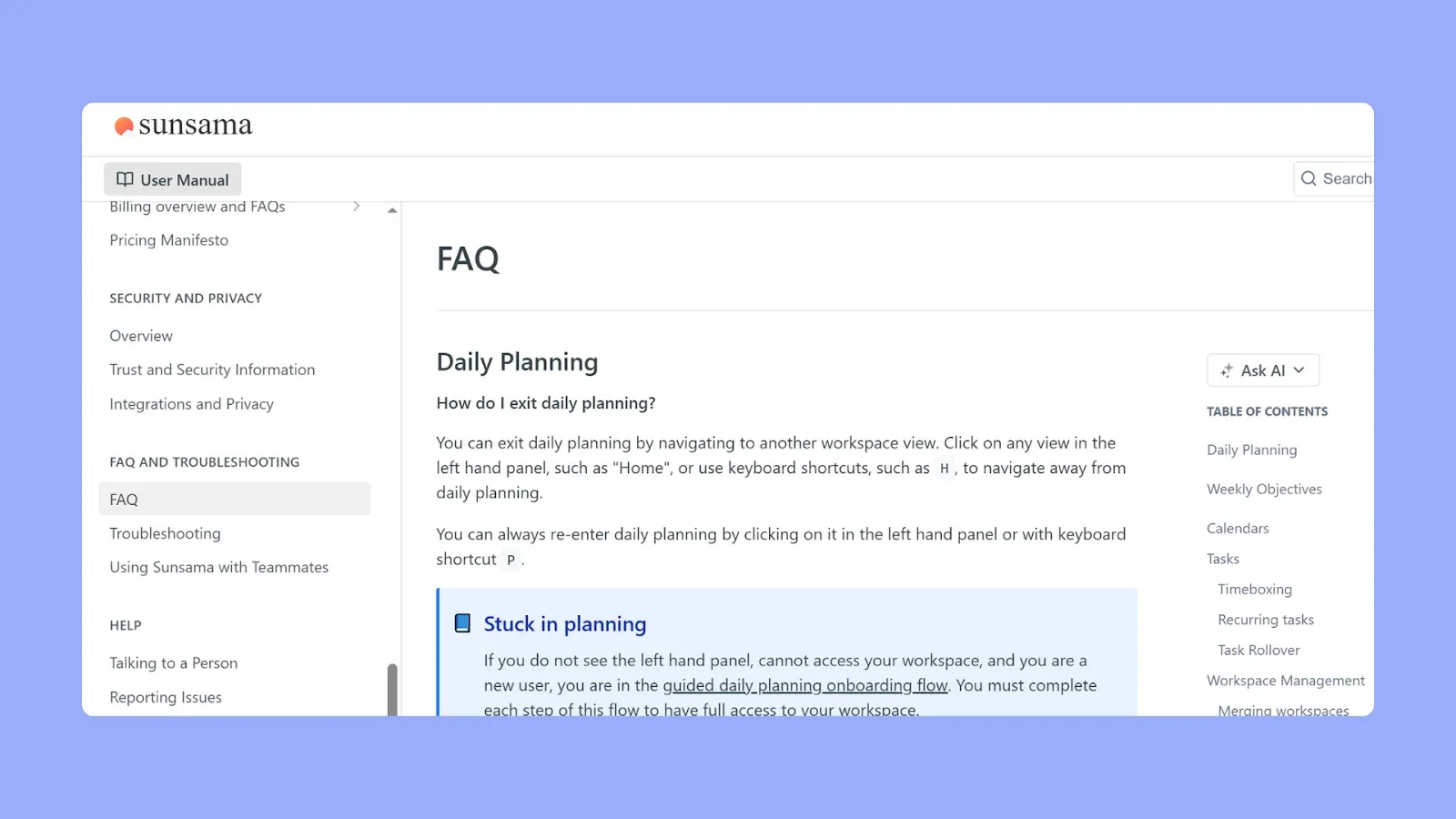
- On Reddit, reviewers share that the Sunsama team is highly responsive, while this reviewer also shares that their onboarding was great
- You get customer support through email, AI chat, FAQs, in-app messaging, and an extensive help center
Motion
Verdict
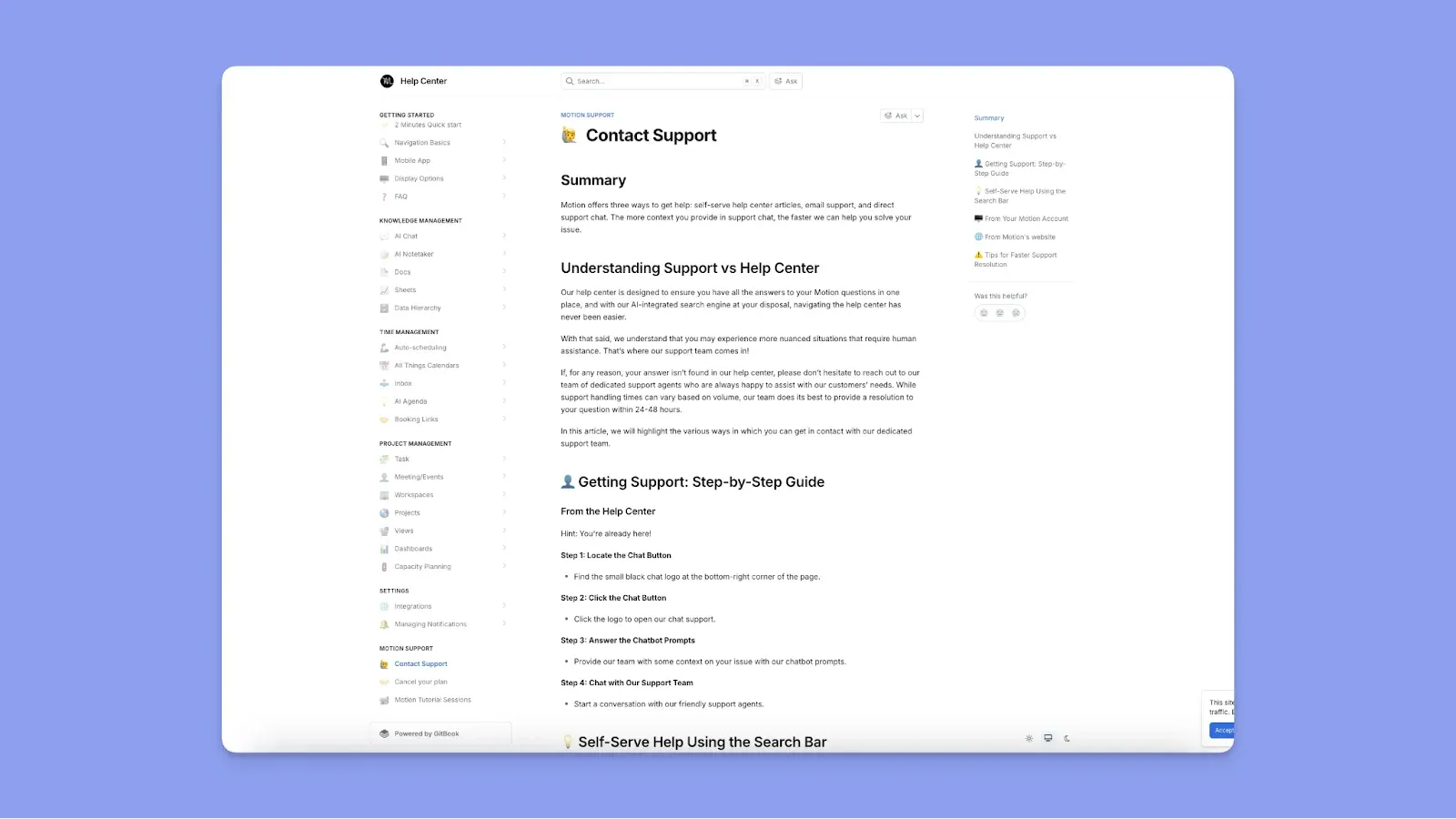
Both tools offer extensive documentation, but Sunsama users report faster response times, while Motion focuses on comprehensive self-service documentation.
How to Choose the Best Calendar and Task Management Software
When comparing tools like Sunsama and Motion, consider the features above, as well as how their planning fits into your day across devices, tools, and changing priorities.
You can also explore our broader review of the apps to stay organized to see how these specific planners fit into a wider productivity ecosystem.
Cross-Platform Availability
Not all productivity tools work across every operating system. For instance, you cannot download Motion on Linux. Meanwhile, Android users find the Sunsama mobile apps less feature-rich compared to desktop versions.
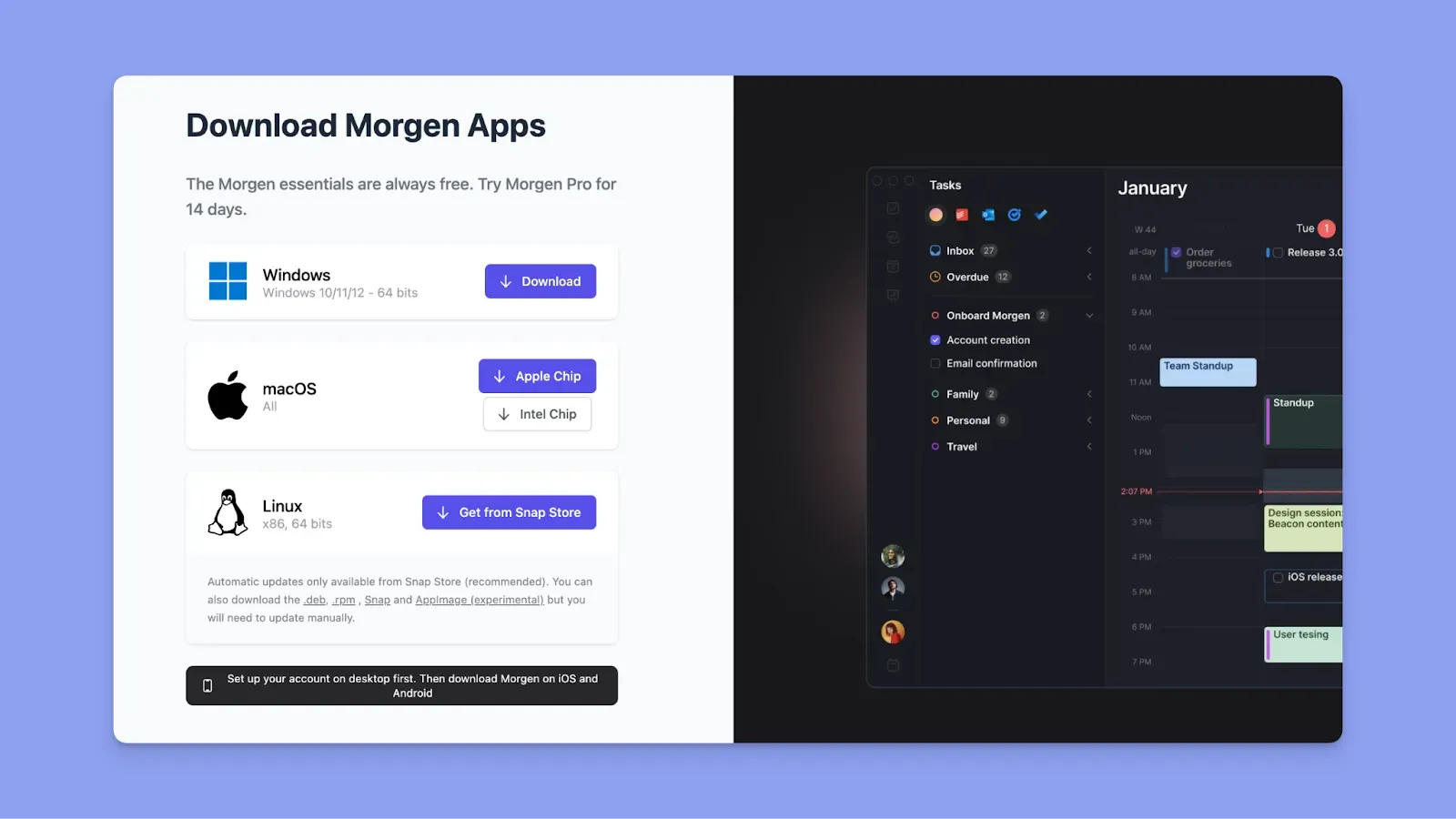
Morgen is one of the only full-featured calendar planners with native Linux support, plus robust Mac, Windows, iOS, and Android apps that sync seamlessly.
You can now also use Morgen's free Schedule Builder to design your ideal week on any device and download your schedule as an ICS file: no download required!
Planning Speed and Automation Level
Consider how much time you're willing to spend on daily planning. Do you want full control, full automation, or something in between?
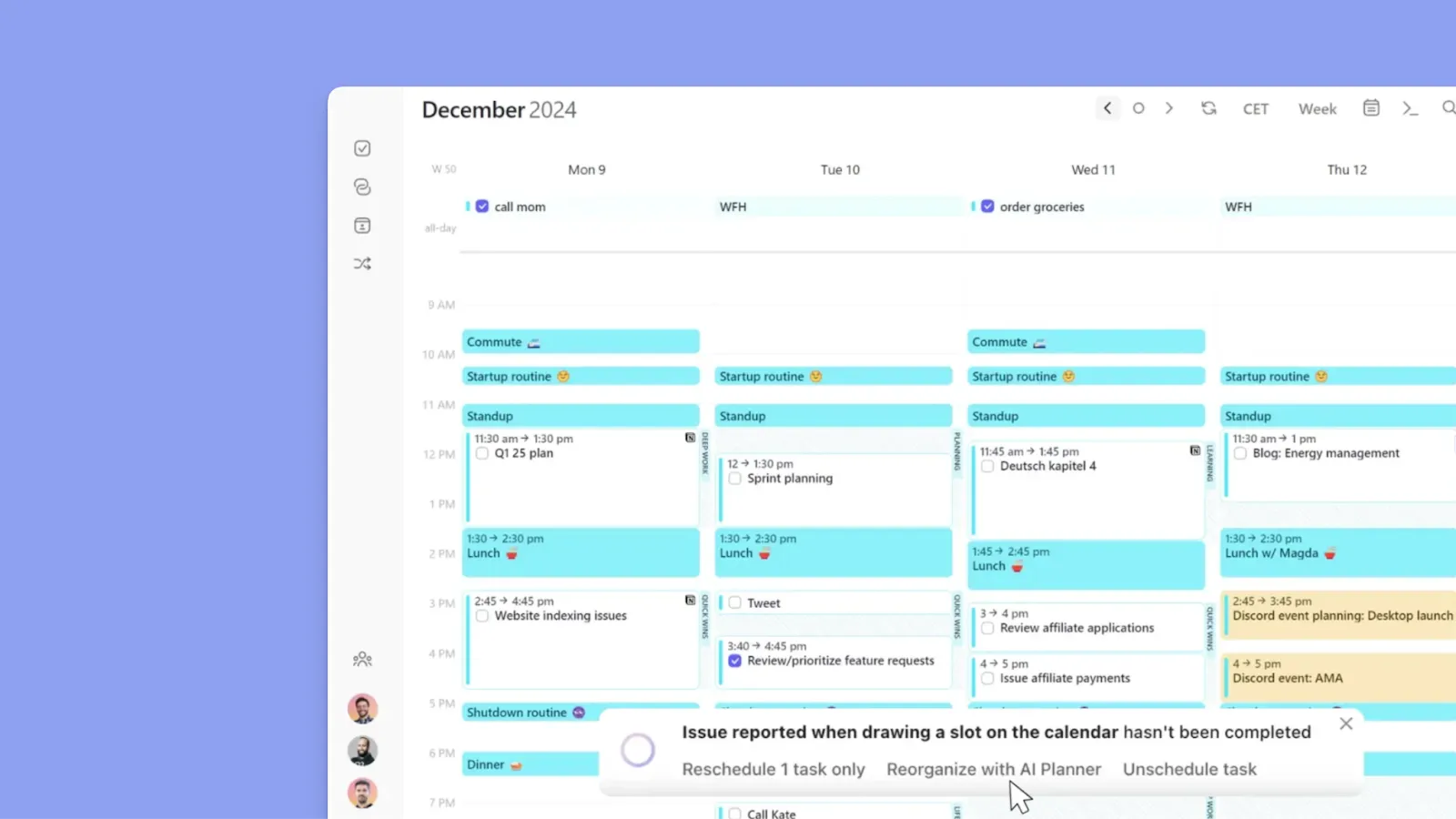
Morgen’s AI Planner generates schedules in seconds, but you preview and approve the plan before anything touches your calendar. It's faster than Sunsama’s manual planning, without Motion’s surprise reshuffling.
Value for Money
Sunsama is affordable, but it is a manual planner. On the other hand, Motion replaces your task tools, which may not be ideal for freelancers working in established teams, and has extra costs for users who rely too much on AI automation.

The best planner should offer value in both planning and long-term use. With Morgen, you get reliable pricing, guaranteed faster planning, and native tool support.
Explore Morgen's pricing to see how it compares to Sunsama and Motion.
Alternative To Sunsama and Motion: Morgen
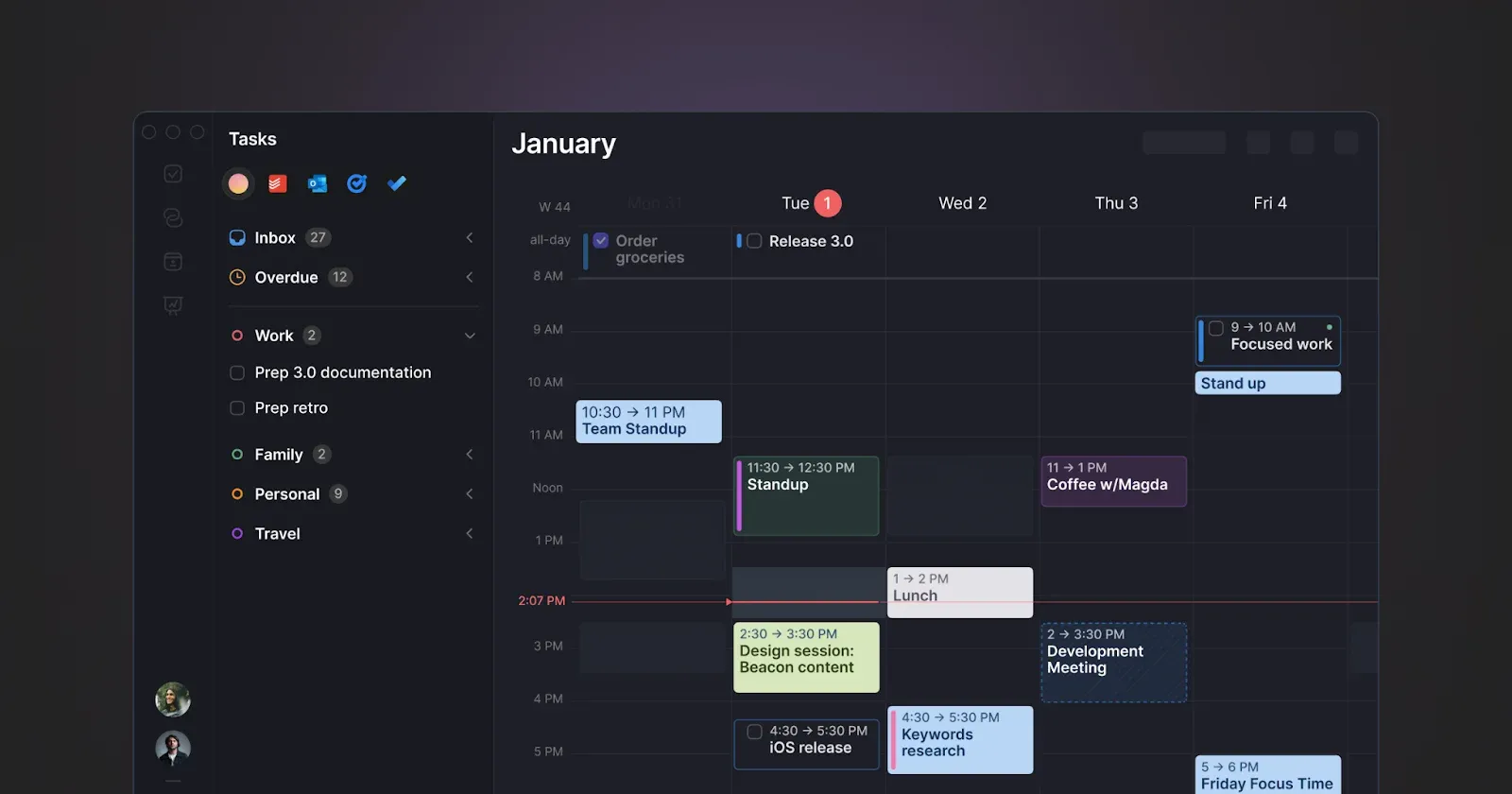
Morgen combines AI-assisted planning with full user control. It places tasks, events, routines, and meetings in one interface, which helps individuals who manage multiple calendars, task tools, and commitments daily plan better and faster.
Key Features
Here’s what makes Morgen the better Sunsama or Motion alternative:
Copilot AI Planning
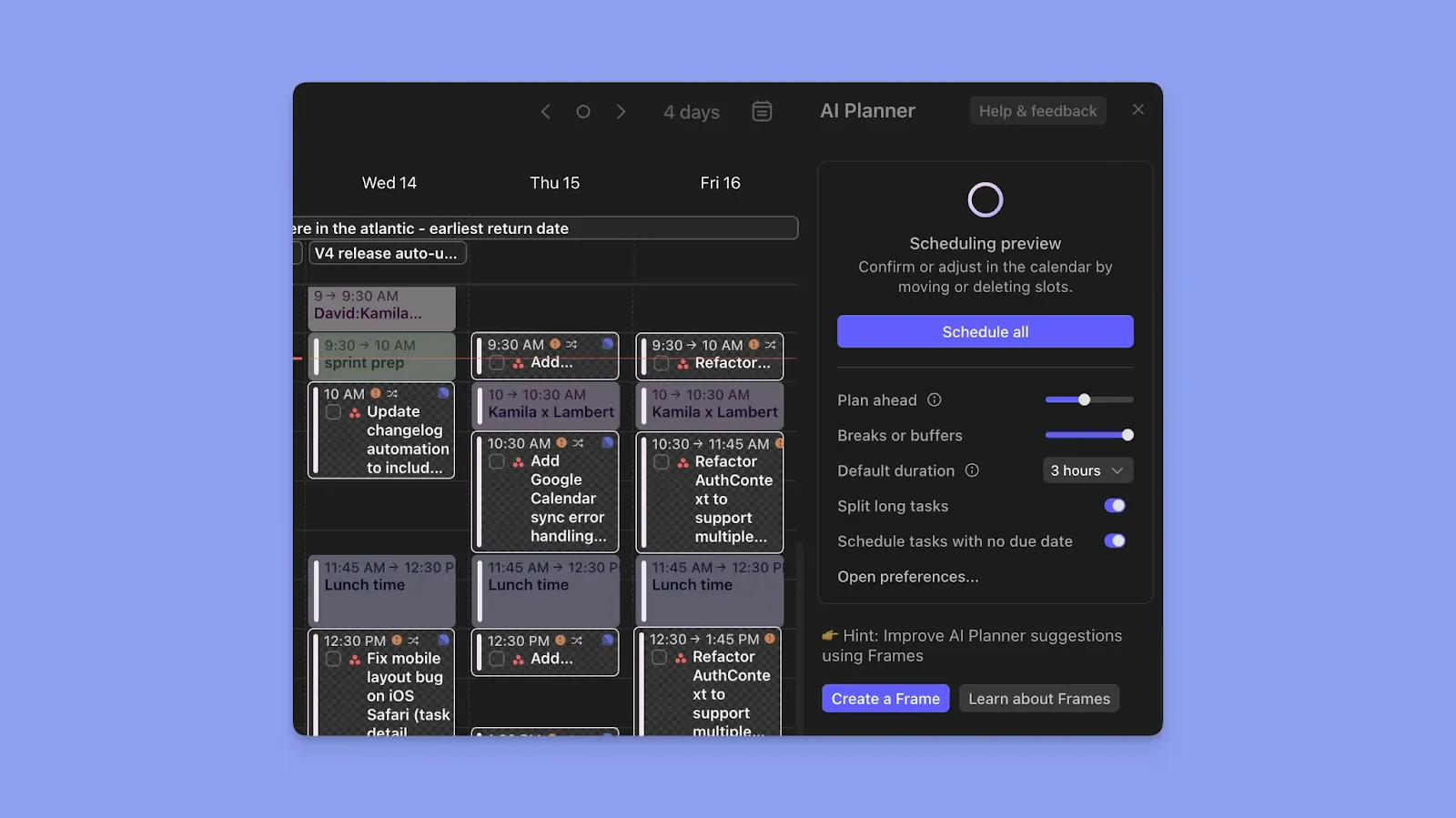
Morgen's AI Planner suggests where tasks should fit based on availability, priorities, and deadlines. You approve every change, keeping planning realistic and transparent.
Frames for Structured Planning
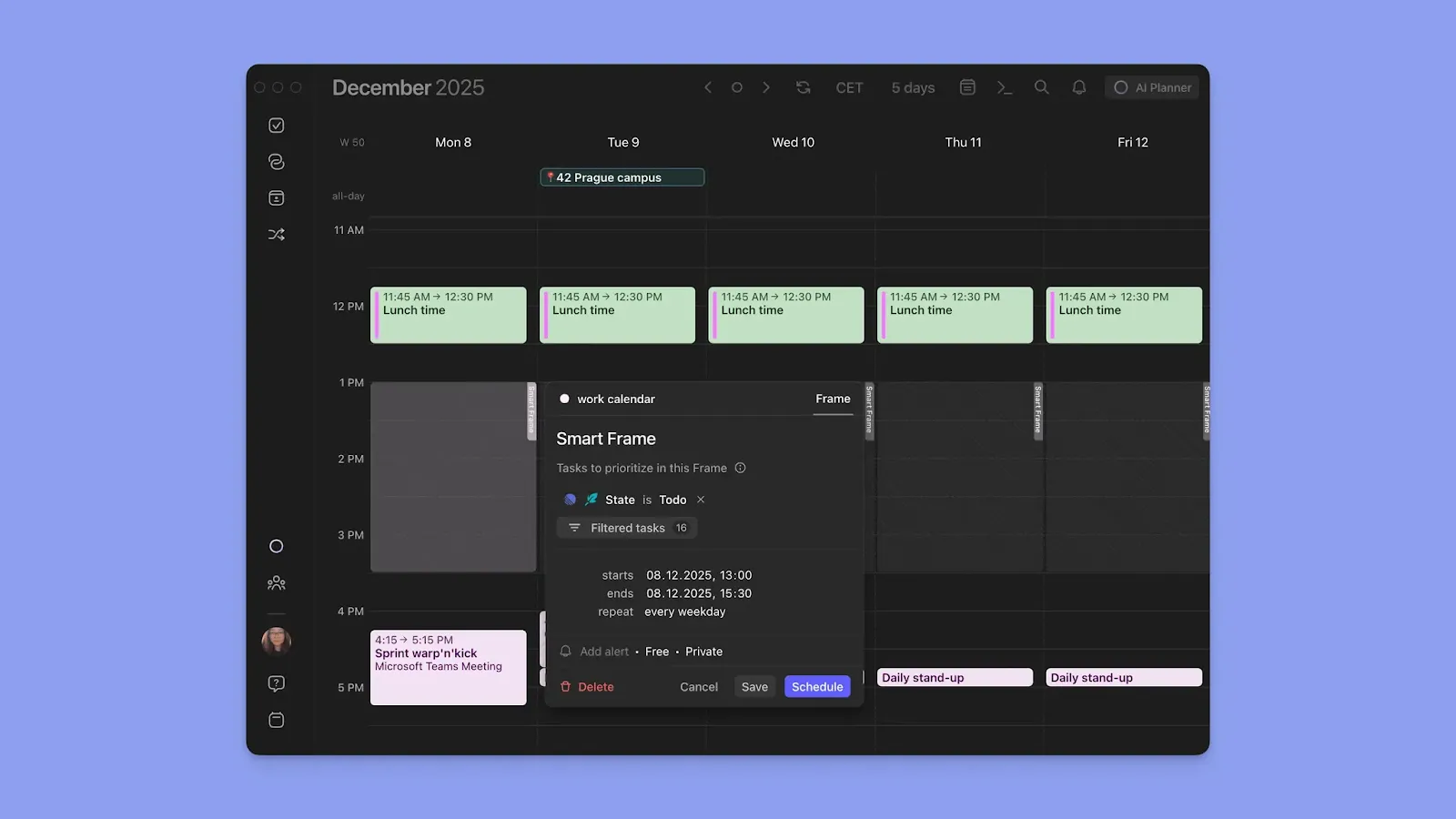
Frames are recurring time blocks that define planning contexts like “Deep Work” or “Personal Tasks.”
Morgen’s AI planning respects Frames and task parameters, and will only recommend tasks that fit the frame and can be completed within that specific focus block.
Events, Routines, and Tasks in One View
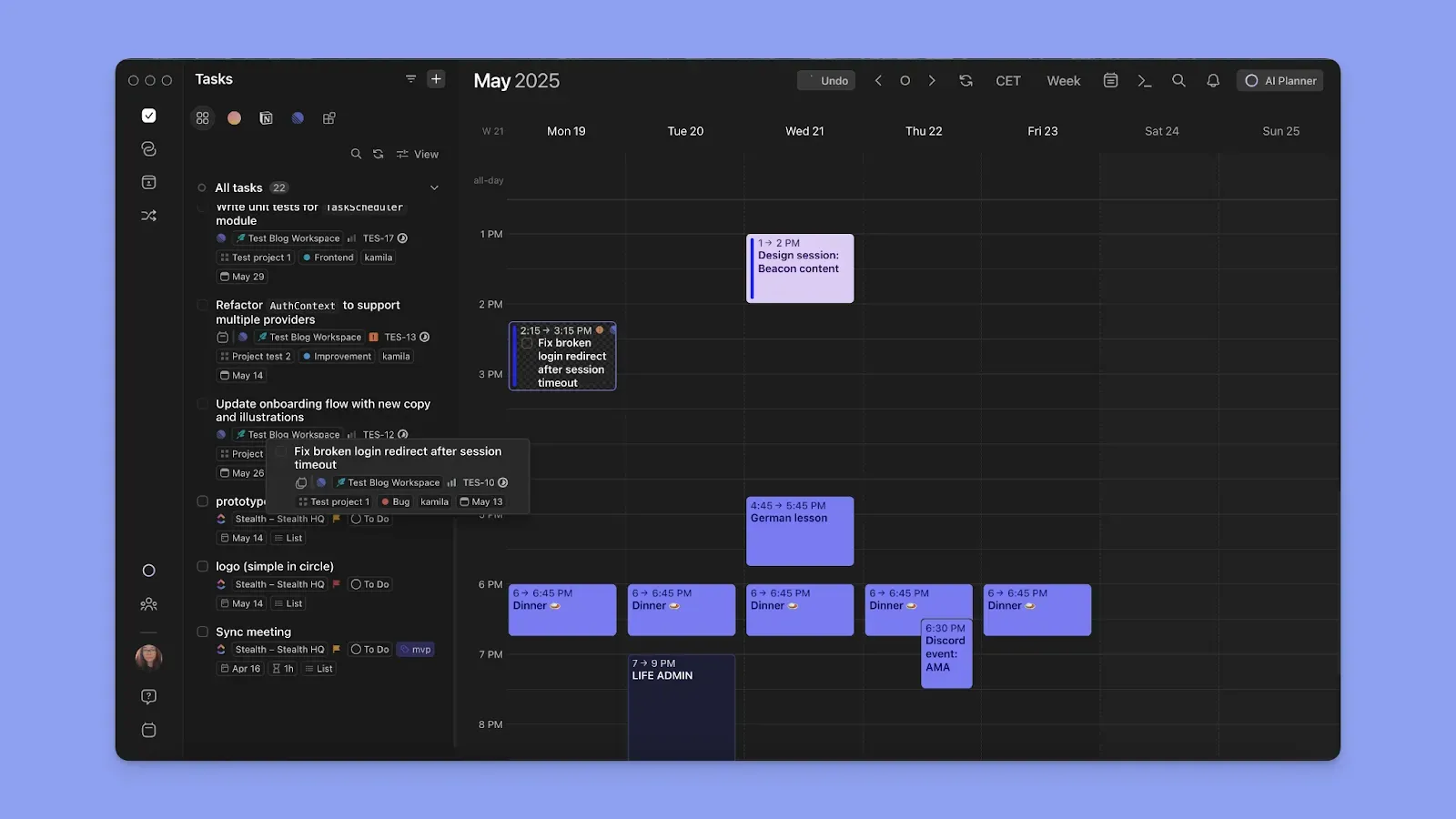
Morgen handles three planning primitives:
- Events (meetings and appointments with fixed times)
- Routines (recurring habits like breakfast, workouts, or daily standup meetings that happen at the same time each day or week)
- Tasks (work to be scheduled flexibly based on availability and priorities)
This unified approach eliminates the context switching between a calendar app and a separate task manager, which actually causes tool fatigue in 56% of workers.
Pricing
Where Morgen Shines
- Easy setup and ADHD-friendly planning: Minimal configuration, visual clarity, and human-approved AI reduce cognitive load
- Comprehensive integrations: Multiple calendars, task tools, and video conferencing integrations in one place, beyond Sunsama’s scope and without fully replacing your stack like Motion
- Strong meeting features: Scheduling links, booking pages, buffers, and team availability rival Motion while remaining simpler to manage
Where Morgen Falls Short
- No kanban or board views: Morgen’s interface is calendar-first, so you won’t be able to visualize work as cards on a board
Customer Reviews
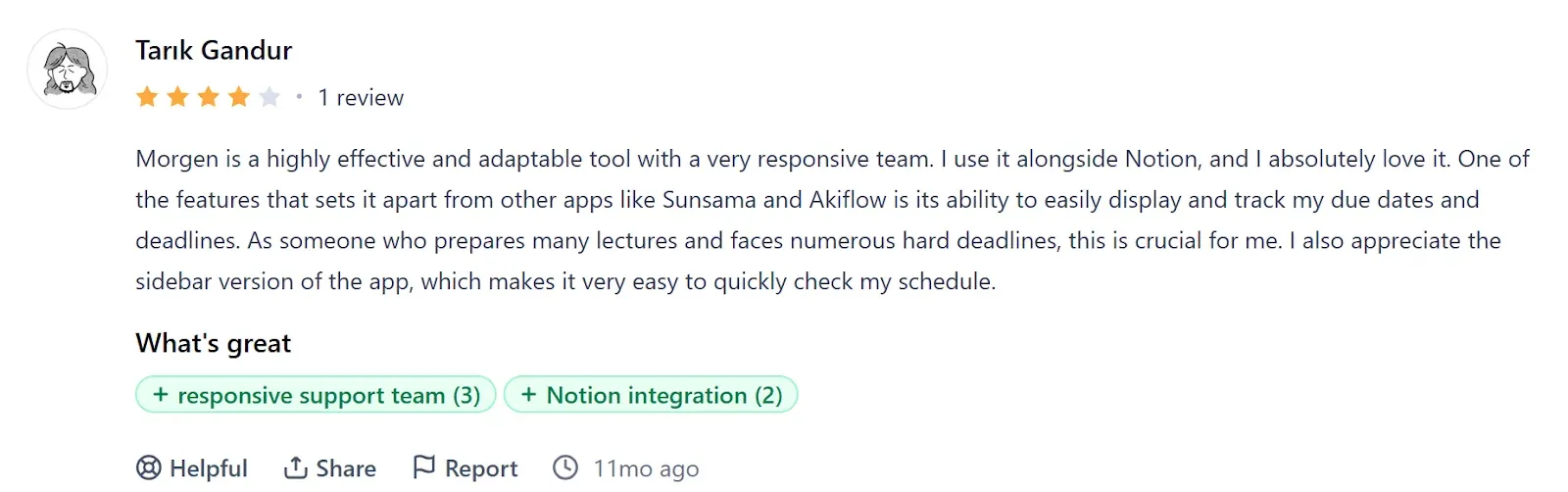
“Morgen is a highly effective and adaptable tool with a very responsive team. I use it alongside Notion, and I absolutely love it,” shares Tarık Gandur.
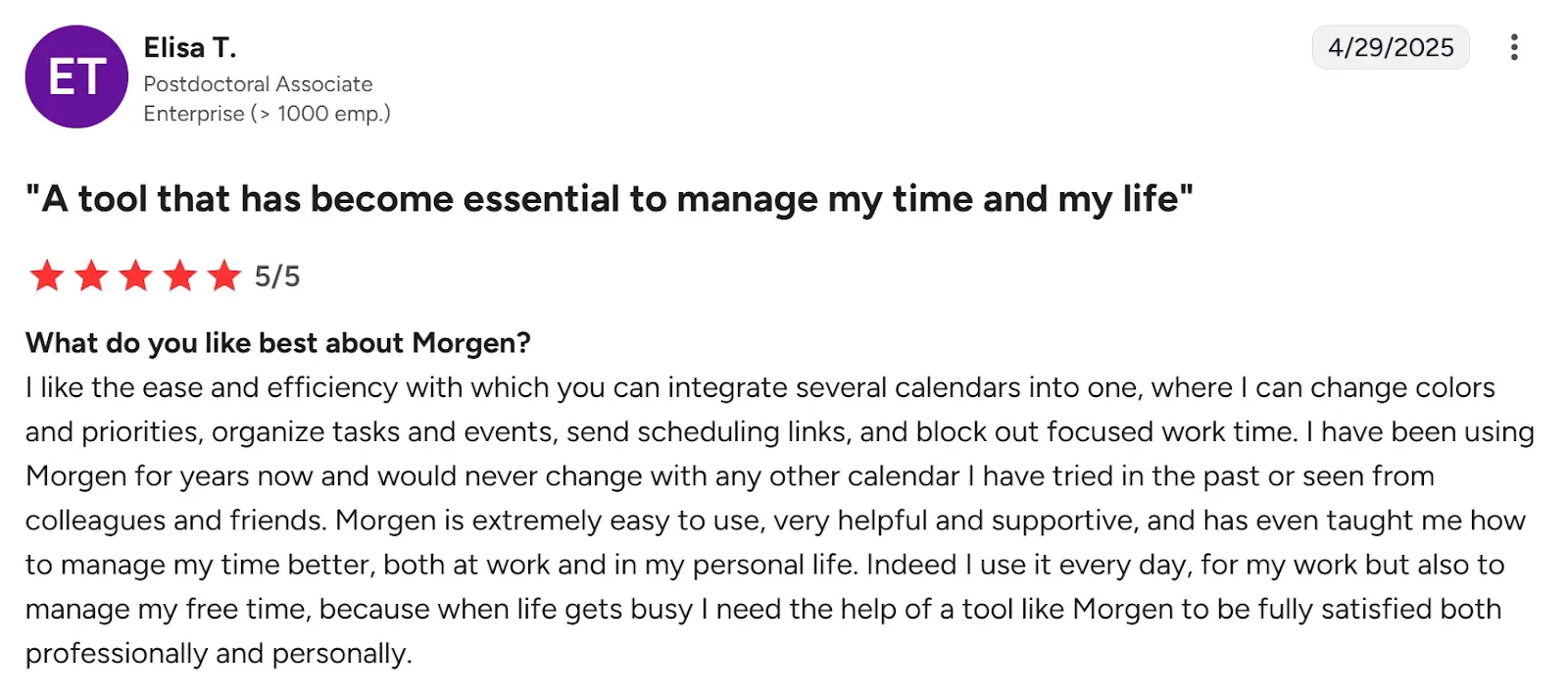
“I have been using Morgen for years now and would never change with any other calendar I have tried in the past or seen from colleagues and friends,” says Elisa T.
Who Morgen Is Best For
- Solo professionals and makers: Developers, marketers, solopreneurs, and anyone managing multiple projects across different tools
- Busy professionals managing complex schedules: Who need calendar consolidation, realistic planning, and AI assistance without surrendering control
Ready to start? Read our complete starter guide to Morgen tasks!
Sunsama vs Motion vs Morgen: Which One Should You Choose?
Choose Sunsama if you value intentional, mindful planning and are willing to invest time daily in a guided ritual, or Motion if you want to hand over scheduling entirely to AI.
However, Morgen is better when you need AI-assisted planning that's faster than Sunsama but more controlled than Motion.
At $15/month, it's also the most affordable option, so grab your free 14-day trial right away.

.svg)
.webp)


