
.svg)
→ Choose Morgen if you use multiple to-do list apps and calendars, and need one organized planning view: best for structured solo professionals who want to connect tasks, meetings, and schedules with AI
→ Use Twos or Google Calendar if you want a free system for organizing daily life: best for budget-conscious individuals who need quick capture for tasks, notes, reminders, and events
→ Pick Todoist or Amplenote if your organization system revolves around daily lists: best for planners who organize work through structured tasks or note-based planning
→ Consider Timestripe if staying organized long-term is your challenge: best for goal-driven planners who want daily tasks and habits tied to long-term objectives and milestones
Staying organized in 2026 means having one place where your tasks, time, and priorities connect, not multiple different apps that don’t communicate with each other.
Research shows the average office worker manages just under three hours of real focused output per day. Most of that comes down to a fractured organization: no clear priority system or actual daily plan for when to execute tasks.
Here are the six best apps to stay organized, reviewed across features, pricing, and real user sentiment to help you decide.
6 Best Apps That Help Organize Your Life: A Quick Overview
1. Morgen: Best Organization App for Planning Tasks and Calendars Together
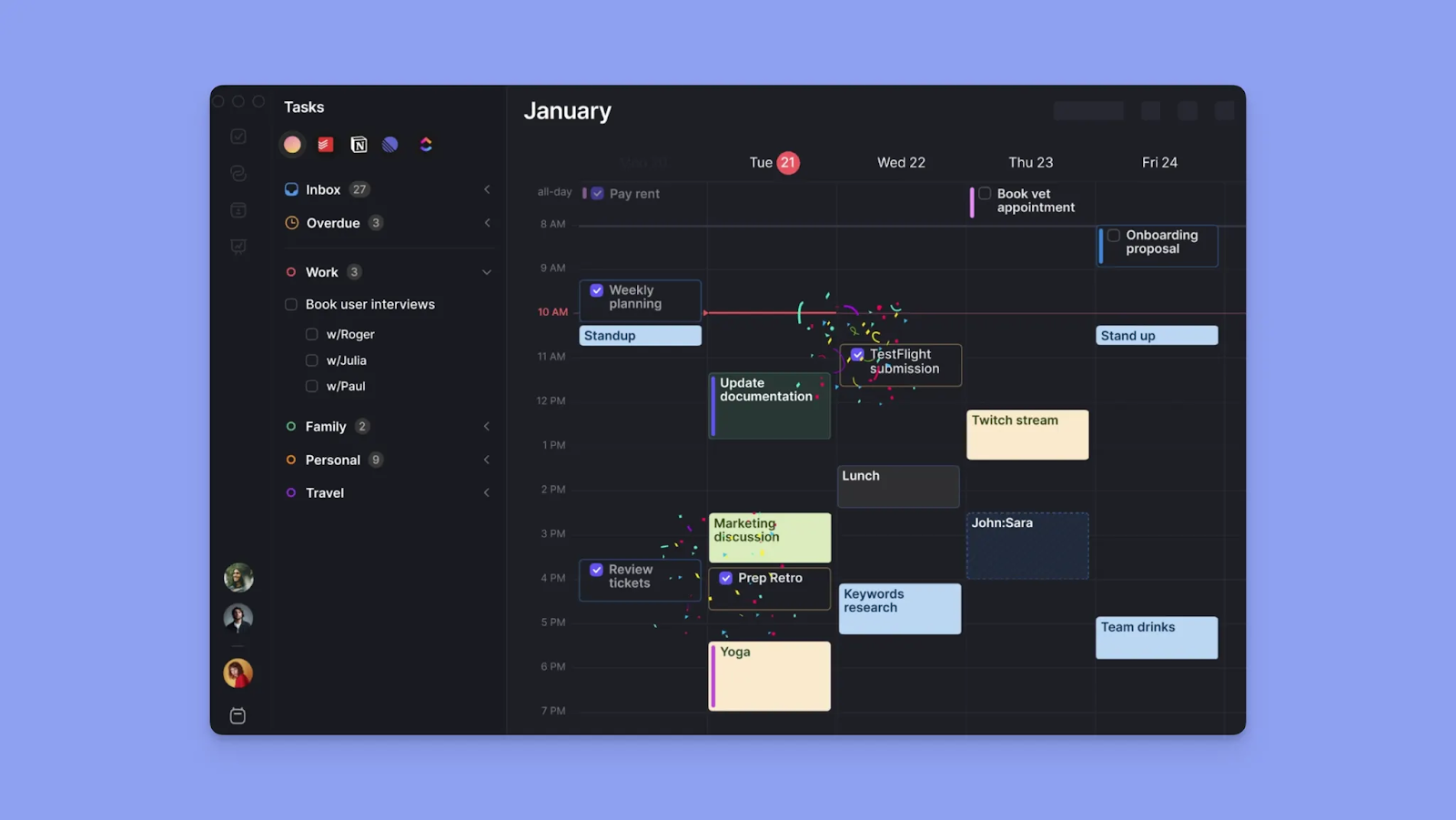
Morgen is designed for professionals who need to bring tasks, calendars, and scheduling into one view. You get a single planning interface where you prioritize work, time-block tasks, and use AI suggestions to build a realistic schedule.
Key Features
Here are Morgen’s leading features that help you stay organized.
Deep Task Integrations
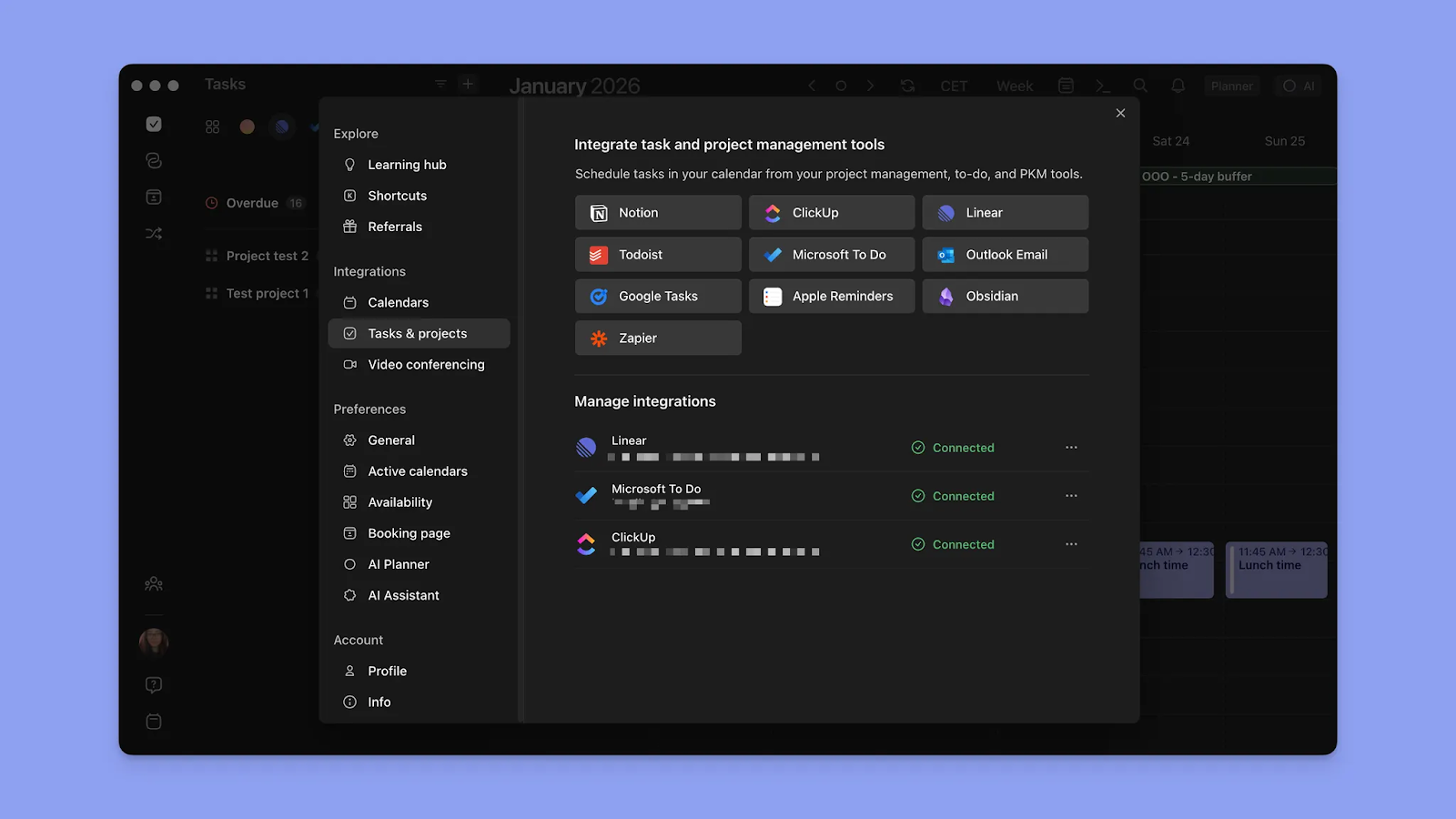
Morgen integrates with Notion, Todoist, Apple Reminders, Linear, ClickUp, Obsidian, Microsoft To Do, and Google Tasks into a unified view.
You see everything you need to do across each tool from the sidebar, and get support for subtasks, notes, task durations, due dates, priority levels, and tags.
Calendar Integrations
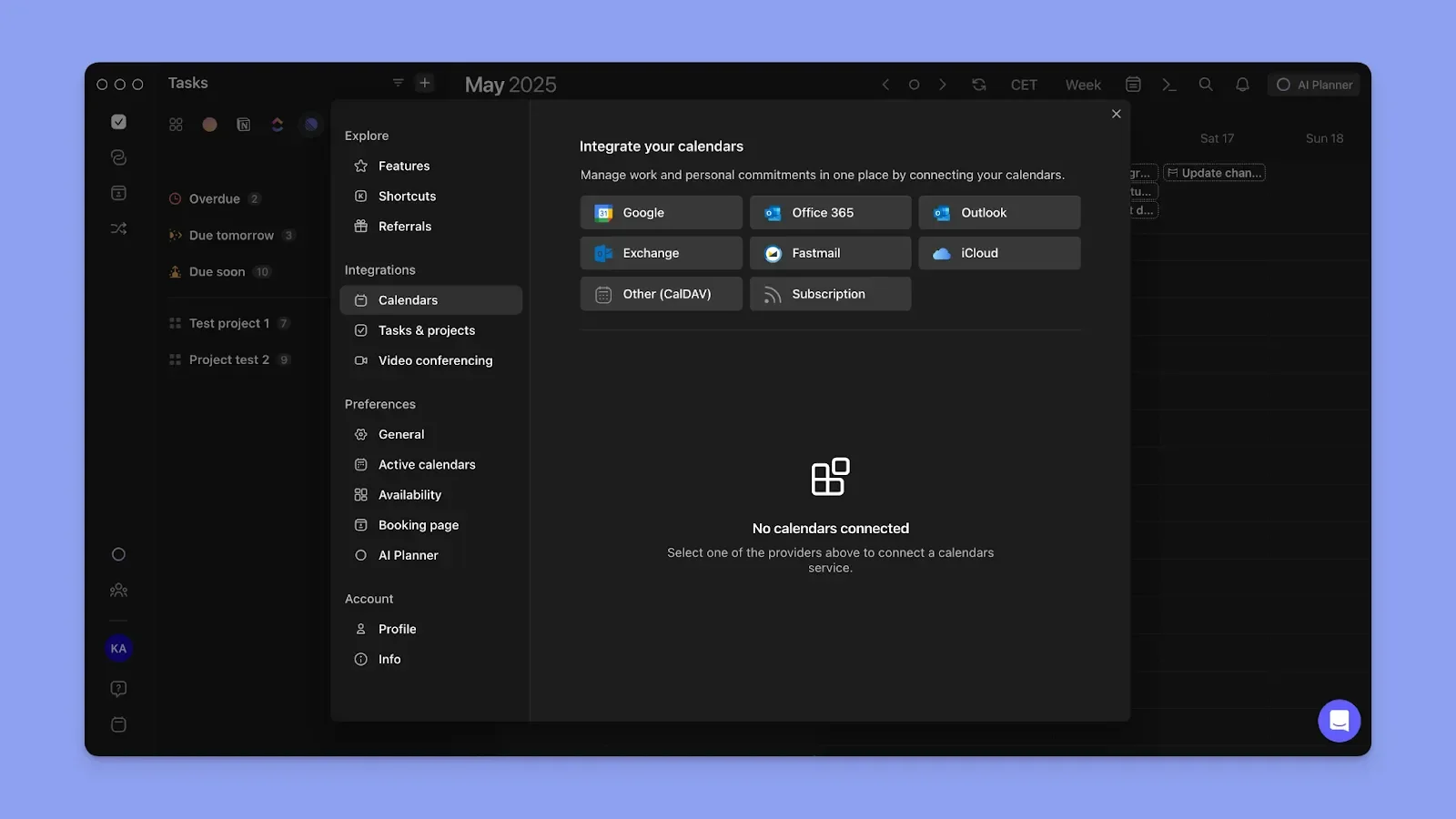
Morgen syncs calendars from Google, Outlook, Apple, and Fastmail.
You can view your calendars together or in subsets using customizable calendar shortcuts. Connect your work and personal calendars, set custom notifications per calendar, and propagate events across all calendars.
Frames and Time Blocking
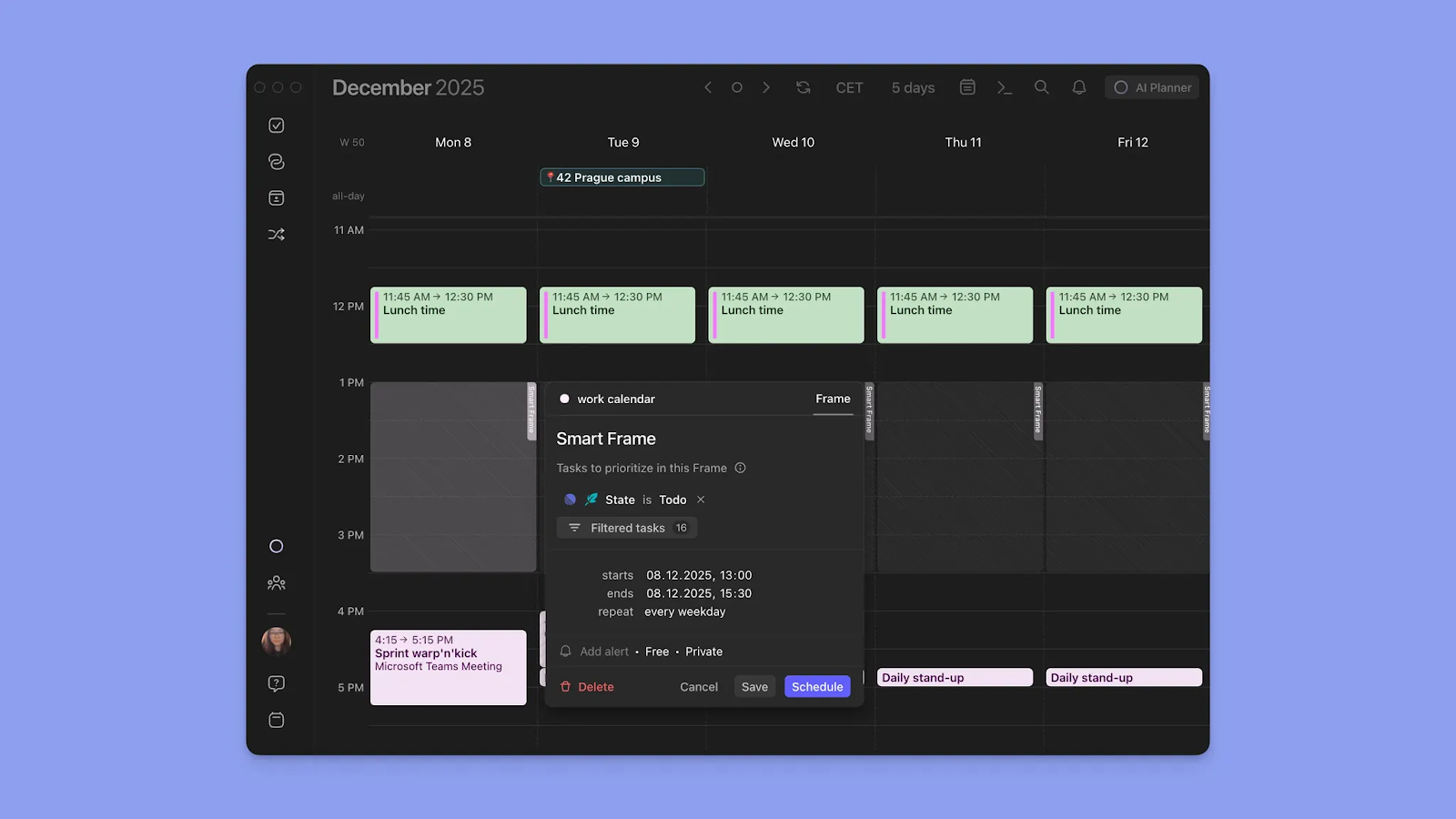
Every task you schedule on Morgen becomes a time block. Furthermore, Frames let you define dedicated time slots for specific types of work.
AI Planner
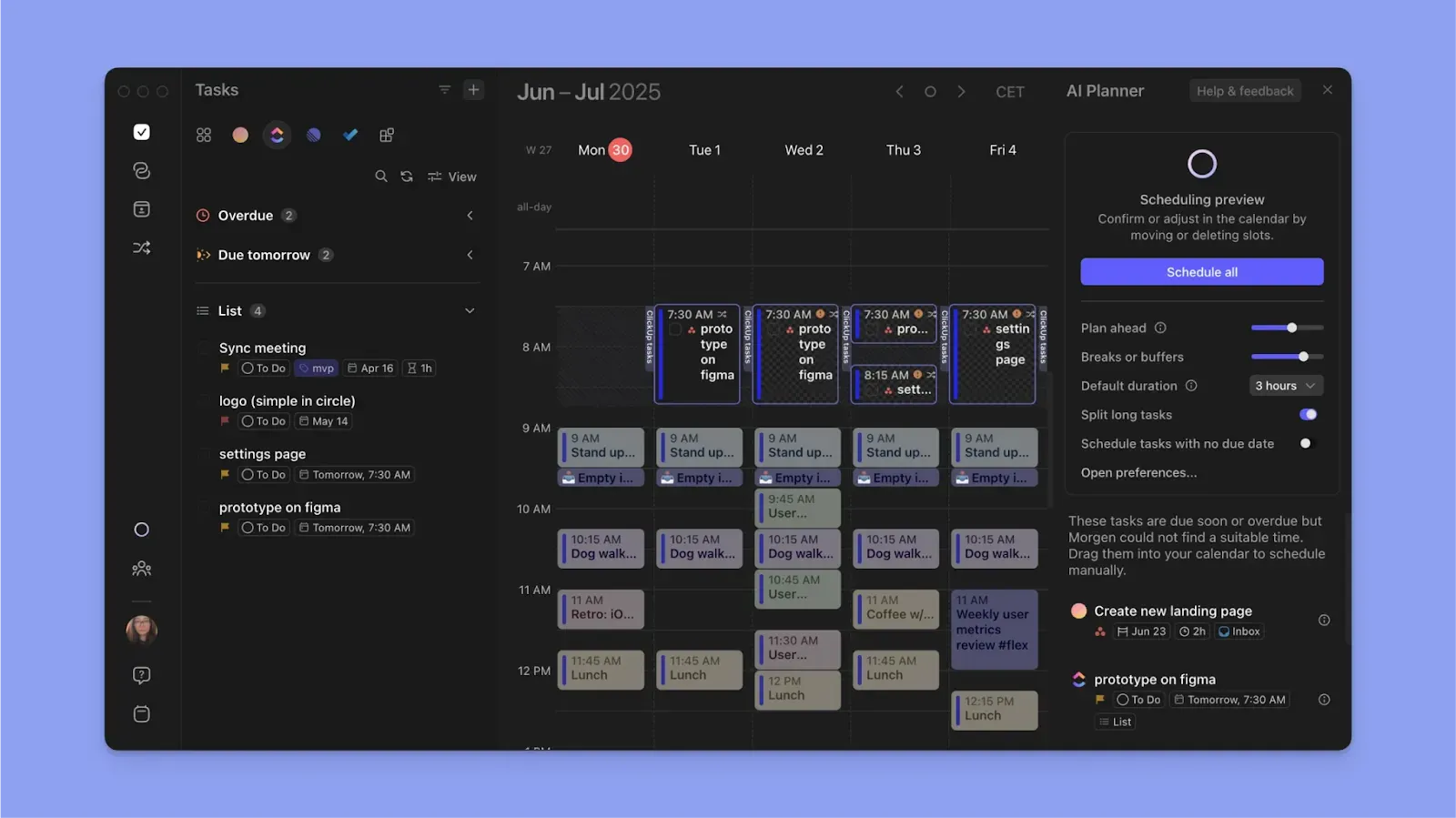
The AI Planner uses Morgen's Priority Factor to prioritize the tasks to schedule, considering due dates, importance levels, time estimates, and urgency. It reads your existing meetings, routines, and Frames, then suggests where to place your tasks on the calendar.
Pricing
Morgen offers a 14-day free trial across all plans, no credit card required.
Where Morgen Shines
- ADHD-friendly app by design: Morgen helps you answer the common ADHD question, "What do I do now?"
- Built for professionals: Connect to Zoom, Webex, Microsoft Teams, and Google Meet to surface meetings. Also, create events, booking pages, and meeting links without leaving Morgen
- Low barrier to entry: Clean UI, intuitive navigation, keyboard shortcuts, and a mobile app for checking your schedule on the go
- Flexible schedule views: 24-hour, day, weekday, week, two-week, monthly, annual, and custom 2-9 day views
- Granular organization controls: Task tags, priority filters, reminders, due date sorting, and saved custom views keep your list manageable
Where Morgen Falls Short
- Not a project management app: Morgen handles tasks and calendar time well, but not complex projects with dependencies, workload views, or team-wide sprint tracking
Customer Reviews
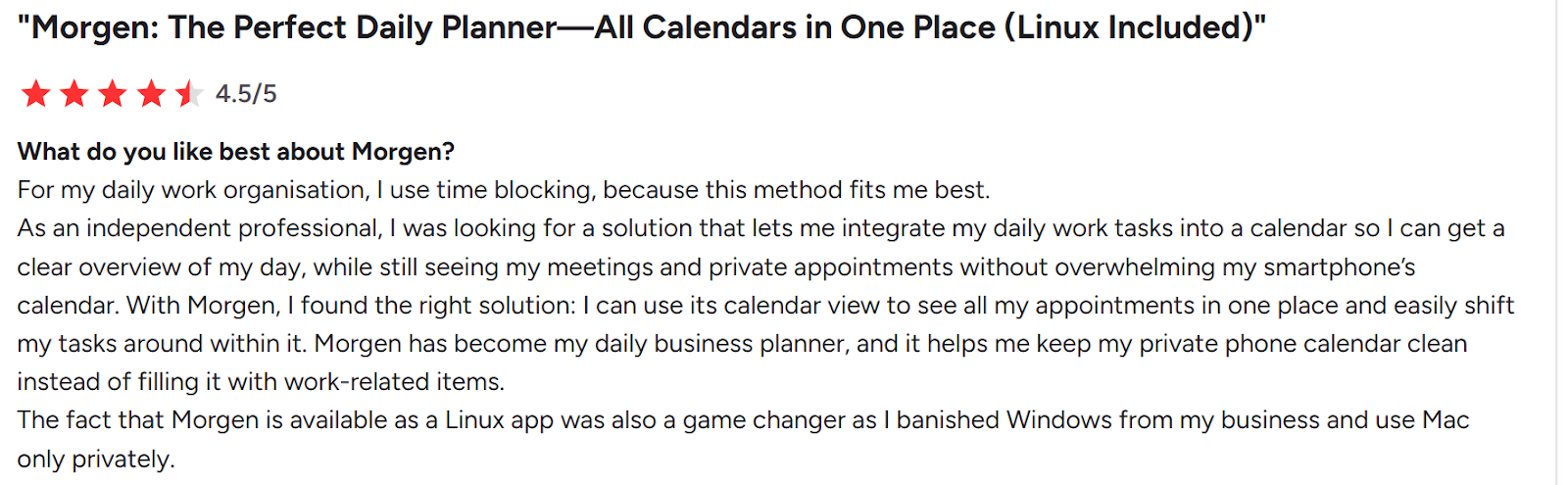
“For my daily work organization, I use time blocking, because this method fits me best,” shares Sascha B.
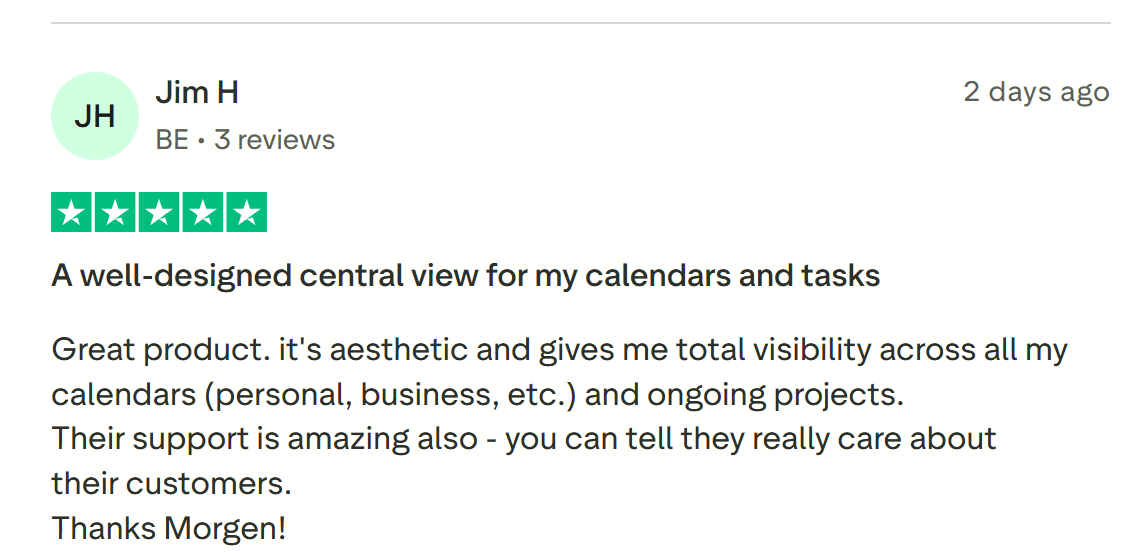
“A well-designed central view for my calendars and tasks,” says Jim H.
Who Morgen Is Best For
- Solopreneurs and freelancers: Managing clients, deadlines, and personal commitments on separate tools
- Professionals with ADHD: The visual time-task layout, flexible AI suggestions, and keyboard-first navigation reduce planning overhead
Here’s how to get started with Morgen on any platform.
2. Twos: An Organization App for Capturing Tasks and Notes Quickly
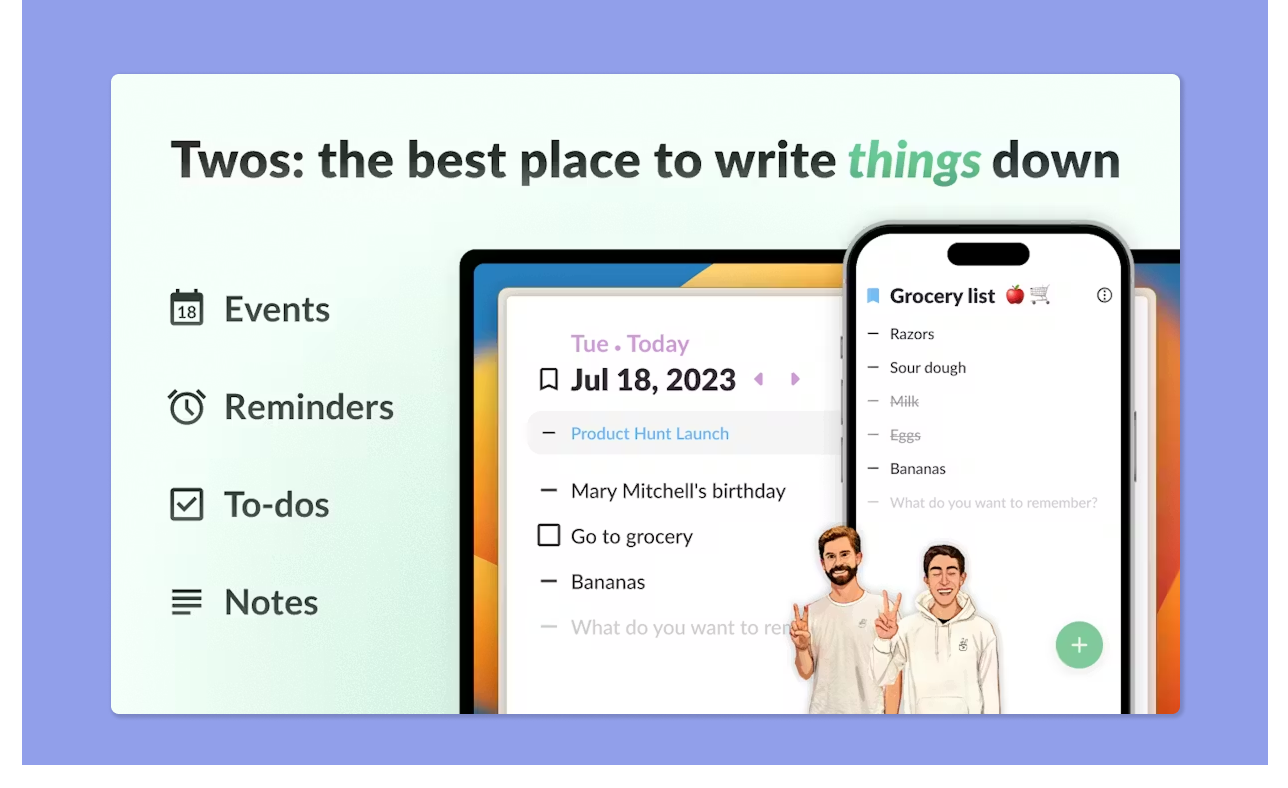
Twos focuses on capturing ideas before organizing them. It lets you quickly add tasks, notes, reminders, and lists, making it ideal for people who need a simple system to record everything during the day.
Key Features
- Tasks and to-dos: Add tasks with due dates, subtasks, tags, and reminders, and unfinished to-dos roll over to the next day automatically
- Notes and lists: Create nested sublists, daily notes, and organized lists for anything from meeting notes to goals to grocery runs
- Calendar integration: Connect Twos to your calendar to see your schedule and tasks in a combined view
Pricing
Twos is free to use, although you can upgrade on mobile.
Where Twos Shines
- Collaboration tools built in: Share lists with colleagues, co-edit in real time, or publish them to the Twos community
- AI that acts on what you write: PALs (Personal Action Links) detect verbs in your writing and surface relevant suggestions automatically
Where Twos Falls Short
- No true time blocking: You can see calendar events alongside tasks, but you cannot drag tasks into time slots or create structured time blocks
- Limited integrations for power users: If you rely on advanced organization or elaborate cross-tool systems, Twos will feel limiting
Customer Reviews
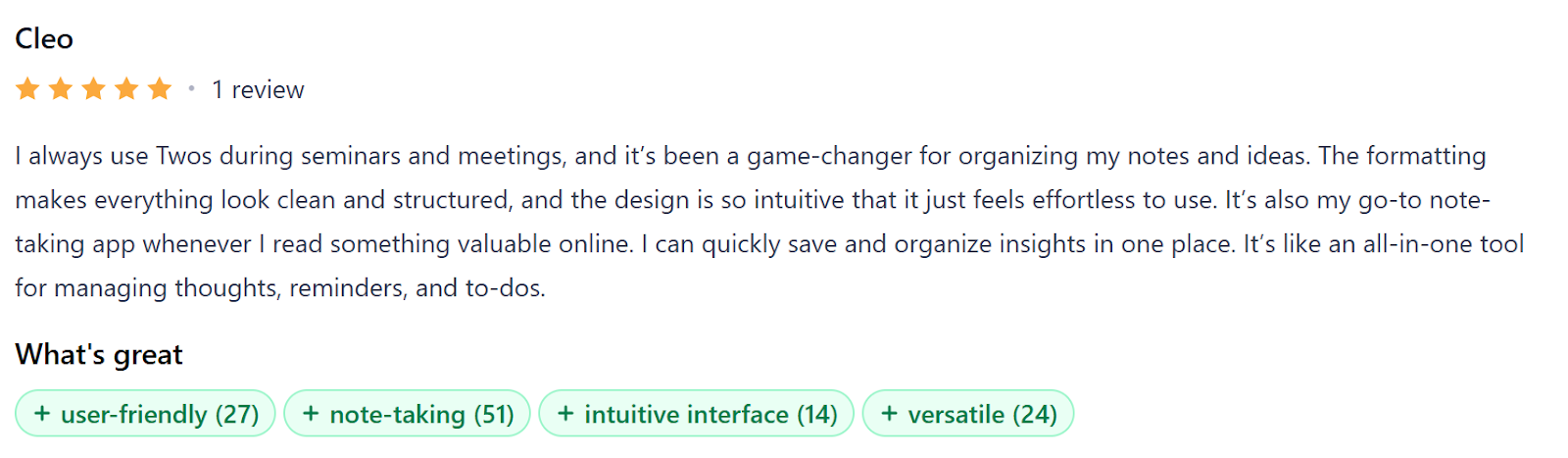
“It’s been a game-changer for organizing my notes and ideas,” shares Cleo.
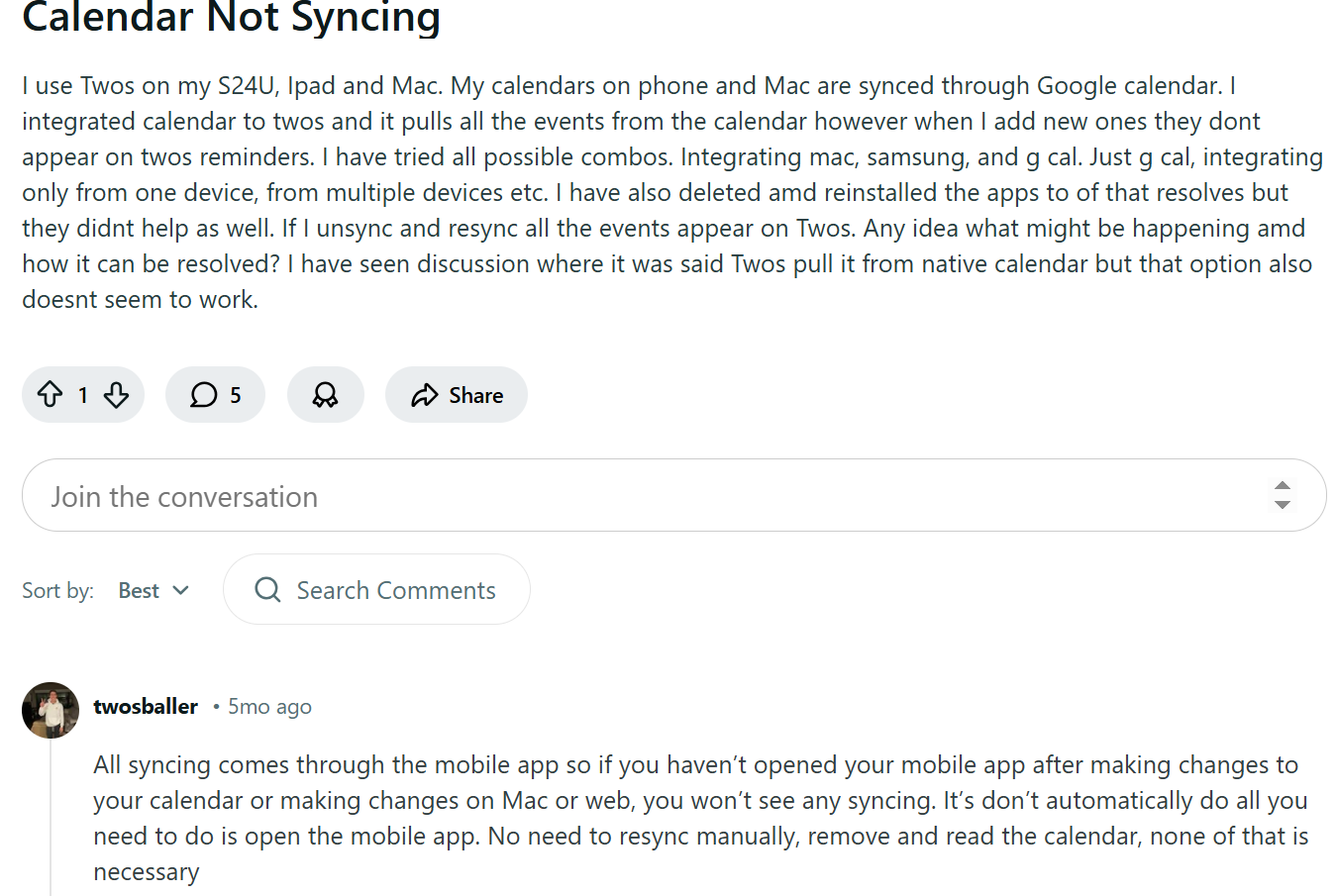
However, Twos' calendar syncing only happens on mobile, requiring users to keep the mobile apps open even when planning on a desktop.
Who Twos is Best For
- Capture-first users: People whose main need is getting thoughts out of their head fast, without building a system around it
3. Amplenote: Ideal for Turning Notes Into Action
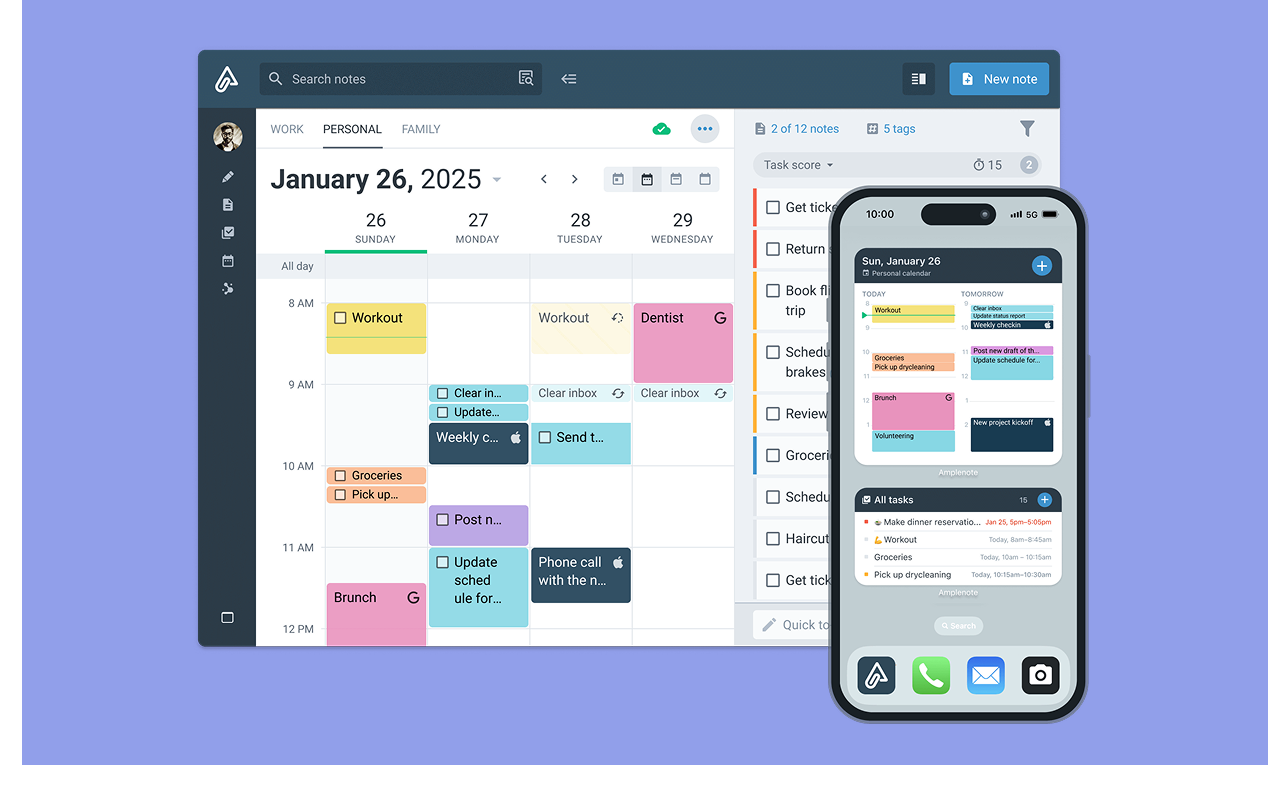
Amplenote is built for people whose organization starts with writing. It connects notes, tasks, and scheduling, so ideas captured in your notes can automatically turn into prioritized tasks.
Key Features
- Daily Jots: A fresh capture space every day for quick thoughts, to-dos, and ideas
- Task Score: Tasks get a numerical priority rating based on due date, urgency, and estimated effort
- Calendar sync: Connect Google, Outlook, or Apple Calendar, drag tasks into time slots, and see scheduled events and tasks in one unified view
Pricing
Where Amplenote Shines
- Rich Footnotes: Embed images, videos, Google Sheets, and linked note sections directly inside task descriptions and notes
- Bidirectional linking: Connect notes to each other, so related tasks, projects, and ideas surface together without manual tagging
Where Amplenote Falls Short
- Tasks live inside notes, not a dedicated list: Every task needs a parent note to exist, which introduces extra planning steps instead of streamlining task management
- Thin native integrations: Direct connections to task tools don't exist, and a Zapier integration does not work
Customer Reviews
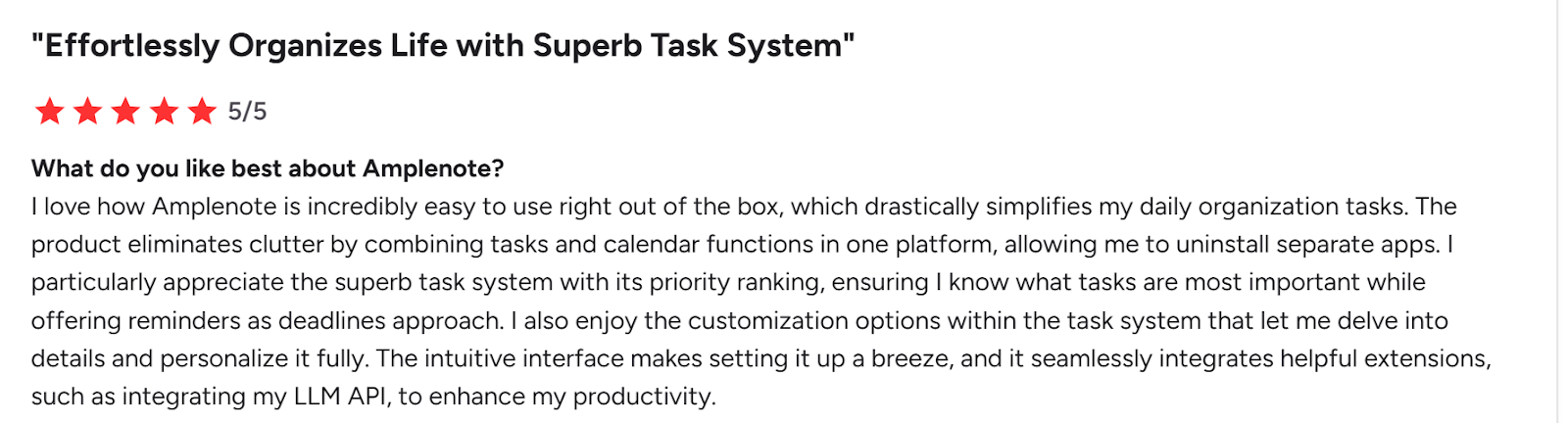
“I love how Amplenote is incredibly easy to use right out of the box, which drastically simplifies my daily organization tasks,” shares Bashir A.
“What I find least helpful in Amplenote is the current state of plugin integration,” says Antonio Carlos L.

Who Is Amplenote Best For?
- Note-heavy knowledge workers: Writers, researchers, and PKM enthusiasts who want tasks and scheduling to grow directly out of their notes
4. Todoist: For Simple, Structured Task Management
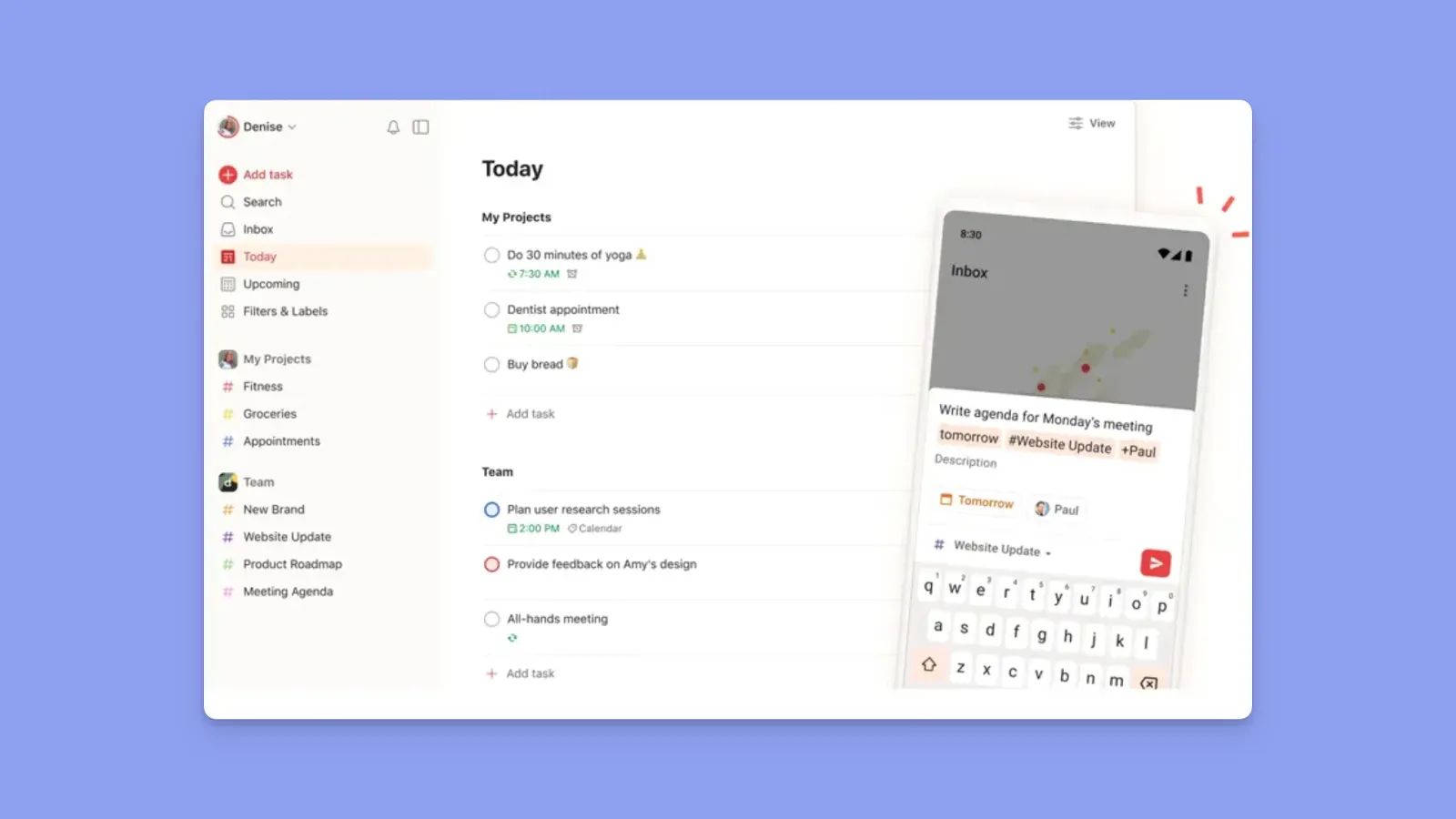
Todoist is a to-do app built for people who organize work through structured lists. Priority flags, filters, and natural language input help you capture and sort tasks quickly.
Key Features
- Natural language input: If you type "Submit report every Friday at 9 am," Todoist creates a dated, recurring task instantly
- Priority flags and filters: Color-code tasks by urgency, sort by priority level, and build custom filter views to surface exactly what needs attention today
- Multiple layout views: Switch between a list, calendar, and Kanban-style view
Pricing
Where Todoist Shines
- Separation of work and personal: Project folders let you keep client work, personal tasks, and team projects in clearly separated spaces
- Productivity tracking: A built-in Karma system tracks completed tasks over time, showing streaks and output trends to keep momentum going
Where Todoist Falls Short
- Free plan is quite limited: Reminders, filters, calendar view, and integrations are all paywalled
- Time blocking without guardrails: You can drag tasks into time slots on the calendar view, but Todoist doesn't check for conflicts or protect that time
Customer Reviews
“What I like best about Todoist is how simple it is to use while still being powerful enough to manage complex work,” Evan L.

“Features like reminders, labels, filters, automatic backups, comments, and file uploads are behind a paywall,” Ryan P.

Who Todoist Is Best For
- Task-first professionals: Freelancers, marketers, and developers who need a list manager that integrates with their existing tools
5. Timestripe: Organization App that Connects Daily Tasks to Long-Term Goals
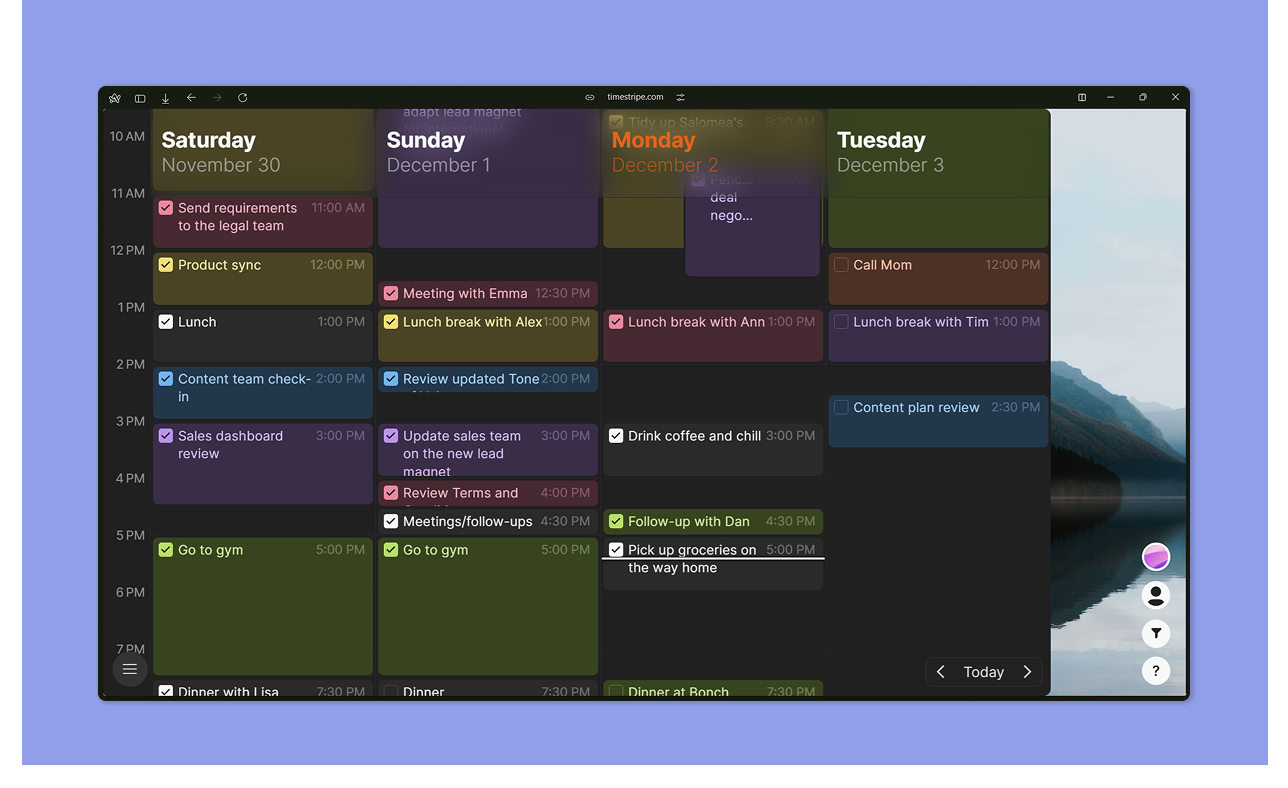
Timestripe is designed for people who struggle to connect daily work to bigger goals. Its visual timeline organizes tasks, habits, and milestones across time horizons ranging from days to decades.
Key Features
- Horizons view: Plan and visualize tasks across daily, weekly, monthly, quarterly, yearly, and decade-long timeframes
- Goal-linked tasks: Connect every task to a short, medium, or long-term goal so your daily to-do list always ties back to the bigger picture
- Time blocking: Schedule dedicated focus blocks directly on your calendar to protect time for specific tasks or goals
- Climbs: A built-in habit tracking system that runs alongside your tasks and goals, helping you build consistent routines over time
Pricing
Where Timestripe Shines
- Reduces overwhelm structurally: Breaking large goals into timeframe-specific tasks means your daily list only surfaces what's relevant now
- Boards: Kanban boards for organizing tasks into structured, static workspaces
Where Timestripe Falls Short
- No two-way calendar sync: You can schedule time slots inside Timestripe, but there is no two-way sync with Google Calendar
- Thin integrations: Timestripe connects with Google Calendar, Apple Reminders, and a handful of other tools, but its integration library is limited
Customer Reviews
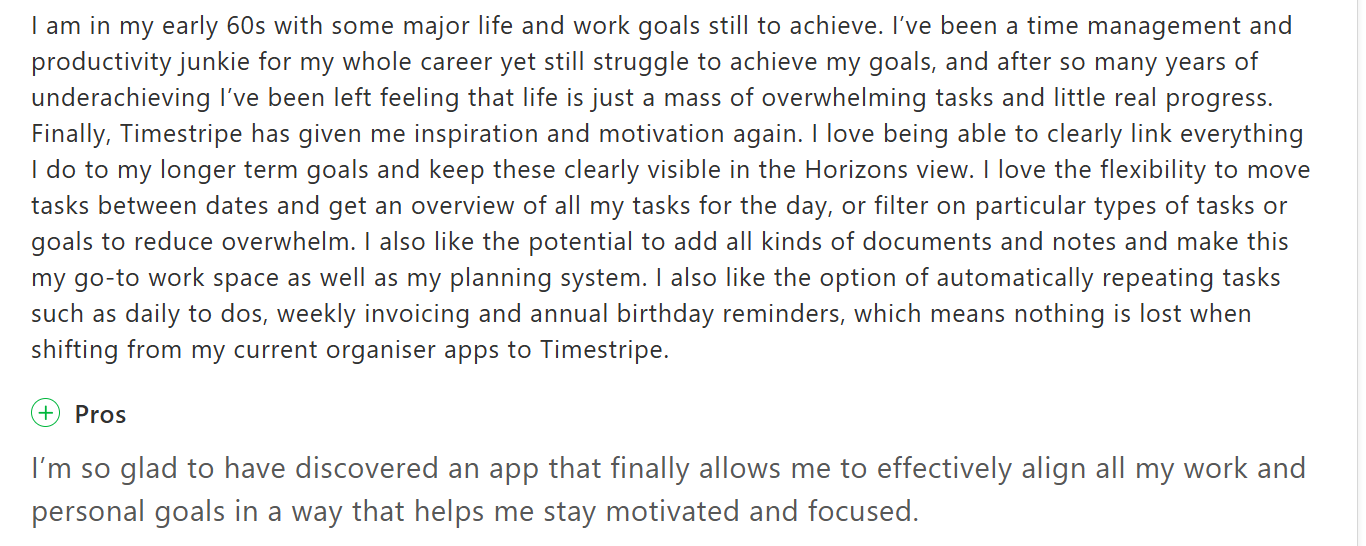
“I’m so glad to have discovered an app that finally allows me to effectively align all my work and personal goals,” shares Lynda J.
“One of the most notable drawbacks is the lack of integrations with other popular calendar and productivity tools,” says Bhaskar P.

Who Is Timestripe Best For?
- Goal-oriented professionals: People who struggle to connect daily work to longer-term ambitions and want a structured system that makes that link visible every day
6. Google Calendar: Free Calendar for Personal Organization
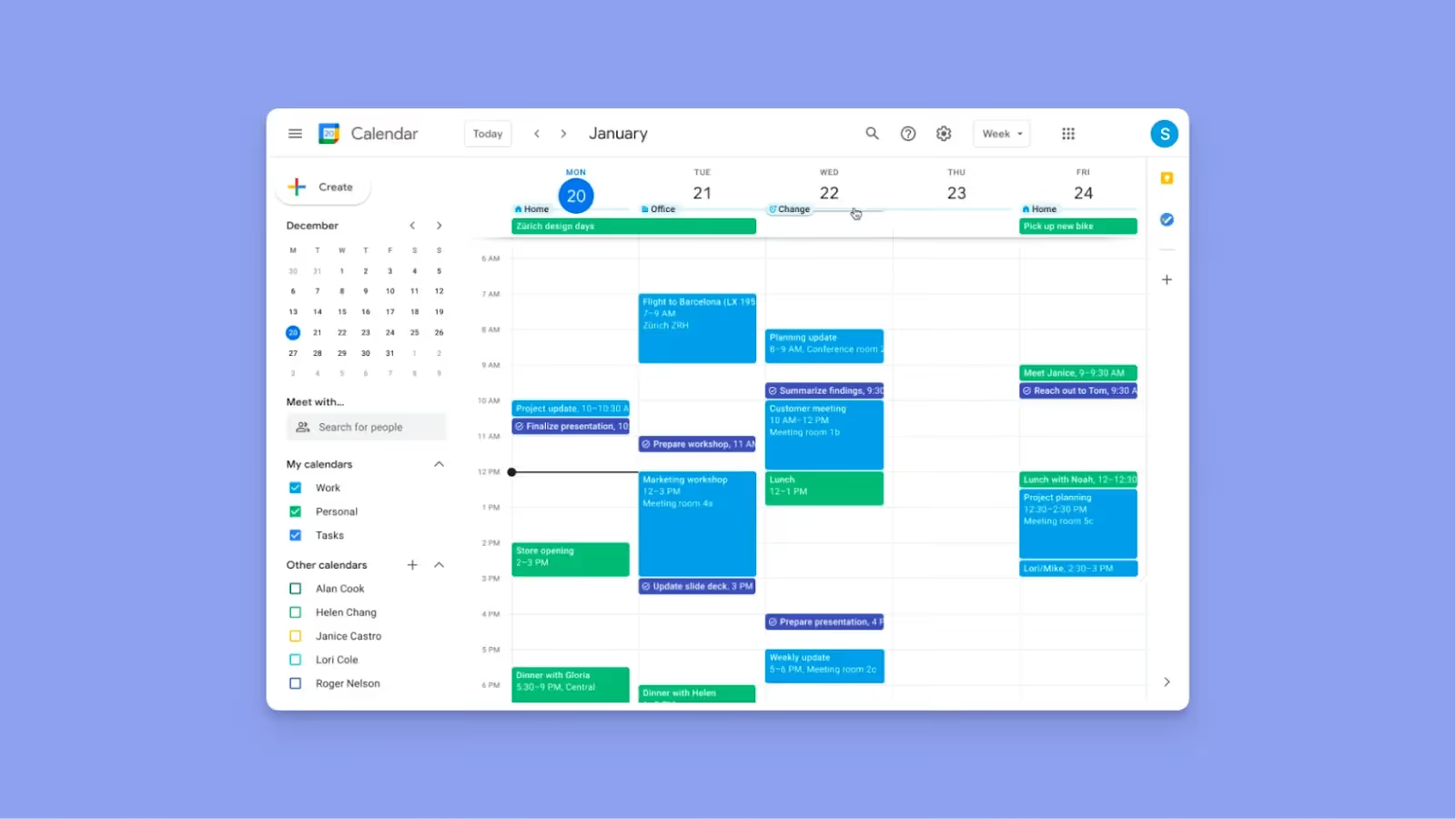
If you're already in the Google ecosystem, Calendar, Keep, and Tasks form a capable free organization stack.
- Google Keep: Quick note capture, checklists, voice memos, and color-coded labels
- Google Tasks: Reminders app that supports task creation, subtasks, due dates, and separate task lists for work and personal organization
- Google Calendar: Block time for specific tasks directly from an empty calendar slot, with options to mark yourself as busy and mute notifications
If part of your system lives in spreadsheets, AI in Google Sheets can now handle the sorting, summarizing, and cleanup that used to be manual.
How to Choose the Best App to Stay Organized
The best organization app houses your tasks and helps you manage your available time. Focus on tools that combine planning, prioritization, and seamless access across devices.
Unified Calendar and Task Consolidation
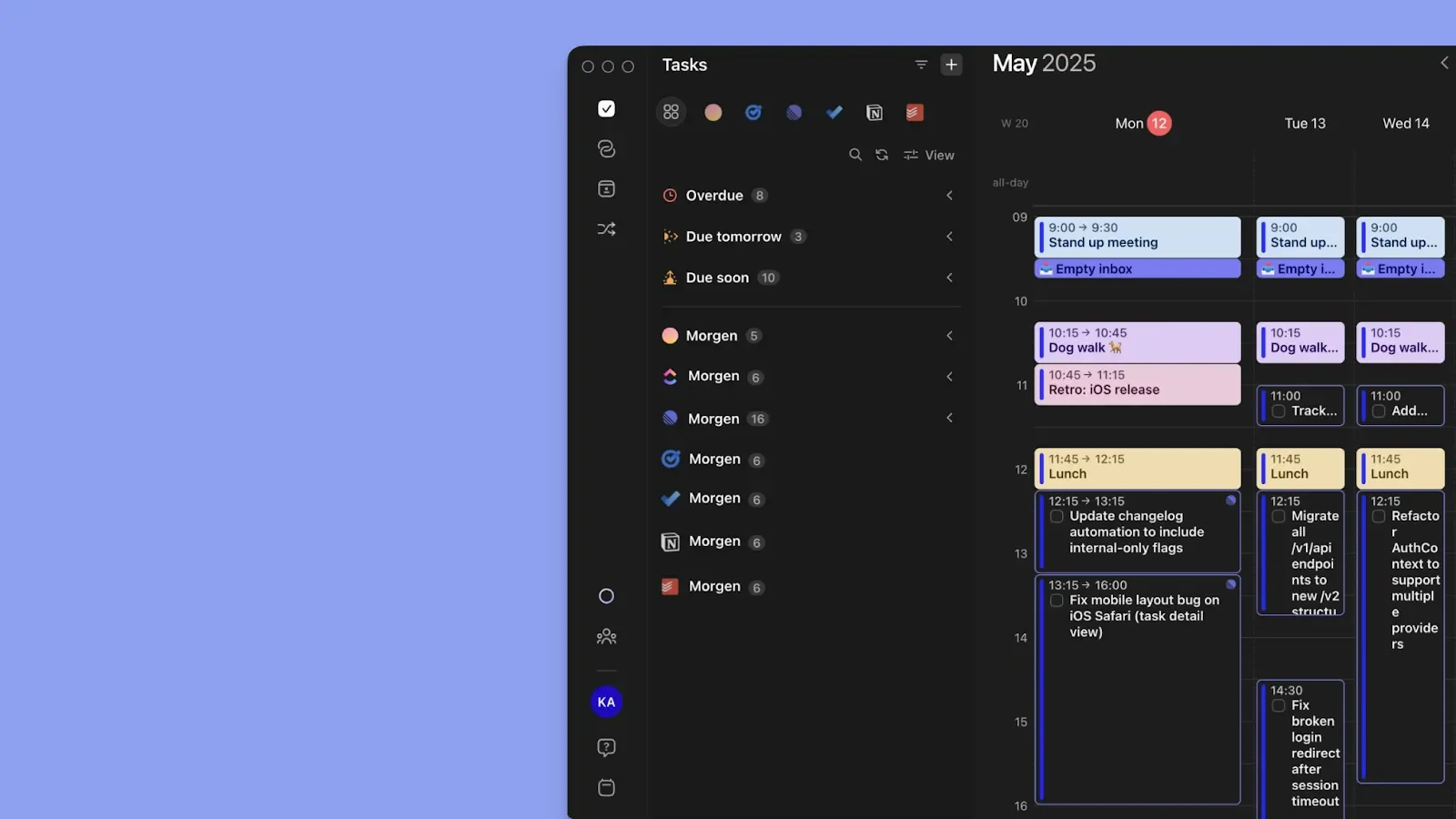
If your tasks live in one app and your calendar lives in another, you will always be context switching. The best organization apps pull both into one view, allow drag-and-drop scheduling, and let you pin time-sensitive tasks.
Morgen handles this well. It connects work and personal calendars into a single drag-and-drop planning canvas for better task management.
Also capture tasks from anywhere on the web through the Morgen Chrome extension.
AI Features to Help You Plan
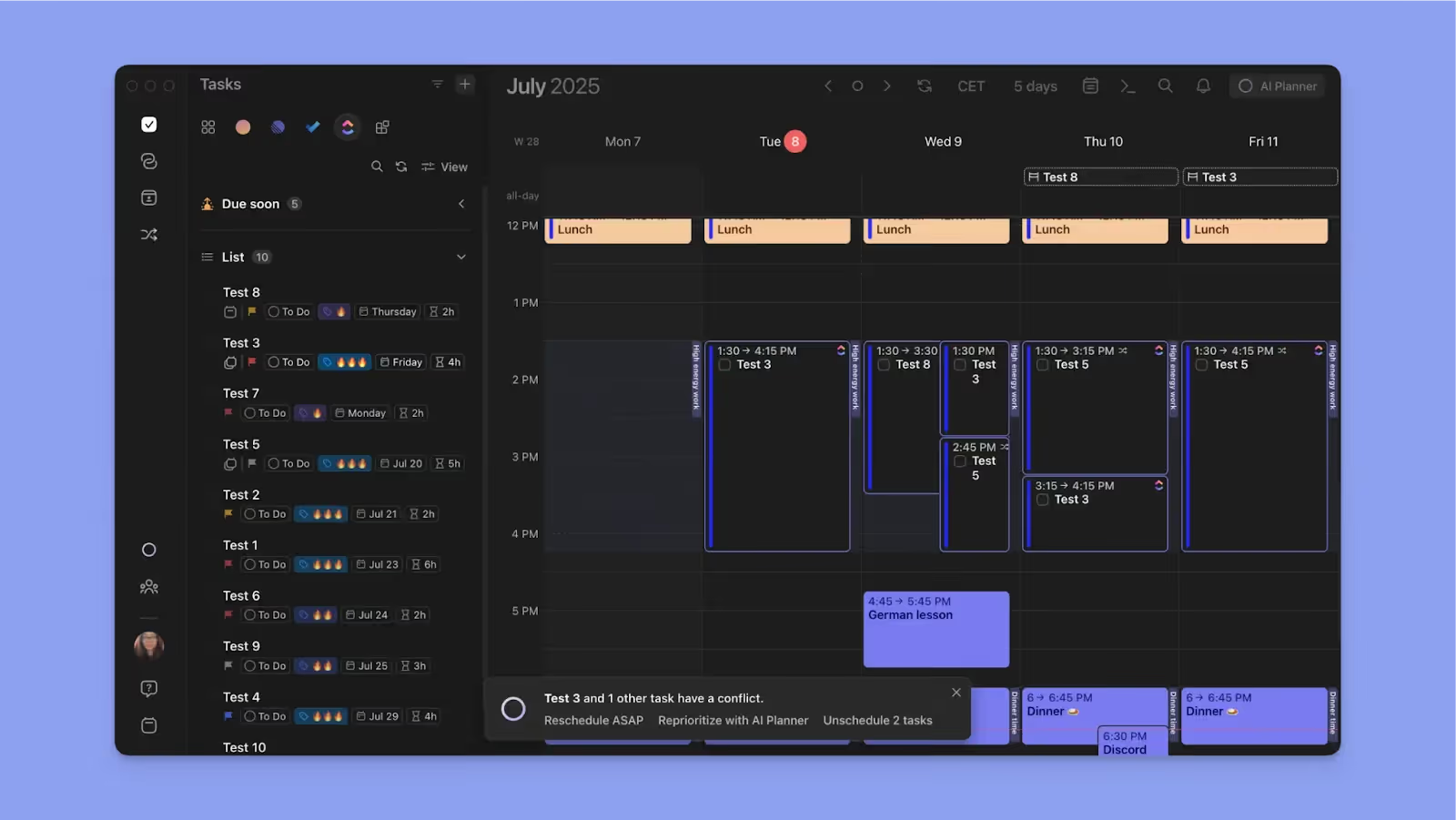
AI features eliminate planning overhead by triaging your task list, suggesting schedules, and flagging conflicts.
On Morgen, the AI Planner is accessible from the top right of your canvas and works in the background automatically. When a conflict hits, it surfaces three options: reschedule ASAP, reprioritize your full schedule around calendar events, or unschedule the task.
Cross Platform Access
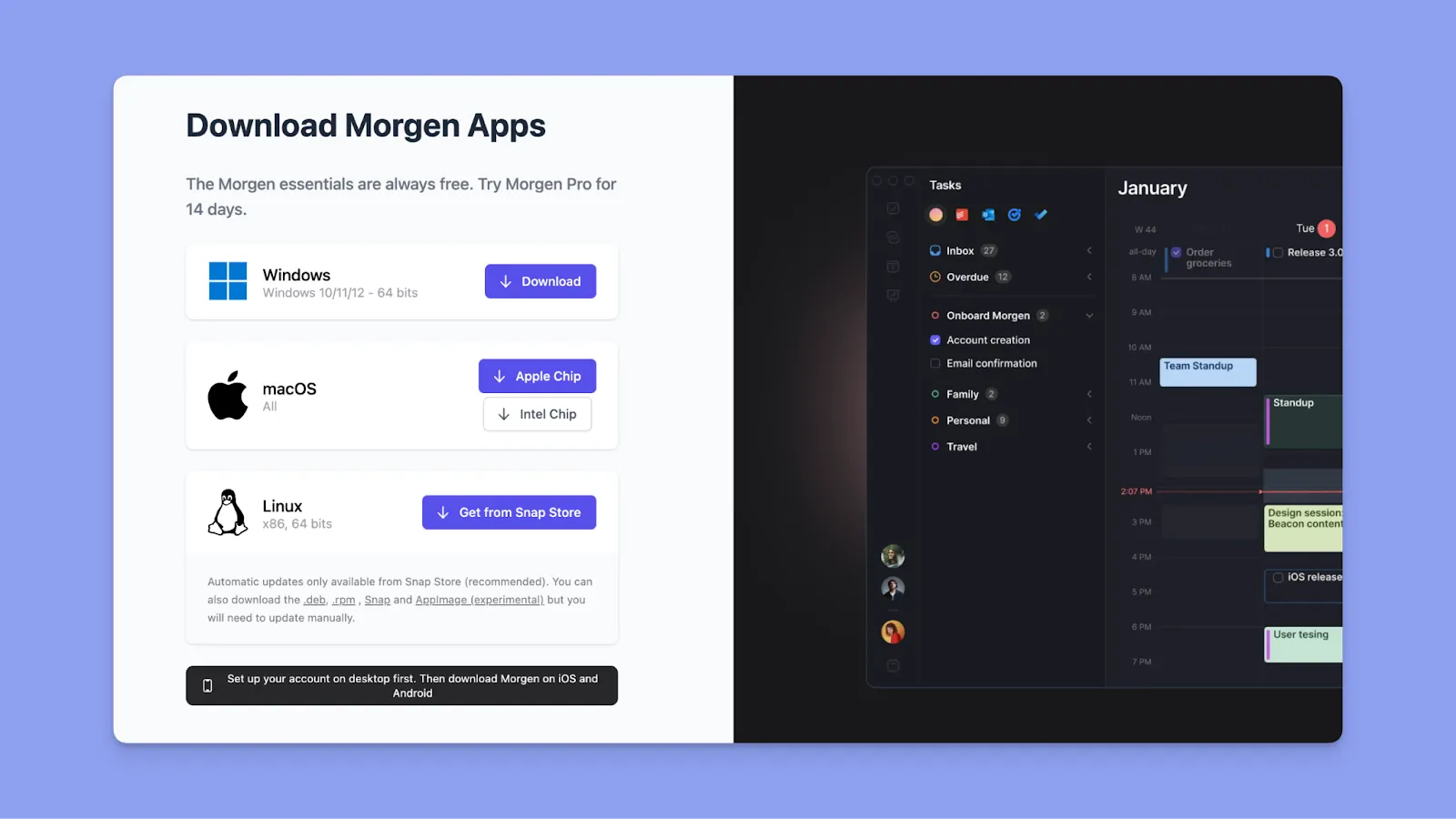
The best tool should offer full functionality across macOS, Windows, Linux, iOS, Android, and the web.
Morgen delivers native desktop apps plus mobile access, so you can capture on the go, plan at your desk, and everything stays in sync
Download Morgen 4 and start organizing your schedules.
Priority and Time Architecture
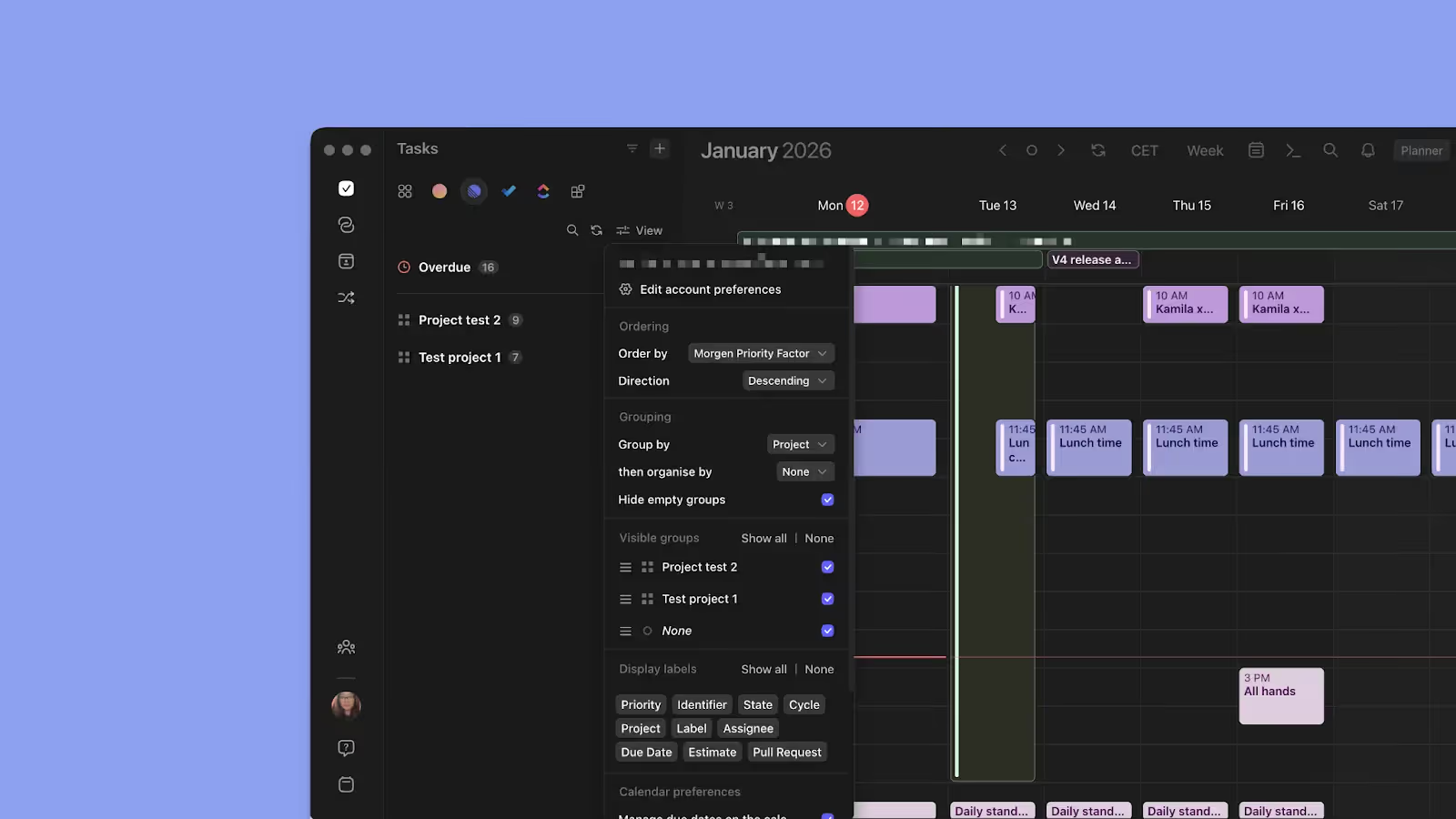
For organization, you need task folders, priority levels, tags, color-coding, and timeblocking.
Morgen lets you set priority flags and tags to categorize tasks by context, energy, or project. You can also use custom filters to sort, group, and surface the right tasks.
For time planning, every scheduled task becomes a synced block across all your calendars. Frames take it further, giving you a repeatable weekly template that tells the AI Planner exactly where each type of work belongs
Stay Organized Daily With Morgen
If you're a busy individual managing a full workload across multiple tools, you need a tool to consolidate daily organization in one place.
Morgen offers a planning canvas that displays all your pending tasks and available time across all your calendars. Use AI suggestions to plan in seconds, create repeatable organization templates with Frames, and generate booking pages for clients, all without leaving the app.
Not sure where to start? Explore time blocking for deep work through our 14-day free trial now.

.svg)
.webp)


