
.svg)
→ Pick Morgen if you want AI scheduling without giving up control: best for professionals who already use task tools like Notion, Todoist, or Obsidian and want flexible, editable AI time blocking that adapts when plans change.
→ Choose Motion if you want full automation end-to-end: best for teams or individuals willing to let AI fully run the schedule and continuously reshuffle tasks around deadlines and dependencies.
→ Go with Sunsama if overwhelm is your main problem: best for knowledge workers who want a guided, reflective daily planning flow that forces realism—even if it means less automation.
→ Use Akiflow or Notion if speed or customization matters most: Akiflow is best for keyboard-driven planners who value fast capture and integrations; Notion fits builders who want tasks, docs, and schedules in one highly customizable workspace.
→ Try Kai if you want an AI executive assistant that does the work, not just suggests it: best for founders and busy operators who already act as their own EA and want one that triages email, blocks prep time, and follows through on action items by itself.
Projects rarely fail from lack of effort. They fail when priorities clash, deadlines slip, and meetings eat the day. AI assistants and tools for project management promise a fix: they don’t just list your tasks, they help you plan them. There’s no single tool offering a great solution for both, a combination of a task manager and an AI scheduler marks the sweet spot. After testing dozens of tools, here are the five that made a difference for me.
What are task managers?
A task management app helps with capturing, organizing, prioritizing, and tracking tasks from idea to done.
Modern task managers usually:
- Centralize to-do lists, due dates, and reminders
- Add richer features like subtasks, recurring tasks, tags, and dependencies
- Offer different views, such as Kanban boards
- Some have simple calendar scheduling/time blocking
They streamline workflows by assigning owners, setting deadlines, and visualizing progress, while integrations with email, calendar, chat, and project management tools reduce context switching. The aim is to increase clarity, focus, and accountability, so nothing slips through the cracks.
None of this touches budget. If a project needs a price before it needs a schedule, that is a separate step, and project cost estimation tools are where it belongs.

What is an AI scheduling assistant?
An AI scheduling assistant designs and suggests a plan. Morgen, for example, considers task priority levels, deadlines, and time estimates, along with your available work time, then its AI Planner proposes a schedule overlaying your calendar. Instead of staring at a blank calendar, you start with a draft plan you can edit and approve.
- Task managers = list of work.
- Scheduling assistants = prioritized plan to execute.
The same logic shows up when a company wants that planning behavior inside its own product rather than buying a tool for it. That build usually goes to an AI agent development company: the agent reads the calendar and the task list, decides what fits where, and re-plans when priorities move.
Benefits of combining the two
Pairing the two creates a complete system:
- Task managers capture everything.
- Scheduling assistants consider your schedule based on your calendar and recommend a suitable spot when to tackle the tasks so they get done.
Example: A list of 20 tasks shows the mountain. It's overwhelming and unclear where to start. Add a scheduling assistant and you see 6 tasks realistically scheduled for today.
Criteria: How I evaluated these tools
I combined hands-on testing with Reddit and G2 reviews. My criteria included:
- Ease of use
- Quality of AI planning
- Integrations with calendars and task apps
- Balance between automation and user control
- Pricing transparency
TL;DR: The 6 best AI project management and scheduling tools
| Tool | Best for | Standout features | Task management | Pricing |
|---|---|---|---|---|
| Morgen | Hybrid planning (AI planned + user approved) | AI Planner, Frames, unified task & calendar | Yes, includes task management integrations | From $30/month |
| Motion | Hands-off auto-scheduling | Fully automatic daily planning, project management | Yes, with optional Zapier integrations | From $29/month |
| Kai | AI executive assistant (does the work, not just plans it) | Background email triage, native calendar + tasks, learns by conversation | Yes, native | Free (open beta) |
| Sunsama | Guided time boxing | Daily planning ritual, imports from Asana & Trello | Yes | $16/month |
| Akiflow | Fast capture & scheduling | Command bar, deep integrations | Yes, includes task management integrations | $19/month |
| Notion & Notion Calendar | All-in-one workspace plus scheduling | Databases, flexible tasks, Notion Calendar sync | Yes, with limited integrations | Free or paid from $11.50/month |
Morgen
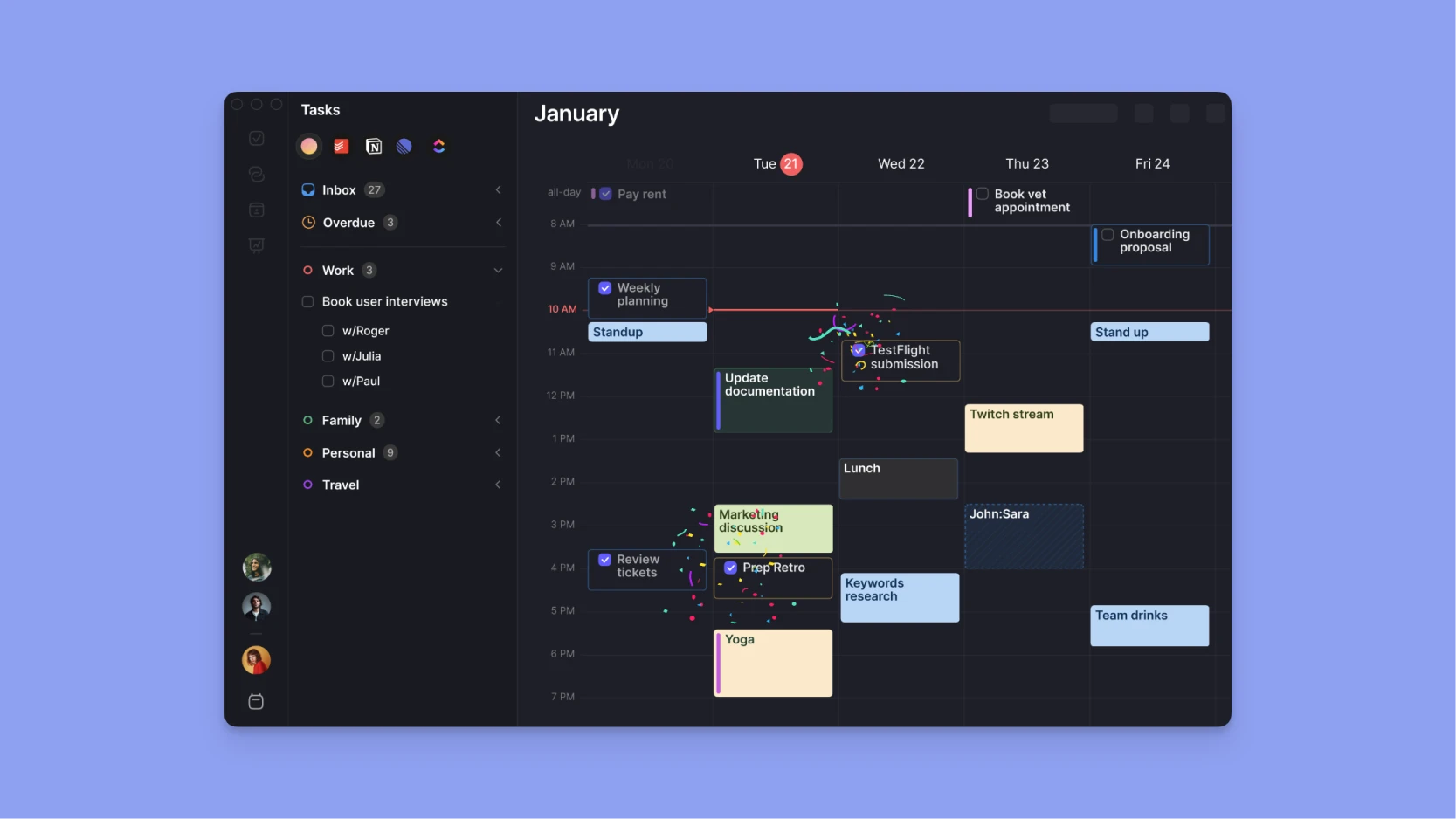
Best for: Flexible time blocking with AI scheduling. Considered by many as the best AI task manager for combining smart scheduling with your existing workflow.
Standout features:
The AI Planner suggests schedules based on priority, deadlines, and duration. You can create a recurring time block called Frames and use the AI Planner to fill it with tasks from specific task management tools, or use other task criteria like duration or priority.
What I liked:
- AI Planner suggestions are editable and wait for approval, so you stay in control.
- Drag-and-drop makes time blocking intuitive.
- Frames make it easy to fill deep work time blocks with tasks that have a long duration or require more energy.
- Strong integrations with Notion, Todoist, Obsidian, etc., plus a simple built-in task manager.
- Routines to separate daily activities from tasks.
What I disliked:
- Not a full PM tool.
Pricing:
From $30/month or $15/month for a yearly plan.
Reviews:
On G2, users say AI suggestions are “accurate and easy to adjust” and praise how it “saves hours of planning while still letting me stay in control.” Task management gets specific callouts: one called seeing tasks alongside the calendar a “game changer” for reducing context switching, another highlighted smooth Todoist and Notion integrations.
You can also read our in-depth comparison of Motion vs Notion to see how it stacks up against a more flexible workspace tool.
Motion
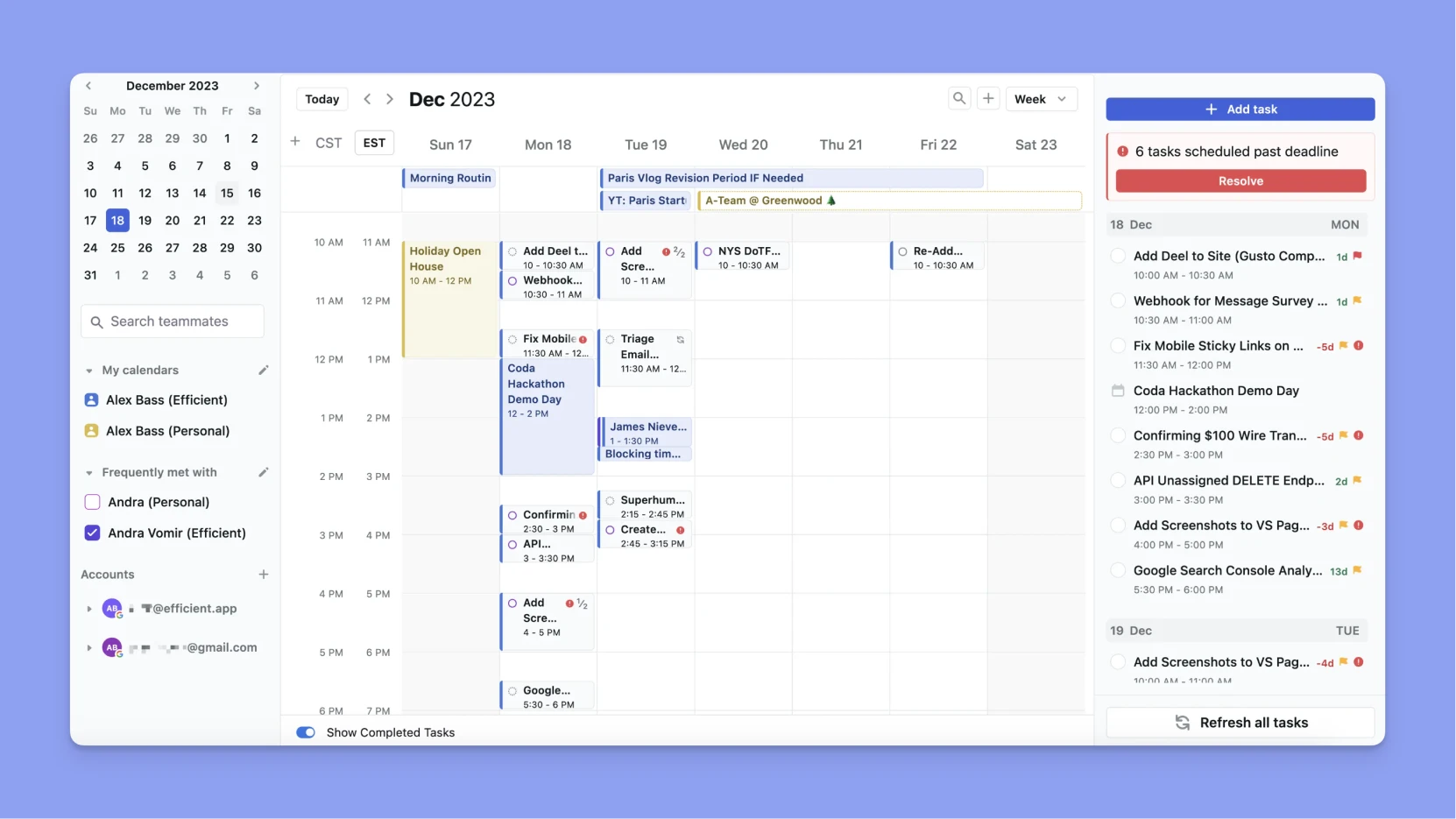
Best for: Teams or individuals who want full automation.
Standout features:
Auto-scheduling of tasks into your calendar and the inclusion of project and team management.
What I liked:
- Task assignment is simple, which is great for teams.
What I disliked:
- Rigid. Once Motion takes over, manual changes feel clunky.
Pricing:
Starts at $29/month.
Reviews:
Users say Motion’s biggest selling point in is automatic time-blocking and dynamic rescheduling when plans change, which some find indispensable for managing chaotic days solo. However, many complain it’s expensive, the UI is confusing, core features feel unfinished (notifications, recurring tasks), and development focus has drifted toward teams and “AI everything” instead of polishing basics.
You can also compare Motion vs Reclaim to see how these two scheduling tools stack up in our in-depth guide.
Kai
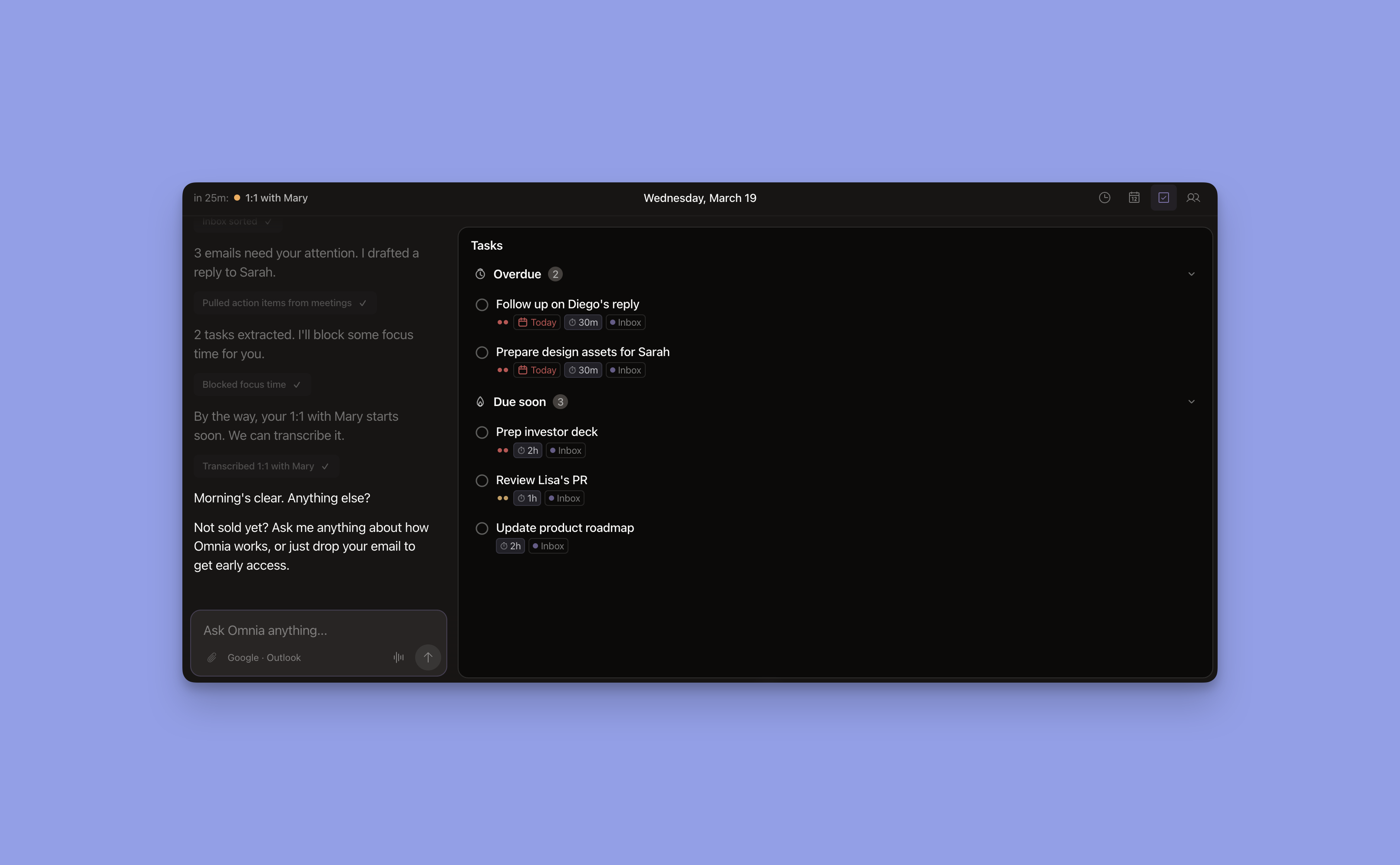
Best for: people who act as their own executive assistant every day and want one that actually does the work, not another app to manage
Standout features:
- Natively connected to your calendar, email, meetings, and tasks from the start. No context-pasting.
- Triages your inbox before you open it.
- Blocks prep time before important meetings.
- Flags overloaded weeks before you notice.
- Learns through conversation, not settings screens
What I liked:
- It doesn't wait for instructions. Runs in the background. Acts on your behalf.
- Every meeting, email, and calendar block feeds into one knowledge layer -> nothing lives in a silo.
- Collaborative workspaces instead of chat walls: planning view, triage board.
- No rule builders. No drag-and-drop automations. Corrections train it.
What I disliked:
- Still a young product compared to the others here.
- English at launch.
Pricing:
Free while in open beta. Pricing announced at GA.
Sign-up is open at hirekai.ai -> the next evolution of how we think about time, built on what we've learned from 248K Morgen users.
Sunsama

Best for: Those battling overwhelm, who want guided planning.
Features:
Structured daily review. Imports tasks from Trello, Asana, Jira, and more.
What I liked:
- Forces realistic days by limiting you to ~5–7 tasks, encouraging focus.
What I disliked:
- Lack of automation.
Pricing:
$20/month.
Reviews:
Users from Reddit say Sunsama is expensive but worth it if its workflow clicks, especially for planning around meetings and managing the mental load of complex work like a PhD. Critics argue $20/month is too much for a todo-style app, pointing to a weak mobile experience and missing basics for the price. Overall, it’s seen as a good option on desktop and for reflection-driven planning, but only worth it if you prefer its approach.
Akiflow
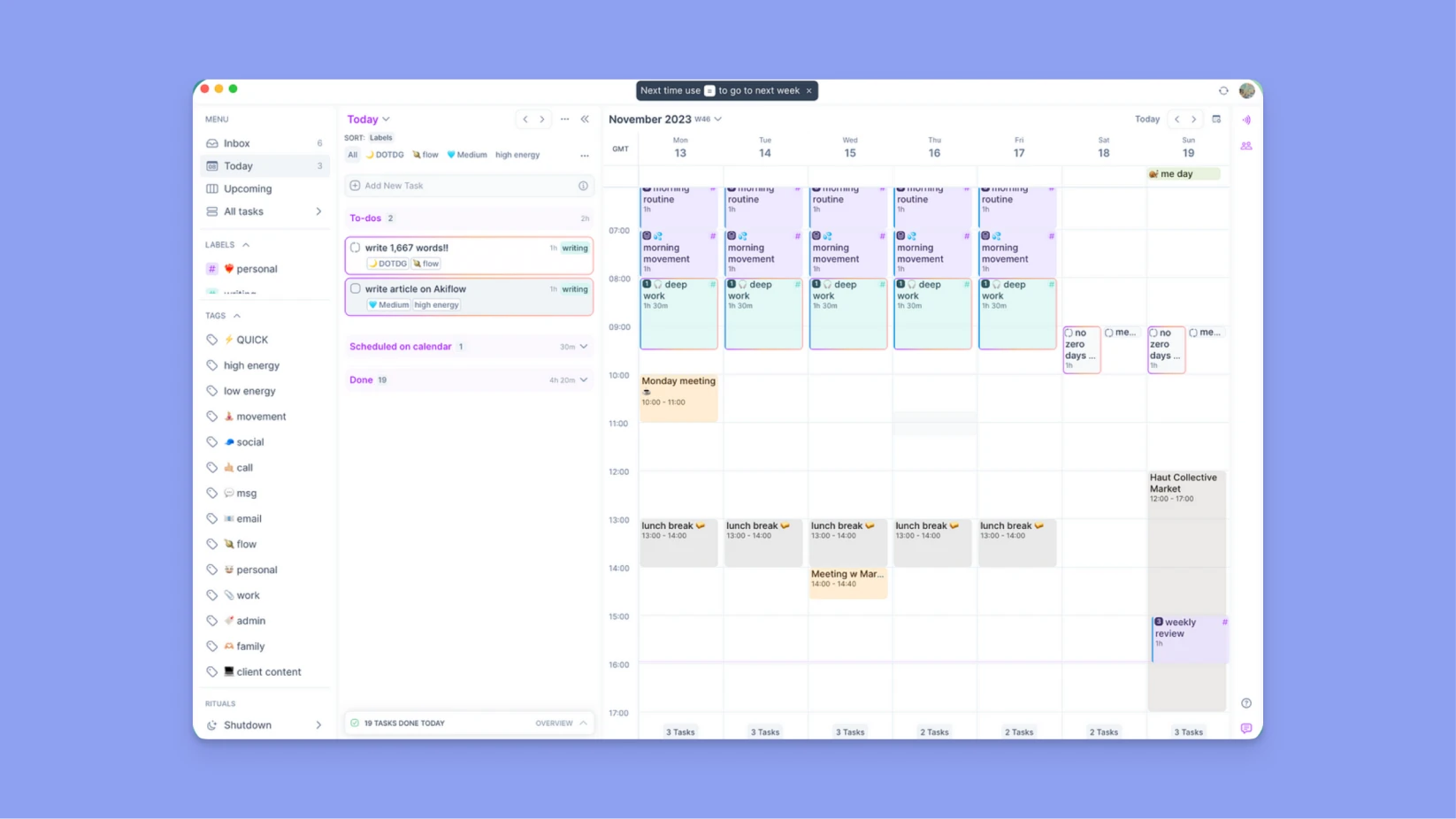
Best for: Productivity enthusiasts who want speed.
Standout features:
Command bar and wide integrations.
What I liked:
Capturing and scheduling tasks feels fast because of the command bar, and the wide range of Integrations is a plus.
What I disliked:
No label and event tagging.
Pricing:
$19/month.
Reviews:
People who dislike Akiflow say it looks premium but isn’t reliable, especially on iOS, citing missing notifications, stuck capture, disappearing tasks, random sorting, and an overall “broken” mobile experience that doesn’t justify the high price. A major pain point is support: slow replies, unanswered questions, closed tickets with no explanation, and frustration around billing/cancellation, which makes users feel the service isn’t “premium” even if the UI is.
At the same time, some users defend Akiflow as best-in-class on desktop for fast drag-and-drop timeboxing and integrations (notably with Notion).
Notion and Notion Calendar
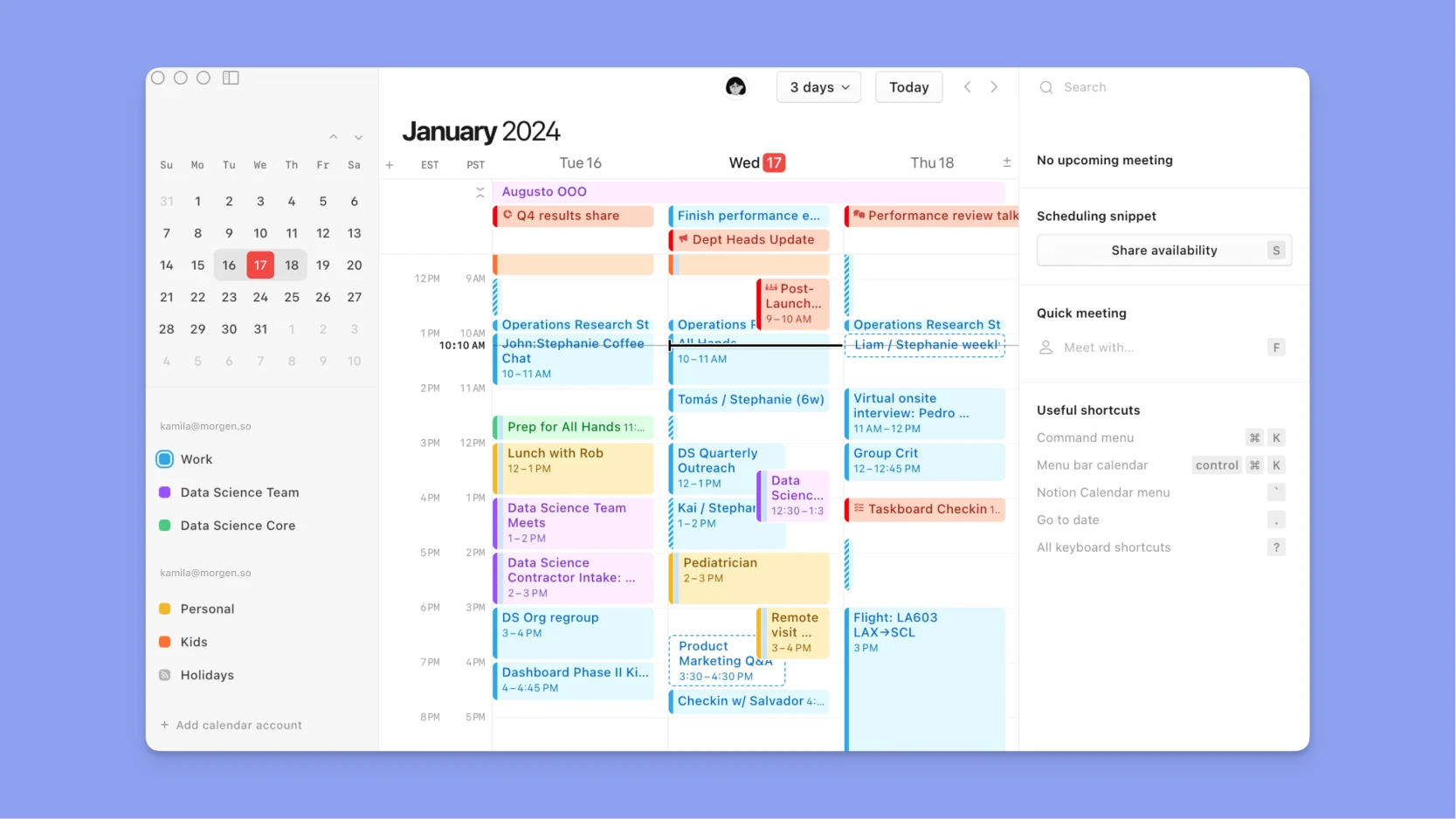
Best for: Project workspace with tasks, notes, and scheduling.
Standout features:
Databases for tasks/projects, calendar view, plus Notion Calendar for time blocking.
What I liked:
Extremely customizable. Tasks, docs, and projects live together. Calendar sync makes scheduling seamless for Notion users.
What I disliked:
Flexibility can overwhelm. Setup is time-consuming, and I spent far more time getting organized and building my system than working on my tasks.
Pricing:
Free with paid plans from $8/month.
Reviews:
People on Reddit are split: critics see Notion as a “jack of all trades, master of none” that’s slower, lacks basics like offline mode (and sometimes good search), and can encourage procrastination via endless dashboards/templates instead of real work.Supporters like it precisely because it’s “good enough” at many things in one customizable workspace where notes, docs, tasks, and databases can link together.
ClickUp
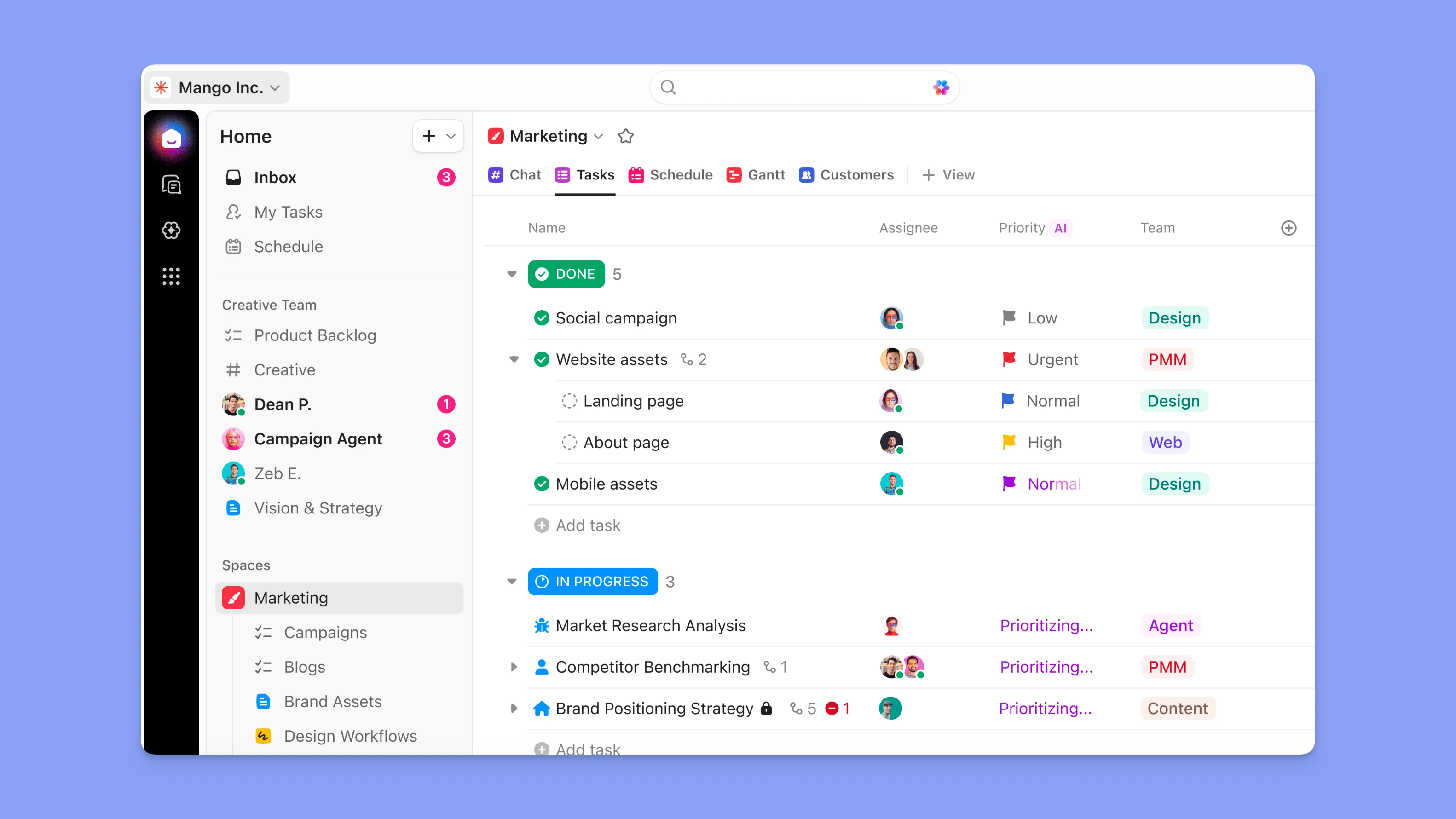
Best for:
Teams that want AI embedded across planning, execution, and reporting, not just scheduling.
Standout features:
- AI works across docs, tasks, and workflows, so you can generate plans, summarize updates, and automate repetitive work in one place.
What I liked:
- AI feels contextual, not isolated. You are not jumping between tools to prompt, plan, and execute.
- Strong flexibility across different use cases like content, product, and operations.
What I disliked:
- Can feel overwhelming at first because of how much it can do.
Pricing:
- Free plan available.
- Paid plans start at $7 per user per month. AI is available as an add-on.
Reviews:
Users consistently highlight how ClickUp brings tasks, docs, and AI into a single workflow, which reduces tool switching and keeps work connected. Many find the AI useful for summarizing updates, generating content, and turning ideas into actionable tasks.
Some users mention a learning curve early on and say it takes time to set up the workspace properly before the AI starts delivering strong results.
Final thoughts
Project management doesn’t stop with project management tools. By combining them with smart schedulers, you won’t be cramming in more work, but instead prioritize and work on what moves the needle.
If you want flexible control with AI support, try Morgen, you can start for free. Prioritizing automation, guided reflection, or speed? Try Motion, Sunsama, or Akiflow. Notion is best if you want everything in one place.
I prefer to stick with Morgen because it integrates with my existing task management system and goes beyond simple scheduling. It reacts intelligently by suggesting task rescheduling when plans change, connects multiple calendars so I can see work and personal schedules side by side, and speeds up my workflow with a command bar and shortcut support. On top of that, Morgen offers advanced task prioritization and filtering—making it easier to focus on what matters most.
Any questions? Send me a message or ping me on Discord ✉️

.svg)
.webp)


