
.svg)
→ Choose Motion: if your team needs an AI that plans every day by fitting tasks around meetings
→ Or, ClickUp: If your team and project managers need an all-in-one workspace for tasks, docs, and complex projects
→ Or, Morgen: If you want AI-powered planning without replacing your stack. Morgen integrates with the PM tools you already use (including ClickUp), pulls tasks into your calendar, and turns them into a realistic, structured schedule across work and personal life.
Motion uses AI to schedule your day automatically, while ClickUp offers a customizable workspace to organize projects from top to bottom.
If you want to choose between the two, this guide compares Motion vs ClickUp across core areas like project management, calendar management, integrations, and pricing.
And if you still need a more structured way to manage tasks and calendars together, we’ll tell you how Morgen fits in.
Motion vs ClickUp: A Brief Overview
Who Is Motion Best For?
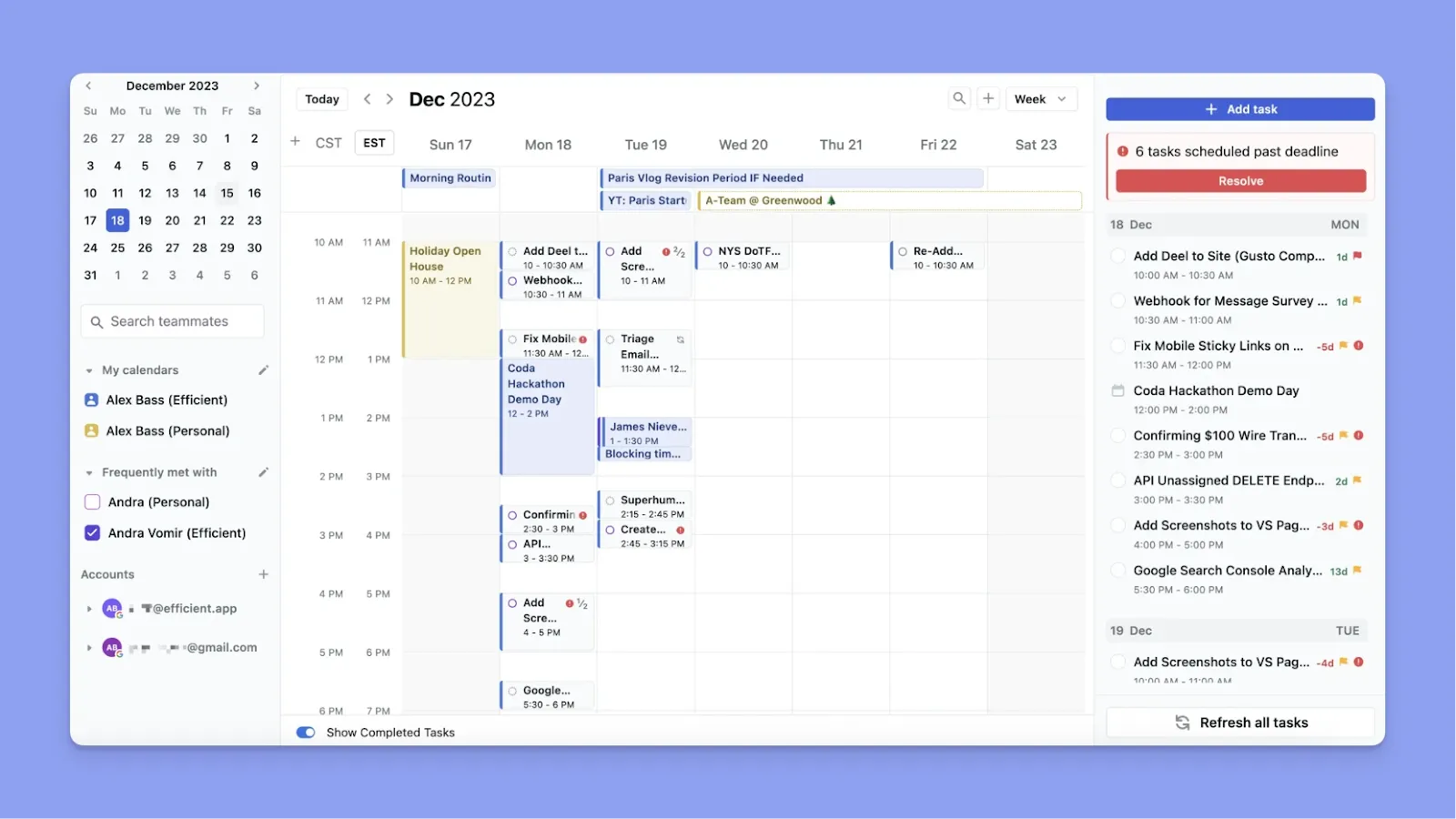
- Motion is a productivity app for people who don’t have the time to plan each day manually
- Teams that need to coordinate schedules and tasks through one system, and AI to balance workload automatically, plus AI meeting notes, AI docs, AI email/Siri task capture
- For ADHD individuals or productivity hackers who struggle with deciding “what to do, when”
Who Is ClickUp Best For?
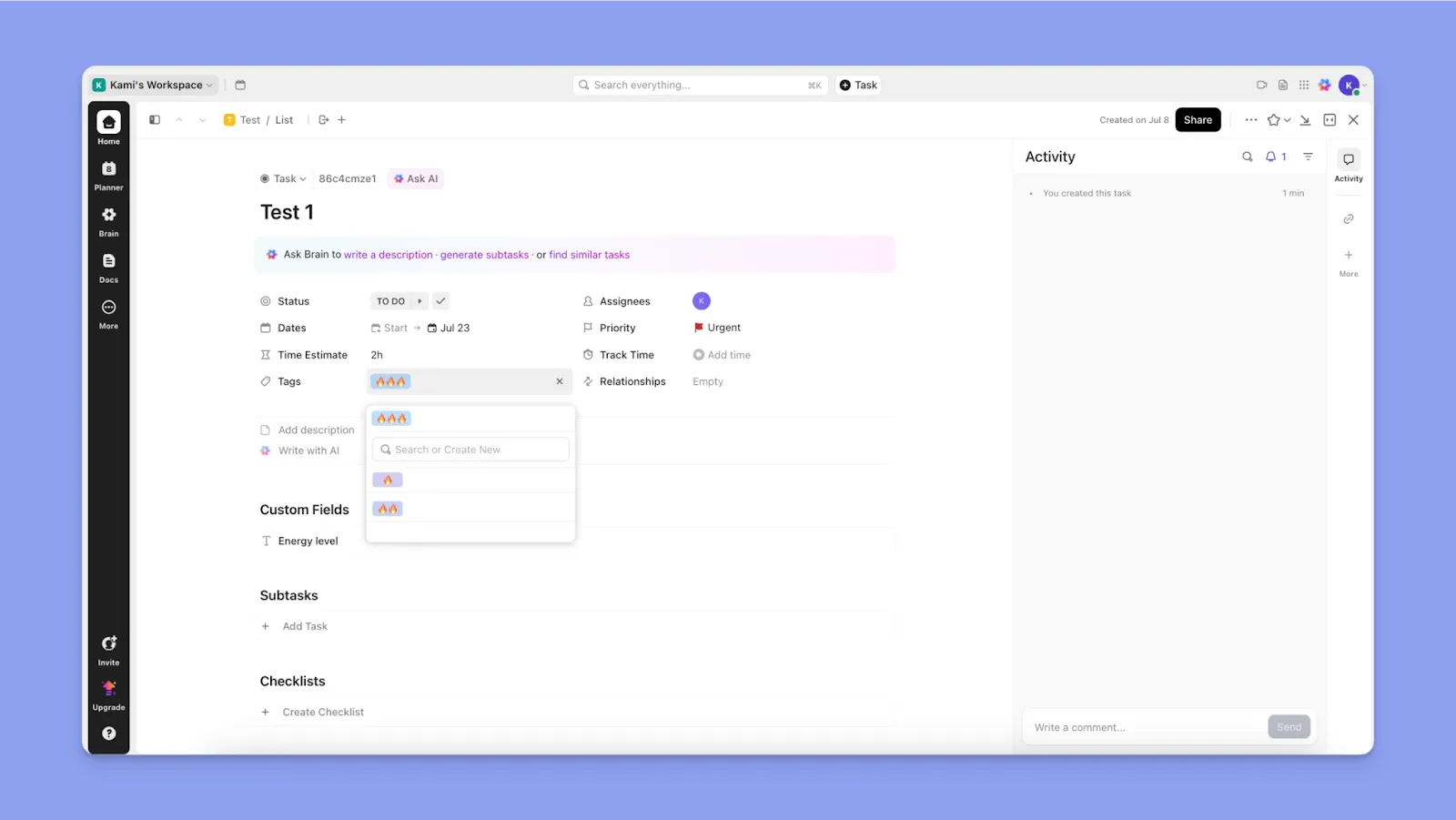
- ClickUp suits teams planning campaigns, software teams tracking sprints, or any organization juggling many projects
- Users with specific workflows or migrating from tools like Jira, Trello, or Asana who want one tool to replace them all
- Individuals or small businesses that might otherwise use separate apps for task management, note-taking, goal tracking, etc
Morgen: An Alternative to Motion and ClickUp

Morgen is an alternative that offers a calendar interface so you can plan your tasks with human-in-the-loop AI assistance.
- Connect multiple calendars and sync tasks from different apps into a single view
- Morgen’s AI Planner suggests optimal time slots for your tasks like Motion does, but it never moves anything without your OK
- Pull in your ClickUp tasks and drag-and-drop them onto your calendar for time-blocking. You can also use the Command Bar for quick task entry, or your voice to tell Morgen's AI Personal Assistant what you need to schedule
Price
You want to compare the monthly or annual costs of each PM tool to understand how it will affect your monthly costs. Here’s how much Motion and ClickUp cost:
Motion

- Motion’s new Pro AI plan costs about $29/month (annual) or $49/month if paid monthly
- Pro AI includes core projects, calendar, docs, and integrations, while Business AI adds time tracking, advanced dashboards, capacity planning, and access controls
- The new pricing system has affected many long-time users who have to pay more for very similar features.
- Motion's pricing includes AI credits that deplete with use. Heavy users may need to purchase additional credits at 19-25 cents per 100 credits, which can ramp up monthly costs beyond the base subscription
For a deeper breakdown of hidden costs and tiers, you can read more about Motion pricing in our full analysis. Here’s how much Motion and ClickUp cost:
ClickUp
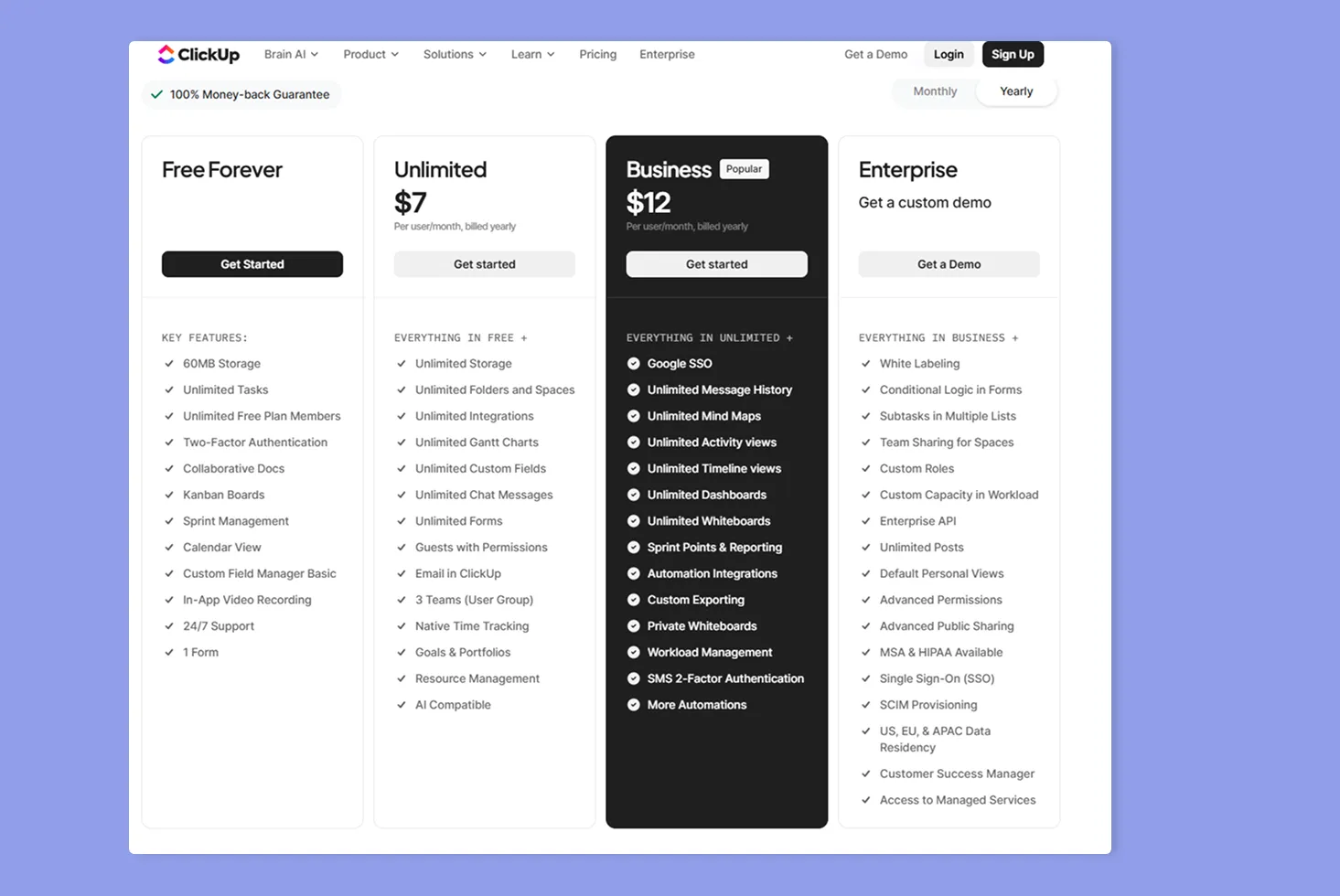
- ClickUp offers a free plan that includes unlimited tasks and members, making it attractive for individuals or small teams
- However, users share that it’s not truly “unlimited,” and many advanced features have usage caps
- ClickUp’s Unlimited plan starts at $7 per user/month (billed annually, or $10 if monthly)
Verdict
If you have a big team and want an effective, affordable option, ClickUp wins over Motion. It also offers superior project management features, although Motion justifies the higher pricing with AI features.
Project Management
Consider which tool can clearly organize your projects so you always know what matters most.
Motion
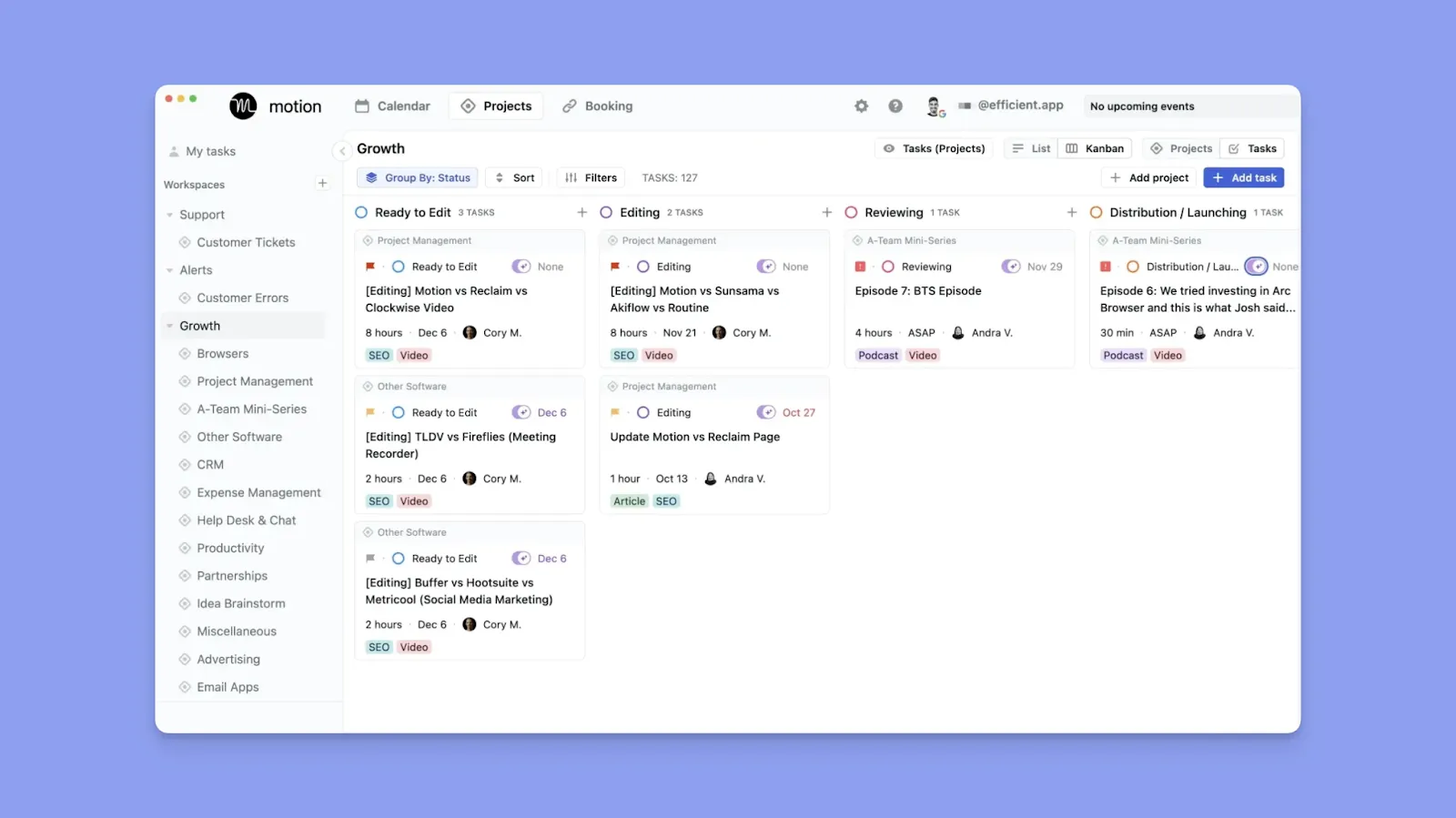
- Motion’s project layer uses Projects as containers with stages, task statuses, and filters, and supports List and Kanban views
- This Redditor says that for large, interdependent processes, Motion might be limiting compared to ClickUp. Motion does not offer the deep task hierarchy, subtask dependencies, and workflow automation that ClickUp provides for managing large processes
ClickUp
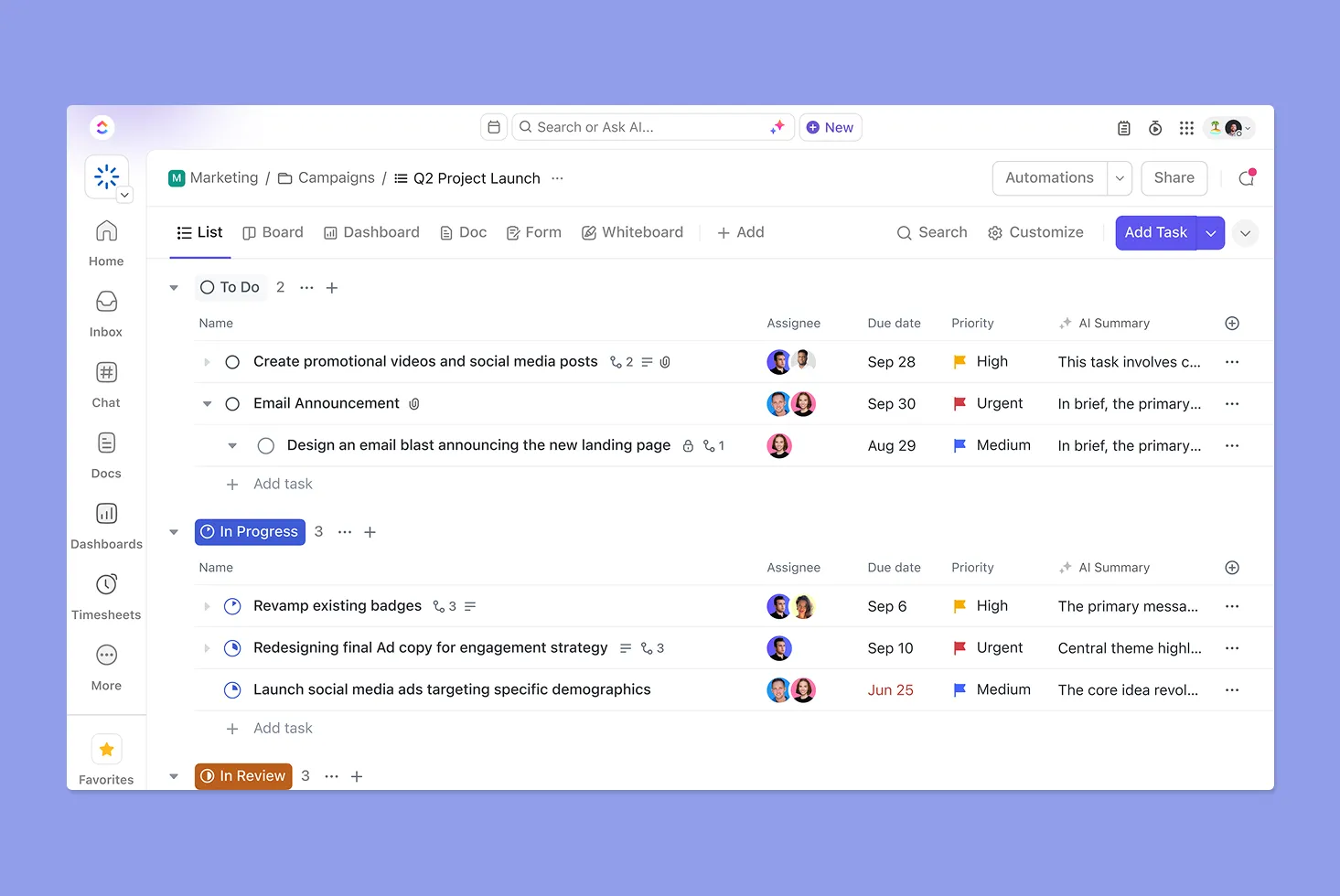
- Broader project management tooling, including tasks with custom fields, Docs, Dashboards, Goals, Milestones, Workload views, and native time tracking
- Supports Calendar, Timeline, and Gantt views, plus rescheduling task dependencies and time calculations to surface schedule risk
- “You can create nested checklists, dependencies, and automation rules to manage large processes without missing steps,” according to this Redditor
Verdict
Choose ClickUp for deep, flexible project management with dependencies and custom workflows, or Motion if your projects exist mainly to feed a calendar-driven execution model.
Calendar and Task Management
If you can plan calendar events, schedule tasks, and see your available time in one interface, you reduce context switching, which makes 45% of workers less productive.
Motion

- Motion supports Google Calendar, Microsoft Outlook (Office 365 or Exchange Online), and iCloud
- Events anchor your day and can be edited or cancelled, while auto-scheduling moves task blocks around busy times and can mark time blocks busy when deadline risk rises
- Users share that the auto-scheduler only shows 30 days ahead on the standard plan, and you must upgrade to a pricier plan for 90-day planning
- Another common complaint about Motion is that you can’t attach recurring tasks to a project, which users expect to be a “rather basic function.”
ClickUp
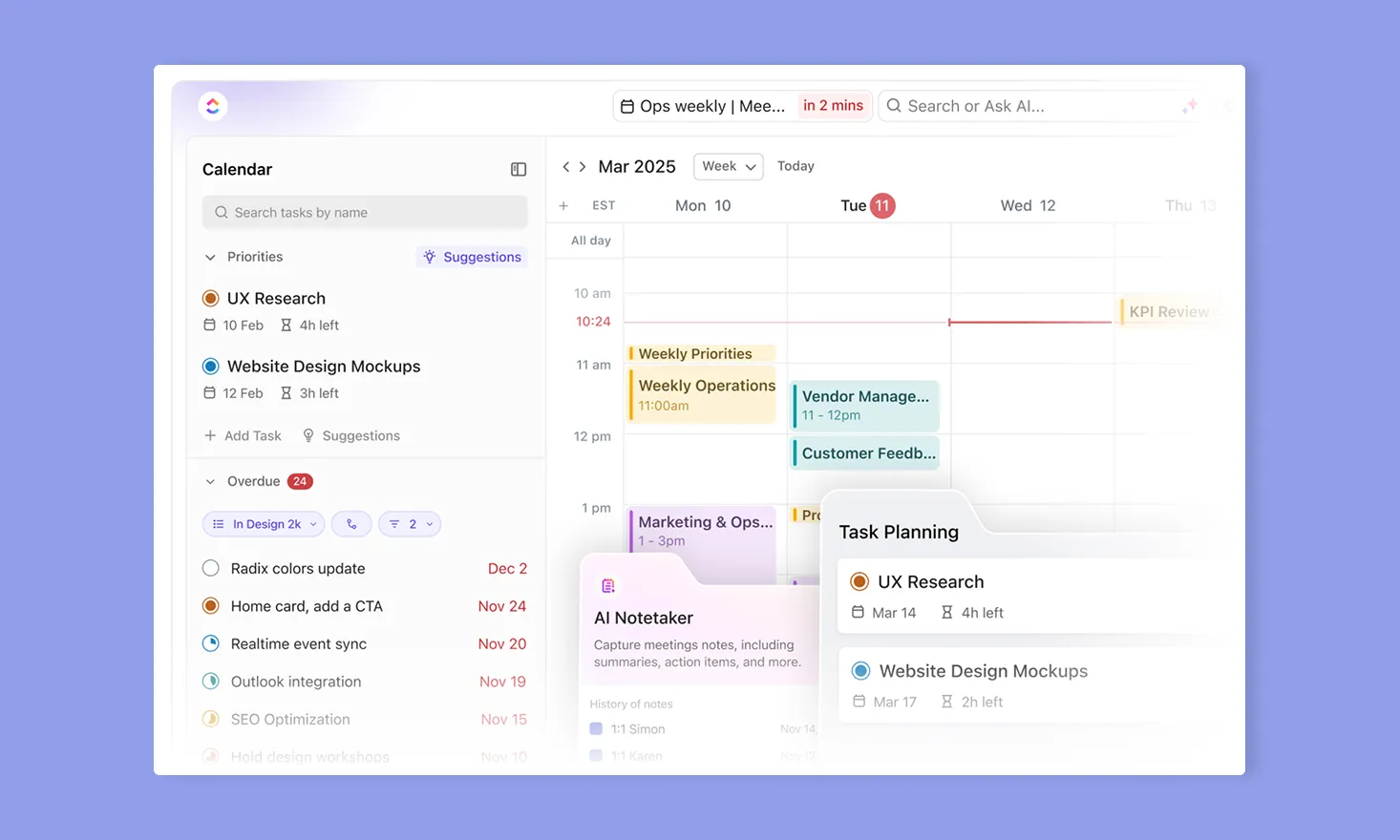
- You can schedule tasks by dates, drag and drop, and create meetings from within ClickUp
- External calendar support covers Google and Outlook integrations for event sync with the Planner, plus an Apple Calendar one-way task subscription
- Task scheduling is primarily manual, but Planner supports AI Time-Blocking that recommends time slots using task estimates and priorities
- On task scheduling, one user says you have to click on each task you want to schedule, "clicking a button for each task I want moved to my calendar is not auto-scheduling.”
Verdict
Motion is calendar-first and aggressively auto-plans your day. ClickUp is task-first, with mostly manual scheduling. Pick Motion for automated days, or ClickUp for controlled, manual planning
If you are also considering other automation-heavy tools, you can see how they compare in our Motion vs Monday breakdown.
Integrations
Since you already use other apps, consider whether this new addition can plug into your stack or force you to rebuild everything from scratch.
Motion
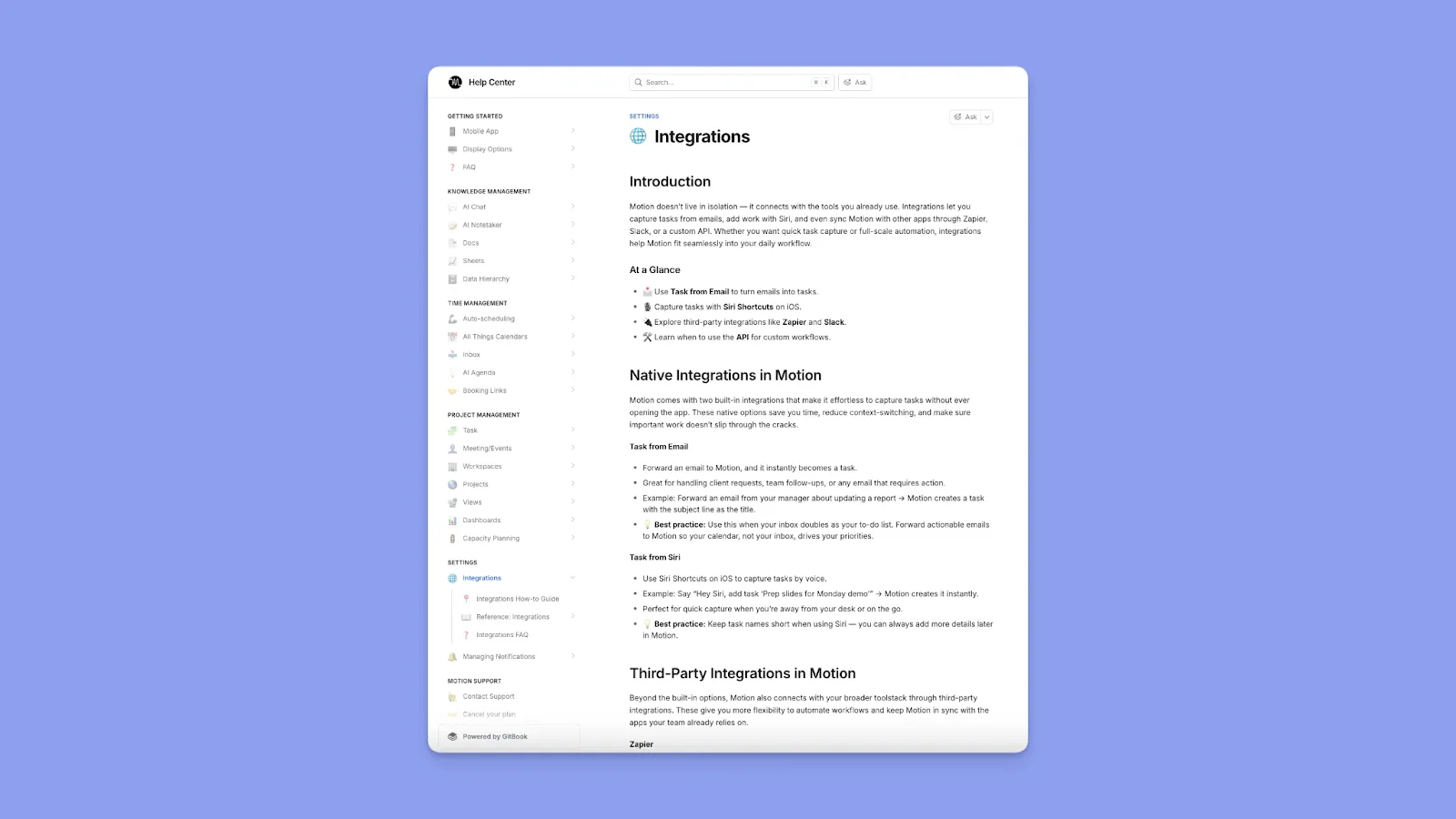
- Motion integrates natively with major calendar services to ensure your meetings sync in and out
- However, it also aims to replace most of your task management tools. You can use Zapier to create one-way workflows or use a limited API
ClickUp
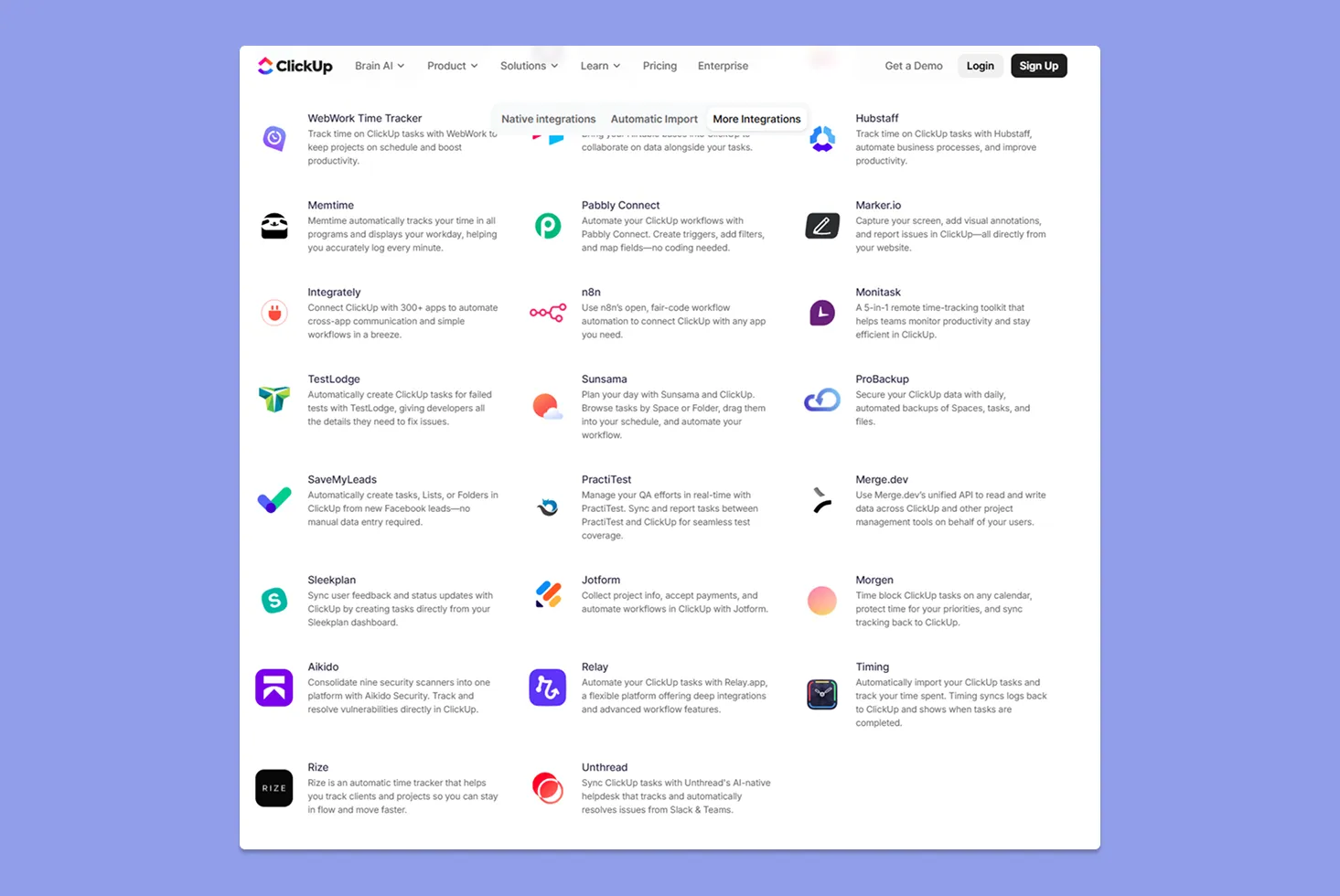
- ClickUp, by contrast, has many built-in integrations and supports automation within the app (if X happens, do Y), which can tie into integrations
- However, advanced integrations (like deeper CRM or enterprise tool integrations) may require technical setup or third-party tools.
- And as noted in a community analysis, sometimes external sync can lag or have issues
Verdict
ClickUp wins on breadth, acting as a central work hub with thousands of integrations. Motion is more closed, best when you can actually create a new project and task management system from scratch.
Customer Support
When you’re stuck and need fast, reliable help, how will you get it with Motion or ClickUp?
Motion
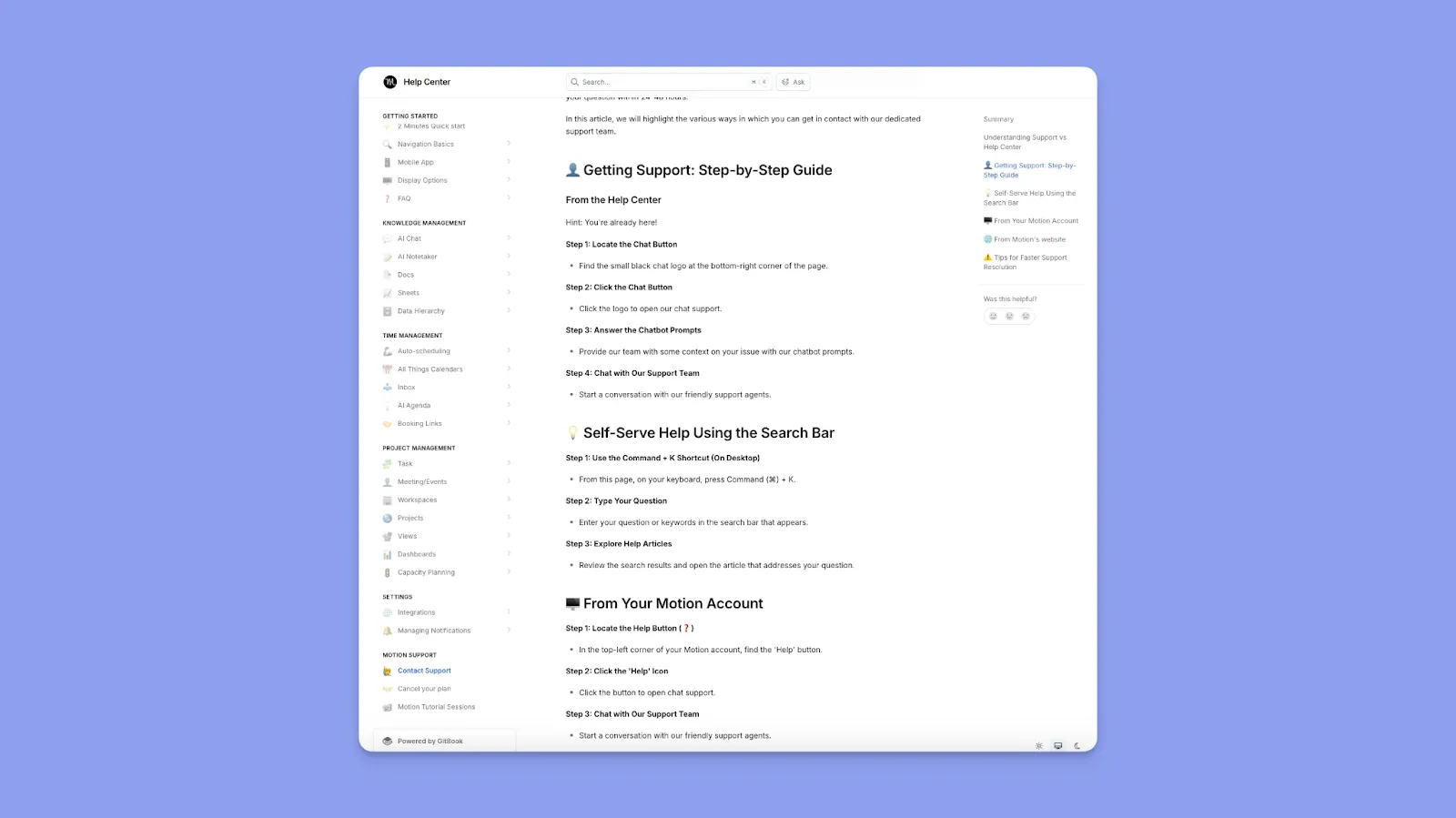
- Motion provides self-serve help articles, plus email support and direct chat support initiated via a chatbot flow
- Business AI includes ‘Priority Support’ and ‘Priority Business Support’ in pricing materials
- Feedback on Motion’s customer support is mixed. For instance, Roby F notes, “Customer support is also fantastic,” while a Trustpilot reviewer terms it “extremely POOR customer service.”
ClickUp
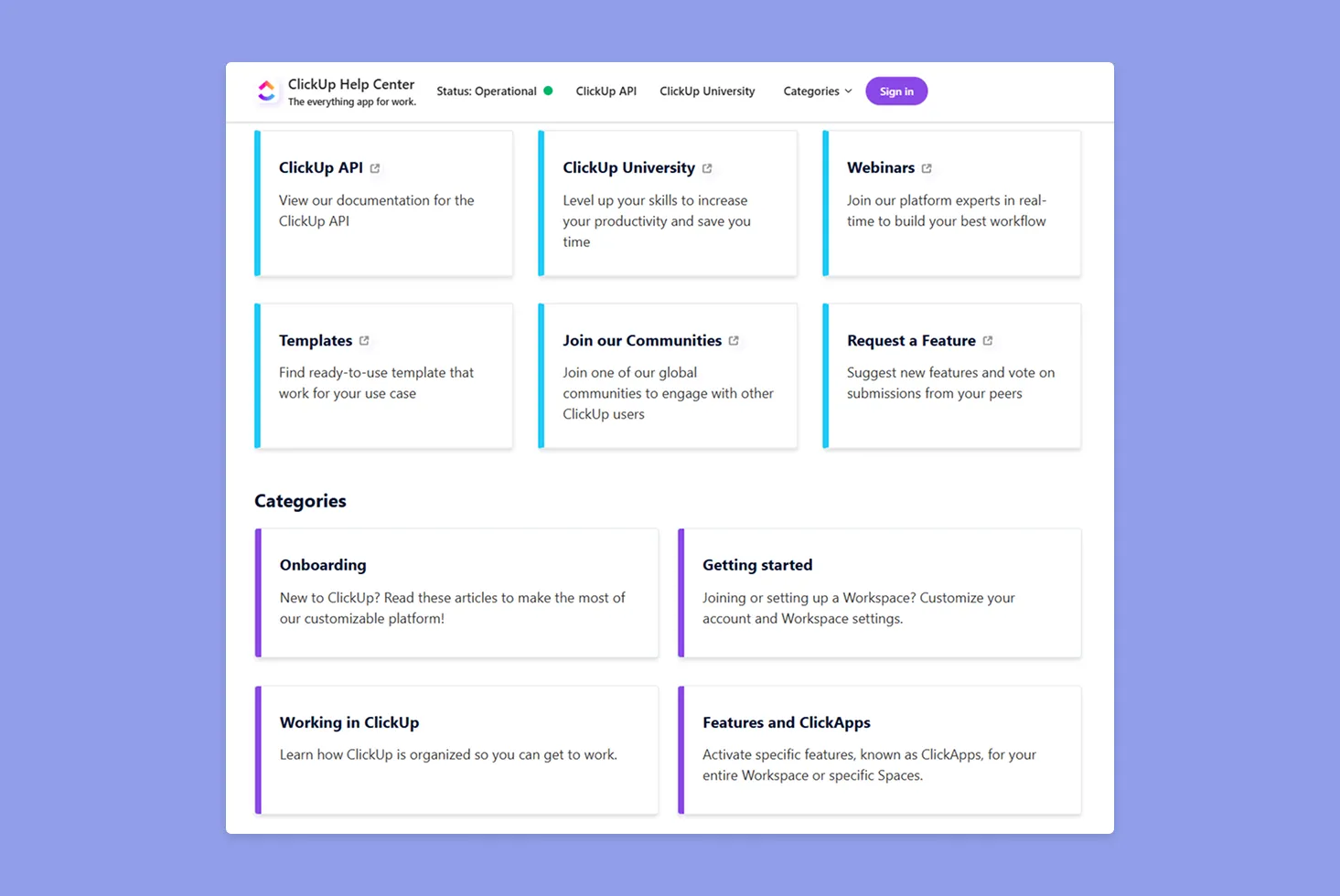
- ClickUp Support is available 24/7, and you get extensive self-service learning through the Help Center, ClickUp University, and webinars
- Like Motion, ClickUp gets mixed customer support reviews: some users report fast, helpful support, while others experience slow, repetitive back-and-forth. A user calls it “Really good” on Trustpilot, while another calls it “terrible.”
Verdict
Both companies offer the standard support avenues, but ClickUp has a richer library of resources to help you self-solve problems.
How to Pick the Best Project Management Tool for Your Team
You need a tool that reduces friction, prevents information sprawl, and helps you move work forward. So, consider these features:
Task and Project Consolidation
Motion organizes work primarily around your calendar and daily execution, while ClickUp centralizes projects, docs, dependencies, and dashboards into a single, structured system for growing teams.
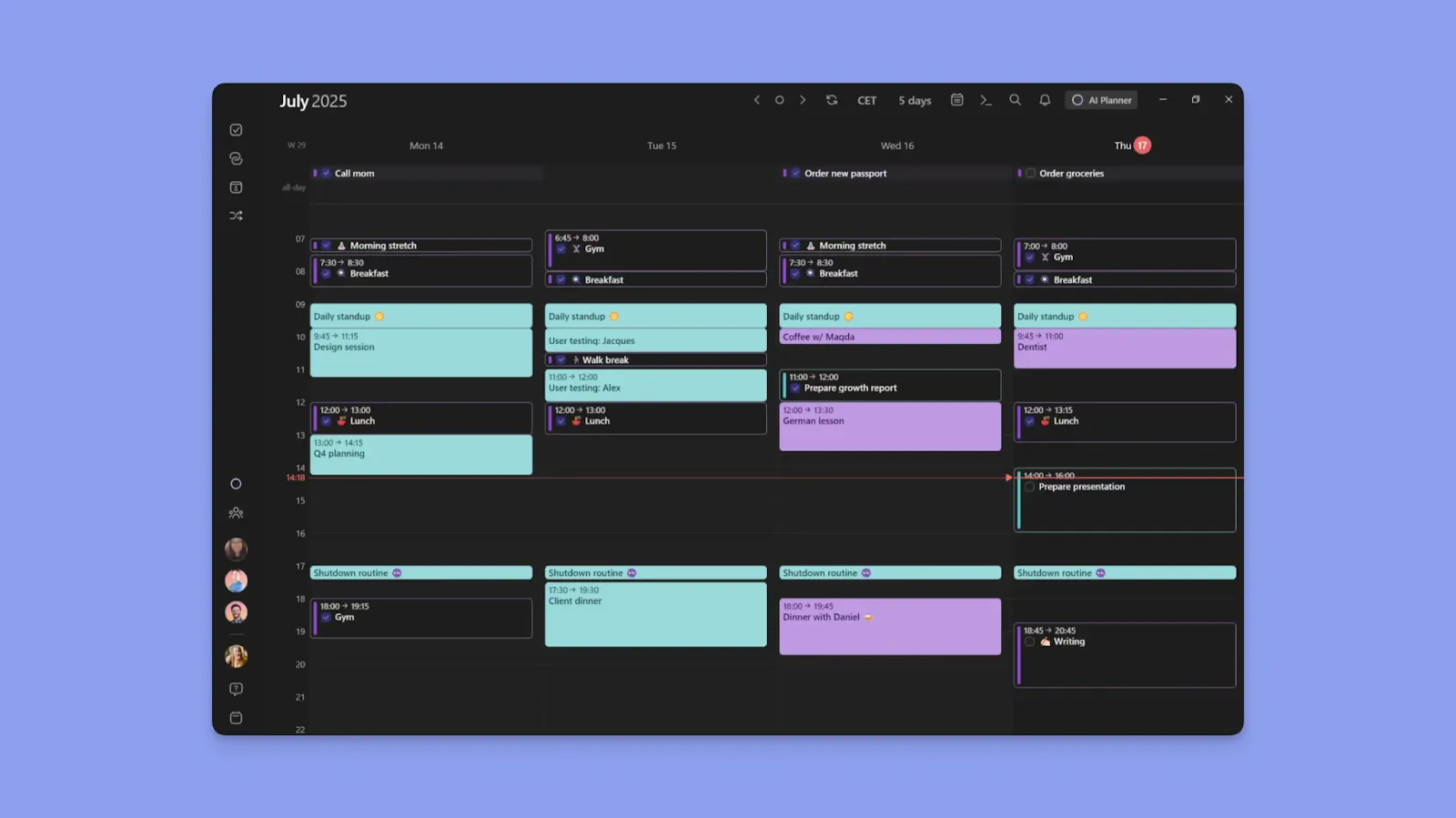
With Morgen, you get a unified, calendar-first view where tasks from multiple tools appear alongside events like meetings and routines.
Here’s how to get started with Morgen tasks.
Smart Automation
The best systems suggest sensible plans based on deadlines, capacity, and dependencies so you can approve, adjust, and move faster without micromanaging every detail.
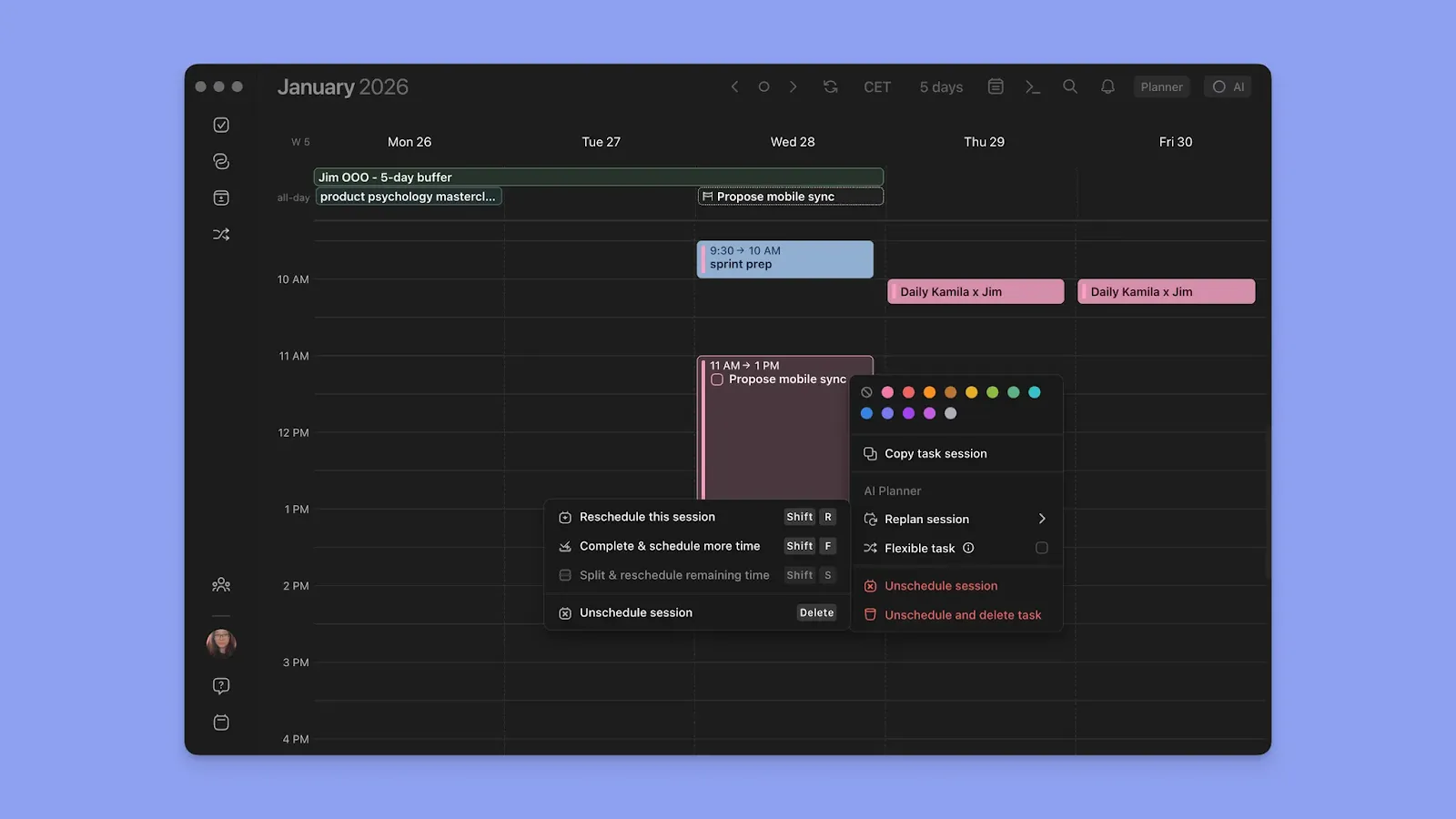
A tool like Morgen’s AI Planner suggests the best placements so you can confirm and adjust your schedule. You can schedule and reschedule tasks based on availability, when conflicts arise, or when you simply need help planning a long to-do list.
Mobile and Cross-Platform Support
Motion offers iOS and Android apps with full calendar functionality, though some users find them slower than the desktop version. Meanwhile, ClickUp's mobile apps mirror the desktop's complexity.

If you want a task planner with good mobile support, Morgen offers close feature parity across web, desktop, and mobile platforms. You can create events, tasks, routines, add tags and estimates, edit recurring series, and more on mobile.
Here’s how to install Morgen on Android and iOS.
Alternative To Motion and ClickUp: Morgen
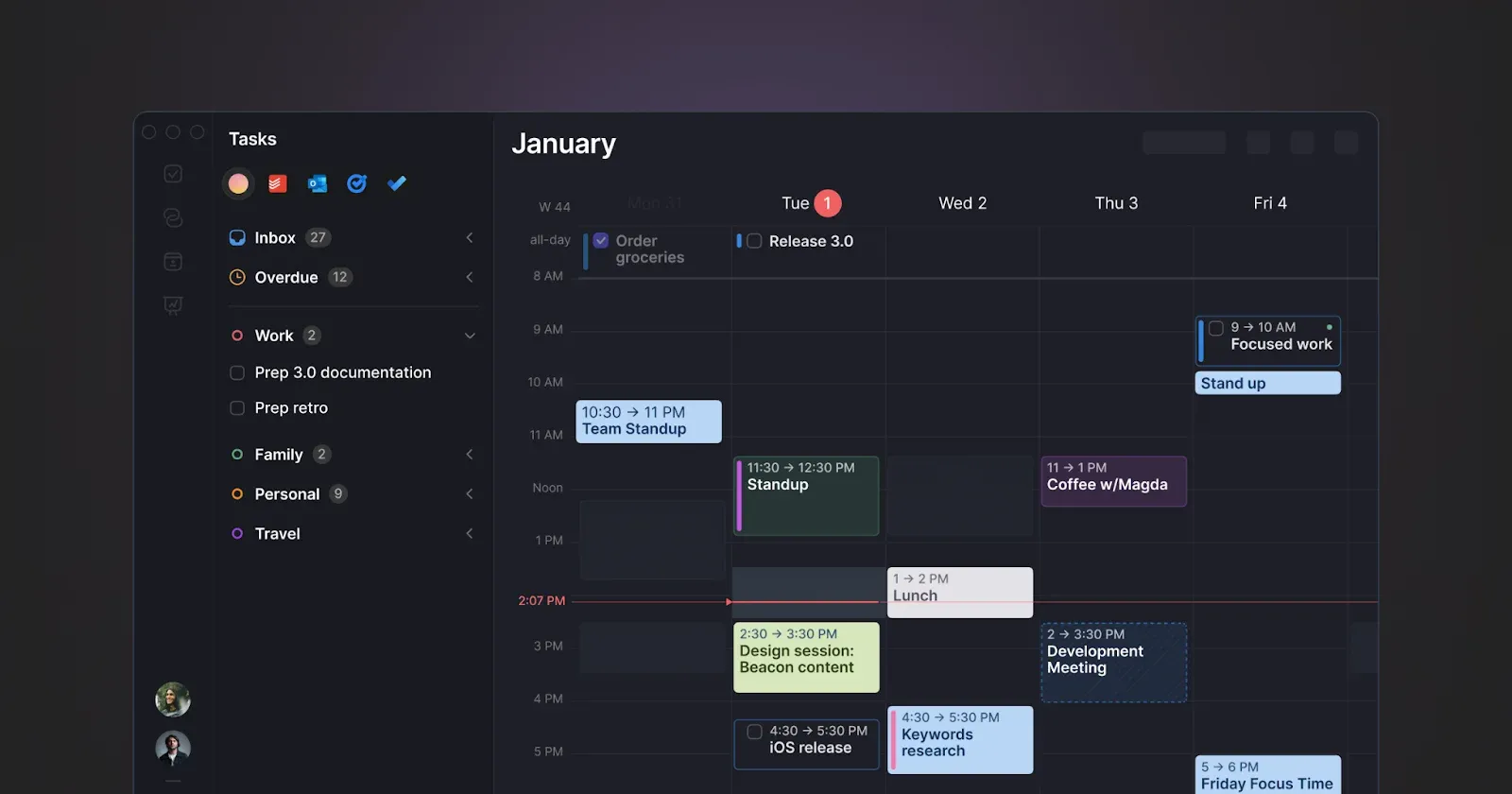
Some users find Motion's AI planning aggressive, while ClickUp does not offer comprehensive calendar planning. If you need a tool that offers the best scheduling balance, you can consider Morgen because of these features:
Key Features
Morgen is an alternative to Motion and ClickUp if you are looking for:
Calendar and Task Consolidation
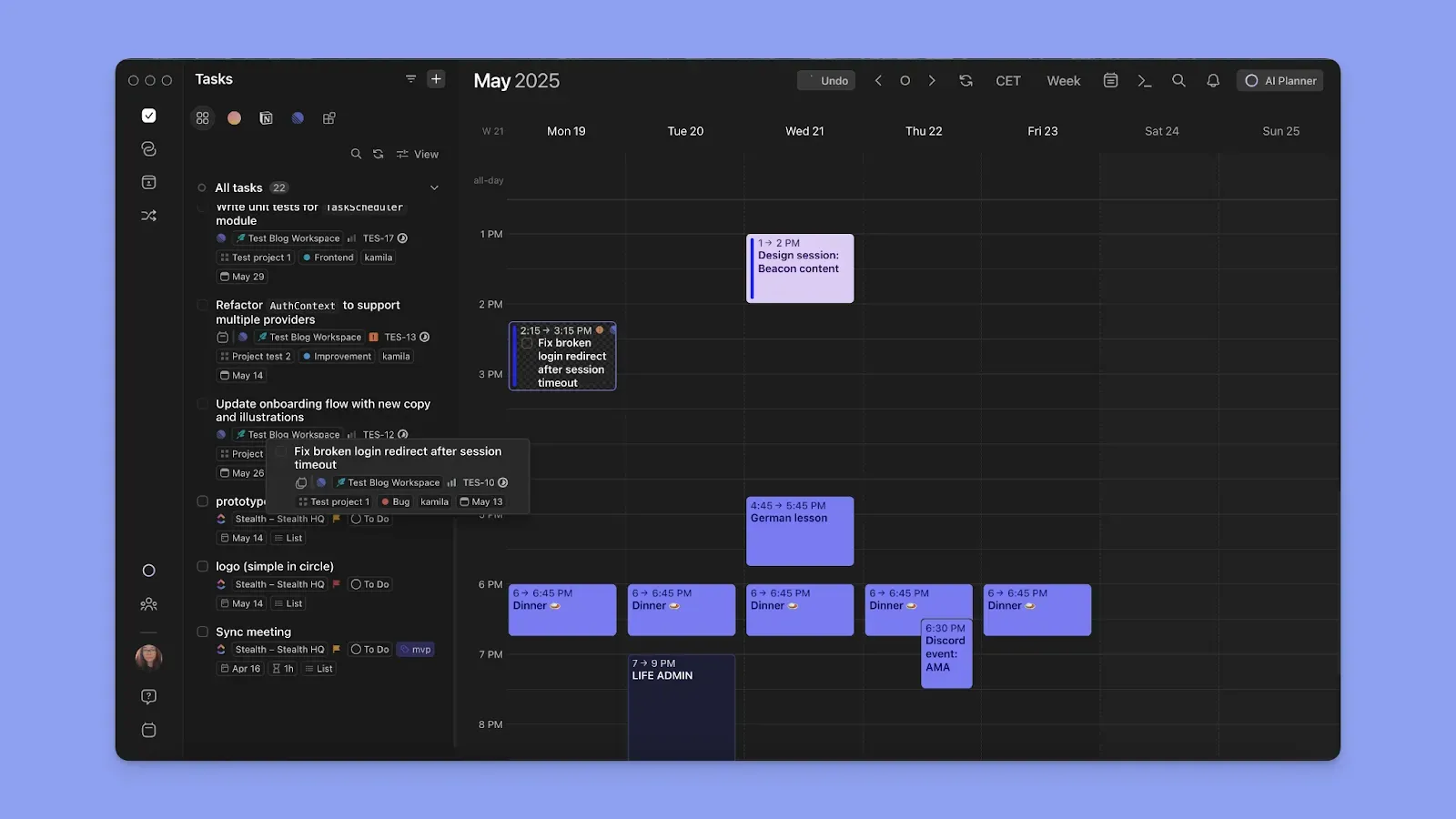
Morgen syncs bidirectionally with Google Calendar, Outlook, iCloud, and FastMail calendars, while pulling tasks from ClickUp, Notion, Todoist, Linear, Obsidian, Google Tasks, and Microsoft To Do. You can also use Morgen to pair each task tool to specific calendars if you want to manage tasks directly on that (or a combination of) calendars.
AI Planning
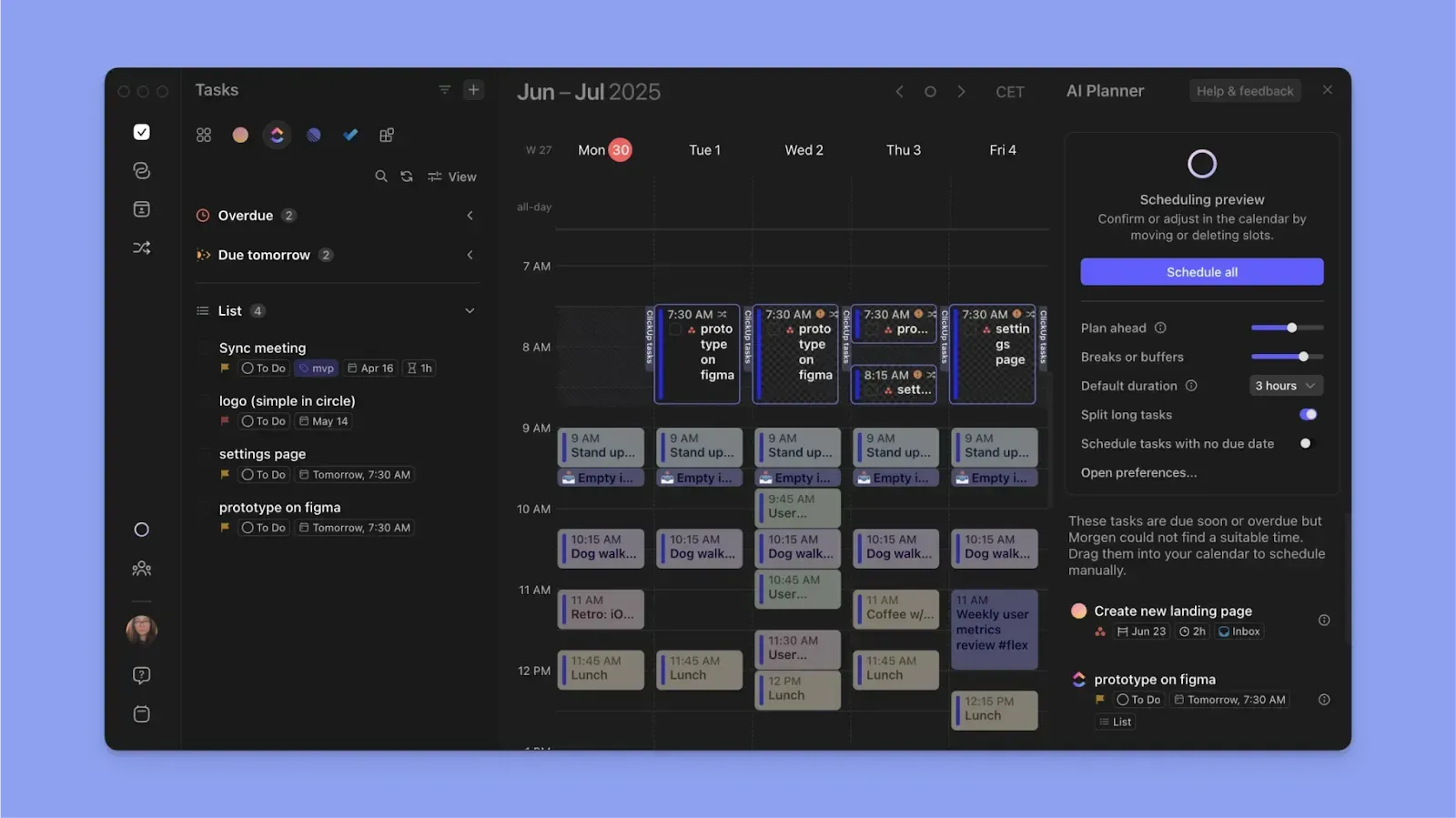
Morgen's AI Planner analyzes your calendar, task priorities, due dates, time estimates, and available capacity to suggest time blocks for your work. It shows you a proposed plan and waits for your confirmation before making any changes.
Use Frames to define when you want to work on specific types of tasks, and the AI Planner respects the boundaries you set when suggesting schedules.
Team Support
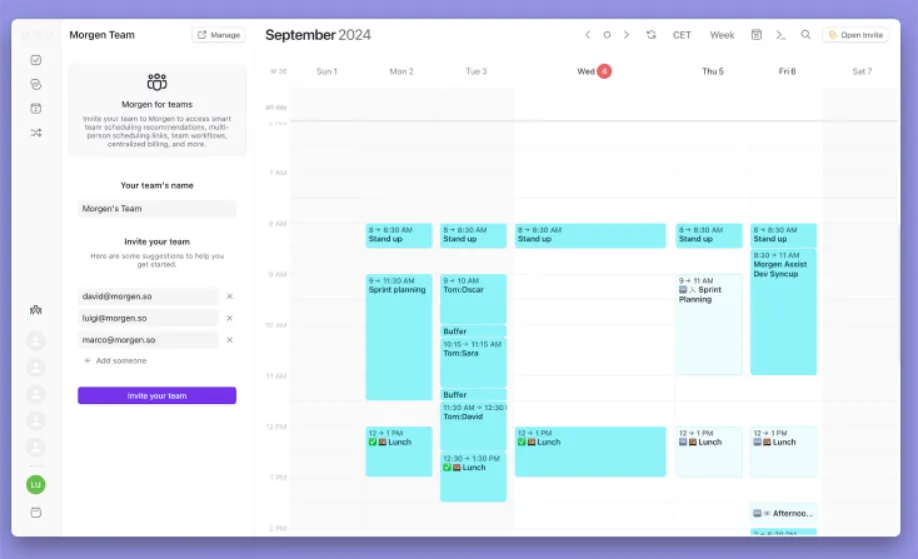
You can invite colleagues to a Morgen team and see their availability directly in your calendar view.
When scheduling meetings, add teammates as co-hosts to find slots that work for everyone (or create "Add to Calendar links for attendees who aren't on your team).
Fixed co-hosts' availability is considered when scheduling, while optional co-hosts receive an invite and pick a time from your options.
Pricing
Where Morgen Shines
- Unified scheduling experience: Bring together calendar events and tasks to reduce context switching
- Connect ClickUp to Morgen: Pull your ClickUp tasks into Morgen's calendar interface and drag them onto time blocks. When you complete a scheduled task, Morgen automatically tracks the duration and syncs that time back to ClickUp
- Create Frames, recurring tasks, and routines: Define repeating time blocks for specific work types to reduce repetitive daily planning
- Track projects and tags: Filter and organize tasks by source, priority level, earliest start dates, tags, and more properties from your integrated tools. You can also group tasks across multiple lists to see everything that matters in one view
- ADHD-friendly planning: Color-coded calendars and tags provide visual structure, and the Command Bar lets you create events and tasks instantly without clicking through menus
Where Morgen Falls Short
- Not a project planner like ClickUp or Motion: You cannot manage project dependencies, assign tasks to team members, or track project milestones within Morgen
Customer Reviews
“Between views ranging from day to monthly agenda, you can quickly view your important events and tasks and change anything you like,” says Sude Y.

“I love using Morgen for calendar, task planning, and scheduling,” Gaia S.

Who Morgen Is Best For
- Busy professionals and power users managing multiple calendars and task tools who need unified scheduling without constant app switching
- Individuals with ADHD who struggle with planning and need AI-assisted time-blocking that suggests plans without taking full control
Morgen also offers smart workflows to schedule travel time, create buffer periods between meetings, and propagate calendars across your accounts.
See How Morgen Combines Tasks, Calendar, and Projects in One Place
If you already use ClickUp, Notion, or Todoist for project management but need a calendar view that consolidates all those projects and tasks into a single interface, you need Morgen.
You can connect your existing calendars and task tools into Morgen, then use Morgen's AI Planner to time-block your work around meetings, routines, and calendar commitments.
You keep your existing stack and get a planning layer that helps you create a realistic daily plan you approve and can follow without overwhelm.
Download Morgen on Linux, Mac, Windows, or sign up on the web to start managing your projects and time.

.svg)
.webp)


