
.svg)
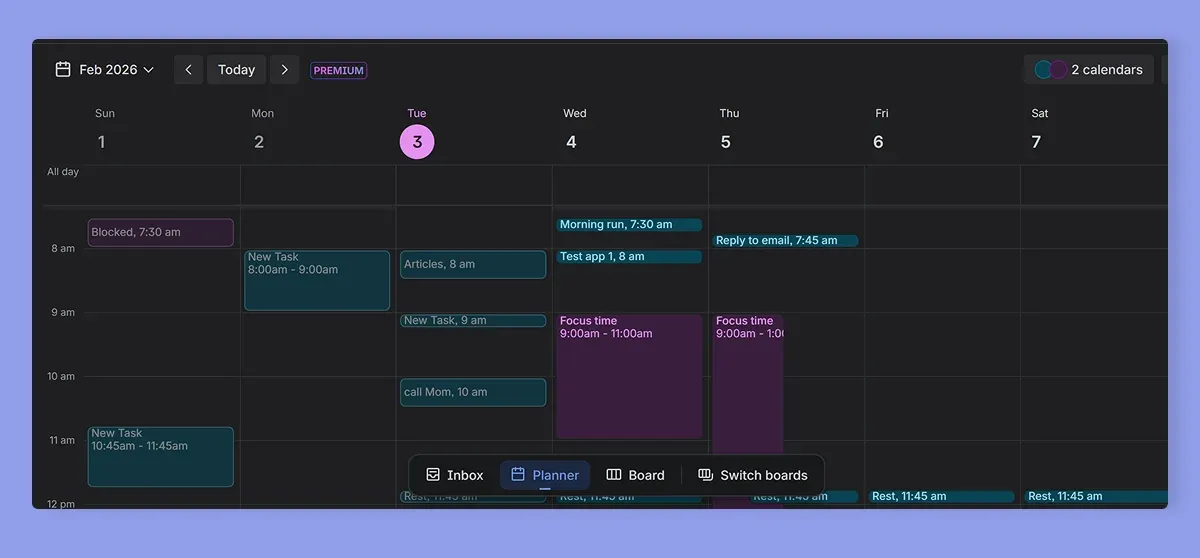
→ Morgen: For maximal customization with color-coded calendars/task blocks/task tags, dark/light themes, modern-looking UI, confetti celebrations after completing work, and visual organization across multiple calendars and task tools
→ Ellie Planner, Structured, Sunsama: If you want a minimalist daily planner focused on visual timeboxing, gentle structure, and realistic daily planning
→ Todoist, Trello, Notion: For minimalist task lists with different color themes (Todoist), visual kanban boards with Unsplash backgrounds and custom card covers (Trello), or highly customizable pages with icons, covers, and gallery views (Notion)
→ ClickUp, Upbase: To manage projects with customizable workspace themes and color-coded folders and priorities (ClickUp), or enjoy a clean, minimalist interface with dark mode and visual labels (Upbase
Some daily task and calendar planners have uninspiring, outdated interfaces and steep learning curves. That's not to say they're bad planners, but if you’d like visual clarity, calm colors, and easy customizations, there are more aesthetic apps you can use.
We tested these aesthetic calendar planners to see how they balance visual design with practical, everyday planning. Here’s more on their key features and how they work.
Best Aesthetic Calendar Apps: A Quick Overview
1. Morgen: All-in-One Aesthetic Calendar Planner with AI-Assisted Task Planning
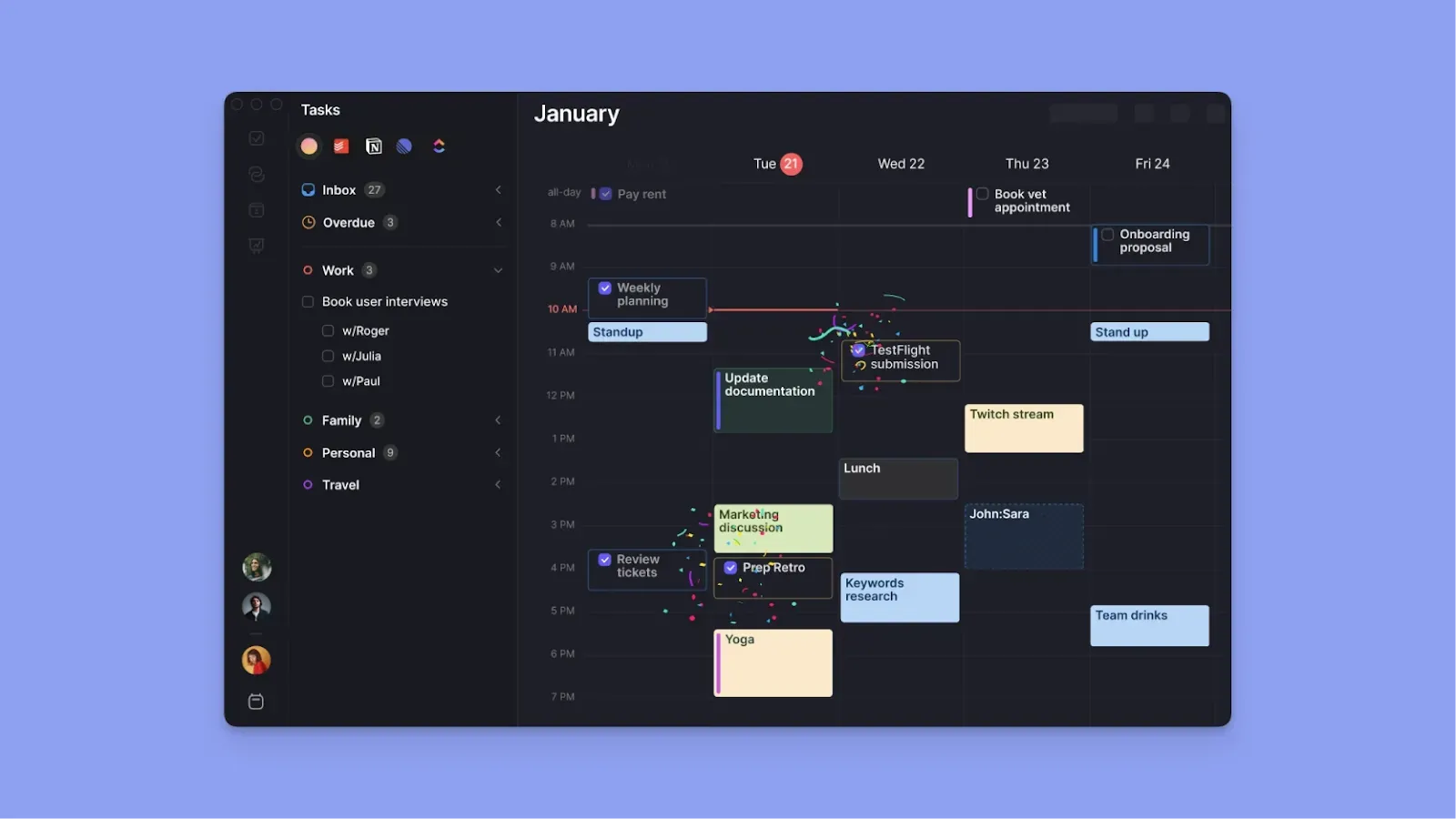
Morgen is a task planner that consolidates multiple tasks, calendars, and virtual conferencing sources into one intuitive interface. You can customize the outline with different colors, choose between themes, and toggle between different views as you plan.
Key Features
Here are some aesthetic features from Morgen you can use:
Color Coded Calendars
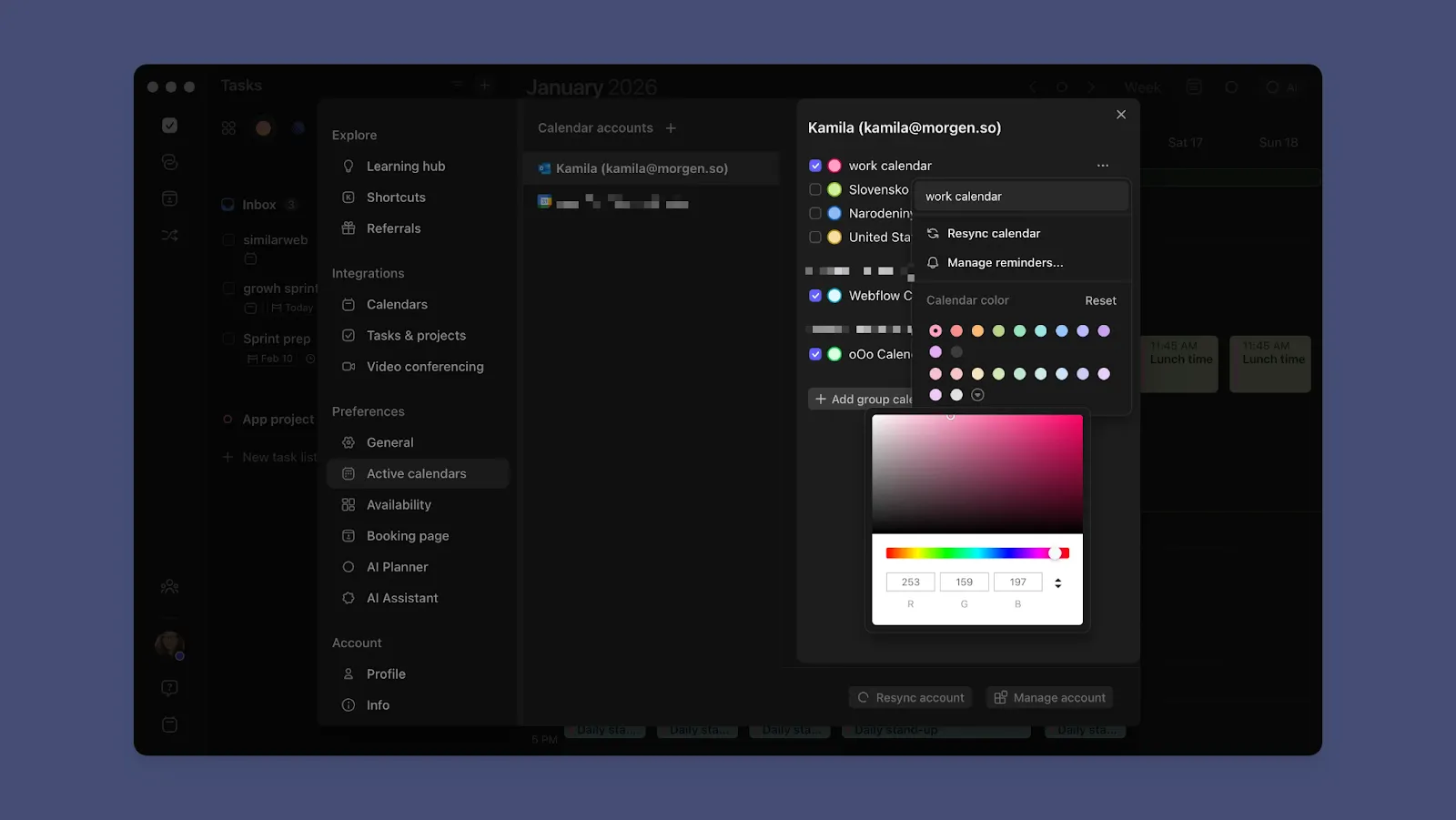
You can sync Google Calendar, Microsoft Outlook, iCalendar, and Fastmail. When you add each calendar, assign it its color from your Calendar Integrations panel.
Every event or task under each calendar automatically displays that calendar's color in a vertical bar, making it instantly clear which commitments belong where at a glance.
Different Colors for Tasks and Tags
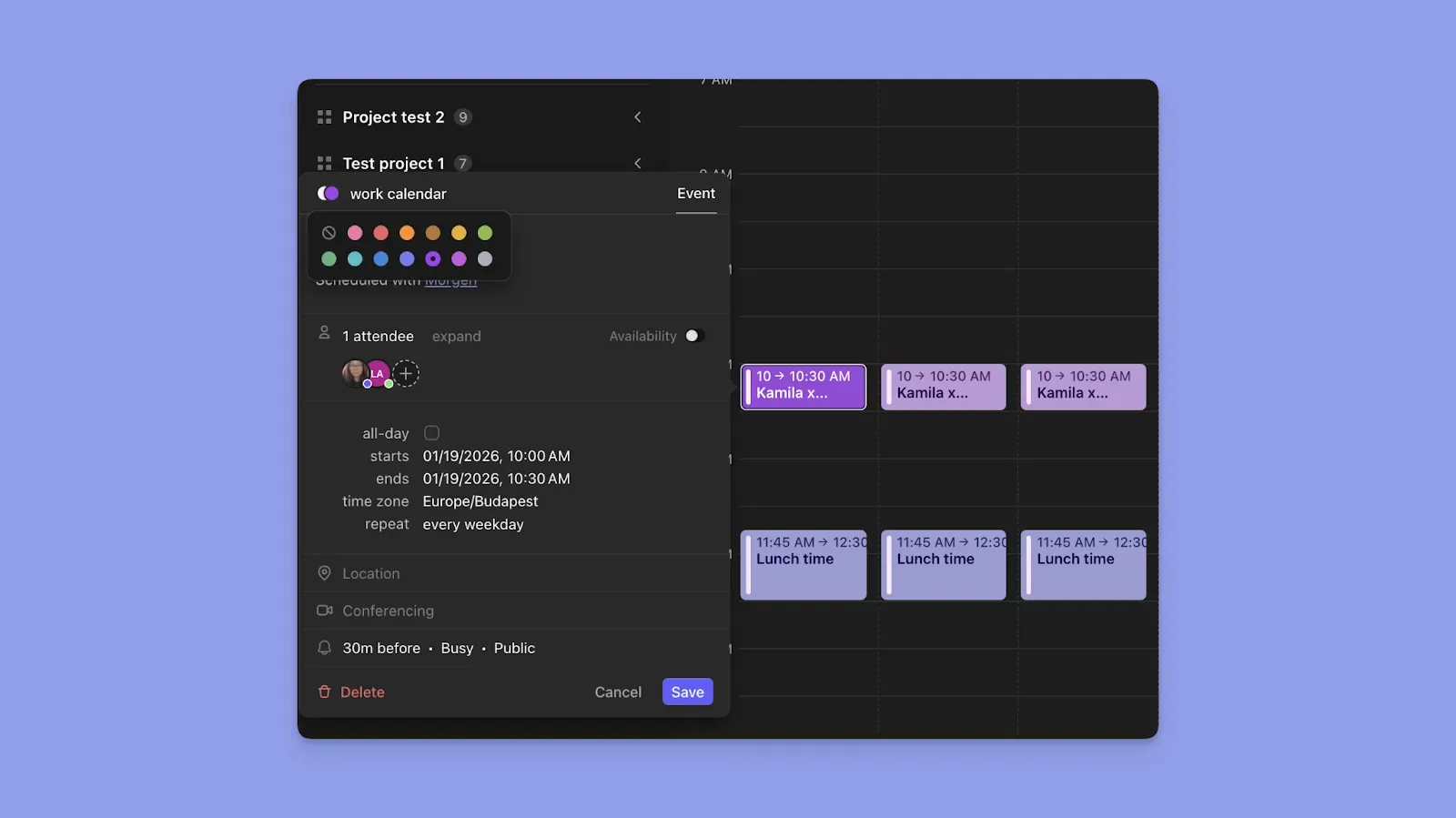
Beyond calendar colors, Morgen offers 13 more base colors specifically for task blocks and tags. While scheduled tasks will show the calendar color on the vertical bar, you can click the color on each task block to customize it with a second color.
You can also create different task tags, such as “High-Energy” or “Design Tasks,” and assign each tag a unique color.
Light, Dark, or System Theme

You can customize your Morgen outline after creating your account. Click your profile initials in the left panel, navigate to Preferences > General, and choose between “System,” “Dark,” or "Light” themes.
Customizable Frames for Focused Time Blocks
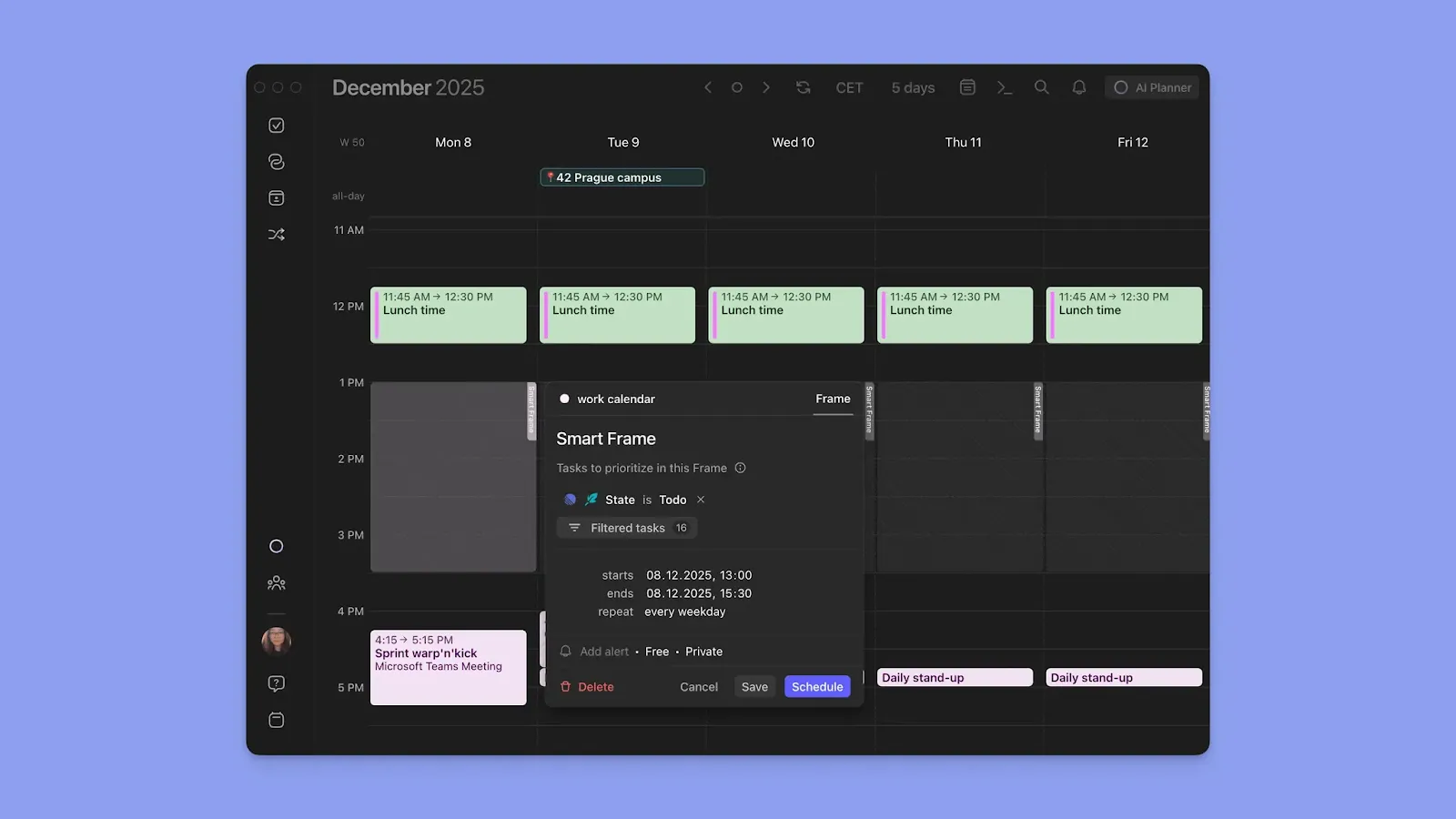
Frames are Morgen's visual way of blocking calendar time for focused work. For instance, create a Frame for "Sprint Work," set its duration, and choose how it repeats (daily, weekdays only, weekly, monthly, yearly, or custom timelines).
Each Frame is also color-coded. You can set task filters for which tasks to schedule inside the block: pull in tasks by source, project, tags, or priority level for automated organization.
Customizable Views and Filters
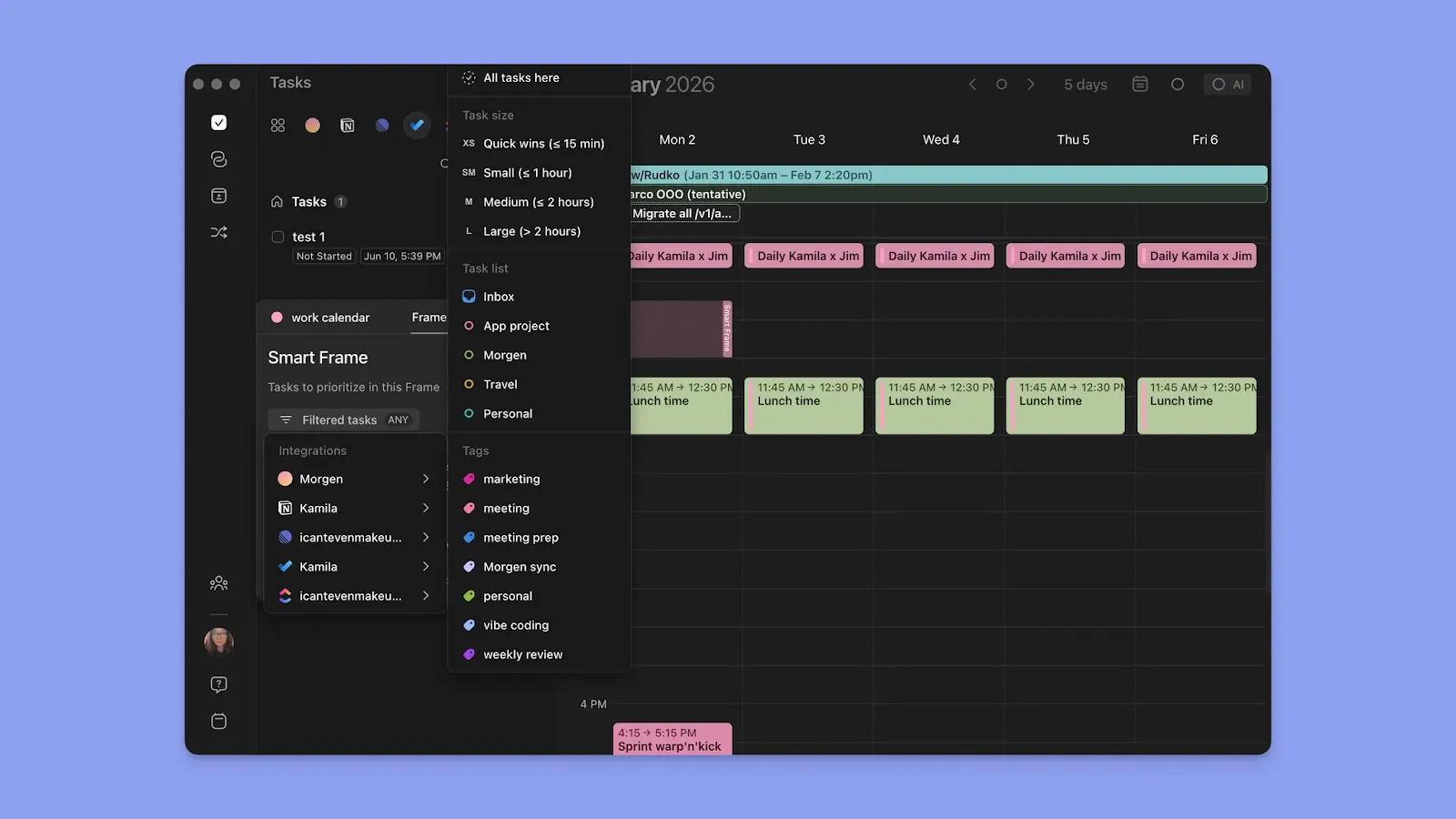
Since you can add numerous calendars, use Calendar Sets to filter what you see on the Morgen outline. Sets let you assign keyboard shortcuts (0-9), so you can instantly switch between different calendars while hiding others from view
You can also create custom filtered task views to show tasks from a single task tool or combine specific task managers and calendars in a single view. Name each filter and assign it a color for quick switching.
Pricing
Morgen offers a free 14-day trial across all plans:
Where Morgen Shines
- Deep integrations: Connects tasks from Notion, Linear, ClickUp, Todoist, Obsidian, Microsoft To Do, and Google Tasks, while syncing calendars from Google Calendar, Outlook, iCal, and Fastmail, plus Zoom, Teams, Meet, and Webex
- Calendar-first scheduling: Plans strictly around events and routines, scheduling and rescheduling tasks only when availability changes, so fixed commitments are never overridden
- Meeting scheduling and booking pages: Create personalized booking links with real-time availability across calendars and add team co-hosts with consolidated schedules
- ADHD-friendly planning: Color coding, reminders, fast task capture with command bar and natural language, mobile planning, and personalized themes reduce friction and support focus
Where Morgen Falls Short
- Not a traditional project management tool: Does not include built-in kanban boards, though calendar views and integrations still help visualize long-term schedules
Customer Reviews
“The interface is clean and intuitive, making it easy to organize my schedule and to-dos without feeling overwhelmed,” shares Alessio Z.

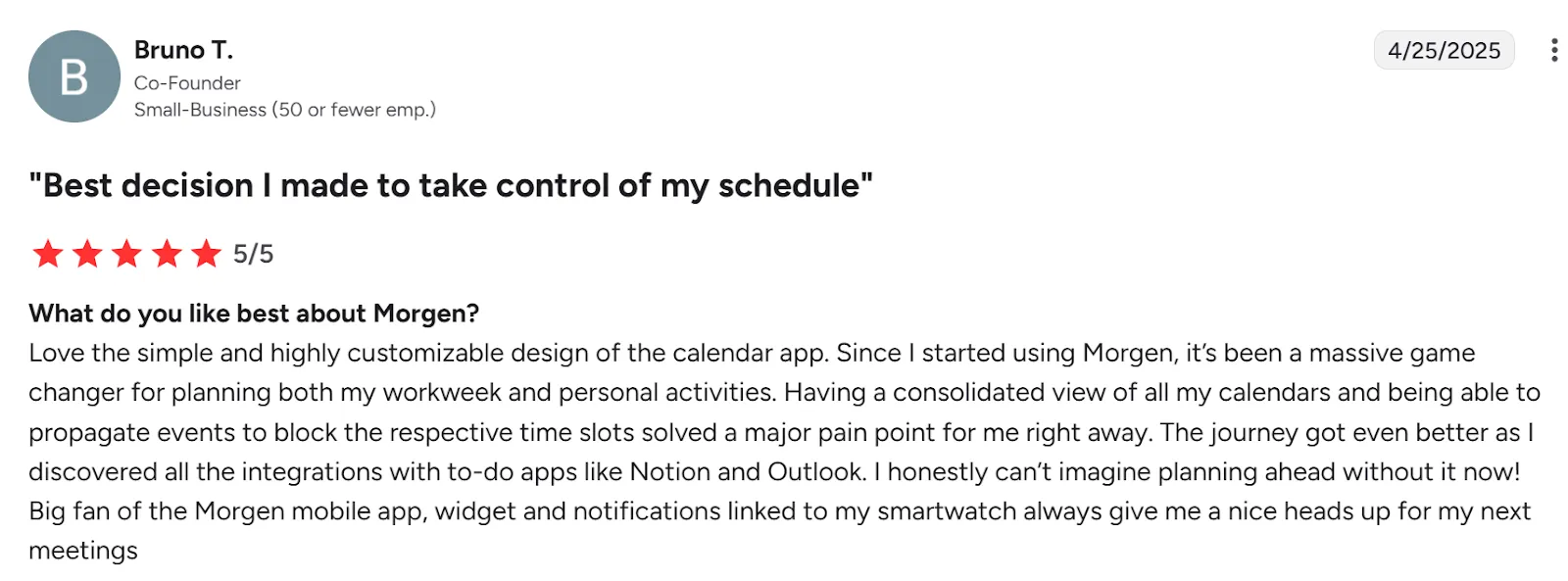
“Love the simple and highly customizable design of the calendar app,” Bruno T.
Who Morgen Is Best For
- Solo professionals: People who want to consolidate task and calendar planning into one view while using customization, deep integrations, and AI assistance to plan schedules efficiently
Start your 14-day free trial and plan your week in one aesthetic calendar.
2. Ellie Planner
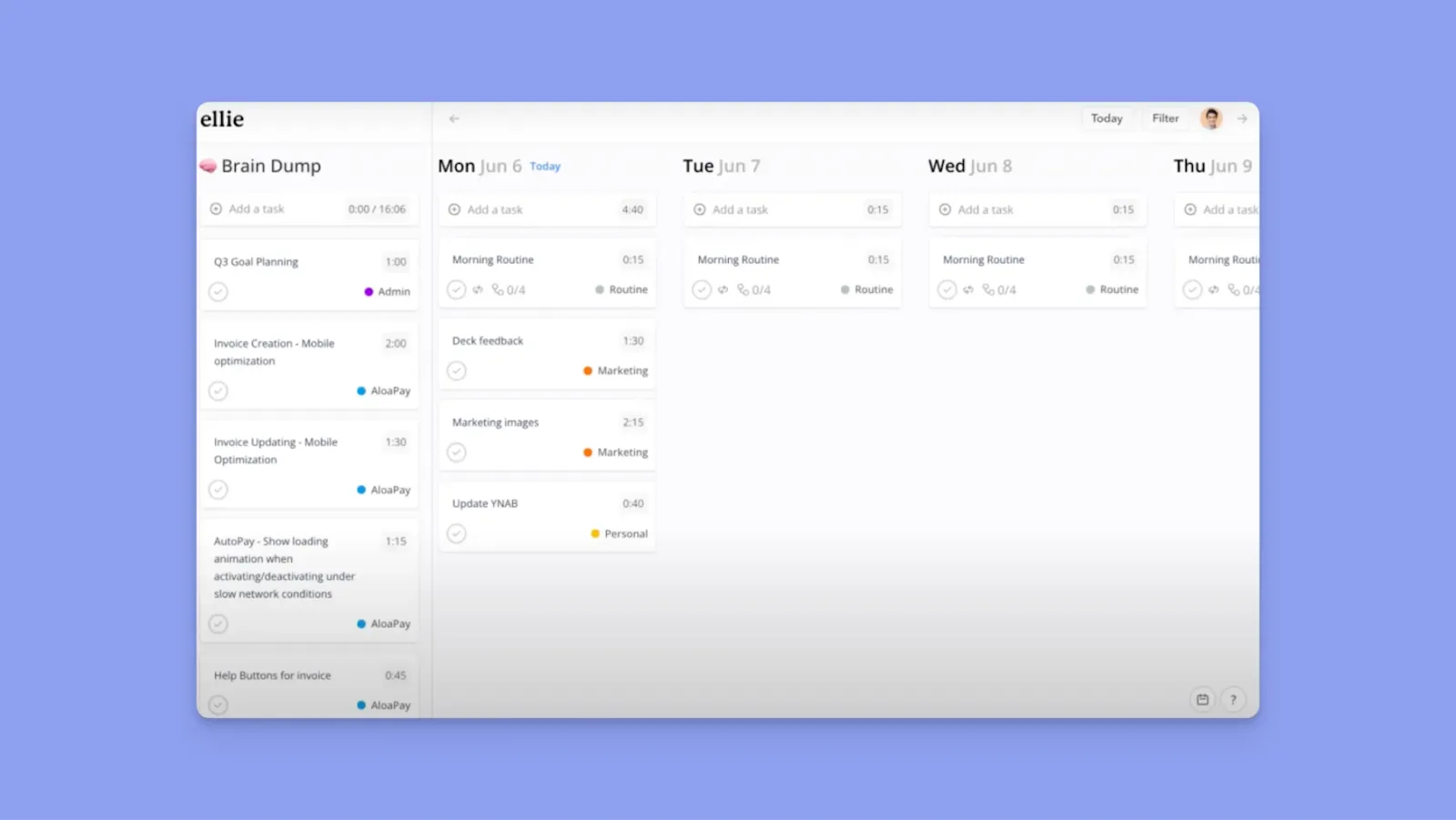
Ellie Planner is a clean, visually calm calendar and task planner designed around daily planning and timeboxing tasks quickly.
Key Features
- Customizable interface: Choose between system, light, or dark mode, and customize focus timers with solid colors or themed backgrounds like animals, places, or plants
- Solid integrations: Sync calendars from Google Calendar, Outlook, and iCal, and pull tasks and context from Notion, Todoist, and Slack
- Flexible calendar sync options: Choose to sync all task changes to calendars, sync time blocks only, or keep tasks and calendar events fully separate
Pricing
Where Ellie Planner Shines
- Calendar and task views: Switch easily between task boards and calendar layouts without changing tools
- Timeboxing: Drag tasks directly into time slots to build a realistic daily plan
- Filters and labels: Organize tasks by context or focus using simple filters and labels
Where Ellie Planner Falls Short
- Limited color coding: Fewer options for per-task or per-label color customization
- No AI features: Does not offer AI task triage or scheduling assistance
- No Android app: Currently unavailable on Android devices
Customer Reviews
“It’s such a simple app, and it isn't so overwhelming,” according to this Reddit user.

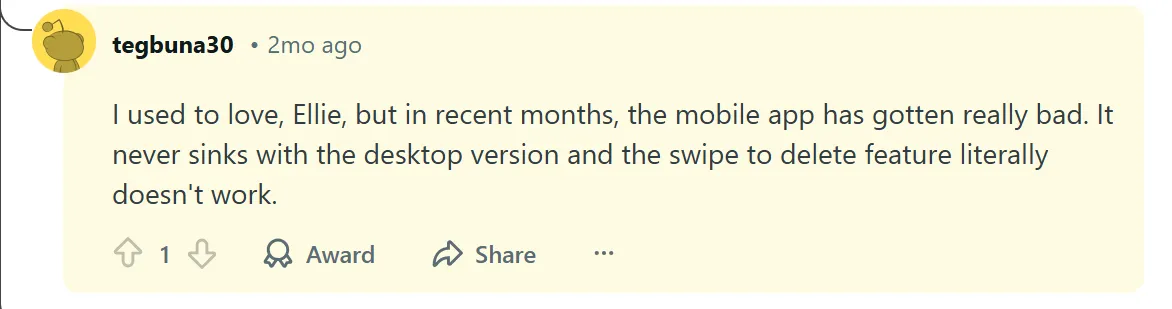
In another Reddit review, a user says, “I used to love Ellie, but in recent months, the mobile app has gotten really bad.”
Who Ellie Planner Is Best For
- Individuals who want a simple, aesthetic daily planner: and prefer timeboxing and visual clarity over advanced automation or complex project management
3. Todoist
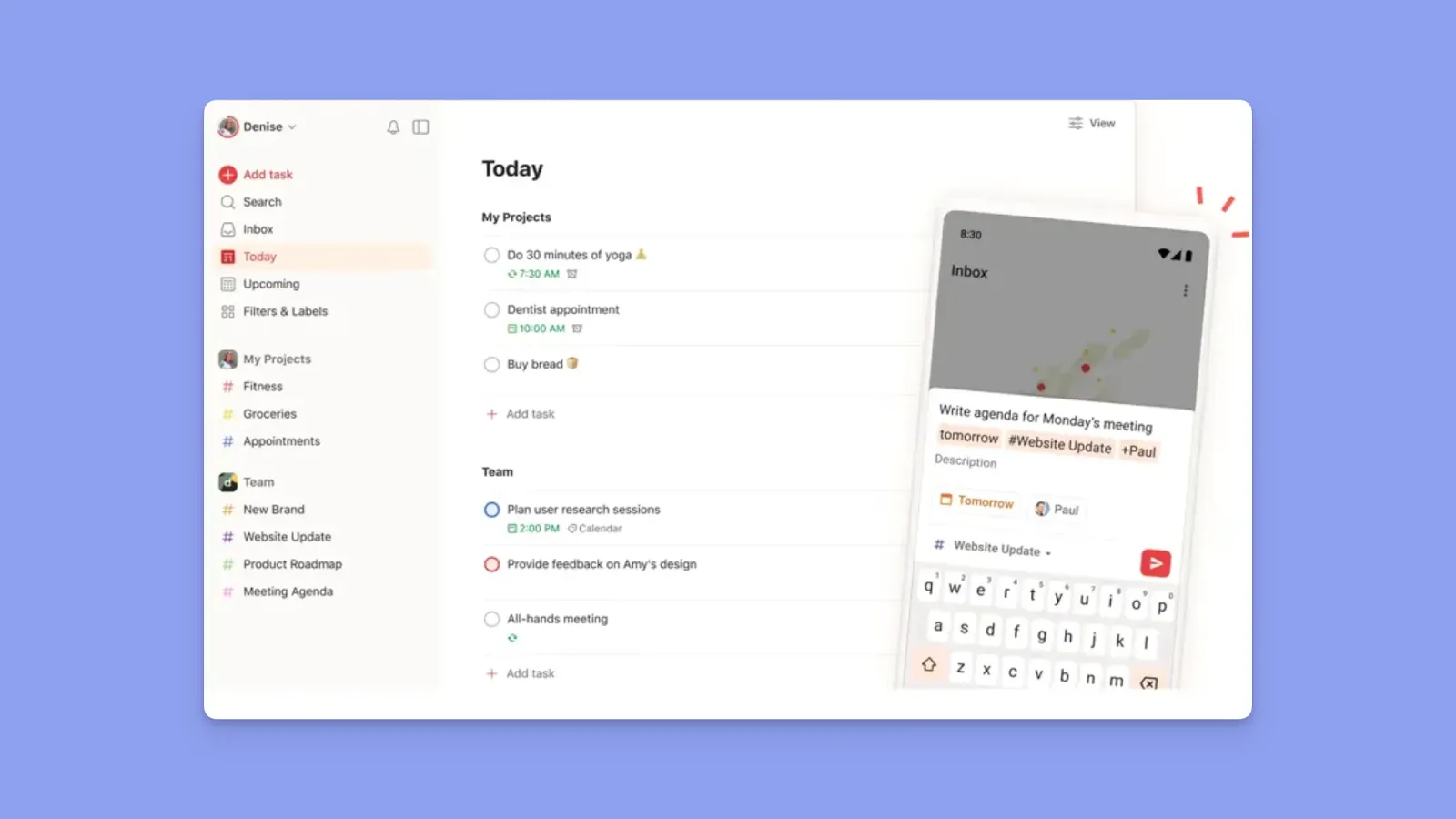
Todoist is a task-first planner built around clean lists, priorities, and reminders, with optional calendar views on the premium plans.
Key Features
- Multiple planning views: Inbox for quick capture, Today for daily focus, and Upcoming to plan tasks across the week
- Reminders and notifications: Set time-based or location-based reminders to stay on top of deadlines
Pricing
For a more detailed breakdown of these plans and what’s included in each tier, you can check out this guide on Todoist pricing.
Where Todoist Shines
- Task organization: Create tasks, subtasks, projects, and priorities to keep work structured and easy to manage
- Clean, customizable interface: Minimalist design with themes, icons, and flexible list and calendar-style views
- Strong productivity tools: Recurring tasks, filters, labels, and reminders help maintain consistent planning habits
Where Todoist Falls Short
- No native calendar: Relies on integrations rather than offering a built-in calendar experience
- Limited scheduling depth: Not designed for time-blocking or planning tasks directly around calendar availability
If you find these limitations a dealbreaker, you may want to explore a Todoist alternatives that prioritizes calendar-first scheduling.
Customer Reviews
“The interface is clean, which helps keep attention on the work instead of the tool,” says Evan L:

“Some of my coworkers find the interface slightly overwhelming at first,” shares Nava A:

Who Todoist Is Best For
- Task-driven planners: Individuals or teams who prefer organizing work through structured to-do lists, priorities, and reminders rather than calendar-first scheduling
4. Trello
Trello is best known for its kanban-style boards, but its visual structure also makes it a flexible and aesthetic smart planning tool for solo professionals and teams.
Key Features
- Visual boards and cards: Organize tasks into columns that represent stages of work, with each task living on a card that you can move as work progresses
- Calendar and timeline views: Add due dates to cards and view them in a calendar-style layout for deadline awareness
- Custom labels and backgrounds: Use color-coded labels and board backgrounds to visually separate projects or priorities
Pricing
Where Trello Shines
- Context-rich tasks: Cards can include checklists, attachments, labels, and comments, keeping everything in one place
- Expandable with Power-Ups: Add integrations like Google Calendar, Slack, or automation tools to extend functionality
Where Trello Falls Short
- Not calendar-first: Time-blocking and availability-based planning require add-ons rather than native features
- Free plan limits: Power-Ups and board limits can restrict heavier or multi-project use
Customer Reviews
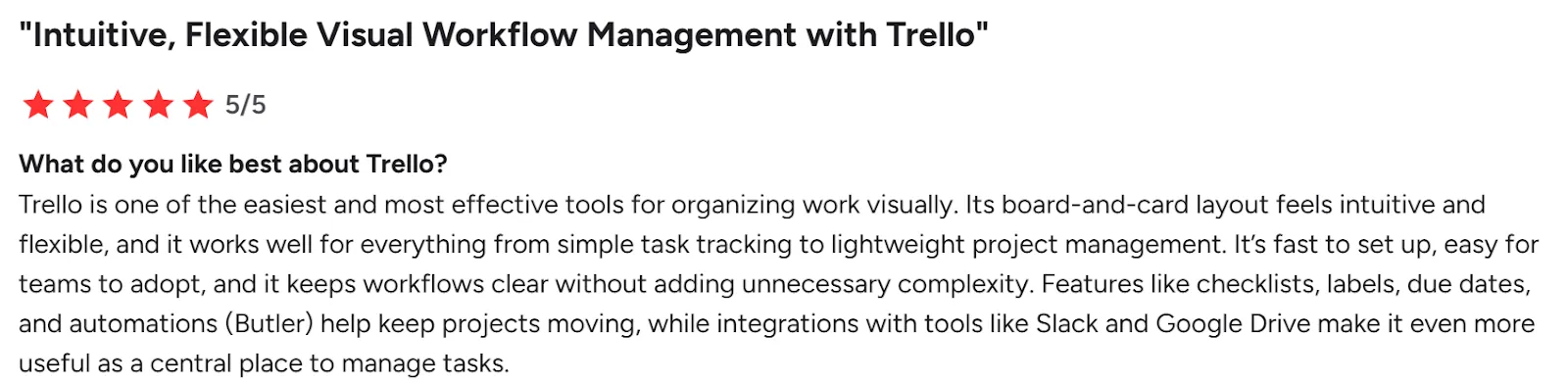
“Its board-and-card layout feels intuitive and flexible,” according to Rene M:
While Henry A gives Trello a 4.5/5 rating in G2, he shares that “the boards can get crowded fast,” and that it’d be nice for Trello to have a “board cleanup suggestion.”

Who Trello Is Best For
- Visual planners: Individuals or teams who prefer organizing work through boards, stages, and visual progress rather than detailed scheduling or time blocking
5. Sunsama
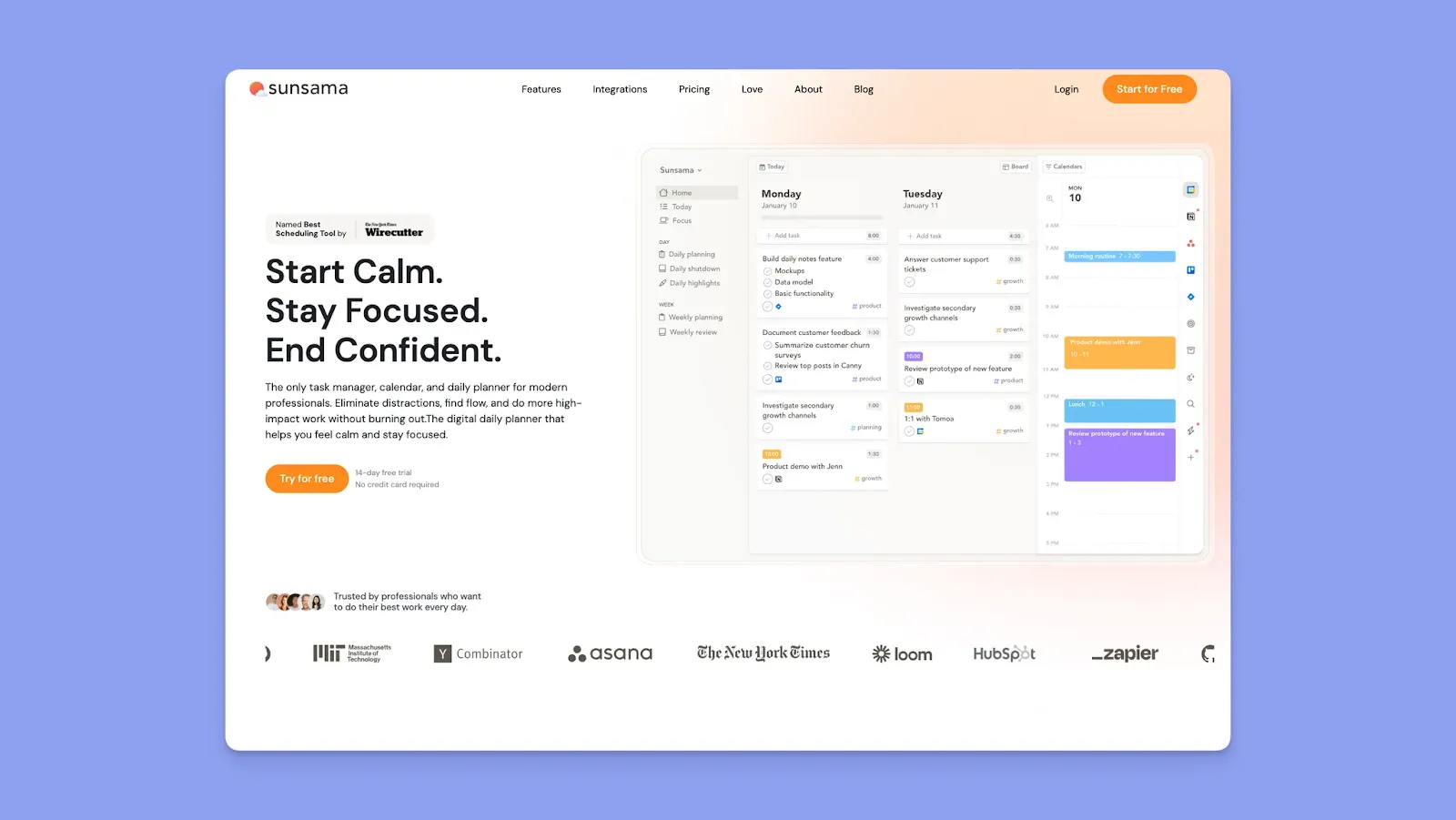
Sunsama guides you through building realistic daily schedules with a calm, step-by-step planning flow.
Key Features
- Unified daily schedule: Tasks and calendar events appear together, helping you see what actually fits into your day
- Time-blocking and focus tools: Drag tasks onto your calendar and track planned vs actual time to improve scheduling accuracy
- Task imports from other tools: Pull tasks from apps like Trello, Asana, Jira, Todoist, Slack, and email
Pricing
Where Sunsama Shines
- Guided daily planning: The step-by-step daily planning flow helps users reflect, prioritize, and build realistic schedules
- Clean, minimalist interface: The layout feels uncluttered, with soft colors and clear visual hierarchy
- Calendar-based planning: Scheduling tasks directly on your calendar reduces overbooking and unrealistic plans
Where Sunsama Falls Short
- Limited long-term planning: Sunsama is optimized for daily and weekly scheduling, but it offers fewer tools for high-level, long-range planning across months, quarters, or complex project timelines
- No AI-driven scheduling: Sunsama does not offer AI-assisted planning or automated task placement
Here’s our Morgen vs. Sunsama guide if you want an alternative that does not limit your planning.
Customer Reviews
On Trustpilot, Anastacia gives Sunsama 4/5 stars, saying it’s “Beautiful and simple to use,” but, unfortunately, also expensive for them.

Who Sunsama Is Best For
- Professionals focused on daily scheduling: Ideal for individuals who want a visually calm planner that emphasizes time-blocking, realistic workloads, and structured day planning
6. Notion Calendar
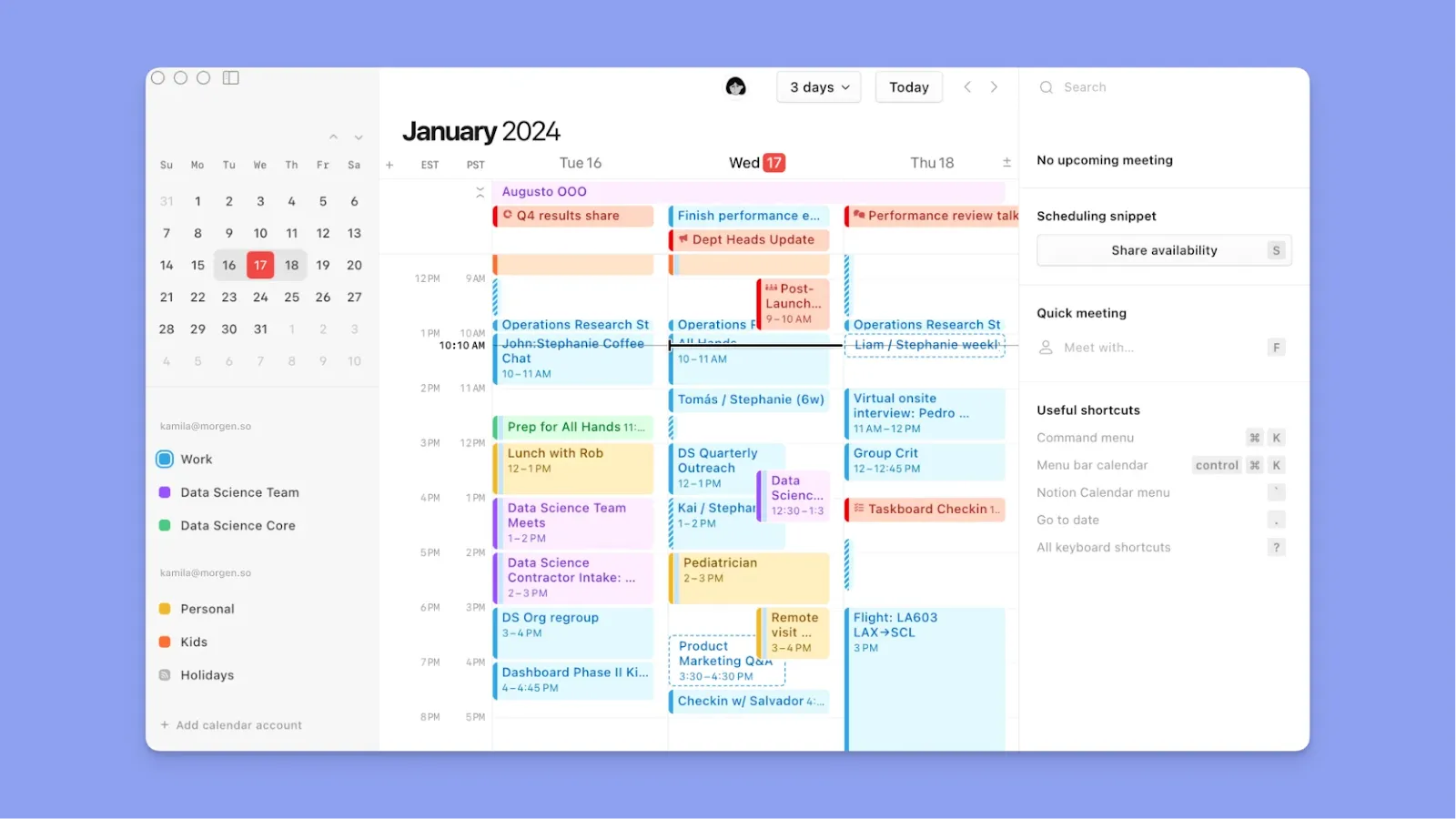
You can use Notion to create databases with date properties (like "Due Date" or "Start Date"), then view calendar blocks on those corresponding dates in Notion Calendar's timeline.
- Custom pages and databases: Build planners on Notion with layouts, icons, covers, and tidy sections
- Use Notion Calendar to view workloads: Switch between Notion and Notion Calendar for daily tasks and calendar planning, without leaving the Notion ecosystem
- Templates and repeatable systems: Start fast with templates, then refine them into your own workflow
7. Structured
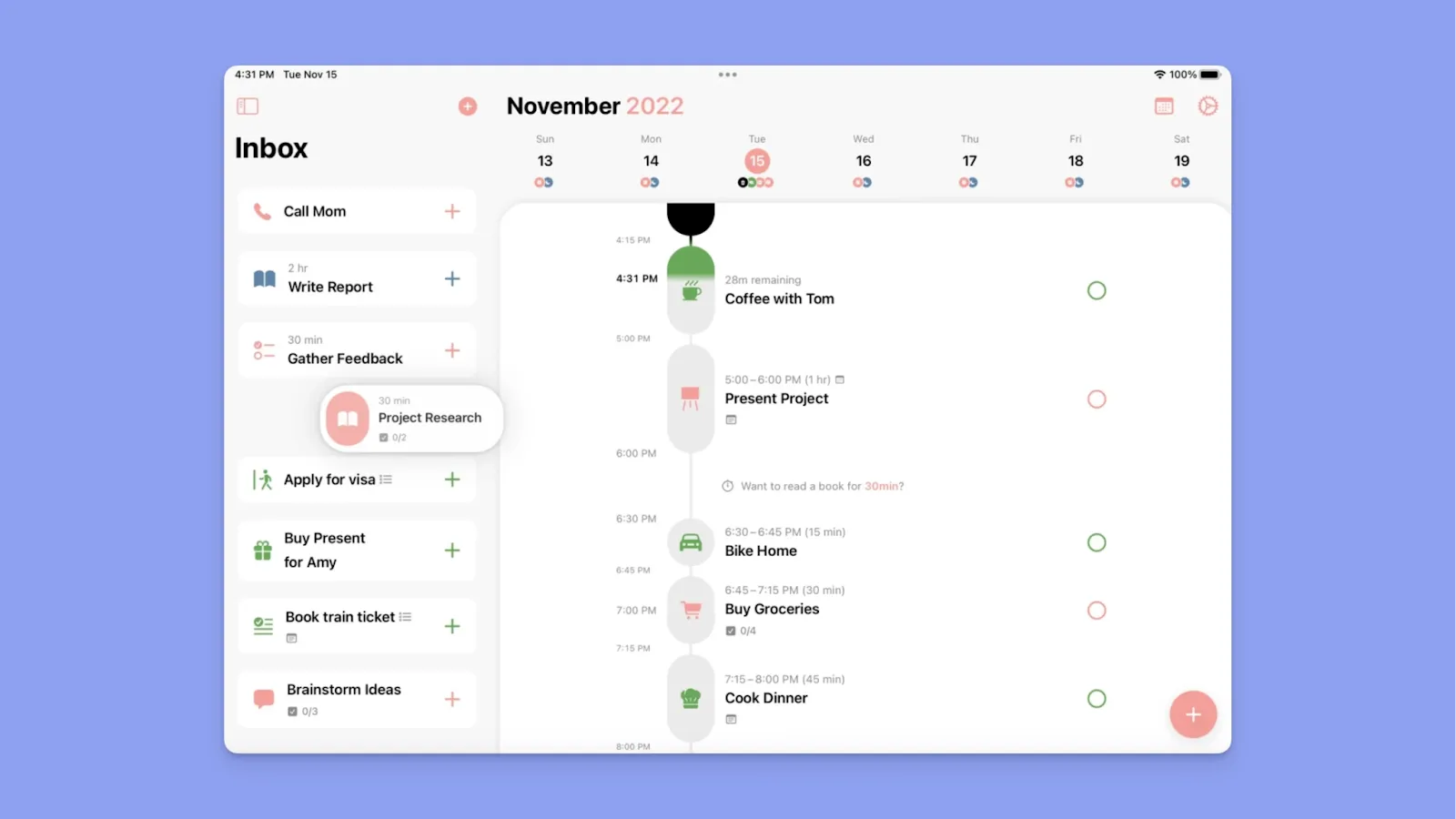
Structured is an aesthetic calendar app for people who want their day to look like a clean timetable, with features like:
- Timeline-based day planning: An hour-by-hour schedule that is easy to scan
- Recurring routines: Repeat events and habits without rebuilding your plan
- Personal-first design: Minimalist UI that prioritizes clarity over complex project features
8. Upbase
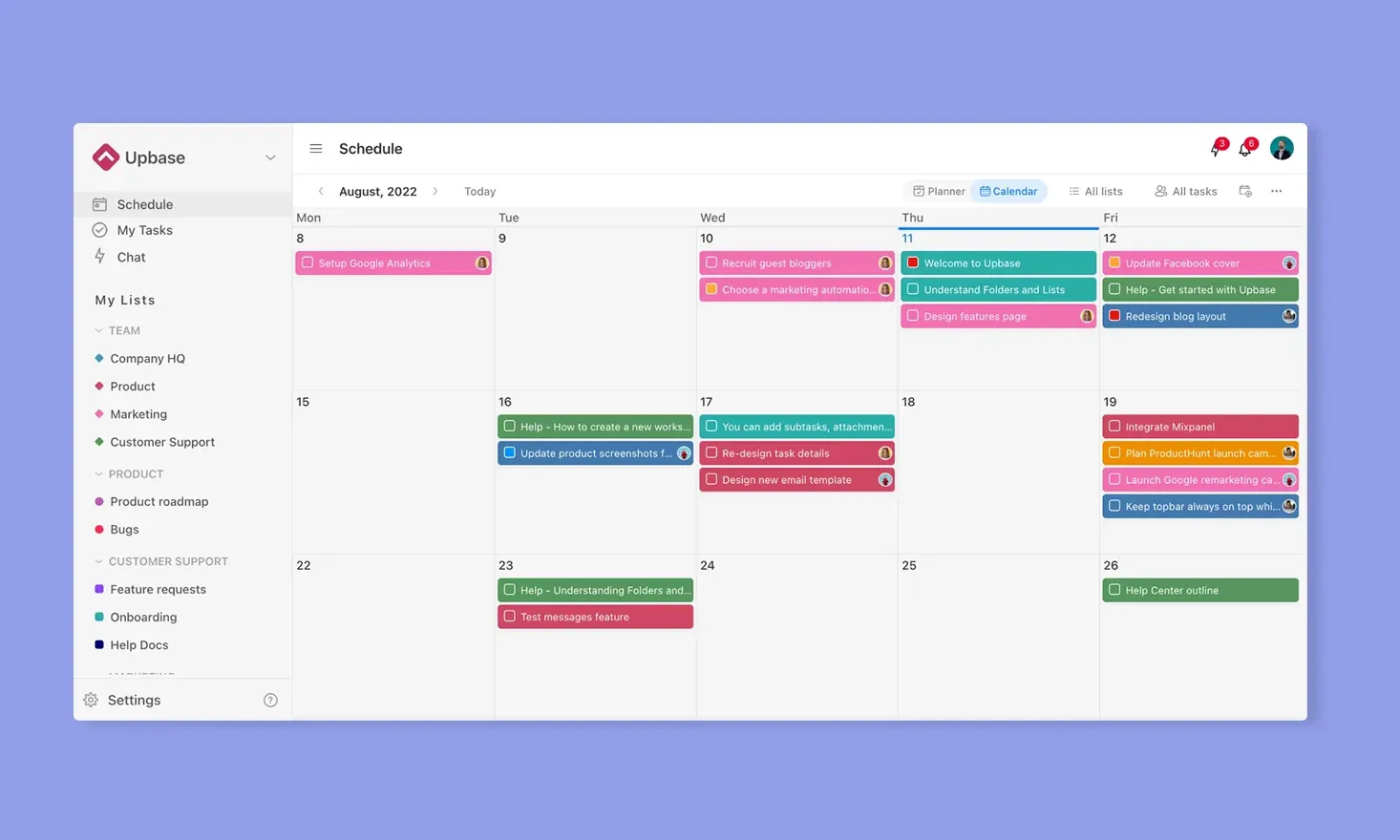
Upbase combines calendar scheduling with task and project organization, while still keeping the interface light and customizable. Features include:
- Schedule page: Daily, weekly, and monthly views for planning time
- Color and icon customization: Color-coded lists, emojis, and visual labels for fast scanning
- Task organization: List and board views with tags, priorities, and recurring tasks
- Extras for daily use: Notes, journaling-style space, and lightweight productivity tools
9. ClickUp
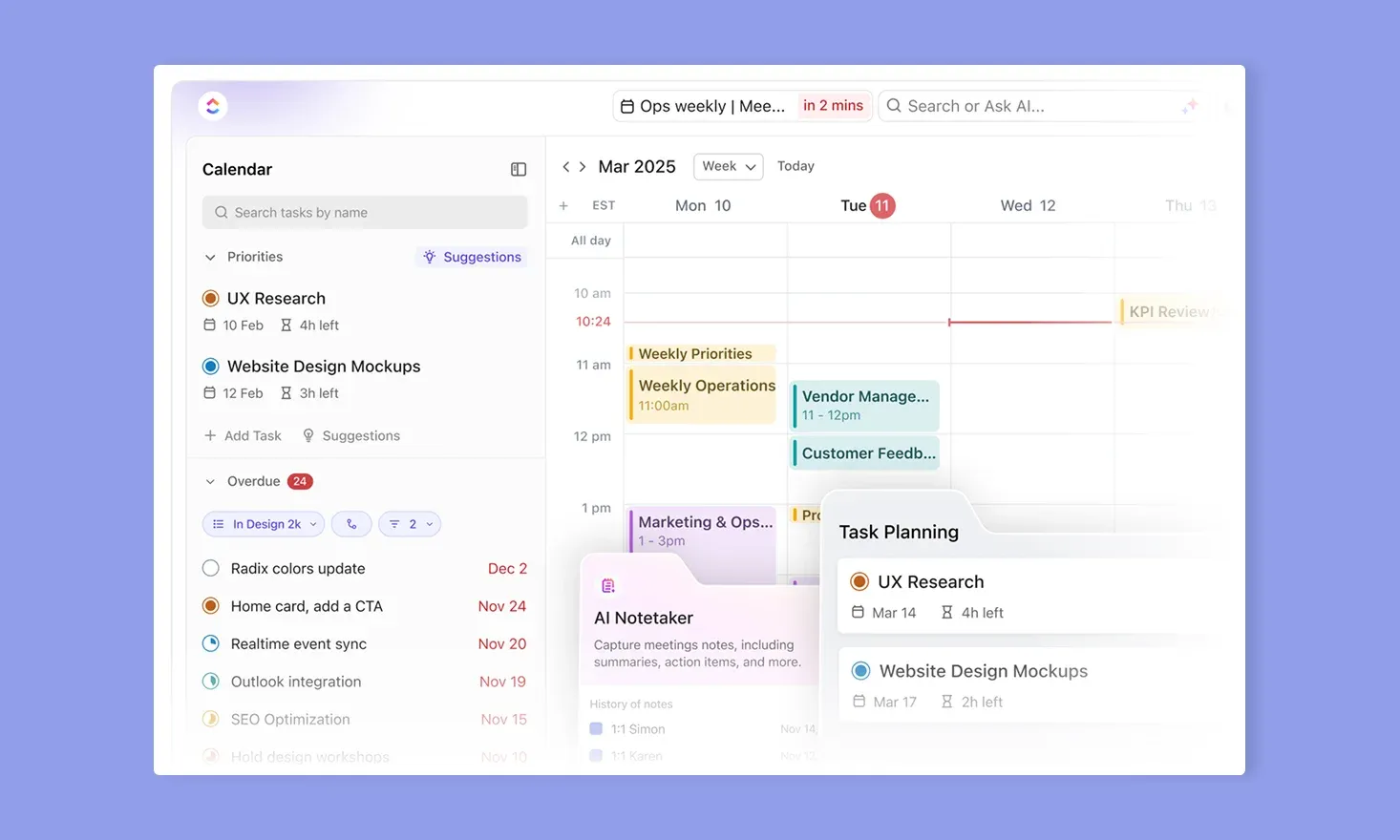
Planning with ClickUp offers flexible calendar views and custom dashboards you can filter and personalize to reduce visual clutter. You get:
- Calendar and timeline views: Visualize deadlines and time blocks in a schedule format
- Custom dashboards: Build clean, visual overviews of tasks, goals, and progress
- Flexible task structure: Subtasks, priorities, statuses, and custom fields for clarity
- AI support and templates: Use built-in templates and AI assistance to speed up planning setup
How to Choose an Aesthetic Calendar App
Aesthetic planners should look good, but more importantly, they should make planning easier wherever and however you work. Look for features like:
Unified View of Tasks and Calendar Commitments
A good aesthetic planner lets you see tasks and events together, drag tasks directly onto your calendar, and adjust plans visually as your day changes.
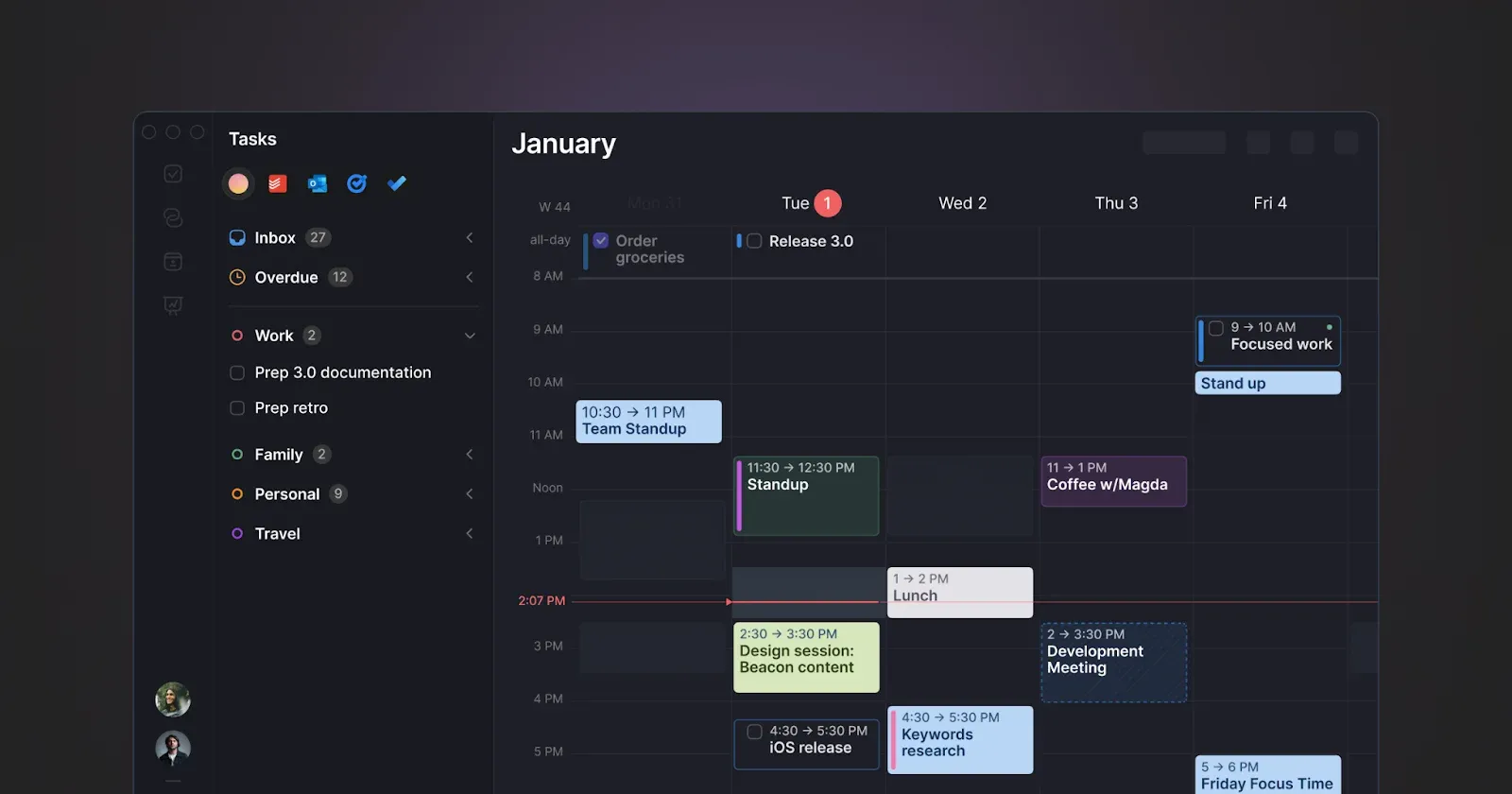
Morgen offers a unified outline where tasks sit alongside your calendar and can be scheduled with simple drag-and-drop interactions. Color-coded calendars and custom task colors create instant visual clarity, so you can scan your day and identify commitments at a glance.
Get started with Morgen tasks to consolidate your planning in one visual space.
Powerful Interactions When Planning
Interaction features determine how fast you get started with the app and how easily you can use it for daily planning.

Morgen supports keyboard navigation and a universal command bar (Cmd/Ctrl + K). You can also click any free calendar space to create tasks, Frames, routines, or events without switching views or breaking planning flow. If you also have early access, you can add tasks and events by speaking naturally to Morgen's AI assistant with voice capture.
Smart, Customizable Reminders
You stay on top of your work when your planner helps you stay focused, and reminders play a big role in that, surfacing tasks and events at the right moment.
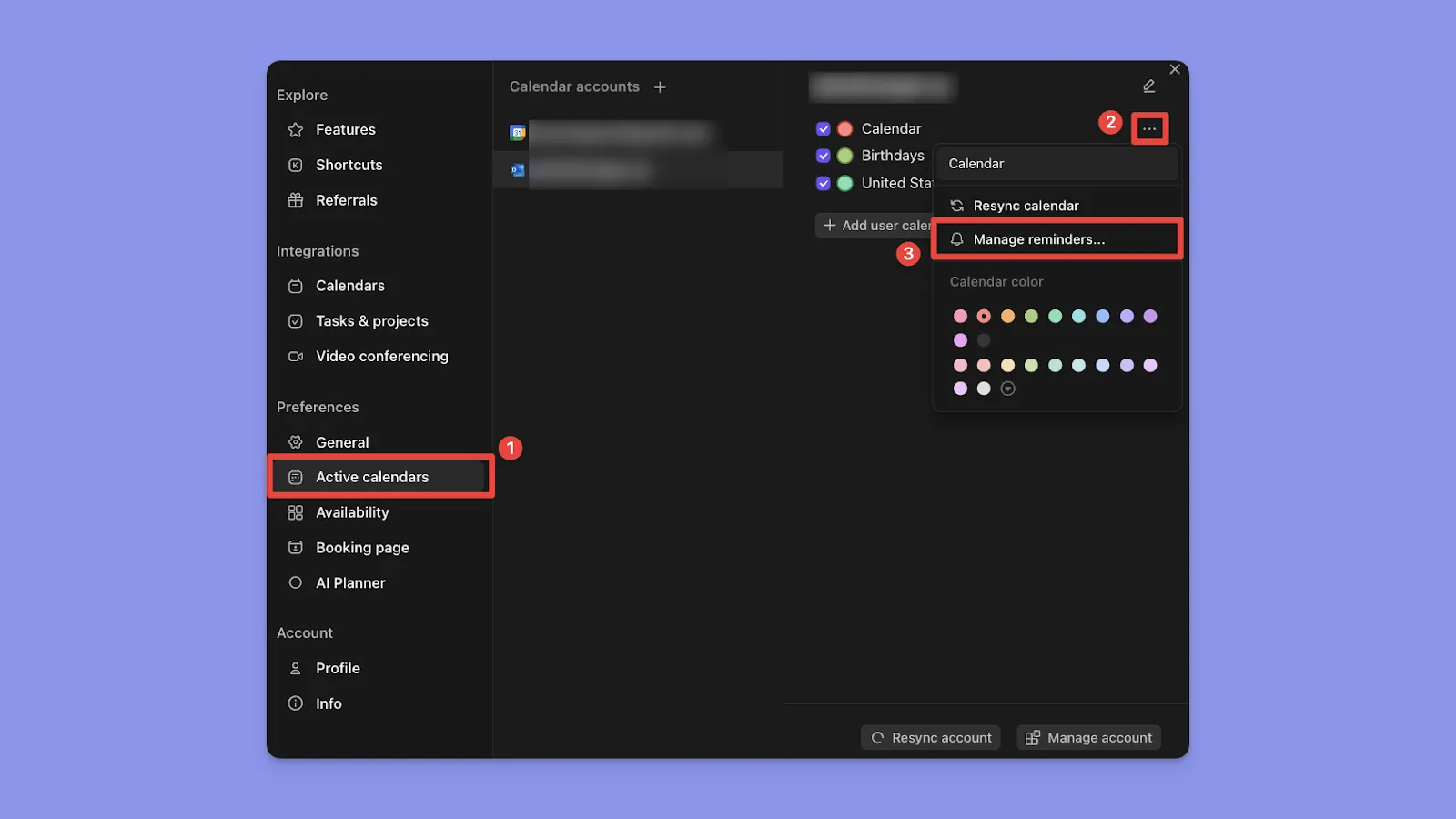
Morgen lets you set reminder rules per calendar, add multiple alerts for the same event, and choose when notifications fire (at start time or minutes, hours, or days before).
Flexible Time Blocking
Time blocking works best when it’s structured but forgiving.

Morgen supports multi-session tasks, protects fixed events like meetings or routines, and lets flexible tasks move when availability changes.
For better time blocking, automate buffer and travel time with smart workflows that adapt when your schedule changes
Streamline Your Daily Planning With Morgen
Imagine using a daily planner that consolidates your to-do lists and time in an intuitive, aesthetic interface.
Morgen integrates multiple calendars and task tools. You can drag tasks directly into your calendar where they sync across platforms, apply color coding, and set smart reminders. If calendar events change and conflicts arise, the AI planner suggests new task placements, and you can approve or tweak the plan.
Download Morgen on macOS, Windows, Linux, iOS, Android, or start using it on the web now.

.svg)
.webp)


