
.svg)
→ Choose Motion if you want AI to automatically schedule tasks into your calendar: best for busy professionals who prefer automation over manual planning
→ Use Monday if you manage complex projects across teams and need structured workflows: best for project managers who rely on boards, dependencies, and customizable pipelines
→ Consider Morgen if your challenge is turning tasks into a realistic daily schedule: best for professionals who want AI-assisted planning that connects all their tasks and calendars in one planning view
If you’re deciding between Motion and Monday, the choice comes down to how you manage your projects. The Motion App automatically schedules tasks into your calendar using AI, while Monday offers visual project management tools like boards, timelines, and dashboards for teams.
To help you decide, we’ll compare them across key areas like pricing, project management, task planning, calendar management, and more.
We’ll also tell you why Morgen is an alternative for professionals who want to create daily schedules without planning new workflows from scratch.
Motion vs Monday: A Brief Overview
Who is Motion Best For?
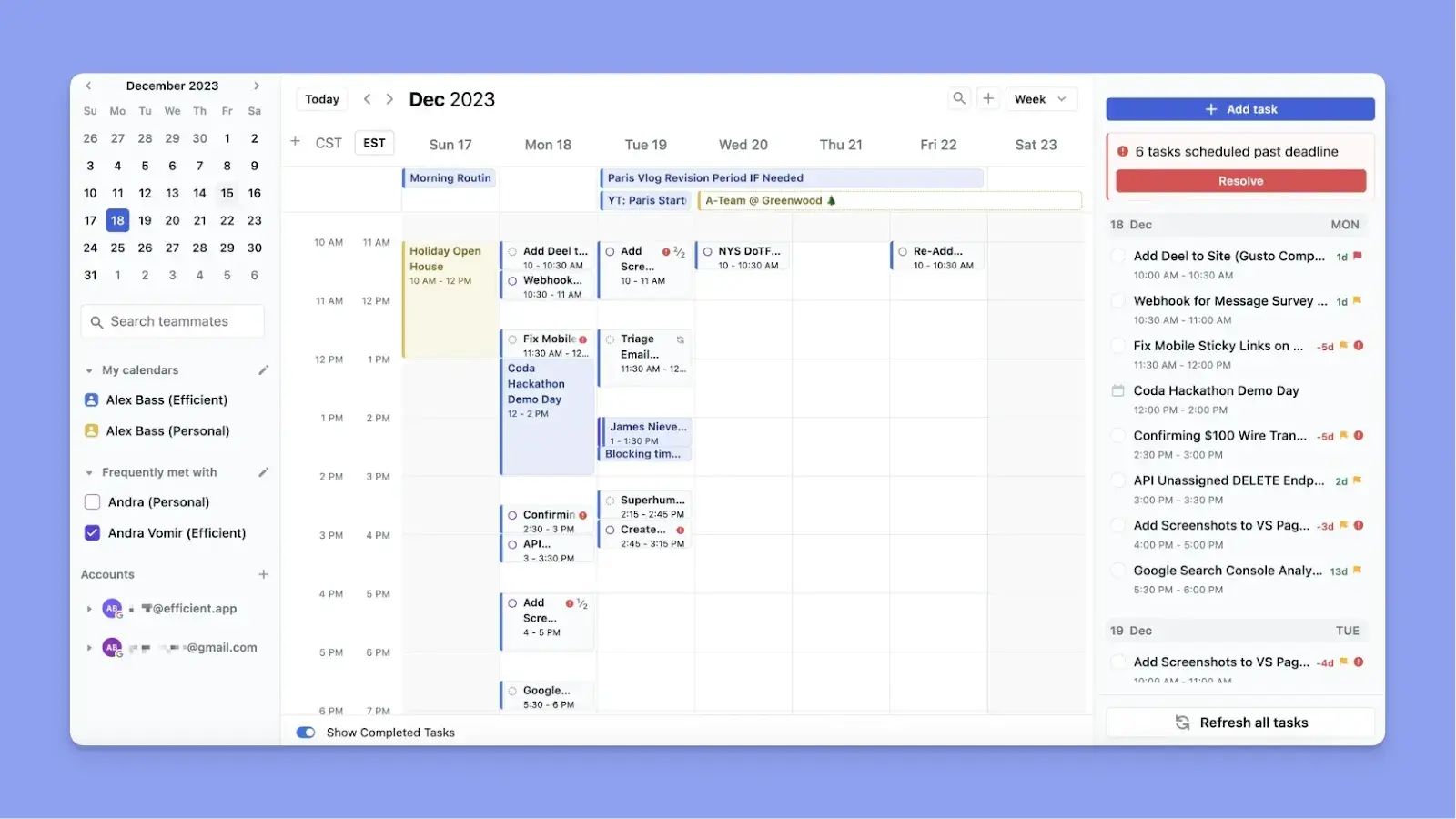
- Individuals who want tasks scheduled into real calendar time without manually dragging anything
- Small teams running projects with assignees, deadlines, and dependencies who want execution capacity over project structure
- ADHD Professionals overwhelmed by scheduling and are happy to let AI decide for them
Here are 12 Motion alternatives, and how Motion compares to Reclaim for AI scheduling.
Who is Monday Best For?

- Project managers overseeing multiple workstreams and coordinating sprint planning
- Marketing and operations teams running repeatable processes with custom workflows and status tracking
- Growing teams that need a scalable work OS with deep integrations across Slack, Salesforce, Jira, and more
Morgen: Best Alternative for Planning Work Across Existing Tools
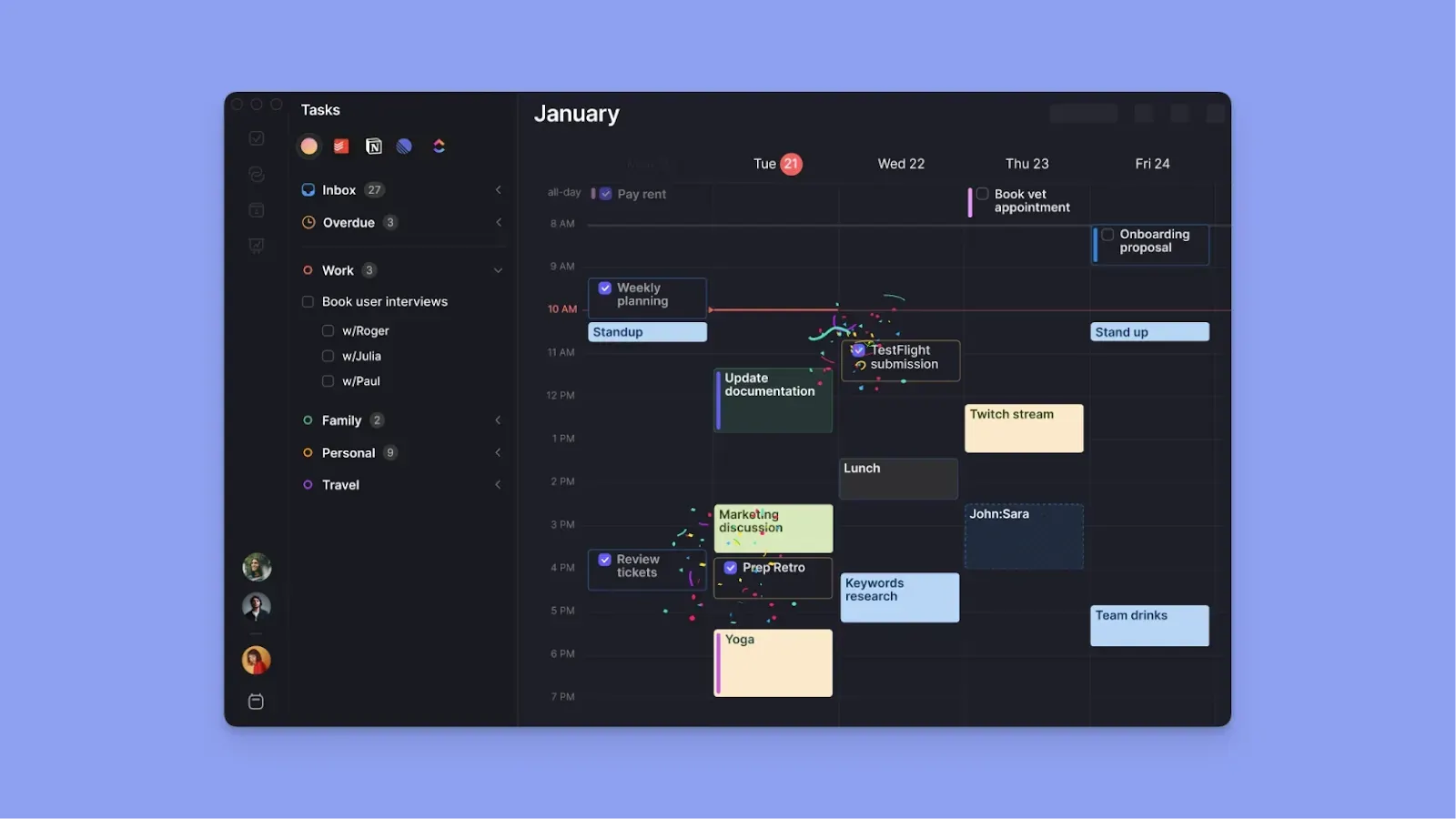
Compared to Motion and Monday, Morgen acts as a planning layer on top of your existing tools. It connects the tools and calendars you already use, then helps you create a daily plan with AI-assisted scheduling suggestions.
You get:
- An AI Planner that suggests task placements around calendar events and waits for your approval before committing anything to your calendar
- A tool that imports tasks from the tools you already use instead of replacing them
- One of the best daily planners for ADHD that externalizes planning without overwhelming you with automation
Give Morgen a try through a free 14-day trial today.
Pricing
Here is how much Motion and Monday compare in terms of cost.
Motion
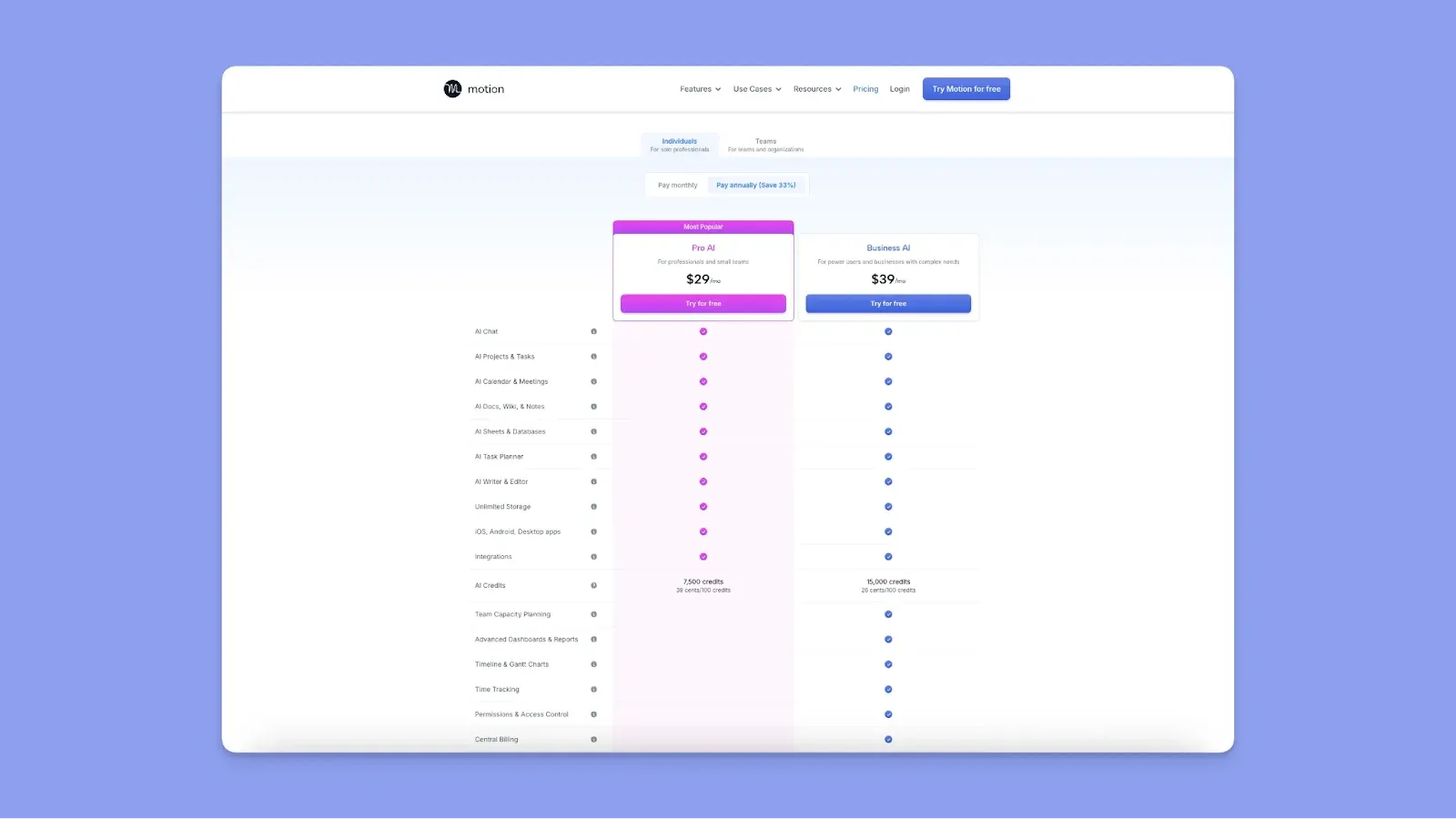
- Motion starts at $19/user/month (annual) for Pro AI and $29/user/month (annual) for Business AI for teams. With the individual plan starting at $29/month, Motion is the more expensive option
- The credit system adds a layer of cost, with Pro AI shipping with 7,500 AI credits/month
- Heavy AI use with chat, task generation, or document writing consumes credits faster and drives the real cost higher
Monday
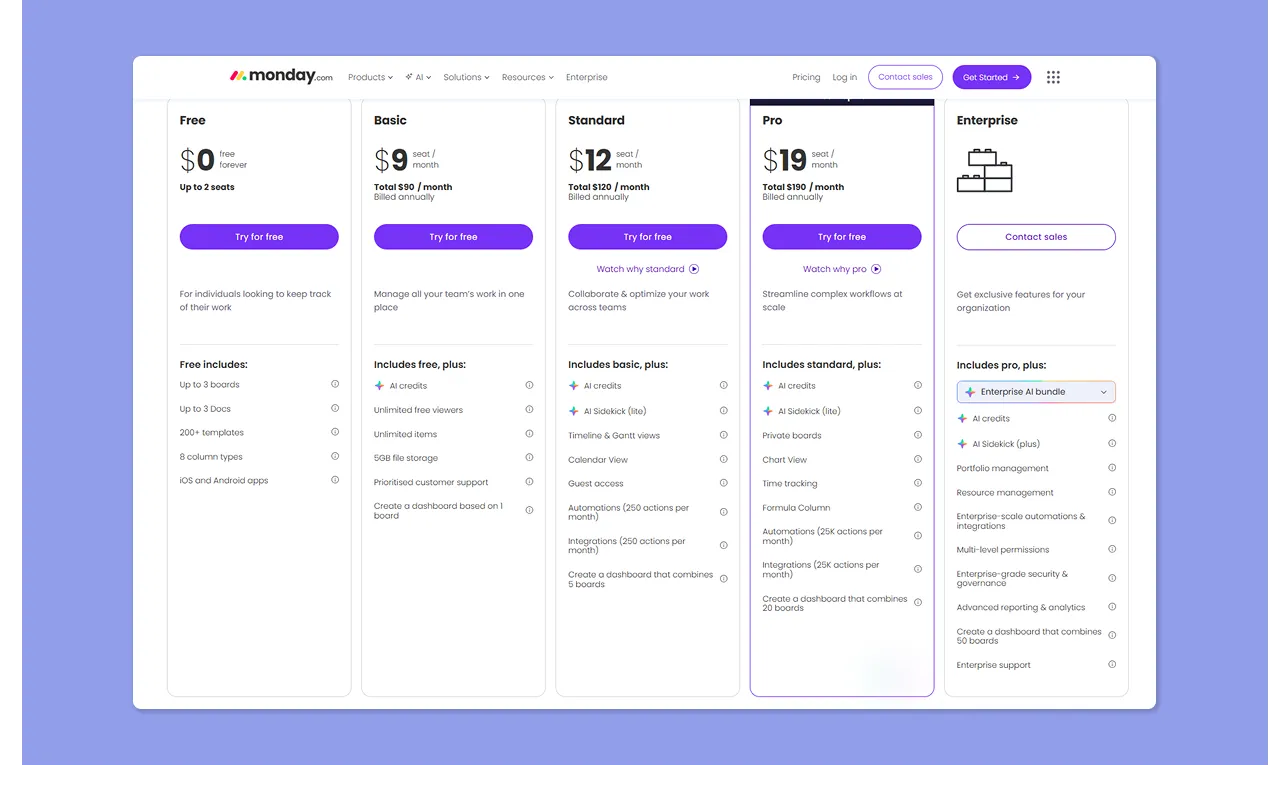
- Monday offers a free plan for up to two seats, then paid tiers starting at $9/seat/month
- The features most teams actually need, including Gantt views, automations, and integrations, only unlock from Standard ($12) upward, with users saying this becomes quite expensive as you scale
- Automation and integration actions share a monthly quota that caps at 250 on Standard. Teams that rely on these will almost certainly need the Pro plan at $19/seat/month
Verdict
Monday is more affordable, although it can quickly become expensive for teams that need more features. Meanwhile, Motion justifies the high cost if you rely heavily on AI scheduling and calendar management.
For a more detailed breakdown of the different tiers and hidden costs, you can explore this guide on Motion pricing.
Project Management
Here’s how Motion and Monday compare in project management features.
Motion
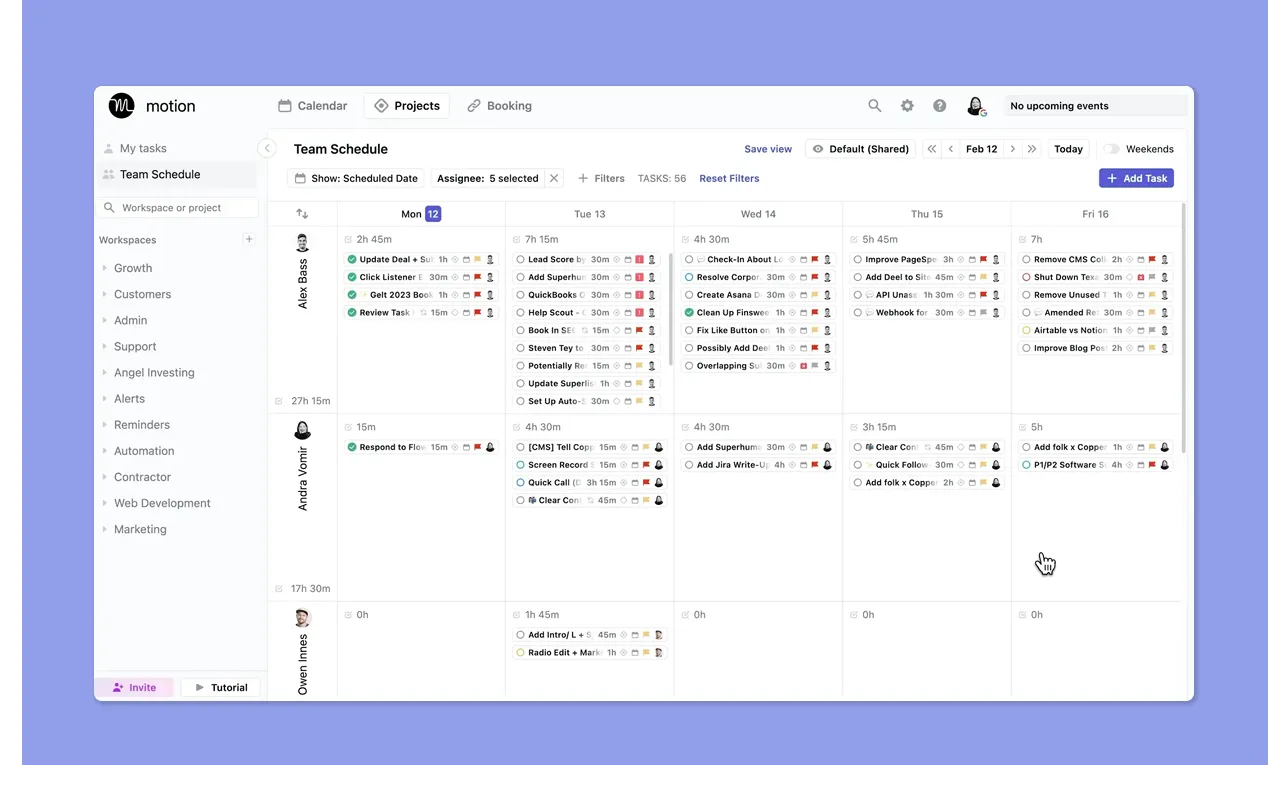
- Motion lets you create a new project, then add tasks. For each task, you can define the assignee, status, priority, duration, start date, deadline, and blockers (dependencies)
- To activate automatic scheduling, you specify when to execute the tasks (e.g. work hours) and enable Auto-Scheduling. Motion then analyzes the assignee’s real calendar and places the task accordingly
- Motion’s AI project management software gets mixed Reddit feedback: some praise its scheduling with templates for team workflows, while others call its focus blurry and impractical for deep PM use
Monday
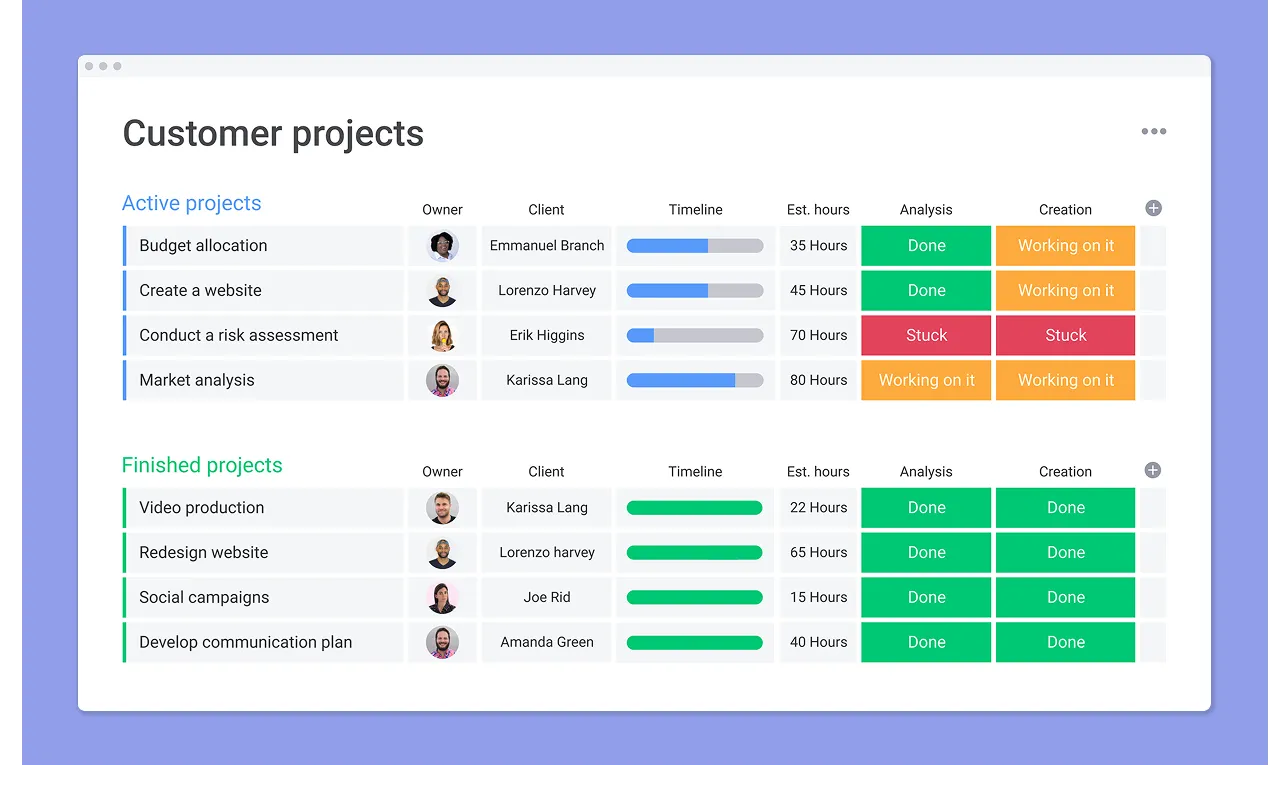
- You create a Workspace, then a Board for your project, and add Groups for stages. Within each Group, you add Items and Subitems (tasks and subtasks).
- Customize your board with columns like People, Status (up to 40 items), Timeline, and Priority, or visualize work through kanban boards
- Monday is praised for managing project-based work, repeatable processes, and user-friendliness. Still, some users find Monday “messy and hard to control” when teams and projects grow
Verdict
Monday is best for structured project oversight, but Motion may work when you want AI-enabled functionalities for daily project planning.
Task Management
How quickly can you capture a task, where does it live afterward, and how is time assigned? Here’s how Motion compares to Monday.
Motion

- Create a task, then define duration, start date, deadline, priority, assignee, and scheduling constraints such as work hours.
- Some users find the task creation process long, with “too many buttons” to click
- You get an “ASAP” option that pins a task so it is scheduled at the earliest available time and is not easily pushed back
Monday
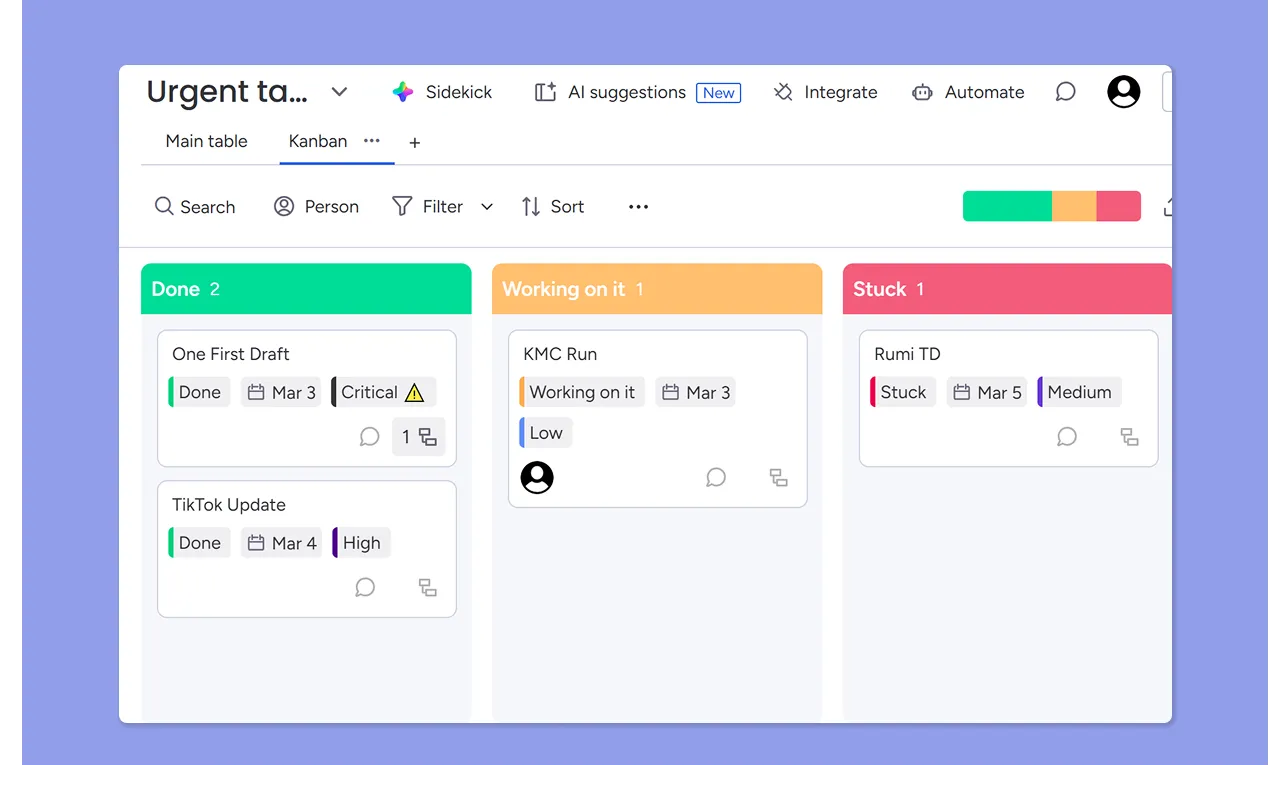
- You create a task as an Item inside a Board, then break it down further using Subitems.
- You can track deadlines in Timeline or Date columns, but Monday tasks are not automatically scheduled into calendar availability
- Users appreciate the ability to customize tasks, calling it “very effective for general work and task management.”
- Others report difficulties in breaking down tasks into multiple levels and managing sub-items
Verdict
Motion continuously schedules when to complete tasks, while Monday offers structured task tracking without automatic time allocation.
Calendar Features
Motion is designed for calendar planning, while Monday only offers a calendar view for project visualization. Here’s more:
Motion
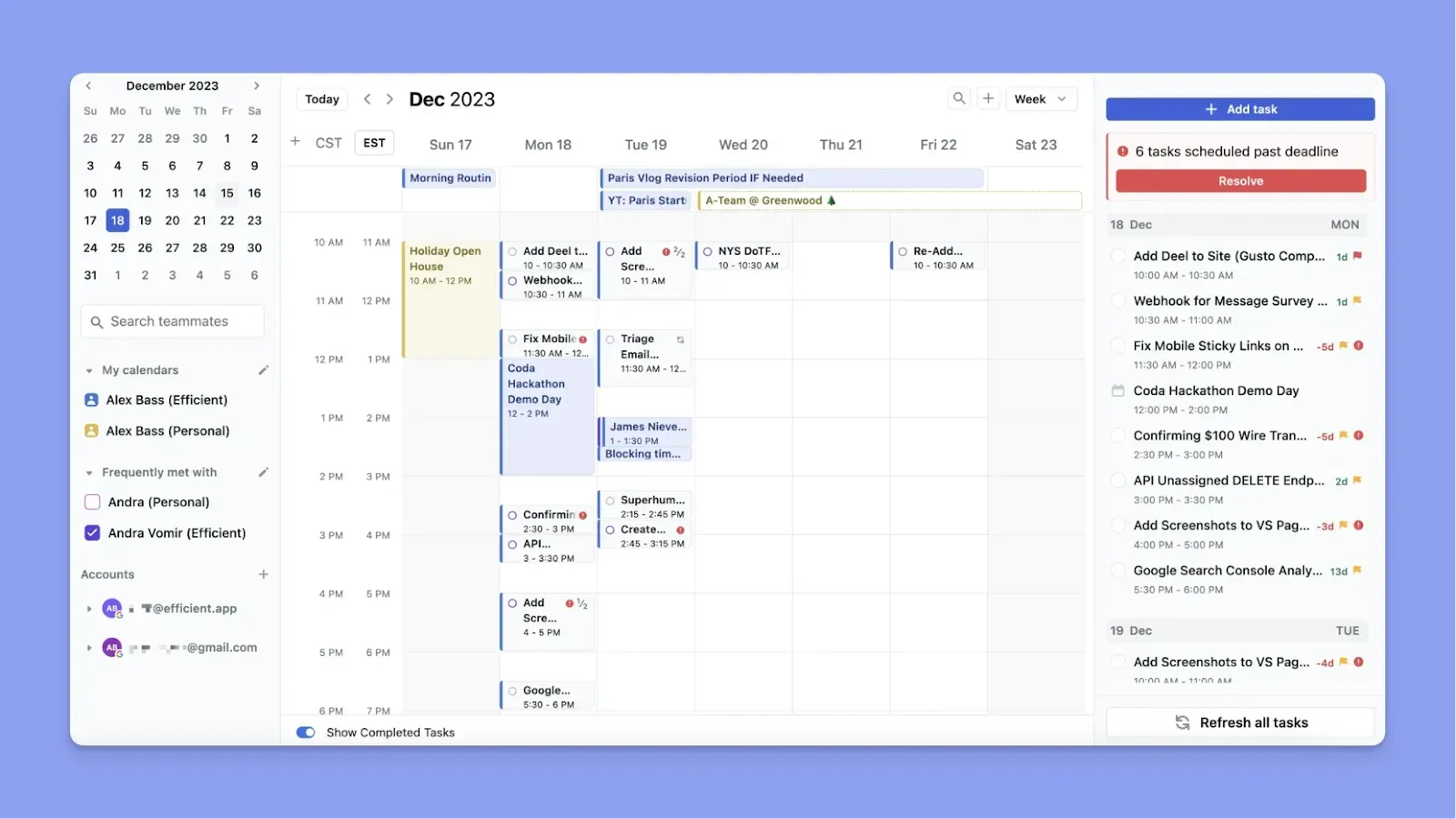
- Motion gets positive feedback on AI smart scheduling and automatic task blocking
- After connecting to Google or Outlook calendars, Motion acts as a meeting assistant, reading existing events, checking the team's availability, and scheduling tasks when there’s an opening
- If you manually drag and drop a task to a different time slot after Motion’s placement, it will not reschedule that task until after its scheduled end time
Our full analysis of Motion vs Google Calendar explores how these automated features compare to the standard Google experience.
Monday
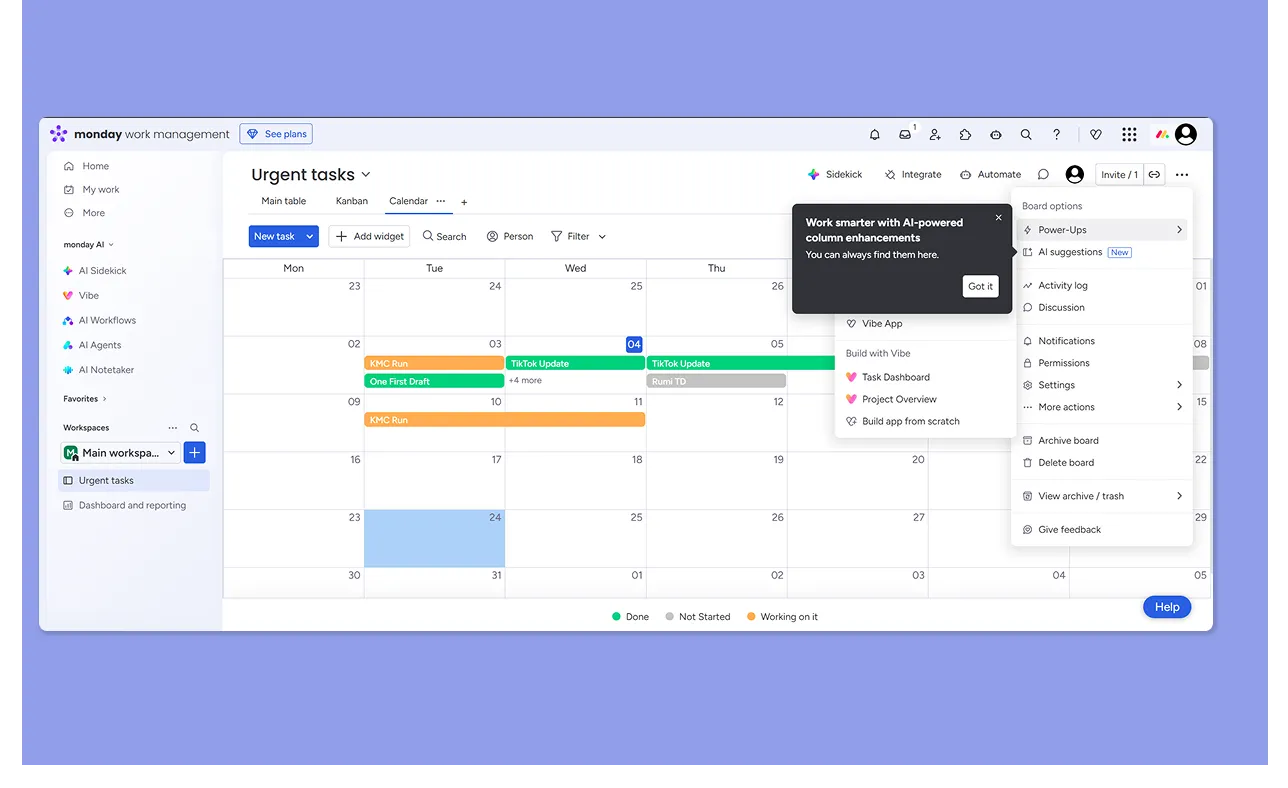
- Monday offers a Calendar View, and you can create new tasks from the outline.
- However, the calendar does not read or adapt to external calendar availability unless integrated through external tools, something Carissa S would love to see
- Tasks are not automatically placed into open time slots. Deadlines are shown, but time blocking is manual
Verdict
You need Motion if you want tasks scheduled into real availability and automatically adjusted when your calendar changes. Choose Monday if you want a visual calendar to track deadlines and timelines, but prefer to manage time allocation separately.
Integrations
Motion and Monday can both replace task management tools in your stack, but they come with different integrations.
Motion
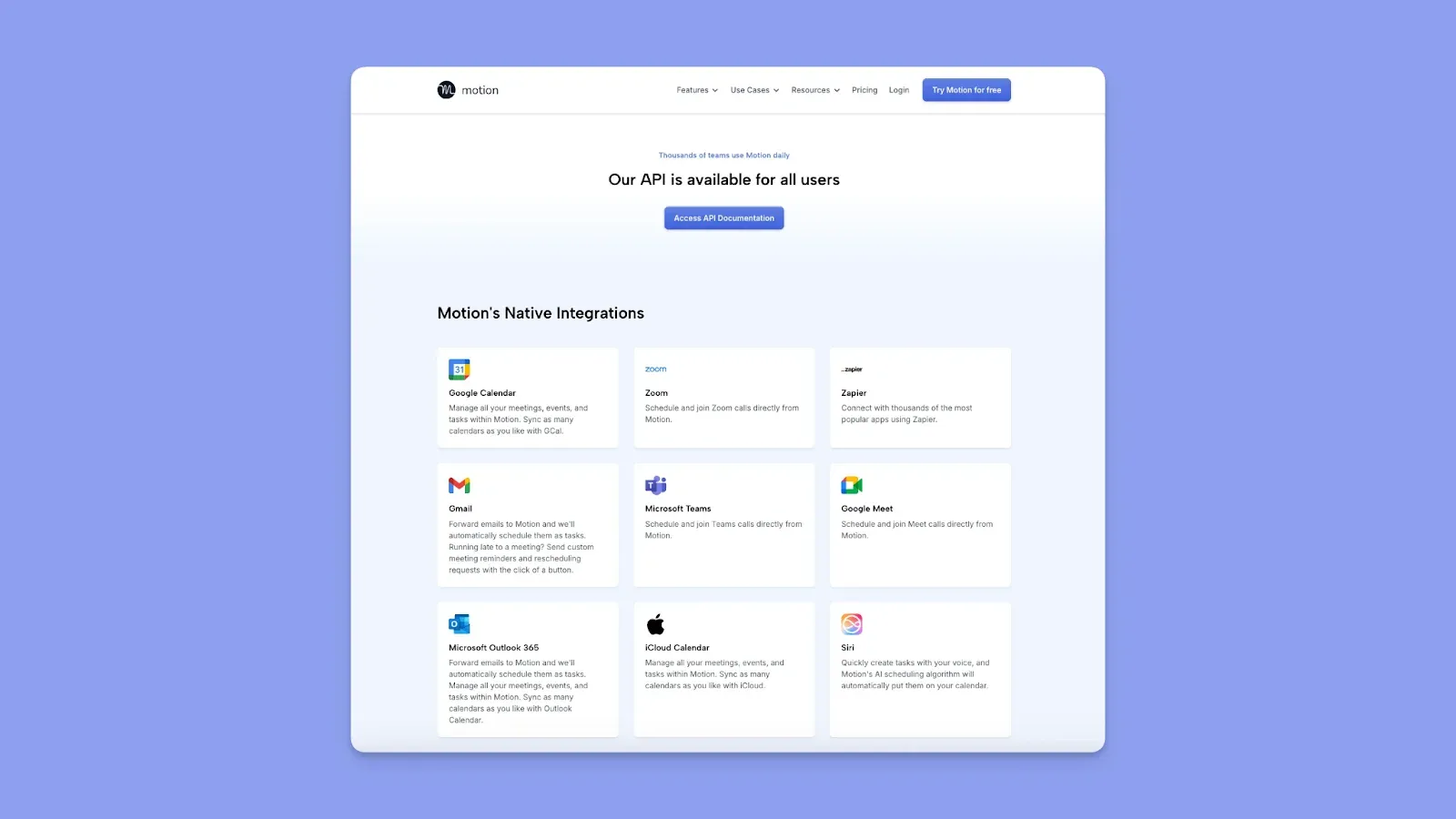
- Motion integrates natively with Google Calendar, Microsoft Outlook 365, and iCloud Calendar
- It also integrates with Zoom, Google Meet, and Microsoft Teams for conferencing, and supports CSV imports and an open API for custom connections.
- For broader tool connectivity, Motion supports Zapier, giving you access to workflows with thousands of other apps (Slack, CRM systems, forms, spreadsheets, and more)
Monday
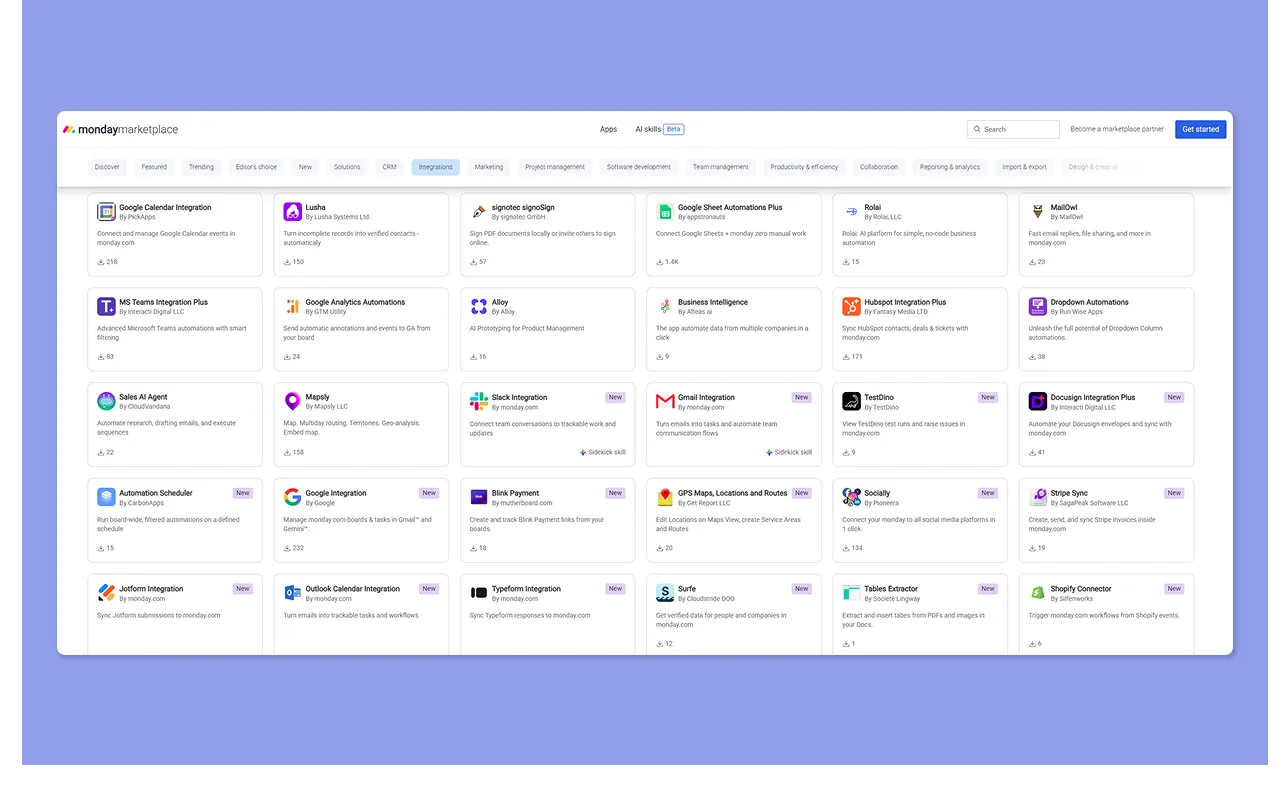
- Monday connects with over 200 apps, covering communications, collaboration, CRM, development, and storage, a depth most users appreciate
- Popular direct integrations include Slack, Microsoft Teams, Outlook, Gmail, Google Calendar, Google Drive, OneDrive, and Zoom
- Connects to tools like Trello and Asana, covering task workflows
Verdict
If your work revolves around your calendar, meetings, and keeping tasks synced with real availability, Motion gives you the core calendar and conferencing integrations you need. Monday’s integration ecosystem lets you bring most of your existing software stack into one unified workflow view.
AI Features
Motion's AI is a scheduler at its core. Monday's AI is a data and workflow assistant. Here is what each tool actually gives you.
Motion
- Motion’s primary feature is AI-powered scheduling, which automatically places tasks around meetings
- Also integrates with AI Docs, allowing you to connect notes, meeting recaps, and tasks
- Recent updates to the AI Agenda have been met with mixed reactions, with some users feeling it is a step backward.
- Additionally, the "AI Employees" feature has been deprecated for all new subscribers, causing more confusion
Monday
- Monday AI can generate entire custom boards with columns, and you get an automation builder to create workflow rules for notifications, task updates, and status changes
- You can ask Sidekick to build columns, generate dropdowns, summarize updates, categorize data, or even set up a dashboard from a natural language prompt
- Some users initially thought Monday's AI tools were a gimmick, though they have changed their minds as the tools progressed. Others feel like the AI features are bloated or not worth the cost
Verdict
Motion is a fit if you want task scheduling and rescheduling, while Monday’s AI is embedded across boards, docs, and workflow automation.
How to Pick the Best Project Management Tool for Your Team
Nearly 80% of organizations improved internal communication after switching to dedicated project management software, and 77% of high-performing projects run on it.
Here's what to look for when choosing yours.
Task and Project Management Features
The right tool should make it easy to create tasks, assign context, and track them without friction. Motion and Monday both let you create tasks from scratch inside the interface.
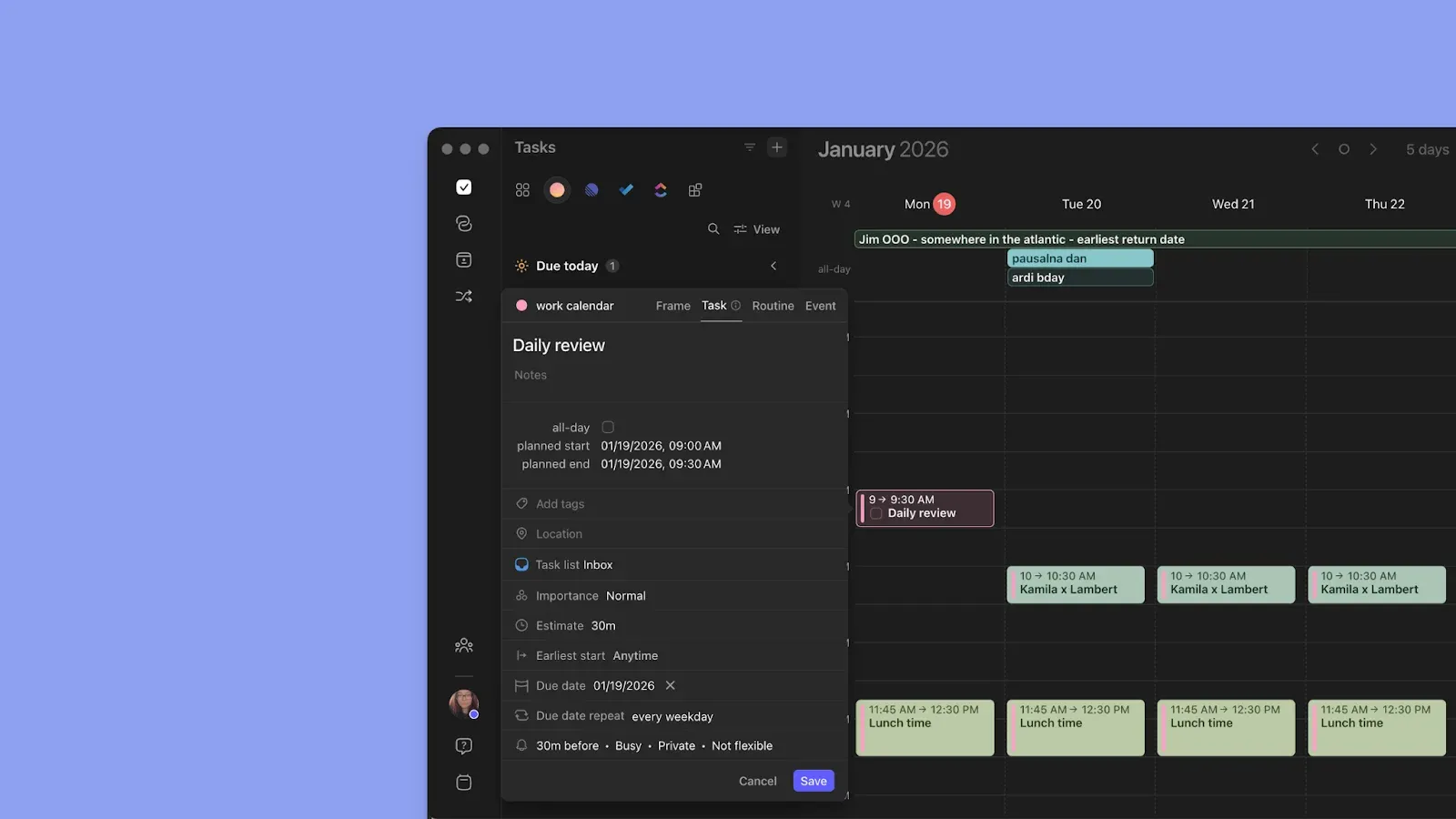
Morgen does the same, but also connects to your task management tools, so you can import existing workflows instead of rebuilding them.
Check out these Morgen integrations to import your schedules and workflow.
Calendar Management
When managing a workload, you need to see how each day actually looks. Monday gives you a calendar view for deadline visualization. Motion goes further and autoschedules every task into available calendar time.
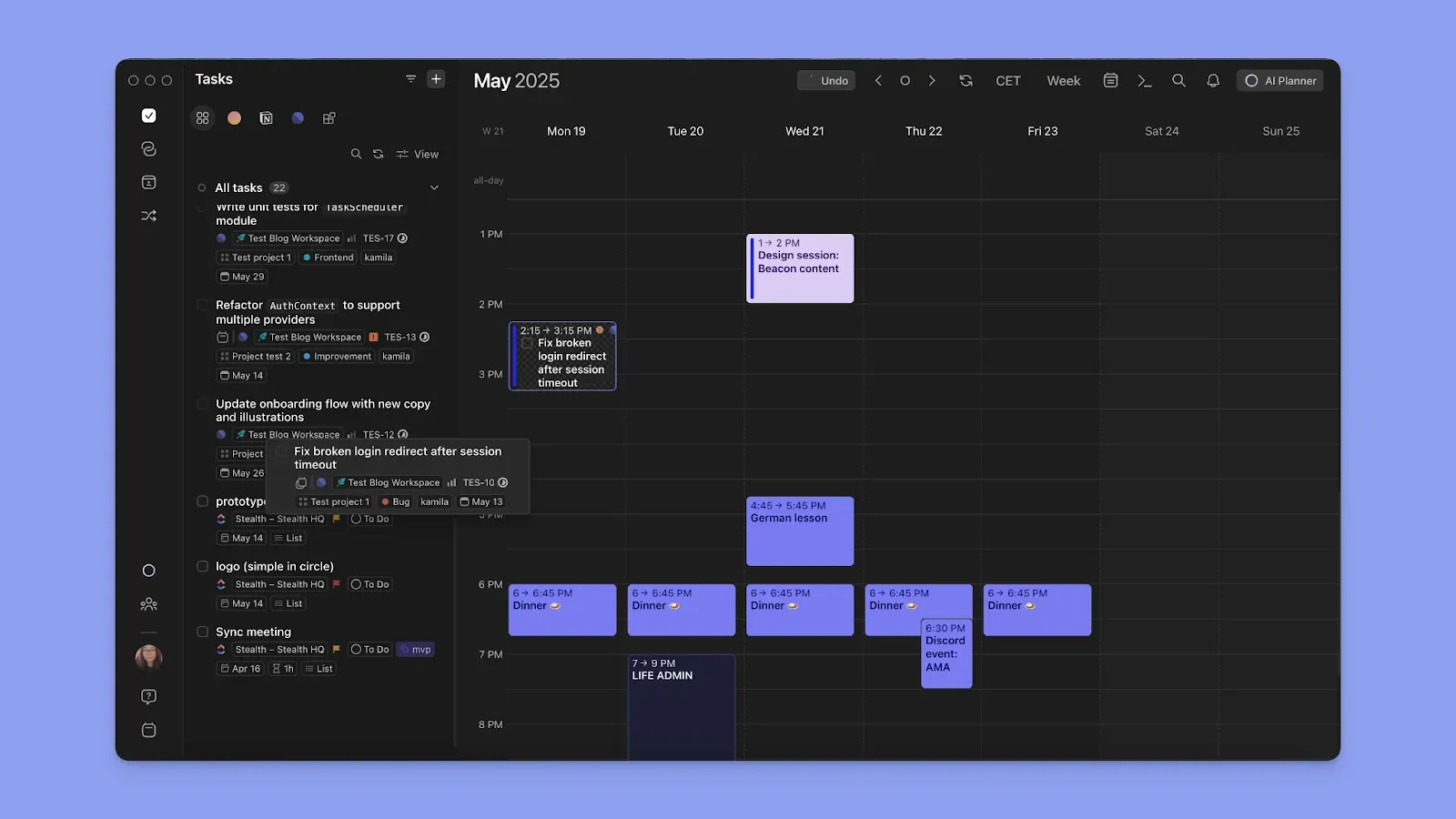
Morgen offers calendar planning, but unlike Motion, it plans with you. You add tasks and manually drag them onto the calendar, or use the AI Planner to suggest placements.
Sync your calendars into Morgen to surface your time commitments.
Alternative to Motion and Monday: Morgen
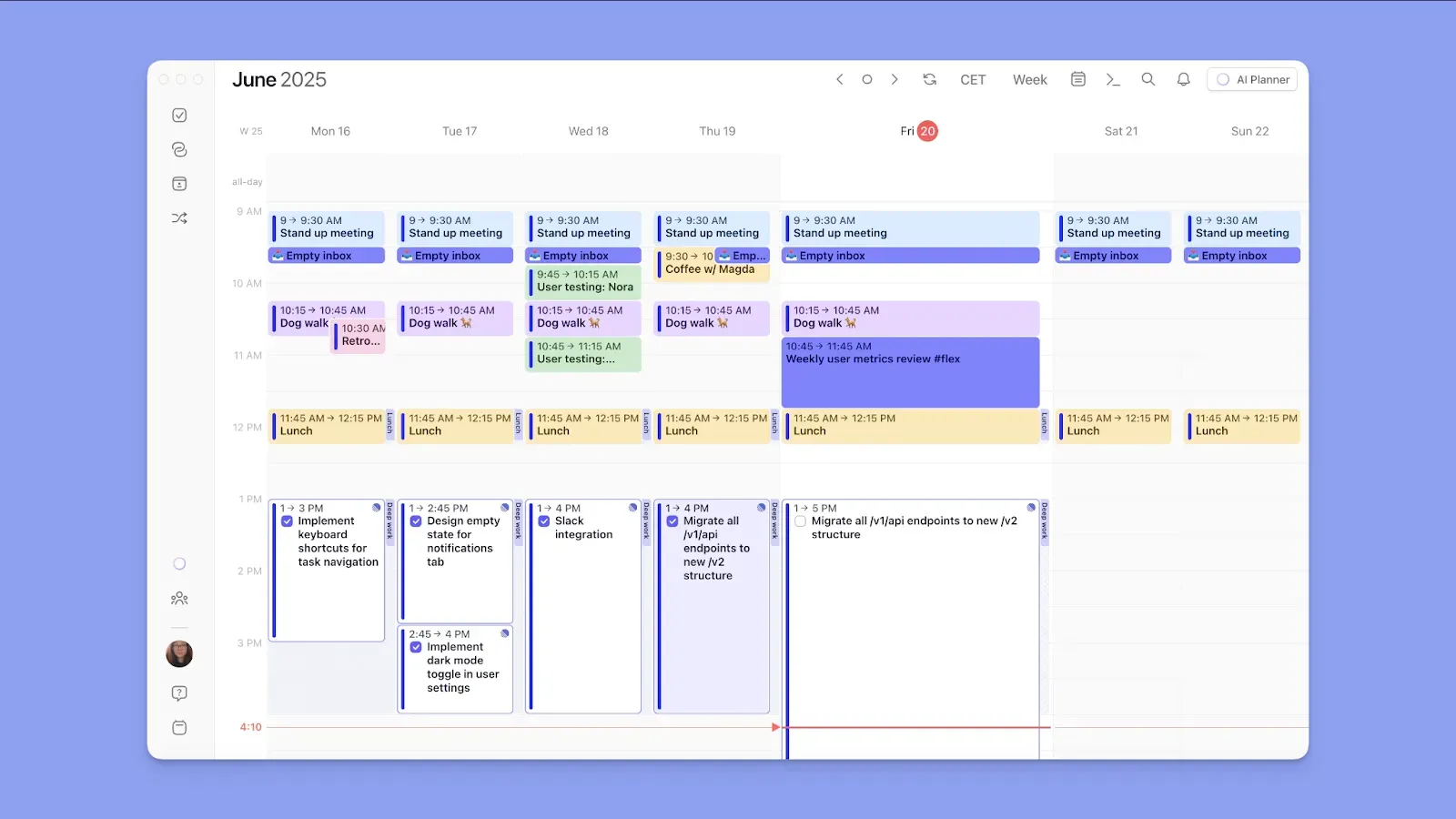
Morgen brings your calendars and tasks into one planning view that shows what work needs to be done. From there, you can drag tasks onto your calendar or use AI suggestions to build a realistic daily schedule.
Key Features
Here are some Morgen features you’ll love.
Task Tool and Calendar Integrations
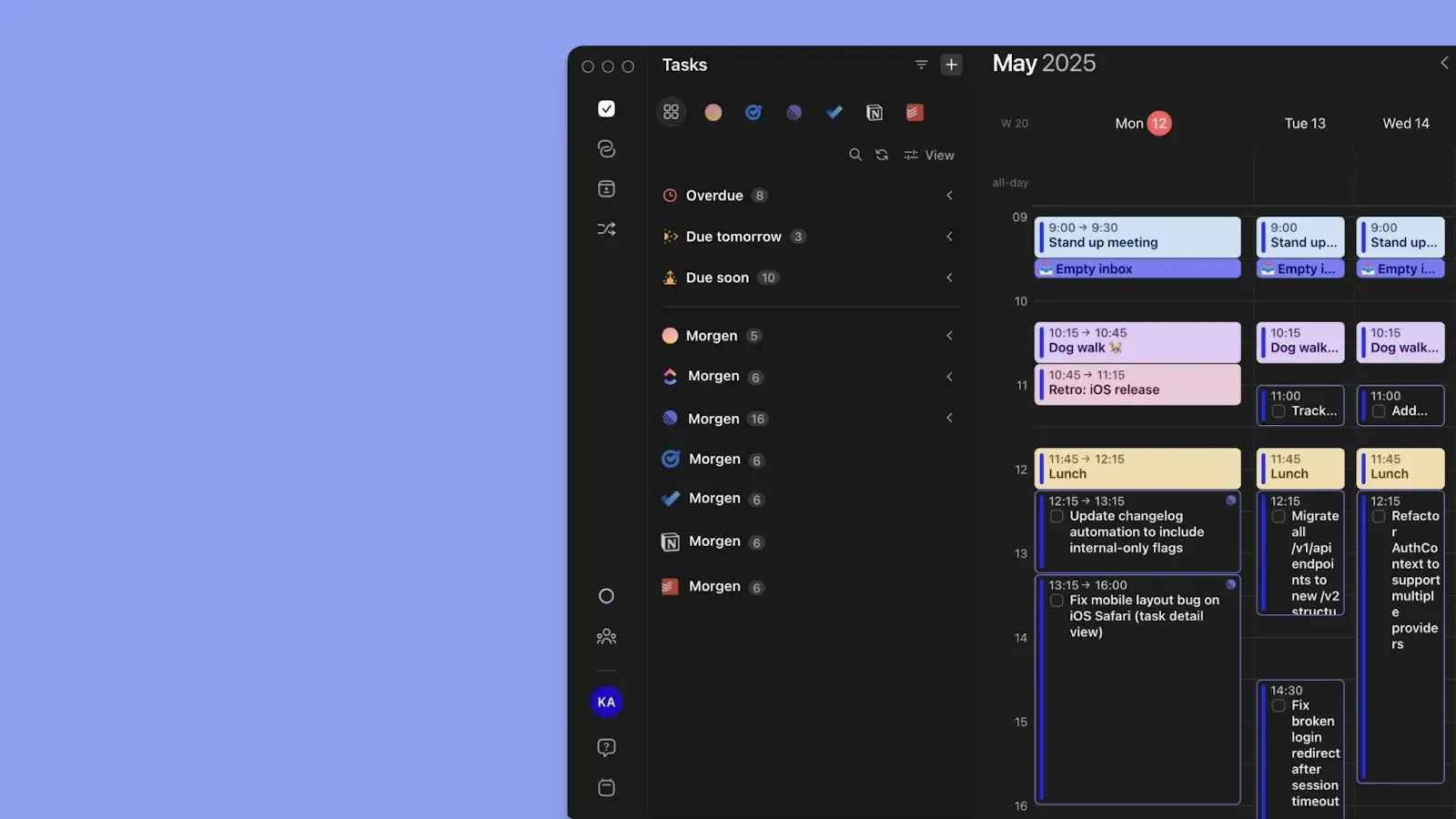
Connect Google Calendar, Outlook, iCloud, and Fastmail. Then pull tasks from Notion, Linear, ClickUp, Todoist, Obsidian, Microsoft To Do, Google Tasks, and Apple Reminders
This setup surfaces work and availability in one view, allowing you to drag and drop tasks into free calendar time.
AI Planner and Frames
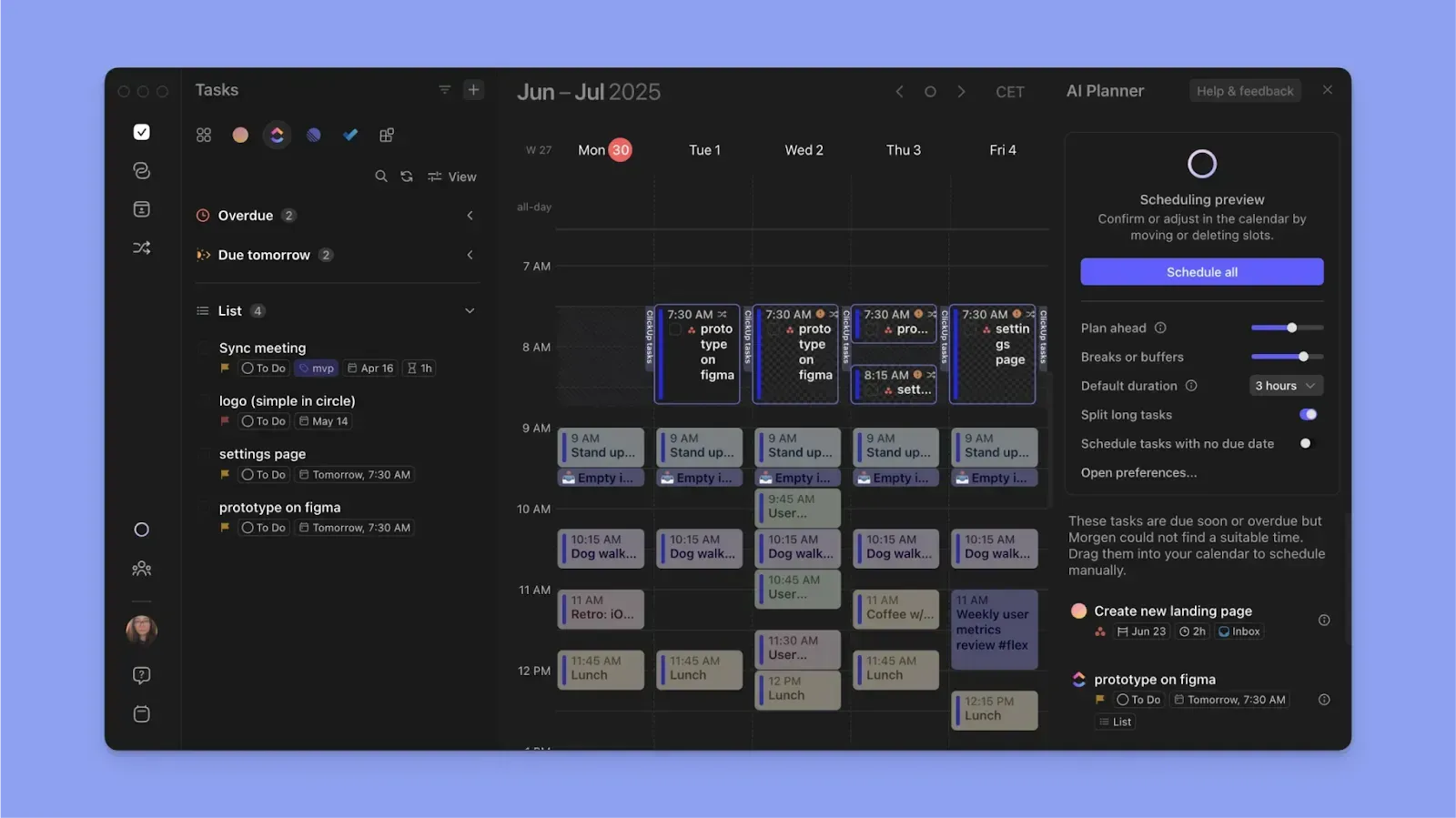
Frames are recurring time blocks you set for specific types of work. Set Frame filters to schedule specific tasks, and either manually populate them or let the AI Planner fill them.
The AI Planner runs in the background to suggest task placements around your existing events, and only commits a schedule if you approve.
Team Scheduling
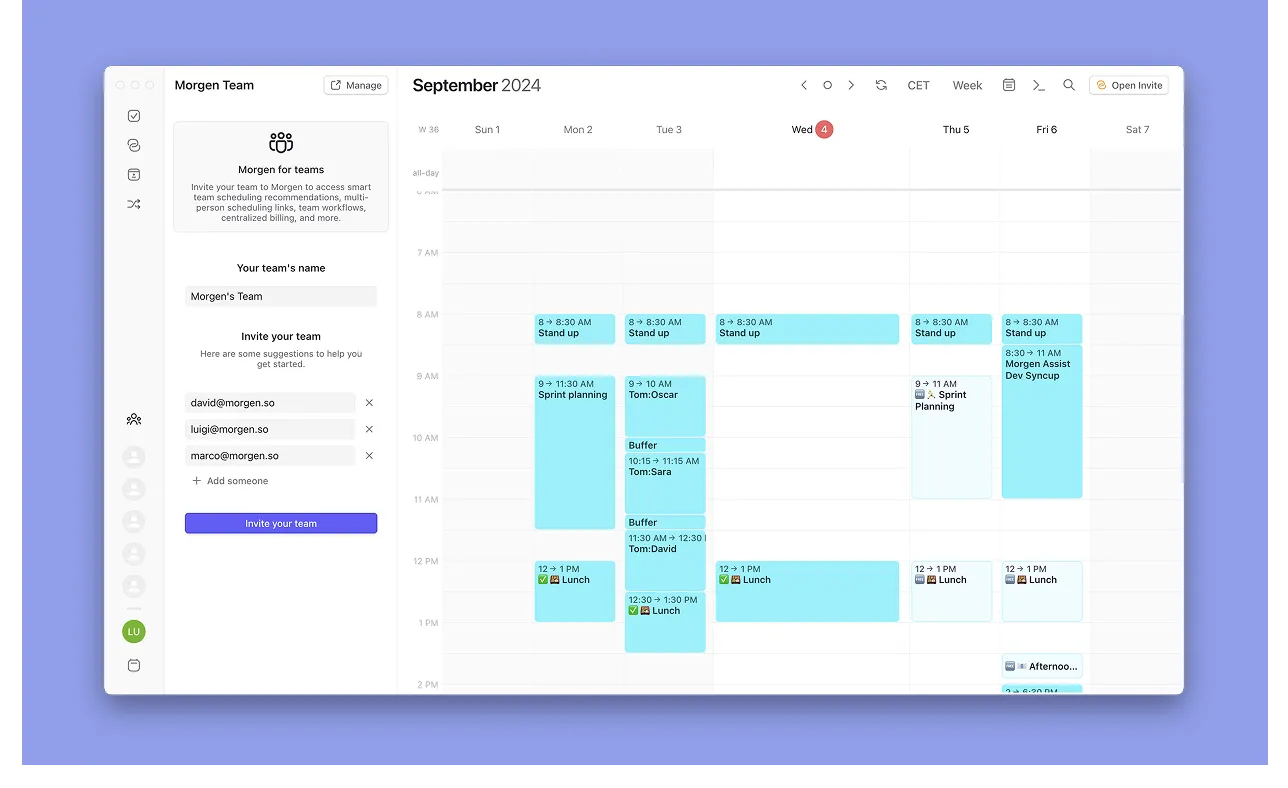
Morgen's team feature is built around calendar coordination. Create a team, invite colleagues, and everyone can see each other's availability across multiple connected calendars.
Pricing
Note: Morgen offers a 14-day free trial and a 30-day money-back guarantee on all paid plans. See the full pricing page for details.
Where Morgen Shines
- Deep integrations: Morgen connects calendars, task managers, and meeting tools in one interface to eliminate context switching
- Color-coded workload visualization: Calendars are color-coded by source, and you can color-code tasks separately to read how your day is structured without needing a board view
- Events and Routines: Import events and create routines first, then plan tasks around them manually or let the AI Planner do it
- Fast task capture: Use the AI Assistant voice feature, the command bar, or simply click a free slot on the calendar to add tasks in seconds
Where Morgen Falls Short
- Not a dedicated PM tool: Morgen doesn't offer board views, Gantt charts, or dependency tracking
Customer Reviews
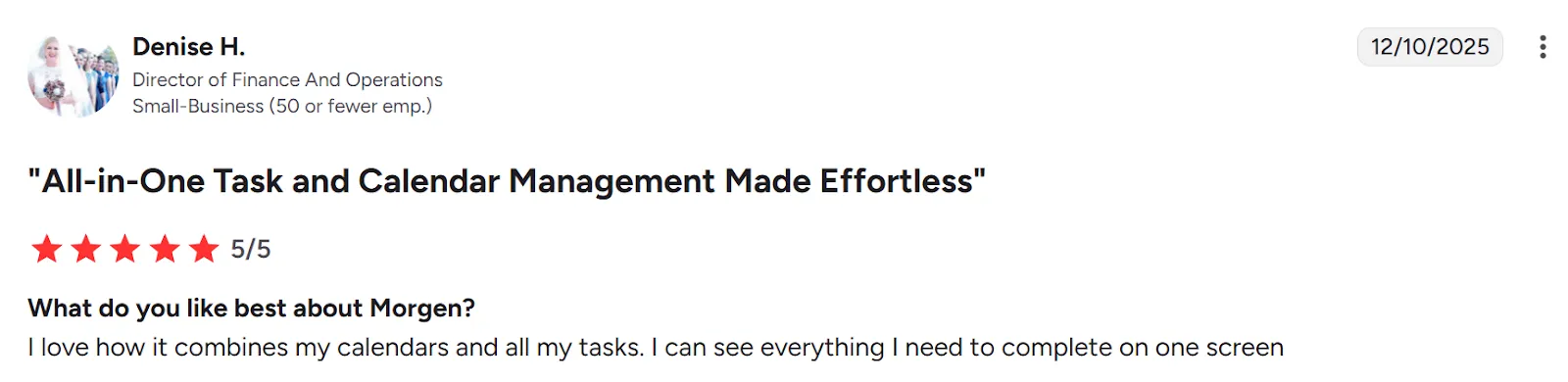
“I love how it combines my calendars and all my tasks. I can see everything I need to complete on one screen,” shares Denise H.
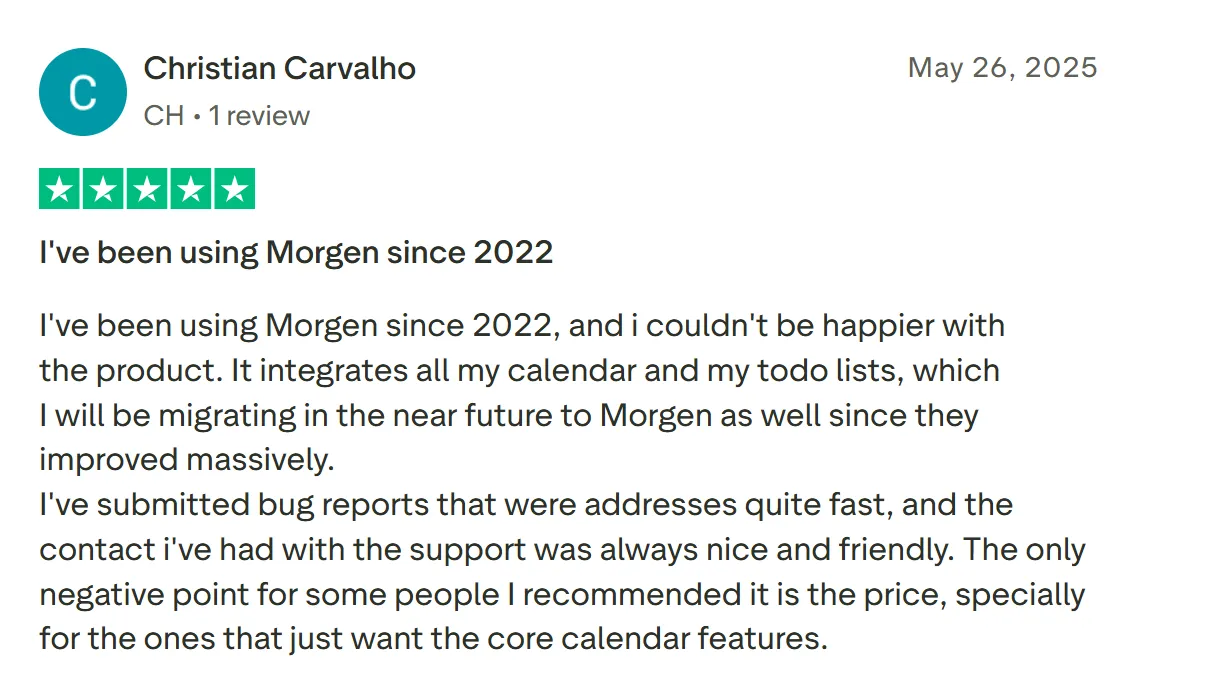
“It integrates all my calendars and my to-do lists, which I will be migrating in the near future to Morgen as well, since they improved massively,” says Christian Carvalho.
Who Morgen Is Best For
- Solopreneurs and individual professionals: people manage multiple calendars and task sources, and want to schedule their existing workflows onto a calendar
Here’s how to get started with Morgen now.
See How Morgen Combines Tasks, Calendar, and Projects in One Place
Use Monday if you need structured project management with boards, dependencies, and team collaboration, or Motion if you want AI to handle your scheduling automatically.
But if you want to connect your existing workflows to your calendars and create realistic daily schedules, Morgen is the better fit.
Connect your tools, drag tasks onto your calendar manually, or let the AI Planner suggest placements and confirm in one click.
See how the AI Planner creates realistic daily plans, then download Morgen 4 to try it yourself.

.svg)
.webp)


