
.svg)
→ Morgen: For managing your time across multiple calendars and scattered to-do list apps in one view, with an AI Planner that suggests schedules
→ Notion & Notion Calendar: Best for users who already manage projects and documentation in Notion and want calendar integration without switching to another productivity ecosystem
→ TickTick: Good time management app if you want task management, habit tracking, and calendar views at an affordable price point
→ Sunsama: If you need structured daily planning rituals to prevent burnout, with deliberate workflows that emphasize work-life boundaries over AI automation
A proper task and time management framework can boost productivity by 80%. That’s why, if you are struggling with productivity leaks, you need the best personal time management apps in 2026.
They combine calendar planning and task execution into a single workflow, so you don't have to constantly switch contexts as you get things done.
Here’s our roundup of eight time and calendar management tools, what they offer, how much they cost, and what current users say about them.
| Tool | Best for | Standout feature | Starting price | G2 rating | Capterra rating |
|---|---|---|---|---|---|
| Morgen | Managing multiple calendars and tasks | Unified calendar view with tasks, events, and routines, plus a co-pilot AI Planner | $15/month | 4.8 | 5.0 |
| Notion & Notion Calendar | Custom personal systems (notes, projects, timelines) | Deadlines and project timelines alongside calendar events | Free plan, or $10/member/month | 4.6 | 4.7 |
| TickTick | Creating and managing tasks with easy-to-use NLP | Task and time tracking platform with calendar integration on the premium plan | Free plan, or $35.99/year | 4.6 | 4.7 |
| Sunsama | Daily planning and mindful timeboxing | A manual daily planner that combines your calendar, task sources, and project management tools | $16/month | - | 4.7 |
| Motion | Full AI auto-scheduling for tasks and projects | Aggressive, automatic prioritization and task scheduling on your calendar | $19/month | 4.1 | 4.3 |
| Jibble | Understanding where your time actually goes | Project time tracking with activity tagging and productivity reports | Free forever plan | 4.8 | 4.8 |
| Reclaim | Defending focus time for Google and Microsoft users | Auto-protects focus time and habits around meetings | Free plan; paid from $10/month | 4.8/5 | 4.9 |
| Todoist | Fast, lightweight task management | Best-in-class NLP capture and recurring due dates | Free plan, or $60/year | 4.5 | 4.6 |
1. Morgen: Best All-in-One Personal Time Management App
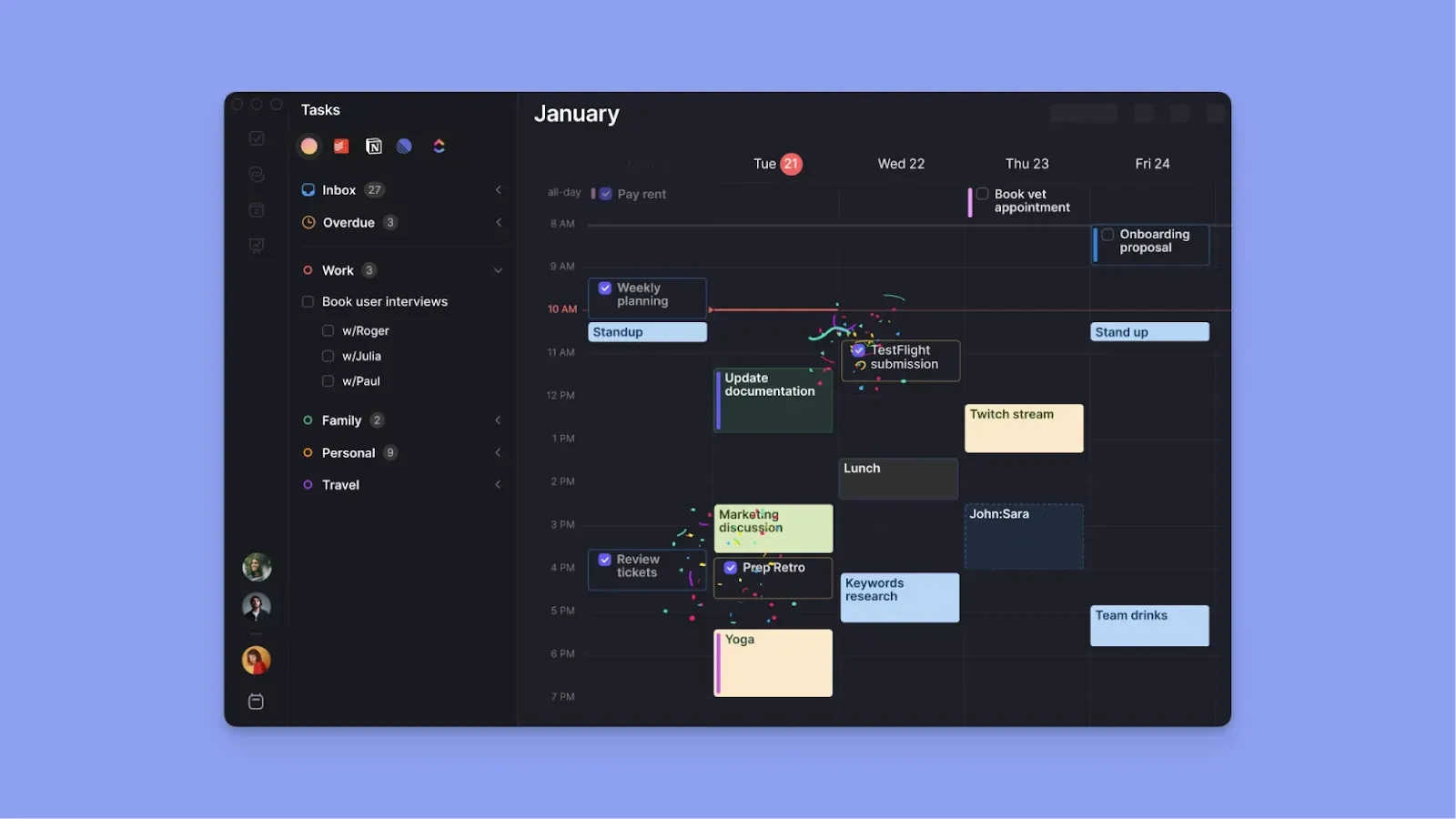
Morgen is a calendar-based task planner designed for daily users who need to consolidate multiple calendars and task sources into a single planning interface.
Key Features
Morgen will help you allocate time across competing tasks and commitments with features such as:
Calendar and Task Consolidation
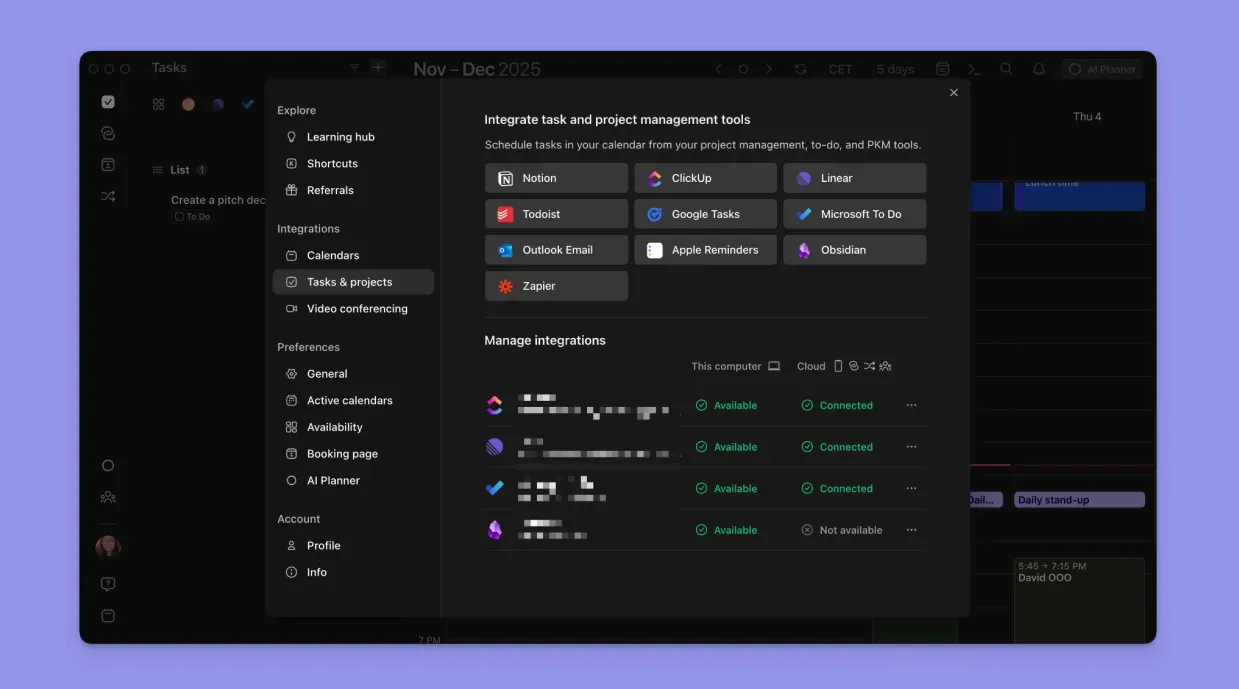
Morgen lets you sync calendars from Google Calendar, Outlook, iCalendar, and Fastmail to display your meetings and routines. You can also add tasks from Notion, Linear, ClickUp, Todoist, Obsidian, Google Tasks, and Microsoft To Do. Check how we connect Outlook Calendar and Apple Reminders.
If you are currently deciding which primary ecosystem to sync, you might find our comparison of Fantastical vs. Google calendar helpful for choosing your base provider.
Note: Any changes you make, such as task completion, in Morgen or the integrated tools will sync bidirectionally.
AI Planner
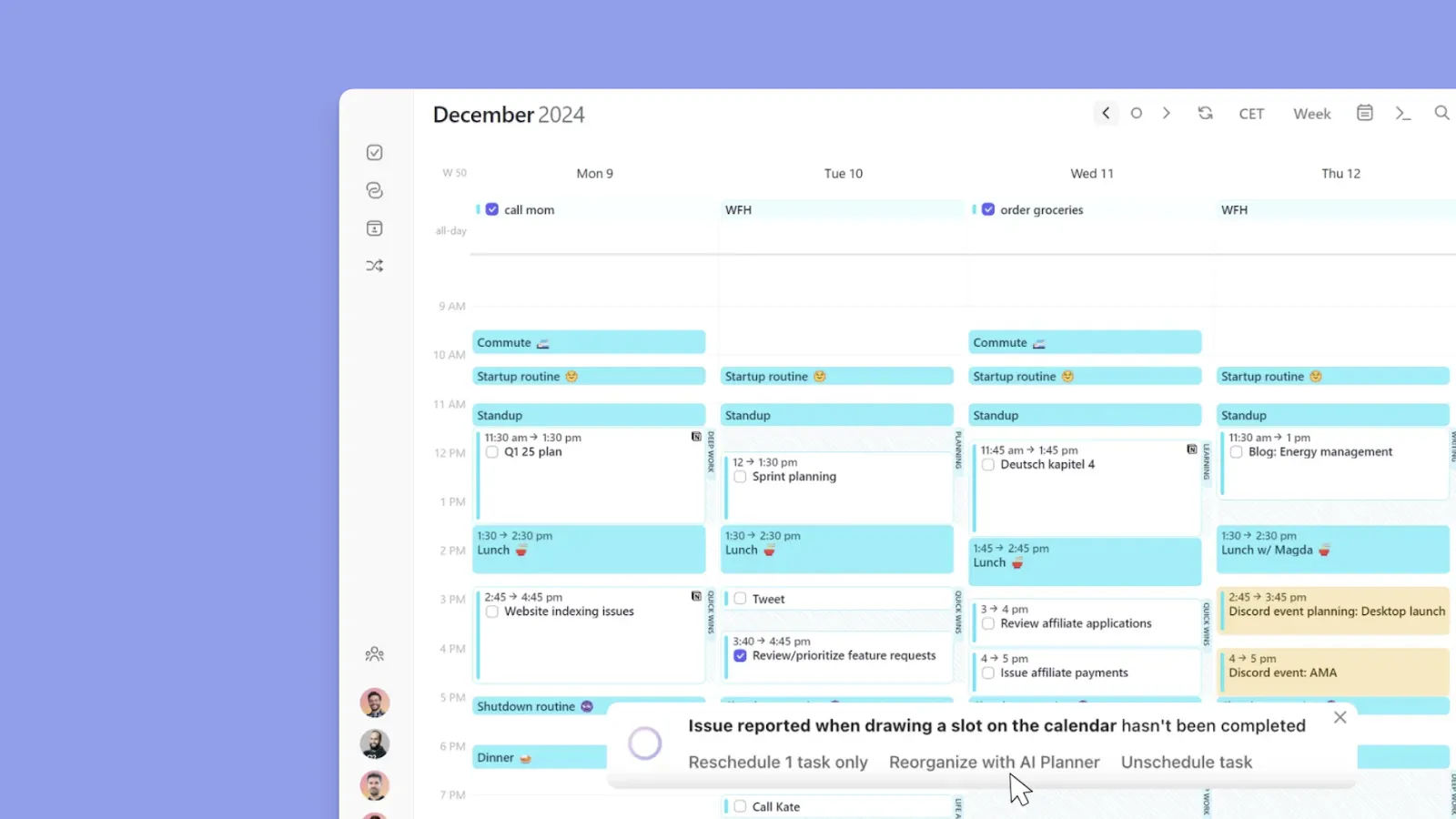
Once you integrate calendars, task management apps, and add tasks and events on Morgen, you can deploy the AI Planner to suggest a schedule in seconds.
Note: The AI Planner does not automatically schedule tasks; you actually need to approve the suggestions. Before you do, all the suggested placements will pulsate in your calendar view, so you can adjust them if you don’t like where they’re placed.
Frame-Based Planning
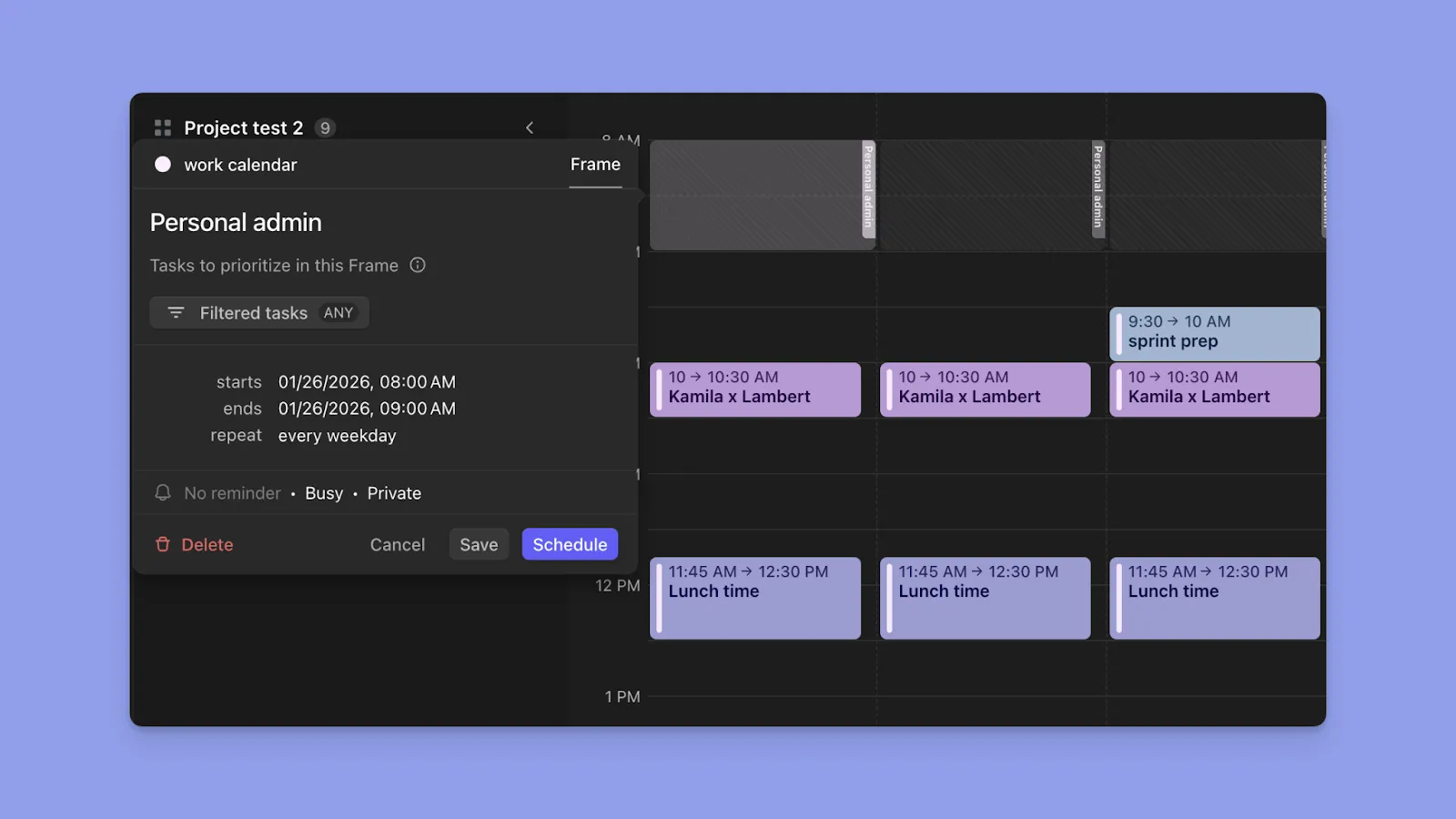
You need structure to manage busy schedules, which is why Morgen lets you create Frames. A Frame is a recurring time block you set for specific tasks, say, “Deep Work,” daily from 8:00 AM to 10:00 AM.
When you create a Frame, you apply filters that determine which tasks can appear there, either by task source, task list, task size, tags, or a combination of these. For example, you might create a Deep Work frame that shows only Notion tasks from your "Projects" database tagged "Creative."
Note: You can manually drag tasks into Frames, or use the AI Planner to automatically suggest tasks to add. When the AI Planner runs, it reads your Frame filters and only proposes tasks that match each Frame's criteria.
Pricing
Note: Morgen offers a 14-day free trial and a 30-day money-back guarantee on plans.
| Plan | Monthly Billing | Yearly Billing |
|---|---|---|
| Individual | $30/month | $15/month |
| Teams | $25/seat/month | $10/seat/month |
Pro tip: As a student or non-profit organization, sign up with your institution email for a 25% forever discount!
Where Morgen Shines
- Unified view of your schedule: Morgen lets you pull calendars and tasks into one view, thus stopping you from checking three different apps just to see if you have time for a new project
- Ideal for ADHD brains: With Morgen, you eliminate the "What should I do next?" paralysis using Frames, the AI Planner, and visual time-blocking to schedule tasks and defend their time on your aesthetic calendar app.
- Routines for fixed-time habits: Create recurring routines that live on your digital calendar planner, so they won’t get rescheduled by the AI Planner. Perfect for structuring lunch breaks, workouts, siestas, evening wind-down, etc
- Scheduling meetings: Create booking pages and add scheduling links for different meeting types, so people can book a time that works for both of you without back-and-forth emails
Booking links work for one-on-ones. For group meetings, share Morgen's free scheduling poll instead: participants mark when they're free on a shared grid, and a live heatmap surfaces the time that works for most people.
Where Morgen Falls Short
- Limited project management: Morgen does not offer Jira-style project-tracking, but you’ll integrate your tool-stack to create a calendar-based schedule that keeps you productive
Customer Reviews
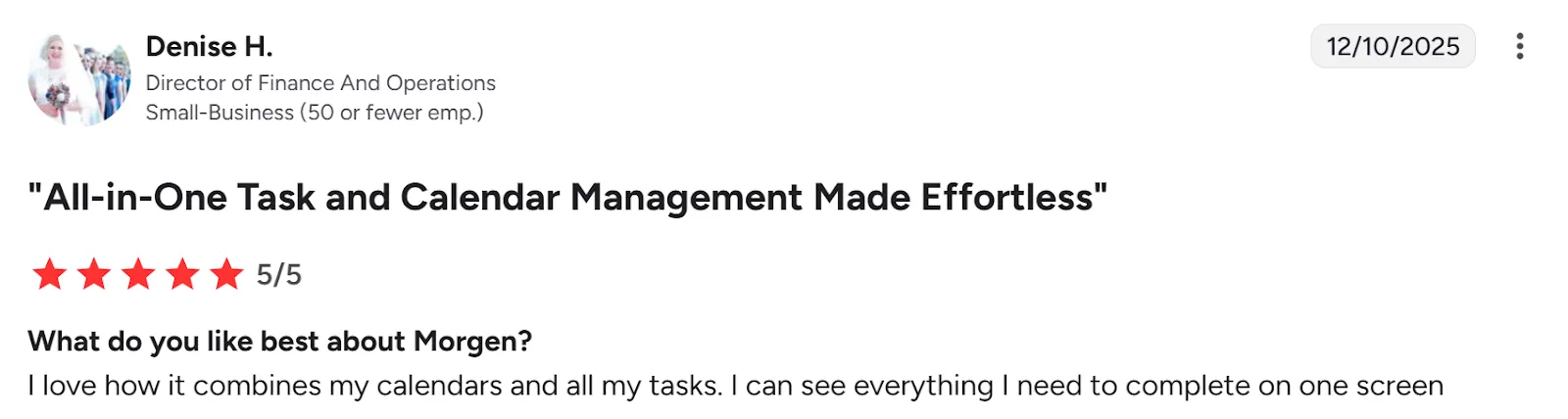
“I love how it combines my calendars and all my tasks. I can see everything I need to complete on one screen,” shares Denise H.
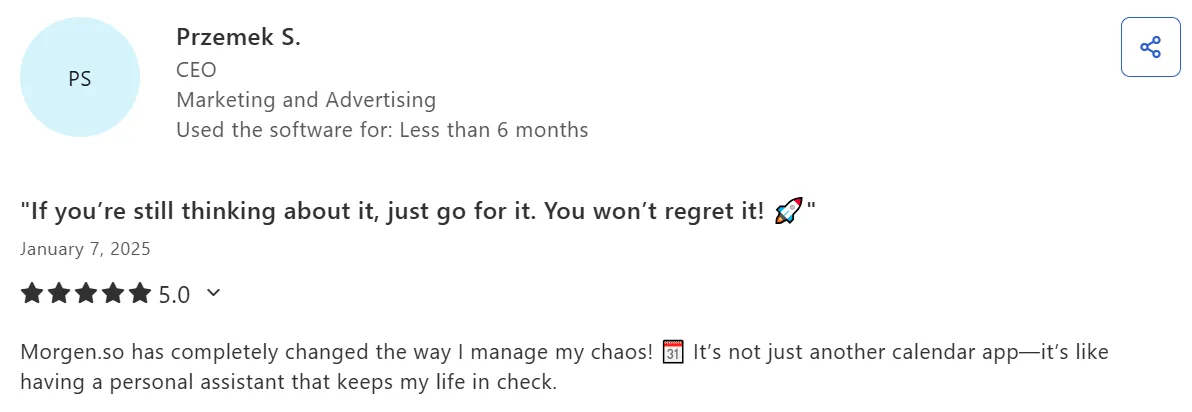
“Morgen.so has completely changed the way I manage my chaos,” says Przemek S.
Who Morgen Is Best For
- Solopreneurs, software developers, marketers, and freelancers: juggling client work and personal projects across multiple calendars
Download Morgen and get 15% off if switching from Fantastical, Motion, Reclaim, or Sunsama! If you’re currently torn between the latter two, check out our breakdown of Sunsama vs Motion to see which philosophy fits your workflow.
2. Notion and Notion Calendar
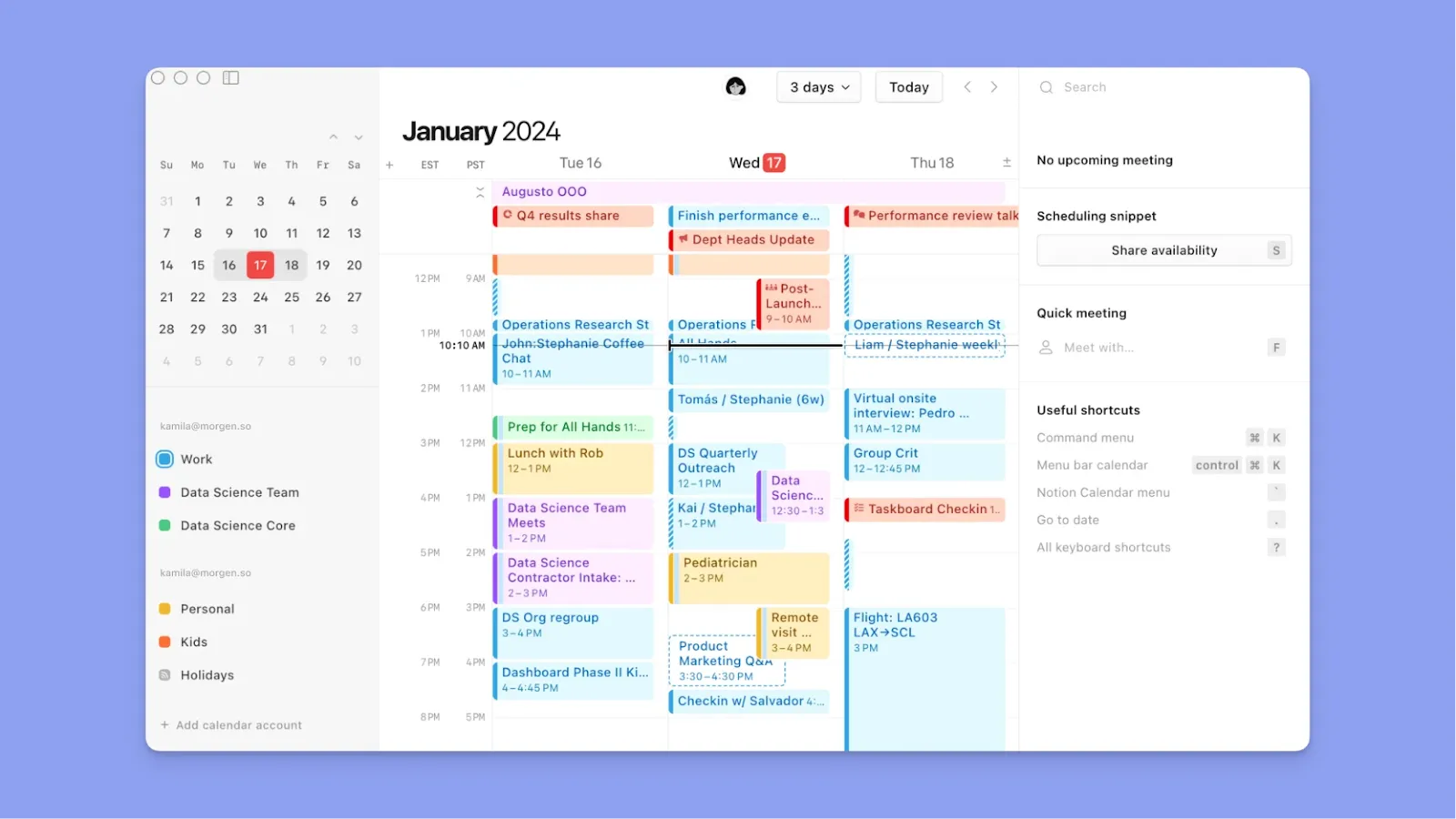
Notion is ideal if your time management needs include tasks, notes, projects, personal dashboards, and databases. Notion Calendar extends that system by letting you see deadlines and timelines alongside calendar events.
Pro tip: If you use Notion for tasks but need better calendar planning, you can integrate Notion with Morgen to time-block Notion tasks across multiple calendars.
Key Features
- Customizable databases: Create task lists, project trackers, or content calendars with multiple views (table, kanban, calendar, timeline). Each database item is a full page that can include notes, checklists, and files
- Calendar integration: Notion Calendar syncs with Google Calendar, Microsoft Outlook, and iCloud to display meetings alongside database items with due dates, and changes sync bidirectionally between Notion and your calendar
- AI assistance: Summarize meeting notes, generate action items, write drafts, and fix grammar errors. Full AI access (GPT-4.1 and Claude 3.7), but only with Business and Enterprise plans
For a fuller meeting workflow, the tl;dv meeting note taker records calls automatically, adds speaker-aware summaries, and keeps everything searchable across Zoom, Google Meet, and Microsoft Teams.
Pricing
| Plan | Monthly Billing | Yearly Billing |
|---|---|---|
| Free | $0 | $0 |
| Plus | $12/member | $10/member |
| Business | $24/member | $20/member (includes full Notion AI) |
| Enterprise | Custom pricing | Custom pricing |
Where Notion Shines
- Time blocking with context: You can schedule tasks directly from Notion databases into your calendar, keeping all project context (notes, files, related docs) connected to each scheduled time block
- Deep customization options: You can build your time management system exactly how you want it, with custom properties, relations between databases, formulas for calculations, and automations
Where Notion Falls Short
- Steep learning curve and setup time: Users report needing a long time to understand and structure Notion correctly
- Performance issues with large databases: Once databases grow beyond 5,000 records, users experience noticeable slowdowns
Customer Reviews
“I love how customizable Notion is and how easy it is to build exactly what you need,” shares a verified user on Capterra.

“Performance can occasionally become an issue, especially when working with large databases,” says Jefersson B.

Who Notion Is Best For
- Notion power users: Already managing projects, documentation, and knowledge bases in Notion, who want calendar integration without switching apps
3. TickTick
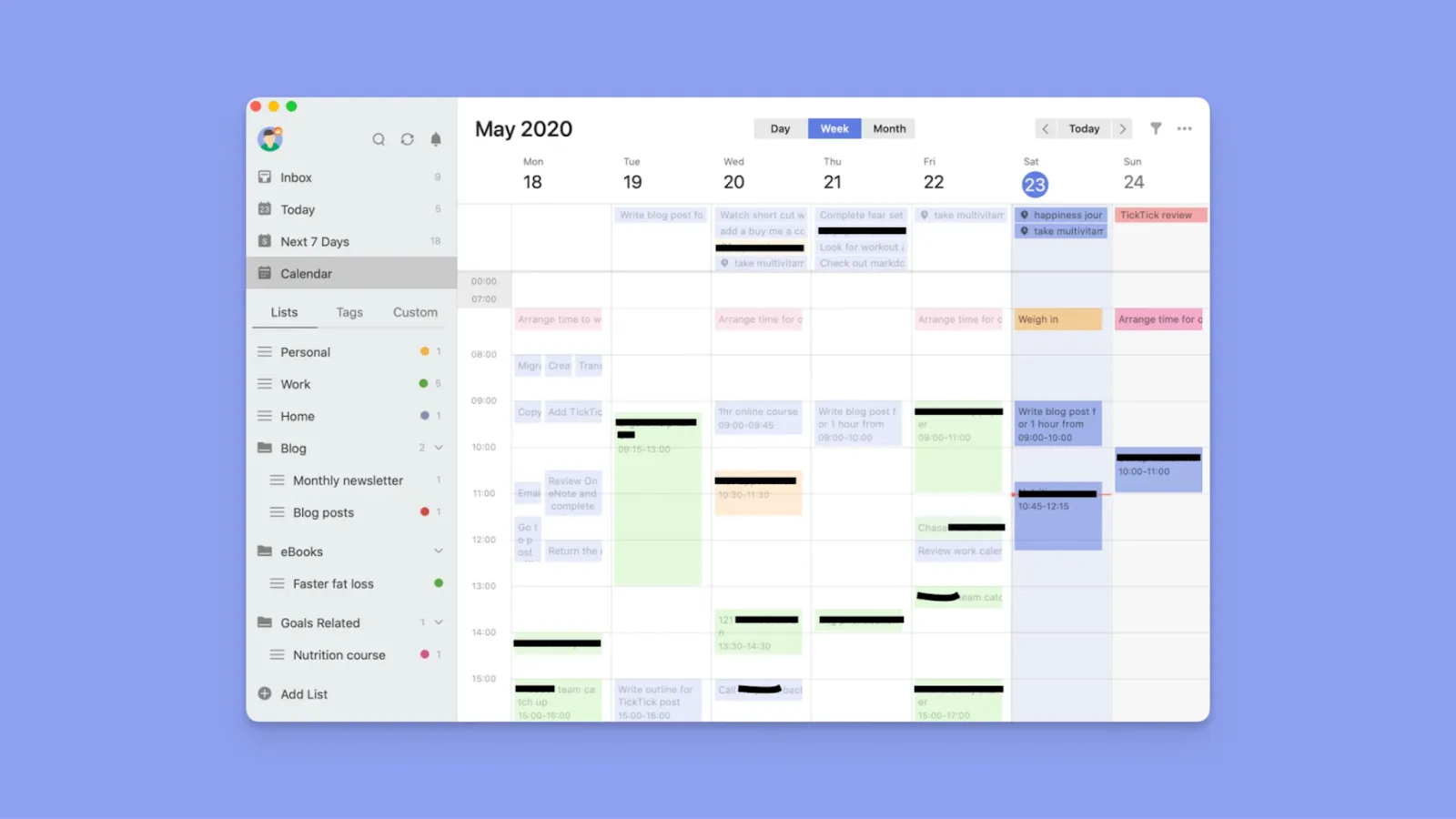
TickTick is a task-based planner that lets you capture tasks using natural language parsing. While the calendar view is a premium feature, TickTick also lets you integrate with task tools like Todoist to pull projects and tasks into a single view.
Key Features
- Multiple task views: Switch between list view, Kanban boards, and timeline views
- Built-in productivity tools: You get a free built-in Pomodoro focus timer to improve your focus when handling tasks
- Habit tracker: Track daily habits alongside tasks, see streak statistics, and receive reminders for tasks
Pricing
| Plan | Monthly Billing | Yearly Billing |
|---|---|---|
| Free | $0 | $0 |
| Premium | $3.99/month | $35.99/year |
Where TickTick Shines
- Affordability: At $35.99/year, you get calendar views, habit tracking, Pomodoro timer, and unlimited reminders
- Eisenhower Matrix for smarter prioritization: You can organize tasks by urgency and importance in a dedicated matrix view
Where TickTick Falls Short
- No AI assistance for planning: You decide when tasks happen without intelligent suggestions based on your calendar or priorities
- Calendar view locked behind premium: The free plan includes basic task management functionality, but a calendar view requires a premium upgrade
Customer Reviews
“I can manage my tasks and time better when I use TickTick,” says Maria K.

“Natural language processing is not as good as Todoist, but it's totally enough,” shares Ankhbileg T.

Who TickTick Is Best For
- Individuals who want an all-in-one personal productivity app: Tasks, habits, and calendar views at an affordable price
4. Sunsama
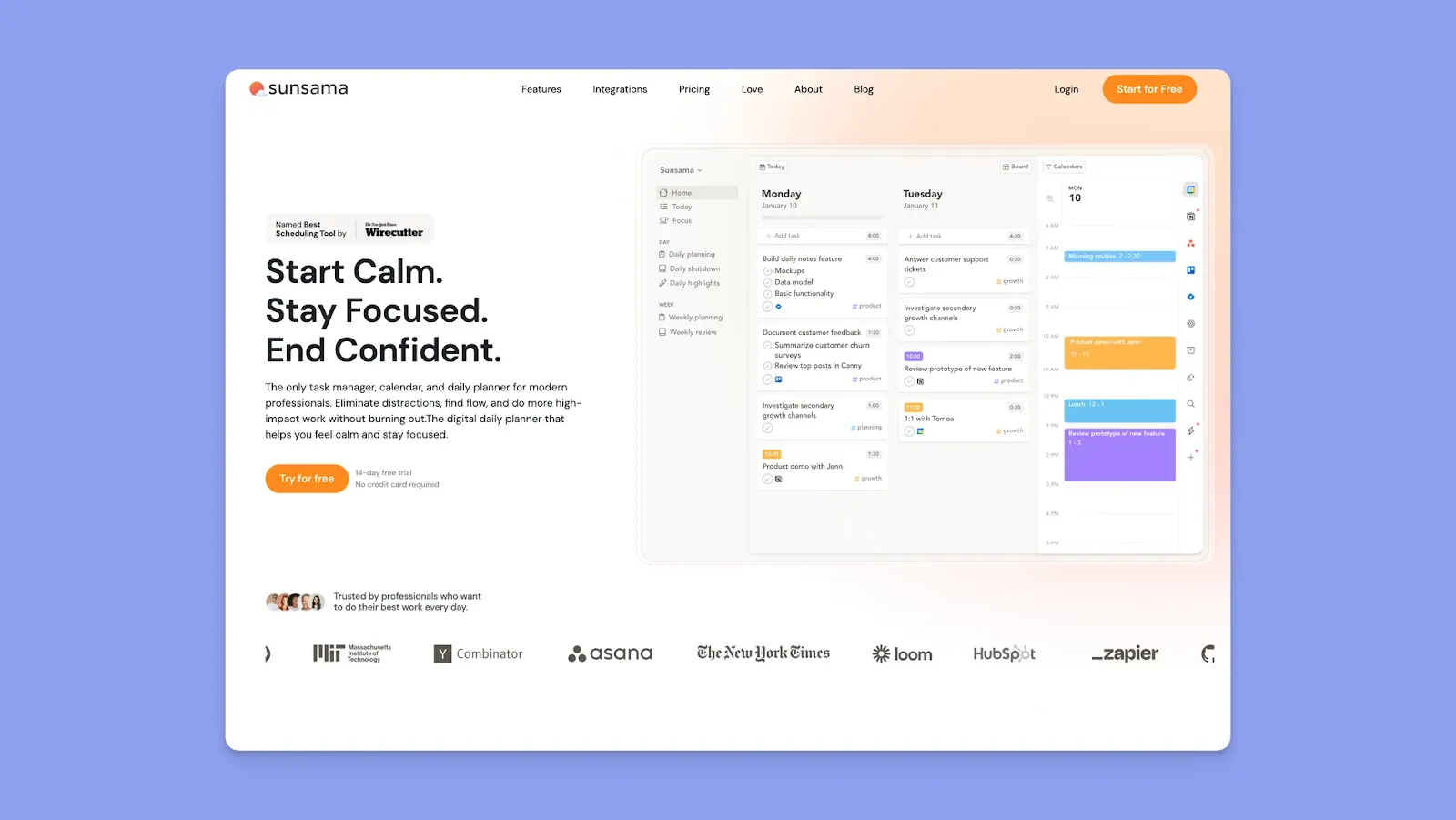
If you want structured morning planning to prevent burnout, Sunsama is a productivity tool for ADHD that guides you through deliberate workflows to protect your work-life balance.
Key Features
- Guided daily planning ritual: Every morning, Sunsama walks you through five planning steps to set clear expectations for your entire day
- Task consolidation from multiple tools: Sunsama imports tasks directly from Asana, Trello, Todoist, Notion, Jira, GitHub, Gmail, and Slack
- Focus mode with timer: When working on a task, you can activate focus mode that dims everything except the current task and starts a timer
Pricing
| Plan | Monthly Billing | Yearly Billing |
|---|---|---|
| Subscription | $20 per month | $16 per month (billed annually) |
Where Sunsama Shines
- Daily shutdown ritual prevents burnout: At day's end, Sunsama prompts you to review completed work, reflect on what didn't get done, and consciously close your workday
- Intentional planning over AI automation: You manually decide what happens when, a deliberate approach that reduces anxiety for people who don't want algorithms rearranging their day
Where Sunsama Falls Short
- Limited advance planning horizon: Projects with longer timelines require keeping tasks in a backlog until they're closer to execution, which some users find frustrating
- No AI scheduling: If you want smart rescheduling when conflicts arise or automatic prioritization, you'll need a different tool. Here’s how Sunsama compares to Morgen
Customer Reviews
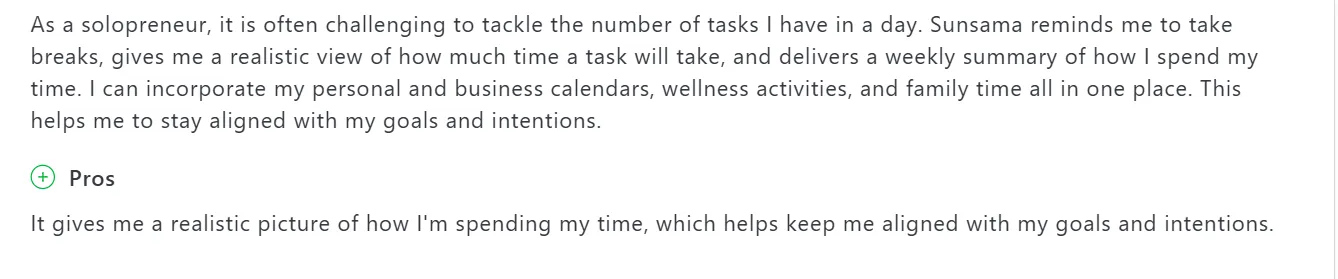
“It gives me a realistic picture of how I'm spending my time, which helps keep me aligned with my goals and intentions,” shares Susie I.
“Unfortunately, the subscription price is high for me,” says Anastasia.

Who Sunsama Is Best for
- Professionals overwhelmed by tasks across multiple tools: who need one workspace to plan their entire day without switching apps
5. Motion
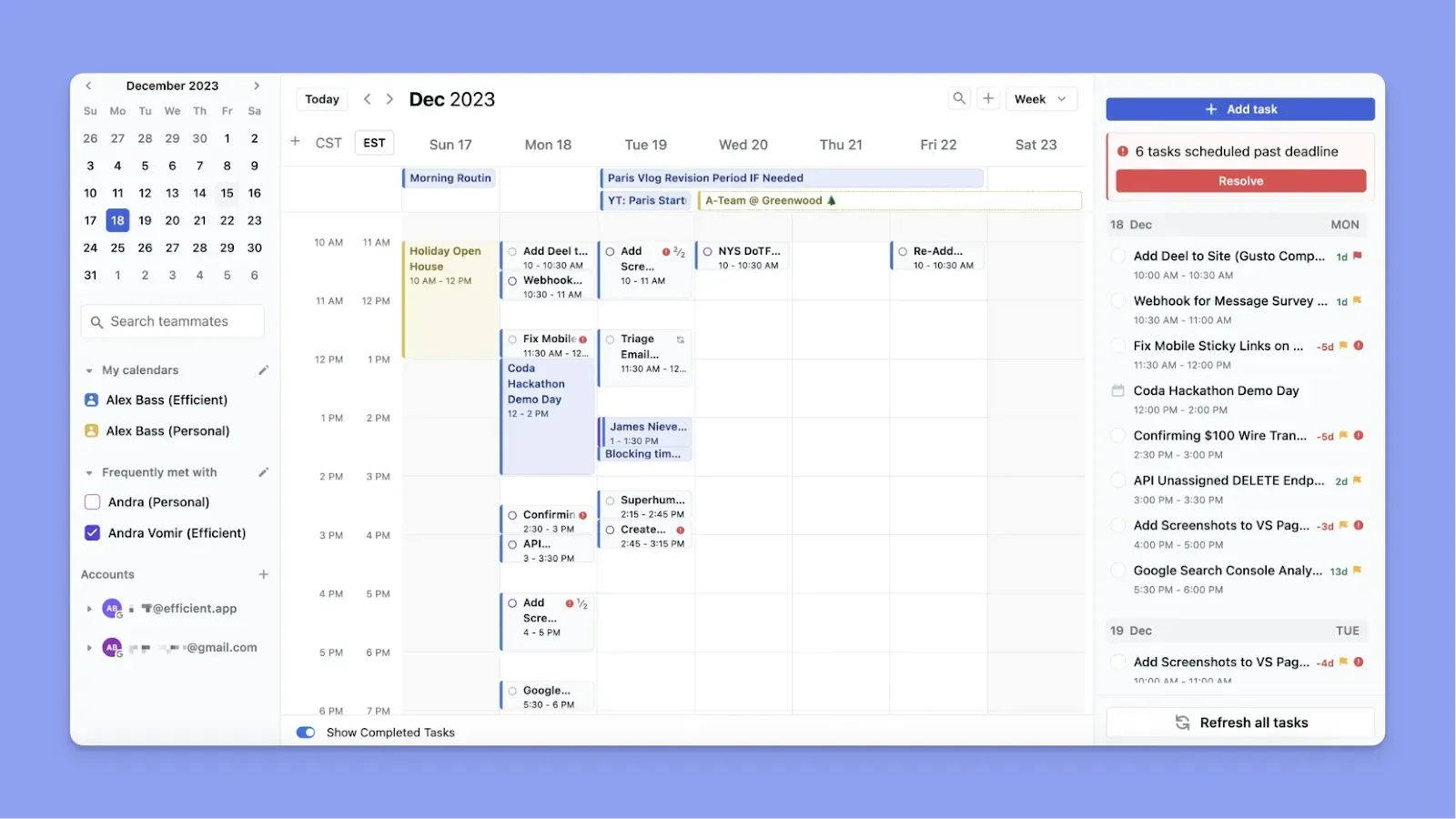
Motion auto-builds your day and continuously reprioritizes as new tasks and meetings arrive. It is effective, but the tradeoff is less manual control and a pricing model that can feel expensive compared to simpler tools.
Key Features
- AI auto-scheduling: Motion analyzes your tasks' deadlines, priorities, and durations, then automatically schedules them on your calendar based on your availability and preferences
- Real-time rescheduling: When a meeting runs long, or an emergency pops up, Motion instantly reshuffles your entire day and week to accommodate the change
Pricing
| Plan | Monthly Billing | Yearly Billing |
|---|---|---|
| Individuals - Pro AI | $49/month | $29/month |
| Individuals - Business AI | $69/month | $39/month |
| Teams - Pro AI | $29/seat/month | $19/seat/month |
| Teams - Business AI | $49/seat/month | $29/seat/month |
Where Motion Shines
- Team scheduling coordinates everyone's capacity: For teams, Motion automatically assigns tasks to the right people based on each member's workload and availability
- AI project manager generates workflows from prompts: You can describe a project, and Motion's AI creates the full workflow with stages, tasks, dependencies, and assignments
Where Motion Falls Short
- Steep learning curve for initial setup: Motion requires detailed task configuration before the AI works effectively
- Strongest value for teams: Motion's collaboration tools, project tracking, and team scheduling work better for groups than for individuals managing personal time alone
If you're debating whether these automated features justify the cost compared to traditional project tools, our head-to-head of Motion vs. Asana breaks down which approach actually saves more time.
Customer Reviews
“I LOVE that it just tells me what to do,” says Megan P.

“When first starting to use it, it felt a bit overwhelming to set up,” shares Joseph S.

Who Motion Is Best For
- Scheduling on autopilot: For small teams managing cross-functional projects with dependencies who need AI to coordinate everyone's schedules
6. Jibble
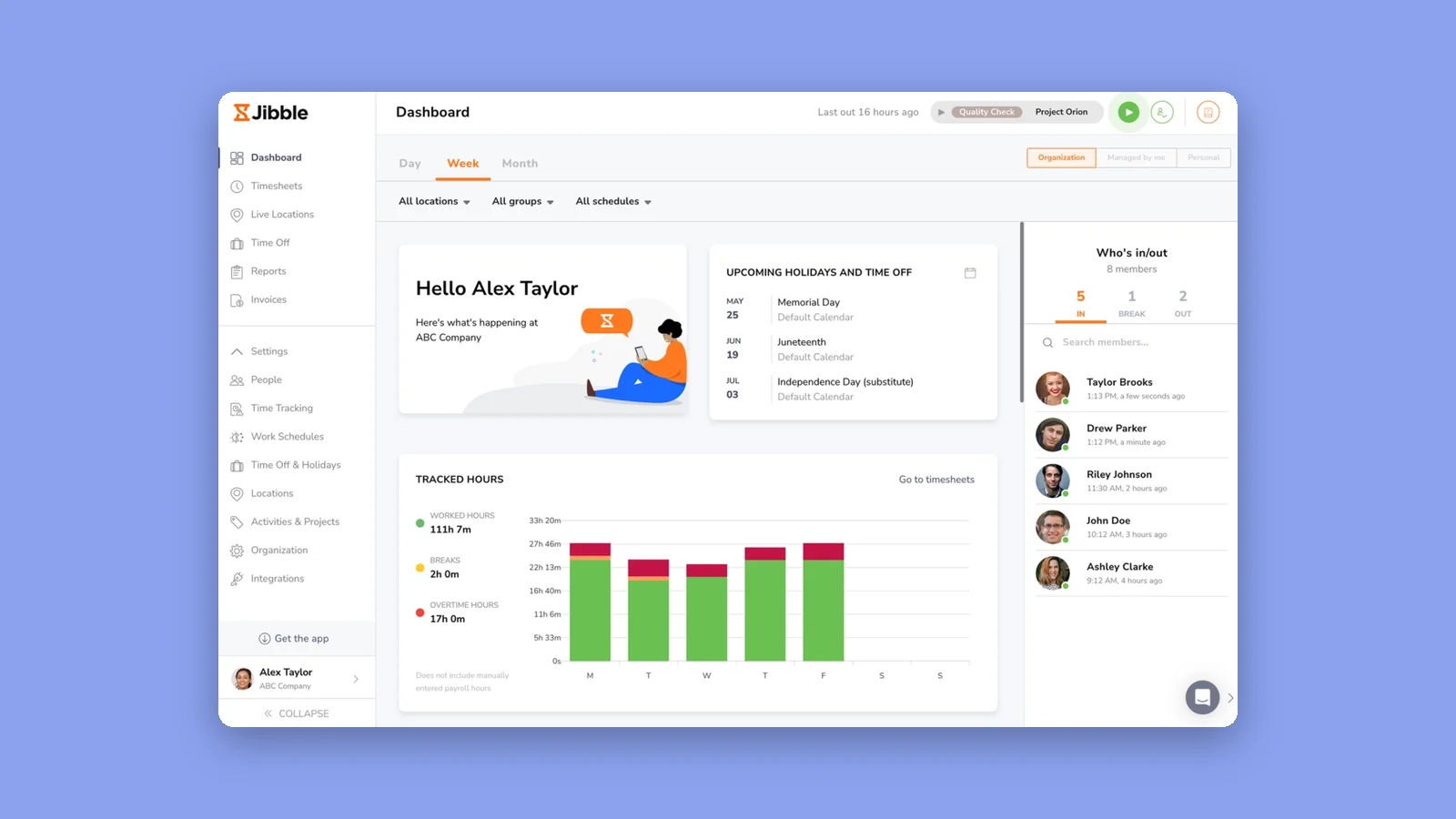
Jibble is a time tracking app that lets you track time across projects and activities, providing clear visibility into how you spend your day so you can identify trends and improve time management. Once those hours are tracked against projects, teams often feed them into project cost estimation tools to plan budgets and resourcing for the next one.
Key Features
- Multi-device time tracking: Track time across web, desktop, and mobile so you never lose visibility no matter where you work
- Project and activity tagging: Tag every time entry with a project and activity as you clock in or out, so you can see exactly how many hours you spent on each task
- Productivity insights and trends: Understand how your time is distributed with clear breakdowns that help you identify patterns and improve focus
Pricing
| Plan | Monthly Billing | Yearly Billing |
|---|---|---|
| Free | $0 | $0 |
Where Jibble Shines
- Free forever: Track unlimited projects and time entries on the free plan with no per-user cost, so you can start immediately
- Simple, focused tool: Jibble does time tracking well without bloat, so there’s no steep learning curve or unnecessary features to slow you down
Where Jibble Falls Short
- No calendar integration: Jibble doesn’t offer calendar-based time blocking
- Time tracking, not time planning: Jibble tracks time you’ve spent, not time you’re about to spend
Customer Reviews
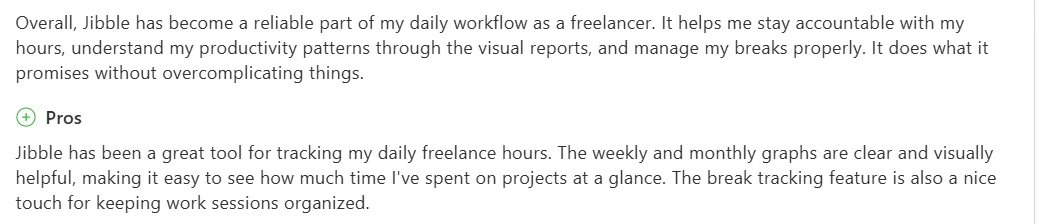
“It helps me stay accountable with my hours, understand my productivity patterns through the visual reports, and manage my breaks properly,” shares Ruben F.
Who Jibble Is Best For
- People who want to build better time management habits: by understanding where their time actually goes
7. Reclaim
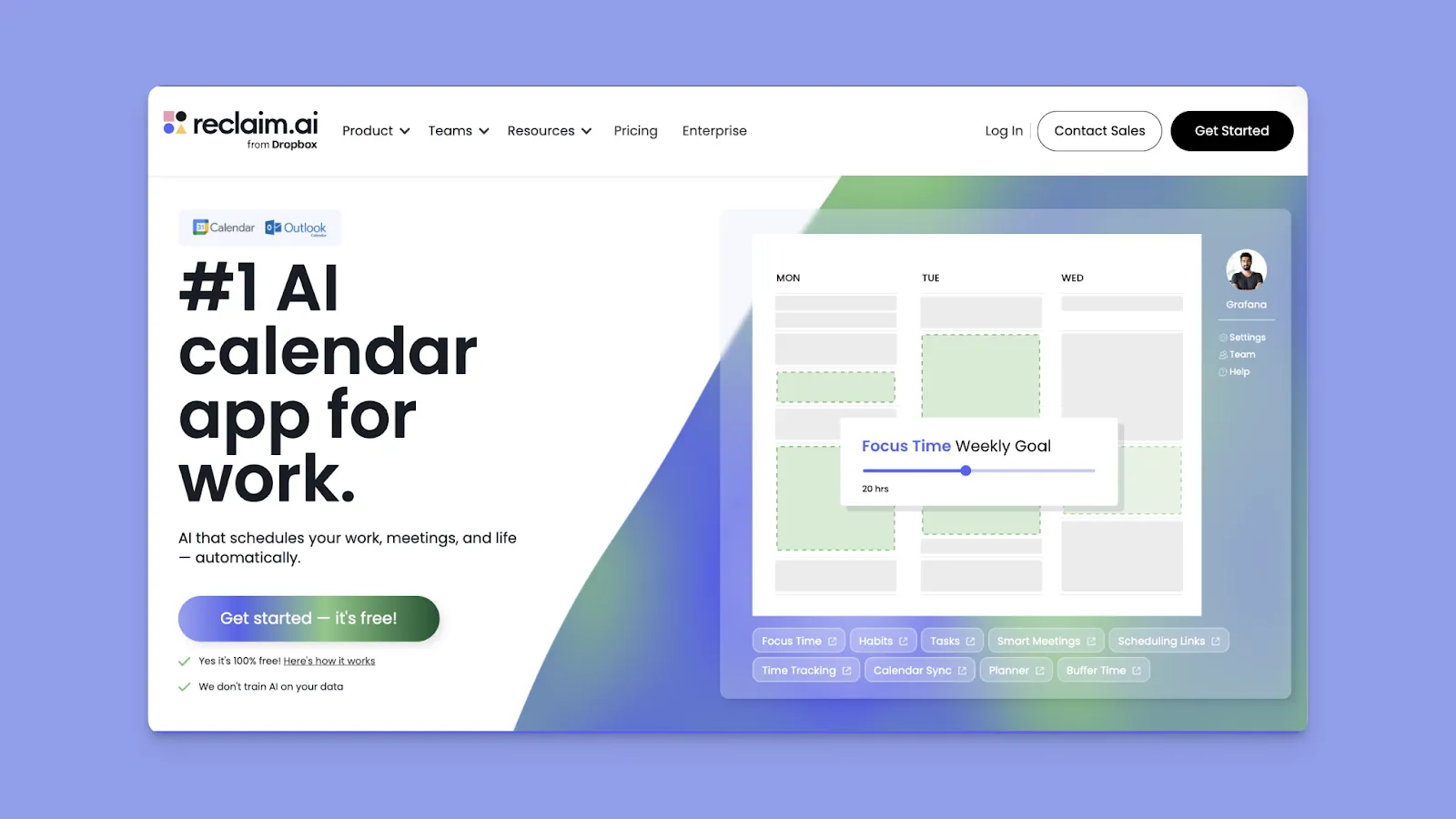
Reclaim AI layers intelligent scheduling on top of your Google Calendar or Outlook to automatically defend time for habits, focus work, tasks, and breaks. The AI finds the best available slots throughout your week and flexibly reschedules them as meetings arrive.
If you want AI to protect your time without controlling every detail of your schedule, here are the best Reclaim AI alternatives.
8. Todoist
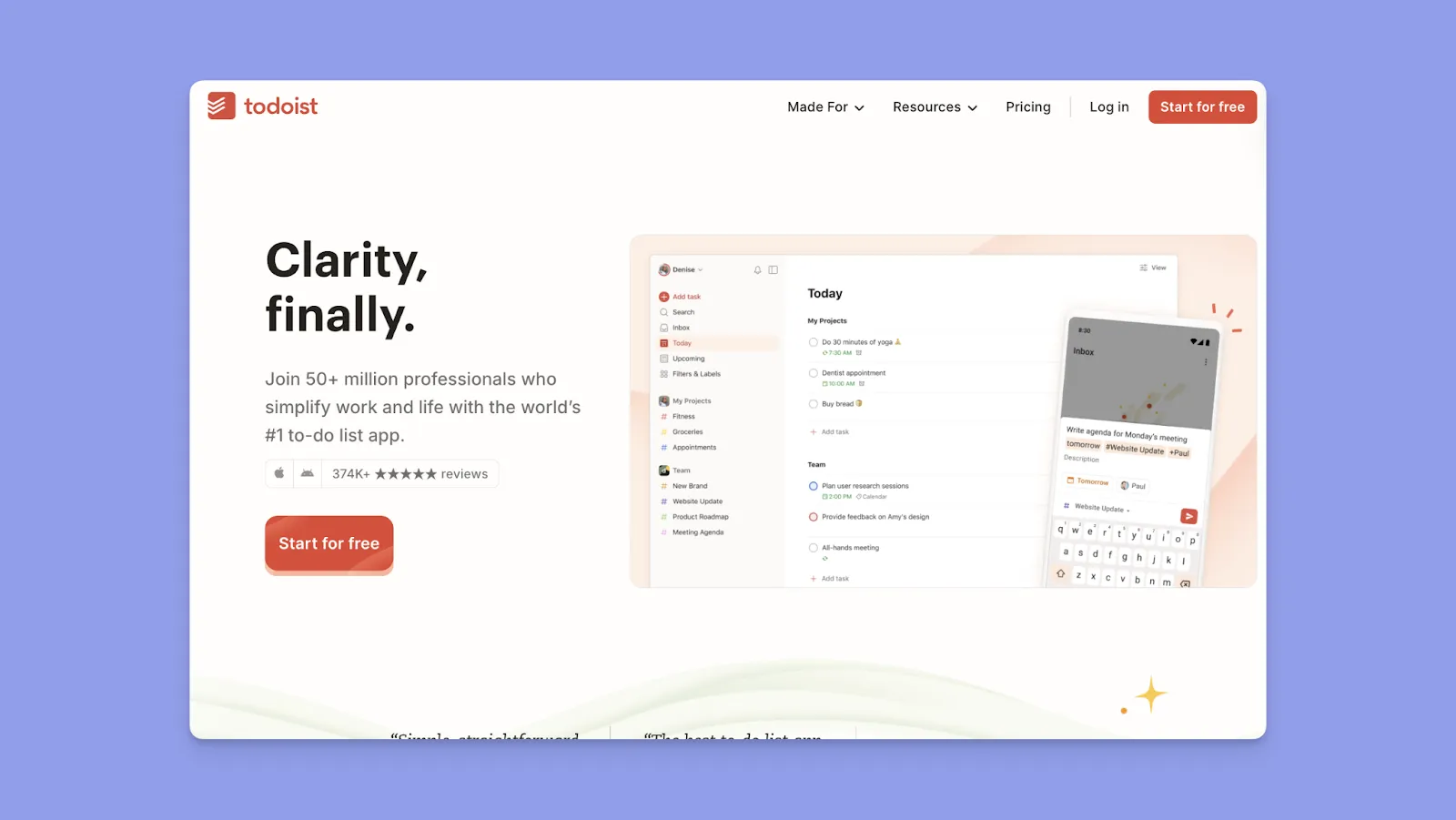
Todoist is a task management software that offers clean lists/projects, natural-language input, and priority levels. On Todoist Pro, you get a calendar view that lets you customize your schedule with adjustable time blocks for tasks.
How to Choose the Right Personal Time Management App
The right tool should get you from “sign up” to a working day plan fast, then keep priorities visible across tasks, calendars, and recurring commitments without adding planning overhead.
Ease of Use
One onboarding benchmark shows 25% of users abandon an app after just one use, often because the value is not obvious immediately.
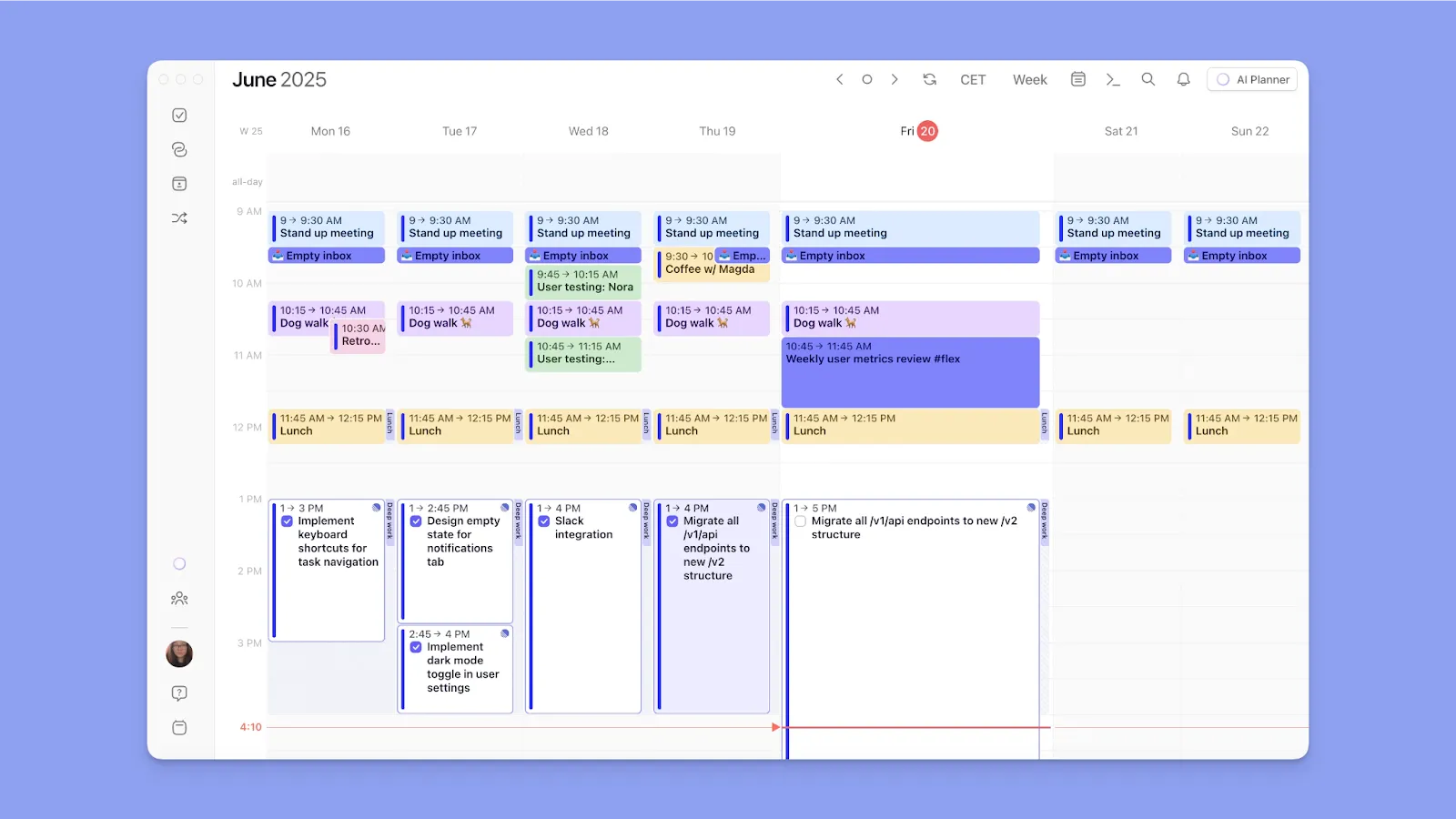
Signing up on Morgen is easy, and once you consolidate tasks and events, you start scheduling them on the calendar view, creating Frames for time blocking apps, and using the AI planner to reschedule and reprioritize tasks.
Tip: Use keyboard shortcuts to view different schedules, such as 'T' to jump to today, arrow keys to navigate days, and spacebar to toggle tasks.
Here’s how to make an ideal daily plan on Morgen after creating your account.
Task Lists and Filters
When managing dozens of tasks from multiple sources, you need powerful filtering to surface exactly what's relevant.
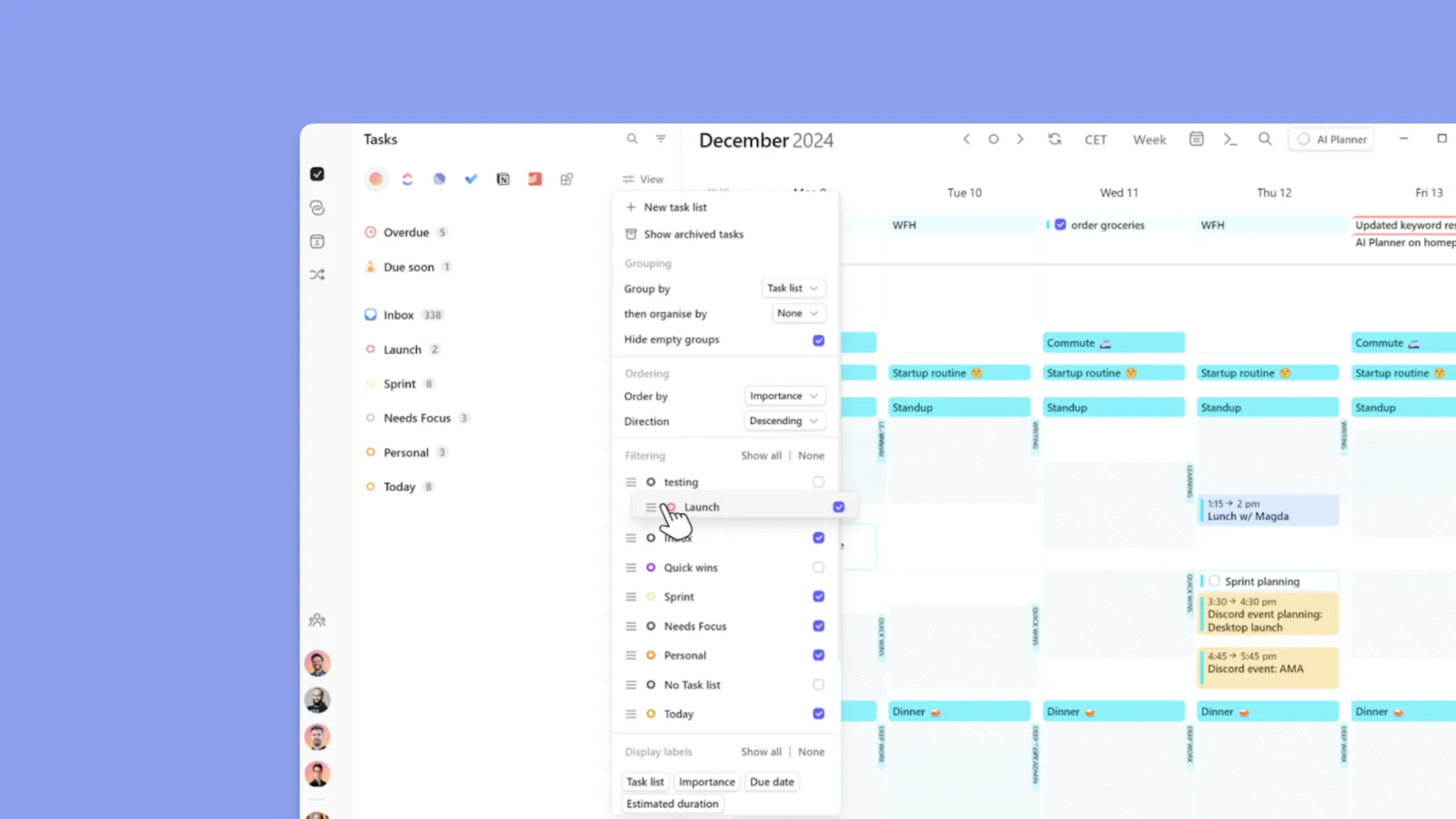
Morgen lets you filter task lists using Morgen Priority Factor, source, list/project, dates, or priority. Create custom tags for energy level or context, then view only matching tasks. Save filtered views to switch instantly between work, personal, or specific projects.
Calendar Integration
Most people juggle multiple calendars, and managing them separately causes double-booking and missed commitments.
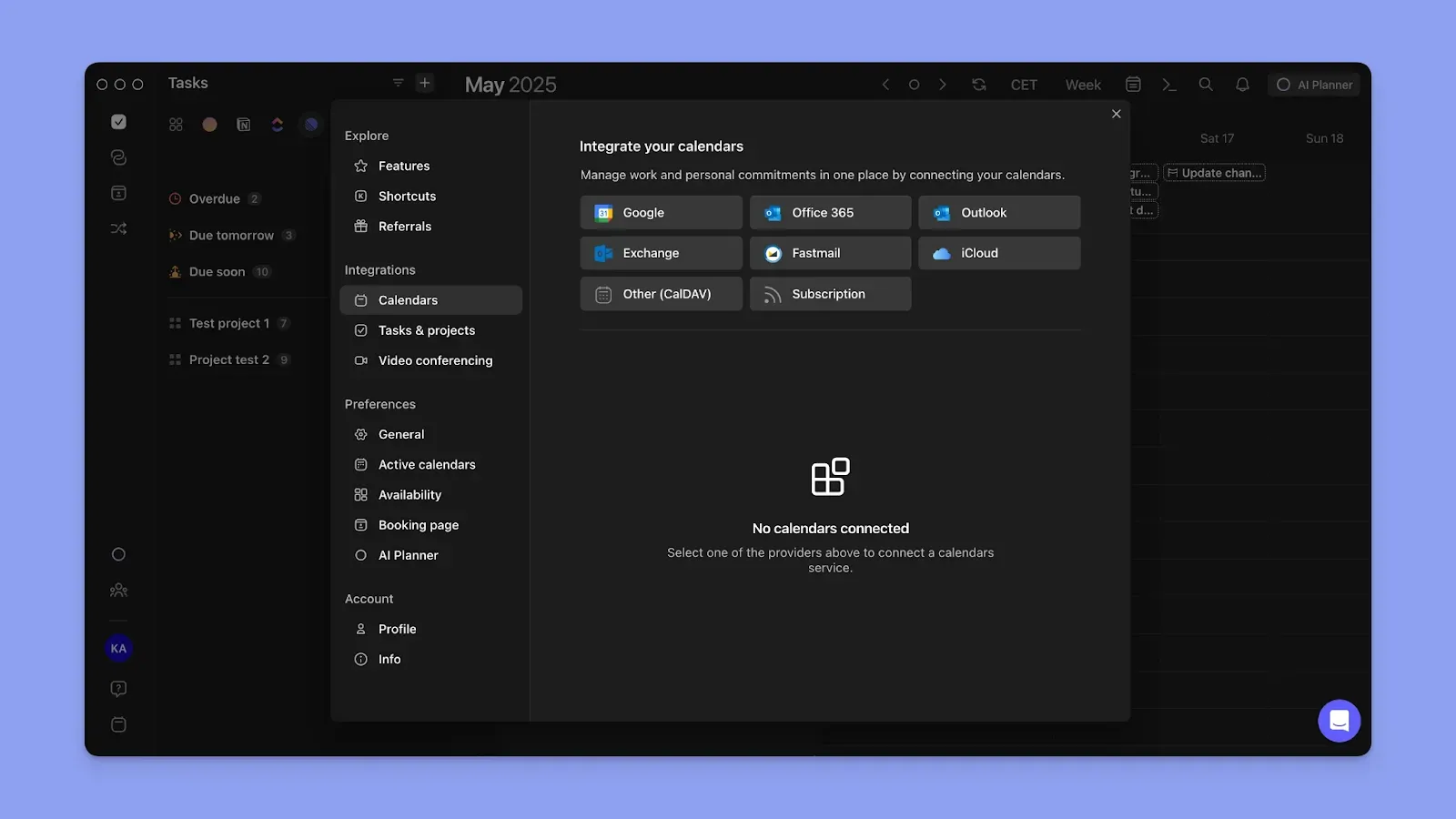
You can add multiple calendars to Morgen, then use Calendar Sets (0-9) to instantly toggle between them. You can also use Calendar propagation to auto-copy events and show availability, preventing double-booking.
Pro tip: Customize your Morgen view with 13 base colors to distinguish between different tasks. The color-coded tasks will still show the color bar of their source calendar.
Want to automate repetitive calendar tasks like adding travel time or buffer blocks between meetings? Learn how to set up calendar automations with Morgen Workflows.
Manage Your Daily Time and Priorities in One Tool with Morgen
Most time management problems come from fragmented systems that make it hard to see how tasks, meetings, routines, and priorities fit into the day.
Morgen puts everything on one canvas so you actually know what your day holds before it slips away. Create Frames for focused work, let the AI Planner suggest realistic schedules, and adjust on the fly when priorities shift.
If you want a clearer, more reliable way to manage your time each day, start your free trial to see the difference.

.svg)
.webp)


