
.svg)
→ Choose Motion if you want tasks scheduled automatically: best for busy professionals and project managers who rely on AI to plan work around real calendar availability
→ Use Todoist if you want a structured system for managing tasks and recurring work: best for individuals and small teams organizing projects, deadlines, and habits in a clean task-first workspace
→ Or, pick Morgen to have an AI scheduling assistant to plan work around calendar events and tasks without switching tools: best for professionals who need AI-assisted scheduling, deep integrations, and time blocking across calendars
→ Recommended setup: Todoist + Morgen: Integrate Todoist and pull your existing tasks into Morgen, then schedule them into available time in your connected calendars
Are you considering Motion or Todoist for daily project and task planning?
You can choose Motion if you want your workload scheduled automatically, or Todoist if you prefer to manage tasks manually.
Here’s how they compare across pricing, projects, task planning, and calendar management, and when to use Morgen to add AI scheduling on top of your existing setup.
Motion vs Todoist: A Quick Comparison
Who Is Motion Best For?
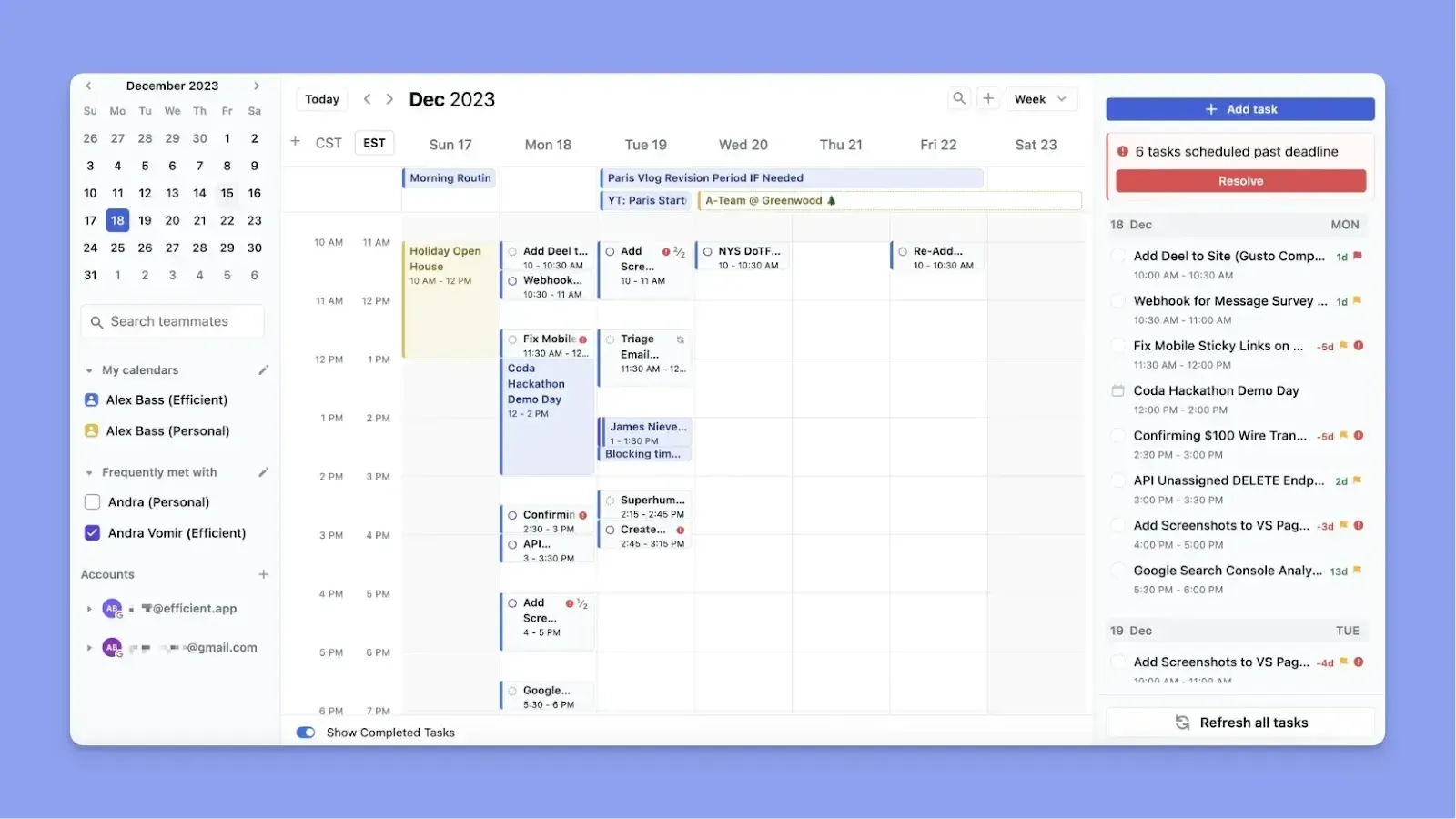
- Busy professionals who want to save time scheduling tasks and can rely on an AI planner to decide when to tackle work
- Project managers leading small teams who need to assign and track work based on the team’s availability
- Users who want structured project tracking with timelines, dependencies, and execution built around their calendar
Who Is Todoist Best For?

- Todoist is good for individuals who want to create and organize task lists quickly using natural language input
- Small teams that need a simple way to share projects, assign tasks, and track progress without complex setup
- Users who prefer manual planning with full control over tasks, priorities, and recurring workflows
If you’d like a similar task manager, here’s how TickTick compares to Todoist.
Morgen: An Alternative for AI-Assisted Planning with Deeper Integrations
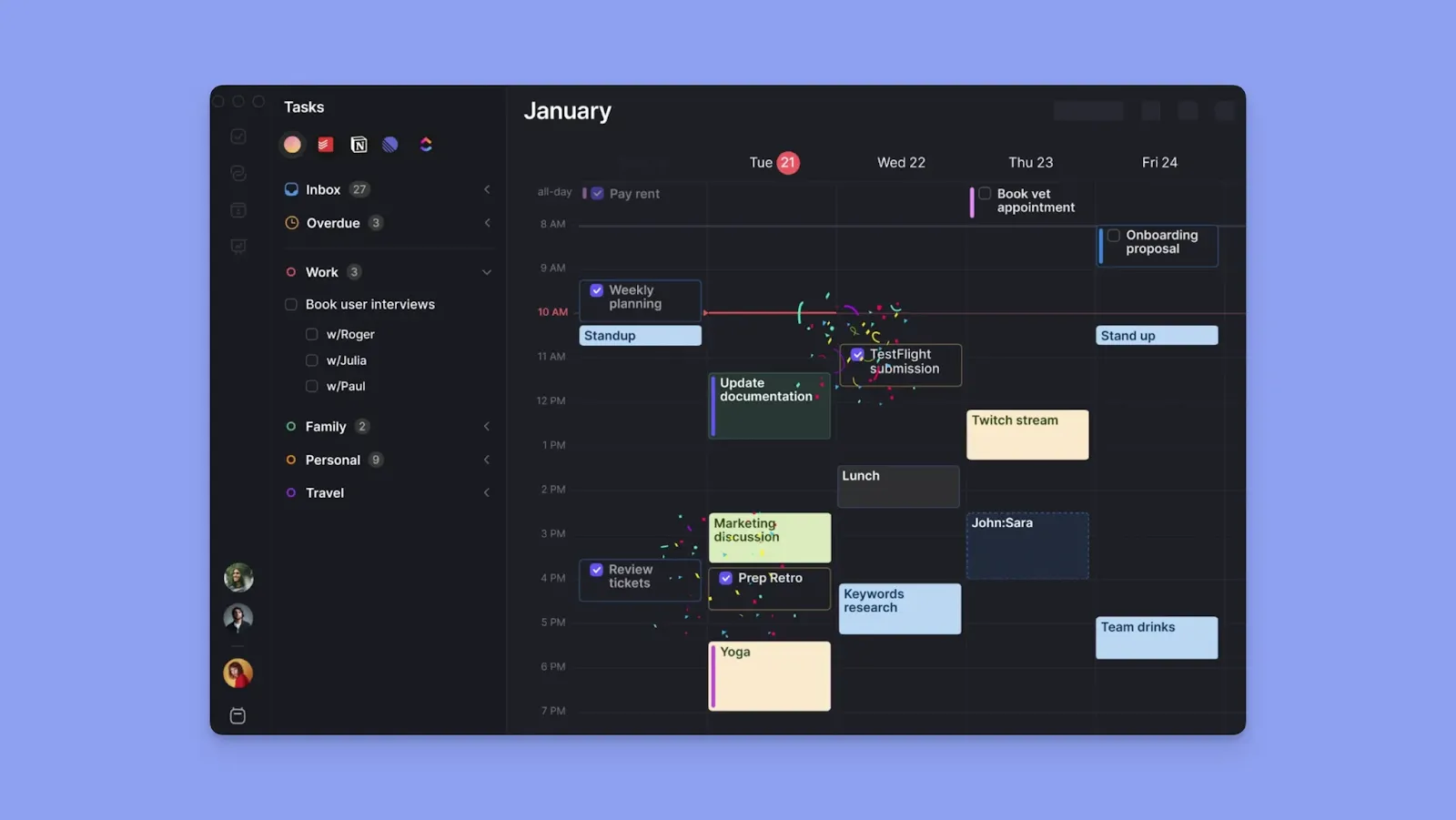
Morgen is an alternative for individuals who need:
- Deep integrations across tools: Integrate Todoist and more task tools to schedule your workflow without switching systems
- Calendar-first visibility: See all events and availability before placing tasks
- Human-in-the-loop AI planning: Get schedule suggestions you can review, adjust, or approve
- Event and routine planning: Create meetings, time blocks, and recurring routines in one interface
Try Morgen free for 14 days and start scheduling your tasks around availability.
Price Comparison
According to Mordor Intelligence, subscription fatigue kicks in within 2-4 years of adopting a new tool. You want to focus on whether Motion or Todoist delivers enough daily value to become indispensable.
Motion

- Motion’s current annual pricing starts at $19/seat/month for Pro AI and $29/seat/month for Business AI, with annual billing saving 33%
- Individuals pay more, with the cheapest subscription starting at $29/month
- Each plan includes a monthly AI credit allocation. When you use most AI features, like note-taking and docs, you deplete credits and may need to top up at an extra cost
- Pricing has increased multiple times recently, leaving many users unsure whether they can afford Motion anymore
Todoist
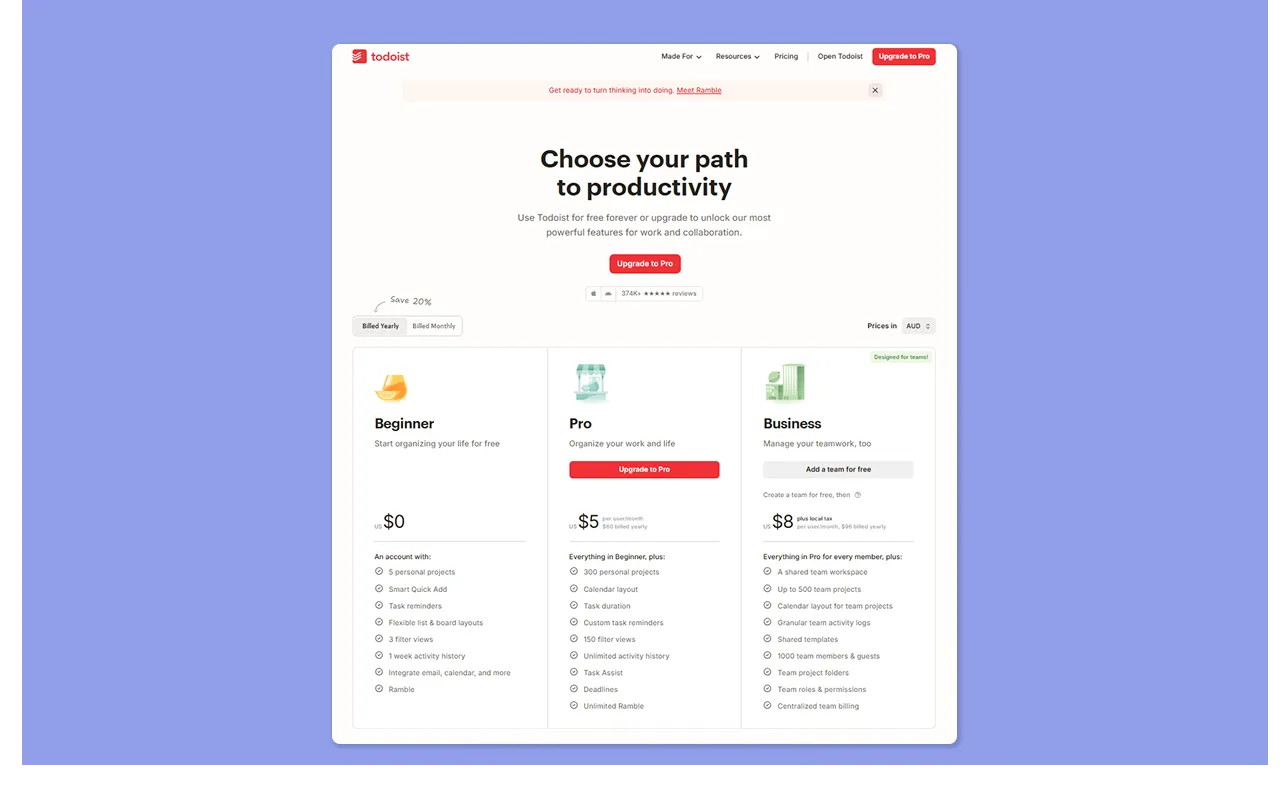
- The free plan is sufficient for some, but most useful features are paywalled, which users say becomes expensive for individuals
- Pro costs $7/month (monthly), and you save 20% with an annual subscription
- While more affordable than Motion, some users still find Todoist less versatile for communication and collaboration at the price
Verdict
Todoist is the affordable choice, but only if you're comfortable planning manually. Motion's cost makes sense if AI scheduling saves you real hours weekly, and your calendar is genuinely complex.
Project Management Comparison
When handling multiple clients or deliverables, grouping tasks into projects helps you keep work organized and avoid missing deadlines.
Motion
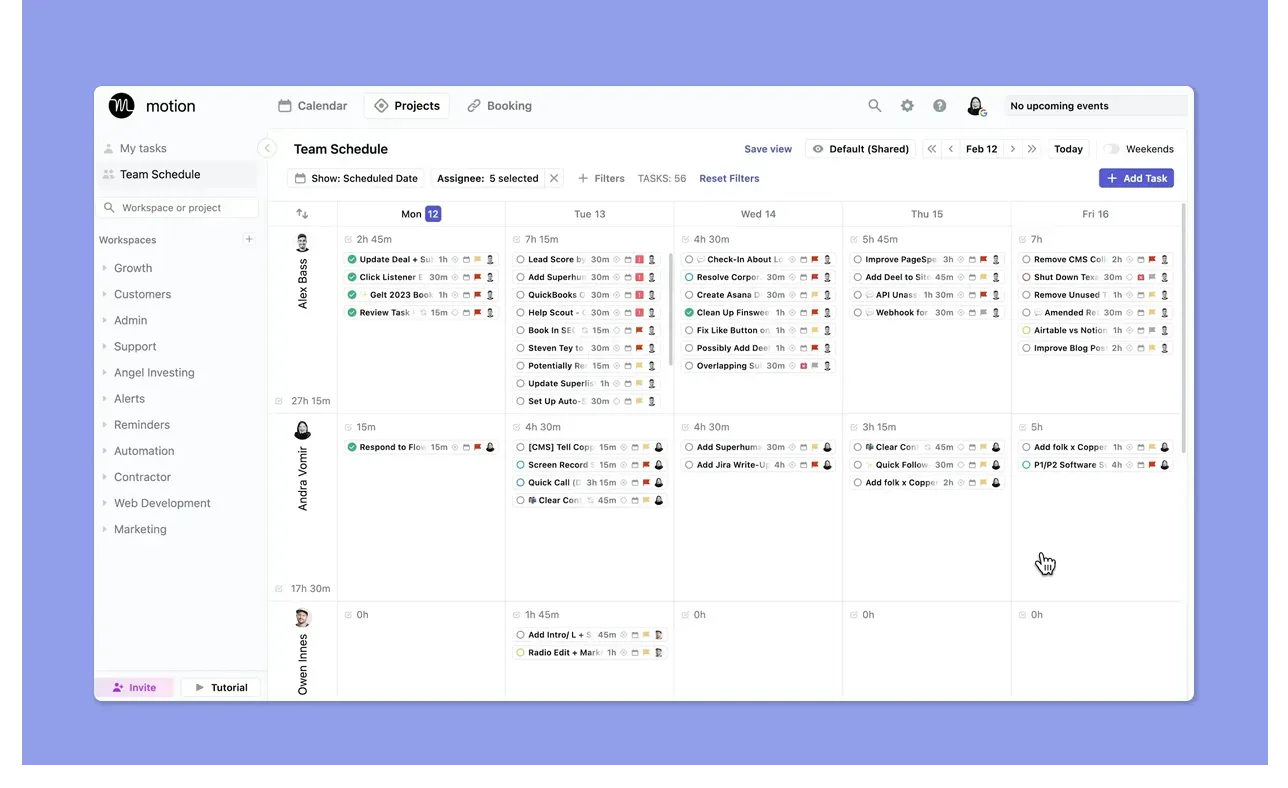
- Motion supports project planning with list, Kanban, and Gantt views, with more filters like workspace, assignee, and status. It also supports dependencies/blockers and reusable workflow templates
- Projects house tasks with deadlines and priorities, and these feed directly into the AI scheduler for automatic placement
- Motion shows each person's calendar availability before you hand off work, so you assign tasks when people actually have capacity
- User sentiment still finds the PM layer itself basic, while others, like Kitty S and Victoria S, love how the AI sorts tasks within projects
Todoist

- Todoist projects support tasks, templates, and due dates, and you can switch between list, board, and calendar views
- Share projects and assign tasks on any plan. Basic collaboration works on free and Pro, but full team workspace features require Business
- While users share that Todoist can manage project checklists and recurring work, Evan L shares that it lacks the dependency logic and collaboration features most teams require
Verdict
Motion offers stronger project management with the AI scheduling layer, timeline views, and availability-aware assignment. Todoist is good for lightweight, manually-managed project organization.
Task Planning Features Comparison
Here’s how fast you can create, schedule, and complete tasks on Motion and Todoist:
Motion
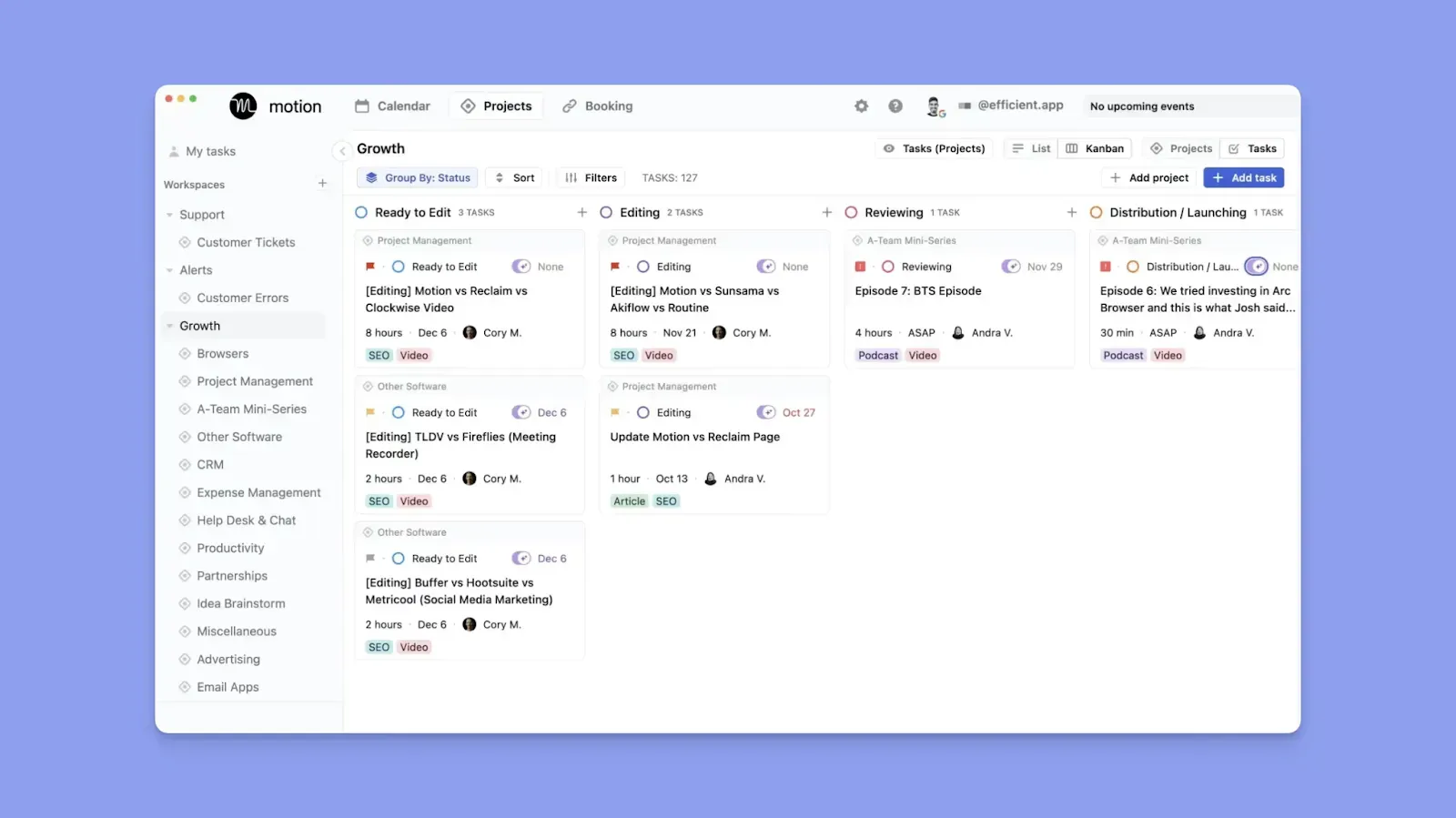
- Create a new task, add dependencies, deadlines, priorities, statuses, and subtasks. Motion uses this context to schedule tasks in the right sequence
- If you add a meeting, Motion finds new slots for any conflicting tasks automatically
- There’s no quick-capture shortcut, and users complain about clicking many buttons before scheduling a task
- Others say Motion’s automatic scheduling keeps them organized and prevents fatigue for ADHD brains
Todoist

- Todoist tasks can have subtasks, reminders, deadlines, recurring dates, filters, and labels, but you manually schedule everything
- The Quick Add and natural language parsing let you capture faster, and Ramble is available for dictated task capture
- While you won’t get task dependencies, paid plans add location reminders, richer calendar use, and flexible recurring planning
- Some report a learning curve before you understand priorities, labels, and tags, but Rami A says that Todoist is intuitive, with powerful task management features
Verdict
Pick Todoist if fast capture, recurring logic, and manual control matter most. Motion fits if you want to sequence tasks against time, deadlines, and changing calendar commitments.
Calendar Support Comparison
Motion treats the calendar as the operating system for your work. Todoist treats it as one way to visualize dated tasks. That difference decides this section quickly.
Motion
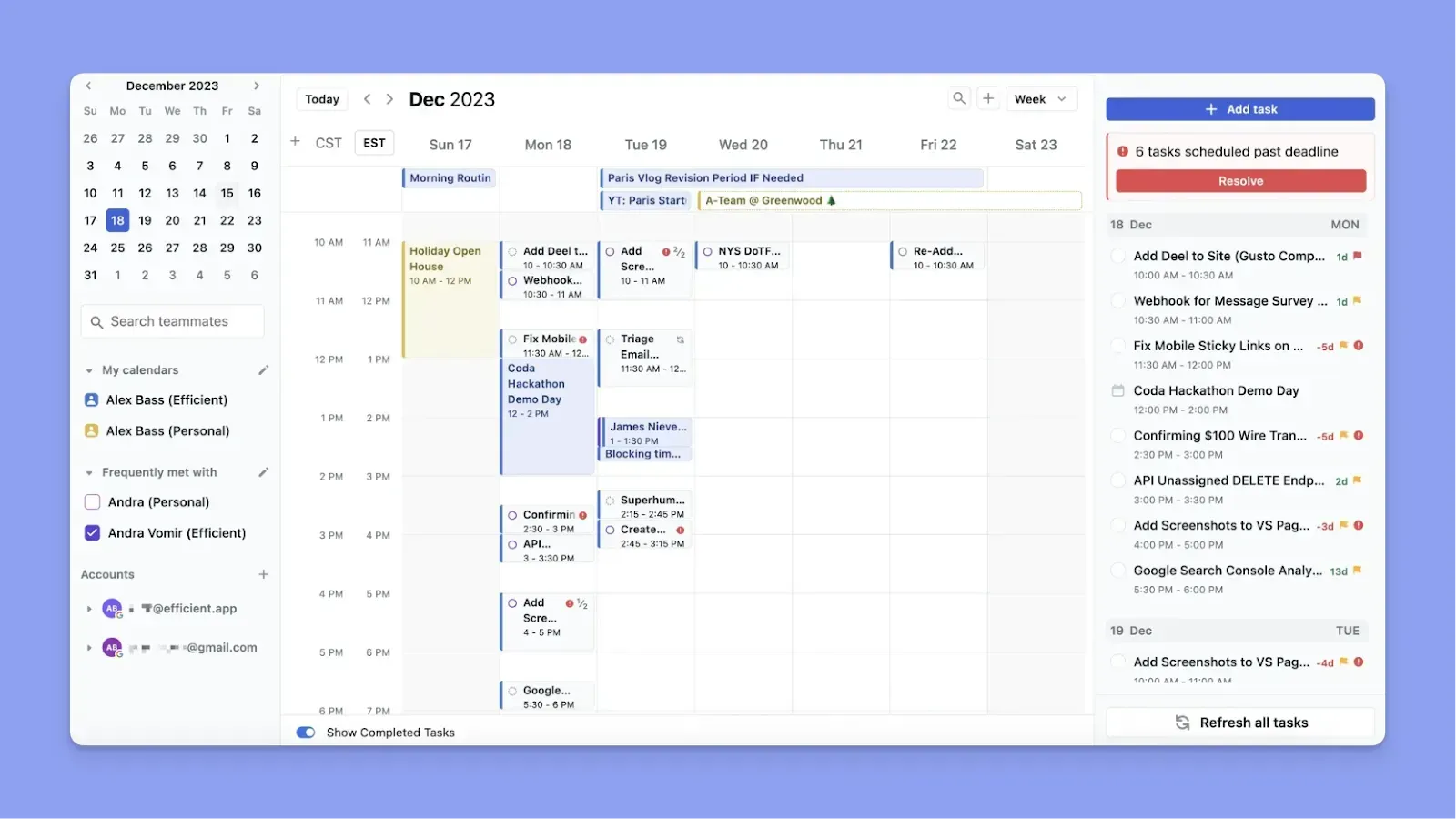
- Motion reads your events, finds open slots, and fills them with tasks based on priority, duration, and deadline automatically
- You can sync Google Calendar, Outlook, and iCloud to surface all calendar commitments into Motion. If you add a meeting or move an event, Motion updates your task plan instantly
- This Capterra reviewer says Motion helps them manage calendars and client meetings, while Scott S says syncing work calendars is seamless
- If you pin a task block to a particular date and time, or manually schedule a task, Motion does not reschedule those blocks even if you add meetings
You can see a deeper breakdown of how this works in our Motion vs Google Calendar comparison.
Todoist
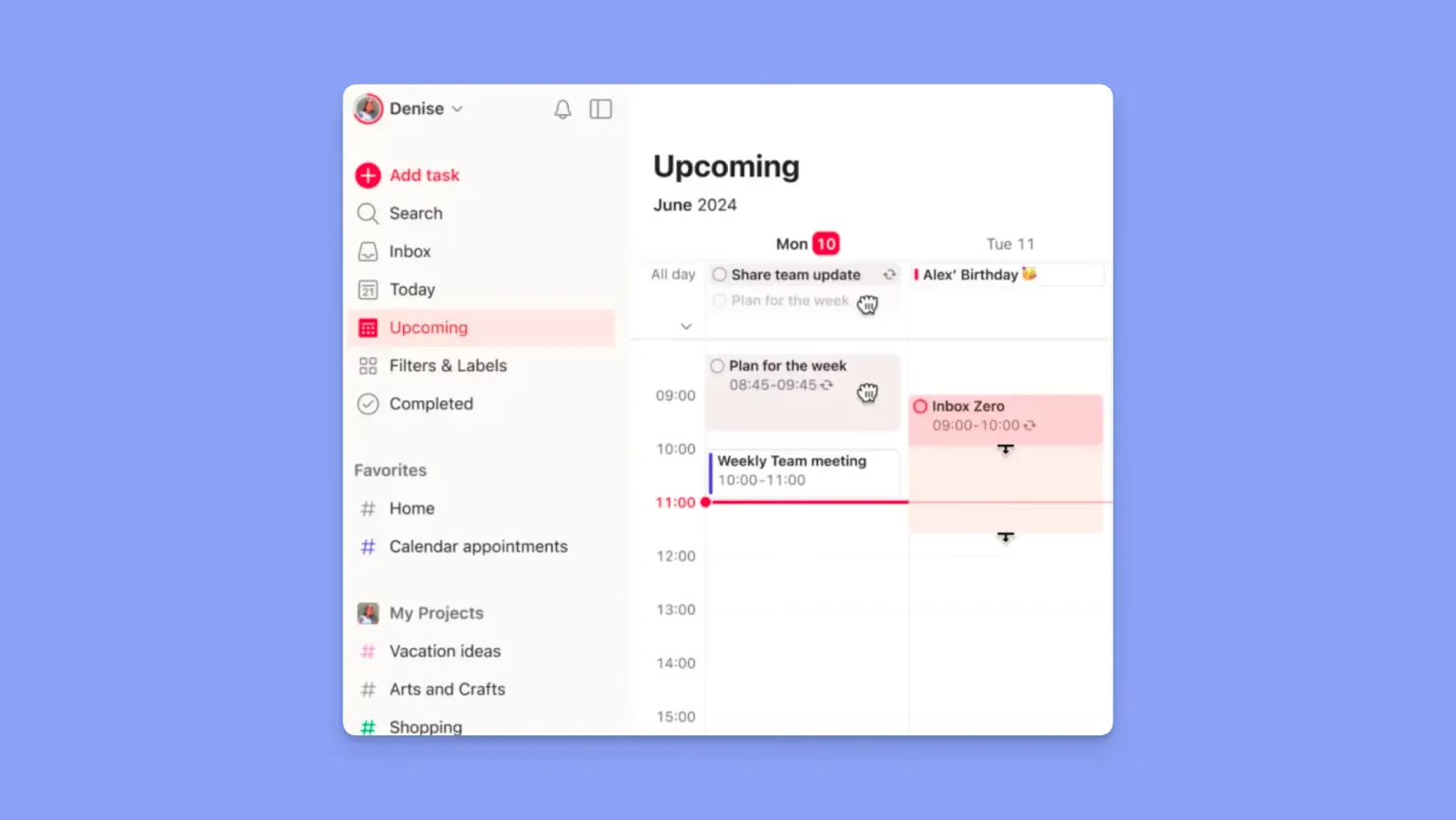
- The calendar view shows tasks plotted by date inside Todoist, useful for deadline visibility, but not a true time-blocking surface
- You get one-way sync with Google Calendar and Outlook, so Todoist publishes tasks as events in your external calendar
- Switch projects and views into calendar mode, work with durations, and use the Plan sidebar in Today and Upcoming for manual adjustment
- Besides the view being paywalled, users also find paywalling reminders limiting for calendar planning. Others complain about Google Calendar sync issues
Verdict
Choose Motion if you want your calendar to drive what gets done, and Todoist if you mostly need a visual timeline of tasks you’ve already planned.
How to Choose the Best Task Management App
When choosing a daily task management tool, like Motion or Todoist, consider:
Depth of Integrations
Motion connects calendars but replaces your task system, so you rebuild your workflow inside it. Todoist integrates more tools, but only syncs with one calendar at a time.

If you use different tools, you need deeper integrations to consolidate planning. Morgen offers more native calendar and tool integrations than Todoist and Motion.
Automation
Todoist leaves scheduling entirely manual, while Motion fully automates your plan, including decisions you may want to control.
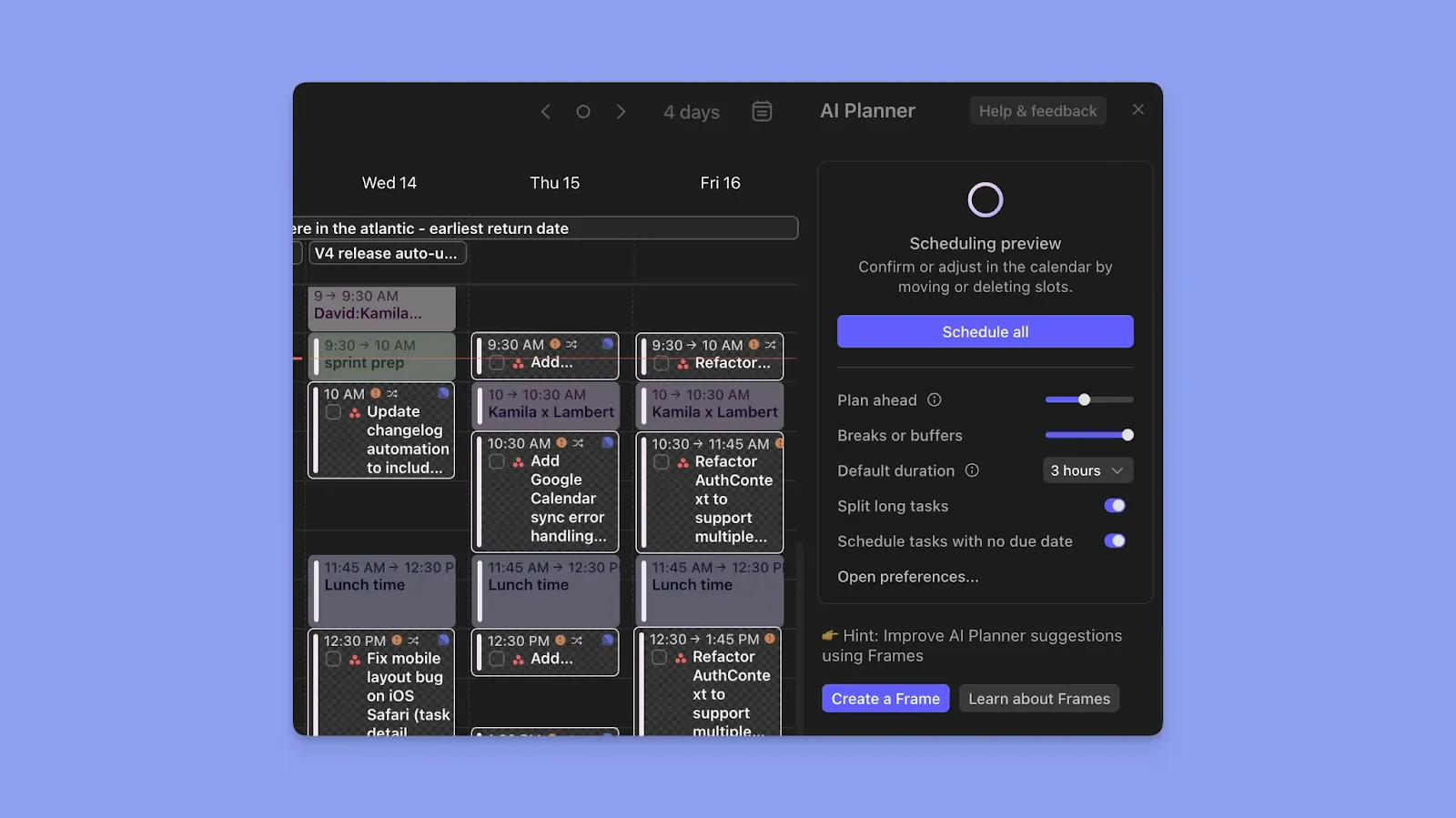
If you want to plan faster but also without fully surrendering control, look for a tool that offers human-in-the-loop AI planning. Morgen’s AI Planner proposes a realistic schedule you can review, adjust, or confirm before anything is finalized.
Ease of Use
Motion requires upfront configuration before the AI plans accurately. Todoist is simpler to start using, but it also takes time to structure projects and workflows well.

For individual planning, Morgen reduces setup by showing your availability first, then suggesting where tasks fit based on time, priority, and workload. Essentially, you spend less time configuring and more time planning.
Read how to get started with Morgen V4 now.
Alternative To Motion and Todoist: Morgen
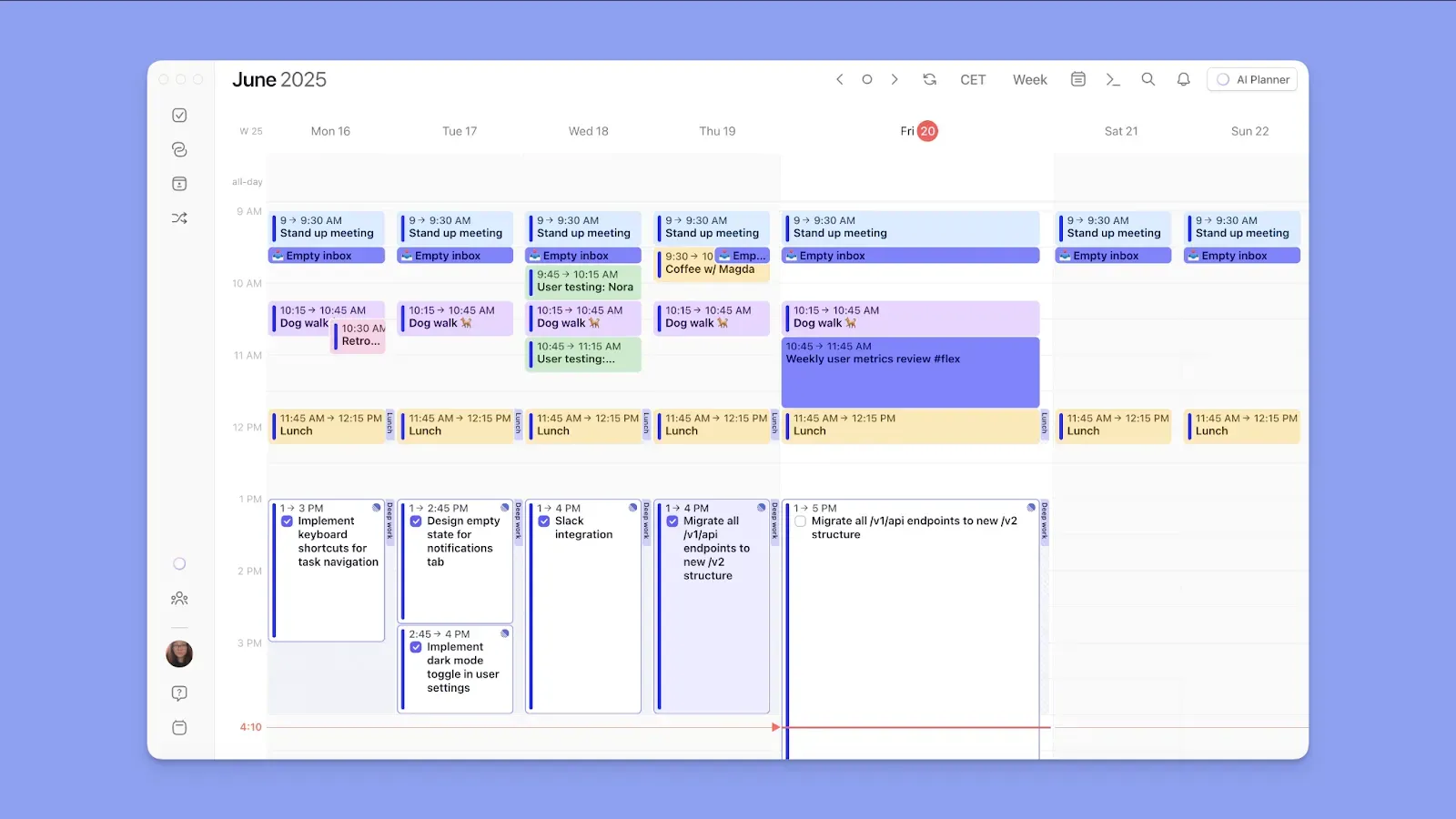
Morgen is an aesthetic calendar planner that consolidates your calendars and task tools into one view.
Unlike Motion, it keeps you in control of every scheduling decision. Compared to Todoist, it shows your tasks directly on your calendar so you can plan around real availability.
Morgen Key Features
Here are Morgen’s standout features:
Calendar and Task Consolidation

Sync your calendars from Google, Outlook, iCloud, and Fastmail, alongside tasks from Todoist, Notion, Linear, ClickUp, Obsidian, Google Tasks, Outlook email, Apple Reminders, and Microsoft To Do.
Frames and Time Blocking
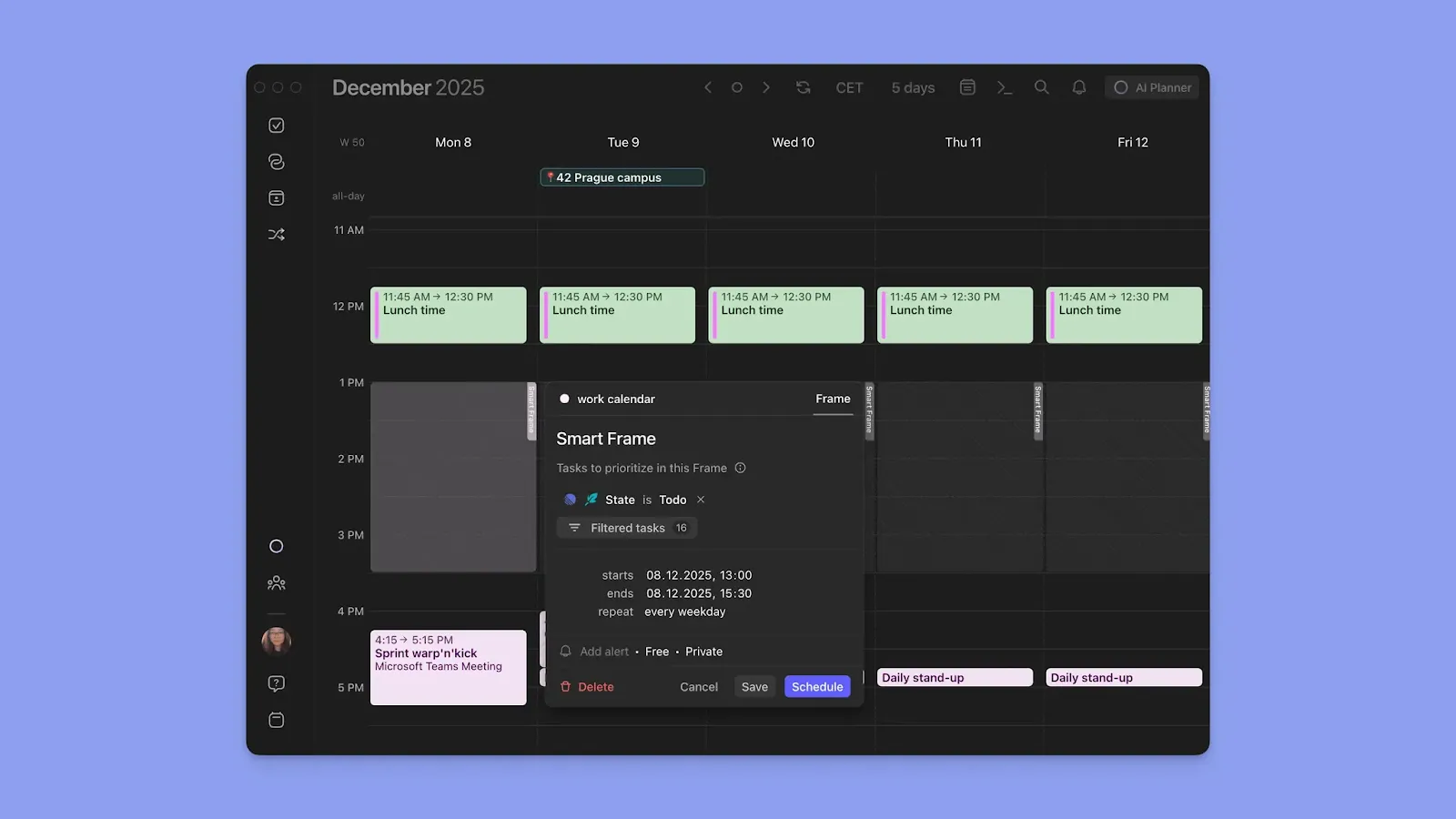
Frames are recurring time blocks dedicated to a specific type of work, such as deep work, admin, or side projects. Add task filters to each Frame and pull the right tasks into each block.
Morgen also creates focused time blocks for each task. When you drag and drop to schedule a task, that block is added to your calendar as busy time.
AI Planner
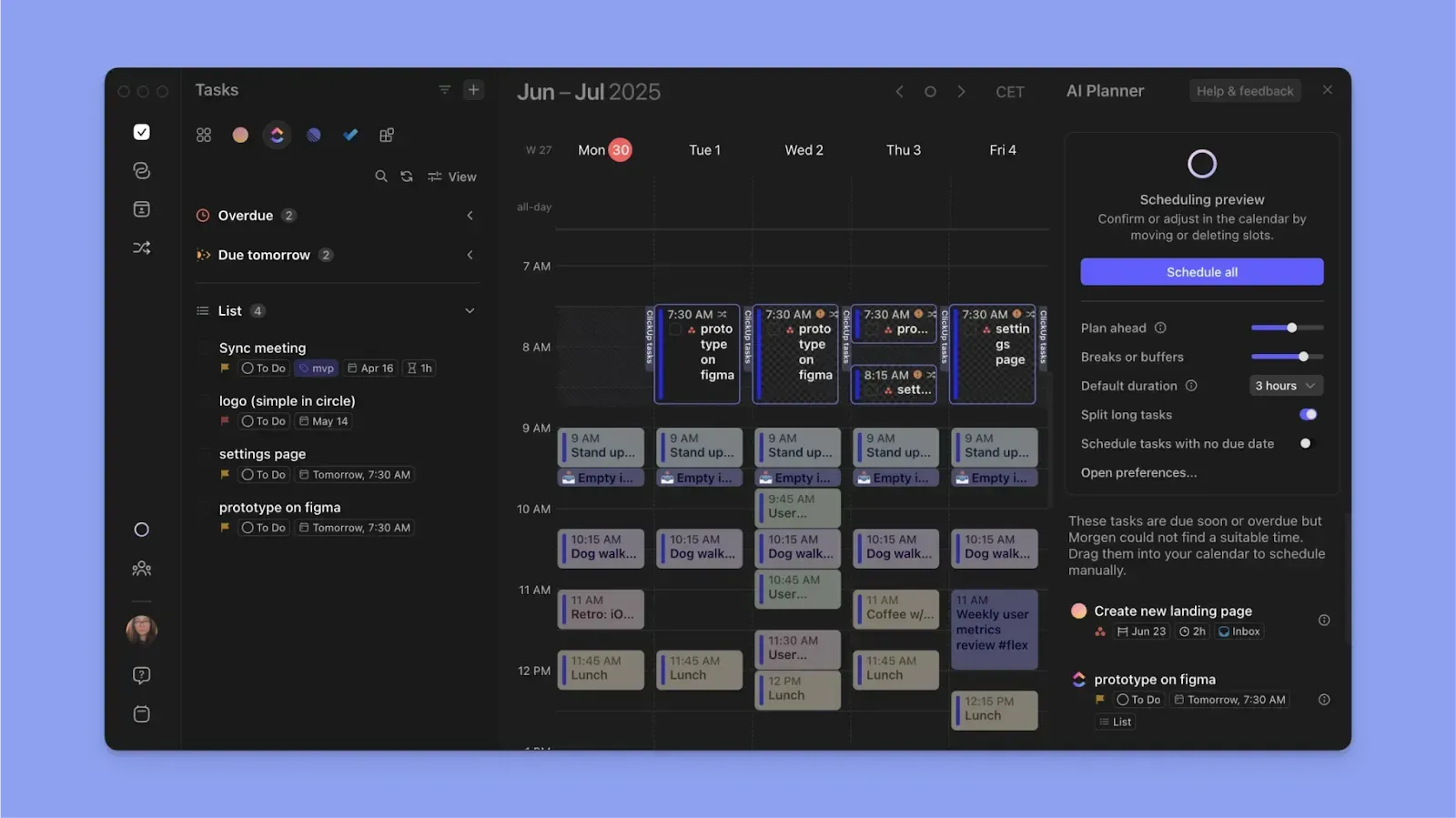
The AI Planner reads your calendar availability, task priorities, and durations, then proposes a realistic daily schedule. You review and confirm each suggestion before it lands on your calendar.
Calendar Events

You can create events, meetings, and recurring routines directly inside Morgen and alongside your tasks. Auto-schedule buffer and travel time to keep conflicts out of your day before they happen.
Morgen Pricing
You’ll get a 15% discount on your first year after switching to Morgen from Motion, Sunsama, Akiflow, etc.
Where Morgen Shines
- Todoist integration: Morgen carries forward task properties like labels and priorities
- Calendar-based planning: Sync multiple calendars, plan tasks around your real events, and propagate changes across every connected calendar
- Flexible task scheduling: When scheduling tasks, add subtasks, and schedule complex tasks across multiple sessions
- Easy capture: Create an event, routine, or task directly from the interface, or use the voice feature or Command Bar for faster input
- Color coding: Color-code calendars, task blocks, and task tags to read your workload at a glance
- Shortcuts for fast planning: Use Calendar Sets to show specific calendars, keyboard shortcuts to switch views instantly, and set custom calendar notifications to avoid switching contexts during focus sessions
Where Morgen Falls Short
- No native project planning: Morgen doesn't offer boards to organize and track tasks by project stage
Customer Reviews
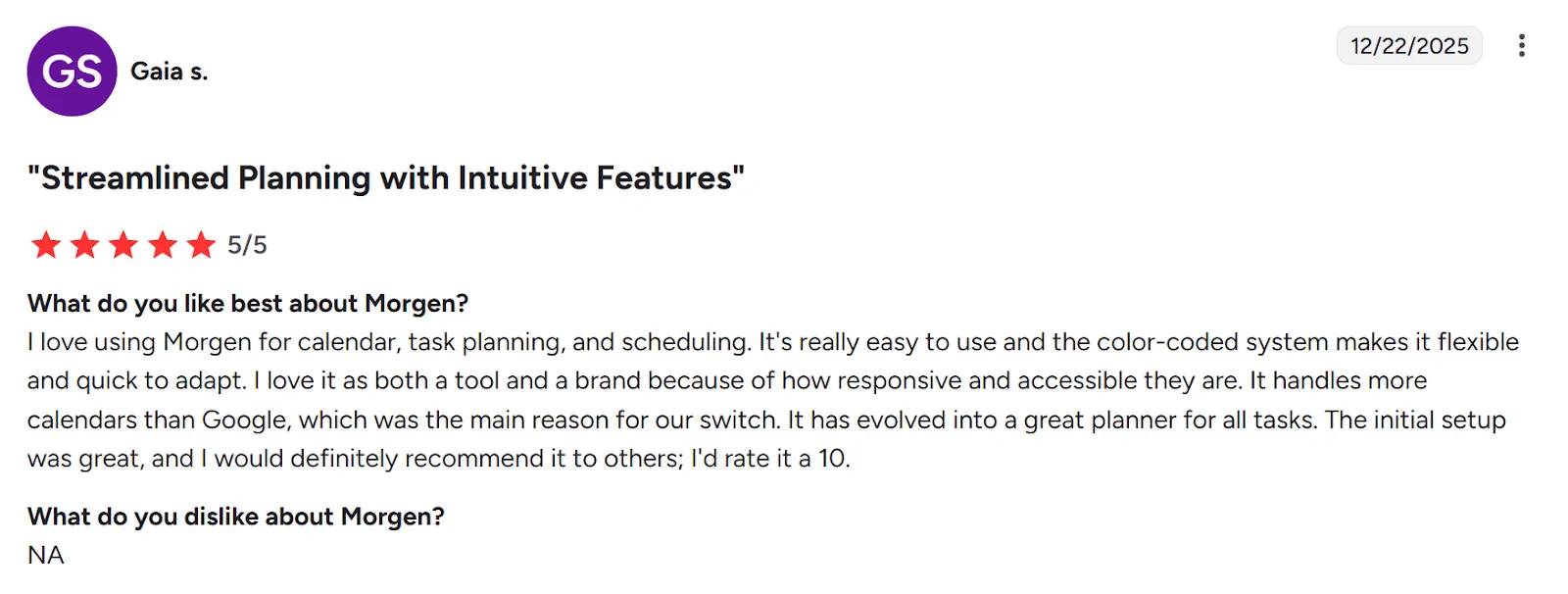
“I love using Morgen for calendar, task planning, and scheduling,” shares Gaia S.
Jim H calls Morgen, “A well-designed central view for my calendars and tasks.”

Who Morgen Is Best For
- Individuals, freelancers, and solopreneurs: people who want to see events and tasks in one place and plan their day with AI suggestions
- ADHD professionals: people who need structured time blocks, visual clarity, and a planner that removes scheduling decisions
Want to see how Morgen works before committing? Try our free tools, including the Easy Tasks Chrome extension and Schedule Builder.
Motion vs Todoist vs Morgen: Which One Should You Choose?
Motion is a strong fit for automatic task scheduling, while Todoist works best for organizing your task list or as a modular tool inside a separate calendar planner.
As an alternative, Morgen consolidates your tools, plans around availability, and gives you control over AI suggestions.
See how the AI Planner works, then download Morgen for Linux, Windows, Mac, and mobile to start planning.

.svg)
.webp)


