
.svg)
→ Morgen: For freelancers, solopreneurs, and marketers who need AI planning assistance with manual approval, deep task integrations, and control over scheduling decisions
→ Motion: For teams and busy professionals managing complex projects who want fully automated scheduling that handles all rescheduling and task placement
→ Reclaim: For Google and Microsoft heavy users who want automatic focus time protection and habit scheduling that continuously adjusts around meetings
→ Clockwise: For teams needing coordinated calendar optimization that automatically moves flexible meetings to create protected focus blocks across multiple schedules
→ SkedPal: For professionals with consistent routines who want algorithm-driven scheduling that respects strict time boundaries and energy-based work windows
Founders, CEOs, CTOs, and other busy professionals have fragmented schedules filled with meetings, deadlines, travel, and constant changes. So, they hire virtual assistants to coordinate calendars, bookings, and availability. But at an average rate of $26.63/hour, it’s a bit costly if your primary need is calendar management.
As a solopreneur or freelancer, you can use a calendar management virtual assistant platform to visualize and help plan your day. We’ll review the best calendar management tools, like Morgen, that offer 24/7 scheduling assistance and explore their features, costs, and user sentiment.
| Tool | Best for | Standout feature | Starting price | G2 rating | Capterra rating |
|---|---|---|---|---|---|
| Morgen | Individuals who need calendars, meetings, routines, and tasks in one planning plane | AI planning with user control, deep task integrations, and full calendar consolidation | Free trial, $15/month | 4.8/5 | 5.0/5 |
| Motion | Busy professionals and small teams who want project management and calendar planning handled automatically | Full AI autoscheduling with aggressive automation across tasks, deadlines, and meetings | Free trial, $29/month | 4.1/5 | 4.3/5 |
| Reclaim | Google Calendar and Outlook users who want habits, focus time, and automatic time protection | Rule-based autopilot that continuously reschedules tasks and habits around meetings | Free Lite plan, $10/seat/month | 4.8/5 | 4.9/5 |
| Clockwise | Teams that need better meeting distribution and protected focus time | AI-driven meeting optimization that automatically reshuffles calendars to create focus blocks | Free plan, $6.75/user/month | 4.7/5 | 4.7/5 |
| SkedPal | Individuals who want constraint-based scheduling driven by priorities and availability | Time Maps that automatically schedule tasks only within preferred work windows | Free trial, $9.95/month (annual) | 5.0/5 | 4.6/5 |
1. Morgen: Best Calendar Management Virtual Assistant Platform
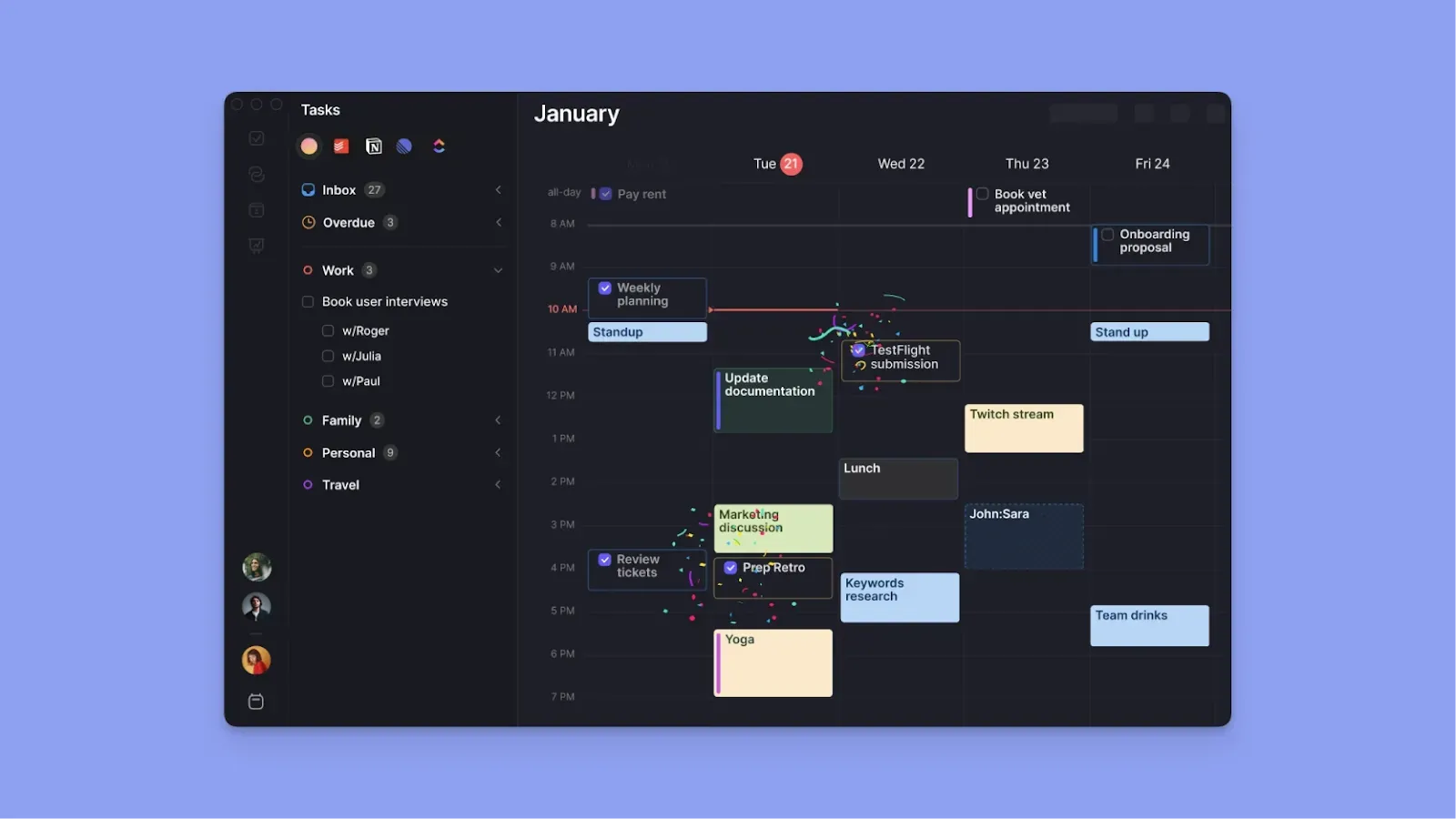
Morgen consolidates events and tasks from different calendars and task tools into a single view. It handles meeting coordination, suggests optimal times for tasks based on availability, and manages calendar conflicts. Check how you can connect your Apple Reminders with Google Calendar via Morgen.
Key Features
Morgen supports daily calendar management with best-in-class features like:
AI Planner and Frames
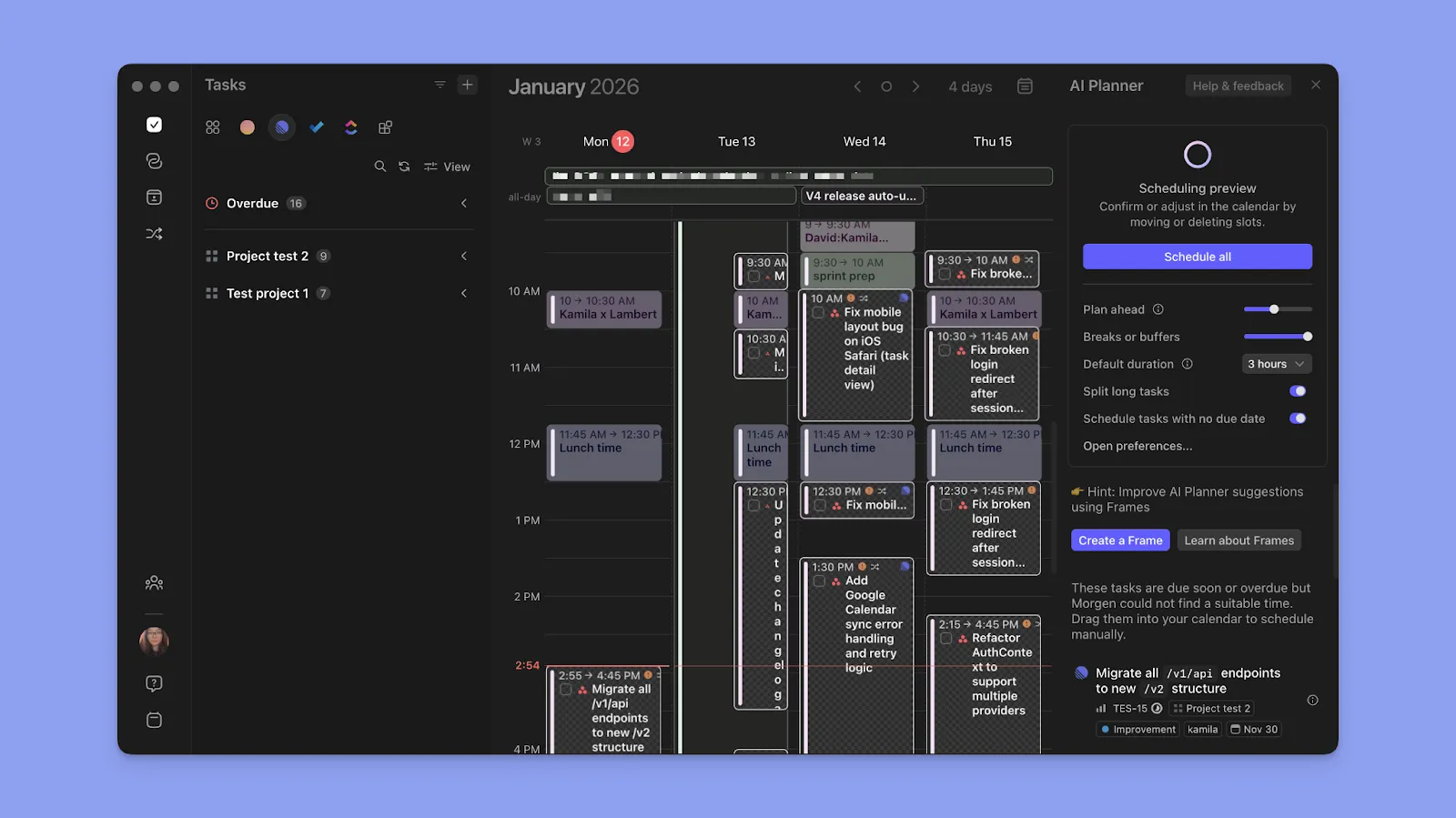
Morgen’s AI Planner suggests where to place daily tasks around calendar events, which also works for ADHD brains struggling with planning or decision paralysis. It also lets you create Frames and use the online digital planner to suggest which individual tasks fit each block.
Besides Frames, you can create tasks and recurring tasks (with recurring subtasks), and set them as ‘Flexible’ or ‘Not Flexible’ to help the AI planner choose the tasks to reschedule when conflicts arise.
Pro tip: You can also create Routines for lunch breaks, gym time, or school pickup. The AI Planner respects these blocks and won't suggest moving them when work conflicts arise. .
Multi-Calendar Consolidation

Morgen syncs calendars from Google, Outlook, Apple, and Fastmail into the unified view. You can connect multiple accounts from each provider and toggle calendar visibility using Calendar Sets. This is particularly useful for those caught in the Fantastical vs. Google Calendar debate, as Morgen allows you to bridge the gap between these two popular ecosystems seamlessly.
The calendar view is also color-coded to match the source calendar, and you can customize each task or routine block with one of 13 base colors. In essence, each block will adopt the Morgen block color you choose, and also have a calendar color bar to help you identify the source calendar.
Pro tip: Set custom notification preferences for each connected calendar to prepare appropriately for different event types.
Task Integration from Multiple Sources

Morgen pulls tasks directly from Notion, Linear, ClickUp, Todoist, Obsidian, Microsoft To-Do, and Google Tasks into one sidebar. You can drag them from the sidebar onto time blocks to schedule work sessions. If you don’t complete some tasks, Morgen also reappears them so you can schedule them afresh.
If you’re debating which of these tools to use as your primary hub, our breakdown of Motion vs ClickUp explores how they handle task management differently.
Pro tip: Sort, group, or filter tasks with tags. Use parameters such as project, work, energy level, area of life, or other context. Tags work universally regardless of the source tool, and you can also apply them to Frames for the AI Planner to automatically suggest relevant tasks during planning sessions.
Booking Pages and Scheduling Links

A calendar management VA lets you schedule meetings without too much friction, which is why Morgen integrates with video conferencing tools like Teams, Google Meet, Webex, and Zoom.
Create booking pages and add scheduling links so people can schedule meetings without going back and forth by email. The system checks your connected calendars for conflicts and lets you add buffer time before or after meetings.
Note: You can also view teammates' availabilities on Morgen to eliminate the "when works for everyone?" email chain, create multi-person scheduling links, or send open invites to members.
Morgen Assist (Automated Workflows)

Morgen Assist workflows automatically handle repetitive calendar tasks, such as travel time, buffer time, and calendar Propagation. When you set up these automations, they’ll run continuously to eliminate manual calendar maintenance.
Pricing
Students and non-profit organizations get a 25% discount for life when signing up with an institutional email. Plus, individuals switching from Motion, Fantastical, Sunsama, or Reclaim.AI get 15% off their first year with Morgen.
| Plan | Annual billing | Monthly billing |
|---|---|---|
| Individual | $15 per month | $30 per month |
| Teams | $10 per seat per month | $25 per seat per month |
Note: All subscriptions include a 14-day free trial and a 30-day money-back guarantee after you pay.
Where Morgen Shines
- AI recommendations you control: Morgen's AI Planner suggests optimal task placements around calendar events and routines, and waits for your approval, allowing faster planning with more control
- Eliminates calendar and task fragmentation: Pulling calendar events, tasks, and routines into one unified view means you never lose track of commitments across different platforms
- Full-featured Linux support: Morgen offers native Linux support, giving developers and technical professionals a complete digital calendar planner solution on their preferred operating system
Where Morgen Falls Short
- Not a comprehensive project management tool: Morgen is best for individual productivity and personal time management, but not team-wide workload management
Customer Reviews
“Morgen makes calendar planning incredibly easy and intuitive,” says Kalyn B.

“I am relying every day on this excellent piece of software,” shares Sorin Sfirlogea.

Who Morgen Is Best For
- Solo professionals: Individuals who manage large calendars and workloads across different responsibilities and need structure without manual calendar coordination
- ADHD brains: People who need to eliminate context switching, reduce decision paralysis, and experience less overwhelm when planning busy schedules
- New users to time-blocking: Professionals adopting calendar management tools for the first time, and want an intuitive interface without overwhelming automation or steep learning curves
Download Morgen for Mac, Linux, Windows, Android, or iOS to consolidate your calendars and tasks into a single AI-assisted planning workspace.
2. Motion
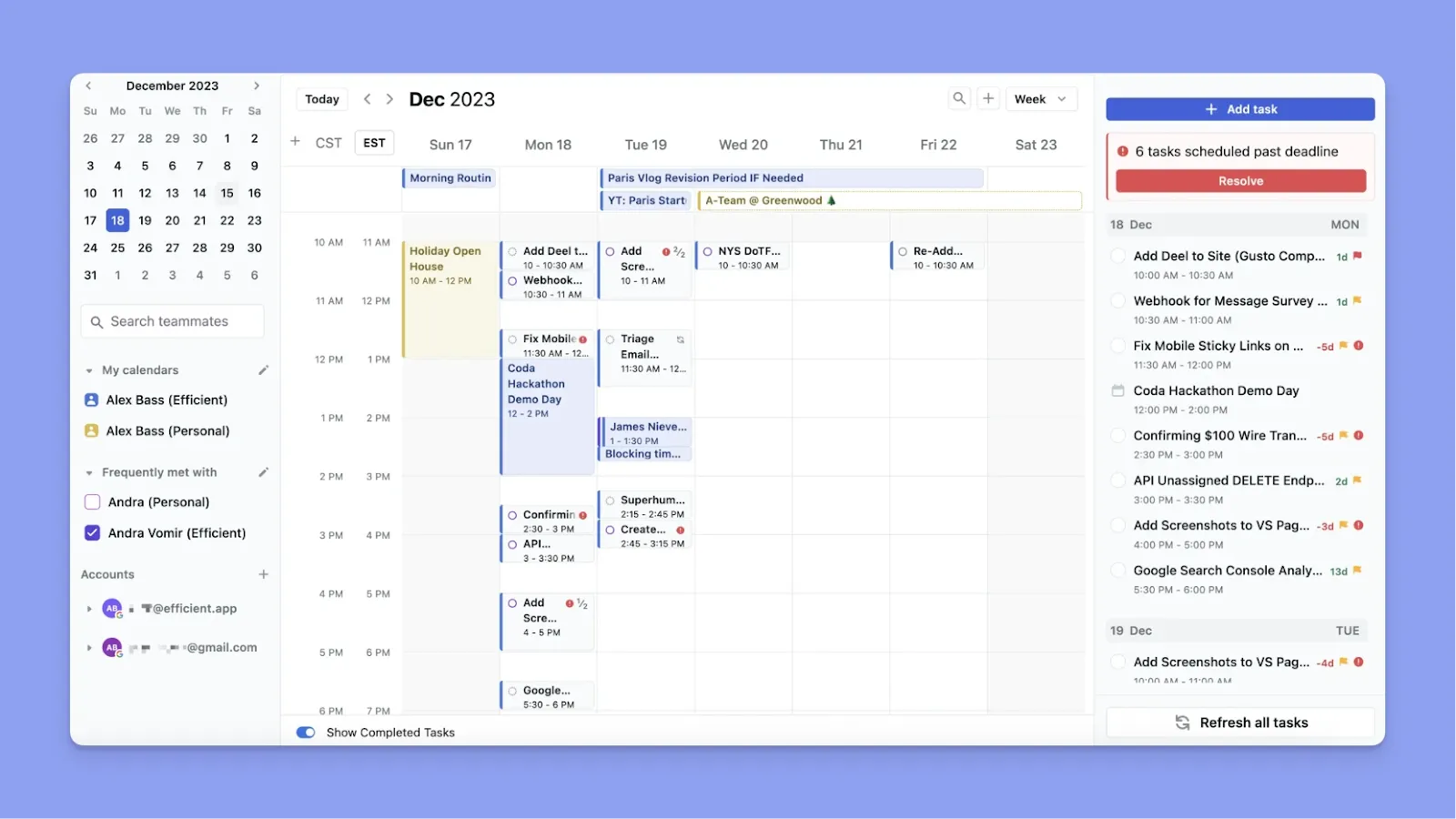
Motion uses autopilot AI to automatically reschedule your entire day when conflicts arise or tasks take longer than expected.
Key Features
- AI Calendar: Automatically schedules tasks based on deadlines and priorities, moving them around as your day changes to keep you on track
- AI Meeting Assistant: Finds optimal meeting times across participants' calendars and automatically reschedules conflicting appointments without manual coordination
- AI Task Manager: Breaks down projects into subtasks, assigns deadlines, and schedules work sessions based on priority and available time
Pricing
| Plan | Monthly billing | Annual billing |
|---|---|---|
| Individuals: Pro AI | $49 | $29 per month |
| Individuals: Business AI | $69 | $39 per month |
| Teams: Pro AI | $29 per seat | $19 per seat per month |
| Teams: Business AI | $49 per seat | $29 per seat per month |
Note: Motion uses an AI-credits system, where each AI action (task scheduling, rescheduling, meeting optimization) consumes credits. Even with an active subscription, credits can be depleted quickly if you use AI features heavily, requiring additional purchases.
Where Motion Shines
- Aggressive automation: Motion reshuffles your entire calendar when priorities change, saving time on manual rescheduling for people who want hands-off scheduling
- Full project management platform: Beyond calendar and tasks, Motion includes project management features with team workload views, dependencies, and resource allocation for managing complex workflows
- Extensive integrations: Motion connects with Google Calendar, Outlook, Zoom, Slack, Gmail, and other tools to centralize work across platforms
If you are trying to decide if this level of automation is right for your workflow, you might find our comparison of Motion vs. Asana helpful for understanding how it stacks up against traditional project management tools.
Where Motion Falls Short
- Over-automation: The AI moves tasks and meetings aggressively without always accounting for context, which can disrupt carefully planned schedules or commitments made to others
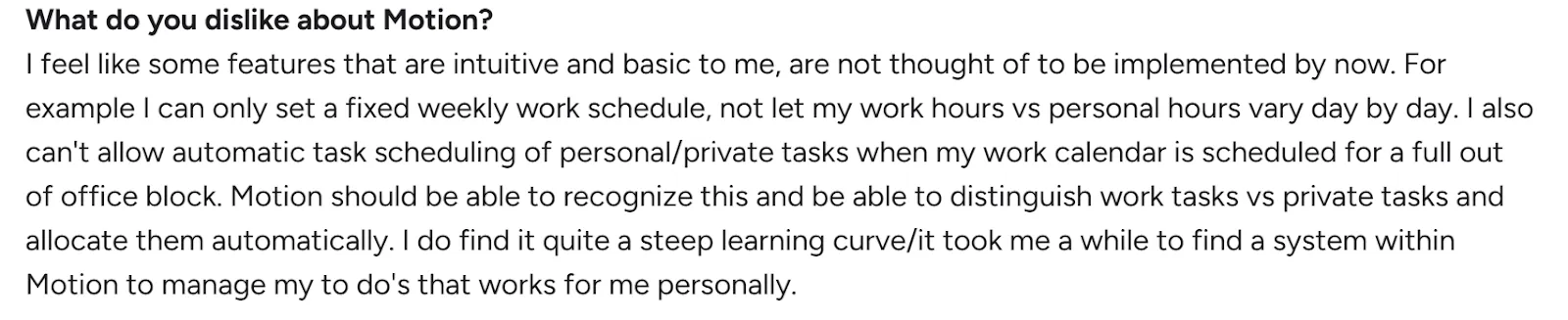
- Steep learning curve: Users report Motion takes significant time to configure properly, with many settings and rules to understand before the automation works reliably
Customer Reviews
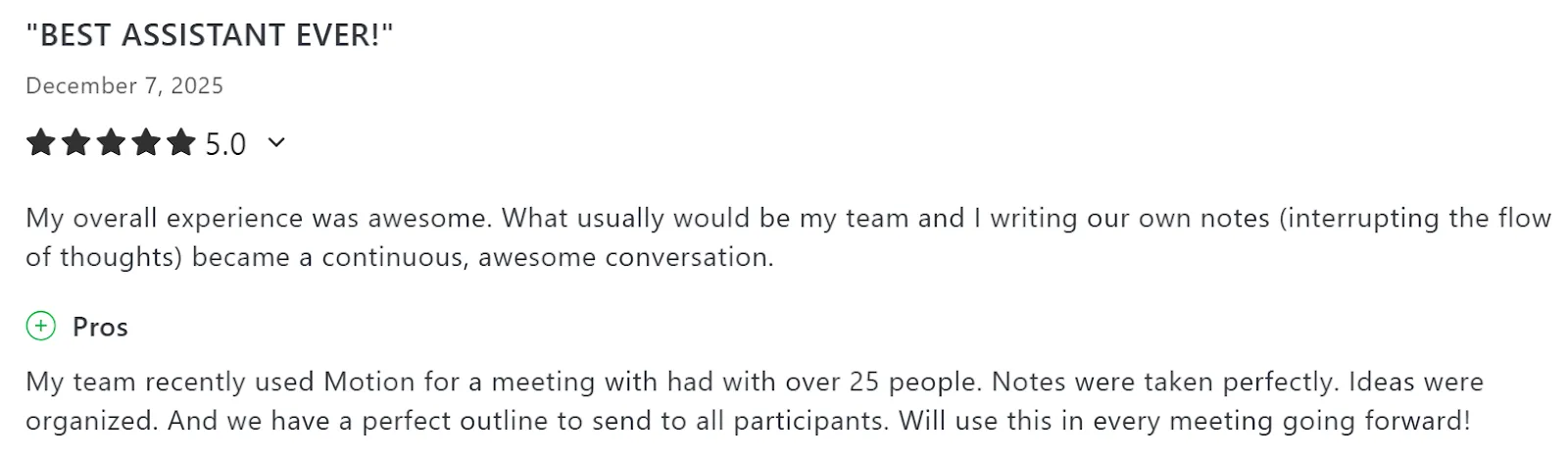
“Best assistant ever,” says Avery C.
“It took me a while to find a system within Motion to manage my to-dos that works for me personally,” shares Kathelijn H.
Who Motion Is Best For
- Busy professionals and teams: People managing complex projects with multiple deadlines who want AI to handle all scheduling decisions automatically
3. Reclaim
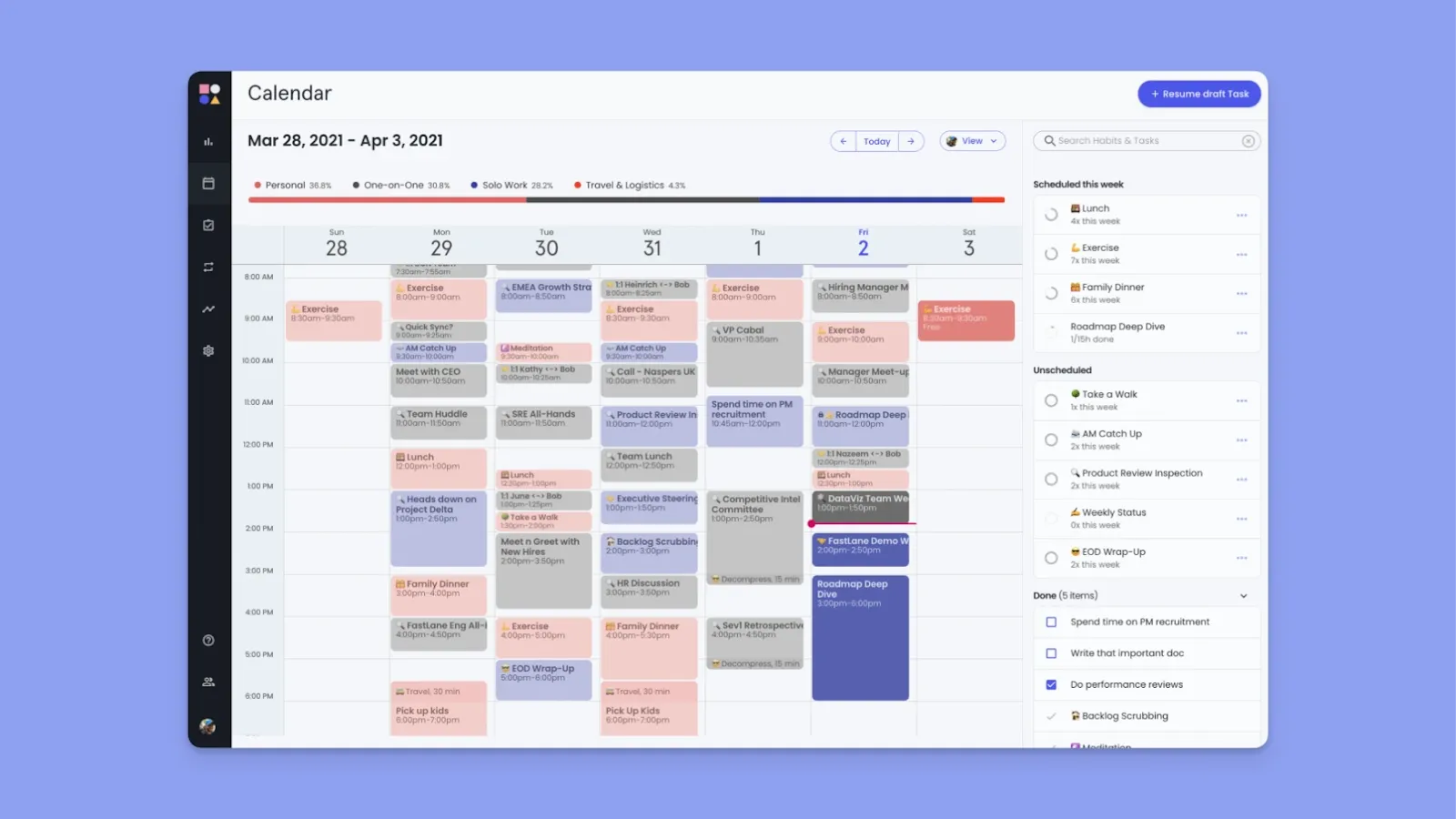
Reclaim syncs with Google Calendar and Outlook to automatically protect time for focus work, habits, and tasks. It learns your routines and automatically adjusts your schedule when priorities shift or meetings get added.
Key Features
- Smart team meetings: Automatically finds optimal meeting times across multiple attendees' calendars, then sends scheduling options or books directly based on priority rules
- Tasks: Syncs tasks from Asana, ClickUp, Todoist, Linear, and Jira, then automatically schedules them on your calendar as flexible events that move around meetings
- Buffer Time: Automatically adds preparation time before meetings and decompression time after, with customizable buffer lengths based on meeting type and duration
Pricing
| Plan | Monthly billing | Annual billing |
|---|---|---|
| Lite | Free | Free |
| Starter | $12 per seat | $10 per seat per month |
| Business | $18 per seat | $15 per seat per month |
| Enterprise | Not available | $22 per seat per month |
You can also see how these costs compare to other AI calendars in our detailed breakdown of Reclaim pricing to find the best value for your team.
Where Reclaim Shines
- Automatic scheduling: Reclaim compares to Motion for automatic rescheduling, although it focuses on flexible events around meetings
- Multi-calendar sync: To automatically defend busy time across work and personal calendars and prevent double-booking
Where Reclaim Falls Short
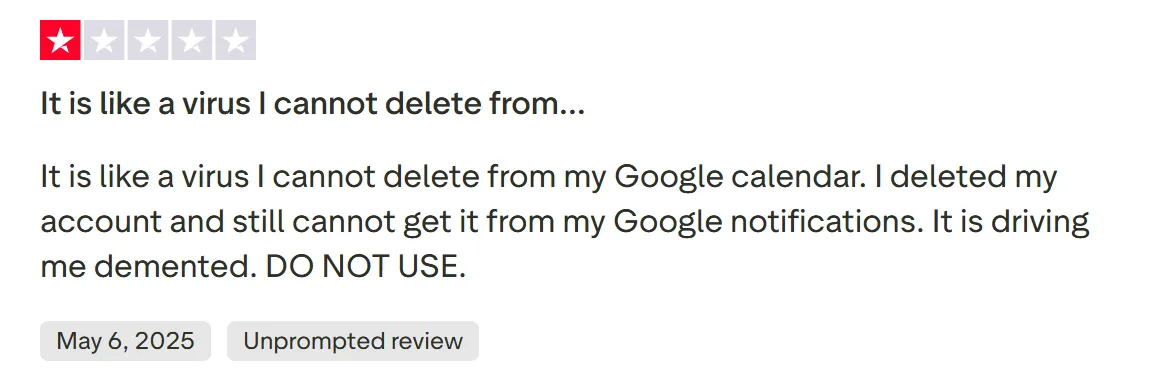
- Google Calendar spam issues: Users report that Reclaim continues to create and sync events to Google Calendar even after account deletion
- No dedicated mobile app: No native mobile app for calendar management on the go
Customer Reviews
“It saves me about an hour every day - so much so that I realized I no longer needed to hire a personal assistant for calendar management,” shares Alon L.

“It is like a virus I cannot delete from my Google calendar,” says JesseMary.
Who Is Reclaim Best For?
- Google Workspace and Microsoft 365 users: Professionals who want AI to defend focus time and reschedule flexible commitments around meetings automatically
4. Clockwise
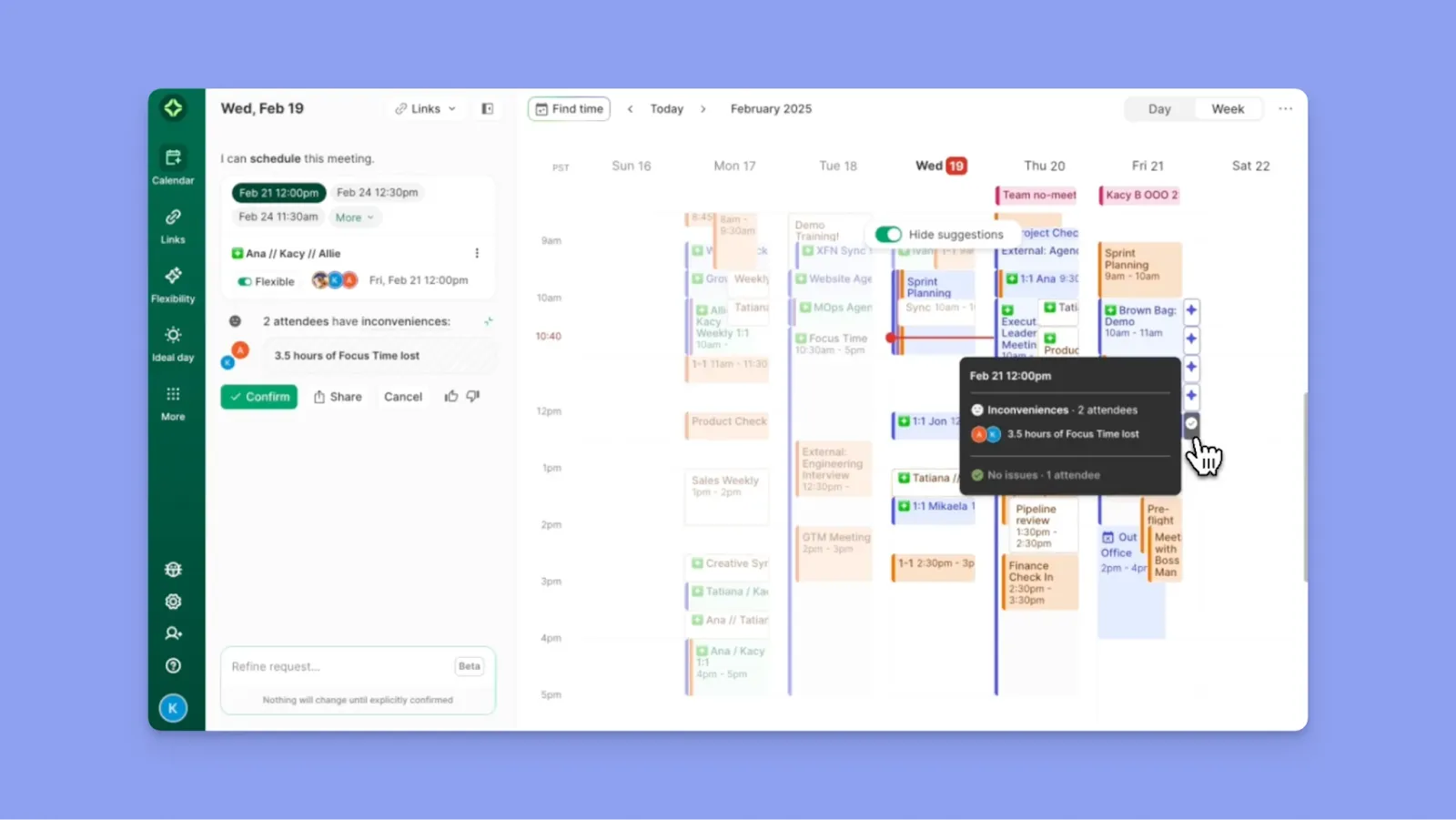
Clockwise uses AI to automatically optimize team calendars by moving flexible meetings to create focus time blocks. You set parameters (meeting flexibility, priority levels, focus time preferences), and Clockwise reschedules meetings based on these rules.
Key Features
- AI Assistant: Chat with Clockwise's AI to schedule meetings, create focus time, and manage calendar conflicts using natural language commands
- Calendar integrations: Add Google Calendar and Outlook, and integrate with Slack for scheduling directly from team conversations
Pricing
| Plan | Monthly billing | Annual billing |
|---|---|---|
| Free | $0 | $0 |
| Teams | $7.75 per user | $6.75 per user per month |
| Business | Not available | $11.50 per user per month |
| Enterprise | Not available | Contact sales |
Where Clockwise Shines
- Clean, intuitive interface: The dashboard presents a weekly overview with color-coded focus blocks, meeting types, and scheduling suggestions
- Visual calendar analytics and insights: Clockwise provides detailed analytics showing meeting patterns and calendar health scores
Where Clockwise Falls Short
- Aggressive automatic rescheduling: Clockwise reschedules unexpectedly, sometimes right before meetings are scheduled, surprising both you and attendees who didn't initiate the change
- Inconsistent Google Calendar syncing: Users report that Clockwise doesn't always sync changes like time zones automatically when traveling, requiring manual updates to prevent scheduling conflicts
Customer Reviews
This user shares how Clockwise is unable to update time zones on GCal when travelling:
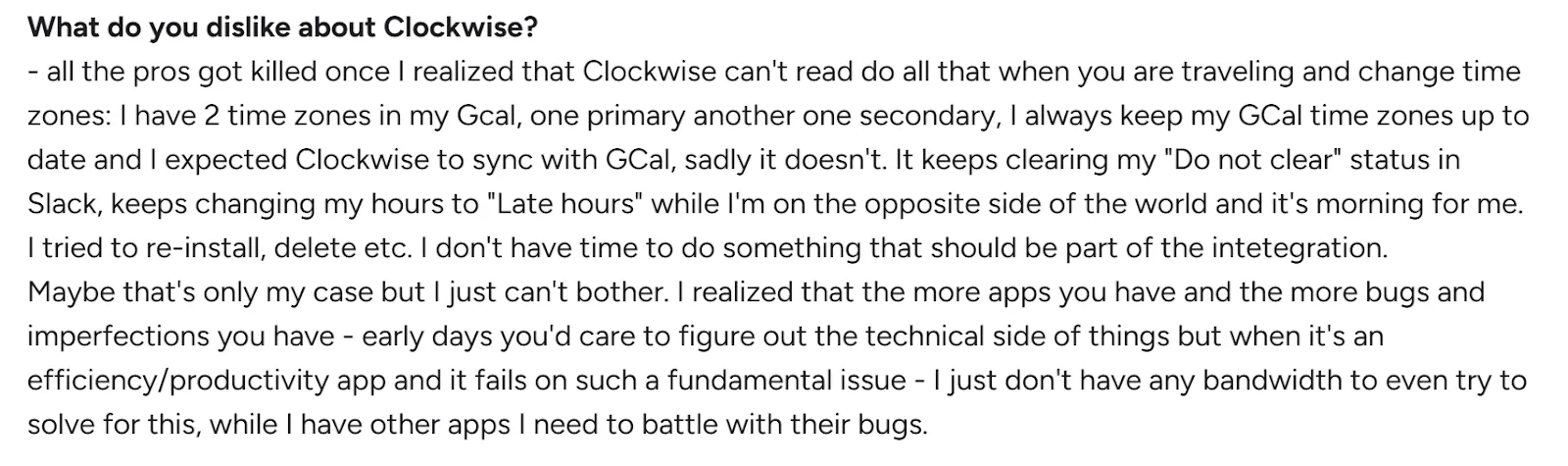
David J. L. shares:
Who Clockwise Is Best For
- Teams and managers: Groups that need coordinated scheduling optimization and protected focus time
5. SkedPal
SkedPal uses an algorithm-driven approach called "Time Maps" to automatically schedule tasks only within your preferred work windows. It follows strict rules you define, like when you're available, how long tasks take, and what priorities matter.
Key Features
- Time Maps: Define specific time windows for different task categories (e.g., "Deep Work 9-11 am"), and SkedPal schedules only matching tasks within those boundaries
- Color-coded categorization: Assign colors to task categories and set weekly time limits for each
- Priority-based reorganization: When schedule changes occur, the algorithm automatically recalculates and reschedules all tasks based on priority rankings, deadlines, and available time slots without manual intervention
Pricing
| Plan | Monthly billing | Annual billing |
|---|---|---|
| Core | $14.95 per month | $9.95 per month |
| Pro | $21.95 per month | $14.95 per month |
Where SkedPal Shines
- Multi-calendar sync: Connects with Google Calendar, iCloud, and Office 365 to pull in existing events as fixed blocks, then schedules tasks around them
- Time tracking and status monitoring: Built-in status tracker lets you mark tasks as in-progress, completed, or postponed, and tracks actual time spent versus estimated time
Where SkedPal Falls Short
- Limited task integrations: SkedPal only integrates directly with Asana for pulling tasks
- Steep learning curve: The Time Maps system, priority settings, and constraint configurations require upfront setup and understanding, compared to SkedPal alternatives like Morgen
Customer Reviews
“Excellent way to automate your task calendar,” shares Nancy S.

“It has a learning curve and takes a fair amount of time to set up all your tasks,” says Nick C.

Who Is SkedPal Best For?
- Structured professionals with consistent routines: People who work in predictable time blocks and want algorithmic scheduling that respects strict boundaries and energy-based work windows
How to Choose the Best Calendar Management Virtual Assistant
When choosing a calendar management virtual assistant, focus on how well it plans your day and adapts to change. You want features like:
Automation and Intelligent Planning
You need automation to handle the daily grunt work of planning, rescheduling, and managing calendar conflicts.
.gif)
On Morgen, the AI planner views your daily schedules and suggests placements around events. For automation, press Ctrl+K to open the command bar, then add events or tasks using natural-language parsing. Or, click anywhere on the calendar canvas to create blocks for events, tasks, routines, or Frames.
Pro tip: Use web shortcuts like C for new events, N + T for tasks, R to refresh calendars, Shift+R to reschedule sessions, and Shift+F to schedule follow-ups.
Use the free Morgen Easy Tasks Chrome Extension to add tasks and events faster during focus time!
Bookings and Coordination

Managing client calls and team meetings eats up valuable time. Morgen eliminates back-and-forth email scheduling by letting clients book directly into your available slots. You can also book appointments with clients who have Morgen Booking Pages available.
For meetings that hinge on several people's calendars, Morgen's free scheduling poll shows the best time on a live heatmap, and you can answer for teammates from one device. Nobody needs an account.
Schedule Organization
When tasks scatter across task managers, important work can get lost in lists.
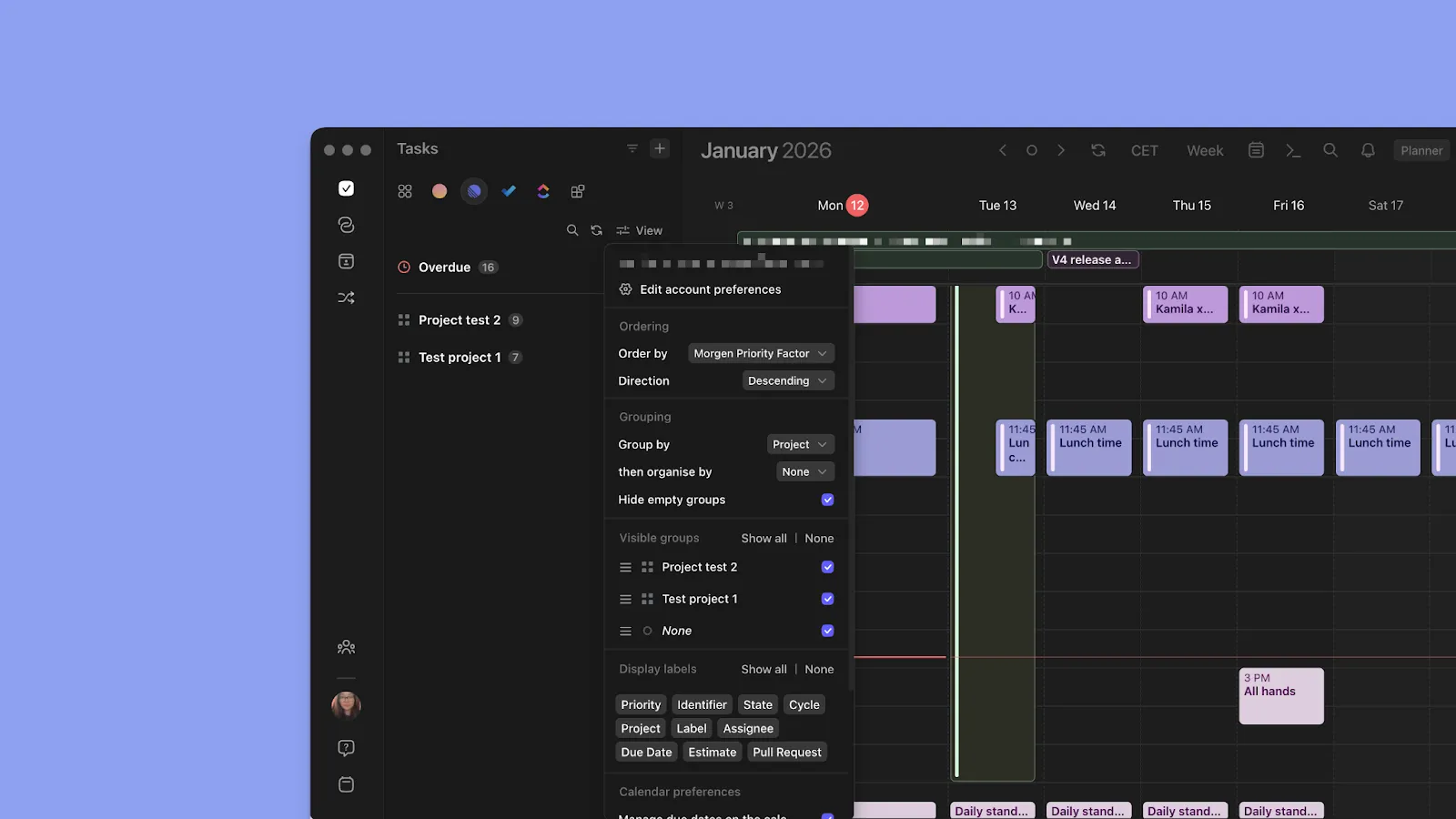
When you consolidate tasks in Morgen, you can filter ‘all tasks’ by the Morgen Priority Factor, due date, source, priority, created date, list/project, and update date. When viewing tasks from a single to-do tool (like Linear), you get the integration's native sorting options, such as by project, label, or status.
Pro tip: Click "All tasks" in your sidebar, then click "View" and select "Order by" to choose Morgen Priority Factor for strategic planning, or switch to due date, created date, space, source, etc., depending on your current focus.
Want to integrate Morgen with your unique stack? Check out these integrations and also use Zapier to copy and add the unique APIs.
Take Control of Your Schedule with Morgen
Don’t struggle with a fragmented schedule anymore. You can use Morgen as your calendar management virtual assistant to consolidate calendars, task lists, and meeting obligations into one planning workspace.
You’ll decide what gets scheduled and when as the AI suggests optimal times based on your calendar events and available time. You also get automation features to help you plan faster and set recurrences that reduce repetitive, daily calendar management.
Want to see how? Grab your 14-day free trial now.

.svg)
.webp)


