
.svg)
→ Google Meet has built-in transcription via Gemini, but it requires Workspace Business Standard or higher and only supports English.
→ Three structural shifts in 2025-26 changed the market: Google flagging bots, class actions against Otter and Fireflies, and Gemini squeezing pure cloud-bot products.
→ Kai for Chrome is the only extension that runs audio capture, Whisper, and AI summary entirely on your device, with no account required.
→ For sales teams running 50+ calls per month, Fireflies, tl;dv, or Otter still win on CRM integration and meeting-library search.
→ Always disclose to participants that you are recording, regardless of which tool you use.
You finish a 40-minute call, close your laptop, and ten minutes later you cannot remember what you agreed to deliver. The decisions, the action items, the names of the two new vendors mentioned in passing, all gone. That is the meeting tax, and the cleanest fix in 2026 is to install a Chrome extension that captures your Google Meet calls and turns them into clean notes.
Google Meet does have native transcription (Gemini "Take notes for me"), but it requires Workspace Business Standard or higher, only supports English, and pushes notes into Drive instead of your task system. For everyone outside that plan, and for anyone who wants more flexibility, the right move is a Chrome extension.
This guide compares 7 Chrome extensions that transcribe Google Meet, all verified in May 2026. We tested how they join the call (bot or no bot), where your audio actually goes, the free-tier reality, and what each one is genuinely best at. Skip to the comparison table or the privacy spectrum if you only have two minutes.
Why Chrome extensions, not a desktop notetaker
Three structural shifts in 2025-2026 made the Chrome-extension category the most interesting one for Google Meet specifically.
Google flagged third-party bots. In March 2026, Google Meet rolled out a two-queue admission system that auto-denies meeting bots flagged as "potential risk," forcing hosts to manually admit each one (UC Today coverage). Bot-first products like Otter and Fireflies have to fight this every call. Chrome extensions that capture audio in the browser sidestep the lobby entirely.
Class actions changed buyer questions. The consolidated In re Otter.AI Privacy Litigation (5:25-cv-06911, N.D. Cal.) and Cruz v. Fireflies.AI Corp. (3:25-cv-03399, N.D. Ill.) made "where does the audio go?" a real procurement question, not just a privacy talking point. Buyers now ask before they install.
Google's Gemini squeezed the middle. Google's bundled "Take notes for me" is good enough that pure cloud-bot products no longer differentiate on accuracy alone. The interesting third-party plays are now privacy (data minimization), workflow integration (CRM, Slack, Notion), or specialization (multilingual, video clips, sales coaching).
A Chrome extension is the lightest install path for any of those plays.
What to look for in a Google Meet transcription extension
Five criteria to check before installing:
Does it join as a bot? A bot appears as an extra participant. Some teams accept this; others find it intrusive (your client sees "Fred from Fireflies" or "Fathom Notetaker" in the participant list). After Google's March 2026 flagging update, bots also get held in the lobby on calls outside your domain.
Where does the audio go? Most extensions upload your meeting audio to a vendor's cloud. A few capture only the captions Google Meet already generates (text only, no audio recording). One processes audio entirely on your device. The privacy spectrum matters more than the marketing page suggests.
What is the free-tier reality? "Free forever" usually means free recording but capped AI summaries (Fathom: 5/month). "Unlimited transcription" can mean unlimited captures but only 10 AI reports/month (tl;dv). Read the fine print before relying on the free plan.
Speaker labels and language support. A transcript without speaker labels is useful for your own notes but useless for sharing with a team. Multilingual support matters if your meetings are not English-only, especially when you use a video translator to share recordings with international teams.
Where the notes go after. A great transcript that lives in a vendor dashboard you never open is wasted. Look for one-click export to your real workspace: Slack, Notion, your CRM, or just email to the team.
With those criteria in mind, here are the seven extensions ranked by what each one is genuinely best at.
#1 Kai for Chrome (by Morgen): Best for privacy and 100% on-device
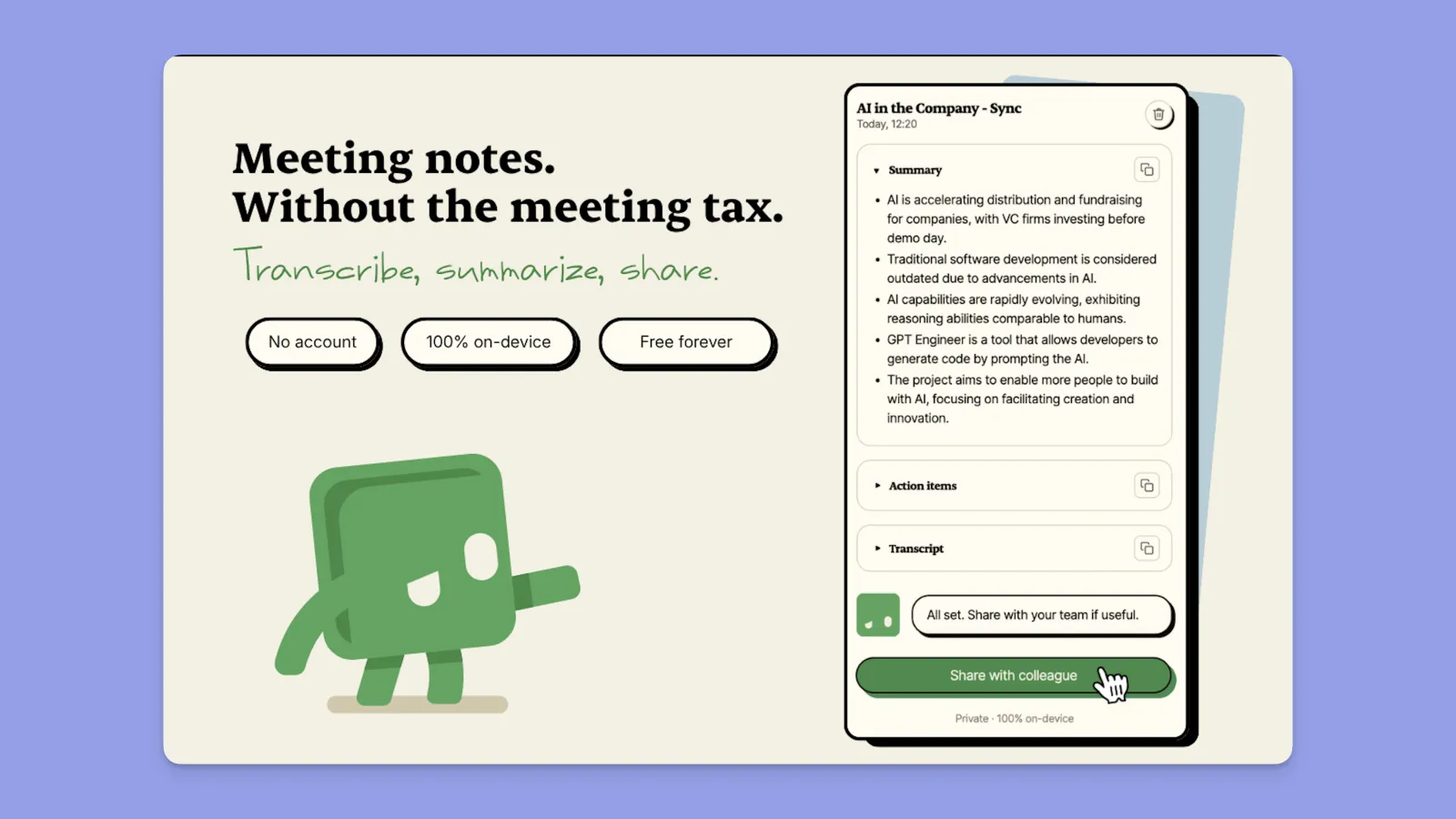
Kai for Chrome is the lightest install in this lineup and the only Chrome extension in 2026 that runs the entire transcription pipeline inside your browser. Audio capture, Whisper transcription, and the AI summary all execute locally on WebGPU or WebAssembly. Nothing leaves your machine unless you explicitly click "email to team."
How it joins the meeting. No bot. Kai captures the audio playing in your browser tab when you press Cmd+Shift+K (Ctrl+Shift+K on Windows). Nobody else in the call sees an extra participant, and there is no notification to the host.
Where your data goes. Audio stays on-device, transcribed locally by Whisper Base. Only the final text transcript is optionally sent to Kai's summarizer endpoint when you ask for a summary, and you can skip the summary entirely. No persistent storage tied to your identity.
Key features.
- Live transcript as the call happens, rendered in a side panel.
- AI summary and action items generated locally by Chrome's built-in Prompt API (with WebLLM as fallback for older browsers).
- One-click email to send the summary to your team, no sign-in required.
- Optional Google Calendar OAuth (read-only) to auto-label transcripts with the event title.
Pricing. Free, with no caps on the free transcription experience. No account or signup required.
Where Kai falls short, honestly. This is v1 and the limits are worth knowing. English only (Whisper Base default), so if your meetings are in French, German, or Spanish, look at Notta below. No speaker labels in v1, which matters for multi-person meetings where you need to attribute quotes accurately. No persistent transcript library across sessions, so you cannot search back through past calls; each session is standalone. The Chrome Web Store listing is pending approval as of publication; for now, install via the developer link on hirekai.ai. If your workflow needs CRM auto-sync, Slack push, or a searchable archive of hundreds of past meetings, Kai is not the right tool. Look at Fireflies or Otter further down.
Best for. Solo founders, consultants, and small teams who care about audio never leaving their machine more than they care about a polished team-meeting library. If you need shared workspaces or CRM auto-push, look at Tactiq or Otter below.
→ Install: hirekai.ai
#2 Tactiq: Best for no-bot capture in the browser
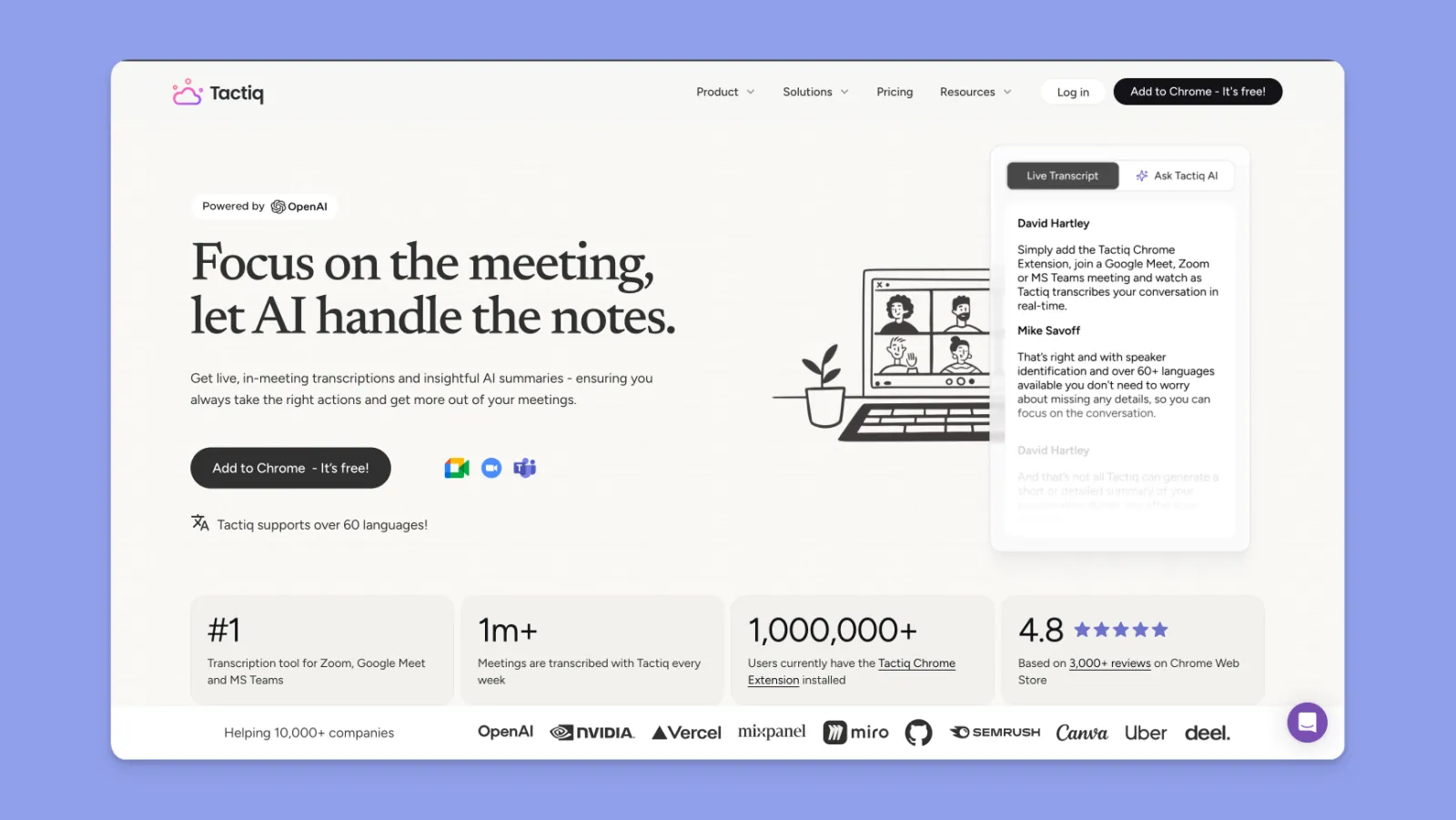
Tactiq takes a different no-bot approach. Instead of capturing audio, it reads the captions Google Meet already generates and turns them into a structured transcript. The audio itself is never recorded or stored.
How it joins the meeting. No bot. The extension runs inside your browser and reads native captions from Google Meet, Zoom-in-browser, and Teams-in-browser. No desktop helper required.
Where your data goes. Per Tactiq's homepage: "Tactiq does not record or store the audio from your meetings. The transcript is happening in real-time and saved as text." The text is processed via the OpenAI Enterprise API (no training on user data per OpenAI's API policy). Audio never leaves the browser, but transcript text reaches the vendor cloud for AI features.
Key features.
- Live transcription via captions, 30+ languages (vendor claims 60+).
- AI summaries via GPT-4 and Claude, with saved prompts.
- Action-item generation.
- Direct export to Google Docs, Notion, Slack, HubSpot, Pipedrive, and Linear.
- SOC 2 Type II, ISO 27001, GDPR, and HIPAA compliant.
Pricing. Free tier: 10 transcripts/month and 5 AI credits/month. Pro: $12/user/mo (unlimited transcripts, 10 AI credits). Team: $20/user/mo. Business: $40/user/mo (unlimited AI, SAML SSO).
Watch-outs. Chrome and Edge only, no native app. The AI credit limits feel tight on Pro (just 10/month). Multiple G2 reviewers report friction cancelling subscriptions: "Tried to cancel my account and it told me their team may take 5 days to get back to me," (G2 review). Live transcription quality drops on calls with strong accents.
Best for. Teams that want fast, browser-native capture with a serious export workflow into Notion, Slack, or HubSpot, without putting a bot in the room.
→ Install: tactiq.io
#3 Otter.ai (Chrome extension): Best for established CRM workflows
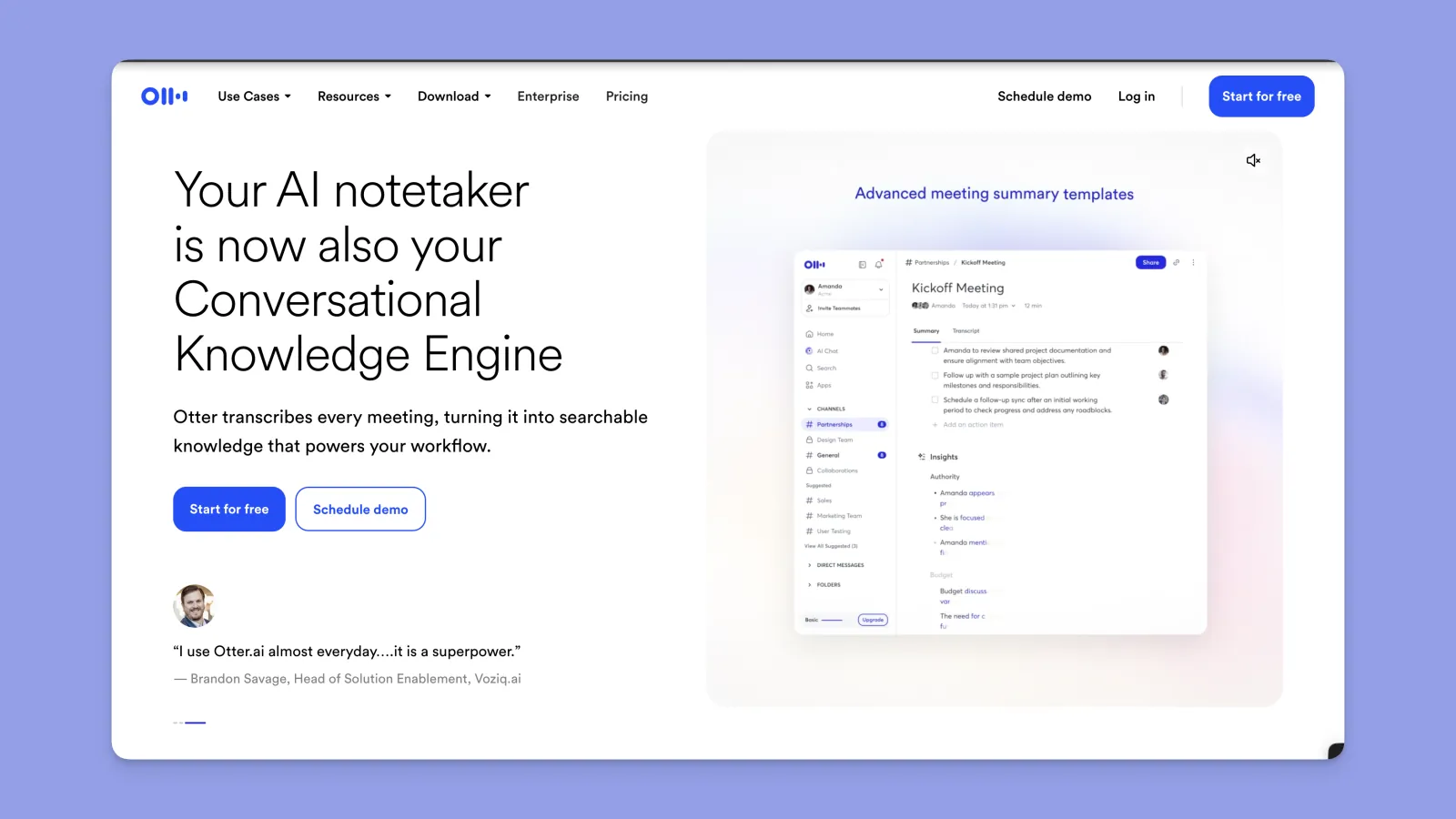
Otter.ai is the incumbent in this market and has the most mature integrations: Salesforce, HubSpot, Zapier on Pro+, and HIPAA on Enterprise (added July 2025). The Chrome extension is auxiliary to OtterPilot, Otter's bot, but the full product is one of the most polished.
How it joins the meeting. OtterPilot bot joins as a visible participant via Google or Outlook calendar OAuth. A Mac/Windows desktop app captures without a bot on the Business tier and above.
Where your data goes. Audio uploaded to Otter's cloud (AWS US). Transcripts stored on Otter servers. Per filings in Brewer v. Otter.ai, audio is also used to train Otter's transcription models (Otter disputes the scope of consent).
Key features.
- Live transcript, AI Chat across your meeting history, action-item extraction.
- AI summaries, slide screenshot capture.
- Custom vocabulary (200 names, 200 terms on Pro).
- CRM sync (Salesforce, HubSpot) on Enterprise; Zapier on Pro and up.
- 6 languages: English, Spanish, French, German, Japanese, Chinese.
Pricing. Free: 300 min/month, 30-min conversation cap. Pro: $8.33/user/mo annual (1,200 min/month). Business: $20/user/mo annual (unlimited meetings, 4-hour cap). Enterprise: custom, with SSO and HIPAA.
Watch-outs. Pro plan minutes were cut from 6,000 to 1,200 per month in early 2026 without a price reduction (felloai.com review). Multiple Trustpilot complaints about billing dark patterns: "charging my account $30/month for seven months without sending a single receipt or billing notification…support explicitly stated that monthly receipts are 'opt-in' only." The bot is visible in meetings, which Google Meet now flags as "potential risk." The consolidated class action In re Otter.AI Privacy Litigation (5:25-cv-06911) is in litigation as of May 2026.
Best for. Sales and customer success teams that already run on Salesforce or HubSpot and want their CRM populated automatically. If you do not need CRM sync, the trade-offs do not justify the price.
→ Install: Otter for Google Meet (Chrome extension)
#4 Fireflies.ai (Chrome extension): Best for AI search across past meetings
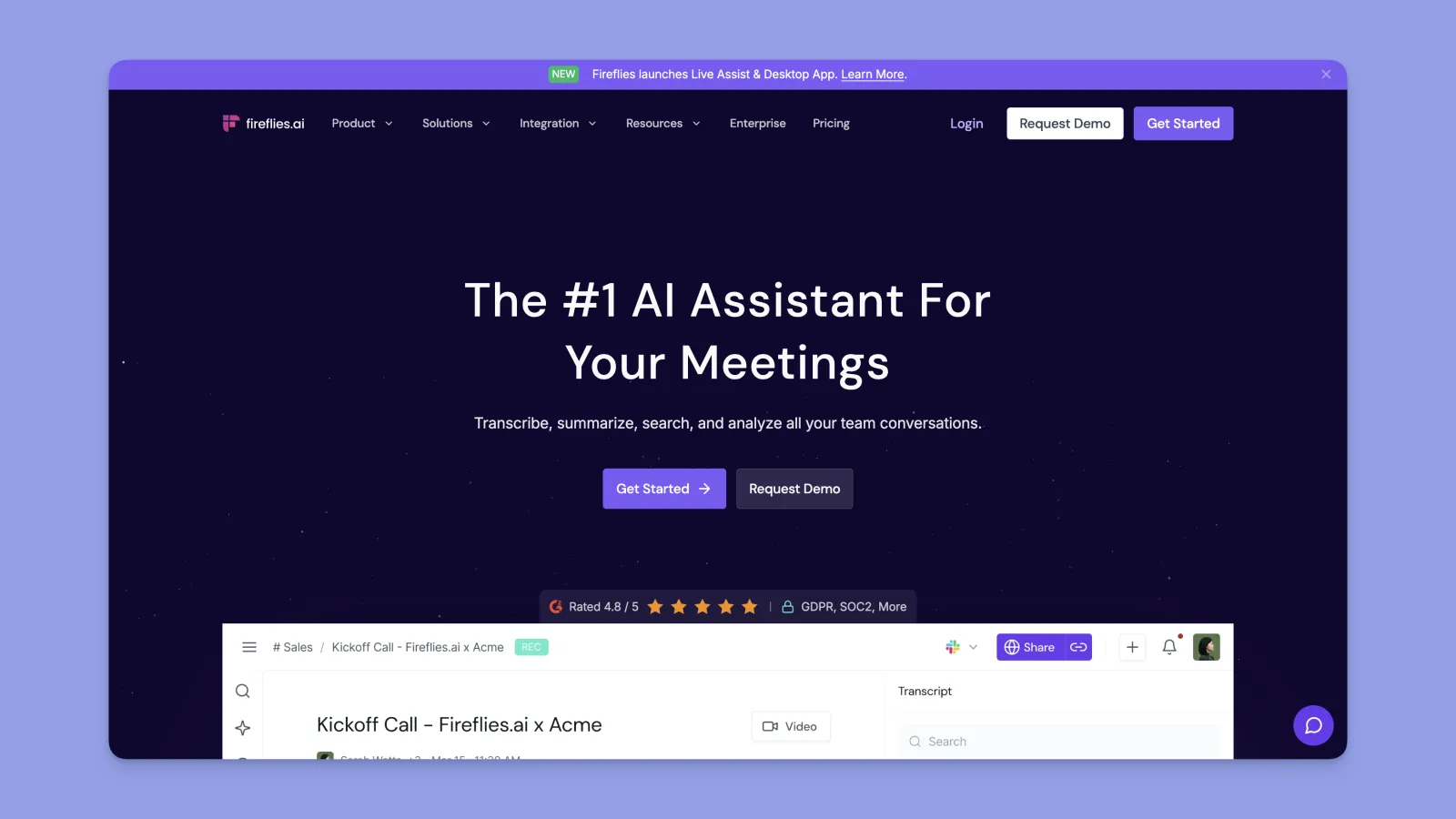
Fireflies is the meeting-intelligence play: every call you capture goes into a searchable library, and AskFred lets you ask natural-language questions across all of it ("what did the customer say about pricing last quarter?"). The Chrome extension complements the bot, which is still the primary capture method.
How it joins the meeting. Default is a visible bot ("Fred") that joins via calendar OAuth or via manual invite to [email protected]. In 2026 Fireflies launched a Google Meet SDK integration that allows bot-free recording, but it requires host-domain consent.
Where your data goes. Audio uploaded to Fireflies' cloud (AWS). Transcripts stored on Fireflies servers. SOC 2 Type II, 256-bit AES, SSL/TLS. HIPAA on Enterprise only.
Key features.
- Auto-join via calendar, with AskFred for cross-meeting AI search.
- Smart Search filters, Topic Tracker, multilingual transcription (vendor claims 60+ languages).
- AI Super Summaries (GPT-4).
- Conversation intelligence (talk time, sentiment) on Business.
- CRM sync (Salesforce, HubSpot, Pipedrive) on Pro+, plus Slack, Notion, Asana.
- AI Apps marketplace.
Pricing. Free: 800 min storage/seat, ~20 AI credits one-time. Pro: $10/user/mo annual (8,000 min storage, 20 AI credits/month). Business: $19/user/mo annual (unlimited storage, video, CRM sync). Enterprise: $39/user/mo annual (HIPAA, SSO, 50 AI credits/month).
Watch-outs. The bot is visible, which Reddit and Zoom Community threads describe as "really creepy" when it pops in without prior notice (MeetingNotes coverage). The AI credit system is the #1 user complaint: even on a paid subscription, advanced features (Ask Fred, sentiment analysis, certain AI Apps) require credits. The 800-minute storage cap on Free fills in roughly six weeks. Cruz v. Fireflies.AI Corp. (3:25-cv-03399, N.D. Ill., Dec 2025) is an active BIPA class action alleging voiceprint biometric capture without consent.
Best for. Sales and operations teams that already run hundreds of calls per month and want a searchable institutional memory across all of them. The library is the product; the transcript is the input.
→ Install: fireflies.ai
#5 tl;dv (Chrome extension): Best for video clip sharing
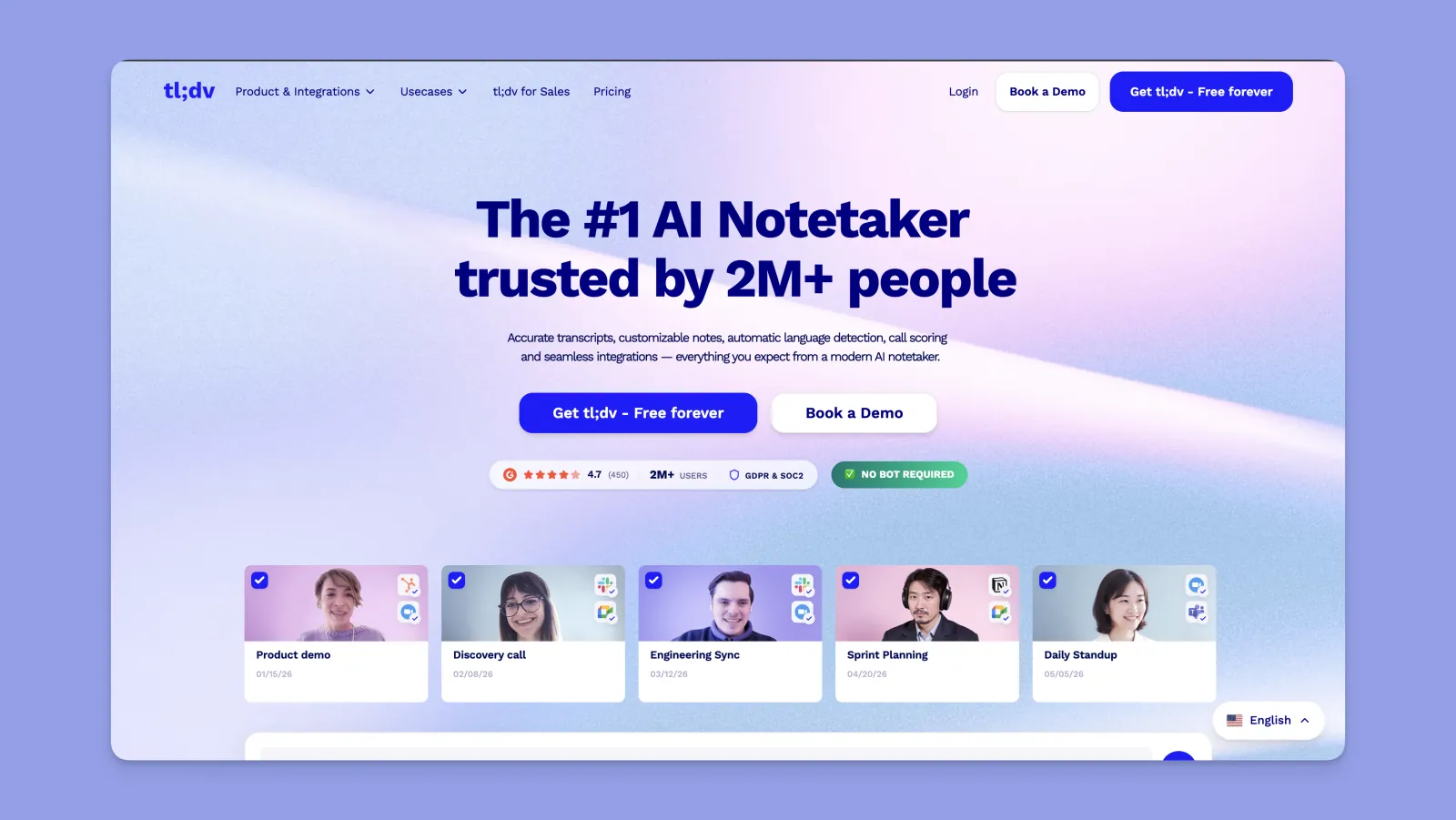
tl;dv treats every meeting as a video asset, not just a transcript, making it easier to edit and enhance recordings with tools like Higgsfield AI Video Editor before sharing them. You get speaker recognition, timestamped notes, and the ability to clip a 30-second highlight and share it in Slack with one click. The Chrome extension launches a bot; a separate desktop app captures bot-free.
How it joins the meeting. Two modes. The Chrome extension launches a bot inside the call. The native desktop app, released in 2026 specifically to address Google Meet's bot-flagging policy, captures system audio with no bot.
Where your data goes. Audio uploaded to tl;dv's cloud (ISO 27001-certified data centers in the EU and US). End-to-end encryption, SOC 2, GDPR. tl;dv has an Anthropic partnership for generative AI features. Per tl;dv: "your recordings and transcripts are yours (not ours). And we'll never, ever use them to train AI."
Key features.
- Speaker recognition, 30+ languages with translation.
- AI summaries, timestamped notes, "Ask tl;dv" cross-meeting query.
- Video clip generation (4 free clips on the free plan).
- Sales coaching playbooks and MEDDIC / BANT scorecards on Business.
- CRM integrations (Salesforce, HubSpot, Pipedrive), 5,000+ tools via Zapier.
Pricing. Free: unlimited recordings and transcripts, 10 AI Reports/month, 4 clips, 5 file uploads. Pro: ~$18/user/mo annual (unlimited AI features, team folders, CRM sync). Business: $29/user/mo annual (sales coaching). Enterprise: custom (SSO).
Watch-outs. The "unlimited recordings" framing on Free is technically true but Free is capped at 10 AI Reports/month, which is where most of the value sits. Prospeo's analysis of 489 G2 reviews surfaced two consistent complaints: recording limits frustrate users who expected actually-unlimited, and "AI inaccuracy and misassigned speakers" appeared in 50 reviews (Prospeo summary). Bot mode is subject to Google Meet flagging; desktop mode avoids it.
Best for. Sales teams that share customer calls with the rest of the company as short clips, or RevOps teams that need MEDDIC scorecards baked into the workflow.
→ Install: tldv.io
#6 Read AI (Chrome extension): Best for engagement analytics
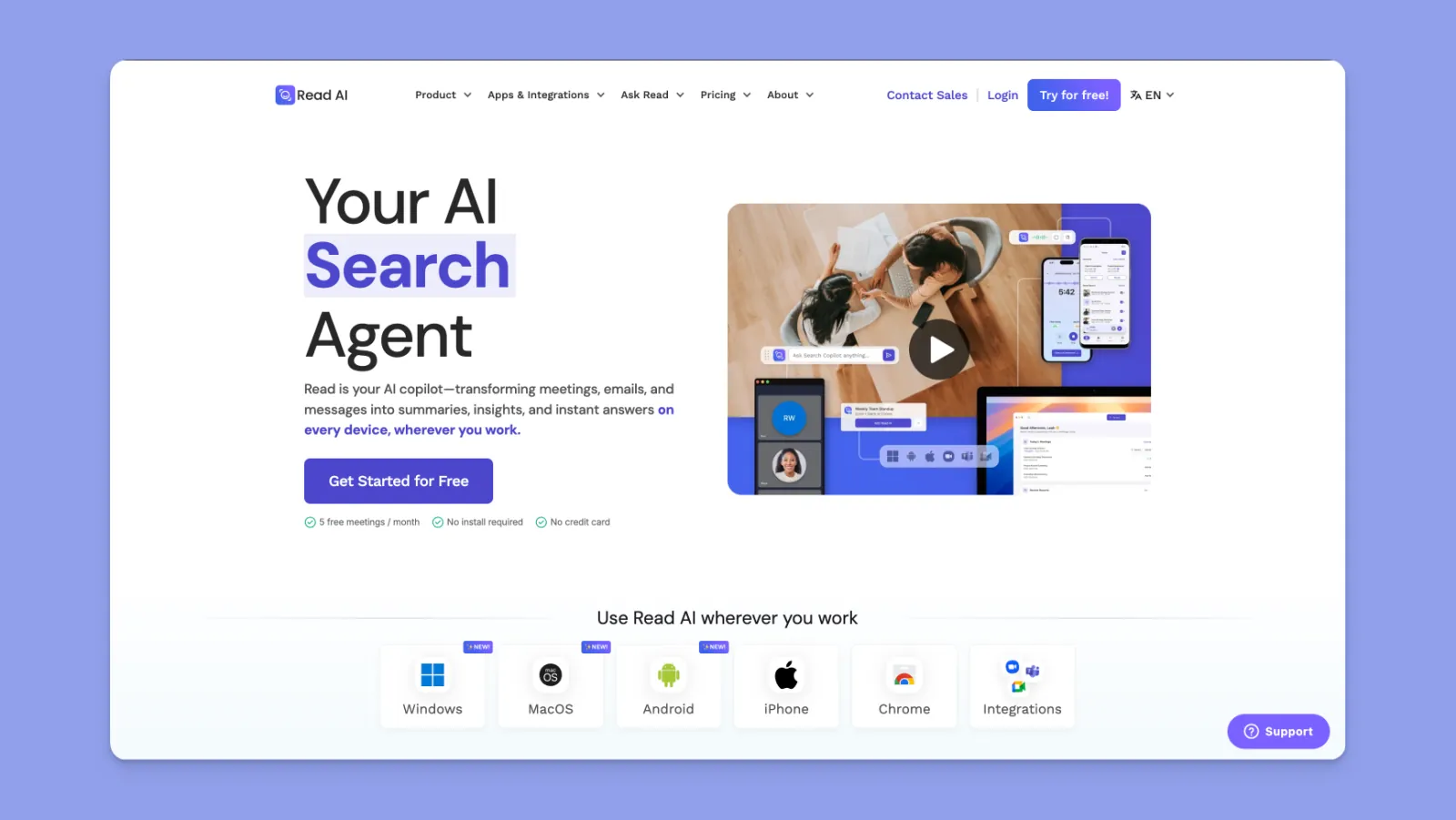
Read AI goes further than transcription. It scores meeting engagement (talk time, sentiment, who dominated, who disengaged) and recommends coaching actions. It also became the first product to integrate with Google's official Meet Media API in March 2026, which sidesteps the bot-flagging problem.
How it joins the meeting. Visible bot by default via calendar OAuth. As of March 26, 2026, Read AI also offers a Meet Media API integration that records via Google's sanctioned API, no flagged bot.
Where your data goes. Audio uploaded to Read's cloud. Transcripts stored on Read servers. SOC 2 Type II. "No training on your data by default." 16+ languages.
Key features.
- Real-time meeting notes, AI-generated topics, action items.
- Engagement scores: talk time, sentiment, speaker coach.
- "Ask Read" enterprise search across meetings, emails, and messages.
- Digital Twin agent "Ada" (executive-assistant style).
- Integrations: Slack, Notion, HubSpot, Salesforce, Jira.
Pricing. Free: 5 meeting reports/month, 1-hour max. Pro: $19.75/user/mo monthly ($15/mo annual). Enterprise: $29.75/user/mo monthly ($22.50/mo annual) with video playback. Enterprise+: $39.75/user/mo monthly with HIPAA (10-user minimum).
Watch-outs. This is the tool with the rockiest public reputation in the lineup. Read AI sits at 1.4/5 on Trustpilot with 89% one-star reviews. Quoted reviews call it "malware" and "a virus" because Read auto-installs into Microsoft 365 tenants and posts summaries to call participants who never installed it (Trustpilot review page). Multiple universities banned Read AI in 2025: the University of Washington, Chapman University, and UNC Greensboro, citing institutional-data risk. The Pro plan is also the most expensive in this dossier.
Best for. Managers and coaches who want to see talk-time and engagement patterns across their team's meetings. If you only need a transcript, this is overkill and the reputational risk is real.
→ Install: read.ai
#7 Notta (Chrome extension): Best for multilingual teams
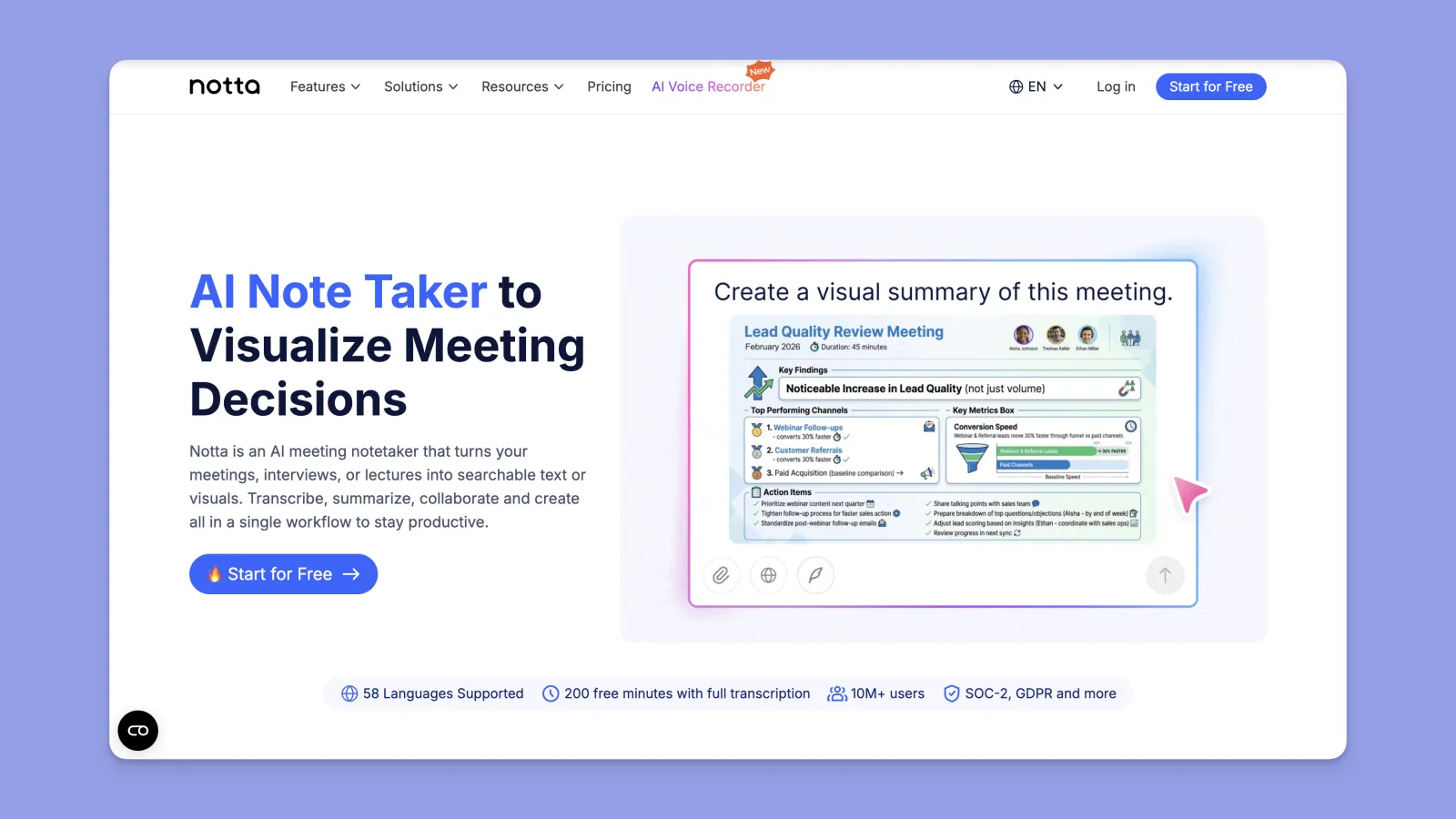
Notta leads on language coverage, with a vendor claim of 58 languages and real-time translation as a paid feature. The Chrome extension joins as a bot; Notta also offers a web app and mobile apps.
How it joins the meeting. Visible bot for Google Meet, Zoom, and Microsoft Teams. Manual upload also supported.
Where your data goes. Audio uploaded to Notta's cloud. Transcripts and summaries stored on Notta servers. SOC 2 + GDPR compliance per vendor.
Key features.
- 58 languages, with real-time translation on Pro+.
- AI summary, action items, and chapter detection.
- Export to Notion, Google Drive, Slack, Salesforce.
- Mobile recording for in-person meetings.
Pricing. Free: 120 min/month, 3-min max recording. Pro: $13.99/user/mo annual (1,800 min/month, real-time translation). Business: $27.99/user/mo annual (10,000 min/month). Enterprise: custom.
Watch-outs. Multiple Trustpilot reviewers report unauthorized auto-renewals: "I was charged $97.99 USD without any warning or reminder…feels like a scam" (Trustpilot reviews). The 3-minute cap on Free is effectively unusable for real meetings. AI summary quality on languages outside the top 10 is reportedly inconsistent.
Best for. Teams running meetings in multiple languages where translation matters more than CRM integration. If your meetings are English-only, the other tools in this list have stronger feature sets.
→ Install: notta.ai
Side-by-side comparison
| Tool | Free tier | Bot in call | Audio destination | GMeet support | Languages | Best for |
|---|---|---|---|---|---|---|
| Kai for Chrome | Free, no caps | No | On-device only | Yes | English only (v1) | Privacy & 100% on-device |
| Tactiq | 10 transcripts/mo | No (reads captions) | None (text-only to cloud) | Yes | 30+ | Browser-native, Notion/HubSpot export |
| Otter.ai | 300 min/mo | Yes (OtterPilot) | Otter cloud (AWS US) | Yes | 6 | CRM workflows (Salesforce, HubSpot) |
| Fireflies.ai | 800 min storage | Yes (+ Meet SDK bot-free) | Fireflies cloud (AWS) | Yes | 60+ | AI search across meeting library |
| tl;dv | Unlimited recordings, 10 AI/mo | Yes (extension); No (desktop) | tl;dv cloud (ISO 27001 EU+US) | Yes | 30+ | Video clip sharing |
| Read AI | 5 meetings/mo | Yes (+ Meet Media API) | Read cloud | Yes | 16+ | Engagement analytics |
| Notta | 120 min/mo (3-min cap) | Yes | Notta cloud | Yes | 58 | Multilingual teams |
The privacy spectrum: where audio and transcript data actually flow
If you sort the seven tools by how much of your data leaves your machine, the order is:
- Kai for Chrome. Audio never leaves your device. Transcript text is sent to Kai's summarizer only if you explicitly request a summary.
- Tactiq. No audio capture at all (reads existing captions). Transcript text reaches the vendor cloud for AI features.
- tl;dv (desktop mode). Captures system audio locally, then uploads for processing in EU or US data centers.
- Read AI (Meet Media API mode). Recording via Google's sanctioned API, audio in Read's cloud.
- Otter, Fireflies, tl;dv (extension), Read AI (bot mode), Notta. Visible bot in the participant list, audio uploaded to vendor cloud.
This ladder matters more in 2026 than it did a year ago. Two active class actions (In re Otter.AI Privacy Litigation and Cruz v. Fireflies.AI) make "where does the audio go?" a real procurement question for any team handling regulated conversations, customer calls, or pre-public M&A discussions. For most teams it is also just common sense: if you would not forward the audio file to a stranger, do not upload it to a vendor that trains models on it.
Frequently asked questions
Does Google Meet have built-in transcription?
Yes, via Gemini "Take notes for me," but only on Workspace Business Standard ($14/user/mo) or higher. Personal Gmail accounts need a Google One AI Premium subscription. English only as of May 2026. If you are on a free Workspace or a paid plan below Business Standard, you need a third-party extension.
Which Chrome extension does not put a bot in the meeting?
Three options here. Kai for Chrome captures audio inside your browser tab with no participant added. Tactiq reads Google Meet's existing captions, also no bot. tl;dv has a no-bot desktop app (the Chrome extension itself runs a bot). Fireflies and Read AI offer no-bot modes via Google's Meet SDK and Meet Media API respectively, but those require host-domain authorization.
What is the best free Chrome extension for Google Meet transcription?
Depends on what "best" means. Kai for Chrome is free with no caps and runs entirely on-device. Fathom offers unlimited free recording but only 5 AI summaries per month. tl;dv gives unlimited recordings but caps AI reports at 10/month. Tactiq gives 10 free transcripts per month with 5 AI credits.
Does Google Meet flag third-party transcription tools?
Since March 2026, yes. Google Meet auto-flags suspicious bots in the participant lobby and forces the host to manually admit them. This affects Otter, Fireflies, and tl;dv's extension mode. Bot-free tools (Kai, Tactiq, Granola, tl;dv desktop) and tools using Google's sanctioned Meet Media API (Read AI, Fireflies SDK mode) are not flagged.
Can I transcribe a Google Meet call without an account?
Only Kai for Chrome supports transcription with no account or signup. Every other tool in this list requires you to create an account before you can record your first call.
Is it legal to transcribe a Google Meet call?
It depends on your jurisdiction and on who is in the call. In two-party-consent states (California, Florida, Illinois, and others) and in most of the EU under GDPR, all participants must be informed. Most tools handle this by adding a visible bot or by requiring the host to disclose. With no-bot tools like Kai for Chrome, the obligation to inform participants is on you. Always disclose when you are recording, regardless of which tool you use.
Where should I store the transcript after the call?
For solo use: your notes app (Obsidian, Apple Notes, a Notion personal database). For team use: the tool you already run on (Slack, Notion, your CRM). If you need a planning layer that pulls action items into your calendar and tasks, look at Morgen's AI assistant, which works alongside any transcription tool.
Final word
For most individuals and small teams in 2026, the answer is one of three: Kai for Chrome if data minimization matters to you, Tactiq if you need export into Notion or HubSpot without a bot, or the Google Meet native Gemini notetaker if you are already on Workspace Business Standard or higher.
For sales teams running 50+ calls per month, the calculus is different: Fireflies if you want a searchable meeting memory, tl;dv if you share clips, Otter if you live in Salesforce or HubSpot.
The market is moving toward "where does the audio go?" as the lead buyer question, and the privacy spectrum at the top of this article is the honest answer. Whichever extension you choose, disclose the recording to your participants, check your team's data-residency requirements, and verify the free-tier limits on the vendor's pricing page before you commit.
Once you have the transcript, the harder problem is acting on the action items. That is the part most tools punt on, and it is what we are building at Morgen.

.svg)
.webp)


