.svg)
→ Clockwise has officially shut down and used to offer four plans: Free, Teams ($6.75/user/month), Business ($11.50/user/month), and Enterprise with custom pricing
→ It was worth the cost for users whose main challenge was creating focus time by rescheduling flexible meetings: best for collaborative teams, but creates empty focus time, with limited task-level daily planning
→ Choose Morgen ($15/month) if you’re a solopreneur, developer, or marketer who needs AI to schedule tasks around your existing meeting schedule: best for meeting-heavy knowledge workers who need a modern tool without the AI reshuffling their day
Update (April 2026): Clockwise has officially shut down. This guide reviews its final pricing structure and what each plan offered. You can now switch from Clockwise to Morgen and get 35% off annual plans for individual and team accounts.
When looking for an AI calendar planner, you may have come across Clockwise. But who does it suit, and how much does it cost?
First answer: Clockwise works best for teams that need AI to compress flexible meetings and protect larger focus blocks across shared schedules.
Below, we break down Clockwise plans, pros and cons, customer reviews, and when Morgen is an alternative for AI planning around calendar events.
How Much Does Clockwise Cost?
Morgen: A Clockwise Alternative for Solo Professionals Planning Tasks Around Fixed Meetings
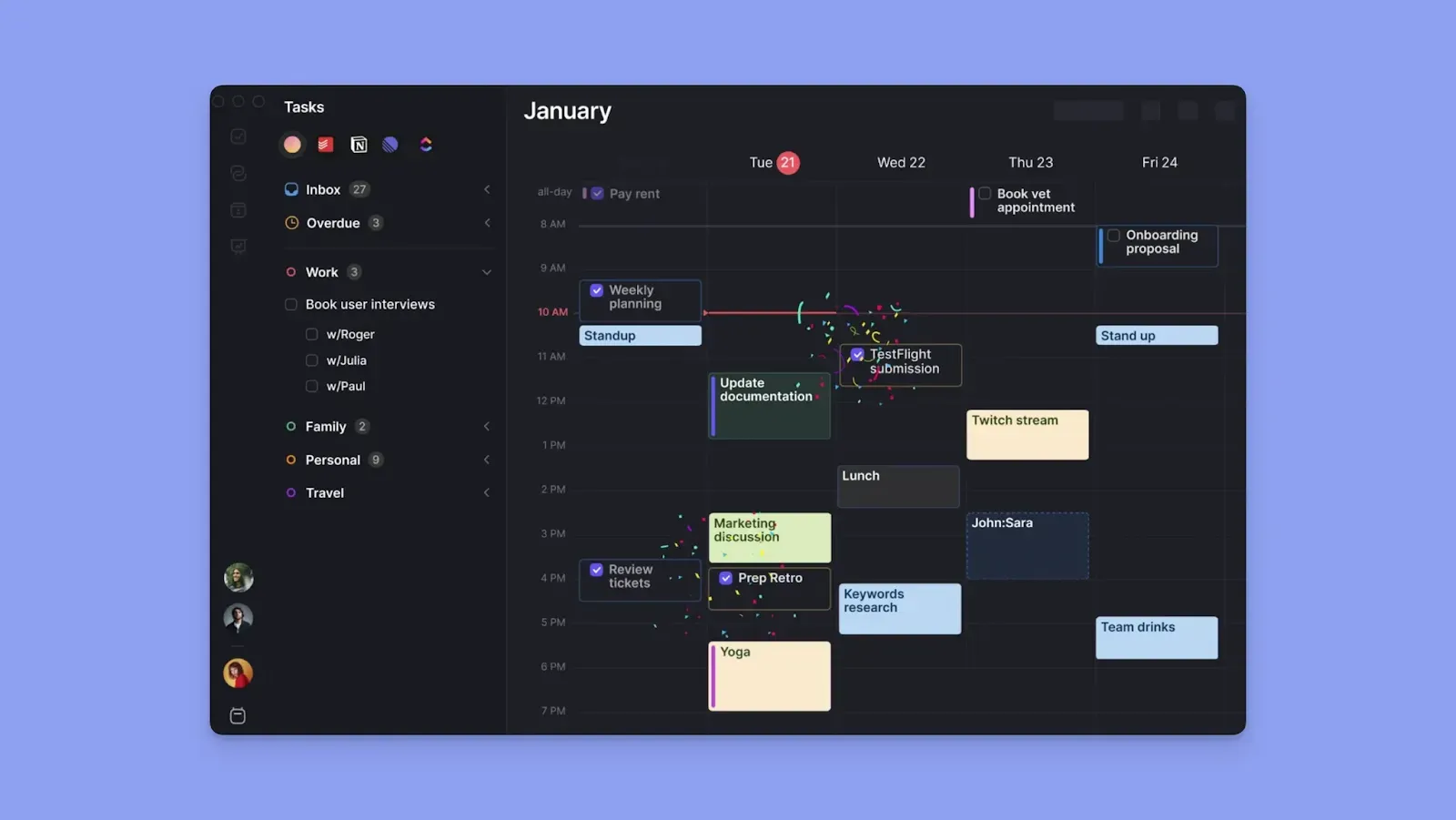
Morgen helps you schedule tasks around existing calendar events, including meetings and routines.
Unlike Clockwise, it does not edit meeting times. Instead, it helps you make better use of the time already available. Here is what you get:
- AI suggestions: The AI Planner reads your meetings, routines, deadlines, and task durations, then suggests where tasks should fit across the day
- Tool integrations: Connect to multiple calendars, task tools, and virtual meeting platforms to consolidate planning in one view
- Team planning features: Create a Morgen team and check everyone’s availability before scheduling shared meetings
- Meeting features: Build booking pages for clients and teams, plus scheduling links and open invites beyond internal-only workflows
- ADHD-friendly planning tools: Use color coding, keyboard shortcuts, the Command Bar, controlled reminders, and custom notifications to reduce planning anxiety and keep the day manageable
- Monotasking focus blocks: Break large projects into focused work sessions, protect them on the calendar, and let the AI Planner schedule them around events
Clockwise Pricing Plans: A Breakdown
Here is what you pay for with each Clockwise tier.
Free Plan
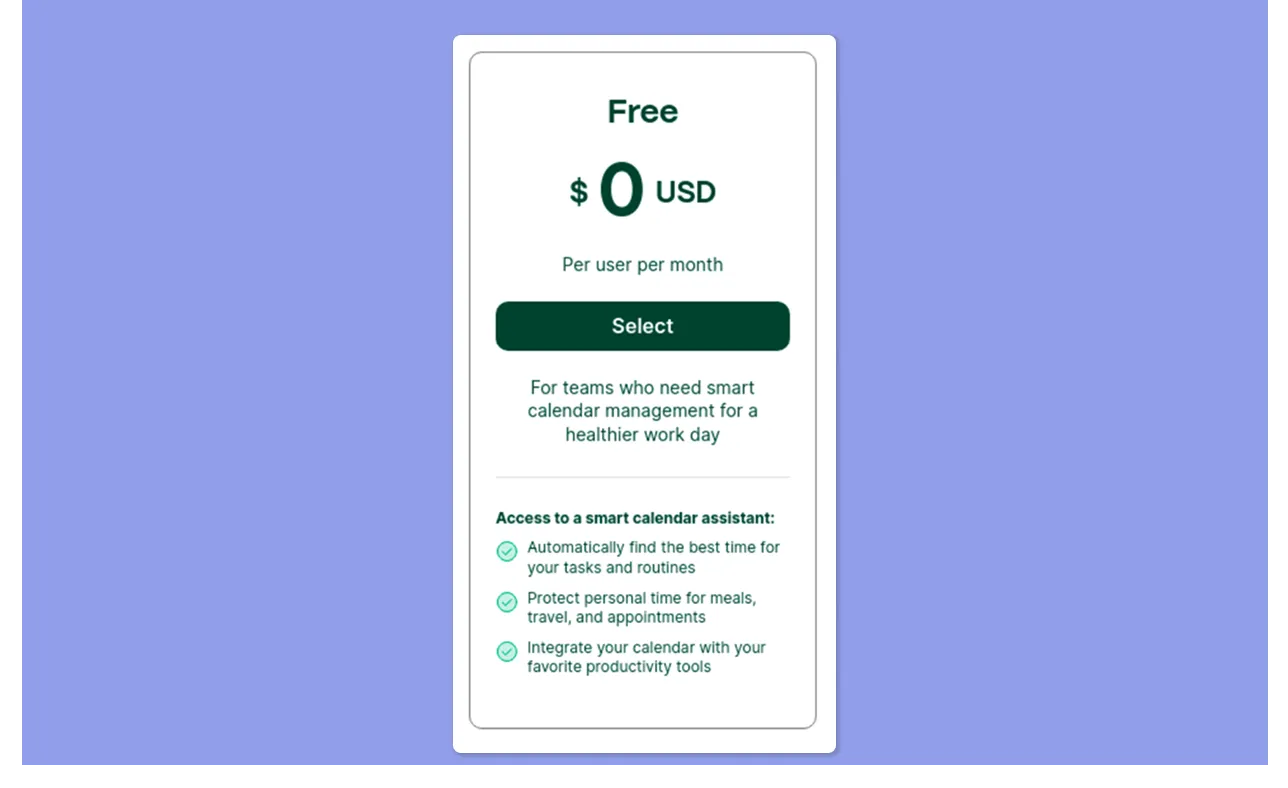
The free plan covers smart calendar basics. You get smart scheduling, flexible holds, lunch holds, personal-to-work calendar sync, travel time holds, smart meeting breaks, and automatic event color coding.
Teams Plan
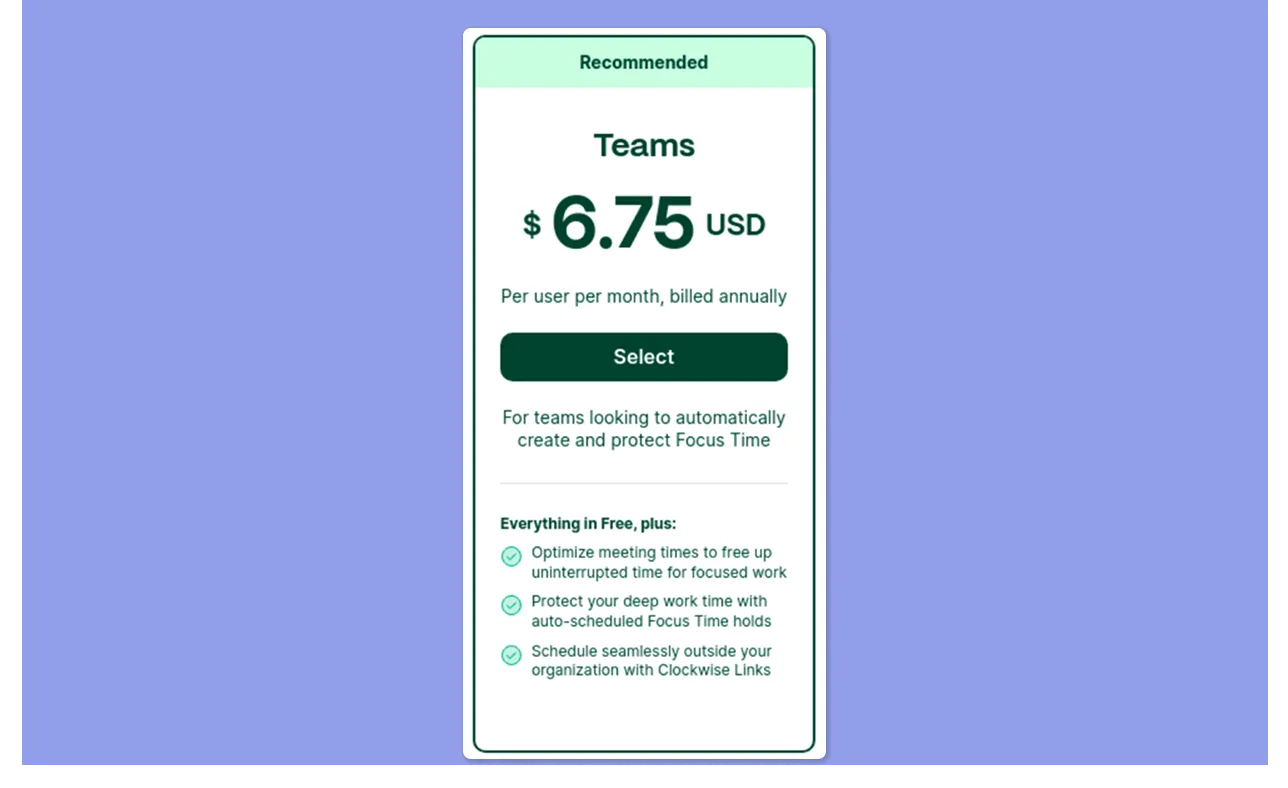
Teams adds the ability to optimize meeting times to create more uninterrupted blocks for focused work, automatically schedule Focus Time holds, and schedule outside your organization with Clockwise Links.
Business Plan
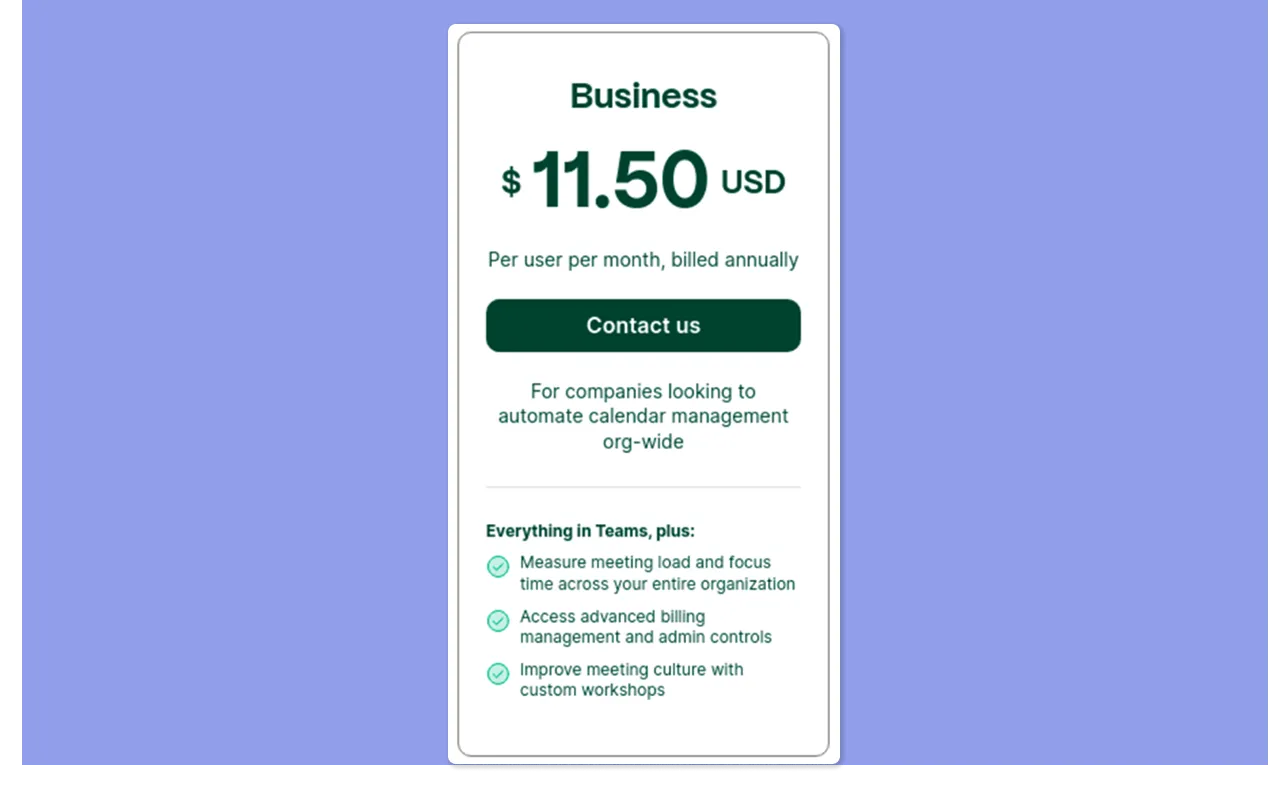
Business adds more team coordination features. You can measure meeting load and focus time across the organization, access advanced billing management and admin controls, and improve meeting culture through custom workshops.
It’s the ideal plan for operations managers and team leads who need visibility into how time is spent across departments.
Enterprise Plan

Enterprise adds centralized provisioning, custom data processing, and guaranteed support, built for organizations with IT-level security requirements. Pricing is custom-based on user count and needs.
Clockwise Hidden Costs
- Per-seat pricing with no solo tier: Individuals may end up paying team-style pricing without fully using the collaboration features
- Annual-only Business and Enterprise billing: better for stable teams, less flexible for short-term projects or testing
- Stacked software costs: Clockwise works on top of existing task and calendar tools, so the total workflow cost may be higher than the plan price alone
Clockwise Pros & Cons
At $6.75/user/month, Clockwise is competitively priced for teams. Here’s an honest breakdown of where it shines and falls short:
Pros
- Automatic meeting rescheduling. Clockwise moves flexible internal meetings to create longer focus blocks across the whole team
- Focus Time protection. Set a weekly focus time goal, and Clockwise defends those blocks, adjusting automatically as new meetings land
- Fast setup. Connect your calendar, set working hours, mark flexible meetings, and the AI starts optimizing the same day
- Slack status sync. Your status updates automatically during meetings and focus blocks across all plans
- Smart meeting breaks. Buffer time between back-to-back meetings is added automatically, so consecutive calls do not bleed into each other
- Personal calendar sync. Clockwise blocks personal events as busy on your work calendar
Cons
- No mobile app. Clockwise runs on the web and Chrome extension only, on any plan
- No external meeting rescheduling. Clockwise only optimizes meetings where all attendees are from your organization
Read about these 5 Clockwise alternatives if you want more options for daily planning.
Who Is Clockwise Best For?
Here are the three profiles that get the most value from Clockwise.
Teams With Meetings Scattered Across the Day
For teams that run on recurring standups, one-on-ones, and cross-functional syncs, the day can quickly become fragmented.
Clockwise is best when the goal is to compress those meetings into fewer parts of the day and protect longer stretches for execution.
Distributed Teams Tired of Scheduling Back-and-Forth
If your team works across different cities or time zones, finding overlap can eat up more time than the meeting itself.
Clockwise surfaces the best shared windows so meetings land within working hours without repeatedly going back and forth on Slack or email.
Professionals Who Want Scheduling Automation
For consultants, managers, founders, and client-facing professionals, Clockwise reduces the need to keep manually moving blocks every time another meeting lands.
Clockwise Customer Reviews
User sentiment often tells you faster whether a tool actually earns its subscription. Here’s what people say about Clockwise.
Positives
Users praise Clockwise for reducing fragmented workdays by scheduling meeting times and creating time for important tasks. This reviewer on G2 gives Clockwise a 5-star rating, calling it “The scheduling assistant I can't live without.”

Complaints
The most common frustration is a loss of control. Some users note that automatic scheduling can move meetings or focus blocks in ways that catch teammates unprepared.
This reviewer says:

Alternative to Clockwise: Morgen for AI Task Planning Around Calendar Events
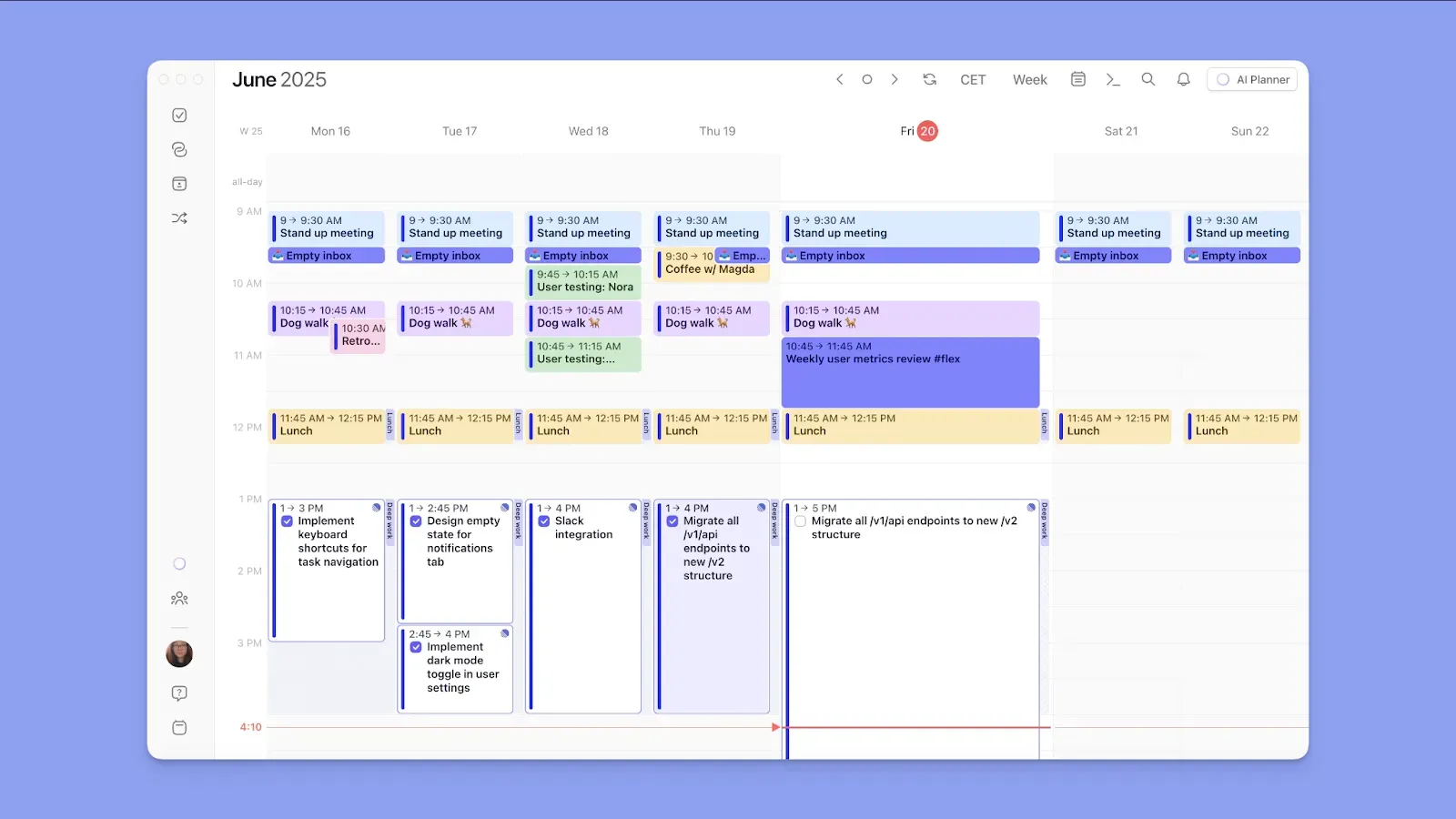
Clockwise uses AI to optimize meetings and create more focus time. Morgen uses AI to plan tasks around meetings and routines, instead of scheduling empty focus blocks.
Here are the key features you’ll enjoy when you switch from Clockwise to Morgen:
Deep Integrations Across Your Full Workflow
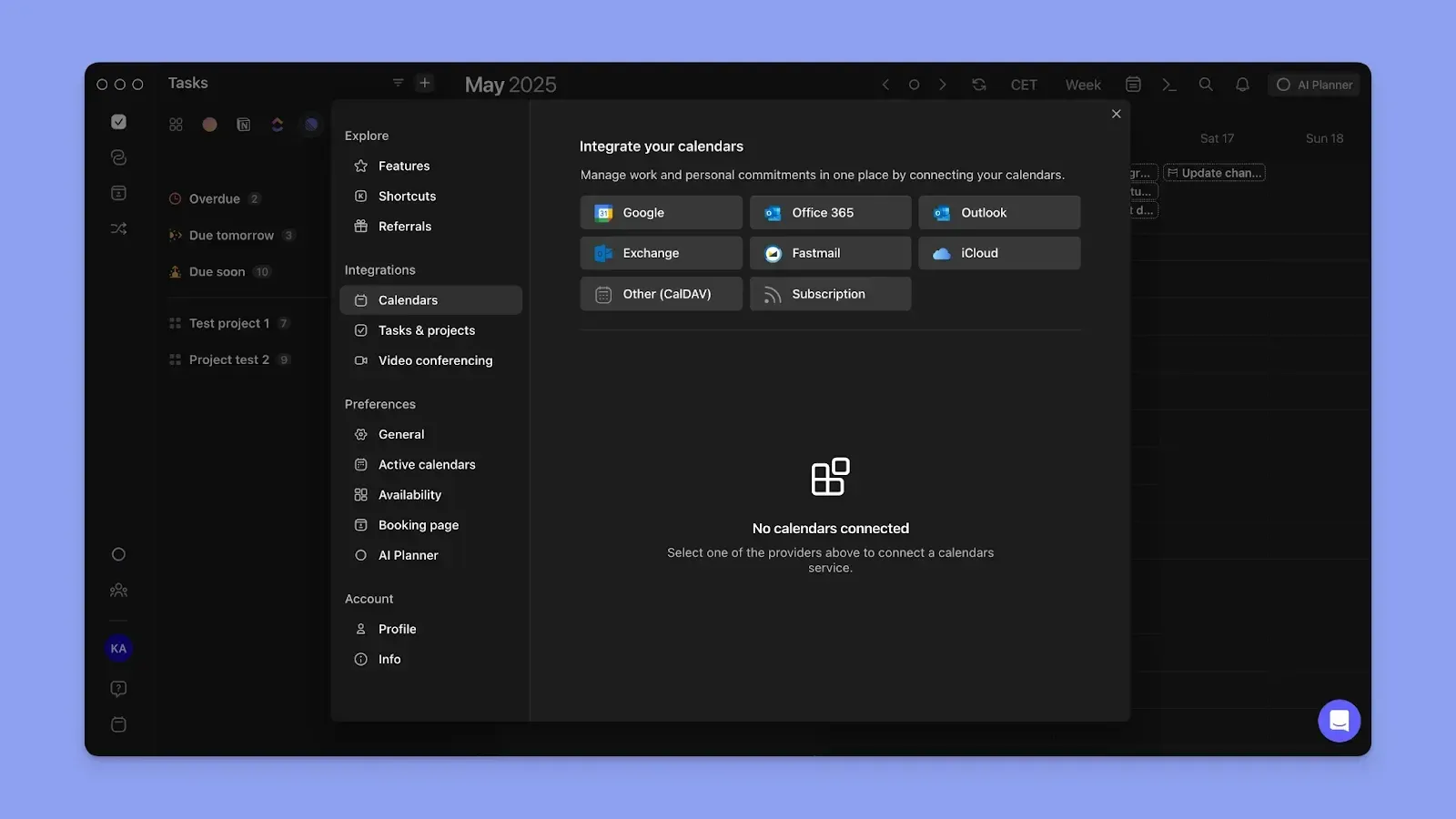
Morgen syncs calendars like Google Calendar, Outlook, iCloud, and Fastmail to surface meetings and existing commitments in one view.
You can then pull tasks from integrations like Todoist, Notion, ClickUp, Linear, Obsidian, Apple Reminders, Google Tasks, Outlook Email, and Microsoft To Do.
You can also connect meeting tools such as Zoom, Google Meet, Microsoft Teams, and Webex to simplify scheduling and meeting planning.
Daily Planning With Human-in-the-Loop AI
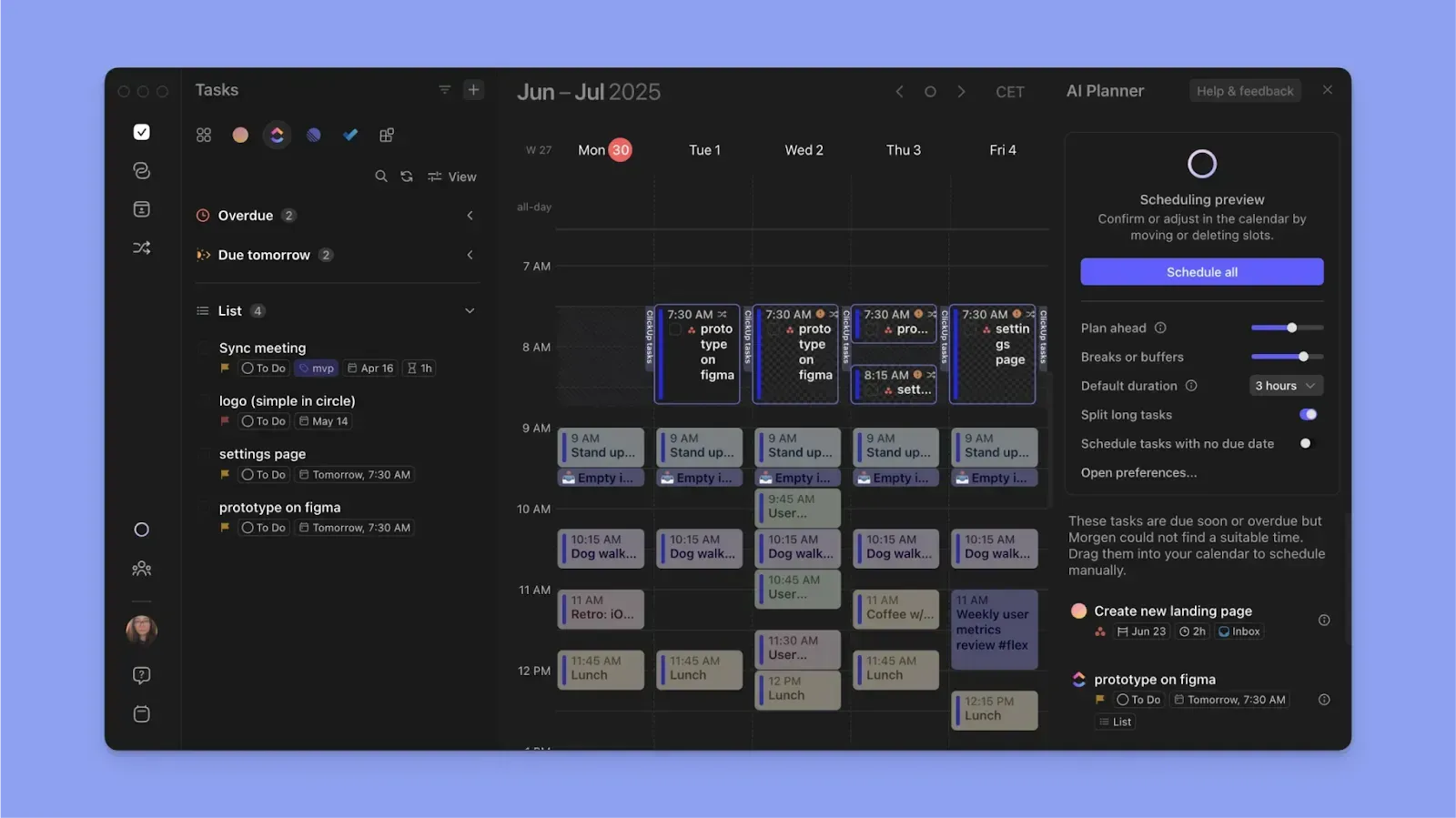
Once your meetings and tasks are in one view, Morgen helps you build a realistic plan for the day.
The AI Planner reads your calendar availability, then scans your task list for deadlines, priorities, and durations before suggesting a schedule.
Compared to Clockwise, Morgen’s AI Planner does not move meetings. You stay in control by reviewing, adjusting, and approving every suggested task block before it is scheduled. This is the Copilot approach. AI suggests, you decide. Nothing moves without your approval.
Personalized Planning Workflows
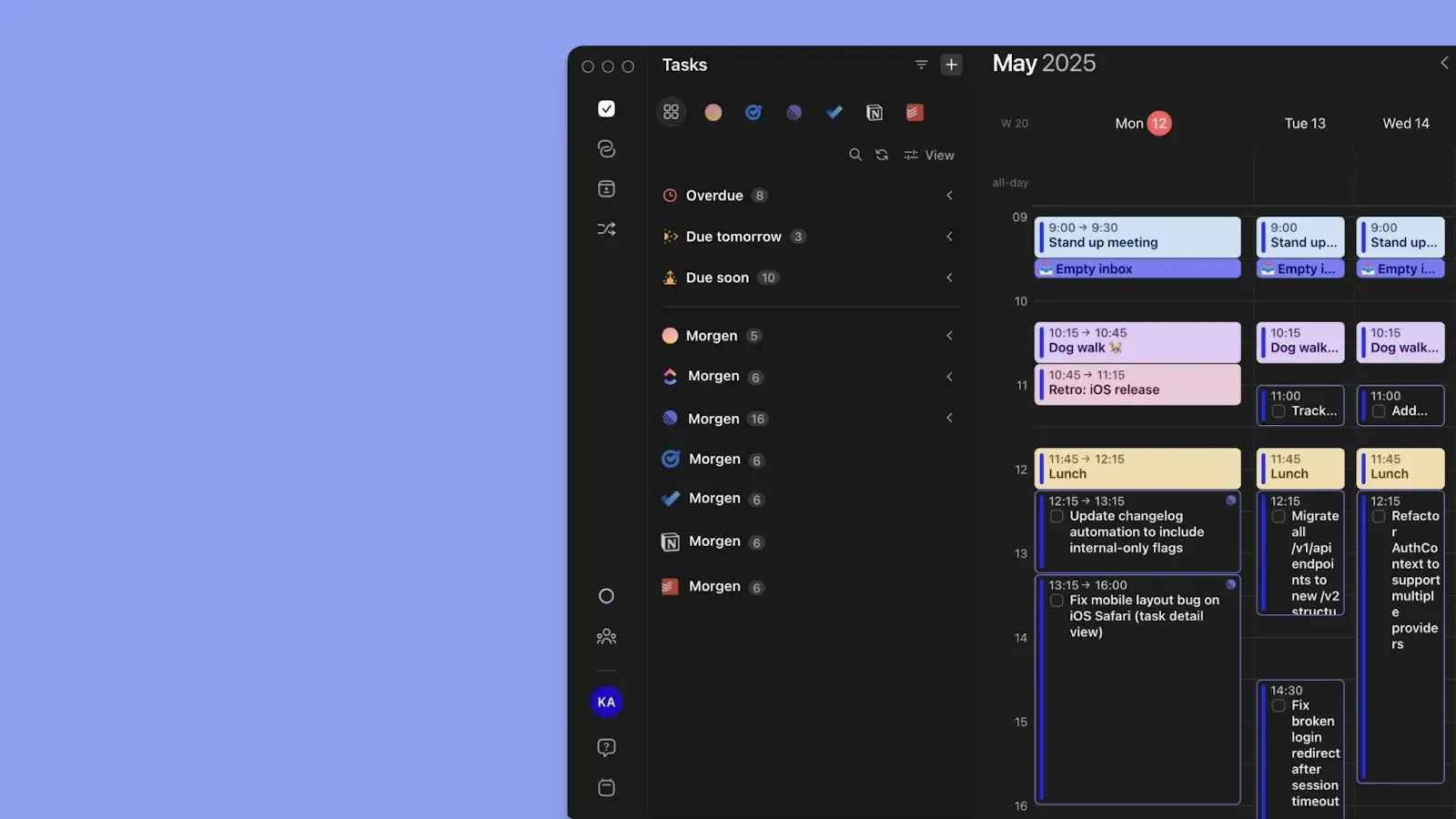
You can create native tasks directly in Morgen, too. Once you build a consolidated task list, use Frames to template your work schedule and group similar tasks into a single focus block, using filters and tags.
You can also create routines and new events, then assign them to specific calendars you want them to belong to. Use calendar propagation to sync those events across connected calendars and keep one linear plan without double-booking.
Get Morgen V4 and start planning across Windows, Mac, Linux, mobile, or the web.
Does Clockwise Pricing Fit Your Budget?
Clockwise is worth the cost for meeting-heavy teams that need AI to optimize internal meetings and protect focus time.
Morgen is the better fit for busy professionals who need AI help deciding what actual tasks fit into focus blocks around existing meetings, routines, and deadlines.
Try the Morgen AI Planner to read your commitments and create a realistic daily plan, then start your free 14-day trial.

.svg)
.webp)