.svg)
→ Reclaim AI has four plans: Lite (free), Starter ($10/seat/month), Business ($15/seat/month), and Enterprise ($22/seat/month)
→ The free Lite plan is the practical option for individuals, but it caps you at 1 habit, 1 scheduling link, and a 1-week scheduling range
→ Paid plans are built for teams. As a solo user, you're paying a per-seat rate designed to scale across a group, not one person
→ Choose Morgen ($15/month) if you're an individual who wants to consolidate calendars and task tools with AI planning suggestions you approve before anything gets scheduled
Reclaim AI offers solid calendar management, but its pricing is structured for teams, not individuals.
The free plan limits how far ahead and extensively you can plan, and paid tiers charge per user, making it harder to justify for solo use.
Let’s discuss all Reclaim AI pricing plans, plus how Morgen is better for busy individuals juggling multiple tools and changing priorities.
How Much Does Reclaim AI Cost?
Morgen: An Alternative for Human-in-the-Loop AI Planning
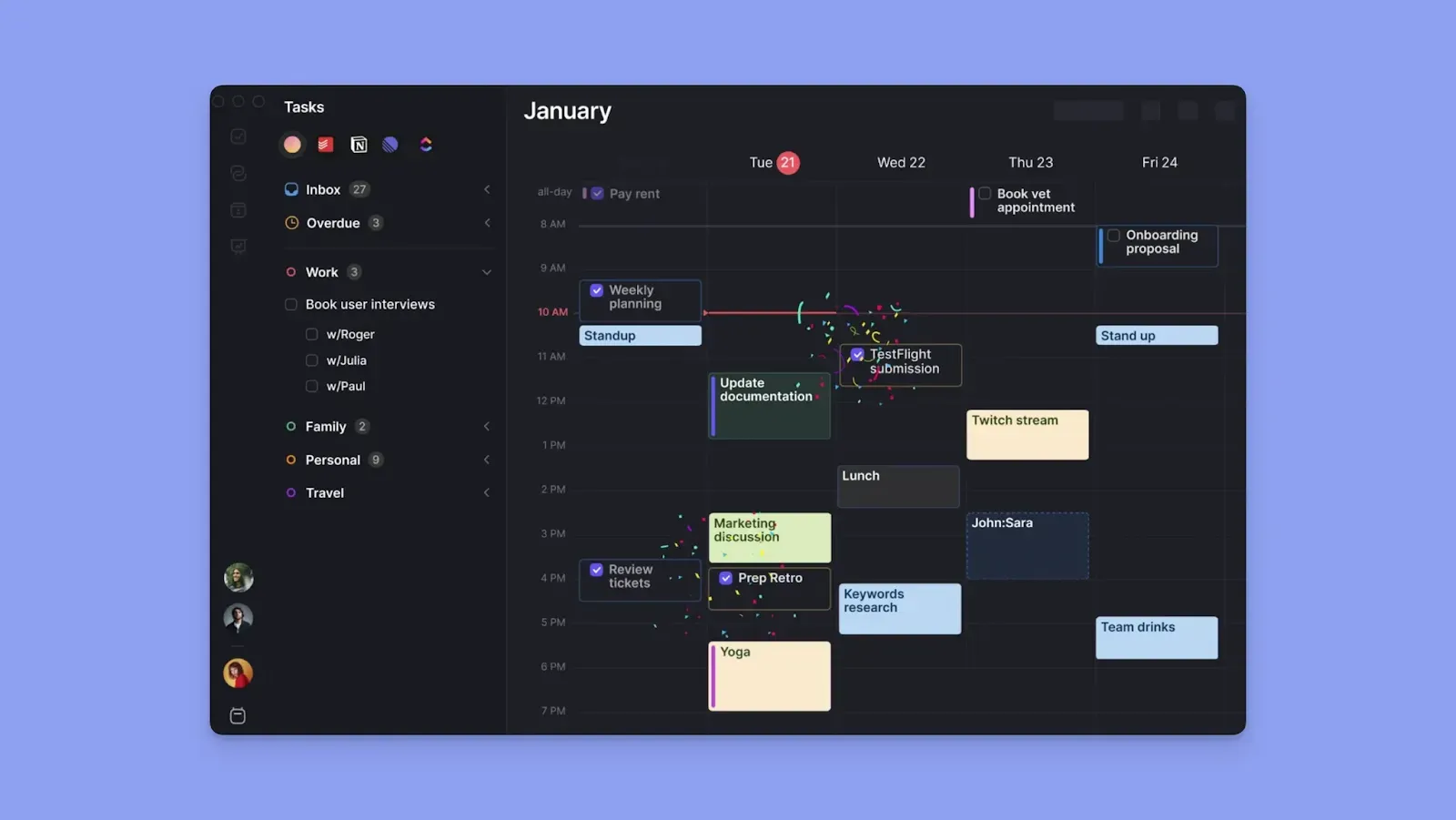
Morgen offers AI planning for tasks, but with more human control compared to Reclaim AI.
- Acts as a unified layer between your calendar (Google, Outlook, iCloud, Fastmail) and task tools (Notion, Linear, Obsidian, ClickUp, Todoist)
- Hands-on task planning: create new tasks or import them from external tools, and use the AI Planner to suggest where to place them against calendar events
- Create a daily plan on one calendar, and use Calendar Propagation to display the plan on other connected calendars
- Mark any scheduled block “Busy” and “Not Flexible” to protect the time on your calendars when the AI planner suggests reschedules
- Combine different tasks into Frame blocks to improve your focus time and complete similar work together for mindful productivity
Here are more Reclaim AI alternatives to consider.
When you switch from Recalim AI to Morgen, we’ll give you a 15% discount on your first annual plan. Contact us to apply it.
Reclaim AI Pricing Plans: A Breakdown
Here’s what each Reclaim AI plan offers:
Lite
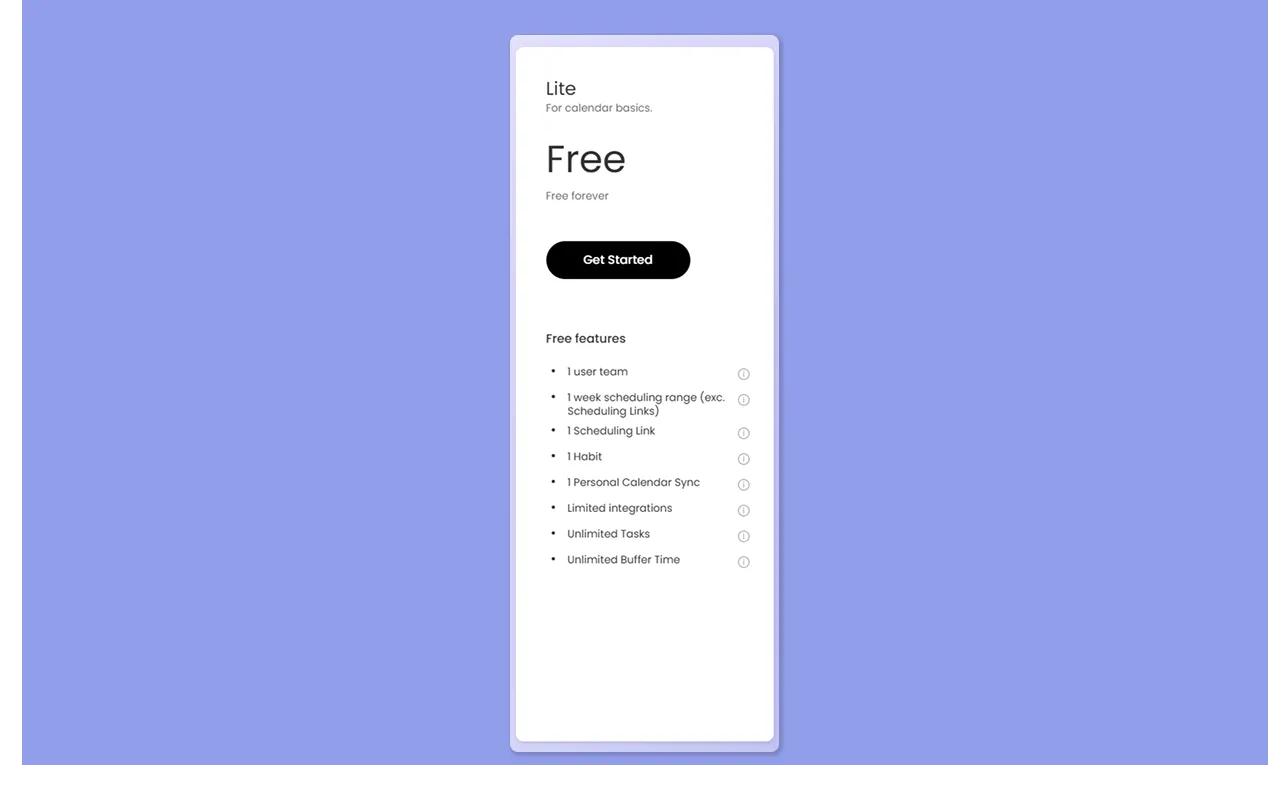
The free plan will work if you’re an individual and your schedule is not too complex. You get limited integrations, and can only create one habit, use one scheduling link, and plan only within the current week.
That said, features like buffer time and travel time, no-meeting days, and weekly productivity reports make planning easier for freelancers and casual users.
Starter

Starter lets small teams plan up to 8 weeks, connect more calendars, and unlock more task integrations.
This plan also gives some flexibility in how time is structured, with additional habits, scheduling links, and custom working hours.
Business

The business plan is ideal for large teams (100 seats), allowing scheduling up to 12 weeks in advance.
You get full access to scheduling links, including round-robin booking and branded pages, along with webhooks that let you send meeting data to other tools.
This plan allows delegation access so team members can manage schedules for colleagues or superiors.
Enterprise
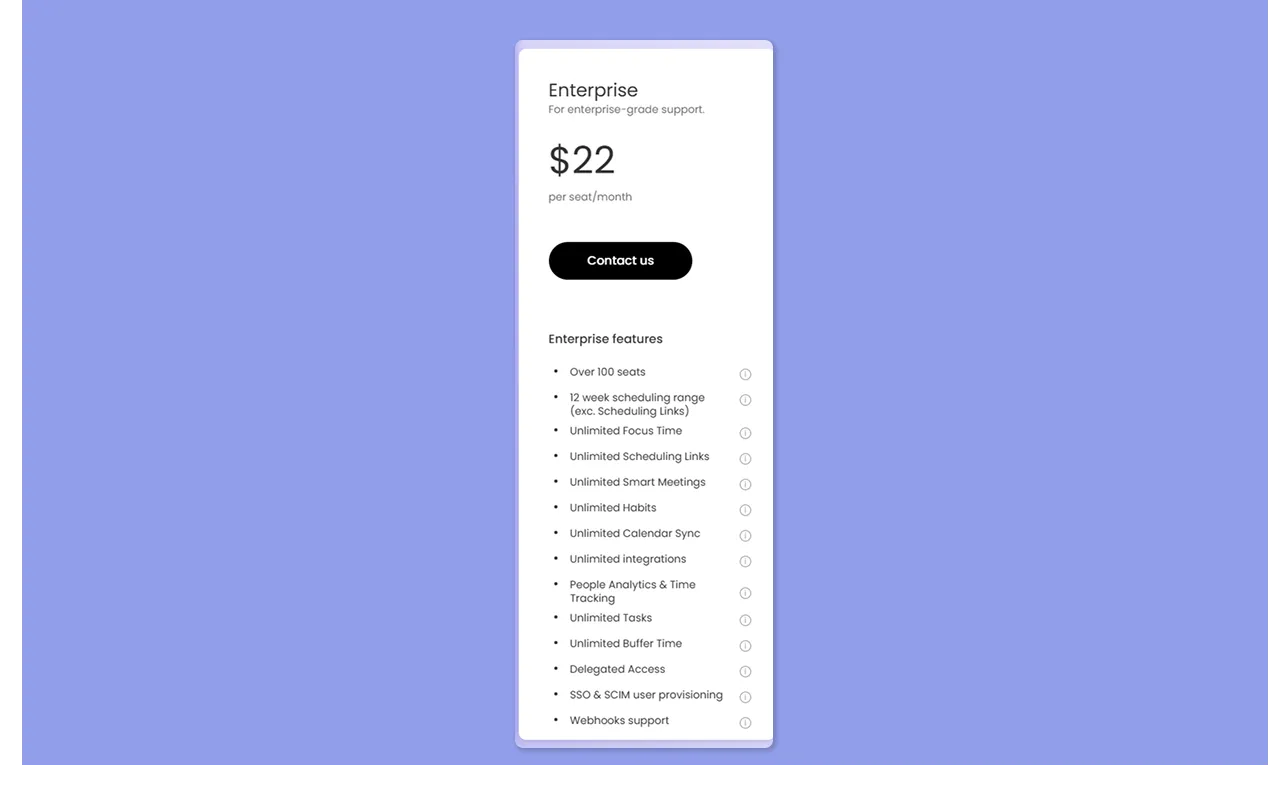
Enterprise is built for organizations that need control over how time is managed across teams. It adds SSO, automated user provisioning, and domain-level onboarding so new users are added automatically.
It also introduces company-wide focus time goals and reporting, giving leadership visibility into how time is spent across the organization.
Reclaim AI Hidden Costs
- Per-seat pricing built for teams: As a solo user, you still pay for a full seat, even though much of the value in higher tiers comes from team coordination features
- Integrations are paid separately: Reclaim connects to your task tools, but you still pay for those tools separately
Reclaim AI Pros & Cons
So, where does Reclaim AI actually deliver, and where does it struggle?
Pros
- Fully automated AI scheduling: Tasks, habits, and focus time are placed and adjusted without manual input
- Flexible task integrations: Sync tasks with deadlines and durations directly into your calendar
- Smart habit rescheduling: Habits move automatically instead of being dropped when conflicts appear
- Adaptive focus time protection: Defends focus time based on how busy your week gets
- Continuous calendar optimization: Your schedule updates automatically as meetings and priorities change
Cons
- No mobile app. The most cited limitation across G2 by users like Joshua M
- Autopilot can feel overwhelming: The lack of hands-on planning may not suit users (especially those with ADHD) who prefer to actively structure their day
- Rigid once set up: As Yori I. noted, tasks do not always follow manual changes easily, especially when trying to enforce specific times
- Limited calendar syncs: Only connects to Google Calendar and Outlook calendars
Here are more AI scheduling assistants if Reclaim AI feels too rigid to work with.
Who Is Reclaim AI Best For?
Reclaim AI is best for users who rely on automated calendar structuring across tasks, habits, and meetings. These include:
Professionals Who Want Full Scheduling Automation
Reclaim AI will work for you if you’d rather not plan your day manually. It reads your meetings and slots habits and tasks into whatever availability remains. When something new lands on your calendar app, it reshuffles everything to fit.
Meeting-Heavy Professionals
You can use Reclaim AI if your daily schedule fills up quickly with meetings.
It blocks flexible time for habits and tasks. But if you schedule a meeting at the same time, the AI calendar automatically finds the next available slot and reschedules the task or habit.
Habit-Driven Professionals
If you have recurring commitments like morning workouts or weekly reviews, Reclaim will schedule and auto-defend time for them. Only if a conflict appears will it find the next valid window for the habit.
Reclaim AI Customer Reviews
Here is what users are saying about Reclaim AI across G2 and Reddit:
Positives
Troy H calls Reclaim AI the “Perfect Planning and Smart Scheduling for My Real Estate Business.”

Complaints
This Reddit reviewer complains about tasks created in Reclaim cluttering their Google Calendar:

Alternative to Reclaim AI: Morgen for More Integrations, Deeper Task Planning, and Controlled AI Scheduling
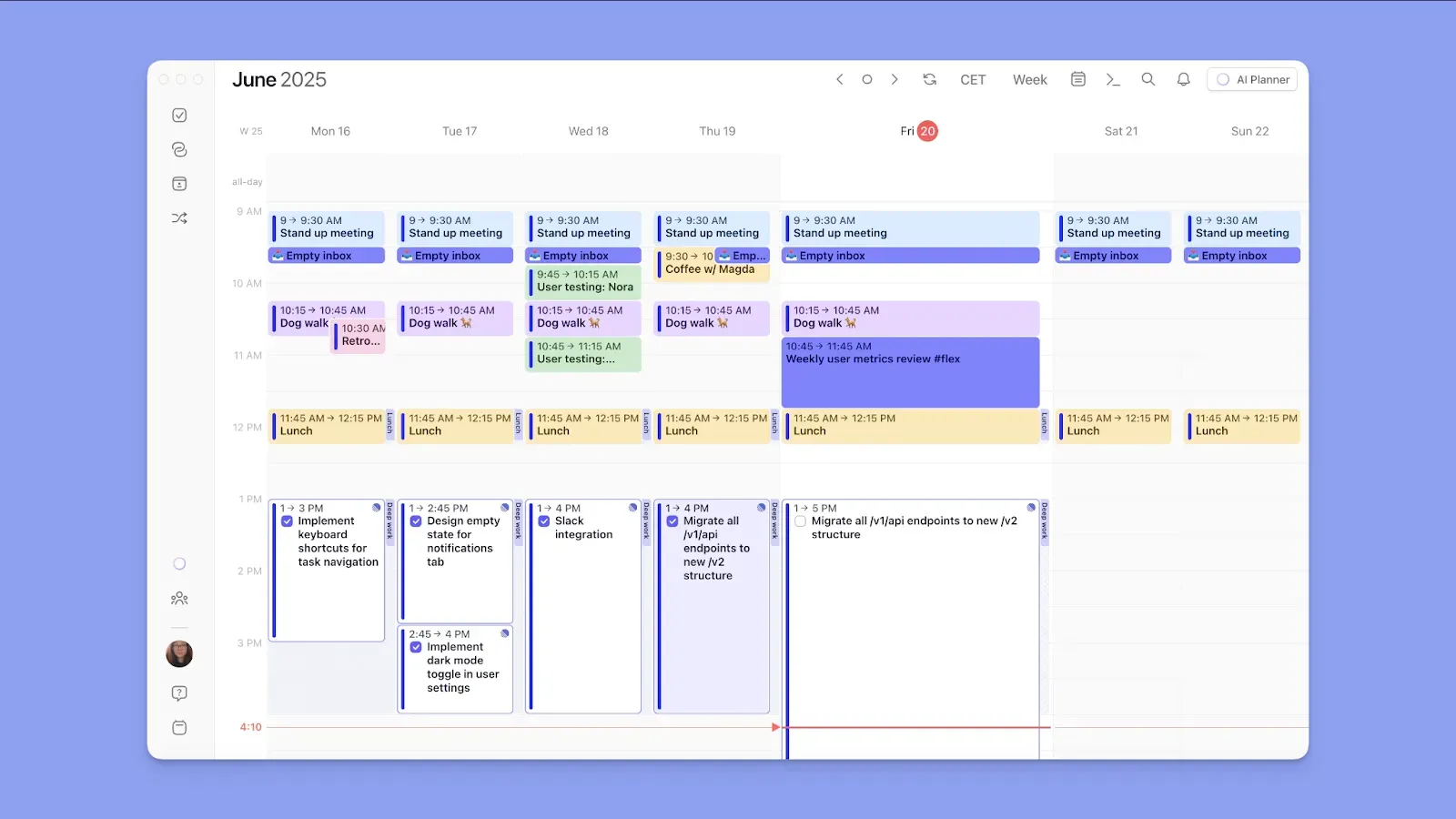
While Reclaim automates your schedule, Morgen builds it with you.
It's a task management tool that offers more integrations and an AI planner for priority-based scheduling. The best Morgen features include:
Broader Integration Depth

Morgen connects with more calendars, task tools, and meeting platforms than Reclaim.
On the calendar side, you get Google Calendar, Microsoft Outlook, iCloud, Fastmail, and subscription calendars.
To import tasks, connect to Notion, Linear, Obsidian, ClickUp, Todoist, Microsoft To Do, Google Tasks, and Apple Reminders. Zoom, Google Meet, Microsoft Teams, and Webex handle your meeting links.
Task Planning with AI Suggestions
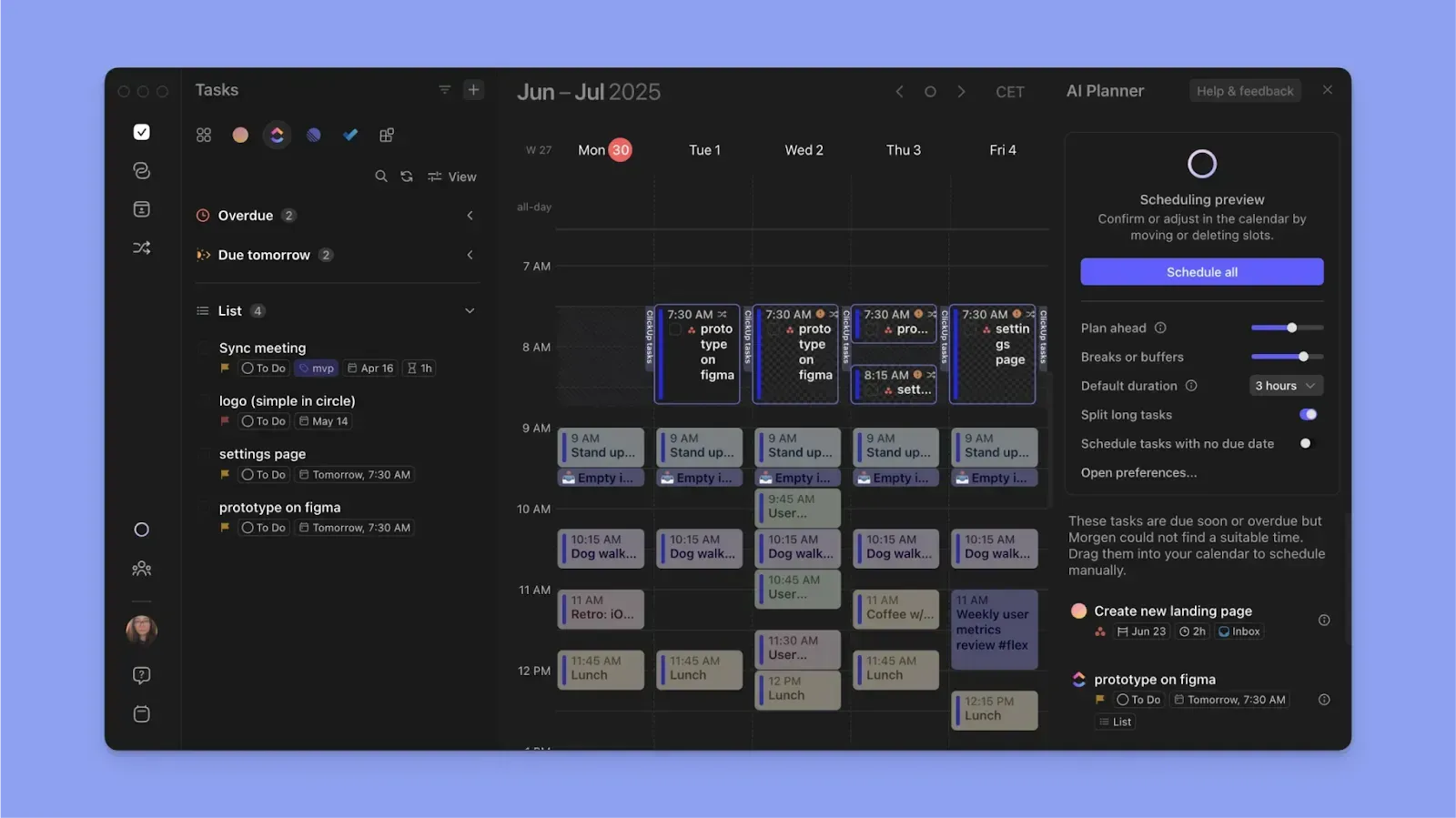
Morgen allows fast task capture through the Command Bar (Ctrl+K / Cmd+K) or by clicking the Morgen calendar outline.
From your task list, drag and drop individual tasks into available slots on the calendar. Or, build Frames: recurring time blocks with task filters that pull in the right tasks at the right time, whether you fill them manually or let the AI Planner do it.
To plan at scale and prevent calendar chaos, the AI Planner reads your full task list, durations, priorities, deadlines, and Frames, then surfaces suggestions for where each task belongs. Review the proposed schedule, adjust anything that does not fit, and confirm.
Download Morgen on Mac, Windows, Linux, and Android now.
Does Reclaim AI Pricing Fit Your Budget?
Reclaim AI is worth it for automatic scheduling and focus time protection, especially for remote teams. However, if the price point doesn't fit your budget, there are several other Reclaim AI alternatives that offer similar automation at a lower entry point for individuals.
But if you’re a solopreneur, developer, or knowledge worker managing tasks across multiple tools, and you want to stay in control of how your day gets structured, Morgen is the better fit.
Here's how to get started with Morgen V4, and a free 14-day trial for you.

.svg)
.webp)