.svg)
→ Morgen: Für Einzelpersonen und kleine Teams, die Aufgaben und Kalender auf einer Ebene planen möchten und echte Arbeit in geschützte Zeit mit von Menschen genehmigter KI einplanen wollen
→ Motion: Geeignet für Teams, die einen aggressiven KI-Autopiloten möchten, um Zeitpläne vollständig um Fristen und Prioritäten neu zu strukturieren
→ Reclaim.ai: Eine Option für Google- und Microsoft-Poweruser, die möchten, dass KI Gewohnheiten und Routinen schützt
→ Akiflow: Für Produktivitätsenthusiasten, die manuelle Kontrolle und Automatisierung mit schnellem tastaturgesteuertem Time blocking möchten
→ TickTick: Eine budgetfreundliche, aufgabenzentrierte Alternative, die gut funktioniert, wenn deine Hauptherausforderung darin besteht, Aufgaben zu erledigen, anstatt Meetings zu optimieren
Clockwise ordnet Meetings neu, um Fokuszeit zu schaffen, hilft dir aber nicht, die Aufgaben zu planen, an denen du arbeiten möchtest. Deine Aufgaben bleiben über andere Tools verteilt, während diese Fokusblöcke nichts zugewiesen bekommen.
Für bessere Aufgaben- und Tagesplanung solltest du Clockwise-Alternativen in Betracht ziehen, die Kalender und Task-Management-Tools integrieren. Lass uns fünf Optionen für 2026 vergleichen – mit Infos zu den besten Anwendungsfällen, Hauptfunktionen und Preisen.
Die besten Clockwise-Alternativen: Übersicht
| Tool | Am besten für | Besonderheit | Startpreis | G2-Bewertung | Capterra-Bewertung |
|---|---|---|---|---|---|
| Morgen | Einzelpersonen, die Aufgaben und Events an einem Ort verwalten möchten | KI-gestützte Planung mit menschlicher Kontrolle und tiefe Integrationen | 15 €/Monat | 4,8/5 | 5,0/5 |
| Motion | Teams, die einen aggressiven KI-Autopiloten mit integriertem Projektmanagement möchten | Vollständig automatisierte Aufgaben- und Meeting-Planung | 19 €/Monat | 4,2/5 | 4,3/5 |
| Reclaim.ai | Google Calendar oder Outlook Power-User mit täglichen Routinen und Gewohnheiten | Intelligente Gewohnheiten, die sich automatisch nach Priorität und Kapazität verschieben | 10 €/Monat | 4,8/5 | 4,9/5 |
| Akiflow | Produktivitäts-Enthusiasten, die schnelle Tagesplanung ohne viel KI möchten | Befehlsleiste und Tastatur-zentrierter schneller Time-Blocking-Workflow | 19 €/Monat | 4,8/5 | 4,7/5 |
| TickTick | Budget-bewusste Nutzer, die Aufgaben zuerst, Kalender zweite Priorität haben | Task-Management-Funktionen mit integriertem Pomodoro-Timer und Gewohnheitsverfolgung | 35,99 €/Jahr | 4,6/5 | 4,7/5 |
1. Morgen: Am besten für All-in-One-KI-Planung

Morgen ist eine einheitliche Produktivitätsplattform, die Kalender und Task-Management mit KI-gestützter Planung in einer Oberfläche kombiniert. Du kannst Aufgaben aus mehreren Quellen neben deinen Kalender-Events sehen und sie dann mit KI-Empfehlungen in deinen Zeitplan einplanen. Schau dir an, wie du deine Apple Reminders und Google Calendar verbinden kannst.
Hauptfunktionen
Morgen bietet flexible Planung, tiefe Integration mit Kalendern und persönlichen Zeit-Management-Apps und füllt deine Fokuszeit mit echter Arbeit.
Tiefe Task-Management-Integration

Morgen verbindet sich direkt mit Task-Tools wie Notion, Linear, ClickUp, Todoist und Obsidian und zieht deine Aufgaben in eine einzige Planungsansicht. Im Vergleich dazu haben Clockwise' grundlegende „Flexible Holds" begrenzte Einstellungen und kein echtes Task-Management.
Tipp: Morgen unterstützt auch Email-zu-Task-Workflows mit Outlook und Gmail-Integrationen, sodass du Emails markieren kannst, um sie in deinen Kalender als umsetzbare Aufgaben zu machen.
Scheduling Links, Buchungsseiten und Meeting-Koordination

Morgens Buchungsseiten zentralisieren Scheduling Links, sodass Kunden alle deine Meeting-Typen an einem Ort sehen. Du kannst auch Scheduling Links für mehrere Personen erstellen, um die Verfügbarkeit über Co-Hosts und erforderliche Teammitglieder zu poolen, oder offene Einladungen teilen, damit deine Gäste Meetings buchen können, wenn ihr beide verfügbar seid.
Hinweis: Morgen integriert sich mit Videokonferenz-Tools und zeigt Echtzeit-Verfügbarkeit über alle synchronisierten Kalender (Google, Outlook, iCloud, FastMail), um Doppelbuchungen zu vermeiden.
Hinweis: Morgen integriert sich mit Videokonferenz-Tools und zeigt Echtzeit-Verfügbarkeit über alle synchronisierten Kalender (Google, Outlook, iCloud, FastMail), um Doppelbuchungen zu vermeiden.
Frames für strukturierte Wochenplanung

Während Clockwise generische „Fokuszeit"-Blöcke in deinen Kalender einfügt, erstellen Morgens Frames deine ideale Woche mit echter Arbeit.
Erstelle wiederkehrende Blöcke für verschiedene Arbeitstypen, wie Tiefenarbeit oder Kundenanrufe, und wende dann Filter an, damit der KI-Planer weiß, welche Aufgaben in jeden Frame gehören.
KI-Planung mit menschlicher Kontrolle
Morgens KI-Planer schlägt vor, wo Aufgaben basierend auf deiner verfügbaren Kapazität, dem Morgen-Prioritätsfaktor und deinen Frame-Filtern platziert werden.
Wenn du den KI-Planer nutzt, pulsieren vorgeschlagene Aufgaben über deinen Frames, um sie von geplanten Verpflichtungen zu unterscheiden. Du kannst den Plan direkt im Kalender anpassen, indem du Aufgaben vergrößerst oder andere Arbeit hineinziehst, bevor du auf „Alle planen" klickst, um zu bestätigen.
Tipp: Morgens KI-Assistent verwaltet deinen Kalender durch natürliche Sprache, sortiert Emails, extrahiert Aktionselemente aus Slack und Teams und bereitet Meeting-Briefs vor.
Preisgestaltung
Hinweis: Du erhältst eine 14-tägige kostenlose Testversion und eine 30-tägige Geld-zurück-Garantie mit jedem Abonnement.
| Plan | Monatlich | Jährlich |
|---|---|---|
| Einzelnutzer | 30 €/Monat | 15 €/Monat |
| Teams | 25 €/Nutzer/Monat | 10 €/Nutzer/Monat |
Morgen-Rabatte: 15% Rabatt auf das erste Jahr beim Wechsel von Motion, Reclaim, Fantastical oder Sunsama, und 25% Rabatt für Studenten und gemeinnützige Organisationen (verfügbar nach einer kostenlosen Testversion mit einer institutionellen E-Mail-Adresse).
Wo Morgen glänzt
- Öffnet Einzelkonten: Während Clockwise eine Arbeits-E-Mail erfordert und Team-Meeting-Zeitpläne optimiert, lässt dich Morgen ein persönliches Konto eröffnen, mit allen Scheduling-Funktionen verfügbar
- ADHS-freundliche Planung: Morgen reduziert Entscheidungsmüdigkeit durch visuelles Time-Blocking, universelle Task-Tags, Routinen für Selbstfürsorge, farbcodierte Kalender (13 weitere Basisfarben für Routinen und Task-Blöcke), die „Was sollte ich als nächstes tun?" Lähmung für Menschen mit ADHS beseitigen
- Integriertes Time Blocking: Morgen lässt dich Zeit für bestimmte Arbeitstypen blockieren und Aufgaben direkt in diese Blöcke planen, um deinen Kalender in einen realistischen Tagesplan zu verwandeln
- Routinen für Gewohnheiten und Selbstfürsorge: Morgens Routinen schützen zeitgebundene Aktivitäten wie Frühstück, Workouts und Rituale. Routinen leben in deinen Kalendern, sodass sie nicht von KI verschoben werden
Wo Morgen schwach ist
- Keine automatische KI-Handhabung: Morgens Copilot-Ansatz erfordert, dass du alle KI-Vorschläge genehmigst, was für Menschen, die einen praktischeren Ansatz mögen, mehr manuelle Arbeit bedeuten kann
- Kein vollständiges Projektmanagement-Tool: Morgen konzentriert sich auf individuelle Produktivität und Time-Blocking statt auf Team-Workload-Management oder Projekt-Tracking-Funktionen
Kundenbewertungen
„Ich liebe, wie es meine Kalender und alle meine Aufgaben kombiniert. Ich kann alles sehen, was ich auf einem Bildschirm erledigen muss," sagt Denise H.

„Morgen löst den Aufgaben- und Kalender-Workflow, den ich in meinem beschäftigten Leben brauche," teilt Nicholas Alico mit.

Für wen Morgen am besten ist
- Einzelpersonen und kleine Teams, die echte Workloads verwalten: Solopreneure, Freelancer, Marketer, Entwickler und Knowledge Worker, die Aufgaben und Meetings zusammen planen müssen
Lade Morgen für Windows, Mac, Linux, iOS und Android herunter, um mit KI-gestütztem Time Blocking zu beginnen
2. Motion
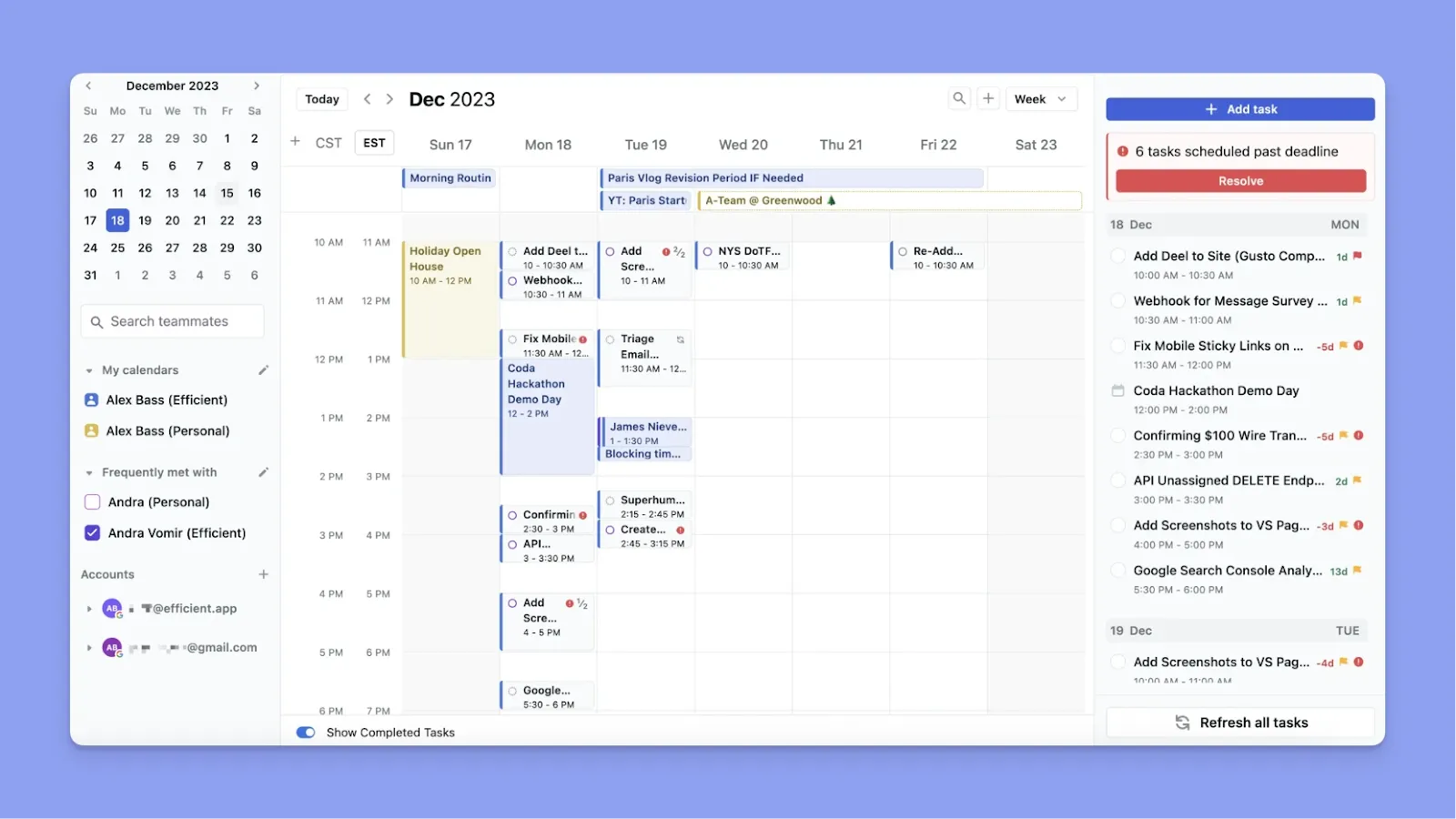
Motion ist ein KI-Assistent für persönliche Planung, der Arbeit kontinuierlich um Fristen und Prioritäten neu anordnet und auch Projektplanungsfunktionen für große Teams bietet, die von Clockwise wechseln.
Hauptfunktionen
- Integriertes KI-Projektmanagement: Du erhältst Kanban-Boards, Gantt-Diagramme und Task-Abhängigkeiten und kannst Aufgaben automatisch mit deinem Zeitplan synchronisieren, um Scheduling-Konflikte zu vermeiden
- Team-Workload-Ausgleich: Motion synchronisiert die Zeitpläne von Teamkollegen und verteilt Arbeit basierend auf Kapazität, zeigt dir Fortschritt, Deadline-Risiken und Engpässe ohne Status-Meetings
Preisgestaltung
| Plan | Monatlich | Jährlich |
|---|---|---|
| Einzelnutzer (Pro AI) | 49 € | 29 € |
| Einzelnutzer (Business AI) | 69 € | 39 € |
| Team (Pro AI) | 29 €/Nutzer | 19 €/Nutzer |
| Team (Business AI) | 49 €/Nutzer | 29 €/Nutzer |
Wo Motion glänzt
- Breiteres Integrations-Ökosystem: Motion verbindet sich mit Google Calendar, Outlook, Zoom, Gmail, Zapier und bietet eine öffentliche API für benutzerdefinierte Verbindungen
- Vollständige KI-Assistent-Suite: Motion umfasst KI-Meeting-Notetaker, KI-Docs-Assistent, KI-Chat und KI-Projektmanager, die über grundlegende Kalender-Optimierung hinaus zusammenarbeiten
Wo Motion schwach ist
- Höherer Preis: Motion kostet 29 €/Monat jährlich für Einzelnutzer, fast doppelt so viel wie Morgen, und ist auch teurer als Clockwise. Hier sind einige Motion-Alternativen für einen niedrigeren Preis
- Team-fokussierte Funktionen: Einzelnutzer könnten feststellen, dass sie für Zusammenarbeitsfunktionen zahlen, die sie nicht vollständig nutzen
Kundenbewertungen
„Ich liebe auch, wie es sich in meine Kalender integriert und meine Meetings plant," teilt Michael McCaleb mit.
„Ich finde Motion sehr kompliziert und überwältigend, besonders für einen Einzelnutzer wie mich," sagt Christian T.

Für wen Motion am besten ist
- Beschäftigte Teams: Die der KI vertrauen, Scheduling-Entscheidungen zu treffen und aggressive Schedule-Optimierung ohne manuelle Eingriffe mögen
3. Reclaim
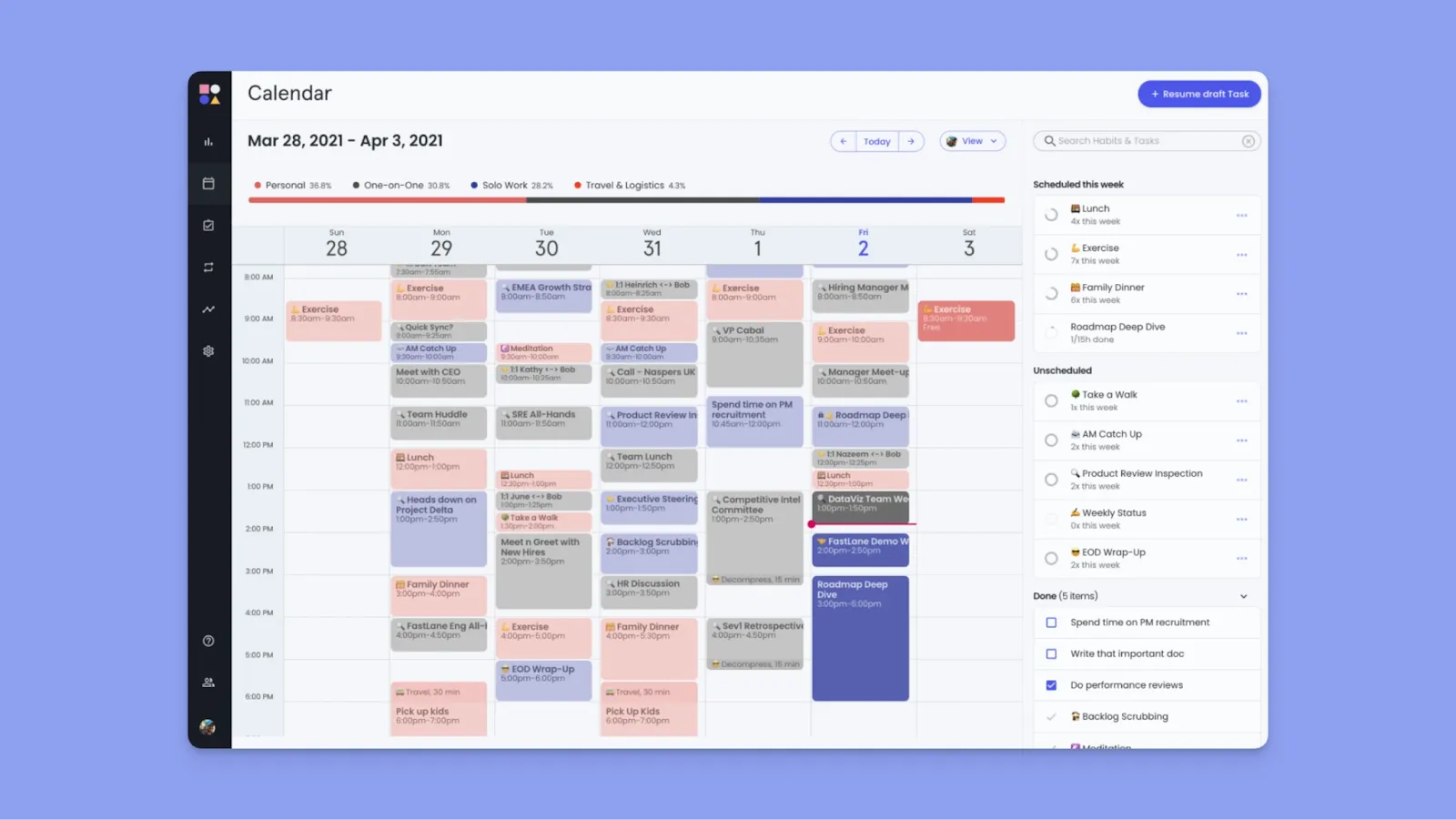
Reclaim und Clockwise sitzen beide auf Google Calendar und Outlook, um Zeit zu optimieren, aber im Gegensatz zu Clockwise verwaltet Reclaim aktiv, wie Arbeit, Gewohnheiten und Prioritäten um Zeit konkurrieren, indem es Regeln und automatisches Verschieben nutzt.
Hauptfunktionen
- Prioritätsbasierte KI: Reclaim weist jedem Kalender-Element P1-P4-Prioritätsstufen zu, sodass die KI weiß, was zu schützen ist und was zu verschieben ist, wenn Konflikte entstehen
- Intelligente Gewohnheiten: Du kannst wöchentliche Routinen mit flexiblen Zeitfenstern einrichten, und Reclaim findet kontinuierlich die besten verfügbaren Slots, während höherpriorisierte Verpflichtungen geschützt werden
- Task-Integrationen: Ziehe Aufgaben direkt aus Projektmanagement-Tools und plane sie automatisch um Meetings nach Priorität und Deadline
Preisgestaltung
| Plan | Monatlich | Jährlich |
|---|---|---|
| Lite | Kostenlos für immer | Kostenlos für immer |
| Starter (bis zu 10 Nutzer) | 12 €/Nutzer | 10 €/Nutzer |
| Business (bis zu 100 Nutzer) | 18 €/Nutzer | 15 €/Nutzer |
| Enterprise (100+ Nutzer) | Benutzerdefiniert | 22 €/Nutzer |
Wo Reclaim glänzt
- Flexiblere Fokuszeit-Anpassung: Stelle minimale und maximale Sitzungsdauern, ideale Tageszeiten und ob Blöcke als frei oder beschäftigt angezeigt werden, ein
- Automatische Pufferzeit: Reclaim plant automatisch Pausen nach Meetings (Erholungszeit), fügt Reisezeit vor und nach Events mit physischen Orten hinzu und schafft Abstände zwischen Aufgaben, um Burnout durch Rücken-an-Rücken-Arbeit zu vermeiden
Wo Reclaim schwach ist
- Wiederkehrende Arbeitselemente erfordern „Gewohnheiten": Du musst Gewohnheiten einrichten, um wiederkehrende Aufgaben zu erstellen, was oft zu Interface-Verwirrung führt
- Keine native Mobile App: Mehrere Nutzer wünschen sich eine Mobile App, da du Reclaim derzeit nur auf dem Desktop nutzen kannst
Kundenbewertungen
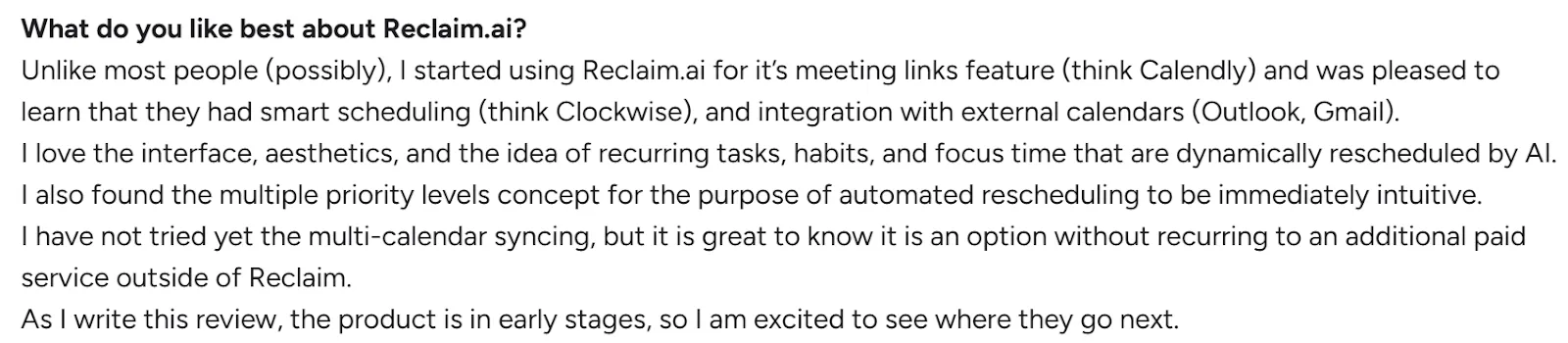
„Ich liebe die Oberfläche, die Ästhetik und die Idee wiederkehrender Aufgaben, Gewohnheiten und Fokuszeit, die von KI dynamisch verschoben werden," sagt Luigi P.
„Die Gewohnheitsfunktion und Puffer mangeln an Flexibilität," teilt Chien D mit.

Für wen Reclaim am besten ist
- Meeting-intensive Profis: Produktmanager, Softwareentwickler und Knowledge Worker, die 50%+ ihres Kalenders in Meetings verbringen, aber immer noch geschützte Blöcke für echte Arbeit brauchen
4. Akiflow
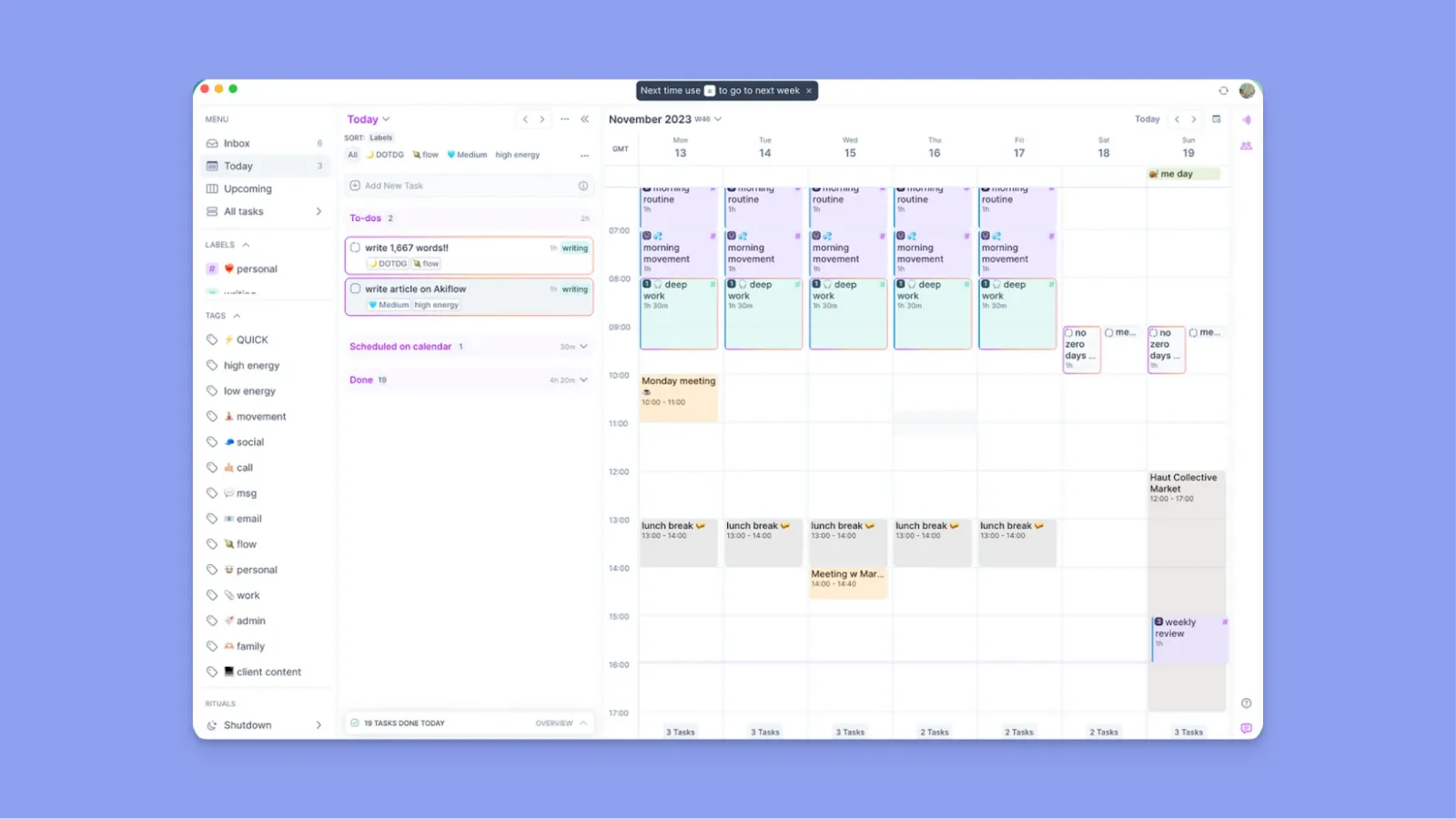
Akiflow konsolidiert Aufgaben in einen einheitlichen Posteingang mit einer Befehlsleiste für schnelle Erfassung, sodass du Arbeit aus mehreren Quellen neben deinem Kalender zeitlich blockieren kannst
Hauptfunktionen
- Tastatur-zentrierter Workflow: Befehlsleiste und Shortcuts für Erfassung, Planung und Navigation
- Universeller Posteingang: Konsolidiert Gmail, Slack, Asana, Notion, Todoist, ClickUp, Jira, Linear und Trello, um Kontextwechsel zu reduzieren
- Mehrere Kalender-Konto-Synchronisierung: Sehe Google Calendar, Outlook und iCloud Events gleichzeitig mit benutzerdefinierten Farbschemen
Preisgestaltung
| Plan | Monatlich | Jährlich |
|---|---|---|
| Standard | 34 €/Monat | 19 €/Monat |
Wo Akiflow glänzt
- Timeslots-Funktion für Wochenvorlagen: Fülle sie einmal mit Aufgaben, dann verschiebe einfach ganze Arbeitsblöcke, wenn sich Prioritäten ändern, was hervorragende Struktur ohne Neustart jede Woche schafft
- Funktioniert offline: Desktop-App funktioniert vollständig ohne Internetverbindung, sodass du Aufgaben planen und verwalten kannst, auch wenn du nicht verbunden bist
Wo Akiflow schwach ist
- Keine echte Auto-Planung: Aki hilft bei der Eingabe, optimiert aber nicht kontinuierlich deinen Kalender im Vergleich zu diesen Akiflow-Alternativen
- Ein bisschen teuer: Kostet mehr als Clockwise, während weniger Team-Koordinations-Anwendungsfälle abgedeckt werden
Kundenbewertungen
„Ich wünschte, die Chat-mit-Aki-Funktion wäre ein bisschen genauer bei der Task-Ausführung," teilt Natalie Alaina Z mit.

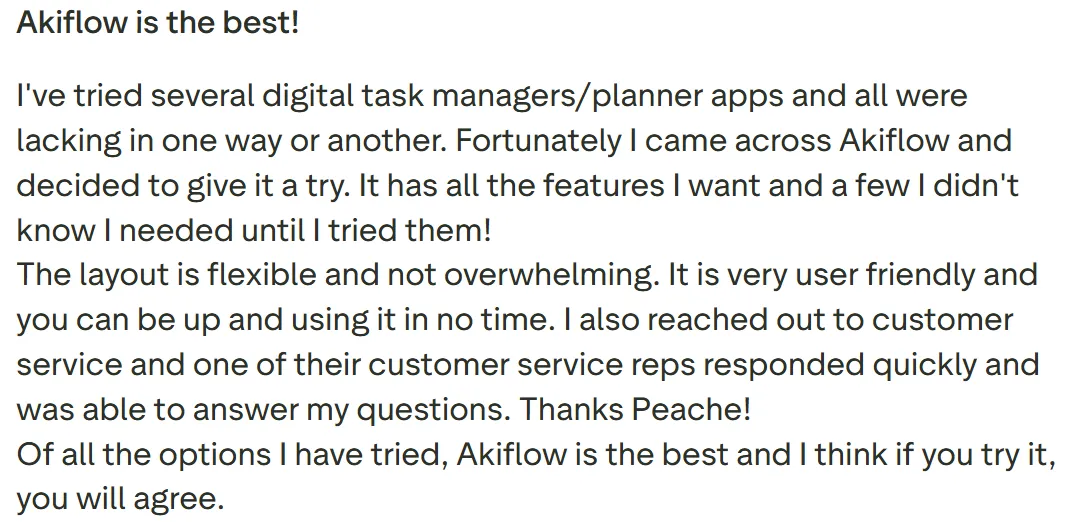
„Es hat alle Funktionen, die ich möchte, und ein paar, die ich nicht kannte, bis ich sie ausprobierte," sagt Christopher Stoppler.
Für wen Akiflow am besten ist
- Berater, die über mehrere Client-Systeme arbeiten: Profis, die Clients nicht zwingen können, ihre bevorzugten Tools zu übernehmen, daher müssen sie Aufgaben aus verschiedenen Client-bevorzugten Plattformen in ein persönliches Planungssystem ziehen
5. TickTick
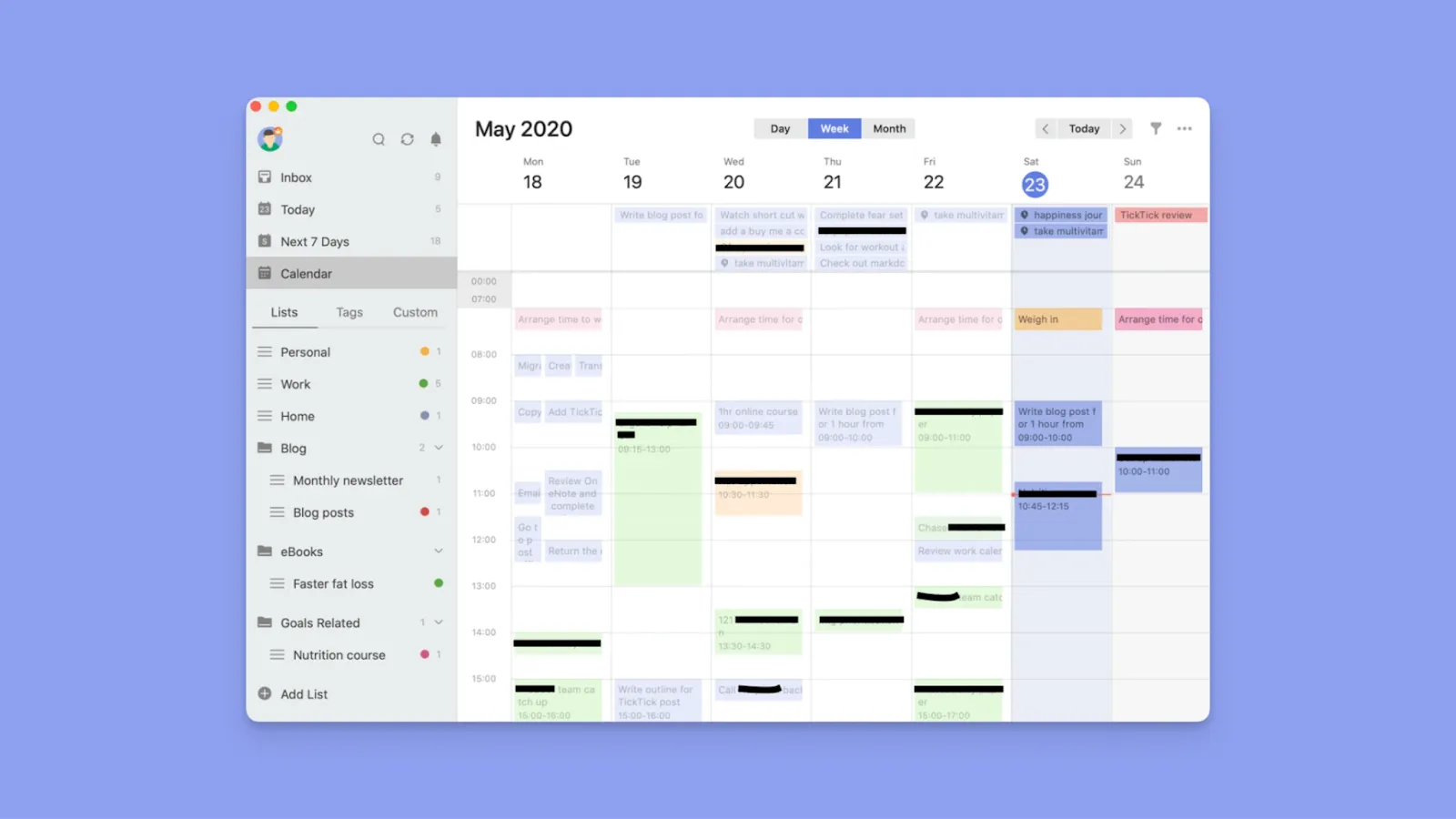
TickTick ist eine budgetfreundliche Task-Management-App, die Kalender als sekundäre Ansicht behandelt und natürliche Spracheingabe sowie umfangreiche Anpassung für Einzelpersonen bietet, die Aufgaben zuerst, Kalender zweite Priorität haben.
Hauptfunktionen
- Eisenhower-Matrix für visuelle Priorisierung: Plottet Aufgaben automatisch auf einem Vier-Quadranten-Diagramm nach Dringlichkeit und Wichtigkeit, um dir zu helfen, dich auf das zu konzentrieren, was zählt
- Gewohnheitstracker mit vorgebauten Vorlagen: Detailliertes Check-in-Tracking, Heatmaps und Statistiken helfen dir, Routinen neben deinen täglichen Aufgaben aufzubauen
Preisgestaltung
| Plan | Monatlich | Jährlich |
|---|---|---|
| Premium | 3 €/Monat | 35,99 €/Jahr |
Wo TickTick glänzt
- Integrierter Pomodoro-Timer mit Tracking: Focus-Sessions verbinden sich direkt mit spezifischen Aufgaben und verfolgen deine Produktivität mit detaillierten Statistiken zu Focus-Dauer und Mustern
- Nicht teuer: Bietet mehr Tiefe als Clockwise für persönliche Produktivität zu einem Bruchteil des Preises
Wo TickTick schwach ist
- Grundlegender Task-Import, keine tiefe Integration: TickTick kann externe Kalender abonnieren und Aufgaben aus einigen Tools importieren, bietet aber nicht die tiefe Synchronisierung, die Morgen bietet
- Kalender-Ansicht ist begrenzt für Planung: Während du Aufgaben neben Events sehen kannst, kannst du Aufgaben nicht in bestimmte Zeitfenster ziehen oder wiederkehrende Arbeitsblöcke wie Morgens Frames erstellen
Kundenbewertungen
„Bei weitem die beste To-Do-App da draußen," sagt Alp Arat.

„Es ist nicht einfach, von einem vorherigen Task-Management-Tool zu TickTick zu migrieren," teilt Sunil K mit.

Für wen TickTick am besten ist
- Budget-bewusste Einzelpersonen: Menschen, die Task-Abschluss und Gewohnheitsaufbau über Kalender-Optimierung oder Team-Koordination priorisieren
Gründe, eine Alternative zu Clockwise in Betracht zu ziehen
Knowledge Worker verbringen 60% ihrer Zeit damit, Zeitpläne zu koordinieren und Prioritäten zu verwalten, statt Aufgaben auszuführen. Wenn du ein Tool möchtest, das dir hilft, echte Arbeit zu planen, bedeuten diese Mängel, dass Clockwise nicht deine Lösung ist.
Keine Task-Integration
Clockwise integriert sich nicht mit Task-Management-Tools wie Notion, Todoist oder ClickUp, aber Morgen bietet tiefe, native Task- und Projekt-Integrationen.
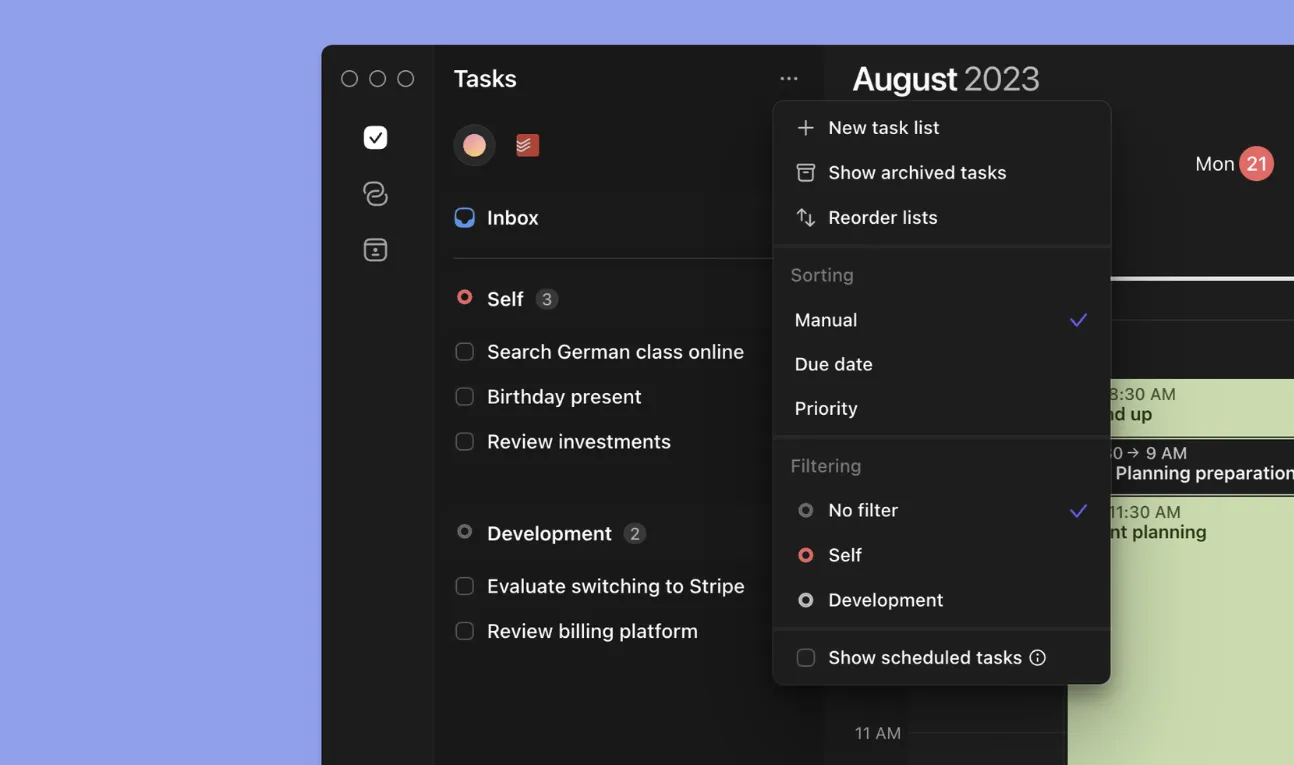
Morgen synchronisiert Eigenschaften wie Fälligkeitsdaten, Prioritäten und Projekt-Tags in eine Ansicht, um dir zu helfen, Arbeit neben Verfügbarkeit zu planen.
Tipp: Nutze Task-Tags, um Arbeit über alle deine Integrationen hinweg nach Projekt, Energielevel oder anderem Kontext zu organisieren. Erstelle benutzerdefinierte gefilterte Ansichten (wie „Hohe Energie" oder „Client-Projekte"), die getaggte Aufgaben aus mehreren Quellen kombinieren, und wende diese Filter dann auf deine Frames an, um automatische Task-Vorschläge während KI-Planungssitzungen zu ermöglichen.
Leere Fokuszeit
Clockwise erstellt Fokusblöcke, aber du wirst immer noch gezwungen, Tools zu wechseln und manuell zu entscheiden, welche Aufgaben du angehen möchtest.

Morgen lässt dich Aufgaben direkt aus verbundenen PM-Tools ziehen oder KI nutzen, um Task-Platzierungen in deinen Kalender vorzuschlagen, um geschützte Zeit in einen ausführbaren Plan zu verwandeln, den du kontrollierst.
Tipp: Nutze die Befehlsleiste, um Events und Aufgaben zu erstellen, oder ziehe Aufgaben direkt aus der Seitenleiste auf deinen Kalender, um sie zu planen, oder lass Frames automatisch gefilterte Aufgaben während deiner KI-Planungssitzungen einziehen.
Begrenzte Nutzung außerhalb von Team-Work-Kalendern
Clockwise ist in erster Linie für von Unternehmen verwaltete Google Workspace-Umgebungen konzipiert. Wenn du ein persönliches Gmail-Konto nutzt, mehrere Kalender jonglierst oder individuelle Arbeit außerhalb von Team-Meetings planst, sinkt sein Wert schnell.
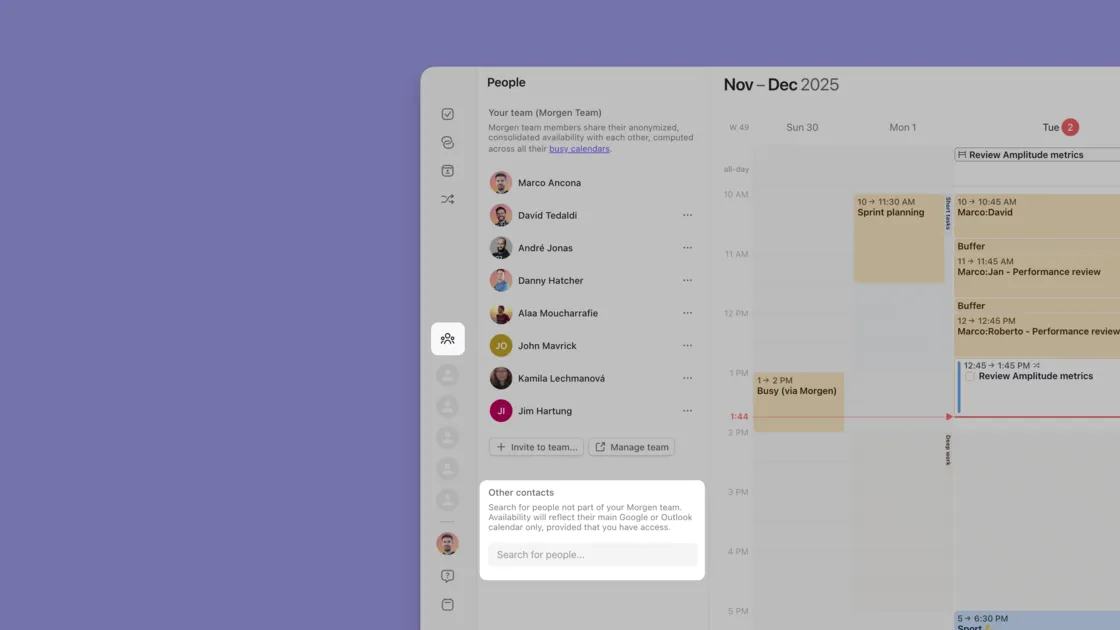
Du kannst Morgen als Einzelperson oder als Team nutzen und deine persönlichen und Arbeitskalender synchronisieren, während du Aufgaben neben Meetings an einem Ort planst.
Nutze Morgen für Teams, um Zeitpläne über deine Organisation zu koordinieren, während du jedem die Tools gibst, um ihre echte Arbeit zu planen und auszuführen.
Ein letztes Wort zu Morgen
Wenn du es leid bist, dass Fokusblöcke leer bleiben, weil deine Aufgaben in Notion, Linear oder ClickUp leben, löst Morgen, was Clockwise nicht tut: die echte Arbeit planen.
Konsolidiere Kalender und Aufgaben in einer Oberfläche, dann zeitlich blockieren mit KI, die deinen Zeitplan vorschlägt (nicht Autopilot). Perfekt für Einzelpersonen, Solopreneure, Marketer, Freelancer und Entwickler, die beschäftigte Workloads über mehrere Tools verwalten.
Probiere Morgen kostenlos 14 Tage lang und verwandle deinen Kalender in ein Ausführungs-Tool.

.svg)
.webp)