.svg)
→ Morgen: Para personas y equipos pequeños que quieren planificar tareas y calendarios en un mismo lugar, programando trabajo real en tiempo protegido con IA aprobada por humanos
→ Motion: Ideal para equipos que desean un piloto automático de IA agresivo que reconstruya completamente los horarios según plazos y prioridades
→ Reclaim.ai: Una opción para usuarios avanzados de Google y Microsoft que quieren que la IA proteja sus hábitos y rutinas
→ Akiflow: Para entusiastas de la productividad que desean control manual y automatización con bloqueo de tiempo rápido impulsado por teclado
→ TickTick: Una alternativa económica enfocada en tareas que funciona bien si tu principal desafío es completar tareas en lugar de optimizar reuniones
Clockwise reorganiza reuniones para crear tiempo de enfoque, pero no te ayuda a planificar las tareas en las que trabajar. Tus tareas permanecen dispersas en otras herramientas, mientras que esos bloques de enfoque no tienen nada asignado.
Para una mejor gestión de tareas y planificación diaria, considera alternativas a Clockwise que integren calendarios y herramientas de gestión de tareas. Comparemos cinco opciones para 2026, incluyendo para quién es mejor cada herramienta, características clave y precios.
Mejores alternativas a Clockwise: una descripción general
| Herramienta | Mejor para | Característica destacada | Precio inicial | Calificación G2 | Calificación Capterra |
|---|---|---|---|---|---|
| Morgen | Individuos que necesitan gestionar tareas y eventos en un solo lugar | Planificación con IA con intervención humana e integraciones profundas | 15 €/mes | 4,8/5 | 5,0/5 |
| Motion | Equipos que desean un piloto automático de IA agresivo con gestión de proyectos integrada | Programación completamente automatizada de tareas y reuniones | 19 €/mes | 4,2/5 | 4,3/5 |
| Reclaim.ai | Usuarios avanzados de Google Calendar u Outlook con rutinas diarias y hábitos | Hábitos inteligentes que se reprograman automáticamente según prioridad y capacidad | 10 €/mes | 4,8/5 | 4,9/5 |
| Akiflow | Entusiastas de la productividad que desean planificación diaria rápida sin mucha IA | Barra de comandos y flujo de bloqueo de tiempo rápido con enfoque en teclado | 19 €/mes | 4,8/5 | 4,7/5 |
| TickTick | Usuarios conscientes del presupuesto que priorizan tareas sobre calendario | Características de gestión de tareas con temporizador Pomodoro integrado y seguimiento de hábitos | 35,99 €/año | 4,6/5 | 4,7/5 |
1. Morgen: mejor para planificación con IA todo en uno

Morgen es una plataforma de productividad unificada que combina calendarios y gestión de tareas con planificación asistida por IA en una sola interfaz. Puedes ver tareas de múltiples fuentes junto a tus eventos de calendario, luego bloquearlas en tu horario con recomendaciones de IA. Descubre cómo conectar tus Recordatorios de Apple y Google Calendar.
Características clave
Morgen ofrece programación flexible, se integra profundamente con calendarios y aplicaciones personales de gestión del tiempo, y llena tu tiempo de enfoque con trabajo real.
Integración profunda de gestión de tareas

Morgen se conecta directamente a herramientas de tareas como Notion, Linear, ClickUp, Todoist, y Obsidian, extrayendo tus tareas en una única vista de planificación. En comparación, los "Flexible Holds" básicos de Clockwise tienen configuraciones limitadas y carecen de verdadera gestión de tareas.
Consejo: Morgen también admite flujos de trabajo de correo a tarea con integraciones de Outlook y Gmail, para que puedas marcar correos electrónicos y convertirlos en elementos accionables en tu calendario.
Enlaces de programación, páginas de reserva y coordinación de reuniones

Las páginas de reserva de Morgen centralizan enlaces de programación para que los clientes vean todos tus tipos de reuniones en un solo lugar. También puedes crear enlaces de programación multipersona para agrupar disponibilidad entre coanfitriones y miembros del equipo requeridos, o compartir invitaciones abiertas para que tus invitados reserven reuniones según cuándo estéis disponibles ambos.
Nota: Morgen se integra con herramientas de videoconferencia y muestra disponibilidad en tiempo real en todos los calendarios sincronizados (Google, Outlook, iCloud, FastMail) para evitar dobles reservas.
Nota: Morgen se integra con herramientas de videoconferencia y muestra disponibilidad en tiempo real en todos los calendarios sincronizados (Google, Outlook, iCloud, FastMail) para evitar dobles reservas.
Frames para planificación semanal estructurada

Mientras que Clockwise crea bloques genéricos de "Tiempo de enfoque" en tu calendario, los Frames de Morgen templatizan tu semana ideal con trabajo real asignado.
Crea bloques recurrentes para diferentes tipos de trabajo, como trabajo profundo o llamadas con clientes, luego aplica filtros para que el Planificador de IA sepa qué tareas pertenecen a cada Frame.
Planificación con IA con intervención humana
El Planificador de IA de Morgen sugiere dónde colocar tareas según tu capacidad disponible, el factor de prioridad de Morgen, y tus filtros de Frame.
Cuando usas el Planificador de IA, las tareas propuestas parpadean sobre tus Frames para distinguirlas de los compromisos programados. Puedes ajustar el plan directamente en el calendario redimensionando tareas o arrastrando trabajo diferente antes de hacer clic en "Programar todo" para aprobar.
Consejo: El asistente personal de IA de Morgen gestiona tu calendario mediante lenguaje natural, clasifica correos electrónicos, extrae elementos de acción de Slack y Teams, y prepara resúmenes de reuniones.
Precios
Nota: Obtendrás una prueba gratuita de 14 días y una garantía de devolución de dinero de 30 días con cualquier suscripción.
| Plan | Mensual | Anual |
|---|---|---|
| Individual | 30 €/mes | 15 €/mes |
| Equipos | 25 €/usuario/mes | 10 €/usuario/mes |
Descuentos de Morgen: 15% de descuento en el primer año al cambiar desde Motion, Reclaim, Fantastical, o Sunsama, y 25% de descuento para estudiantes y organizaciones sin ánimo de lucro (disponible después de una prueba gratuita con una dirección de correo institucional).
Dónde destaca Morgen
- Abre cuentas individuales: Mientras que Clockwise requiere un correo de trabajo y optimiza los horarios de reuniones del equipo, Morgen te permite abrir una cuenta personal con todas las características de programación accesibles
- Planificación amigable con TDAH: Morgen reduce la fatiga de decisiones mediante bloqueo de tiempo visual, etiquetas de tareas universales, Rutinas para autocuidado, calendarios codificados por colores (13 colores base adicionales para rutinas y bloques de tareas), que eliminan la parálisis de "¿qué debería hacer ahora?" para personas con TDAH
- Bloqueo de tiempo integrado: Morgen te permite bloquear tiempo para tipos específicos de trabajo y programar tareas directamente en esos bloques para convertir tu calendario en un plan realista para el día
- Rutinas para hábitos y autocuidado: Las Rutinas de Morgen protegen actividades de tiempo fijo como desayuno, ejercicio y rituales. Las Rutinas viven en tus calendarios, por lo que no serán reprogramadas por IA
Dónde Morgen se queda corto
- Sin manejo automático de IA: El enfoque de copiloto de Morgen requiere que apruebes todas las sugerencias de IA, lo que puede presentar más trabajo manual para personas que desean un enfoque más desatendido
- No es una herramienta de gestión de proyectos completa: Morgen se enfoca en productividad individual y bloqueo de tiempo en lugar de características de gestión de carga de trabajo del equipo o seguimiento de proyectos
Reseñas de clientes
"Me encanta cómo combina mis calendarios y todas mis tareas. Puedo ver todo lo que necesito completar en una sola pantalla," dice Denise H.

"Morgen resuelve el flujo de trabajo de tareas y calendario que necesito en mi vida ocupada," comparte Nicholas Alico.

Para quién es mejor Morgen
- Individuos y equipos pequeños que gestionan cargas de trabajo reales: Emprendedores en solitario, autónomos, especialistas en marketing, desarrolladores y trabajadores del conocimiento que necesitan planificar tareas y reuniones juntas
Descarga Morgen para Windows, Mac, Linux, iOS y Android para comenzar a planificar con bloqueo de tiempo asistido por IA
2. Motion
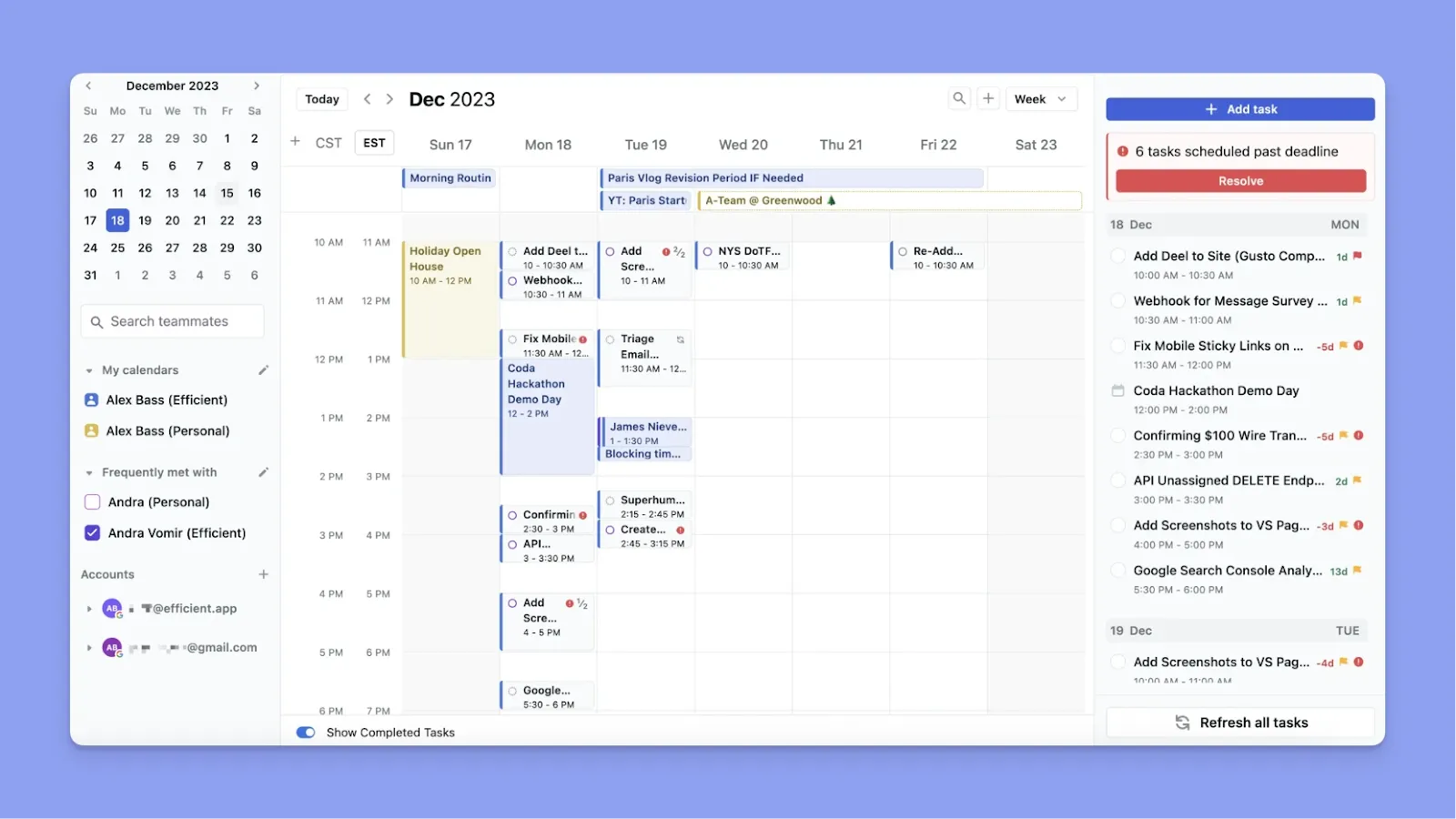
Motion es un asistente personal de planificación con IA que reorganiza continuamente el trabajo alrededor de plazos y prioridades, y también ofrece características de planificación de proyectos para equipos grandes que se mudan desde Clockwise.
Características clave
- Gestión de proyectos con IA integrada: Obtienes tableros Kanban, gráficos de Gantt y dependencias de tareas, y puedes sincronizar tareas con tu horario automáticamente para evitar conflictos de programación
- Equilibrio de carga de trabajo del equipo: Motion sincroniza los horarios de los compañeros de equipo y distribuye el trabajo según la capacidad, mostrándote el progreso, riesgos de plazo y cuellos de botella sin reuniones de estado
Precios
| Plan | Mensual | Anual |
|---|---|---|
| Individual (Pro AI) | 49 € | 29 € |
| Individual (Business AI) | 69 € | 39 € |
| Equipo (Pro AI) | 29 €/usuario | 19 €/usuario |
| Equipo (Business AI) | 49 €/usuario | 29 €/usuario |
Dónde destaca Motion
- Ecosistema de integración más amplio: Motion se conecta con Google Calendar, Outlook, Zoom, Gmail, Zapier, y ofrece una API pública para conexiones personalizadas
- Suite completa de asistente de IA: Motion incluye Grabador de reuniones de IA, Asistente de documentos de IA, Chat de IA y Gestor de proyectos de IA que funcionan juntos más allá de la optimización básica del calendario
Dónde Motion se queda corto
- Punto de precio más alto: Motion cuesta 29 €/mes anuales para individuos, casi el doble del precio comparado con Morgen, y también es más caro que Clockwise. Aquí hay algunas alternativas a Motion con un punto de precio más bajo
- Características enfocadas en equipos: Los usuarios individuales pueden encontrar que están pagando por capacidades de colaboración que no utilizan completamente
Reseñas de clientes
"También me encanta cómo se incorpora con mis calendarios y programa mis reuniones," comparte Michael McCaleb.
"Encuentro que Motion es muy complicado y abrumador, especialmente para un usuario individual como yo," dice Christian T.

Para quién es mejor Motion
- Equipos ocupados: Que confían en que la IA tome decisiones de programación y desean optimización agresiva del horario sin intervención manual
3. Reclaim
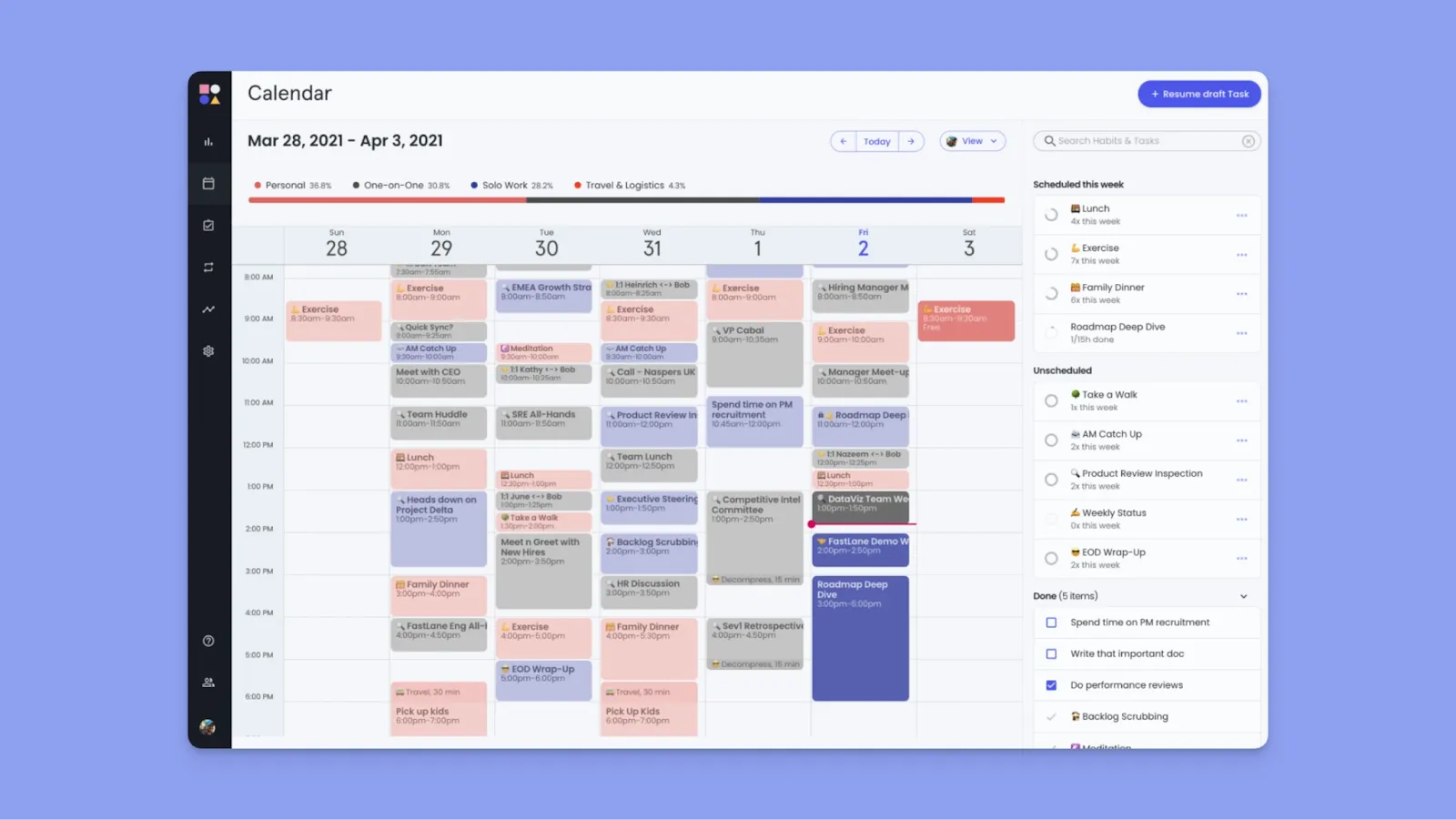
Reclaim y Clockwise se sientan sobre Google Calendar y Outlook para optimizar el tiempo, pero, a diferencia de Clockwise, Reclaim gestiona activamente cómo el trabajo, los hábitos y las prioridades compiten por el tiempo usando reglas y reprogramación automática.
Características clave
- IA basada en prioridades: Reclaim asigna niveles de prioridad P1-P4 a cada elemento del calendario, para que la IA sepa qué proteger y qué reprogramar cuando surjan conflictos
- Hábitos inteligentes: Puedes establecer rutinas semanales con ventanas de tiempo flexible, y Reclaim encuentra continuamente los mejores espacios disponibles mientras protege los compromisos de mayor prioridad
- Integraciones de tareas: Extrae tareas directamente de herramientas de gestión de proyectos y programalas automáticamente alrededor de reuniones por prioridad y plazo
Precios
| Plan | Mensual | Anual |
|---|---|---|
| Lite | Gratuito para siempre | Gratuito para siempre |
| Starter (hasta 10 usuarios) | 12 €/usuario | 10 €/usuario |
| Business (hasta 100 usuarios) | 18 €/usuario | 15 €/usuario |
| Enterprise (100+ usuarios) | Personalizado | 22 €/usuario |
Dónde destaca Reclaim
- Personalización más flexible del tiempo de enfoque: Establece duraciones mínimas y máximas de sesión, horas ideales del día, y si los bloques se muestran como libre u ocupado
- Tiempo de amortiguación automático: Reclaim programa automáticamente descansos después de reuniones (tiempo de descompresión), añade tiempo de viaje antes y después de eventos con ubicaciones físicas, y crea espacios entre tareas para evitar agotamiento de espalda con espalda
Dónde Reclaim se queda corto
- Los elementos de trabajo recurrentes requieren "Hábitos": Necesitas configurar Hábitos para crear tareas recurrentes, lo que a menudo crea confusión en la interfaz
- Sin aplicación móvil nativa: Múltiples usuarios desean una aplicación móvil, ya que actualmente solo puedes usar Reclaim en escritorio
Reseñas de clientes
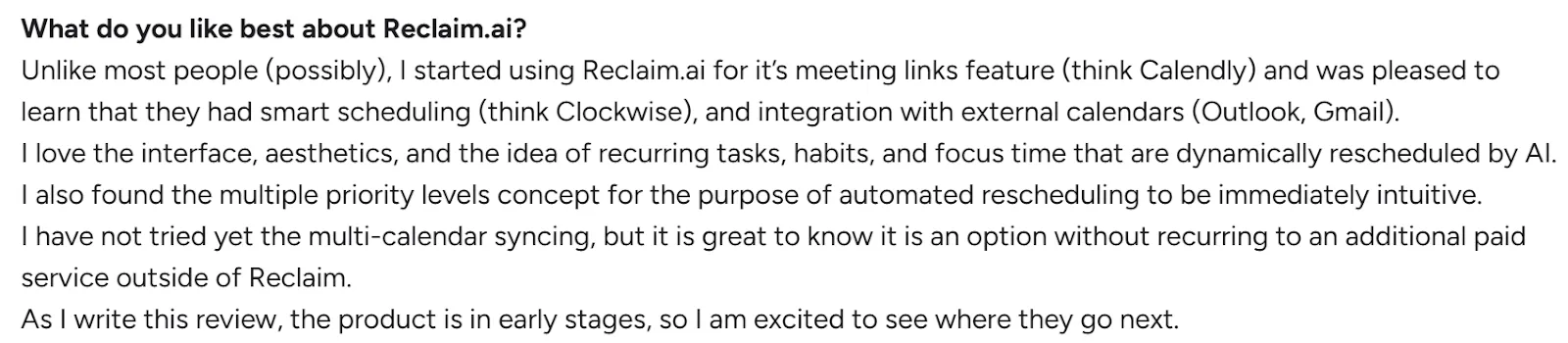
"Me encanta la interfaz, la estética y la idea de tareas recurrentes, hábitos y tiempo de enfoque que se reprograman dinámicamente por IA," dice Luigi P.
"La función de hábito y la falta de flexibilidad del amortiguador," comparte Chien D.

Para quién es mejor Reclaim
- Profesionales con muchas reuniones: Gestores de producto, desarrolladores de software y trabajadores del conocimiento que pasan el 50%+ de su calendario en reuniones, pero aún necesitan bloques protegidos para trabajo real
4. Akiflow
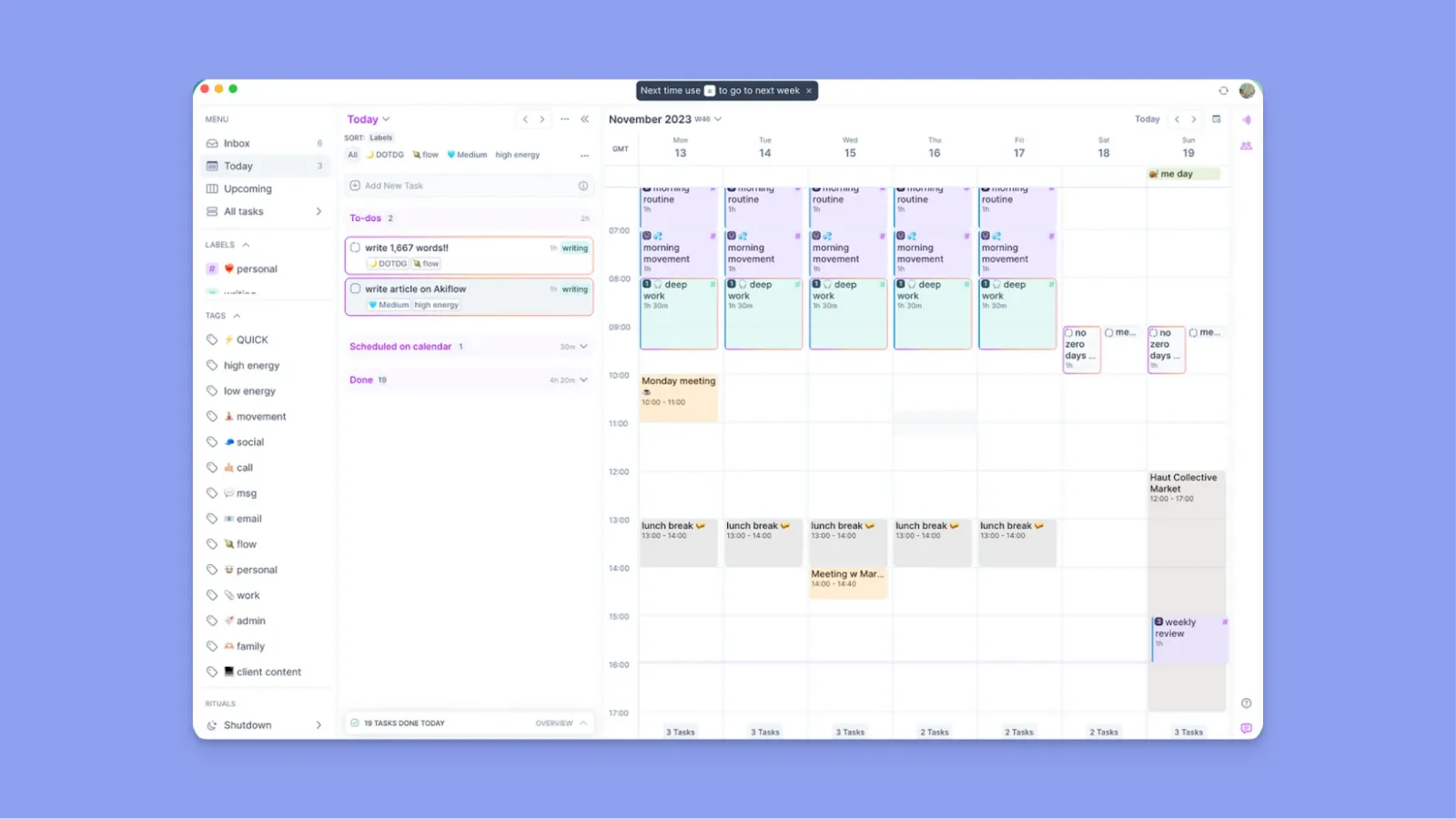
Akiflow consolida tareas en una bandeja de entrada unificada con una barra de comandos para captura rápida, permitiéndote bloquear tiempo para trabajo de múltiples fuentes junto a tu calendario
Características clave
- Flujo de trabajo con enfoque en teclado: Barra de comandos y atajos para captura, programación y navegación
- Bandeja de entrada universal: Consolidando Gmail, Slack, Asana, Notion, Todoist, ClickUp, Jira, Linear y Trello para reducir el cambio de contexto
- Sincronización de múltiples cuentas de calendario: Ver eventos de Google Calendar, Outlook e iCloud simultáneamente con esquemas de color personalizados
Precios
| Plan | Mensual | Anual |
|---|---|---|
| Standard | 34 €/mes | 19 €/mes |
Dónde destaca Akiflow
- Característica de espacios de tiempo para plantillas semanales: Rellena con tareas una vez, luego desplaza fácilmente bloques enteros de trabajo cuando cambien las prioridades, creando excelente estructura sin empezar de cero cada semana
- Funciona sin conexión: La aplicación de escritorio funciona completamente sin conexión a Internet, para que puedas planificar y gestionar tareas incluso cuando estés desconectado
Dónde Akiflow se queda corto
- Sin verdadera programación automática: Aki asiste con entrada, pero no optimiza continuamente tu calendario comparado con estas alternativas a Akiflow
- Un poco caro: Cuesta más que Clockwise mientras cubre menos casos de uso de coordinación de equipos
Reseñas de clientes
"Desearía que la función de chat con Aki fuera un poco más precisa con la ejecución de tareas," comparte Natalie Alaina Z.

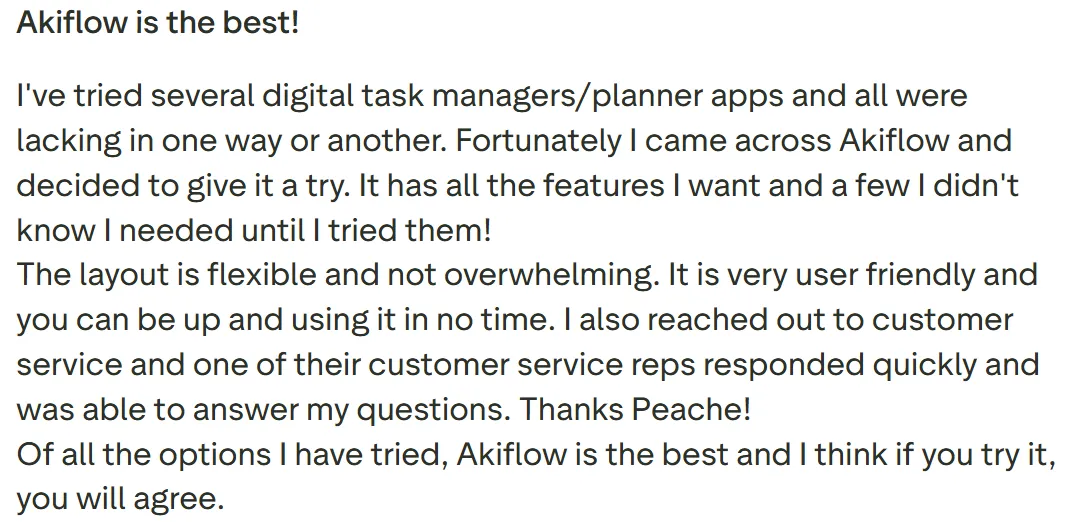
"Tiene todas las características que quiero y algunas que no sabía que necesitaba hasta que las probé," dice Christopher Stoppler.
Para quién es mejor Akiflow
- Consultores que trabajan en múltiples sistemas de clientes: Profesionales que no pueden forzar a los clientes a adoptar sus herramientas preferidas, por lo que necesitan extraer tareas de varias plataformas preferidas por clientes en un sistema de planificación personal
5. TickTick
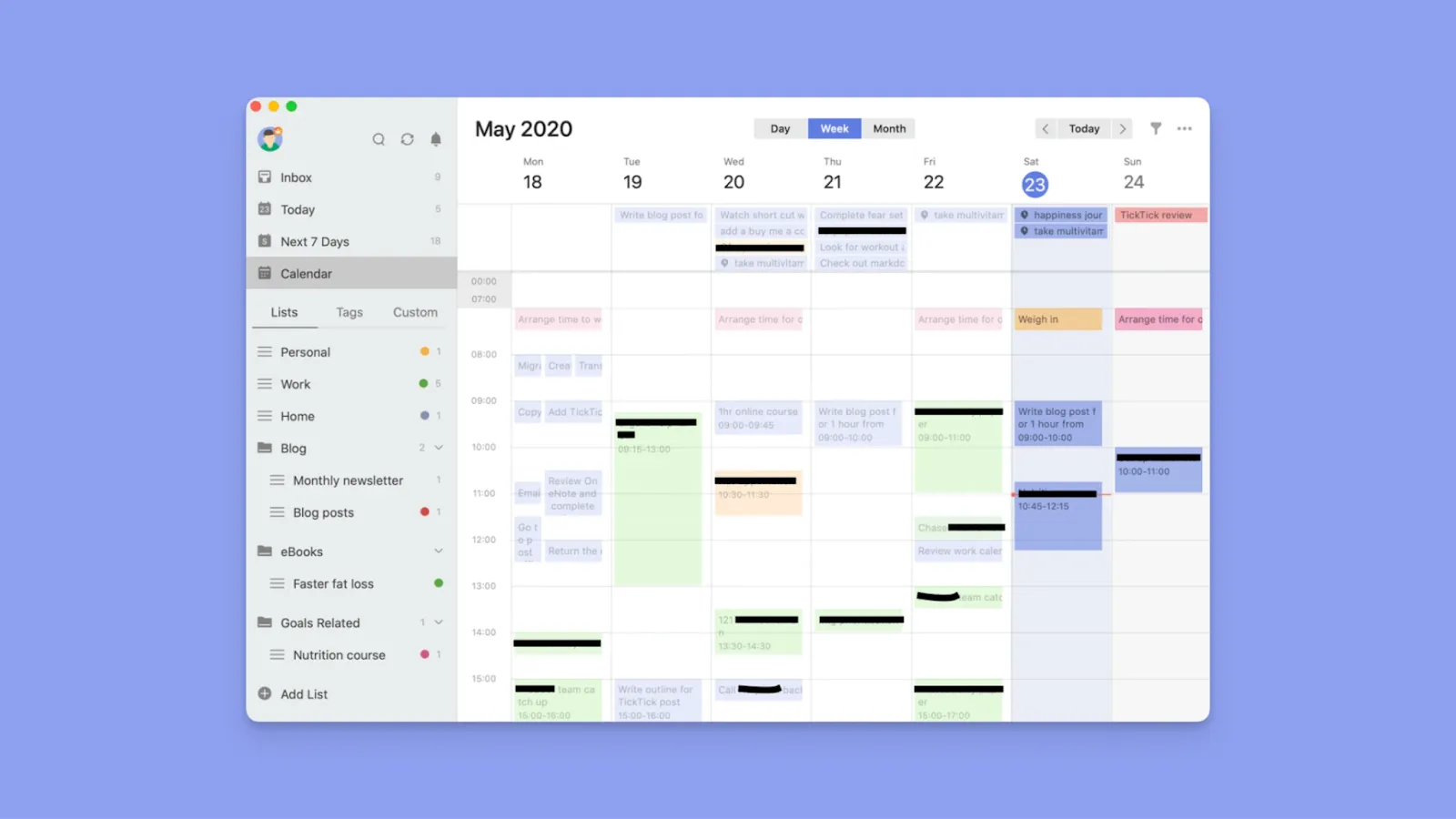
TickTick es una aplicación de gestión de tareas económica que trata los calendarios como una vista secundaria, ofreciendo entrada en lenguaje natural y amplia personalización para individuos que priorizan tareas sobre calendario.
Características clave
- Matriz de Eisenhower para priorización visual: Traza automáticamente tareas en un gráfico de cuatro cuadrantes por urgencia e importancia para ayudarte a enfocarte en lo que importa
- Rastreador de hábitos con plantillas preconstruidas: Seguimiento detallado de check-in, mapas de calor y estadísticas te ayudan a construir rutinas junto a tus tareas diarias
Precios
| Plan | Mensual | Anual |
|---|---|---|
| Premium | 3 €/mes | 35,99 €/año |
Dónde destaca TickTick
- Temporizador Pomodoro integrado con seguimiento: Las sesiones de enfoque se conectan directamente a tareas específicas y rastrean tu productividad con estadísticas detalladas sobre duración de enfoque y patrones
- No es caro: Ofrece más profundidad que Clockwise para productividad personal a una fracción del precio
Dónde TickTick se queda corto
- Importación de tareas básica, no integración profunda: TickTick puede suscribirse a calendarios externos e importar tareas de algunas herramientas, pero no ofrece la sincronización profunda que se encuentra en Morgen
- La vista de calendario es limitada para planificación: Aunque puedes ver tareas junto a eventos, no puedes arrastrar tareas para llenar espacios de tiempo específicos o crear bloques de trabajo recurrentes como los Frames de Morgen
Reseñas de clientes
"Con diferencia la mejor aplicación de tareas pendientes," dice Alp Arat.

"No es fácil migrar desde una herramienta anterior de gestión de tareas a TickTick," comparte Sunil K.

Para quién es mejor TickTick
- Individuos conscientes del presupuesto: Personas que priorizan la finalización de tareas y la construcción de hábitos sobre la optimización del calendario o la coordinación del equipo
Razones para considerar una alternativa a Clockwise
Los trabajadores del conocimiento pasan 60% de su tiempo coordinando horarios y gestionando prioridades en lugar de ejecutar tareas. Si deseas una herramienta que te ayude a planificar trabajo real, estas deficiencias significan que Clockwise no es tu opción.
Sin integración de tareas
Clockwise no se integra con herramientas de gestión de tareas como Notion, Todoist o ClickUp, pero Morgen ofrece integraciones profundas y nativas de tareas y proyectos.
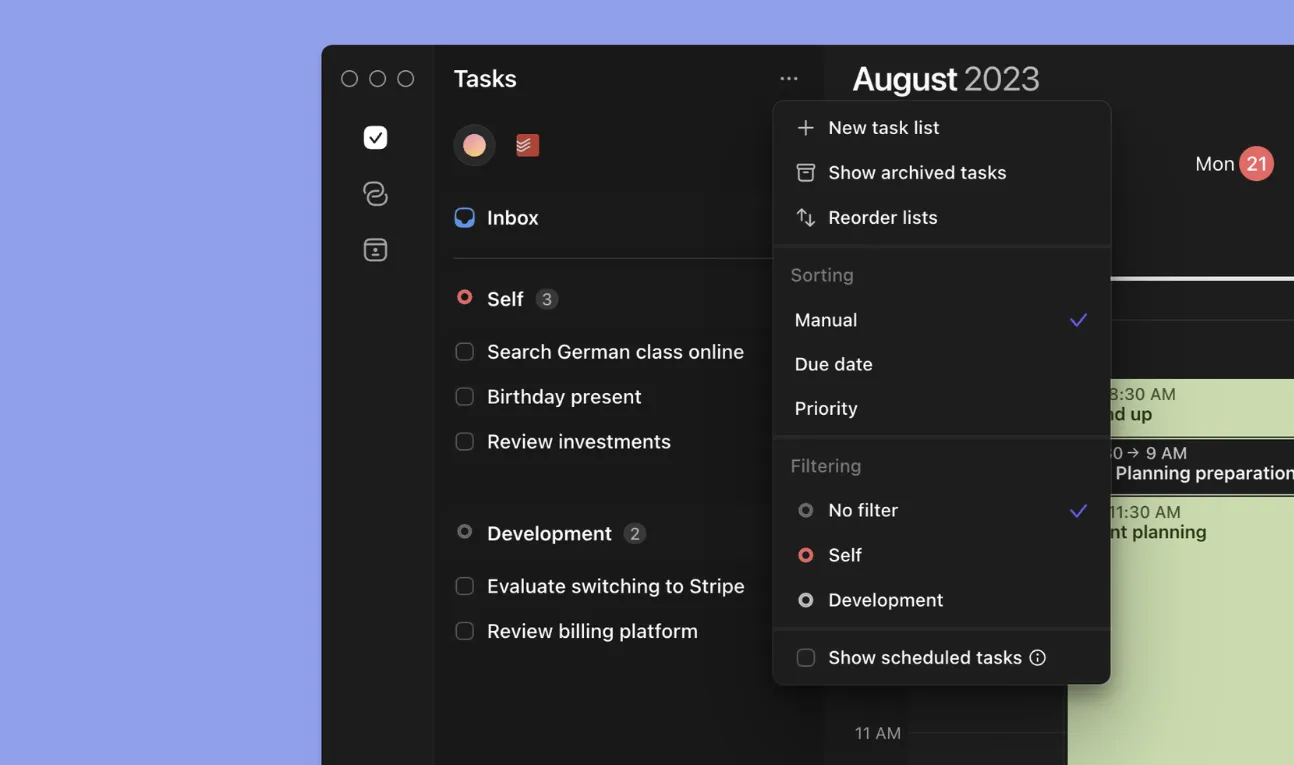
Morgen sincroniza propiedades como fechas de vencimiento, prioridades y etiquetas de proyecto en una vista para ayudarte a programar trabajo junto a disponibilidad.
Consejo: Usa etiquetas de tareas para organizar trabajo en todas tus integraciones por proyecto, nivel de energía u otro contexto. Crea vistas filtradas personalizadas (como "Alta energía" o "Proyectos de clientes") que combinen tareas etiquetadas de múltiples fuentes, luego aplica estos filtros a tus Frames para habilitar sugerencias automáticas de tareas durante sesiones de planificación con IA.
Tiempo de enfoque vacío
Clockwise crea bloques de enfoque, pero aún estás obligado a cambiar de herramientas y decidir manualmente qué tareas abordar.

Morgen te permite arrastrar tareas directamente desde herramientas PM conectadas o usar IA para sugerir colocaciones de tareas en tu calendario, convirtiendo el tiempo protegido en un plan ejecutable que controlas.
Consejo: Usa la barra de comandos para crear eventos y tareas, o arrastra tareas directamente desde la barra lateral a tu calendario para programarlas, o deja que los Frames extraigan automáticamente tareas filtradas durante tus sesiones de planificación con IA.
Uso limitado fuera de calendarios de trabajo en equipo
Clockwise está construido principalmente para entornos de Google Workspace gestionados por empresas. Si usas una cuenta personal de Gmail, malabarizas múltiples calendarios, o planificas trabajo individual fuera de reuniones de equipo, su valor cae rápidamente.
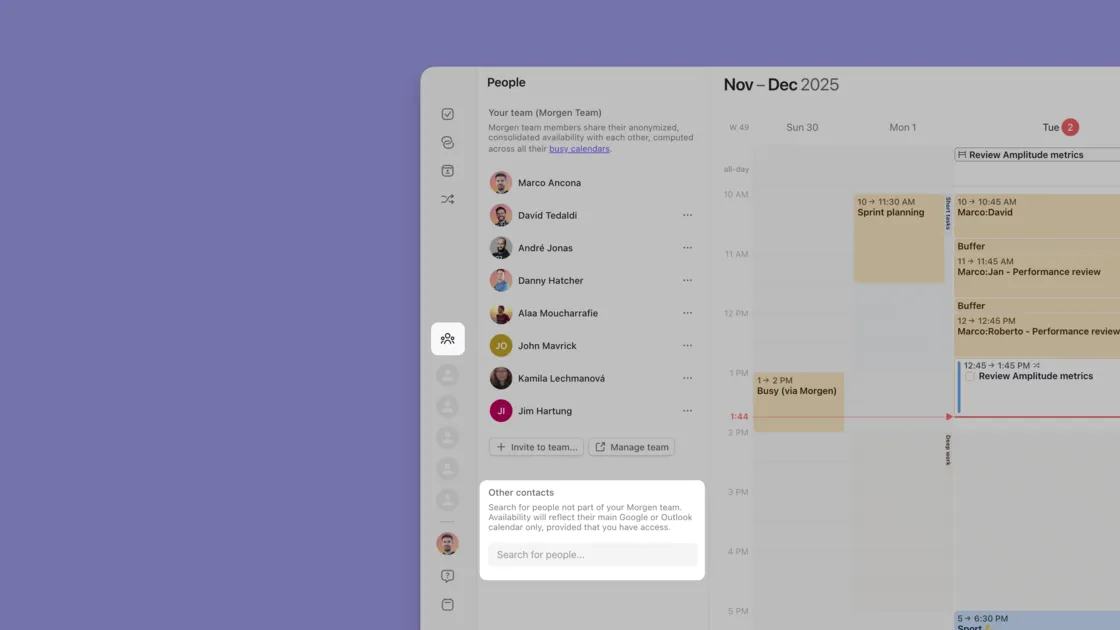
Puedes usar Morgen como individuo o como equipo, y sincronizar tus calendarios personales y de trabajo mientras planificas tareas junto a reuniones en un solo lugar.
Usa Morgen para equipos para coordinar horarios en toda tu organización mientras le das a todos las herramientas para planificar y ejecutar su trabajo real.
Una palabra final sobre Morgen
Si estás cansado de bloques de enfoque que permanecen vacíos porque tus tareas viven en Notion, Linear o ClickUp, Morgen resuelve lo que Clockwise no: planificar el trabajo real.
Consolida calendarios y tareas en una interfaz, luego bloquea tiempo con IA que sugiere tu horario (no piloto automático). Perfecto para individuos, emprendedores en solitario, especialistas en marketing, autónomos y desarrolladores que gestionan cargas de trabajo ocupadas en múltiples herramientas.
Prueba Morgen gratis durante 14 días y convierte tu calendario en una herramienta de ejecución.

.svg)
.webp)