.svg)
→ Scegli Motion se hai un calendario fitto e fai fatica a pianificare il carico di lavoro giornaliero: ideale per individui e piccoli team che vogliono che l'IA pianifichi automaticamente i task nel calendario in base a scadenze, priorità e disponibilità
→ Usa Google Calendar da solo se hai esigenze di pianificazione più semplici: ideale per individui che vogliono gestire riunioni e condividere calendari, pianificando manualmente i task nel calendario
→ Oppure, scegli Morgen se i tuoi eventi e task sono sparsi tra diversi strumenti: ideale per individui e solopreneur che usano tool esterni per i task e vogliono uno strumento di pianificazione IA per trovare gli slot disponibili nel calendario
→ Configurazione ideale: Google Calendar + Morgen. Usa Google Calendar per gestire eventi e riunioni, e Morgen per pianificare i task negli spazi disponibili attorno a quegli eventi
Motion è un pianificatore di calendario AI che costruisce la tua giornata in base alla prioritizzazione dei compiti e alla disponibilità del calendario. Google Calendar è un pianificatore digitale che gestisce i tuoi eventi e la tua disponibilità.
In pratica, sovrapponi Motion a Google Calendar, mantenendo gli eventi fissi mentre pianifichi i compiti negli spazi liberi.
In questa guida, confrontiamo come entrambi gli strumenti gestiscono la pianificazione giornaliera e dove Morgen si posiziona se desideri più integrazioni e controllo per strutturare i tuoi programmi.
Motion vs Google Calendar: Panoramica
| Funzionalità | Motion | Google Calendar |
|---|---|---|
| Ideale per | Individui e piccoli team che desiderano una pianificazione completamente alimentata da AI | Individui e team che gestiscono riunioni e pianificano manualmente il loro tempo |
| Funzionalità distintiva | Pianifica automaticamente i compiti nel calendario in base a scadenze, priorità e disponibilità | Pianificazione di eventi con calendari condivisi e Google Meet |
| Pro | Elimina le decisioni di pianificazione giornaliera, mantiene i programmi realistici al cambiare delle cose, combina compiti e calendario in un'unica vista | Gratuito, facile da usare, ampiamente adottato, ideale per la pianificazione manuale |
| Contro | Costoso, richiede configurazione, l'automazione può sembrare restrittiva se preferisci il controllo totale | Nessuna pianificazione automatica dei compiti, richiede time blocking manuale, facile overbooking |
| Prezzi | Da $19/utente/mese, i crediti AI aumentano i costi | Gratuito per uso personale; incluso nei piani Google Workspace |
| Gestione del calendario | Combina eventi e compiti in una timeline, si auto-adatta quando cambiano riunioni o priorità | Calendario basato su eventi con codifica colori, calendari condivisi e gestione manuale del tempo |
| Gestione dei compiti | I compiti includono durata, priorità, dipendenze e vengono pianificati automaticamente | Consente di creare compiti manualmente dall'interfaccia o di estrarli da Google Tasks |
| Pianificazione delle riunioni | Link di prenotazione, controlli buffer e uno scheduler di riunioni che tiene conto dei compiti e del carico di lavoro esistenti | Inviti agli eventi, integrazione Google Meet e pianificazione degli appuntamenti |
| Integrazioni | Google Calendar, Outlook, iCloud, Slack, Zoom, Teams, Zapier | Integrazione profonda con Google Workspace più ampio supporto di app di terze parti |
| Funzionalità di collaborazione | Spazi di lavoro del team con assegnazione dei compiti, progetti condivisi e distribuzione del carico di lavoro basata su AI | Calendari condivisi, visibilità della disponibilità, controllo dei permessi e pianificazione del team senza interruzioni tramite Google Workspace |
Per chi è ideale Motion
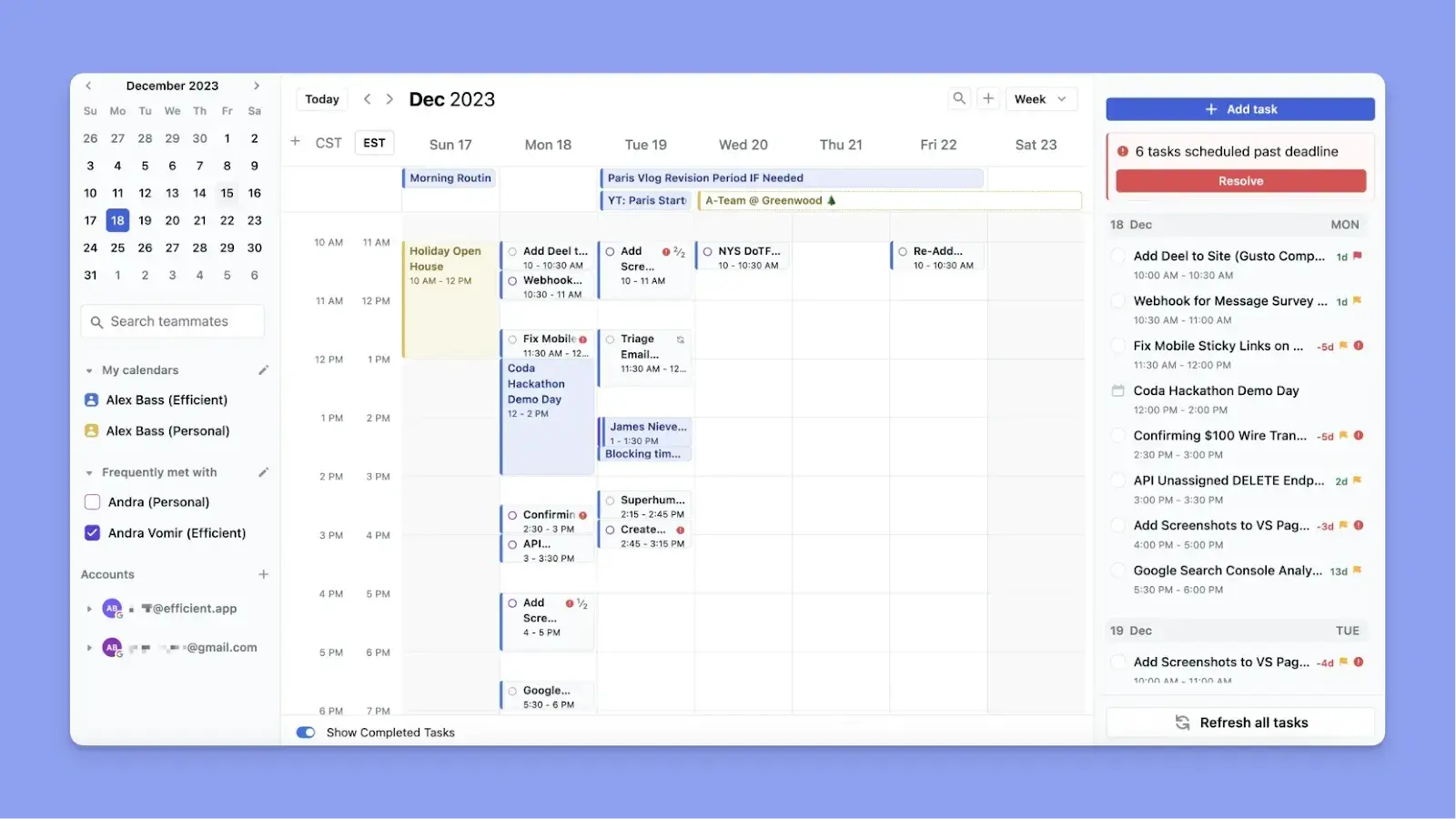
- Professionisti occupati con molte riunioni pianificate che hanno bisogno di uno strumento che decida automaticamente quando affrontare i compiti
- Individui con ADHD che hanno bisogno di un sistema che elimini la necessità di prendere decisioni manuali quotidiane
- Piccoli team che hanno bisogno di visibilità su carichi di lavoro, assegnazioni di compiti e scadenze in un unico luogo
Nota: Se desideri esplorare più strumenti simili a Motion, ecco i nostri
Per chi è ideale Google Calendar
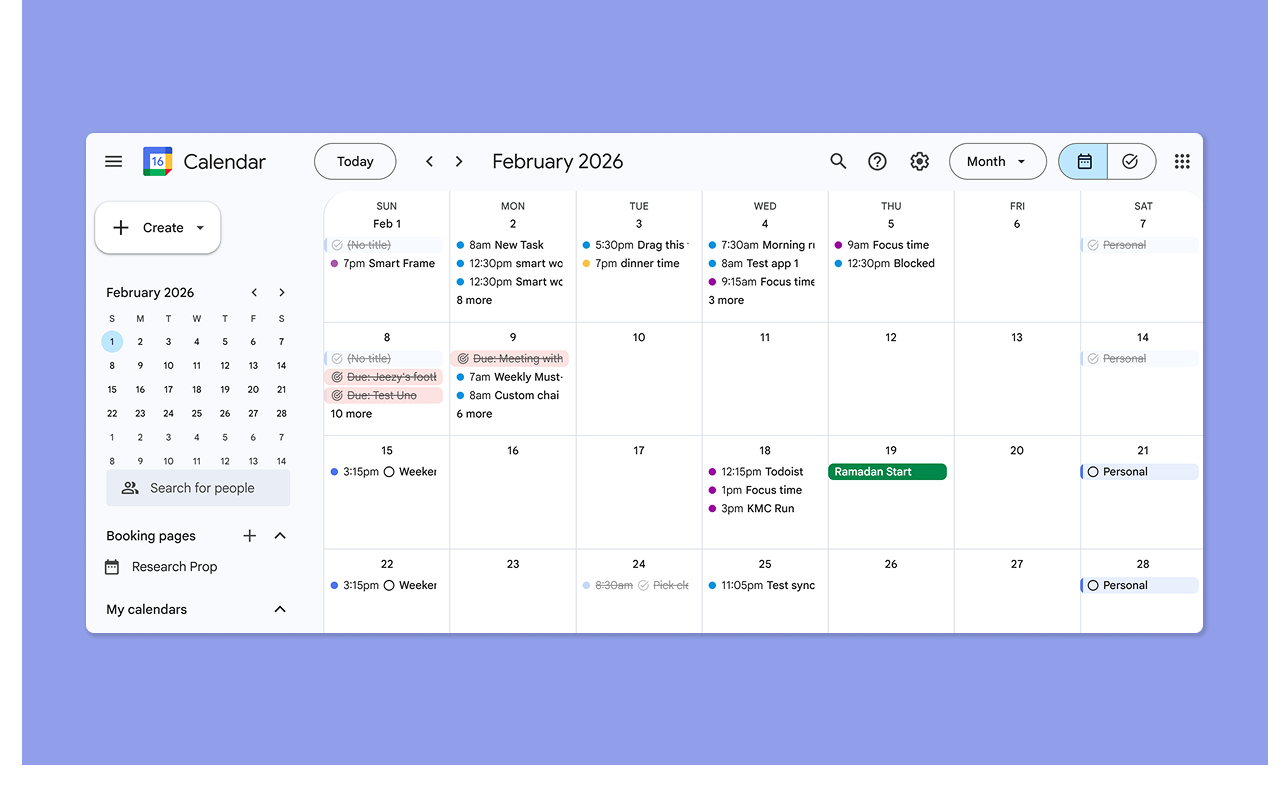
- Individui che hanno bisogno di tracciare riunioni, appuntamenti e promemoria senza un completo sistema di gestione dei compiti
- Team che utilizzano già Google Workspace e desiderano calendari condivisi e coordinamento delle riunioni
Suggerimento: Se hai Motion, puoi connetterti al tuo Google Calendar per visualizzare le tue riunioni, mentre gli strumenti di pianificazione AI di Motion pianificano i compiti intorno a questi eventi.
Morgen: Un'alternativa a Motion e Google Calendar per la pianificazione AI con controllo umano
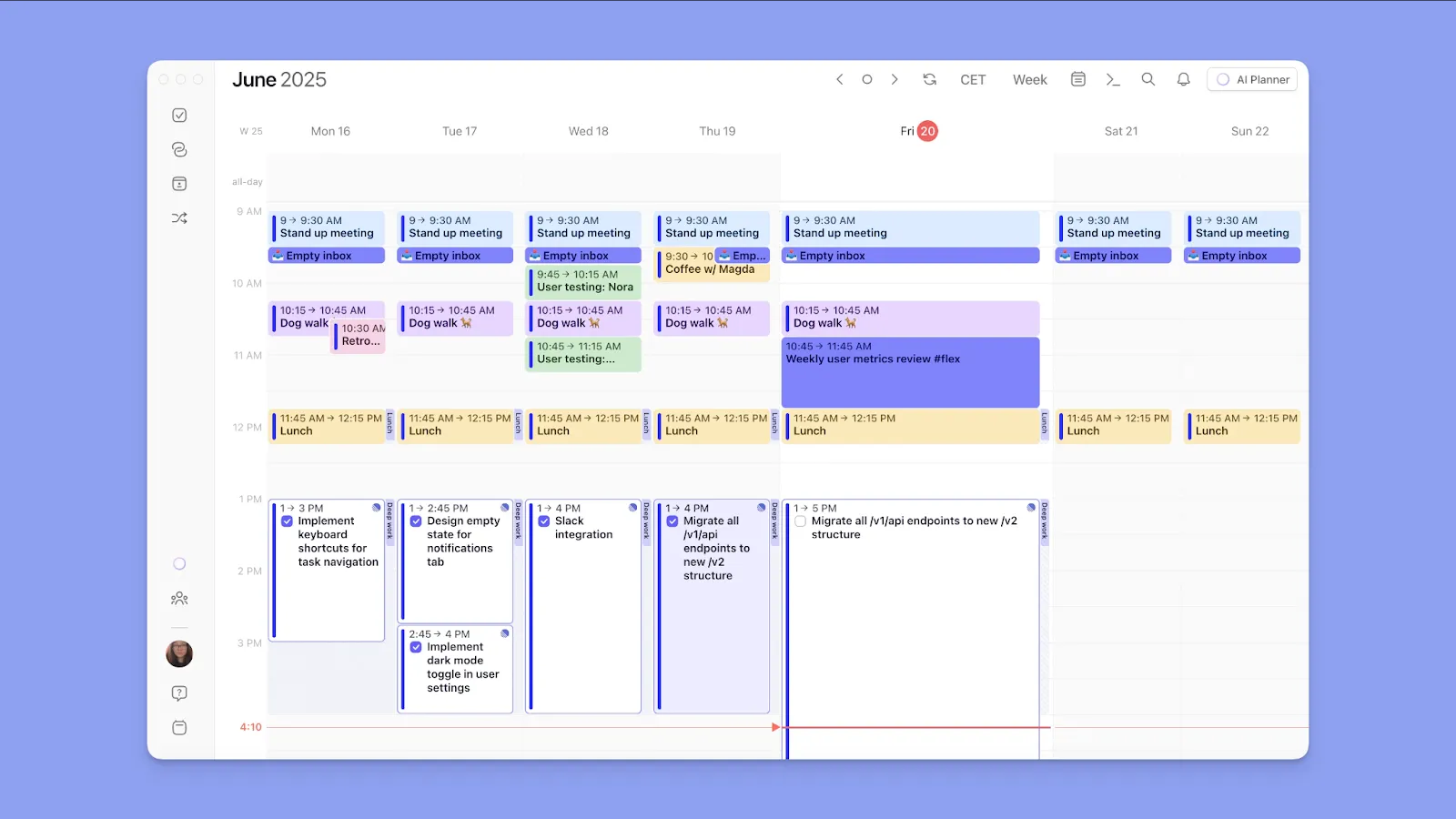
Morgen è ideale per individui che desiderano:
- Integrare più calendari, strumenti di compiti esterni e piattaforme di videoconferenza
- Creare compiti, eventi e routine direttamente dall'interfaccia di pianificazione
- Utilizzare un pianificatore AI per suggerimenti su quando completare i compiti in base alla disponibilità reale
- Creare modelli di settimane lavorative con Frames e pianificare i compiti nei migliori blocchi di tempo automaticamente
- Time blocking efficace e propagare i programmi su calendari connessi
- Creare pagine di prenotazione e link di pianificazione, e visualizzare la disponibilità dei colleghi prima di pianificare una riunione
Suggerimento: Connetti il tuo Google Calendar a Morgen e trasferisci istantaneamente tutti i tuoi appuntamenti e compiti. Da lì, pianifica su quel calendario più Outlook, iCloud e Fastmail in un'unica interfaccia.
| Strumento | Prezzo | Funzionalità principali |
|---|---|---|
| Morgen | $15/mese | Pianificatore AI, integrazioni di calendario e compiti, Frames, protezione del tempo di concentrazione, pagine di prenotazione, propagazione del calendario, disponibilità del team |
| Motion | $19/utente/mese | Pianificazione AI automatica, gestore di progetti AI, bacheche Kanban, pagine di prenotazione per riunioni, bilanciamento del carico di lavoro, pianificazione della capacità del team |
| Google Calendar | Gratuito | Pianificazione di eventi, Google Tasks, pianificazione degli appuntamenti, calendari condivisi, integrazione Google Meet, sincronizzazione Google Workspace |
Scarica Morgen per Windows, Mac, Linux, o web, quindi connetti il tuo Google Calendar ora per iniziare a pianificare.
Confronto dei prezzi
Motion e Google Calendar si trovano alle estremità opposte dello spettro dei prezzi. Ecco cosa devi sapere:
Motion
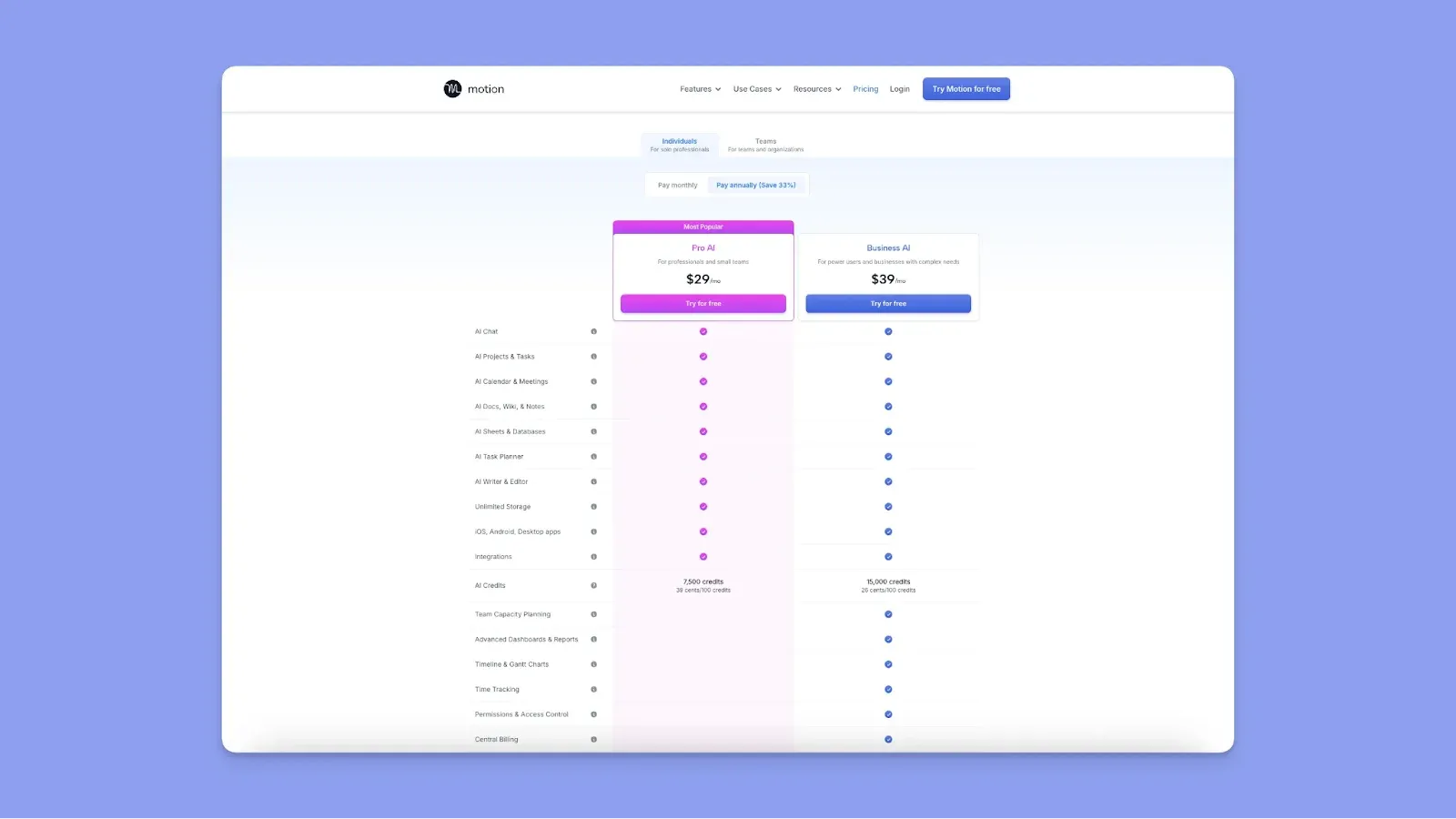
- Motion è considerato costoso da utenti. Megan P lo definisce ripido, e Matthew M dice anche che sarebbe bello se Motion fosse più economico
- Il piano individuale più economico parte da $29/mese (annuale). I piani sono più economici per i team, a partire da $19/utente/mese (annuale)
- Se esaurisci i tuoi crediti AI, necessari per le funzionalità AI, pagherai di più ogni mese
- Alcuni revisori dicono di essere stati addebitati ingiustamente, mentre altri segnalano scarso supporto clienti nel risolvere i problemi di fatturazione
Suggerimento: Trovi Motion costoso? Se passi a Morgen, otterrai uno sconto del 15% sul tuo primo abbonamento annuale.
Google Calendar
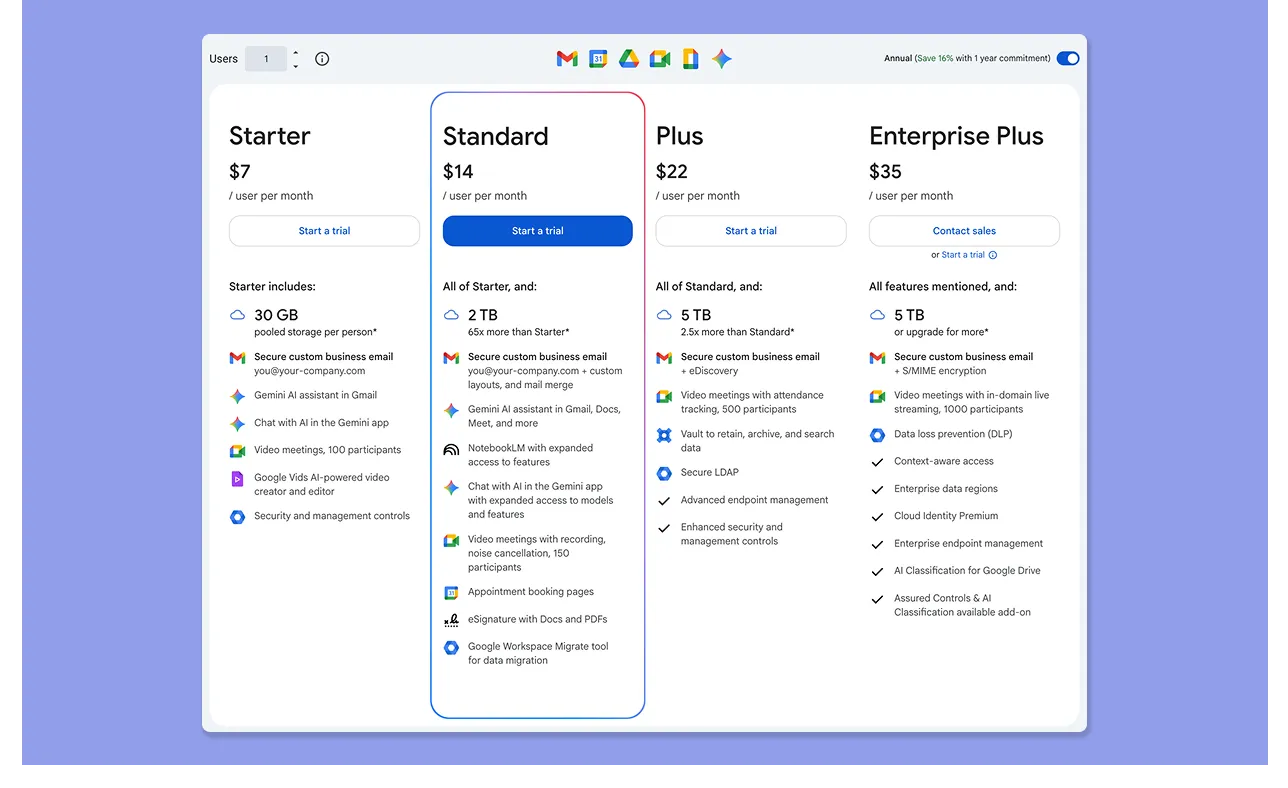
- Ottieni accesso gratuito e completo alla creazione di eventi, promemoria, calendari con codifica colori, Google Tasks e time blocking con qualsiasi account Google
- I piani Google Workspace partono da $7/utente/mese e sbloccano strumenti organizzativi condivisi e controlli amministrativi avanzati
- Gli utenti amano che sia gratuito, con Luciano N che lo chiama "Un grande software gratuito".
Verdetto
Google Calendar è sufficiente se il tuo programma consiste principalmente in riunioni, eventi condivisi e promemoria. Motion è migliore per gestire più progetti e scadenze mutevoli, con l'AI che gestisce le decisioni di pianificazione giornaliera.
Confronto della pianificazione del calendario
Entrambi gli strumenti organizzano i programmi visivamente, ma Motion costruisce attivamente il tuo programma mentre Google Calendar principalmente lo visualizza.
Motion
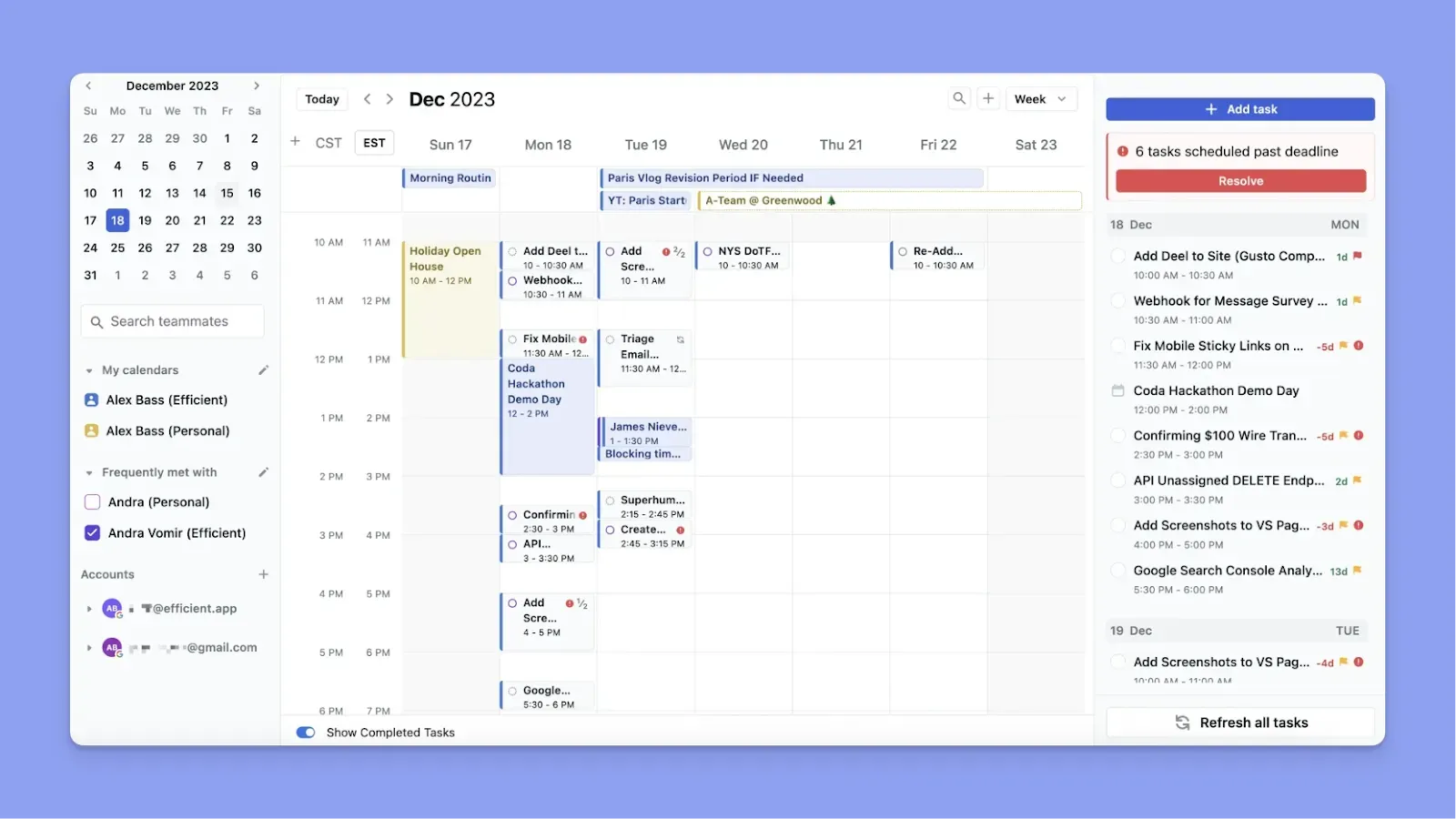
- Aggiungi un compito con una durata e una scadenza, e Motion trova uno spazio per esso. Analizza disponibilità, priorità, orari di lavoro e preferenze di buffer prima di posizionare il compito
- Motion riorganizza il tuo piano quando spuntano riunioni, senza che tu debba ricostruire manualmente
- Mentre utenti come Myka H amano la pianificazione automatica, dicono anche che a volte Motion blocca automaticamente i compiti a un certo orario, il che limita la flessibilità
Google Calendar
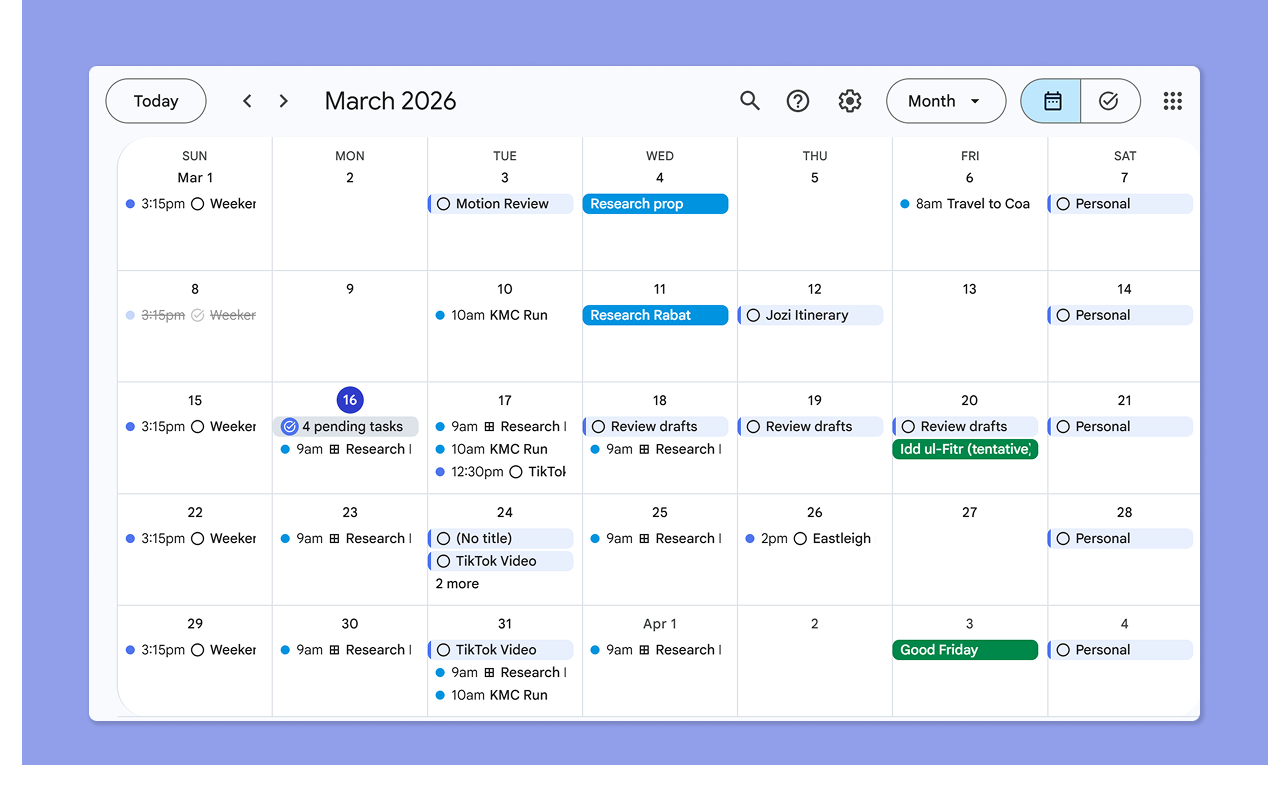
- Google Calendar mostra gli eventi pianificati e la tua disponibilità
- Rileva le riunioni Google Meet e le posiziona sul tuo calendario. Puoi anche aggiungere eventi del calendario, pianificazioni di appuntamenti e compiti dall'interfaccia di Google Calendar
- Gli utenti amano che GCal ti permetta di combinare compiti con calendari, visualizzare programmi immediati o a lungo termine, e vedere riunioni nello stesso posto
Verdetto
Se desideri solo una vista pulita delle tue riunioni e compiti ogni settimana, Google Calendar è eccellente. Se desideri anche che quella vista pianifichi automaticamente i compiti in qualsiasi tempo libero in base alle tue priorità e scadenze, Motion è il passo successivo.
Confronto della gestione dei compiti
Mentre entrambi ti permettono di aggiungere e pianificare compiti, differiscono quando consideri velocità e automazione:
Motion
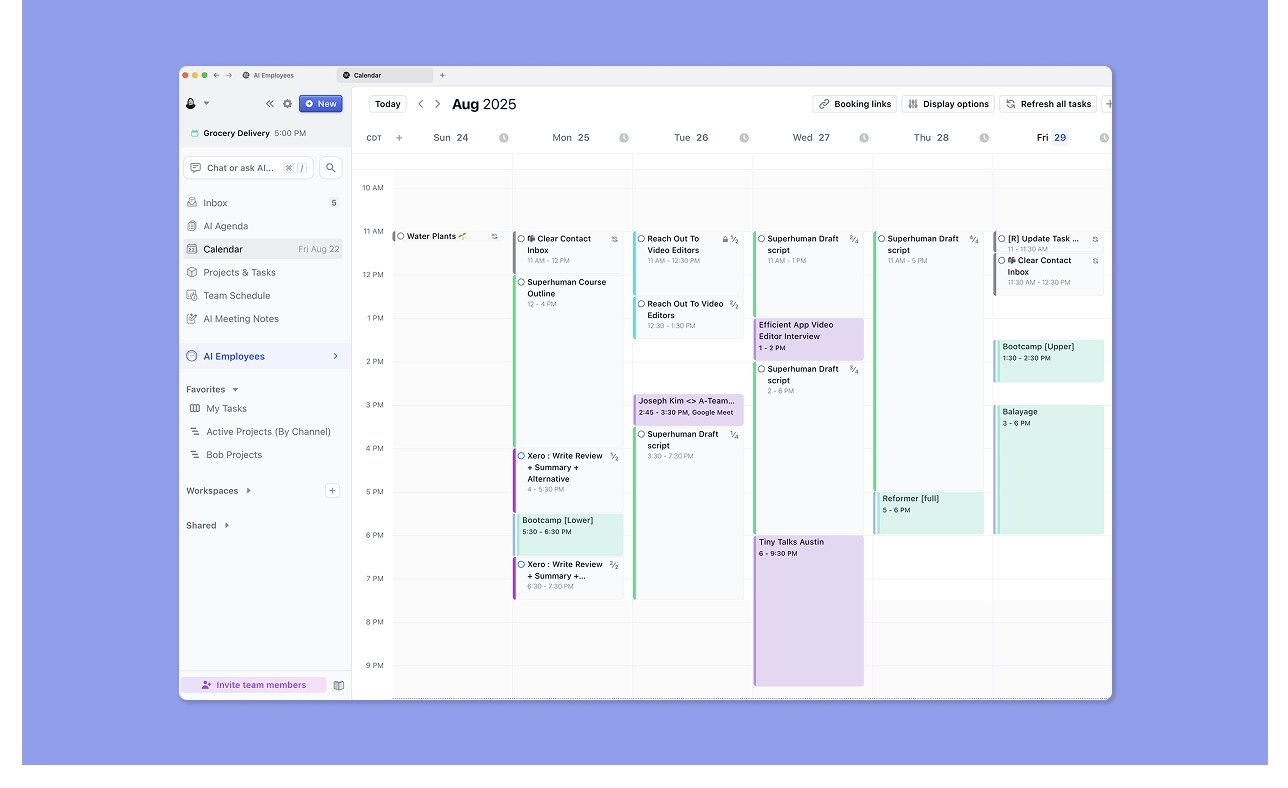
- Supporta progetti, compiti, sottocompiti, dipendenze tra compiti, bacheche Kanban e diagrammi di Gantt
- L'assistente AI di Motion pianifica automaticamente i compiti in base a priorità e disponibilità: aggiungi una scadenza e una durata, e troverà lo spazio temporale
- Se sposti manualmente un compito, Motion non lo ripianificherà di nuovo fino a dopo il tempo di fine pianificato
- Gli utenti di Reddit segnalano che Motion richiede più tempo per l'inserimento dei compiti e manca di scorciatoie da tastiera per l'acquisizione
Google Calendar
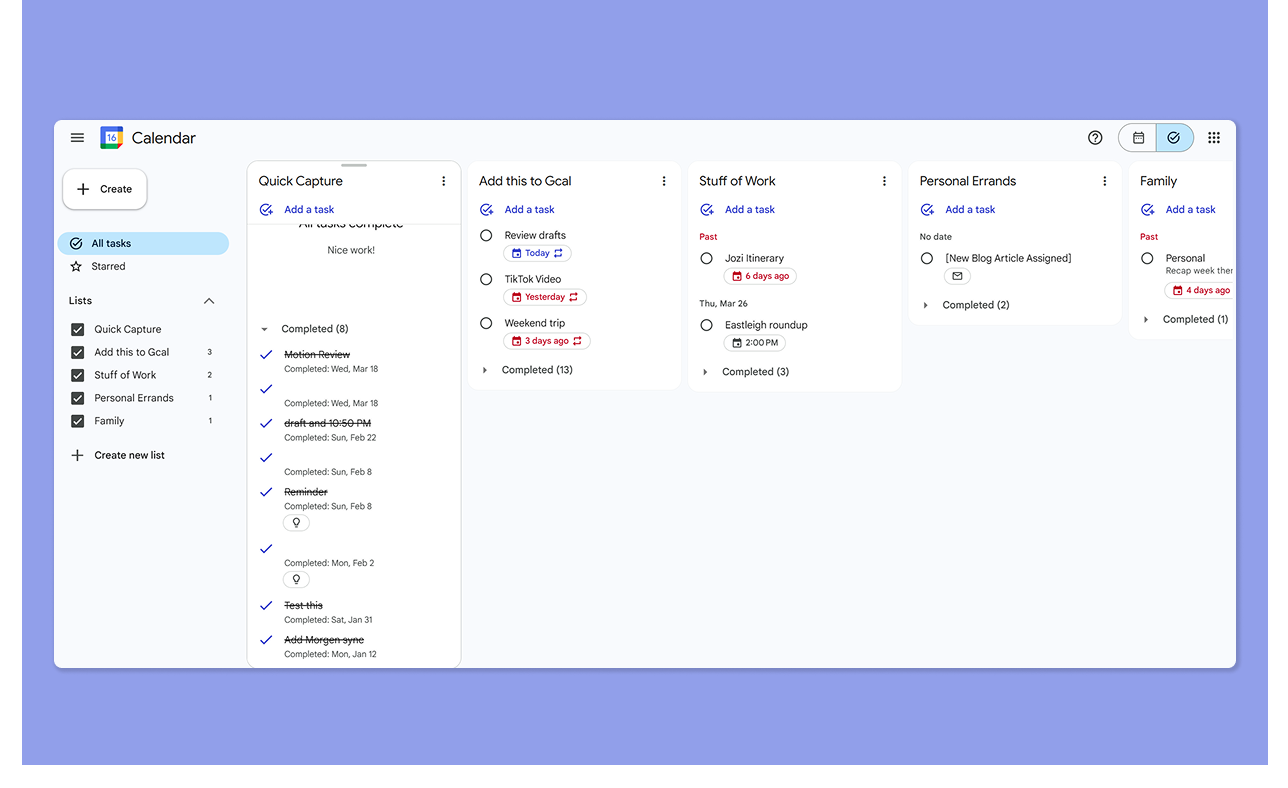
- Si sincronizza automaticamente con Google Tasks e puoi cambiare le viste della struttura tra Calendar e Tasks
- Costruisci il piano manualmente, senza pianificazione basata su priorità o posizionamento guidato da scadenze
- Mentre consente sottocompiti e bacheche Kanban nella vista Google Tasks, non potrai creare gerarchie di compiti avanzate integrate.
- Gli utenti desiderano anche più funzionalità di produttività e time blocking per prevenire distrazioni
Verdetto
Google Calendar offre una gestione leggera dei compiti. Se stai gestendo più scadenze su progetti, la pianificazione automatica di Motion semplifica la pianificazione per risparmiare tempo.
Confronto della pianificazione delle riunioni
Ecco come crei pagine di prenotazione e integri strumenti di riunione su entrambe le app:
Motion
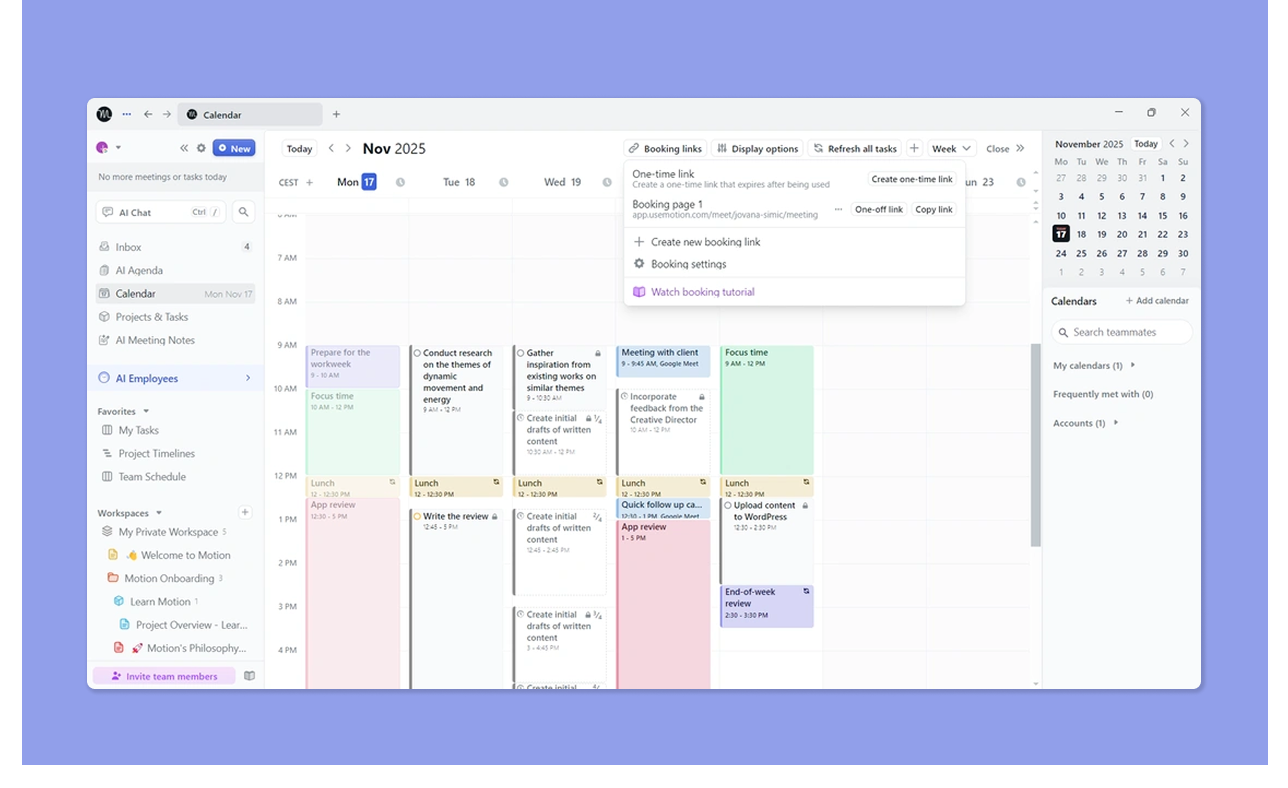
- Motion ti permette di creare pagine di prenotazione e link di riunione. Definisci i tuoi orari di lavoro, quando gli ospiti possono pianificare riunioni con te, il numero di riunioni da avere ogni giorno e aggiungi tempi buffer
- Si integra con Zoom, Google Meet e Microsoft Teams. Ottieni anche un assistente riunioni AI che acquisisce automaticamente note e elementi d'azione
- Morgan D ama come Motion coordina le riunioni del team e gli appuntamenti
Google Calendar
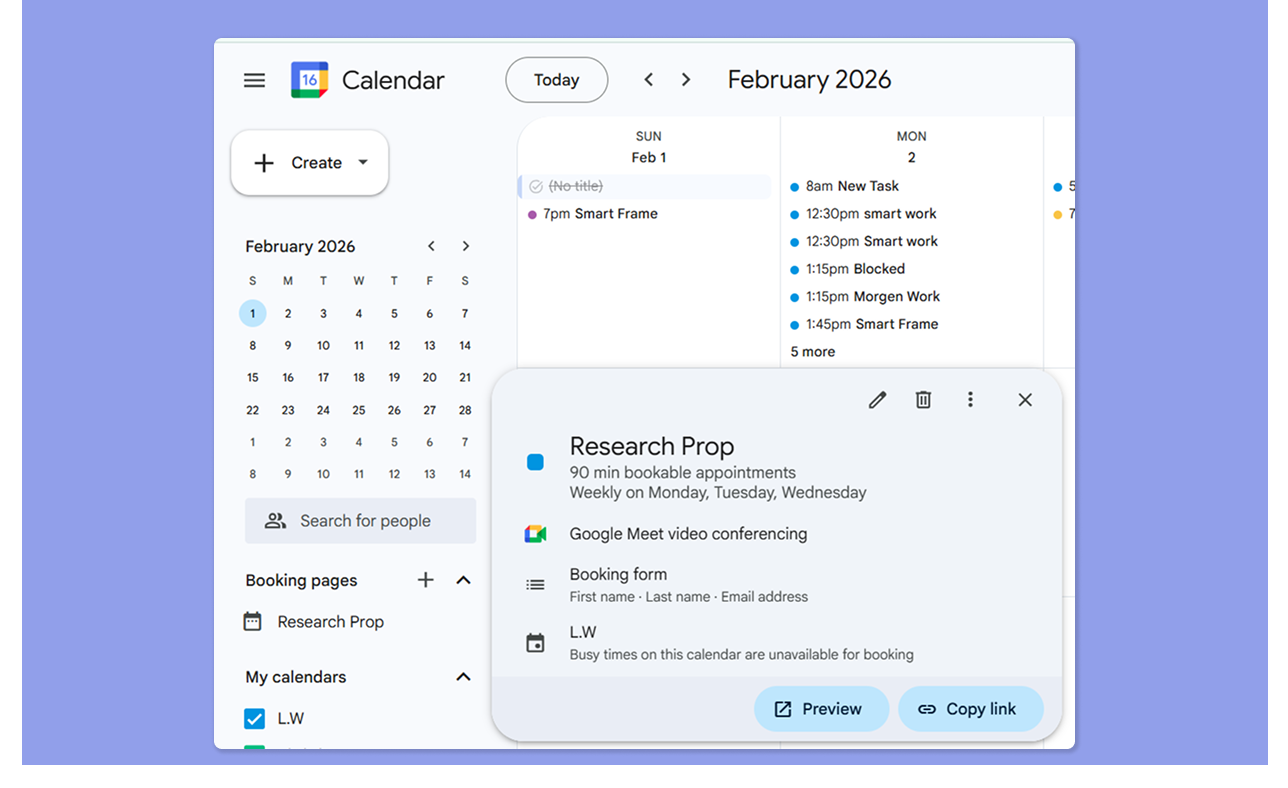
- Google Calendar ti permette di creare una pianificazione degli appuntamenti, ma solo una nel piano gratuito personale
- Crea una pianificazione che viene eseguita in date e orari specifici e aggiungi un modulo di prenotazione prima di condividerla con team o clienti
- Il link Google Meet viene aggiunto dopo la prenotazione di una riunione
Verdetto
Per professionisti con molte riunioni, il sistema di prenotazione di Motion è l'opzione più raffinata. La pianificazione degli appuntamenti di Google Calendar fa il lavoro a un livello base, ma manca della profondità assistita da AI e del coordinamento del team che Motion offre.
Confronto delle integrazioni
Ecco le integrazioni che ottieni da entrambi gli strumenti.
Motion
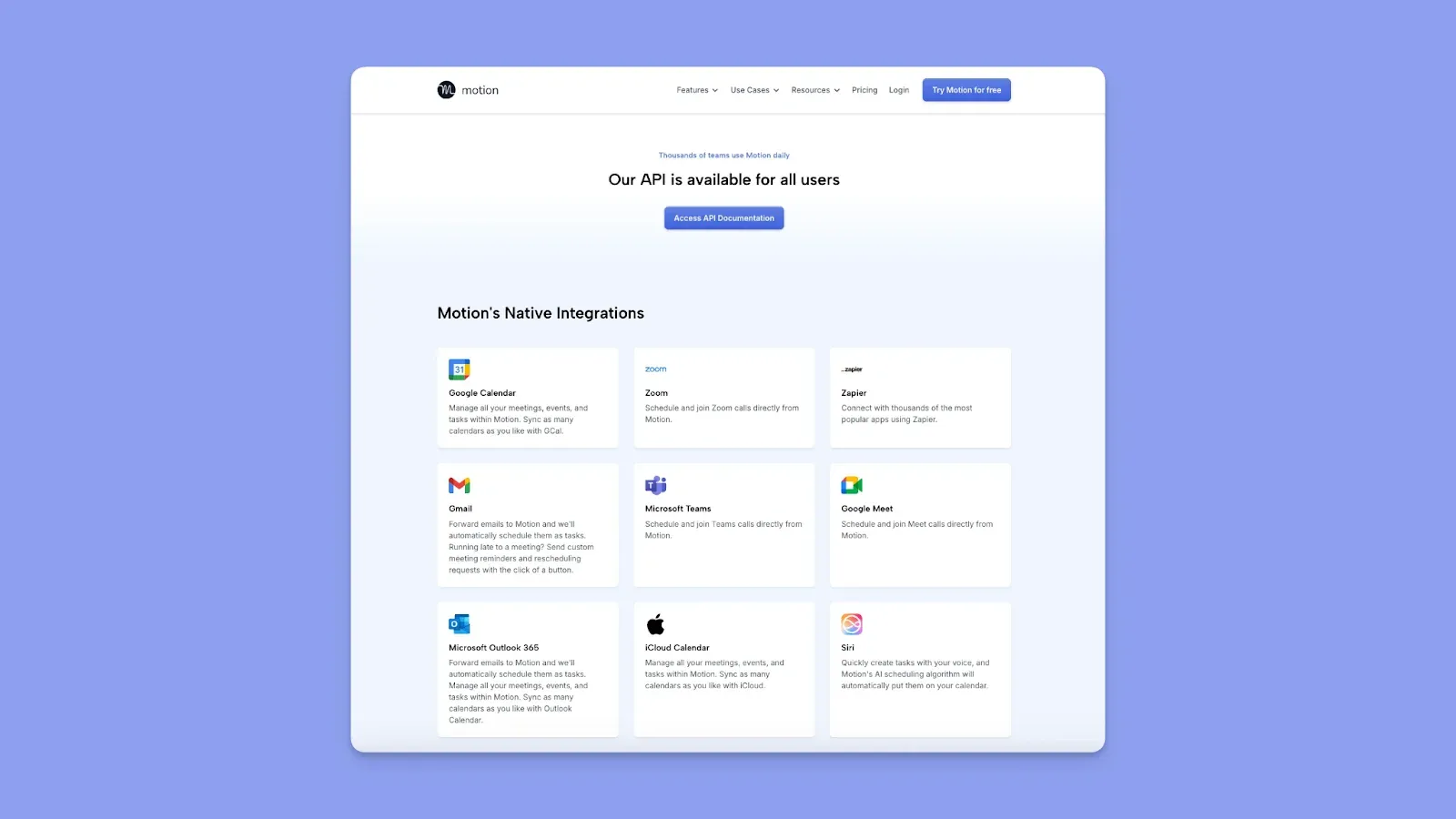
- Si integra con Google Calendar, Microsoft Outlook, iCloud, Gmail, Zoom, Microsoft Teams, Google Meet, Slack e Zapier
- L'accesso API è disponibile per integrazioni personalizzate
- Nessuna integrazione nativa profonda con strumenti di compiti come Notion, cosa che questo revisore G2 desidererebbe vedere
Google Calendar
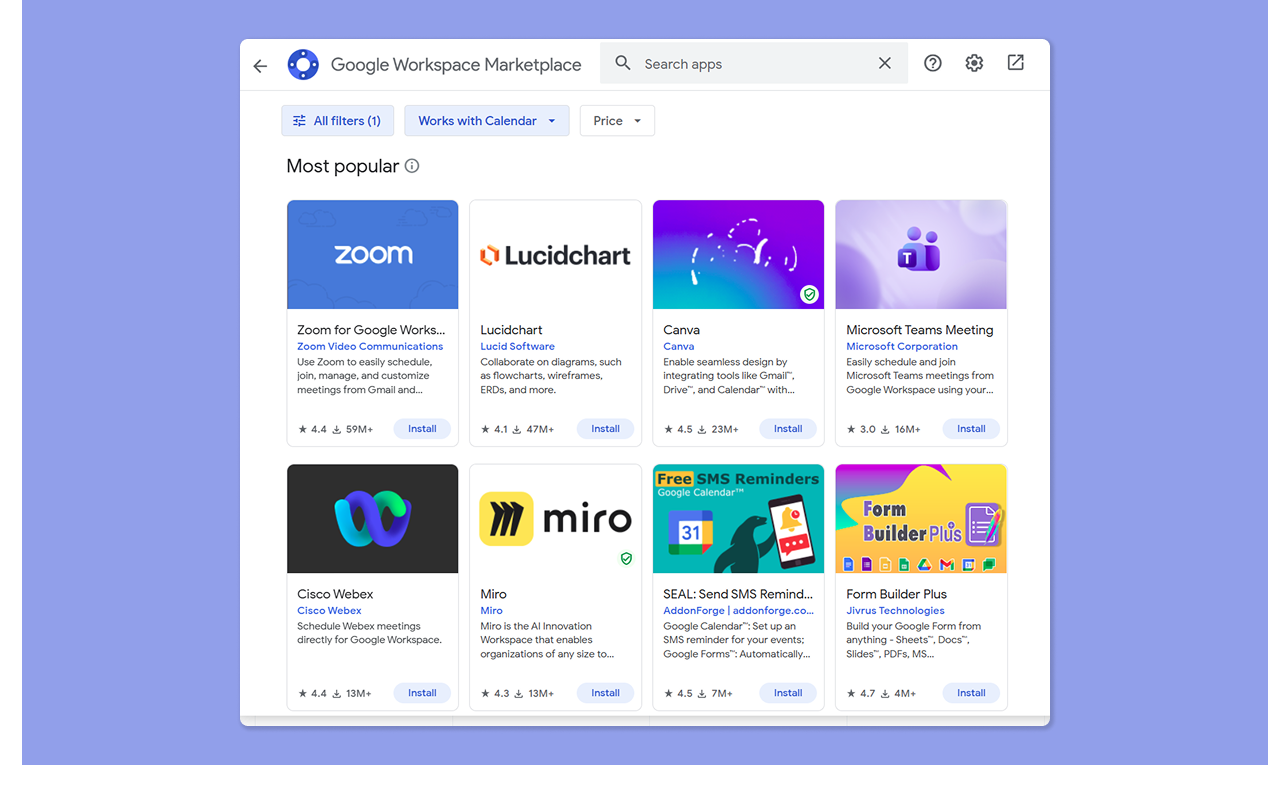
- Integrazione nativa con tutte le app Google Workspace: Gmail, Drive, Docs, Sheets, Meet
- Si connette a Outlook e iCloud per la sincronizzazione del calendario multipiattaforma
- Gli utenti amano la profondità delle integrazioni di app di terze parti tramite Google Workspace, Zapier e connessioni API dirette
Verdetto
Google Calendar offre una copertura più ampia attraverso l'ecosistema Google Workspace, mentre Motion vince per la connettività delle app di produttività (Slack, Zoom, Teams, email) e la sua portata Zapier.
Confronto della collaborazione
Motion include funzionalità di pianificazione del team integrate, e Google Calendar ti permette di condividere il tuo programma con altri.
Motion
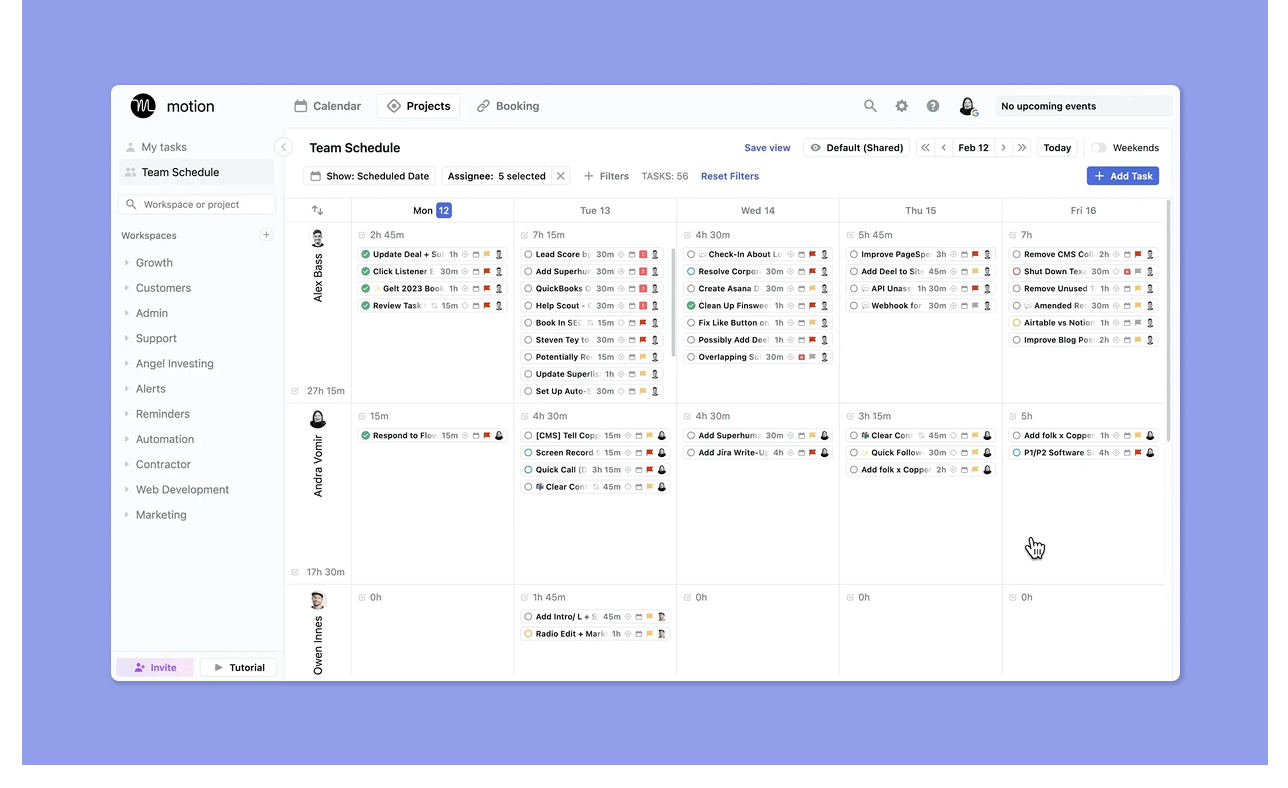
- Il piano team abilita progetti condivisi, assegnazione di compiti, visibilità del carico di lavoro e pianificazione della capacità del team
- I manager possono assegnare compiti ai membri del team, e l'AI di Motion pianifica automaticamente quei compiti nel calendario dell'assegnatario in base alla sua disponibilità
Google Calendar
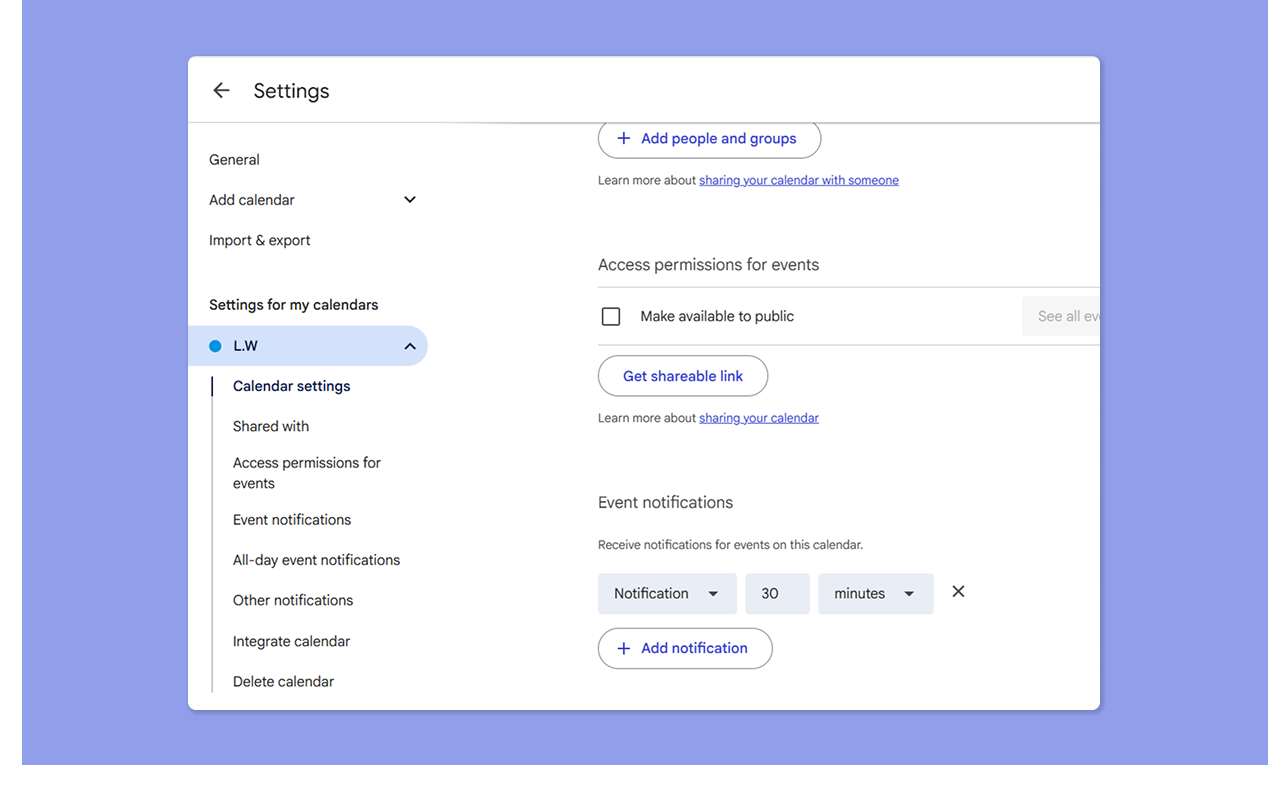
- Condividi eventi, invia inviti, confronta viste del calendario e usa codifica colori e commutazione del calendario per gestire la visibilità
- I calendari condivisi consentono a più persone di visualizzare i programmi l'uno dell'altro; i permessi possono essere impostati su sola lettura o accesso di modifica completo
Verdetto
Se il tuo team funziona su calendari condivisi e Google Workspace, Google Calendar gestisce le nozioni di base in modo efficiente. Tuttavia, Motion è la scelta migliore quando hai bisogno di coordinare il lavoro del progetto, bilanciare i carichi di lavoro e mantenere visibili le assegnazioni di compiti su un piccolo team.
Come scegliere il miglior strumento di pianificazione del calendario
Asana riferisce che i knowledge worker trascorrono il 60% del loro tempo a pianificare il lavoro. Se stai scegliendo tra Motion e Google Calendar, considera come ogni strumento accelera la pianificazione con:
Integrazioni del calendario
Motion si connette a Google Calendar, Outlook e iCloud, offrendo una copertura più ampia rispetto a Google Calendar.
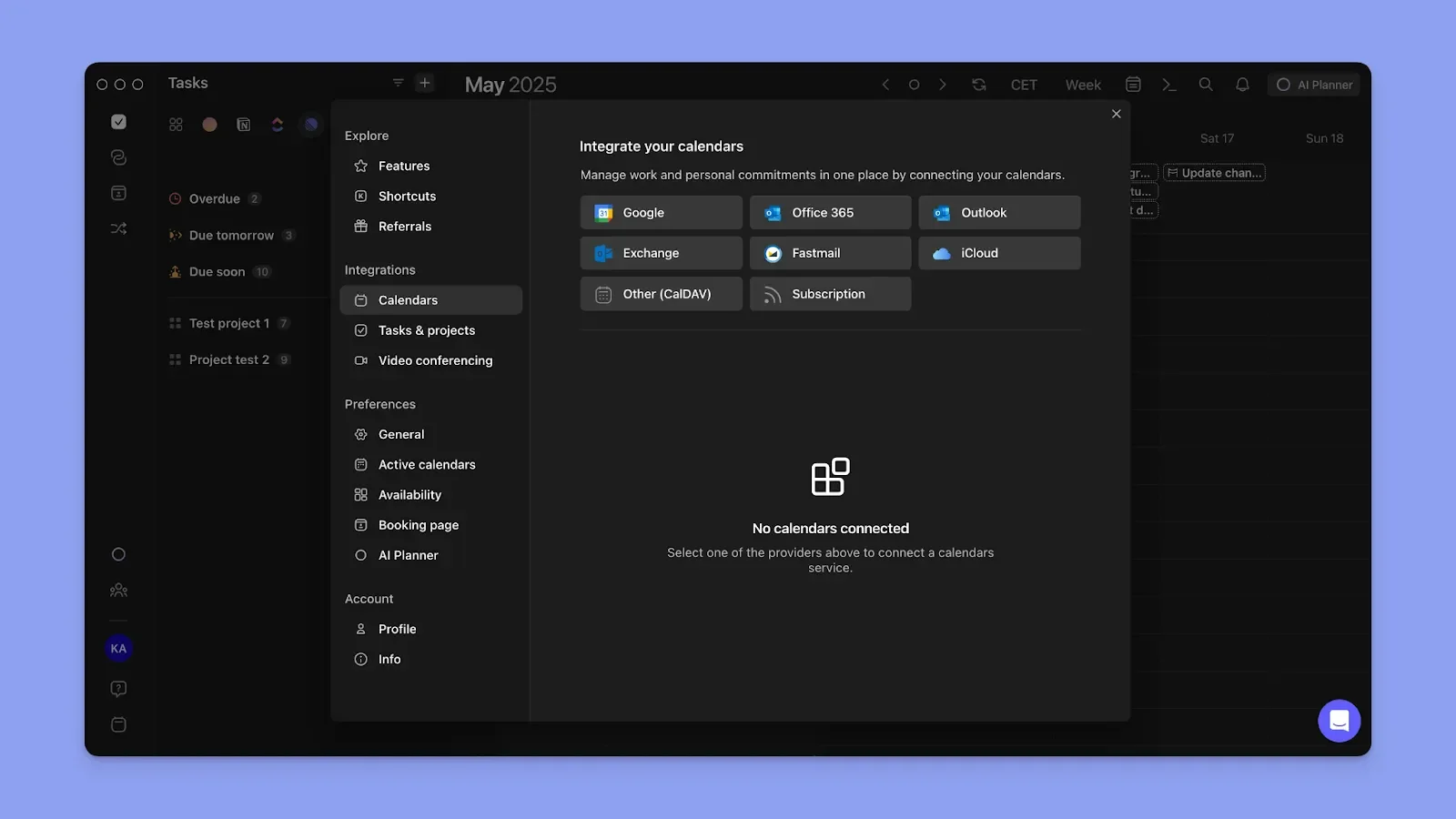
Tuttavia, puoi pianificare su più calendari con Morgen, aggiungendo Fastmail e calendari di abbonamento al mix. Usa la propagazione del calendario per visualizzare i tuoi programmi su tutti i calendari connessi.
Ecco come sincronizzare i tuoi calendari personali e di lavoro su Morgen.
Pianificazione dei compiti
Oltre agli appuntamenti del calendario, il tuo strumento ti aiuta a pianificare i compiti?
Motion automatizza la pianificazione, ma crei il tuo elenco di compiti da zero. Google Calendar vuole che crei l'elenco di compiti e lo pianifichi manualmente.
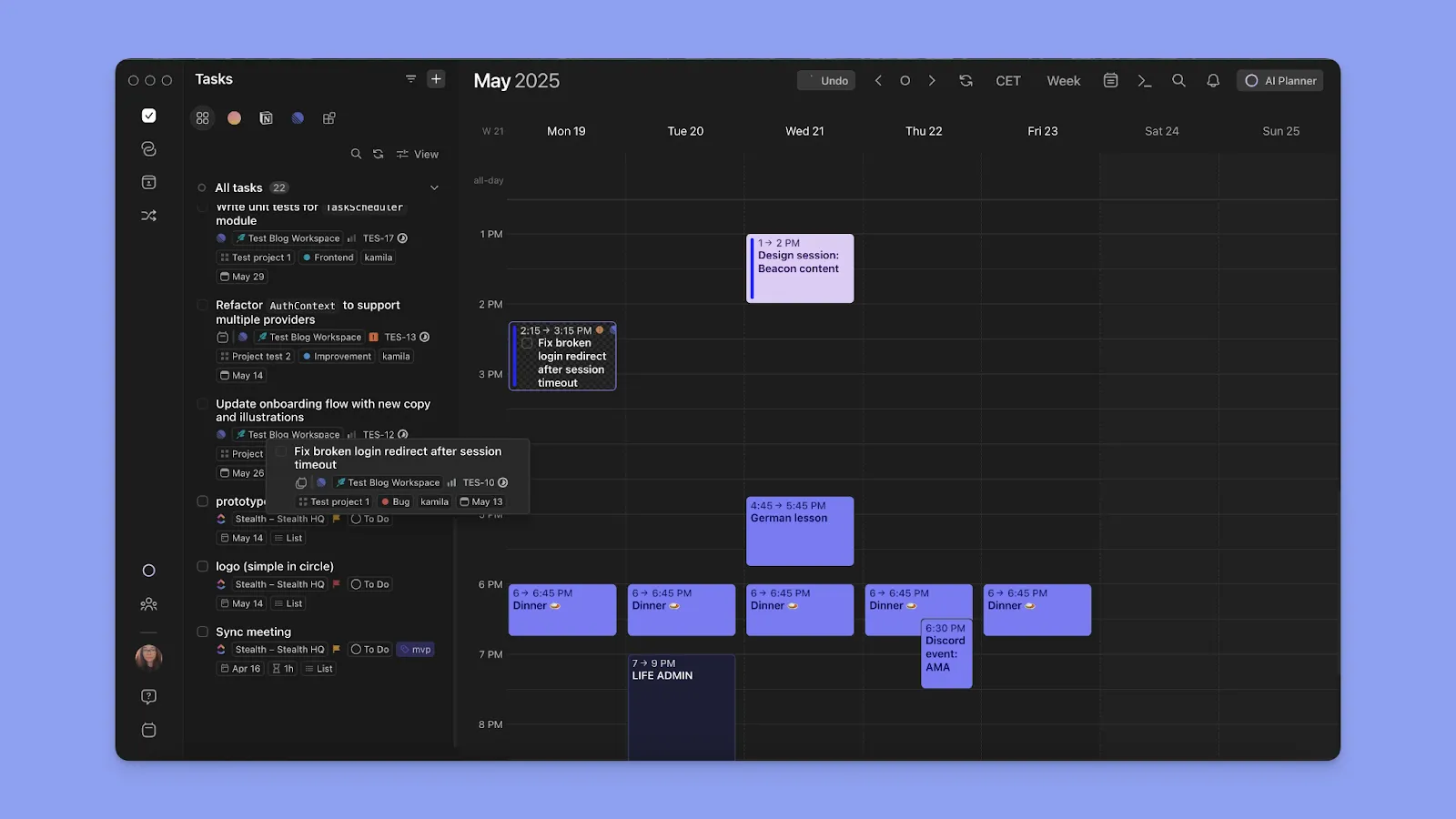
Se stai già utilizzando uno strumento di compiti esterno, integralo con Morgen invece di creare un nuovo elenco di compiti da zero. Quindi, trascina e rilascia i compiti nel contorno del calendario, o usa il pianificatore AI per suggerire quando pianificare i compiti.
Facilità d'uso
Uno strumento che richiede settimane per configurare è un costo di produttività. Google Calendar è più semplice da usare, mentre i revisori dicono che Motion ha una curva di apprendimento ripida e un investimento di configurazione.
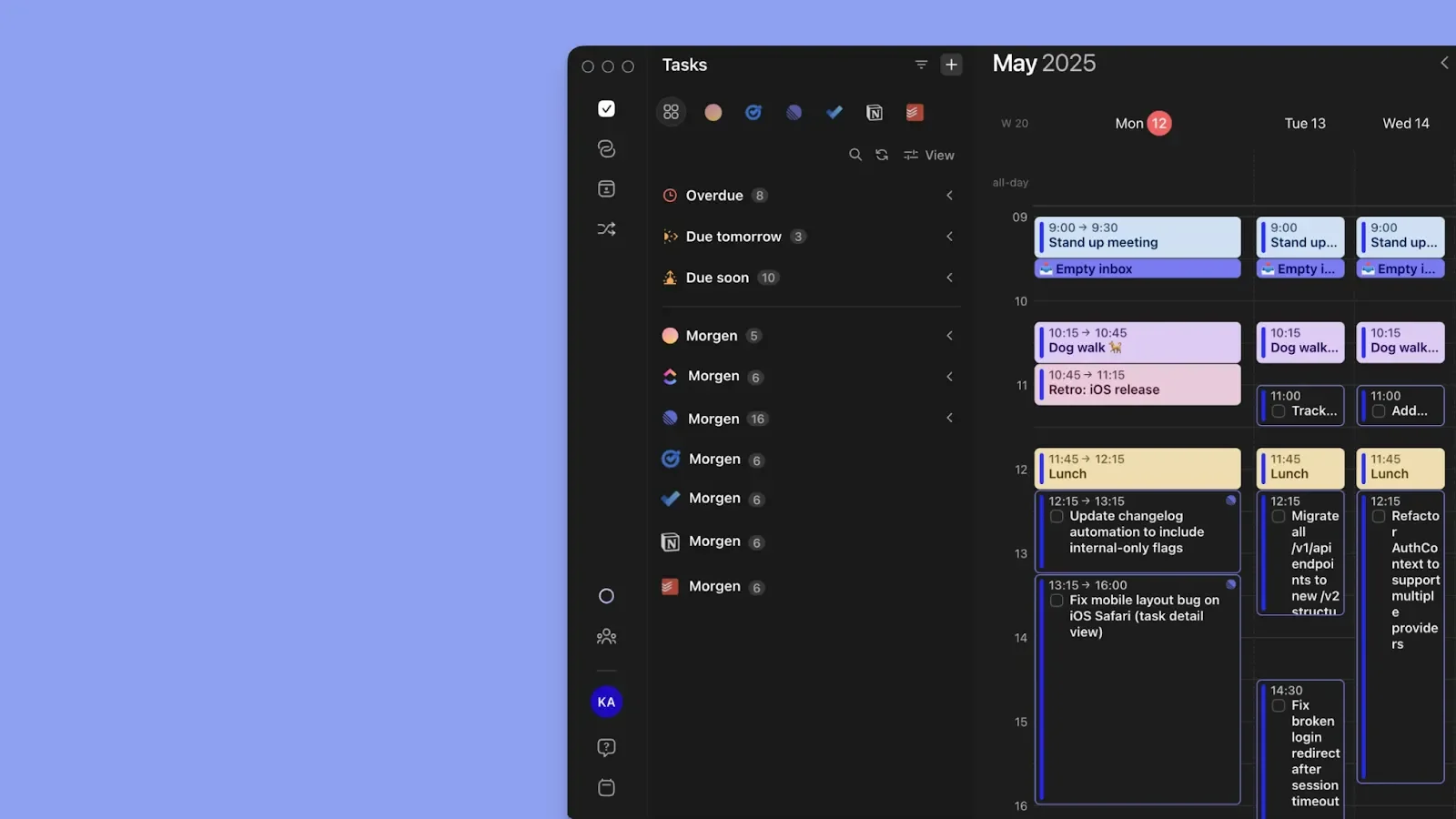
Per funzionalità avanzate senza una curva di apprendimento, Morgen vuole solo che tu connetta i tuoi calendari, estragga i tuoi compiti e inizi a pianificare.
Nota: Oltre alle integrazioni, puoi anche creare facilmente compiti, eventi e routine direttamente dal contorno di Morgen. Ecco
Alternativa a Motion e Google Calendar: Morgen
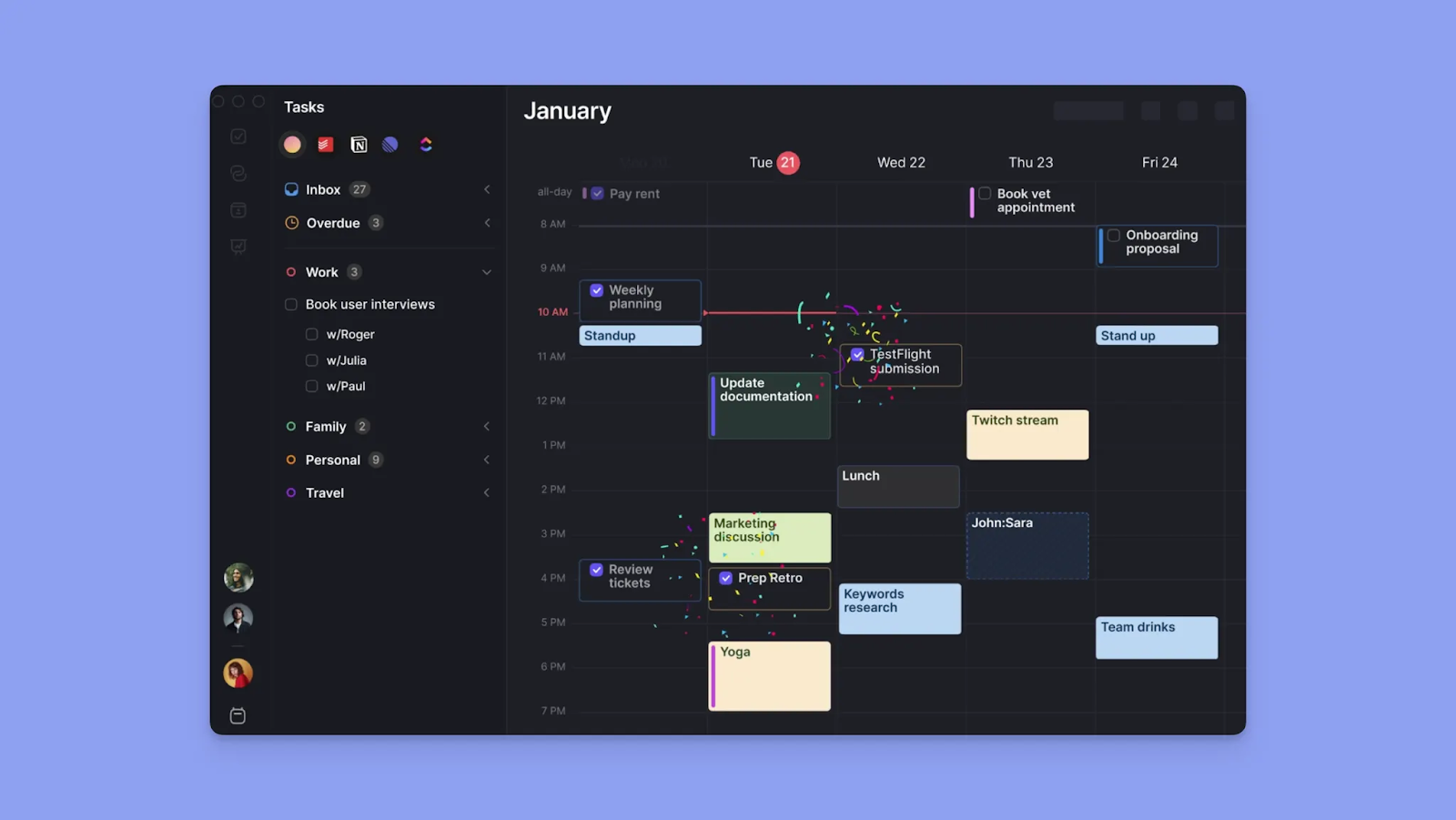
Morgen è un pianificatore di calendario estetico per professionisti che desiderano più struttura di quella che Google Calendar offre, senza cedere il controllo a un sistema completamente automatizzato come Motion.
Funzionalità chiave di Morgen
Morgen offre integrazioni, automazione e pianificazione personalizzata. Ottieni:
Integrazioni profonde di calendario e compiti
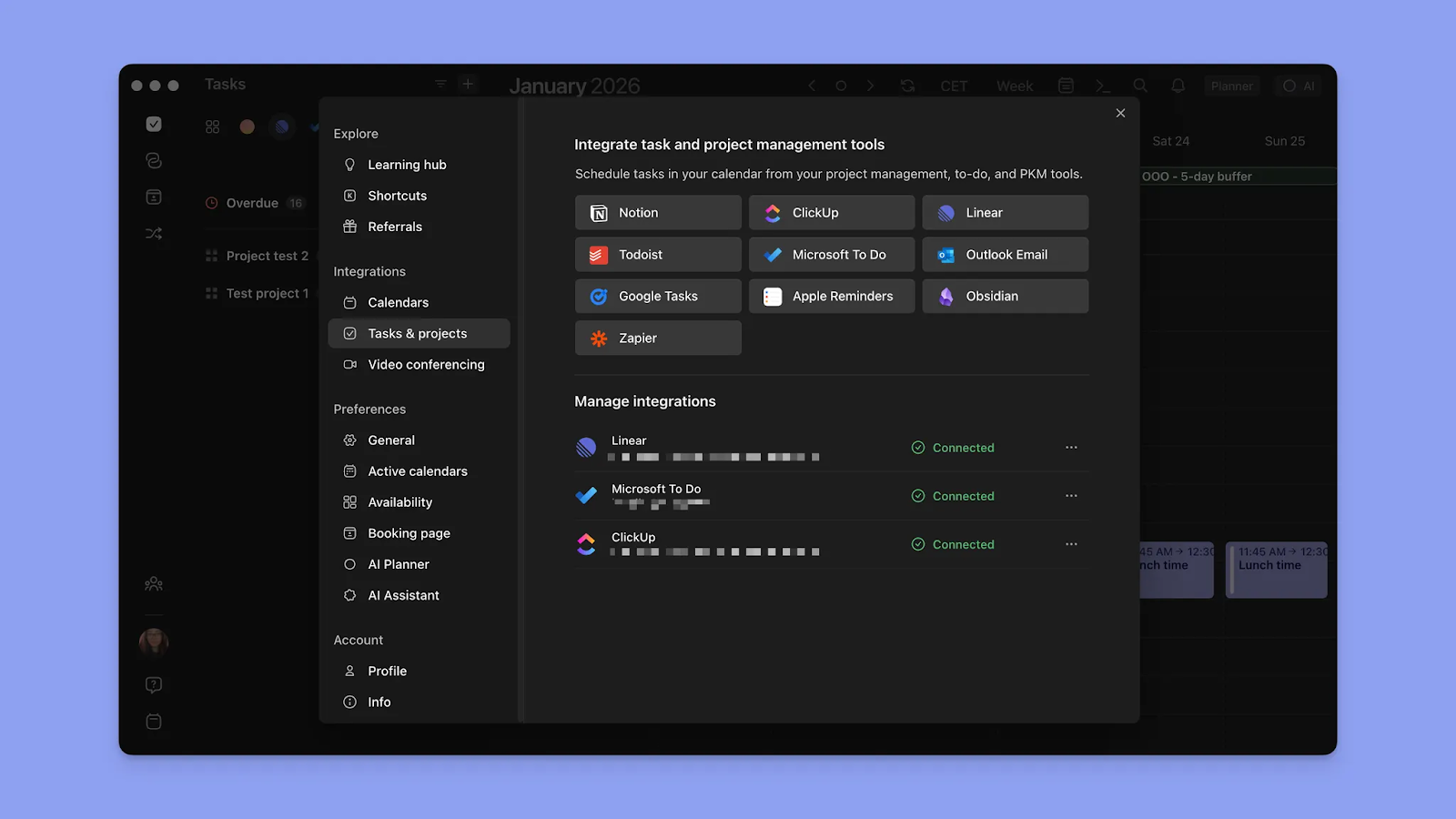
Morgen si connette a numerosi calendari e strumenti di compiti. Si sincronizza con Google Calendar, Outlook, iCloud e Fastmail, ed estrae compiti da Notion, Linear, ClickUp, Obsidian, Todoist, Google Tasks, Microsoft To Do e Apple Reminders.
Nota: Morgen importa le proprietà dei compiti da ogni strumento, quindi puoi filtrare, raggruppare e pianificare con gli stessi metadati che usi all'interno dell'app di origine. Abbinerai anche ogni strumento di compiti a calendari specifici e visualizzerai il tuo carico di lavoro sul calendario con cui stai lavorando.
Pianificazione AI con controllo umano
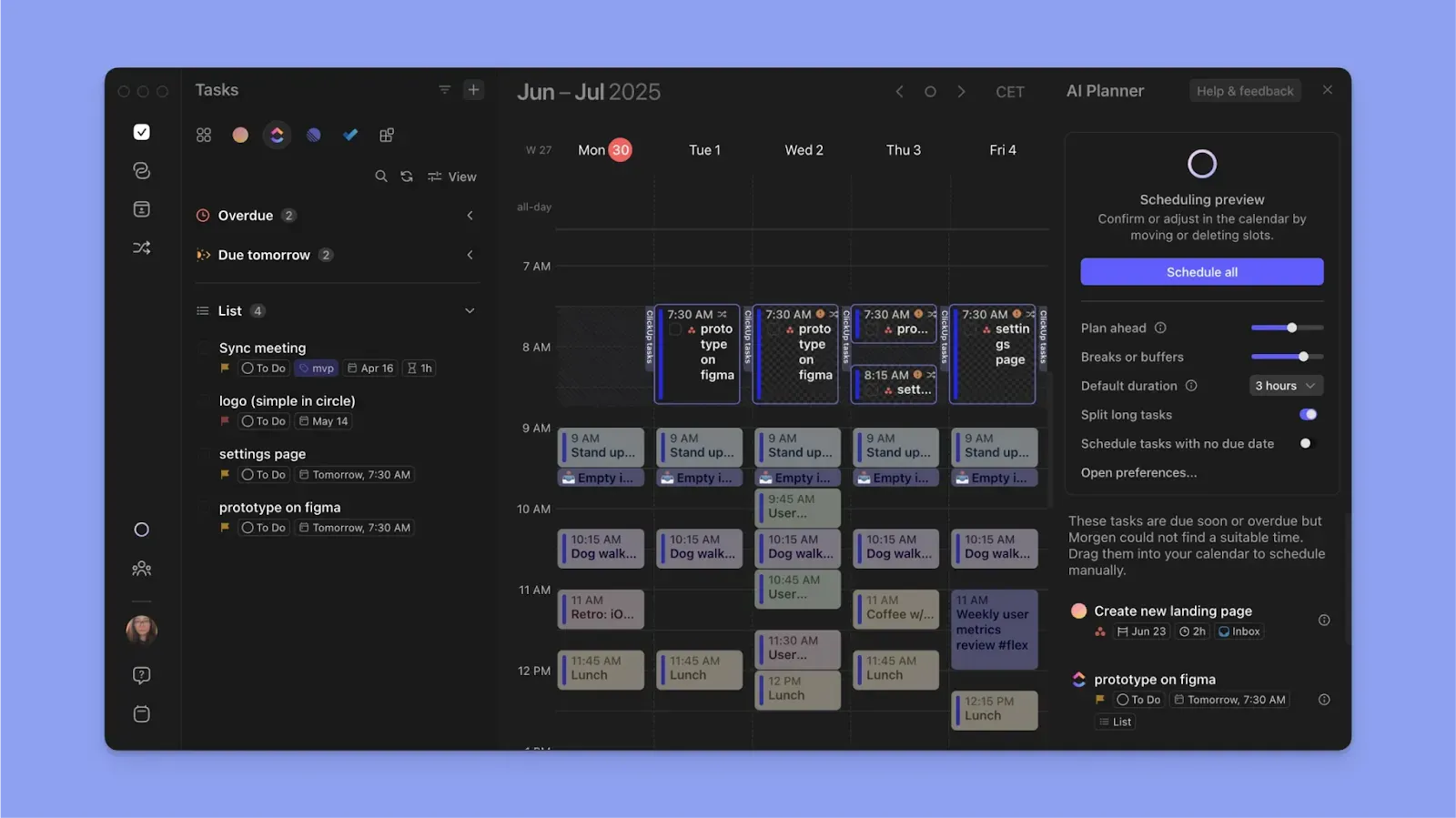
Il pianificatore AI di Morgen suggerisce un piano giornaliero in base al tuo backlog di compiti, scadenze, priorità e tempo disponibile nel calendario. Rivedi i suggerimenti, adatta il piano o confermalo se ha senso per te.
Nota: Il pianificatore AI suggerisce solo dove pianificare i compiti; non sposta eventi o routine. Se un compito deve accadere a un orario specifico, contrassegnalo come "Non flessibile" e l'AI pianificherà tutto il resto intorno ad esso.
Pianificazione con Frames
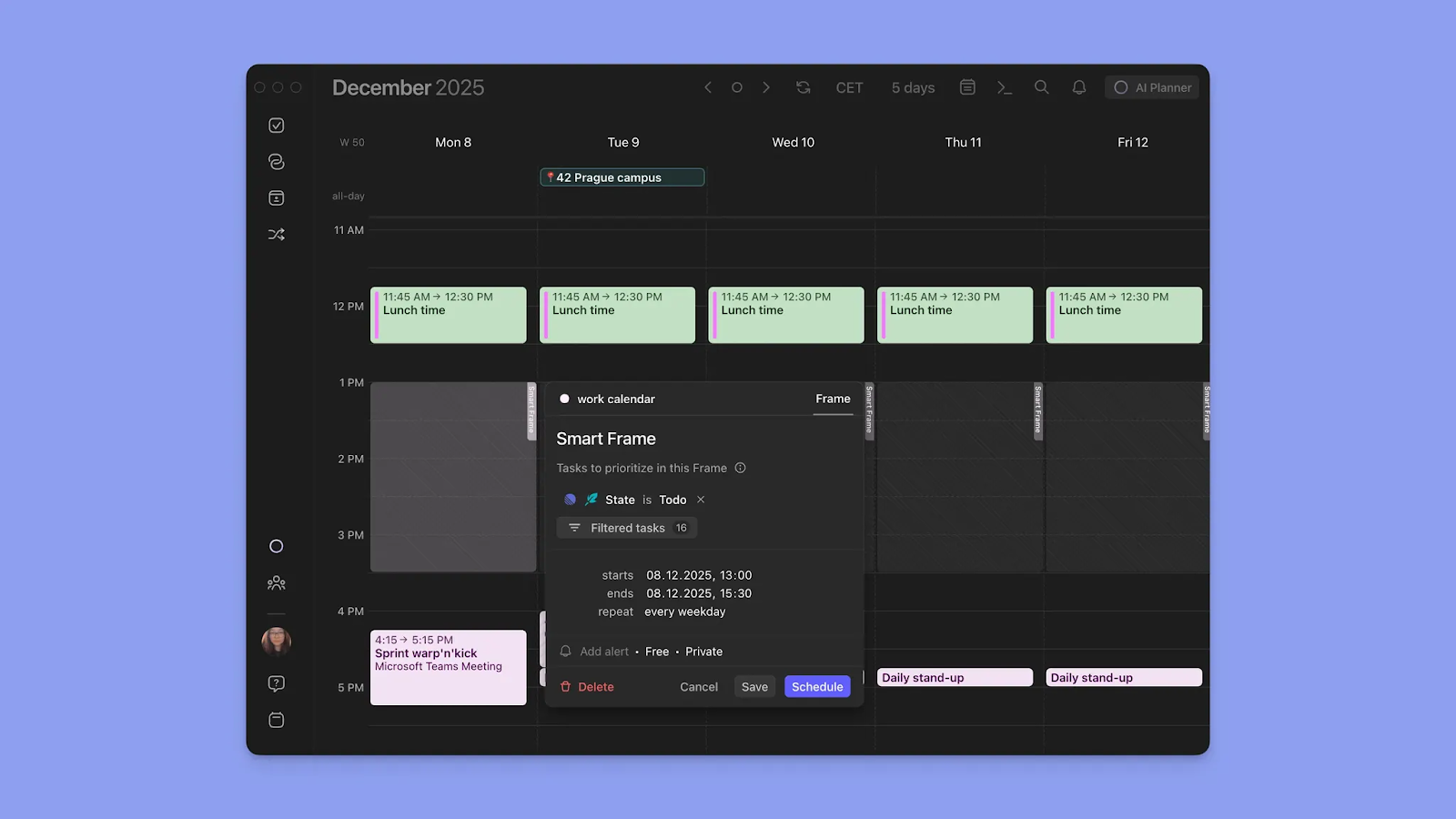
Crea un Frame nel contorno del calendario, quindi imposta filtri per il tipo di compiti che desideri popolare ogni volta. Da lì, pianifica i compiti nel Frame manualmente o esegui il pianificatore AI per riempirlo per te.
Suggerimento: Il pianificatore AI di Morgen funziona meglio quando hai già un elenco di compiti e Frames configurati. I filtri Frame possono essere specifici come hai bisogno, per origine, priorità, durata, tag, ecc.
Pianificazione delle riunioni
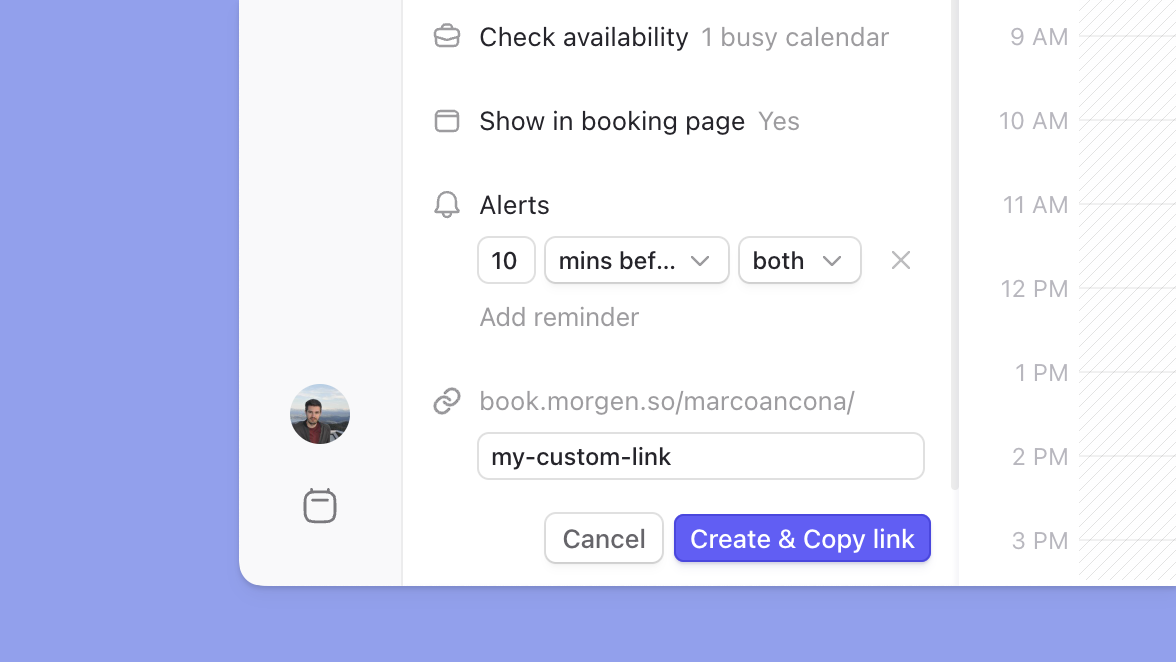
Le pagine di prenotazione di Morgen ti permettono di creare una pagina di pianificazione personalizzata con un URL personalizzato che puoi condividere con clienti o incorporare sul tuo sito web.
Aggiungi diversi link di pianificazione a ogni pagina, inclusi link di pianificazione multipersona che raggruppano la disponibilità su tutti i co-host richiesti. Gli inviti aperti ti permettono di definire le tue opzioni di tempo disponibile e condividere il link affinché il tuo invitato prenoti da.
| Piano | Mensile | Annuale |
|---|---|---|
| Individuale | $30 | $15/mese |
| Team | $25/utente | $10/utente/mese |
Dove Morgen eccelle
- Facile da configurare dopo le integrazioni: Connetti i tuoi calendari e strumenti di compiti, e puoi iniziare a pianificare immediatamente
- Gestione avanzata del calendario: Codifica colori, propagazione del calendario, gestione dei fusi orari e Calendar Sets ti danno più controllo sulla pianificazione giornaliera
- Pianificazione AI con un tocco umano: Il pianificatore AI ti aiuta a costruire un piano giornaliero realistico senza riorganizzare la tua giornata dietro le quinte
- Acquisizione veloce: Aggiungi compiti, eventi e routine/abitudini tramite la barra dei comandi, voce, o direttamente nell'interfaccia del calendario
- Sincronizzazione e propagazione di Google Calendar: Le modifiche apportate in Morgen si sincronizzano con Google Calendar istantaneamente e si propagano su altri calendari connessi per una pianificazione accurata
Dove Morgen è carente
- Nessuna gestione nativa dei progetti: Morgen non supporta progetti e dipendenze tra compiti come Motion, anche se offre più profondità di pianificazione rispetto a Google Calendar
Recensioni dei clienti di Morgen
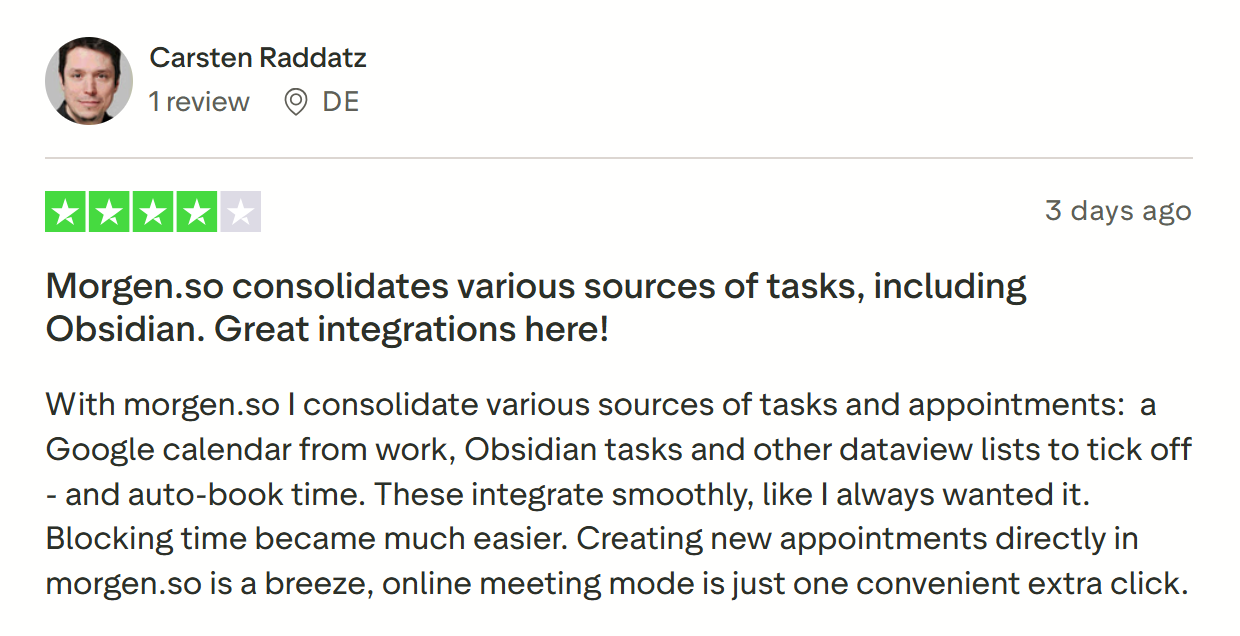
Carsten Raddatz condivide "Morgen.so consolida varie fonti di compiti, incluso Obsidian. Ottime integrazioni qui!"
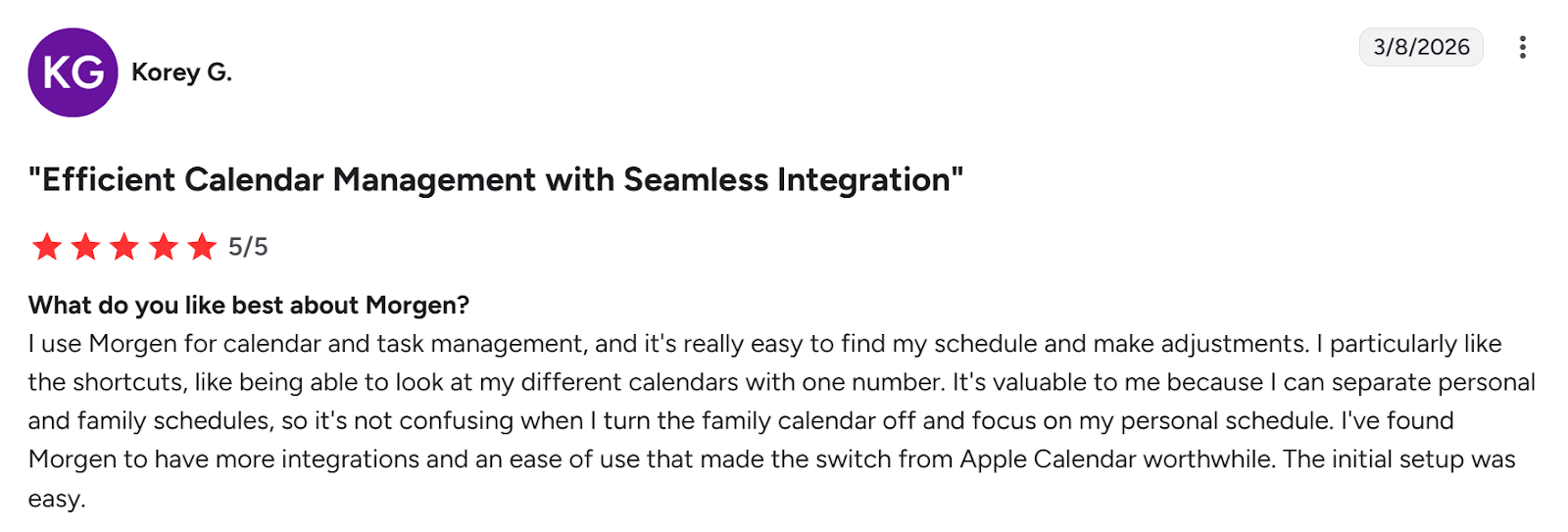
Su G2, Korey G chiama Morgen una "Gestione efficiente del calendario con integrazione senza interruzioni".
Per chi è ideale Morgen
- Utenti di Google Calendar: individui che desiderano un livello di pianificazione più intelligente sopra la loro configurazione esistente
- Soloimprenditori, freelancer, cervelli ADHD e individui: persone che desiderano pianificazione assistita da AI, integrazioni profonde di strumenti, protezione del tempo di concentrazione e uno strumento facile da usare
Vuoi vedere come funziona Morgen? Prova il generatore di programmi gratuito e crea una settimana ideale ora.
Motion vs Google Calendar vs Morgen: Quale dovresti scegliere
La scelta dipende da quanta assistenza di pianificazione AI hai bisogno. Motion automatizza completamente il tuo programma, mentre Google Calendar è manuale.
Morgen si trova nel mezzo. Puoi creare programmi manualmente o utilizzare il pianificatore AI per suggerire posizionamenti di compiti a seconda del tuo tempo disponibile.
Vedi suggerimenti per creare un piano giornaliero che funzioni, quindi crea il tuo account Morgen per una prova gratuita di 2 settimane per iniziare.

.svg)
.webp)