.svg)
→ Choisissez Motion si vous avez un emploi du temps chargé et du mal à planifier la charge de travail de chaque jour : idéal pour les individus et les petites équipes qui veulent qu'une IA planifie automatiquement les tâches dans les calendriers en fonction des délais, des priorités et de la disponibilité
→ Utilisez Google Calendar seul si vous avez des besoins de planification plus simples : idéal pour les individus qui veulent gérer les réunions et partager les calendriers, tout en planifiant manuellement les tâches dans le calendrier
→ Ou, choisissez Morgen si vos événements et tâches sont répartis entre plusieurs outils : idéal pour les individus et les travailleurs indépendants qui utilisent des outils de gestion de tâches externes et veulent un outil de planification IA pour vous aider à trouver les créneaux disponibles du calendrier
→ Meilleure configuration : Google Calendar + Morgen. Utilisez Google Calendar pour gérer les événements et les réunions, et Morgen pour planifier les tâches dans les créneaux disponibles autour de ces événements
Motion est un planificateur de calendrier IA qui construit votre journée en fonction de la priorisation des tâches et de la disponibilité du calendrier. Google Calendar est un planificateur numérique qui gère vos événements et votre disponibilité.
En pratique, vous superposez Motion à Google Calendar, en gardant les événements fixes tout en planifiant les tâches dans les créneaux libres.
Dans ce guide, nous comparons la façon dont les deux outils gèrent la planification quotidienne et la place de Morgen si vous souhaitez plus d'intégrations et de contrôle pour structurer vos calendriers.
Motion vs Google Calendar : Aperçu
Pour qui Motion est le mieux adapté
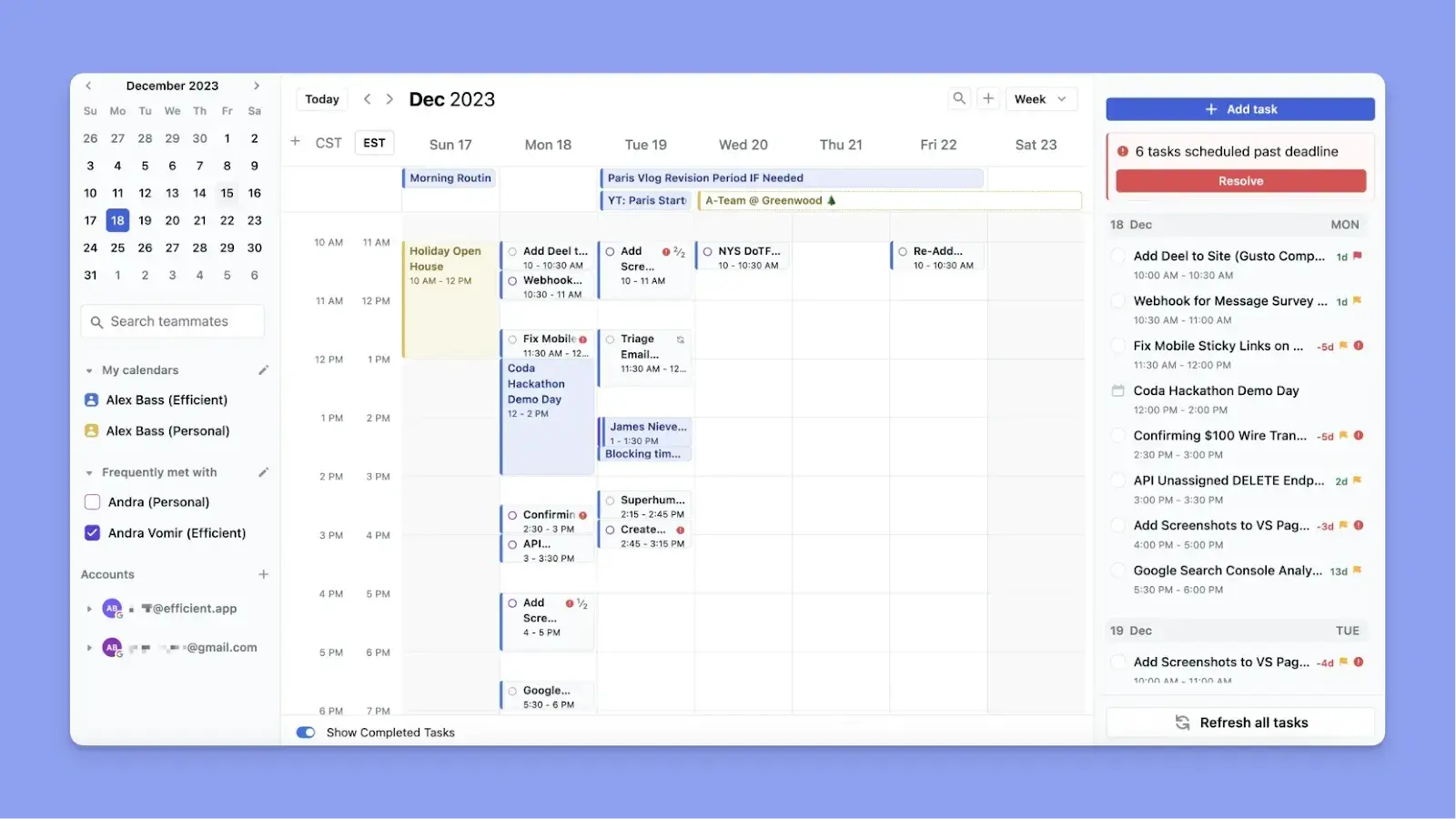
- Les professionnels occupés avec de nombreuses réunions planifiées qui ont besoin d'un outil qui décide automatiquement quand accomplir les tâches
- Les personnes atteintes du TDAH qui ont besoin d'un système qui supprime la prise de décision manuelle quotidienne
- Les petites équipes qui ont besoin de visibilité sur les charges de travail, les attributions de tâches et les délais en un seul endroit
Pour qui Google Calendar est le mieux adapté
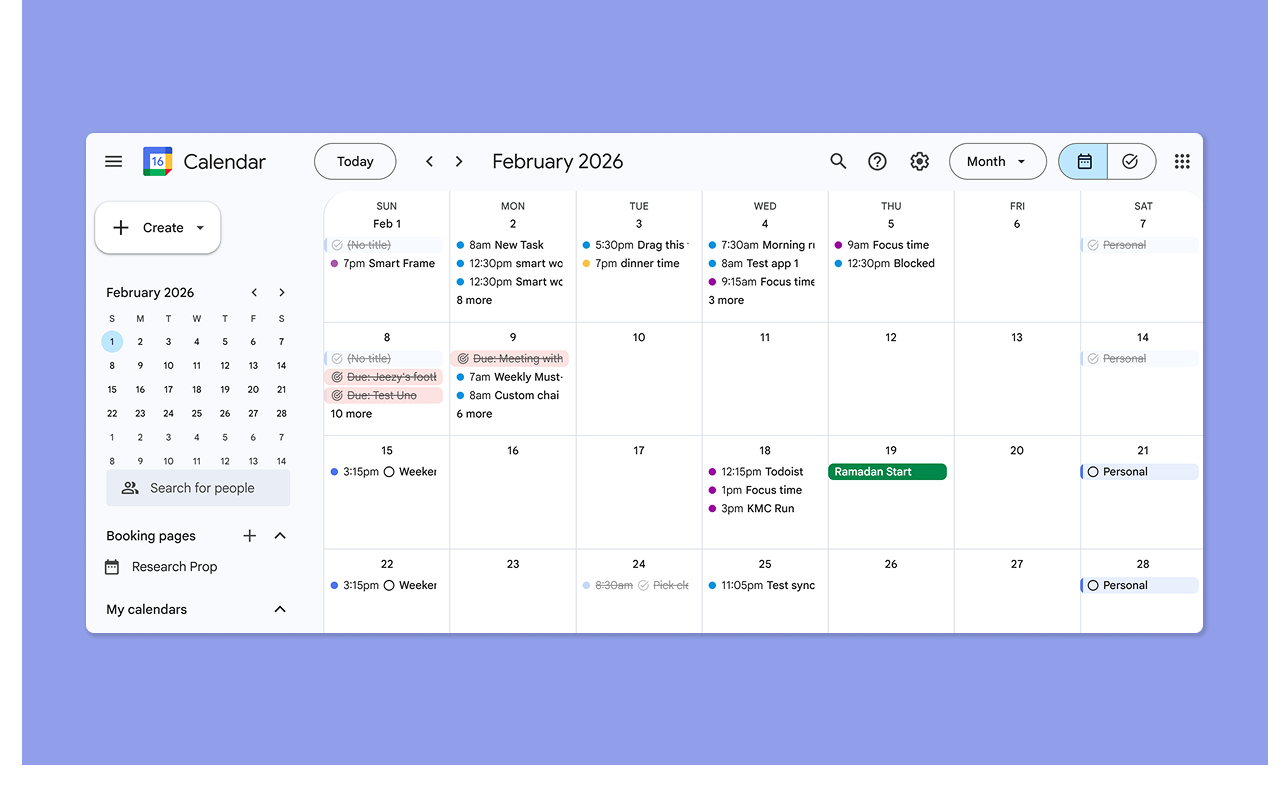
- Les individus qui ont besoin de suivre les réunions, les rendez-vous et les rappels sans un système complet de gestion des tâches
- Les équipes qui utilisent déjà Google Workspace et qui veulent des calendriers partagés et une coordination des réunions
Morgen : Une alternative à Motion et Google Calendar pour la planification IA avec contrôle humain
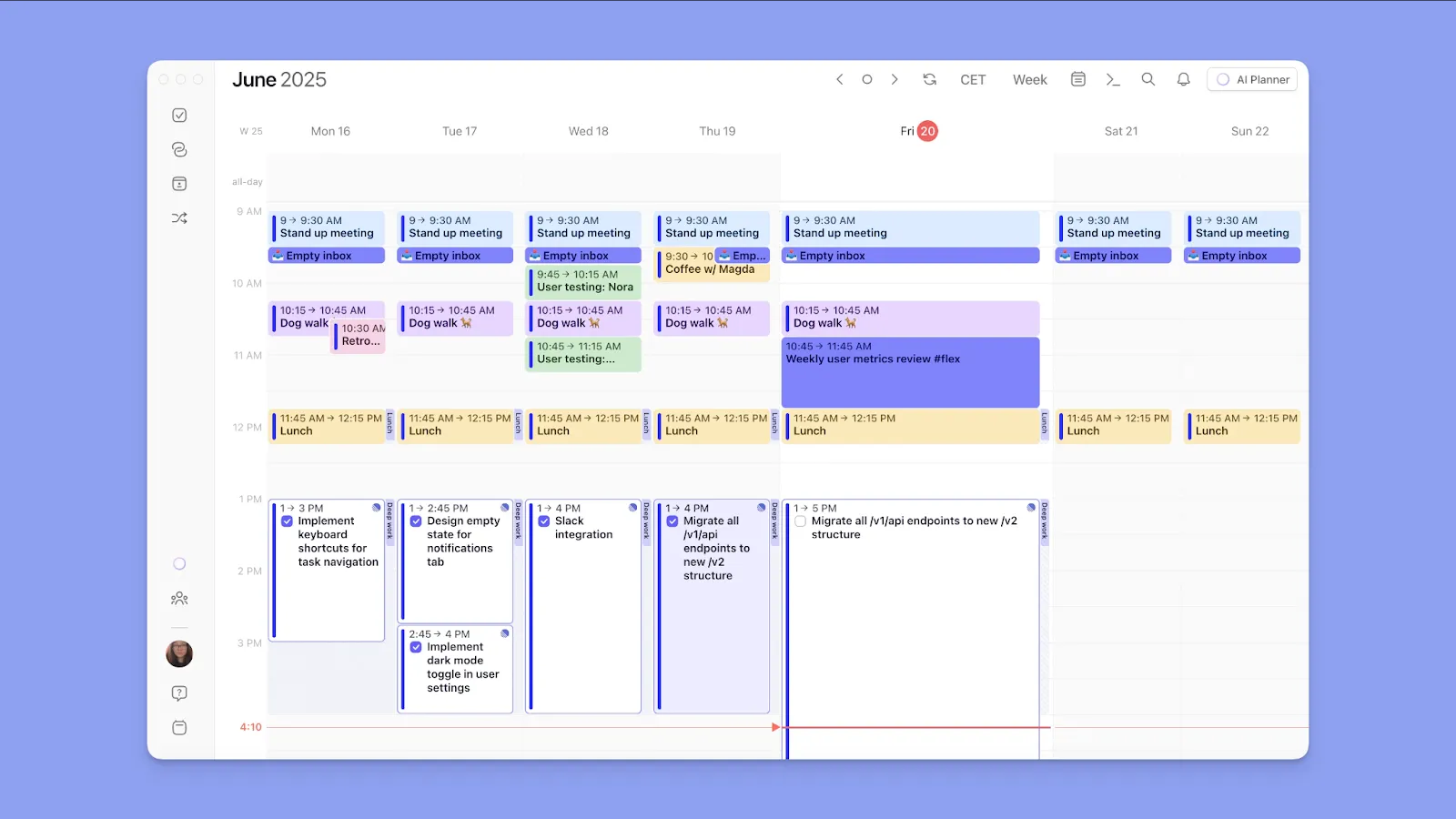
Morgen convient aux individus qui veulent :
- S'intégrer à plusieurs calendriers, outils de tâches externes et plateformes de vidéoconférence
- Créer des tâches, des événements et des routines directement à partir de l'interface de planification
- Utiliser un Planificateur IA pour des suggestions sur quand accomplir les tâches en fonction de la disponibilité réelle
- Modéliser les semaines de travail avec Frames et planifier les tâches dans les meilleurs créneaux horaires automatiquement
- Time blocking efficacement et propager les calendriers sur les calendriers connectés
- Créer des pages de réservation et des liens de planification, et voir la disponibilité des coéquipiers avant de planifier une réunion
Téléchargez Morgen pour Windows, Mac, Linux ou web, puis connectez votre Google Calendar maintenant pour commencer à planifier.
Comparaison des tarifs
Motion et Google Calendar se situent aux extrémités opposées du spectre tarifaire. Voici ce que vous devez savoir :
Motion
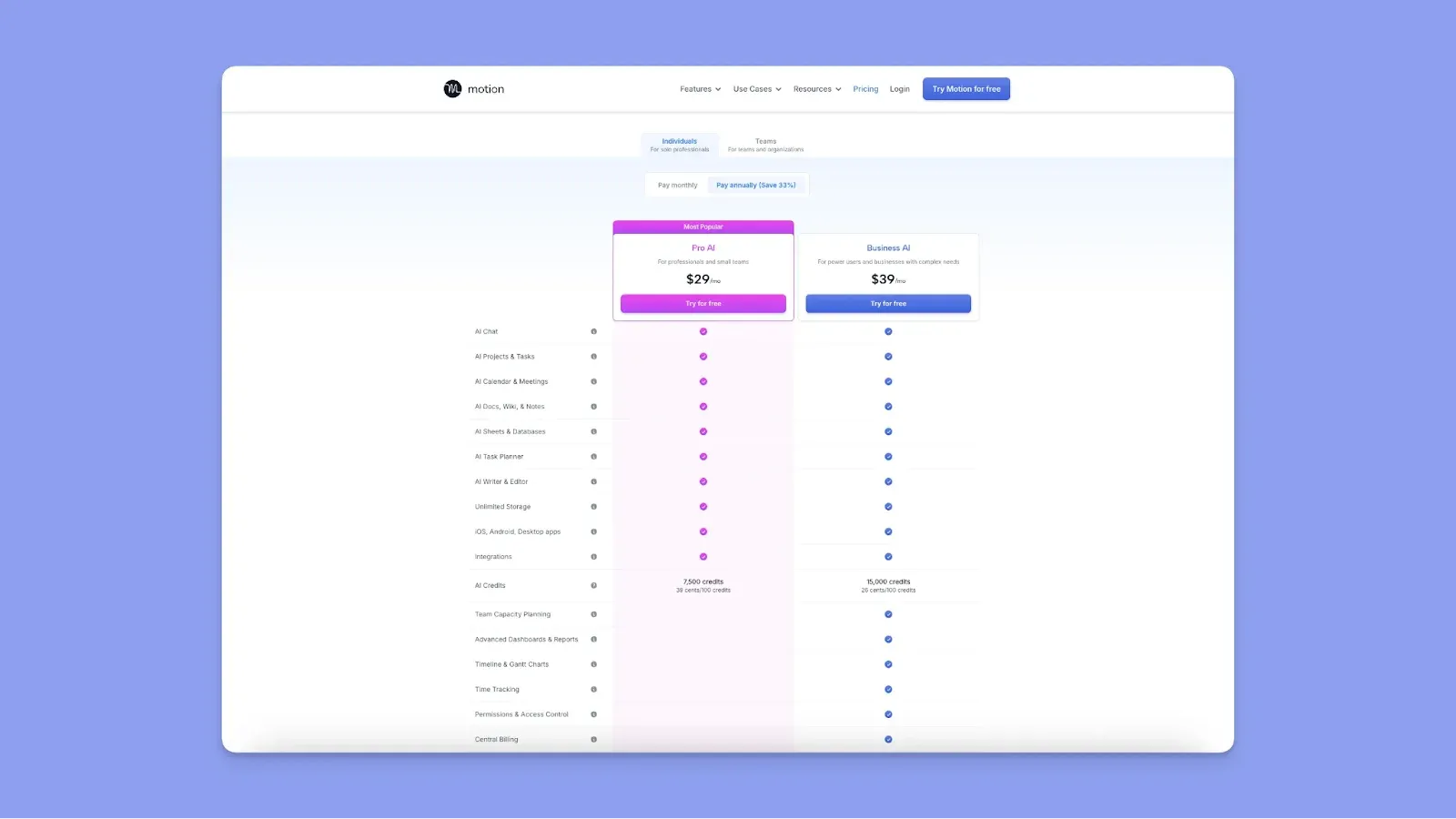
- Motion est considéré comme coûteux par les utilisateurs. Megan P l'appelle abrupt, et Matthew M dit aussi que ce serait bien si Motion était moins cher
- Le plan individuel le moins cher commence à 29 $/mois (annuel). Les plans sont moins chers pour les équipes, à partir de 19 $/utilisateur/mois (annuel)
- Si vous épuisez vos crédits IA, qui sont nécessaires pour les fonctionnalités IA, vous paierez plus chaque mois
- Certains critiques disent qu'ils ont été facturés injustement, tandis que d'autres signalent un mauvais service client lors de la résolution des problèmes de facturation
Google Calendar
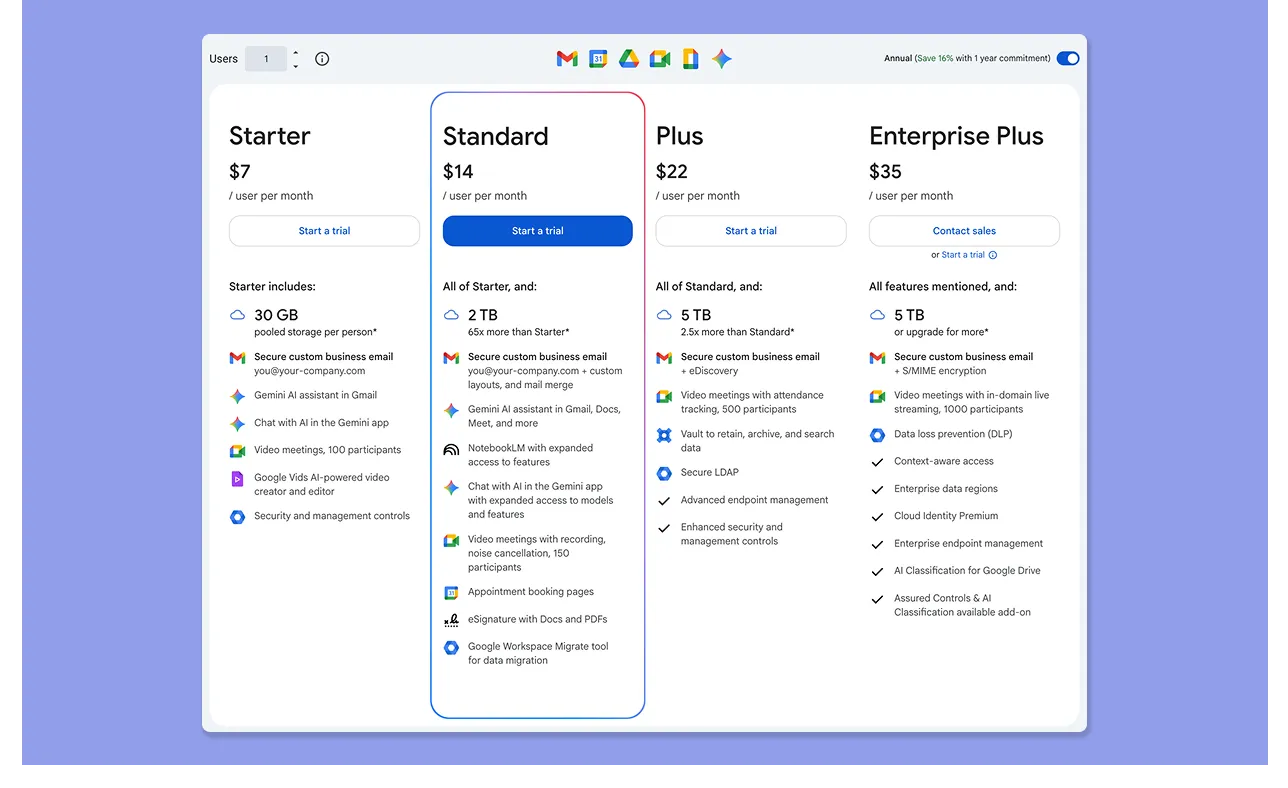
- Vous avez accès gratuit et complet à la création d'événements, aux rappels, aux calendriers avec code couleur, à Google Tasks et au time blocking avec n'importe quel compte Google
- Les plans Google Workspace commencent à 7 $/utilisateur/mois et déverrouillent les outils organisationnels partagés et les contrôles d'administration avancés
- Les utilisateurs adorent que ce soit gratuit, avec Luciano N l'appelant « Un excellent logiciel gratuit ».
Verdict
Google Calendar est suffisant si votre calendrier se compose principalement de réunions, d'événements partagés et de rappels. Motion est mieux pour gérer plusieurs projets et des délais changeants, avec l'IA gérant les décisions de planification quotidienne.
Comparaison de la planification du calendrier
Les deux outils organisent les calendriers visuellement, mais Motion construit activement votre calendrier tandis que Google Calendar l'affiche principalement.
Motion
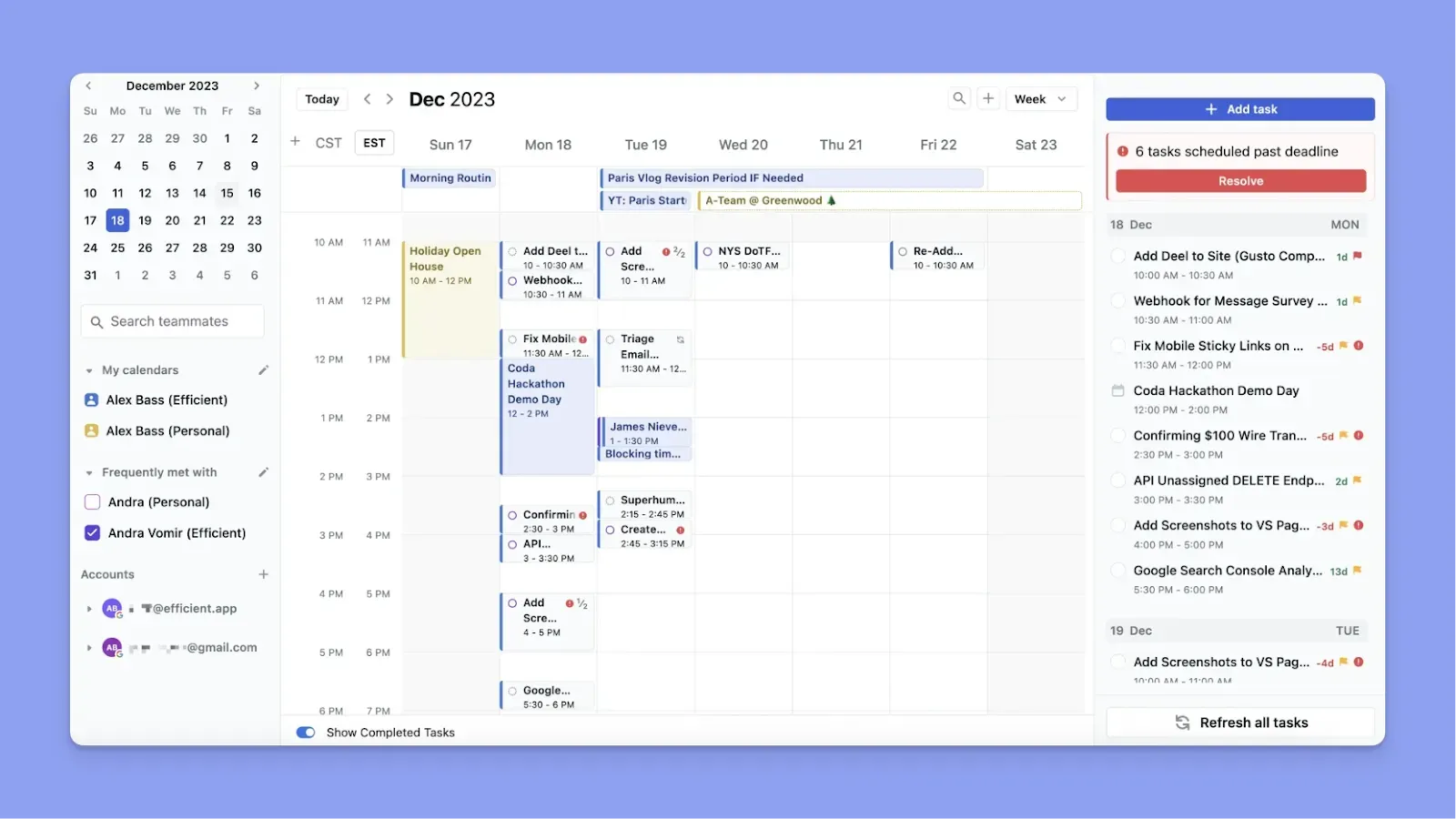
- Ajoutez une tâche avec une durée et une date limite, et Motion trouve un créneau pour elle. Il analyse la disponibilité, la priorité, les heures de travail et les préférences de tampon avant de placer la tâche
- Motion réorganise votre plan lorsque des réunions surgissent, sans que vous ayez à le reconstruire manuellement
- Bien que les utilisateurs comme Myka H adorent la planification automatique, ils disent aussi que parfois, Motion verrouille automatiquement les tâches à un certain moment, ce qui limite la flexibilité
Google Calendar
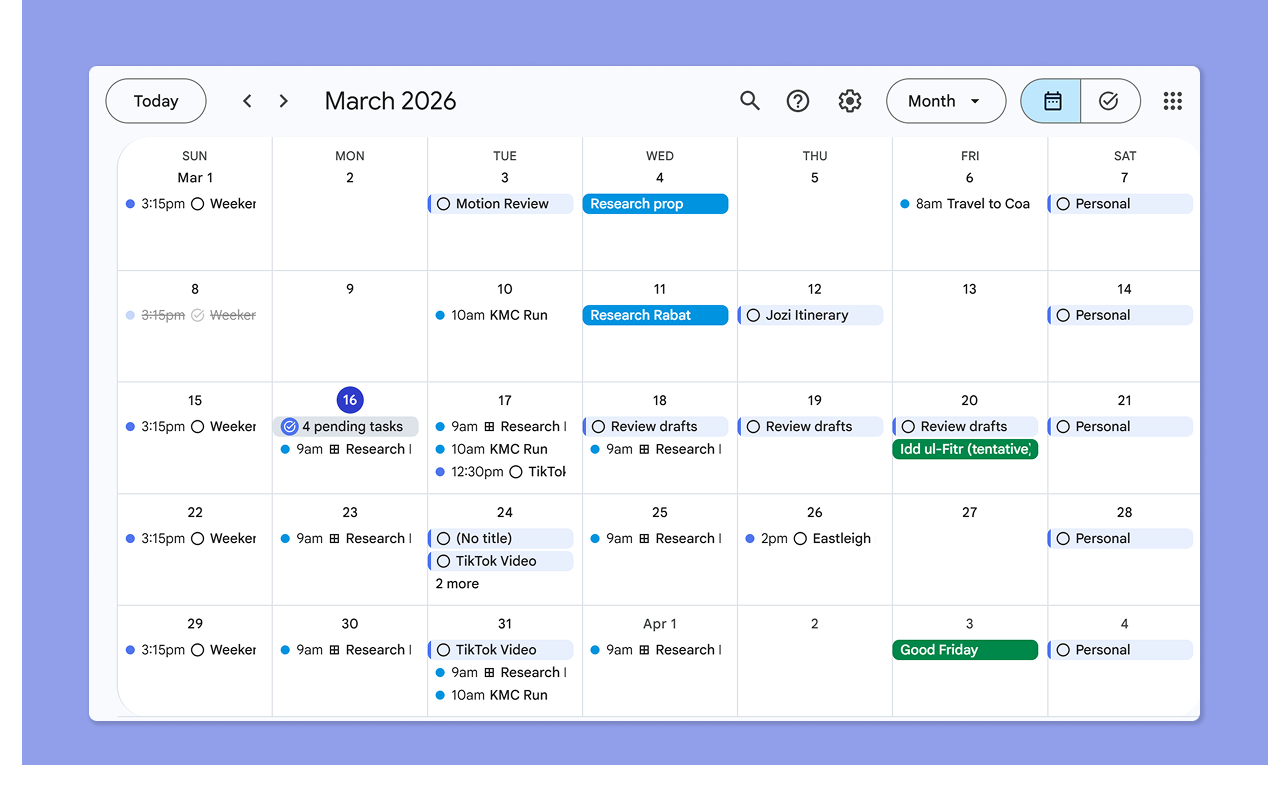
- Google Calendar vous montre tous les événements planifiés et votre disponibilité
- Il détecte les réunions Google Meet et les place sur votre calendrier. Vous pouvez également ajouter des événements de calendrier, des planifications de rendez-vous et des tâches à partir de l'interface de Google Calendar
- Les utilisateurs adorent que GCal vous permette de combiner les tâches avec les calendriers, de voir les calendriers immédiats ou à long terme et de voir les réunions au même endroit
Verdict
Si vous voulez juste une vue claire de vos réunions et tâches chaque semaine, Google Calendar est excellent. Si vous voulez que cette vue planifie également automatiquement les tâches dans tout temps libre en fonction de vos priorités et délais, Motion est l'étape suivante.
Comparaison de la gestion des tâches
Bien que les deux vous permettent d'ajouter et de planifier des tâches, ils diffèrent en termes de vitesse et d'automatisation :
Motion
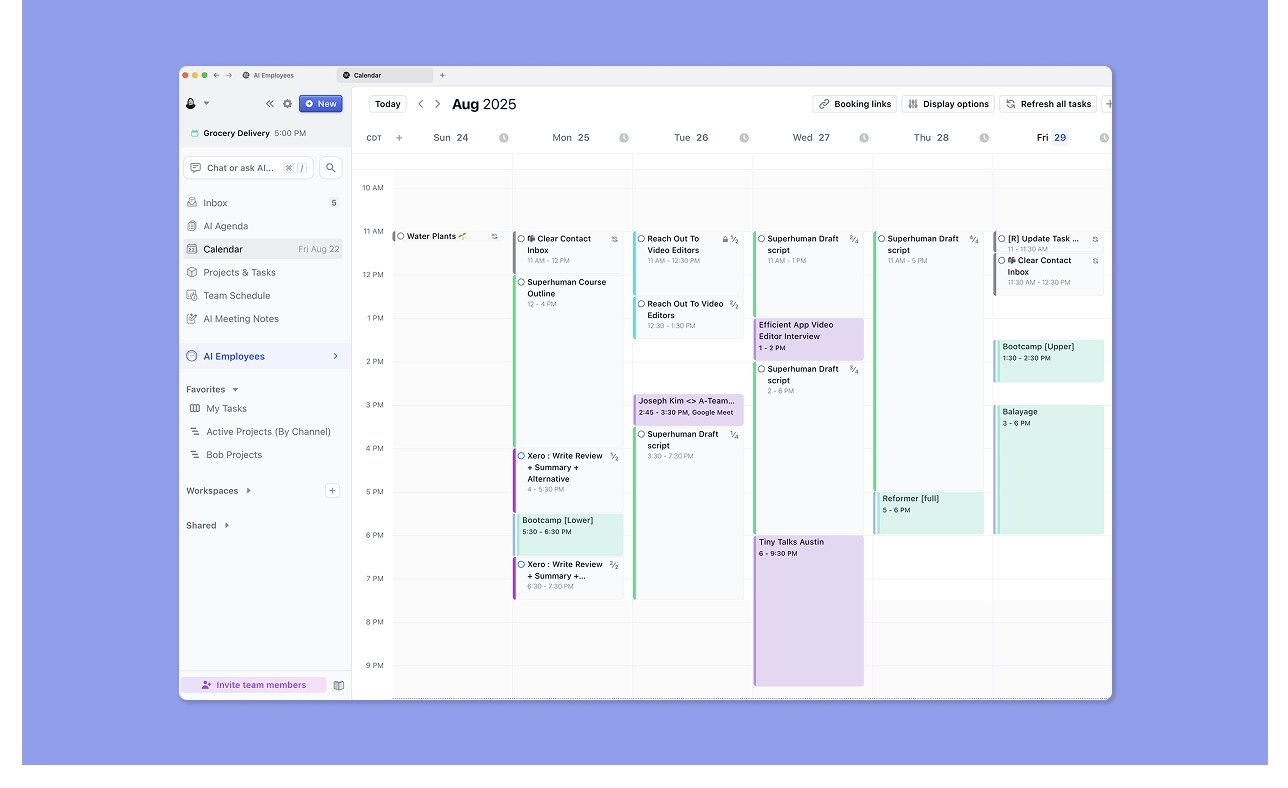
- Supporte les projets, les tâches, les sous-tâches, les dépendances de tâches, les tableaux Kanban et les diagrammes de Gantt
- L'assistant IA de Motion planifie automatiquement les tâches en fonction de la priorité et de la disponibilité : ajoutez une date limite et une durée, et il trouve le créneau horaire
- Si vous déplacez manuellement une tâche, Motion ne la replanifiera pas à nouveau jusqu'après l'heure de fin prévue
- Les utilisateurs de Reddit signalent que Motion nécessite plus de temps pour l'entrée de tâches et manque de raccourcis clavier pour la capture
Google Calendar
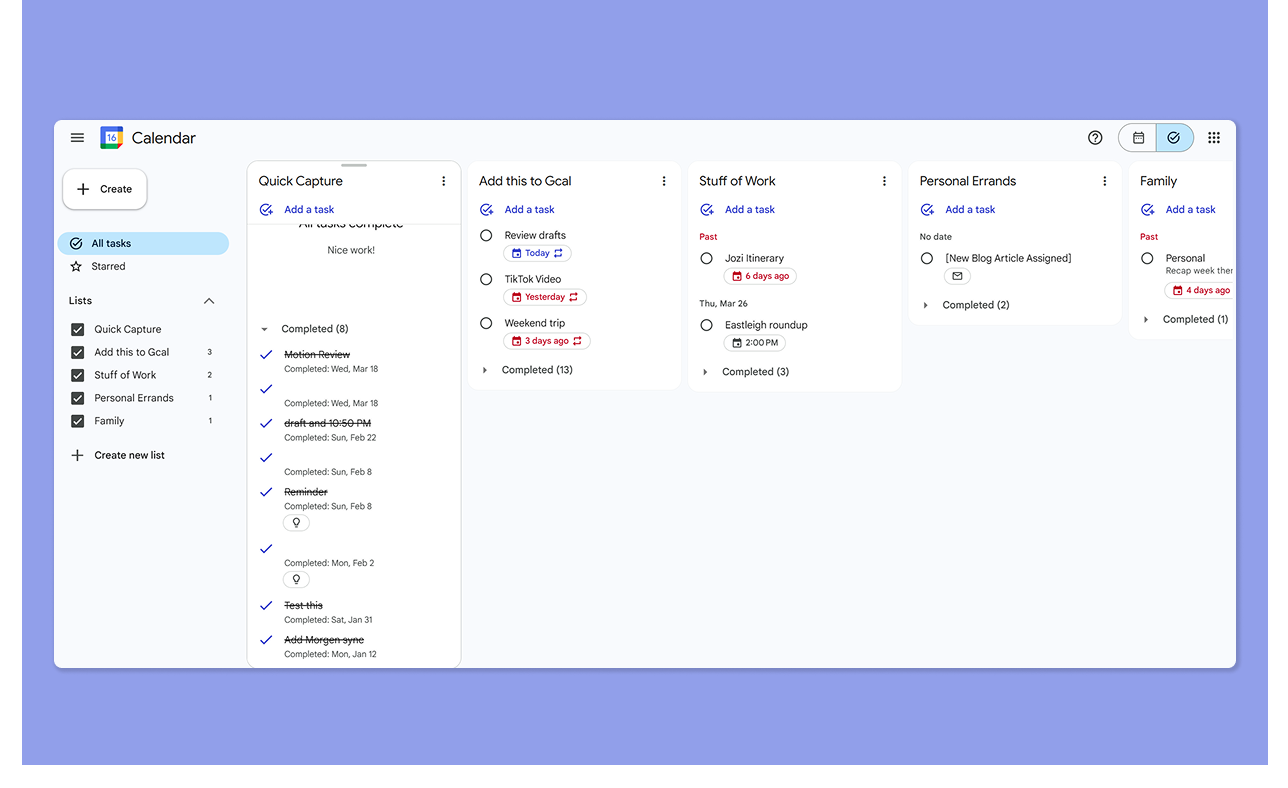
- Se synchronise automatiquement avec Google Tasks, et vous pouvez changer vos vues de contour entre Calendrier et Tâches
- Vous construisez le plan manuellement, sans planification basée sur la priorité ou placement basé sur la date limite
- Bien qu'il permette les sous-tâches et les tableaux Kanban dans la vue Google Tasks, vous ne pourrez pas créer de hiérarchies de tâches avancées intégrées.
- Les utilisateurs souhaitent également plus de fonctionnalités de productivité et de time blocking pour éviter les distractions
Verdict
Google Calendar offre une gestion légère des tâches. Si vous jongler avec plusieurs délais sur plusieurs projets, la planification automatique de Motion simplifie la planification pour gagner du temps.
Comparaison de la planification des réunions
Voici comment vous créez des pages de réservation et intégrez des outils de réunion sur les deux applications :
Motion
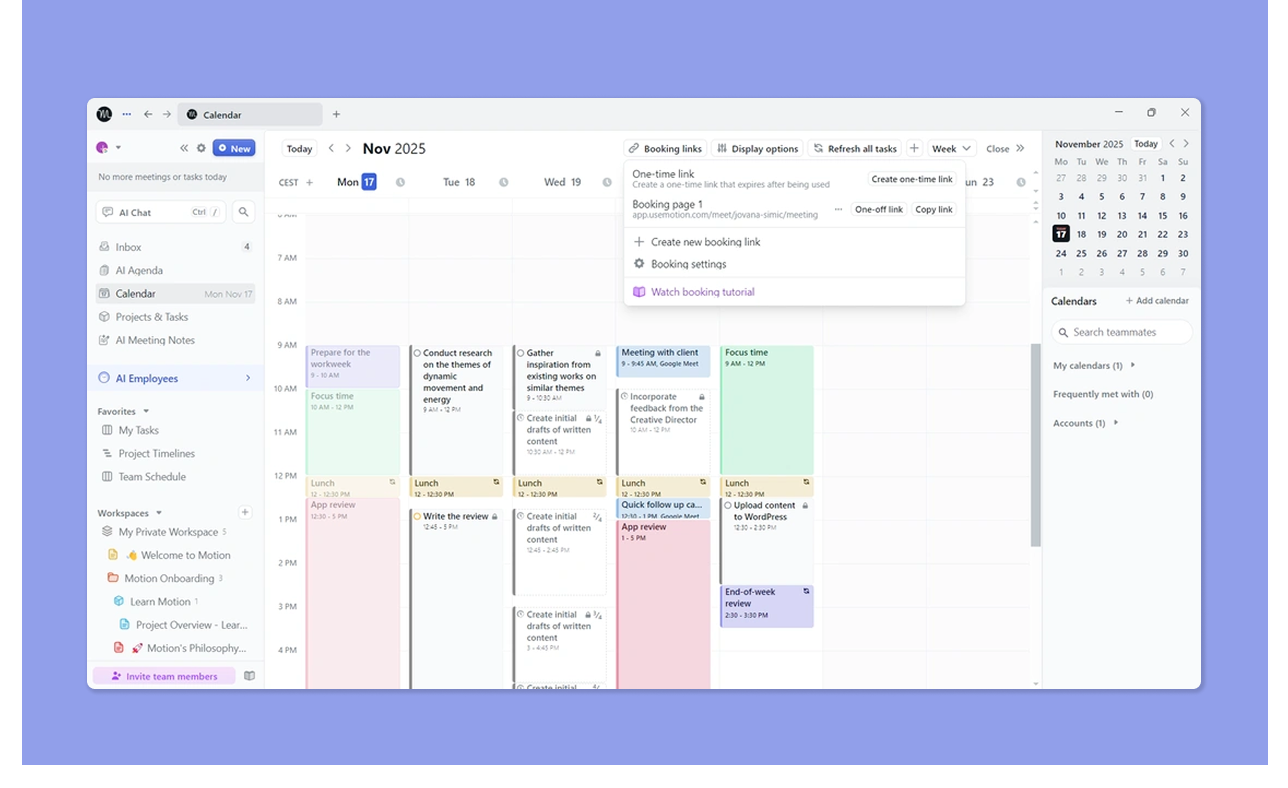
- Motion vous permet de créer des pages de réservation et des liens de réunion. Définissez vos heures de travail, quand les invités peuvent planifier des réunions avec vous, le nombre de réunions à avoir chaque jour et ajoutez des temps de tampon
- S'intègre à Zoom, Google Meet et Microsoft Teams. Vous obtenez également un Assistant de réunion IA qui capture automatiquement les notes et les éléments d'action
- Morgan D adore comment Motion coordonne les réunions d'équipe et les rendez-vous
Google Calendar
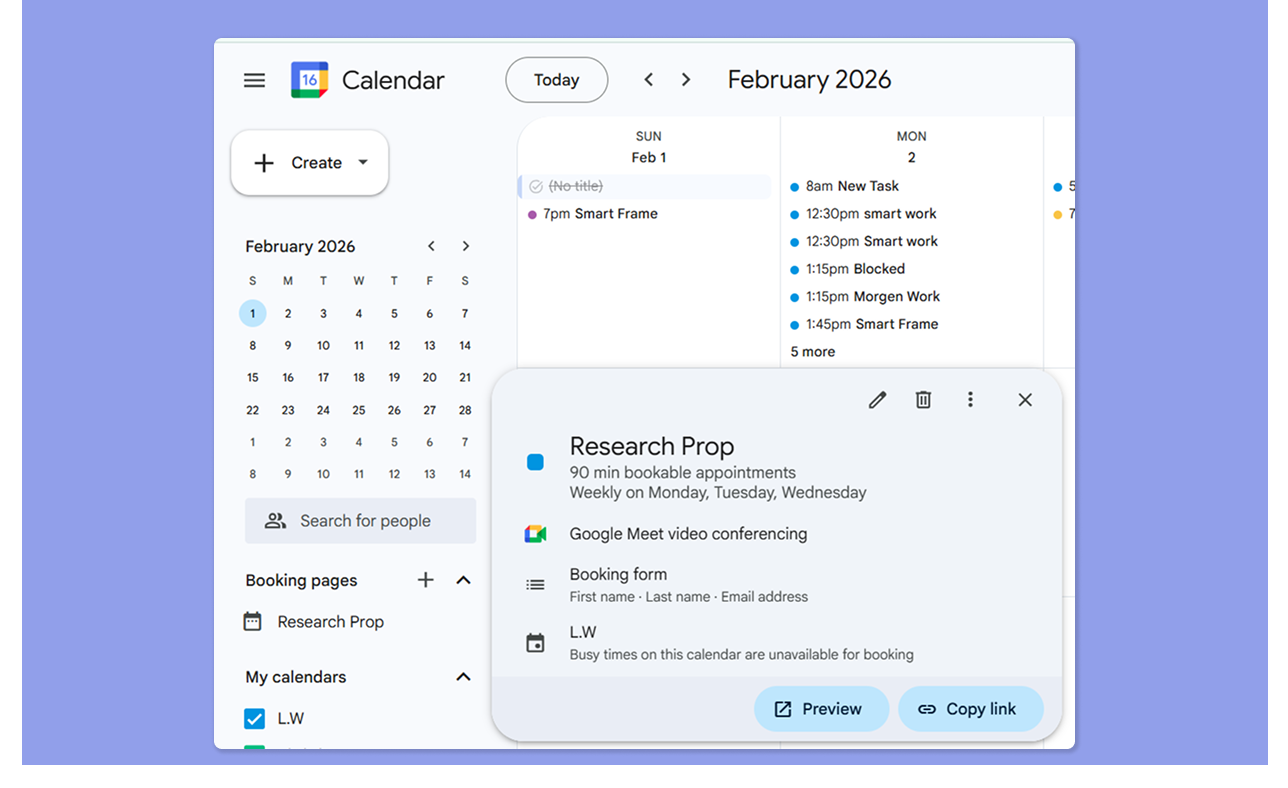
- Google Calendar vous permet de créer un Calendrier de rendez-vous, mais seulement un sur le plan gratuit personnel
- Créez un calendrier qui s'exécute à des dates et heures spécifiques, et ajoutez un formulaire de réservation avant de le partager avec les équipes ou les clients
- Le lien Google Meet est ajouté après la réservation d'une réunion
Verdict
Pour les professionnels chargés de réunions, le système de réservation de Motion est l'option la plus raffinée. La planification des rendez-vous de Google Calendar fait le travail à un niveau basique, mais elle manque de la profondeur assistée par l'IA et de la coordination d'équipe que Motion offre.
Comparaison des intégrations
Voici les intégrations que vous obtenez des deux outils.
Motion
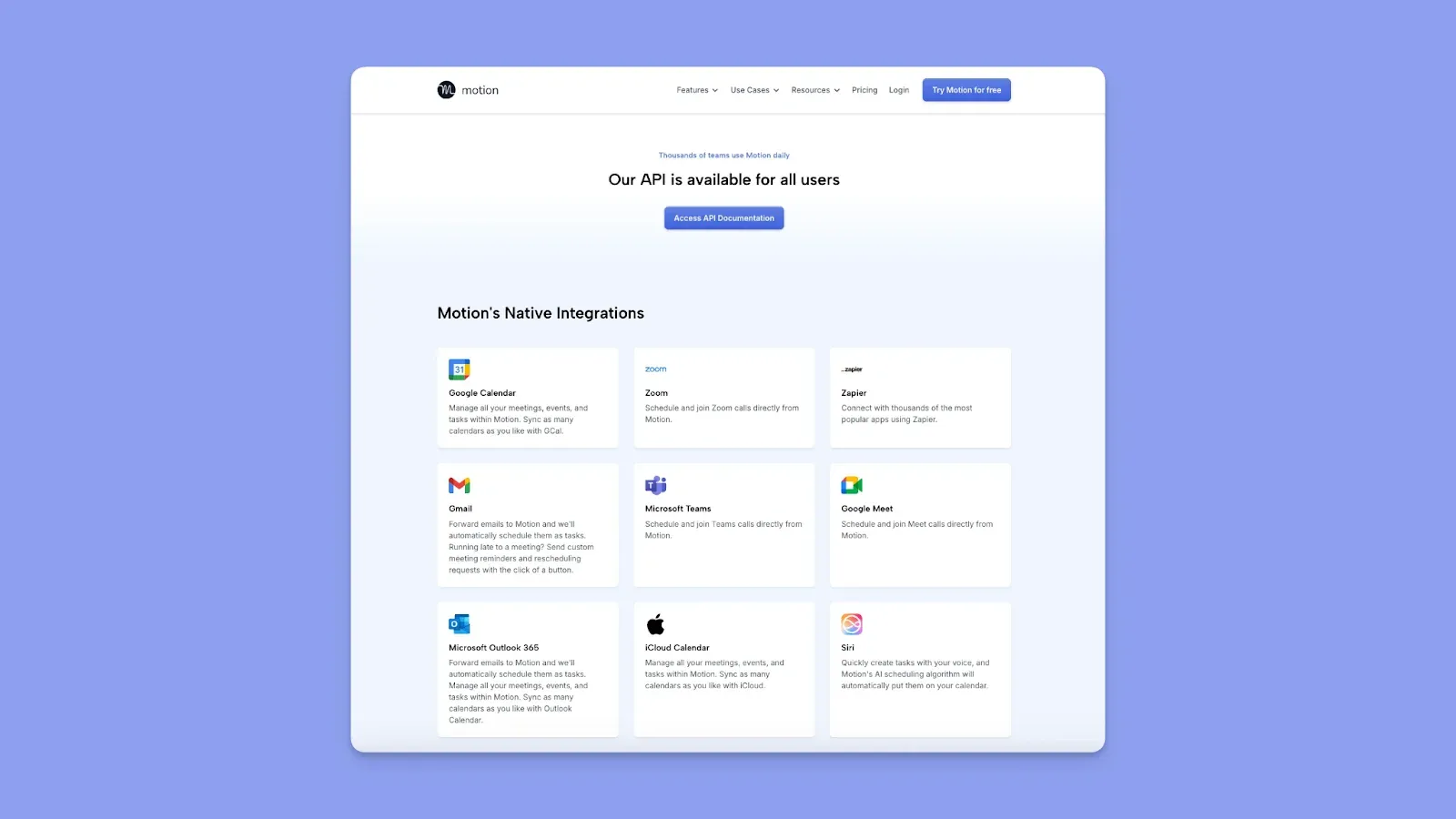
- S'intègre à Google Calendar, Microsoft Outlook, iCloud, Gmail, Zoom, Microsoft Teams, Google Meet, Slack et Zapier
- L'accès à l'API est disponible pour les intégrations personnalisées
- Pas d'intégrations natives profondes avec les outils de tâches comme Notion, ce que ce critique G2 souhaite voir
Google Calendar
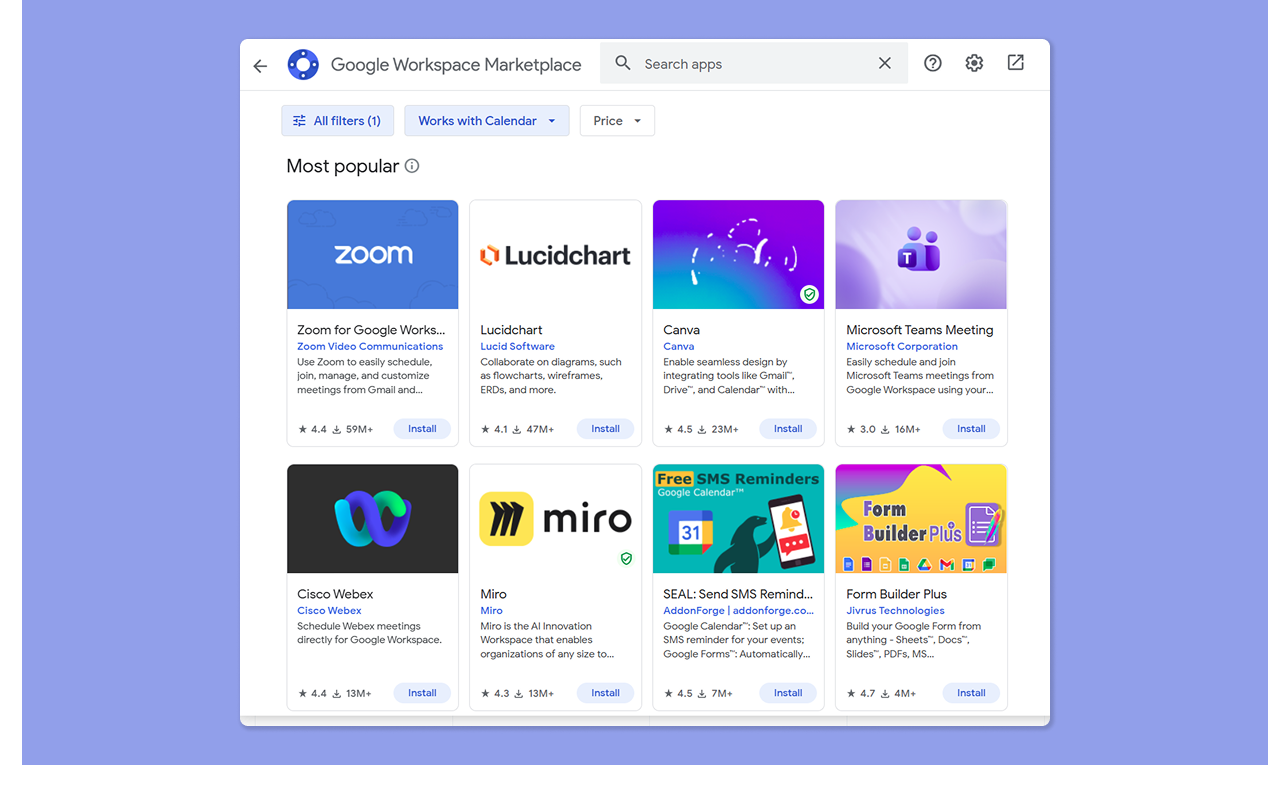
- Intégration native avec toutes les applications Google Workspace : Gmail, Drive, Docs, Sheets, Meet
- Se connecte à Outlook et iCloud pour la synchronisation des calendriers multiplateforme
- Les utilisateurs adorent la profondeur des intégrations d'applications tierces via Google Workspace, Zapier et les connexions API directes
Verdict
Google Calendar offre une couverture plus large grâce à l'écosystème Google Workspace, tandis que Motion gagne pour la connectivité des applications de productivité (Slack, Zoom, Teams, email) et sa portée Zapier.
Comparaison de la collaboration
Motion inclut des fonctionnalités de planification d'équipe intégrées, et Google Calendar vous permet de partager votre calendrier avec d'autres.
Motion
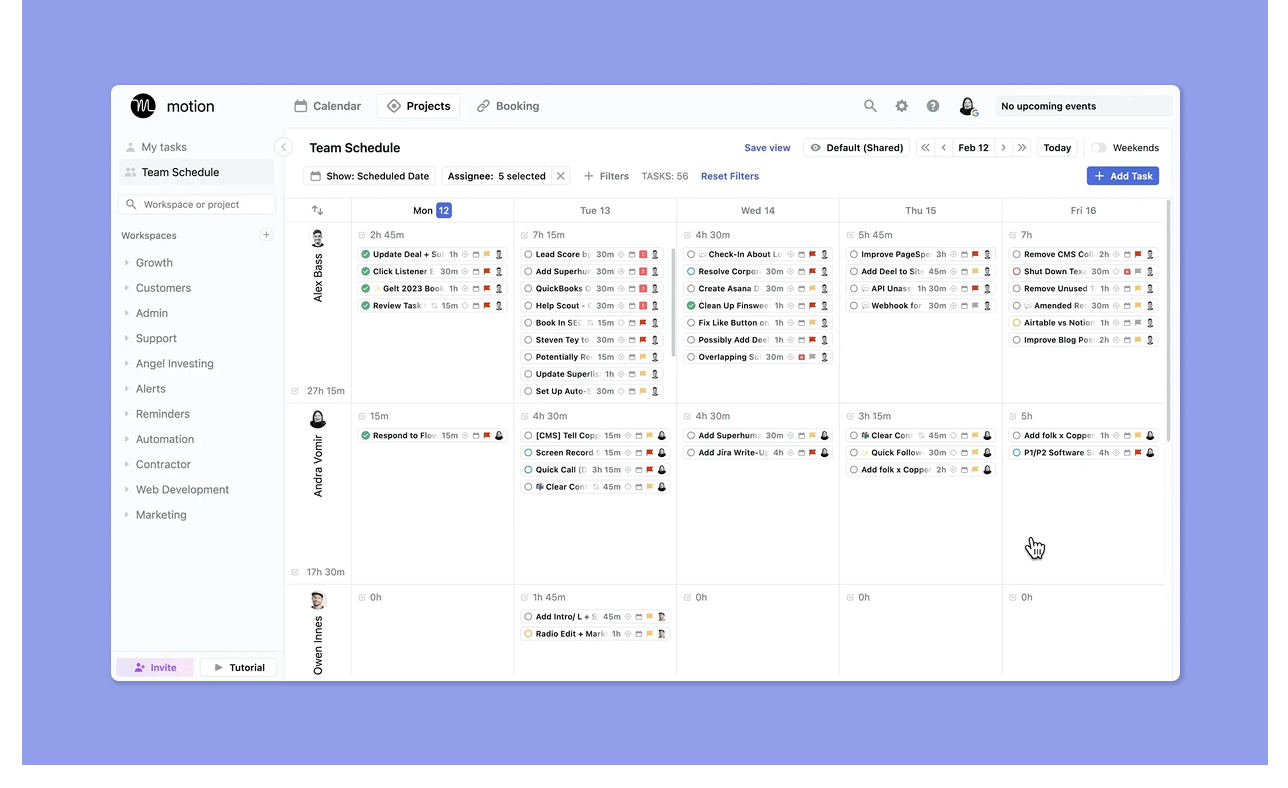
- Le plan d'équipe permet les projets partagés, l'attribution de tâches, la visibilité de la charge de travail et la planification de la capacité de l'équipe
- Les gestionnaires peuvent assigner des tâches aux membres de l'équipe, et l'IA de Motion planifie automatiquement ces tâches dans le calendrier de l'assignataire en fonction de sa disponibilité
Google Calendar
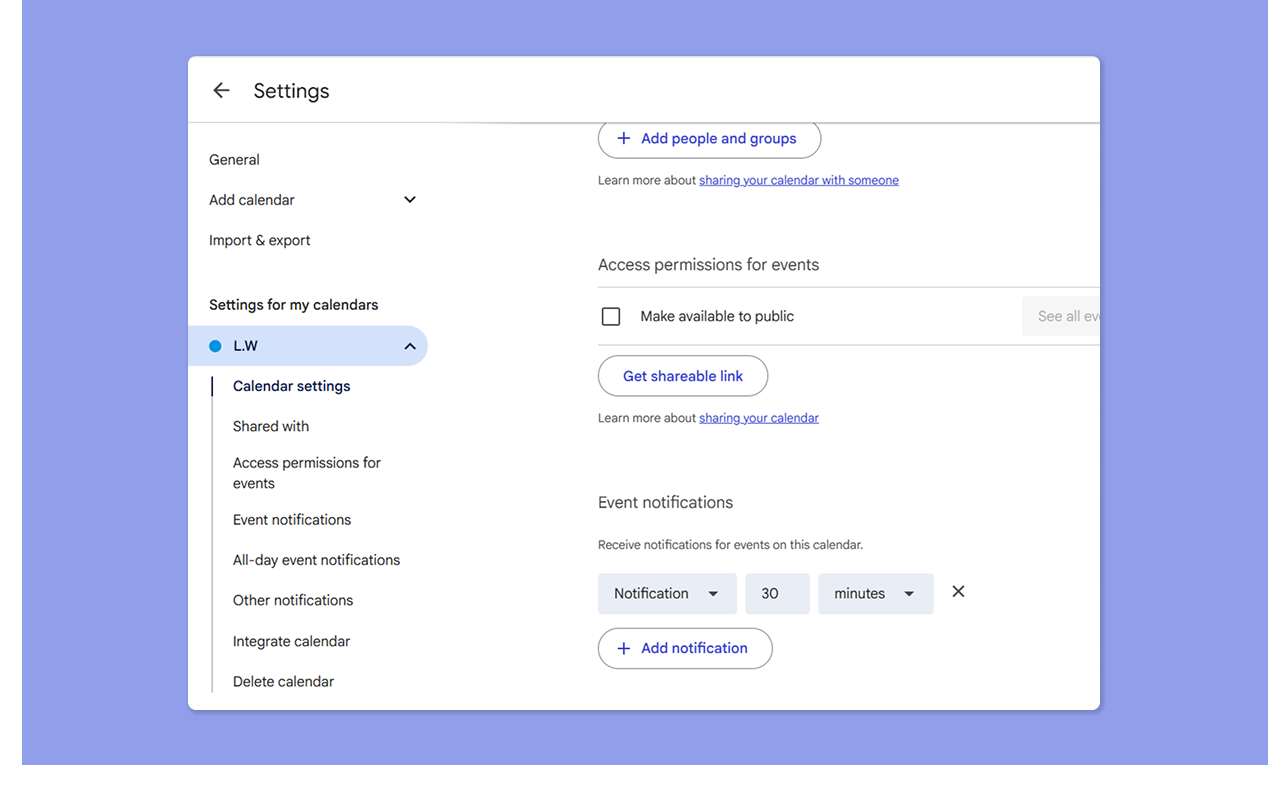
- Partagez les événements, envoyez des invitations, comparez les vues de calendrier et utilisez le code couleur et le basculement de calendrier pour gérer la visibilité
- Les calendriers partagés permettent à plusieurs personnes de voir les calendriers les uns des autres ; les permissions peuvent être définies en lecture seule ou en accès complet
Verdict
Si votre équipe fonctionne sur des calendriers partagés et Google Workspace, Google Calendar gère les bases efficacement. Cependant, Motion est le meilleur choix lorsque vous avez besoin de coordonner le travail de projet, d'équilibrer les charges de travail et de maintenir les attributions de tâches visibles dans une petite équipe.
Comment choisir le meilleur outil de planification de calendrier
Asana rapporte que les travailleurs du savoir passent 60 % de leur temps à planifier le travail. Si vous choisissez entre Motion et Google Calendar, considérez comment chaque outil accélère la planification avec :
Intégrations de calendrier
Motion se connecte à Google Calendar, Outlook et iCloud, offrant une couverture plus large que Google Calendar.
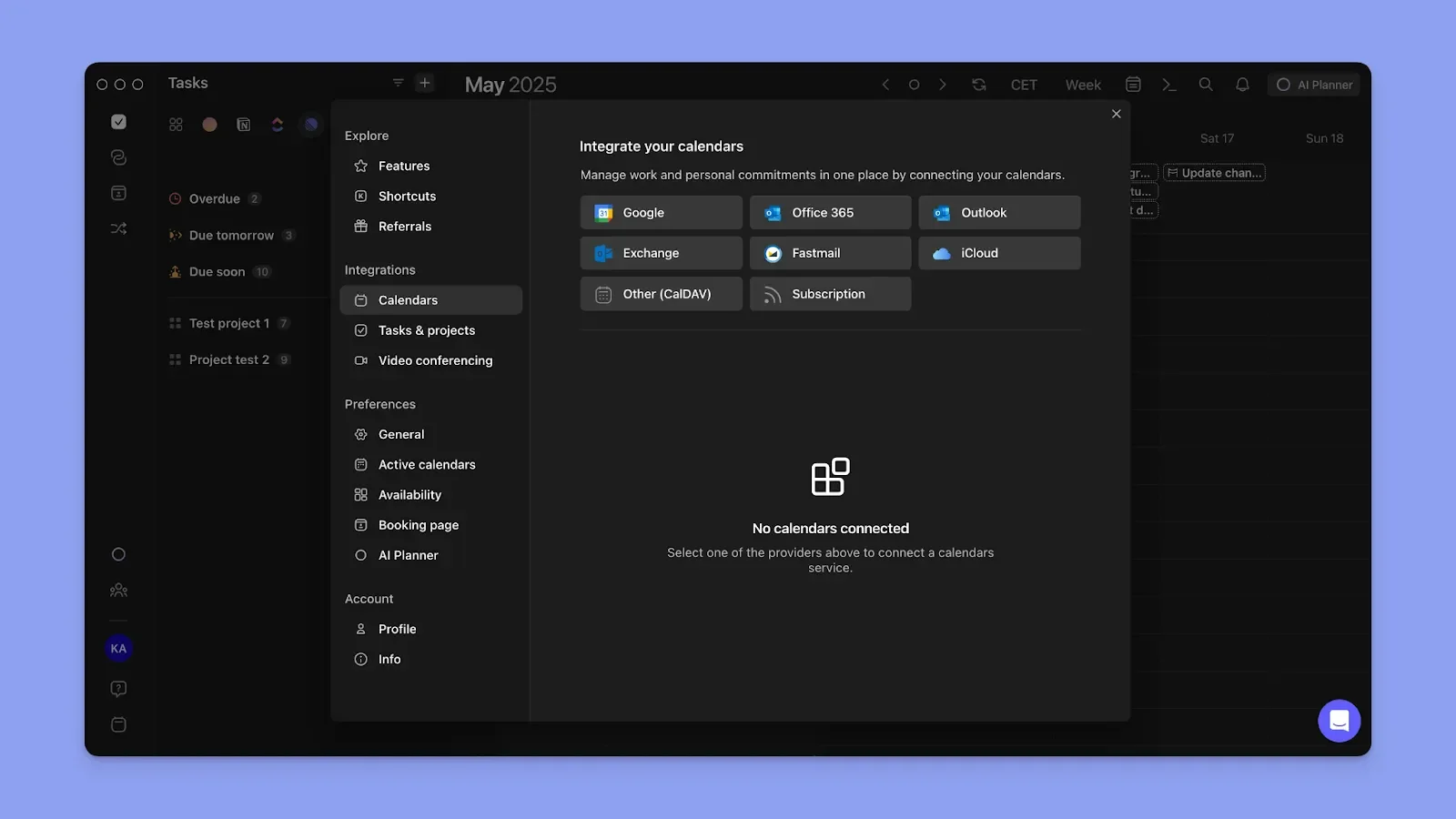
Cependant, vous pouvez planifier sur plus de calendriers avec Morgen, en ajoutant Fastmail et les calendriers d'abonnement au mélange. Utilisez la propagation du calendrier pour afficher vos calendriers sur tous les calendriers connectés.
Voici comment synchroniser vos calendriers personnels et professionnels sur Morgen.
Planification des tâches
En plus des rendez-vous de calendrier, votre outil vous aide-t-il à planifier les tâches ?
Motion automatise la planification, mais vous créez votre liste de tâches à partir de zéro. Google Calendar veut que vous créiez la liste de tâches et la planifiiez manuellement.
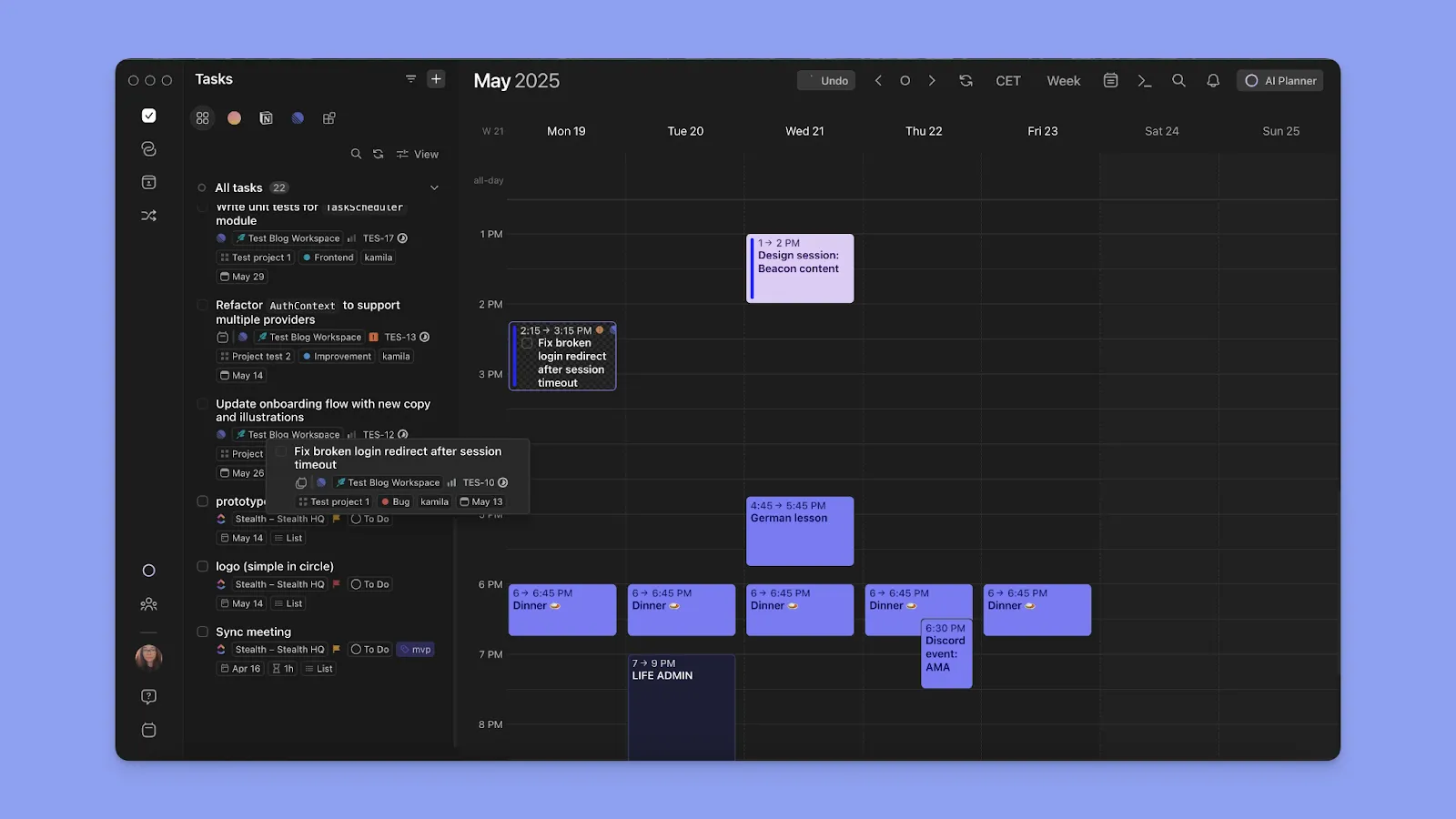
Si vous utilisez déjà un outil de tâches externe, intégrez-le à Morgen au lieu de créer une nouvelle liste de tâches à partir de zéro. Ensuite, glissez-déposez les tâches dans le contour du calendrier, ou utilisez le planificateur IA pour suggérer quand planifier les tâches.
Facilité d'utilisation
Un outil qui prend des semaines à configurer est un coût de productivité. Google Calendar est plus simple à utiliser, tandis que les critiques disent que Motion a une courbe d'apprentissage abrupte et un investissement de configuration.
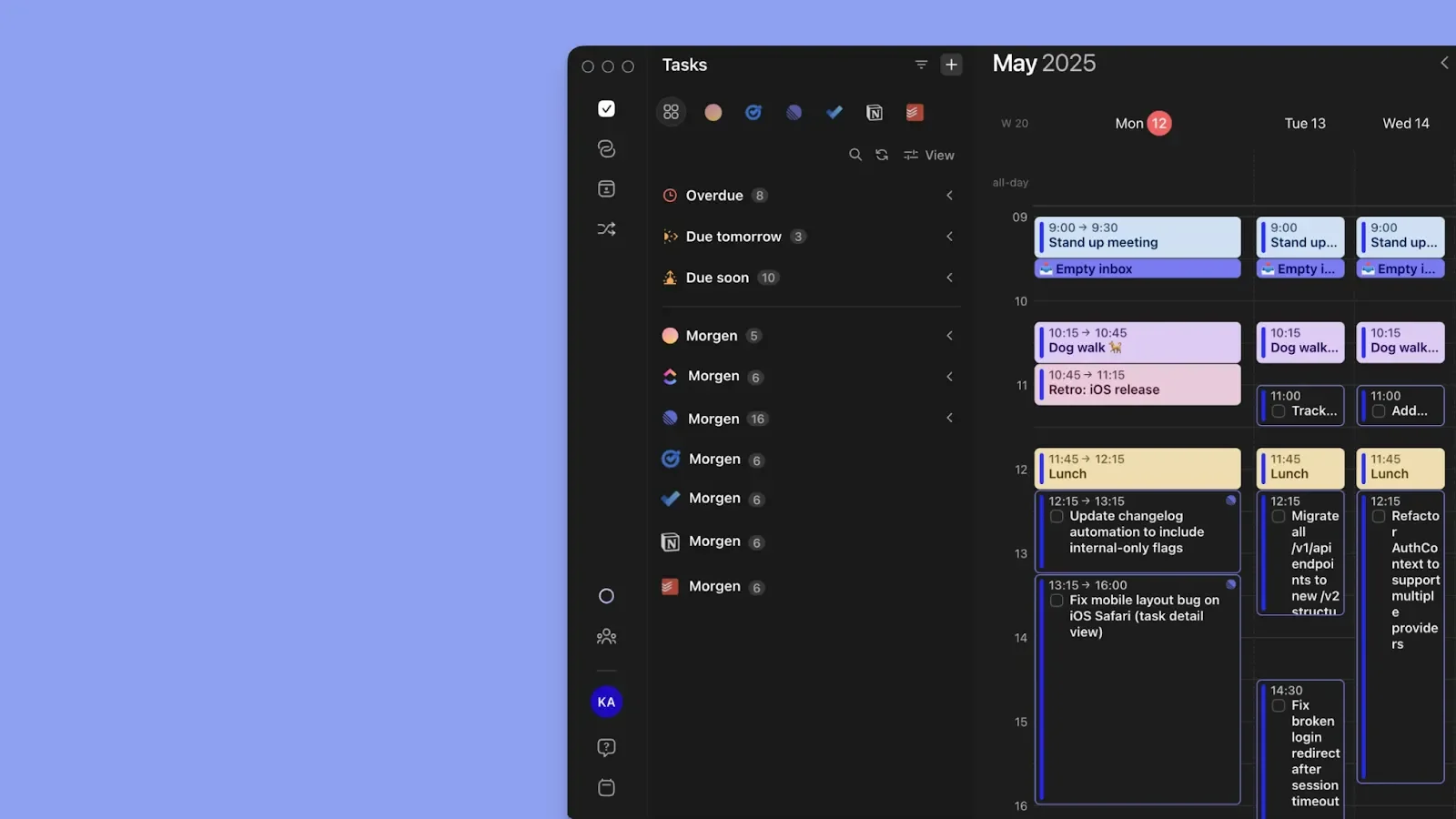
Pour les fonctionnalités avancées sans courbe d'apprentissage, Morgen veut seulement que vous connectiez vos calendriers, tiriez vos tâches et commenciez à planifier.
Alternative à Motion et Google Calendar : Morgen
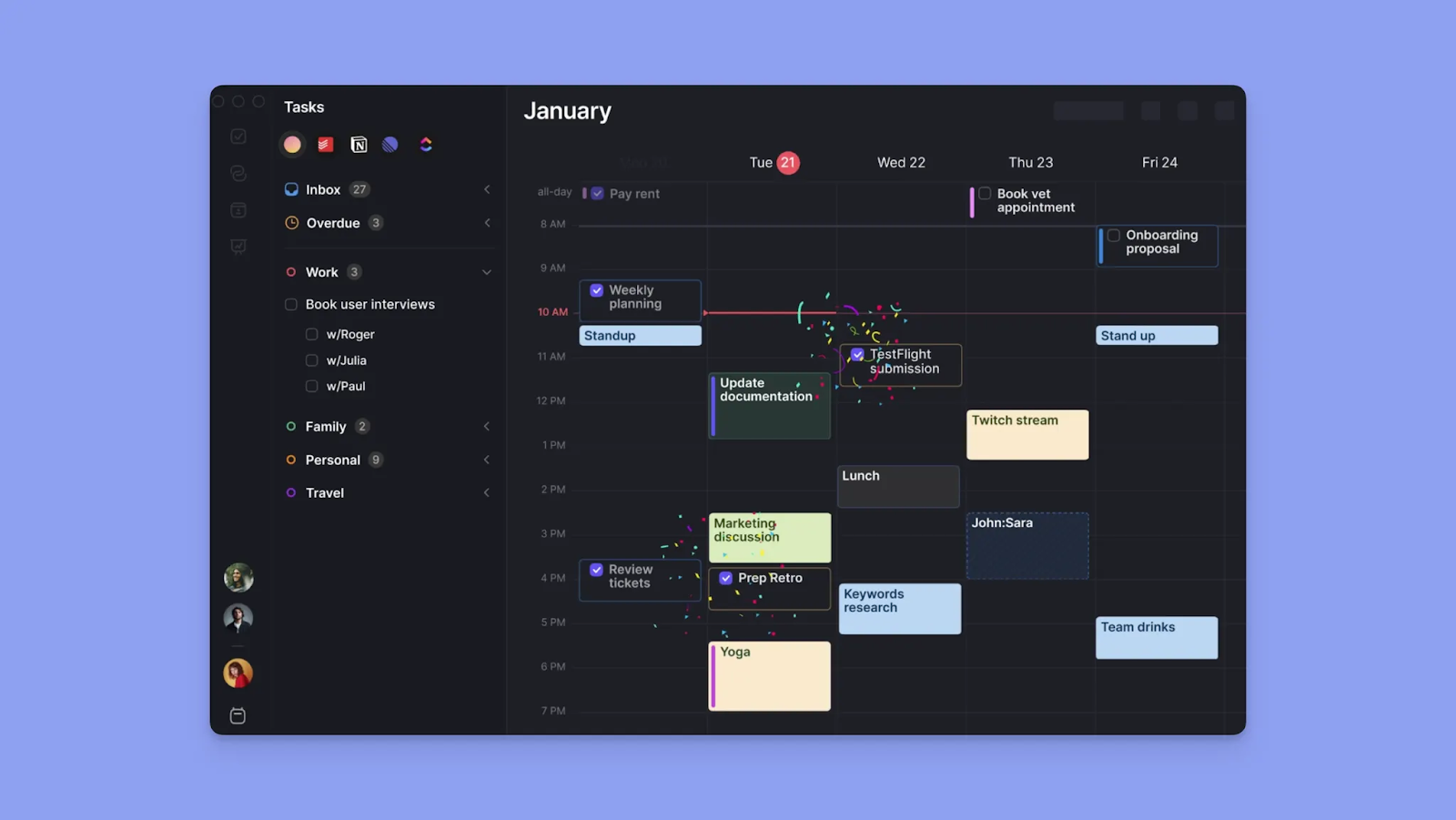
Morgen est un planificateur de calendrier esthétique pour les professionnels qui veulent plus de structure que Google Calendar n'en offre, sans abandonner le contrôle à un système entièrement automatisé comme Motion.
Fonctionnalités clés de Morgen
Morgen offre des intégrations, de l'automatisation et une planification personnalisée. Vous obtenez :
Intégrations profondes de calendrier et de tâches
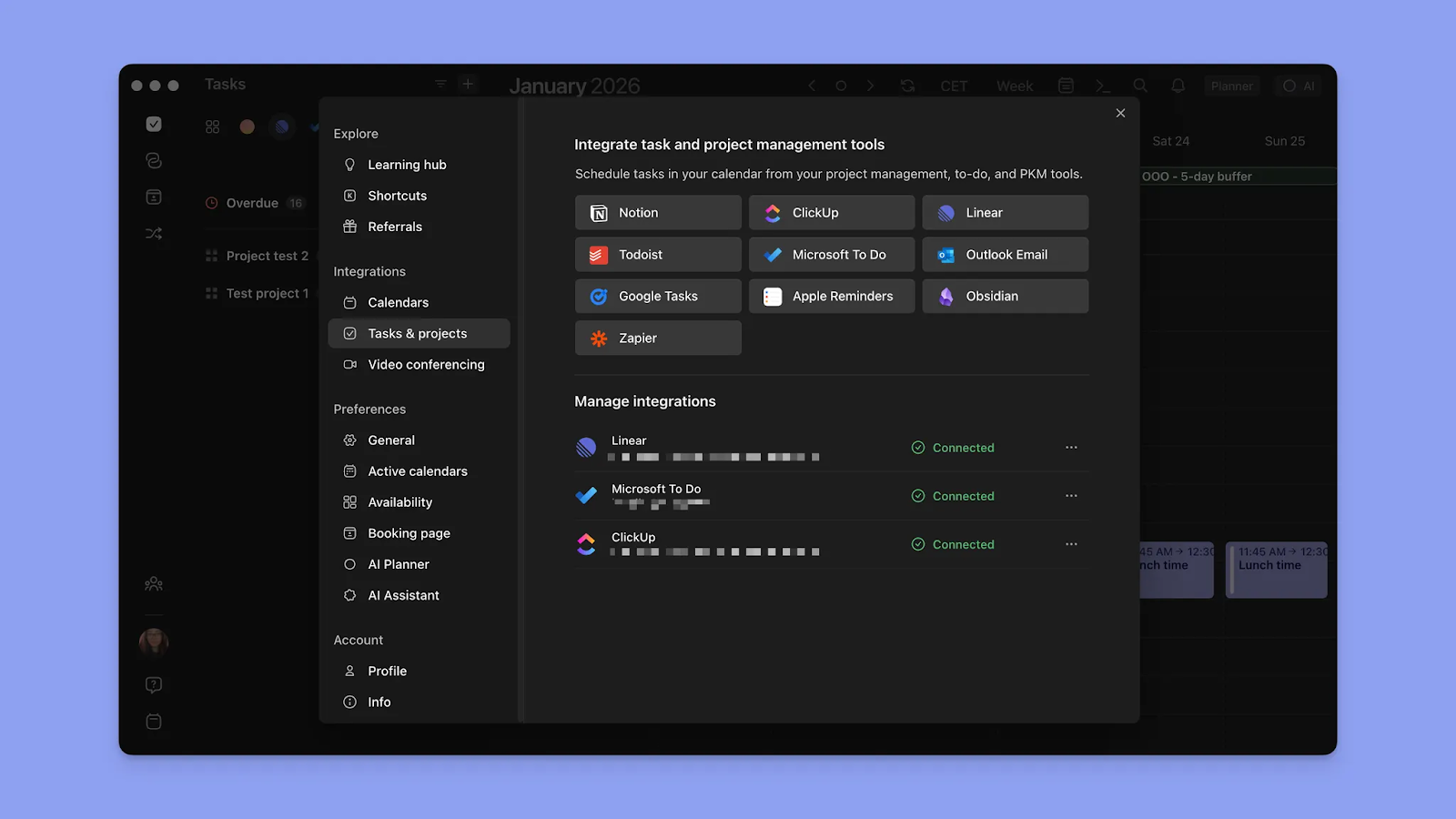
Morgen se connecte à de nombreux calendriers et outils de tâches. Il se synchronise avec Google Calendar, Outlook, iCloud et Fastmail, et tire les tâches de Notion, Linear, ClickUp, Obsidian, Todoist, Google Tasks, Microsoft To Do et Apple Reminders.
Planification IA avec contrôle humain
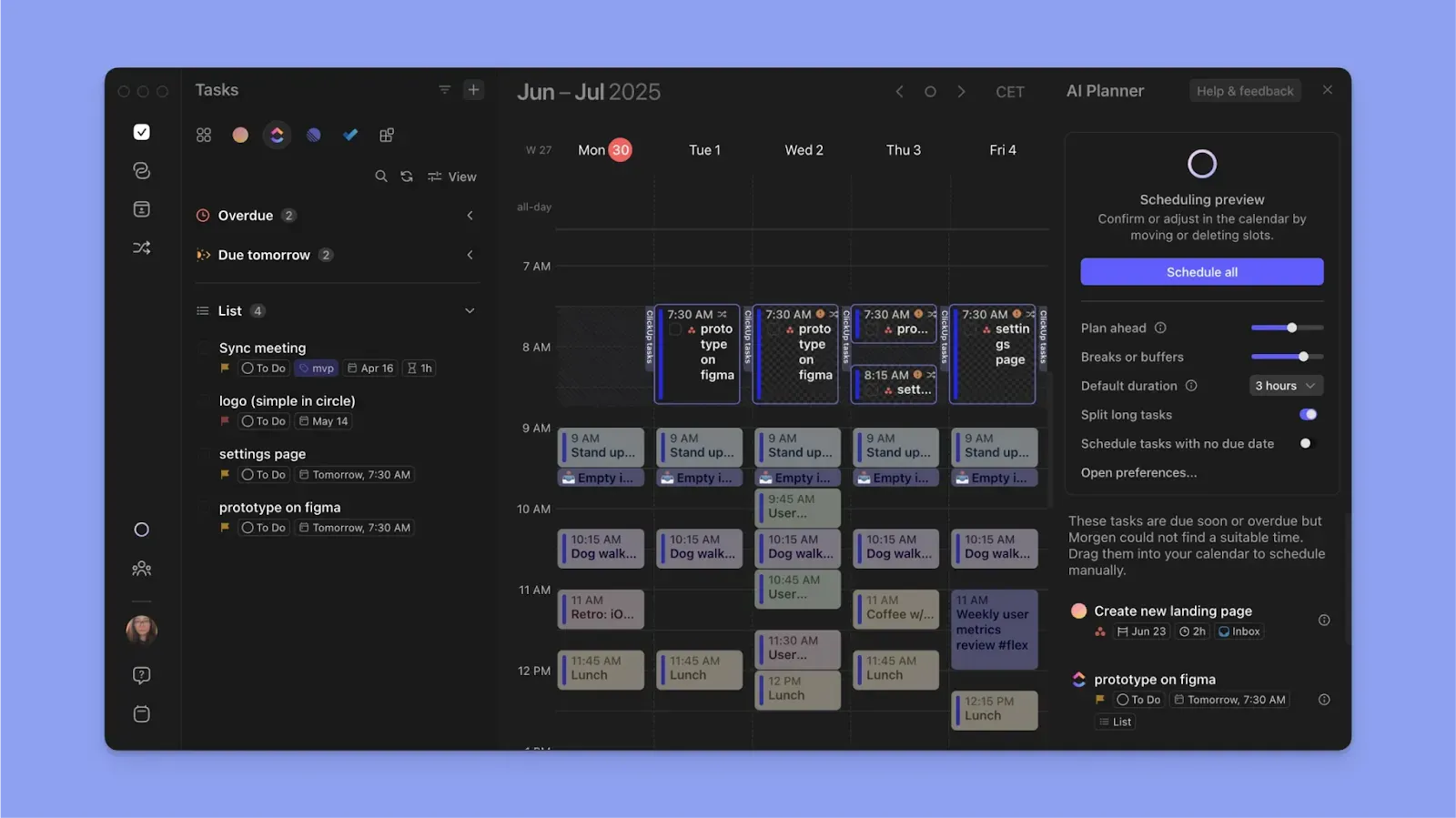
Le Planificateur IA de Morgen suggère un plan quotidien basé sur votre arriéré de tâches, vos délais, vos priorités et votre temps de calendrier disponible. Examinez les suggestions, ajustez le plan ou confirmez-le s'il a du sens pour vous.
Planification avec Frames
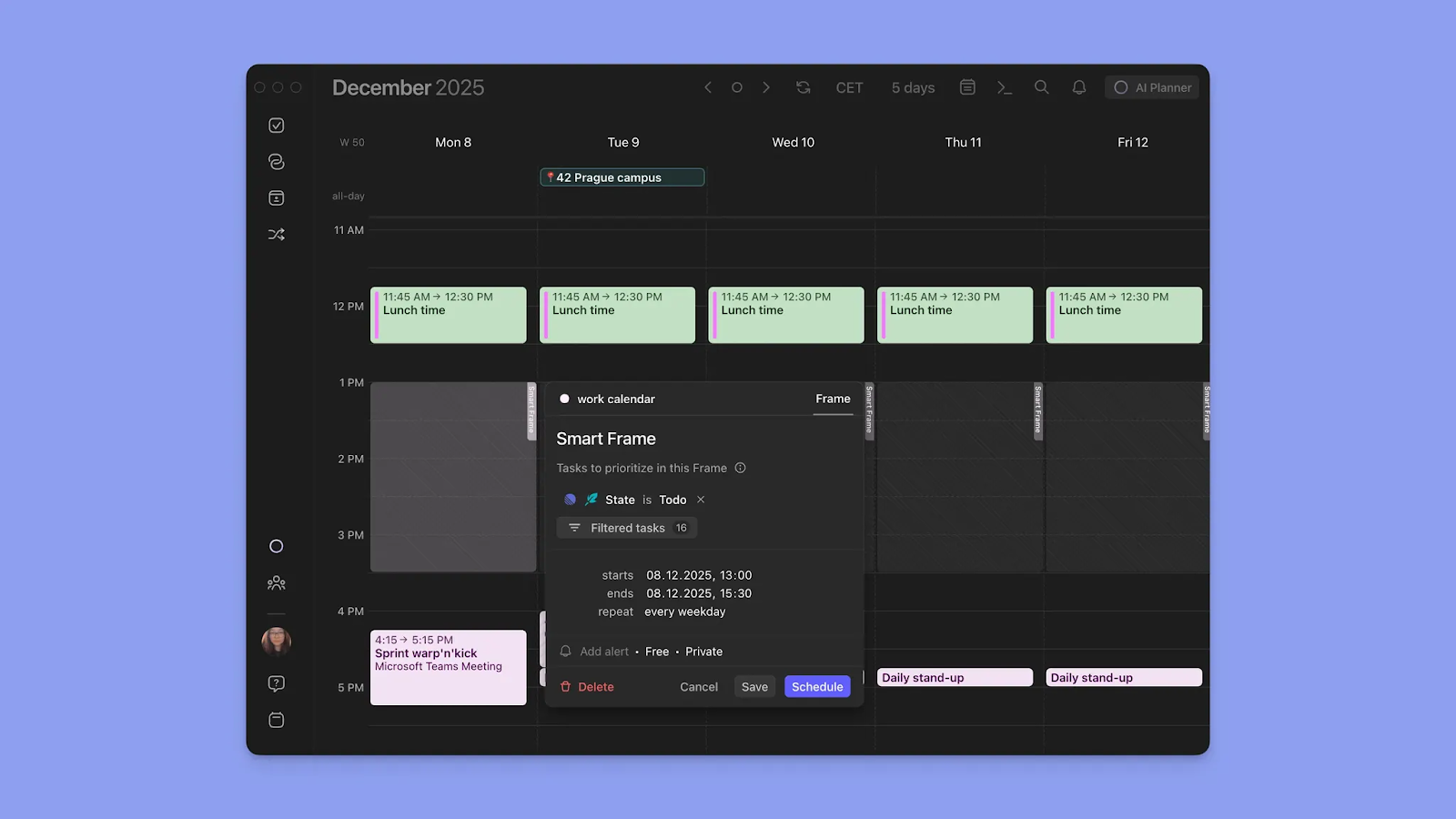
Créez un Frame sur le contour du calendrier, puis définissez des filtres pour le type de tâches que vous souhaitez y remplir à chaque fois. À partir de là, planifiez les tâches dans le Frame manuellement ou exécutez le Planificateur IA pour le remplir pour vous.
Planification des réunions
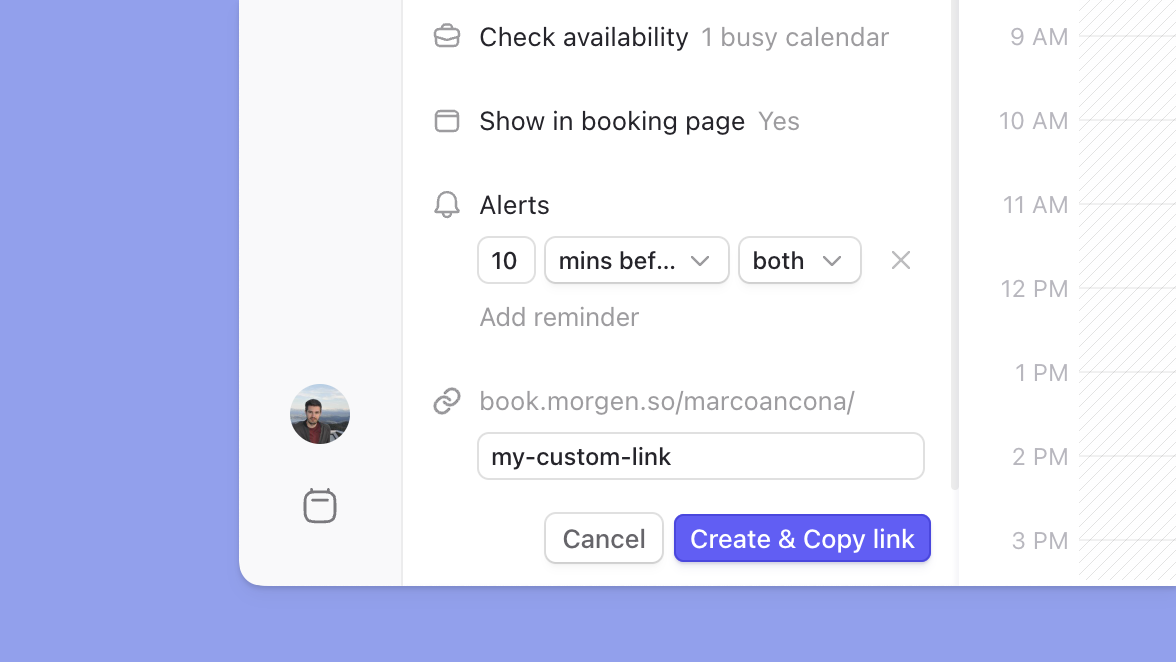
Les pages de réservation de Morgen vous permettent de créer une page de planification personnalisée avec une URL personnalisée que vous pouvez partager avec les clients ou intégrer sur votre site Web.
Ajoutez différents liens de planification à chaque page, y compris les liens de planification multi-personnes qui regroupent la disponibilité sur tous les co-hôtes requis. Les Invitations ouvertes vous permettent de définir vos options de temps disponibles et de partager le lien pour que votre invité réserve.
Où Morgen excelle
- Facile à configurer après les intégrations : Connectez vos calendriers et outils de tâches, et vous pouvez commencer à planifier immédiatement
- Gestion avancée du calendrier : Le code couleur, la propagation du calendrier, la gestion des fuseaux horaires et les Ensembles de calendrier vous donnent plus de contrôle sur la planification quotidienne
- Planification IA avec une touche humaine : Le Planificateur IA vous aide à construire un plan quotidien réaliste sans réorganiser votre journée en arrière-plan
- Capture rapide : Ajoutez des tâches, des événements et des routines/habitudes via la barre de commande, la voix ou directement sur l'interface du calendrier
- Synchronisation et propagation de Google Calendar : Les modifications apportées dans Morgen se synchronisent avec Google Calendar instantanément et se propagent sur les autres calendriers connectés pour une planification précise
Où Morgen est limité
- Pas de gestion de projet native : Morgen ne supporte pas les projets et les dépendances de tâches comme Motion, bien qu'il offre plus de profondeur de planification que Google Calendar
Avis des clients Morgen
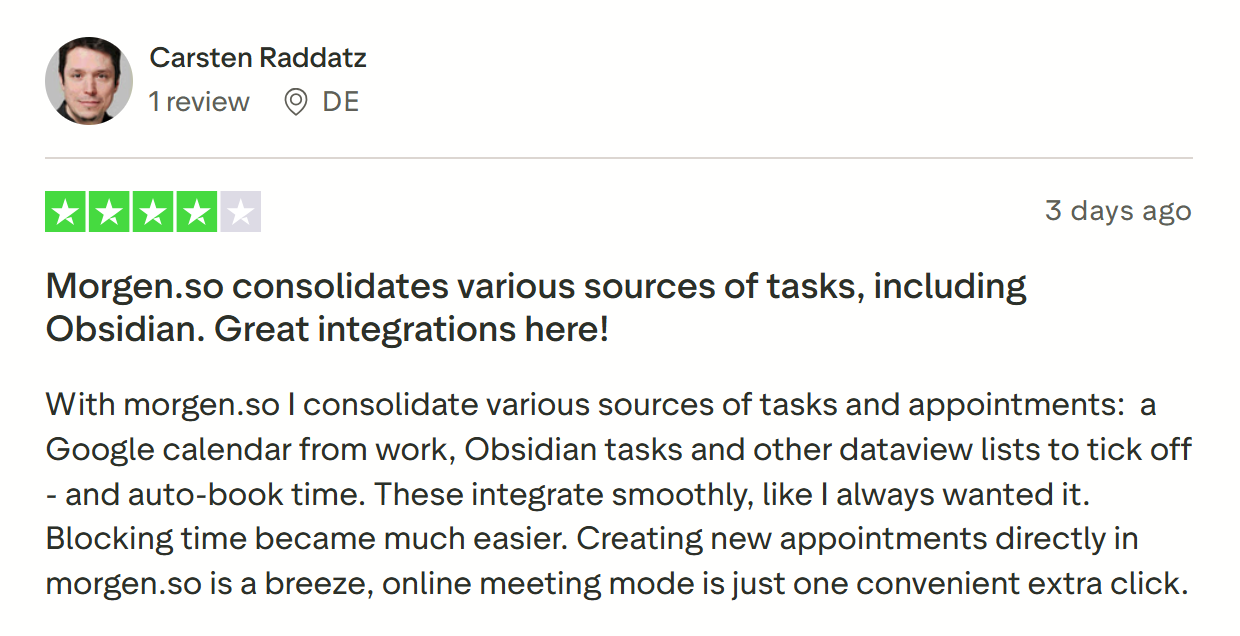
Carsten Raddatz partage « Morgen.so consolide diverses sources de tâches, y compris Obsidian. Excellentes intégrations ici ! »
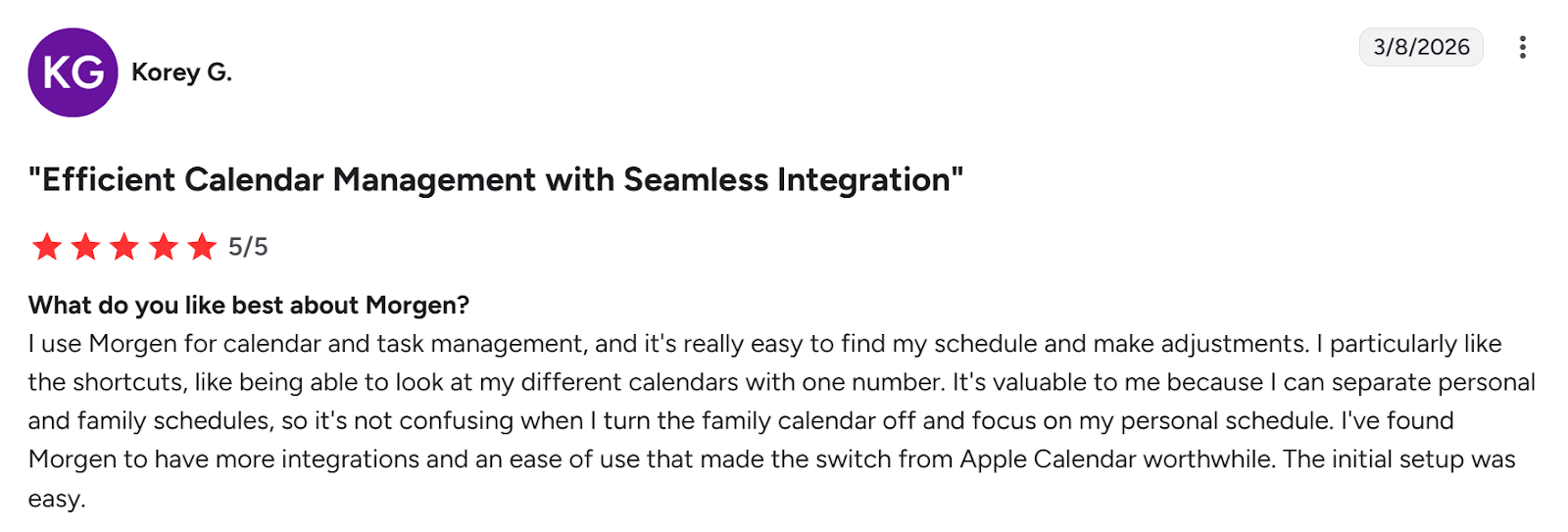
Sur G2, Korey G appelle Morgen une « Gestion efficace du calendrier avec intégration transparente ».
Pour qui Morgen est le mieux adapté
- Utilisateurs de Google Calendar : les individus qui veulent une couche de planification plus intelligente au-dessus de leur configuration existante
- Solopreneurs, indépendants, cerveaux TDAH et individus : les personnes qui veulent une planification assistée par l'IA, des intégrations d'outils profondes, la protection du temps de concentration et un outil facile à utiliser
Vous voulez voir comment Morgen fonctionne ? Essayez le générateur de calendrier gratuit et créez une semaine idéale maintenant.
Motion vs Google Calendar vs Morgen : Lequel devriez-vous choisir
Le choix dépend de la quantité d'assistance de planification IA dont vous avez besoin. Motion automatise complètement votre calendrier, tandis que Google Calendar est manuel.
Morgen se situe entre les deux. Vous pouvez créer manuellement des calendriers ou utiliser le Planificateur IA pour suggérer des placements de tâches en fonction de votre temps disponible.
Consultez les conseils pour créer un plan quotidien qui tient, puis créez votre compte Morgen pour un essai gratuit de 2 semaines pour commencer.

.svg)
.webp)