.svg)
→ Sunsama raised its price in 2026 for the first time in five years. The Pro plan now costs $20/month (annual) or $25/month (monthly), up from $16/month and $20/month, respectively
→ There is one plan for individuals, one enterprise tier, and no free plan; only a 14-day trial, no credit card required
→ Sunsama's manual planning is intentional by design, but at $20/month annually, you're paying a premium for slower, guided planning without AI support or automatic rescheduling
→ Consider Morgen if you want more automation for less starting at $15/month annually with AI-assisted planning: you get both manual control and automated scheduling suggestions around your calendar
If you're looking for a daily planner, Sunsama is a digital app built around guided planning rituals for individuals. But Sunsama pricing starts at $20/month, making it one of the more expensive daily planners.
When most people already spend around $219/month on subscriptions, according to C+R Research, how does Sunsama justify its cost?
We’ll discuss that below, and also how Morgen is an alternative if you want automation and a lower cost.
How Much Does Sunsama Cost?
In this new pricing manifesto, the team says they price for sustainability and want you to pay only after you've decided you love Sunsama. After a 14-day trial, the new plans are:
Morgen: A Sunsama Alternative For AI-Assisted Planning
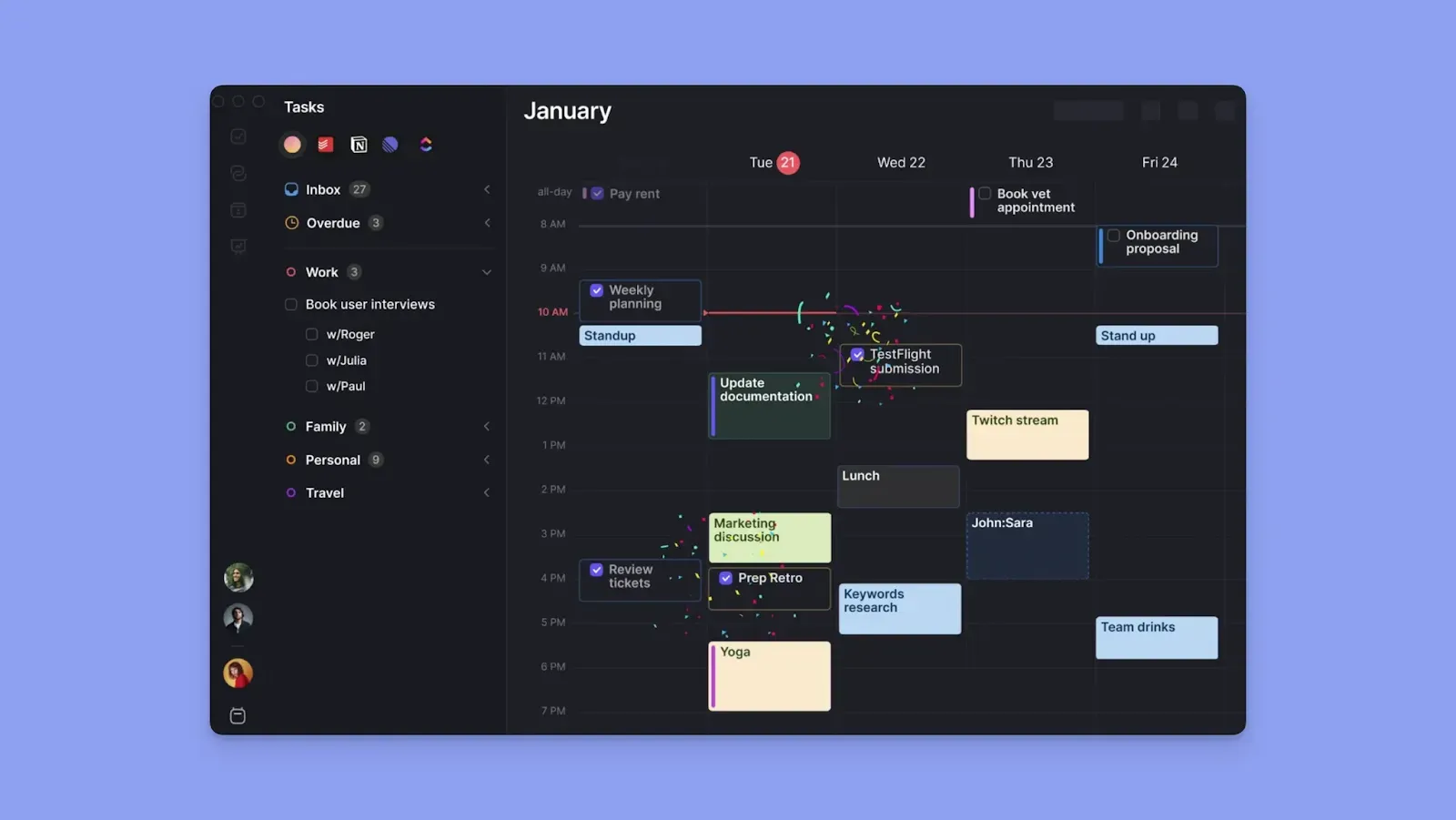
Morgen, like Sunsama, is an aesthetic daily planner built for individuals and ADHD brains who want more structure in their day. It’s the best for AI-assisted planning without losing control.
You can use Morgen to:
- Connect your calendars and external task tools through native connections or Zapier to consolidate your schedules and task lists
- Schedule tasks around calendar commitments directly on the Morgen planner, and sync those blocks across all connected calendars automatically
- Get AI scheduling suggestions you can approve or adjust before anything gets confirmed
- Set up Frames to template your ideal week and filter which tasks land inside each focus block
- Create separate blocks for tasks, routines, and events. Sunsama handles events, but has no dedicated routines feature
- Manage meetings with booking pages, scheduling links, and open invites, without a separate scheduling tool
Here’s our comparison of Morgen and Sunsama to help you understand both productivity tools.
Sunsama Pricing Plans: A Breakdown
Here are the three main Sunsama plans, and what to know before you commit to paying:
Free Trial
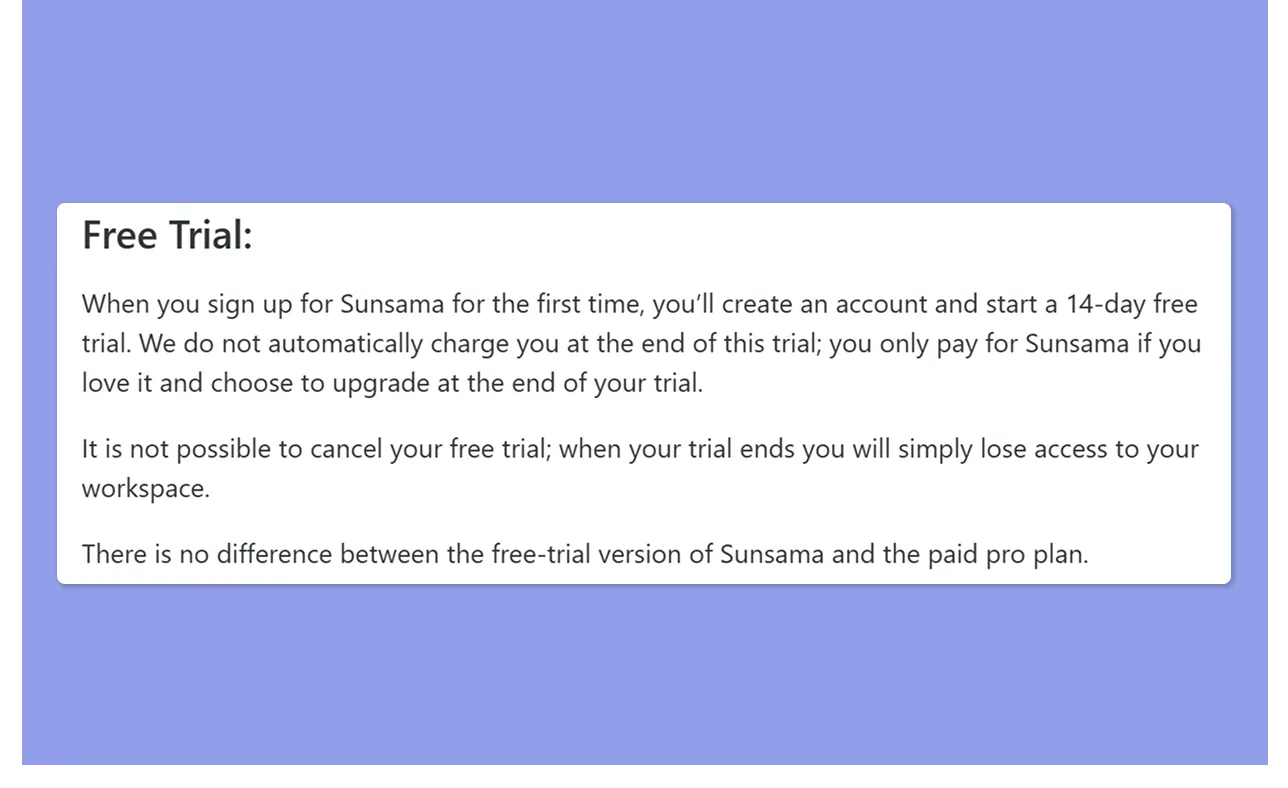
Sunsama gives you 14 days of full feature access, no credit card required. There is no difference between the free trial and the paid Pro plan, so you're testing the real product from day one.
Expect daily planning prompts, an evening email from the Sunsama team nudging you to plan tomorrow, and planning tips for using Sunsama better.
Before the trial ends, you'll also get the option to share a referral link before upgrading.
Pro Plan
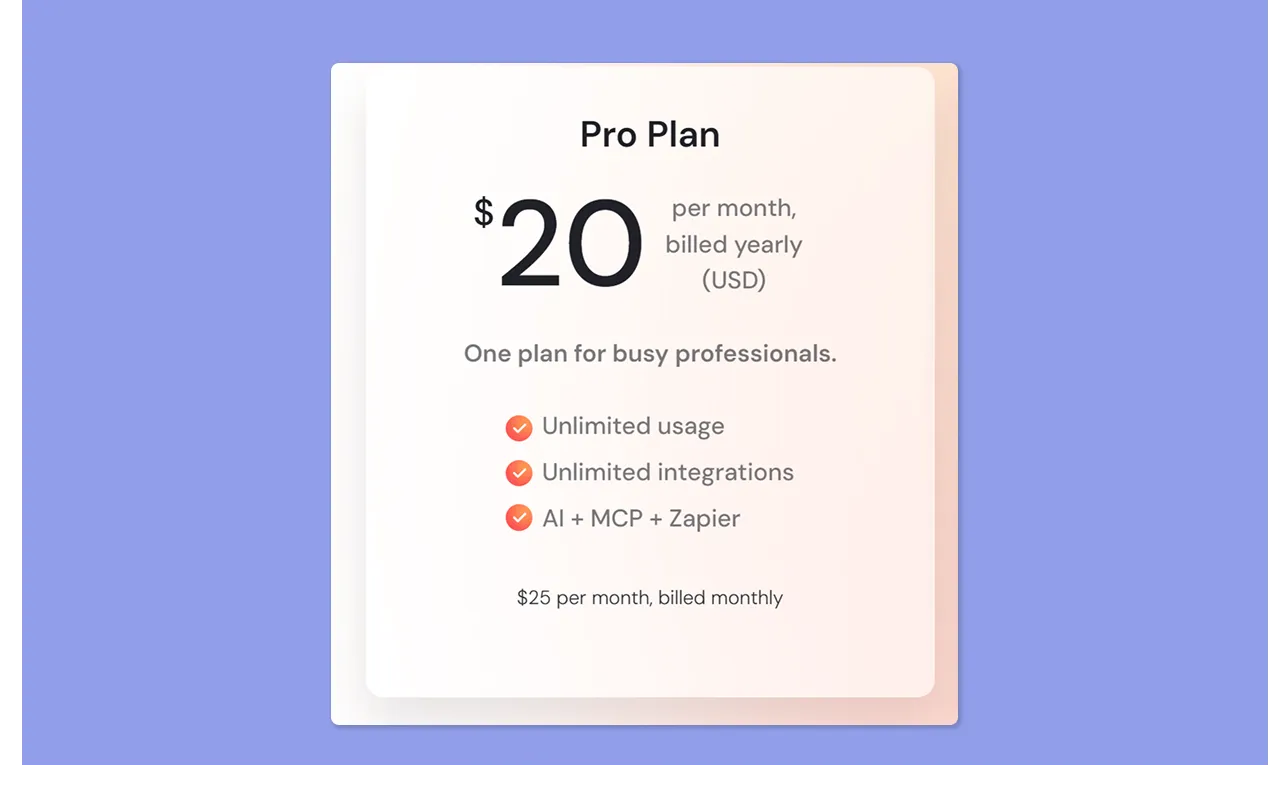
The Pro plan is the only paid individual plan Sunsama offers. One price, all features, no tiers.
It covers the full daily planning ritual, evening shutdown routine, focus mode, workload warnings, weekly objectives, 20+ integrations, and AI for time estimates and task channels.
Enterprise
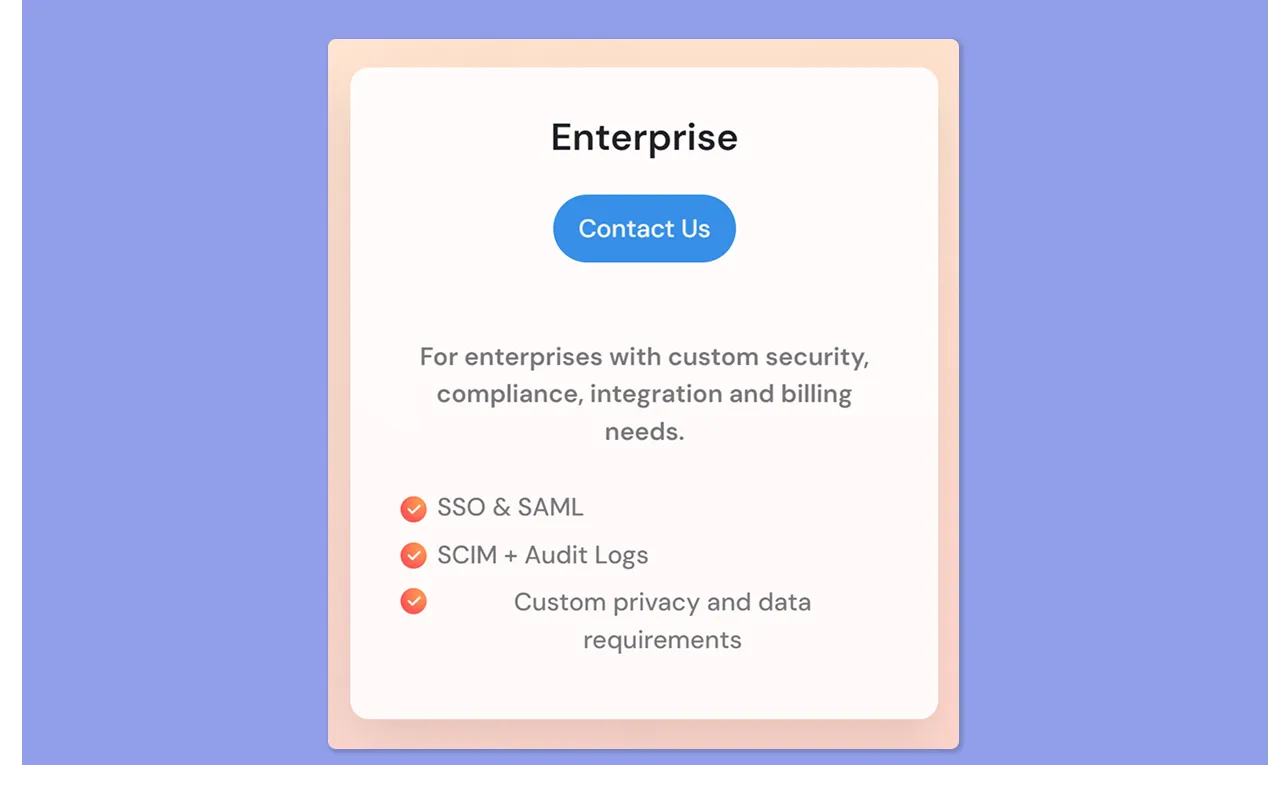
Enterprise adds security and compliance layers for organizations that need IT-approved access. Sunsama is SOC2 compliant and works with companies' IT teams when individuals want to use it for time management at the workplace.
Sunsama Hidden Costs
- You’ll still pay for your existing tools. Sunsama is a planning layer on top of your current stack. If you use Asana, Jira, Linear, Notion, etc, you pay for those separately
- Team use scales fast with no flat rate. In a shared workspace, one admin is billed for all accounts, and there is no way to bill users separately
- No geographic pricing. There are no discounts for non-US geographies. Everyone pays the same USD rate regardless of where they're based, which makes $25/month a heavier lift in markets where purchasing power differs significantly
Sunsama Tool Pros & Cons
Here's a balanced look at where Sunsama earns its price and where it falls short.
Pros
- Short learning curve. The guided planning design walks you through the ritual from day one
- Calm, distraction-free interface. The interface feels thoughtfully designed, with a minimalistic layout that enhances usability rather than adding noise. Light and dark modes, color coding, and clean layouts make a busy week easy to scan
- Notifications you control. You can turn notifications off entirely, or route daily planning reminders to Slack or email, so the app doesn't add to the anxiety it's designed to reduce
- Built-in time tracking, Pomodoro timer, and Focus Mode. Each task tracks both planned and actual time. Over weeks, you get better at estimating how long things actually take. Focus Mode puts one task front and center
- Superb task and calendar integrations. Asana, Jira, Linear, Notion, ClickUp, Todoist, GitHub, Slack, Gmail, Google Calendar, and Outlook all connect natively
Cons
- Expensive with no free plan. At $25/month without an annual commitment, Sunsama is one of the pricier digital daily planners in its category
- The planning horizon is capped at two weeks. By design, Sunsama focuses on daily and weekly planning
- No team plan or advanced collaboration. While you can invite colleagues to a shared workspace, each person plans privately, and costs scale per seat with no ceiling
Want to compare Sunsama against close alternatives before deciding? Read Sunsama vs Motion and Sunsama vs Akiflow for a side-by-side breakdown.
Who Is Sunsama Best For?
Not sure if Sunsama is the smart planner and time-blocking app you need? Here are the four most ideal personas:
Busy Professionals Who Struggle to Prioritize
If your day fills up fast and you regularly end it with more undone than done, Sunsama's guided ritual helps you plan a realistic day before it starts.
The workload warning catches overcommitment early, and the evening shutdown gives you a clean break.
Professionals with ADHD or Decision Fatigue
Sunsama’s step-by-step morning ritual removes the executive function cost of figuring out where to begin. You follow a guided process, see your day take shape in front of you, and start.
For professionals whose biggest bottleneck is initiation rather than execution, that structure is worth the subscription.
See how to build your ideal week around your energy patterns to get even more from Sunsama.
Professionals with Tool Heavy Workflows Needing Consolidation
Sunsama connects natively with Asana, Jira, Linear, Notion, ClickUp, Todoist, Trello, GitHub, Slack, Gmail, and Outlook.
If your work lives across one or more of these tools and you want one calm place to pull it all together to plan, Sunsama handles that consolidation well. Even on chaotic days, Sunsama can let you create a minimum viable day.
Small Teams Without Full PM Needs
You can invite team members to a shared Sunsama workspace, where each person gets their own private planning space.
Task notifications keep you updated when assigned tasks are created, completed, or commented on, without needing a separate project tool for light coordination.
Just note that costs scale per seat with no team discount, so this works best for small, lean setups.
Sunsama Tool Customer Reviews
Most common user sentiment for Sunsama focuses on reducing overwhelm and expensive pricing. Here are two outlooks:
Positive
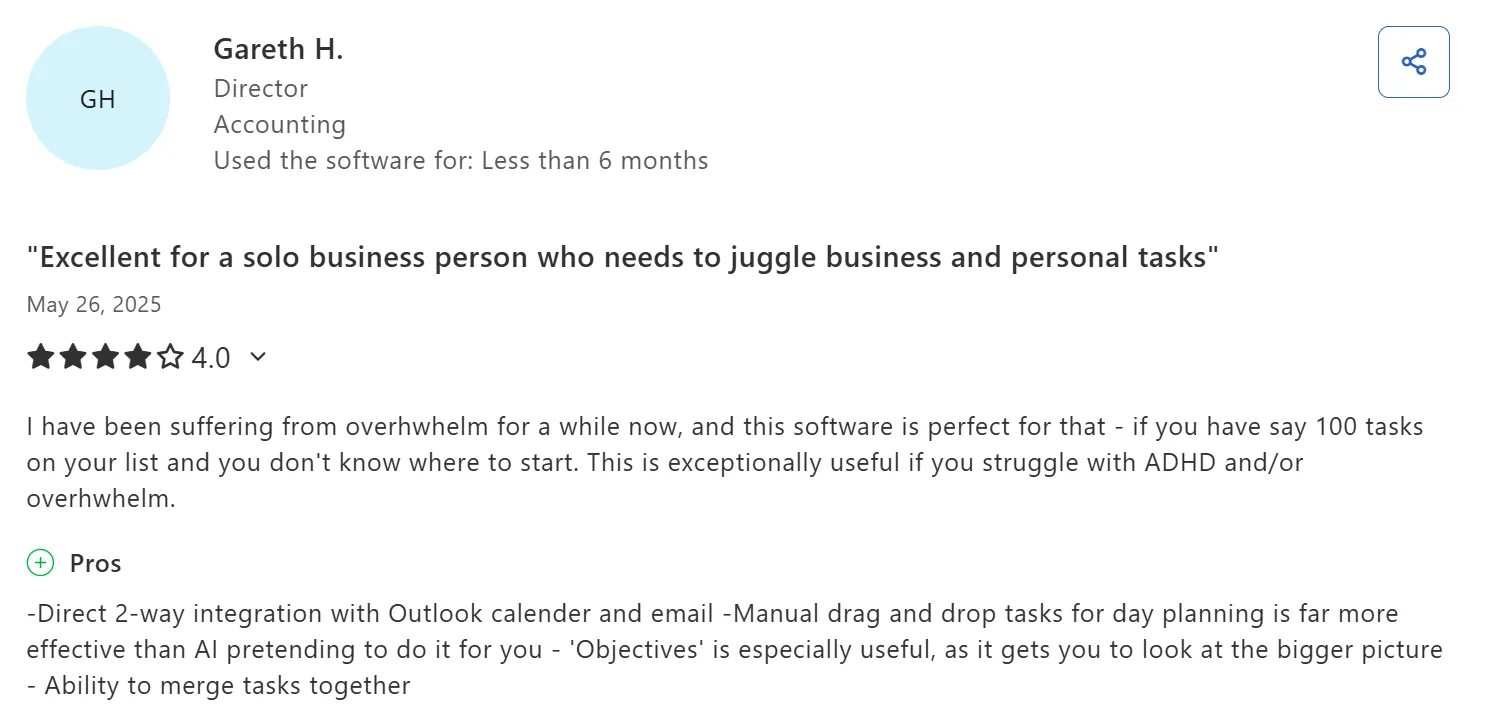
Gareth H says Sunsama is “exceptionally useful if you struggle with ADHD and/or overwhelm."
Complaints
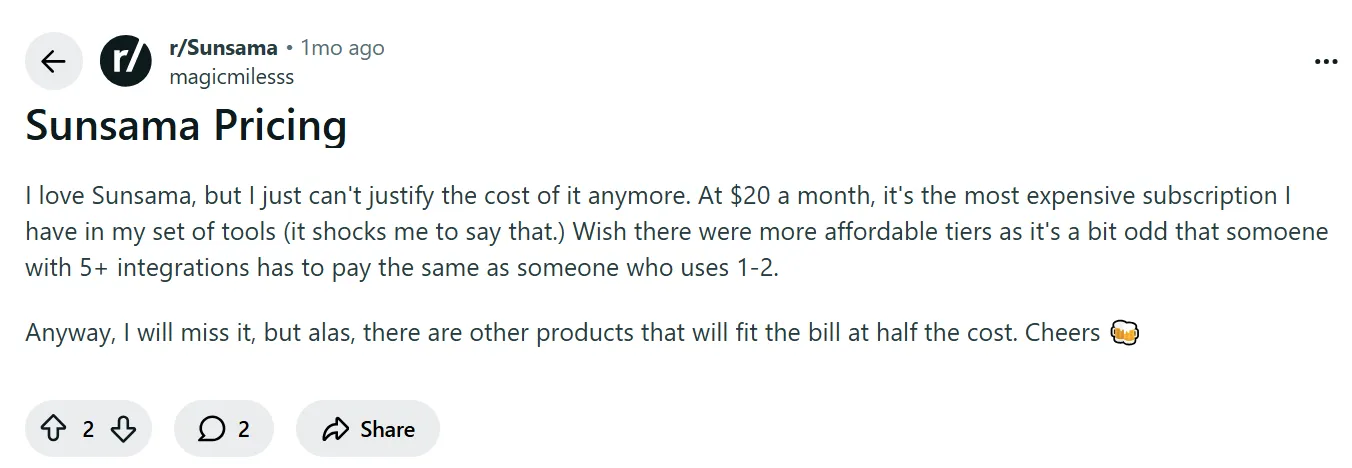
This Redditor shares how Sunsama is “the most expensive subscription I have in my set of tools.”
Alternative to Sunsama: Morgen for Faster Planning with Keyboard Shortcuts and AI Planner
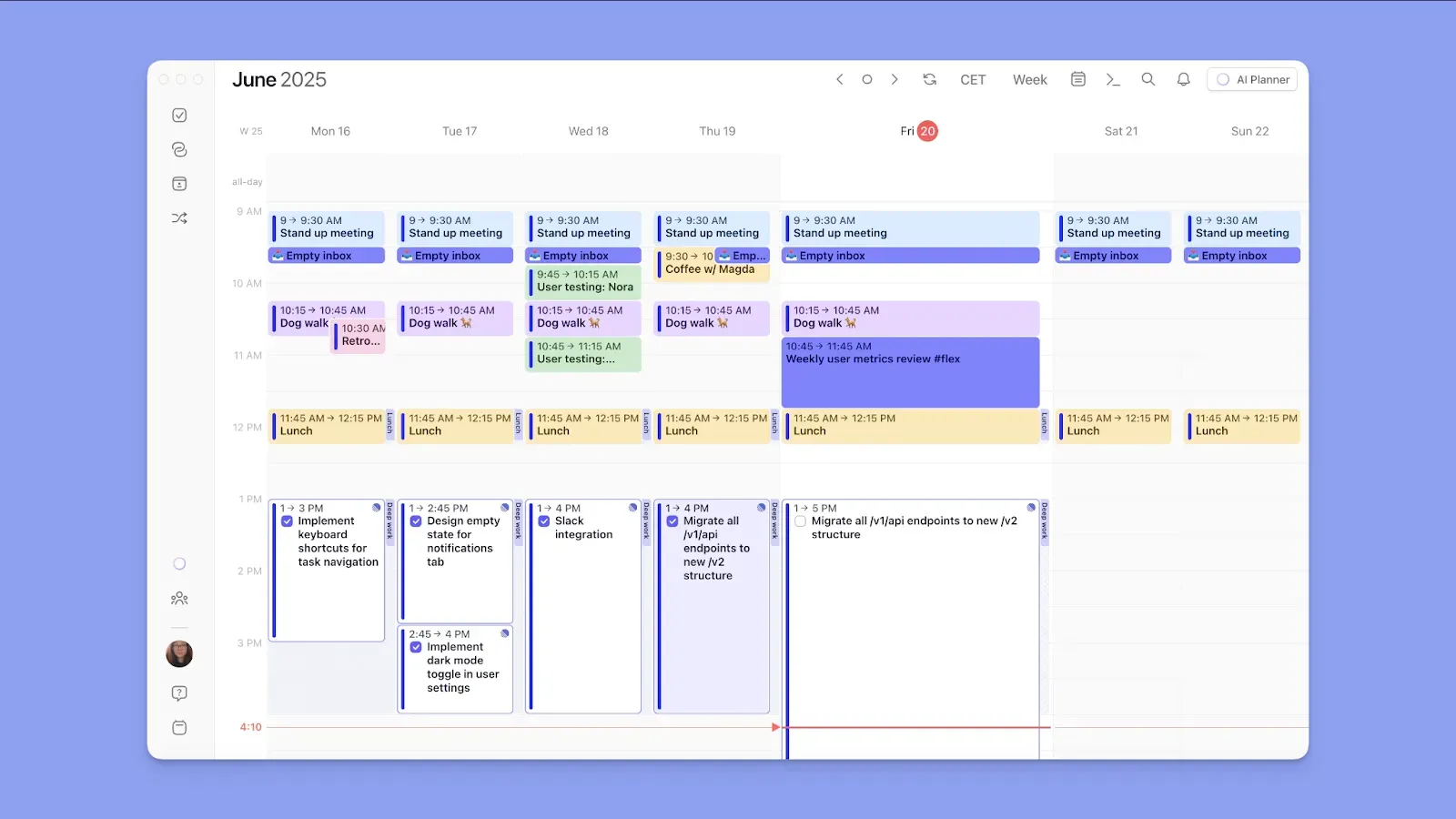
Morgen is a calendar-first planning tool that connects your calendars, task tools, and scheduling into one interface.
Unlike Sunsama's manual daily ritual, Morgen uses an AI Planner to suggest and reschedule your day automatically, while keeping you in control of every decision.
At $15/month on an annual plan versus Sunsama's $20/month, it's also the more affordable annual option for individuals, solopreneurs, freelancers, and small teams. You get:
Deep Integrations, Frames, and AI Planning
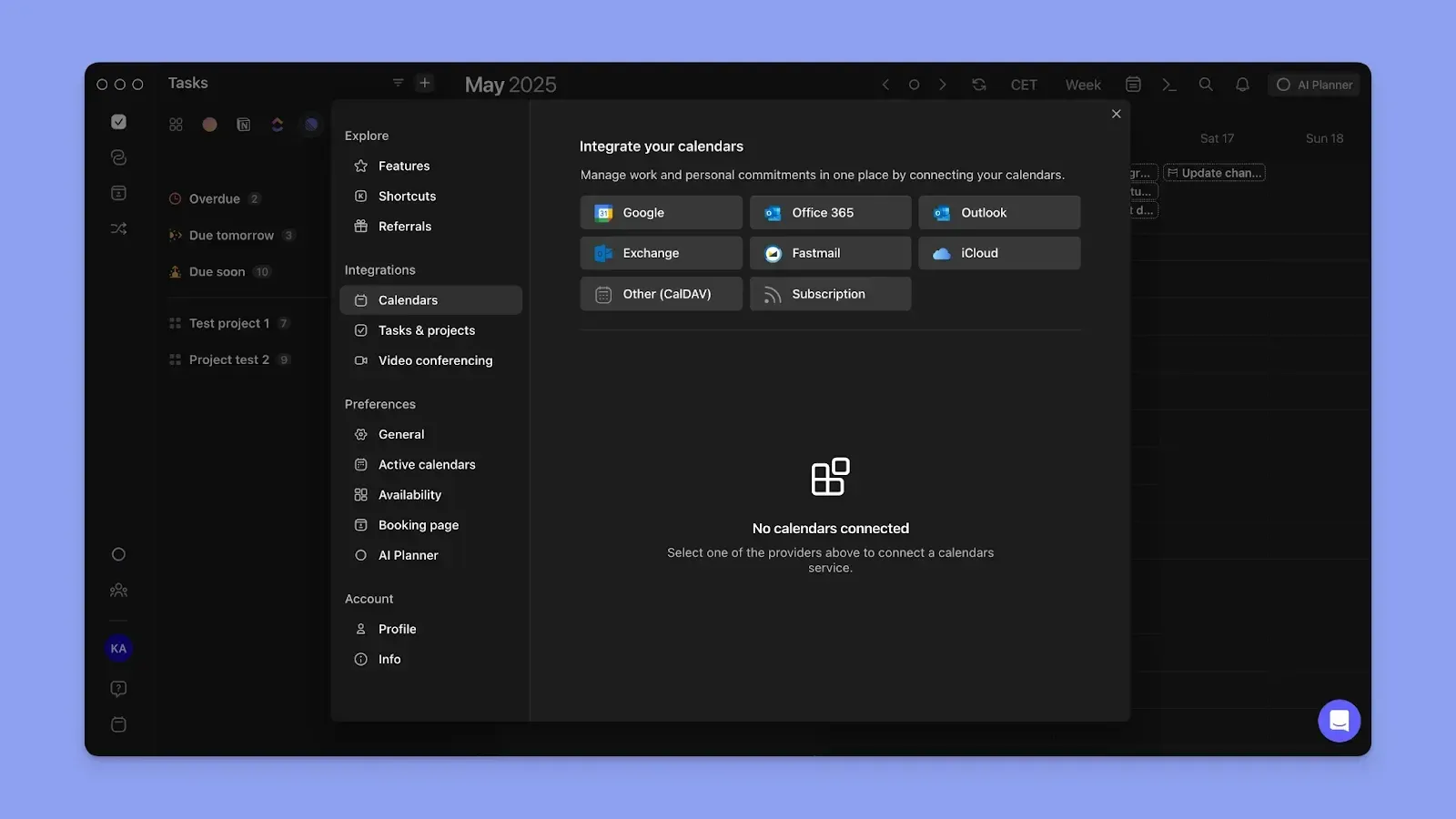
Morgen consolidates your calendar commitments from Google Calendar, Outlook, Fastmail, iCloud, and any subscription calendar. When you connect multiple calendars, calendar propagation marks each committed block as busy across all other connected calendars.
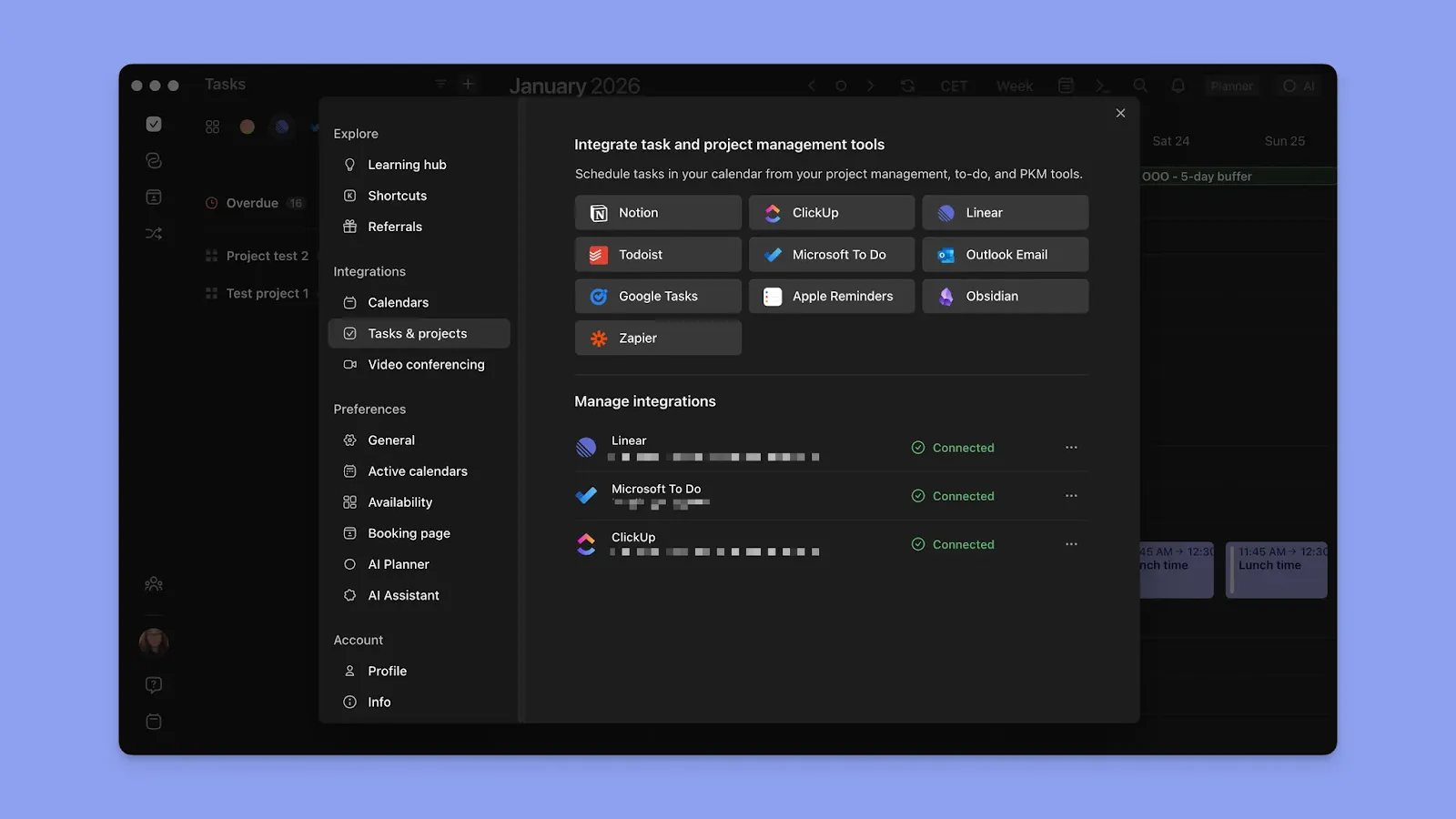
For tasks, connect Notion, Todoist, ClickUp, Linear, Obsidian, Microsoft To Do, Google Tasks, and Apple Reminders. Your full task list appears in the sidebar. You can drag and drop each task into available slots, or build Frames (recurring focus time blocks with task filters), to structure your week in advance.
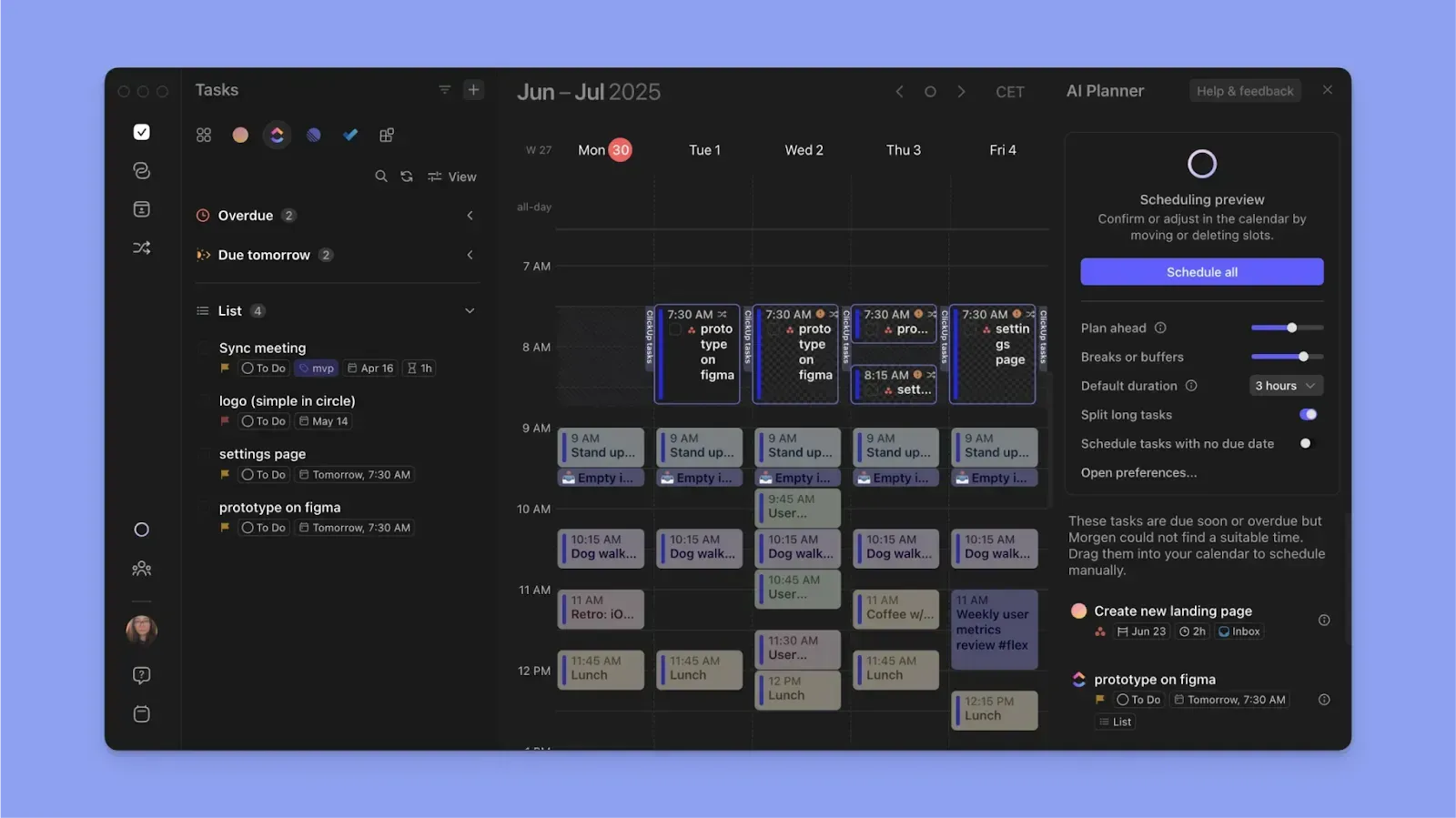
The AI Planner then reads your tasks, durations, priorities, deadlines, and Frames, and suggests where each task belongs as pulsating blocks on the calendar outline. You confirm or edit before anything gets scheduled.
Faster Capture and Planning with Shortcuts
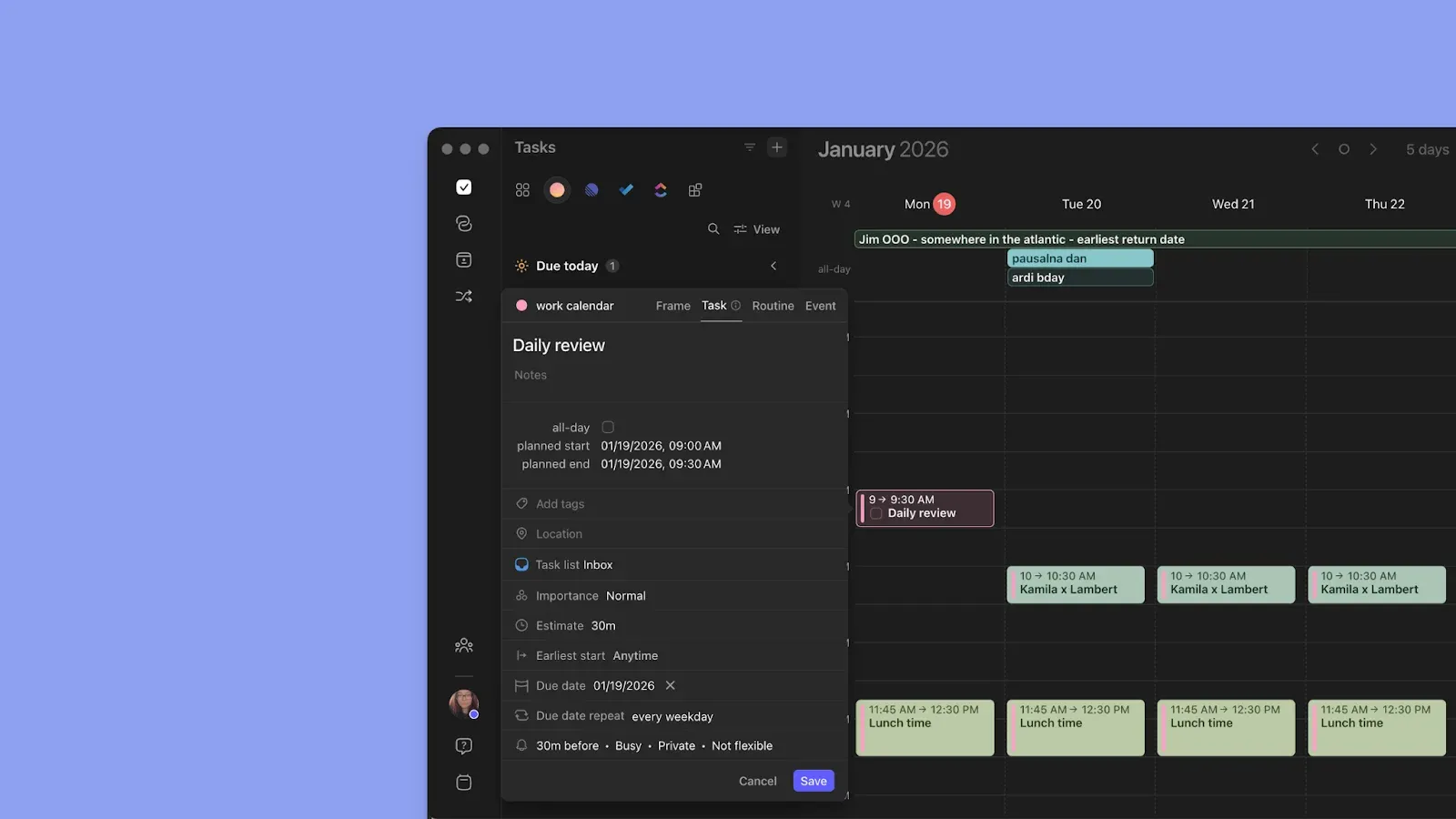
While Morgen pulls tasks from external tools, you can also create native tasks directly inside the app with:
- The Command Bar (Ctrl + K / Cmd + K): Activates a natural language input where you type instructions the way you'd say them
- Or, click anywhere on the calendar outline: Clicking the + button or any empty slot opens a creation panel for a task, event, routine, or Frame. Set the title, description, start time, duration, deadline, priority, and subtasks, then mark it as busy to propagate across calendars, or "Not Flexible" to lock it in place
Then, Morgen's keyboard shortcuts let you move through your schedule faster. You can switch views with D (day), W (week), M (month), or X (two weeks), or custom entries like Cmd + 9/Ctrl + 2 (two-day view).
Calendar Sets (shortcuts 0 through 9) let you toggle between saved calendar combinations instantly, so you can flip between your full view and a focused work-only view in one keystroke.
Read this to get started with Morgen V4.
Does Sunsama Pricing Fit Your Budget?
Sunsama is worth it for individuals who want to build planning consistency over time. If you have the daily moment to plan tomorrow and shut down manually, the $240/year is well spent.
But if you want similar personalized planning without the manual effort, Morgen, at $180/year, fits better. Here’s how AI suggestions help you plan faster.
Grab your free 2-week trial to see the difference AI makes.

.svg)
.webp)