
.svg)
→ Choose Todoist if you work across Apple devices, Windows, Android, or web: best for professionals who need natural language input and integrations to plan daily tasks
→ Pick Things 3 if you want a distraction-free task manager built for Apple devices: best for individuals creating a solid GTD structure and prefer a one-time purchase over recurring subscriptions
→ Consider Morgen if you already use Todoist or another daily task planner, but struggle to decide when to complete the tasks: best AI scheduling software for busy professionals who need their task list and calendar in one view
→ Recommended setup: Integrate Todoist into Morgen, pull your tasks, and schedule them alongside calendar events
Todoist and Things 3 are daily task planners that fit different workflows. Todoist is cross-platform with deeper integrations and collaboration features, while Things 3 is limited to the Apple ecosystem.
Below, we’ll compare their pricing, task planning, calendar management, and integrations, then explain why Morgen is the better AI scheduling layer for calendar-first workflows.
Todoist Versus Things 3: At a Glance
Who Is Todoist Best For?
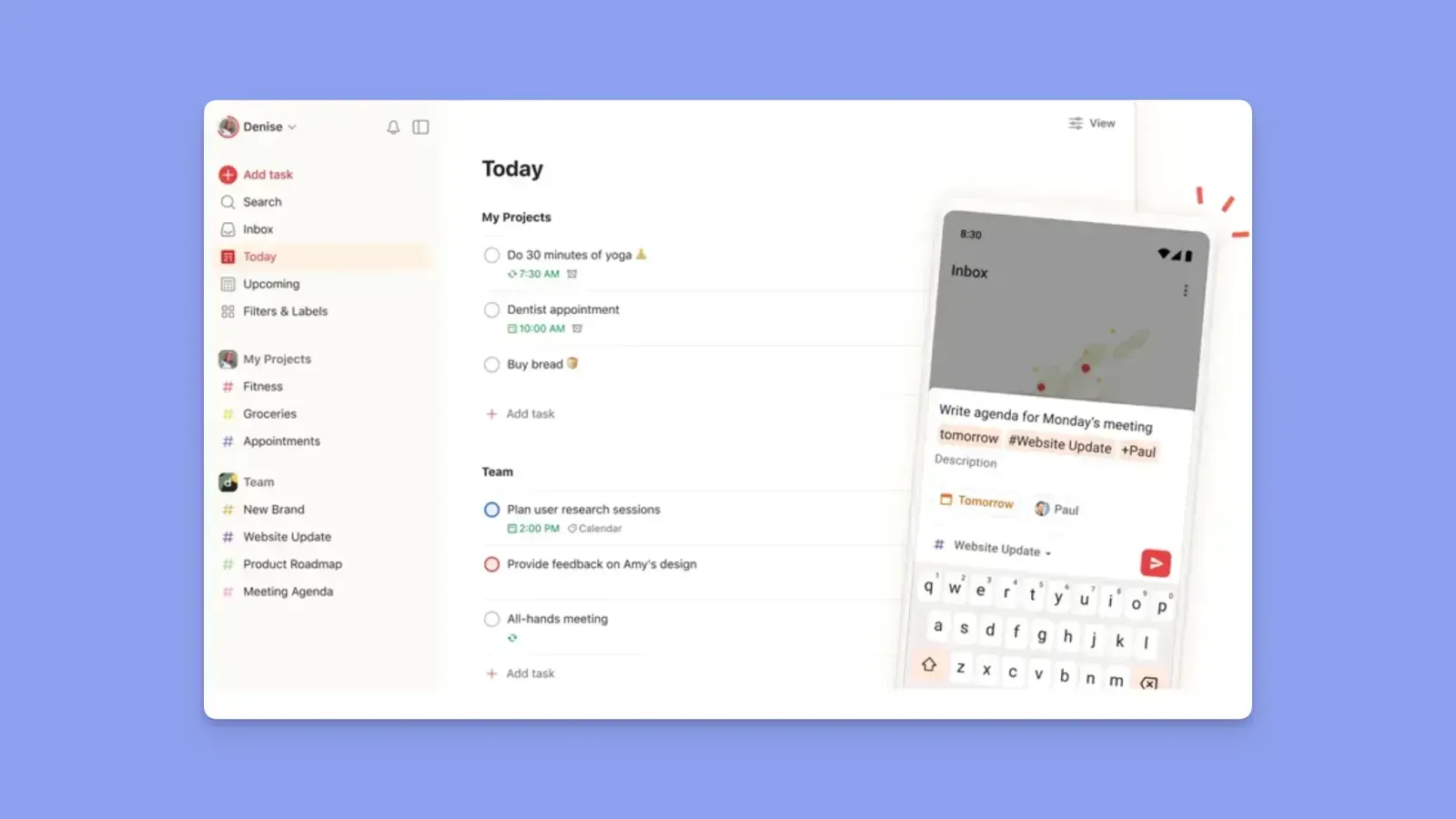
- Professionals managing work across Windows, Mac, Android, iOS, and web devices
- Users who want recurring tasks, reminders, labels, filters, and automation
- Individuals and small teams collaborating on shared projects and assignments
- People who want a task manager that integrates deeply with calendars and productivity apps
Who Is Things 3 Best For?
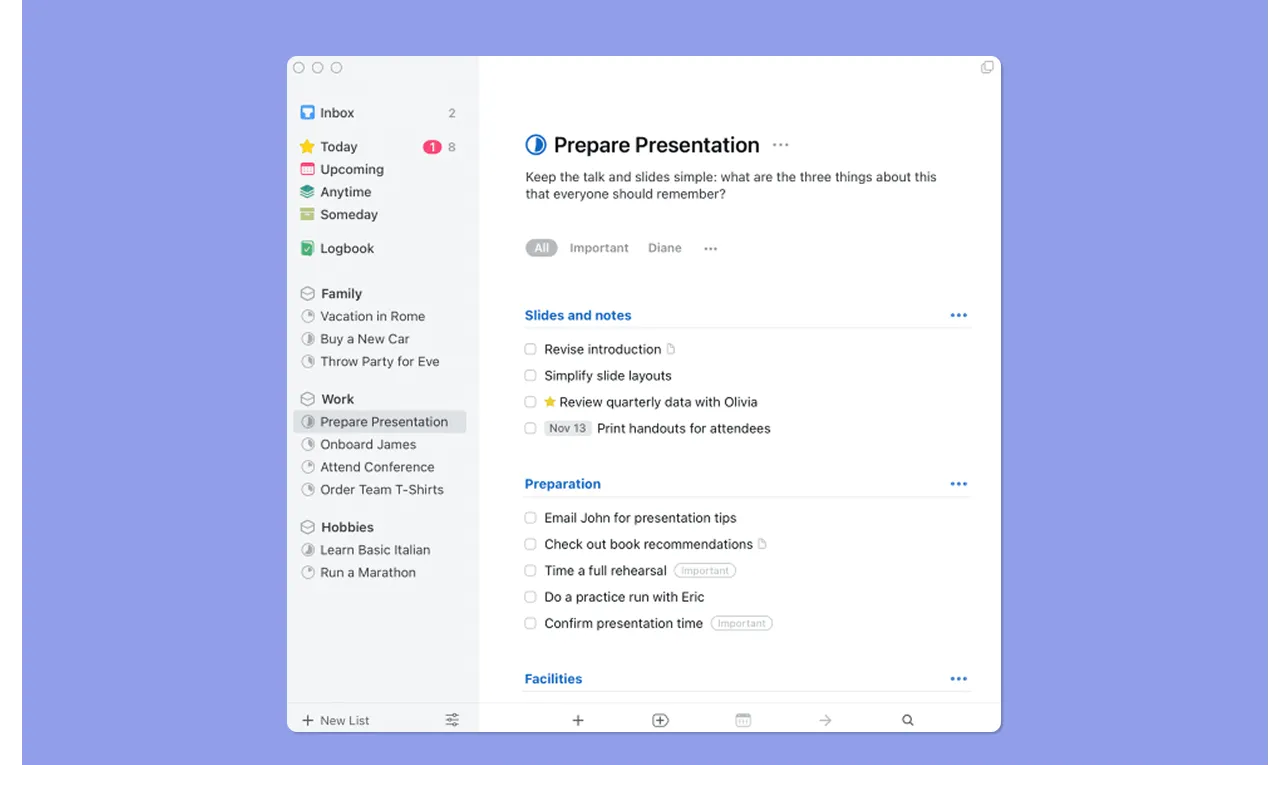
- Apple-only users planning personal workloads without collaboration needs
- Manual planners who prefer organizing tasks themselves instead of relying on AI or automation
- Users who prefer one-time software purchases
Morgen: An Alternative to Things 3 and Todoist for Calendar-Aware Task Planning
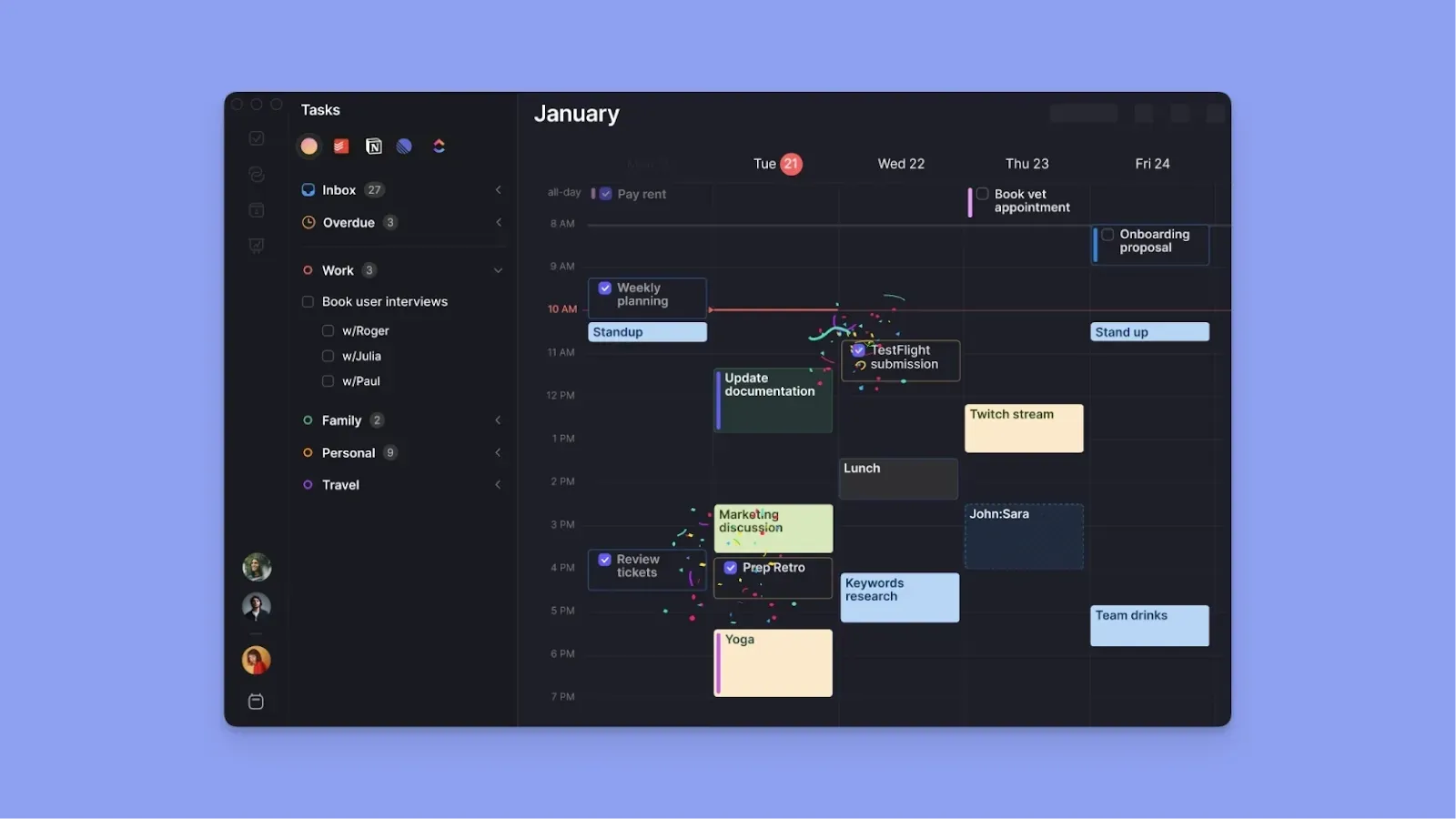
Todoist and Things 3 organize tasks, but neither turns them into a realistic daily schedule around your actual availability.
Morgen is a calendar-first planner that helps you schedule specific times to complete work. Features include:
- Deep task and calendar integrations: connect Todoist and other external task apps, then manage all pending work in one planning view
- An AI Planner that suggests where tasks fit in your calendar without automatically overriding your meetings’ schedule
- Fast task capture through the command bar, plus color-coded task blocks and tags for planning by context
Download and install Morgen on all your devices.
Price
According to C+R Research, the average consumer underestimates their monthly subscription spending by more than $100.
Want to stay on top of your finances? Here’s what you’ll potentially pay for Todoist or Things 3:
Todoist
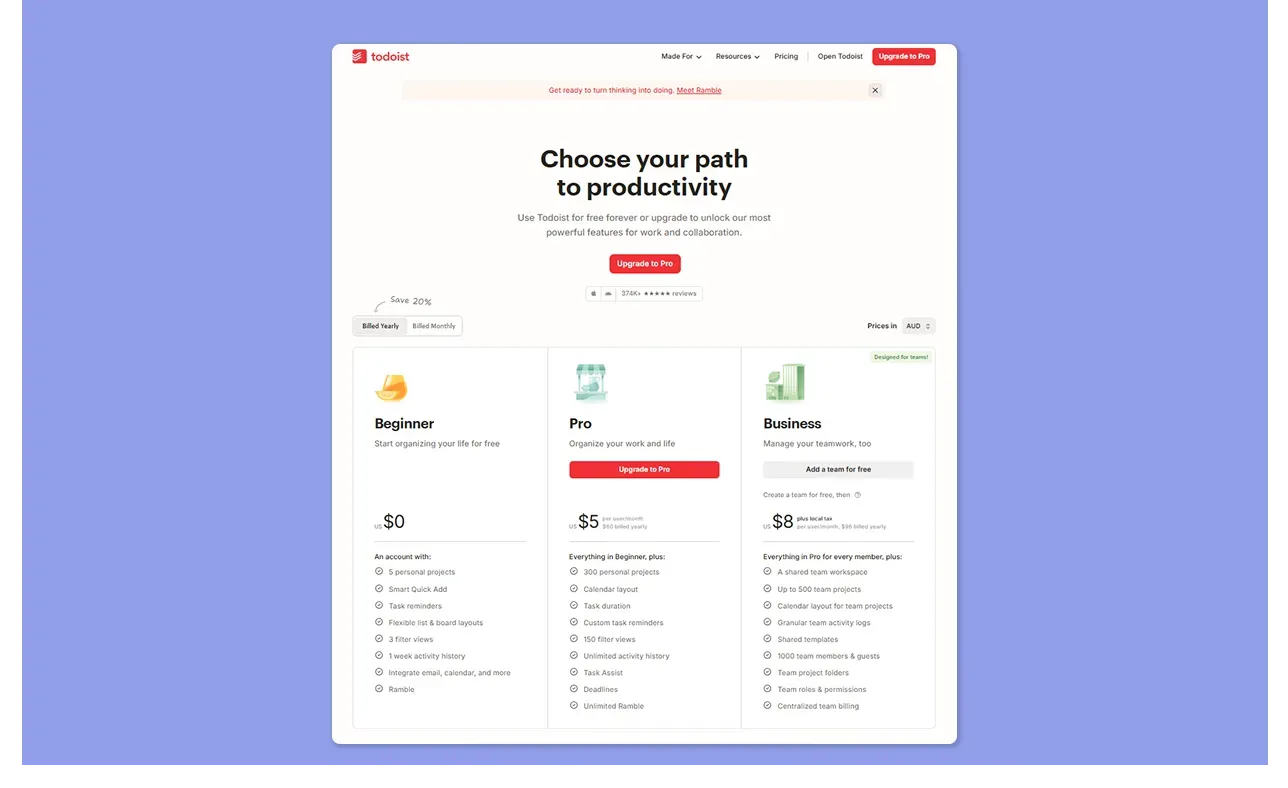
- Todoist raised its Pro price in December 2025 from $4 to $5/month on annual billing ($60/year), or $7/month on a monthly plan
- The free plan is genuinely usable for simple personal task management, but the 5-project cap and the absence of reminders push most working professionals to Pro
Things 3
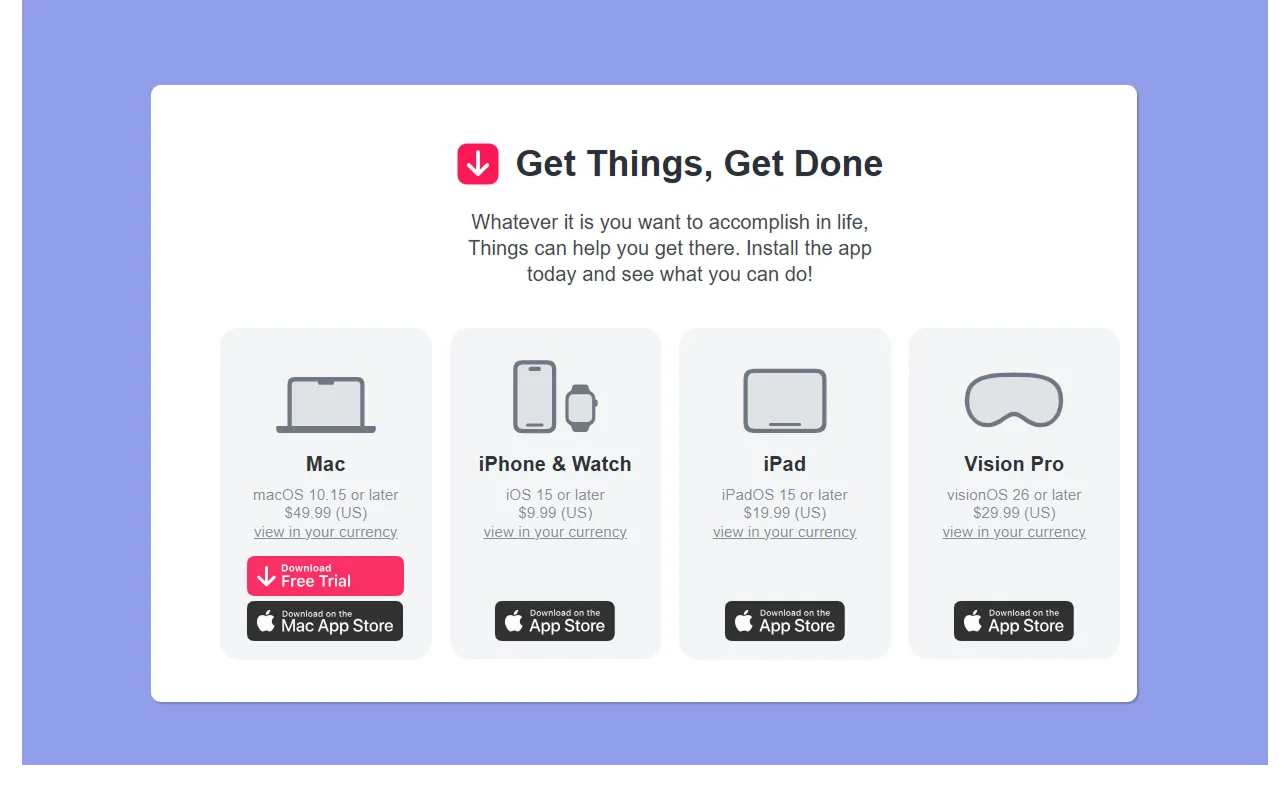
- Things 3 uses one-time purchases instead of a subscription model
- Pricing starts at $9.99 for iPhone and Apple Watch, $19.99 for iPad, $49.99 for Mac, and $29.99 for Vision Pro
- To fully use Things 3 across Apple devices, you need to purchase each platform separately
Verdict
At $5/month, Todoist Pro runs $60/year. Things 3's complete suite at roughly $80 costs less than Todoist Pro within two years and never charges again.
Things 3 is the better long-term investment for Apple-committed users, but Todoist is better if you need cross-platform access, team features, or want to start free.
Task and Project Planning
Both apps allow lightweight project management and more comprehensive task capture and planning features. Here’s more:
Todoist
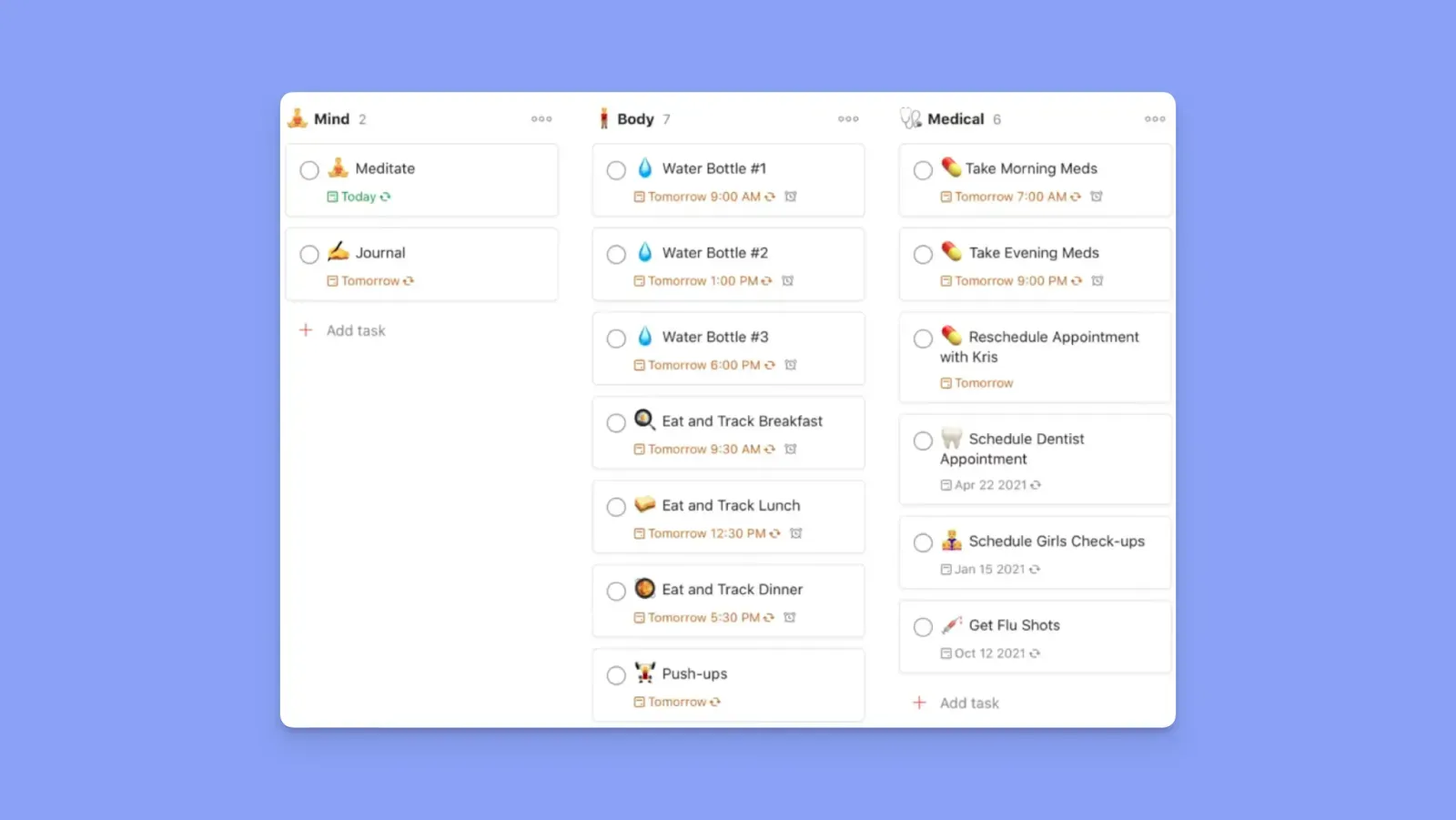
- You can create Projects, Sections, and unlimited nested sub-tasks (Pro). Tasks support priority levels (p1 to p4), labels, due dates, recurring schedules, and natural language input
- You also get List and Kanban views, plus a calendar layout (Pro)
- Brian T says. “I personally use Todoist as my own project management tool to manage some projects.”
- Tuvshinzaya A adds, “I like how easy it is to add to-dos and use priority tags.”
Read how Todoist compares to Motion for project and task planning.
Things 3
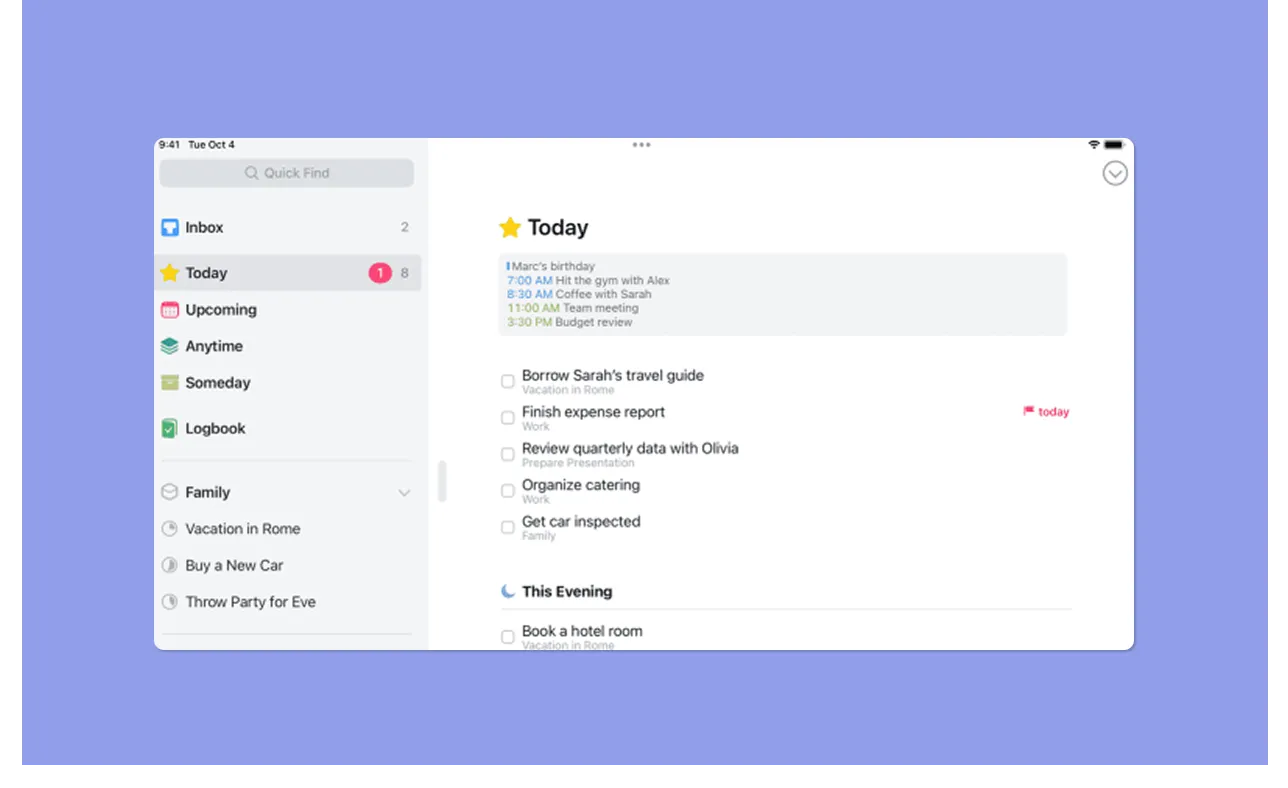
- Things 3 uses a deliberate three-level structure: Areas (life containers like Work or Personal), Projects (time-bound deliverables with deadlines and a progress pie chart), and Headings within projects
- Add task tags, start dates, deadlines, notes with Markdown, and a separate "This Evening" bucket in the Today view
- No nested subtasks, but you can create checklists inside tasks
- Still, Milos J calls Things 3, “A perfect to-do planner and organizer for life and reminders.”
Verdict
Todoist wins on flexibility, filter depth, and team features; Things 3 on clarity and intentional design. If your task management problem is noise and overwhelm, Things 3's structure is the better fit.
Calendar Management
This is where both tools fall short, and where daily planning will likely break down.
Todoist
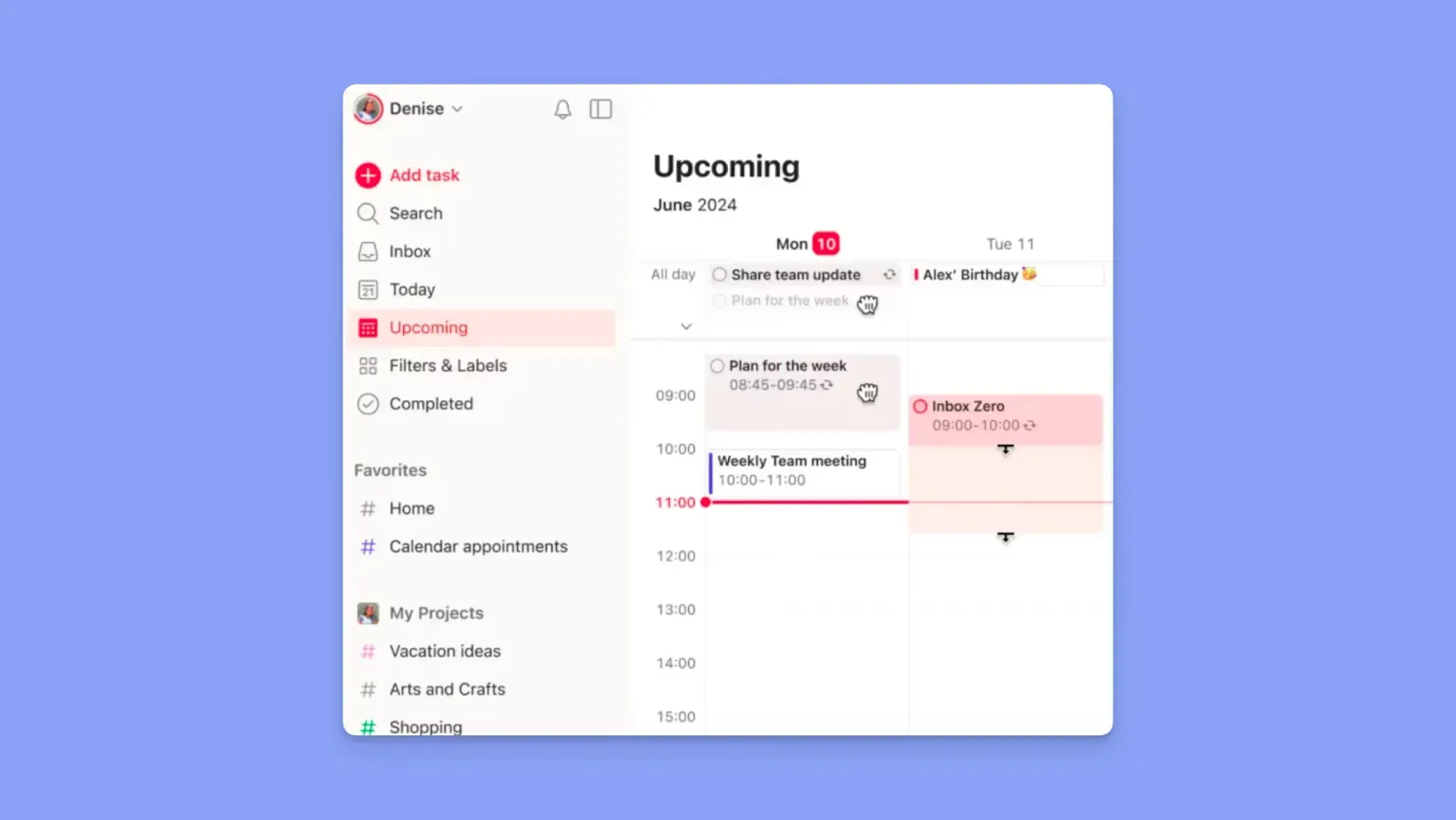
- Todoist Pro includes a calendar layout that shows tasks by due date, but does not sync bidirectionally with Google Calendar or Outlook
- You’ll see tasks alongside calendar events from a connected calendar, but time blocking is not supported, and task placement does not propagate back to your external calendar
- Offers integrations with Google Calendar, Fantastical, Outlook, and BusyCal
- Supports recurring due dates, durations, reminders, and drag-and-drop rescheduling
Things 3
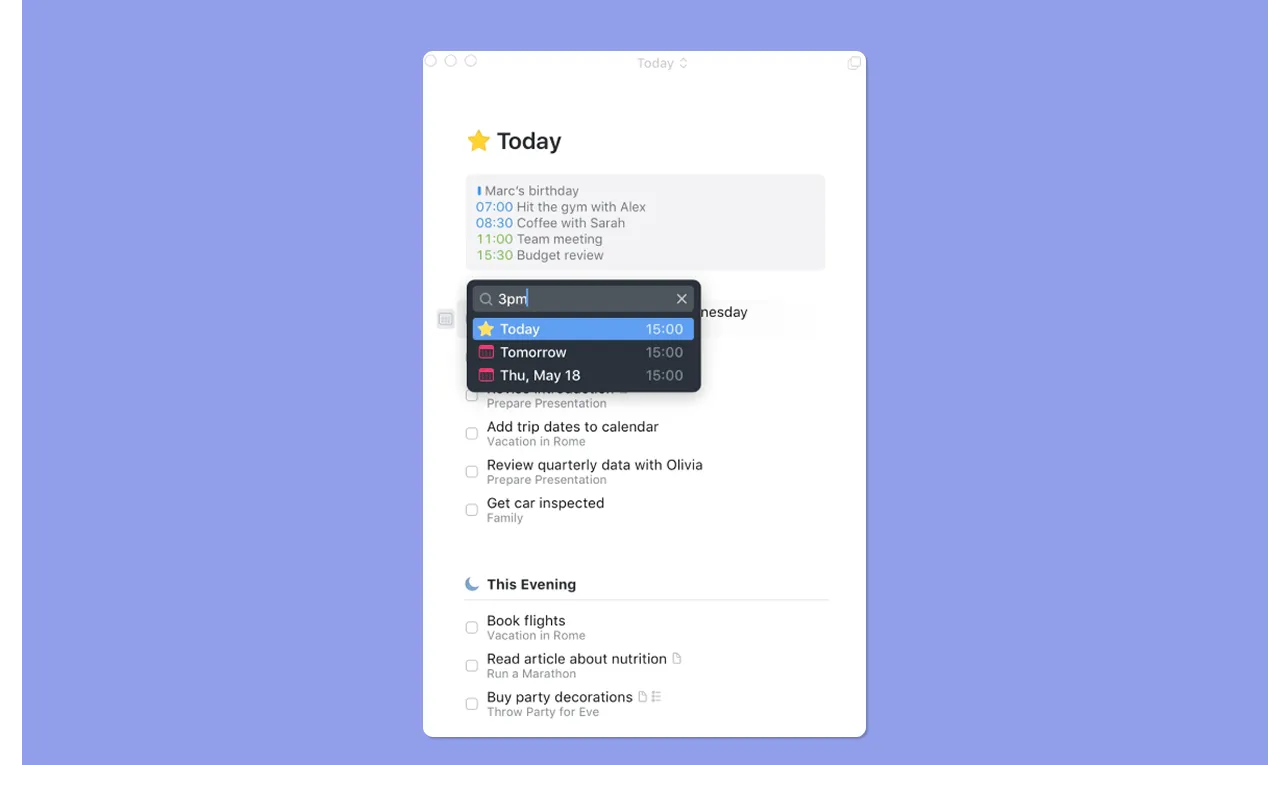
- Things 3 has no calendar view. The Upcoming section shows tasks in a timeline-style list instead of a calendar
- You can see Apple Calendar events in the Upcoming view if you grant permission, but you cannot schedule tasks against your calendar or create time blocks for work
- Things 3's calendar interaction is a read-only context: it tells you what meetings are coming so you can plan around them yourself
Verdict
Neither tool handles calendar-based task planning. Todoist's calendar layout is closer, but it stops well short of true time blocking or bidirectional calendar sync.
Integrations
Your task manager should connect to the tools you already use. After all, the more disconnected your apps are, the more manual planning and context switching you create.
Todoist
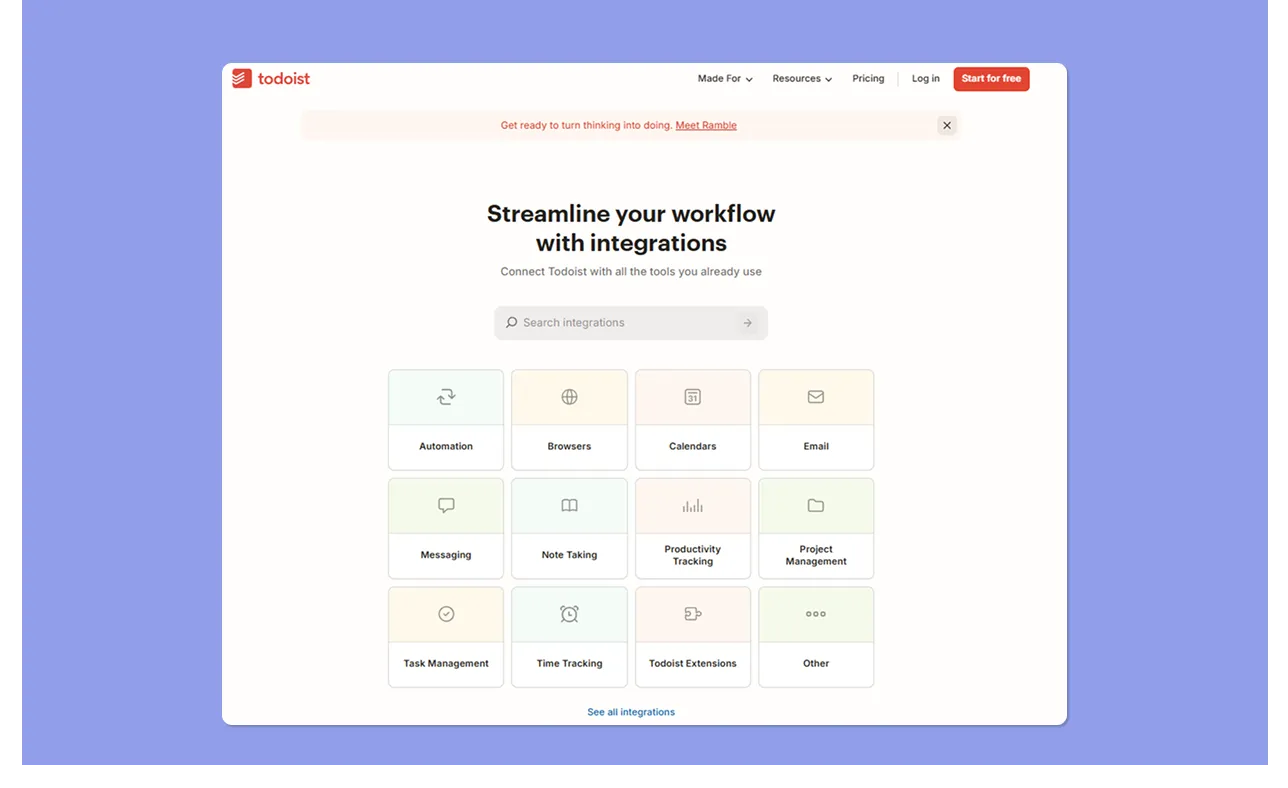
- Todoist connects to Google Calendar, Outlook, Slack, Gmail, Zapier, Make, IFTTT, and an open API for custom integrations
- Email to Todoist supports forwarding tasks to specific projects and preserves file attachments
- Ashish P. says Todoist’s integration capabilities make task management seamless
Things 3
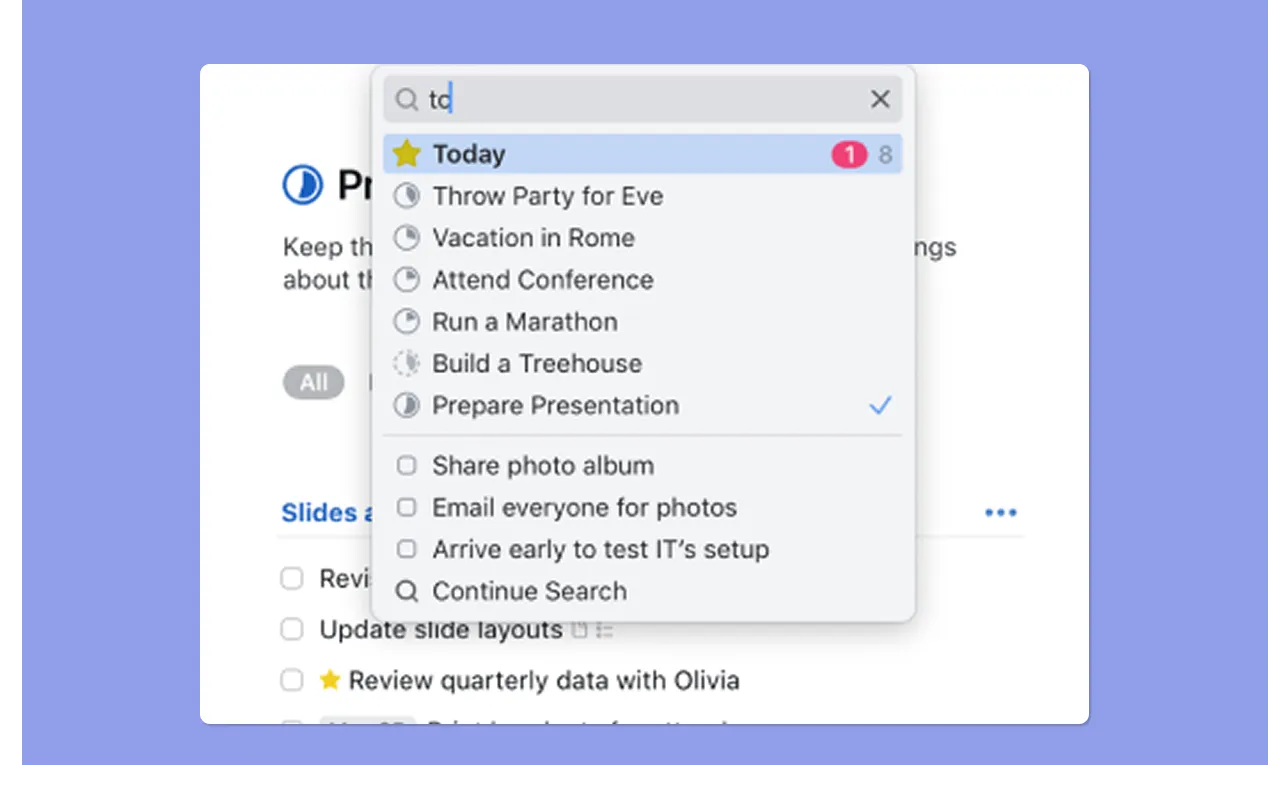
- Integrates deeply within the Apple ecosystem and minimally outside it. There is no native Zapier support and no open API
- It integrates primarily with Apple Calendar, Siri, and Apple Shortcuts, and lets you forward emails to a personal Things address to create tasks automatically
- Users appreciate the easy capture with Siri, plus Quick Entry from any site
Verdict
Todoist wins on integration breadth for mixed-stacks and team environments. Things 3 wins for power users who live in Apple's ecosystem and want native-feeling automation.
How to Choose the Best Task Manager
When choosing between Things 3, Todoist, or another alternative, consider:
Fast Task Capture
Todoist's Quick Add parses a full task in one line: due date, project, priority, and recurrence from natural language. Things 3's Quick Entry is fast on Mac, but only parses dates and reminders.
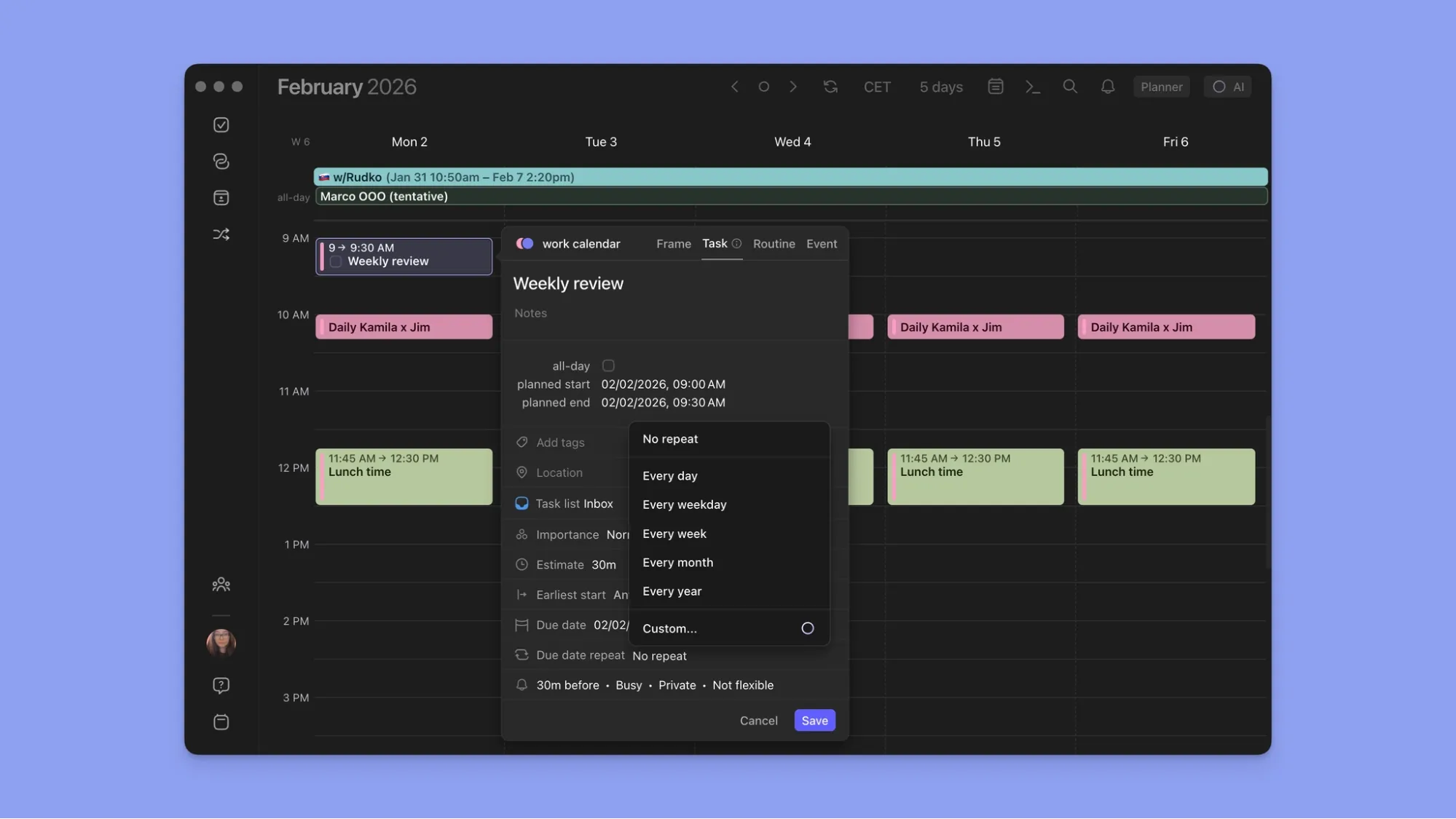
In Morgen, click the + button to add a task. Or, click any free calendar space, select Task, then set duration, priority, earliest start, and deadline in the panel. You can also use the command bar to capture tasks with NLP.
Here’s your starter guide to Morgen tasks.
Subtasks and Breaking Down Complex Work
Todoist supports true nested subtasks with independent due dates and priorities, while Things 3 only gives you checklist items inside tasks.
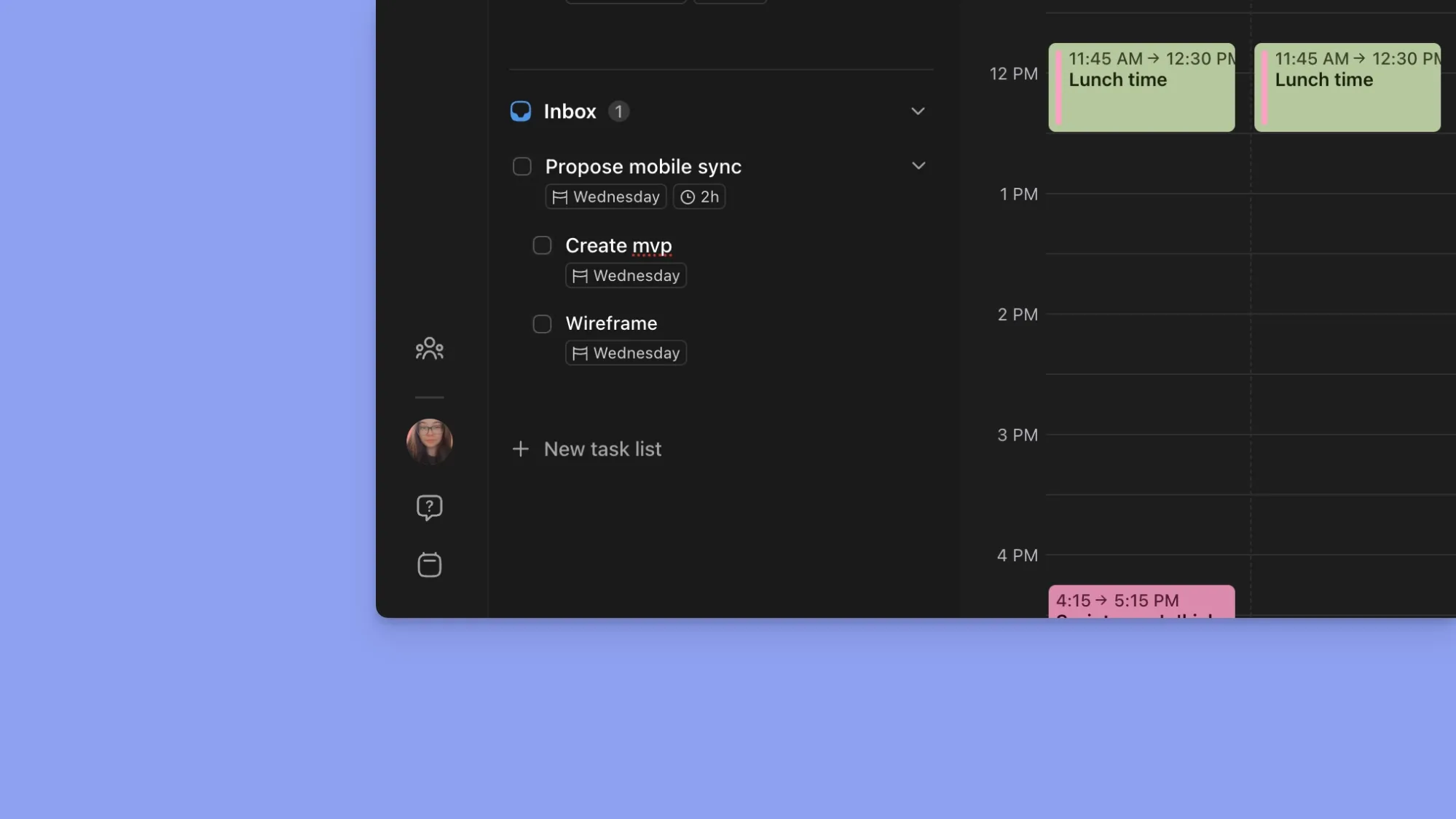
Morgen supports subtasks and goes further: split a task across multiple calendar sessions. The task completes only when the final session is done, so nothing gets lost mid-project.
AI-Assisted Scheduling
Both Todoist and Things 3 use language parsing to reduce friction at capture. Todoist has basic AI with Task Assist, which suggests sub-tasks for complex items, rewrites vague task names into actionable steps, and surfaces relevant next actions.
However, neither tool has advanced automation to plan your entire day.
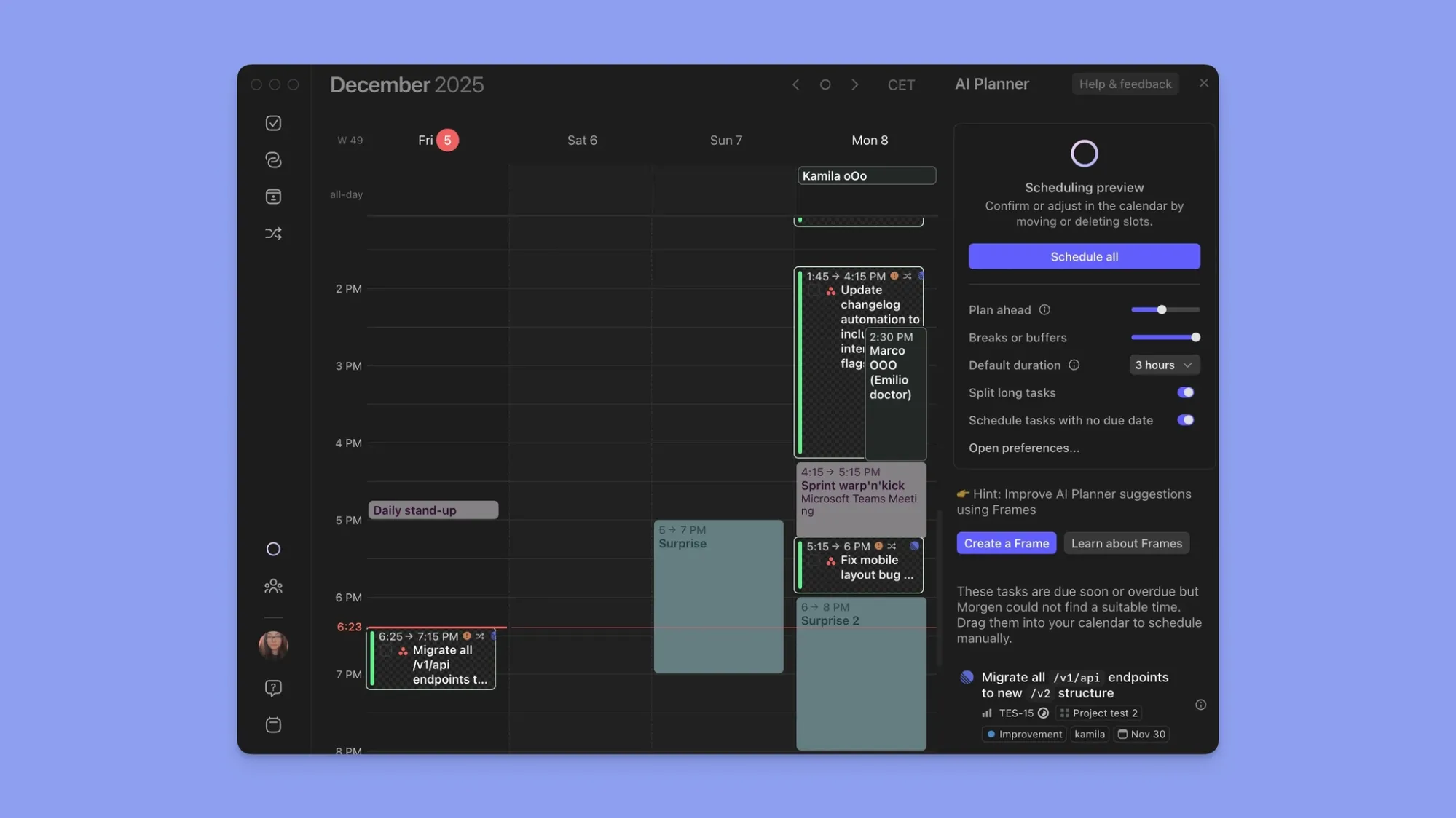
Morgen's AI Planner reads your pending work and available calendar time, then suggests where tasks fit across your day. It uses a co-pilot approach, so you confirm every placement before scheduling.
Ready to implement AI for task and calendar planning? Here are 10 AI Planning assistants to consider in 2026.
Alternative To Todoist and Things 3: Morgen For AI Task Planning Around Calendar Availability
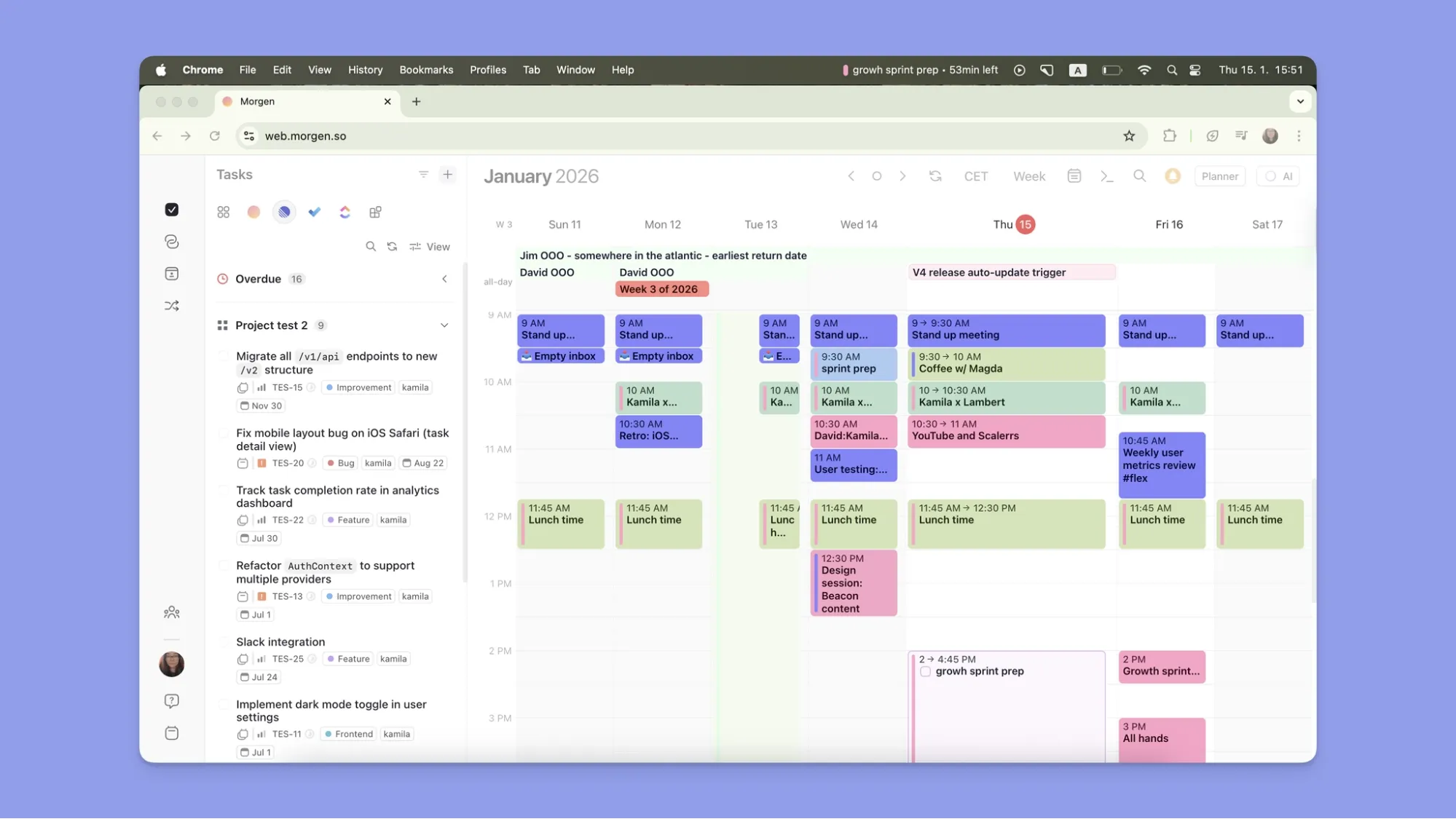
Morgen uses AI to schedule tasks based on your actual availability. Where Todoist and Things 3 give tasks a deadline, Morgen tells you exactly when to do the work.
Morgen Key Features
Here is how Morgen helps you plan each day.
Task Consolidation
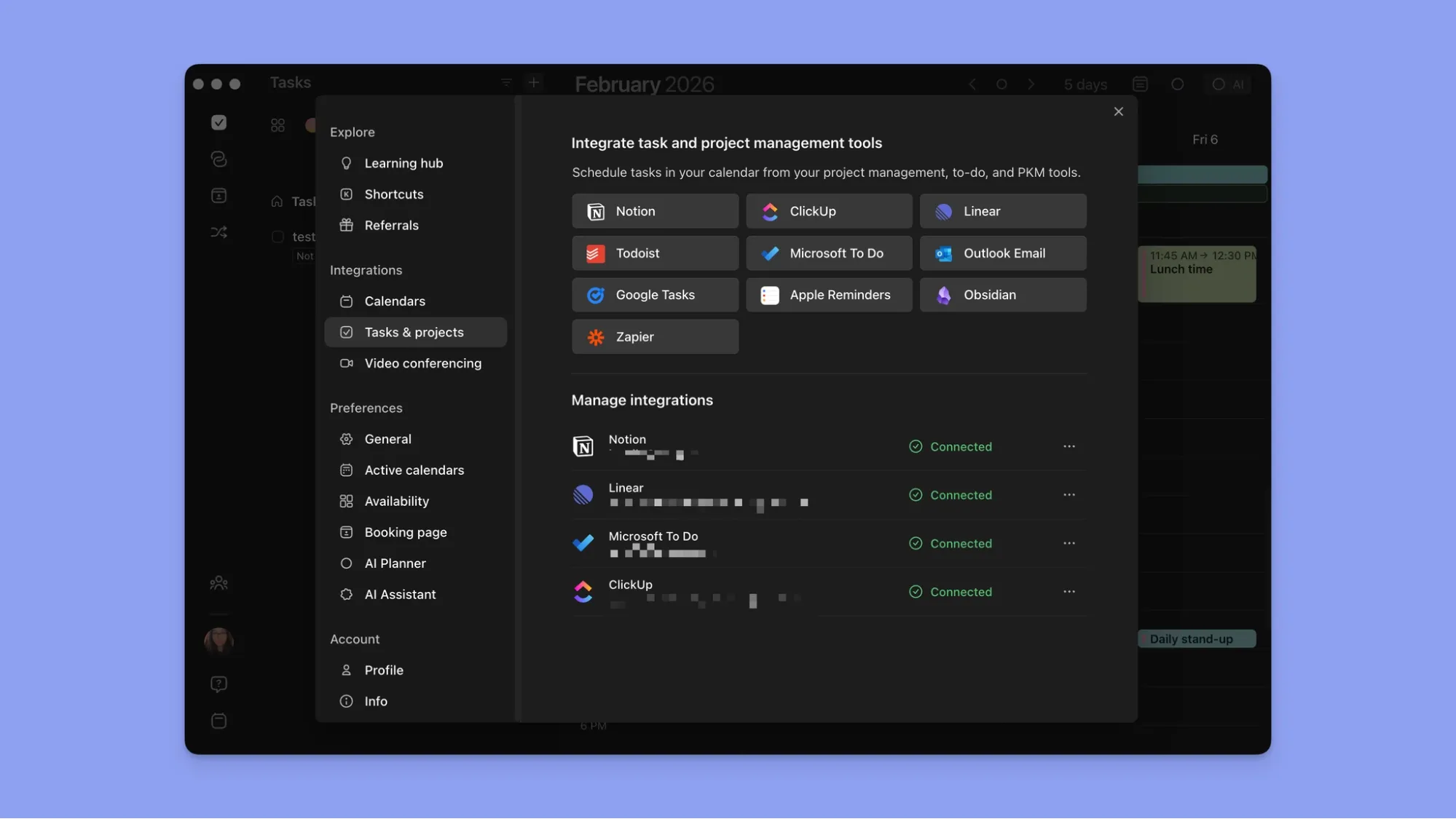
Create tasks directly in Morgen, or pull from Todoist, Notion, Linear, ClickUp, Obsidian, Google Tasks, Apple Reminders, Microsoft To Do, and more via Zapier.
Tasks from every source land in one sidebar. Drag them into open calendar slots manually, or let the AI Planner place them for you.
Calendar-Aware AI Planning
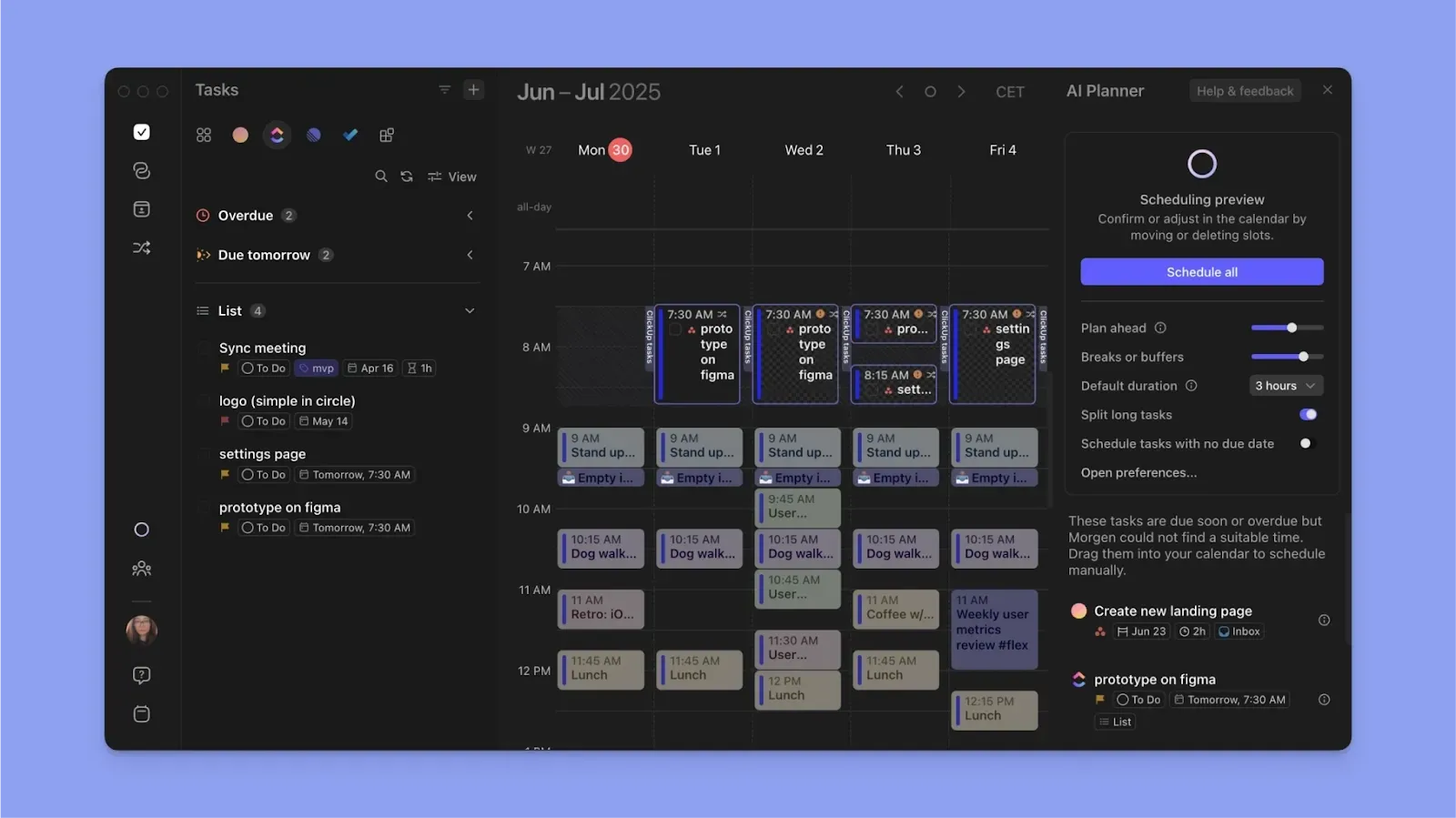
Sync your Google Calendar, Outlook, Fastmail, and iCloud. Then, the AI Planner will help you schedule tasks around your availability. It factors in each task's deadline, priority, and duration before suggesting a daily plan.
Frames
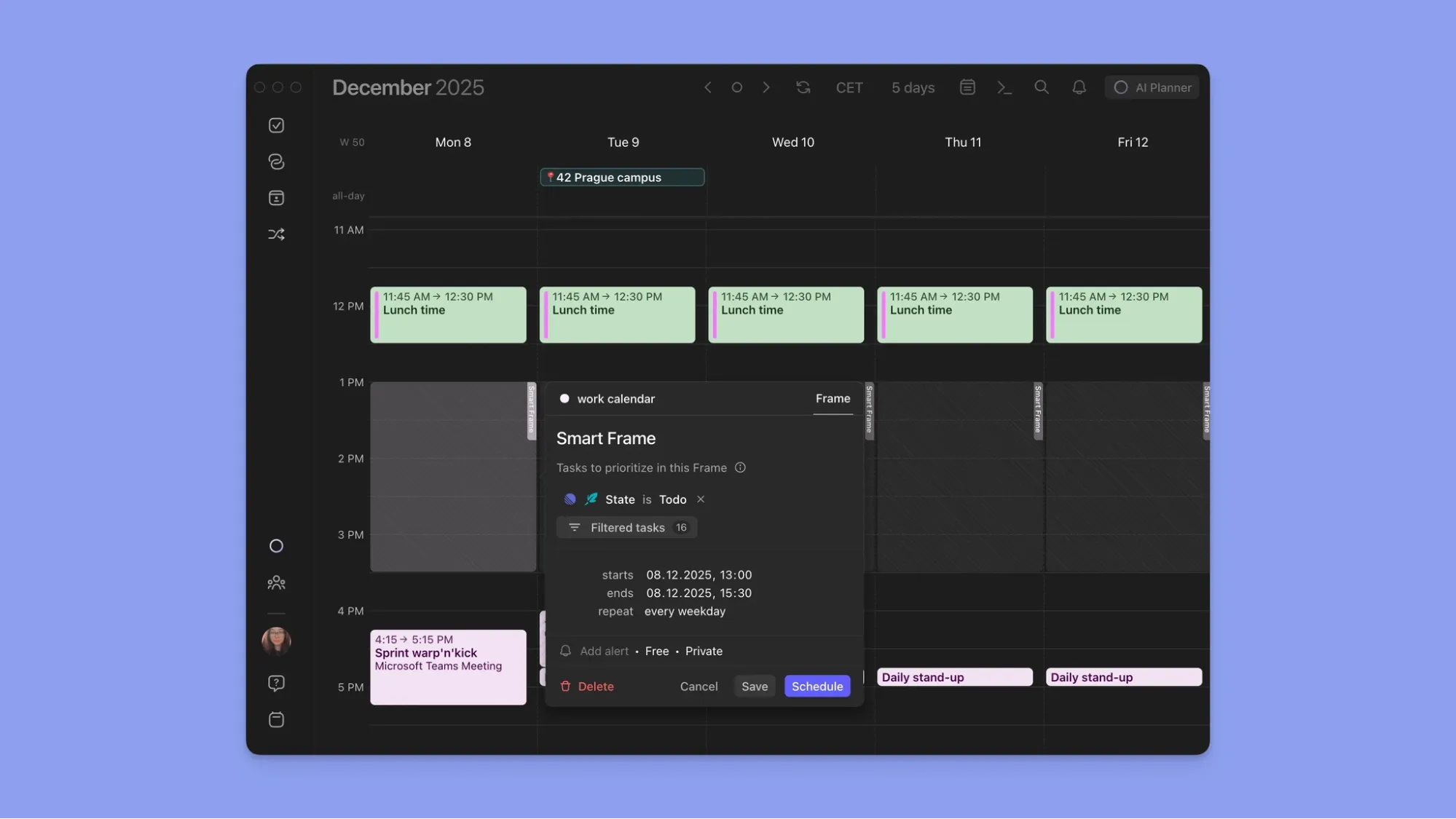
Frames let you template your ideal week by reserving recurring time blocks for specific types of work. Create a Frame, add filters by task source, tag, energy level, or task size, then populate it manually or let the AI Planner fill it.
Morgen Pricing
Note: Switching from Motion, Sunsama, or Akiflow? Morgen offers 15% off your first year on annual plans.
Where Morgen Shines
- Unified calendar and task view: All your calendars and task tools appear in one interface. No tab-switching to cross-reference your schedule against your to-do list
- ADHD-friendly planning: Quick capture via Command Bar, color-coded calendars, calendar propagation, custom reminders per calendar, and the AI Planner's structured daily suggestions reduce decision fatigue and the "what do I work on next?" loop
- Routine planning: Create recurring routines in Morgen and assign them to a connected calendar. They become fixed calendar events that the AI Planner schedules around
- Standalone or layered: Build your task list entirely inside Morgen, or keep Todoist and Things 3 and use Morgen as the scheduling layer on top
Where Morgen Falls Short
- Not a project management tool: Morgen has no kanban boards, sections, or areas like Things 3 and Todoist do
Morgen Customer Reviews
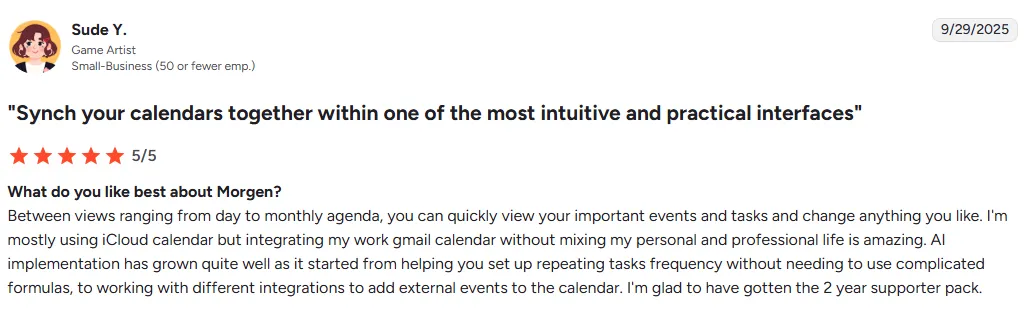
“Between views ranging from day to monthly agenda, you can quickly view your important events and tasks and change anything you like,” shares Sude Y.
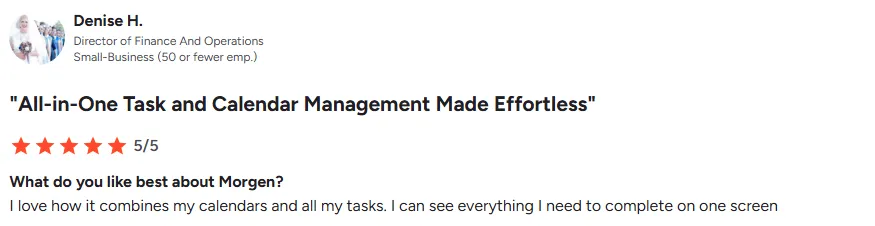
“I love how it combines my calendars and all my tasks. I can see everything I need to complete on one screen,” says Denise H.
Who Morgen Is Best For
- Freelancers and solopreneurs running tasks across multiple tools and calendars who need one planning view
- Professionals with ADHD who need structured daily plans that answer "what do I work on now?" without overwhelm
- Developers and PMs using tools like Obsidian, Linear, or ClickUp who want tasks scheduled around meeting-heavy weeks
Who Morgen Is Not Best For
- Teams that need project management infrastructure: Boards, sprints, and dependency tracking are outside Morgen's scope
- Users who want full AI automation: Morgen's AI suggests; you confirm. If you need hands-off auto-scheduling where AI reorganizes your schedule without asking, tools like Motion do that, though they trade control for convenience. Here’s our comparison of Motion and Reclaim AI to help you pick
Try the free Easy Tasks Chrome extension and the Schedule Builder to test how Morgen works before your free trial.
Todoist vs Things 3 vs Morgen: Which One Should You Choose?
Choose Todoist for NLP task capture across every device. Choose Things 3 for a clean, Apple-only system you pay for once.
Morgen does both and adds AI scheduling on top. See how the AI Planner builds achievable daily schedules, then start your free trial.

.svg)
.webp)


