
.svg)
→ Choose Reclaim AI if you want AI to automatically plan your day: best for meeting-heavy professionals and teams who want tasks, habits, and focus blocks scheduled without manual input
→ Use Clockwise if your main challenge is reducing meeting overload across a team: best for managers and collaborative teams who need to create larger uninterrupted focus windows
→ Choose Morgen if you want an AI-powered scheduling without losing control: best for solopreneurs, freelancers, small teams, and ADHD professionals who need AI to suggest how tasks fit around their meetings and routines
Update (April 2026): Clockwise has shut down. If you are looking for a Clockwise alternative, Morgen is now offering a 35% discount on your individual or team annual plan.
Are you deciding between Reclaim AI vs Clockwise for your AI calendar assistant? Reclaim auto-schedules tasks, habits, and buffers around meetings, while Clockwise optimizes team meetings to protect focus time.
We’ll compare their features below, and show when Morgen suits busy professionals who want AI to suggest, not dictate, schedules.
Reclaim AI vs Clockwise: A Brief Overview
Who Is Reclaim AI Best For?
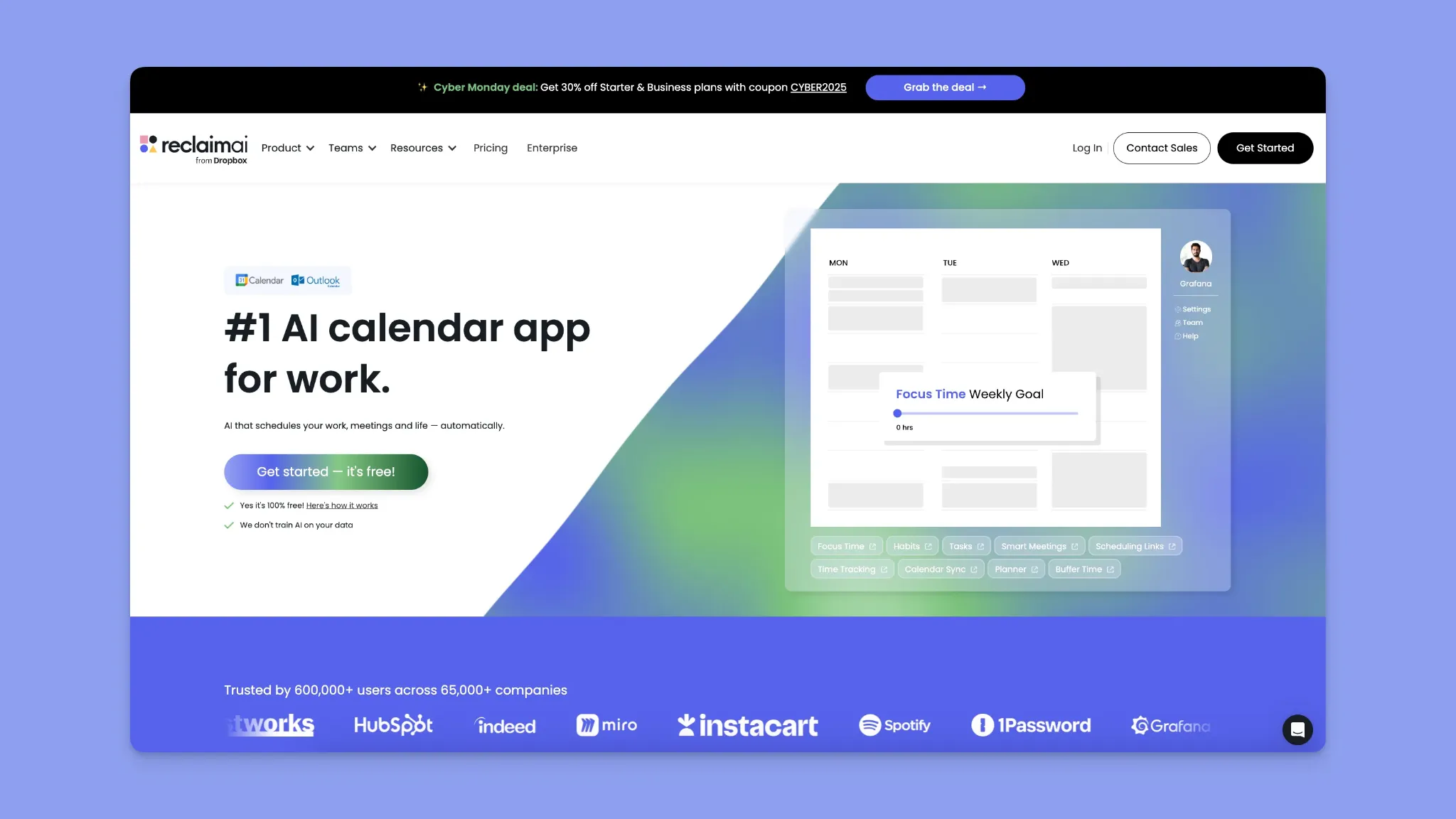
- Meeting-heavy professionals who want tasks and habits automatically reshuffled around new meetings
- Remote and hybrid teams syncing Google Calendar and Outlook across time zones
- Freelancers and multi-calendar users preventing double-booking across work and personal calendars
- Task-oriented workers pulling tasks from Asana, ClickUp, Jira, and scheduling by priority
Who Is Clockwise Best For?
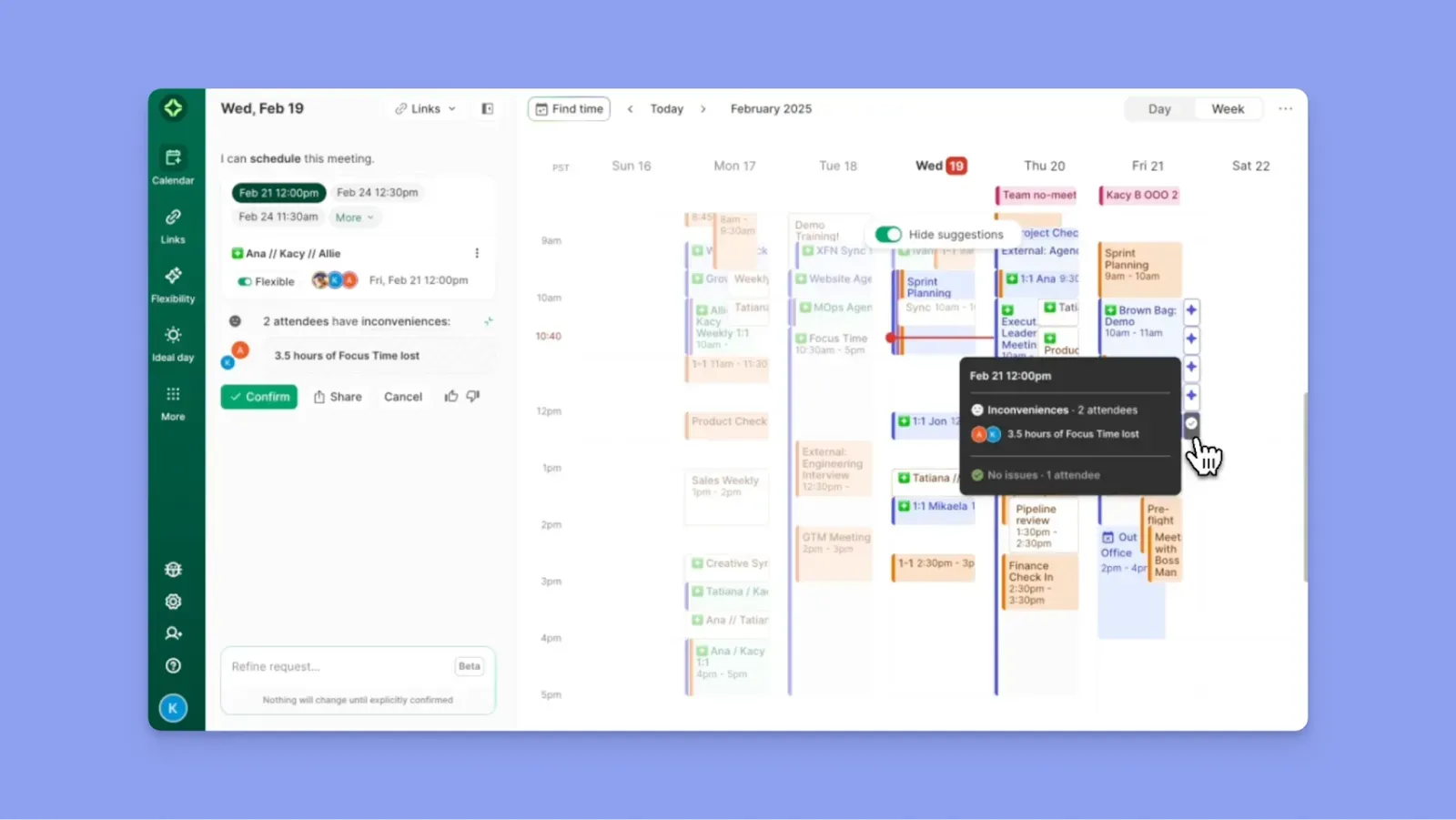
- Large teams with heavy internal collaboration, where everyone works inside the same calendar system
- Google Workspace users who rely on Google Calendar and Chrome-first workflows
- Managers protecting team focus time through compressed flexible meetings
Morgen: An Alternative to Reclaim AI and Clockwise for AI Planning Without Autopilot Scheduling
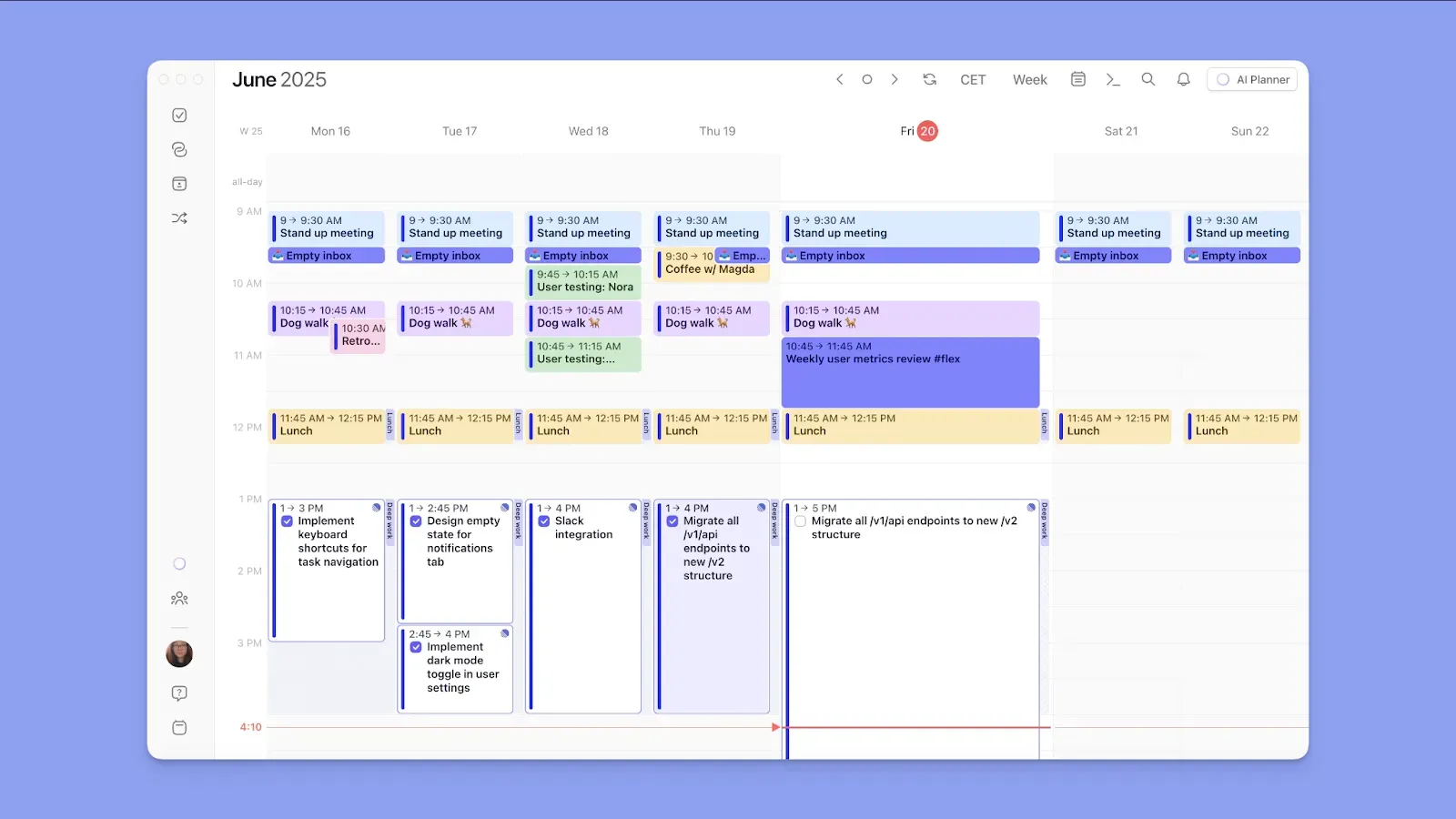
Reclaim AI and Clockwise plan your schedule for you, but Morgen plans with you. Here's why it’s worth considering:
- Plans around meetings and routines: Morgen treats scheduled events and habits as fixed, then surfaces available time for tasks around them
- Morgen’s AI Planner only suggests schedules; you confirm everything: Preview task placements, edit, or confirm the plan before scheduling
- Connects all your calendars: Sync work, personal, and shared calendars to see real availability in one view
- Over 8 external task tool integrations: Pull work from existing tools, consolidate it in one place, then plan around what time you actually have
- Plan meetings in Morgen: Share scheduling links or open invites with teammates and clients, and add travel time and buffer time around each meeting
Try Morgen Today. Plan With AI, Stay in Control.
Price
Software subscriptions add up quickly, with companies spending an average of $9,643 per employee each year on SaaS tools, according to Substly. Here’s how much Reclaim and Clockwise cost:
Reclaim AI
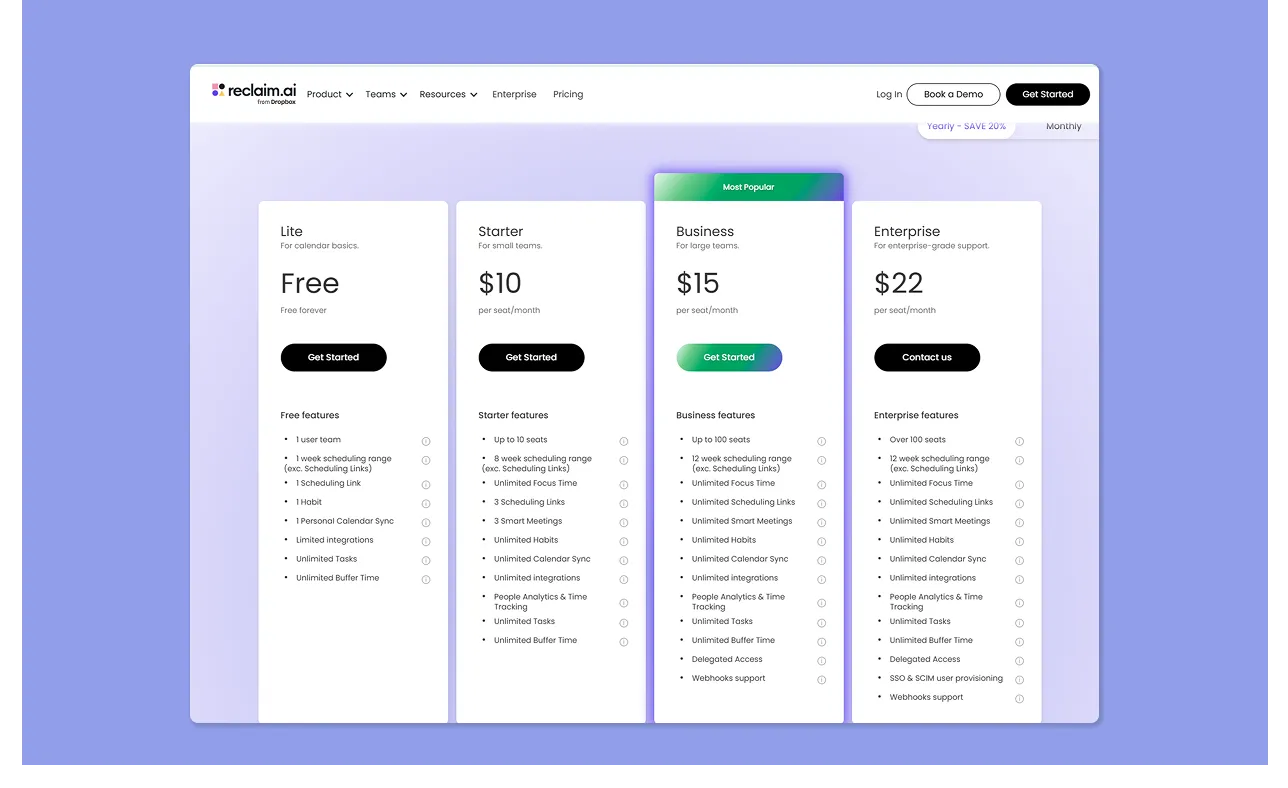
- Reclaim offers a free Lite plan, then paid Starter ($10/seat/month), Business ($15/seat/month), and custom Enterprise ($22/seat/month) tiers on annual plans
- The free plan is limited for both individuals and teams, while Samanta J specifically calls out Reclaim’s paywalls and how they become restrictive for growing teams
- But as Tory H notes, the tool is worth the cost when the team actively uses its scheduling automation and focus-time protection
You can also learn more about Reclaim pricing and how the different tiers impact your feature access in our in-depth guide.
Clockwise
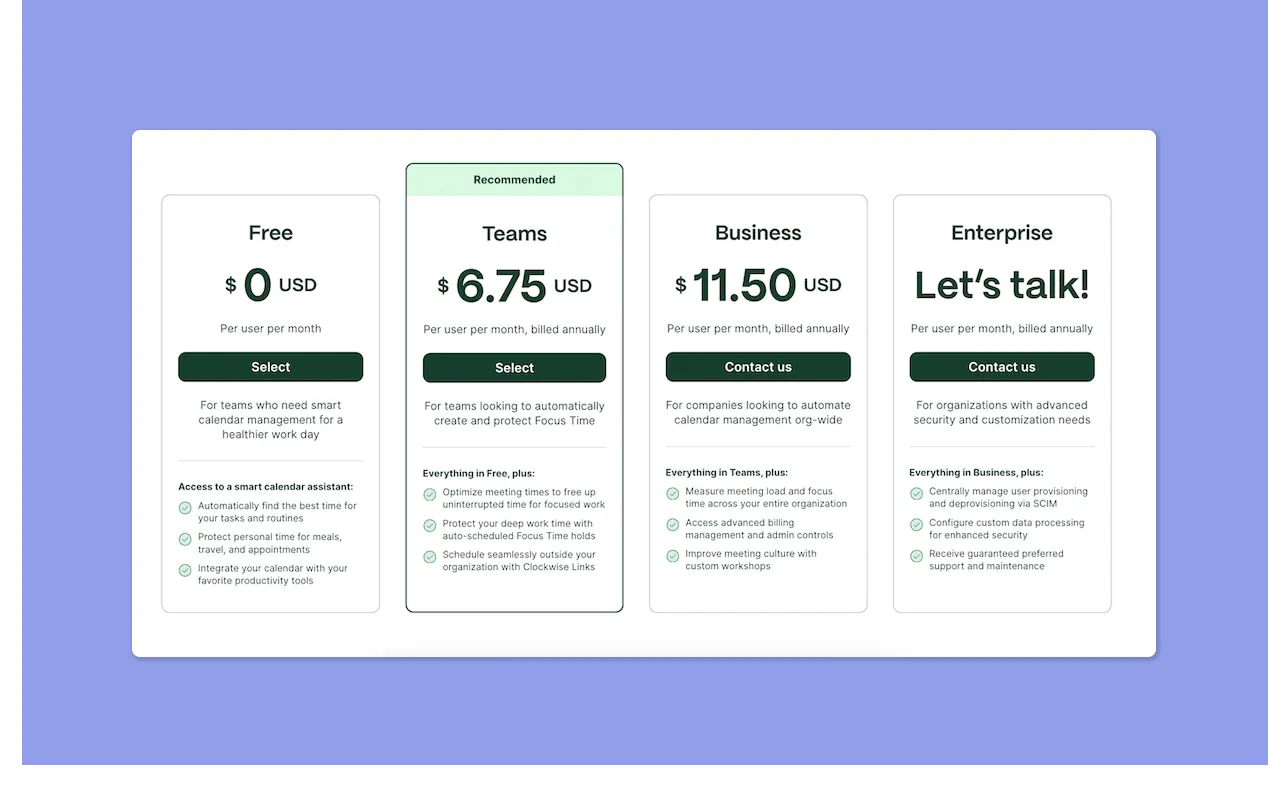
- Clockwise offers a free plan, Teams ($6.75/user/month), Business ($11.50/user/month), and custom Enterprise pricing
- A G2 reviewer notes that Clockwise offers the most value when adopted across a team
Verdict
Clockwise is cheaper for teams that mainly want to optimize meeting times, but Reclaim offers more value if you need to plan tasks, habits, and focus time around scheduled meetings.
Calendar Management
Here’s how you can use Reclaim AI or Clockwise to manage your daily availability for tasks:
Reclaim AI

- Syncs Google Calendar and Microsoft Outlook, blocking busy time across all connected accounts to prevent double-booking
- Habits feature auto-schedules recurring routines onto your calendar and reschedules them when new meetings or conflicts arise
- A P1-P4 priority system protects more important calendar commitments over lower-priority ones
- Users love how Reclaim AI “actively optimizes your schedule so your priorities run the day.”
Clockwise
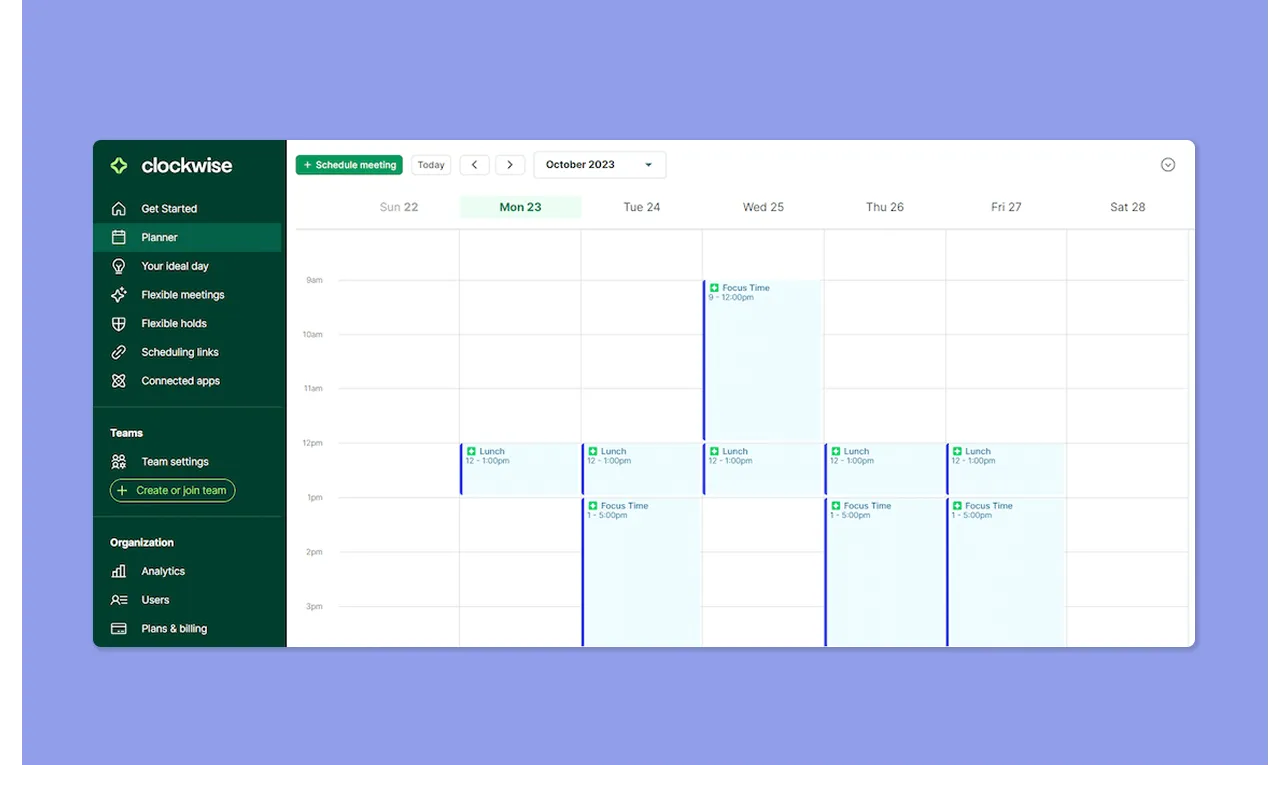
- Clockwise automatically finds the best meeting times for everyone on the team. It moves flexible meetings to create larger blocks of focus time across shared calendars
- Focus time blocks are fixed within set windows, with no priority-based rebalancing during the day
- It’s built primarily around Google Calendar. Clockwise also connects a personal calendar to prevent conflicts with work events
- David J.L calls Clockwise “the clever way to control team schedules," but also complains about limited integrations outside of Google Calendar
Verdict
Reclaim gives you a more responsive calendar app that adapts as your day shifts. Clockwise only optimizes when meetings happen and leaves task prioritization to you.
Tasks Planning and Focus Time
This comparison comes down to one question: do you need tasks scheduled for you, or more calendar availability without assigned tasks? Here is how Reclaim AI and Clockwise compare:
Reclaim AI
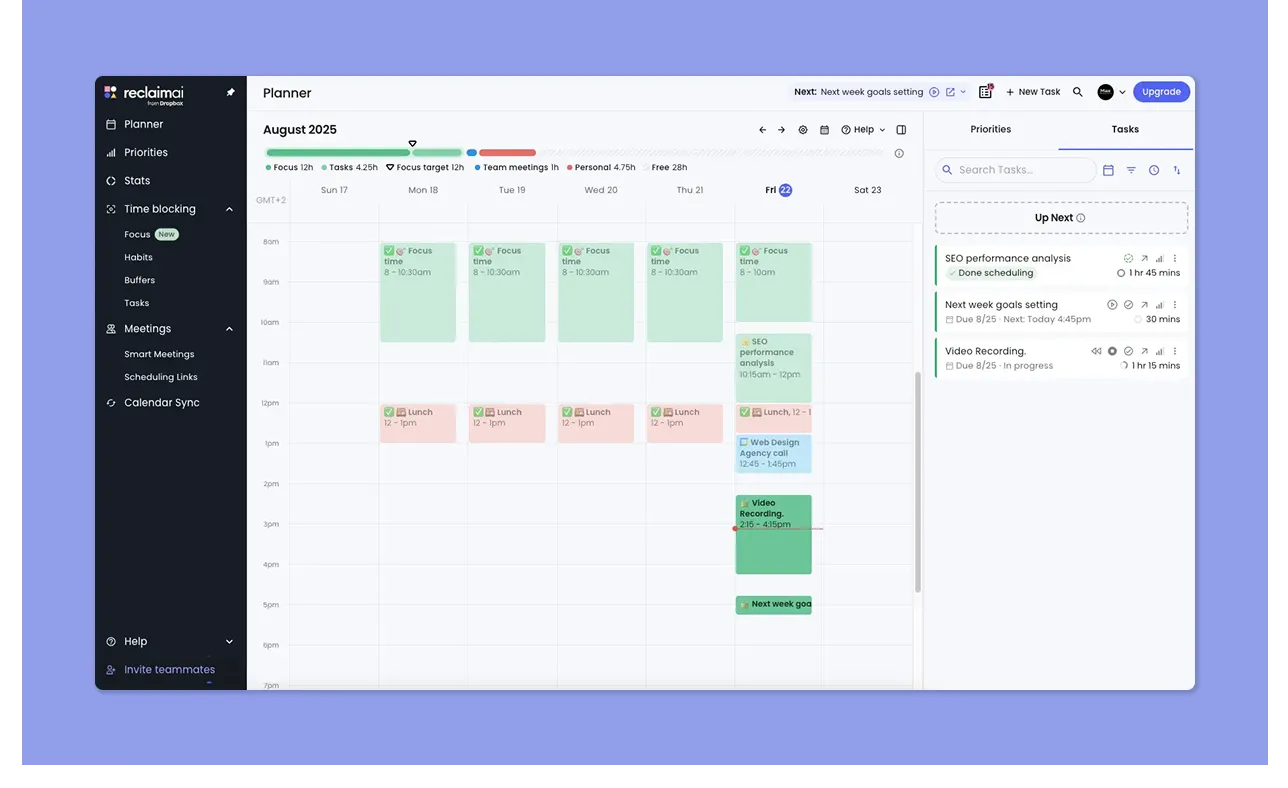
- Auto-schedules tasks directly onto your calendar by priority and due date, splitting longer projects into smaller sessions
- Syncs tasks from Asana, Jira, ClickUp, Todoist, Linear, and Google Tasks, and updates status automatically when you complete them
- Focus Time lets you set a weekly goal for heads-down work, using AI to defend that time and adapt as plans change. However, it does not schedule tasks into the Focus Time
- This Capterra reviewer says that Reclaim AI helps them defend calendars, prioritize work, and improve time management
Clockwise
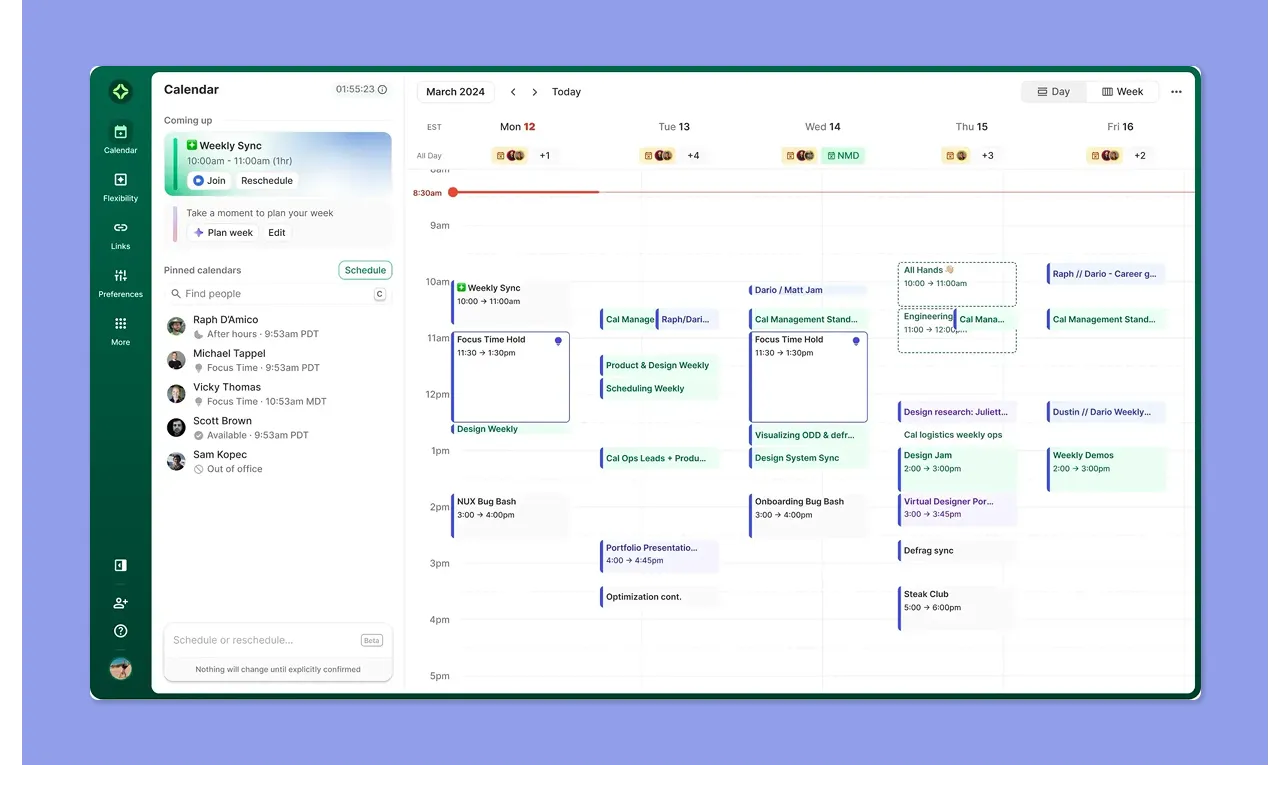
- Focus Time is set as a weekly hour goal, and Clockwise automatically protects those blocks on your calendar, with an option to auto-decline conflicting meeting invites
- Task management is limited to one-time flexible holds on the calendar, with no native integration with most task management tools
- A common G2 complaint is the inability to get granular with tasks inside focus blocks, or link specific tasks to specific focus time events
Verdict
Reclaim is the stronger choice if you need tasks and focus time managed in one place. However, if you're not yet convinced, checking out other Reclaim AI alternatives can help you find a tool that balances automation with your specific workflow needs.
Meeting Planning
Reclaim AI generally plans around meetings and availability, while Clockwise creates availability based on the number of meetings lined up. Here’s more:
Reclaim AI
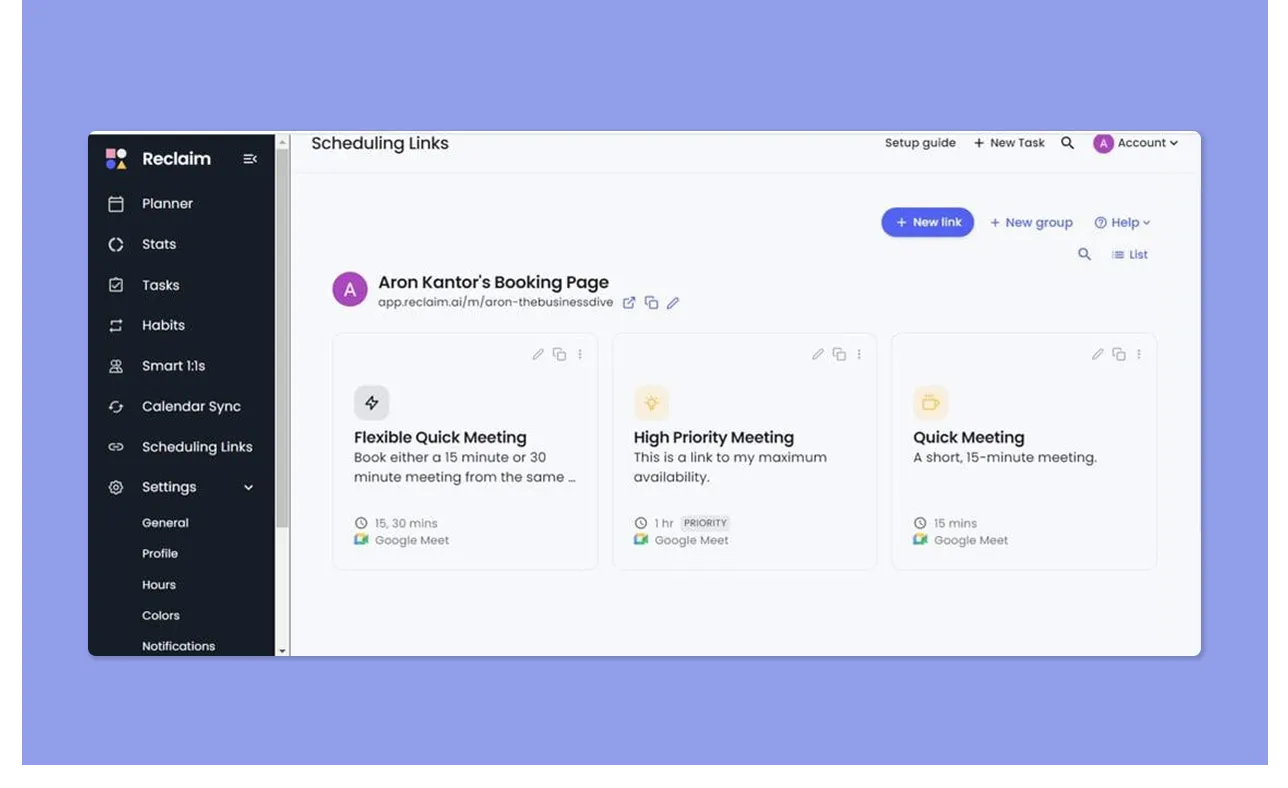
- Reclaim treats meetings as fixed events, then automatically rebalances tasks, habits, and focus time around them
- Includes scheduling links, meeting buffers, and synced availability across connected calendars
- Etai R shares, “Reclaim.ai works around my schedule, never touching the appointments that I already have.”
Clockwise
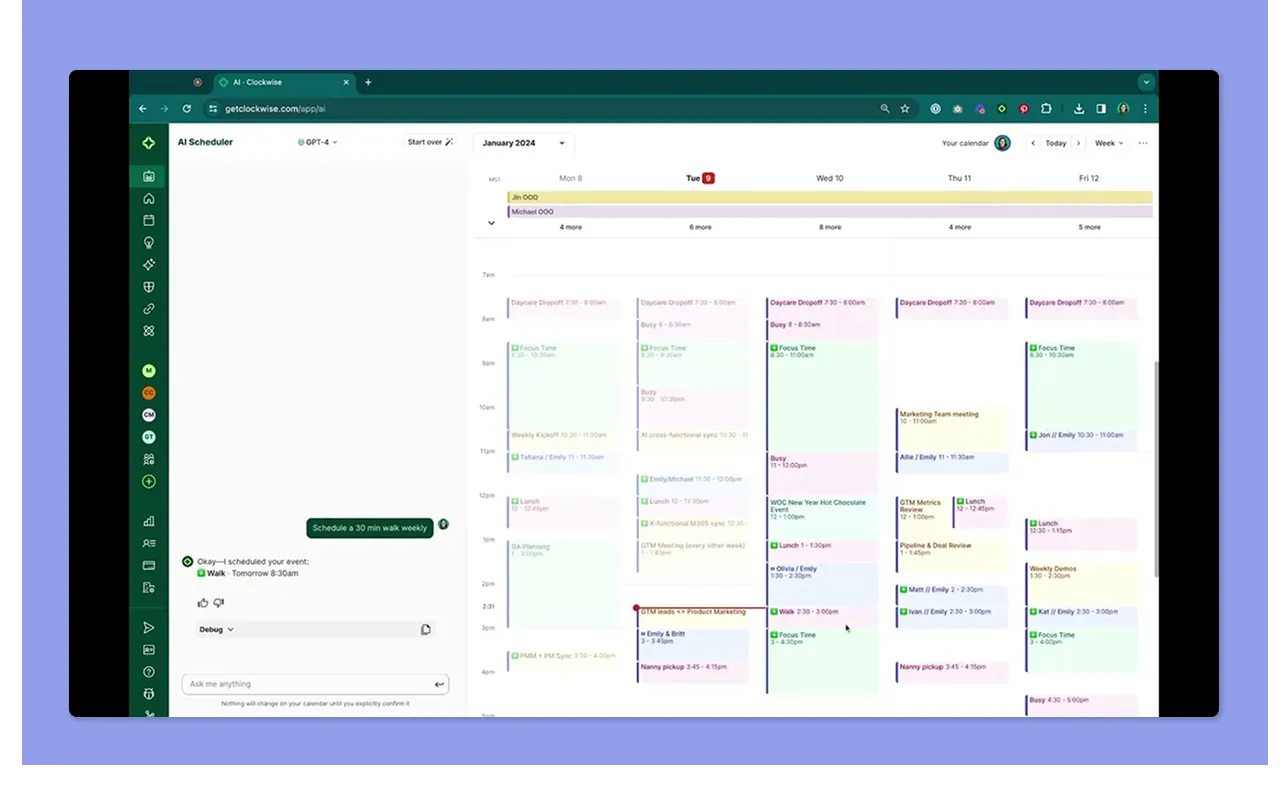
- Clockwise reads shared team calendars and automatically finds the best time for flexible meetings
- It clusters recurring meetings into tighter collaboration windows and opens larger focus blocks across the team
- Meeting planning is strongest for internal teams already using Clockwise, but this can feel limiting when coordinating client-facing or external meetings
Verdict
Between the two, Reclaim offers more flexible meeting support, from defending existing meetings to working across more integrations and offering booking workflows.
Integrations
Here are the tool stacks you can connect to Reclaim AI or Clockwise:
Reclaim AI
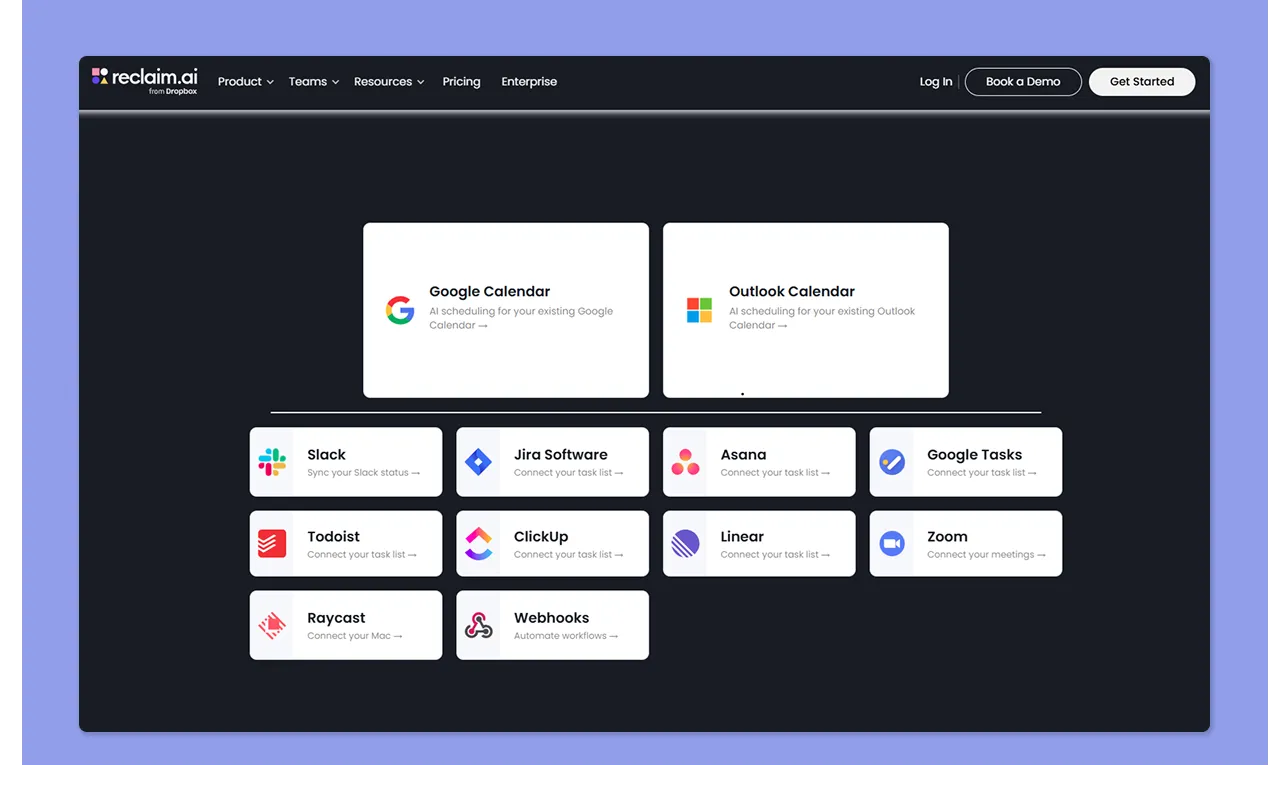
- Reclaim connects with Google Calendar and Outlook
- Integrations extend into task and work tools like Asana, Jira, ClickUp, Todoist, Linear, Slack, Zoom, and Google Tasks
- One reviewer loves how the Slack integration communicates their availability to colleagues
Clockwise
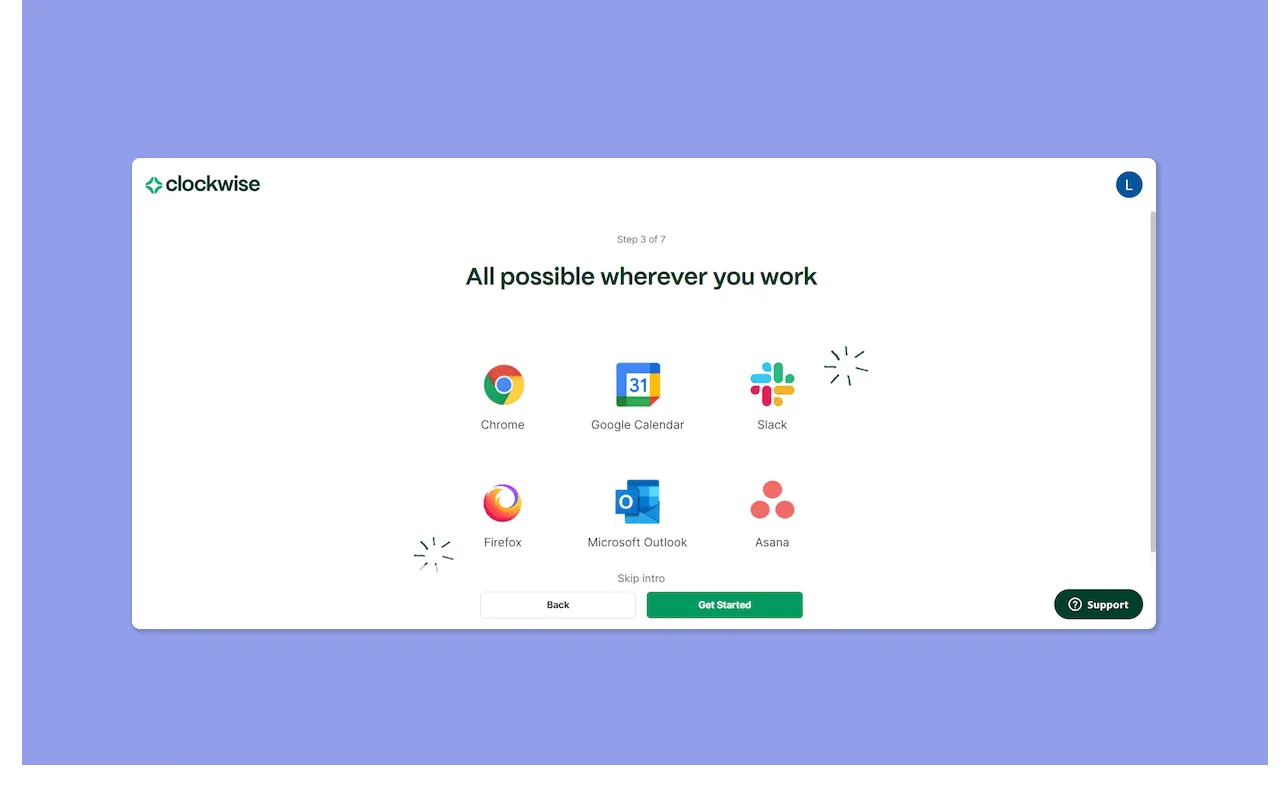
- Clockwise integrates most deeply with Google Calendar and Google Workspace, where it reads team schedules and meeting availability
- Slack, Asana, and conferencing integrations support internal team coordination, but the overall ecosystem is narrower than Reclaim’s
Verdict
Reclaim offers stronger integrations if your work already lives across different tools. Clockwise works best when your workflow is centered on Google Calendar and internal team scheduling.
If you are looking for a Clockwise alternative, Morgen is now offering a 35% discount on your individual or team annual plan.
How to Choose the Best AI Calendar
When choosing between Clockwise and Reclaim AI, focus on AI control, integration depth, and where you can actually plan from.
AI Assistance: Automation vs. Control
Reclaim and Clockwise both make scheduling decisions without asking first. If your day shifts, either tool may shuffle your blocks more than you like.
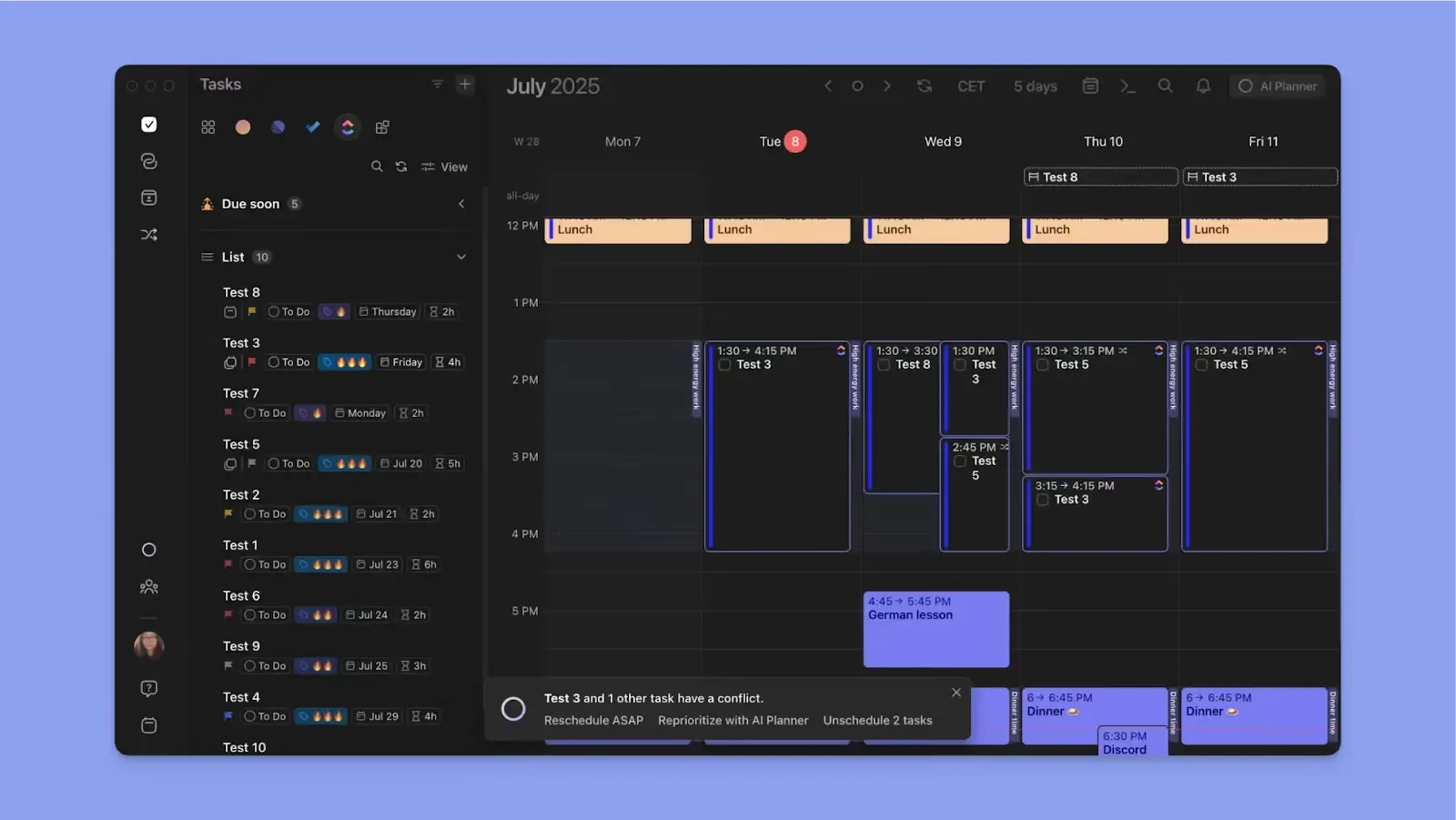
Morgen’s AI Planner responds to new meetings, suggests how tasks fit into updated availability, and surfaces ways to resolve conflicts. You keep control and only approve the plan if it works for you.
Depth of Integrations
Reclaim offers more integrations than Clockwise. But if your work lives across multiple calendars and task tools, Reclaim can still feel limiting.
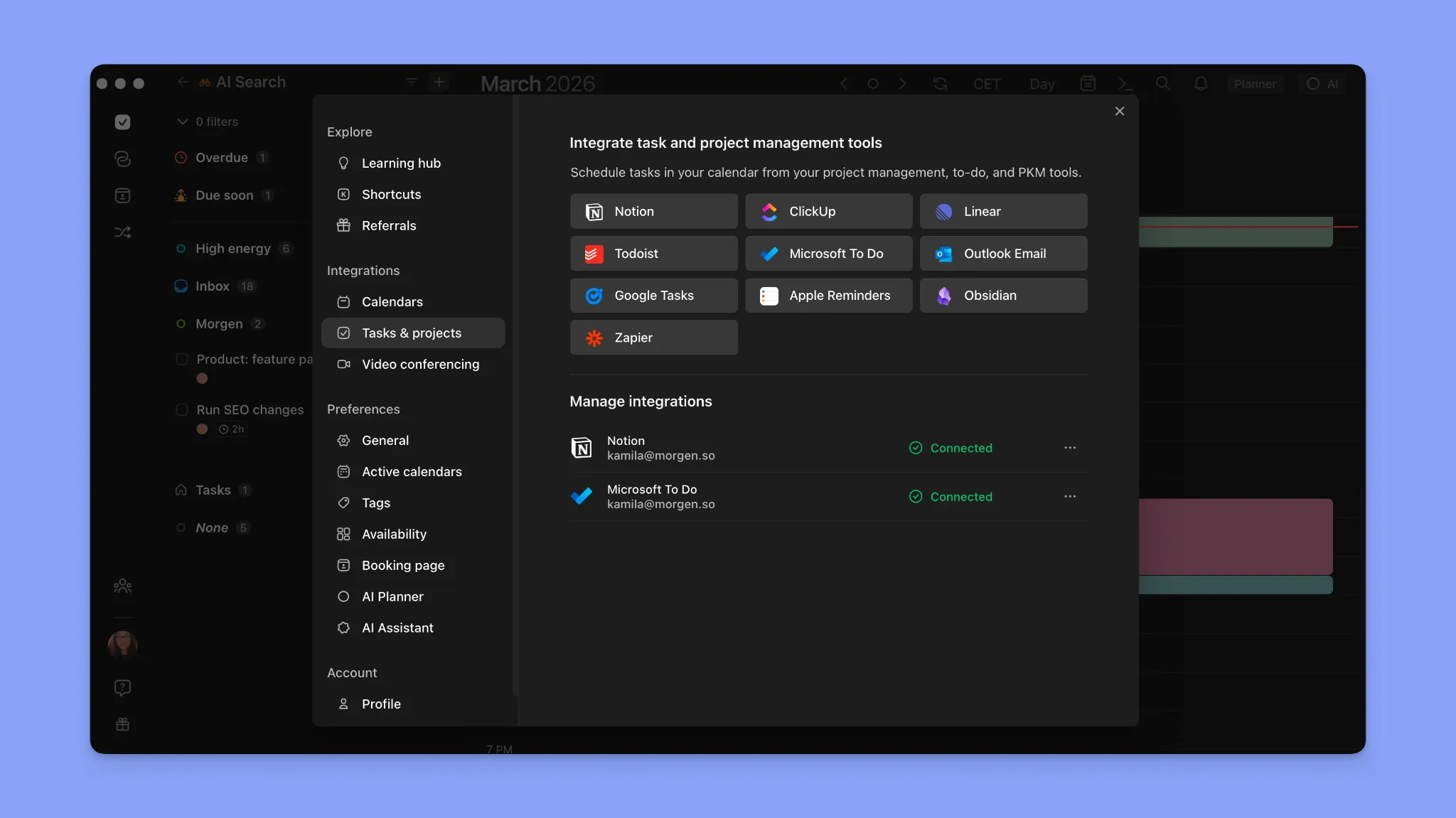
According to Forbes, 97% of people lose productivity when switching context, which is why you want a tool with more connection options.
Morgen supports unlimited calendar connections and over eight native task integrations, with even more available through Zapier. See all integrations.
Accessibility: Desktop, Web, and Mobile
For freelancers, consultants, and knowledge workers, planning rarely happens on one device. Reclaim and Clockwise are primarily web-first tools.
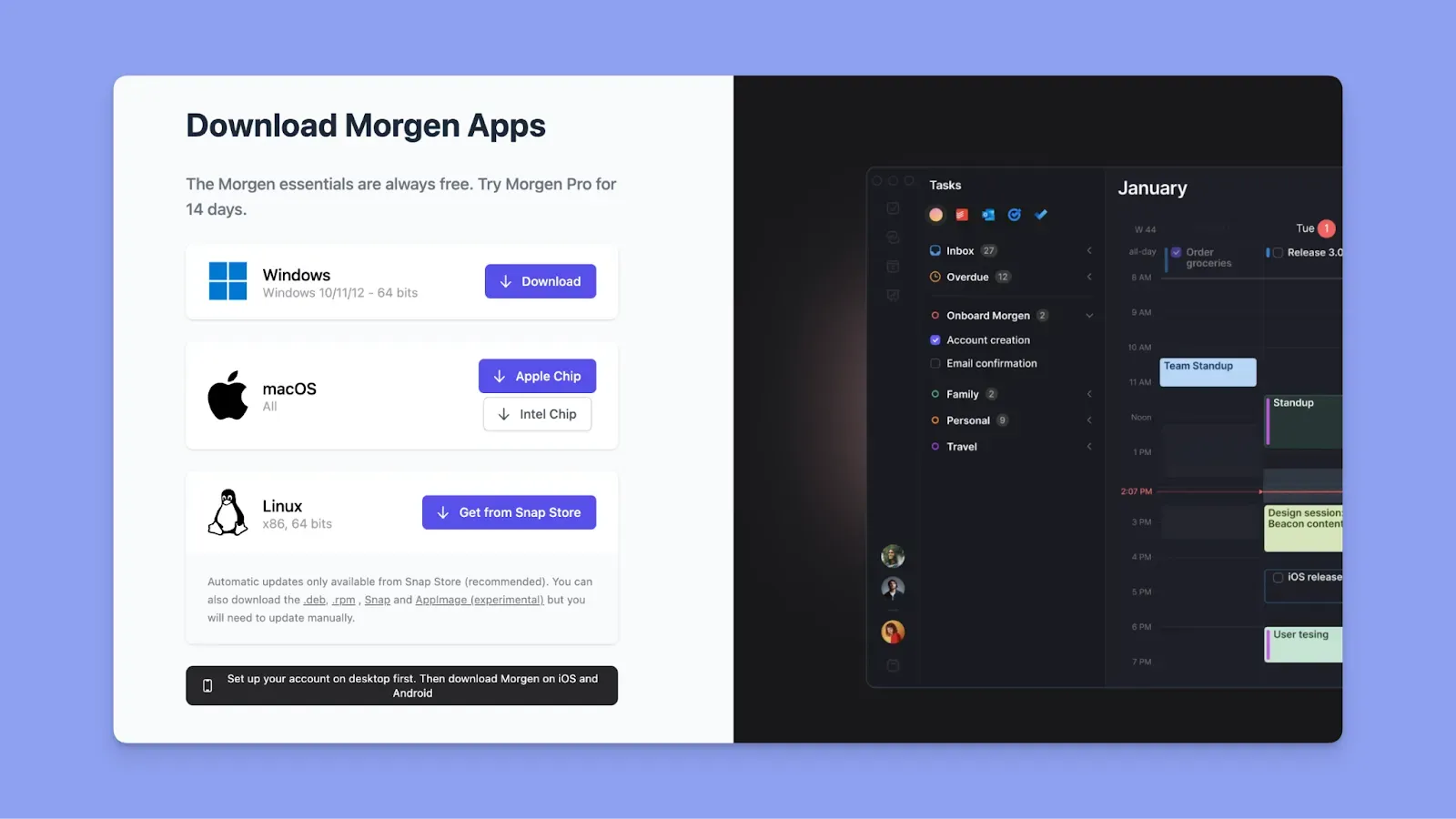
Morgen gives you a stronger cross-platform planning experience across desktop, web, and mobile when your workflow moves with you.
Start on the web, then download Morgen apps for Windows, Mac, Linux, Android, and iOS.
Alternative to Reclaim and Clockwise: Morgen for Full-Schedule Planning With AI Suggestions
Reclaim AI and Clockwise automatically reshuffle your calendar. In comparison, Morgen offers a balanced approach. The AI suggests a plan and asks for your input before anything is scheduled.
Key Features
Morgen’s main features against Clockwise and Reclaim AI include:
Advanced Calendar Management
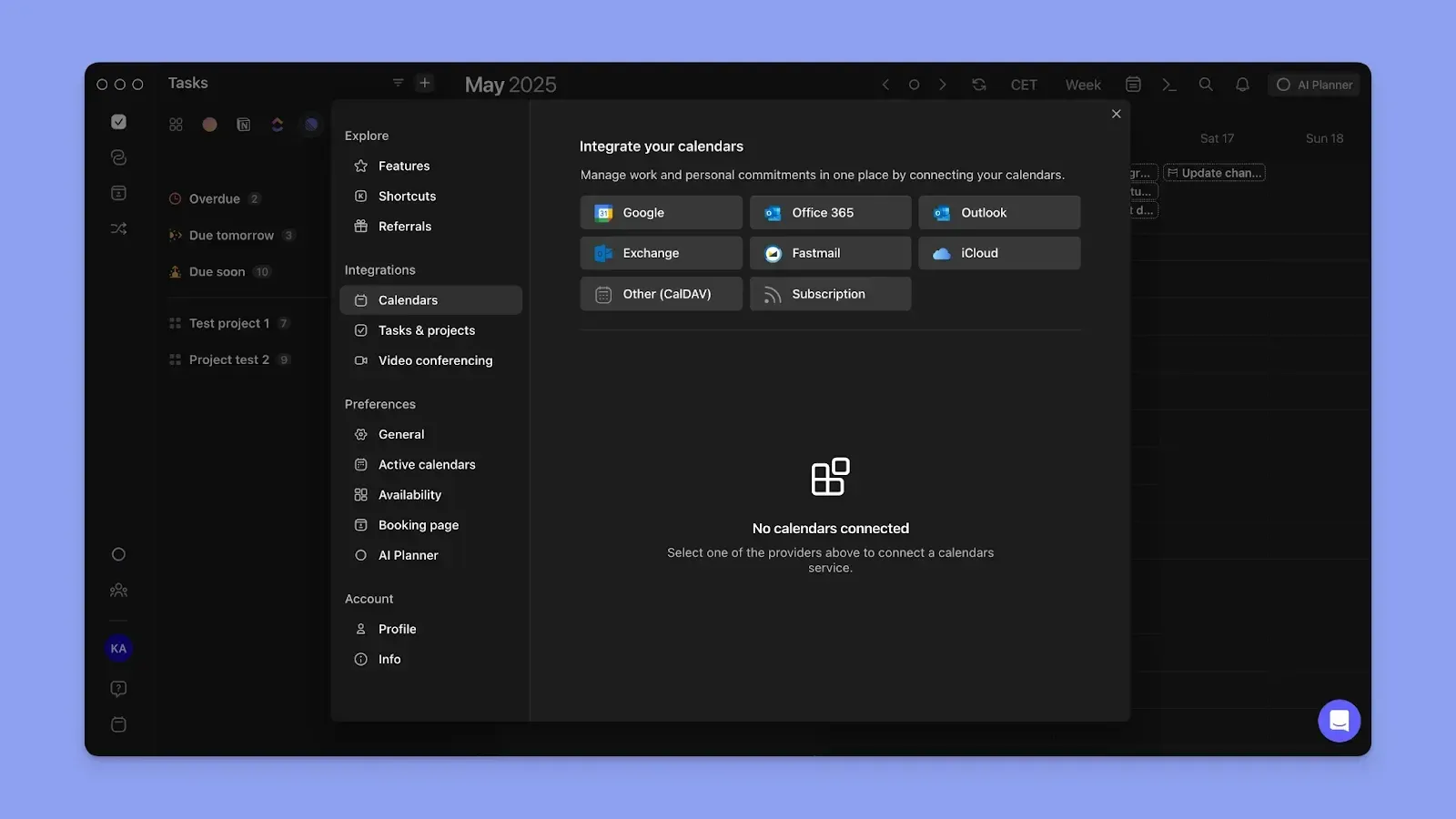
Connect Google Calendar, Outlook, iCloud, and Fastmail for two-way sync across all accounts. Events and routines update in real time across every connected calendar.
Create a Calendar Propagation workflow to keep personal and work calendars in sync automatically, and color-code each calendar to read your day at a glance.
Focus Blocks with Scheduled Work
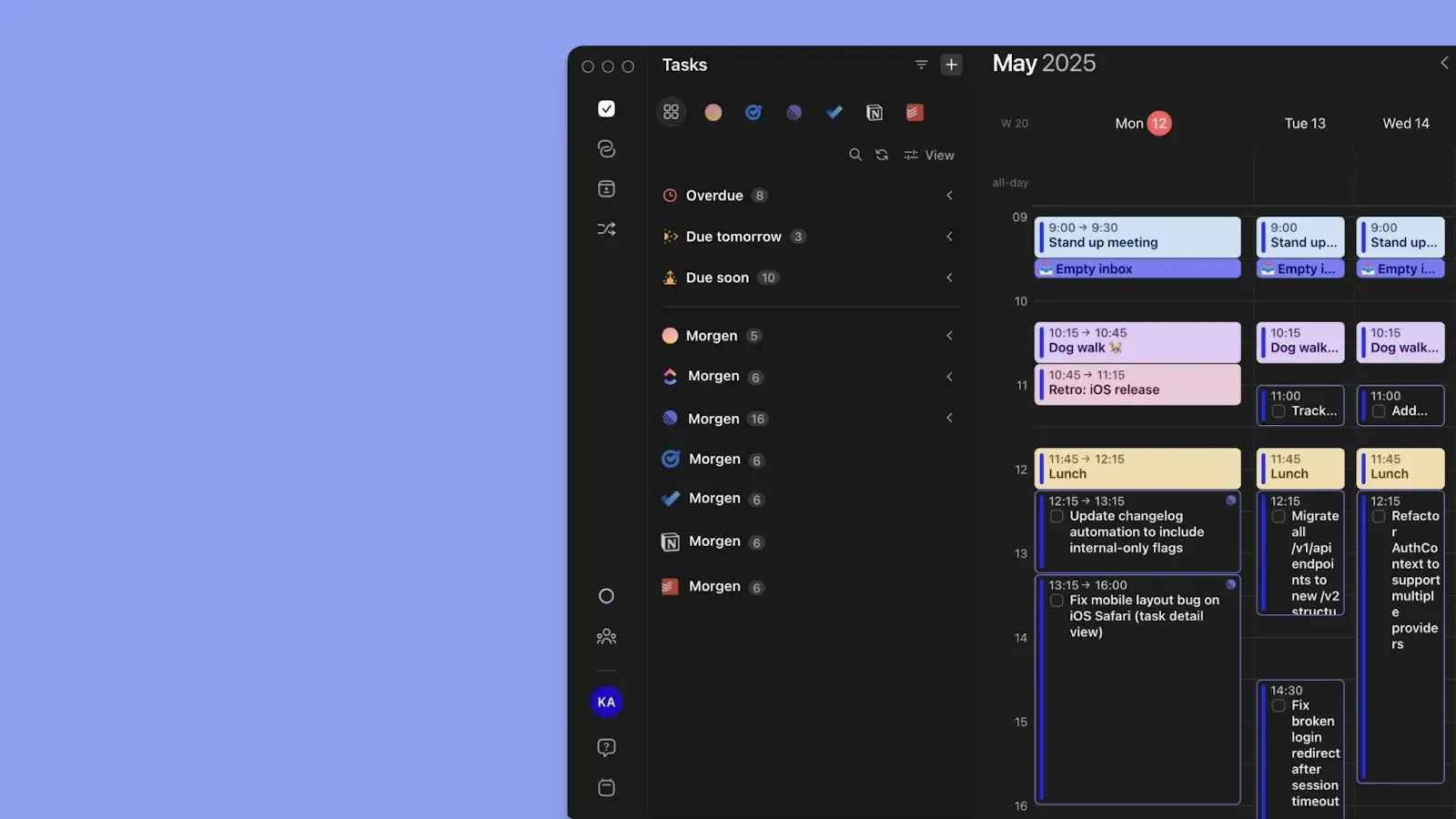
Connect task tools, including Notion, Linear, ClickUp, Todoist, Obsidian, Microsoft To Do, Google Tasks, and Apple Reminders, then drag tasks into free time slots manually. Or use the AI Planner to place tasks based on deadlines, priorities, and durations.
Unlike Reclaim and Clockwise, Morgen doesn't create empty focus blocks. Create Frames for recurring time blocks and populate them with tasks using filters and tags, either manually or with AI suggestions.
Optimizing for Meetings
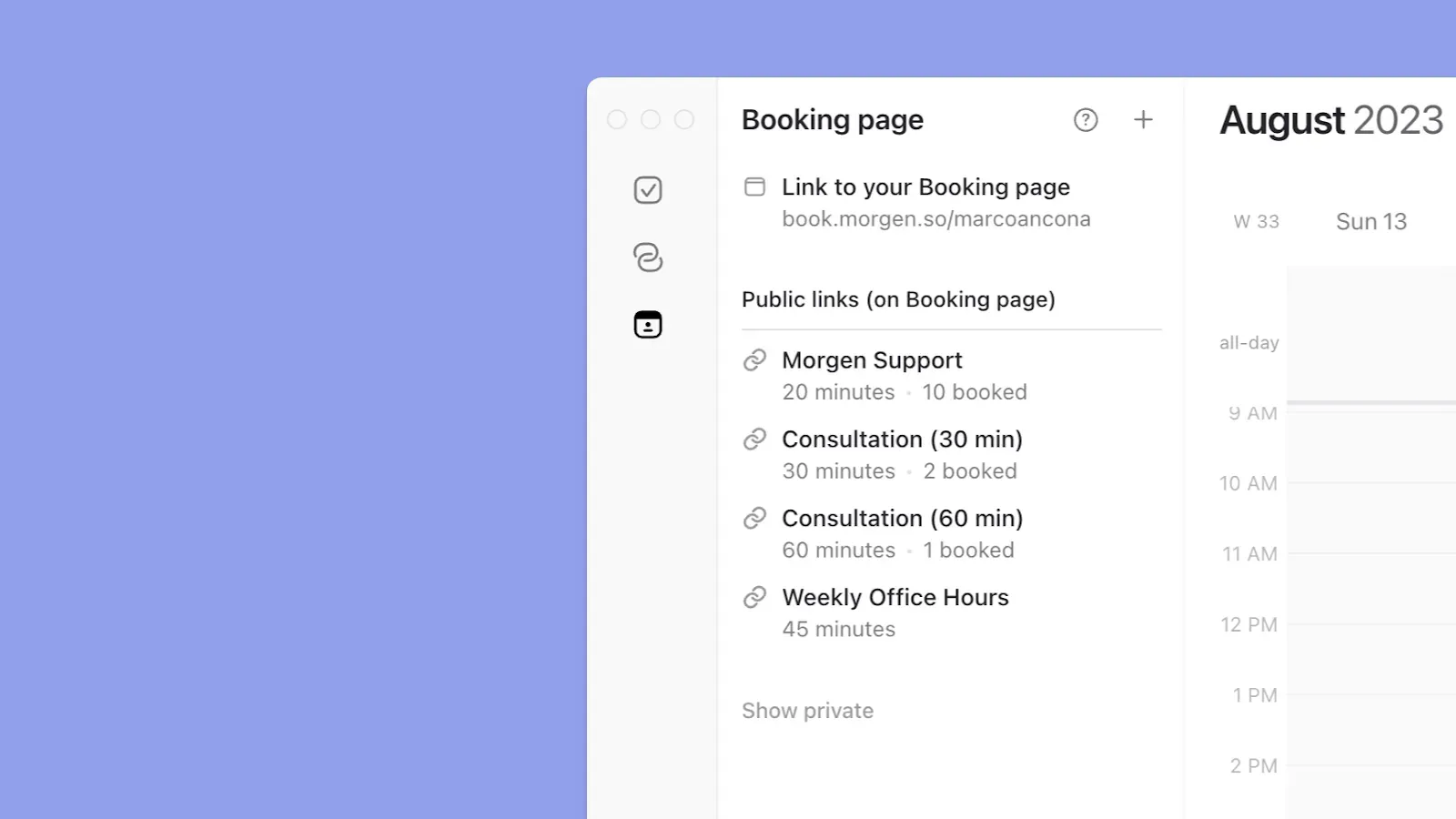
Morgen surfaces all your meetings from connected calendars and plans tasks around them. You can also create new events or routines directly inside Morgen, assign them to a calendar, and they become fixed blocks that the AI Planner works around.
For scheduling, create booking pages, share scheduling links, or send open invites to team members and external invitees without leaving Morgen.
Pricing
Where Morgen Shines
- Deeper integrations: Connects to unlimited calendars and numerous task tools natively, plus more through Zapier
- Reactive AI planning: Suggests task placements and conflict fixes without committing anything until you approve
- Colleague availability: See when teammates are free across connected calendars before creating a meeting or sending a scheduling link
- ADHD-friendly planning: Color-coded calendars, visual time blocking, and a human-confirmed AI Planner reduce decision fatigue
Where Morgen Falls Short
- Limited project management: lighter collaboration features than dedicated PM tools
Customer Reviews
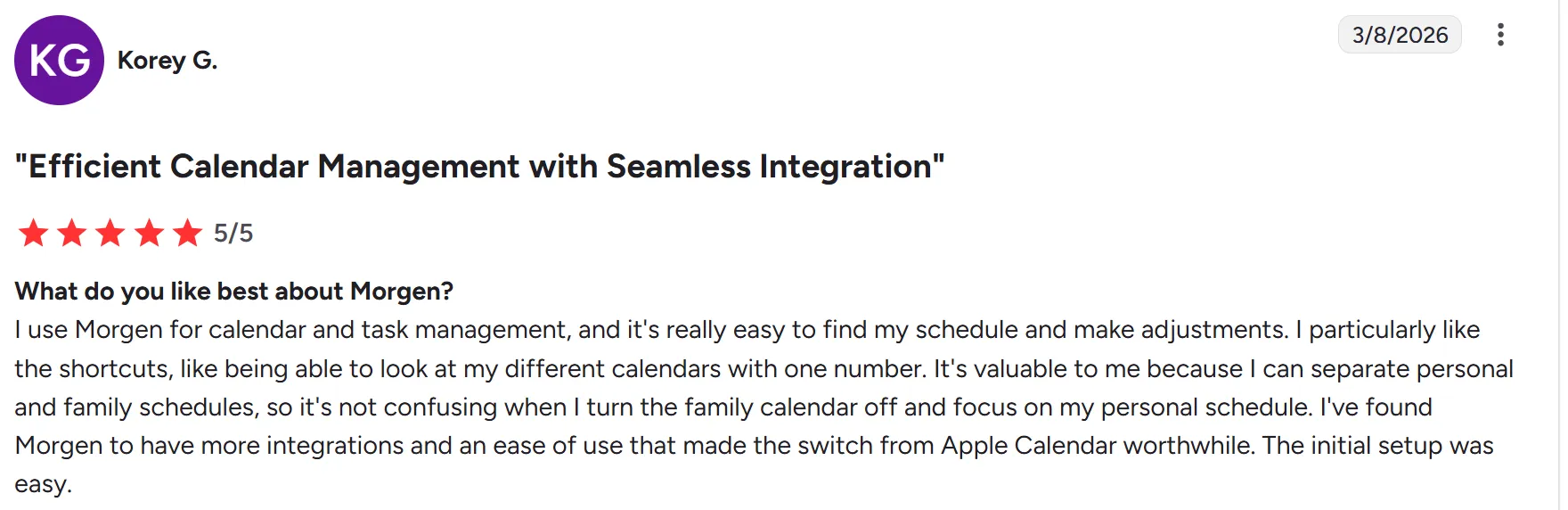
“I use Morgen for calendar and task management, and it's really easy to find my schedule and make adjustments,” shares Korey G:
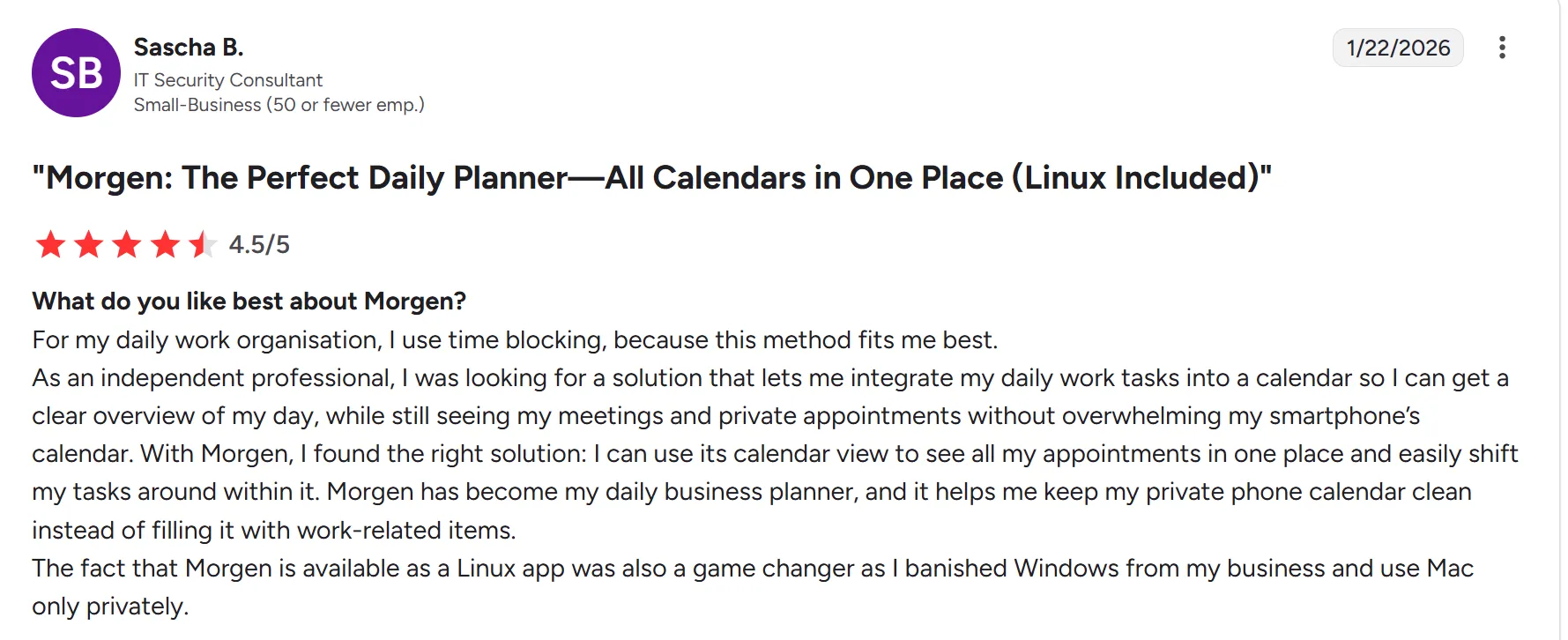
Sascha B shares, “I can use its calendar view to see all my appointments in one place and easily shift my tasks around within it.”
Who Morgen Is Best For
- Solopreneurs and freelancers: managing multiple calendars and task sources who want one view to plan their day without rebuilding existing workflows
- ADHD professionals: who need visual structure, flexible planning, and AI suggestions they can review before committing
- Developers and marketers: who need deep integrations with tools like Linear, Obsidian, and Notion, and want keyboard-first planning on Linux, Mac, or Windows
Try our free scheduling poll and schedule builder to start mapping your day before your Morgen trial begins.
Reclaim vs Clockwise vs Morgen: Which One Should You Choose
Choose Reclaim if you want autopilot scheduling for tasks and habits. Pick Clockwise if your main need is optimizing internal team meetings.
But if they feel too aggressive or narrow for real daily execution, choose Morgen to plan your full schedule with AI suggestions.
Here's how to get started with Morgen V4. Need help setting up? Contact us, and we'll get you moving.

.svg)
.webp)


