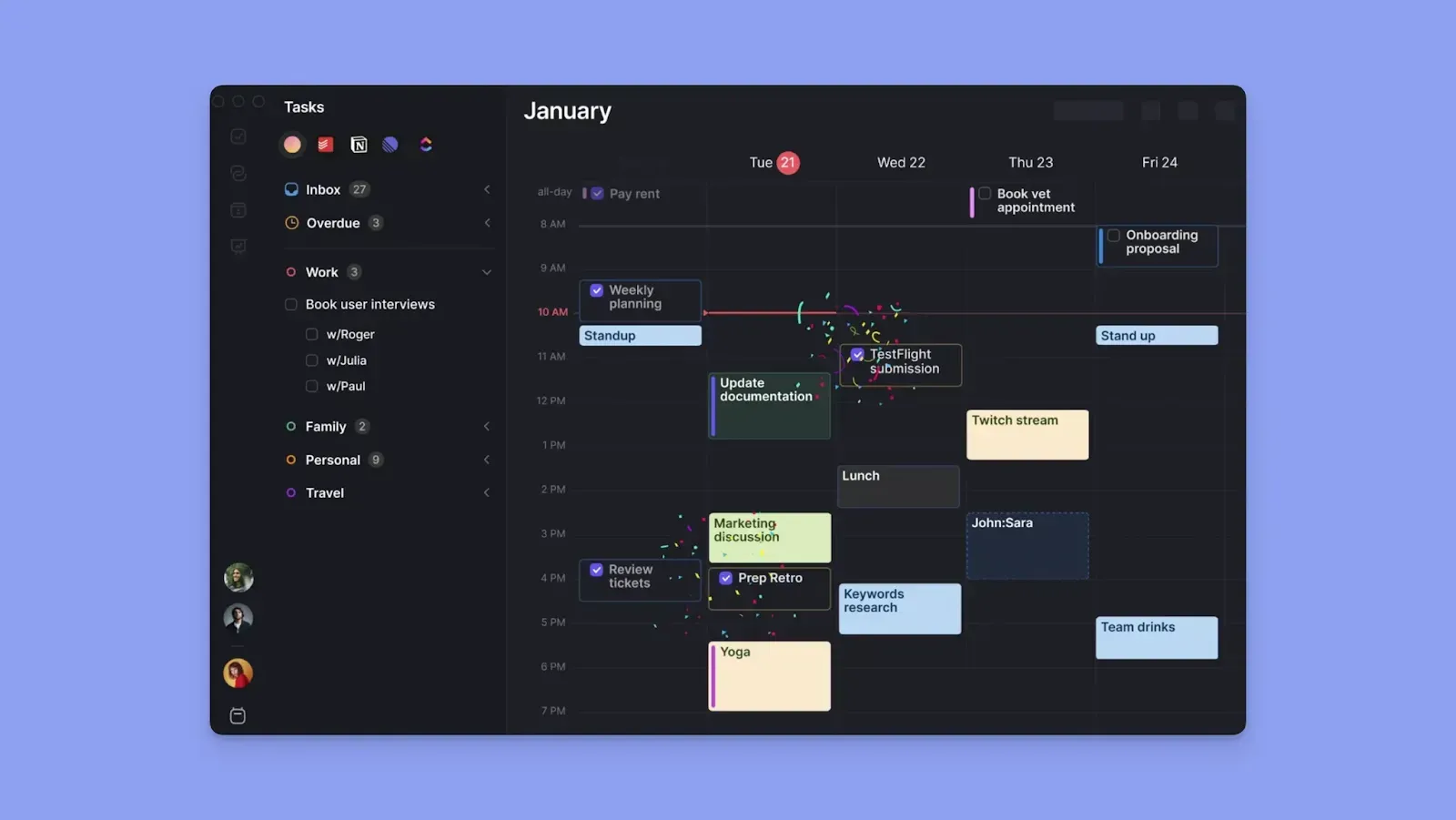
→ Akiflow merges your tasks and calendars into a single keyboard-driven workspace with a universal inbox that pulls tasks from 30+ tools and lets you time-block them directly onto your calendar.
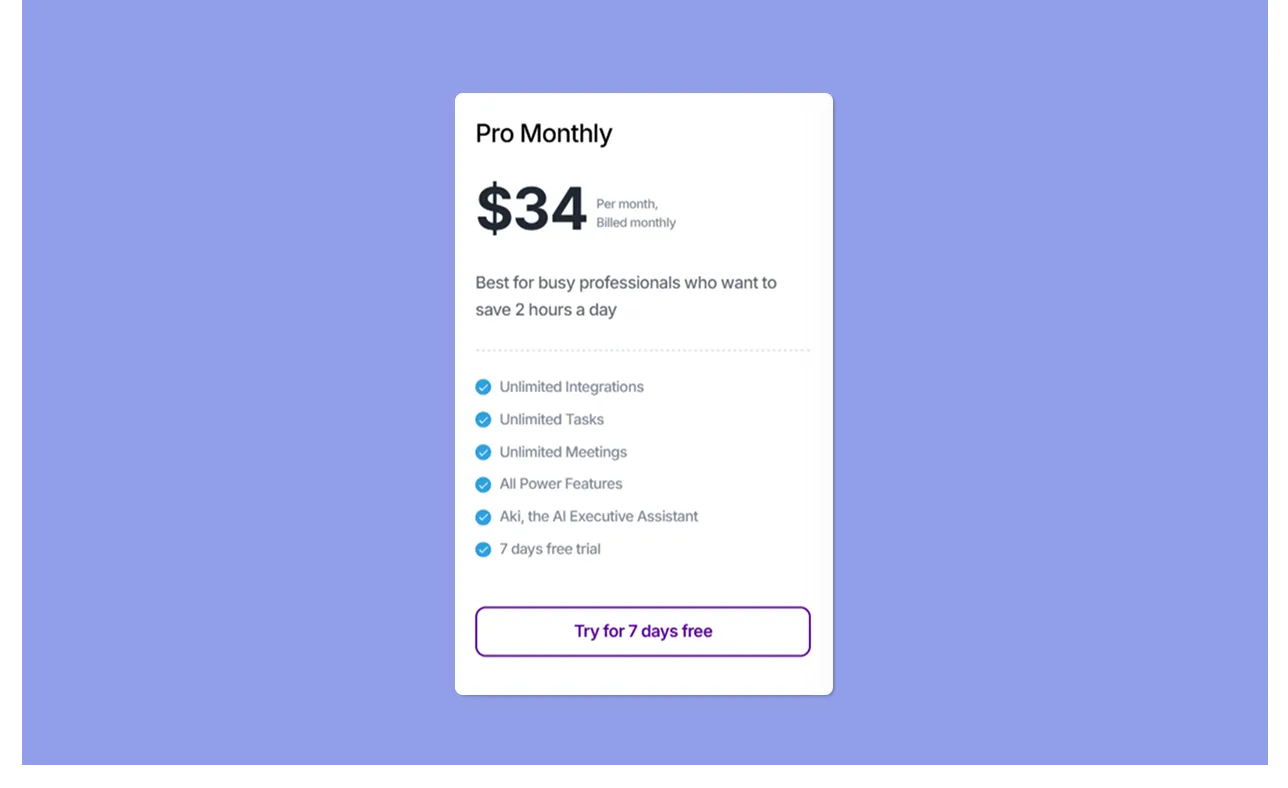
→ Pricing starts at $19/month (annual) or $34/month (monthly) with no free plan. A 7-day free trial is your only way to test before paying.
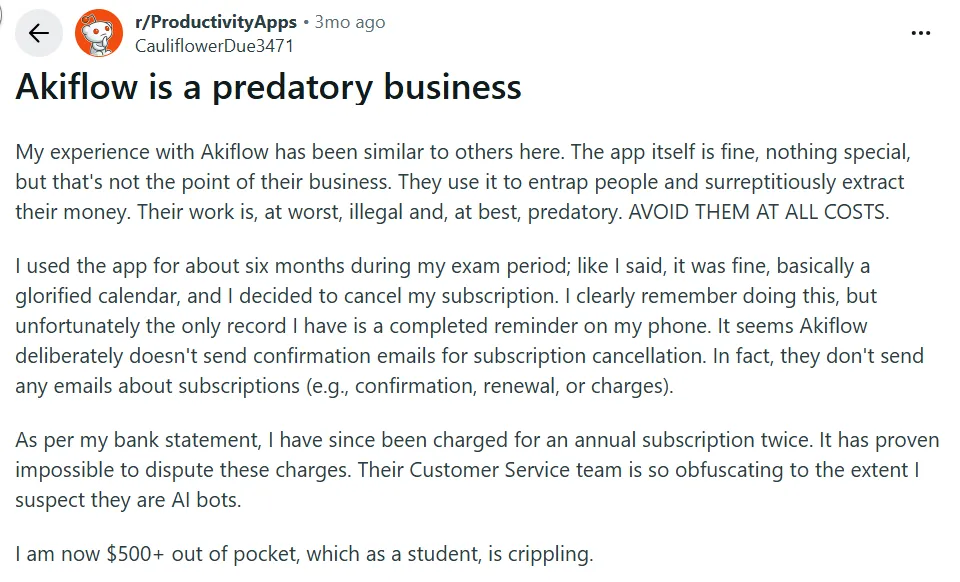
→ Billing practices have frustrated users. Multiple users on Trustpilot report being charged after cancellation, with refunds difficult to obtain.
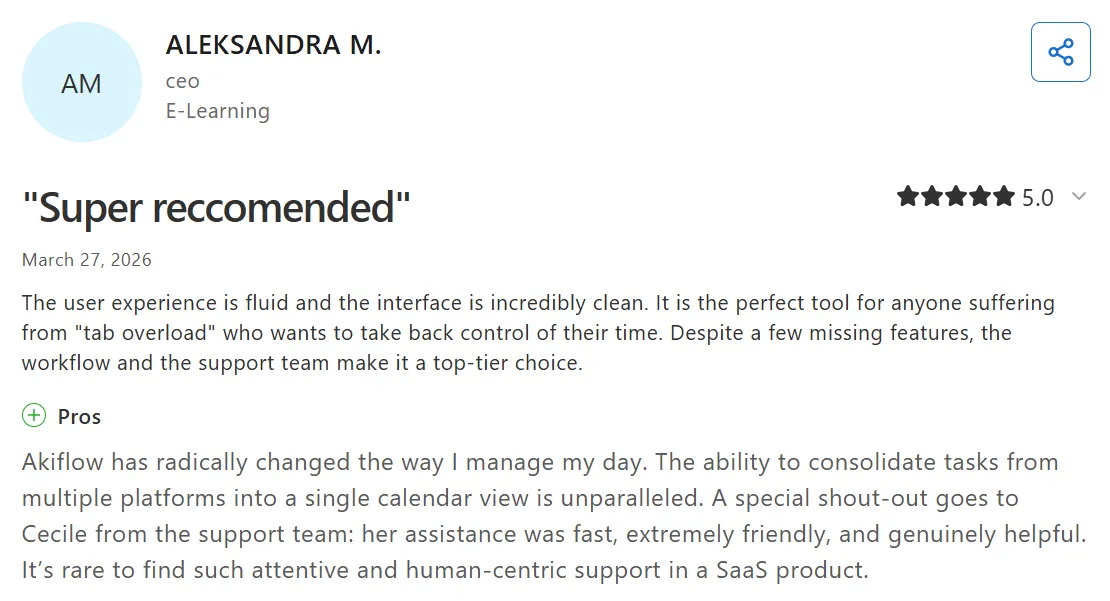
→ Review-site ratings are high (G2: 4.8/5, Capterra: 4.7/5), but Reddit sentiment has turned negative. Desktop power users love the speed; billing complaints and a buggy mobile app dominate community discussions.
Akiflow is the most keyboard-centric time blocking tool for power users who want to consolidate tasks from dozens of apps and schedule them manually into their calendar.
It works by pulling tasks from tools like Todoist, Jira, ClickUp, Slack, and Gmail into a single Universal Inbox, then letting you drag those tasks onto a unified calendar view. The Akiflow command bar makes everything accessible through keyboard shortcuts, so you rarely need to reach for the mouse.
Recently, Akiflow added an AI assistant called Aki and expanded to web and mobile platforms (still in beta). The ambition is clear, but the mobile experience and AI depth have divided users who valued the focused desktop-first simplicity.
Your tasks live in five different tools. Your calendar is split between work and personal accounts. And every morning, you spend 20 minutes just figuring out what to work on first. Sound familiar?
This Akiflow review breaks down whether Akiflow can solve that problem. It is a time-blocking digital planner that brings tasks and calendars together in a single window, with keyboard shortcuts designed to make daily planning feel effortless.
In this review, you will learn how Akiflow handles:
- Task consolidation from 30+ integrations
- Manual time blocking with drag-and-drop scheduling
- The Akiflow command bar and keyboard-first navigation
- Pricing across four plan tiers
- How it compares to alternatives like Morgen
Akiflow at a Glance
What Is Akiflow?
Akiflow is not just a calendar app. At its core, it is a task consolidation engine paired with a time-blocking planner. The real value is the unified inbox that pulls tasks from your entire productivity stack and places them next to your calendar, so planning your day happens in one window instead of seven.
The tool has expanded significantly since launch. It now includes a web app (previously desktop-only), an AI assistant called Aki, scheduling links for meeting booking, and mobile apps on iOS and Android (both still in beta as of March 2026).
If you are exploring AI-powered daily planners, it is worth comparing how different tools handle task consolidation and calendar planning before committing to one.
Who Is Akiflow Best For?
Akiflow works best for people who manage tasks across multiple tools and want a single place to see and schedule everything.
Individual contributors juggling 5+ tools: If your tasks live in Jira, Slack, Gmail, Notion, and Todoist, Akiflow's Universal Inbox pulls them all into one view. You stop context-switching between tabs and start planning from a single window.
Keyboard power users: The Akiflow command bar and extensive shortcut library let you create tasks, navigate views, and schedule items without reaching for the mouse. If you already use keyboard shortcuts heavily in tools like VS Code or Notion, Akiflow's workflow will feel natural.
Founders and consultants: Akiflow's scheduling links and time-blocking approach work well for people who split their day between meetings and deep work. The busy/private visibility options keep personal blocks hidden from colleagues.
Who should look elsewhere
- Teams needing workload management: Akiflow is an individual productivity tool. There are no team dashboards, shared task views, or capacity planning features.
- Budget-conscious users: At $19–$34/month with no free plan, Akiflow is expensive for a personal planner. Alternatives like Morgen offer more features at lower price points.
- Users who want AI to plan their day: Akiflow's Aki assistant handles natural-language commands but does not auto-schedule or dynamically rearrange your calendar. If you want AI-generated daily plans, look at Morgen's AI Planner instead.
Morgen: An Alternative
Akiflow excels at keyboard-driven task consolidation, but it lacks AI-powered scheduling and full cross-platform support. If you need an AI-powered daily planner that handles the planning work for you, Morgen fills that gap.
- AI daily planning: Morgen's AI Planner generates schedule recommendations you preview and approve before anything hits your calendar.
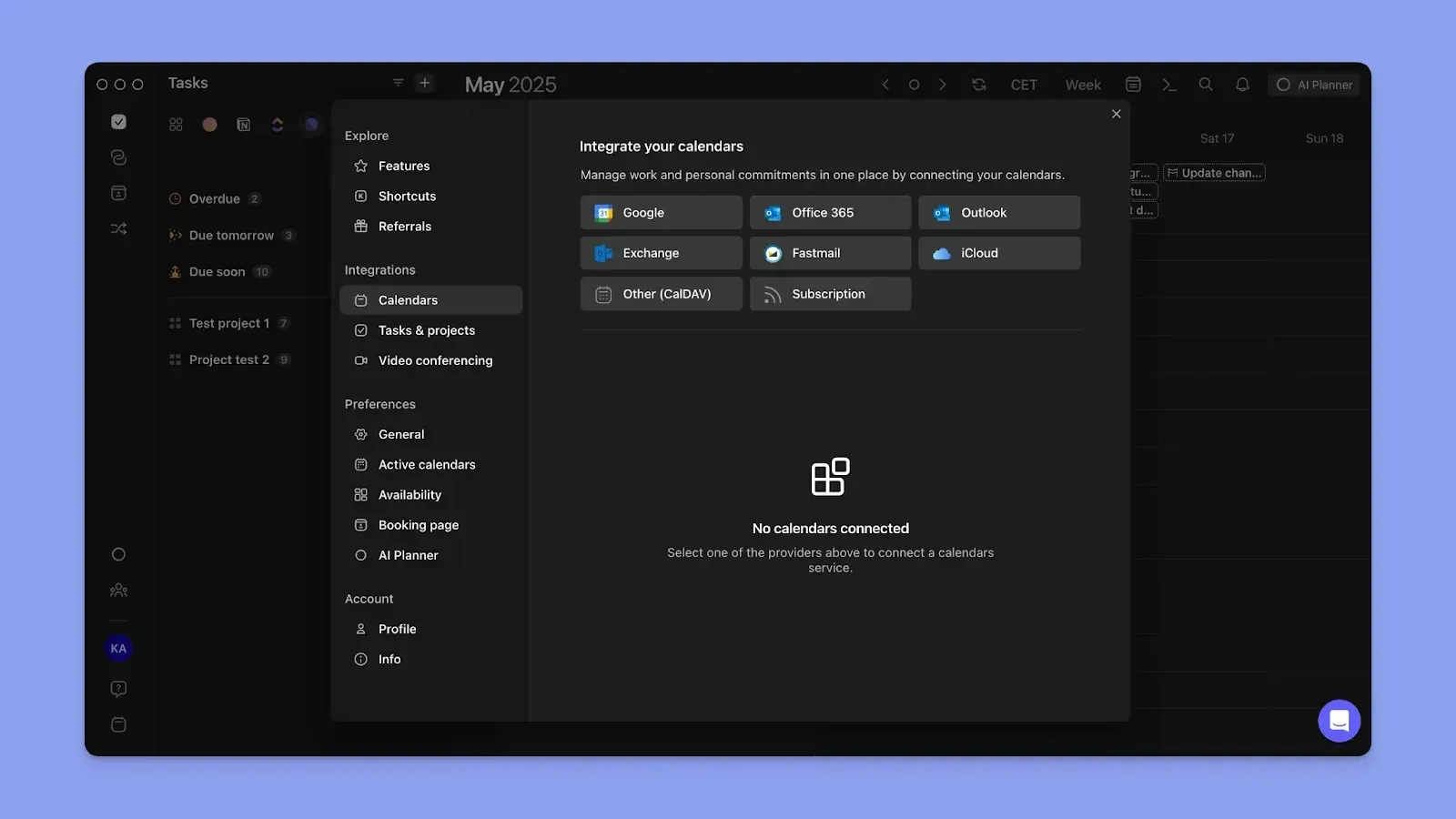
- Broader calendar support: Morgen syncs with Google Calendar, Outlook, iCloud, and Fastmail—not just Google and Outlook.
- True cross-platform: Native apps on macOS, Windows, Linux, iOS, and Android, all with full functionality.
Akiflow Key Features
Here are the features that define Akiflow's approach to daily planning and make it stand out from other time blocking apps.
Universal Task Inbox
The Universal Inbox is Akiflow's core selling point. It automatically imports tasks from connected apps—Gmail, Slack, Notion, ClickUp, Todoist, Jira, and more—into a single triage view. Two-way sync means changes in Akiflow reflect back in the source tool.
This solves a real problem. Instead of checking six different apps each morning, you open one inbox and see everything that needs your attention. Users on G2 praise the speed of the universal inbox and the way it eliminates tab-switching during morning planning.
The limitation is depth. Some integrations are better than others. Users on G2 note that the Notion sync, for example, pulls limited data compared to what you might expect from a "two-way sync" label.
Command Bar
The Akiflow command bar is what separates this tool from every other time-blocking app. Invoke it with a keyboard shortcut, type natural language to create tasks, navigate between views, or manage integrations—all without touching the mouse.
The shortcut library is extensive. You can create a task, set a due date, assign a priority, tag it, and schedule it to a time block in about three seconds. For users coming from tools like Alfred, Raycast, or VS Code's command palette, the interaction model feels immediately familiar.
The trade-off is the learning curve. If you are not already a keyboard-shortcut person, the first week can feel overwhelming. There is no gradual on-ramp—you either adopt the shortcuts or you are using a fraction of what you paid for.
Time Blocking
Akiflow's time blocking puts your task list and calendar side by side. Drag a task from the inbox onto the calendar to block time for it. The block syncs to Google Calendar or Outlook with two-way sync, so coworkers see you as busy during that time.
The implementation is clean on desktop. Day, week, and month views are available, and conflict detection flags when you are double-booking yourself. The busy/private visibility toggle lets you keep personal task blocks hidden from colleagues while still showing as unavailable.
What Akiflow does not do is schedule tasks for you. Every task must be manually dragged into a time slot. For users who want to make intentional decisions about their day, this is a feature, not a bug. For users who want AI-powered scheduling, it is a dealbreaker.
Scheduling Links
Akiflow includes a Calendly-style scheduling feature. You set a date range, define available times, and share a booking link. Others can book meetings based on your real-time calendar availability.
The feature also supports recurring weekly availability, making it useful for consultants or managers with regular office hours. It pulls availability from all connected calendars, so you will not get double-booked.
For basic meeting booking, it works well enough that you might not need a separate scheduling link tool. However, it lacks the advanced features of dedicated scheduling tools—no round-robin routing, no payment integration, and limited customization of the booking page.
Daily Rituals
Akiflow includes structured morning and evening routines called Daily Rituals. The morning ritual prompts you to review yesterday's accomplishments and set priorities for the day. The evening ritual helps you reflect and prepare for the next day.
This feature encourages intentional planning rather than reactive task management. A weekly review component rounds out the system, helping you track longer-term progress and patterns.
The rituals are simple but effective for users who struggle with starting and ending their workday with purpose. They add structure without requiring a separate journaling or reflection tool.
Aki AI Assistant
Aki is Akiflow's AI assistant. It handles natural-language task creation, schedule queries, inbox summarization, and basic workflow automation. You can interact with Aki through the in-app chat, iOS Shortcuts, WhatsApp, or by emailing aki@akiflow.com.
The multi-channel access is a nice touch. Being able to create a task by sending a WhatsApp message means you can capture ideas even when the app is not open.
However, Aki does not auto-schedule your day, dynamically rearrange tasks when priorities shift, or recommend optimal time slots. It is a command interface, not a planning engine. Community feedback suggests Aki still struggles with basic calendar queries and sometimes misinterprets natural-language inputs.
Akiflow Additional Features
Time Slots
Time Slots lets you group similar tasks together and block dedicated calendar time for task categories. Instead of scheduling individual tasks, you create a "deep work" or "admin" slot and assign related tasks to it. This is useful for batch processing similar work items, though it requires discipline to define and maintain your categories.
Focus Mode
Press F to enter Focus Mode on any selected task. The interface strips away the inbox, calendar, and navigation, leaving only the task you are working on. It is a simple implementation, but effective for users who get distracted by their own task list while trying to focus on a single item.
Time Zone Support
A keyboard shortcut displays multiple city time zones side by side in your calendar view. For remote workers coordinating across time zones, this removes the need to use a separate time zone converter. The feature is lightweight but solves a real annoyance for distributed teams.
Akiflow Integrations & API
Akiflow's integration ecosystem is one of its strongest assets. With 30+ native integrations, it connects directly to the tools most professionals use daily.
Calendars: Google Calendar (two-way sync, multiple accounts) and Outlook Calendar (two-way sync, multiple accounts). No iCloud or Fastmail support.
Task and project tools: Todoist (two-way sync), Asana, ClickUp, Trello, Jira, Linear, Monday.com, Nifty, Microsoft To Do, Google Tasks, and TickTick.
Communication: Gmail (two-way sync), Outlook Email, Slack, and Microsoft Teams.
Other: Notion, Evernote, GitHub, HubSpot, Zapier (limited to "create task" action), IFTTT, and Webhooks.
The breadth is impressive. The depth varies. Core integrations like Todoist and Google Calendar work reliably with true two-way sync. Others, like Notion, sync only surface-level data. The Zapier integration is limited to a single action, which restricts complex automation workflows.
A developer page exists at akiflow.com/developers, but the public API appears limited and still in development.
Akiflow Mobile App
Akiflow is available on iOS and Android, but both apps remain in beta as of March 2026. The iOS app requires prior setup on the desktop app before you can use it on mobile.
On mobile, you can view your calendar, check tasks, and make basic edits. The core time-blocking workflow and command bar are limited compared to the desktop experience. The keyboard-first design philosophy does not translate well to a touch interface.
Community feedback on the mobile app skews negative. Users report frequent bugs, slow load times, and missing features that make it unreliable as a standalone planning tool. The mobile app works as a reference view, but do not expect to do serious daily planning from your phone.
If mobile planning is important to your workflow, this is a significant gap. Tools like Morgen offer full-featured native apps across all platforms, including iOS, Android, and Linux.
Akiflow Pricing
Akiflow pricing is straightforward in structure: every plan includes the same features. The only difference is the commitment length and corresponding discount.
There is no free plan. The 7-day free trial is your only way to test before paying. A student discount is available by emailing support@akiflow.com with proof of enrollment (the discount amount is not publicly disclosed). Enterprise/custom pricing is available for larger organizations.
The no-feature-gating approach is refreshing—you get everything regardless of which plan you choose. But the monthly price of $34 is steep for a personal productivity tool, especially when the annual plan drops to $19/month. The 5-year plan at ~$8.33/month offers the best value, but locking into a 5-year commitment with any SaaS tool carries risk.
For context, Morgen's Pro plan starts at approximately €15/month (annual) and includes AI-powered planning, iCloud sync, Linux support, and a 14-day free trial with a 30-day money-back guarantee.
Akiflow Pros & Cons
Reddit sentiment
Strongly negative in late 2025 and early 2026. The r/Akiflow subreddit and r/productivity threads are dominated by billing horror stories and frustration with the mobile apps. Even vocal critics tend to acknowledge the desktop time-blocking experience is category-leading, creating a split perception: great product, questionable business practices.
Morgen: An Akiflow Alternative
Morgen is an AI-powered daily planner designed for professionals who want the coordination work handled for them, not just scheduled.
Where Akiflow focuses on manual task consolidation and keyboard-driven time blocking, Morgen unifies your calendars and tasks into a single AI-powered planning workspace syncing across Google Calendar, Outlook, iCloud, and Fastmail while integrating tasks from Todoist, ClickUp, Notion, Linear, Obsidian, and more.
Key Features
Morgen fills the gaps left by Akiflow's manual-first approach:
AI Daily Planning
- What Akiflow does: You manually drag every task onto the calendar. No AI suggestions, no automated scheduling.
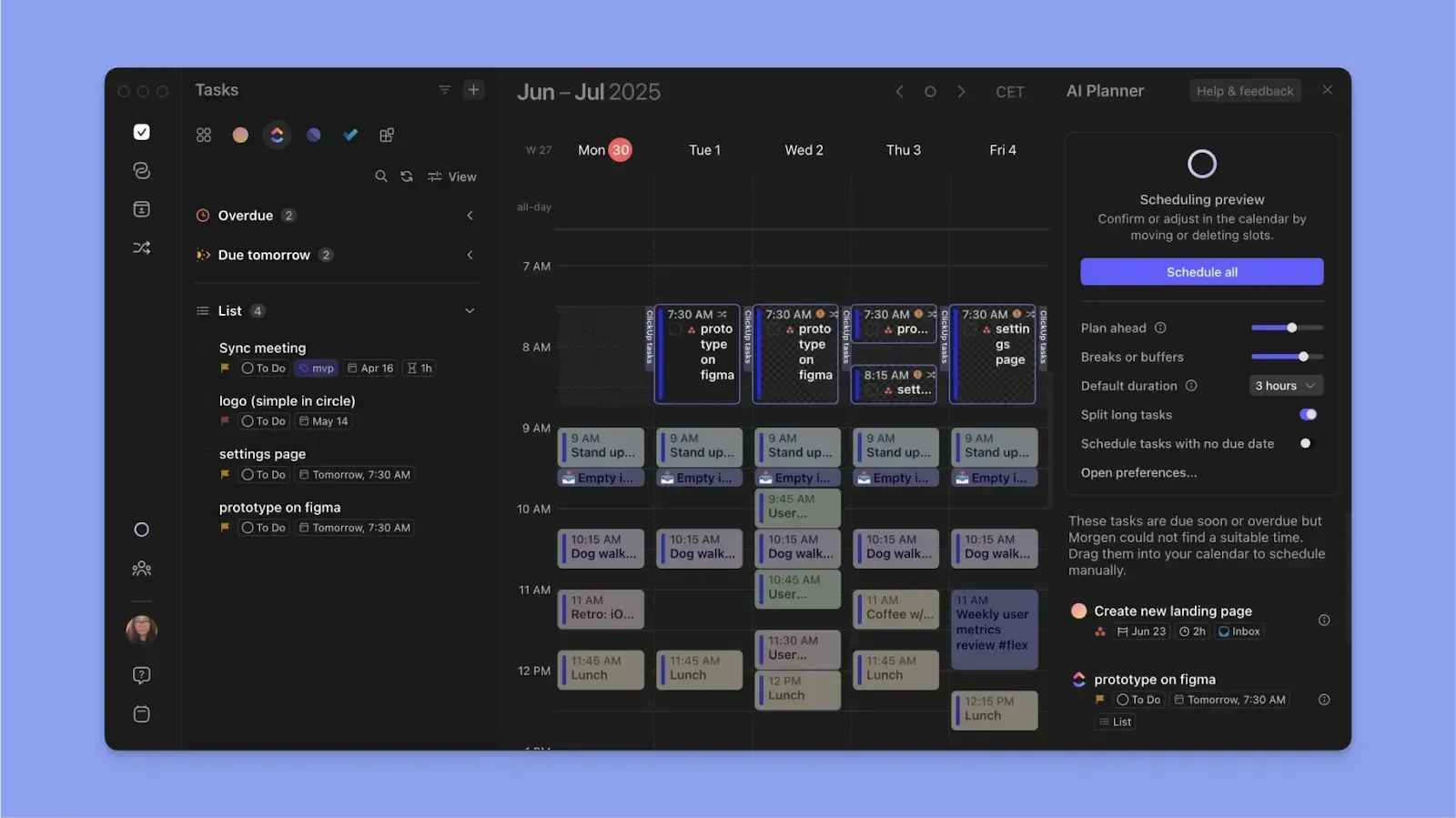
- What Morgen does differently: Morgen's AI Planner builds daily schedules based on your deadlines, priorities, and available capacity. You preview the plan, adjust what you want, and approve it before anything hits your calendar. It is AI speed with human oversight.
- The benefit: You save 15–20 minutes of morning planning time without surrendering control over your schedule.
Full Cross-Platform Support
- What Akiflow does: Desktop apps for macOS and Windows, web app, and beta mobile apps with known reliability issues. No Linux support.
- What Morgen does differently: Full-featured native apps on macOS, Windows, Linux, iOS, Android, and web. Every platform gets the complete feature set with reliable performance.
- The benefit: You can plan your day from any device without feature compromises or beta bugs.
Broader Calendar and Task Ecosystem
- What Akiflow does: Syncs with Google Calendar and Outlook only. Strong task integrations with 30+ tools.
- What Morgen does differently: Morgen syncs calendars from Google, Outlook, iCloud, and Fastmail, plus integrates tasks from Todoist, ClickUp, Notion, Linear, Obsidian, Asana, Jira, Monday.com, and more.
- The benefit: If you use Apple Calendar or Fastmail, Morgen is one of the few daily planners that connects natively.
Who Morgen Is Best For
Professionals who want AI help without autopilot: If Akiflow's fully manual approach feels like too much daily effort, Morgen's AI Planner does the heavy lifting while you keep final say. You get recommended schedules that account for your deadlines, priorities, and available time—then adjust and approve before anything gets booked.
Is Akiflow Worth It?
Our overall Akiflow review? It is the best keyboard-driven time-blocking tool available, and it is not close. The Command Bar, Universal Inbox, and clean desktop interface create a planning experience that feels genuinely fast and intentional.
If you are a keyboard power user who manages tasks across five or more tools and wants full control over when and where each task gets scheduled, Akiflow delivers on its promise. The no-feature-gating pricing model and included onboarding call show a product team that understands its audience.
That said, the Akiflow app review comes with caveats. The $34/month sticker price is hard to justify when the annual plan is nearly half that. The mobile apps are still in beta with documented reliability issues. And the billing complaints on Reddit are too consistent to dismiss.
Is Akiflow worth it? For the right user—a desktop-first power user who values keyboard speed and deep integrations—yes. For everyone else, the lack of AI scheduling, limited calendar support, and mobile shortcomings mean you should explore alternatives.
If you want AI-powered daily planning with broader platform support and lower pricing, try Morgen free for 14 days. For a deeper feature-by-feature breakdown, read our Akiflow vs Morgen comparison.
Akiflow FAQs
Does Akiflow Have a Free Plan?
No. Akiflow does not offer a free plan. The only way to test it is through the 7-day free trial, which includes all features. After the trial, you must select a paid plan to continue.
Does Akiflow Replace Todoist?
Not entirely. Akiflow integrates with Todoist via two-way sync, pulling your Todoist tasks into the Universal Inbox. However, Akiflow lacks subtasks, recurring task templates, and the collaboration features that Todoist offers. Most users run both tools side by side.
Is the Akiflow Command Bar Worth the Learning Curve?
If you are comfortable with keyboard shortcuts in other tools, yes. The command bar is what makes Akiflow faster than alternatives for task creation and scheduling. Budget one to two weeks to build muscle memory. Use the included onboarding call to accelerate the process.
Does Akiflow Have AI Scheduling?
Akiflow has an AI assistant called Aki that handles natural-language task creation and basic schedule queries. It does not auto-schedule your day or dynamically rearrange tasks. For AI-generated daily plans, Morgen's AI Planner is a stronger option.
Can I Use Akiflow on Linux?
No. Akiflow does not offer a Linux app. It is available on macOS, Windows, web, iOS (beta), and Android (beta). Morgen is one of the few daily planners with a native Linux desktop app.
Does Akiflow Offer a Student Discount?
Yes. Email support@akiflow.com with proof of student status to request a discount. The exact amount is not publicly disclosed. Morgen offers a public 25% discount for students, academics, and nonprofits.
How Does Akiflow Compare to Morgen?
Akiflow focuses on keyboard-driven manual time blocking with 30+ task integrations. Morgen offers AI-powered daily planning, broader calendar support (including iCloud and Fastmail), native Linux support, and lower pricing. Read our full Akiflow vs Morgen comparison for a detailed breakdown.
What Is the Best Time Blocking App in 2026?
It depends on your workflow. Akiflow is the best time blocking app for keyboard power users who want manual control. Morgen is the best option for users who want AI-assisted planning with manual override. Motion is the best choice for fully automated AI scheduling.
.webp)


.png)