.svg)
→ Choose Sunsama if you want guided daily planning + shutdown rituals: best for professionals who prefer a slower, structured workflow that prevents overload and encourages intentional planning
→ Pick Akiflow if you need fast capture and triage: best for power users managing high task inflow, who want a unified inbox, command bar shortcuts, and quick scheduling on calendar
→ Consider Morgen as an alternative if you need AI-assisted scheduling with control: best for solopreneurs, developers, and ADHD brains who want tasks and calendar in one intentional system
If you have an overwhelming stream of tasks and meetings, here’s the short answer: Sunsama is the better pick for guided, mindful planning. Akiflow wins for fast capture and keyboard-driven triage.
We’ve compared both below, covering their pricing, calendar and task planning, user sentiment, and more below.
If neither hits your mark, we'll tell you where Morgen fills the gap.
Akiflow vs Sunsama: A Brief Overview
Who Is Sunsama Best For?
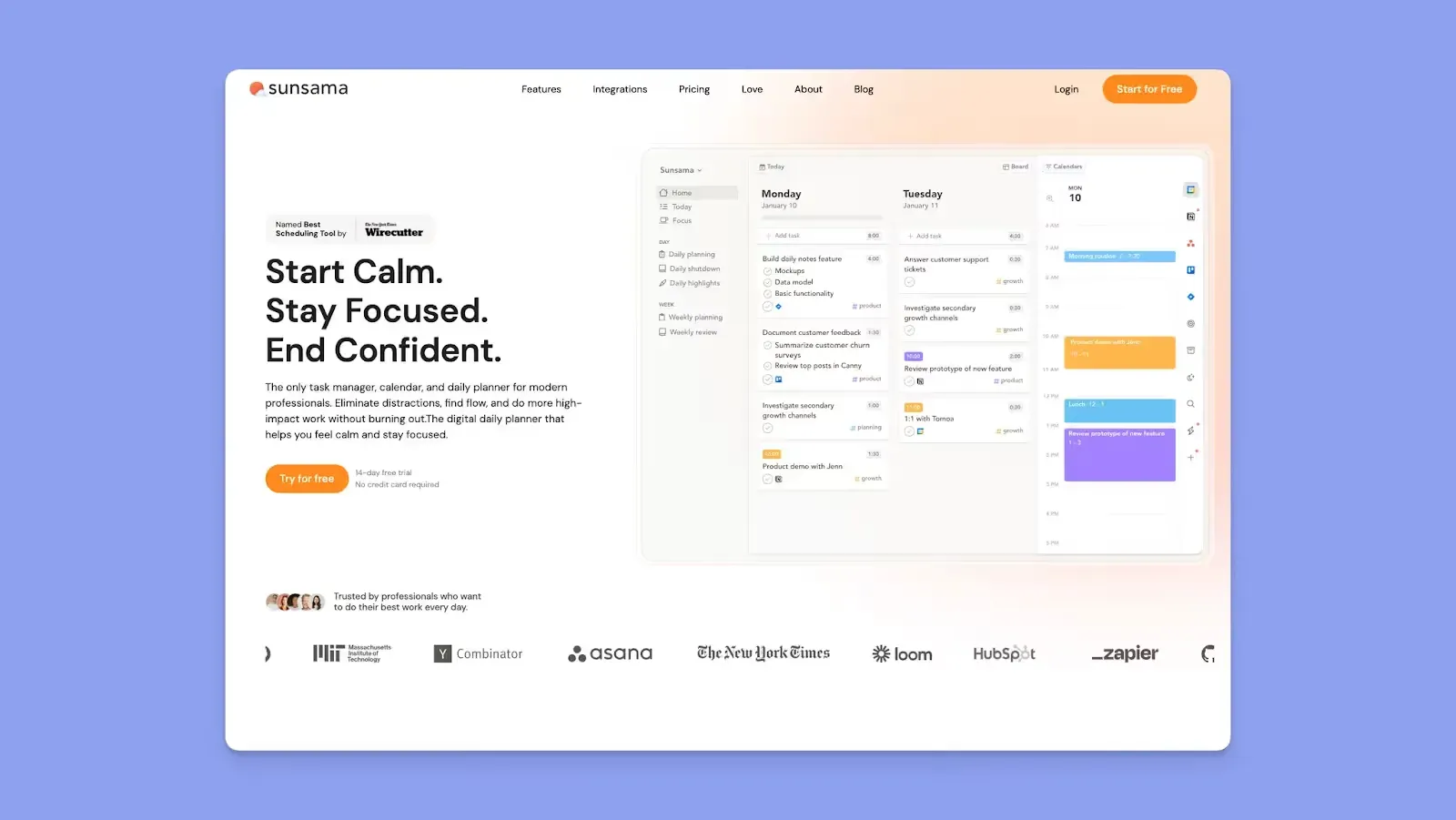
- Sunsama is best for knowledge workers who need mindful planning to create a realistic day and shut down on time
- ADHD Professionals who feel overwhelmed by long task lists and want a calmer, guided process
- Users who want meetings and daily tasks together, plus free focus and Pomodoro timers
Here are Sunsama alternatives you might also want to know about.
Who Is Akiflow Best For?

- Akiflow is best for high-volume task inflow, and people who need a fast triage and schedule pipeline
- Power users who want keyboard-driven capture (command bar + shortcuts) and unified inbox processing
- Professionals who need an AI Assistant that understands plain language to create, schedule, or reorganize tasks
You can also read about these 8 Akiflow alternatives.
Morgen: An Alternative For Individuals Who Need AI Scheduling

Sunsama is a primarily manual planner. While Akiflow offers AI scheduling with Aki, you’ll need to instruct it to triage tasks, then schedule them at a specific time.
Morgen offers an AI planning advantage. It is an aesthetic calendar planner like the two, but it also helps you plan realistic schedules fast using AI that works full-time in the background.
Here’s how Morgen works:
- Integrates with your external task tools, meeting platforms, and numerous calendars to consolidate everything that needs to be scheduled
- Morgen's AI Planner continuously scans your events and pending tasks and suggests a daily schedule based on priorities and available time. You review and approve before anything gets scheduled
- Create Frames as templates for when to schedule and complete different types of tasks. Set filters for each Frame so the AI Planner can populate tasks accordingly
- Create booking pages with scheduling links for different meetings, or multi-person scheduling links for teammates
Grab your free Morgen trial and start planning better now.
Price
Pricing is almost a draw between Sunsama and Akiflow, but here’s what you need to know so you can plan better.
Sunsama
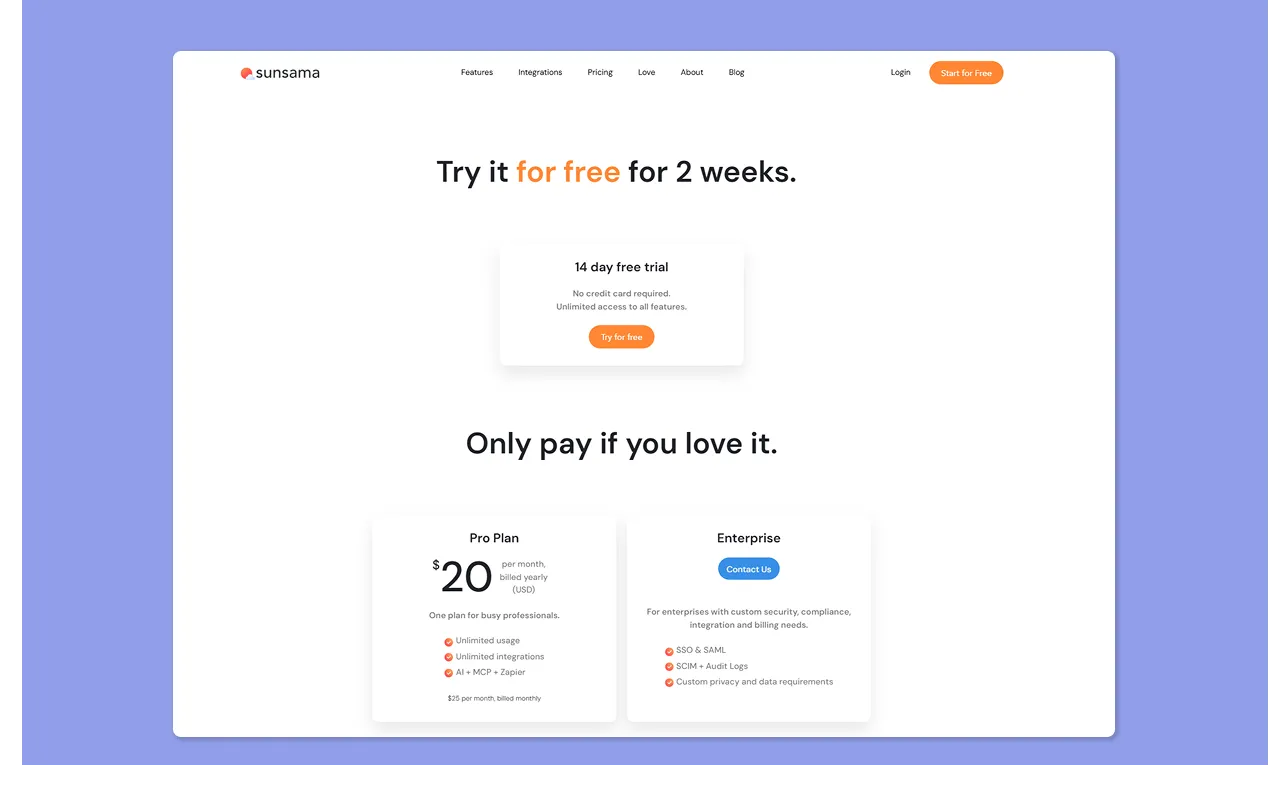
- As of March 2026, Sunsama is priced at $25/month billed monthly or $20/month billed annually, with an enterprise tier for custom requirements
- You can test the tool with a 14-day trial, without entering your credit card details
Akiflo
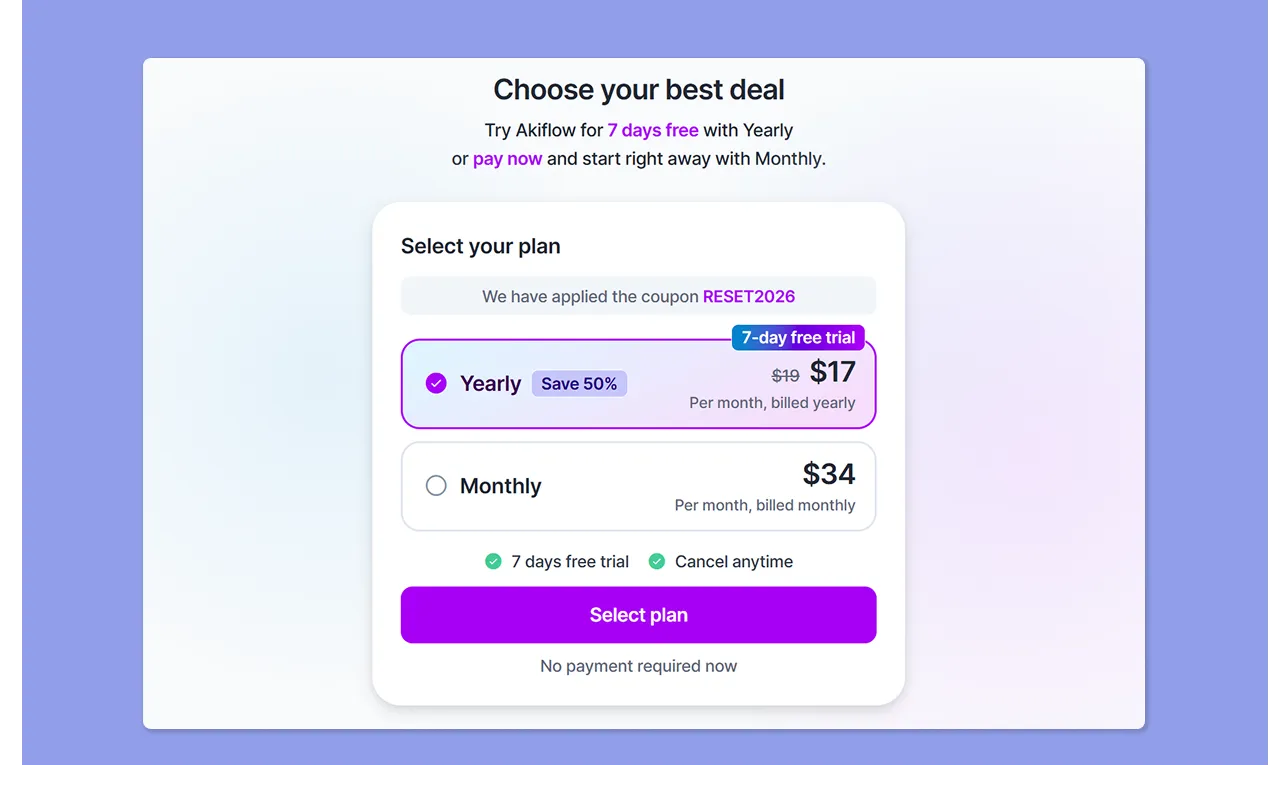
- Akiflow costs $34/month, billed monthly or $19/month billed annually
- Promos when signing up and discounts (including referrals and student discounts)
- 7-day trial available, extends another week after the onboarding call
You can see a full breakdown of the value and features included in this Akiflow pricing overview.
Verdict
Choosing between Sunsama and Akiflow depends on whether you need guided daily planning or a faster workflow using AI chat. Still, monthly subscribers will find Sunsama the cheaper option at $25, compared to Akiflow’s $34.
Integrations
Sunsama and Akiflow connect to calendars, tasks, and meeting tools. Here’s more.
Sunsama
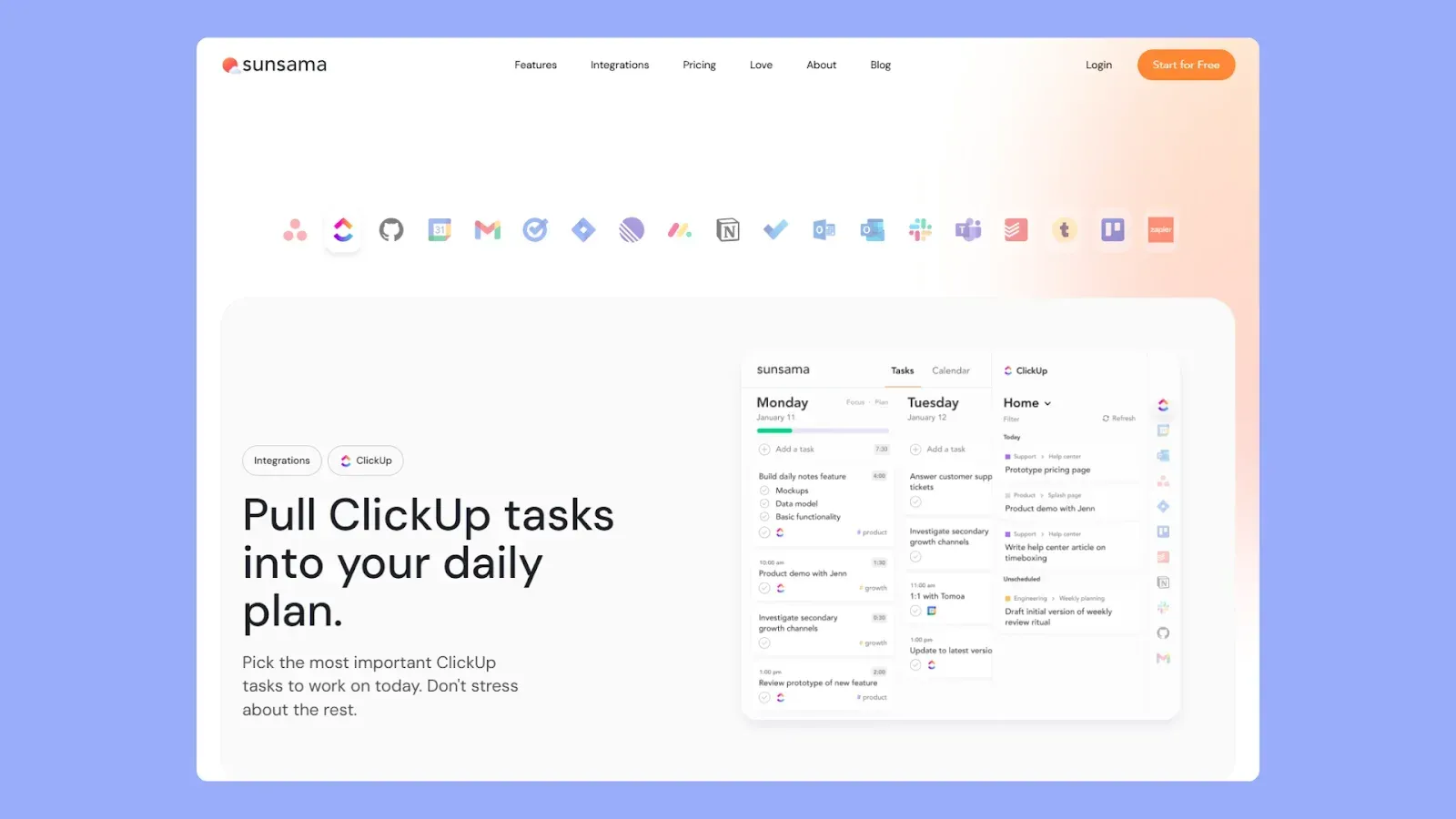
- Native integrations include Google Calendar, Outlook, Asana, Trello, Jira, GitHub, GitLab, Slack, Gmail, Todoist, Notion, ClickUp, Zoom, and Linear
- Sunsama shows native integrations on the right-hand panel. To connect, click on the tool icon, then “Add Tool X,” and it pulls your workflow
- You can add more integrations through Zapier
Akiflow
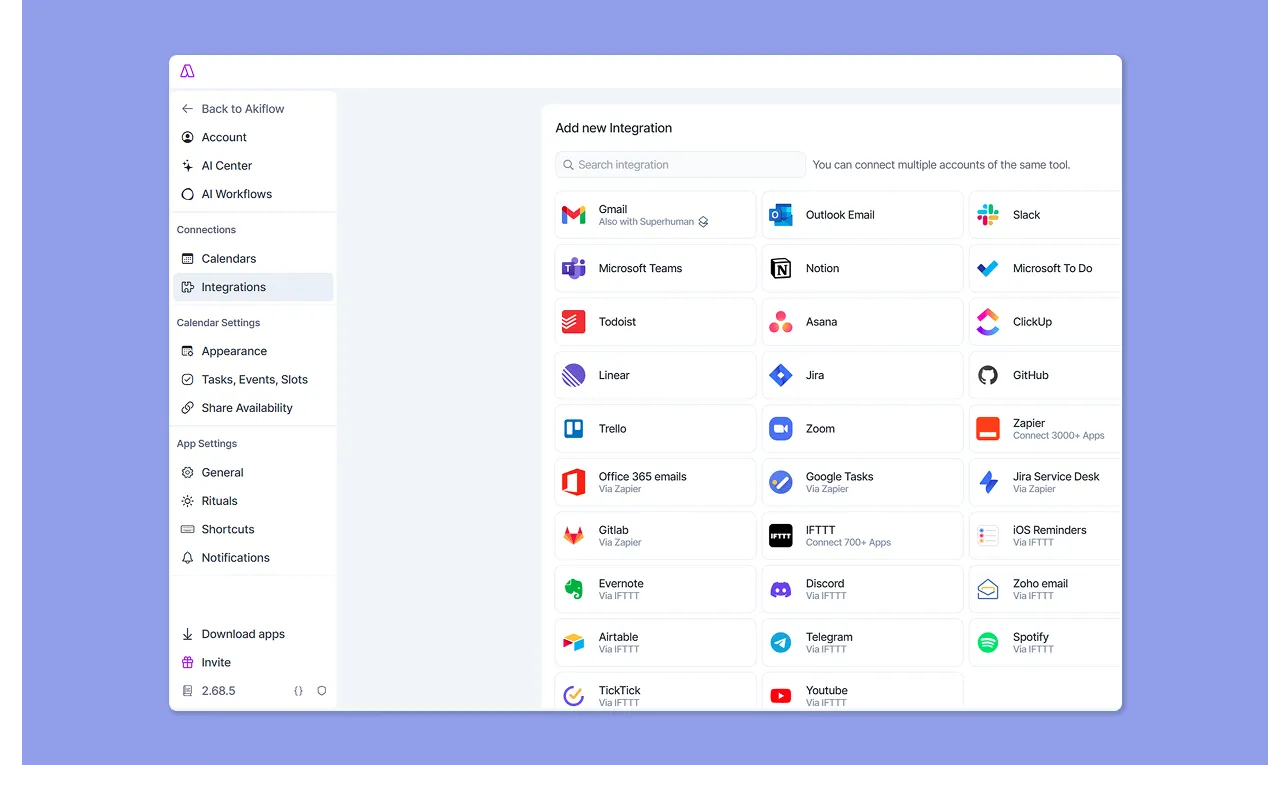
- Akiflow's universal inbox pulls tasks from 30+ apps, including Asana, Todoist, Jira, Linear, Notion, Trello, GitHub, Slack, Gmail, and more, through Zapier
- A reviewer shares that some Akiflow integrations are one-way only, including Slack and ClickUp
Verdict
It’s a tie on breadth for most mainstream stacks. Still, Akiflow’s is stronger for “pull everything in and triage fast,” while Sunsama’s is stronger for “connect tools but stay intentional.”
Task Management
When you juggle client work, meetings, and ideas, your daily planner needs to ensure fast task capture and scheduling speed.
Sunsama
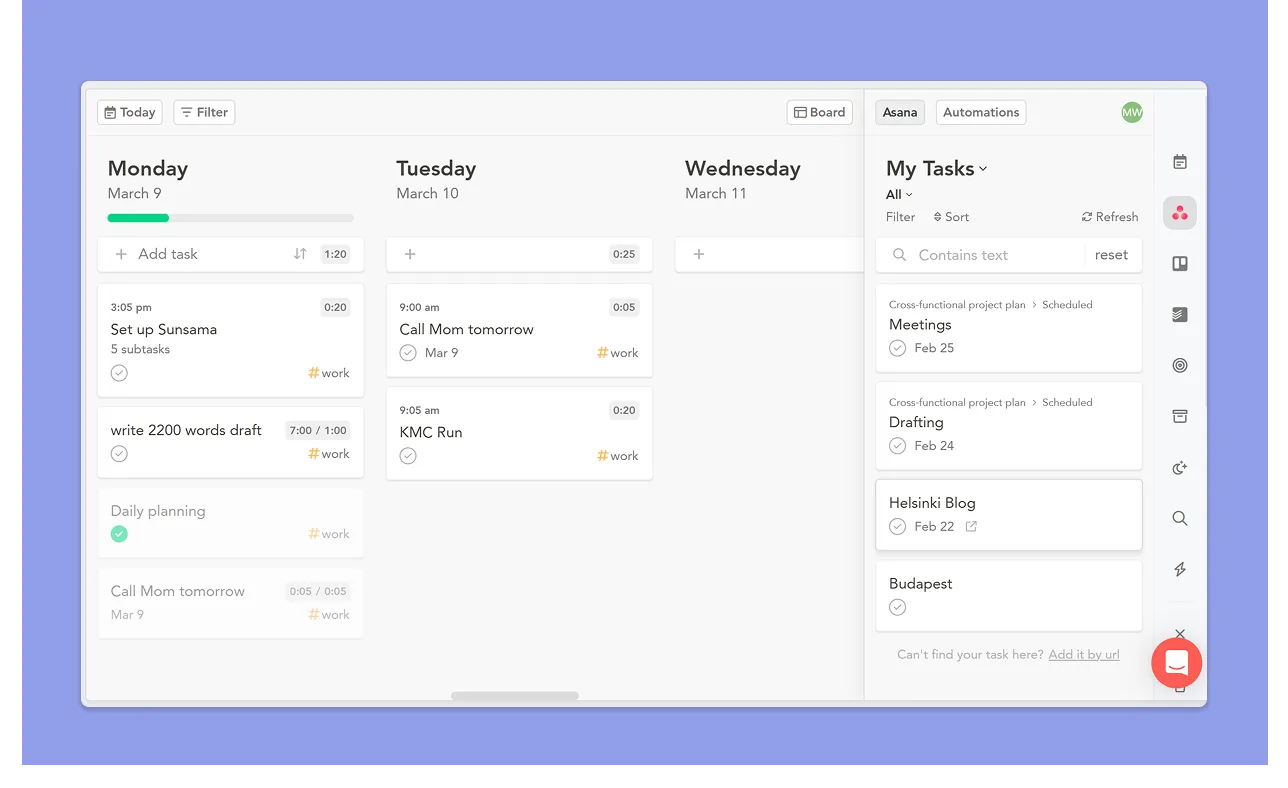
- Create tasks and subtasks using the “Add task” button, keyboard shortcut (A), or through integrations. Then refine with time and date settings, channel, align with objective, etc
- You can duplicate or create recurring tasks, add notes, and comment with links. Incomplete tasks roll over to the next day
- Scheduled tasks reflect on your calendars as time blocks, which helps users reduce overwhelm when planning. View tasks on the calendar outline or boards
- Disappointingly, you can’t attach priority levels to tasks on Sunsama
Akiflow
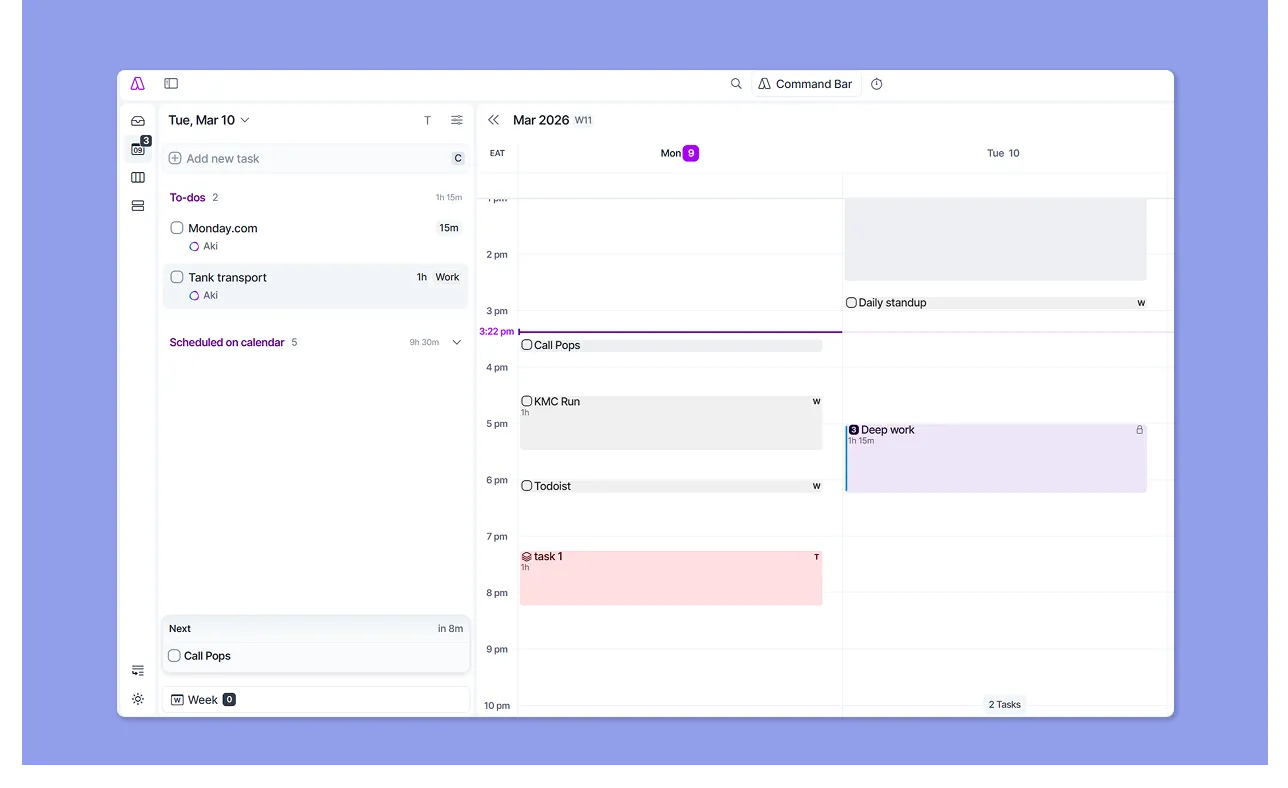
- Pull your workloads from connected tools. Or create tasks from scratch using the command bar, or by clicking anywhere on the calendar outline, or “Add new task.” Also, tell Aki to create and schedule tasks using NLP
- Create projects and add tasks, attachments, deadlines, durations, priorities, and assign tags. You can also duplicate tasks and set them to recur
- The Slots feature groups related tasks within a calendar block, which keeps the calendar view clean when you have many small tasks
- Claudio C loves Akiflow’s hierarchy (folders/projects/tasks), tags, and other metadata to keep high task volume organized
Verdict
Choose Akiflow if you need faster capture and would love Slots to keep your calendar less cluttered. Sunsama is great if you have decision fatigue and prefer to start with a guided ritual on a simpler interface.
Planning Rituals
Want to create a ritual that helps you plan realistically and celebrate daily achievements? Here’s what to know.
Sunsama
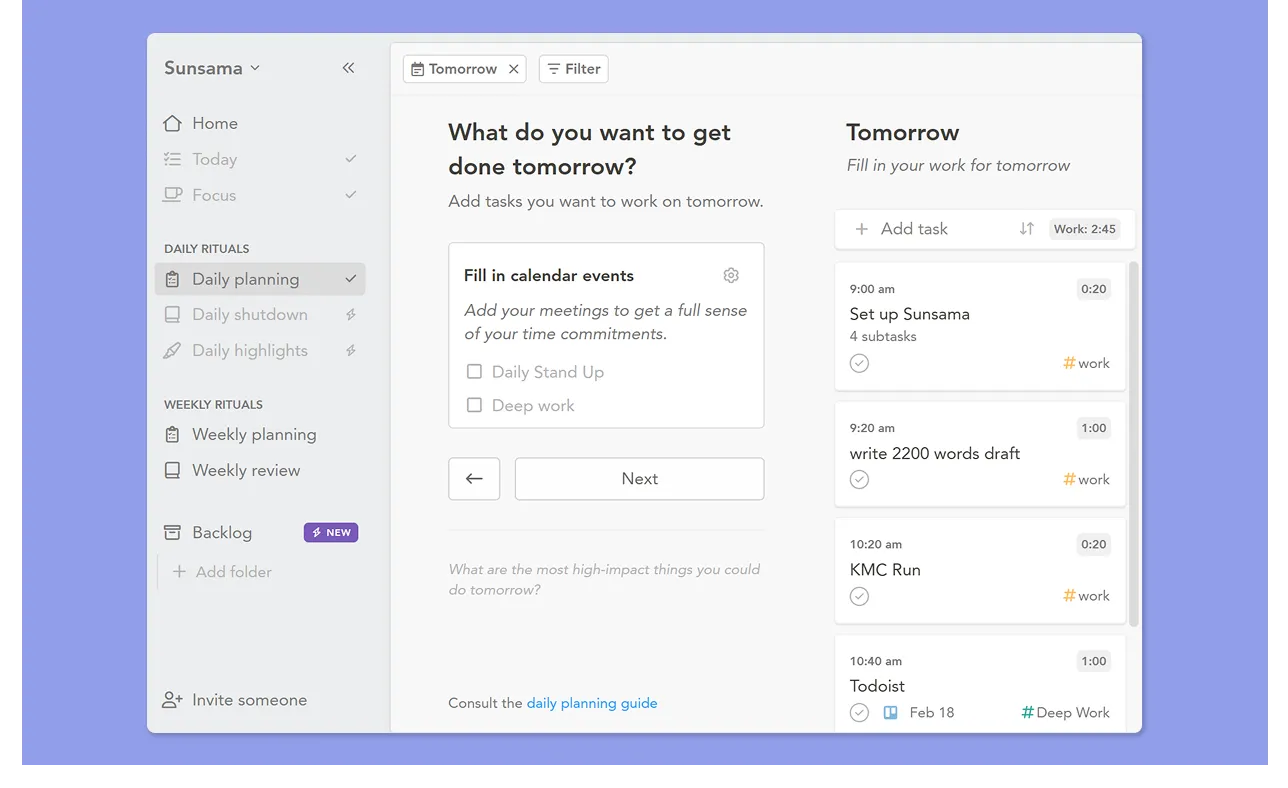
- Sunsama guides you through a step-by-step daily planning process built around best practices
- Morning ritual walks you through pulling tasks, setting intentions, and estimating your day before you start working
- The shutdown routine prompts you to review what you completed, reflect on what slipped, and plan the next day
- Weekly objectives connect daily execution back to longer-term priorities
Akiflow
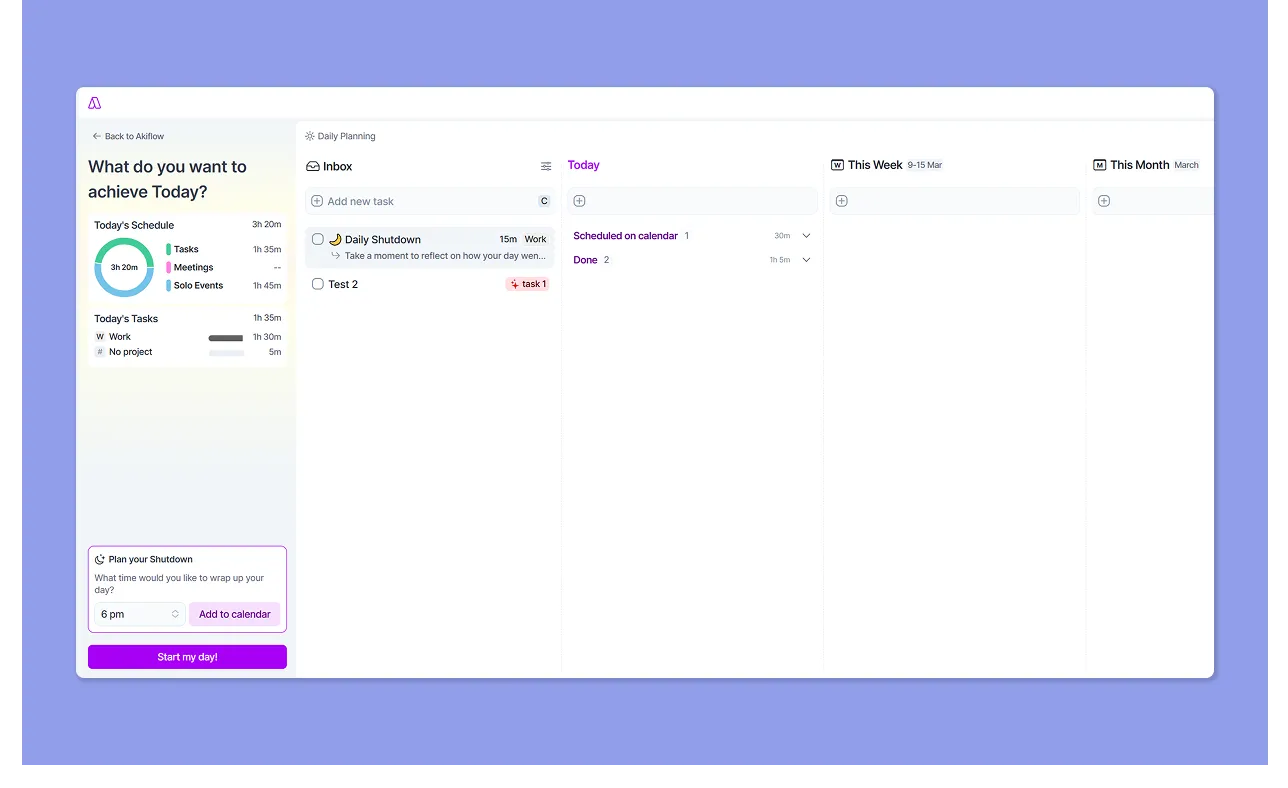
- Set your shutdown time, then review your Inbox, Today, This Week, and This Month columns before deciding what to defer or keep
- A weekly ritual covers completed and overdue tasks, last week's goals, each day’s rating, and time-spent stats
- This G2 reviewer says Akiflow, with rituals, helps them “declutter and make progress.”
Verdict
To build a deliberate, mindful relationship with your calendar, Sunsama's ritual is the more complete experience. Akiflow rituals are structured habit loops layered on top of the planning surface.
Calendar Management
As a busy professional, your ideal tool should sync calendars, create time blocks, and ensure frictionless scheduling around events.
Sunsama
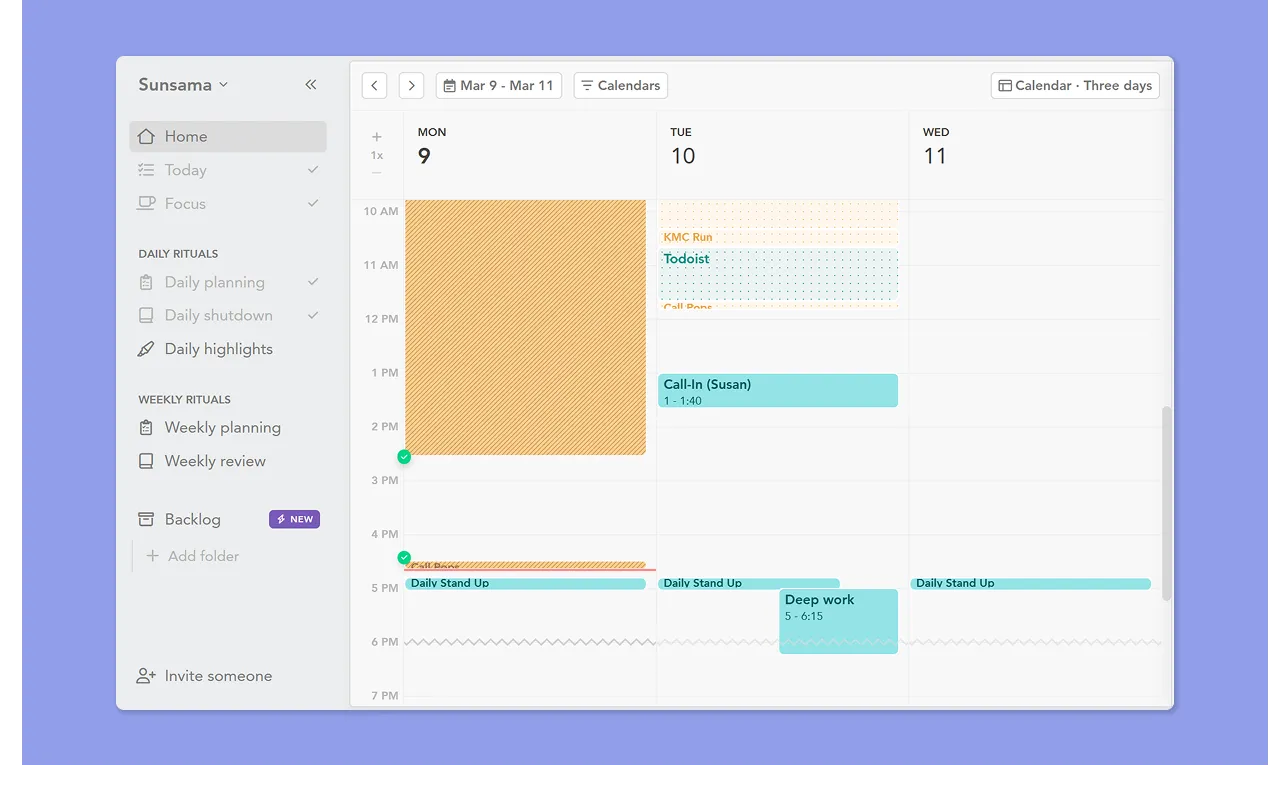
- Sunsama includes a built-in private calendar and supports integrating external calendars, including Google, Outlook, and iCloud
- Drag and drop tasks into the calendar, color code, and create events with recurring/location/calendar blocking options. Toggle the calendar icon inside the block to allow tasks during an event
- Two-way sync with Google Calendar, according to Gareth H
Akiflow
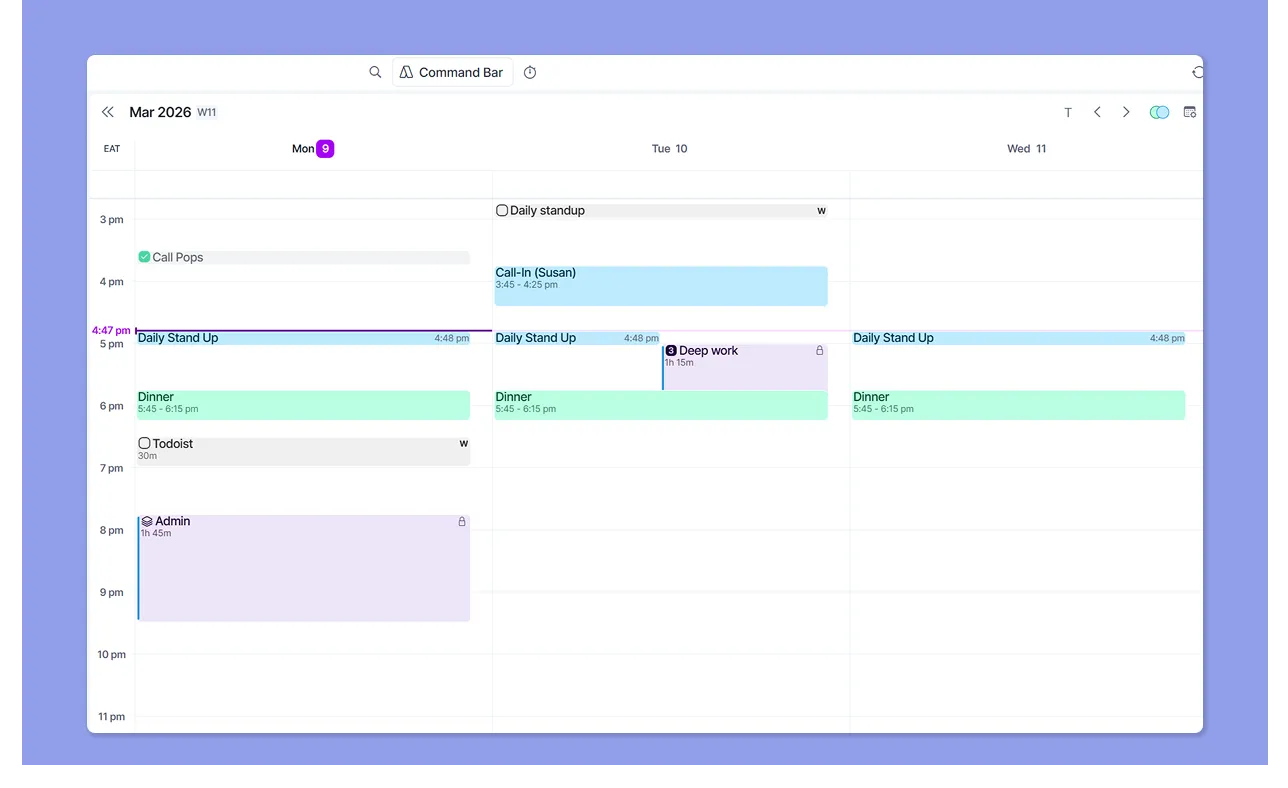
- Akiflow syncs your Google and Outlook calendars; event creation via command bar/calendar, recurrence/location/guest management, and event color handling
- Aki can help you create and schedule calendar events too, and every timeblock created in Akiflow appears on your connected calendar
- Juno H says Akiflow makes time-blocking easy, while Ayan M laments the lack of “full auto-scheduling yet.”
Verdict
Akiflow's unified calendar timeline and AI-assisted scheduling give it a functional edge. If you're switching between a task list and a calendar all day, that matters. On the other hand, Sunsama's calendar experience is cleaner and easier to learn, but requires a lot of manual input.
How to Choose a Daily Planner and Calendar
According to recent data, 82% of people don’t use a time management system. Thus, they spend more time communicating and planning, with 21% never feeling in control of their tasks.
If you want a digital planner like Sunsama and Akiflow, choose based on:
Your Planning Style
Akiflow is designed for fast-paced environments, and Sunsama for people who prefer mindful, deliberate planning.

Morgen is ideal if you prefer to surface editable schedules in minutes. You can use the AI Planner’s suggestions, but confirm the plan is not overwhelming before you schedule.
Learn how to plan your day with the AI planner.
Ease of Use
Sunsama is easy to start using because you follow guided routines. While Akiflow has a bit of a learning curve, users get a 1:1 onboarding call with customer reps.
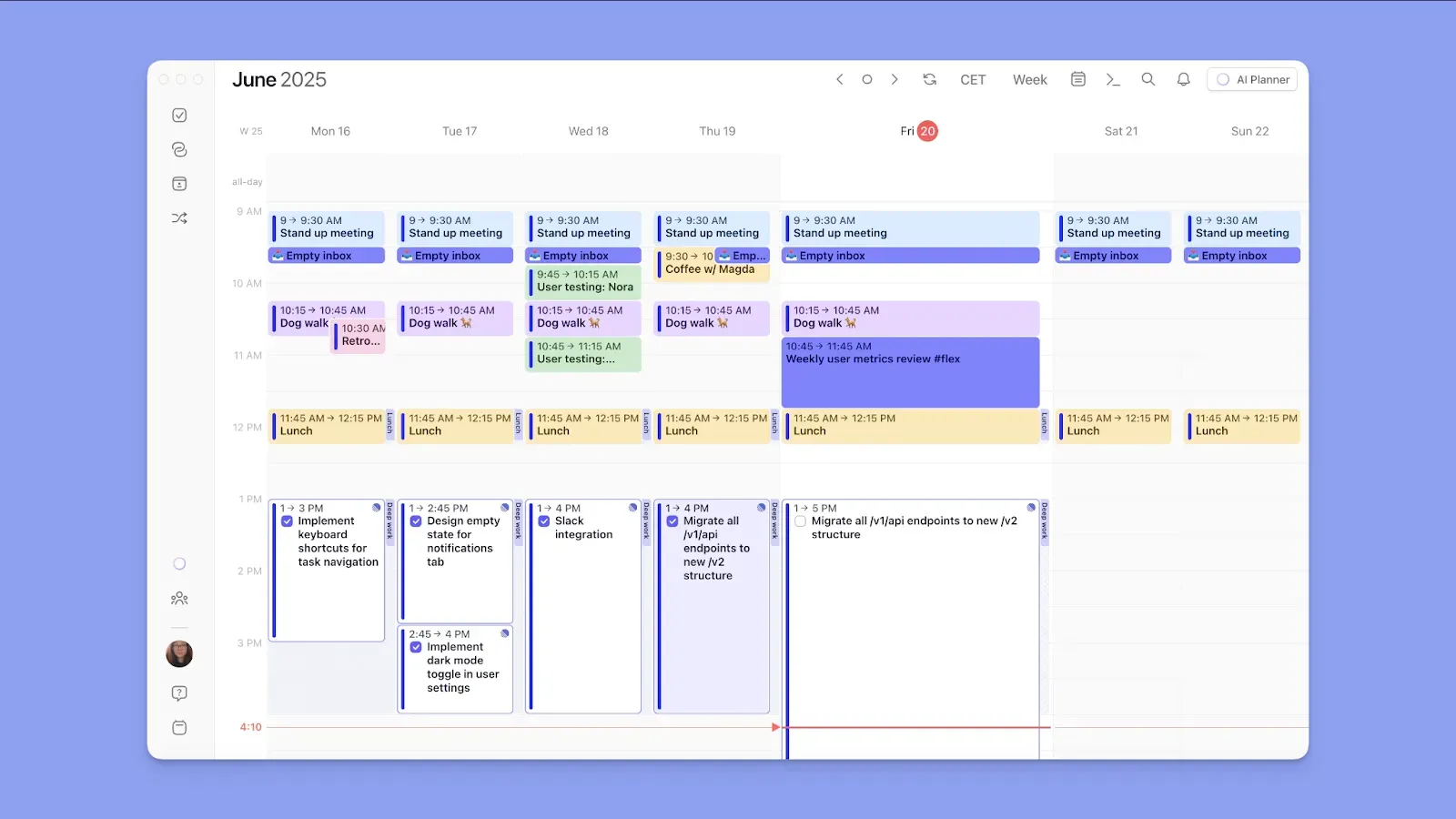
On Morgen, you connect your personal and work calendars, task tools, and start planning right away. Drag and drop tasks into the calendar outline, and use the AI to create a realistic day in seconds.
You can read these Morgen guides to get started, including how to troubleshoot the AI Planner, too.
Integration Depth
You plan best if you can connect to all the tools you use. Sunsama and Akiflow are closely matched in integration depth.
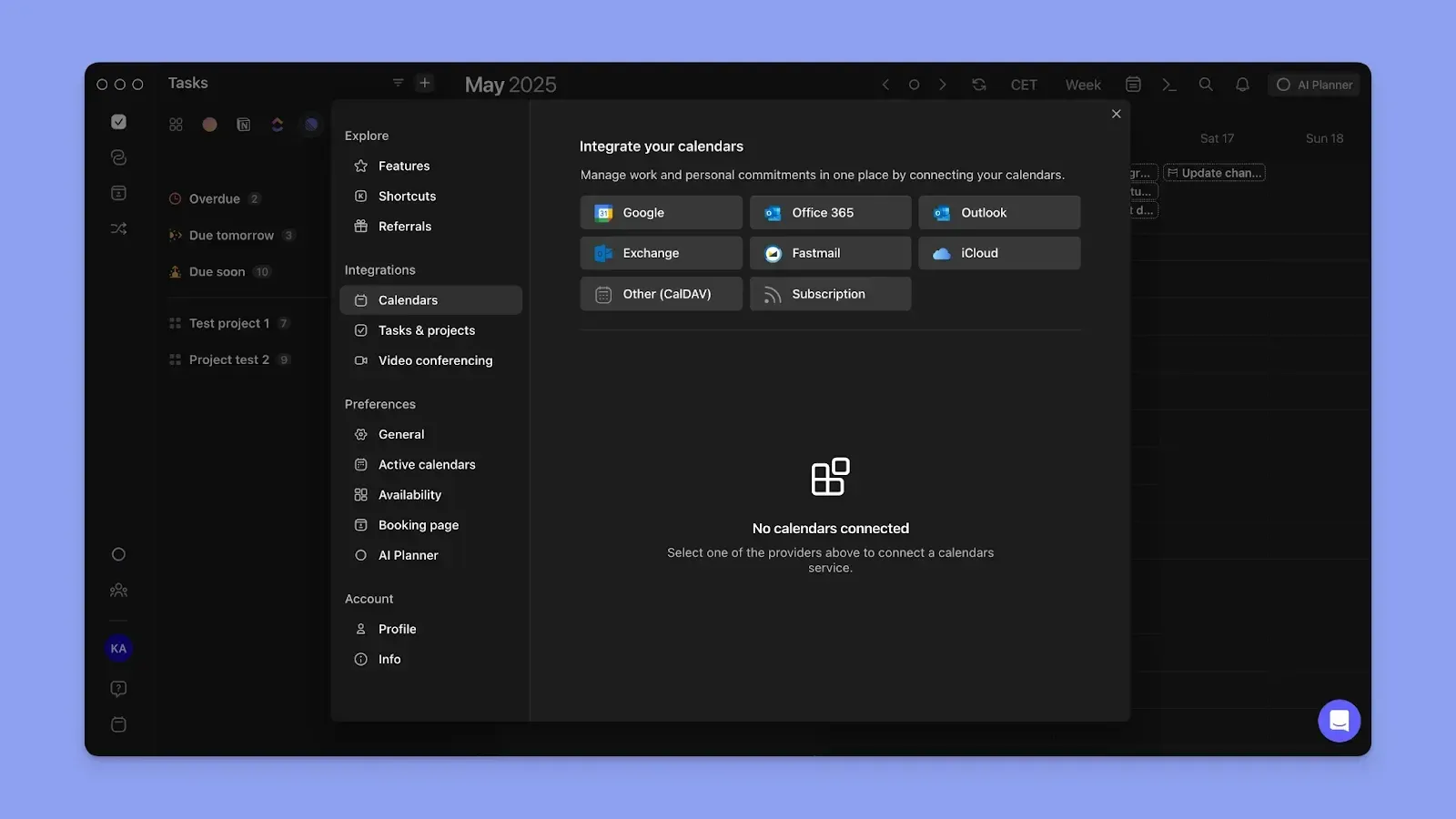
In comparison, Morgen offers native connections to more calendars. When you create your schedule, Morgen automatically shares it with all connected calendars to prevent double-booking.
Try Morgen’s free Schedule Builder to understand events, routines, and tasks, plus time settings and color-coding features.
Alternative to Sunsama and Akiflow: Morgen For Advanced Timeblocking and AI Planning
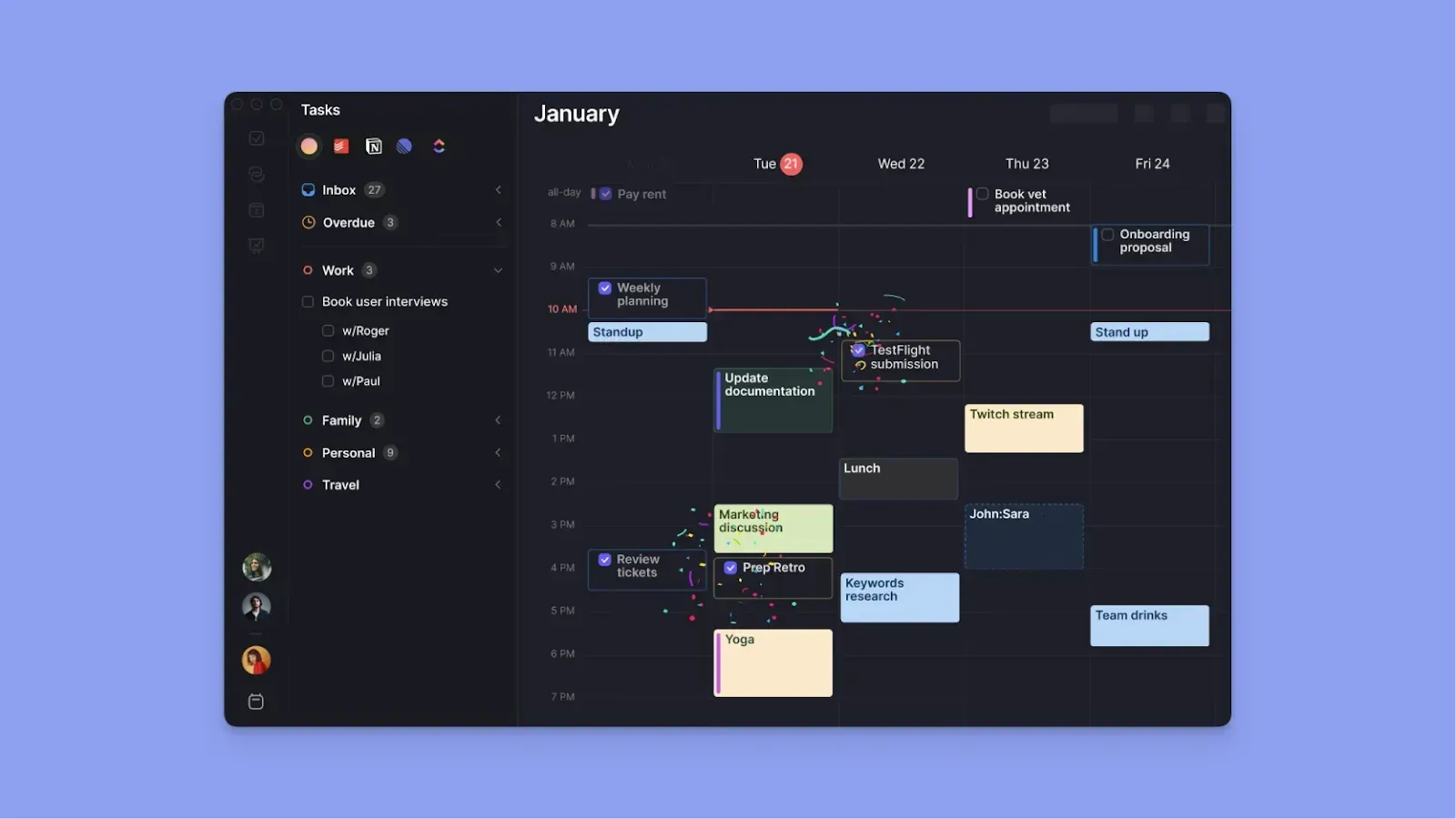
Morgen offers an AI planning system that connects to your tasks, meetings, and scheduling tools. It helps you turn scattered work into a realistic daily plan using AI suggestions and drag-and-drop planning.
Key Features
This is what makes Morgen a better alternative to Akiflow and Sunsama:
Advanced Daily Planning
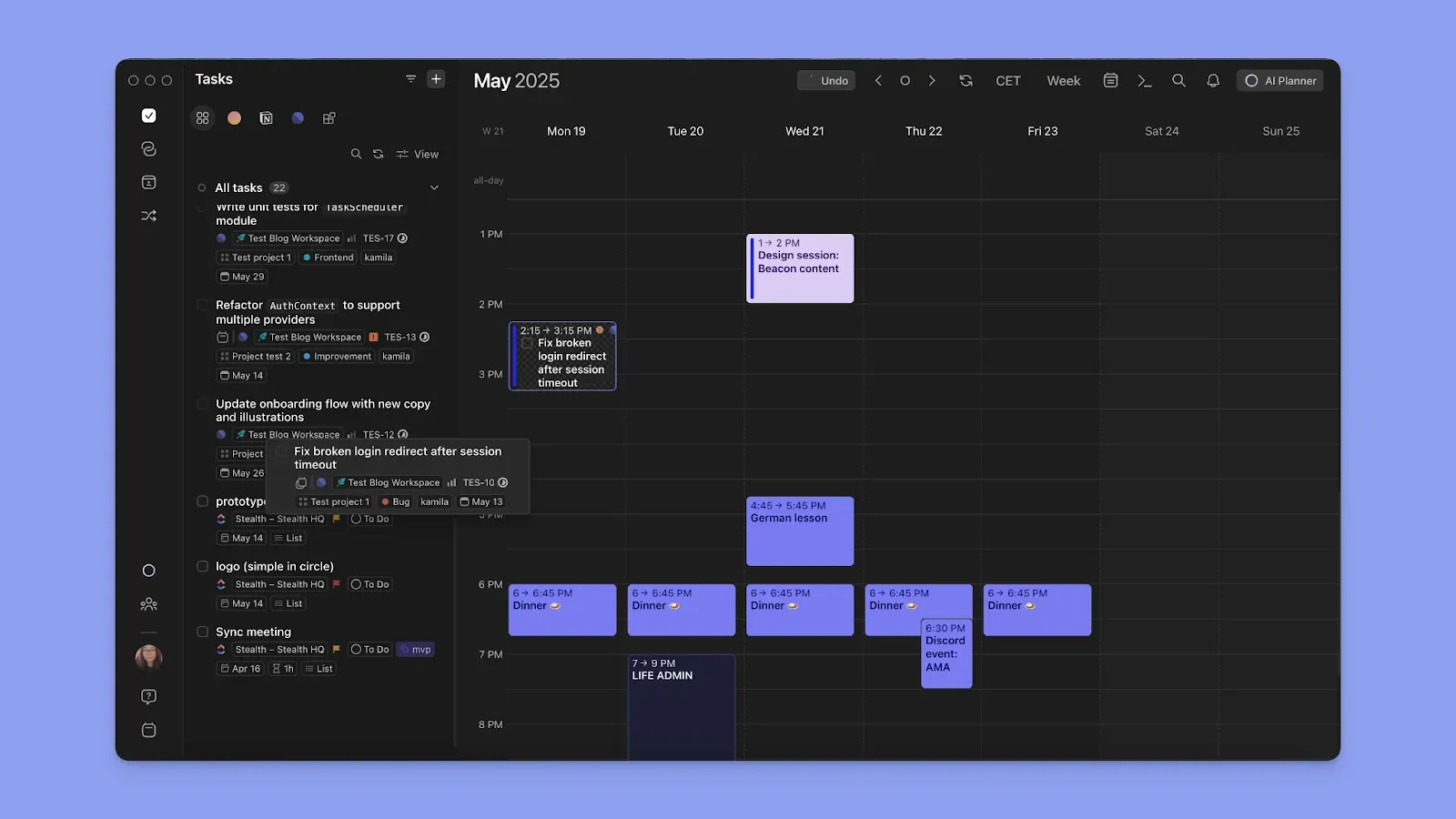
Morgen connects to Microsoft To-Do, Google Tasks, Apple Reminders, Notion, Linear, ClickUp, Todoist, and Obsidian, so all tasks appear in a unified planning interface.
After syncing your calendars, including Outlook, Fastmail, Google Calendar, and iCloud, drag any task from your list into an open calendar slot.
That creates a time block that propagates to all calendars. You can resize it to adjust duration or schedule it across multiple sessions to balance your workload.
Frames and Monotasking
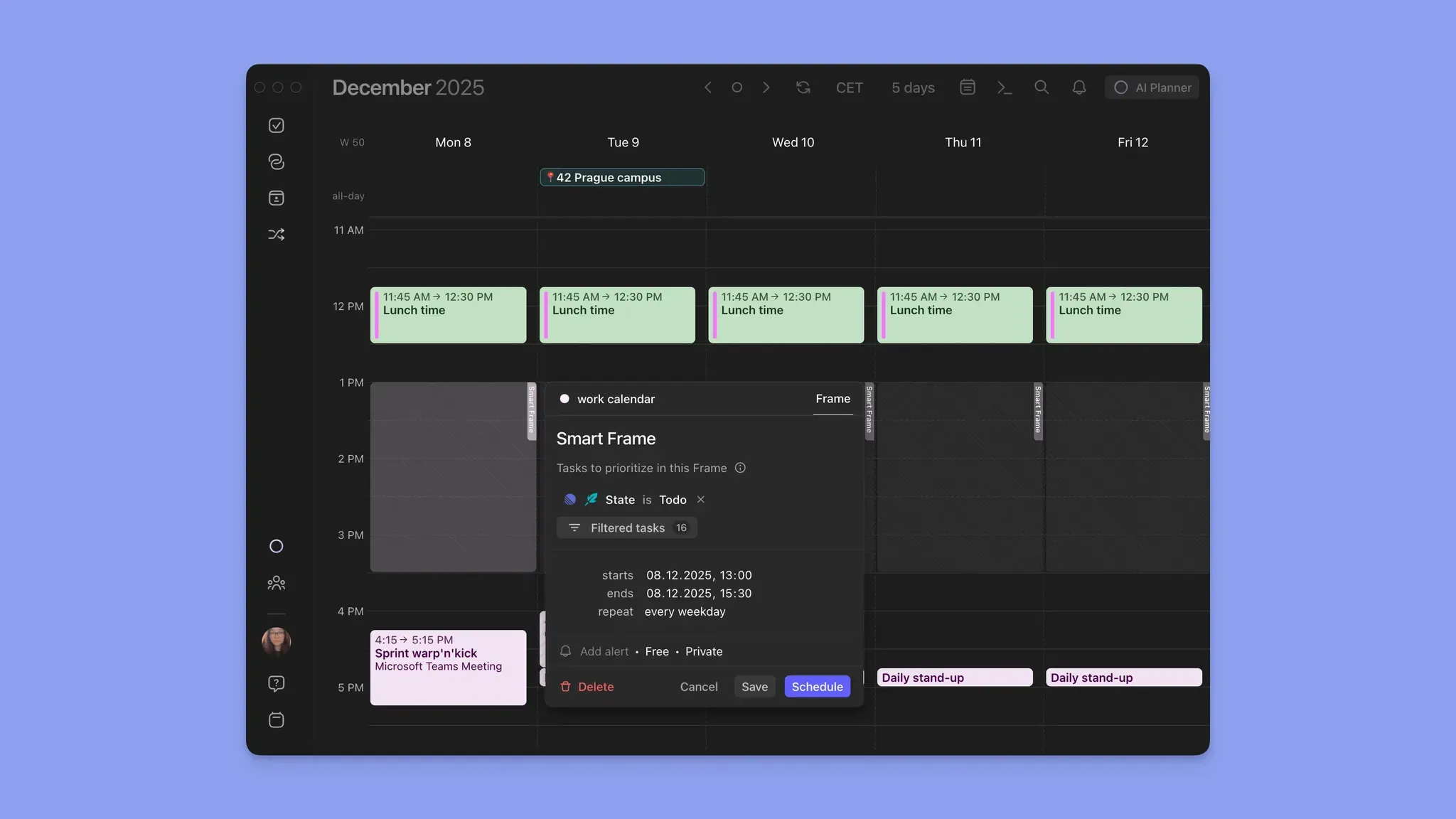
Frames let you create recurring time blocks for specific types of work. For example, you can add Frames for Deep Work, Client A work, Admin tasks, or Meetings.
Set filters for the tasks to populate each block. Instead of deciding what to work on every time, you create structured containers that guide your schedule.
AI Planner
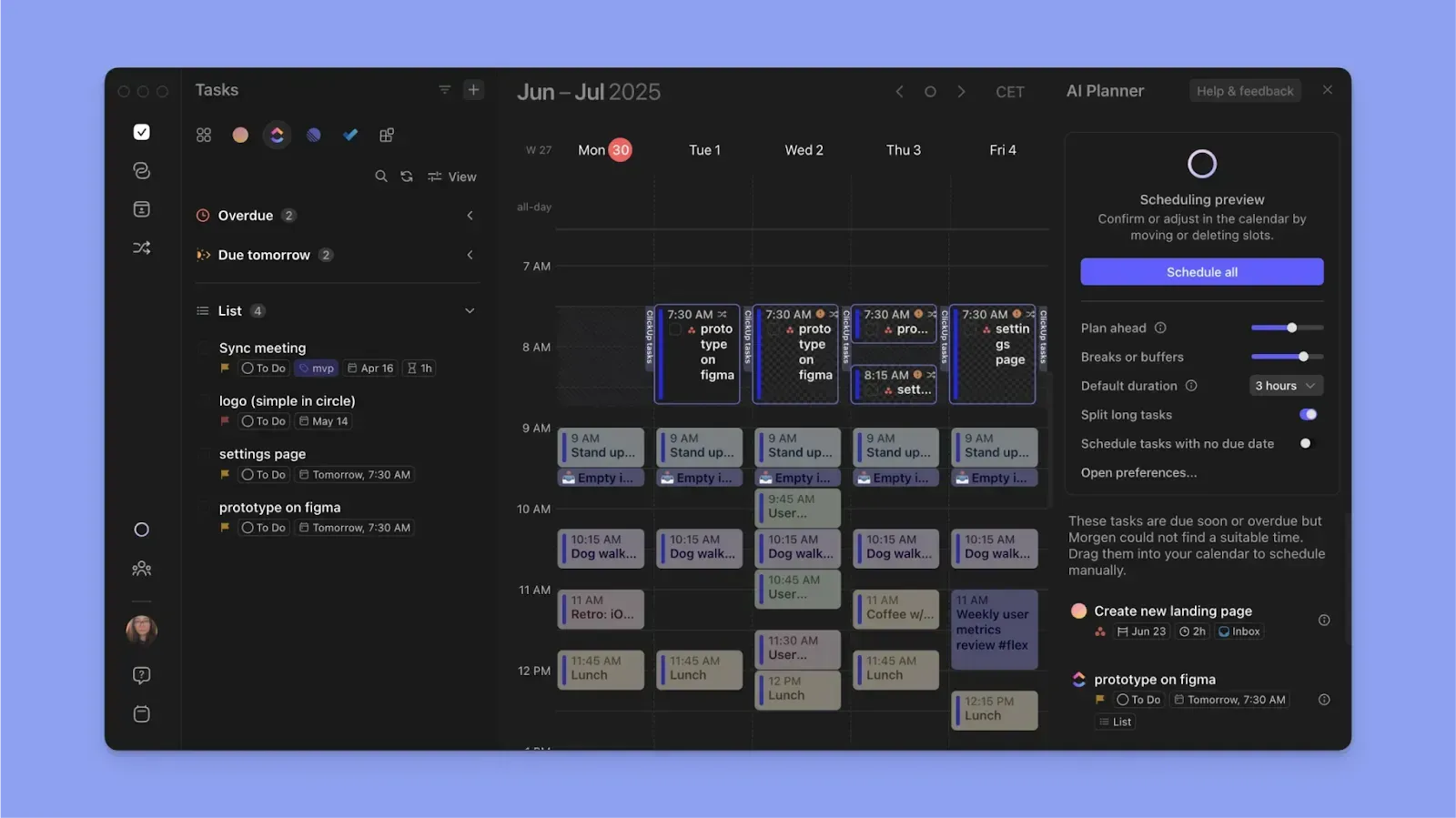
The AI Planner analyzes your available time around meetings and routines, then evaluates task priorities, due dates, earliest start dates, and estimated durations. Then, it suggests an optimized plan that places tasks into the most appropriate time slots.
With a human-in-the-loop approach, you review and approve the schedule before it gets applied.
Pricing
You get a free 14-day trial, without credit card details, for:
Where Morgen Shines
- Deep integrations: Connect task managers, calendars, and meeting tools in one interface to eliminate context switching
- Fast capture: Create tasks and subtasks, events, Frames, or routines using the command bar, + button, clicking anywhere on the calendar, or voice input via the AI assistant
- ADHD-friendly planning: Color-coded calendars, time blocking, and AI-assisted scheduling reduce planning overwhelm and help create achievable daily plans
- Customization and organization: Use tags, priorities, calendar sets, and filters to control how work appears in your planning view
- Affordable: Morgen’s pricing undercuts both Sunsama and Akiflow on annual plans
Where Morgen Falls Short
- No built-in project or board management: Unlike Sunsama or Akiflow, Morgen does not provide boards or project hierarchies
- Mobile app is less developed than desktop: Morgen is currently desktop-first; the mobile app is best for checking the schedule on the go
Customer Reviews
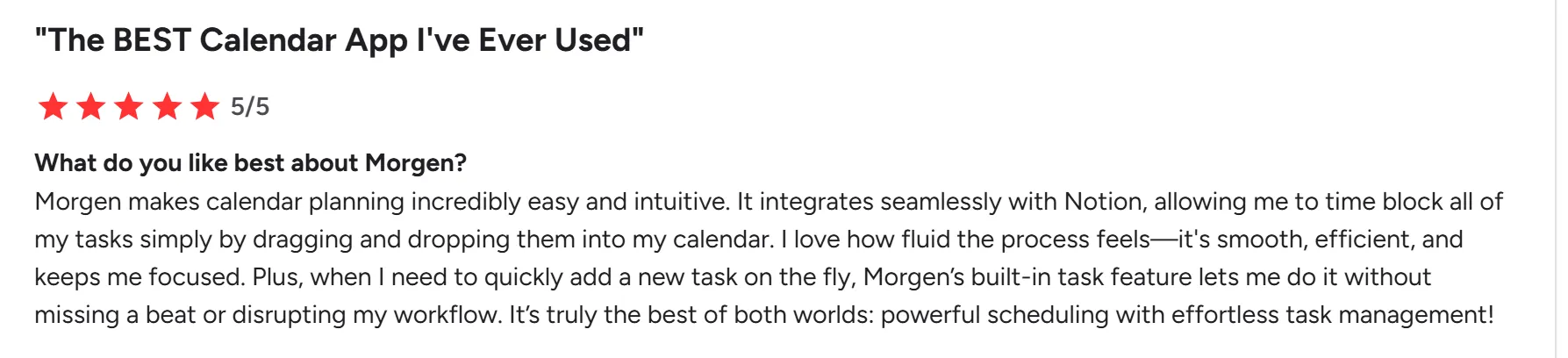
“Morgen makes calendar planning incredibly easy and intuitive.” Kalyn B.
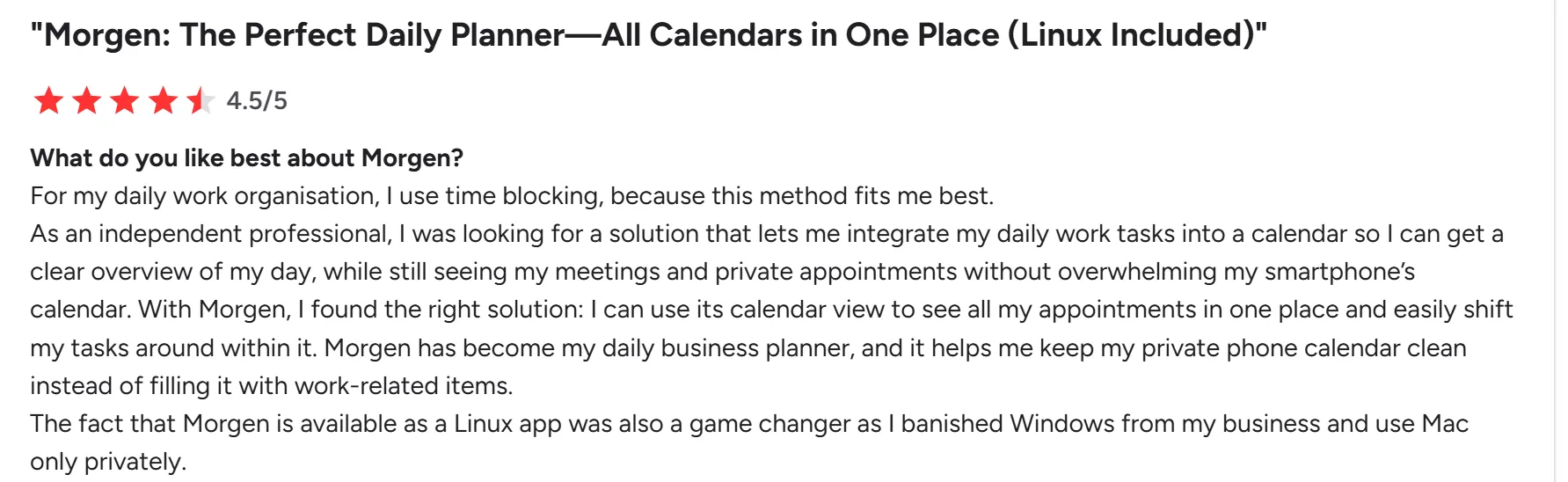
“I can use its calendar view to see all my appointments in one place and easily shift my tasks around within it.” Sascha B.
Who Morgen Is Best For
- Solopreneurs, marketers, freelancers, developers, and ADHD brains: People who want deep integrations, AI-assisted planning, and advanced calendar management with time-blocking
Learn how to plan and navigate your calendars on Morgen.
Sunsama vs Akiflow vs Morgen: Which One Should You Choose?
Sunsama favors deliberate planning, while Akiflow is built for fast-moving task workflows.
Morgen offers a balanced alternative with deep integrations, calendar time blocking and propagation, and faster daily scheduling with the AI Planner.
Read how to get started with Morgen, then download the app and start planning.

.svg)
.webp)