
.svg)
→ Fantastical uses a subscription model called Flexibits Premium, covering Fantastical, Cardhop, and Fantastical Scheduling across Apple devices
→ Choose between four Fantastical plans: Free, Individual (from $4.75/month), Family (from $7.50/month), and Team (from $4.75/user/month)
→ Annual billing saves 32%: You can also get educational and military discounts
→ Consider Morgen if you need planning, not just viewing: starts at $15/month annually with AI-assisted scheduling across platforms like Windows, Linux, Android, and Apple devices
Fantastical pricing starts at $4.75/month (annual) in 2026, making it one of the more affordable premium calendar apps, but it’s only worth it if you primarily need calendar management, not task planning.
While there’s a free plan, most useful features sit behind the Flexibits Premium subscription.
In this guide, we’ll analyze the Fantastical free vs premium plans and determine how well the pricing holds up. If you also want a Fantastical alternative for Windows, we'll show you how Morgen compares.
How Much Does Fantastical Cost?
Fantastical offers one subscription called Flexibits Premium across four plans:
Morgen: An Alternative for AI Task Planning Around Multiple Calendars
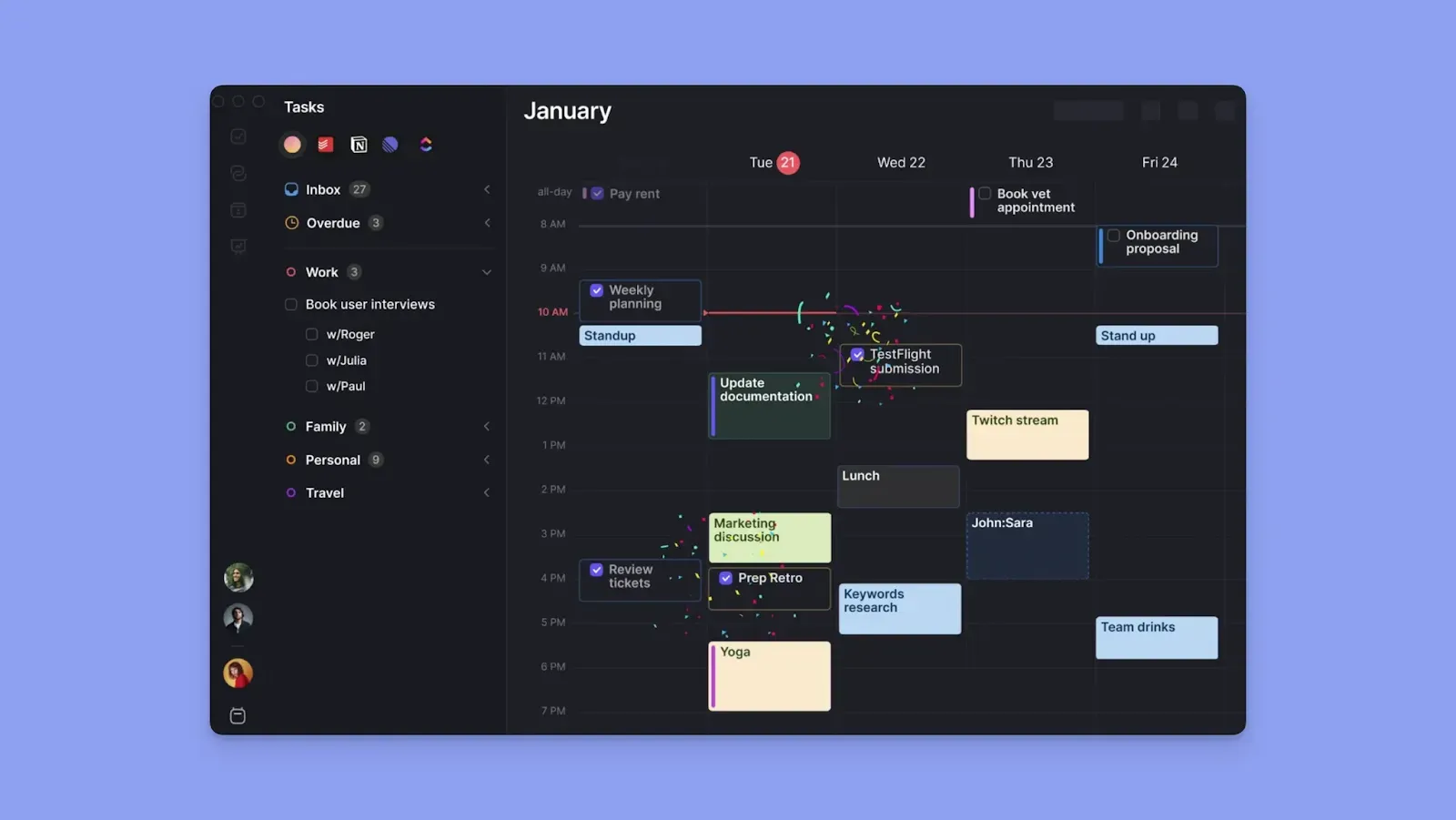
Morgen is a calendar-first planning tool that consolidates multiple calendars and task tools, and is the best for AI-assisted task planning across multiple calendars (without losing control).
Where Fantastical focuses on clean calendar viewing and event creation, Morgen adds AI Planning to suggest when to schedule tasks. Here are more advantages over Fantastical:
- Connect calendars from Google, Outlook, iCloud, and Fastmail, and import tasks from more tools compared to Fantastical’s depth
- Use the AI Planner to suggest daily task placement across your calendar. You approve every change before it's confirmed
- Protect focus time with Frames, recurring time blocks that pull in the right tasks at the right time
- Book meetings without a separate scheduling tool using booking pages, scheduling links, and open invites
- Works across all platforms: web, Mac, Windows, Linux, iOS, and Android
If you’re going to switch from Fantastical to Morgen, you qualify for a 15% discount on your first annual plan. Contact us to redeem.
Fantastical Pricing Plans: A Breakdown
Here’s what each Fantastical plan actually gives you, and where the limitations show up:
Free Plan
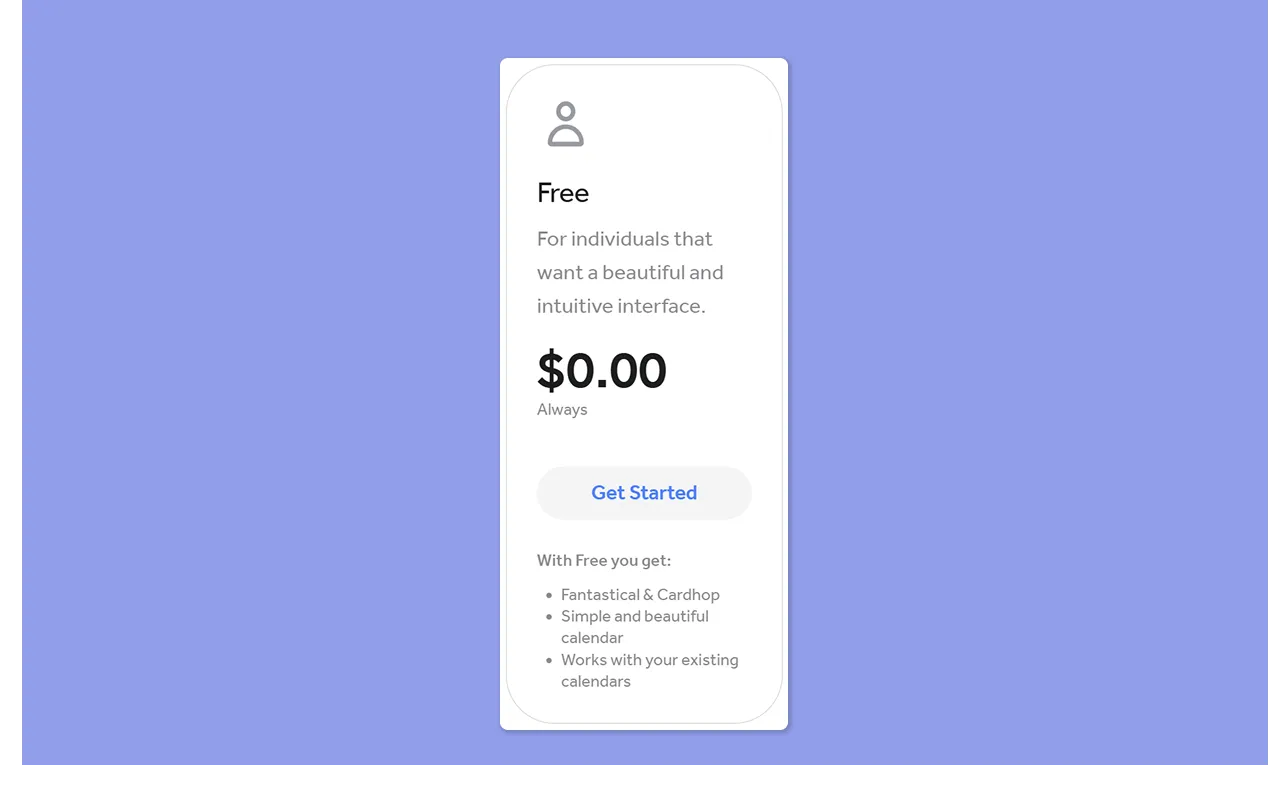
The free plan gives you access to Fantastical and Cardhop across your devices.
You can add calendar accounts, create events and tasks, use iCloud Reminders and Todoist, see a 3-day weather forecast, and set up a calendar set (shortcut).
Individual Plan
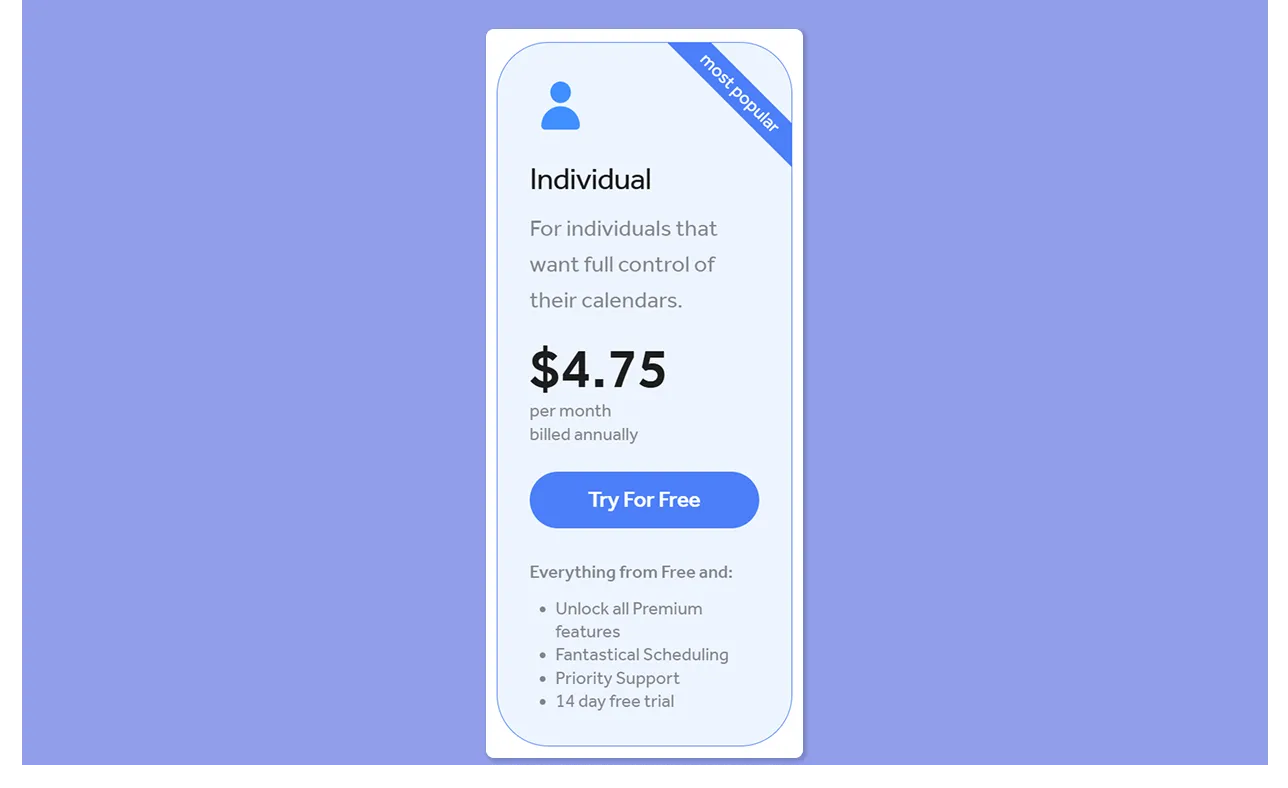
You get unlimited calendar sets with automatic switching by time or location, travel time built into event blocks, live activities on Apple devices, and the full Openings feature for scheduling links.
You can also create booking pages, send proposals with multiple time slots, and run RSVPs with registration deadlines directly inside Fantastical.
Fantastical for Windows is included in your Flexibits Premium subscription with no extra purchases required, so if you split time between a Mac and a PC, one subscription covers everything.
Family Plan
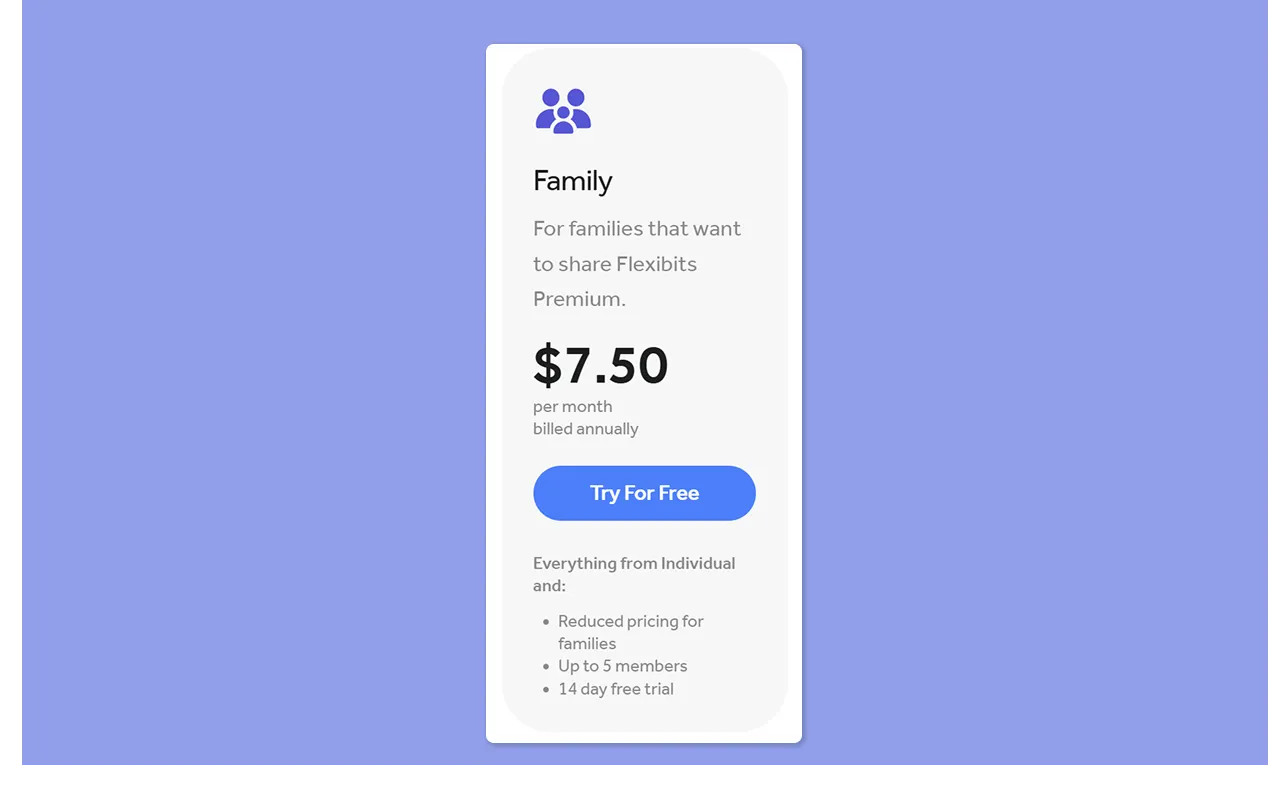
The Family plan extends your Individual Premium to up to five household members.
Each person gets their own private Flexibits account and uses Fantastical independently. That said, the Family plan is marked for personal use only.
Team Plan
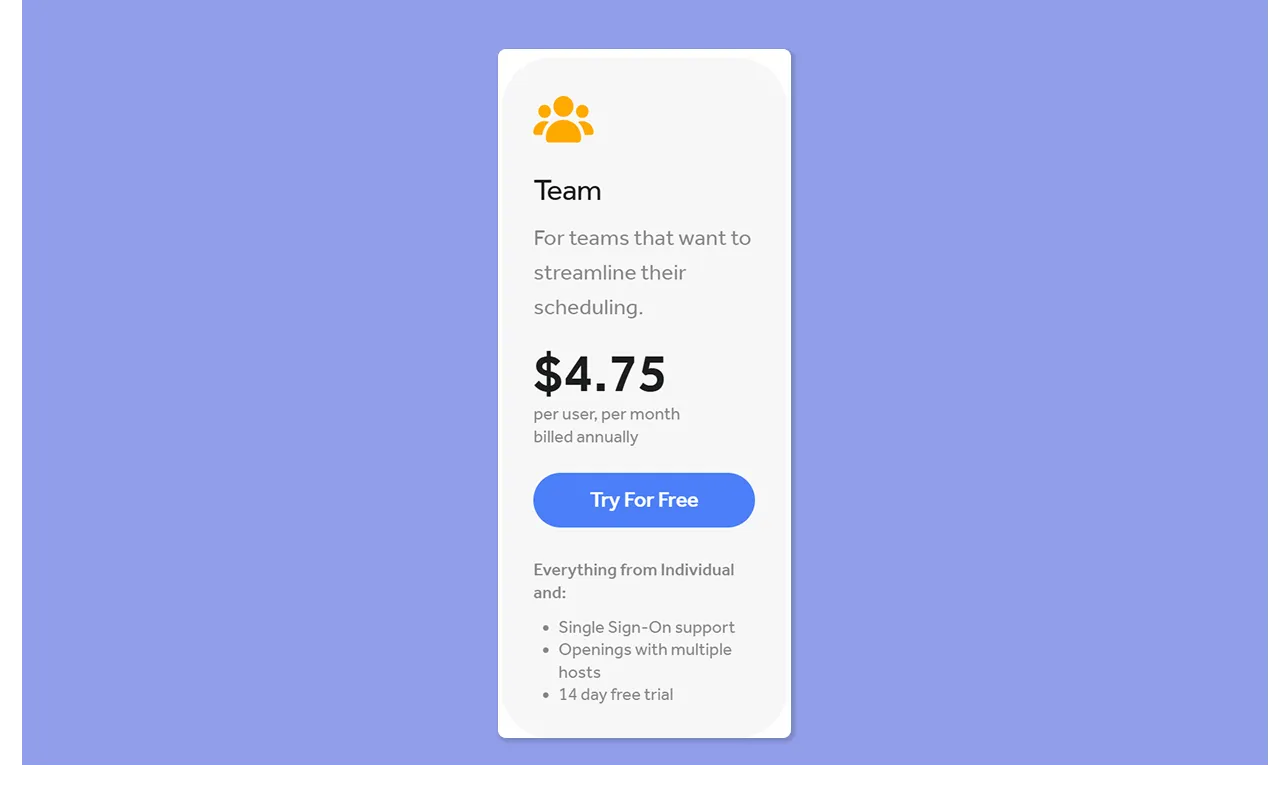
The Team plan is Flexibits Premium, billed per user for commercial use. Each team member gets their own Fantastical Premium account.
The key additions over Individual are Single Sign-On (SSO) support and the ability to add multiple hosts to Openings, which means more than one person can be attached to a shared scheduling link.
Fantastical Hidden Costs
- You still pay for task tools. Fantastical displays tasks from iCloud Reminders, Todoist, and Google Tasks, but you pay for those tools separately. If you use Todoist Pro, that is another $5/month on top of Fantastical
- Windows experience is limited. Fantastical for Windows launched in 2024. The Windows app is included in your Flexibits Premium subscription, but users say some features lag behind Apple versions
Fantastical Pros & Cons
Fantastical does the calendar experience well, but here is where it earns its price and where it doesn't.
Pros
- Natural language entry: Type "Lunch with Sarah at 1 pm tomorrow" and Fantastical converts it into a complete event instantly
- Automatic conference call detection: Supports Zoom, Webex, Microsoft Teams, Google Meet, GoToMeeting, and more, pulling join links into events without setup
- Travel time and live notifications: Time-to-leave alerts, live activities, and travel time blocks built into events
- Deep customization options: Custom event colors, home screen and dock icons, and custom notification sounds on iOS, iPadOS, and visionOS
- Forward emails to Fantastical: Emails forwarded to your personal Fantastical address get parsed and converted into a calendar event automatically
- Apple Watch integration: View upcoming events and tasks from your wrist
- Attachments on iOS: Add files directly to events on iOS, so meeting docs, briefs, and reference material travel with the event
Cons
- Limited task integrations: Fantastical syncs tasks from iCloud Reminders, Todoist, and Google Tasks only
- No AI-assisted scheduling: Fantastical shows tasks on your calendar, but won't suggest when to work on them or reschedule around conflicts
- Only Apple-first by design: Android is not supported
- No task planning layer: Fantastical has no time-blocking or any mechanism for turning a task list into a structured daily plan
Want to explore more apps? Here are five Fantastical alternatives to try out.
Who Is Fantastical Best For?
Fantastical suits a specific kind of user, so you can consider it if you fall into one or more of these categories:
Apple-first Professionals Managing Multiple Calendars
If you live on Apple devices and juggle several calendar accounts across iCloud, Outlook, and Google, Fantastical will work well for you. You even get calendar sets to switch between calendar views.
Freelancers and Consultants Who Schedule Often
You get booking pages, meeting proposals, and RSVPs inside the same app as your calendar. If you're a freelancer, consultant, or solopreneur who books client calls regularly, this reduces your tool count.
Families Managing Shared Schedules
The Family plan covers five members at a total of $7.50/month on an annual plan. If three or more people in a household need serious calendar management, this is genuinely good value.
However, each person gets a private calendar. Consider these shared digital family calendars or calendar apps for couples for consolidated planning.
Fantastical Customer Reviews
Here is what users say about Fantastical pricing and features:
Positives
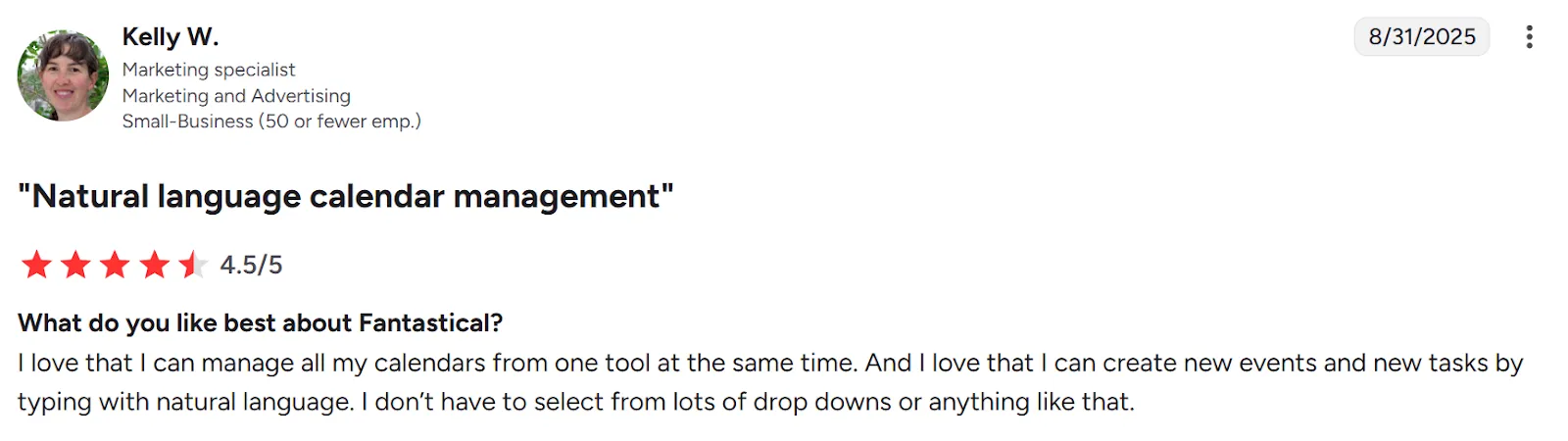
“I love that I can manage all my calendars from one tool at the same time,” says Kelly W on G2:
Complaints
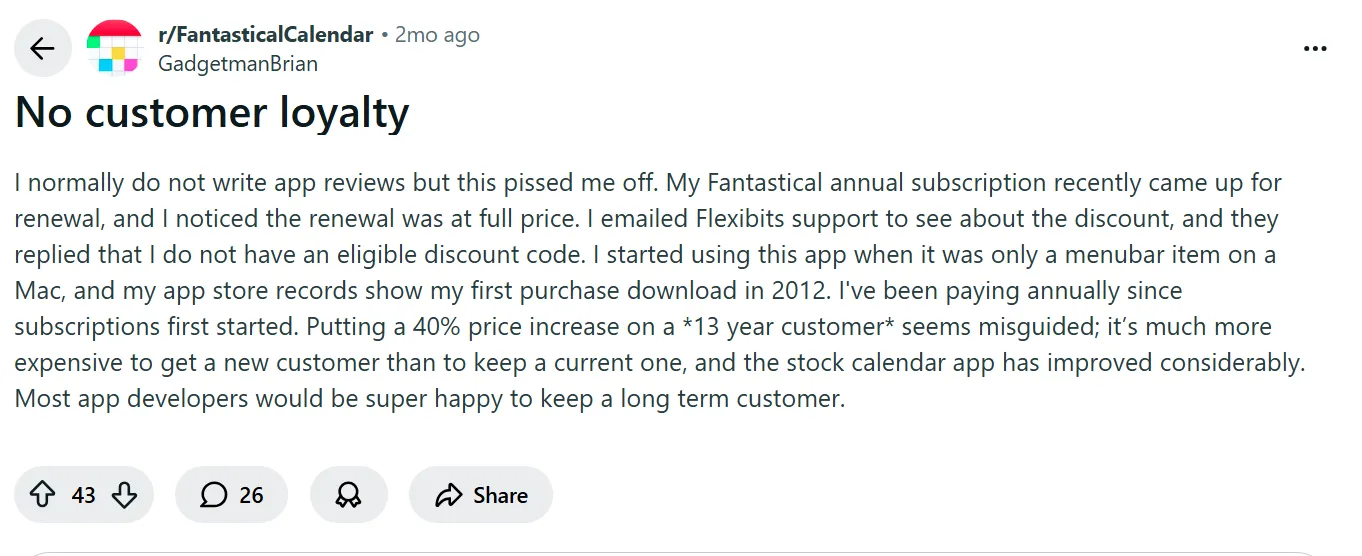
On Reddit, uGadgetmanBrian complains about Fantastical’s lack of “customer loyalty” after getting a 40% price increase despite using the app for 13 years.
Alternative to Fantastical: Morgen For Advanced Task Management with AI
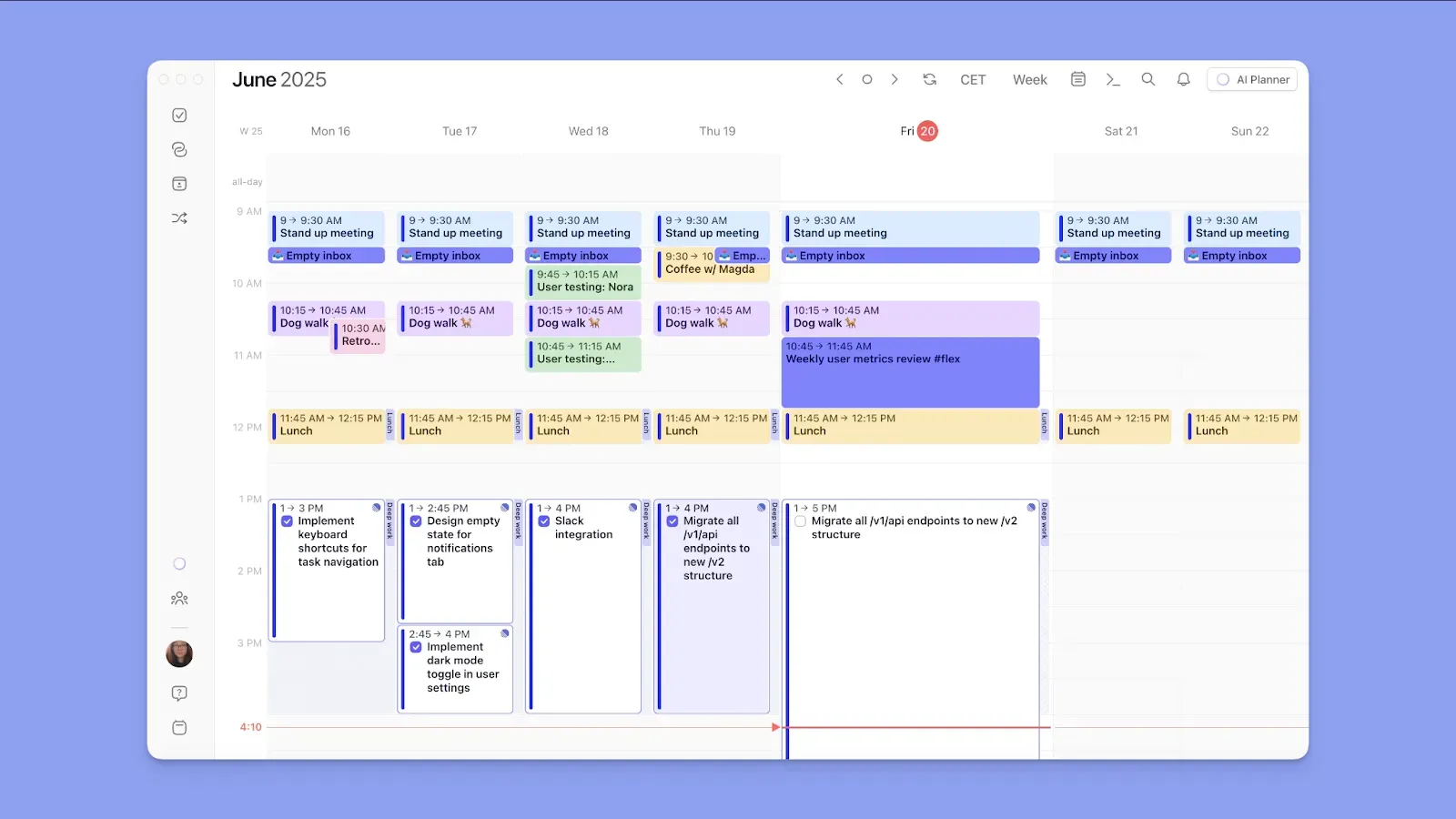
Morgen is a digital calendar planner built for solopreneurs, freelancers, developers, and professionals who need more than a polished calendar view and want to turnt asks into a structured, AI-assisted daily plan.
It connects your numerous calendars, external task tools, and meeting scheduling into one interface, with an AI Planner that does the heavy lifting on daily planning. As an alternative to Fantastical, you get:
Deep Calendar and Task Integrations
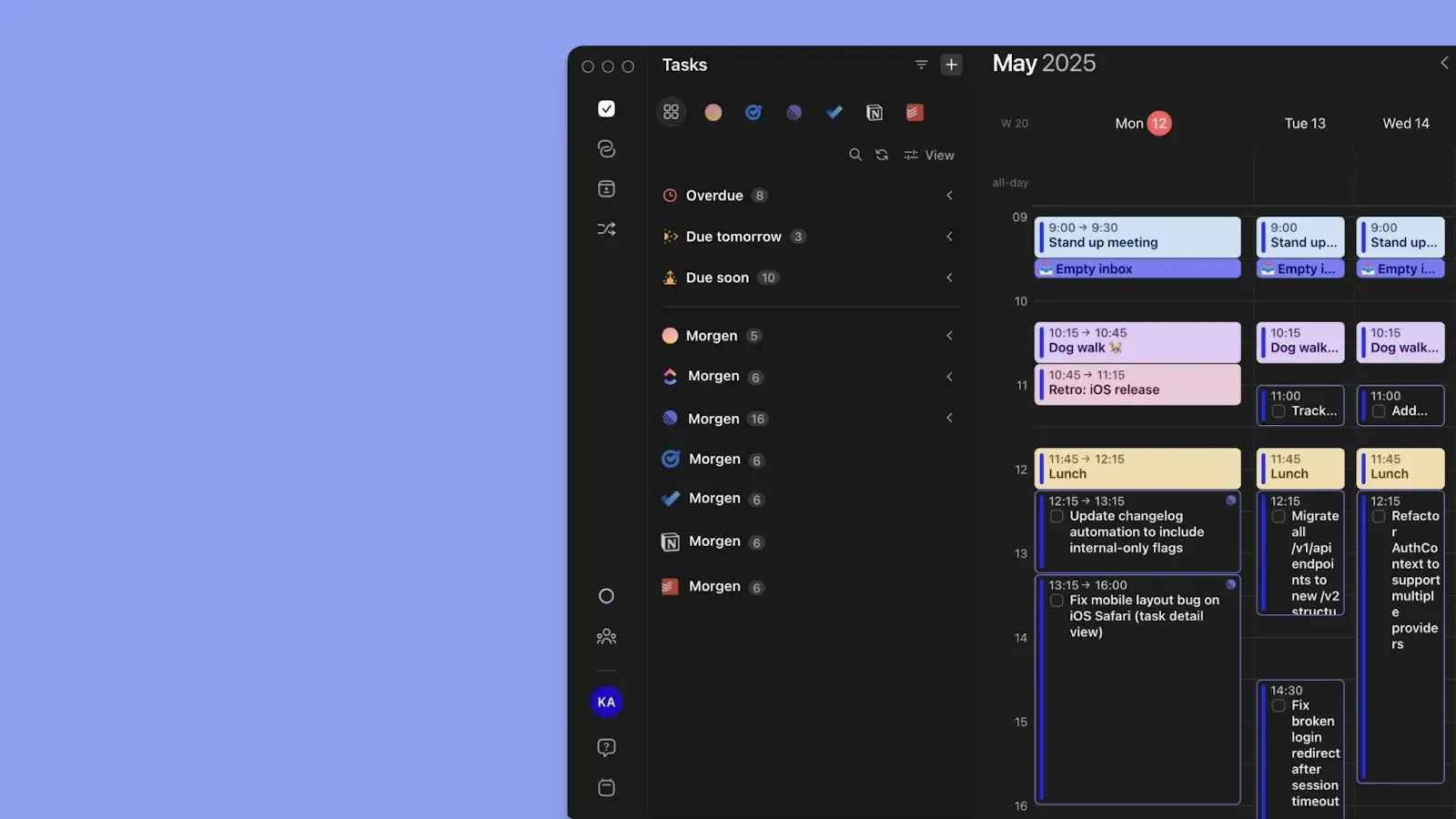
Morgen offers more integrations than Fantastical. You can sync Google Calendar, Outlook, iCloud, Fastmail, and subscription calendars in one plane.
You can then pull tasks from Notion, ClickUp, Linear, Obsidian, Todoist, Microsoft To Do, Apple Reminders, and Google Tasks.
To plan meetings on Morgen, you can also connect to Google Meet, Microsoft Teams, Zoom, and Webex.
AI Planner and Frames
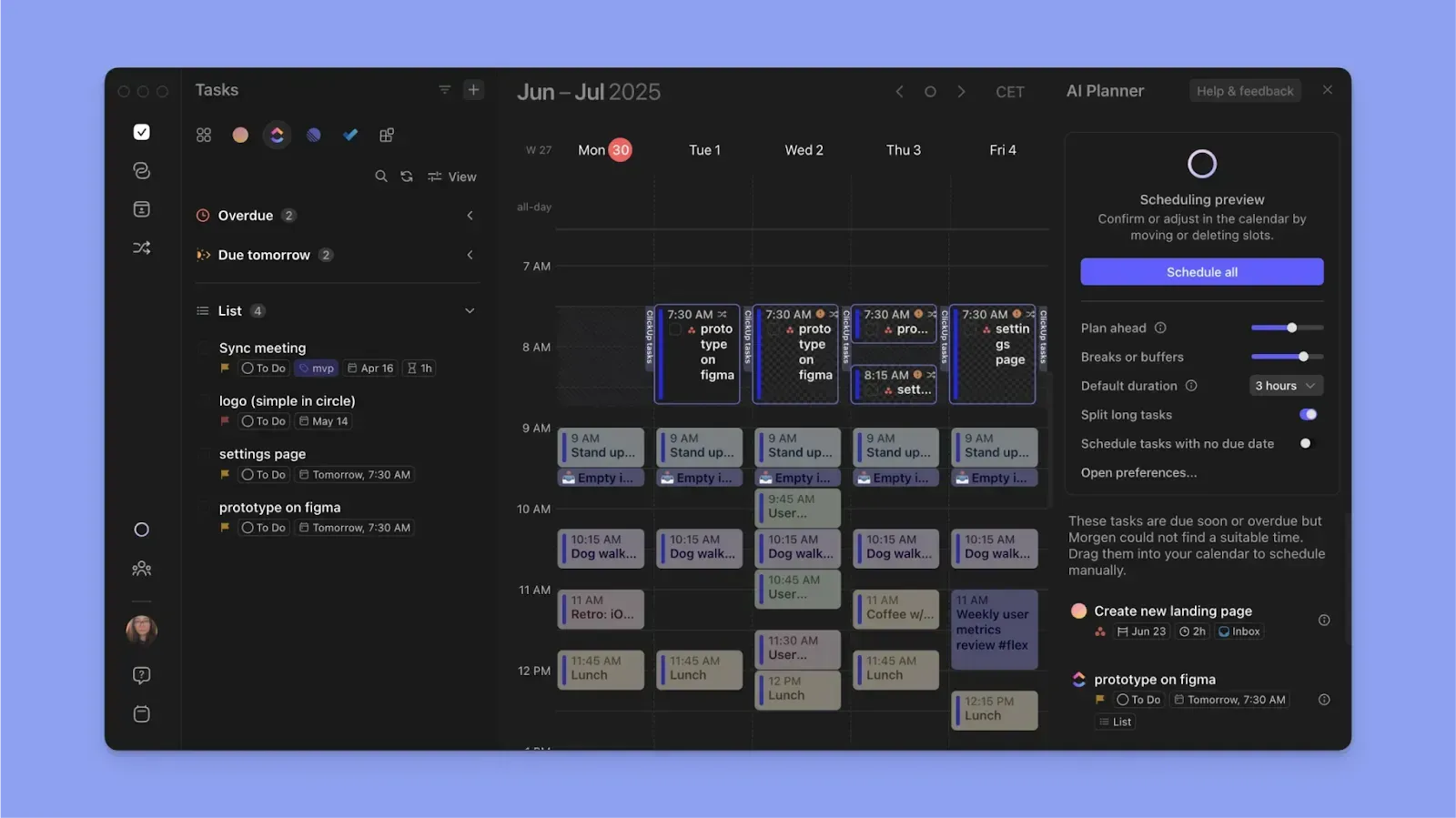
When you consolidate all calendar events, Morgen also helps you schedule your tasks into available task slots.
You can drag and drop each task into an available slot on the Morgen calendar, and that will sync to the calendar you’re planning. You can even propagate each block across all connected calendars to prevent double-booking.
Alternatively, you can deploy the AI Planner to suggest when to schedule tasks based on task durations, deadlines, and priorities. Even better, you can create Frames to decide when to handle specific types of work each day. The AI Planner understands Frame filters and can suggest which tasks you can schedule into the task blocks.
Download and install Morgen on Mac, Windows, Linux, and Android to start planning smart now.
Does Fantastical Pricing Fit Your Budget?
Fantastical is worth it if you want a polished calendar experience, especially within the Apple ecosystem.
But if you need actual dynamic task planning, not just viewing, it falls short.
Choose Fantastical for calendar management.
Choose Morgen for AI-assisted task planning and scheduling.
See how to get started with Morgen V4, then get your 14-day free trial to create achievable plans.

.svg)
.webp)


