
.svg)
→ Choose Morgen if you need an AI scheduling software and daily calendar planner that helps you decide when to focus on emails: best for solopreneurs, developers, and marketers who turn email into scheduled work, and need AI-assisted calendar planning to manage it without losing control of their day
→ Get Akiflow or Sunsama if you prefer manually planning your day from emails and tasks: best for professionals who want drag-and-drop calendar scheduling and structured daily planning rituals after inbox triage
→ Try Notion Mail or Zoho Mail if your workflow already lives inside those ecosystems: best for teams that want email connected to calendars, workspace tools, notes, contacts, and lightweight task management
→ Use Amie, Saner.ai, or Ayari if you want newer AI-first workflows around email and calendar coordination: best for professionals prioritizing conversational AI, lightweight planning, or AI-assisted organization
Superhuman is the best email client for professionals who aim for inbox zero daily.
But once emails start turning into actual tasks, you need an alternative that helps you decide when to deal with them.
In this comparison, we explore eight Superhuman competitors you can use either instead of Superhuman or alongside it to plan execution after email communication.
Best Superhuman Alternatives at a Glance
1. Morgen: Best Superhuman Alternative for AI Task Planning Around Calendar Availability

Morgen is an AI digital scheduling app for professionals who build their day around real calendar availability. As an alternative to Superhuman, it helps you turn email workflows into scheduled work sessions.
Morgen Key Features
Superhuman helps you clear the inbox. Morgen helps you decide when to clear the inbox and complete all email-related tasks.
Email-to-Task Integration
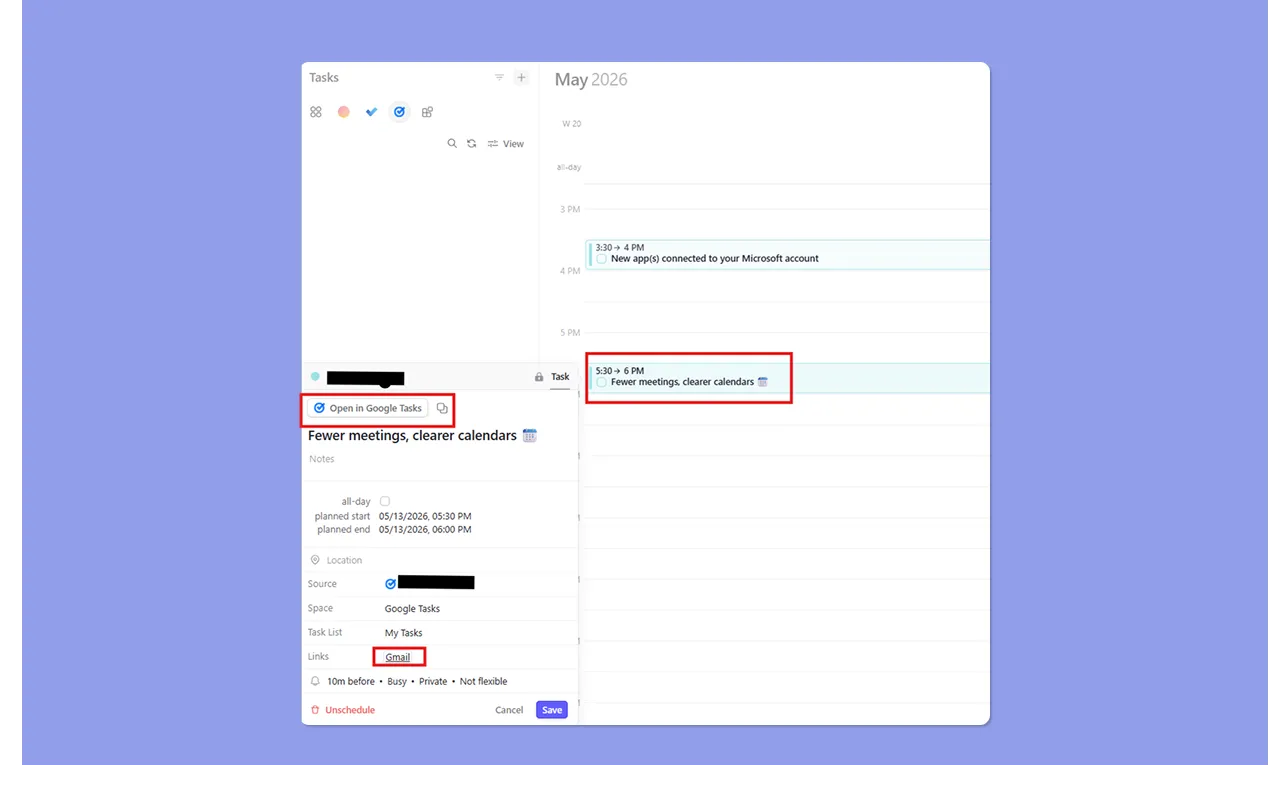
Morgen pulls emails as tasks through Google Tasks and Microsoft Outlook integrations.
Flag emails in Outlook or add Gmail emails to Google Tasks, then pull them into Morgen automatically for scheduling. From there, drag the task onto a free calendar slot or let the AI Planner find the best time based on your availability that day.
Deep Integrations Across Calendars and Task Tools
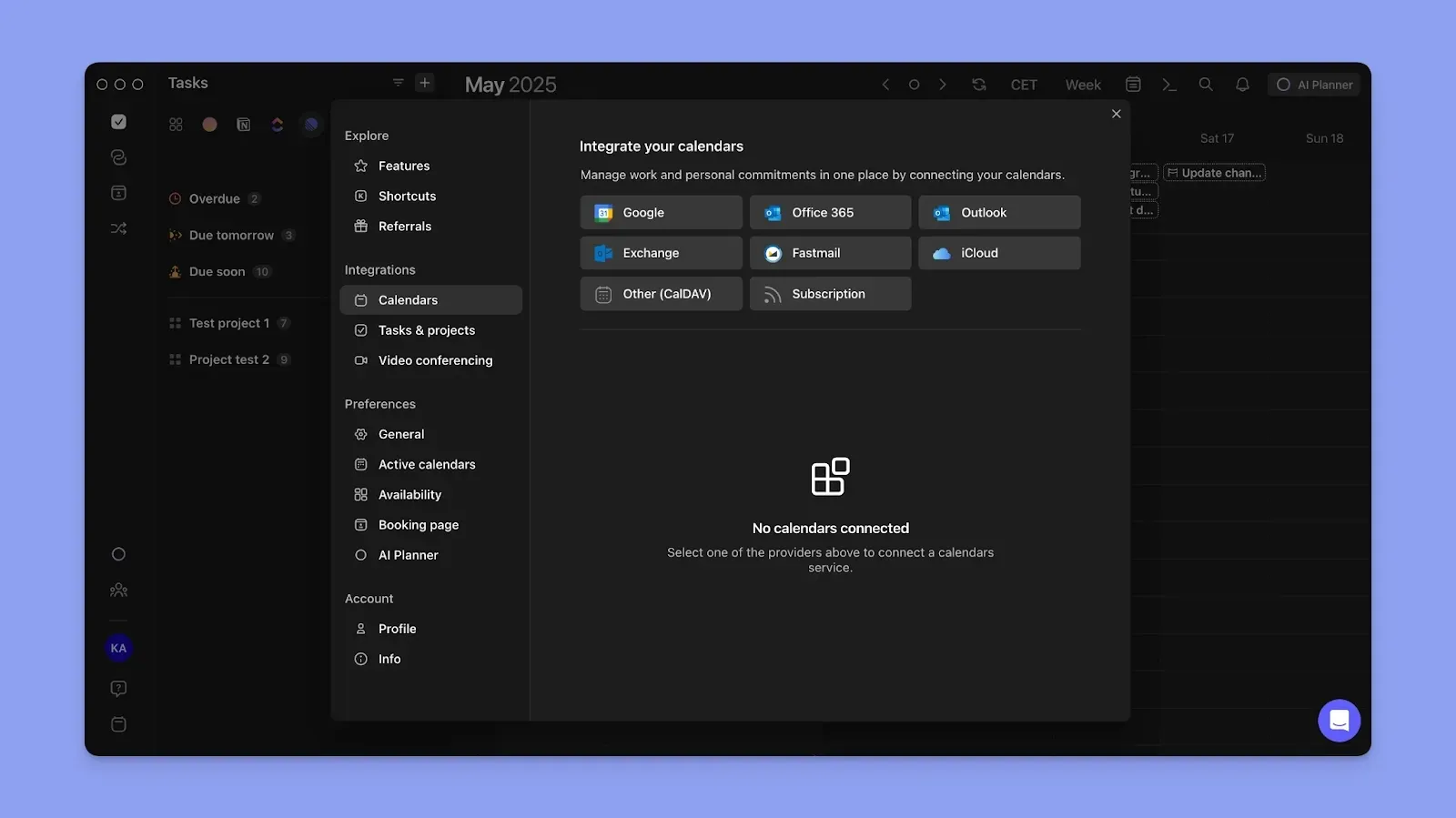
Morgen connects Outlook email, then syncs Google Calendar, Outlook, iCloud, and Fastmail to surface your meetings and committed time.
It also pulls tasks from Notion, Todoist, Obsidian, Linear, ClickUp, and Apple Reminders alongside the email tasks you've already flagged. Then, you schedule pending tasks around real availability.
Human-in-the-Loop AI Planner
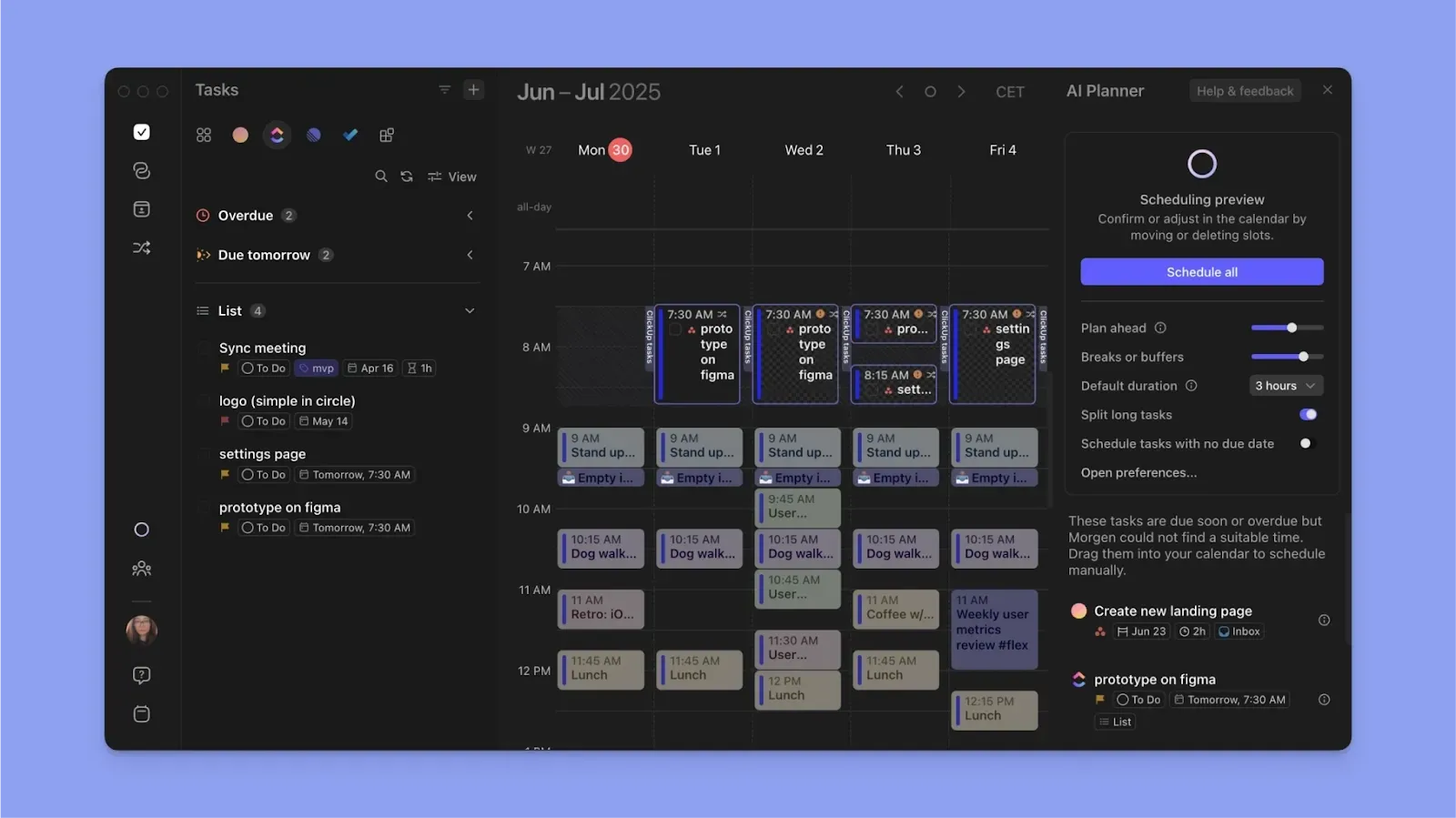
Whether it’s when to read or reply to all emails, or an email-related task, Morgen lets you manually drag and drop to block the time for the tasks.
Or use the AI Planner to suggest the best time for each task. It reads your availability, deadlines, task duration, and priorities, then surfaces a proposed plan that you can approve or edit before scheduling.
Frames and Mono-Tasking
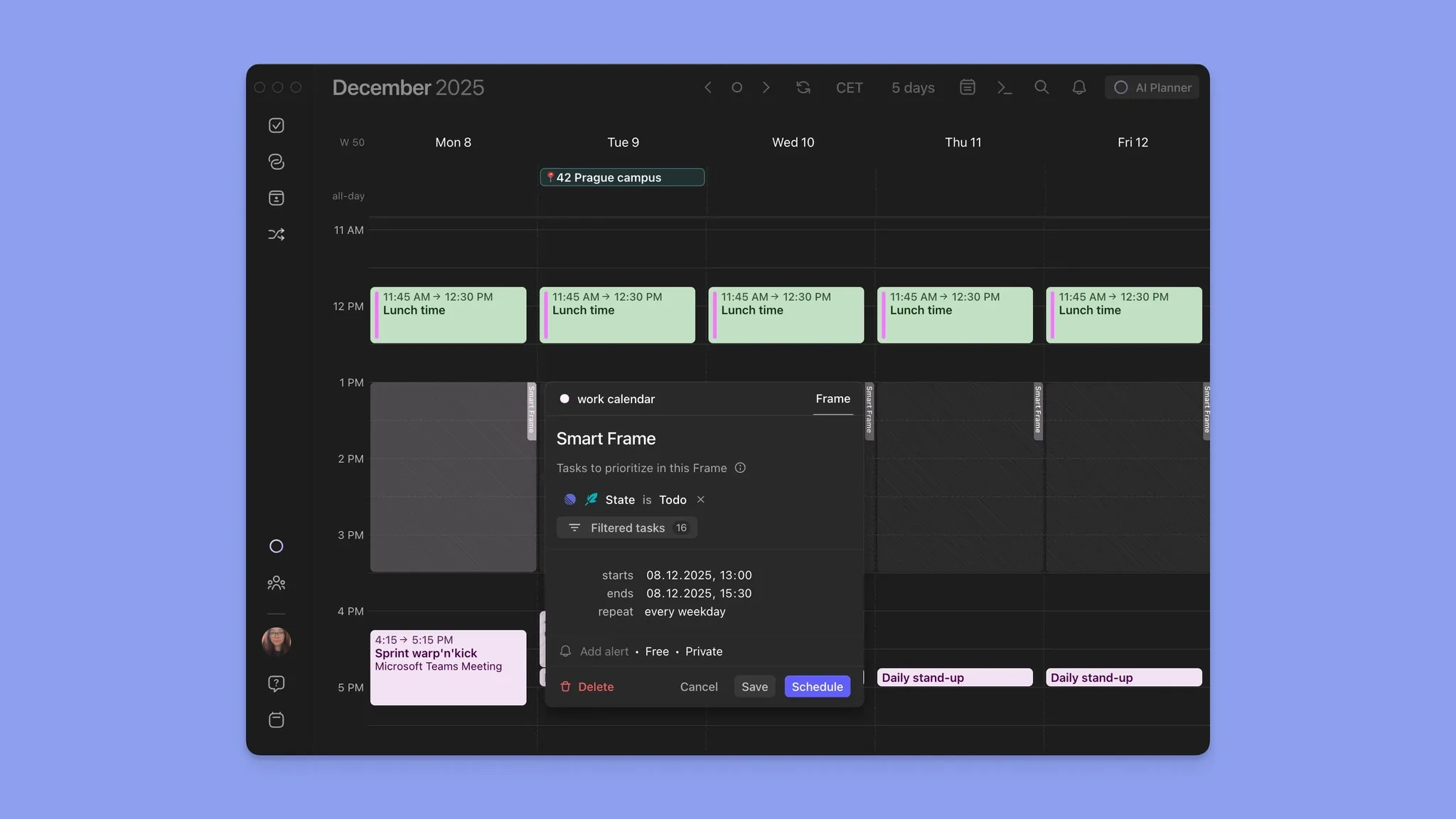
Frames are recurring planning templates you can dedicate to specific categories of work.
For example, you can create a recurring “Email Follow-Up” Frame that reserves protected focus time for responding, reviewing documents, or completing admin work generated from your inbox.
You can filter Frames by task source, priority, or tags to batch similar work together and reduce context switching throughout the day.
Morgen Pricing
Buyer’s tips: Students and nonprofits get 25% off. Switching from Motion, Akiflow, Fantastical, or Sunsama earns you 15% off your first year. As a Clockwise alternative, Morgen also offers 35% off your first annual plan.
Where Morgen Shines
- Advanced daily planning: Morgen lets you schedule all email work and other daily tasks on your calendar
- Modern calendar planning interface: Drag tasks from connected tools directly onto your calendar and sync updates back to integrations automatically
- Better scheduling customization: Use color coding, Calendar Sets, tags, keyboard shortcuts, and calendar propagation workflows to organize work visually and avoid double-booking
- Meeting coordination tools: Create booking pages, scheduling links, and open invites without switching between separate scheduling platforms
Where Morgen Falls Short
- No native email drafting or inbox triage: Morgen is not an email client, so you still manage conversations inside Gmail or Outlook before turning them into scheduled work
- Not built for large enterprise teams: Morgen is optimized for solopreneurs, freelancers, and small teams rather than org-wide deployment
Morgen Customer Reviews
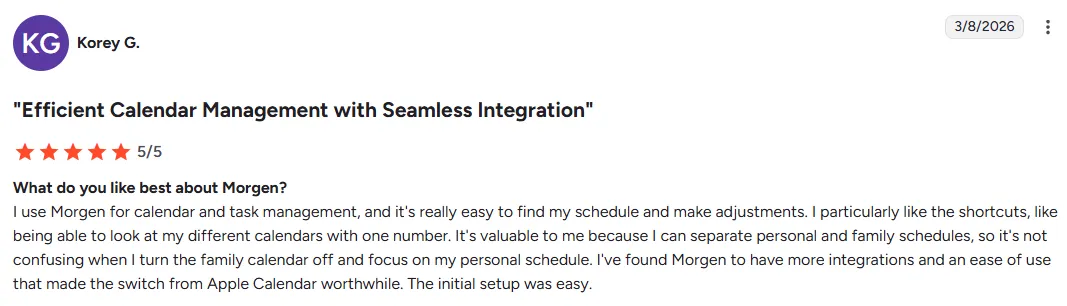
“I use Morgen for calendar and task management, and it's really easy to find my schedule and make adjustments.” Korey G.
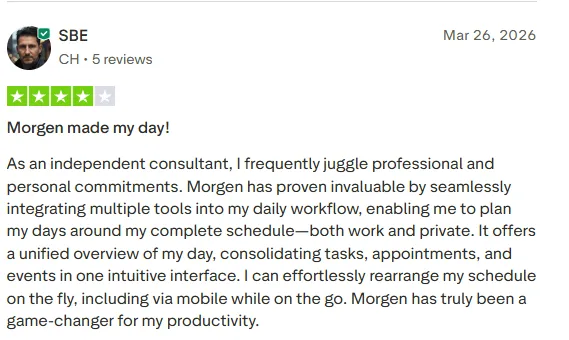
“As an independent consultant, I frequently juggle professional and personal commitments. Morgen has proven invaluable by seamlessly integrating multiple tools into my daily workflow, enabling me to plan my days around my complete schedule—both work and private,” shares SBE on Trustpilot.
Who Morgen Is Best For
- Marketers, developers, solopreneurs, and freelancers with scattered workflows: Individuals who use numerous task tools plus work and personal calendars, and want one interface to see everything and schedule from it
- Professionals who work in Gmail or Outlook: and action emails in Google Tasks or Microsoft To Do as schedulable tasks
- ADHD users who struggle to act on email without a dedicated time slot: Morgen lets you set “email time” on the calendar to reduce decision fatigue and executive dysfunction
Want to see how Morgen turns flagged emails, tasks, and calendars into a realistic daily schedule? Download and install Morgen on Mac, Windows, Linux, or mobile.
2. Akiflow: For Manual Daily Scheduling from a Unified Task Inbox
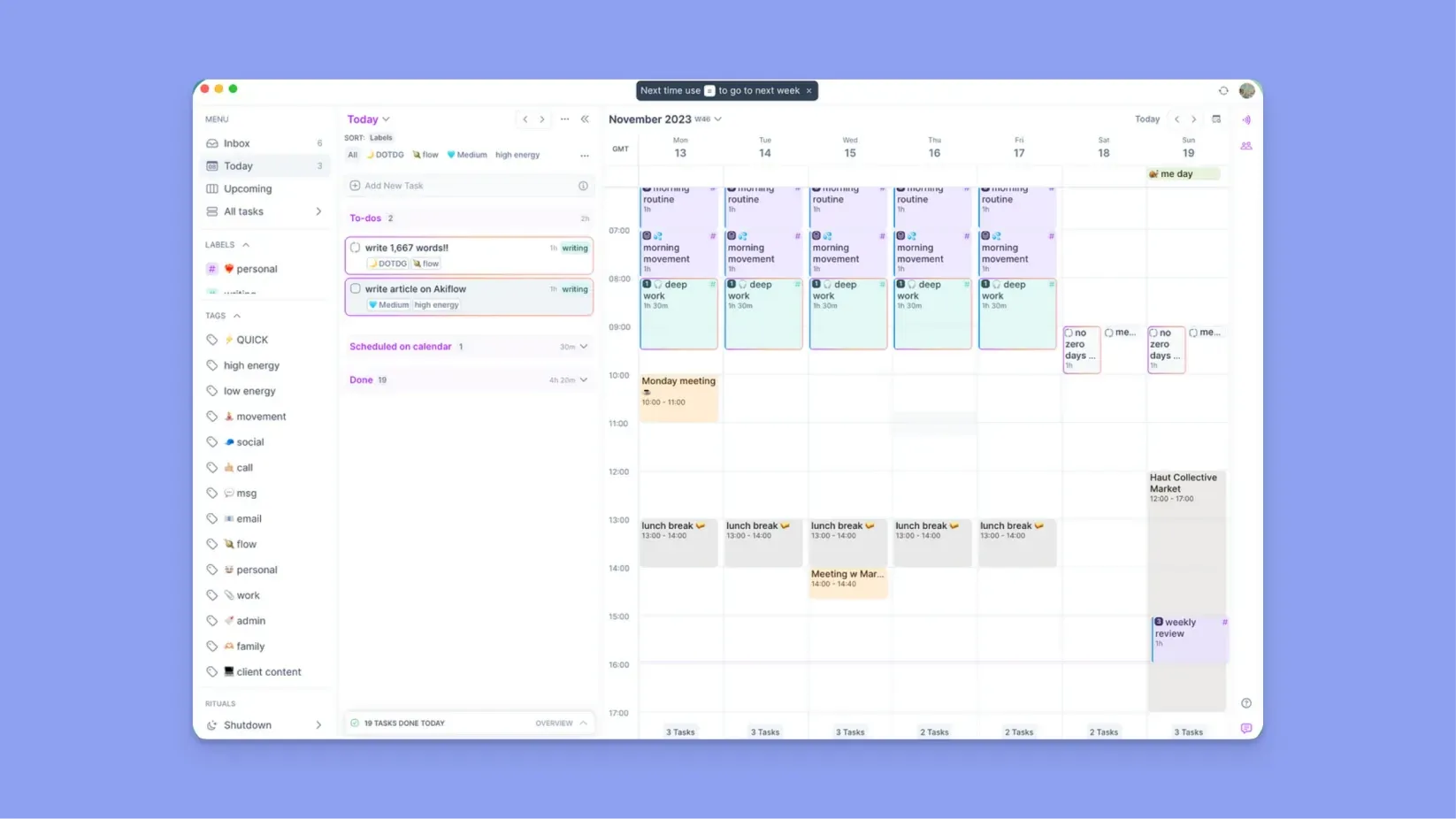
Akiflow works for professionals who manually organize work from email, Slack, and task apps into calendar time blocks.
Key Features
- Gmail, Outlook, and Slack integrations: Pull emails and Slack messages into a unified inbox, then convert them into actionable tasks for calendar scheduling
- Powerful Command Bar: Capture tasks quickly using keyboard shortcuts and natural language input
- Calendar Planning: Drag tasks directly from the smart inbox onto your calendar to create structured time blocks around meetings and availability
Pricing
Read Akiflow’s pricing breakdown to understand what you get at each tier.
Where Akiflow Shines
- Aki AI assistant and voice capture: Quickly create tasks, structure inputs, and capture ideas before they disappear
- Color-coded calendar outline: Visually separate different types of work and read your workload faster across the day
- Manual planning with full control: Akiflow lets you decide exactly where tasks belong on your calendar
Where Akiflow Falls Short
- Still not a true email client: Akiflow surfaces emails and messages as tasks, but you still manage conversations inside the email providers
- Heavy manual planning: The platform gives you control, but daily replanning can become time-consuming when schedules change constantly
Customer Reviews
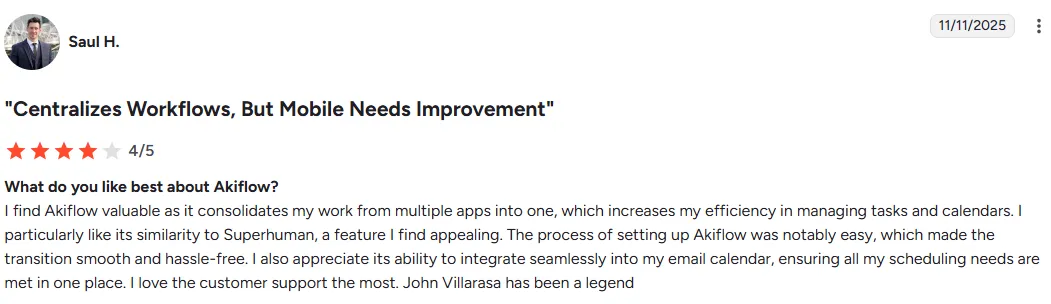
“I find Akiflow valuable as it consolidates my work from multiple apps into one, which increases my efficiency in managing tasks and calendars. I particularly like its similarity to Superhuman, a feature I find appealing. The process of setting up Akiflow was notably easy, which made the transition smooth and hassle-free. I also appreciate its ability to integrate seamlessly into my email calendar, ensuring all my scheduling needs are met in one place,” shares Saul H.
“It takes some time to set up and transfer from whatever your current methods are. Also takes some orientation to use. I am still not sure how to use it to its full potential, it is not intuitive. But once you overcome the learning curve, it will be an extremely essential tool,” according to this verified user on Capterra.

Who Akiflow Is Best For
- Solo professionals managing work across Gmail, Slack, and project tools: who need one inbox to triage from and a calendar to schedule into
3. Sunsama: For Intentional Daily Planning with Direct Email-to-Calendar Scheduling
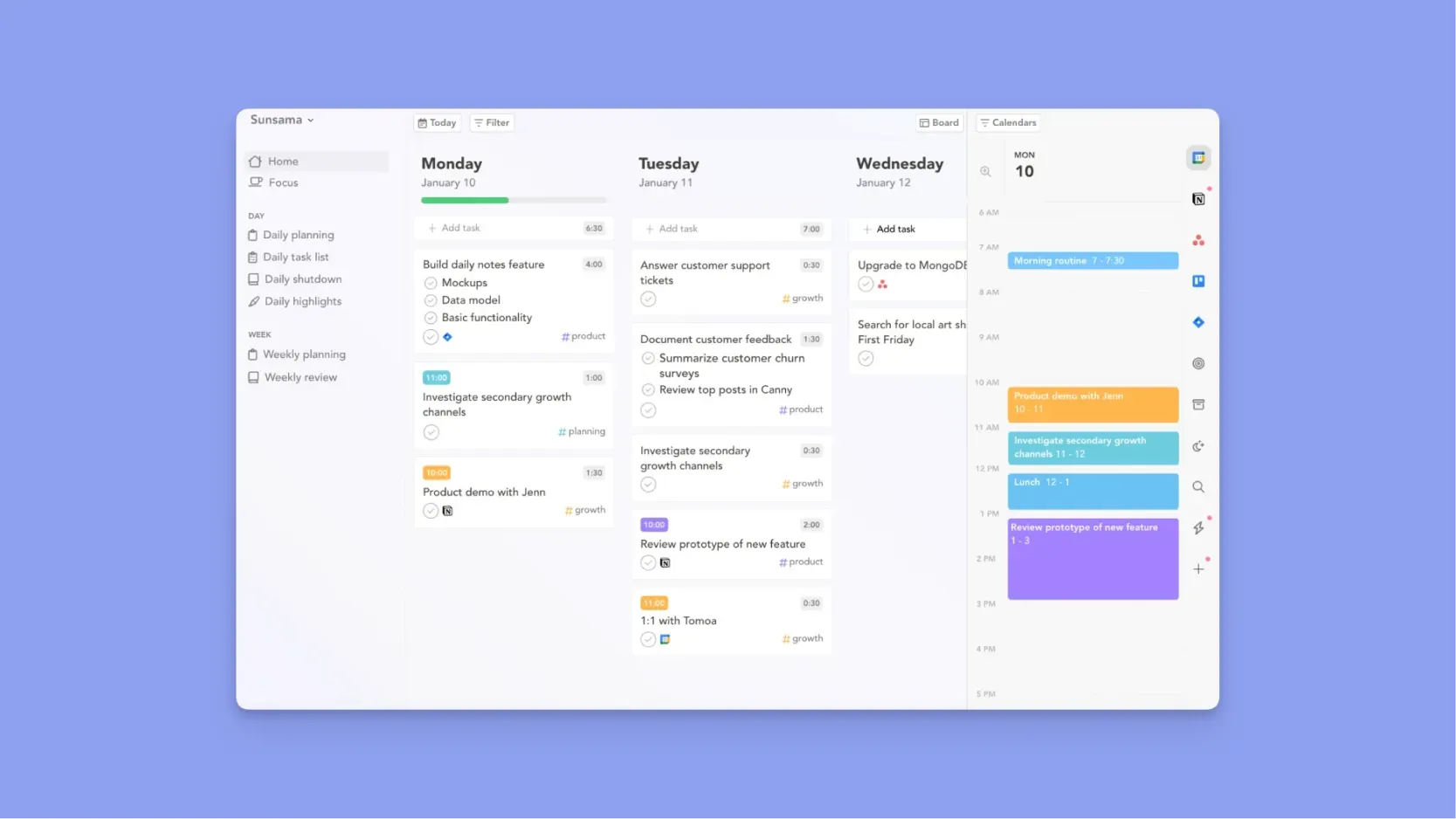
Unlike Superhuman, Sunsama focuses less on inbox speed and more on creating intentional work sessions for email tasks.
Key Features
- Direct Email Integrations: Pull emails from Gmail and Outlook into Sunsama as actionable tasks, then drag them onto your calendar for scheduled follow-up time
- Guided Daily Planning Ritual: Sunsama walks you through pulling tasks from connected tools and committing to a realistic plan for the day
Pricing
Here is our detailed breakdown of Sunsama pricing.
Where Sunsama Shines
- Calm, distraction-free interface for ADHD users: Sunsama reduces planning overwhelm by focusing on intentional daily scheduling instead of inbox urgency
- Calendar time-blocking with workload warnings: Drag emails and tasks directly onto your calendar while Sunsama warns when your schedule becomes unrealistic
Where Sunsama Falls Short
- Email management is shallower than Superhuman: Sunsama’s inbox panel lets you drag emails to your calendar, but you cannot reply, compose, or fully triage emails from inside the app
- No AI features for planning : Sunsama relies on you to reorganize and rebuild your schedule when priorities change
Customer Reviews
Gareth H says, “Direct 2-way integration with Outlook calendar and email -Manual drag and drop tasks for day planning is far more effective than AI pretending to do it for you - 'Objectives' is especially useful, as it gets you to look at the bigger picture - Ability to merge tasks together.
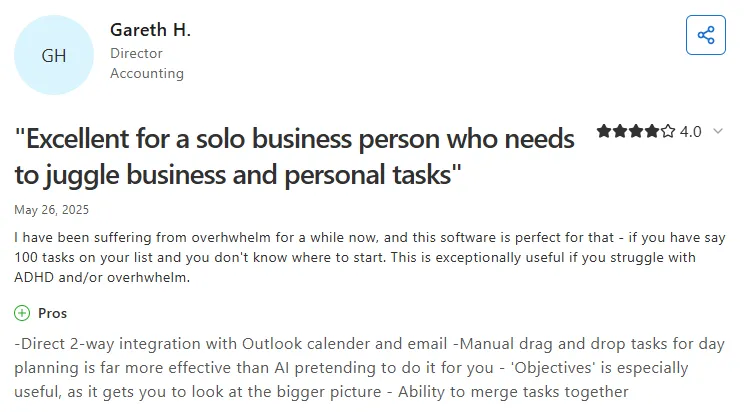
Despite the calendar integration, Gareth adds that Outlook email integration still misses categories:

Who Sunsama Is Best For
- Professionals who work across Gmail or Outlook, who want a structured daily ritual to plan around their calendar and inbox
4. Notion Mail: For AI Email Organization Inside the Notion Ecosystem
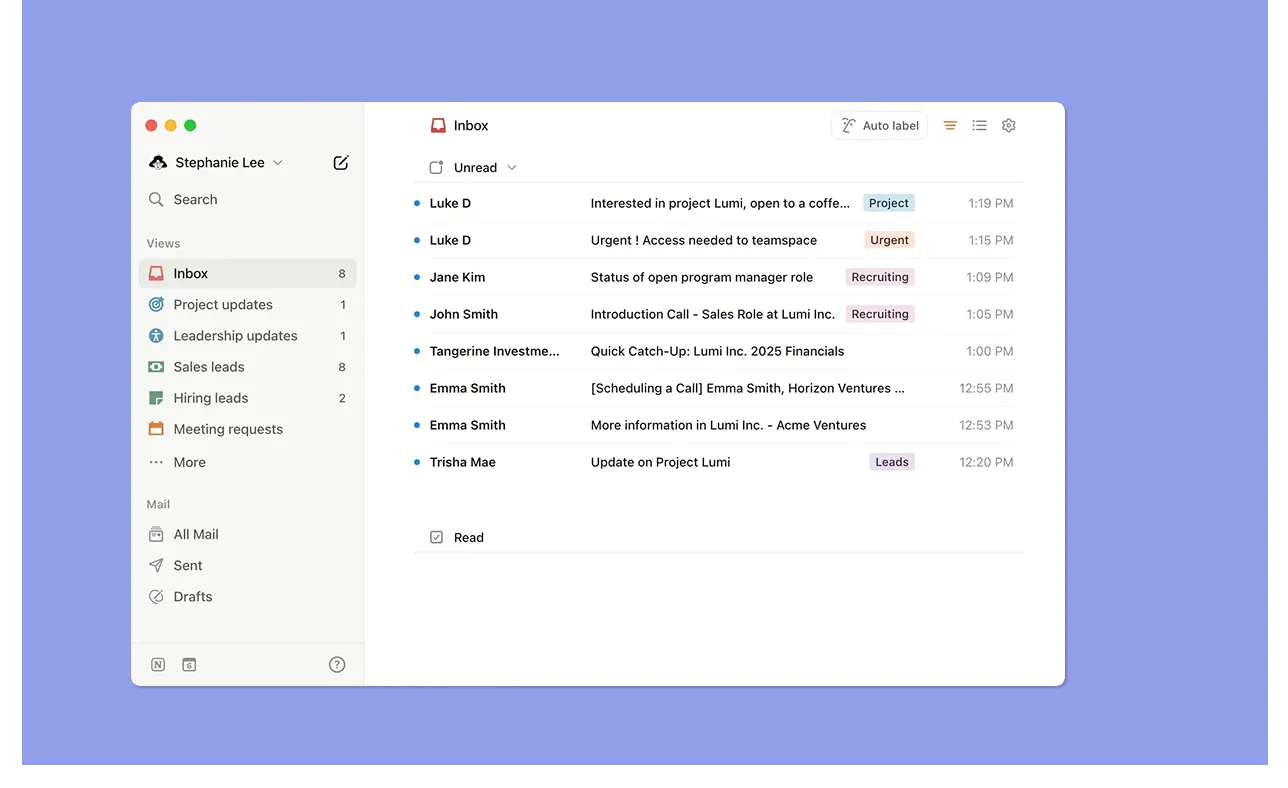
Notion Mail syncs with Gmail and adds AI organization, snippets, scheduling, and Notion Calendar integration in a cleaner workspace-style interface.
Key Features
- Gmail Sync and AI Organization: Connect Gmail accounts and use AI to auto-label emails, organize inbox views, and draft replies automatically
- Notion Calendar sync: Connect your calendar and inbox from a single settings tab
Pricing
Where Notion Mail Shines
- AI drafting: Generate rough replies with prompts directly from any open thread
- Clean interface: Manage email alongside documents, calendars, notes, and projects inside the same Notion workspace
Where Notion Mail Falls Short
- Gmail only, no Outlook support: Notion Mail does not support Outlook or Microsoft 365
- Less triage-focused than Superhuman: No read receipts, no split inbox, and no keyboard-driven triage flow
Customer Reviews
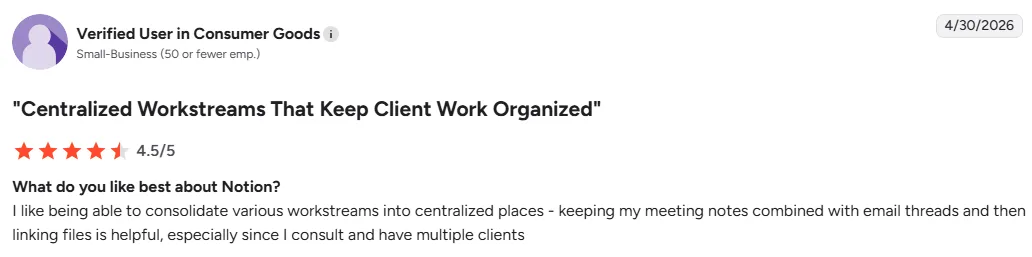
“It also doesn't integrate with my Outlook email, so I'm not able to use the calendar features because it doesn't import all of my different calendars,” says Jess M.

Who Notion Mail Is Best For
- Existing Notion users on Gmail who want their inbox connected to their workspace databases and meeting notes, without adding another tool to their stack
5. Zoho Mail: For Businesses That Need Email, Calendar, and Workspace Tools in One Platform
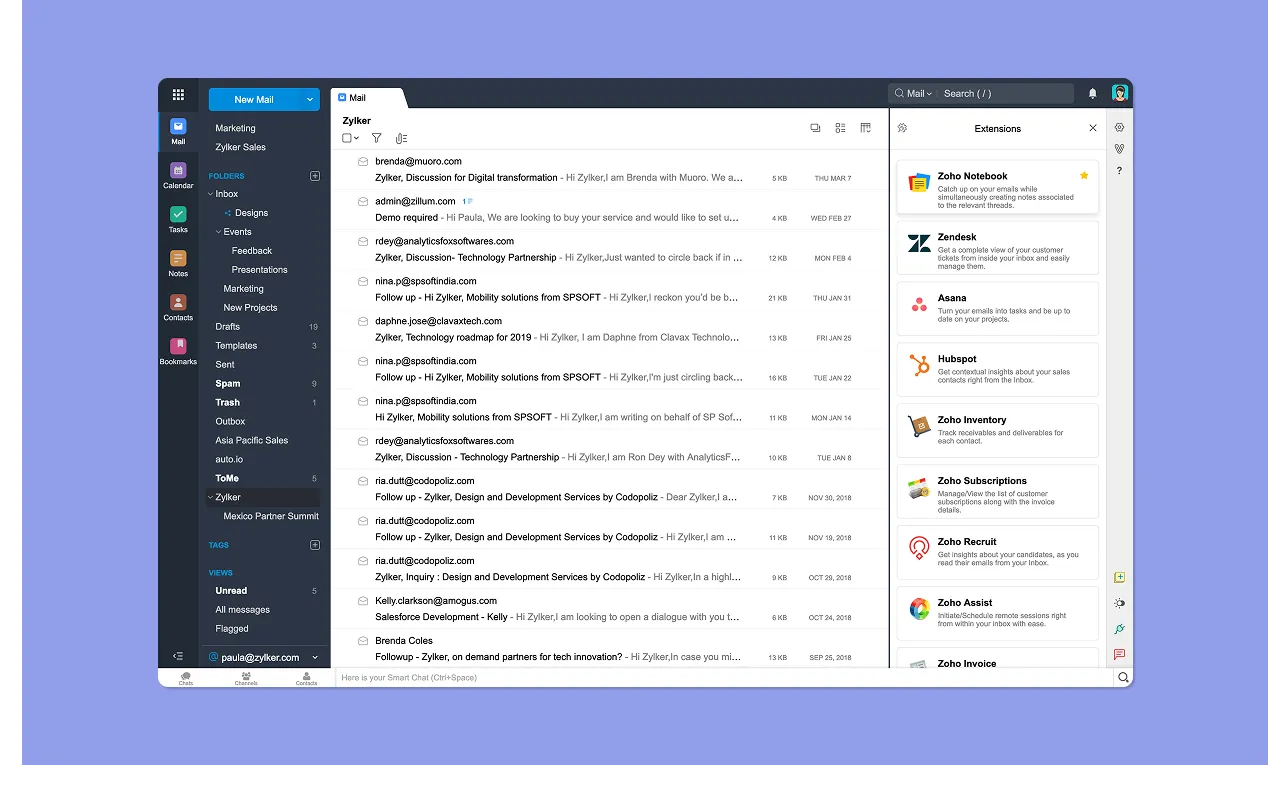
Zoho Mail is an email app for businesses that want email, calendar, tasks, notes, and contacts in one platform without paying Superhuman's steep price.
Key Features
- Workspace Tools: Manage meetings, notes, tasks, and contacts directly inside the Zoho Mail workspace
- Email-to-task and email-to-calendar: Right-click any email, select “Add to ToDo” or “Add to Calendar,” and Zoho creates the task or event with the email subject and details pre-filled
- Custom domain hosting: Professional business email at your own domain, with aliases, group inboxes, and admin controls included across all paid plans
Pricing
Where Zoho Mail Shines
- Affordable: At $1 per user per month, Zoho Mail is the clearest budget alternative to Superhuman for businesses that need professional email with planning tools attached
- Clean, categorized interface: Folders, labels, filters, and conversation threading keep the inbox organized
- Zoho ecosystem integrations: Turn emails into leads, contacts, tickets, or project tasks directly from the inbox
Where Zoho Mail Falls Short
- Not on Superhuman's triage level: Less polished and speed-focused than Superhuman for inbox triage
- Limited integrations: Third-party integrations outside the Zoho ecosystem are limited, so you may not pull from Google or Microsoft
Customer Reviews
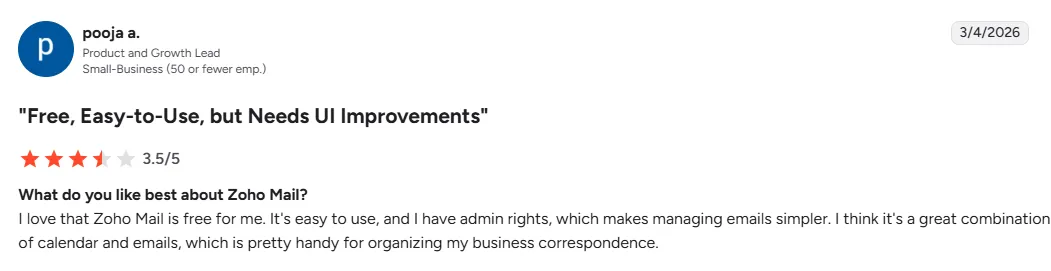
“I love that Zoho Mail is free for me. It's easy to use, and I have admin rights, which makes managing emails simpler. I think it's a great combination of calendar and emails, which is pretty handy for organizing my business correspondence,” says Pooja A.
“The interface feels a bit outdated compared to tools like Gmail. Another downside is limited third-party integrations, so it works best only if you stay within the Zoho ecosystem,” shares Sagar K.

Who Zoho Mail Is Best For
- Small and mid-size businesses already in the Zoho ecosystem who want professional email with built-in calendar, ToDo app, CRM integration, and custom domain hosting at a fraction of Superhuman's cost
6. Amie: Calendar-First Planning with AI Meeting Notes and Email Integration
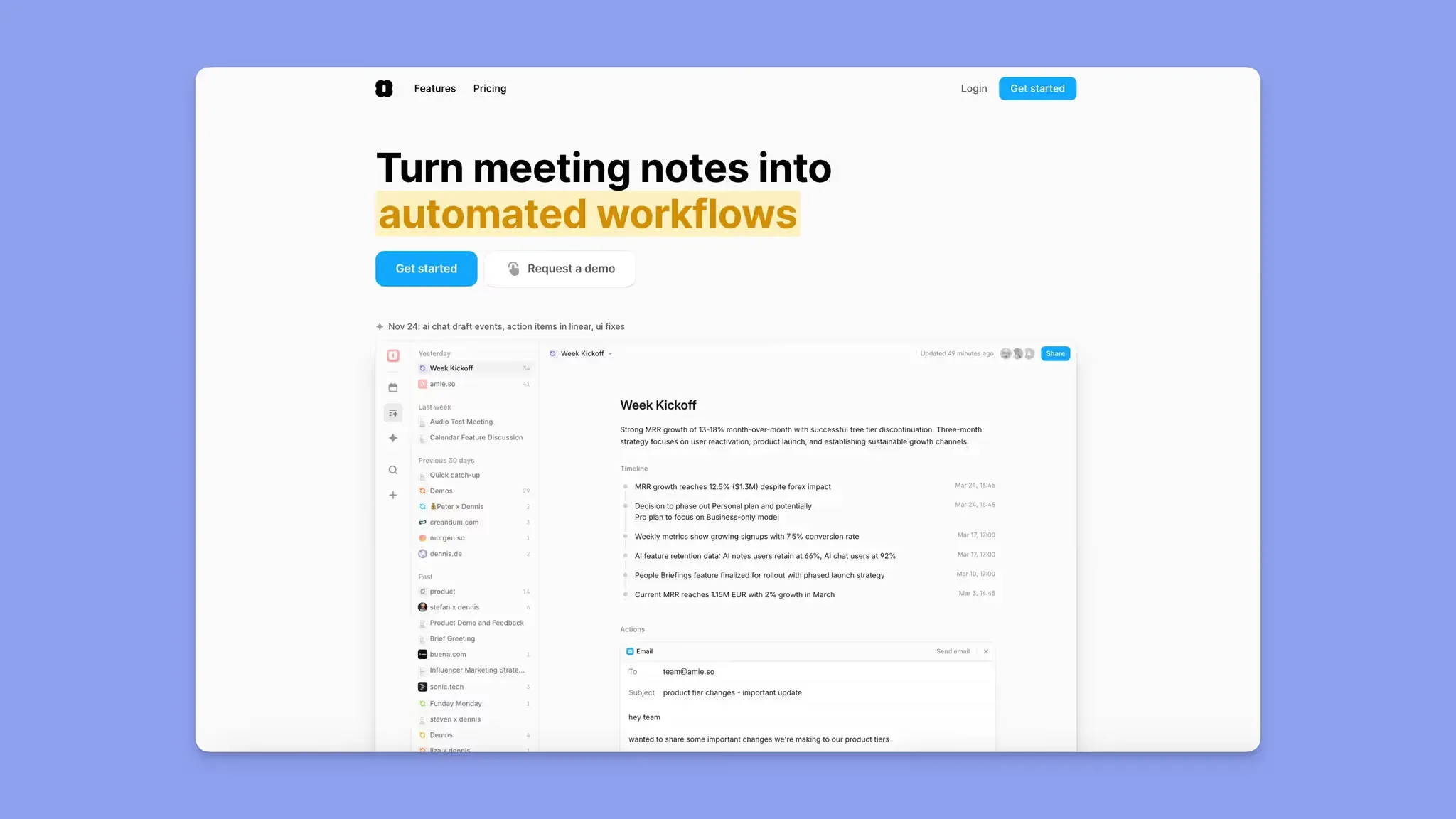
Amie started as a calendar app and has since evolved into an AI meeting note-taker with full calendar integration.
As a Superhuman alternative, it connects to Gmail and learns your writing style to draft follow-up emails after meetings. You can drag emails directly from Gmail into your task list and sync Google Calendar events for scheduling, which the AI chat interface handles conversationally.
Amie is built for Mac and iOS only, which is a hard limitation for anyone on Android or Windows, and costs $20/month.
7. Ayari: Alternative Conversational AI for Email and Calendar Management
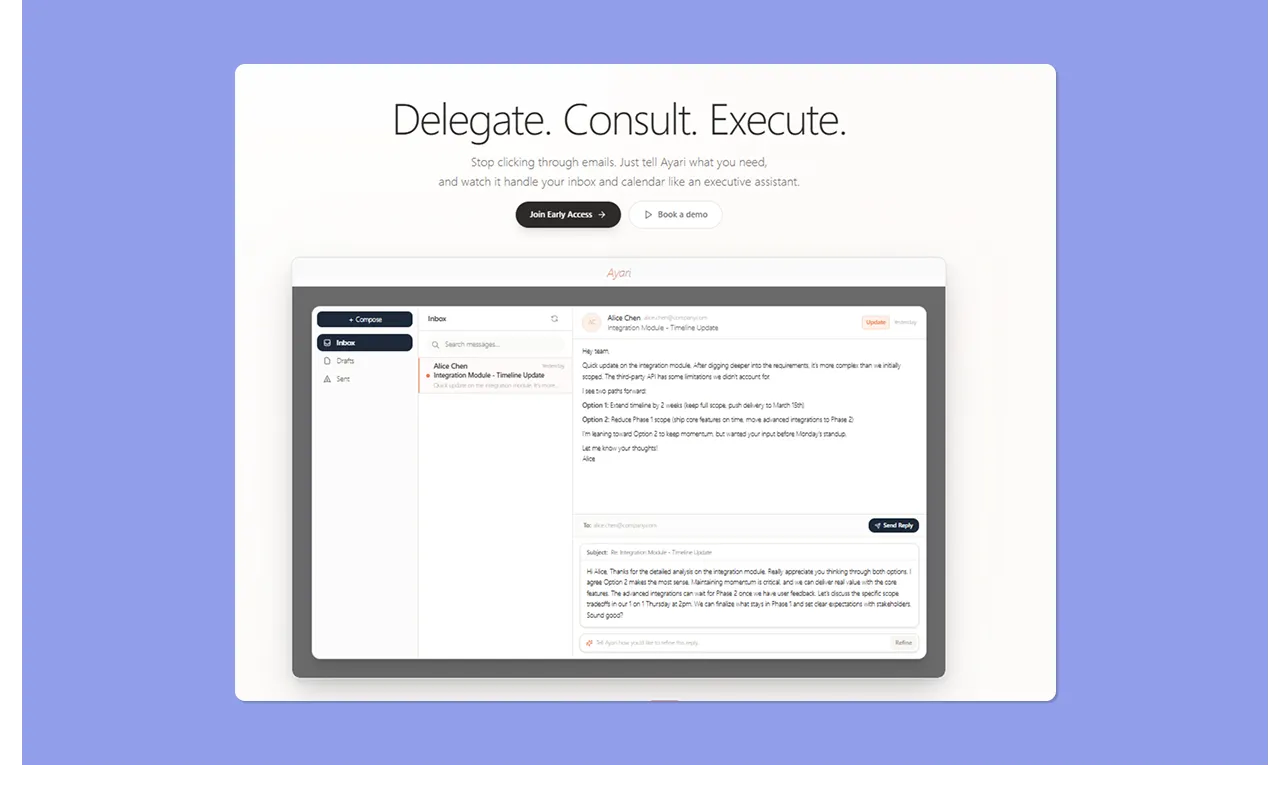
Ayari is an AI email assistant that manages email and calendar through natural language, with a calendar agent handling event creation, task planning, and scheduling conflict detection. You get a fast, keyboard-light experience where you describe what you need and the AI acts on it.
It's still in early access, with the current price at $12.99/month. For professionals who want a single AI layer across both inbox and calendar and are comfortable being early adopters, it's worth trialing.
8. Saner.ai: AI Personal Assistant for Notes, Email, and Calendar Planning
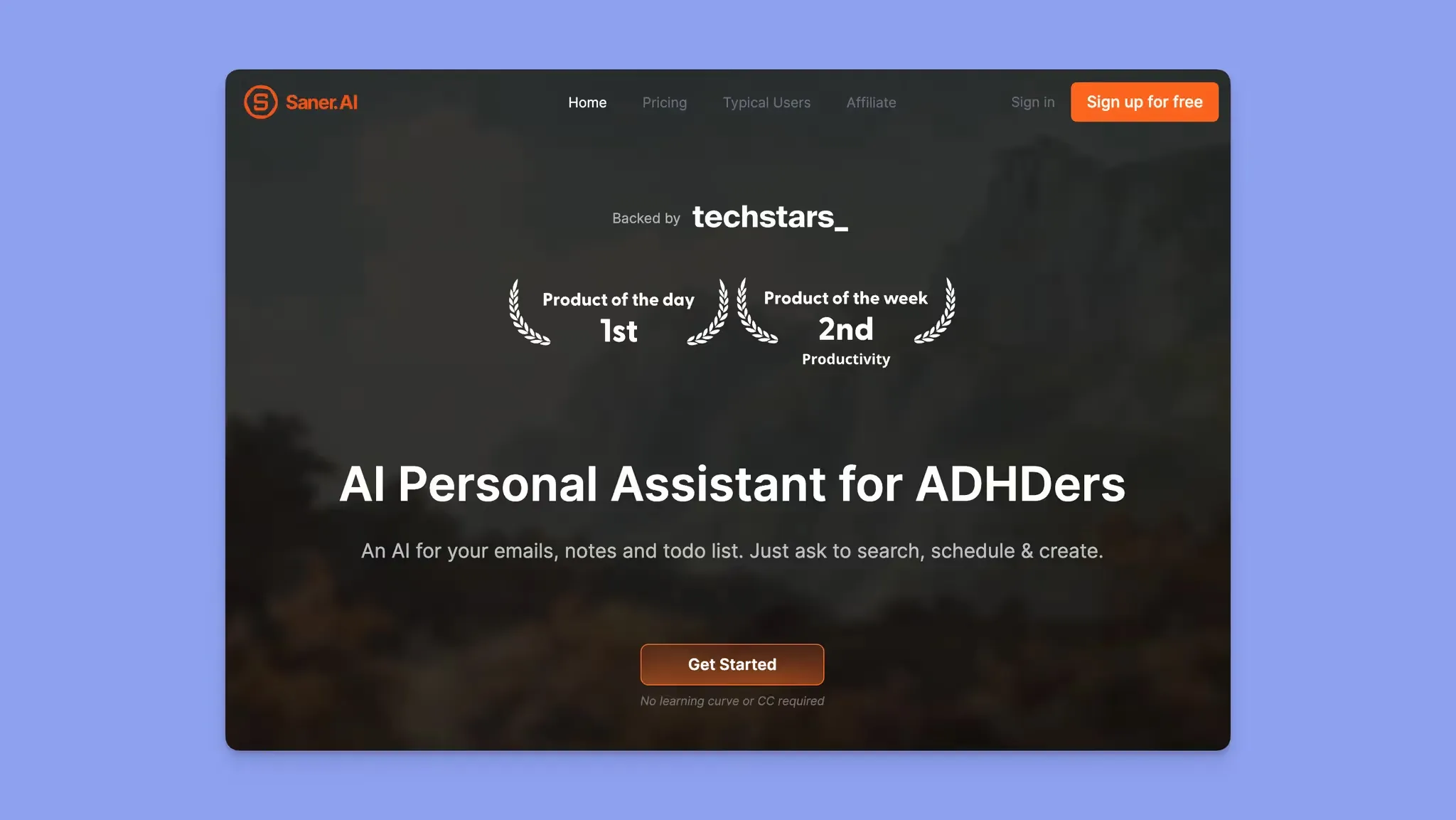
Saner.ai is an ADHD-friendly AI personal assistant that automatically extracts tasks and reminders from emails, then suggests next steps and interacts with your calendar to schedule and reschedule events conversationally.
Its personal AI assistant, Skai, turns your brain dumps into scheduled tasks. Saner.ai integrates with Gmail, Google Calendar, Google Drive, and Slack.
The free plan includes 30 AI requests per month and 100 notes, while paid plans start at $8/month.
Reasons to Consider a Superhuman Alternative
Forbes reports that 88% of people check their emails daily. If you must go through numerous emails daily, you need a platform like Superhuman that triages emails fast.
Still, you may need an alternative that ties your inbox to the rest of your schedule. Here’s why :
Superhuman Does Not Help You Schedule the Work Behind Emails
Superhuman helps you triage and reply to emails faster. But many emails create work that cannot be completed from the inbox itself, and need dedicated calendar time before you can respond properly.
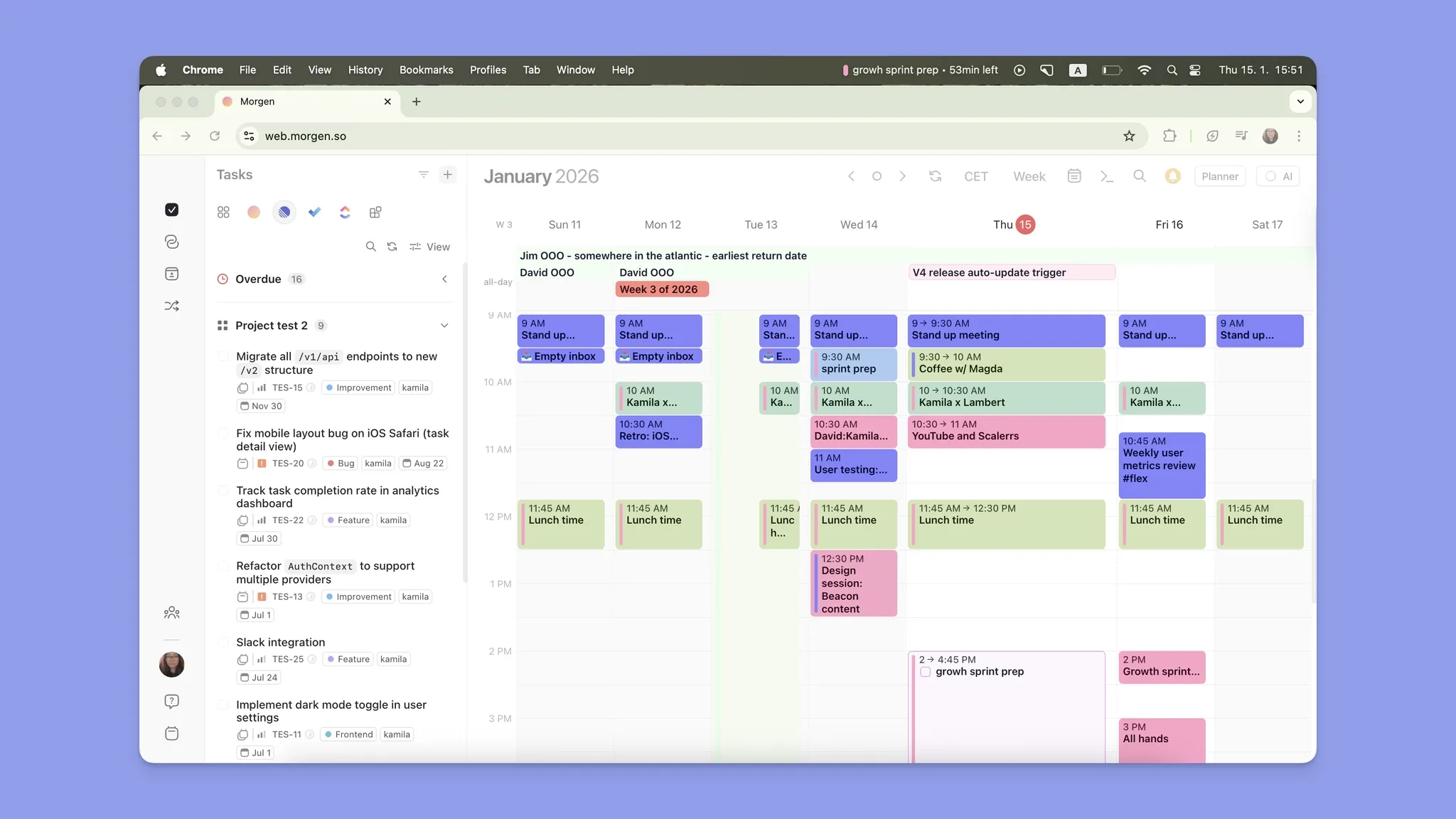
As an alternative, Morgen lets you schedule when to handle emails, and even turns email-generated tasks from Google Tasks or Microsoft To Do into schedulable calendar blocks.
Limited Daily Planning, Calendar Management, and Integrations
Superhuman includes lightweight calendar features, but you don’t get AI scheduling suggestions, recurring planning templates, workload balancing, or visual calendar planning across multiple task tools.
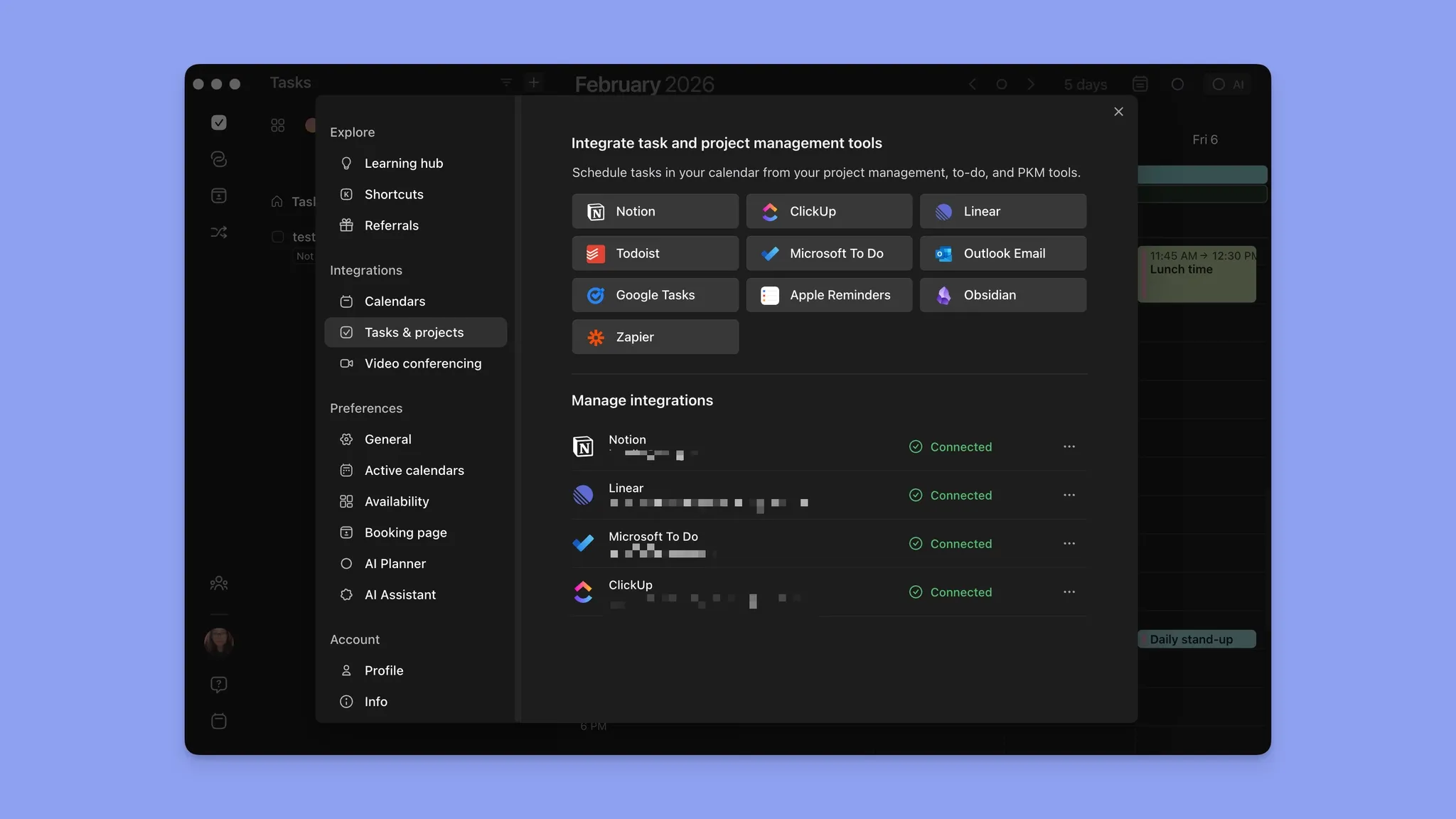
Morgen combines calendars and tasks, then helps you build realistic schedules around meetings and deadlines. You see your full availability and task backlog in a single interface, and schedule from it directly.
If You Have ADHD, You Need Help Deciding When to Handle Email Work
ADHD professionals with decision fatigue often need to know exactly when to handle work, and Superhuman does not support that style of daily planning.
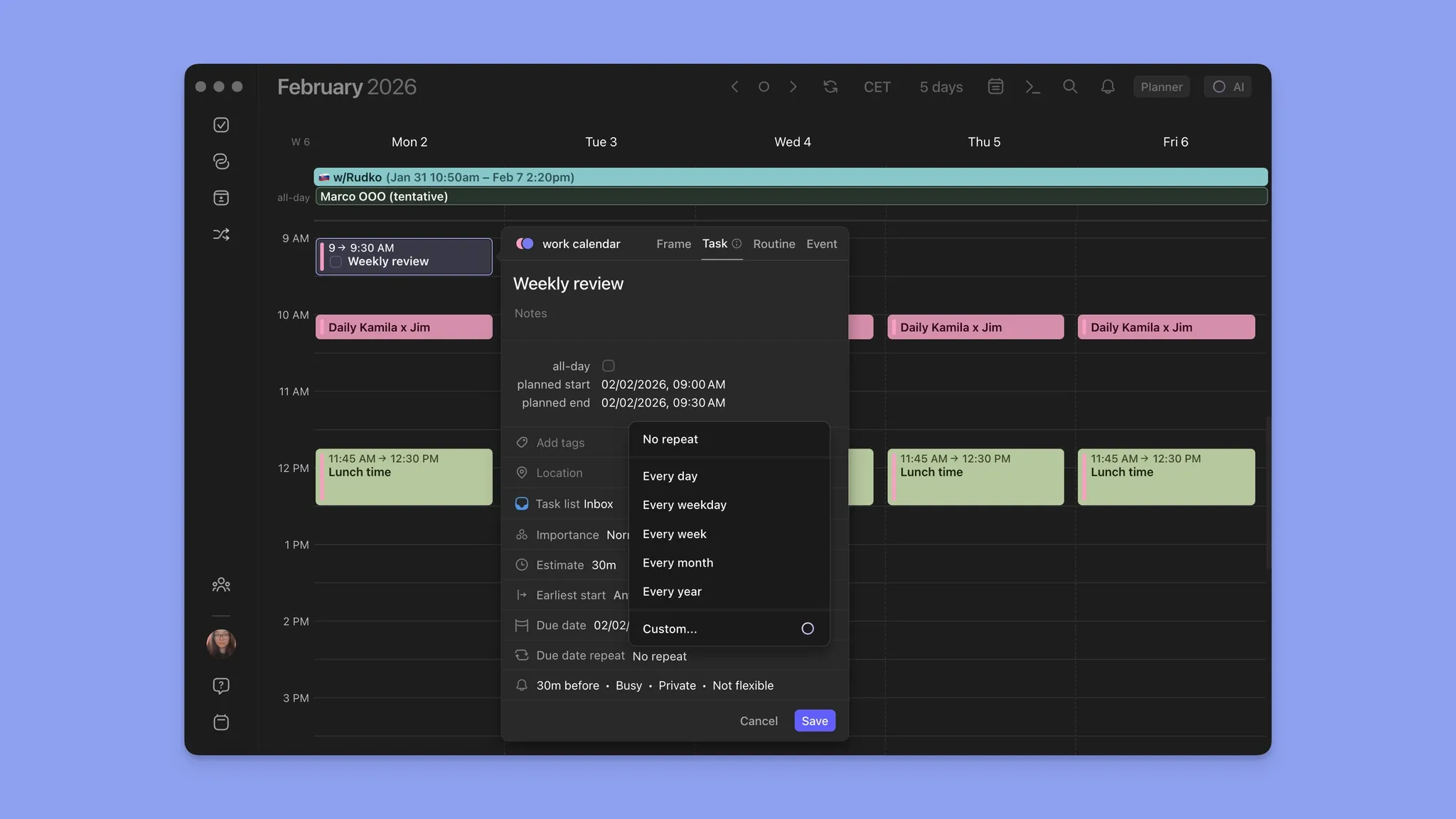
Morgen lets you create dedicated calendar sessions or recurring Frames for email work. You can also create subtasks for different clients, inboxes, or priorities to reduce overwhelm.
Minimal Support for Deep Work and Focus Time
While Superhuman optimizes responsiveness, it can make your day feel increasingly reactive if you don’t have structured planning workflows.
With Morgen’s Frames, monotasking, and AI-assisted scheduling, you can batch similar work and reserve dedicated focus time for email tasks.
Block focused time for email tasks with Morgen's deep work timer.
So, Which Superhuman Alternative Should You Choose?
If emails regularly turn into tasks or meetings, you eventually need a system that connects communication to execution. Superhuman does not.
Morgen, however, helps you turn email tasks into scheduled work blocks around real availability, with integrations and an AI scheduling layer that suggest realistic daily plans.
See how Morgen tasks work, then start your free trial to build a more focused email-to-calendar workflow.
FAQs
1. Can I use Superhuman alongside a daily planner instead of replacing it?
Yes. Superhuman handles inbox speed, while Morgen schedules time for clearing those emails around your actual availability.
2. What is the difference between an email client and a daily planner?
An email client like Superhuman helps you read, reply to, and organize email faster. A daily planner like Morgen plans when to act on the emails by scheduling focused sessions in your calendar. Most professionals need both.
3. Do daily planners like Morgen sync completed tasks back to Gmail or Outlook?
Not directly. When you complete email tasks in Morgen, the changes sync back to Google Tasks or Microsoft To Do. You'd still need to open your email client to action the original email.

.svg)
.webp)


